Customer Ratings & Reviews

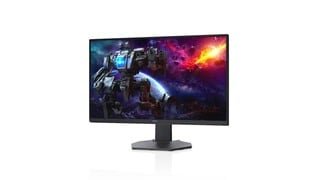
- Model:
- DCY89
- SKU:
- 6421624
Rating by feature
- Display Quality
Rating 4.7 out of 5 stars
- Ease of Use
Rating 4.7 out of 5 stars
- Features
Rating 4.7 out of 5 stars
Customers are saying
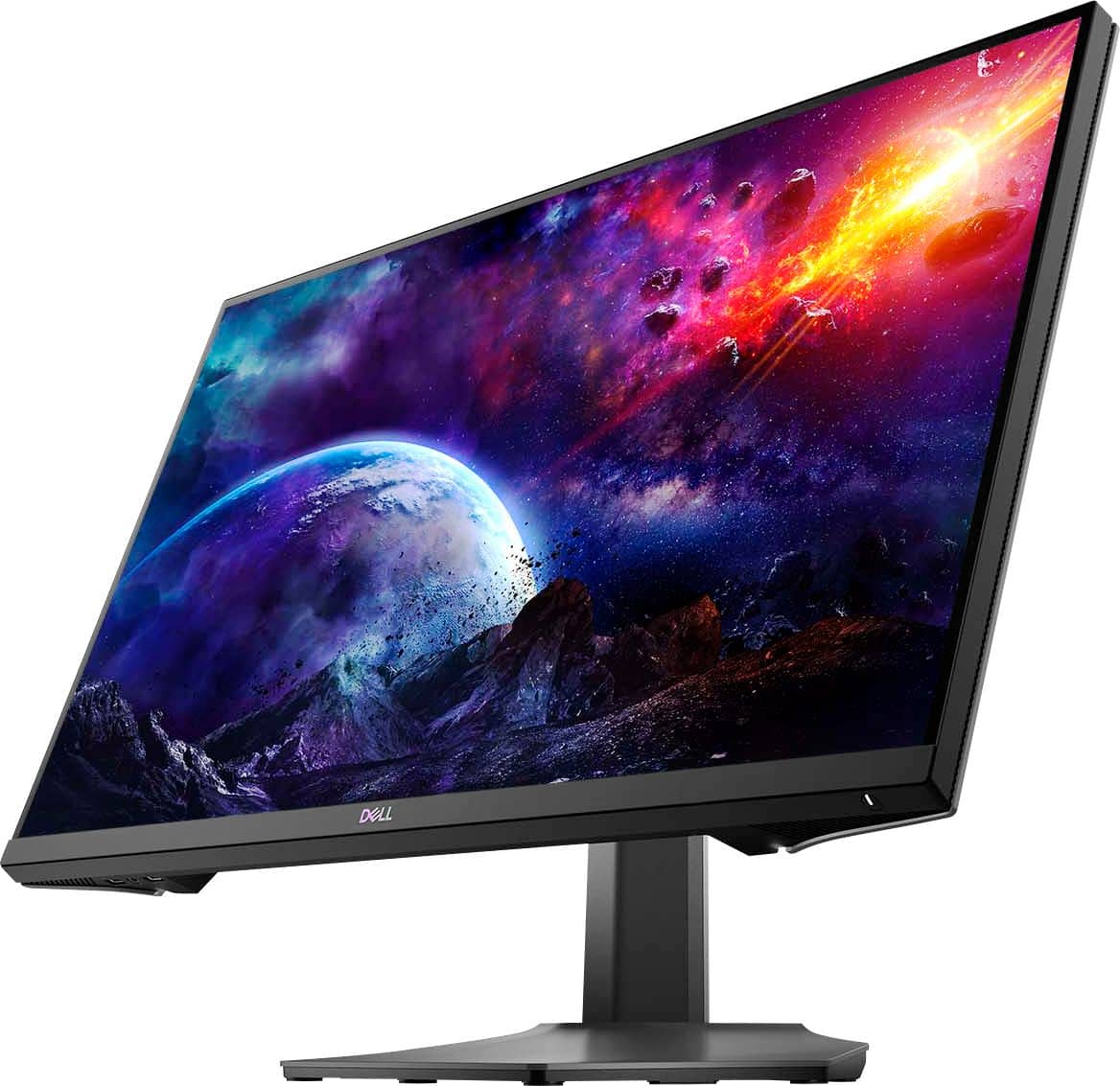
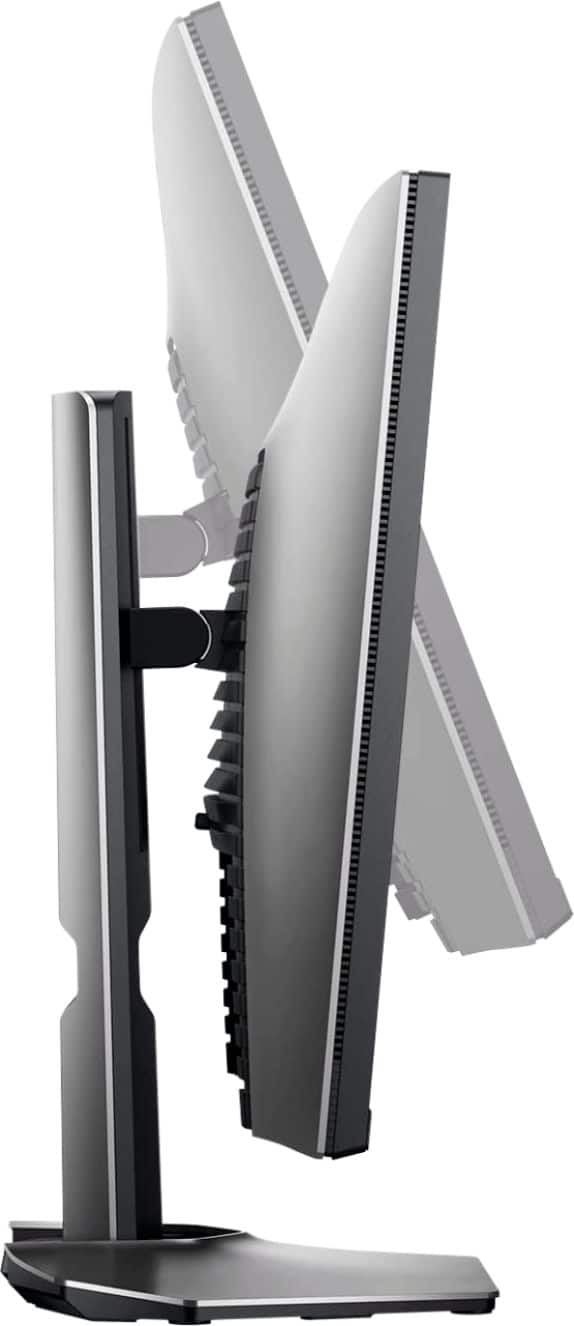
Customers are impressed with the picture quality, refresh rate, and color of the S2721DGF monitor, frequently praising its performance and vibrant visuals at a reasonable price point. Many also appreciate the HDR capabilities and adjustable stand. While some users noted issues with IPS glow and the lack of built-in speakers, the overall feedback highlights the monitor's strengths in image quality and value.
This summary was generated by AI based on customer reviews.
Screen Issues - Will update after Replacement
||Posted . Owned for 1 week when reviewed.This reviewer received promo considerations or sweepstakes entry for writing a review.I purchased this and the LG 27'' IPS G-SYNC Monitor to compare side by side. The Dell has a much better build quality and a 3 year warranty (LG has 1 year) so I kept the Dell. Within my first week, I noticed a dead pixel on the screen and am having this persistent white-flickering border that shows up when gaming. I did basic troubleshooting with Dell tech support and we were unable to fix it. Luckily, they have sent out new monitor. I am hoping this was simply poor QC with a defected monitor. Other than that, the picture is incredibly sharp, beautiful colors, and gaming performance is insane. The buttons for menu control on the back are a bit clunky but once you dial in your settings, you won't need to mess with it more. I will provide an updated review once the replacement arrives. I'm hoping mine was just the bad apple as most people have only had a positive response so far.
No, I would not recommend this to a friendBrand response from YourDellTeam
Posted .Wolf,
Thanks for your review and we're sorry to hear about the dead pixels that you experienced on your Dell monitor. Here's a link to Dell's Pixel Guidelines for future reference: https://dell.to/2lCLW0I.
Best,
Bryan
1-800-624-9896
Great monitor but with a small flaw
||Posted . Owned for 1 month when reviewed.This reviewer received promo considerations or sweepstakes entry for writing a review.Product is great overall, but 1 month after purchased I noticed that there's a white dot on the screen, no idea what exactly it is. As long as the monitor is turned on, the white dot is there, it's not from the light of my room or software bugs etc. If someone could solve this problem that would be helpful.
I would recommend this to a friendBrand response from YourDellTeam
Posted .Hello Raven,
Thank you for taking the time to leave us your review. We sincerely apologize for the problem you have encountered with the display of your Dell S Series Monitor. Below I have provided some options for possible solutions to the problem you are having. I have also included a link to the full article, should you need further information.
Possible Resolutions
*Run the automated tools in SupportAssist to ensure that the drivers and BIOS are up to date and your computer is optimized
*Verify display or video issue on a known-good monitor
*Check for physical damage
*Run hardware diagnostics on the Dell monitor
*Reset the monitor to factory settings
*Verify display or video issue in Windows Safe Mode
*Download and install Microsoft Windows updates
*Change the video or display settings and adjust the brightness
*Touchscreen troubleshooting (touch-capable monitors only)
*Run a Video Stress Test using Dell SupportAssist
*Perform a Windows System Restore
*Restore your computer to factory defaults
How to Troubleshoot Display or Video Issues on a Dell Monitor: https://dell.to/3HB3YIX
After utilizing the troubleshooting options provided, if the problem is not resolved, please reach out to our support team here at your earliest convenience: https://bit.ly/DellSupportTeam.
Best,
Ashley@Dell
Should you need further assistance, you can contact Dell directly with the information below.
Chat or call: https://bit.ly/DellSupportTeam
Phone number to Dell 1-800-624-9896
Would have been a perfect monitor - if it worked
||Posted . Owned for 1 week when reviewed.This reviewer received promo considerations or sweepstakes entry for writing a review.I had no problems with the picture quality, refresh rate, or response time of this monitor - its picture quality is awesome. The problem with my unit was that it would not automatically power on properly, either via DisplayPort or HDMI. After some time with no signal, it would require many, many presses of the power button to turn it on, and then after that, the on-screen display menu would not work. The power button did not seem to work except for a short time after it stopped receiving a signal, while the power button light was pulsating. When the button was pulsating, it seemed to respond perfectly with just a hover over it. However, after some time, the monitor seemed to power down completely and become unresponsive to my computer waking. The power button light would remain off completely, and seemed to almost completely stop working, even with extremely hard presses. I tested this with DisplayPort and HDMI from my computer, as well as through HDMI with another device. Both these devices previously would properly wake other HDMI displays. There is a discussion thread with many people discussing the same issue I had. Just search for "I have to power cycle my Dell S2721DGF every time I boot up my PC". Another review on Best Buy also mentioned "the power button feels like it’s broken". Because this is a somewhat known issue, and because I might have to move soon, I decided to get a refund for my unit instead of exchanging it for another one. I still plan on buying this monitor, or possibly another Dell, because this model is still the king for excellent picture quality at 1440p and 165hz. Hopefully the newer production runs for this monitor eliminate the problem I experienced, maybe even with a price drop soon. Or, maybe Dell will release a better model with some features that are missing (such as being able to handle a 4k signal). Overall though, I had no problems with the features or picture quality of this unit. Some reviews complained of backlight bleed, which I did not notice, though admittedly I'm not the most critical. I did notice the blacks were not quite as deep as my 4k TV when gaming, though that comes with being an IPS panel. The refresh rate and response time were excellent - at 165hz, I didn't notice any ghosting. While gaming, though I maxed out at 150fps, the image remained perfectly clear during fast movements. And though the monitor lacks speakers, I somewhat appreciate that if it means more of the production cost was allotted to the excellent picture quality. Overall, I'll give this monitor a 3/5 because of the poor experience. Had I gotten a non-defective unit, this would easily be a 5/5 gaming monitor for its price range. The aesthetics of the monitor don't scream "gamer" too much which is a plus in my opinion, though its blue lighting and curves on the base give it some character. Additionally, the physical build quality and material feel very premium.
I would recommend this to a friendBrand response from YourDellTeam
Posted .David,
Thanks for your thorough review. We're sorry to hear about the performance issues that you had with your new monitor. We will share your feedback with our team so that future improvements can be made. Thank you for keeping an open mind about considering Dell again in the future.
Best,
Bryan
1-800-624-9896
Decent for the price
||Posted . Owned for 2 weeks when reviewed.This reviewer received promo considerations or sweepstakes entry for writing a review.Decent monitor that was easy enough to setup, unfortunately the speakers didn’t work so I had to return it.
No, I would not recommend this to a friendBrand response from YourDellTeam
Posted .Hey TravisT,
Thank you for taking the time to leave a review of your Dell 27” gaming monitor. We are sorry to hear that your speakers were not functional, and you made the decision to return your device. That is not the type of feedback we like to hear from our customers, or the type of product Dell intends to deliver. We have noted the details of your statement and will escalate them to our quality team for improvements on current and future products.
We recommend that you contact Dell directly with the information below if you need further assistance.
Chat or call: https://bit.ly/DellSupportTeam
Phone number to Dell: 1-800-624-9896
Best,
Summer@Dell
Monitor and Best Buy customer service
||Posted . Owned for 10 months when reviewed.This reviewer received promo considerations or sweepstakes entry for writing a review.This monitor was great! The quality is good! It has great picture and the price is reasonable as well. I’m rating this product as 3 stars due to the fact I had the monitor for almost 1 year and it burned out. I have the title tech package so I returned my monitor and upgraded for an OLED one. Everyone in Best Buy are really helpful and try to get you your every need.
I would recommend this to a friendso close yet so far
||Posted . Owned for 1 year when reviewed.This reviewer received promo considerations or sweepstakes entry for writing a review.Great screen and smooth gameplay, however the quality control is all over the place the speakers went out on mine, good thing I got geek squad coverage highly recommended is ur purchasing a monitor over 400
I would recommend this to a friendPretty good but not perfect
||Posted .This reviewer received promo considerations or sweepstakes entry for writing a review.I've had the S2721DGF for a little over a week now. It's pretty good for what it is -- a moderately priced IPS gaming monitor. It's got 165hz refresh rates when using the proper cables and the picture's decent enough for games, movie watching, and general things in the home office. My only real complaints are the front USB ports and the headphone jack. My Dell U2719DC has the ports on the side where they're easy to get to. Putting them on the bottom is clumsy and requires raising the monitor to get plug in a thumb drive. I've discovered that the headphone jack is useless. I actually brought back my first S2721DGF thinking there was something wrong. When I hooked up the replacement and it did the same thing I realized that's just how it was built. Let me explain: I've got my computer's speakers plugged into the speaker line out port (#6) on the back of the monitor and I have zero issues. The headphone jack on the front isn't so simple. When I plugged in my headphones for the first time no sound came from them and the sound continued to play from the speakers. I was later told by Dell technical support that I needed to use the joystick on the monitor to the volume up to 100% on the OSD menu. Turning that up all the way (and the PC's volume up all the way) got sound out of the headphones although it wasn't very loud. It still doesn't stop the speakers from playing. I was told I need to manually turn down the speaker volume. I'm sorry but that's just silly. I haven't touched the volume on these speakers in two or three years. I have the physical knob turned to the max that I'll ever use them at and any volume adjustments I do are made by the software volume control in Windows. The whole thing is poorly executed. I'm hoping something can be done via a firmware update that gives an option to turn off the speakers when headphones are plugged in and a way to boost the volume. Like I said I thought my monitor wasn't working right so I brought it back and exchanged it, only to find that's how they operate. I was ticked off enough that I almost brought the second one back and exchanged it for a different brand but I decided I don't use the headphones that often and it was more work than needed.
No, I would not recommend this to a friendBrand response from YourDellTeam
Posted .Dear GregP74,
We want to thank you for taking the time to leave us your review. We are sorry to hear you had some issues with your Dell 27 Gaming Monitor. This is certainly not what we like to hear from our valued customers. We will share your feedback with our quality team so improvements can be made now and in the future. I have provided a link to the Drivers and Downloads page for your monitor so you can check for and do any applicable updates.
Drivers and Downloads Page: https://dell.to/3jKXOMK
If you require further assistance, you can contact Dell directly with the information below.
Chat or call: https://bit.ly/DellSupportTeam
Phone number to Dell 1-800-624-9896
Best,
Ashley@Dell
Nice picture but whines/buzzes
||Posted . Owned for 6 months when reviewed.This reviewer received promo considerations or sweepstakes entry for writing a review.The monitor looks great but the entire experience is ruined by the constant buzz. I'm sick of LCD mfgs that keep releasing products that whine. I've had two TVs that whined and now this Dell monitor.
No, I would not recommend this to a friendBrand response from YourDellTeam
Posted .Hi Bobb,
Thank you for taking the time to leave a review of your Dell 27” gaming monitor. We are sorry to hear that you are experiencing an issue with your device making a noise. That is not the type of feedback we like to hear from our customers, or the type of product Dell intends to deliver. We have noted the details of your statement and will use them to improve current and future products. I have provided troubleshooting steps below to help resolve your issue.
Below are steps to run a pre-boot diagnostic test that can help.
1. Restart your Dell PC.
2. When the Dell logo appears, press F12 key to enter One-time Boot Menu.
3. Use the arrow keys to select Diagnostics and press Enter key on the keyboard.
4. Follow the on-screen prompts and respond appropriately to complete the diagnostics.
5. If the test fails, ensure to write down the error code and validation code.
If your issue with fan noise continues this article can be used to further assist: http://dell.to/38XbfCV
Should you need further assistance; we recommend that you contact Dell directly with the information below.
Chat or call: https://bit.ly/DellSupportTeam
Phone number to Dell: 1-800-624-9896.
Regards,
Summer@Dell
Doesn’t Live Up to the Hype
||Posted . Owned for 1 month when reviewed.This reviewer received promo considerations or sweepstakes entry for writing a review.I’ll start by saying I returned this monitor after a week with it. Simply put it is not worth the praise it gets online. Yes it’s fast and it’s IPS but that doesn’t make up for the glow and poor contrast. My unit had a lot of back light bleed and IPS glow all across it which for me makes it unusable. It even affected scenes that were not particularly dark. I’ll stick to VA panels for the time being until quality control can get sorted with the current generation of IPS displays.
No, I would not recommend this to a friendBrand response from YourDellTeam
Posted .Hello Brendan,
Thank you for sharing your experience. We are sorry to hear about the backlight bleed you have experienced. Your feedback is sincerely appreciated and will surely be taken into consideration when designing future products. If you have any other questions, feel free to visit the Support Page of your monitor.
Best regards,
Wendy C.
https://bit.ly/DellSupportTeam.
Phone number to Dell: 1-800-264-9896.
Two Monitors - Very mismatched color/brightness
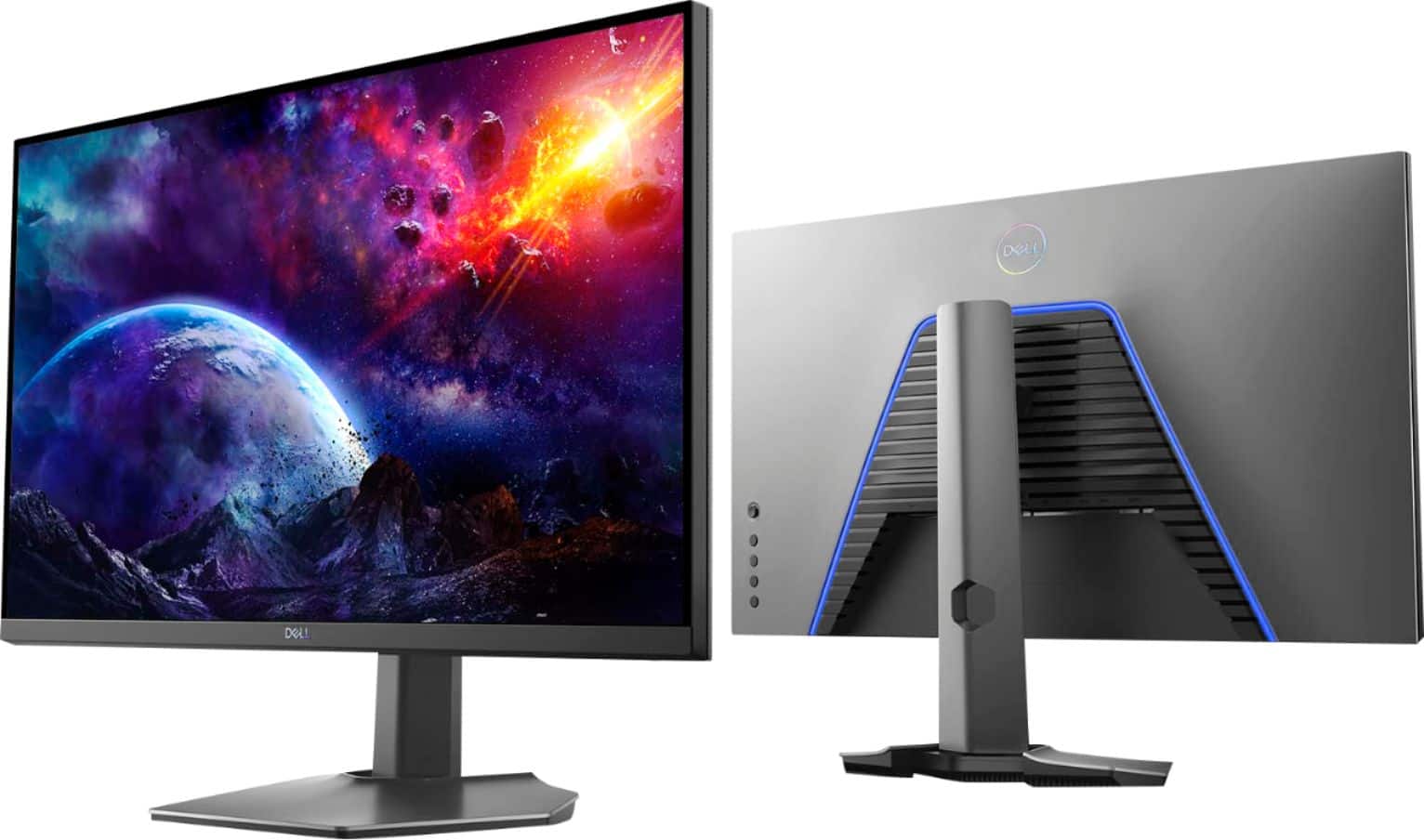
||Posted .This reviewer received promo considerations or sweepstakes entry for writing a review.I ordered these based on a few various online reviews that recommended them, and seeing they were on sale for significantly less than MSRP. I ordered two, looking for a good work/play set of monitors for my home office. My early impressions are not good. I can't identify what it is, but something about them causes a lot of eye strain. They're uncomfortable to look at, even when in "comfort" mode (AKA red mode...). The color and brightness of the two monitors is very mismatched. I had to reduce the brightness of one by about 10% to match the brightness of the other, and I've really been struggling to get the colors to match. The factory QC seems to be pretty loose on these Also, the blue light on the back is stupid. It's that painful blue LED color you see on a lot of cheap electronics. First thing I did was turn that off. I'm on the fence whether I will return these. If I don't return, I may exchange one panel, just to see if I have better luck with the color matching out of the box. Just have to wait for the local store to have them back in stock. I'll sit with them and update my review if my experience improves. I did not have these problems with my Dell U2719D which I have at work. I would have bought those, but they're overpriced and I wanted to try out a higher refresh rate monitor.
No, I would not recommend this to a friendBrand response from YourDellTeam
Posted .Hello Samuel,
We appreciate you taking the time to leave us your review. We are sorry to hear that you are not too happy with your Dell 27” IPS gaming monitors because their color and brightness are very mismatched and it hurts your eyes to look at them. We will share your comments about these issues with our quality team, so future improvements can be made.
Your monitors have a built-in diagnostic tool that helps you determine if any screen abnormality you experience is an inherent problem with your monitor, or with your computer and video card.
To run the built-in diagnostics:
1. Ensure that the screen is clean (no dust particles on the surface of the screen).
2. Press and hold Button 4 for about 4 seconds until a pop-menu appears.
3. Use Button 1 or Button 2 to select the diagnostic tool and use Button 3 to confirm. A gray test pattern appears at the beginning of the diagnostic program.
4. Carefully inspect the screen for abnormalities.
5. Press Button 1 again to change the test patterns.
6. Repeat steps 4 and 5 to inspect the display in red, green, blue, black, white, and text screens.
7. Press Button 1 to end the diagnostic program.
If you do not detect any screen abnormalities upon using the built-in diagnostic tool, the monitor is functioning properly. Check the video card and computer.
The full article on built-in diagnostics can be found below:
How to Run a Diagnostic Test on a Dell Monitor: https://dell.to/3CW8ctj
If the issues are still not resolved after applying the troubleshooting tips above, we recommend contacting the Dell Support Team at the information provided below for further guidance.
Best,
Katarina@Dell
Should you need further assistance, you can contact Dell directly with the information below.
Chat or call: https://bit.ly/DellSupportTeam
Phone number to Dell 1-800-624-9896
Flashing at night
||Posted . Owned for 1 month when reviewed.This reviewer received promo considerations or sweepstakes entry for writing a review.It it a good monitor. However, i don't know why it flickers occasionally when i use it at night.
No, I would not recommend this to a friendBrand response from YourDellTeam
Posted .Dear Flashing,
Thank you for your valued feedback. We are sorry to hear you are having trouble with the screen of your Dell Monitor flickering occasionally. We recommend making sure you have the drivers for your monitor are installed and up to date on your PC. I have provided a link to the Drivers and Downloads page for your monitor below so you can check for and do any applicable installations and/or updates.
Drivers and Downloads Page: https://dell.to/3jrWaPB
After utilizing the troubleshooting options provided, if you the issue is not resolved, please reach out to our support team here: https://bit.ly/DellSupportTeam.
If you require further assistance, you can contact Dell directly with the information below.
Chat or call: https://bit.ly/DellSupportTeam
Phone number to Dell 1-800-624-9896
Best,
Ashley@Dell
Great Monitor but has stuck pixels
||Posted . Owned for less than 1 week when reviewed.This reviewer received promo considerations or sweepstakes entry for writing a review.I would give this monitor 5/5 stars due to its great picture and performance, but my monitor game with a couple of stuck pixels. I understand it is a lottery when buying a monitor with regards to getting a panel with no issues. I am just disappointed that the one I purchased has stuck pixels. If the pixels get fixed or there is a solution I will update my review.
I would recommend this to a friendBrand response from YourDellTeam
Posted .Ryan,
Thanks for your review and we're sorry to hear about the dead pixels on your new monitor. Here's a link to Dell's Dead Pixel Guidelines: https://dell.to/2lCLW0I.
Best,
Bryan
1-800-624-9896
Not good for MacBooks
||Posted .This reviewer received promo considerations or sweepstakes entry for writing a review.If you use a MacBook and want to use this as an external monitor - don't. The resolution is blurry using HDMI or Display Port. I looked for solutions online, and it seems this is a pretty common issue with MacBooks. If you are using Windows - go for it. The monitor size and adjustability are great. I really wish I could use this monitor, but it's not for me.
No, I would not recommend this to a friendBrand response from YourDellTeam
Posted .Dear Valued Customer,
Thank you very much for your valuable feedback. We are glad you like some of the features of your Dell 27” IPS monitor but we are sorry to hear that you are not too happy with its resolution when it is connected to your Mac computer.
This monitor is compatible with Windows and Mac operating systems. Please make sure you have downloaded the latest version of Dell Display Manager, which works with Windows OS and Apple Mac OS – 10.14, 10.15, 11, and 12.
Please see more detailed information about this monitor and about Dell Display Manager below:
What is Dell Display Manager: https://dell.to/3LGOJPR
Dell Monitor S2721DGF Documentation: https://dell.to/3yWq3Ao
If the problem with the resolution and your Mac computer is still not resolved, please contact Dell Support Team at the information provided below for further guidance.
Best,
Katarina@Dell
Should you need further assistance, you can contact Dell directly with the information below.
Chat or call: https://bit.ly/DellSupportTeam
Phone number to Dell 1-800-624-9896
Good while it worked.
||Posted . Owned for 1 month when reviewed.This reviewer received promo considerations or sweepstakes entry for writing a review.The monitor was good while it lasted, 2 months in and the monitor just stopped turning on...
No, I would not recommend this to a friendBrand response from YourDellTeam
Posted .Hello CIx109,
Thank you very much for your valued feedback. We apologize for the issues you have come across with your Dell 27” IPS gaming monitor because it stopped turning on.
Your monitor has a built-in diagnostic tool that helps you determine if any screen abnormality you experience is an inherent problem with your monitor, or with your computer and video card.
To run the built-in diagnostics:
1. Ensure that the screen is clean (no dust particles on the surface of the screen).
2. Press and hold Button 4 for about 4 seconds until a pop-menu appears.
3. Use Button 1 or Button 2 to select the diagnostic tool and use Button 3 to confirm. A gray test pattern appears at the beginning of the diagnostic program.
4. Carefully inspect the screen for abnormalities.
5. Press Button 1 again to change the test patterns.
6. Repeat steps 4 and 5 to inspect the display in red, green, blue, black, white, and text screens.
7. Press Button 1 to end the diagnostic program.
If you do not detect any screen abnormalities upon using the built-in diagnostic tool, the monitor is functioning properly. Check the video card and computer.
The full article on built-in diagnostics can be found below:
How to Run a Diagnostic Test on a Dell Monitor: https://dell.to/3CW8ctj
If the issue with your monitor is still not resolved after applying the troubleshooting tips above, we recommend contacting the Dell Support Team at the information provided below for further guidance.
Best,
Katarina@Dell
Should you need further assistance, you can contact Dell directly with the information below.
Chat or call: https://bit.ly/DellSupportTeam
Phone number to Dell: 1-800-624-9896
Dell S2721DGF
||Posted . Owned for 1 week when reviewed.This reviewer received promo considerations or sweepstakes entry for writing a review.I was really disappointed to have to return this monitor. It had a yellow tint that i couldn't get out. I tried different color profiles and setting in the monitor and nothing worked. When you turn down the brightness got even more yellow. Otherwise this is a fantastic monitor, i'm sure there are plenty of them out there that are fine but it appears i got a bad panel.
I would recommend this to a friendBrand response from YourDellTeam
Posted .Hello,
Thank you for taking the time to share your input and review. We are glad to hear that you are pleased with this monitor. We apologize for the issues you have come across with your display color. If needed in the future, we have provided steps below that can help adjust your color depth through Windows 10.
Here are the recommended steps for adjusting your color depth:
1. Close all open programs.
2. You can either right click Start, and then click Control Panel or click on start and type Control Panel and click the icon that appears.
3. In the Control Panel window, click System, and then click Display.
4. Select the monitor you want to change, if more than one is connected to your PC.
5. Click the Display Adapter Properties link.
6. Select List All Modes.
7. Choose your resolution, color depth and refresh rate from the list and click on OK
8. Click OK again to exit the properties window.
9. If you still require further help with adjusting your display, this contains more details and troubleshooting steps: http://dell.to/3oitVT6.
We recommend following the steps above to resolve your issues if needed in the future. We invite you to review the product Support Page if any other questions or concerns arise.
Best,
Wendy C.
https://bit.ly/DellSupportTeam.
Phone number to Dell: 1-800-264-9896.
TOO EXPENSIVE
||Posted . Owned for 3 months when reviewed.This reviewer received promo considerations or sweepstakes entry for writing a review.Not worth the price. Its not HDR compatible with my xbox series S. There are plenty of monitors with the same specs that are way cheaper. This is a great monitor dont get me wrong. NOT WORTH THE PRICE.
No, I would not recommend this to a friendBrand response from YourDellTeam
Posted .Hi MrBitcoin,
We appreciate you taking the time to leave us your review. We are sorry to hear that you are not 100% satisfied with your Dell 27” gaming monitor because it was too expensive and it doesn’t work with your gaming system. We will share your comments about these issues with our quality team, so future improvements can be made.
For your reference, I have included an article below, that includes information about the compatibility of Dell monitors with gaming consoles:
Dell Gaming and Alienware Monitors Support for Gaming Consoles: https://dell.to/3MhEjXz
If you need further technical support, please use the information below to contact Dell Support at your earliest convenience.
Best,
Katarina@Dell
Should you need further assistance, you can contact Dell directly with the information below.
Chat or call: https://bit.ly/DellSupportTeam
Phone number to Dell: 1-800-624-9896
Good for the price, Mine have factory defect
||Posted . Owned for 1 month when reviewed.This reviewer received promo considerations or sweepstakes entry for writing a review.Sometimes the monitor turns off and on for a few seconds. Windows is freshly installed and all drivers are updated. My GPU is RX 6800 XT It works good other than that, sometimes when im watching videos, it turns on and off..
No, I would not recommend this to a friendBrand response from YourDellTeam
Posted .Dear Marco,
We appreciate you taking the time to leave us your valued feedback. We apologize for the screen flickering issue you have had with your Dell S Series Monitor. We recommend making sure the drivers and downloads for your monitor are up to date. I have provided a link to the Drivers and Downloads Page for your monitor below. We also suggest making sure the video drivers are up to date on the system you are using with your monitor.
Drivers and Downloads Page: https://dell.to/3g9lF6j
If you still encounter this problem after you have finished troubleshooting your monitor, please feel free to reach out to our support team here: https://bit.ly/DellSupportTeam.
Respectfully,
Ashley@Dell
Should you need further assistance, you can contact Dell directly with the information below.
Chat or call: https://bit.ly/DellSupportTeam
Phone number to Dell 1-800-624-9896
Good monitor (dont buy for ps5)
||Posted . Owned for 3 weeks when reviewed.This reviewer received promo considerations or sweepstakes entry for writing a review.The monitor good but for ps5 ir not 1440p isnt supported yet on ps5 so the monitor turns black opening and closing games but im assuming that because it switching from 120hz to 60hz when changing to home screen
I would recommend this to a friendBrand response from YourDellTeam
Posted .Hi Sonygammer55,
Thank you very much for your valuable feedback. We are sorry to hear that you are not 100% satisfied with your Dell 27” gaming monitor because it is not working well with your Play Station 5.
This monitor does not support the following resolution: 2560 x 1440 or 3840 x 2160. Please see a more detailed description of supported monitors for gaming consoles below:
Dell Gaming and Alienware Monitors Support for Gaming Consoles: https://dell.to/3MhEjXz
If you come across any questions or have concerns about this product, please don’t hesitate to contact Dell Support Team at the information provided below.
Best,
Katarina@Dell
Should you need further assistance, you can contact Dell directly with the information below.
Chat or call: https://bit.ly/DellSupportTeam
Phone number to Dell 1-800-624-9896
Overall, it is a good panel.
||Posted . Owned for 1 month when reviewed.This reviewer received promo considerations or sweepstakes entry for writing a review.Very good response time, excellent low input lag but texts are not really clear and the pre calibration is horrible. If you don’t care about backlight bleeding, low black equalizer, contrast ratio and color accuracy, this is very good gaming 1440p IPS panel.
I would recommend this to a friendBrand response from YourDellTeam
Posted .XASC,
Thanks for your review. We're sorry to hear about the issues that you're having with your monitor so far. Here's an article related to light leakage and screen bleed that may help you: https://dell.to/2RjwSFM. If you'd like to make adjustments to your display settings, we'd recommend this article: https://dell.to/2CLF6yC.
Best,
Bryan
1-800-624-9896
HDR wont work
||Posted . Owned for less than 1 week when reviewed.This reviewer received promo considerations or sweepstakes entry for writing a review.HDR wont work no matter what settings snd drivers I select. Also, Windows reads this as an 8-bit monitor even though people online say its 10-bit. Otherwise its an okay monitor. But these issues leave a lot to be desired.
No, I would not recommend this to a friendBrand response from YourDellTeam
Posted .Hello Cody,
We want to thank you for taking the time to leave us your review. We apologize for the trouble you are having with the HDR settings on your Dell Monitor. Below I have provided a list of possible solutions to help resolve this issue. I have also given you a link to the User's Guide for your monitor, where you can find the list of solutions on page 60.
Possible Solutions
•Ensure your computer or graphics solution meets the minimum requirement for HDR playback and install the latest software drivers for the graphics card.
•Ensure that the HDMI 2.0 cable that comes with the package is used.
•If the above steps fail, choose the resolution 2560 x 1440 from the Display Properties to force the proper HDR signaling.
User's Guide: https://dell.to/3buvuts
If you still experience this issue after you have finished troubleshooting your monitor, please feel free to reach out to our support team here: https://bit.ly/DellSupportTeam.
If you require further assistance, you can contact Dell directly with the information below.
Chat or call: https://bit.ly/DellSupportTeam
Phone number to Dell 1-800-624-9896
Best,
Ashley@Dell