Customer Ratings & Reviews
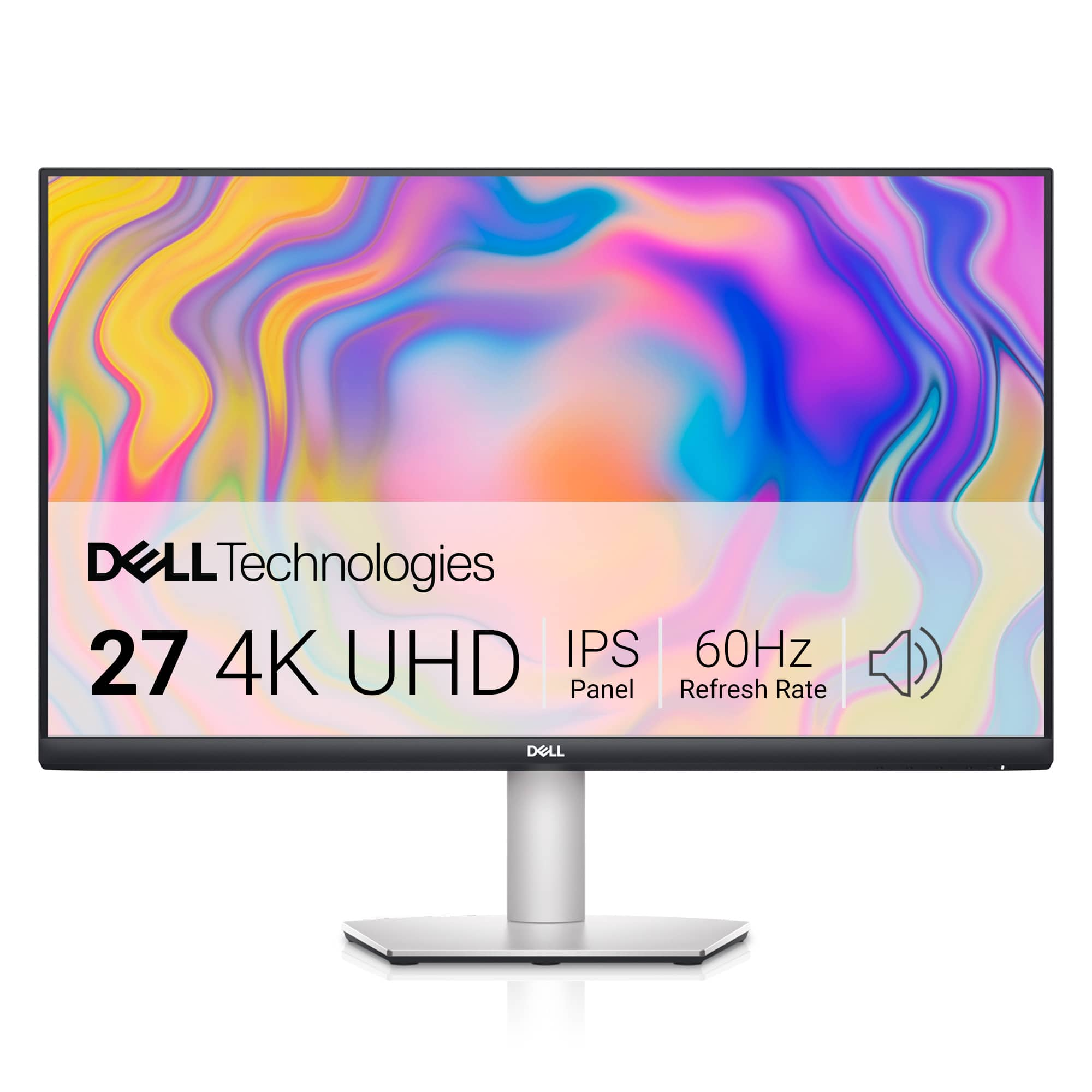
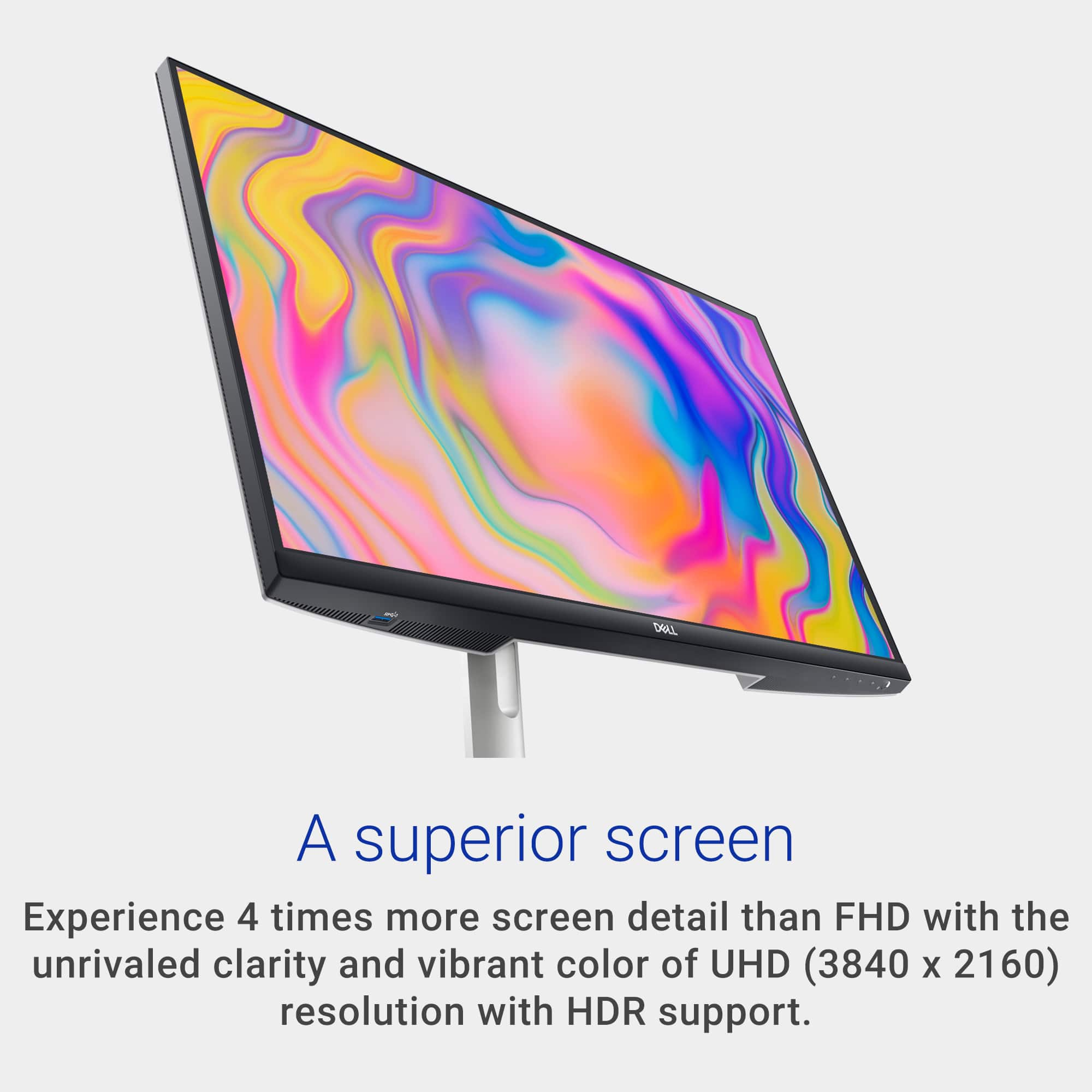

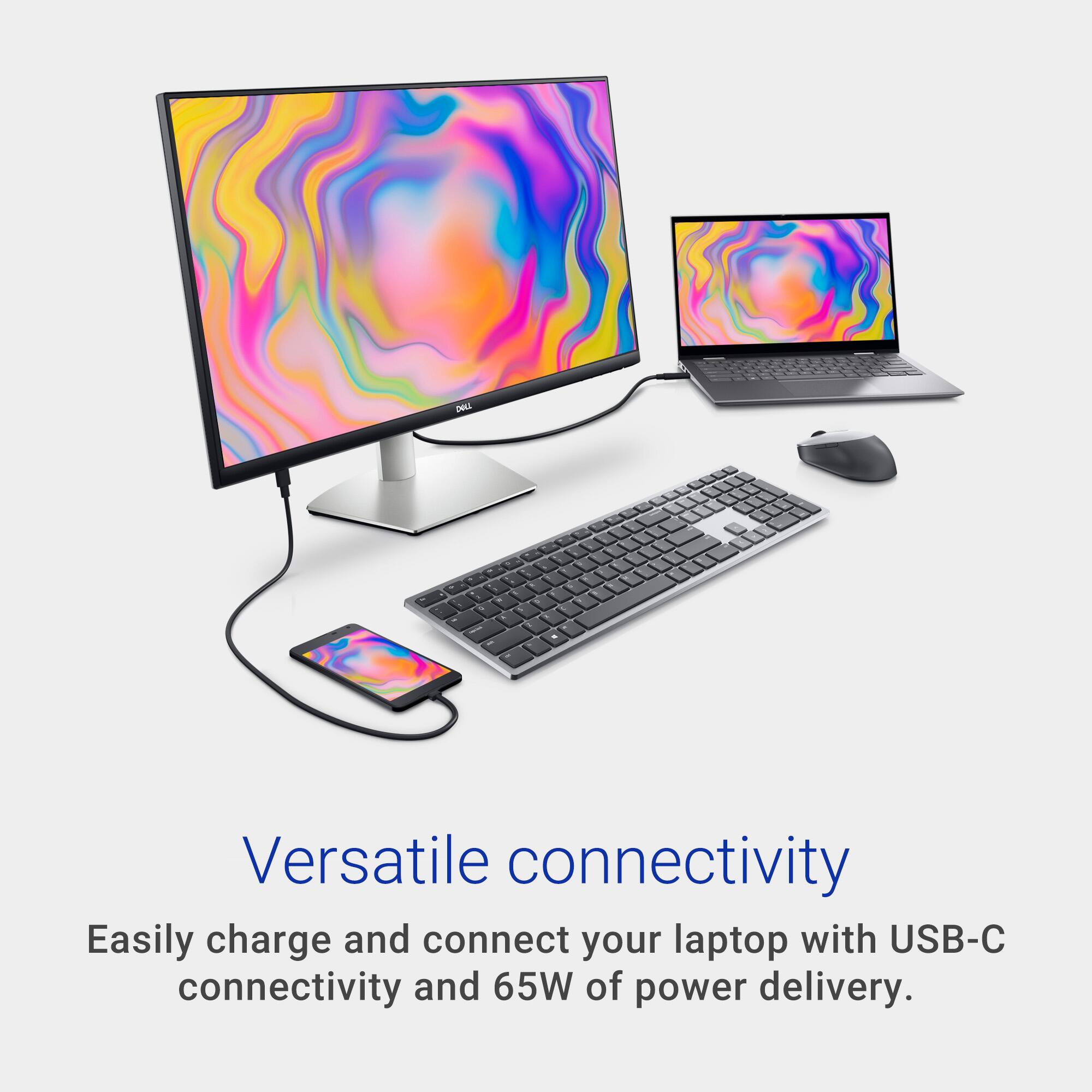



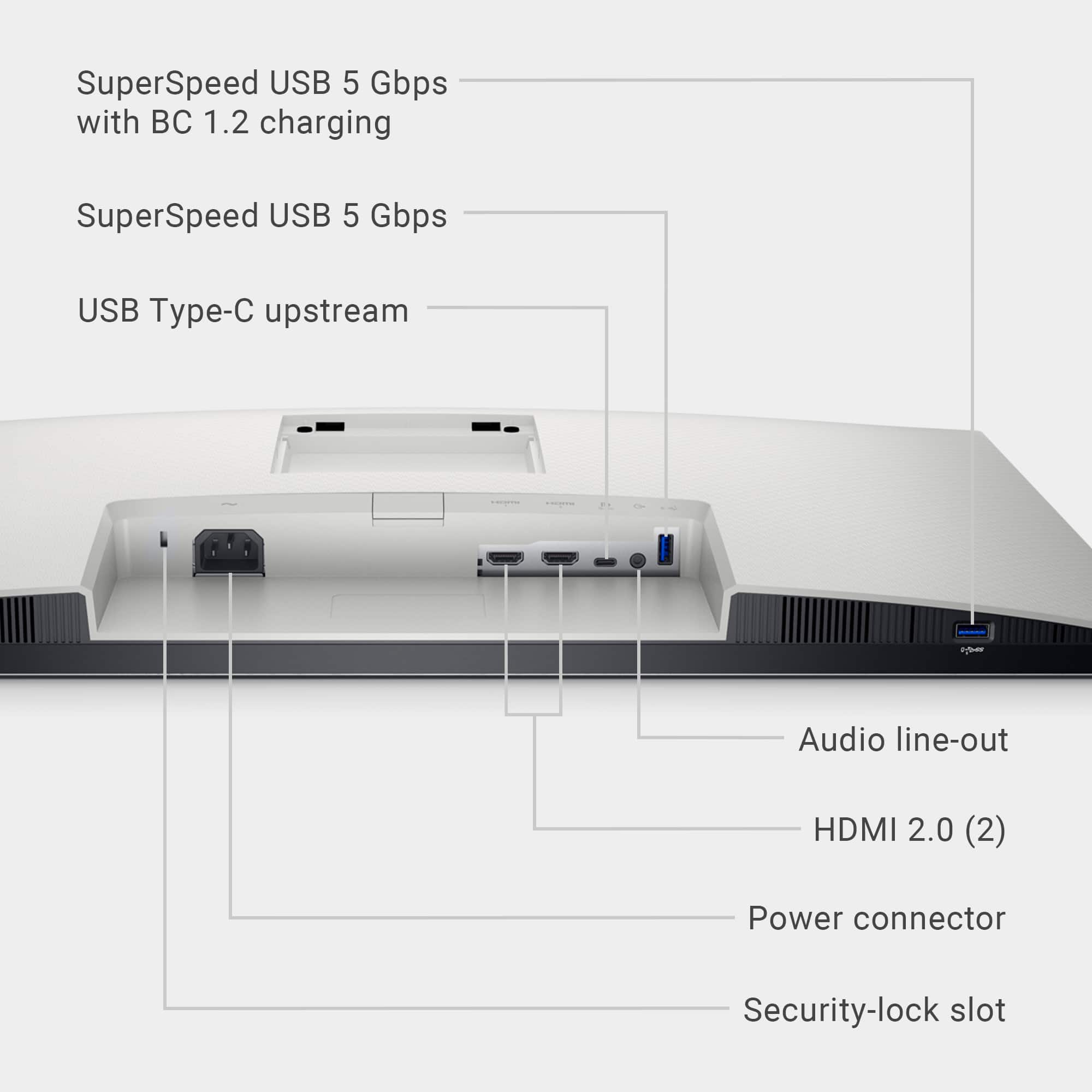
- Model:
- S2722QC
- SKU:
- 6517612
Rating by feature
- Display Quality
Rating 4.8 out of 5 stars
- Ease of Use
Rating 4.7 out of 5 stars
- Features
Rating 4.7 out of 5 stars
Customers are saying
Customers enjoy the excellent picture quality and the convenience of the USB-C connection. Many appreciate the ease of setup and the monitor's 4K resolution, finding it to be a good value for the price. However, some users experienced screen flickering, and others found the speakers to be underwhelming. A few also noted that the refresh rate might not be ideal for all users.
This summary was generated by AI based on customer reviews.
Does not work with MacBooks
||Posted . Owned for 11 months when reviewed.This reviewer received promo considerations or sweepstakes entry for writing a review.The most glaring issue I encountered is the persistent flickering when using the monitor with my MacBook Pro. Despite trying changing the refresh rate as suggested online this did not provide a permanent solution to the problem. This flickering really impacts my ability to work efficiently. To make matters worse, when I reached out to Dell's support team for assistance, I was informed that this particular monitor is not certified to work with MacBooks. Frankly, I find this quite perplexing. I have never encountered a monitor that is incompatible with specific major laptop brands before. While I understand that compatibility issues can occasionally arise, the lack of official certification from Dell for MacBook compatibility is disappointing. It would have been helpful to know about this limitation before making the purchase decision. I have attempted to troubleshoot the issue by updating my MacBook and checking for any driver updates for the monitor, but unfortunately, these efforts have not resolved the problem. The monitor itself boasts impressive features, including its sleek design and image quality. However, the persistent flickering issue and the lack of compatibility with my MacBook Pro overshadow these positives. In conclusion, I cannot recommend the from Dell for MacBook Pro users. The frustrating flickering issue and the lack of official certification for compatibility make it impossible to use.
No, I would not recommend this to a friendBrand response from YourDellTeam
Posted .Hey There AntonK,
Thank you for taking the time to leave a review of your Dell 27” monitor. We are sorry to hear that you are experiencing an issue with your device flickering. That is not the type of feedback we like to hear from our customers, or the type or product Dell intends to deliver. We have noted the details of your statement and will use them to improve current and future products. Below I have provided a troubleshooting link to help resolve your issue.
Display Troubleshooting Link: https://rb.gy/l0qtpk
If you continue to experience issues, please reach out to Dell Support directly by using the information provided below.
Chat or call: https://bit.ly/DellSupportTeam
Phone number to Dell: 1-800-624-9896
Best,
Summer@Dell
Mac mini monitor
||Posted . Owned for 1 week when reviewed.This reviewer received promo considerations or sweepstakes entry for writing a review.This Dell - S2722QC monitor matches perfectly with my new Mac mini.
I would recommend this to a friendБерите
||Posted . Owned for 2 weeks when reviewed.This reviewer received promo considerations or sweepstakes entry for writing a review.Пиздатьій моник. Я на нем прогаю. Не пожалеете. Берите
I would recommend this to a friend- Pros mentioned:Picture quality
Great for work
||Posted . Owned for 2 weeks when reviewed.This reviewer received promo considerations or sweepstakes entry for writing a review.I bought a second one of these monitors to use side by side for working at home. They work well for this purpose and are much better than any 1080p monitor (for office use) I had for options.
I would recommend this to a friend Dell Monitor
||Posted . Owned for 3 weeks when reviewed.This reviewer received promo considerations or sweepstakes entry for writing a review.excellent product and monitor, I would buy it again
I would recommend this to a friendGreat Stand Adjustment
||Posted . Owned for 1 month when reviewed.This reviewer received promo considerations or sweepstakes entry for writing a review.I like the flexible stand adjustment up/down, and sideways.
I would recommend this to a friendGreat Budget 4KMonitor
||Posted . Owned for 3 weeks when reviewed.This reviewer received promo considerations or sweepstakes entry for writing a review.This is a great budget 4K monitor for normal work.
I would recommend this to a friendGreat monitor
||Posted . Owned for 1 week when reviewed.This reviewer received promo considerations or sweepstakes entry for writing a review.Great montior and it works great with Mac products.
I would recommend this to a friendDell monitor
||Posted . Owned for 3 weeks when reviewed.This reviewer received promo considerations or sweepstakes entry for writing a review.We really like this dell monitor. Using with my Dell laptop.
I would recommend this to a friendGreat.
||Posted .This reviewer received promo considerations or sweepstakes entry for writing a review.Great desktop computer. Good quality. Highly recommended.
I would recommend this to a friendGood but makes faint high pitched buzzing noise
||Posted . Owned for 2 months when reviewed.This reviewer received promo considerations or sweepstakes entry for writing a review.Good monitor but makes faint high pitched buzzing noise and doesn’t have auto turn off feature nor auto brightness adjustment
I would recommend this to a friendBrand response from YourDellTeam
Posted .Hi StepG,
Thank you for taking the time to leave us your review. We apologize for the fan noise issues that you are experiencing with your Dell 27” monitor. It's important for us to hear about discrepancies in our products for consideration of future development. Below I have provided troubleshooting instructions with the full article that can help resolve this issue.
Here are the steps to help resolve your fan noise issue:
1. Check and clean air vents.
2. Provide proper ventilation.
3. Run a hardware diagnostic test.
4. Update the BIOS and device drivers.
5. Download and install Microsoft Windows Updates.
6. Run optimize my computer using Dell Support Assist.
7. Limit startup programs.
8. Scan your computer for malware.
How to Troubleshoot Fan Issues: https://dell.to/33NYLLE
If you continue to experience issues, please reach out to Dell Support directly by using the information provided below.
Chat or call: https://bit.ly/DellSupportTeam
Phone number to Dell: 1-800-624-9896
Best,
Summer@Dell
Screen flicker is terrible
||Posted . Owned for less than 1 week when reviewed.This reviewer received promo considerations or sweepstakes entry for writing a review.I bought two of these monitors and wish I had gone a different route all together. There is nothing more frustrating than a monitor than goes black for no reason but when they both go black and say no input it gets infuriating. When they are on and working, They are great, but when I need them to function and they constantly go black. Buy something else, anything else
No, I would not recommend this to a friendValue for Money
||Posted .This reviewer received promo considerations or sweepstakes entry for writing a review.code for office work like coding. Not for movie watchers or gamers
I would recommend this to a friendFor lack of a power cable acustomer was lost
||Posted .This reviewer received promo considerations or sweepstakes entry for writing a review.I know this sounds ridiculous but BB is horrible. I received an open box item in "excellent" condition. Small problem, no power cord. calling customer support was futile. rather than just send the power cord they want me to return the monitor. I explained I was disabled and this would be a hardship. Waste of time. I have been a customer for twenty years and have spent thousands of dollars there. I hope you aren't a shareholder. they have lost a good customer over something as trivial as a power cord.
No, I would not recommend this to a friend- Pros mentioned:Usb-c
Best monitor option for macbook users
||Posted . Owned for 3 weeks when reviewed.This reviewer received promo considerations or sweepstakes entry for writing a review.Best monitor option for macbook users, works perfectly!
I would recommend this to a friend - Cons mentioned:Refresh rate
Good for productivity
||Posted .This reviewer received promo considerations or sweepstakes entry for writing a review.Good monitor overall for office work. Okay for gaming but no display port and 60 fps
I would recommend this to a friend Not recommended, Poor Experience
||Posted . Owned for 1 week when reviewed.This reviewer received promo considerations or sweepstakes entry for writing a review.I ordered this monitor initially to be delivery to my address and it was handled very badly. I had to return and exchange for another one, this time monitor itself is defective. Worse is that when I went to return item the store didn’t want to take it back and give a refund because it was 1 day past 15 days return policy. After lot of discussion, Finally they agreed to give store credit. Not at all what I was expecting from brand like Dell and customer service from Best Buy.
No, I would not recommend this to a friendMonitor
||Posted . Owned for less than 1 week when reviewed.This reviewer received promo considerations or sweepstakes entry for writing a review.This monitor is not compatible with the MacBook Pro. Monitor worked for a few days and then the screen started flickering. Got a replacement and the same thing happened right out of the box. Tried with both USB C and HDMI. I've looked around online and found many other MacBook Pro users with the same issue and no real solution. The monitor is good quality but unfortunately is unusable.
No, I would not recommend this to a friendBrand response from YourDellTeam
Posted .Dear SadMacUser,
Thank you for taking the time to leave a review of your Dell 27” Monitor. We are sorry to hear that you are experiencing an issue with your screen flickering. That is not the type of product Dell intends to deliver. We have noted the details of your statement and will use them to improve current and future products. Below I have provided a troubleshooting link to help resolve your issue.
How to Troubleshoot display issues: https://dell.to/3iviRFw
Should you need further assistance; we recommend that you contact Dell directly with the information below.
Chat or call: https://bit.ly/DellSupportTeam
Phone number to Dell: 1-800-624-9896.
Sincerely,
Summer@Dell
Completely unreliable
||Posted . Owned for 1 month when reviewed.This reviewer received promo considerations or sweepstakes entry for writing a review.Bought this monitor as a requirement for a work-from-home job. Worked fine the first two weeks but has been a nightmare ever since. Conveniently, started causing trouble right after the 30 day warranty ran out. It goes into standby less then 5 minutes into turning it on. It constantly disconnects from my brand new Dell work laptop. The HDMI cord is brand new but appears loose in the monitor slot. Not worth the money at all.
No, I would not recommend this to a friendBrand response from YourDellTeam
Posted .Hello tagapril,
Thank you for taking the time to leave us your review. We sincerely apologize for the issues you are experiencing with your Dell S2722QC 27 4K IPS LED UHD Monitor. This is certainly not the experience we like to hear from our valued customers, or the type of product Dell intends to deliver.
Your feedback will be shared with our quality team for consideration in future enhancements in products.
With a little more information from you, we would like to help you resolve issues you may be facing to your satisfaction. Please do not hesitate to get in touch with another Dell representative using the information provided below.
Chat or call: https://bit.ly/DellSupportTeam
Phone number to Dell: 1-800-624-9896
Best,
Minhaj@Dell
- Cons mentioned:Flickering
Flickering issue unsolved
||Posted . Owned for 6 months when reviewed.This reviewer received promo considerations or sweepstakes entry for writing a review.This monitor started flickering after few months of use.
No, I would not recommend this to a friendBrand response from YourDellTeam
Posted .Dear Janet,
We appreciate you taking the time to leave a review of your Dell 27” monitor. We are sorry to hear that you are experiencing an issue with your screen flickering. That is not the type of feedback we like to hear from our customers, or the type of product Dell intends to deliver. We have noted the details of your statement and will escalate them for improvements on current and future products. Below I have provided a troubleshooting link to help resolve your issue.
How to Resolve Display Issues Link: https://rb.gy/1wq47
We recommend that you contact Dell directly with the information below if you need further assistance.
Chat or call: https://bit.ly/DellSupportTeam
Phone number to Dell: 1-800-624-9896.
Best,
Summer@Dell