Customer Ratings & Reviews

- Model:
- CP.MA.00000167.03
- SKU:
- 6407742
Rating by feature
- Battery Life
Rating 4.6 out of 5 stars
- Range
Rating 4.7 out of 5 stars
- Camera Quality
Rating 4.8 out of 5 stars
Customers are saying
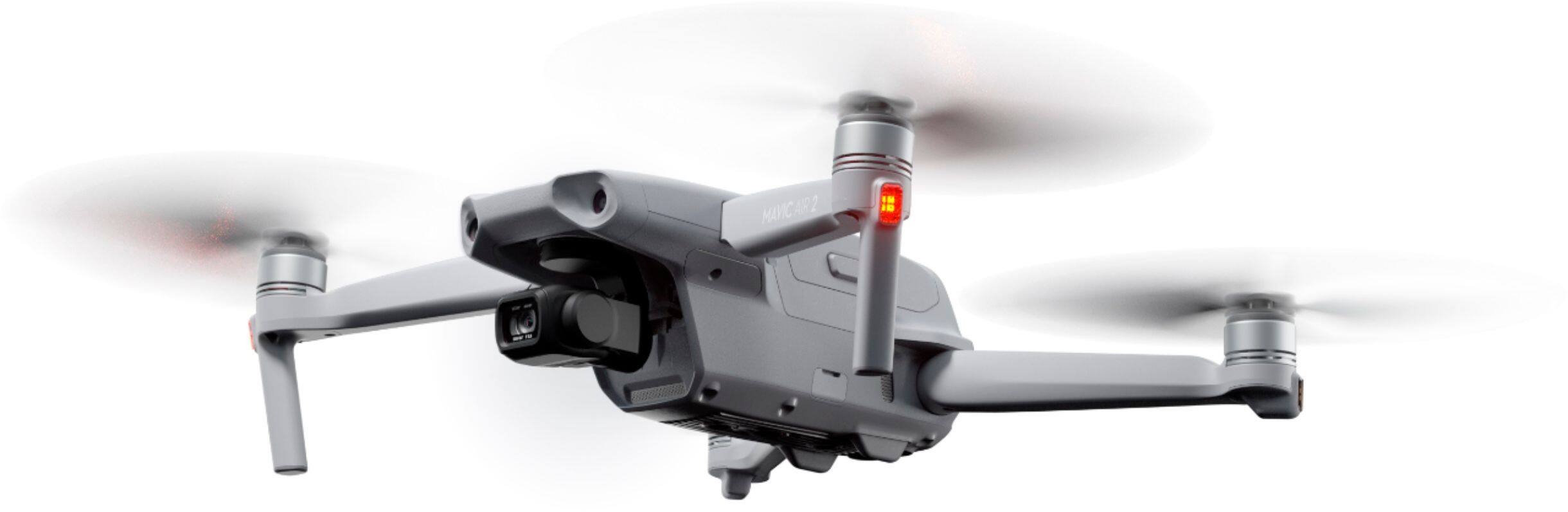
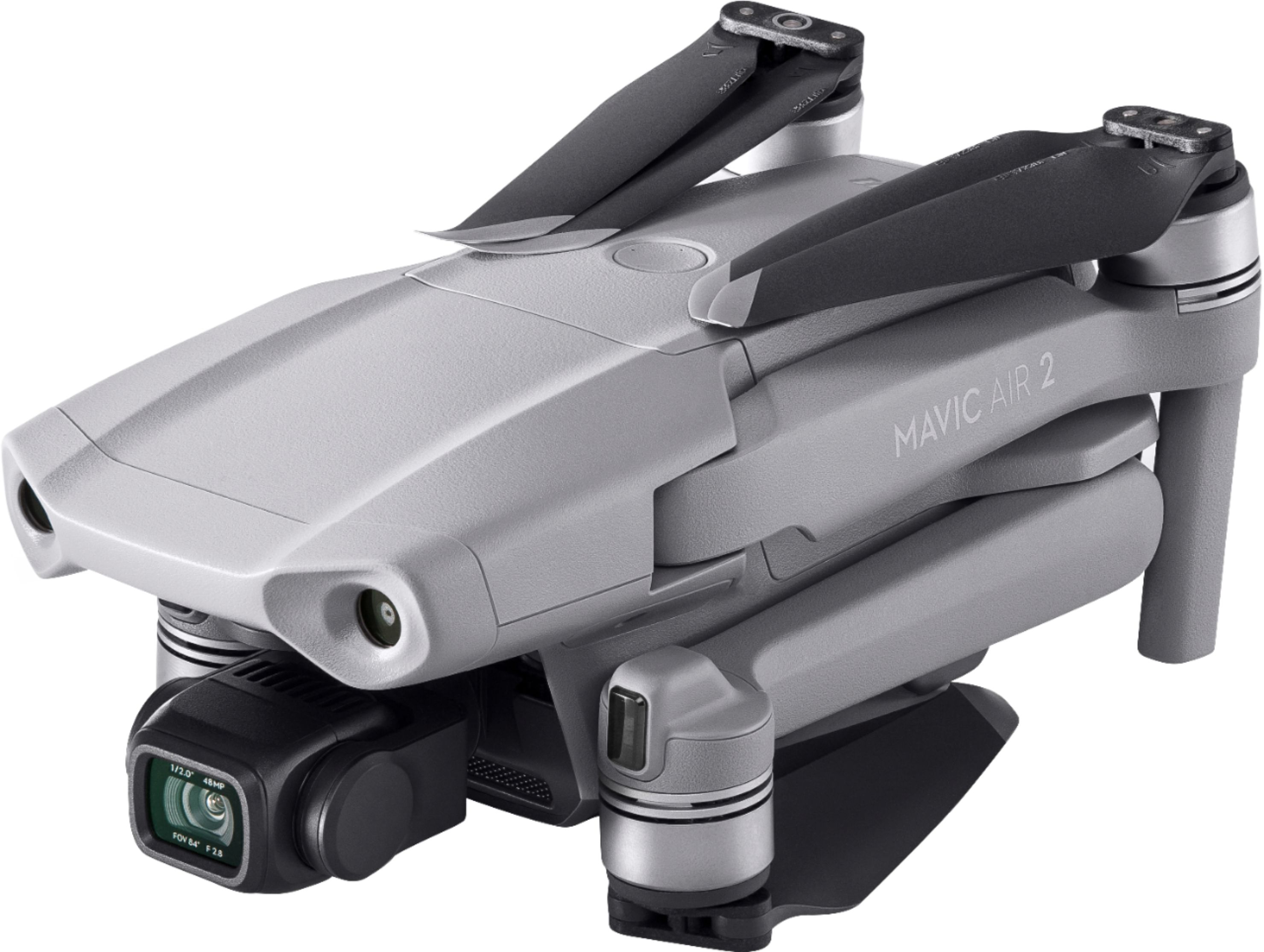
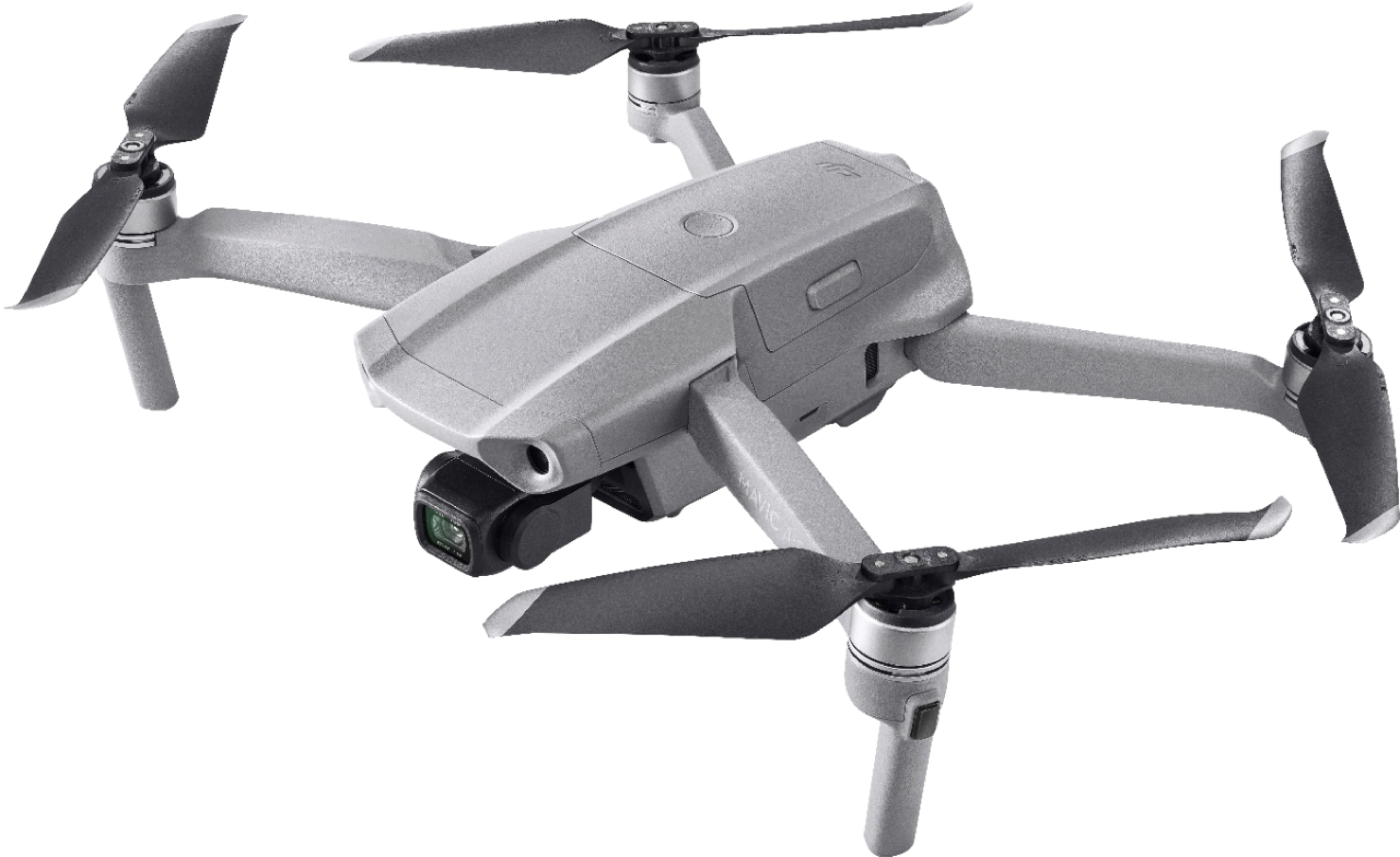
Customers appreciate the Mavic Air 2 Drone's impressive camera quality, ease of use, and compact size. Many also highlight the drone's good battery life and range, along with its stability and features. While some users wish for improved obstacle avoidance and additional sensors, the overall experience is largely positive.
This summary was generated by AI based on customer reviews.
- Pros mentioned:Battery life, Camera quality
Top of the line drone
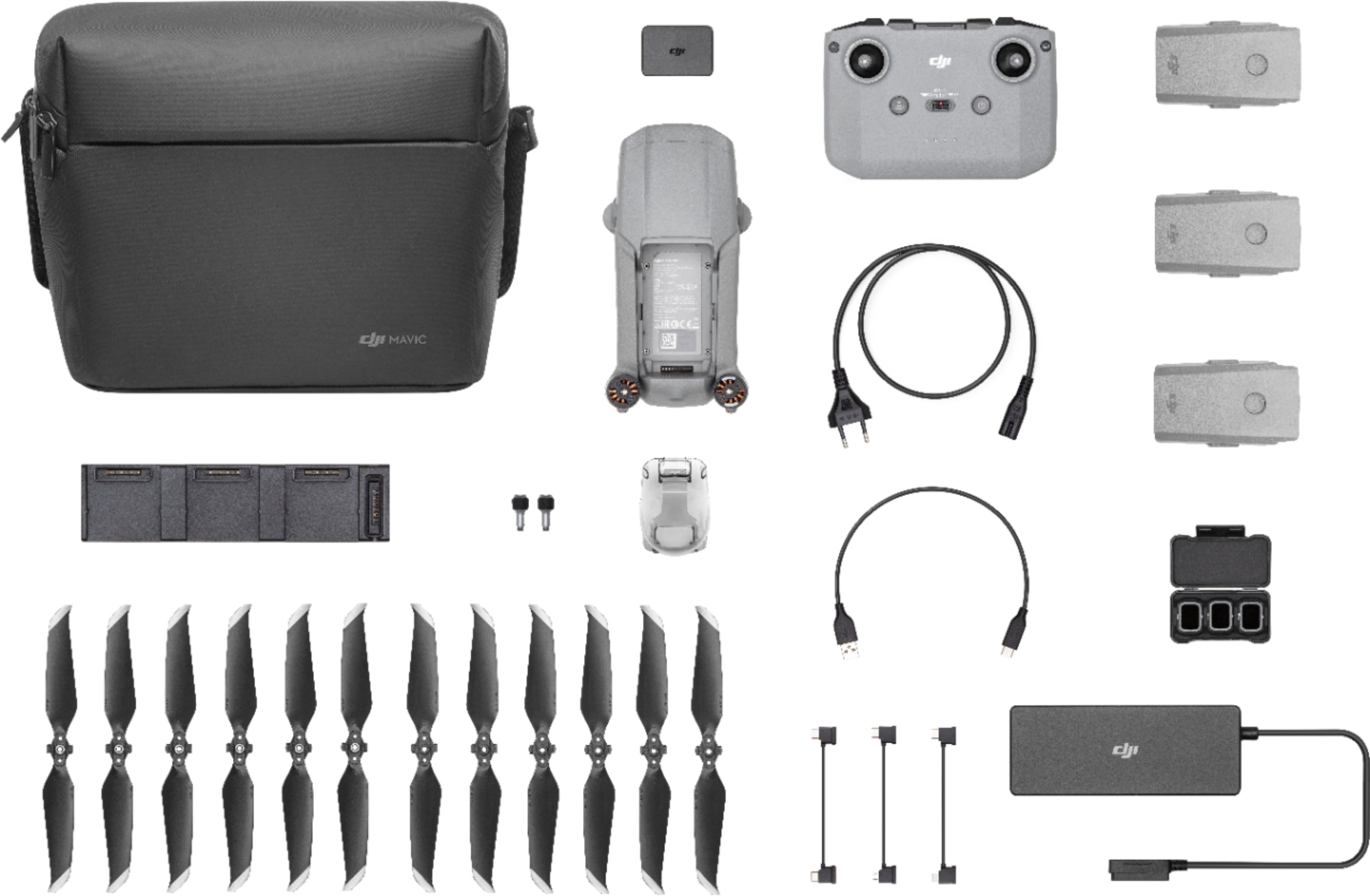
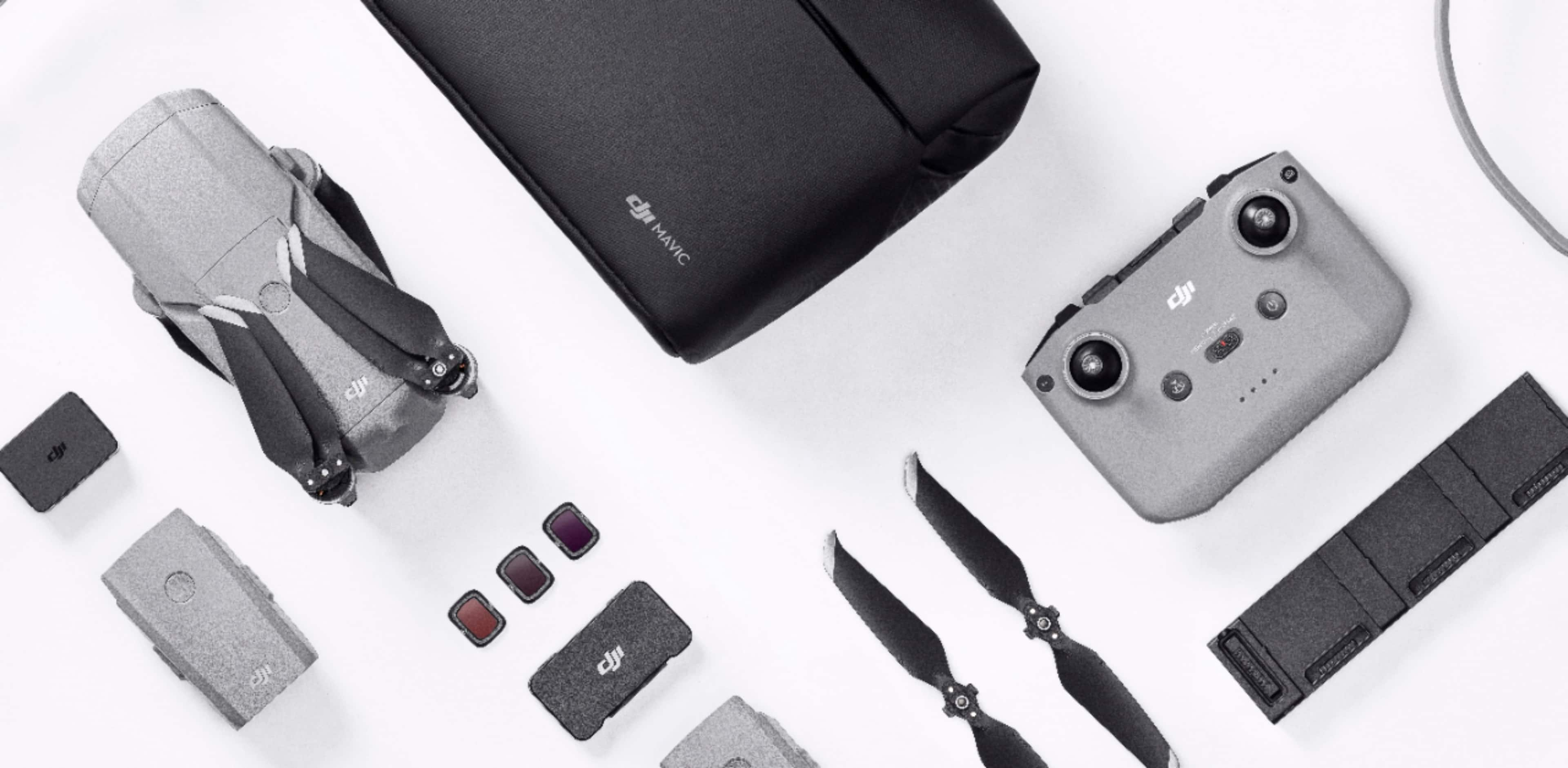
||Posted . Owned for 1.5 years when reviewed.This reviewer received promo considerations or sweepstakes entry for writing a review.The fly more pack includes everything needed for hours of problem free flying. The drone functions well even on windy days. Great images from the camera. I’ve personally had this drone a little over 6000 feet out with a lot of obstructions around me. I believe it could go further in a less obstructed environment. If you lose contact or if the battery gets low it will automatically return to you. It also has a GPS tracker in the unlikely event it crashes or somehow gets stuck somewhere. It shows all vital flight info in the app, including a warning if other aircraft are in the area. According to the app I’ve had it to speeds as high as 40mph. Could’ve been a tailwind that day. Overall this is an exceptional drone.I recently purchased new stealth blades which seem to reduce the noise. 100% satisfied and would purchase this brand again. Almost forgot, I can fly for about 40 minutes on one battery fully charged. The fly more pack comes with 3 batteries that can be charged at home or on the go with the provided 12v charger.
I would recommend this to a friend - Pros mentioned:Battery life

Small in size, not lacking in feature
|Posted .This reviewer received promo considerations or sweepstakes entry for writing a review.The DJI Air 2 was my first experience in drones of this caliber, I know a couple people with various DJI drones so I am familiar with their quality and wanted to pick this up! I really like how everything fits so well in the included bag, took me a moment to figure out a couple pieces but it is all snug and ready to go. At first I was worried about knowing how to place the 'A' and 'B' labeled blades back on the proper motor but noticed the gray ring that goes on the ones with the gray markings. I have had the opportunity to fly the drone around a bit and take a few photos, haven't got to play with some of the features I see that it is capable of but I hope to have the opportunity soon to play with some of those features. I did fly it up one evening to get some shots of the sunset, I like that when the drone gets low enough to sense the floor, it illuminates below it with a little light to possibly help with landing (or at least that is my guess, it could just be lighting up the ground so I don't miss an obstacle for landing). The other design I like has to do with the remote, the cable hides under the portion that holds your phone, and can easily be swapped to work with whichever plug your phone has, Lightning, Micro USB or USB-C. It was also nice for them to have a slot on the bottom for each thumb stick to be stored in while not in use. The charging dock to charge all three batteries is nice and convenient, there are a couple other charging accessories included, however this is the only one I have used, beside the USB-C charger for the remote. I have not played with the three other filters, but I need to take them and compare them soon. Overall I really love this drone, I can't wait to get out and play with it some more, hopefully once things are a little more open up in the world I will have an opportunity to take this on a trip and get some wonderful shots and video!
I would recommend this to a friend - Pros mentioned:Battery life, Camera qualityCons mentioned:Sensors
Great drone. Couple advice tips for newcomers
||Posted . Owned for less than 1 week when reviewed.This reviewer received promo considerations or sweepstakes entry for writing a review.I started out with the mavic mini and as much I was impressed by how it handled, it was left wanting. There is a definite price jump but for me very much worth it. The wifi signal on the mini just wasn’t amazing, and I found myself having difficulties connecting the drone as well. My first impressions when opening my mavic air 2 was woah this has some heft. The weight feels really good and study. Which was my next gripe with the mini. Wind. I would find myself paranoid with flying in any amount of wind. And with the weight and speed of the air 2 it’s a much much smaller issue. The connection process was seamless, worked right out the box no hassle whatsoever and the connection via occusync is phenomenal. I was very impressed at the quality of the live feed. My advice to new comers would be 1.) ALWAYS buy DJI care. Don’t skimp out on the money. Whatever you do. Professional or newcomer drone crashes happen. It’s really easy to get sucked up into a photo or a video you’re doing and take your eyes off the sky just for a second. Dont! You might crash. This happened to me and I’m extremely lucky to have recovered it with no damage at all. The lack of side sensors is a definite bummer because I think that’s one of the most prone ways of crashing, but I don’t blame them for not putting them on. It would essentially be a mavic 2 pro with a slightly inferior camera. But let me tell you this camera is anything but inferior. It takes great photos right out of the box and great video. The controls are really easy to get used to and you’ll be shooting great content in no time. For someone trying to get into areal photography this is the best price to performance you’ll find. If you’re looking purely for its tracking capabilities, look at the skydio 2. But purely for photography/videography, this is for you. The battery time is GREAT and with the fly more combo you really feel like you won’t run out of flight time. I’ve yet to burn through all 3 batteries in a single run.
I would recommend this to a friend OK. WOW. Just WOW!
|Posted .This reviewer received promo considerations or sweepstakes entry for writing a review.I was so excited to try out my new DJI Mavic Air 2 - and equally excited to write this review! Let me start by saying I have minimal drone experience, but that didn't stop me from charging up and taking off without any issues at all! It was like a dream! The Fly More package - with extra batteries, extra propellers, battery charging hub, shoulder bag and more is a MUST. So great to have those batteries charging getting ready for more air time. I can't express the ease at which this drone flies. Even if you've never done it before, you'll be zipping around the neighborhood in no time. Stable, 34 min flight time, easy return-to-home feature, 6+ mile range for video (as long as there aren't too many obstacles). So many features. The Camera is Sweet. A 3-axis gimbal with 1/2" CMOS sensor captures beautiful pictures and videos. I boasts 48MP still images. You need to practice - don't take photos into the sun - use lens filters appropriately, etc. Stunning video - can't upload to BBY site though as they are too large 1+GB. I'll upload a few stills. As an example though, I have video of fish and turtles swimming in the backyard pond from 30 feet in the air! More features - FocusTrack can follow you around as you bike, walk, ski, etc. The Advanced Pilot Assistance Systems 3.0 (APAS) uses sensors on 3 of the six sides to avoid colliding with objects. A CON here is that there are sensors on only 3 sides, they are NOT on the top and left/right sides. Bummer. I could go on and on, talk about the specs (you can just look them up), but I'd rather go out and fly. Did I mention 43 mph? Wow. I'm very impressed. Good job DJI - and I'm looking forward to updates that may open up even more features!
I would recommend this to a friendGreat upgrade from the DJI Spark
|Posted .This reviewer received promo considerations or sweepstakes entry for writing a review.## Setup The unboxing process was a little confusing as the included "Quick Start" guide reminded me of sparse IKEA instructions. Part of the issue was finding all the parts: some were hidden in the shoulder bag (be sure to check the not-so-obvious pocket underneath the top of the bag for the cables) and the various black cardboard boxes. There is an unboxing video available on DJI's website as well. ## Remote Controller As a previous owner of the DJI Spark, I'm really enjoying the improved controller on the Mavic Air 2. The antennae is built into the phone cradle, so you're automatically extending the antennae when you put your phone in. Your phone also connects via a cable on this controller (Lightning is installed by default; the Micro USB and USB-C cables are in that hidden pocket of the shoulder bag). This leads to a much more stable connection and a much quicker setup time as you don't need to mess with your phone's WiFi settings to connect to the controller. Please note that there is no option to connect your phone directly to the Mavic Air 2 (you need the remote controller as a go-between). With my DJI Spark, I would receive a "signal interference" message more often than I liked, even in rural areas away from other WiFi and Bluetooth signals. I have yet to receive this message on the Mavic Air 2 and I've noticed that the live video feed is a lot smoother. The controller is heavier than the DJI Spark's controller, but is still comfortable to hold. The controller also has an option to charge your phone, but it is off by default and must be enabled each time you fly (I hope this is a bug). In the app, tap the Settings option and you'll find the charging option under "Controller". Otherwise, I find my phone battery drains very fast. ## Performance Compared to the DJI Spark, the Mavic Air 2 moves a lot faster, even in Normal mode. If you’ve used the DJI Spark in the past, you’ll want to be cautious you don’t go too fast. While the Spark had a forward-facing sensor to prevent it from flying forward into an obstacle, the Mavic Air 2 also has sensors behind and underneath (but it could still collide with an object on either side or above it, so it's not completely collision-proof). The Mavic Air 2 is very stable when hovering and I have not noticed any drifting. Of course, the outdoor wind speeds will greatly affect this, but the Mavic Air 2 seems to contend with light breezes very well. ## Camera The DJI Spark features a 12MP camera and can record 1080p 30FPS video. The Mavic Air 2 can capture up to 48MP and can capture 4K video up to 60 FPS. The Mavic Air 2 also had a 3-axis gimbal for smoother images stabilization compared to the Spark's 2-axis gimbal. The image quality is amazing and I've been very pleased with the results. There are also some lens filters included for shooting in bright situations, such as sunrises or snowy landscapes on a sunny day. The “Smart” photo settings also does a great job of creating HDR photos that would have previously required the use of shooting multiple photos in AEB mode and performing the HDR effect in a separate photo editing program. Like the DJI Spark, it is somewhat confusing to figure out where to retrieve your images and videos. To get the highest quality images and videos, you need to pull the files off of your memory card (please note that a memory card is not included in the Fly More package). Yet, the memory card only has the raw footage of the Quick Shot videos and other special effects like panoramas. To get the stylized Quick Shot videos and special photos, you must render them in the app and save it to your phone's album. To add to the confusion, the app stores low quality "preview images" by default, and you must specifically go into the app's "album" feature *while the drone is still powered on* in order to download the HD quality videos and images to your phone and to render the fancy photos and video features. ## Battery There are 3 batteries total in the DJI Mavic Air 2's Fly More package. Each battery can get you up to 34 minutes of fly time, little more than double the 16 minute flight time of the DJI Spark. The charger works a little differently than on the Spark: each Mavic Air 2 battery charges one-at-a-time (starting with the battery with the largest amount of existing charge) instead of simultaneously. ## Summary The Mavic Air 2 is a worthy upgrade from the Spark for the solid connectivity, improved speed, and longer flight times. The enhanced safety features are also a great help to those who are new to drone flying.
I would recommend this to a friend- Pros mentioned:Battery life, Camera quality, Flight time
Great Drone! Amazing 4K60p video quality.
||Posted . Owned for 1 month when reviewed.This reviewer received promo considerations or sweepstakes entry for writing a review.I've had 2 DJI drones prior to this one. I must say, DJI has come along way since the Phantom 3. The Mavic Air 2 supports 4K60 which is a great improvement over my previous two DJI drones which only supported 4K30p. The color from video is so much better as is the flight time. The fly more combo is a good choice in my opinion because of the two extra batteries, battery charging dock, and the ND filters. The batteries by themselves are expensive, so you end up saving quite a lot with the fly more combo. The controller design is much better than my previous versions. The design makes it easy to put my iPhone 12 Pro Max into the phone holder. The controller feels good in the hands and I like that you can remove the control sticks and place them into the bottom of the controller for storage. The inclusion of the ND filters is helpful as it was one less thing that I needed to add on since it comes with the combo. Features added to the drone are a great addition. Active Track 3 works good. My Platinum's tracking feature never really worked well, but with the Air 2, it works much better. Also, I'm able to record HDR video. Overall, I'm really happy with the purchase and have been out flying the Mavic Air 2 more than I would have been flying my other two drones. It's smaller than my Platinum and everything in the fly more combo fits into the Mavic Air 2's soft case which makes it really convenient to just grab and take with me when I go out.
I would recommend this to a friend - Pros mentioned:Battery life, Camera quality, Range
Worth every penny
||Posted . Owned for 1 month when reviewed.This reviewer received promo considerations or sweepstakes entry for writing a review.Absolutely fabulous. I upgraded from my old DJI Spark - very well worth it after 3 years. The range, transmission image stability, and active track features are amazing. The drone is a welcome step up for the budding enthusiast - may be a bit more than an amateur can handle but it's doable with time and patience to learn. It's very durable as well - the exceptional size will ensure your rotors will last a long time - the fly more combo provides extras as well. Only 'bad' thing is the battery charger will only charge one battery at a time instead of all three simultaneously but it's not a big deal. Honestly the 30 minute flight time is more than enough to get the fun done. I can't say enough about the camera - the snapshots are clear and the 4k video is stunning. You will need to get a larger memory card than what prior versions needed. No worries about wind either. Handles the beach like a champ. Highly recommend. I chose this over the mini 2 as an upgrade as the mini 2 lacked much of the object avoidance tech that the Air 2 and the Spark possess. But the mini 3 takes care of that. Don't forget to get your license!
I would recommend this to a friend Incredible drone with all of the features you need
|Posted .This reviewer received promo considerations or sweepstakes entry for writing a review.First, I am coming from a cheap drone (less than $100) that my wife got me as a gift a few years ago. It had a 720p camera and the pictures were about as good as a Polaroid. As an avid photographer, this drone has taken my shots to the next level. This drone comes in a nice carrying case that has plenty of room to carry everything you need for a day of flying. In the bag are the drone, the remote controller, several cables to link to whatever type of phone you have (iPhone, Android, etc.), three batteries, a 3-bay charging dock 6 extra rotor blades, three ND (Neutral Density) filters and a battery to power bank adapter. You can use one of the batteries to recharge your phone or the controller. The controller charges my phone while it is connected. I know on previous controllers this was not possible. You will need to download the DJI Fly app to fly the drone. This is what allows you to fly and take photos and videos. You can even edit your videos in the app. The controller is a good size and comfortable to hold. The best part for me is that your phone sits on top of it. Other controllers where the phone was below the controller were a little awkward as you had to look between your wrists to see the image. One sore spot for me is that I have to remove my phone case to use it. The case fits fine in the controller, however, the connector on the cable is not long enough to reach my charging port with the case on. Not a huge issue, just something worth mentioning. I use the Otterbox Defender case on a Samsung Galaxy S8+. Other cases may not have this issue. The control sticks store securely in the bottom of the controller when not in use. All of the buttons are intuitive. The gimbal control is on a scroll wheel at the top left, allowing the vertical camera angle to be changed and the button to take a photo is at the top right. The "Home" button is handy. You can hold it for a couple of seconds and the drone will automatically return to the point of take-off and land there. I've noticed that on any given flight I have between 16-18 satellites tracking it, so I don't have to worry about losing the drone. If your signal is interrupted, the drone should return back home on its own. The Mavic Air 2 itself is a good size, but not too large. The camera on this drone is better than most DSLRs. The image quality with both photos and videos is astounding. You can shoot 4K video at 60fps with the 1/2" sensor. Photos can be taken at 48MP. This is four times the resolution of my Canon Rebel T6! The smart photo feature makes it easy to compose the perfect shot. It does everything for you, you simply press the button to take the picture. The hyperlapse feature is perfect for sunrises and sunsets. Hyperlapse shots are taken in 8K. I took a short hyperlapse video of a sunset in high wind conditions (blowing 10-15mph and gusting to 25mph). The drone stayed perfectly still and the video was crystal clear. Other features are the FocusTrack and Quickshots. FocusTrack will keep the subject focused and in the frame while you fly around. For example, if you are capturing someone riding a bike, you can lock on them and fly around them in circles while they are riding. They will stay in the center of the frame as you fly around them. Quickshots lets you shoot video clips of a subject while flying a route. For example, if you select your subject and choose "Helix", the drone will keep the subject in focus while spiraling upwards away from it. All of the photo and video features are easily accessible while flying. The camera operations are on the right side of the screen on your phone. You simply tap the button (camera or video) and choose which option(s) you want to use. Flight time in ideal conditions (which they state as 0 wind and flying at a consistent 11.4mph) is rated at 34 minutes. Although you will never see perfect conditions and fly like this, battery life is great. I usually get around 28-30 minutes of flight time and that is with me constantly flying the drone in normal mode. I'm rarely keeping it stationary. It does have a "Sport" mode, which allows the drone to fly faster. I was able to consistently maintain 45mph of straight and level flight. Note that obstacle avoidance is not active in the sport mode. They state a 10km (6.2 miles) transmission distance. I cannot verify this as you must maintain line of sight when flying a drone. I will take their word for it. I thoroughly tested the obstacle avoidance in normal mode and it works perfectly. The Mavic Air 2 has obstacle avoidance sensors in the front, rear, and downward-facing positions. It does not have side to side sensors. If you are flying to the left or right, it cannot see obstacles to avoid them. I tested this by flying the drone towards my fence. My phone started beeping, alerting me to the obstacle and the drone automatically increased altitude and flew over it. I also tested it with trees. As it was tall and I was only about 6' above the ground, instead of trying to go over it, the drone just stopped about 8' shy of it. I released the controls and tried to get it to fly into it again. It didn't move. I have a couple of photos that I took. One was in the middle of the day, and the other is at sunset. Both were taken at 48MP. Keep in mind that I had to significantly reduce the image size to post them here. Both shots were taken at an altitude of 400' and I did not make any adjustments. I simply put the camera in 48MP mode and clicked the shutter. The Mavic Air 2 has an ADS-B receiver. For those unfamiliar with aviation, this allows the drone to detect other ADS-B equipped manned aircraft (most are these days). Your phone will alert you if it detects other aircraft in your vicinity. Overall, I highly recommend this drone. You're getting a cinema-quality camera on a platform that flies! The Mavic Air 2 is great. The Fly More Combo makes it that much better. The extra batteries and 3-bay charging port will keep you in the air long after your friends have had to land and recharge. You simply put in another battery and keep flying.
I would recommend this to a friend- Pros mentioned:Camera quality, Flight time, Range
Great Drone
||Posted . Owned for 1 month when reviewed.This reviewer received promo considerations or sweepstakes entry for writing a review.Haven't had one complaint. Great camera, great range and flight time. Steady,handles winds well. I have the mavic Mini, love it too,but scared of the high winds 15-20 mph, so I stay real close in those conditions. 2 things wish MA2 had side and upper sensors , plus price could be a little cheaper.
I would recommend this to a friend Defective battery
||Posted .This reviewer received promo considerations or sweepstakes entry for writing a review.I unboxed the drone ..everything was nicely packaged.. I put batteries on the charger,I noticed one of the batteries was not charging.. I had to return the drone
No, I would not recommend this to a friendBrand response from DJI Support
Posted .Dear customer,
We apologize for any inconvenience caused. You may charge the battery for overnight to have a try. If the issue persists, you may contact us at any time through this link: https://www.dji.com/support?from=store_footer
Thanks for your support and understanding.
Best Regards,
DJI Support
Does it replace Mavic Pro 2? Read more below!
|Posted .This reviewer received promo considerations or sweepstakes entry for writing a review.Whether you’re new to drones or experienced, this new update to the Mavic Air 2 is worth the consideration. This drone can practically fly itself! Pros: • Easy to use and feature rich that rivals the top tier • 4K with 60fps • Small enough to transport but not too small to be unstable • Love the new controller • Low noise Cons: • Price is high but does offer features found in the Pro series • DJI’s authorization zone unlocking can be tricky • Included bag could be a tad roomier The Air 2 with the “Fly More” package comes with extra batteries and a case. Everything you need to get started besides additional mini SD storage card. The drone itself does have 8gb built in but you will like the convenience and extra space the extra SD card will do. Even though the battery life is an expected +30mins in a “no wind condition”, it’s still nice to have multiple batteries as time always fly, pun intended. The new design to the controller is much welcomed too. This places your phone on top of the controller instead of below as seen on prior models. Battery life on the controller is more than stellar and recharges via an included USB-C cable. Upon receiving the Air 2, plan 2 hours on charging the batteries and downloading firmware. The learning curve is actually really small. Within the app and based on your GPS location, you will either need to “unlock” geo locations if you’re near an airport or free-to-fly. Hit the “take off” button and the drone will automatically take off and hover. My first impressions were that its quieter than I was expecting. Landing is as easy with one button or manual take over. I’m very impressed with the streaming video quality and never once lost signal. This is a huge improvement as this Air 2 uses the latest OcuSync 2. The tracking modes are very impressive as the drone was able to follow me around while I was out on my mountain bike. The front and rear obstacle avoidance sensors work so well that I was able to walk through my yard while being automatically tracked and avoided all the trees. Very impressed! The other pre-programmed flight patterns are fun to do and can easily be made into shareable videos all within the app. A question I’ve been asking myself is does this replace the Mavic Pro 2? The short answer is no. While the half inch sensor size is nothing to complain about, the larger Pro 2 has 2x larger sensor. This means low picture noise and more manual control over the camera settings, like aperture, etc. But the Air 2 still produces amazing footage and photos that “prosumers” on a budget can appreciate. If you have a Pro 2 already, maybe skip the Air 2 and wait for the Pro 3 update. If you have the original Air or older and smaller drones, this Air 2 will be a nice upgrade and addition to your collection. My overall experience is very positive with the Dji Mavic Air 2. I do highly recommend to anyone new to drones to folks replacing older drones.
I would recommend this to a friendAwesome high-end beginner or advanced user drone!
|Posted .This reviewer received promo considerations or sweepstakes entry for writing a review.Wow, the 4K 60fps video footage and 48MP camera is stunning! The DJI fly app is very easy to use. Charged the drone battery, watched the in app tutorials and was flying immediately. This has so many cool features like auto track where it follows you automatically. Point of interest setting where you pick a subject, building, landmark, etc. and it can auto rotate around it for amazing panoramas. “Dronie” where it zooms up and away from you while recording. It has automatic on-board sensors that the drone uses to automatically avoid obstacles. So fast (42 mph) and responsive – this turns and stops on a dime. Ridiculous 10k/6 mile range. The auto return to home feature is great – tap the button and it flies back to you automatically. Great battery life – 30-32 mins depending on wind speed and how you are flying it (hovering in place eats more battery than aerodynamic forward flying for example.) The “fly more combo” is also the way to go with 2 extra drone batteries and the 3 battery charger. I’ve only flown it a few times, but friends and family are amazed at not only how easy it is to fly, but how jaw dropping the video and picture capture is. Note that 4K video eats up memory quick, so I’d also recommend picking up a couple 64GB micro sd cards to swap out per battery / per 30 mins of recording. With the fly more combo and 3 batteries you can fly (with landing and battery swap) about 90 mins! If you are ready to create professional level aerial footage and content – this thing fits the bill without breaking the bank. Can’t wait to take it on vacation! Honestly, I’m re-thinking where to go on our next vacation with awesome cinematic drone footage now in mind… lol.
I would recommend this to a friend- Pros mentioned:Battery life, Camera quality, Range
A great drone
||Posted . Owned for 1 month when reviewed.This reviewer received promo considerations or sweepstakes entry for writing a review.I have the phantom 4 and the spark so I was a little reluctant to get a third drone but this model fills the gap perfectly. My phantom 4 is a great drone but so big that you’re can’t travel with it, the spark is perfect travel size but is limited by its capabilities, the mavic air 2 is the perfect(for me) combo of size and capability. I love the camera quality of both pictures and videos plus I love how high and far this thing will go- I was just at the SP Crater in Arizona- I flew my drone to the top of this 900 foot cinder cone and flew inside the crater, I was able to video the crater and complete lava field- something my spark would never been able to do. The fly more combo is great cause you get so much for so little- I love having three batteries... Anyway, I completely recommend this package
I would recommend this to a friend - Pros mentioned:Camera quality, Flight timeCons mentioned:Obstacle avoidance
I love it but wish it had all avoidance sensors
||Posted . Owned for 8 months when reviewed.This reviewer received promo considerations or sweepstakes entry for writing a review.It's a well built drone that's reasonably quick and gets about 25 mins of real fight time. Its interface and camera software isn't hard to use just different, gotta love youtube. I use it to film my kids riding quads and driving SxS's, film scenery in the mountains and lakes. It's camera is high quality, and creates really cool clear shots. It handles very well in moderate winds and stays planted when not being commanded to move. It has a return home feature, intended to return the drone from it's launch point. And um well it's hit or miss to about a 15 ft radius, so take off in very open areas. I did hope that the following software would work better. Apparently it's better then past versions, but still gets lost with moderate obstacles or busy surroundings. In open areas at full speed a quick 90 turn of the vehicle it's following will shake the drone, sending it on a high speed wide sideways drift. There's no sideways sensors on this model and the camera will hold its target in the frame so results may vary. It's obstacle avoidance feature and sensors do work but can't really be trusted to protect the drone at high speed, or while ascending (no sensors). Seems like adding more sensors comes with higher models and raises cost exponentially. Seems kind of a weird option to hang over people's heads though, (no pun intended). Like saying, If you've never flown drones before and are considering a decent product that is still not cheap, be sure to spend 3x that price on our super ultra model so we make sure you don't crash it. Although we have the tech, anything less $$$ is on you.
I would recommend this to a friend - Pros mentioned:Battery life, Camera quality, Range
Highly Recommended for Beginners
||Posted .This reviewer received promo considerations or sweepstakes entry for writing a review.This drone flies great! Took it out to a beach on a windy day and it handled it like a beast. The images are top notch quality. I returned my Mavic Mini because that was too small and light, making it prone to "flying away" under windy conditions. I also didn't like that it depended on WiFi to communicate with the remote control whereas the Mavic Air 2 used GPS. The range on this drone is AMAZING. I haven't tested it past its limits but I can say it maintained connection and video feed at mile 3. The only downside to this is you'd have to register it with the FAA, which was I believe $5 for three years. If you're a beginner, skip the Mini and get this! And if you can, get the Combo. The extra batteries are a good value.
I would recommend this to a friend - Pros mentioned:Battery life, Camera quality, Ease of use
Love It!
||Posted . Owned for 1 month when reviewed.This reviewer received promo considerations or sweepstakes entry for writing a review.Love it! I picked this up to replace an aging DJI Phantom 3 which was over 5 years old. I love the updates to this unit, especially the size of the Mavic series. My old Phantom was truly a "boat anchor" whereas this will literally slip into a large jacket pocket! Smooth flying, great video quality and much easier to travel with, size-wise. The "Fly More Combo" is the only way to go as well! The spare batteries alone would cost more than the price difference in the standalone Air 2 and the combo. Plus, you get the multi-battery charge adapter, a set of ND filters, the USB adapters for the batteries and the case - all for less than the cost of the two spare batteries!
I would recommend this to a friend - Pros mentioned:Battery life, Camera quality, Ease of use
DJI Mavic Air 2
||Posted . Owned for 1 month when reviewed.This reviewer received promo considerations or sweepstakes entry for writing a review.I purchased this drone after doing extensive and exhausting research. It does almost everything it is advertised to do except getting past 3k feet flying distance before loosing signal and the drone is forced to return to home. I've tried several tips and tricks but as of yet I have not been able to go past 3000 feet away. Every other feature works beautifully. This drone is so easy to fly and the pictures it takes are breath taking. I've read where I might have to take the drone in to get it looked at but to be honest I just don't see myself flying 6 miles away but it sure would be nice if I wanted to. The extra batteries are a must and provide more then enough time to get that perfect shot. 30 minutes of flight time x3 batteries gives me a minimum of an hour and half of flight time. No worries of over charging or damaging my batteries from charging them when they are hot. No fear of loosing my drone as it is a push of a button and home she comes. Its even dummy proof and returns home when the battery gets low. I'm very happy with my purchase and I would do it all over again.
I would recommend this to a friend - Pros mentioned:Battery life, Camera quality, Range
Wow, lots of fun!
||Posted . Owned for 3 weeks when reviewed.This reviewer received promo considerations or sweepstakes entry for writing a review.First drone since the bluetooth Parrot days - this thing is awesome! Range is far, video is clear, and it is very stable. The fly more combo is the only way to go, the included batteries, bag, and propellers are much much cheaper when purchased this way instead of individually. Make sure to register with FAA to stay fine-free and check online maps to see if you are in a lower-ceiling limit flying area (5 miles from an airport, max height in my area is 200 ft, for example). Great fun for the family!
I would recommend this to a friend - Pros mentioned:Camera quality, Ease of use
Mavic Air 2
||Posted . Owned for more than 2 years when reviewed.This reviewer received promo considerations or sweepstakes entry for writing a review.Upgraded from Mavic Air. Easy to fly, handles well in windy conditions. Pictures and videos are crisp.
I would recommend this to a friend - Pros mentioned:Battery life, Camera quality, Ease of use
Love it!
||Posted . Owned for 3 weeks when reviewed.This reviewer received promo considerations or sweepstakes entry for writing a review.This is my 4th drone, my previous drone being the Phantom 4. This drone is amazing. The portability due its size makes it my go to drone. It is so easy to carry around . The size doesn’t jeopardize its features or quality. Very easy to use, great range and excellent quality images. Initially I wasn’t sure if I really needed the extra package - I really just got it for the bag - which is excellent. But I have used the extra batteries with every flight I’ve done. Definitely get the fly more package with the drone.
I would recommend this to a friend