Customer Ratings & Reviews




- Model:
- CP.MA.00000492.01
- SKU:
- 6503238
Rating by feature
- Battery Life
Rating 4.5 out of 5 stars
- Range
Rating 4.7 out of 5 stars
- Camera Quality
Rating 4.9 out of 5 stars
Customers are saying
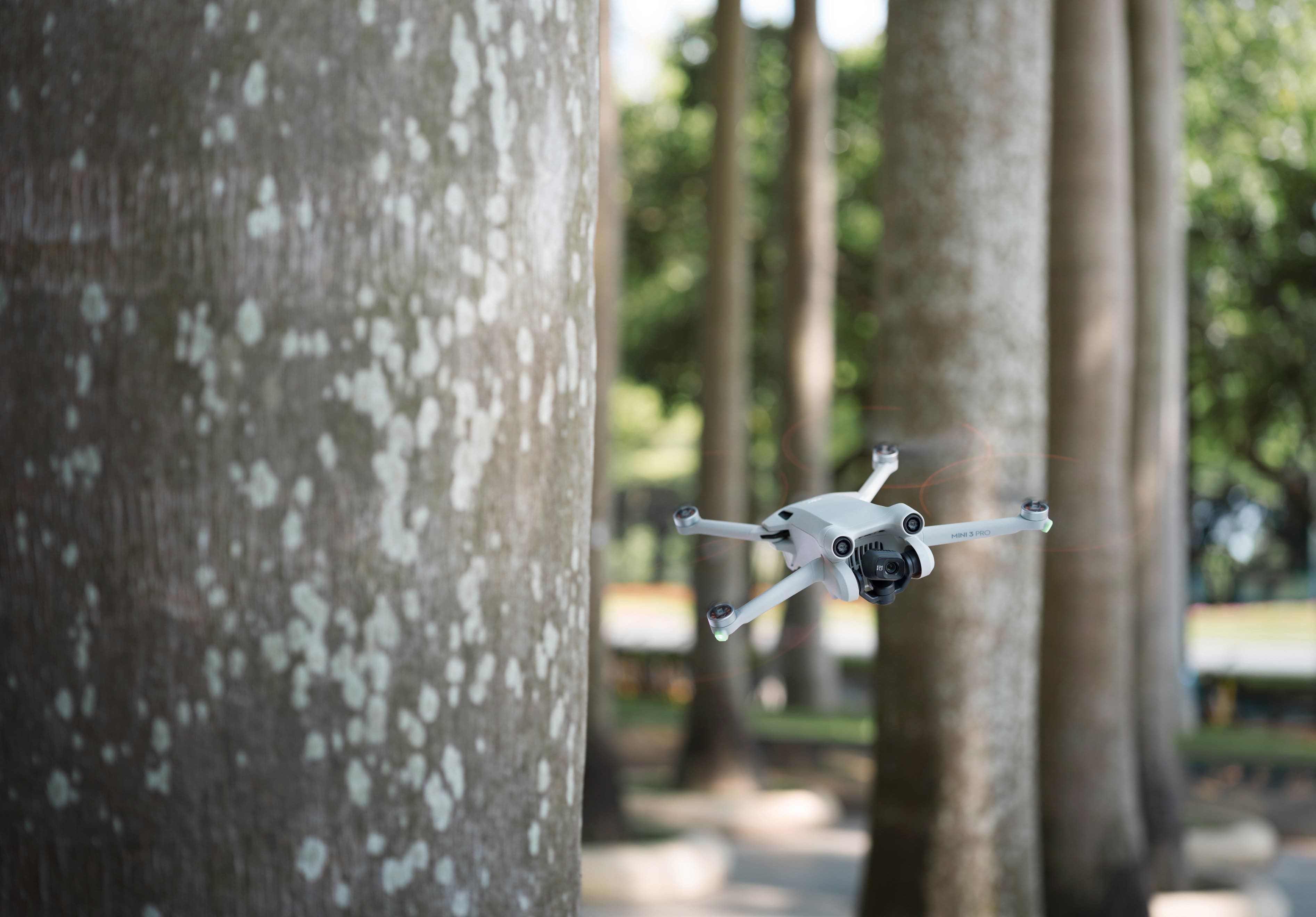
Customers frequently mention the excellent camera quality and ease of use of the Mini 3 Pro Drone. Many appreciate its compact size and convenient built-in screen remote control. While some users note limitations in strong winds and a higher price point, the positive feedback on image quality and user-friendliness is prominent. The impressive battery life and effective obstacle avoidance features are also frequently highlighted.
This summary was generated by AI based on customer reviews.
- Pros mentioned:Camera quality
The Perfect Beginner Drone under 250 Grams
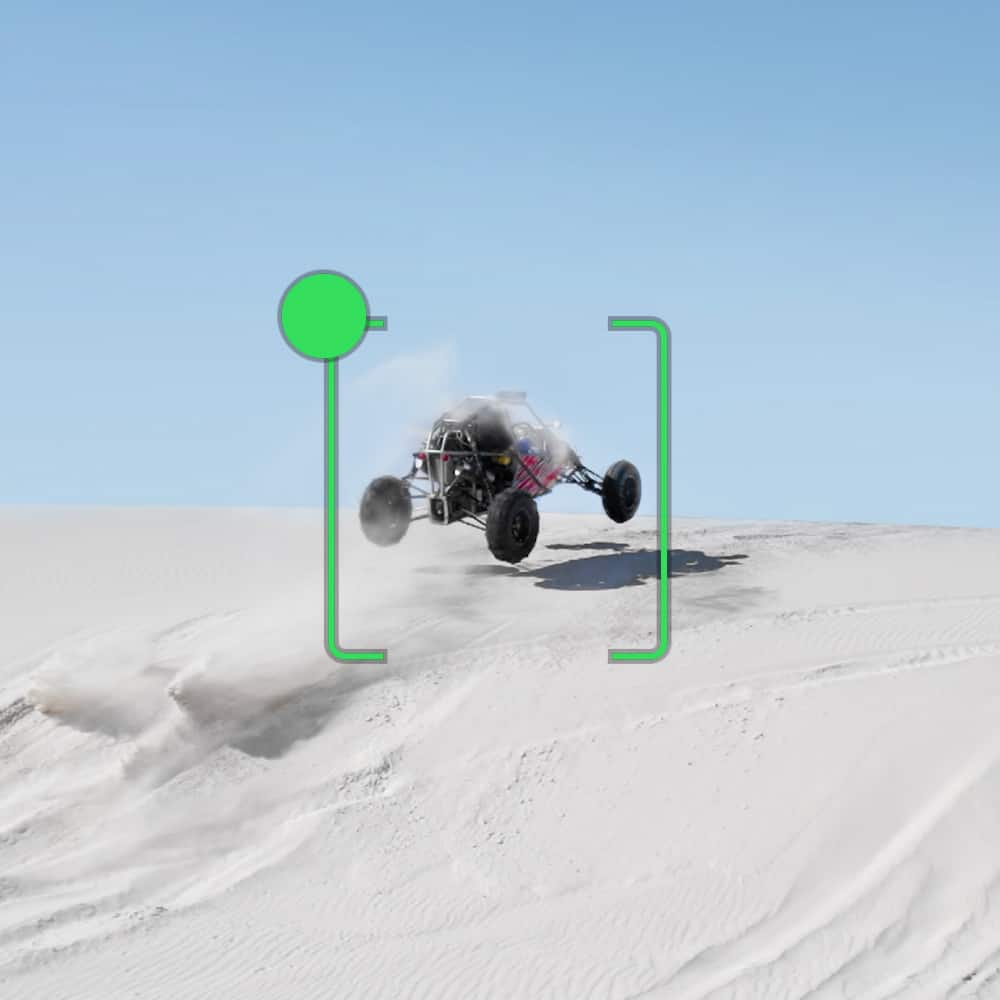
||Posted . Owned for 2 weeks when reviewed.This reviewer received promo considerations or sweepstakes entry for writing a review.DJI really hit it out of the park with the Mini 3 Pro! Yes, the price point has increased dramatically vs the Mini 2 but the feature set you get is amazing. I am a newbie drone operator but have an extended history in still photography with many Canon and Sony DSLR mirrored and mirrorless DSLRs. I wanted to spice up my creativity and looked at the feature set of the Mini 2, Mini 3, Mini 3 Pro and the Air S2. As I wanted something portable, the Air S2 was ruled out. I wanted excellent low light performance as I want to fly at night so, the Mini 2 was out. I picked the Pro vs the newer base 2 because it has all the obstacle avoidance sensors that the 3 didn't have and that would be essential to a newbie like myself. Also, the the object racking features were only available on the Pro and I wanted them. The new DJI RC remote is simply amazing now that I don't have to deal with using my iPhone as a screen. And now that DJi has made it compatible with more drones, I think this option is the best to get should you buy another drone down the line. I ended up also get the the Fly More Plus bundle with the Mini 3 Pro as one battery was just not enough fly time for me. This does mean the drone is over 249 grams and you will have to register with the FAA in order to fly it. But I also plan on getting another base battery for when I travel overseas so that I can keep it at 249 grams to allow me to fly it under international laws many times by simply registering it first.
I would recommend this to a friend - Pros mentioned:Ease of use
Best all around drone
Posted .This reviewer received promo considerations or sweepstakes entry for writing a review.The DJI Mini 3 pro is an excellent first drone. I am a beginner enthusiast myself and was able to operate this drone without a significant learning curve. The serup instructions walk you through the features and how to operate the drone. I’m still trying to learn how to maximize all of the features, but the automated flight settings makes getting some unique pictures and videos very easy. The controller with the screen is AMAZING. I have tried a mini 2 SE drone and I returned it for this because of how simple and easy it is instead of having to fly with my phone. The new controller is convenient and very reliable. If you are hesitant to get this drone, don’t be, you will be happy with the purchase! I think this drone will meet about 90% of people’s needs. If you find yourself needing additional features or capability, then you probably already know which drone fits your usecase. The one thing you should consider is if you are constantly flying in extreme windy conditions, then you will need a larger drone like a DJI Air 2s, Air 3, or Autel Evo lite plus. Outside of that, you will probably be very happy with what this drone can do.
I would recommend this to a friend - Pros mentioned:Camera quality, WeightCons mentioned:Wind resistance
So close to a perfect drone
||Posted . Owned for 1 week when reviewed.This reviewer received promo considerations or sweepstakes entry for writing a review.Love this little drone! I sold my Air 2 to get this one. Main reason is the weight and the new remote. I occasionally travel to Europe, so this drone makes more sense. Picture and video quality is perfect for my needs, love the quick shoots and remote is a great improvement! The only negative that I have is that it gets affected by wind a lot more than Air 2! I just have to be a little bit more careful!
I would recommend this to a friend 
Great Drones come in small packages!
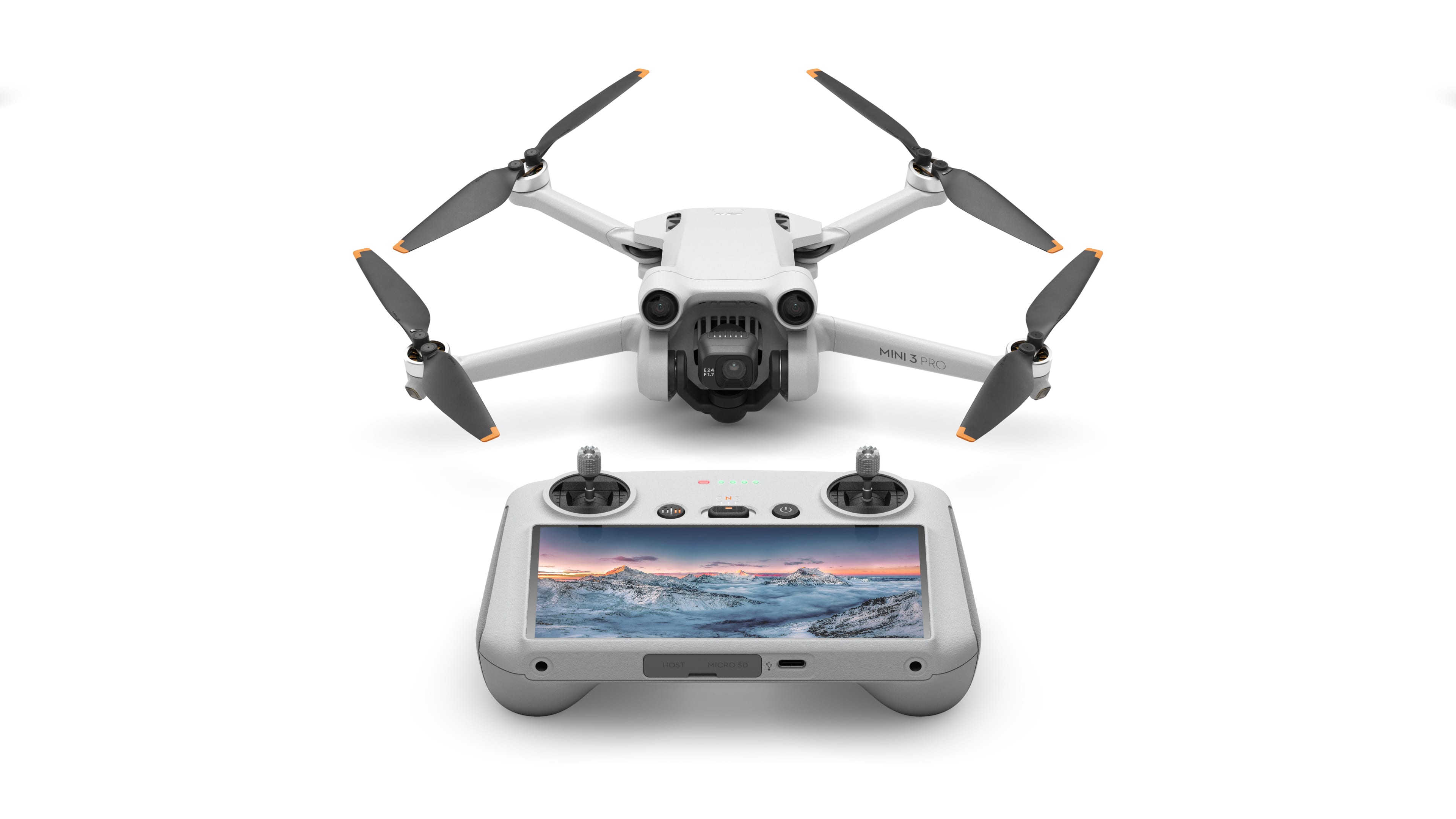
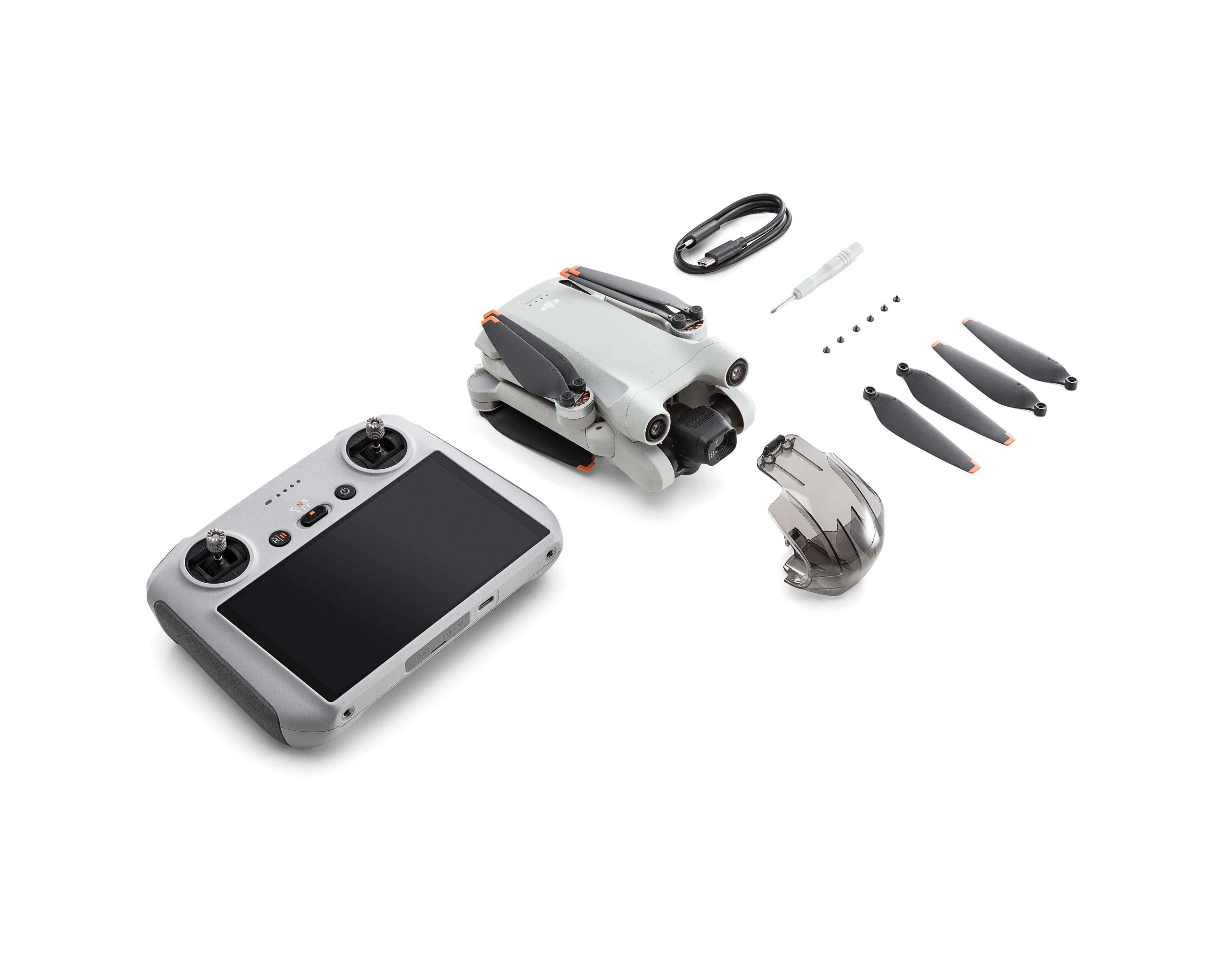
|Posted .This reviewer received promo considerations or sweepstakes entry for writing a review.So got the drone and impatiently waited for it to charge!! Included in the box was the drone(assembled) the controller, extra blades and a small screwdriver. USB cable included but no wall unit Ok - this is my first DJI drone but I have others. There was a quick start guide but nothing in regard to an instruction manual so had to run the tutorial on the controller and they referenced youtube and some other options. But who need manuals!!! Lets FLY! Setup to fly was easy - extend the arms - power on the drone - power on the controller - they sync up Typical controls to maneuver - you do have options but i liked the default. UP UP and AWAY!! easy to control - with the small size I expected some drift while in flight but this little guy held up - had a slight breeze of about 3mph and it held its course flight time was about 25minutes and the battery was just a tad warm after flight. I was a bit confused on the USB ports and SDCard slots - will have to figure that out but the built in camera worked great! I love the gimbal and cover - much easier than my other drones. But lets talk about the controller!! This is the best part - i don't have to worry about finding my phone, clipping it in, plugging in the cables(where are the cables - oh no) sync the app to the controller, and fly. Nope - just turn on the drone, turn on the controller and take off! The screen is plenty large and provided touch screen options to control the unit. LOVE IT!! I also love that there are not external antennas that can break and the control thumbpads unscrew and store in the back of the controller Little disappointed there is no storage bag included - so I ended up cutting a hole in the box that I could pass the USB cable through for charging. Still learning about the drone features and options but so far this little guy is great!! quick movement, doesn't drift, i can just grab the drone and controller and fly.
I would recommend this to a friend3 Pro, 4 Pro, Air 2, and Air 3
Posted .This reviewer received promo considerations or sweepstakes entry for writing a review.Very nice drone! I enjoy 3 pro mini as much as my 4 pro. The only difference is the obstacle avodance sensors, which allow you to go sideways without hitting anything and longer range. Personally, if I was going to go for an upgrade over the 3 pro, it would be the air 2 or air 3.
No, I would not recommend this to a friendPerfect Starter Pro Quality Drone Without License
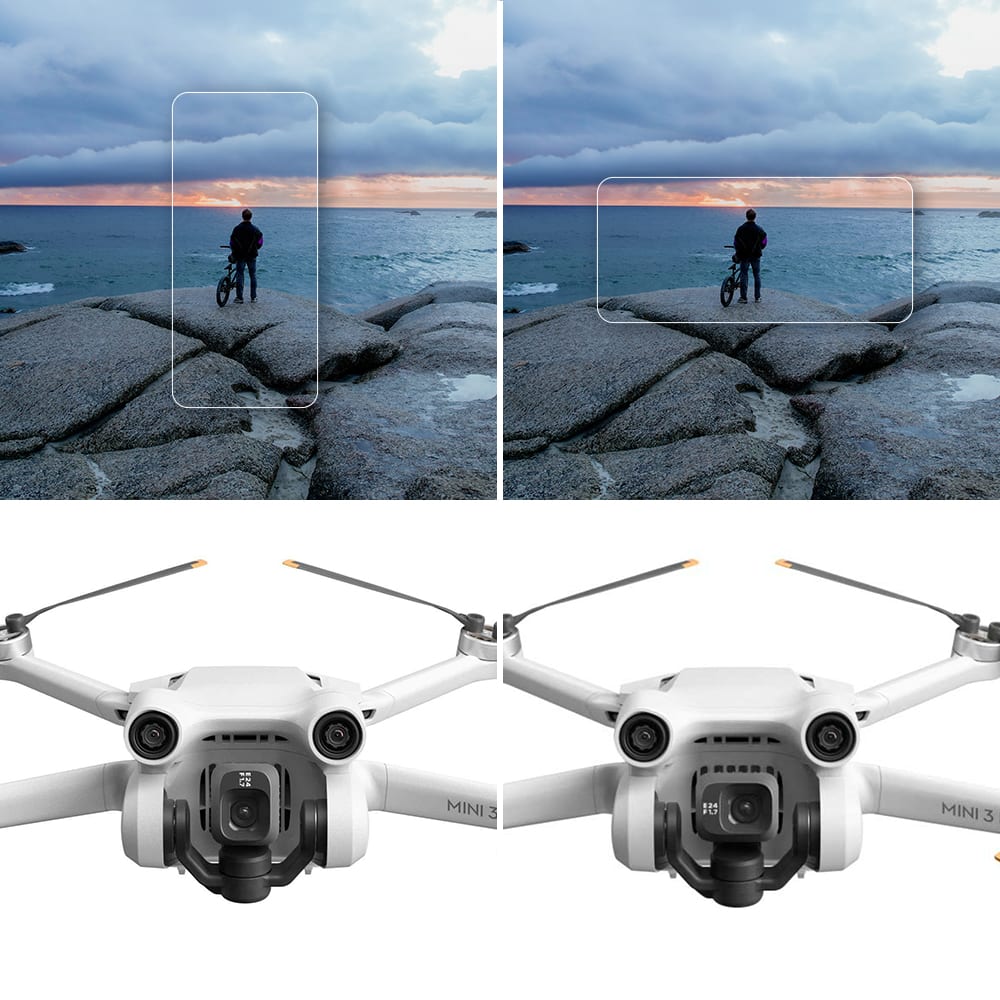
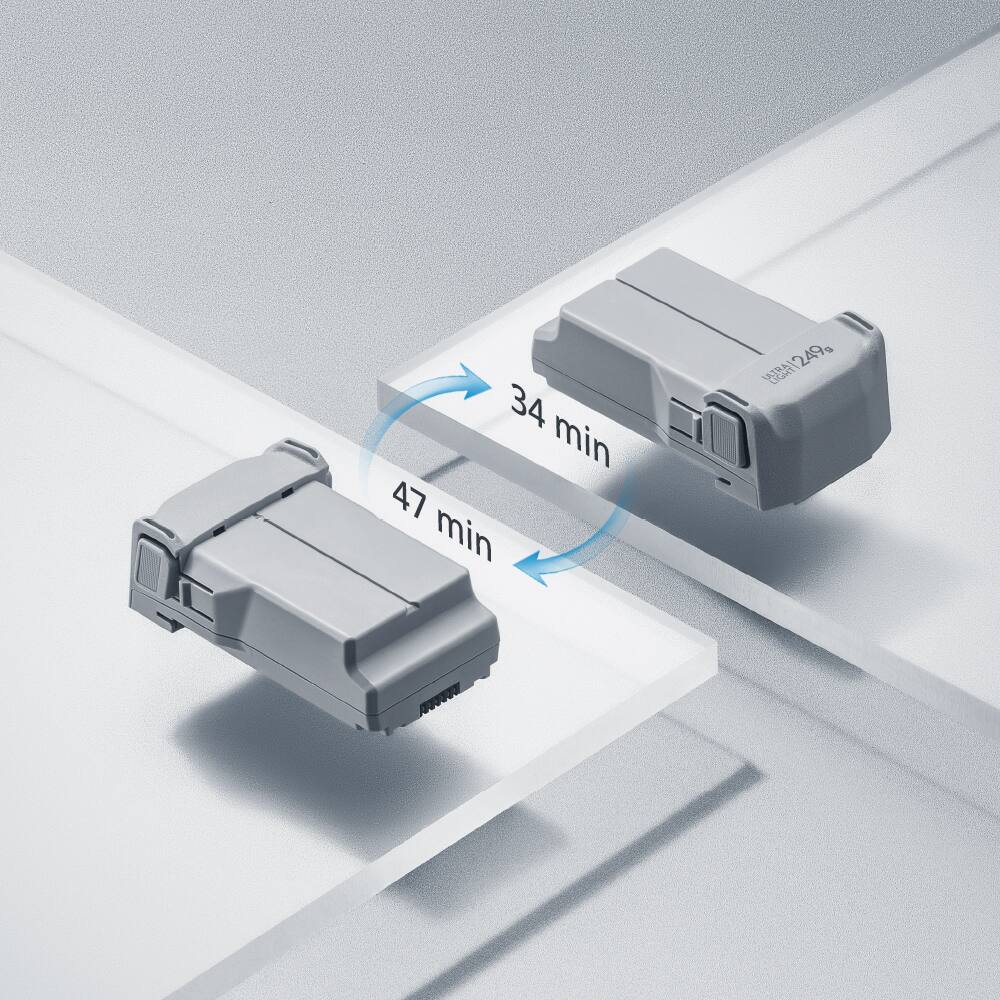
|Posted .This reviewer received promo considerations or sweepstakes entry for writing a review.The DJI Mini 3 Pro Drone with the Display Remote Controller is the absolute perfect configuration for getting started with professional quality drone photography and videos. Even if you're an experienced drone pilot the Mini 3 Pro is the perfect way to scale up to high quality videos. I have a lot of experience with RC aircraft and I'm a content creator for websites and videos. While I anticipated being overwhelmed by the complexities of drone flying combined with videography, I was pleasantly surprised at how simple the Mini 3 Pro serves my needs without requiring drone pilot licensing. Unboxing & Setup While this drone is simple to use, it will require that you spend some preparation time getting up to speed and getting the devices ready for use. The time from unboxing to actual flight, for me, was around 3 hours. The inside lid of the box has a QR Code which will launch a page for watching a getting started video, provide links for user guides, and download links for the DJI Assistant software. The process I followed for getting from box to flight included the following: · Scanned the QR Code with my iPad. Watched the First Use video and downloaded the user manual. · Removed the control sticks from under the Controller and screwed them into the control ports. · Powered up the Controller and stepped through acceptance, Wi-Fi setup, and account creation. · Turned off and fully charged the Controller and the Aircraft. Charging takes a little over an hour. · Powered on both devices after charging. Stepped through connecting and registering the aircraft with the controller. Stepped through firmware updates. Controller and the Controls The Controller is very comfortable to the hands. The control sticks are smooth to move and have just enough back pressure to the touch. There are three different control modes with the sticks, and they can be customized for controlling the aircraft. The grips of the Controller are a rubber texture which provides a firm grip. The power button, Flight Mode switch, and Return To Home buttons are centrally located on the face of the Controller above the display screen. Above those are the status and battery level LEDs. There are left and right trigger buttons for recording, focus, and shutter. Below those are left and right dials for Gimbal control and Camera control. Under the Controller, next to each grip, are two customizable buttons. The display is a bright and clear touch screen. It not only shows what the aircraft camera is seeing, but it is also the interface for controlling how the aircraft flies, how the camera and gimbal respond, and is used for viewing and saving the videos and photos. The interface is the DJI Application, which can also be downloaded to a smartphone or tablet and be used for interfacing with the aircraft. The base of the Controller has a charging port, and a plate covering a SD Micro memory card slot and a USB C Host port. There are two mounting holes on the bottom for accessories. Flying Even though this aircraft is not heavy enough to require licensing, in some countries you are required to register and possibly pass a Safety Test. Since I live in the US, I spent a half hour taking the Recreational UAS Safety Test (TRUST) and got my Completion Certificate. I also spent $5 to register the aircraft with the FAADroneZone and I received my aircraft registration ID. Be sure to check the drone flight restrictions for your area. The aircraft is a pure joy to fly. By selecting Take Off on the Controller, the aircraft will rise several feet in the air and hover, waiting for further input. The DJI App determines the GPS locations and will display what the flight restrictions are for the area. I personally live within an airport control zone and the App informed me of my altitude limit. When I flew up to altitude it halted my progress and told me when I reached that limit. The aircraft is very stable and will compensate for changes in the wind. When flying toward or near an object, the aircraft will avoid or halt its progress, along with visual and audible cues on the Controller. The aircraft responds appropriately to the amount of pressure exerted on the control sicks, without any perceived hesitation. There are three selectable flight modes. Sport Mode turns off the obstacle sensing and increases the agility and speed of the aircraft. Normal Mode enables the vision and infrared sensing for stability and GNSS for location. Cine Mode adds more stability to the aircraft for improved video shooting. Photos and Videography The camera on this aircraft is amazing! With a 4K resolution of 3840x2160 and 24 to 60 fps, the quality competes with high end video cameras. Combined with the floating Gimbal and video stabilization, the resulting video is smooth. For pictures, the resolution goes up to 8064x6048 for stunning photographs. There is a large range of Intelligent Flight Modes which can be used for creating Quickshots, Mastershots, ActiveTrack, Spotlight, Point of Interest, Hyperlapse, Slow Motion, and more. All of these can be customized by changing the target tracking, frame rate, zoom, and resolution. A big plus is the camera can be rotated between landscape and portrait. Downloading Files Since I already downloaded the DJI App onto my iPad, getting the videos and pictures from the aircraft is easy. I launch the app on my iPad and select the QuickTransfer mode. It prompts me to turn on the aircraft. Once it connects to the aircraft, it prompted me to hold the battery button on the aircraft down for two seconds, to put it into QuickTransfer mode. From the DJI App I then select the Aircraft Album, select the files, then select Download to Phone. Transferring of around 20 minutes of video took 8 minutes. I'm sure it's dependent on the speed of the wireless connection. I do recommend adding an SD Micro storage card to the aircraft and the Controller since the internal memory can only hold around a minute of video. Most Important Features · Flight Time with included battery: 34 minutes · Max Ascent/Descent Speed: 16.4 fps · Max Speed: 35.8 mph · Max Service Ceiling: 13,123 feet (above sea level) · Navigation: Global Navigation Satellite System (GPS, Galileo, BeiDou) · Sensors: Forward 82 ft, Backward 76 ft, Downward 29 ft · Camera Sensor: 1/1.3 inch CMOS, 48 MP · Lens: FOV 82.1, Aper. f/1.7, Format 24mm · ISO: 100-6400 · Max Image: 8064x6048 · Photo Modes: Panorama, Sphere, 180, Wide-angle, Vertical · Video Resolution: 4K, 2.7K, FHD, Slow Motion 1920x1080@120fps · Video Bitrate: 150 Mbps · Wi-Fi 802.11 a/b/g/n/ac · Bluetooth: 5.2 · Battery: Li-ion, 7.38 V, 2453 mAh · Charging Time with Battery in aircraft: 64 mins Summary The DJI Mini 3 Pro is a sophisticated and professional level drone with easy to fly intelligence. I am a first-time drone owner who thought I would be overwhelmed by the complexities of this video drone. But I am amazed at how easy it is to fly and shoot video. It is quite evident that a lot of thought about user interface went into the design. There is a lot that I could not cover within the scope of this review. If you're new to drone videography or if you're experienced, you'll be pleasantly surprised with the wealth of features and the ease of use.
I would recommend this to a friend- Pros mentioned:Battery lifeCons mentioned:Wind resistance
A "Good Choice" for those who want a camera drone!
||Posted . Owned for 1 month when reviewed.This reviewer received promo considerations or sweepstakes entry for writing a review.Great drone, very compact, I would recommend purchasing the Fly More option. The convenience of having everything you need in a small carry bag makes sense. The drone itself is the "Real Deal", it absolutely works as advertised. The batteries last for 20 minutes plus. The display on the controller is easy to see and the range between the drone and controller is never a concern. I would caution you to plan your flights when inclement weather "is not" in the area. I also would use care when flying in gusting winds. I primarily use the drone as a flying camera. All in all, I am very happy with my purchase and I would recommend this drone to all of my friends.
I would recommend this to a friend - Pros mentioned:Camera quality
Powerful photo and video tool for novice to pro
|Posted .This reviewer received promo considerations or sweepstakes entry for writing a review.I’ve been wanting to take my photography and video skills to the next level and when I heard about the significant upgrades the DJI Mini 3 Pro had over the previous generation drone. The one I felt most beneficial was the inclusion of the controller with the built in screen and DJI app. This is a huge improvement over the whole cumbersome task of using your phone as the display and works great outdoors unless you’re in direct sunlight. Flight operation is very simple even for a beginner and with the number of automated shot features built in I was able to create some pretty awesome video clips on my second time in the air. Whether it be locking onto a target and the drone automatically following (think going for a run) or sending it out on a mission to capture prime angles of the Dallas skyline, I’m already seeing a lot of ways to put it to use. Downloading your content from the done SD to your phone is a super easy process with a direct wireless connection between the two. Other features require a little digging - like connecting the Wi-Fi to your phone as a hotspot so the internal maps work. All in all I found this an incredible tool for jumping into the world of drone flight and I’m excited to keep learning how to push my skills forward.
I would recommend this to a friend - Pros mentioned:Battery life, Camera quality, Ease of use

Easy beginner drone
|Posted . Owned for 3 weeks when reviewed.This reviewer received promo considerations or sweepstakes entry for writing a review.[Employee of bestbuy] Works great for beginners battery last a pretty good time weight and size make it very portable and the images wow very professional clips and pics i took
I would recommend this to a friend - Pros mentioned:Battery life, Size
Soaring High: DJI Mini 3 Pro worth a Buy
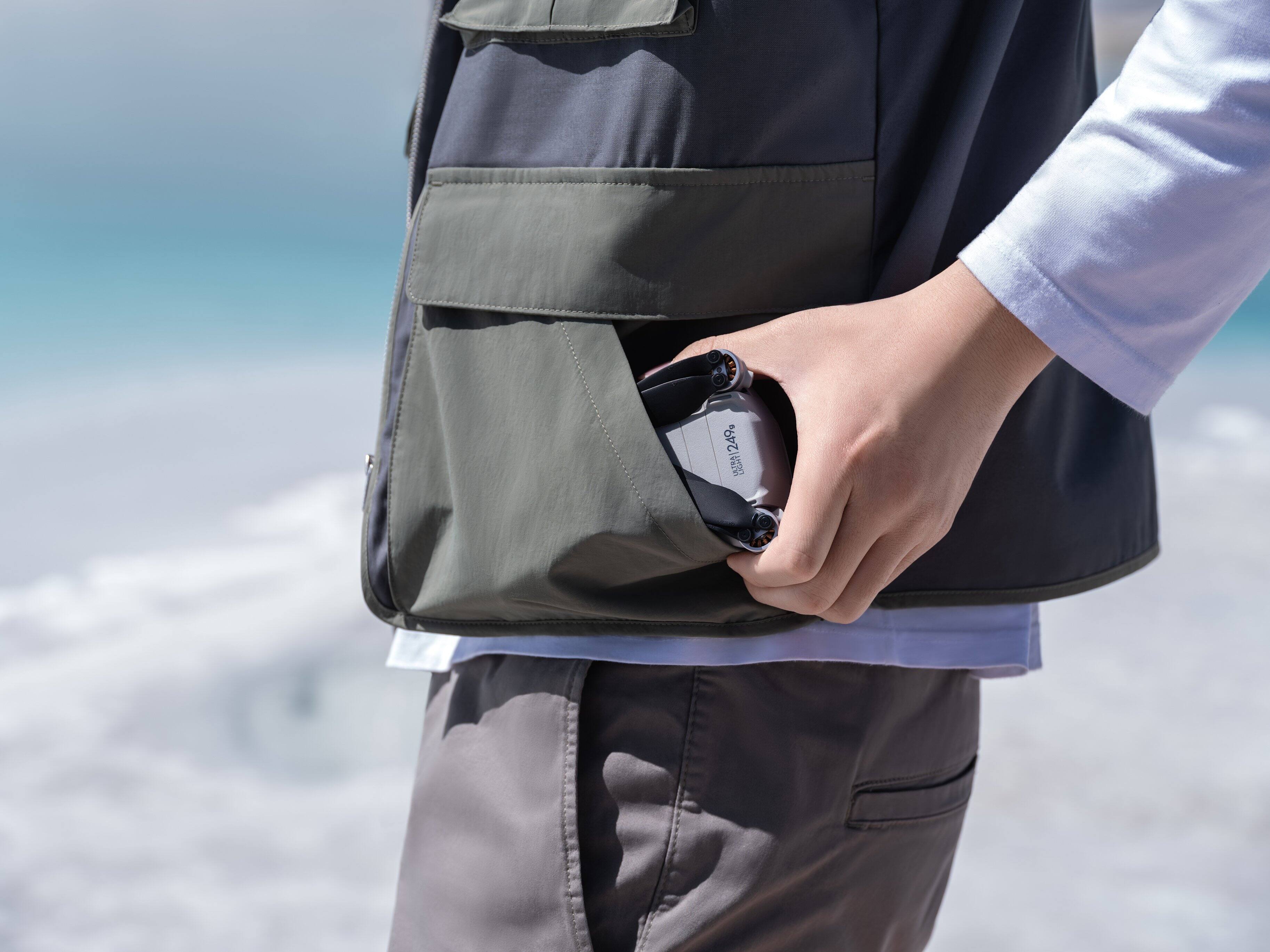
||Posted . Owned for 1 month when reviewed.This reviewer received promo considerations or sweepstakes entry for writing a review.Disclaimer: This is my first drone. I bought for my small business to film events and surveying locations. Really easy to pickup, fits in my pocket (it actually does lol), very compact and the video controller is great. Purchase 2 SD Cards, one for the controller and one for the drone itself. Battery Life has been around 25 - 30 mins, I plan to get the upgraded battery. Obstacle avoidance has been very handy. One bird attack but I was able to land safely, I recommend gunning for higher altitude if you see birds approaching. I definately recommend a BUY
I would recommend this to a friend - Pros mentioned:Camera quality, Ease of use
Great Buy
||Posted . Owned for 3 months when reviewed.This reviewer received promo considerations or sweepstakes entry for writing a review.Amazing drone, it takes amazing pictures. The flight time is great, and the range also amazing. Is pretty easy to use and I can take it anywhere.
I would recommend this to a friend - Pros mentioned:Camera quality, Ease of use
Love it! Don't hesitate to buy it!
||Posted . Owned for 1 month when reviewed.This reviewer received promo considerations or sweepstakes entry for writing a review.Title: A Game-Changing Drone Experience: DJI Mini 3 Pro Delivers Beyond Expectations! ⭐⭐⭐⭐⭐ 5/5 I recently got my hands on the DJI Mini 3 Pro, and I must say, it has completely blown me away! This drone has truly taken my aerial photography and videography to a whole new level, and I couldn't be happier with my purchase. One of the standout features of the DJI Mini 3 Pro is its ability to shoot in Log format. This feature has allowed me to capture footage with enhanced dynamic range and greater flexibility in post-processing. The result? Stunning visuals that rival professional-grade shots! Whether it's capturing picturesque landscapes or cinematic shots, this drone excels in delivering top-notch quality every time. The remote controller with the built-in screen is a game-changer. Setting up the drone has never been easier. With previous models, I dreaded having to connect my phone to the controller, but with the built-in screen, everything is seamless and hassle-free. It's a time-saver and ensures I'm ready to fly in no time. The size and weight of the DJI Mini 3 Pro are perfect for my on-the-go lifestyle. Its compact design makes it incredibly portable, and I can take it with me on my adventures without feeling weighed down. Additionally, its agile and nimble flight performance allows me to capture those challenging shots effortlessly. Operating the DJI Mini 3 Pro is a breeze. The controls are intuitive and user-friendly, making it suitable for both beginners and experienced drone enthusiasts. I felt confident navigating through the skies with precision and control, thanks to the drone's smooth and responsive flight characteristics. In conclusion, the DJI Mini 3 Pro has exceeded all my expectations and has become an indispensable tool in my creative arsenal. Its Log format shooting capability, user-friendly remote controller, portability, and ease of operation are just a few of the many reasons why I am thrilled with this drone. If you're looking to elevate your aerial photography and videography game, I highly recommend the DJI Mini 3 Pro. Trust me; you won't be disappointed!
I would recommend this to a friend - Pros mentioned:Battery life, Camera quality, Ease of use
Great upgrade from the DJI Mini 2
||Posted . Owned for 1 week when reviewed.This reviewer received promo considerations or sweepstakes entry for writing a review.Incredible video quality. Great Battery Life. Exceptionally easy to fly. Only 249 grams. What's not to love? This is a welcome upgrade to the DJI Mini 2 that I owned previously.
I would recommend this to a friend A great mini drone with a ton of features
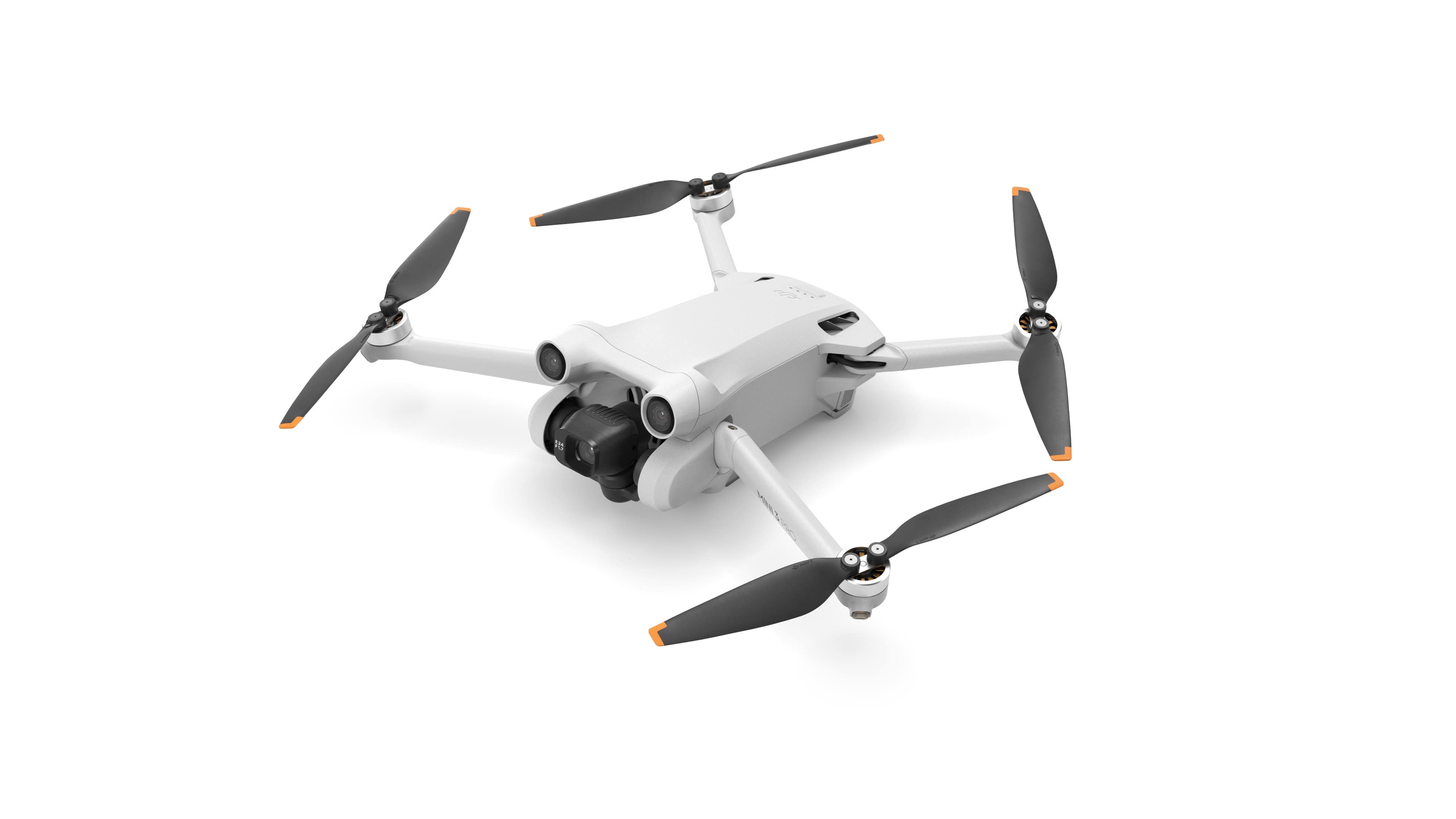
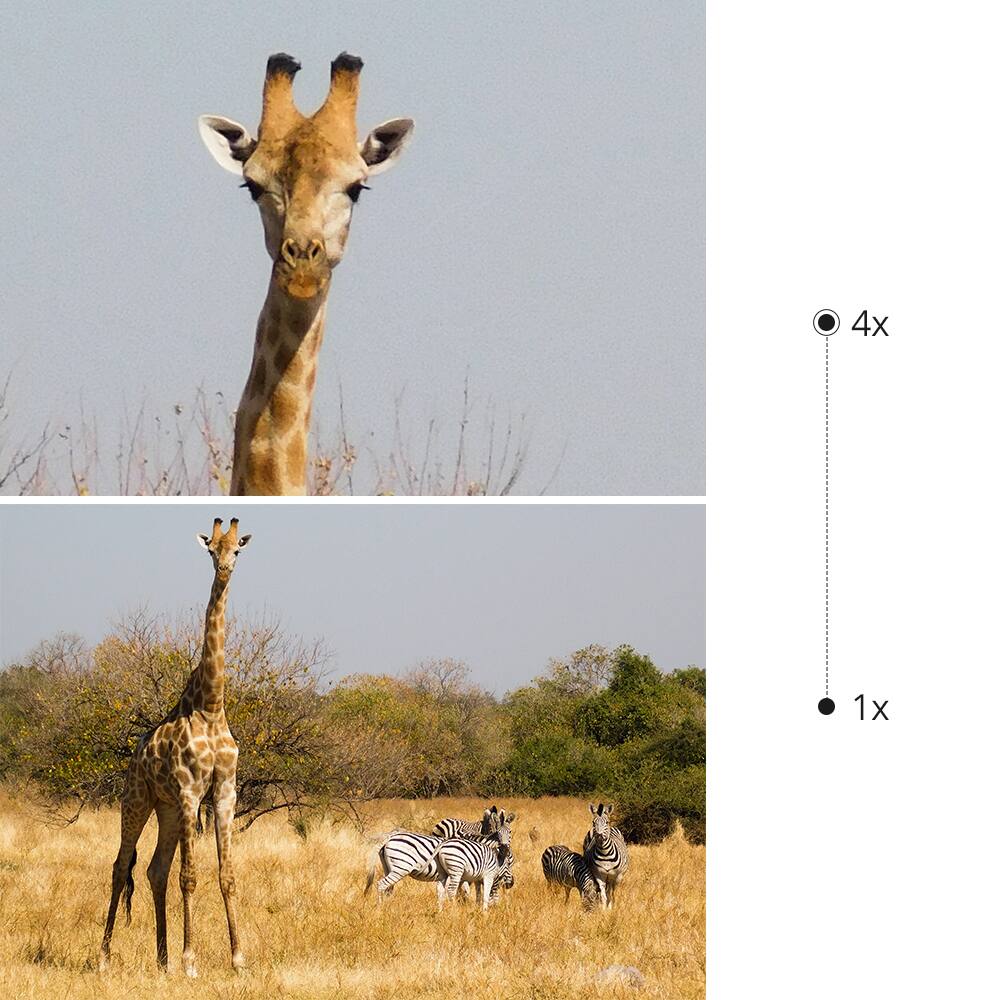
|Posted .This reviewer received promo considerations or sweepstakes entry for writing a review.I do love drones; this is my third. From my ‘lockdown’ Mavic Air 2, to the upgraded Air 2s - this is my first Mini and it’s great - but it’s my first that isn’t a “fly-more combo.” TL;DR for my frequent readers Good: Size Battery Life Controller with a screen App Features / Settings enhancements Photo / Video quality options Upward facing camera support Bad: Controller’s bottom door Overheating when idle? Meh: Gimbal cover attachment Thin joysticks, easy to drop Land on the body, not arms Recommended 2x SD cards (drone & controller) Battery doesn’t have charge indicator Tip: Make sure you get the proper microSD card to ensure you can write at 4k/60; don’t just buy the cheapest 128GB (or whatever size) card you see. Let’s start with the basics - the box is so small, I thought it was the wrong product. While unboxing, I noticed that the propellers are already attached and with screws; something quite different from the Air series. While going through the included accessories, I saw everything I’d need to get this up and going - including a few hours of charge time. After about 40 minutes, the battery was done charging but the controller took somewhere around 2 hours to charge, so don’t expect to throw this right up in the air if you want any time with it – charge everything completely full first. But, as these are small batteries, they must be in the drone to see the charge capacity, vs hitting a button (like on my Mavic Air 2, or Dewalt XR batteries). Unfolding the drone was reversed from my previous drones; with the Mini 3 Pro, the rear legs folded back and front legs swung up from underneath - cool. A solid gimbal protector keeps it safe, but is a bit tricky to put back on as it’s a single hook under the top, which I tend to miss quite often and have to re-do. Once everything was charged up, I booted up the sweet controller that has a screen and a pre-loaded DJI Fly App. Immediately, I was greeted with some firmware updates & let it roll. Once done, I started the activation and logged into my existing DJI account. Familiarity helps here, but if you’re new to the DJI Fly App - no big deal - help and explanations are in abundance. After a few minutes - say 15 or so minutes of the drone sitting idle, it went into a power-down state. At first, I thought it was a power saver, but then it said to “let it cool down before turning it back on.” I guess for such a small drone, how easily can heat dissipate, right? Either way, now I keep an eye on the temp and utilize a small fan if it’s going to be sitting there idle. This thing is tiny compared to the “Air” lines of DJI - see my pic of the Mini on top of the Air 2s (attached). The fact that it’s so small, that if I wore a hoodie in FL, I may want to put it in my pocket. Hidden on the underside of the controller are the joystick arms which are nice & snug and I can’t see falling out. The joysticks are quite narrow at the base which makes the screw on the controller very thin and I’ve dropped at least one, two times trying to attach them. Moving the joysticks in a circle with my thumbs was so smooth that it showed how the controller had been refined; I was impressed. After a pre-flight check of the propellers, up the drone went and boy is it quiet (video on YouTube). Again, in comparison to the Air 2s, this thing is a gnat and the Air 2s is a wasp - so cool. Since it’s under the FAA’s .55lb or less requirement, it can fly right out of the box without FAA registration. If you pick up the Fly More Kit Plus, that battery will put you over the limit & you have to register it. Cinema/Normal/Sport modes are available to determine how fast the drone will go, with a simple flick of a hard switch right in between the joysticks. Cautiously, I got acquainted with the drone in Cinema (slow) mode but primarily fly in Normal; sport mode is for those with quick reaction times like console gamers - I’m a keyboard/mouse guy, so I don’t have the controller reflexes - plus, all of the safety controls get turned off: collision avoidance and the like. I’ll just use that mode to show how fast it can get up and go. Lots of great software in the DJI drone when using the DJI Fly App and RC controller - including: - Vertical videos & photos, for your Instagram/TikTokers and in 4K/60fps too - Screen recording and screenshots - Fun DJI pre-configured video and photo flight patterns - Quick Transfer - Flight records - Seemingly limitless quality customizations If you want video and have a 2x zoom option, you go with 4K/30fps, but for 4x Zoom, you’re back at 1080p, any FPS you want. Manual photo / video modes brought about some nice enhancements to make it easier to pick the ISO/shutter that I want. I did notice a difference between the base 48MP vs Normal photos and how the 48MP is darker by default. Some photo enhancement seems to happen with the Normal mode photos, so it’s user preference and for you to play around with - some examples are on the linked Instagram page. Now on top of the software enhancements, unlike other drones that have a gimbal with an overhead obstruction, this one does *not*. I’ve always wanted to get a nice photo of the moon right before the end of evening civil twilight, but the gimbal wouldn’t point up; this one does and it’s great. Also, you can utilize a new feature called “Quick Transfer” and it’s great - I took a pic (attached) showing it in use. Installing the same DJI Fly App on your Android phone (for me an S22 Ultra) and/or iPad (for me, a Air 5th Gen) allows you to connect to a hotspot that lives on your drone, to transfer photos immediately without needing to pull the SD card. While not as fast as using the hardware, 25MB/s is a good speed for me, for only a dozen or so photos/videos; any larger number of items to download and I’d probably use the memory card / USB adapter to get the photos over. As I had mentioned, the drone is quieter than ones I’ve flown - so take that with a grain of salt. Landing can be a bit more challenging as overall, it’s small and you have to land on the body not on the legs, so beware of even moderately tall grass or use a drone landing pad. An updated controller includes a great grip, under-grip buttons for customized preferences and a nice crisp display. I found it to be very nice while in shade or not bright sun, but a bit washed out in bright sunlight; I can only predict some 3rd party sun shade is on the way. The runtime for the controller is going to be less than usual given there’s no more phone needed. I typically went 3-4 flights between charges but don’t think I’ll be doing that anymore as I’m getting good about plugging it in when I get back. As before, the phone you used had storage space, this controller does not, so another microSD card is needed. I can’t imagine it needs the same size of the drone, but you can’t take screenshots or do screen recording without one. Enter the bottom door on the controller and how I hate it. I’m always hitting the left/Video/Record button while trying to open it or keep it open to insert or remove the SD card. I really hope they redesign this. I mean, I really can’t say anything bad about this drone as it’s my new favorite. Quiet, good on battery life, compact and the photos and videos are perfect for me. If you’re in the market for a smaller drone that has a ton of safety features built in and a cool controller with a screen so you don’t have to kill your phone’s battery, get this! And yes, get DJI Care Refresh – I did, for 2 years. And also, get the Fly More Kit Plus. Recommended!
- Pros mentioned:Camera quality, Ease of use, Size
Powerful drone for the price. nice features too.
||Posted . Owned for 1 month when reviewed.This reviewer received promo considerations or sweepstakes entry for writing a review.very nice drone for the price. had a lot of features. has a few modes that make popular shots very easy without having to manually fly it. great camera quality too. very easy to fly. Small size makes it easy to carry around but has power to handle some wind and fly fast and smooth too. stock is under 250grm registration requirement so can fly recreationally no problem
I would recommend this to a friend Great compact drone for those on-the-go
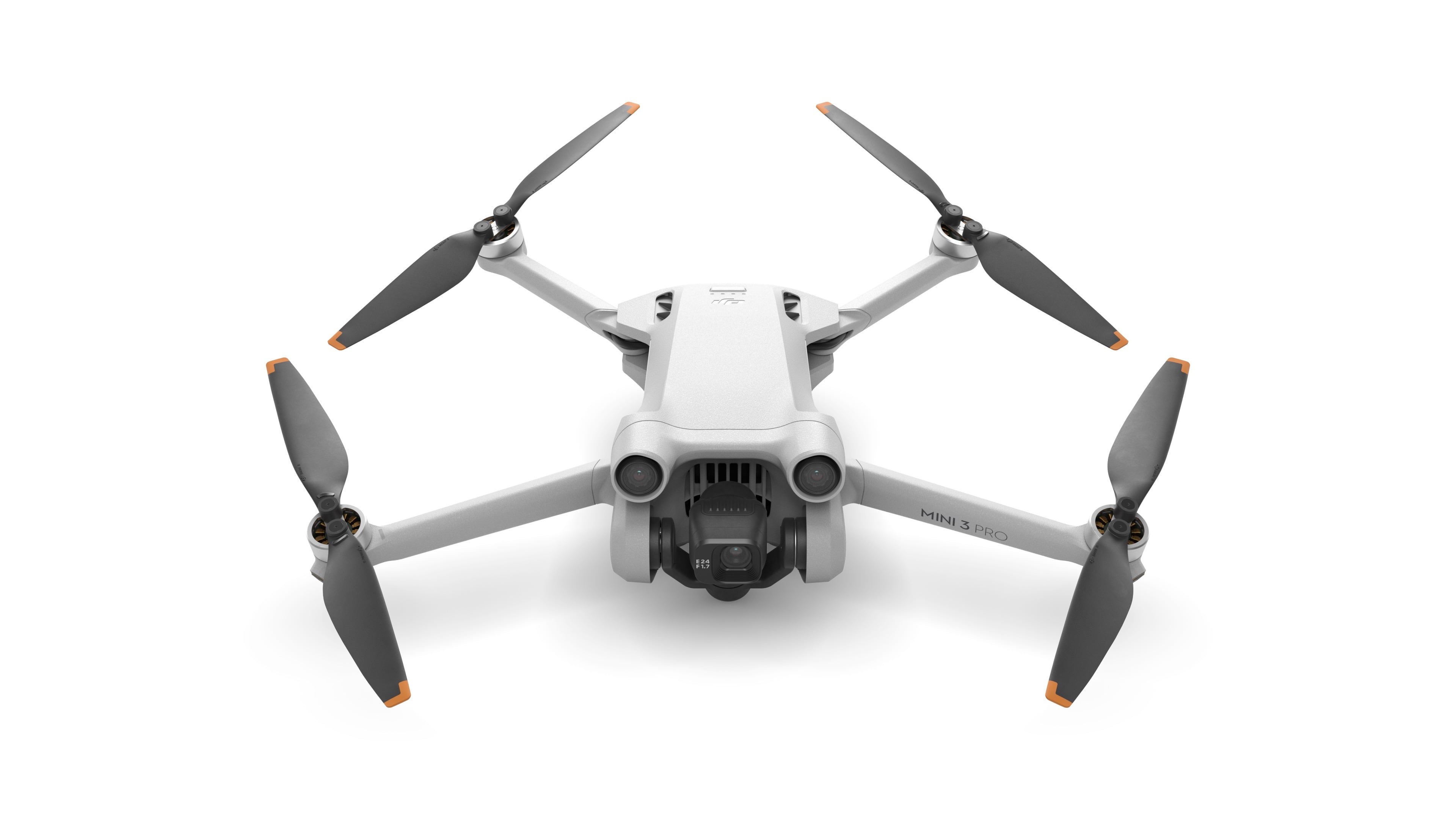
|Posted .This reviewer received promo considerations or sweepstakes entry for writing a review.I have the Mavic Air 2, so this was a nice addition that is much more compact and easy to take around. Although I have the fly more combo with the Mavic Air 2 which comes with a carrying case, making it slightly better for a "grab and go" trip. However, the Mini 3 Pro is small, but feature packed. Out of the box, you of course will need to charge the drone and the controller. Both have a USB-C port for charging. The drone comes with one charging cord, but not the "box" that you will need to plug into the outlet. These days, most people have one around the house for something else, but be prepared if you don't. I didn't time it, but charging both didn't take too long. I would estimate around 1:00-1:30. Keep in mind that a portion of your battery life from the initial charge will be used for updates. I haven't had a full flight (going from full battery to low battery) yet, so I can't really speak to the duration of flight. DJI says up to 34 minutes, but that is of course in ideal conditions (no wind and perfect temperature) and not using "Sport Mode", etc. I would say you could comfortably get 25 minutes of flight time with enough battery reserve. Another huge plus for me is the remote. I always thought that I would hate having the screen where it is on the remote. I felt like I wouldn't want to look between my wrists to see the screen. However, I actually really like it. The screen is large and crystal clear. With my other drone, you have to use your phone. It was great when I had the Galaxy S8+ as it fit into the holder on the controller. After I changed to the S21 Ultra, my phone no longer fit into the holder and I just had to lay it on top of it. Having the controller also be the screen is great. It's easy to bring up menus (change from photo to video/change the photo/video settings, etc). They have also added the "Pause" button to the return to home button. If you just press the pause/return to home button the drone will immediately stop and hover. That way, if you see that it is headed for trouble you can immediately stop it. I tried this in sport mode at full speed and it stopped quickly and went into a hover and stayed there until I commanded it to move. The ability to zoom is also nice. I like taking shots of things far away, and the zoom helps bring them a little closer. I have a couple of example photos. They have also added two more buttons on the back of the controller (C1 and C2). They have their own functions (which are customizable) giving you more options. As an example, I have one the centers the gimbal. A quick press of that button and I'm back at straight and level on the camera. The camera also has the ability to rotate up which is great for sky/cloud shots. They've also added the ability to take portrait photos as well as landscape. I personally don't have a use for that, but it's a nice option if you need it. With a simple press of a button (on the screen) the camera quickly rotates 90 degrees to vertical. Flight controls are easy to use and the drone has 3-way obstacle avoidance (forward, backward and downward) sensors. It does not have side to side sensors. I tried the obstacle avoidance to see how well it worked. I set the option to fly over/around an obstacle. I first flew it forward toward my privacy fence. It got about 10 feet away and went up and over it. It worked the same backwards. I then flew it forward towards some tall privacy trees that we have. As the drone couldn't see an opening to get around/over them, it just stopped and hovered. As the sun was setting and light was fading I flew it towards another tree with more open branches. It couldn't see it and wasn't stopping, but at that point, there's not much reason to be flying that low and close to things anyway. Flight controls are somewhat customizable with presets that allow you to change which stick does what. I've always left mine with the default settings as they are natural to me. I haven't had a lot of time to fly it as it has been raining a lot since I've gotten it, but I haven't really found any downsides to it. It is very light and also very quiet. Sport mode and quick direction changes/stops are a little louder, but not by a lot. This would be a great drone for a hobbyist or a content creator. If you're traveling with your drone, this would be a great way to go with its compact size and light weight.
I would recommend this to a friend- Pros mentioned:Battery life, Camera quality, Ease of use
Great drone! Lots of fun ro fly!
||Posted . Owned for 2 months when reviewed.This reviewer received promo considerations or sweepstakes entry for writing a review.Love this compact drone. 4k quality and you can take anywhere you can fly with ease. Great features and easy to use. Included remote with screen allows you to use without your phone attached. Awesome photos and video and built in cinematic features for content creators. Extended battery life adds to fly time and ease of mind to bring home safely.
I would recommend this to a friend - Pros mentioned:Ease of use, Size, Weight
Great Travel Drone
||Posted . Owned for 3 weeks when reviewed.This reviewer received promo considerations or sweepstakes entry for writing a review.Picked up the Mini3 Pro just before heading out on vacation. Turned out to be a great purchase. This small compact and full featured drone was perfect for capturing some great memories. Convenient and lightweight enough to pack in a backpack. The built-in master shots made it easy to operate for the whole family. This is now my goto drone for any toad trip. From a Sunday drive to a crosscountry trek, this drone is just right.
I would recommend this to a friend - Pros mentioned:Camera quality, Ease of use, Size
DJI Mini Pro 3 is a good choice.
||Posted .This reviewer received promo considerations or sweepstakes entry for writing a review.As a photographer I value ease of use paired with quality images. I previously had the Mavic 2 Zoom and really enjoyed using it. The compact nature of the Mini Pro 3 along with the integrated controller over smartphone drew me to it. So far not disappointed at all. Much easier just turning both on and being ready to go! Being so compact it has earned a place in my everyday camera bag.
I would recommend this to a friend - Pros mentioned:Camera quality, Ease of use
You’re in the right place
||Posted . Owned for 1 month when reviewed.This reviewer received promo considerations or sweepstakes entry for writing a review.As someone who was initially wary of the DJI Mini 3 Pro's price and my lack of flying skills, I was amazed by how user-friendly and high-quality this drone turned out to be: Easy to Fly: Right out of the box, the DJI Mini 3 Pro was simple to fly. Even without prior experience, I had no difficulty in getting it up in the air and controlling it. The learning curve is minimal, making it ideal for beginners and experts alike. Stunning Video Quality: The footage captured is remarkable. Crisp, clear, and vibrant - the video quality truly elevates the whole flying experience. It opens up a world of creative possibilities. Worth the Price: Although the price might seem steep at first glance, the quality, ease of use, and the breathtaking video capabilities justify the investment. You're truly getting a professional-level experience at a reasonable price. Reliable and Robust: The build quality and design of the DJI Mini 3 Pro provide a sense of reliability. It's a well-engineered piece of technology that seems to withstand the regular usage well.
I would recommend this to a friend