Customer Ratings & Reviews

- Model:
- CP.ZM.000449
- |
- SKU:
- 5613400
Customer reviews
Rating 4.4 out of 5 stars with 583 reviews
(583 customer reviews)to a friend
Customers are saying
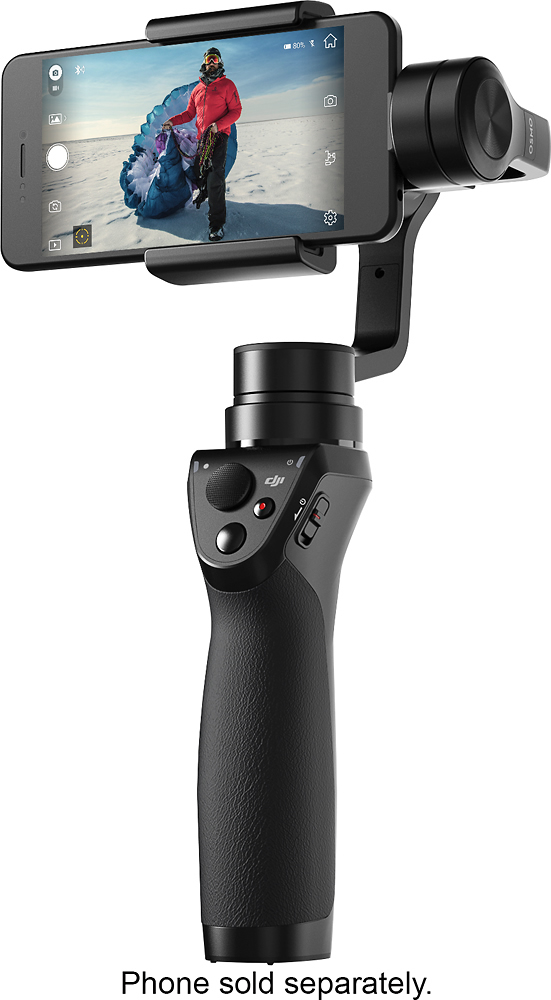
Customers appreciate the Osmo Mobile Gimbal Stabilizer's impressive video quality and ease of use, finding it simple to set up and operate. The gimbal's stability is also frequently praised, while some users mention challenges with battery life, software, and the device's size. A few customers also commented on the price point.
This summary was generated by AI based on customer reviews.
- Pros mentioned:Time lapse
Rated 5 out of 5 stars
Very cool way to shoot pictures with your phone
||Posted .This reviewer received promo considerations or sweepstakes entry for writing a review.I am on my second DJI drone, so I wanted to have the same camera stabilization when shooting with my iPhone 7+. It has many options like automatic panoramas, time lapse and delayed trigger, but the included manual is really rather poor. But the on-line tutorials and You Tube videos can fill that gap.
I would recommend this to a friend - Pros mentioned:Video quality
Rated 5 out of 5 stars
iPhone 7plus
||Posted .This reviewer received promo considerations or sweepstakes entry for writing a review.Awesome stabilizer I absolutely love it.. I use it with my iPhone 7plus and it works amazing. I love using the active track. It comes in handy when I'm at carmeet and filming the cars. I show people my video at the end and they are amazed of how smooth it comes out
I would recommend this to a friend - Pros mentioned:Ease of use
Rated 4 out of 5 stars
Gimbal that is easy to handle
||Posted .This reviewer received promo considerations or sweepstakes entry for writing a review.DJI gimbals is by far the best. I have used two other gimbals from different companies the biggest difference is the balances. With DJI gimbal videos are smooth, and easy Operation. I just love my DJI.
I would recommend this to a friend - Pros mentioned:Stability, Video quality
Rated 5 out of 5 stars
Great video accessory
||Posted .This reviewer received promo considerations or sweepstakes entry for writing a review.I picked this up on Black Friday after considering it for awhile. I have a DJI drone and sometimes put videos together. I needed a way to throw in some ground shots and other footage. After I learned the little nuances of this device it has been great. Make sure you remove your phone case and have it calibrated before you get started or it won't do much... Once you spend a few minutes with it the results turn out great. Highly recommend this device. I'm creating videos with my Note 8 that look professionally recording. Even when walking around it looks like it's on a tripod.
I would recommend this to a friend - Pros mentioned:Video qualityCons mentioned:Battery life
Rated 5 out of 5 stars
This is an amazing piece of tech for the Prosumer
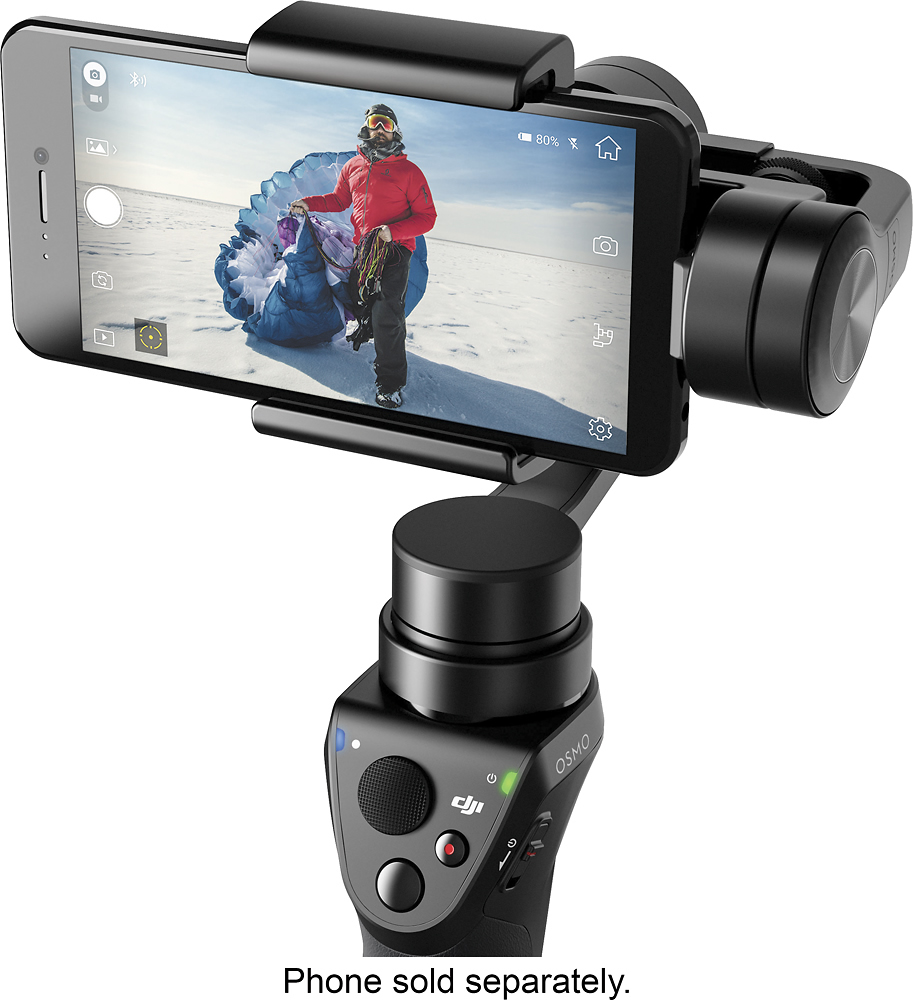
||Posted .This reviewer received promo considerations or sweepstakes entry for writing a review.I love this stabilizer gimbal, and I have tried a few other brands. The OSMO Mobile has more features, a better build, and a richer app experience than some of its contemporaries. The tacky rubber grip handle, the placement of the buttons, and the phone mount are a few physical attributes that standout. While there is a 1/4 screw thread on the side which can attach a phone mount? (you're already using your phone as camera!? I've gotten used to using it to side mount the OSMO, but I've also purchased the stand which makes it possible for the device to actually stand upright on its own and be mounted vertically on a tripod. Where this shines is in the connection and offerings of the DJI GO app. With active tracking, you simply draw a square around what you want the phone & gimbal combo to follow, and it does that quite fluidly & accurately from quite a distance too. The many timelapse modes, as well as several panoramic modes is a nice, easy-to-use, and usual addition. Plus, the amount of options and adjustments you can make in-app, including gimbal calibrations, and phone tweeks like changing the camera settings to manual (shutter, ISO, & WB) are nice & necessary touches too. I use an iPhone 7 Plus, and it balances & works fine (case removed). The battery life is about 6hrs with average use, and closer to 4hrs if you're using it to capture day-to-night motion timelapse. I do wish you could swap out the gimbal for another attachment that can hold a GoPro, or a small mirrorless camera, but that's probably asking too much. Also, although most people don't have 2 high end phones, I would like the option to control the phone/stabilizer combo remotely, w/the DJI GO app from another device. Instead, you have to purchase the (very useful) Filmic Pro app to do that, and a score of other tasks not available in the free DJI GO app. All in all, I truly love this device and feel I'm more than getting my monies worth. As a pro, it works an looks more like a tool, and less like a toy or trendy gadget.
I would recommend this to a friend - Pros mentioned:Video qualityCons mentioned:Battery life, Price
Rated 4 out of 5 stars
Great gimbal with a couple of flaws
||Posted .This reviewer received promo considerations or sweepstakes entry for writing a review.After looking on eBay and Amazon for other systems I settled on the Osmo because of quality of construction and the quality of the app. It has its flaws though, First price!!! You can get a cheaper unit for 1/2 the price online. Second battery life. The competition has around 13-15 hrs of usage time. Third price of accessories. Really!!! If you didn't over pay for the gimbal now Dji wants you to overpay for the accessories!!!! Also you cannot charge your phone while in the cradle. This is huge if you are shooting lots of video. Expecially in 4k. Now the app. The most annoying is it won't do 4k at this time. You need to use your phone's app for this. I am going to pick up the competition since it's 1/2 the price just to have one as back up. In the end I am happy on the purchase and it did create great videos as was intended. Hard to recommend if you can get a similar device for 1/2 price though.
No, I would not recommend this to a friend - Pros mentioned:StabilityCons mentioned:Battery life, Setup
Rated 4 out of 5 stars
Great Gimbal
||Posted .This reviewer received promo considerations or sweepstakes entry for writing a review.This is an awesome gimbal. I use a lot of DJI products and they have always performed as they should and this is no exception. The Osmo mobile makes your videos smooth and capturing low-light pictures is a lot less fuzzy. Features like Active track which makes following your subject a breeze and smooth while the motion time-lapse makes time-lapse more intriguing to watch. Cons: - The initial setup is kind of cumbersome where you have to make sure your device is balanced on the gimbal. - Of course the battery life on your device, most likely your phone, will deplete fairly quickly so you have to make sure you have your phone charger with you. - Whatever you capture, photo and video, will be stored on your device. So, If you have a 16GB iPhone for instance, you'll be out of memory very quickly.
I would recommend this to a friend - Pros mentioned:Video qualityCons mentioned:Battery life
Rated 5 out of 5 stars
Amazing!
||Posted .This reviewer received promo considerations or sweepstakes entry for writing a review.I have been using this for about 6 months and it is fantastic. It is very responsive and easy to use. The videos come out so stable and clear it feels like I’m filming at a high scale of quality for cheaper!. The price range is perfect and for all the capabilities it has, totally worth it. The battery could stand to last longer but that’s the only complaint I’ve had towards this device.
I would recommend this to a friend - Pros mentioned:Stability, Video quality
Rated 5 out of 5 stars
Took my Phone Videos to the next level
||Posted .This reviewer received promo considerations or sweepstakes entry for writing a review.DJI is such an awesome company for creators. With phone cameras getting better and better, and 4K video being the new norm, digital stabilization hasnt quite got good enough to capture smooth motion like a gimbal. This stabilizer works wonderfully and will work on my future phones as well. The app isnt perfect, but they can improve upon that with future updates. Love it.
I would recommend this to a friend - Pros mentioned:Stability, Video quality
Rated 5 out of 5 stars
Excellent choice for great video
||Posted .This reviewer received promo considerations or sweepstakes entry for writing a review.I bought it thinking maybe it would be a waste of money. But it will make your videos look very professional. I tried holding cameras and moving and it is just hard to keep a steady flow of a video. But the Osmo Stabilzer is the most fun due to how smooth the video turns out. And I use the iPhone 7 Plus with it and it balances the phone perfectly. You will love it
I would recommend this to a friend - Cons mentioned:Battery life
Rated 5 out of 5 stars
The best quality mobile gimbal.
||Posted .This reviewer received promo considerations or sweepstakes entry for writing a review.10/10 Quality Mobile Gimbal. 1/10 Quality Mobile Gimbal Bag. I have an iPhone X and the Mous 2.0 case which is pretty standard in terms of thickness for iPhone cases and the gimbal clamp does not fit flush all the way around the case but it definitely holds the phone securely. The clamp fits securely flush with my iPhone X without any case on it. Also, I have accessories for my phone such as the Shure MV88 Condenser Microphone which I don't use with my gimbal because it adds too much weight for the gimbal to be able to balance and no weights are included with the Osmo Mobile. I could still use the Microphone and the gimbal will balance once it's turned on but it will drain the already short battery life of the gimbal so it's not a good fit for longer use. I wouldn't consider anything above as a complaint but just in case anyone is curious before purchasing.
I would recommend this to a friend - Pros mentioned:Stability
Rated 4 out of 5 stars
Works well, has limitations
||Posted .This reviewer received promo considerations or sweepstakes entry for writing a review.I use a DJI Phantom 4 Advanced (P4A) drone in my aerial imaging service and I wanted something to capture photos and videos that I cannot do with my P4A. I decided to give the Osmo Mobile a try. It works well for what it is designed for, stabilizing your mobile device. For most people this will probably work very well, but it didn’t fit my needs. Since it uses the mobile device for the camera and the display, you can’t see the screen at many angles. If you are using it to take photos and videos of your friends and family, this will work great, but if you need to shoot from a low height upward or high height downward, you won’t be able to see the display. Same goes for far left or right panning. This device will not take out all the up and down motion when walking or running, but it will smooth it out quite a bit. You would need an Osmo or Osmo+ with the Z-Axis device to smooth mostly remove that. Good device at a good price for most needs.
I would recommend this to a friend - Pros mentioned:Time lapse, Video quality
Rated 5 out of 5 stars
Great item
||Posted .This reviewer received promo considerations or sweepstakes entry for writing a review.High quality and feels very solid. Works best with iPhone se as it has 4k recording capability and doesn’t have optical stabilizer which makes the gimbal struggle catching up both your movement and the lens movement inside the camera. Overall excellent for time lapse etc
I would recommend this to a friend - Pros mentioned:Video qualityCons mentioned:Software
Rated 5 out of 5 stars
Like a movie!!!
||Posted .This reviewer received promo considerations or sweepstakes entry for writing a review.Worth every penny! The software could use some patching but the main function of super steadies footage is amazing. I use it for my trip to Japan and everyone can't believe how smooth my video was. I wanted something low-profile enough but noting crazy like a DJI Ronin.
I would recommend this to a friend - Pros mentioned:Stability, Video qualityCons mentioned:Battery life
Rated 4 out of 5 stars
Very good with stabilization issues w/some phones
||Posted .This reviewer received promo considerations or sweepstakes entry for writing a review.I purchased this to shoot stable videos with my iPhone 6s. I have heard that some with newer models have a conflict with the video stabilization on the gamble as it fights there built-in phone stabilization. With a 6s this is not an issue. I’m guessing the company will correct this issue moving forward. The unit works great however. The only problem is when you’re filming in sunlight your battery is draining fast. If you’re looking for higher quality videos I recommend this gimbal.
I would recommend this to a friend - Pros mentioned:Ease of use, Video quality
Rated 5 out of 5 stars
Amazing!
||Posted .This reviewer received promo considerations or sweepstakes entry for writing a review.This is so cool! You can literally run and the video will still be smooth as if you’re standing still. No shaking! I love how you can set it to follow you. Definitely a must have for anyone who like to take videos.
I would recommend this to a friend - Pros mentioned:Ease of use, Video quality
Rated 4 out of 5 stars
Great for shooting steady
||Posted .This reviewer received promo considerations or sweepstakes entry for writing a review.A little difficult to use at first but once you get the hang of it it works great gives you very professional results and the software it comes with is easy to use
I would recommend this to a friend - Pros mentioned:Stability, Video qualityCons mentioned:Setup
Rated 5 out of 5 stars
Simply Outstanding. Perfect for a phone or GoPro
||Posted .This reviewer received promo considerations or sweepstakes entry for writing a review.Great stabilizer for either your phone or with a GoPro (With 3rd party accessory adapter plate). Set up was a bit confusing to get the unit up and running but managed without too much issue. After that it's been a rock solid video accessory. Used with, or without without the DJI app it does what it is designed to do. I would suggest purchasing the table top cradle, you'll use it as you can't have this in hand all the time for filming. Spend the extra $10.
I would recommend this to a friend Rated 4 out of 5 stars
Hardware is great...
||Posted .This reviewer received promo considerations or sweepstakes entry for writing a review....Software less so. If you're not familiar with the idea of a camera gimbal, it's a gizmo that holds the camera steady while you move to reduce the "shaky cam" effect. The Osmo Mobile has other bells and whistles, but that's the main function and that works great. The issue I have is with the software that is used in conjunction with the Osmo. The DJI Go app - the DJI Go For app that is used with things like the Mavic Pro and Phantom series of drones doesn't support the Osmo devices - works fine on my Note 8 with one huge - at least to me - glaring exception. It doesn't support 4K video. 1080p is as high as it goes. I specifically bought this phone for its camera capabilities and not being able to use them when using the features built into the DJI Go software to take advantage of the gimbal is a serious let down. I can use any camera app on the phone, so I can still shoot 4K video but I loose active tracking, time lapse and moving time lapse, lots of features that I really want to have. Lots of Osmo Mobile owners have brought this up to DJI on the DJI forums, and it's a software issue so if DJI wants to fix it they can with a simple update to their app. As to whether or not they want to fix it. Of course, they also sell an Osmo device with its own built in 4K camera. Since that Osmo also uses the DJI Go app it clearly isn't a limitation of the software - well, that's not correct. It's an artificially imposed limitation. I suspect that it's literally a single line of code something to the effect of: if(deviceMode == "Osmo Mobile") {disable4K;} I've actually contacted DJI support on this and the frankly very thin explanation is that they (DJI) can't be certain of the phone's capabilities. I think it's safe to assume that anyone dropping $300 for something to improve their phone based photography stands a good chance of also having a phone that can support 4K. And even if they don't it could easily be an option in the app. Looking back at this is sounds like I hate the Osmo and that's not the case. I've really enjoyed it, and as I said at the start it works great, it's just the artificial limitation imposed - as best as I can tell - to try and upsell me to a more expensive device that's costing them a star.
I would recommend this to a friend- Pros mentioned:GimbalCons mentioned:Software
Rated 3 out of 5 stars
Nice, but has issues
||Posted .This reviewer received promo considerations or sweepstakes entry for writing a review.I liked the Dji - Osmo Mobile, and was looking forward to using it. It was pretty easy to set up, and more or less worked well. The problems I had probably come from using an Android phone. DJI says they don't support Android as well as iPhones, and they don't. You can't use their software to record video at 4K, only 1080. You can choose to use the camera's app rather than the DJI app to do 4K video, but then you can't use some of the features to do things like face tracking. The thing that made me return the Dji - Osmo Mobile was that for some reason almost instantly using its software made my Galaxy S6 overheat. I noticed this when the video stopped recording well, and saw that the phone was in cool down mode. This happened very time I used it. Even inside where it is air conditioned. That pretty much made it useless for me. This did not happen when I was not using their app, so I don't think its my phone. For iPhone users it might be different. The actual gimble aspect of the device worked very well. I was totally pleased with that part. If you used the button to turn right or left, up or down it was a bit mechanical looking in the video, but nothing bad. If it had not been for the over heating of my phone caused by their software I would have kept the device and used it often. Hopefully they will fix the issue in future releases.
No, I would not recommend this to a friend