Customer Ratings & Reviews
- Model:
- DBAF03S
- SKU:
- 6572496
Rating by feature
- Value
Rating 4.7 out of 5 stars
- Quality
Rating 4.9 out of 5 stars
- Ease of Use
Rating 4.9 out of 5 stars
Customers are saying
Customers regard the Pedestal Fan with Remote highly for its airflow, quiet operation, and overall performance. Many appreciate its powerful output, two-axis oscillation, sleek design, and straightforward connectivity. The accompanying app and convenient size also receive positive feedback.
This summary was generated by AI based on customer reviews.
Best fan!!
||Posted . Owned for 1 month when reviewed.This reviewer received promo considerations or sweepstakes entry for writing a review.Best fan hands down!!! I love how I can control with the app from my phone
I would recommend this to a friendBest fans out there
||Posted . Owned for 1 week when reviewed.This reviewer received promo considerations or sweepstakes entry for writing a review.Great built quality, very versatile fan with amazing operating angles.
I would recommend this to a friendFantastic
||Posted . Owned for 3 weeks when reviewed.This reviewer received promo considerations or sweepstakes entry for writing a review.Best Fan I ever buy! I recommended to my coworkers and friends.
I would recommend this to a friendThis fan blows
||Posted . Owned for 3 weeks when reviewed.This reviewer received promo considerations or sweepstakes entry for writing a review.Very nice fan blows air all over the place does an excellent job at its job. Bought it to replace a fan that was getting noisy.
I would recommend this to a friendWhat's good for is good for me
||Posted . Owned for 1 week when reviewed.This reviewer received promo considerations or sweepstakes entry for writing a review.Love this fan ..got one for my wife and about order mine
I would recommend this to a friendTop tier fan
||Posted . Owned for 1 month when reviewed.This reviewer received promo considerations or sweepstakes entry for writing a review.Best fan I’ve ever used… I use the app I can control everything
I would recommend this to a friendMy opinion
||Posted . Owned for 1 month when reviewed.This reviewer received promo considerations or sweepstakes entry for writing a review.good wind and the internet app its good . But the control not working
No, I would not recommend this to a friend- Pros mentioned:Noise level
Awesome fan.
||Posted . Owned for 1 month when reviewed.This reviewer received promo considerations or sweepstakes entry for writing a review.It is the best fan I have had. Small size, quietly, with different functions. I recommend it.
I would recommend this to a friend Power cord plug part gets hot
||Posted . Owned for 3 weeks when reviewed.This reviewer received promo considerations or sweepstakes entry for writing a review.My problem is that the Power cord plug part gets hot when I put the fan on a high level. I'm not sure if that's normal. To avoid getting hot, I put it on level 4 even though sometimes I want to put it higher. Anyway I can't return it and am a little worried about this
No, I would not recommend this to a friend- Pros mentioned:Airflow, Noise level

Powerful,Attractive Smart Fan Plethora of features
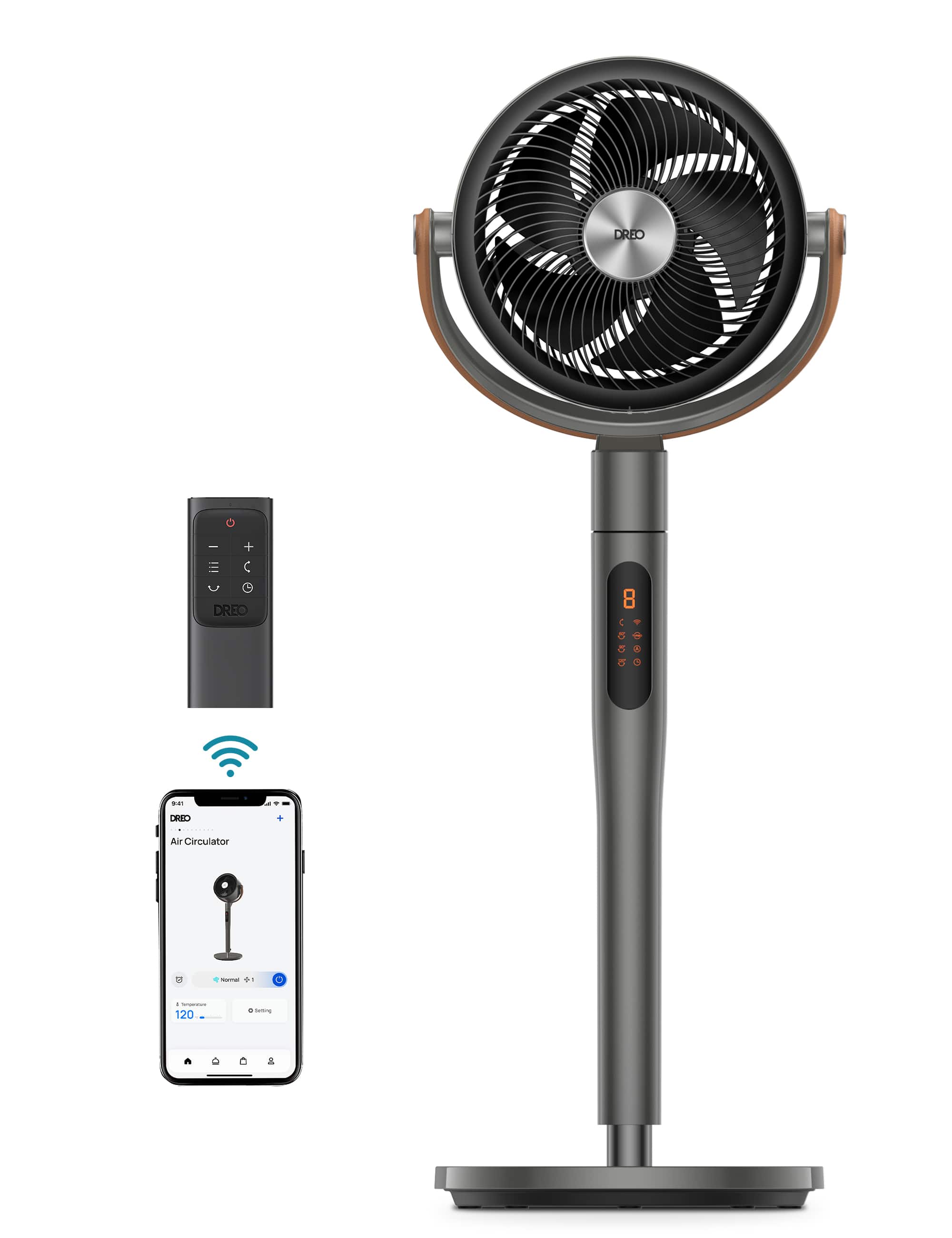
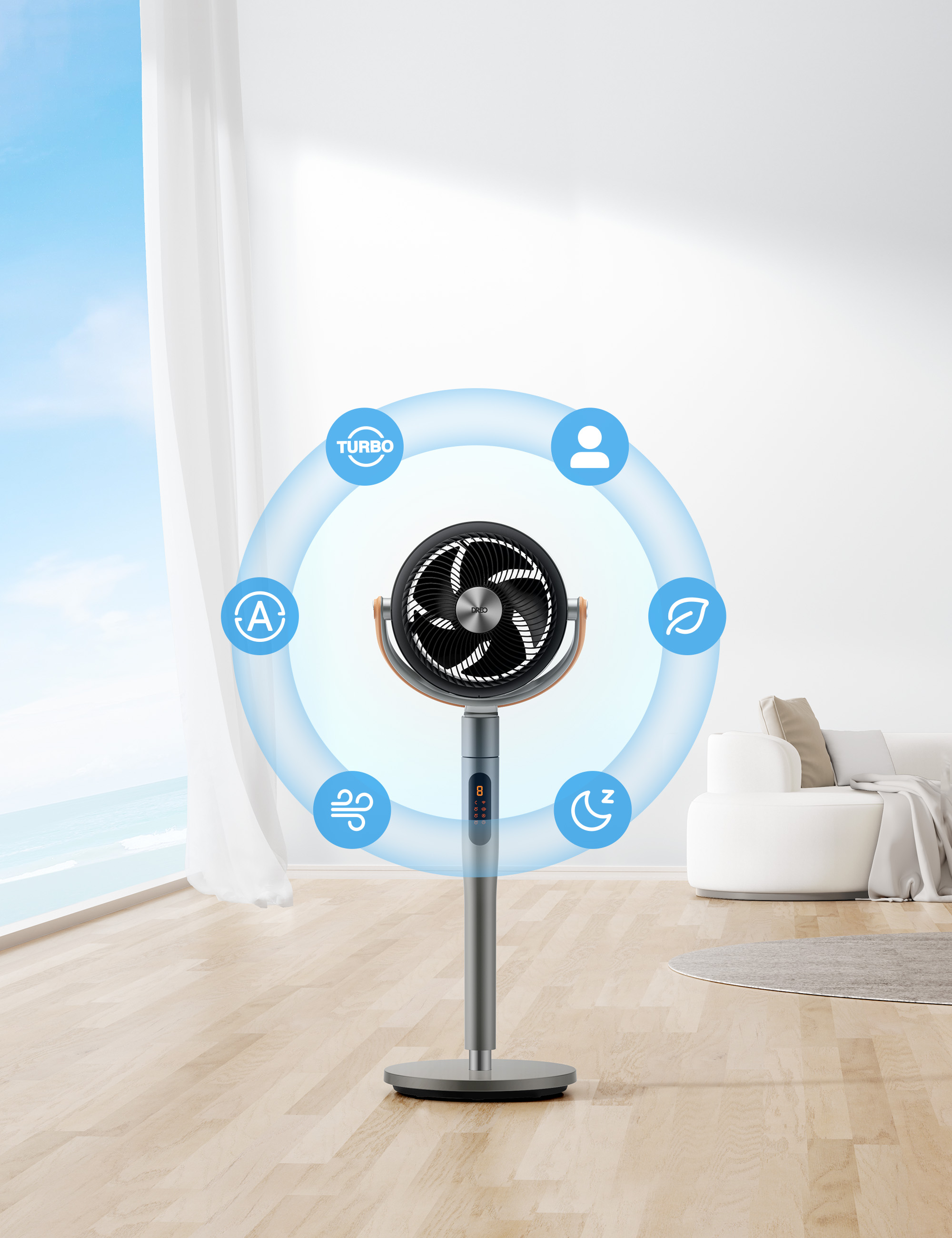
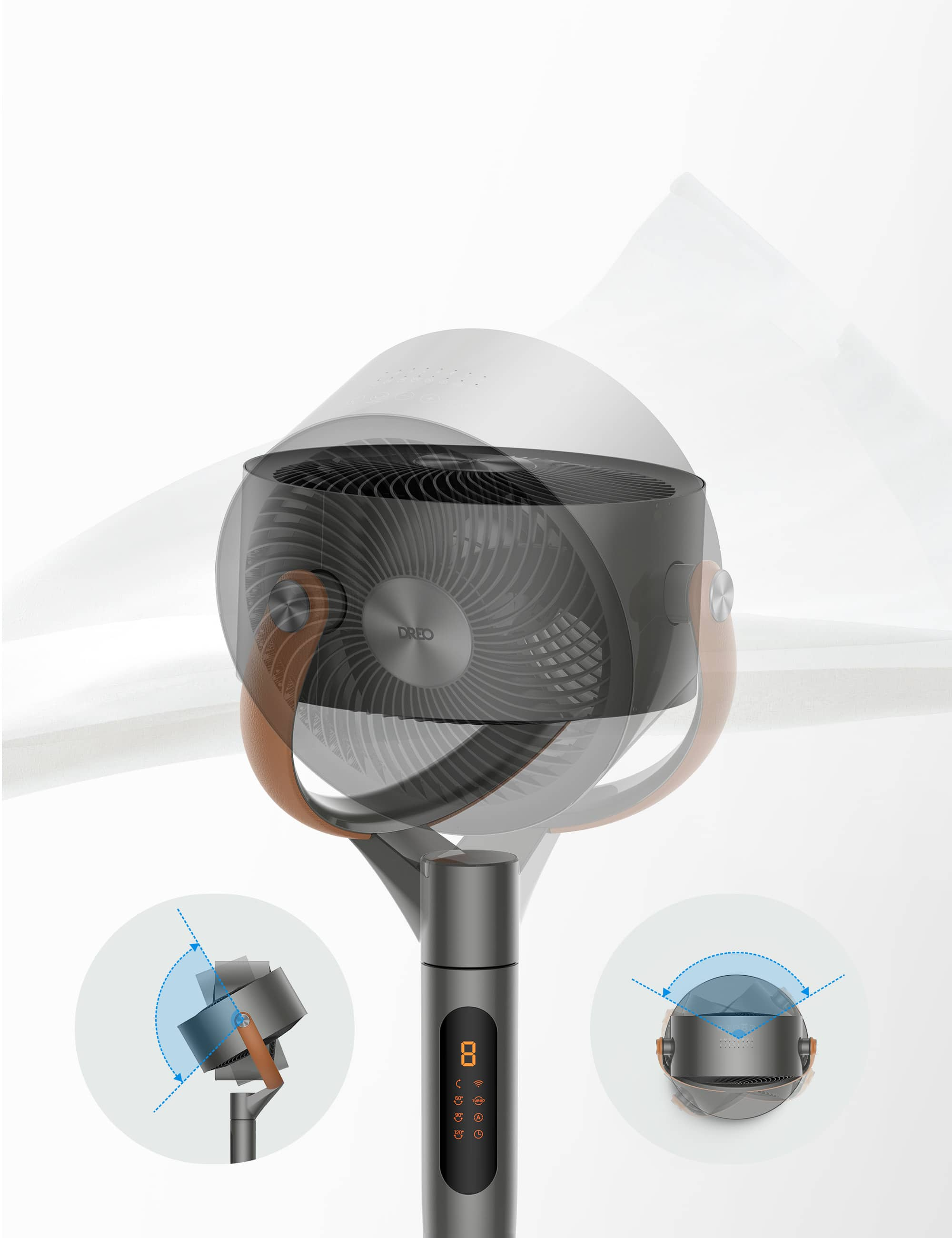
|Posted .This reviewer received promo considerations or sweepstakes entry for writing a review.We have been a great fan of pedestal fan. We use it almost every single day even during winter and it has been an essential part of our life. We have had 16 and 18 inchese traditional pedestal fans. One thing that we like the most about the pedestal fans is the CFM which are over 1000. We were looking for a change. Instead of going for a traditional pedestal fans we wanted to go with the fan that has Smart features. We were simply amazed by the attractive design and looks of this fan from Dreo and wanted to give it a try. Unboxing and setup: The box has the main Pedestal fan, standing pole, power cord, Allen wrench, screw driver and a bolt. The setup was very very easy. It hardly took less than 5 minutes for installing the fan. The top of the fan clicks into the standing pole. Using the included allen wrench, the standing pole gets tightened into place via the bottom of the base. The next step will be to plug in the fan and connect to the Wifi to access the smart features using the Dreo app. We need to create an account and sign in to the app, enable the Bluetooth on the phone which will help the app identify the fan. From here on it is just easy to follow the step by step instructions to connect to the wifi. The entire setup to connect to the wifi took about 5 min. Pros: 1. Attractive design - The design and looks says it all. The design is so modern and stylish looks that anyone who looks at it falls in love with it. Its so elegant and beautiful that my kids simply love it. 2. Powerful air circulation/performance - This fan is rated for a maximum airflow rate of 882 CFM. For fans of this size i was really not sure if it will deliver that much power and to my surprise it is indeed a powerful fan. I usually buy Pedestal fans that have CFM more than 1000. But this fan did not upset me. Its so powerful that I have never felt hot even in hot weather. The airflow is cool and strong. It has five blades and eight speeds that help circulate air around the room. There are also six modes: Auto, Turbo, Normal, Natural, Sleep, and Custom. The fan can rotate 105 degrees up and down, and 120 degrees left and right. I like that the fan settings include options for pointed directional airflow and multi-directional airflow. 3. Well built - This fan not only looks so attractive but i was also amazed to see how solid it has been built. Even though the fan looks relatively small, it is rigid. Dreo has not compromised on the build quality. 3. Quite - 25 to 51 dB. This is far less when compared to the regular pedestal fan that has a Noise level of over 60 dB. Especially when we have babies or younger kids who wake up with a small sound this fan will be of great help. Its so quite that it doesn't even feel like the fan is turned on. 4. Less power consumption - This fan comes with a DC Brushless motor which makes this fan more energy efficient. It consumes only 36 watts of power when compared to the regular pedestal fans that consume around 85 watts. One can save around 60% on electricity costs. It may not be significantly big but when one uses this fan for 5 years or more, it pays for itself when compared to the traditional pedestal fan. 5. App control - Its easy to control the speed, operation and also different modes by using the app. With this option we really do not need to search for the remote and we can use the smart phone as a remote to control the fan via the app. The app interface is pretty much clean and clear. 6. Google Assistant/Alexa control - This fan comes with the ability to control it once connected to wifi via the Google Assistant/Alexa with commands like Turn on Smart Fan or Increase the Smart fan speed to 8 or so on. This is really easy, helpful and powerful way of operating the fan. 7. Remote control - Remote is another way to control the fan. Its really easy to control not only this fan but I was surprised to find that the I was able to use this remote to control my other pedestal fan that also had the remote option. The remote is well built despite being small. The buttons are rubberized. 8. Excellent Touch control - The Touch controls are really smooth and feather touch. It feels really easy to operate the fan without giving much pressure. Dreo certainly has given lots of thoughts to make sure operating the fan is more of a pleasure than pain. 9. Digital display - There’s also a handy digital display on the front of the fan which displays the speed and current settings of the fan. It is possible to turn it off, which is really helpful if we want to sleep in complete darkness especially in the night. Cons: 1. Distance - Dreo claims that the fan is capable of channeling the stream of air upto 100 feet. I am not sure if this fan covers that far. I feel the 100 ft distance is more of a hype than reality. IMO only the pedestal fans that have 3000 to 4000 CFM might be able to cover 100 feet distance. Especially on a hot summer day if you keep the Dreo at a 100 ft distance and if we turn on the fan, you will hardly even get any air. 2. Power cord is relatively smaller. Dreo should probably consider providing a bigger power cord despite being a powerful fan. 3. Touch Control display or imprint is bearly noticeable. It would have been nice if the imprint was much bolder or clearly visible. This is not a big deal as the fan can be operated in more than 1 way by using a remote or app or touch controls.
I would recommend this to a friend - Pros mentioned:Airflow, Oscillation
Budget friendly high-end product
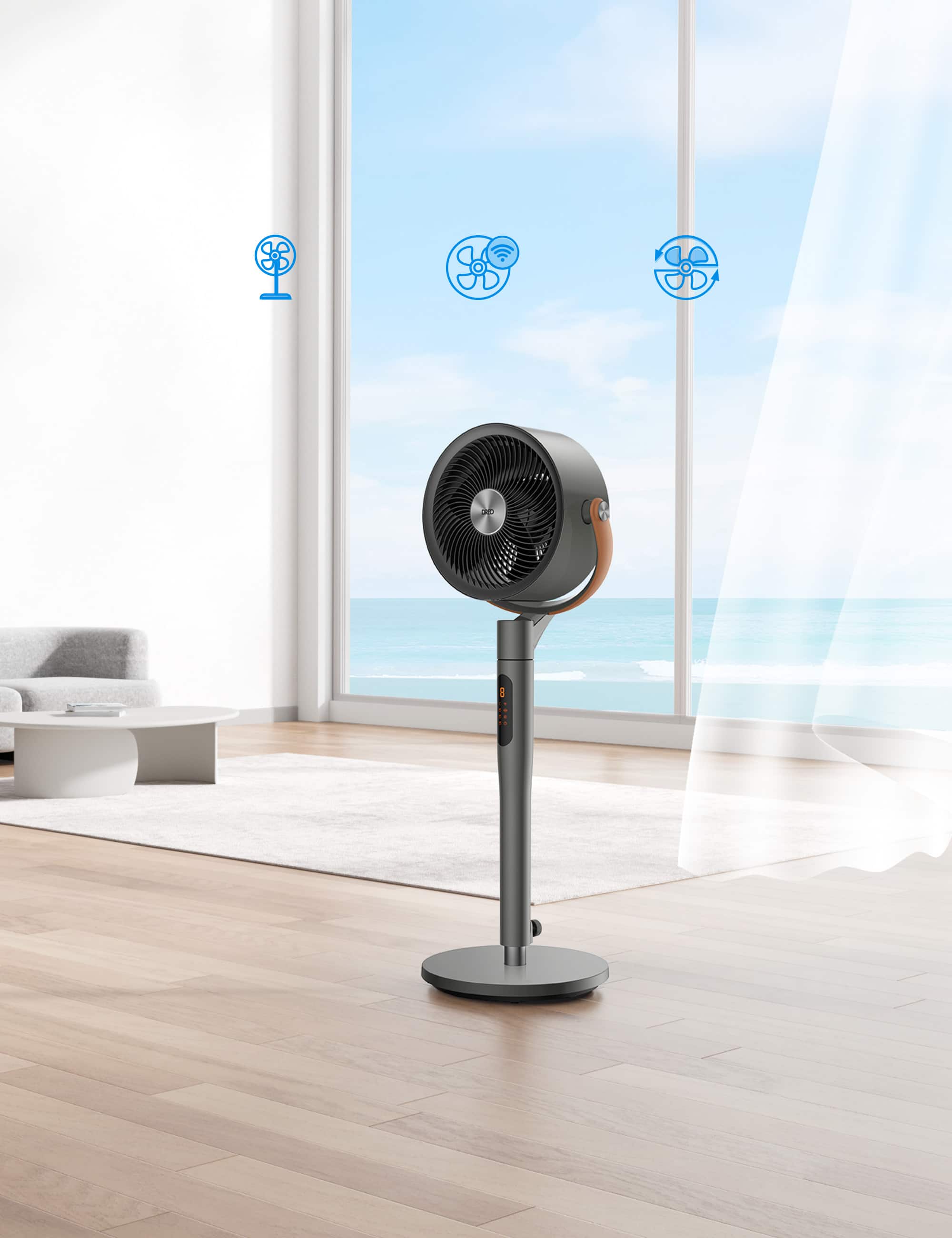
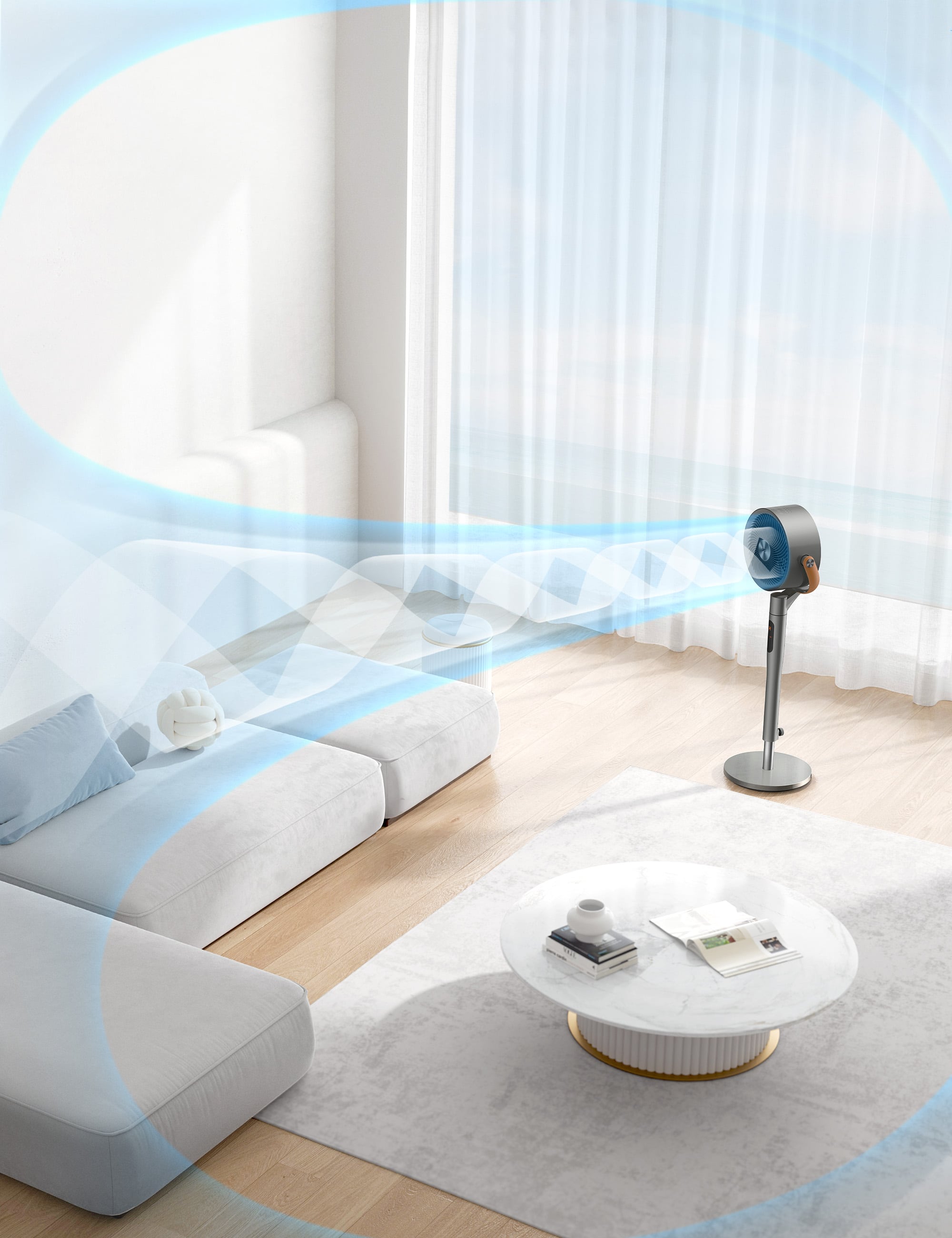
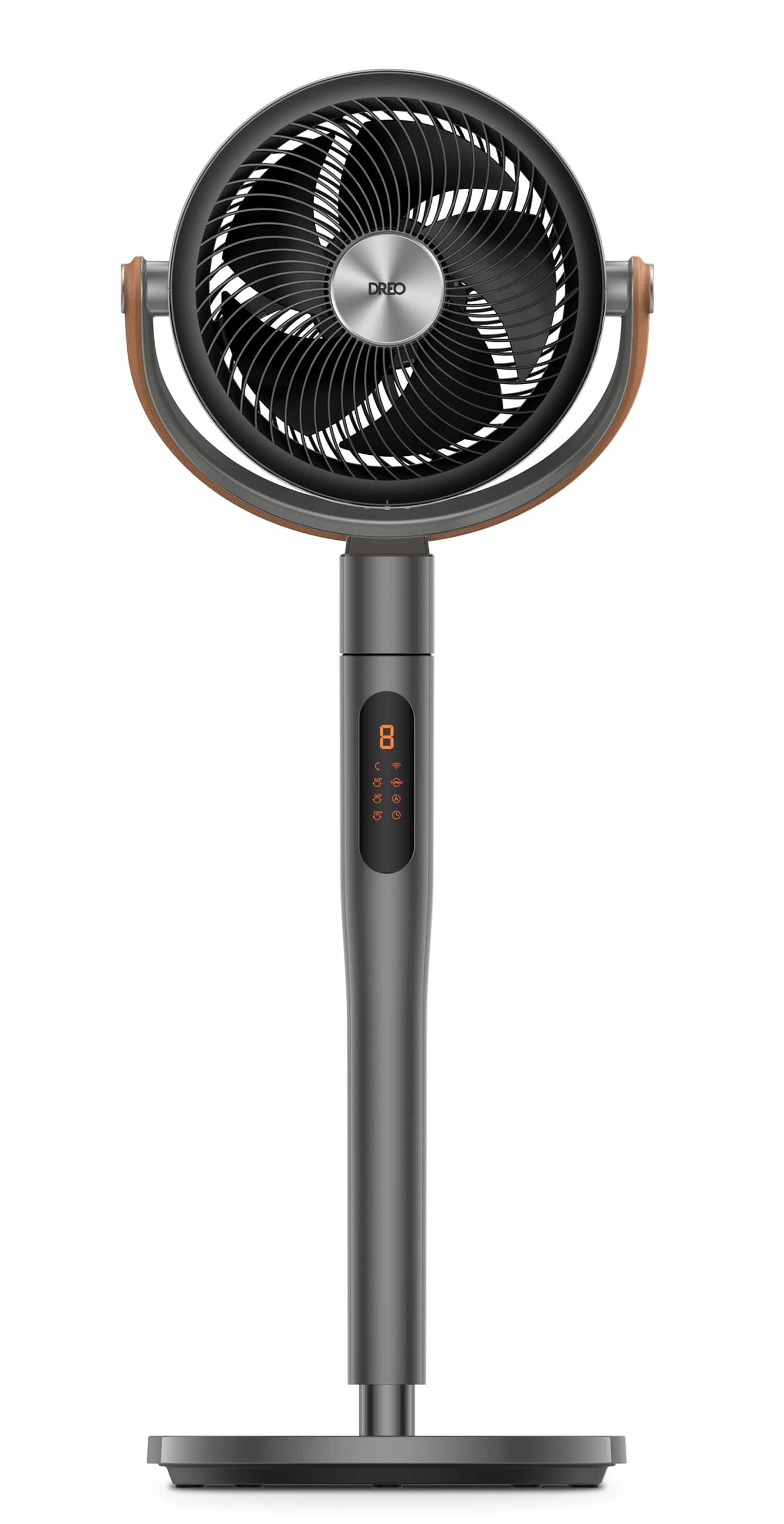
|Posted .This reviewer received promo considerations or sweepstakes entry for writing a review.Where do I start....the Dreo pedistal fan is not like any floor and or pedestal fan I have ever owned. While I will not drop names, I have had several brands that range in price from $60 to as much as $400. Before using this Dreo fan, I would have told you that you get what you pay for. That is not the case here, with the Dreo you are getting a lot more than you are paying for. Out of the box, and as you can see in the pictures, the fan is very nice looking. In fact, the pictures don't do it any justice. It has a fairly masculine feel to it, with the dark tones and faux leather looking pieces. The lines are simple and classic, but it is hard to tell by looking at it that it is loaded with so much tech. It has some substantial weight to it, and the fan mechanism itself is not that large. The first thing I noticed was how quiet the fan is. They claim it operates at 25db, which I found to be slightly lower when I used by smart watch to test it. Not sure how accurate my test is, but if the fan is on it does not annoy me when I am watching TV. That is basically my standard. There are several ways you can use this fan. You can use it stationary and just shoot air at one location. You can go back and forth like a typical fan and then you can do something totally different than anything else you have seen. The ability of this fan to circulate the air in a room is unbelievable. It moves back and forth and it can move up and down on its own. It rotates 120 degrees horizontal and 105 degrees vertical. There are 6 different fan modes and 8 different speeds. The fan moves the air in the room around well, far more effectively than others I have paid three times the price for. Plus, like anything else these days, you can control this fan with your smartphone. The app is really easy to set up and use, and the controls are very user friendly. It is also both Alexa and Google friendly. To be honest? I am not a huge search assistant fan, so I just use the app and the enclosed remote that comes with the fan. At the end of the day, I would recommend this fan to anyone that needs a superior floor fan, priced well below what it is worth. You are getting way more than you are paying for, and for that reason I will be getting a second one for my house. I highly recommend it to anyone looking to get a floor fan. You will be happy you did.
I would recommend this to a friend - Pros mentioned:Airflow, Noise level
Nice, quiet fan.
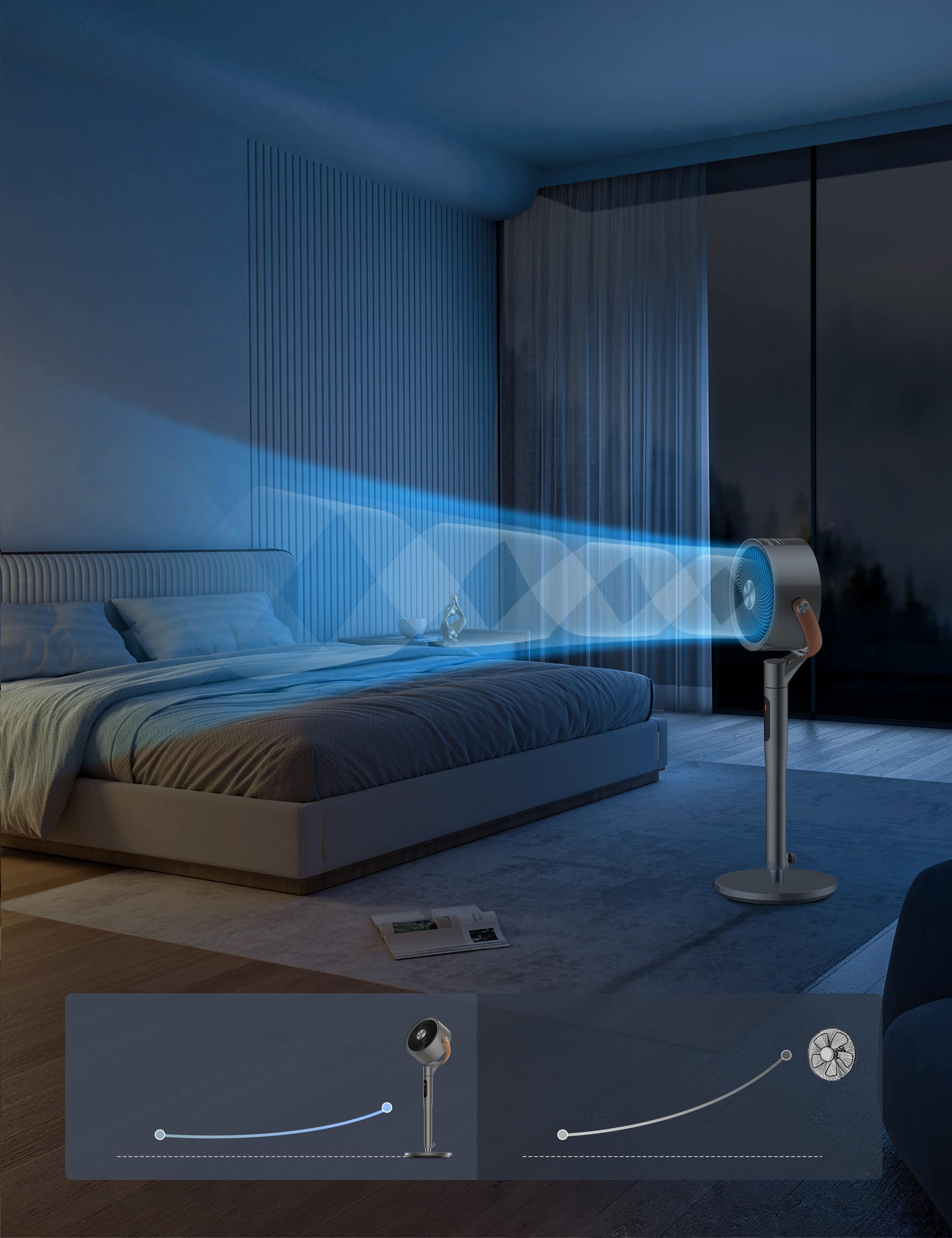
|Posted .This reviewer received promo considerations or sweepstakes entry for writing a review.Very nice design and feels very well made. I absolutely love how quiet this fan is. Every fan I have ever owned has been loud, but this is a nice quiet but efficient fan. It has 8 settings and can rotate up/down and side to side. I love really like that it can do that. You can control the settings on the actual fan, the remote (included) or on your phone. It was super easy to put together (less than 10 minutes, if that). It also does not take up much space, especially the very bottom part of the stand. That has to be one of the things I really like about it. Most of the oscillating fans that have that round bottom piece seems to take up too much of the floor space that its hard to stick in a corner because of how large that round piece is. Especially for people who dont have huge living rooms or huge bedrooms. Compact things can go a long way when you dont have much space to work with. I also really like the color design. Nothing too spectacular, but it works to make it look nice. Aside from the design part of this fan, it works great! You can increase the height of it easily, the strongest setting at 8 is still very quiet and blows a good strong amount of air to cool down my living room. It is not Southern California hot yet, so the real test will come this summer, but I'm not worried. My son gets hot very easily and loves to sleep with the fan on at night. I dont even know that he has it on until I walk by in the morning and see it moving or hear the little sound it makes (unlike our old fan that I could hear from my room with my door closed). Love this fan already!
I would recommend this to a friend - Pros mentioned:Noise level, Oscillation, Power
Excellent Fan Love It!!!
|Posted .This reviewer received promo considerations or sweepstakes entry for writing a review.The Dreo Pedstol fan is absolutely amazing. Right out of the box, the only thing you need to do is connect the base to the fan, plug it in, and you're ready to go. It has amazing features, and is much more powerful and quiet then your normal standing fan. The features, such as being able to control it with a remote, or even better with your phone, so if you're like me and you sleep with the fan on, all you have to do is grab the remote or your phone and turn the fan speed up or down. The fan also oscillates up and down, and side to side. Now the fan speeds are great, you can have the fan set to low, and you'll never hear it running, or you can set it to Turbo and everything you own will be blown away (Just kidding, but it is very strong). The Wifi was very easy to set up and use with the fan, along with connecting it to my digital assistants, which also makes life a little bit better. I enjoy the fact that I don't have to get up out of bed and switch the fan to whatever speed I want, it's as simple as grabbing the remote and lowering the speed and back to sleep I go. Overall this is a great fan that has great functionality.
I would recommend this to a friend - Pros mentioned:Airflow, Noise level
Get one of these!!
|Posted .This reviewer received promo considerations or sweepstakes entry for writing a review.Been using this for about a week now and it's the best pedestal fan I've ever used. It was packaged well and set up took 15 minutes and that included adding the app to my phone etc. The fan looks and feels well constructed. It is well designed and looks classy so it does not take away from the room whatsoever. It is VERY poweful and on the lower speeds you can barely hear it. It moves in every possible position left to right, up and down where it can blow air straight up so as far air circulation, this fan cannot be beat. Not only does it come with a remote control giving you full functionality, you can also dowload the Dreo app and control it that way. It also can be voice controled via Alexa or Google. This is perfect for warm sleepers like myself. It dosent distract me at all when trying to sleep. The fan can be programmed also to best suit your needs whether its being used to cool you down or to simply to circulate air in the room. Far superior to any ceiling fan. This is an item i highly recommend. I plan on getting more than one for my home.
Best Buy online order sucks
||Posted . Owned for 3 weeks when reviewed.This reviewer received promo considerations or sweepstakes entry for writing a review.Best Buy’s delivery is trash. This is my second time ordering this product and still haven’t received it. I originally place order beginning of July! And still have not received it and I can’t even cancel it !
No, I would not recommend this to a friend- Pros mentioned:Noise level, Oscillation
DREO PEDESTAL FAN
|Posted .This reviewer received promo considerations or sweepstakes entry for writing a review.So I just received my Dreo Pedestal Fan with Remote about a week ago and have been putting it through its paces. This is a brand that I've never heard of before but due to its unique features I decided to give it a go. First off, everything you need is in the box with the fan and within just a few minutes you will be up and running within a few minutes. Simply take that fan which is already connected to the stand out of the packaging. Next, using the provided bolt and washer, screw the base onto the bottom of the stand. You may need assistance or simply just turn the fan upside down and screw the bolt and washer to the base. Once you have the base connected, pop in the included batteries, plug in the adapter and you're good to go. It took me all of 3 minutes to connect everything. Using the screw-knob on the back of the stand you can raise and lower the height of the fan to your liking. Now to operate this fan, you have 3 options, Wi-Fi via the app that can be downloaded from the App Store for iOS or Google Play Store for Android, you can also use the buttons on top of the fan, and lastly you can control the fan by using the included remote. You can also control the fan via voice commands with Alexa and Google. We have been using this fan almost non-stop in our living room. The oscillating features of this fan is just amazing. To have it rotate horizontally and vertically at the same time is an easy and quick way to help not only circulate cooler air, but also cool the area down pretty quickly. Now you can set it to just oscillate vertically or horizontally. It has 8 different levels of speed with level 7 and 8 being our fave. You can set it on a timer as well. The display on the front of the stand allows you to see what setting you have it on as well as the buttons and lights on top of the fan. As far as noise level, the fan it super quiet and was not too loud while watching TV or even sleeping at night. This is an amazing fan and I'm glad we chose it.
I would recommend this to a friend - Pros mentioned:Noise level, Oscillation
More than a smart fan, it moves all air in a room!
|Posted .This reviewer received promo considerations or sweepstakes entry for writing a review.No pun intended the Dreo Pedestal fan looks cool. It screams premium, from the serious weighted base to the faux brown leather accents on what I guess are the arms. Unboxing the Dreo Fan is easy enough. Don't be fooled by the size of the box, this is only marginally bigger than a normal pedestal. It's just VERY well packed. In the box is the Dreo Pedestal Fan (technically an air circulator), the base, some tools, the remote, and the power supply. Putting it together took all of 15 seconds and there are tools included. The next step is downloading the free Dreo app, signing up for an account and connecting the fan to WiFI - this was one of the best experiences, with the Dreo Fan connecting to my WiFi 6 mesh network quickly and without issue. That said, you don't have to use it as a smart fan - so if you don't want app or voice control, it works with the remote. Kudos for Dreo for making something that is optionally smart for those who want that feature. In use this is where the Dreo fan shines. While the fan has a lot of buttons it's easier to manage it via the Dreo app. You can turn the fan on/off (no surprise) but where it blew my mind (no pun again! haha) is literally can be set to rotate and move in every direction so all the air in a room moves. This includes up, down, left right... the only way I can describe it is it can operate like a searchlight sweeping a room. Making the Dreo really an all-season fan, as you could point it at the ceiling in winter to force hot air down. All these settings can be done with the buttons, but I prefer the app as it's easier to adjust to exactly what you want. The Dreo Pedestal Fan is a smart fan, supporting Google Assistant and Alexa. With Google Home (I don't use Alexa) you can turn the fan on, adjust the speed, and turn on and off the vertical and horizontal oscillation. Although, again, it's better to use the app rather than voice controls unless you just want to turn the Dreo on and off - as I found using voice didn't give me the absolute control I need. Mind you, a few more weeks of use and maybe I will be an expert. For what it's worth the Dreo Pedestal Fan is also height adjustable. So if you're like me and looking for a fan for the bedroom that has enough height to actually reach you while you sleep (both in height and wind speed) this is the one. The Dreo even has a quiet mode for when you sleep and you can set the timer to automatically turn it off if you don't want the fan all night. Even not in sleep mode, the Dreo is a quiet fan and you can't even hear the motor that controls the fan oscillations. What it's missing. The only things I wish it had a slot to store the very funky looking but very black remote and instead of wall wart power supply it had a smaller plug with an inline adapter. I would also recommend using the app over the buttons or the remote, it's easier to adjust the swing batter and intensity with the app and the app is clean, usable and responsive. There's also no HomeKit support. If you're looking for smart fan but want something better than 10x better than your average pedestal, that can cool a whole room and will be useful all year round. Definitely worth the investment and recommended. PS. There is no Apple HomeKit support, but if you're technically included, I managed to my Raspberry Pi with Homebridge to connect the Dreo to HomeKit. Probably not something most people will do, but if you're a bit technical keep it in mind.
I would recommend this to a friend - Pros mentioned:Airflow, Oscillation
Out performs every other fan I have!
|Posted .This reviewer received promo considerations or sweepstakes entry for writing a review.I’ve been needing a new fan for the warm weather and this one fits the bill perfectly for what I need. I was excited that it has smart phone connectivity and a remote control for ease of use too! Out of the box, assembly was a simple as you can get… one bolt connects the base to the fan. Tighten it up and plug in the fan, then you’re done. Fired it up and I was honestly surprised with how nice this worked! Its diameter is smaller than my previous pedestal fan but this thing out performs those older ones by a lot! When running it’s quiet, but blows plenty hard and moves a lot of air. I love the vertical oscillation option on this model. I’ve never had another fan that could do that. When I set it up I have it oscillate horizontally and vertically to make sure it moves the most amount of air throughout the room and let me tell you it is a huge difference from my old fan. This thing outperforms any other fan I had, even with a smaller diameter than I was used to. The price on this is really a great deal, well worth it and it’s a fantastic buy for the price. Can’t beat the quality, build, and functionality of this unit! Highly recommended and 10 out of 10!
I would recommend this to a friend - Pros mentioned:Oscillation
Best Pedestal Fan I've Ever Used
|Posted .This reviewer received promo considerations or sweepstakes entry for writing a review.The title says it all. This is by far the best pedestal fan I have ever used. Pedestal fans are one of those things I didn't really know I needed improved. They have just kind of always been there in the background of life, just existing. Not really being good or bad. Just offering a cool breeze when needed. So when I received this Dreo pedestal fan, with all of it's smart features, I was a bit skeptical. Just to briefly review the features, the fan features 8 speeds, remote, wifi, voice control via google/alexa, vertical and horizontal oscillation, and a led display screen. Now, just to get right to the fan performance, it performs as well as any good pedestal fan should. The lowest speed is super quiet while still providing good air flow, and the highest speed provides the most air flow I have ever felt from a pedestal fan, and while it is definitely louder than the low speeds, it is not unbearably loud. And in between those two extremes are 6 more speeds, giving you plenty of room to choose the perfect speed for your situation. Everything else that I listed in the features is what really makes this fan stand out. The oscillating works perfectly, and I didn't realize how useful the vertical oscillation would be until I actually used it. It really allows the fan to circulate air throughout the entire room. While the vertical oscillation is limited to a single on/off option, the horizontal oscillation allows you to choose between 60, 90, and 120 degree oscillation. Again, giving you plenty of options to customize the operation to your specific situation. All of these features can be controlled via touch sensitive buttons on the fan itself, or by the included remote. The remote works via IR, so you do need line of sight to the fan in order to use the remote. I wish they would have used RF instead, but it's not a huge deal. The on-fan display screen allows you to quickly and easily see the status of the fan. Lastly, you can download the Dreo smartphone app and connect it via wifi. This allows you to control everything via the app, or using Google/Alexa if you have those set up. One of my favorite features of the app is that you can create custom schedules, where you can customize not just the time that the fan turns on/off, but also the fan speed, oscillation, etc. There are also different modes you can use in the app such as Auto, Natural, and Turbo. I haven't messed around with these too much yet, but it's nice to see that the smart phone app integration is more than just replicating the on-device or remote functions, and it actually gives you more customization options and functionality. Overall the Dreo Smart Pedestal fan really surprised me. I didn't think I really needed smart phone connectivity in a pedestal fan, but after using it for a while now, I really feel that it's not just a gimmick and has really enhanced the usability/functionality of this fan. And on top of everything, the Dreo is just a really nice fan that is both quiet, yet powerful.
I would recommend this to a friend - Pros mentioned:Oscillation
Smart device that moves a lot of air for its size
|Posted .This reviewer received promo considerations or sweepstakes entry for writing a review.The Dreo air circulator is a stylish and versatile fan. Setup was easy and intuitive. All of the tools you need to set the fan up are in the box. The app found the fan and connected to it almost immediately. The app isn’t the most intuitive. The fan has both an “automatic” mode and a “work’s with AC” mode (which is also an automatic mode - albeit one that works slightly differently). I was also a little dismayed that I could set the fan speed for different temperatures, but I couldn’t set it to turn itself completely “off” at certain temperatures. Ideally, I’d like to leave the fan off when the temperature is 70 degrees or less and have it increase in speed as the temperature rises. Unfortunately, the lowest it will go is a speed of “1.” Fortunately, the fan integrates with Google Assistant, and I may be able to setup some type of control scheme that will allow for turning it off with the temperature using the assistant and/or a third-party app. Still, I do appreciate the features that this fan comes with, and the app does give you a great degree of control over the fan’s various functions. In addition to the app and the “on-device” controls, the circulator also comes with a small remote control. This is nice if you don’t want to bother setting it up with the app or a voice assistant. In addition to the usual “side to side” the fan can also oscillate up and down. This is great for really controlling the airflow of a room. I do have some concerns with running the fan at higher speeds though. The base doesn’t seem to be the most stable, and the fan wobbles rather badly at high speeds. I currently have the air circulator setup upstairs in my finished attic/office space. This is an area that has very little natural airflow, and the circulator is making a word of difference in terms of keeping the space from becoming too stuffy. In short, this is a feature-rich device with lots of control options that does a great job of circulating the air.
I would recommend this to a friend