Customer Ratings & Reviews
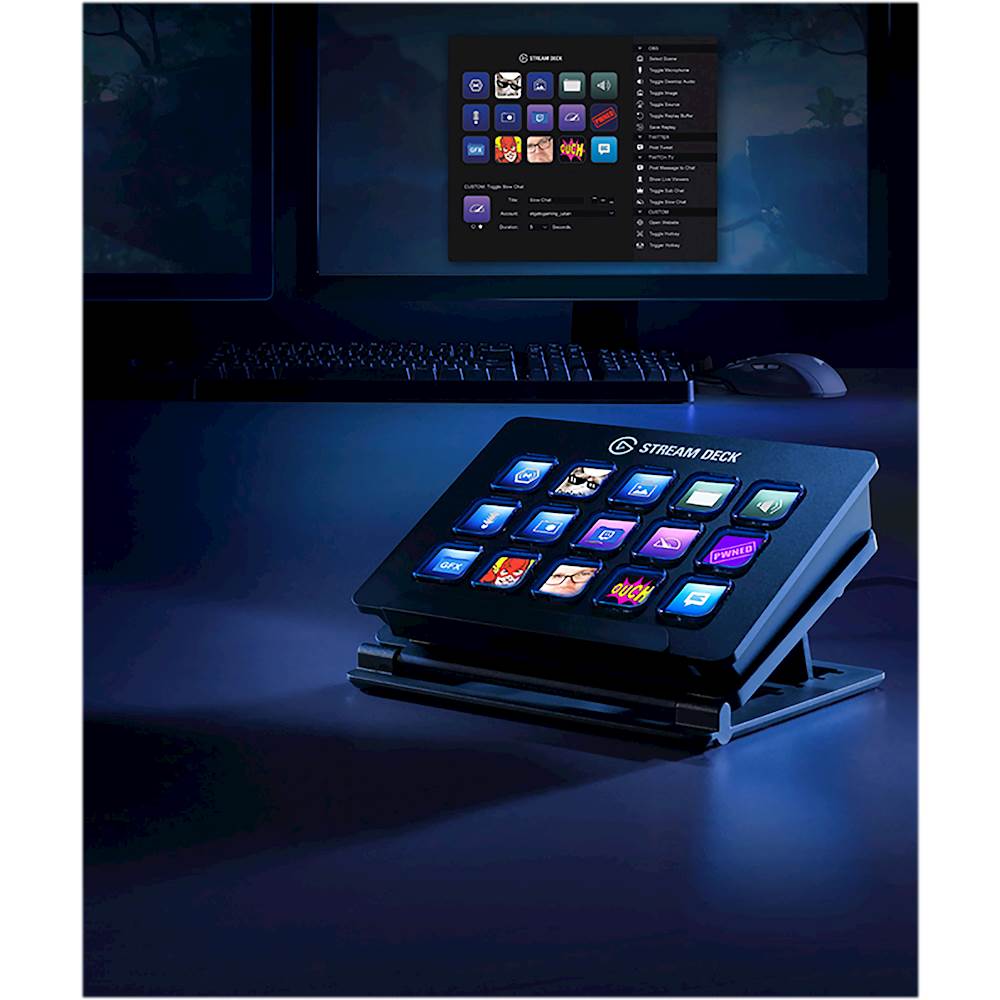
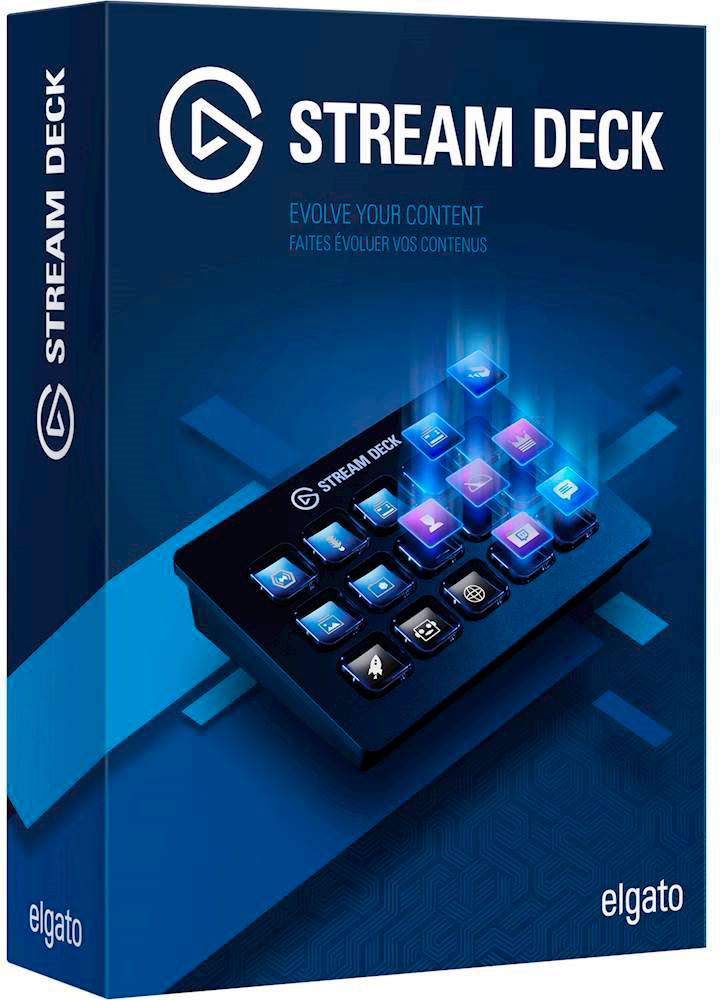
- Model:
- 10GAA9901
- |
- SKU:
- 5899807
Customer reviews
Rating 4.9 out of 5 stars with 1044 reviews
(1,044 customer reviews)Rating by feature
- Value4.6
Rating 4.6 out of 5 stars
- Quality4.8
Rating 4.8 out of 5 stars
- Ease of Use4.7
Rating 4.7 out of 5 stars
Customers are saying
Customers regard the 10GAA9901 Full-size Wired Mechanical USB Keypad with Stream Deck favorably, particularly praising its ease of use, customization options, and the integrated Stream Deck functionality. Many appreciate the product's quality and the convenient USB connection, while some users noted that the stand could be improved and that the number of buttons might be insufficient for certain needs. Positive feedback also highlighted the user-friendly software and straightforward setup process. A few users mentioned compatibility issues with specific applications.
This summary was generated by AI based on customer reviews.
- Pros mentioned:Ease of use
Rated 5 out of 5 stars
More Efficient Workflows for Everything
||Posted . Owned for 1 month when reviewed.This reviewer received promo considerations or sweepstakes entry for writing a review.I'm not a livestreamer. I do occasionally need to do screen recording tutorials using OBS streamlabs, which was initially why I purchased this item. It makes switching between cameras, mics and scenes seamless which makes for less editing of my videos in post. Where I ended up using this little thing daily however is in my workflows. I created a separate profile for each of my main applications and filled them with pre-scripted commands. I'm able to open multiple website tabs with a single button, connect to my VPN and pull up my music apps. When exporting my work I can hit pre-selected hotkeys or multi-actions. It pairs really well with my Cintiq and allows me to switch brushes, and settings with a button instead of my mouse. Elgato recently added Phillips Hue actions to control all of your lights and scenes using the streamdeck which is so much nicer than having to get on the app in my phone. Much less interruption and much more productivity! In terms of workflow efficiencies, this thing reduces so much of my daily repetitive taskwork that I have been recommending it to co-workers just for making their "dock" and website bookmarks easy buttons. It's well worth the cost. I recommend the medium size as the three rows are the same size of a keyboard, and your hand is already used to curling or stretching to press buttons in that way.
I would recommend this to a friend - Pros mentioned:Ease of use, Usb
Rated 5 out of 5 stars
Great for Flight Sim, not just general apps/stream
||Posted . Owned for 1 month when reviewed.This reviewer received promo considerations or sweepstakes entry for writing a review.Picked this up for multi-purpose use. Integration into flight sim setup (of which there are multiple packages available to create your own), as well as with Photoshop, Adobe, and other commonly used applications. The StreamDeck software is amazingly simple to set-up and build your own layouts as well. I especially enjoy the integration (it has to be downloaded, but very simple process to utilize) with HWiNFO to give me a continuous and simple view of my system's status. I get these are designed for streamers - but the potential use of this awesome little tool goes fare beyond. The fact it is just a single USB cord makes it even better.
I would recommend this to a friend - Pros mentioned:Ease of use
Rated 5 out of 5 stars
Awesome Product!
||Posted . Owned for less than 1 week when reviewed.This reviewer received promo considerations or sweepstakes entry for writing a review.I know you don't know me, but if you did, you would know that I barely if ever take the time to write a review. I stream church services to Facebook Live. I'm the only one who does. I will be training in a team of less than technical folks. So, I was hoping this would help reduce problems. This thing, in conjunction with Autohotkey, blew my socks off! This is one of the best technology products I have ever purchased. It is absolutely beautiful and easy to program including making your own custom icon using elgato's icon creation tool. My only wish is that they had a windows program to match the streamdeck as I sometimes stream remotely and it would be awesome to use the macros even when I am not physically present. If you stream, this is a MUST HAVE product.
I would recommend this to a friend - Pros mentioned:Ease of use
Rated 5 out of 5 stars
Loving the simplicity
||Posted . Owned for 5 months when reviewed.This reviewer received promo considerations or sweepstakes entry for writing a review.This was one of the first higher priced items I got for my streaming setup. I love it. It makes it so easy to switch scenes in my OBS software and I love that I can designate single buttons to multiple press hotkeys. I have integrated buttons for twitch so I can raid and host people at the push of a button and it takes up minimal space on my desk. I also have two buttons dedicated to the temp my PC is running at. It was extremely easy to set up using the software from Elgato's website and there's so many things you can do with it. Overall, I'm very happy with this purchase and will likely be upgrading to the larger one as my stream grows.
I would recommend this to a friend - Pros mentioned:Customization, Ease of use
Rated 5 out of 5 stars
Live streamer and content creator
||Posted . Owned for 2 weeks when reviewed.This reviewer received promo considerations or sweepstakes entry for writing a review.I live stream and make content on YouTube. This was a year long decision to get and I’m happy I have. It’s made transitions a lot easier and less things to edit when recording videos. It makes the live stream a little bit more fun and interactive for viewers. It’s the easiest thing to set up. Plug it in, download software and then add what you want. The custom pictures for buttons is a big plus.
I would recommend this to a friend - Pros mentioned:Customization, Ease of use
Rated 4 out of 5 stars
Works well, a little intimidating at first.
||Posted . Owned for 1 week when reviewed.This reviewer received promo considerations or sweepstakes entry for writing a review.So at first I thought setup was going to be hard. To my surprise it wasn’t. Using it to help streamline the recording process in OBS STUDIO and a presentation program on my desktop. One touch and you can jump right to a website or start a program. After setup pretty much error proof Custom picture for buttons.
I would recommend this to a friend - Pros mentioned:Ease of use
Rated 4 out of 5 stars
Very Useful to entertain your Viewers
||Posted . Owned for 1 month when reviewed.This reviewer received promo considerations or sweepstakes entry for writing a review.This is a must have if you have a stream I need to entertain viewers. Without this trying to use something like split, OBS, stream labs OBS, will be very difficult and timely. This eliminates a ton of time you would normally use to switch scenes, applications, memes, music, or whatever you can think of! This is a must have for streamers. It's daunting to use at first but with YouTube tutorials, a little trial and error you will see the value.
I would recommend this to a friend - Pros mentioned:Ease of use
Rated 5 out of 5 stars
Stream Deck hunt down
||Posted . Owned for 1 week when reviewed.This reviewer received promo considerations or sweepstakes entry for writing a review.So I was finally able to purchase the stream deck. I have been scouring Atlanta area Best Buy’s in hopes of finding one and that day I did. Looked online and they said that have at least two in stock. I arrive at the Best Buy and with the help of Leslie R, I was able to find it. We initially went to the are where they are kept and they weren’t there. Naturally my anxiety was high cause I felt once again I was bamboozled by the whole online inventory doesn’t match actual store inventory shenanigan. Leslie R went out of her way to go in the back and check several times because she refused to believe we didn’t have any more. After a few minutes she came out with the stream deck. I brought that darn thing so fast! I works great! Looks good on my desk and my Live streams on twitch have totally gone to another level!! Thank you Leslie R, my community loves you.
I would recommend this to a friend - Pros mentioned:Ease of use
Rated 5 out of 5 stars
Very useful tool for my YouTube studio setup
||Posted . Owned for 3 weeks when reviewed.This reviewer received promo considerations or sweepstakes entry for writing a review.I love being able to add buttons to automate many of my most used tasks while video and audio editing. There are also many add-ons that are just plain cool. I am able to switch between cameras as well as use the phone app to help even when I am not sitting at my desk. Allowing me to make my filming and editing quicker.
I would recommend this to a friend - Pros mentioned:Customization, Ease of use
Rated 5 out of 5 stars
Great for any streamer
||Posted . Owned for 2 weeks when reviewed.This reviewer received promo considerations or sweepstakes entry for writing a review.I highly recommend if you are a streamer. So easy to set up and manage your stream! Can customize your buttons to your suit and can make folders to gain more commands. I use it for everything now!
I would recommend this to a friend - Pros mentioned:Ease of use
Rated 5 out of 5 stars
I love it.
||Posted .This reviewer received promo considerations or sweepstakes entry for writing a review.I have this mounted to my chair. Star trek enterprise style. I have practically replaced my google home. To control smart devices.
I would recommend this to a friend - Pros mentioned:Ease of use
Rated 5 out of 5 stars
Versatile
||Posted . Owned for 1 month when reviewed.This reviewer received promo considerations or sweepstakes entry for writing a review.I don't stream, but this thing rocks. Pretty much everything is a button press away, without having to alt+tab through all my running applications. 5/5
I would recommend this to a friend - Pros mentioned:Ease of use
Rated 5 out of 5 stars
Perfect to control all my rgb lights!
||Posted . Owned for 1 month when reviewed.This reviewer received promo considerations or sweepstakes entry for writing a review.I don’t stream I just use it to change the effects on my nano leaf, icue, razer synapse and more
I would recommend this to a friend Rated 5 out of 5 stars
Best accessory ever
||Posted . Owned for 1 month when reviewed.This reviewer received promo considerations or sweepstakes entry for writing a review.This is by far the most useful computer accessory I've ever bought. Fully programmable, I use it for several different games as well as video editing and I even have shortcuts programmed for text editing when I'm working. My top left button is programmed to switch profiles, so I can have basically an infinite number of buttons programmed for many different tasks.
I would recommend this to a friend- Pros mentioned:Ease of use
Rated 5 out of 5 stars
Fast respond
||Posted . Owned for 1 month when reviewed.This reviewer received promo considerations or sweepstakes entry for writing a review.I’m someone that’s is Learning how to do more with Computer and I was thinking I was going to have a hard time and need it someone to help me set it up but I did it my self and worked easy now there is more I can do but I have to figure it out but I well do it
I would recommend this to a friend Rated 5 out of 5 stars
A tremendous productivity boost
||Posted . Owned for 1 week when reviewed.This reviewer received promo considerations or sweepstakes entry for writing a review.Don't think - just buy it! This has done wonders for my productivity. It is infinitely configurable. No matter what you do, there seems to exist a Stream Deck plugin to make your frequent tasks a single key press. And if you are a programmer, there is an SDK allowing you to write your own plugins. Don't assume that you are limited to 15 keys - by using "profiles" and "folders" you can configure many more. It's not limited to static images either - each key's display can show live information, such as your CPU usage. I write a lot of engineering papers and typing Greek & math symbols has always been a hassle. Not anymore - see the photo of my "greeks" folder. The Stream Deck customization software is superb. There is also a very nice online editor to create your own key icons.
I would recommend this to a friendRated 5 out of 5 stars
Great product
||Posted . Owned for 3 weeks when reviewed.This reviewer received promo considerations or sweepstakes entry for writing a review.I got tired of Misclicking while on live stream now I can control stream More professionally, you can also program With just one button to open all Of your necessary apps at the same time
I would recommend this to a friend- Pros mentioned:Ease of use
Rated 5 out of 5 stars
stream deck
||Posted . Owned for less than 1 week when reviewed.This reviewer received promo considerations or sweepstakes entry for writing a review.i was conflicted about buying this, but it turns out to be very convenient especially since i’m tabbing out so much to do stuff on my second monitor. i love how i can make customize it and make it look cute. the picture shows how i customized my spotify portion on my streamdeck :)
I would recommend this to a friend - Pros mentioned:Ease of use
Rated 5 out of 5 stars
Loving this Stream Deck
||Posted . Owned for 3 weeks when reviewed.This reviewer received promo considerations or sweepstakes entry for writing a review.Awesome little device that's so easy to use straight out of the box. I had it up and configured in less than 15 for my stream. It can also do a whole lot more than the basic stream assist functionalities too. Many of which are sampled on the website and YouTube.
I would recommend this to a friend - Pros mentioned:Ease of use
Rated 5 out of 5 stars
Awesome for streaming on streamlabs OBS!
||Posted .This reviewer received promo considerations or sweepstakes entry for writing a review.Stream Deck is awesome! It makes your scene transitions a lot easier when streaming. If you're streaming online with streamlabs obs or any other it's a must have!! You won't regret it. Also, its easy to configure.
I would recommend this to a friend