Customer Ratings & Reviews
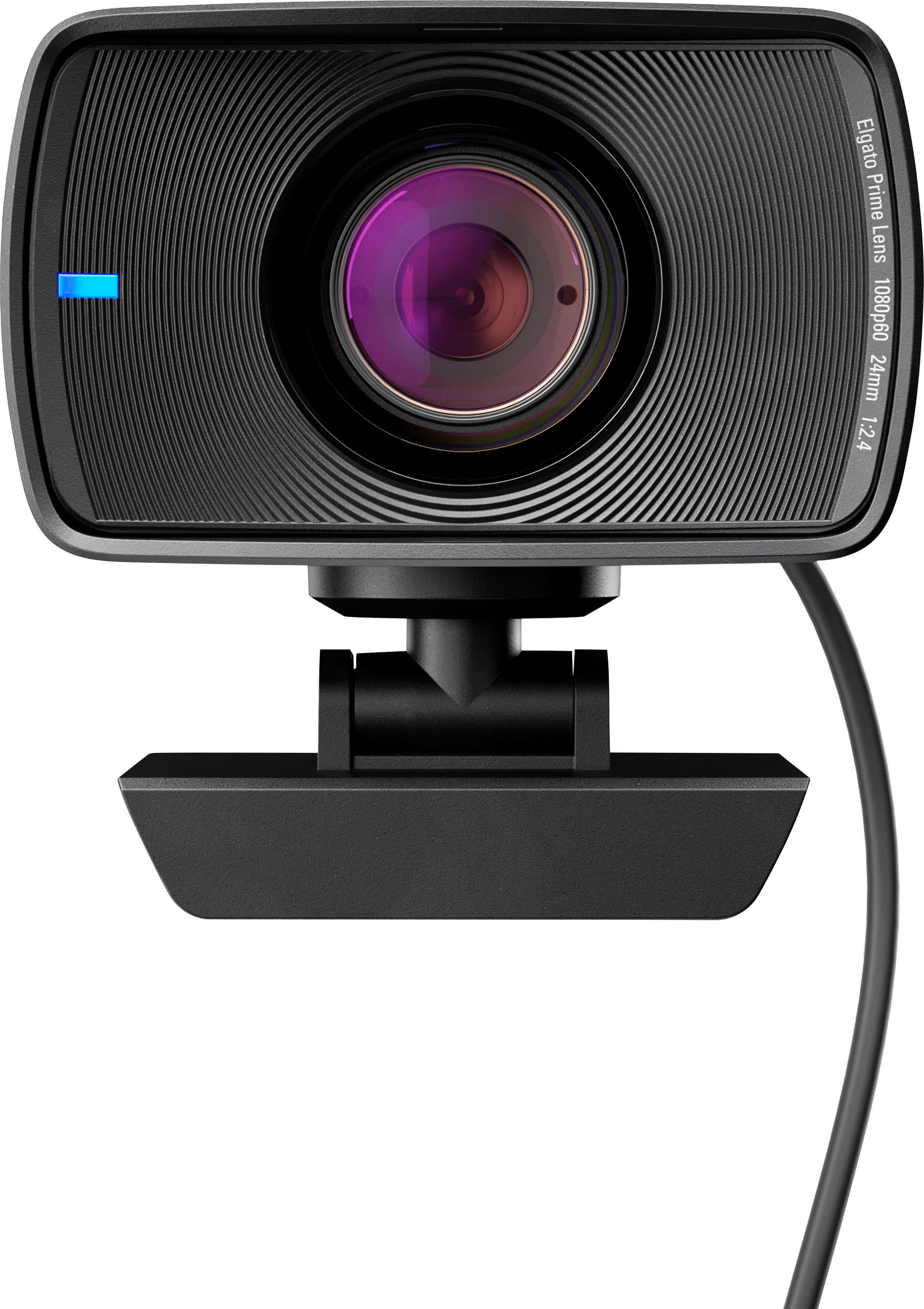
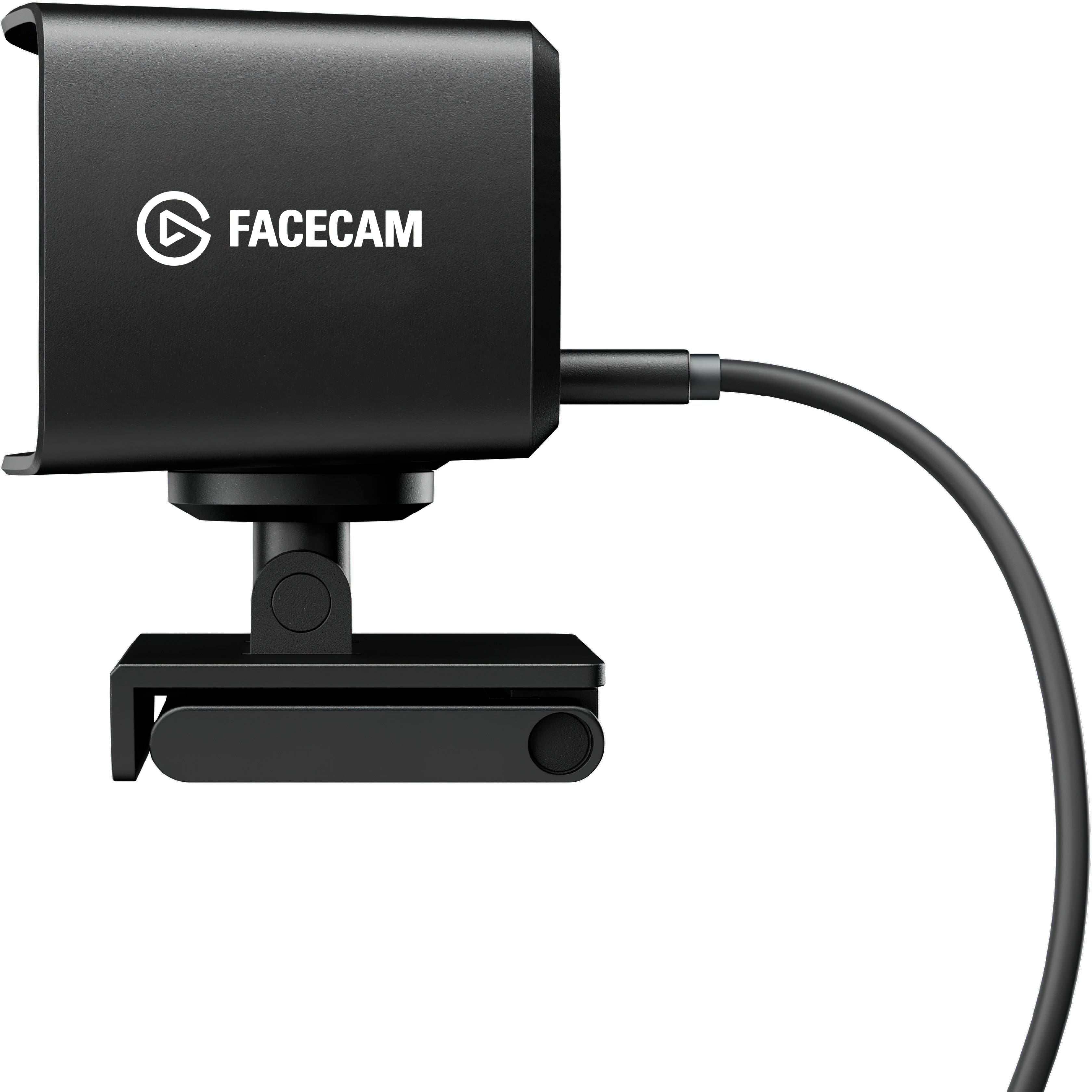
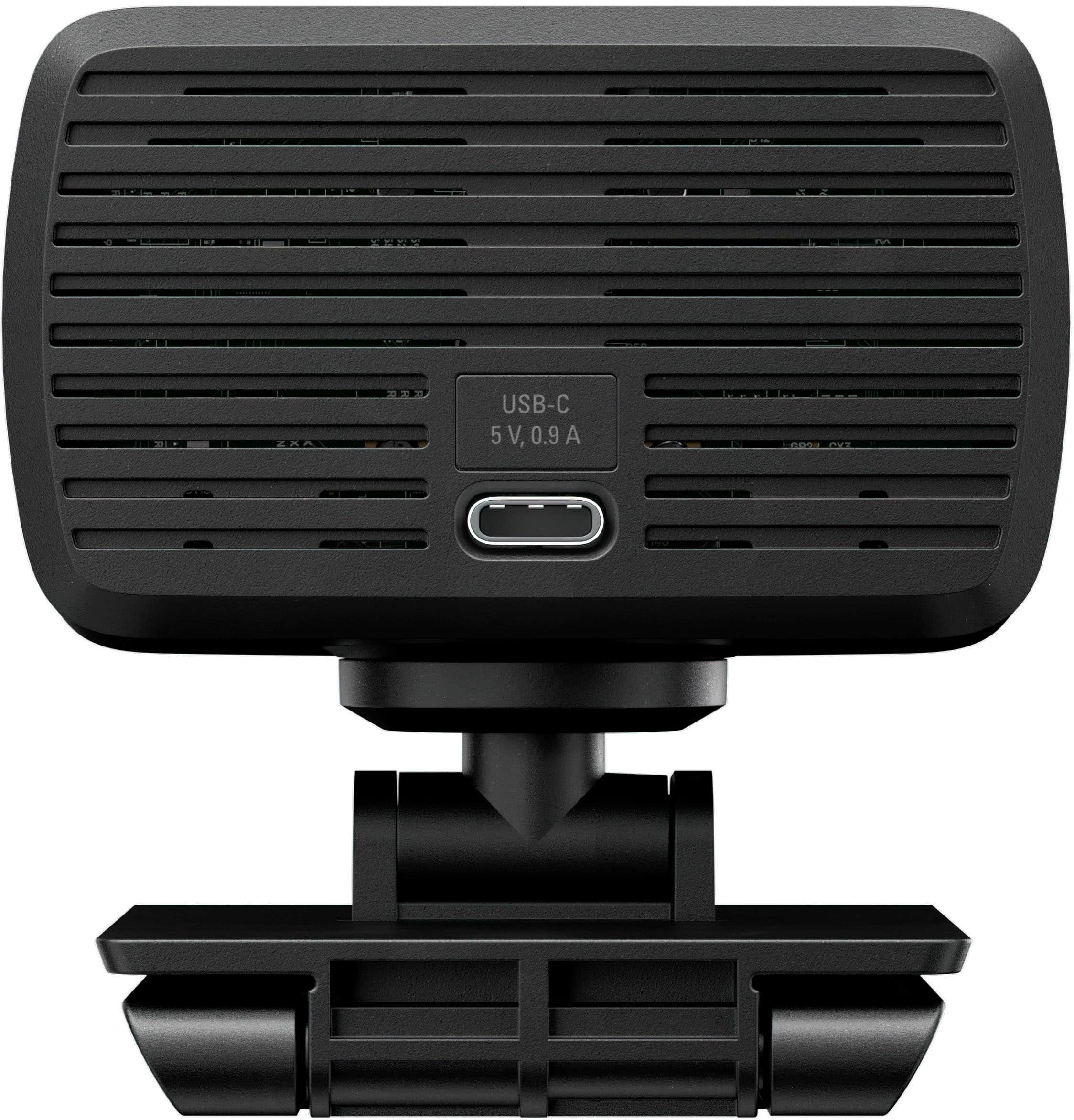
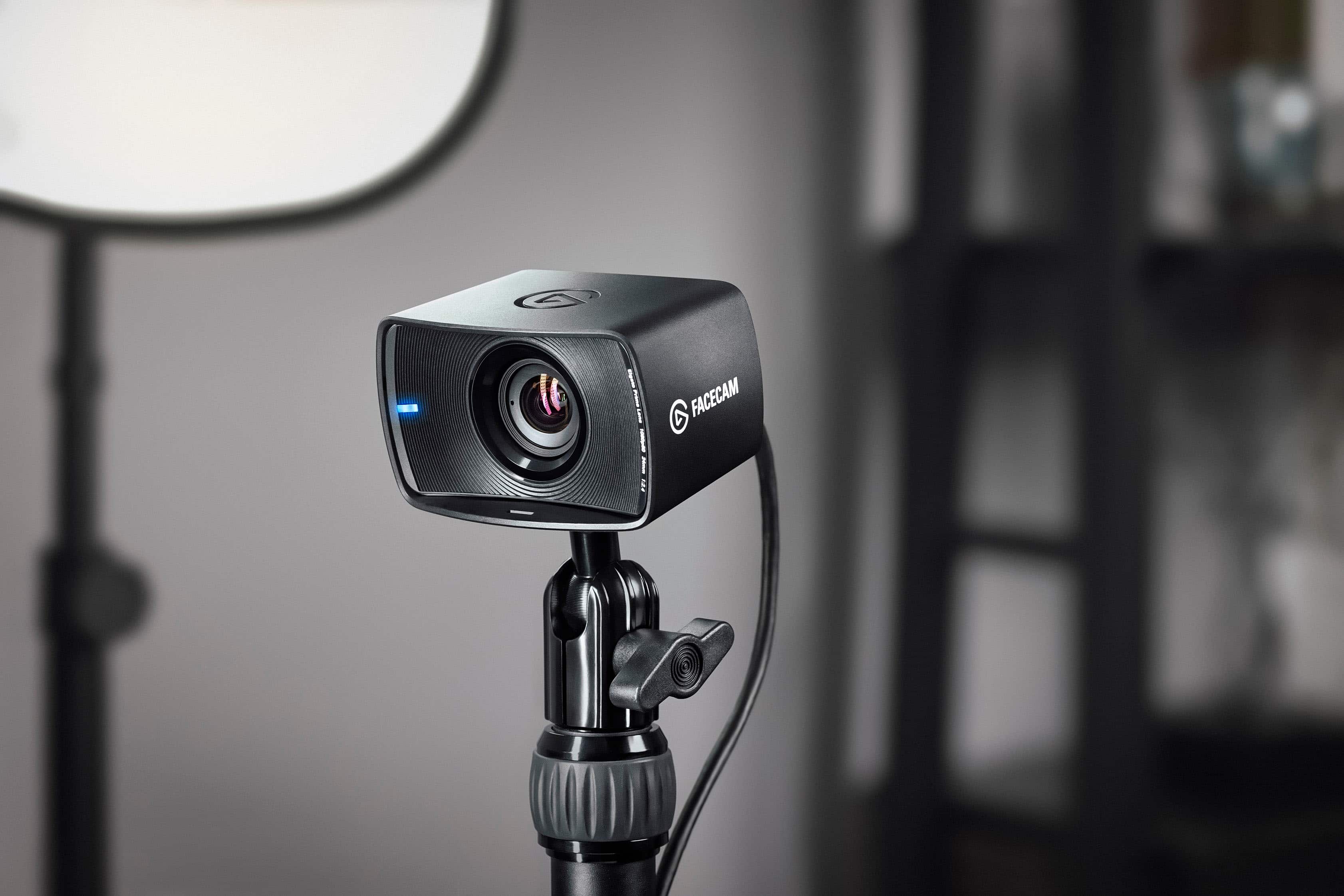

- Model:
- 10WAA9901
- SKU:
- 6470494
Rating by feature
- Value
Rating 4.4 out of 5 stars
- Quality
Rating 4.6 out of 5 stars
- Ease of Use
Rating 4.6 out of 5 stars
Customers are saying
Customers have good things to say about the Facecam Full HD 1080 Webcam, particularly regarding its great image quality and ease of use. Many appreciate the software and quick setup. Some users have noted that a USB 3 port is needed for connectivity, and others have mentioned issues with the size and compatibility.
This summary was generated by AI based on customer reviews.
Horrible service
||Posted . Owned for 1 week when reviewed.This reviewer received promo considerations or sweepstakes entry for writing a review.I was told it was i stores so i bought it online only to drive an hour to pick it up to be told oh its not here but u can either drive another 30 mibs or pay 20 dollars to have it delivered asap. Lets just say ill never use best buy again. Then when i messaged coperate they were trying to justify everyghibg that happened and never really mske it right. No more of my hard earned money to best busy.
No, I would not recommend this to a friendBrand response from Corsair
Posted .Hello,
That has nothing to do with this product, please leave the review for what you experienced on the google page for the store and not the item.
-Art
No buy
||Posted . Owned for 1 week when reviewed.This reviewer received promo considerations or sweepstakes entry for writing a review.Is ok cam, no much to say Be better if 4k but is only 1080
No, I would not recommend this to a friendBrand response from Corsair
Posted .Hi Fer47mc,
Thank you so much for the feedback, did you have any issues with setup or performance while using Facecam? If you had any issues or have any further questions about Facecam, please feel free to contact our support team: support.elgato.com
-Brian
- Pros mentioned:Image quality, Setup, Software

Next Best Thing to a DSLR
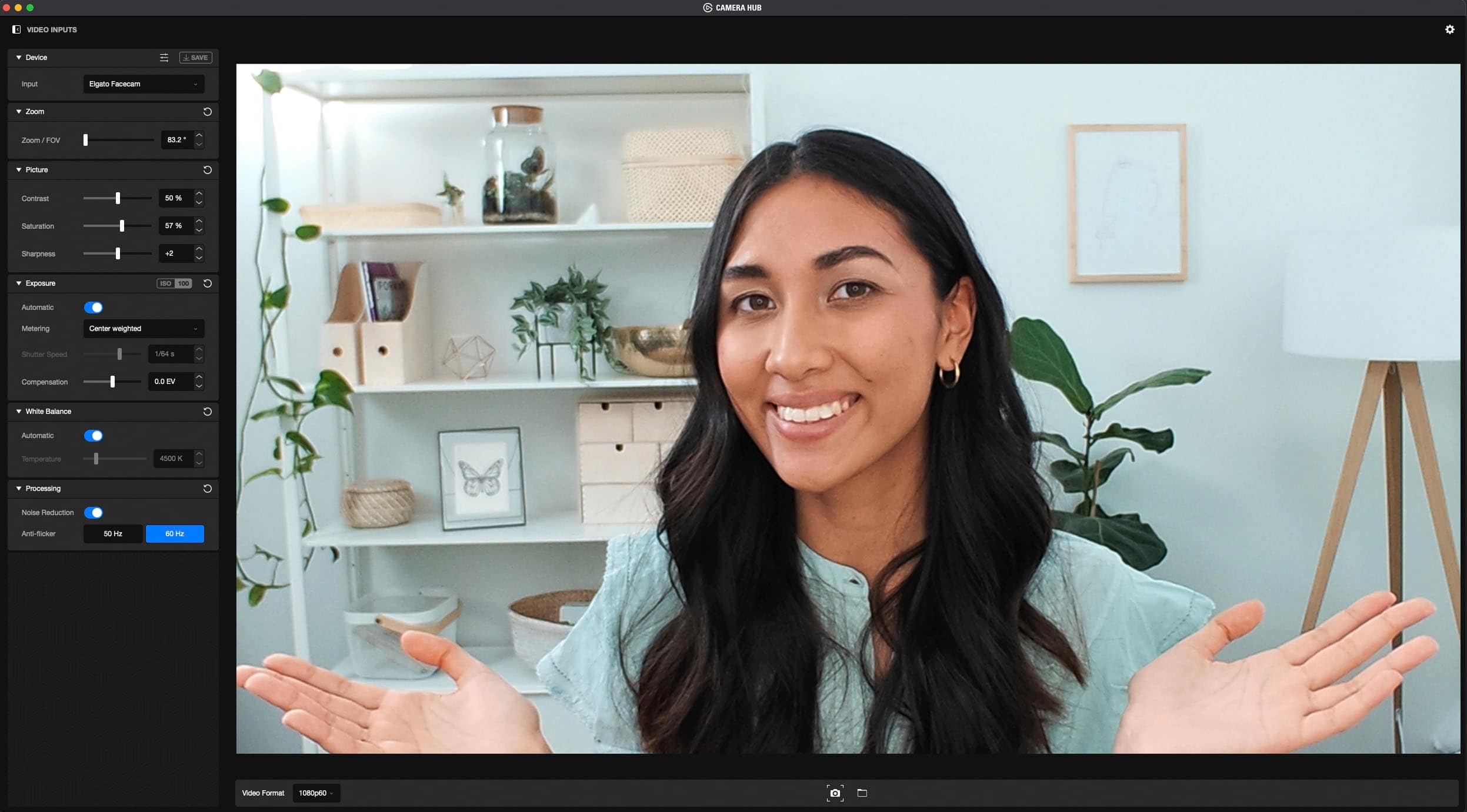
|Posted .This reviewer received promo considerations or sweepstakes entry for writing a review.The Elgato Facecam is in my opinion the next best thing to a DSLR camera if you're seeking a quality camera for most applications. Streaming or video meetings will definitely benefit from it. I'd even recommend it for content creation on a budget. The lense is fixed with an aperture of f/2.4, which is good for a well-lit room, whether artifically or by sunlight. The included cable is long enough for when you have the camera on a boom arm. I also like the privacy cap. It has multiple video formats ranging from 540p30 to 1080p60, but I personally use the maximum resolution and framerate. And latency usually throws me off, but the Facecam's super low latency means I see what is happening virtually as it happens. This camera is super easy to set up with its plug and play feature. The cable is pretty thick and resistant to bending, so adjusting its position on the included mount can take just a little work. The mount itself sits sturdy and goes well with almost any size bezel monitor. Mine is approximately half of an inch, and while the mount does extend past it and onto the display proper, it is practically unnoticeable. The Camera Hub application isn't required, but I recommend getting it if you want to fine-tune the Facecam. It gives you access to a number of settings including zoom, picture, exposure, white balance, and processing. The zoom can be useful, but be aware that this is a digital zoom, not optical, and so you'll lose quality the more you zoom in. Contrast, saturation, and sharpness can also be adjusted but the default settings are good for most areas. Like a DSLR, shutter speed and ISO are adjustable. I simply use the automatic adjustment with an average metering, and the picture I get is good. I'll sometimes get a flicker if the lighting isn't right. The only ways to get rid of it is to either have good lighting or turn off the auto settings for exposure and instead manually adjust. I've gotten the flicker to go away after messing around with the exposure settings, even if I reverted back to what I had adjusted from. Not much to say on white balance other than I prefer the automatic adjustment. The noise reduction best works in a well-lit setting. Otherwise it's very heavy and everything is way too soft. The image quality is really nice. The dynamic image processing built into the Facecam does a wonderful job of optimizing the picture and really sets it apart from ordinary cameras. After you've made all your adjustments, you can save your settings on the camera, so if you ever move the camera to a different computer, your settings are safe and sound. Sadly you can only save one set (why not multiple, I have no clue), so if you change rooms, you'll need to make adjustments all over again. My only real issue with the camera is the fact that it's equipped with Sony STARVIS CMOS technology, which should provide low-light performance. Despite this, I would not rely on it to do much of the work in these situations. I think this specific technology it's best left to security cameras and not content creators. Provide ample lighting if you want to get the best out of this camera. The image comes through very nicely, and I'm quite pleased with its performance overall. If you have the right lighting, it can produce an amazing picture that rivals that of a DSLR.
I would recommend this to a friend Defective
||Posted . Owned for 1 week when reviewed.This reviewer received promo considerations or sweepstakes entry for writing a review.Absolutely horrible. I was so so SO excited to get this camera but when I plug it in to my USB 3.0 port on my computer and boot up OBS, the camera continuously stutters and freezes. i have lowered the resolution and FPS and still lags and stutters. Many forums tell the consumer to purchase a new cable, but I have seen many instances where buying a new cable doesn’t work. I spent HOURS looking through every webpage and every YouTube video for a fix and nothing worked! Do not buy this product!
No, I would not recommend this to a friendBrand response from Corsair
Posted .Hi,
Sorry to hear about your experience. Please contact support via our Elgato's website - we'd appreciate the opportunity to further look into this and provide a solution.
-Albert
Best streaming camera
||Posted . Owned for 3 weeks when reviewed.This reviewer received promo considerations or sweepstakes entry for writing a review.Best camera for its price point, works better then Logitec cameras.
I would recommend this to a friendElgato Beware
||Posted . Owned for less than 1 week when reviewed.This reviewer received promo considerations or sweepstakes entry for writing a review.This product for one feels so cheap like a light piece of plastic. There was a weird latency when using it with a face tracking softwares yet a $70 logitech camera has absolutely no issue. Returned this and ended up getting a Logitech WebCam, a whole desk mat and another mouse, and a wrist beanie and guess what Best Buy owed me $3….all of that cheaper than this webcam
No, I would not recommend this to a friendBrand response from Corsair
Posted .Hello,
And sorry to hear about the feel of it for you. As for the face tracking software, we cannot speak to compatibility as it wouldn't be ours. Glad you were able to get something that worked better for you!
-Art
- Cons mentioned:Connectivity
3.0 deficiency
||Posted . Owned for 2 months when reviewed.This reviewer received promo considerations or sweepstakes entry for writing a review.It never worked, it always said connect to a 3.0 port, tried it on multiple computers.
No, I would not recommend this to a friendBrand response from Corsair
Posted .Hi EMRZ,
We're sorry to hear that the Facecam was having issues. Thank you for trying it on different computers, were you able to ensure that the USB ports you connected to were full, High Speed USB 3.0 ports? Could you try with a different USB C cable to determine if the provide cable is fully functioning? If you'd like assistance, please feel free to reach out to our support team so we can assist you directly: support.corsair.com
-Brian
Ddr
||Posted . Owned for 1 week when reviewed.This reviewer received promo considerations or sweepstakes entry for writing a review.Dreegff candy is rice tree the gas f CDs at tc C tax D ex ex ex off PC C C tax ex if G’s
I would recommend this to a friendGreat quality camera
||Posted . Owned for 1 month when reviewed.This reviewer received promo considerations or sweepstakes entry for writing a review.Takes some manual adjusting, didn't have the best picture right out of the box.
I would recommend this to a friendBestest
||Posted . Owned for 1 week when reviewed.This reviewer received promo considerations or sweepstakes entry for writing a review.Nikki dont stop u da bestest and i just keep coming off the too as BESTEST
I would recommend this to a friend- Pros mentioned:Image qualityCons mentioned:Mounting, Size
pricey cam with a few minor complaints
|Posted .This reviewer received promo considerations or sweepstakes entry for writing a review.The elgato facecam is a full hd 60 hz webcam that has some really good image quality providing you take some time to make some adjustments, and a few minor annoyances. First, the video is pretty sharp and the software it comes with gives you a good bit of freedom to make adjustments to the image quality. Out of the box the saturation is a bit high and gives everything quite a red tint. You can adjust this to make the image quality a little more bearable, but it's low light performance is still sub-par. There is a image sharpening and softening setting that can make you look a bit like a superstar as it softens out the lines and makes you look as if you're wearing makeup. Not too bad if you're looking to make yourself look younger. On to my annoyances. First, the lens cap isn't part of the chassis, so it means you've got to fiddle with it and this results in you tending to knock it off the monitor or unseat it from it's mount. I just feel like, for the money, you should have some sort of shutter/cover that is built-in so you don't have to worry about knocking it over. The zoom settings seem to work ok, and the auto-focus is just ok. I alluded to this earlier, but the mount for the monitor is again, just ok. It has a tendency to just sort of balance there and not really provide much of a grip, assuring you that it is secure. Lastly, the camera body is huge! It dwarfs any other camera I've used recently. Technology should shrink with advancements, not get bigger. I compared this to my Logitech C930e, and the c930e just had better visual quality and a much smaller package with rapid auto-focus for a large price decrease. For the price point, I might consider looking at other options. Since this is their first go at it, they might manage to make a much better version in the next run. It's a good camera, but maybe not good enough to warrant that price point quite yet...especially since it's only 1080p.
No, I would not recommend this to a friend Perfect
||Posted . Owned for 3 weeks when reviewed.This reviewer received promo considerations or sweepstakes entry for writing a review.Perfect camera designed to do exactly what it says and it’s very durable.
I would recommend this to a friendValid
||Posted . Owned for 3 weeks when reviewed.This reviewer received promo considerations or sweepstakes entry for writing a review.Perform beyond my expectations. Would recommend it for anyone
I would recommend this to a friendStreaming Camera
||Posted .This reviewer received promo considerations or sweepstakes entry for writing a review.This camera is amazing, really good for streaming.
I would recommend this to a friendFreezes, tried everything.
||Posted . Owned for 1 month when reviewed.This reviewer received promo considerations or sweepstakes entry for writing a review.Tried dropping the resolution down to 720p 60fps and still couldnt work. Others have had similar issues, returned once, thinking it was a bad unit second unit was exactly the same
No, I would not recommend this to a friendBrand response from Corsair
Posted .Hello Alvin,
Sorry to hear you ran into 2 faulty units, even 1 is very rare to have. Please feel free to always contact our team directly right on our site if you need assistance.
-Art
- Pros mentioned:Image quality
Manual Settings allow this Camera to Shine
|Posted .This reviewer received promo considerations or sweepstakes entry for writing a review.First thing to know about this camera, is that it’s not an “all in one” webcam suitable for everyone. The focus here is on image quality and image configurability, primarily for content creators or streamers. You can definitely use this for your Zoom or Microsoft Teams calls also, but Elgato is targeting a more specific audience with this Facecam, similar to most of their other products. Main feature missing from this camera in that regard is an onboard microphone. Any audio will need to come form a different dedicated source, a mic or headset etc. Elgato is focusing on the image here, not the sound. And for most content creators, audio is not coming from the camera anyway, so the audience for this camera shouldn’t miss that feature. However if you were planning to pick this up to use in Zoom or Teams etc., be prepared to have your own audio source. With that said, the video quality is very good. It might take a bit to get there, but once you have it dialed in, the video image is awesome. Right out of the box you can plug and play with any Windows or Mac PC that offers a USB 3.0 connection. You cannot use this camera without USB 3.0. That’s because the video output from the camera is uncompressed, meaning much larger video data passing from the camera to your PC. But that uncompressed video feed allows you so much flexibility in being able to dial in your settings and image quality in whatever video capture or post processing software you’re using, since the latency is super low and the video does not need to be re-encoded. Once plugged in you can use straight away with the camera on full auto for exposure, white balance, etc., or you can download the Elgato Camera Hub app and fine tune your camera picture. I found that I needed to adjust some things in the Camera Hub app before I was 100% satisfied with the video quality. To start with, the camera seemed to over expose my setting. I tried being lit with natural light from the front, the side, tried in a darker room or lit with ring lights. In every case, leaving the exposure on full auto never worked to my liking, I always looked too washed out when brightly lit, or too noisy with low light. The Camera Hub allows you to fine tune your image quality to match your setting perfectly, which I think is where this camera shines. I’m not sure any other comparable webcam out there right now allows this much configurability. You can edit the FOV, from a pretty decent 82 degrees, to more tight zoomed in ranges to put focus on you. You can adjust the contrast and saturation of the image, as well as sharpness levels. Be warned though, that setting the sharpness above 2 (range is 1-4) you begin to get really harsh edges and more noise. Where I found the most time spent, was in the Settings for Exposure and White Balance. It just would not expose my settings well, using the latest firmware, so the app allows you to dial in your own exposure to match your scene. You can adjust the shutter speed, ISO and exposure meter, and even allow for EV compensation +/-. So no matter what type of lighting you have, you can always adjust. White balance tended to automatically make my shot really warm and gave me more reddish skin tone. But you can set you own temperature, and for cool tones that I like, I found 3900K worked the best. You do also have the option to turn on Noise Reduction to remove any noise or grain from your shot, but I found this was overly aggressive and tended to make the image blurry, so I always left noise reduction turned off, and adjusted other settings until I was happy. The camera has a Sony STARVIS sensor, which is used in things like security cameras and car dashcams, when image quality, especially in low light is needed. And comparing the Facecam to other 1080p webcams, its immediately apparent that the picture quality here is top notch. And the star of the show is the full 60fps. This allows the image to look most natural, no ghosting or blurred movements. Your capture will look buttery smooth. The focus is also fixed, not auto. That is huge to me, in that any movement in your frame will not cause the camera to hunt and search for a new focus point, sometimes making your image blurry for a few seconds. Fixed focus means that everything remains in focus all the time. The build quality is very good, very sturdy, but it’s not minimalist, you notice it. The huge all glass optics and Sony sensor are coupled with onboard flash storage and a dedicated image processor wrapped in its own custom heat sink. The flash storage is a great feature, because you can Save your most used settings in the Camera Hub app, and they write directly to the camera. So if you swap your camera to another PC, your settings are preserved. In my use, I found this worked most of the time. Some times the settings would appear unchanged and right where I saved them, other times some settings would be set back to default, like FOV or picture settings like contrast and saturation. I haven’t found out if that is a PC side issue somehow or camera side. But nice to know you have the ability to swap machines and keep your settings dialed in, when it works. You can set the camera on your monitor or it also has a tripod mount on the bottom for easy placement. Once you get the settings dialed in, this camera shines. I did feel though, that I needed to spend a little too much time in the settings to get the picture to my liking. The auto settings were just not good at all, even when I was in a lit setting with full natural light. I found that even when dialed in manually, I had to set the EV compensation to a -1 to -2. But overall, the video quality is some of the best I’ve seen in this webcam space.
I would recommend this to a friend - Pros mentioned:Image qualityCons mentioned:Microphone, Size
Great Camera, Software Needs Work
|Posted .This reviewer received promo considerations or sweepstakes entry for writing a review.FINALLY, Elgato has entered the fray with their rendition of a webcam called the Facecam, and it does not disappoint. They are introducing the first camera with ISO control and record in RAW uncompressed @ 1080p60! You can treat this as a DSLR when you change exposure. ISO and shutter speed are entirely customizable, with your aperture locked at 22mm f/2.4. This lens choice produces an 83.2-degree FOV which isn't that wide for streamers - I'd like to see this closer to 120 degrees. It is a streaming camera and not a webcam as you would expect. This DOES NOT have a MICROPHONE! Therefore, if you are looking for a webcam for conferencing WITH A MIC, this is NOT for you. This cam is geared towards those who have ALREADY invested in separate sound equipment (which most streamers do) but want a great image and an easy-to-use interface/controls. The picture quality is excellent in good light (which most streamers have invested in) seamlessly integrates into the Elgato stream deck ecosystem. Build quality feels cheap, but this is all about function to keep down costs! Taking it out of the box, you get the camera, a lens cover, USB-TypeC=>USB-TypeA cord, and monitor mount. When you hold it, it feels VERY cheap and lightweight for $200. It is nothing spectacular design-wise, just a rectangular plastic box with Elgato logos and an obnoxious white "FACECAM" logo on the right of the cam. The first thing I notice is it's HUGE and feels REALLY light and cheap. With regards to size, it is on par with larger ones from Razer, Logitech, and others. The mount is a cheap plastic swivel mount to match the camera. Here, Elgato could have chosen a ball mount instead. However, I am grateful for the 1/4-20" thread mount to use REAL mounting options like tripods and arms. The image quality is a bit soft for my liking but is nothing short of amazing - in good light. You must tweak it in the Camera Hub software (you must download). As the ISO increases and light becomes less, noise and artifacts get worse. For the size, there should have been a light included to offset the price and poor low light performance. If the lens could get to f/1.4 or f/1.8, this would be killer! It has built-in flash memory to save settings ON THE CAMERA and not locally on software. The color balance is off, and there aren't REAL sliders like TINT to finetune for the overly magenta tones I see. Zoom is digital so that you will see EVEN MORE artifacts and noise; then you will NOT be able to reframe your shot in software. The software is the weakest part of the offering, but I will expect this to change. Keying out a green screen is excellent, so no worries there. OBS and other camera software recognize this easily, and I love that! Improvements Needed -The Camera Hub software needs improvement. There is no ability to blur the background or finetune white balance. The noise reduction algorithm needs work, but otherwise, this is a solid 1st rendition of the future of webcams. I use NVIDIA Broadcast since I have an RTX card, but not everyone will use that. The software is the weakest link so far and should be addressed ASAP. -Add lighting to the HUGE box of emptiness. There is a lot of unused space here, and I would like to see lighting to compensate for the low-light performance. -Add autofocus or optical zoom. You took away a mic but didn't add anything useful. Other webcams in this range have autofocus AND mics. -Add optical zoom or fix digital noise on the sensor with better software. -Include a better mount. You make great ball mounts that could have been included here or even a mini tripod mount as other companies do. This is an excellent addition to the Elgato streaming lineup too! It allows for integration using the FaceCam plugin to control settings with the press of a button. Things like zoom, exposure, resetting, etc., are just a button preset away on your StreamDeck to make streaming easier. The ONLY thing currently not supported in the plugin is ISO control using StreamDeck. In all, there are lots of things to like here, but it is still very new. There are lots of software updates that need to be done to allow for more finetuning of the RAW uncompressed footage. If you can look past the cheap plastic build, you will have something nice here. Remember there is NO MIC, so do not buy this only to complain about that later.
No, I would not recommend this to a friend Logitech C920 is better
||Posted . Owned for less than 1 week when reviewed.This reviewer received promo considerations or sweepstakes entry for writing a review.Terrible. This webcam is horrible in low light. There is so much noise in the image is not worth the $199 price tag. Also no flip up privacy screen for the lens? Elgato should be charging $100 for this camera.
No, I would not recommend this to a friendBrand response from Corsair Art
Posted .Hi Chris,
Thanks for the feedback, if you have any further questions about the Facecam, please feel free to contact our support team: support.corsair.com
-Brian
Not worth money
||Posted . Owned for 2 months when reviewed.This reviewer received promo considerations or sweepstakes entry for writing a review.Blurry horrible quality not what it states. My 720p camera was better
No, I would not recommend this to a friendBrand response from Corsair
Posted .Hello,
Sounds like this wasn't set up correctly. If you still have the product, please reach out to our team directly for assistance with this.
-Art
Grainy cam
||Posted . Owned for 1 week when reviewed.This reviewer received promo considerations or sweepstakes entry for writing a review.The camera was grainy and didnt focus at all. Very poor quality vs what was expected
No, I would not recommend this to a friendBrand response from Corsair
Posted .Hello Brian,
Please do contact our team to get assistance with your issue.
-Art