Customer Ratings & Reviews

- Model:
- 10GBE9901
- SKU:
- 10731892
Rating by feature
- Value
Rating 4.5 out of 5 stars
- Quality
Rating 4.7 out of 5 stars
- Ease of Use
Rating 4.5 out of 5 stars
to a friend
Don't Waste Your Cash
||Posted . Owned for 1 month when reviewed.This reviewer received promo considerations or sweepstakes entry for writing a review.The most expensive paper weight I have ever owned. Audio requires additional setup in OBS (not plug and play), sometimes even after setup sound will just randomly refuse to work. Capturing still will always be jittery or crack, Snap, Pop noises in the recording. The ONLY thing this paper weight actually does is pass through..... but that is kinda basic.
No, I would not recommend this to a friendBrand response from Corsair
Posted .Hello,
Sounds like this may be faulty or not set up correctly, please contact our team directly at any time right on our site for assistance.
-Art
Slower than molasses
||Posted . Owned for 1 week when reviewed.This reviewer received promo considerations or sweepstakes entry for writing a review.Did not display correctly on my screen. Huge input delay. Called elgato and they don’t even have an answer.
No, I would not recommend this to a friendBrand response from Corsair
Posted .Hi Grimm,
We're sorry to hear that you're having delays with the video output for the HD60 X. What devices do you have connected to the input/output for the HD60 X and what resolution are you running? Thank you for already working with our support team, could you ask for escalation so that we can continue to assist you directly: support.elgato.com
-Brian
Does the work
||Posted . Owned for 1 week when reviewed.This reviewer received promo considerations or sweepstakes entry for writing a review.I’ve been using this for 2 weeks so far so good price wise it’s not that bad
I would recommend this to a friendMehh
||Posted . Owned for 3 weeks when reviewed.This reviewer received promo considerations or sweepstakes entry for writing a review.It’s okay it freezes a lot plus on Sport games it turns the display yellowish
I would recommend this to a friendBrand response from Corsair
Posted .Hello Brandon,
Sounds like this may be faulty or not set up correctly. Please contact our team for assistance right on our site.
-Art

A capture card fit for the next generation
|Posted .This reviewer received promo considerations or sweepstakes entry for writing a review.I have been using a bit of a generic capture card for a while for my Twitch. Since switching to this I have noticed the graphic quality has improved. I have noticed that the lag is almost non-existent and the coolest part is it actually comes with its own tools. Right out of the box. It had everything you needed and everything that you were looking for. Detailed instructions and software updates upon install. Everything was pretty easy. All in all, it just makes the PlayStation 5 experience that much cooler. I highly recommend this, if for nothing else it's real easy setup. Everything's right in front of you. My setup somehow was already in place. I had necessary HDMI cables and things were already hooked up where they were supposed to be. Another fittable difference is the quality of HDMI cables. I use my inexpensive ones to get started and then I upgraded to a high-end brand that I acquired from Best Buy. They're not the ones I'm reviewing here, so we'll just leave them out of it for now. However, there are many high-end brand HDMI cables out there, find the one that best fits you and that will only enhance your experience of this capture card.
I would recommend this to a friendBest capture card
||Posted .This reviewer received promo considerations or sweepstakes entry for writing a review.The best device I bought for me to play my Switch on my computer.
I would recommend this to a friendGreat quality, easy to get up and running
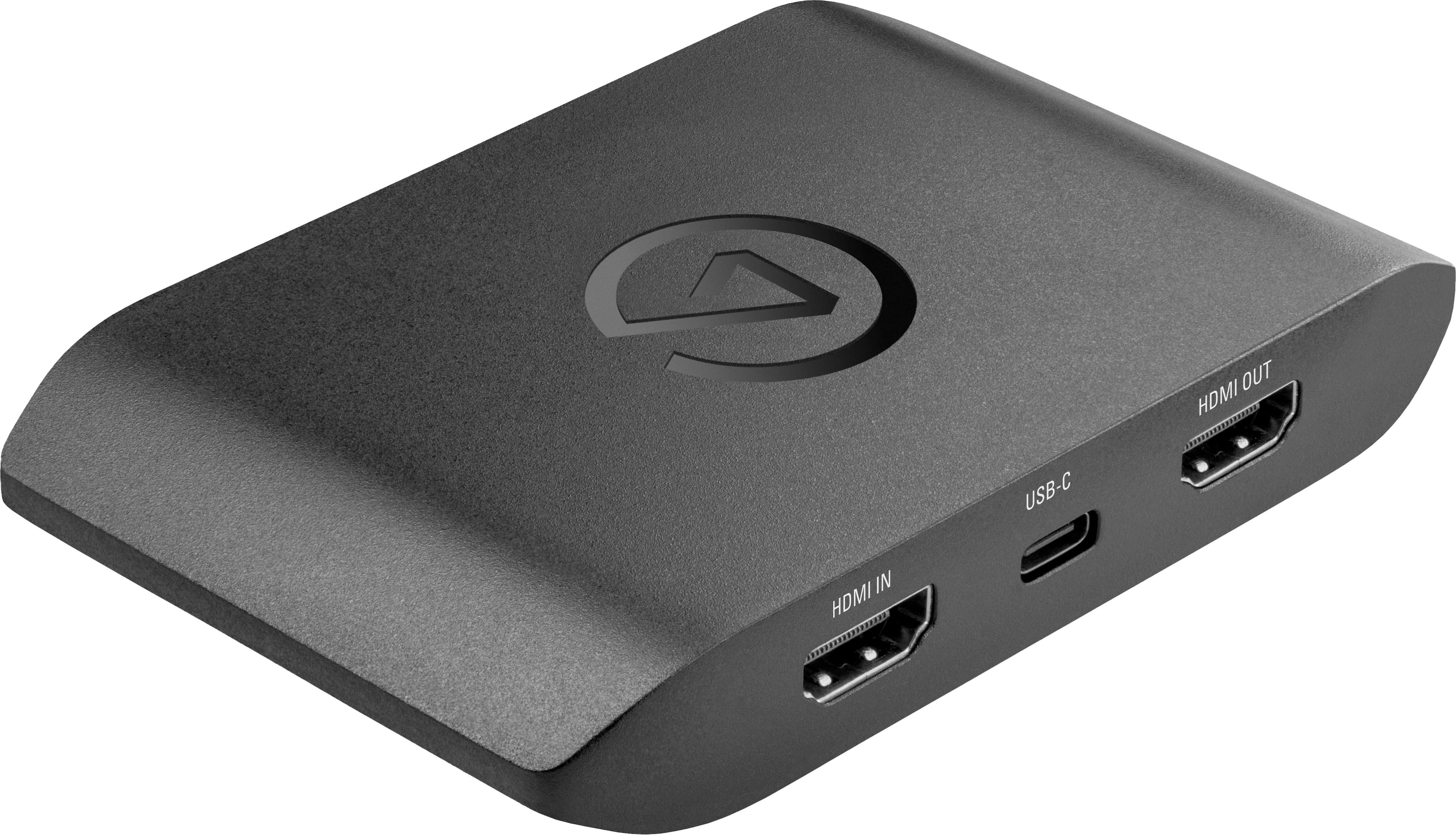
|Posted .This reviewer received promo considerations or sweepstakes entry for writing a review.I was excited to use the elgato HD60X when given the opportunity to try it out as part of the Tech Insider Network. Unboxing the HD60X reveals the simplicity of the device - all that's needed to get going is the USB-A to USB-C cable to your PC and connecting your console (or phone, or any other device with HDMI out) to the HDMI-IN on the capture card. The HD60X works pretty well even as a basic UVC device (like a webcam input) and even without software installed I was able to get the video and audio up on my PC using the Camera app in Windows and built in windows audio monitoring. Likewise, installing the elgato 4K Capture Utility is simple and out of the box is configured for easy use.Using the 4KCU version available currently on the elgato downloads page, I have had a mostly great experience. I will note that I have experienced some random framerate drops in the elgato app when streaming video from my Nintendo Switch - but the video and audio quality are impeccable. There is a tiny but noticeable amount of lag when streaming to your PC screen through the HD60X. The advertised specs for the HD60X say less than 100ms of lag, and I feel the number is quite a bit less than that. Perhaps 2 or 3 frames of lag at 60 fps. Far from unplayable, and if you use it in passthrough mode there is no lag to speak of. Setting up in OBS was a breeze as well. The HD60X shows up as a video capture device and again quality is great. I have not detected the same framerate drops when streaming to OBS as with the 4KCU app, so that's good news as well. I don't presently have a device to test the VRR capabilities but I can confirm the 120hz 1440p capability (for passthrough) works perfectly and gives you some great options to capture an Xbox Series X or gaming PC. I can also confirm it works really well with a lightning to HDMI adapter for livestreaming iPhone demos during Teams meetings. Negatives: I wish they didn't "hide" the advanced settings menu behind a hotkey combo (holding ctrl while clicking the settings icon). This plus the occassional stuttering with my Switch keep this from being a perfect product at very good price.
I would recommend this to a friendWaste of Money
||Posted . Owned for less than 1 week when reviewed.This reviewer received promo considerations or sweepstakes entry for writing a review.Im going to return this product tomorrow i was super excited about this but it let me down kept disconnecting mid stream and looked for answers everywhere but nothing i tried giving it a few days yo give it the benefit of the doubt updated my drivers and just same results. I guess mine was just faulty which is really a bummer.
No, I would not recommend this to a friendBrand response from Corsair
Posted .Hello Justin,
Either faulty or wasn't set up correctly/could've had other software conflicting. If possible, please do contact our team directly right on our site for further assistance.
-Art
Great capture device
||Posted . Owned for 3 weeks when reviewed.This reviewer received promo considerations or sweepstakes entry for writing a review.Amazing capture device for next generation consoles !
I would recommend this to a friendNeeds more support
||Posted . Owned for 1 month when reviewed.This reviewer received promo considerations or sweepstakes entry for writing a review.Gave this a 1 star because it has no instructions and I haven’t been able to get sound from my PlayStation to my MacBook with it. I’ve been unable to use it since I bought it.
No, I would not recommend this to a friendBrand response from Corsair
Posted .Hello,
Please reach out to our team directly for assistance at any time, right on our site.
-Art
buy something else
||Posted . Owned for 3 weeks when reviewed.This reviewer received promo considerations or sweepstakes entry for writing a review.this device is crap lol I've been troubleshooting it with Support since the day I got it and haven't gotten anywhere, and have now missed the return window. so basically lit $200 on fire. do yourself a favor and don't make the same mistake - complete waste of time and money.
No, I would not recommend this to a friendBrand response from Corsair
Posted .Hello Rich,
Please contact OUR support team directly to troubleshoot this/get it fixed, you can reach out to them right on our site at any time.
-Art
Hard to use
||Posted . Owned for 1 week when reviewed.This reviewer received promo considerations or sweepstakes entry for writing a review.Challenging to figure out how to use it. We ended up returning the item.
No, I would not recommend this to a friendNope
||Posted . Owned for 1 year when reviewed.This reviewer received promo considerations or sweepstakes entry for writing a review.Don’t buy it unless you have a great laptop or pc.
No, I would not recommend this to a friendAudio Issues
||Posted . Owned for less than 1 week when reviewed.This reviewer received promo considerations or sweepstakes entry for writing a review.I’ve never had issues with Elgato but it seems like the Audio is just terrible. It should display clear audio but it crackles and barely works. Maybe its just my computer but it’s unfortunate.
No, I would not recommend this to a friendBrand response from Corsair
Posted .Hello,
Unfortunate.Sounds like our team could help with this, please reach out directly on our site for assistance.
-Art
Don’t buy if limited pc hdmi ports
||Posted . Owned for 3 weeks when reviewed.This reviewer received promo considerations or sweepstakes entry for writing a review.I bought this for my pc but My pc didn’t have enough hdmi ports. It was unusable , however for such a expensive piece of equipment I didn’t except it not to be compatible because of the lack of ports on my pc and monitor
No, I would not recommend this to a friendBrand response from Corsair
Posted .Hi,
Sorry to hear about your experience. If possible, you may be able to switch your displays to connect to your system via DisplayPort to free up your HDMI port(s). Please feel free to contact us if you have any questions, we'd be happy to assist: help.elgato.com
-Albert
Excellent Capture Device for PS5 / Xbox Series X/S
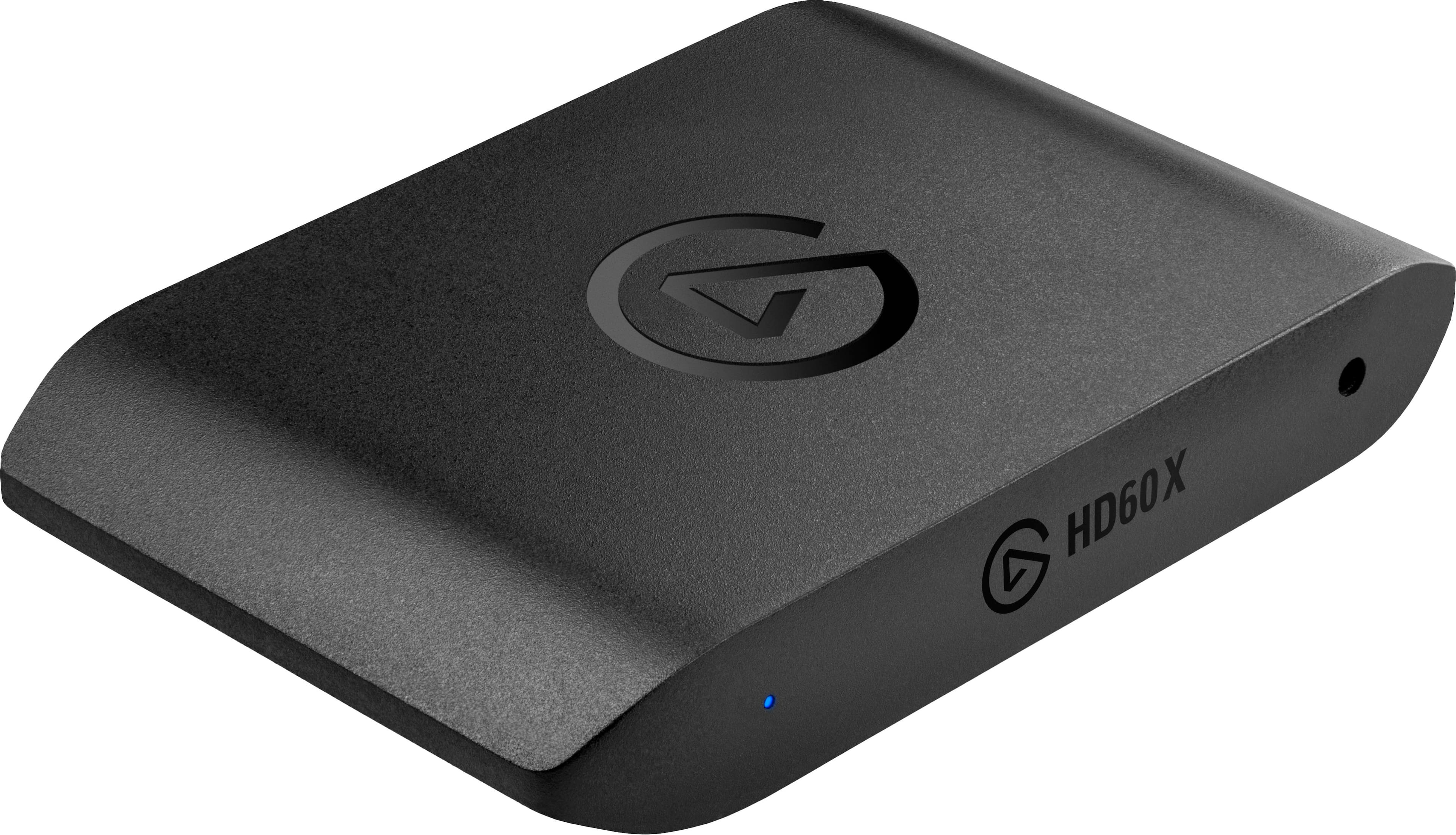
|Posted .This reviewer received promo considerations or sweepstakes entry for writing a review.The HD60X is an upgrade over the HD60 S+ which I (and my kids) have been using for a while in order to capture our gaming endeavors. Notable differences from the older version are the following: VRR Passthrough Support (48-120fps) New Design (all cables come out of the back now) Can capture 120hz/1080p SDR (if source is 1080/1440p and 120hz/240hz) Record in 4K 30 HDR (with 2160p HDR passthrough) Easier Configuration with Next-Gen Consoles The box itself is very simple, two HDMI ports and a USB 3 port are on the back, which is different from the previous model where the HDMI ports were opposite each other on each end. The new design is much cleaner. Simply plug the HDMI IN cable into your source and the HDMI OUT to your TV or monitor. The USB connection needs to go into your computer for capture software such as Elgato’s 4K Utility or other streaming software such as OBS. Passthrough will not work without USB power. When connected to a next-generation console like the PS5 or Xbox One X you can play the game in 4K60 HDR on your TV while the capture card records in 1080p60 and even tone maps the HDR to SDR if livestreaming. When testing with my Xbox Series X the HD60 X was pretty much plug and play where I had difficulty in the past getting the older model to work as easily. I was able to play at 4K60 HDR and capture at either 1080p60 HDR or even 2160p30 HDR! When I tested with my PS5 I discovered that you must disable HDCP from System -> HDMI settings in order to even receive a signal from the PS5. The capture card will only support unencrypted HDMI signals. Also, note that VRR is not supported on PS5. My PS5 footage of Tony Hawks Pro Skater looked incredible. Full 1080p60 and I can confirm that I got HDR information with my recording. One thing I noticed is I lost the ability to hit 120hz with my HDMI 2.1 TV when using the capture card. However, you can capture at 120hz if the source is also 1080p 120hz or higher. There was no perceived lag either in the video being shown on my laptop (using the 4K Capture Utility) or in the passthrough video to my TV. Pros Captures 1080p60 HDR (or 1440p60 SDR, or 4K30 HDR) 4K VRR Passthrough High refresh passthrough (240hz at 1080p) Analog Audio Input Port (3.5 mm) Works with OBS, Streamlabs, Vmix, Zoom, Teams Includes 1 HDMI and USB 3.0 cable Cons Requires Windows for HDR Capture 4K120 passthrough doesn't work Overall, I think this will eventually replace the HD60 S+ in their lineup, considering it’s the same price and with similar features. If you are looking to pick up a new capture card then this is the one to get. If you have the previous model probably not worth it, unless you fit a niche use case, or just like the new design. The only reason you wouldn’t get this card is if you also needed to capture or stream at 4K60 meaning you would need to get one of the higher tier capture devices from Elgato.
I would recommend this to a friendNo game audio regardless of what i do
||Posted . Owned for 1 week when reviewed.This reviewer received promo considerations or sweepstakes entry for writing a review.The picture looks great but i cant get any game audio regardless of what i do and have been emailing back and forth with elgato support without any solutions for over a week
No, I would not recommend this to a friendBrand response from Corsair
Posted .Hi,
Sorry to hear about your experience. Please continue to work with our support, they'll make sure you are taken care of: help.elgato.com
-Albert
Bad capture card
||Posted . Owned for 1 week when reviewed.This reviewer received promo considerations or sweepstakes entry for writing a review.First it told me that the hdmi cable was damaged, I went to buy new cables and the problem continued. I got angry and went to return it, bad product
No, I would not recommend this to a friendBrand response from Corsair
Posted .Hi,
Sorry to hear about your experience. For future reference, please contact support via Elgato's website if you ever encounter any issues or have any questions - we'd appreciate the opportunity to provide a solution.
-Albert
Headache
||Posted . Owned for less than 1 week when reviewed.This reviewer received promo considerations or sweepstakes entry for writing a review.Audio isn’t getting captured, video is lagging/tearing. Can’t find any support for the HD60x anywhere online. Going to return this crappy product.
No, I would not recommend this to a friendBrand response from Corsair
Posted .Hi,
Sorry to hear about your experience. Did you check to see if your HD60 X's firmware is up-to-date via our 4K Capture Utility software? I also suggest making sure the HD60 X is connected to a USB 3.0 (or better) port. Please get in touch with us, we'd appreciate the opportunity to provide assistance: help.elgato.com
-Albert
Not worth it
||Posted . Owned for 1 month when reviewed.This reviewer received promo considerations or sweepstakes entry for writing a review.No matter what I do I can’t get the audio to come through from my Xbox to my PC
No, I would not recommend this to a friendBrand response from Corsair
Posted .Hello Jose,
Our team can definitely help, please contact them directly on our site at any time.
-Art