Customer Ratings & Reviews
- Model:
- 10GBE9901
- SKU:
- 10731892
Rating by feature
- Value
Rating 4.5 out of 5 stars
- Quality
Rating 4.7 out of 5 stars
- Ease of Use
Rating 4.5 out of 5 stars
to a friend

Great entry level capture card
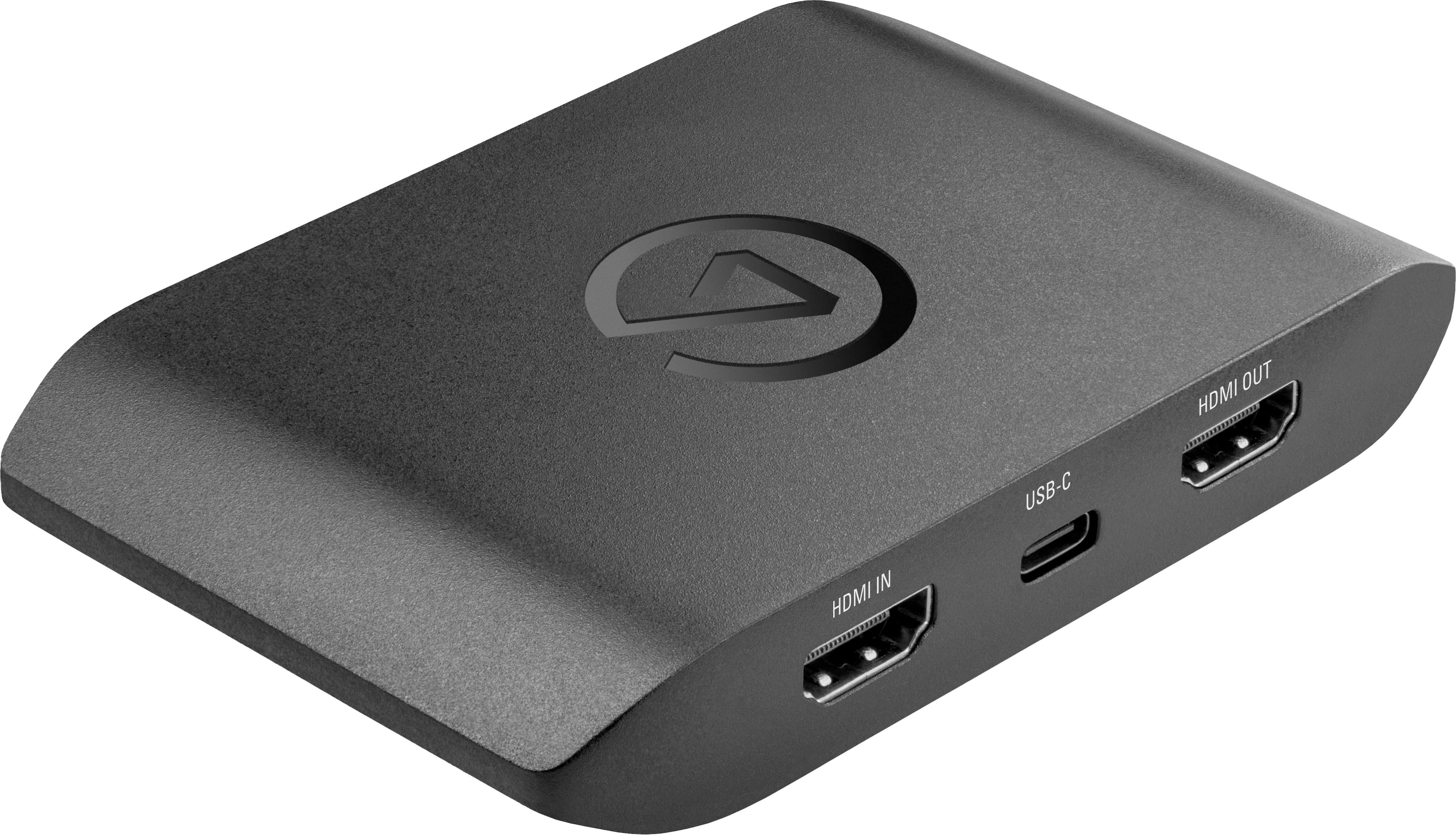
|Posted .This reviewer received promo considerations or sweepstakes entry for writing a review.In the box is the capture card, two HDMI cables, and a USB-A to USB-C cable. Instructions are listed inside of the box. First impression, out of the box, the product is smaller than the previous unit and all of the ports are moved to the rear minus the microphone jack/connection. There is one singular light to let you know that the product is working. Set up was simple and straight forward, plug in the cords, upload the updates and please note, your input must be of the HD variety, i.e. 1080 (any variety), 4K and at the right hertz and frames per second. I struggled with this in the beginning because my settings were not correct. Once all settings were correct, images displayed correctly on the monitor and the PC monitor. The PC monitor does use free-sync and there was a noticeable reduction in lag between the console and the image recording. On another note, make sure you run the software in administrator mode if you are on a sub account. The software is very simple to understand and downloads pretty quickly. Once you open the software, you will find a gear symbol which is where the settings are located. Some of the optional changes that can be made are storage location of the videos. Pros - Simple user interface, quality made included cabling, audio recording quality (much better than previous model) and the support page Cons - Software did not have a stream feature, LED light only flashes one color (it would have been good to have a separate color for recording, standby mode) Would I recommend to friends and family? Yes, because overall, this is a great entry level capture card.
I would recommend this to a friendTerrible came defective
||Posted . Owned for less than 1 week when reviewed.This reviewer received promo considerations or sweepstakes entry for writing a review.Audio would not work on both windows and mac terrible capture card
No, I would not recommend this to a friendBrand response from Corsair
Posted .Hi,
Sorry to hear about your experience. Please contact support via Elgato's website, we'd appreciate the opportunity to further look into this and provide a solution.
-Albert
trash
||Posted . Owned for 1 month when reviewed.This reviewer received promo considerations or sweepstakes entry for writing a review.literally in the trash it stopped outputting video to my tv the 2nd time i tried to use it.
No, I would not recommend this to a friendBrand response from Corsair
Posted .Hello Chase,
Did you reach out to our team yet regarding this issue? If you haven't done so please do that right on our site at any time.
-Art
NOT COMPATABLE WITH MAC :(
||Posted . Owned for 3 months when reviewed.This reviewer received promo considerations or sweepstakes entry for writing a review.DOES NOT WORK!!!!!!!!!! NOT COMPATABLE WITH MAC :(
No, I would not recommend this to a friendBrand response from Corsair
Posted .Hello,
This is indeed compatible with Mac, just not all versions of MacOS. If you have a compatible version, do reach out to our team directly on our site for assistance.
-Art
Additions Purchases needed before use
||Posted . Owned for 1 week when reviewed.This reviewer received promo considerations or sweepstakes entry for writing a review.They require other cables and software still freezes all the time.
No, I would not recommend this to a friendBrand response from Corsair
Posted .Hello,
Which cables are you referring to? As for the freezing, our team should be able to help so please contact them directly right on our site at any time.
-Art
Awful
||Posted . Owned for 1 month when reviewed.This reviewer received promo considerations or sweepstakes entry for writing a review.Very unsatisfied. Not usable would not connect to my systems at all
No, I would not recommend this to a friendBrand response from Corsair
Posted .Hi,
Sorry to hear about your experience. Please verify your systems meet the following requirements:
Windows:
• Windows 10 (64-bit)
• CPU: 6th generation Intel Core i5 CPU (i5-6xxx) / AMD Ryzen 7 (or better)
• GPU: NVIDIA GeForce GTX 10xx (or better)
• Ram: 4 GB RAM, built-in USB 3.0 port
• Internet connection
Mac:
• macOS 11 Big Sur or later
• CPU: Apple M1 Chip or 4th generation quad core Intel Core i5 CPU (i5-4xxx or comparable)
• Graphics: Apple M1 integrated graphics or dedicated GPU (AMD or NVIDIA)
• Ram: 4 GB RAM, built-in USB 3.x port
• Internet connection
If you continue to experience any issues, please contact support via Elgato's website - we'd appreciate the opportunity to further look into the issue and provide a solution.
-Albert
Not great for macs
||Posted .This reviewer received promo considerations or sweepstakes entry for writing a review.Not easy with a Mac. Worked but then stopped working can’t figure out why.
No, I would not recommend this to a friendBrand response from Corsair
Posted .Hi,
If you need help setting up the HD60 X with OBS Studio on macOS - please refer to our help article: (https://help.elgato.com/hc/en-us/articles/5617210293645-Elgato-Game-Capture-HD60-X-Set-Up-in-OBS-Studio-on-macOS). If you continue to experience any issues, please contact us - we'd appreciate the opportunity to provide assistance: help.elgato.com
-Albert
Great capture card, could use more documentation
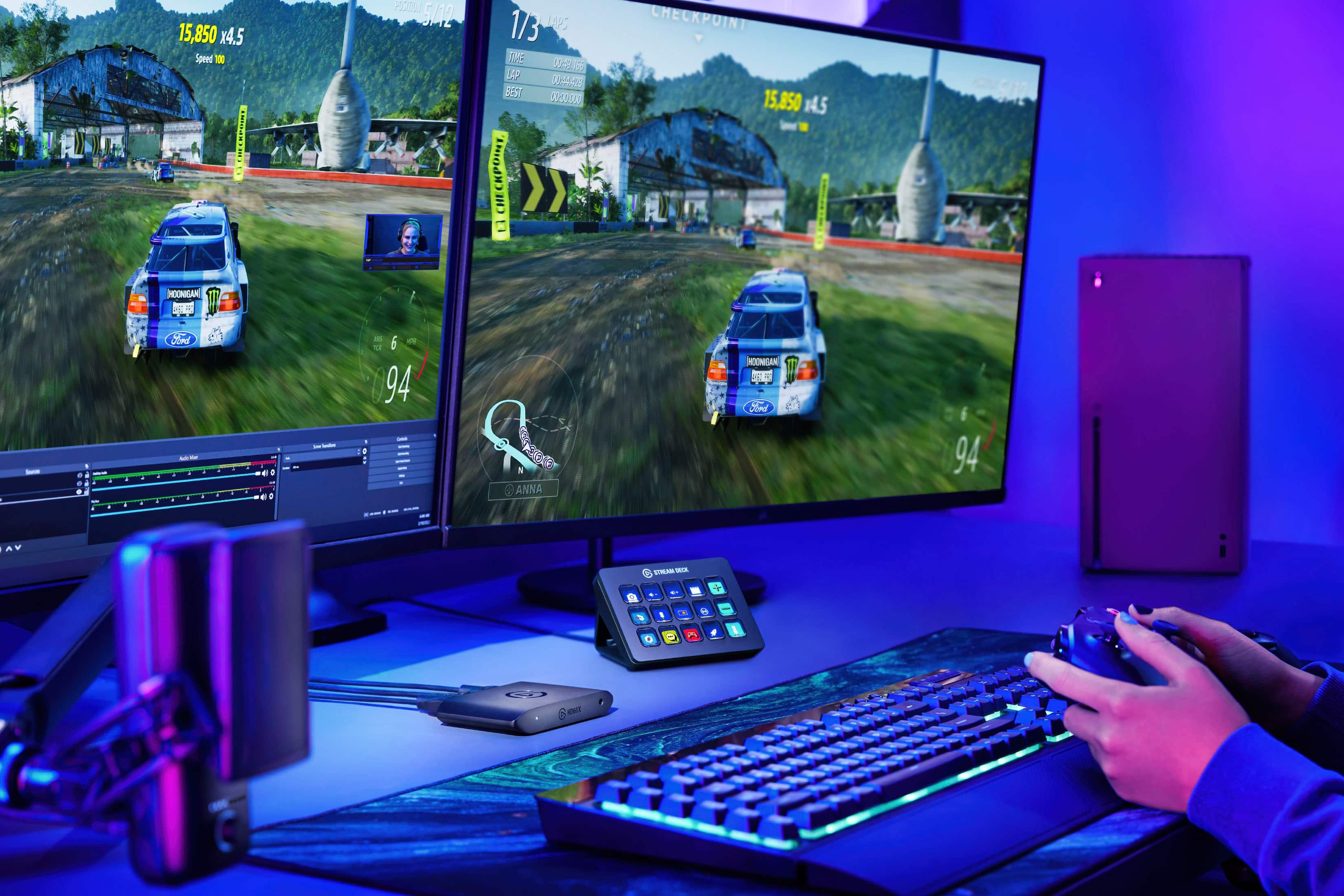
|Posted .This reviewer received promo considerations or sweepstakes entry for writing a review.So, I got the Elgato HD60 X and set out to see what it can do. Opening the box, I find the HD60 X capture card, an HDMI cable, and a USB/A to USB/c cable for powering the unit. It was recommended for gamers, but really it should be recommended for streamers. I play a lot of PC games and have accounts with most online game stores. With so many giving away some surprisingly good games, it’s worth it to have the software downloaded and an active account with each one. That said, gaming doesn’t help one to configure the capture card. I struggled for a minute and then decided I was overthinking the card. I plugged in the HDMI into a monitor/display/tv (mine was an HP 24” monitor) and the input out on the capture card. Another HDMI cable (not included) from the PS4 to the HDMI in on the card. Finally, the USB/c to the card and the USB/A to a USB 3.0 port on your laptop/PC. Then I downloaded the 4K capture utility. It worked and I was able to record a gaming session. I tried a few times to get it right, once it recorded but my game was below the capture software (don’t ask me how), but all of them lacked audio. I spent the better part of two nights adjusting settings, which dedicated/default audio I was using, but I just couldn’t get it to record. There really isn’t any instruction that can help, and the FAQ and any online videos lack the information I was looking for. So, if I rated it solely on my ability to get it to work, it would be a 3-star review, but with what I was able to do, it’s definitely a 5-star device. I just need to spend more time with it and figure out how to get it to record audio and work for me. I’m sure as soon as this device hits the shelves, there will be a ton of how-to videos available for me to learn from. I also tried a third-party software, OBS that was mentioned on several sites, but that had more options and just managed to confuse me more. I mention it in case others find a need for additional features that the supplied link/software on Elgato’s website doesn’t cover. So, if I have any issues with the card, it’s that the lack of instructions leaves gamers like me that would like to learn how to stream, to fend for ourselves. Something like this should come with detailed instructions, a community of info better than the one I found on the website, or videos available on how to create content. What would be great is to have some fanboys (girls) or super users create a few videos on how they use the capture card and what a noob like me could try. No better way to learn than to have someone actually show you. A presentation without demonstration is merely conversation. Another issue or complaint is why only one HDMI cable? It seems I needed two to use the capture card, so it would make more sense to either included two cables or none…right? So, until I get a system down on how to use this for streaming or recording, I’ll just have to say the video quality is excellent. I was more than happy with the end result. Recording the audio was a whole different can of worms and I’ll have to continue to figure it out. If you are looking for a great capture card, I’d think for the money, the Elgato line of capture cards would be something I’d highly recommend.
I would recommend this to a friendReally nice capture card!
|Posted .This reviewer received promo considerations or sweepstakes entry for writing a review.Really easy to set up. Had an issue with the software in the beginning but was made available to download very quickly. Set up is really easy once it starts. Its a pass through device so you can still watch 4k with it. Used it to capture game play of forza 6 on my PC as a test. Cable management was much easier than i expected. All the port are on the back. One thing to make aure is all your drivers are up to date. For all systems involved especially pc and mac. I want to start streaming my game play soon. I am by no means a professional but justs wanted to join the streaming community. I will say this makes cable management much easier and neater. Even for my laptop setup it was a breeze. Will update my review with pictures of my setup. I didnt have any issues with audio and used my headset for in game audio. My setup is a newer all amd laptop so i had a full size hdmi port to use. I also used newer hdmi cables to hook to the laptop and out to my monitor. The pass-through to my monitor worked well. Have a 4k tv I will try to hook it too also.
I would recommend this to a friendGold Standard for 4K60 HDMI Capture of Consoles
|Posted .This reviewer received promo considerations or sweepstakes entry for writing a review.Elgato has long been known for some of their very niche, very specific high end products like the stream deck. The HD60X continues in that vein, rather than breaking the mold. Since I have not owned/operated the older version of their external capture card, the HD60S+, I won't be making any comparisons between the products, and I'll leave it up to you if you are an upgrade shopper to discern the subtle differences that might warrant an upgrade. If you're new to the capture scene, this the device you want. Directed squarely at console streamers and connecting to your computer to complete the capture. This box/device/capture card is a nice small form factor, clocking in similar to an external hard drive, which is especially nice if you are connecting it to a gaming laptop as I am. The HDMI passthrough allows all the important specs that we care about: HDMI 2.0 and 4K 60 + HDR, for your high end big gaming setups. I was surprised to see that there wasn't much included in the box for literature/software, but this is 2022 so the link to download the manual and the included Elgato software is appreciated. I tried both Elgato's 4K capture utility and OBS, and both softwares recognized the capture device immediately and had no issues picking up the video stream from it. The included software covers the bases, but you'll likely find yourself migrating towards a utility that is designed/dedicated to your platform of choice if you're streaming and not just simply recording and performing post production. I tested the capture card connected to both an Xbox Series X and a Nintendo Switch. The included HDMI cable and USB cable are both high quality and appreciated accessories. Overall this is well made, accomplishes what it's purported to do quite well, and I would recommend it to someone looking for a stream capture device for a console.
I would recommend this to a friendHD60X Game Capture Card
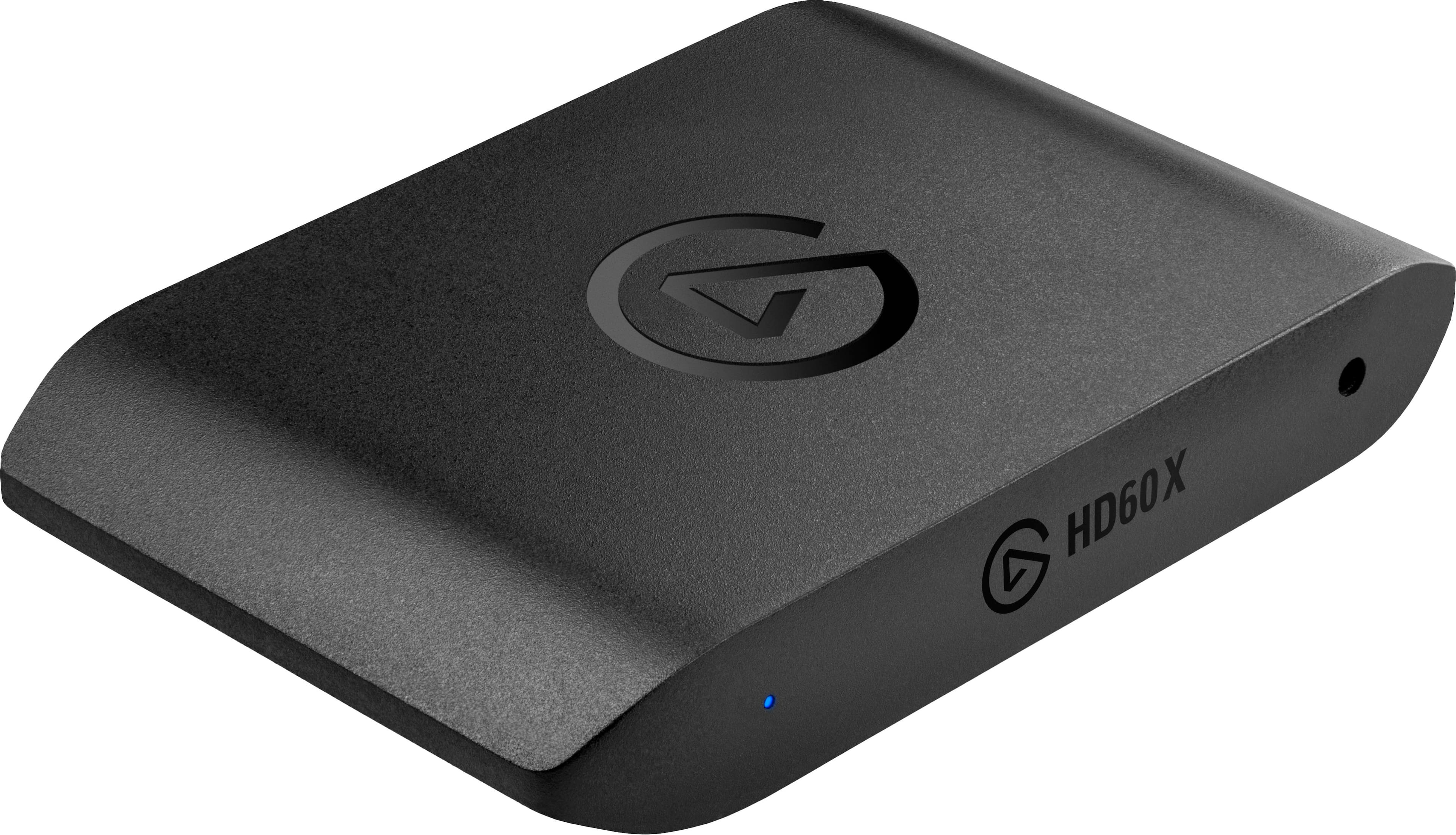
|Posted .This reviewer received promo considerations or sweepstakes entry for writing a review.I used this device on my Dell 5490 AIO. I unplugged the Dell 27-inch monitor and plugged it into the Video Capture Card, then I plugged the supplied HDMI cable into the Capture Card and the Monitor. After downloading the software from the web site as directed on the supplied guide. Once I installed the software and restarted it, my device was found quickly, and everything worked. After capturing 4 hours of video, I played it back without any difficulty. The Corsair HD60X Capture Card has many recording and streaming levels. The HD60X has a 3.5mm audio jack on the front, and 1 input HDMI, 1 output HDMI and 1 USB-C on the back. Capture up to 4K60 HDR 1440p 60 SDR 1080p 60 HDR Output up to 4K60 HDR 1440p 60 SDR 1080p 60 HDR Pass-through up to 4K60 HDR 1080p 240 SDR 1440p 120 SDR Includes Variable Refresh Rate (VRR) pass thru What you can capture from PS5 Nintendo Switch Xbox series X/S Windows 10/11 Mac (not all features) System requirements Windows 10 (64-bit), macOS 10.13 or later 6th generation Intel Core i5 CPU (i5-6xxx) / AMD Ryzen 7 (or better) NVIDIA GeForce GTX 10xx (or better) 4 GB Ram, built-in USB 3.0 port Internet Connection What’s in the box HD60 X Game capture card USB 3.0 C to A Cable HDMI 2.0 Cable I would recommend the Corsair HD60X Capture Card to family and friends.
I would recommend this to a friendGreat but HDR tone mapping is dark with OBS
|Posted .This reviewer received promo considerations or sweepstakes entry for writing a review.Pro: -Input/Passthrough -4K60, 1440p120, 1080p240 -4K60HDR, 1440p60HDR, 1080p60HDR -Capture up tp: -4K30, 1440p60, 1080p120 -1080p60HDR -VRR support Con: -HDR tone mapping doesn’t work well in OBS (but works fine in their 4K Capture Utility) -HDMI 2.0 This is the upgraded HD60S+, supporting more resolution inputs and HDR capture. It’s been redesigned so that all the inputs are on the back making it easier to organize while the shape makes it less likely to move around. It also now supports VRR, but the lack of HDMI 2.1 does limit its capture resolutions. Simply put, this is the card to get if you need an external card and play games at a higher refresh rate. It’s great for console capturing. It’ll passthrough most resolutions and refresh rate and can capture between 1080p120 to 4K30. Passing through HDR works fine, but capturing it is an issue if you’re using only OBS. The tone mapping is either handled inaccurately on board by the card or more accurately by their 4K Capture Utility app. Using it without the app, the darks are very dark while colors are overblown. Shadowy scenes are left looking like pitch black while colorful scenes look muddy and dirty. To be fair, this is a common issue I’ve had with other capture cards as well. However, using the 4K Capture Utility produces color very close to the original SDR. The only workaround would either be to adjust the colors in OBS or use the stream link feature in 4K Capture Utility, which requires more setup and more computing power. HDR capturing issue aside, I have had no complaints. It works fine with my PS5 and everything passed through as it should. With my gaming pc, I was able to play at 1080p144 and capture at 1080p60. 1440p60 also worked fine. If capturing 4K60HDR isn’t a priority, then this is probably one of the best choices. It supports all the standard input resolutions and high refresh rate. While HDR to SDR conversion does look good in their 4K Capture Utility, it doesn’t work well solely in OBS, producing very dark colors. Still, this is a good capture card that improves over the last model and should meet my needs for a while.
Does have some limitations
|Posted .This reviewer received promo considerations or sweepstakes entry for writing a review.So, although I would think and hope that this goes without saying, please keep in mind when using capture cards that they are only for unencrypted signals. Meaning don’t try to record shows from streaming services or anything like that. Those are encrypted and that’s not OK. I felt like that was an important disclaimer to get out there just in case…but onto the actual product! I was a little disappointed at how this product was marketed. It says “No limitations” and that it’s compatible with the VRR, but it is not with PlayStation 4 or 5 or Nintendo switch. Similarly this capture card is supposed to be compatible with both PCs and Macs, which it is, but the HDR (up to 4K) passthrough doesn’t work on Macs, only works up to 1080p. That’s not necessarily a deal breaker, but right off the bat you are limited depending on what gaming system and operating system you’re using. However, the passthrough feature on this card does seem to perform as expected. I experienced no latency while recording and playing. It was actually a pretty seamless experience. The playback was great, and I did not notice any issues when actually playing. Overall, this is a solid capture card that does what it promises (mostly - with the exception of the system limitations previously mentioned).
Great product
Posted .This reviewer received promo considerations or sweepstakes entry for writing a review.Great product. I use it for the Nintendo switch and both the video and audio works great. Easy to use and instructions easy to follow (for me). Two HDMIs are needed and it comes with only one. Other thn that I love
I would recommend this to a friendProduces Really Smooth Captured Videos
|Posted .This reviewer received promo considerations or sweepstakes entry for writing a review.I've used this to capture gameplay from one PC to another and the videos came out great! The setup is simple, as is the software, and putting all of the main ports on the back helps cut back on the cable clutter. One thing to watch out for: You can view your saved videos in the 4K Capture Utility Library, but the playback quality doesn't look as good as when you play the actual files in a proper video player. Another gotcha is that the capture options don't seem to accommodate ultra wide aspect ratios. Also, and this was a bit annoying for me, the device is powered via USB - which it will get from the PC you're connecting it to. When I shut down my computer, the pass-thru video was lost. It would have been nice for the device to have an external power option. Finally, it says the device is compatible with Mac, but the software site for the product didn't have any Mac options. I hope those are forthcoming. Otherwise it's a very small, but powerful, capture box that's worth getting.
I would recommend this to a friendCompact & Powerful!
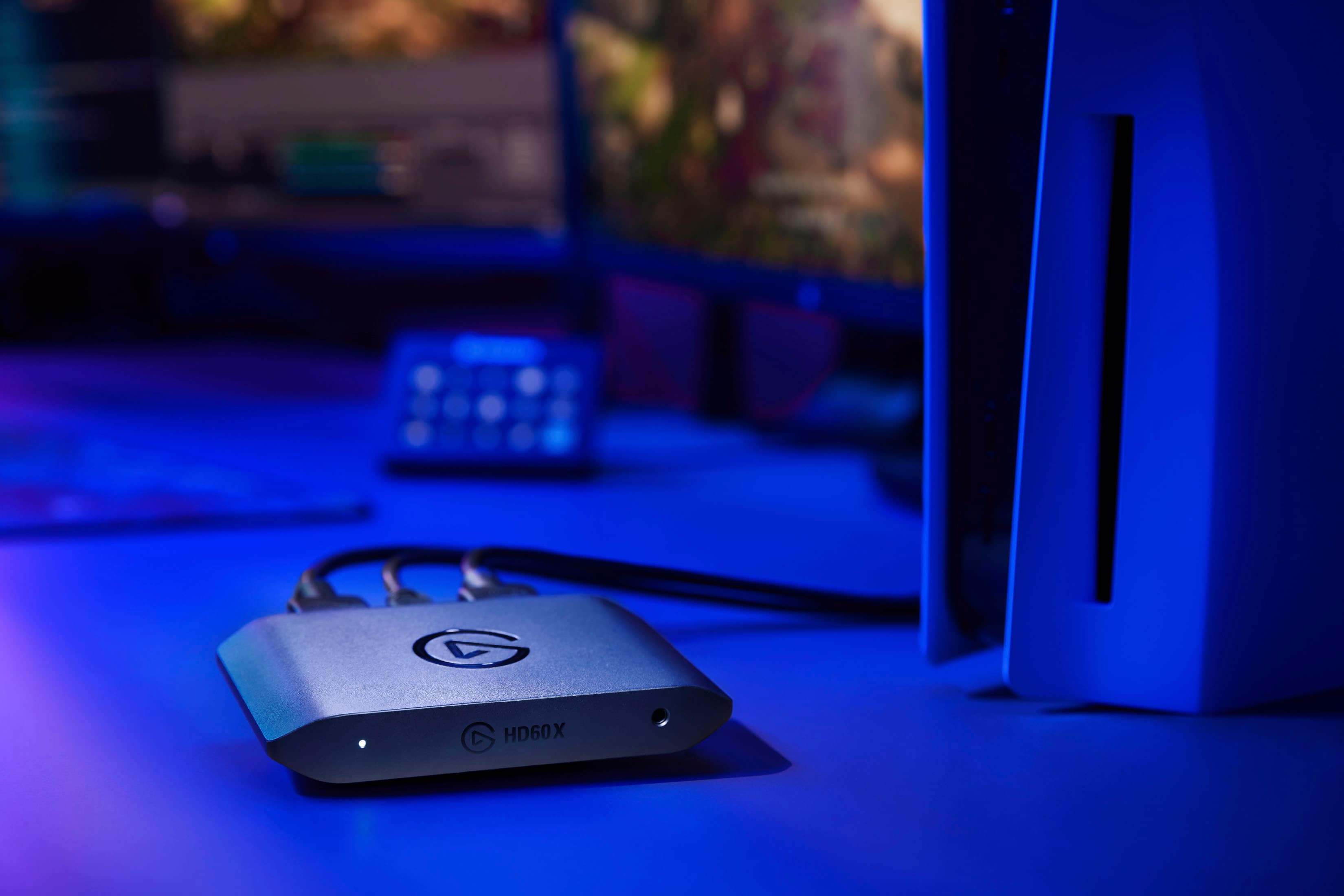
|Posted .This reviewer received promo considerations or sweepstakes entry for writing a review.This is one incredibly flexibly capture card! I tested this to capture some test footage from a variety of sources and it worked perfectly with all of them! The compact size and portability are just a bonus to the ability to capture up to 4K30, 1440p60, or 1080p60 and passthrough 4K60 HDR10 for those stunning RPG and exploring games or up to 1440p120 for fast-paced FPS games! The inclusion of Variable refresh rate support is also nice to eliminate screen tearing during high action scenes. Using the HD60X to record from a console is extremely easy, even to the point that the HDMI cable needed to patch in the capture card is right in the box! I was even able to test capturing video from my mirrorless camera and it came out looking amazing! It was limited to the 4K30 upper capture resolution, but it looks great. The whole thing is well built, very flexible for its uses, and is so light that you could almost leave it connected to you laptop and forget it was attached as you pack up... until your friend's PS5 was (briefly) pulled with it! This card has quickly become a hit with me for the portability and flexibility it offers in use, it also integrates incredibly well into OBS, Streamlabs, and Elgato's 4K Capture Utility Tool to make recording and streaming easy! Overall, I would highly recommend this capture card to anyone looking for a great card to capture their gaming sessions to upload to Twitch or YouTube and is looking for something that can be moved around and used with different consoles and computers! It is very quickly allowing me to freedom to record gameplay away from my desktop rig with its Elgato 4K60 Pro Mk.2 inside and can do the same for you!
I would recommend this to a friendLove this elgato !
Posted .This reviewer received promo considerations or sweepstakes entry for writing a review.Works perfectly. I use this to stream my Nintendo switch to twitch and works wonderfully. Also tried streaming my wii to twitch and worked just as well. Does what it needs to, gets the job done and no issues with it.
I would recommend this to a friendWorks Decently with Limited Usability
|Posted .This reviewer received promo considerations or sweepstakes entry for writing a review.Setup instructions are easy to follow. Requires download of separate application to use. It took a number of different computers before finding one this would properly work with. It requires a specific brand of video card to be able to actually use any of the recording feature or rewind playback function. You'll still be able to see it on-screen for both the computer and the TV your console is connected to, but that only adds extra steps and cables strewn about for not functional purpose. The listed minimum GPU also says 'or better' but doesn't specify that it has to be a better card provided by the same company. For a product releasing in today's world, limiting the base functionality and usage to one company's product when crypto miners, logistics, and infrastructure problems make getting any GPU difficult, especially at prices that aren't extremely inflated, seems like very short-sighted and not consumer-friendly. When I did find a computer with all the requisite parts to make full use of this product, the videos that it produced were choppy and skipped around. Ease of use and the graphic quality that's not really available elsewhere are the reasons this is rated as high as it is despite the issues I found with the device.
No, I would not recommend this to a friendGreat present
Posted .This reviewer received promo considerations or sweepstakes entry for writing a review.I got this as a present for my little brother and he loves it. He's been recording his gameplay and having a great time with it
I would recommend this to a friendElgato
Posted .This reviewer received promo considerations or sweepstakes entry for writing a review.Product was great ! Really enjoyed it ! I needed help finding the product and was givin help and information on the product as well !
I would recommend this to a friend