Customer Ratings & Reviews

- Model:
- 10GBA9911
- SKU:
- 6501140
Rating by feature
- Value
Rating 4.7 out of 5 stars
- Quality
Rating 4.9 out of 5 stars
- Ease of Use
Rating 4.8 out of 5 stars
Customers are saying
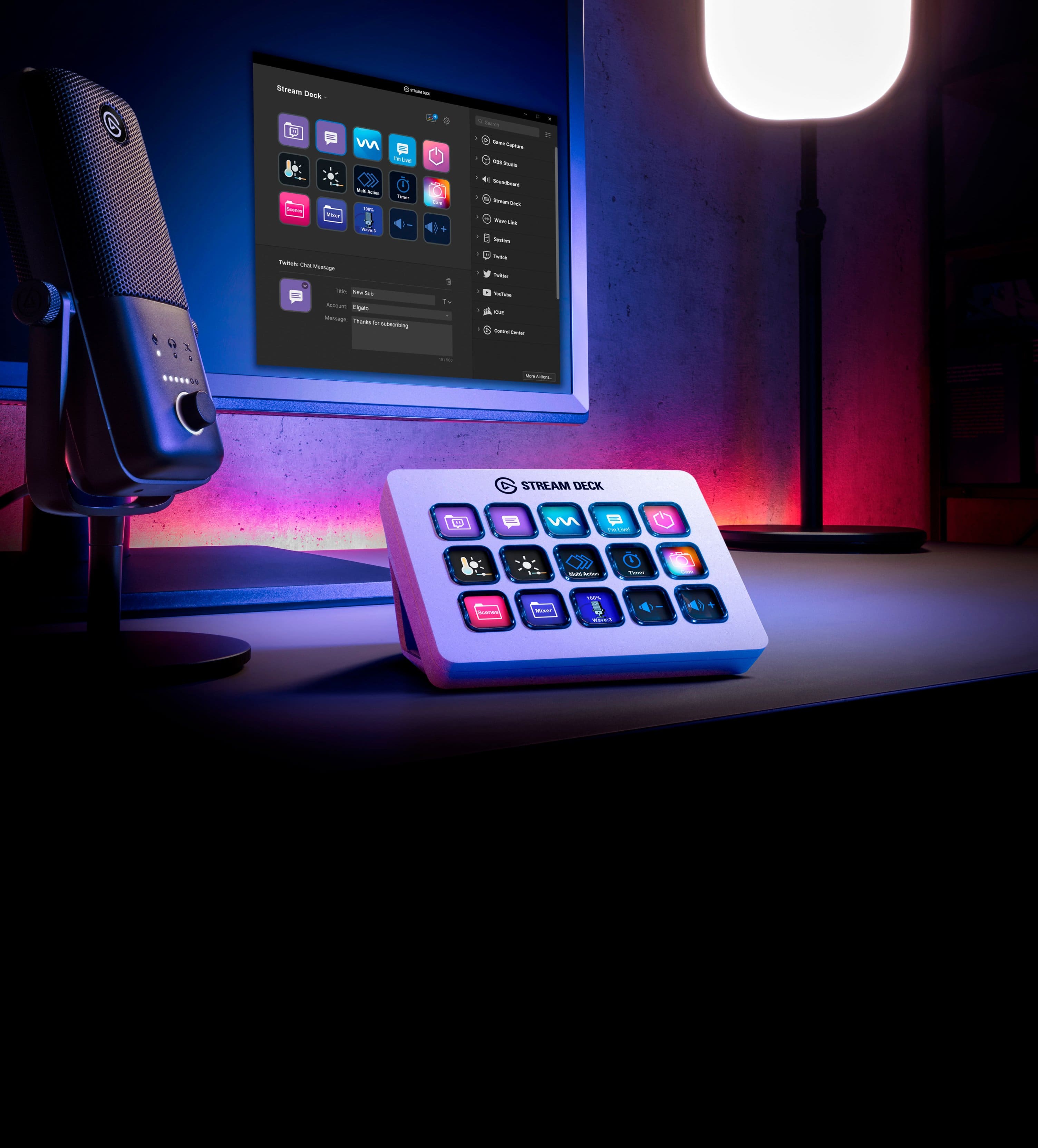
Customers value the Stream Deck MK.2 for its ease of use and overall performance. Users appreciate the customizable LCD keys and the extensive customization options available through its intuitive software. While the price is a concern for some, and there are a few comments about the button quality and stand, the positive aspects of the device appear to outweigh these drawbacks. Many customers find it enhances their streaming experience.
This summary was generated by AI based on customer reviews.
- Pros mentioned:Ease of use, Software

Very Useful Piece of Tech
|Posted .This reviewer received promo considerations or sweepstakes entry for writing a review.Out of the box, it's simple to plug in and get going. It sits snug on my desk and not in the way of anything else and doesn't slide. The buttons themselves feel nice, though less physical feedback would be welcome. It's nice to be able to customize the brightness of the keys for different settings. I've not owned a Stream Deck before, but I find this extremely useful for streaming. I'm still discovering ways to boost my efficiency, but ultimately it lets me keep my eyes more on the important things and less on navigating the stream controls or features outside of the Stream Deck due to its compact design and customizable buttons. A lot of manual controls can be set up within the Stream Deck software. I am able to set up a folder with all of my important stream controls, or create a folder for my Elgato capture software. There are plenty of controls, music, icons, and more on the store, too, and most are useful in any work (or play) environment. I personally use Streamlabs OBS, and it's nice to see a list of common commands already available. But some things do seem to be dated or near useless. For instance, there is a list of commands for legacy software. That's fine, as it's certainly still useful to some, but where are the dedicated commands for new software? Something I see as near useless is the key for sending out a YouTube message. You'd think it could be useful, but these have to be typed in advance, so you're mostly confined to common phrases like "welcome" or "bye." Despite the above, you can create hotkeys within the Stream Deck software and can set up and use commands accordingly as long as whatever software or game you use is open. This means versatility, which is always a plus in my book. Since you can create your own keys, you don't need to stream to reap the benefits; I've set up a folder with some important hotbar commands in Final Fantasy XIV. As long as something can be assigned to a keystroke (or multiple keys), it will work! I haven't gone further yet, but you can customize the icons for any button you create, and even create animated icons. Going this route, I won't have to label every button, especially for games, so I know what it is. I'm quite pleased with the Stream Deck and fully expect to get a lot of use out of it. I would like to see more preset keys for Elgato's own devices, however.
I would recommend this to a friend - Pros mentioned:Ease of use
Amazingly handy device...
|Posted .This reviewer received promo considerations or sweepstakes entry for writing a review.On the surface I was a little on the fence about what all I could actually accomplish/use Elgato's Stream Deck but after doing a little research and trial/error I quickly realized the world was at my fingertips. Specs and all that other stuff can be found in any number of other reviews or by looking at the spec tab for the product itself. I'm going to quickly cover what I use the Stream Deck for, as in the ~1 week since receiving it, that usage has grown and morphed beyond what I even remotely thought I'd be using it for. Out of the box the plan was to use it simply as a shortcut/hot key device. Point some exe's at it, maybe some high-usage responses for work-related things, that sort of stuff. Then I discovered the online community had started doing some great things with the Stream Deck and started implementing those tasks. What started as a 15 key device has become a multi-subfolder (essentially unlimited number of keys when utilizing the subfolder setup) functionality hub. The only reason I could say you'd really NEED the XL is if you don't want to have to rely on the sub-folder thing as often. Having more keys on the interface at a single time could be even more of a time saver. So if you're a power-user of certain software and really want to have 31 functions (1 button is auto-dedicated to the "return to previous level" when using the subfolders) at a glance then yes, go for the XL. But you can't go wrong with ANY of the Stream Deck offerings, really whatever your budget allows. Going back to my setup; currently I have a multimedia folder. Click it and within are all the controls for start/stop, back/forward, vol up/down, etc etc etc. When I don't need to control that stuff, hit the return arrow to jump back up to the top level and I have my Spreadsheet folder. Using the same method (in this instance, hotkeys) I found a google sheets/excel keystroke shortcut list and put my most used movements into the Stream Deck. Now instead of having to not only remember what combination of keys does what, I also only have to push a single button to perform the action. BRILLIANT. Apply this same logic to ANY application; all those keystrokes? Gone...put them in the Stream Deck. For gaming I mainly play racing games, and specifically sim-racing games. Things like brake bias, wing settings, etc etc, no longer do I need to worry about saving up for a $500+ button box, I can assign those functions to the Stream Deck. Don't need to take my hands off the wheel to reach for my keyboard and hit some random set of keys, now I have an illuminated and customizable button that I can dedicate a specific graphic to in order to adjust those things. Simple things like creating a folder in Windows Explorer (something I do often at work) is now handled by a button push. You could say, "why? it's a simple two key input to accomplish!" Yes, this is true. But if you do it 100x a day and you are bouncing back and forth between mouse and keyboard to do it, being able to keep your hand on the mouse and knock out whatever you're doing all the while clicking a single button and performing another task greatly helps expedite day-to-day, mundane things. CTRL-ALT-DEL to lock your workstation when you walk away? How about nope, try a single key on the Stream Deck. Long story short; I'm only scratching the surface as to what this thing can do. And while, yes, some of these are extremely small things to be tethering to your Stream Deck, I've found that all the tasks I've pointed it at help me out one way or another. Do I find myself still doing particular things from time to time the "old fashioned way"...? Yes, but each day my muscle memory picks up the Stream Deck's presence more and more, making it a nearly essential item on my desk at home, as well as at work. Be sure to explore the online community around the Elgato Stream Deck as there are so many scripts and other uses for it being talked about and worked on all the time. Example; putting device information (CPU, GPU, temps, etc etc) on buttons to monitor vital performance metrics. Awesome device, highly recommended.
I would recommend this to a friend - Cons mentioned:Stand
More than just macros, great sidekick device
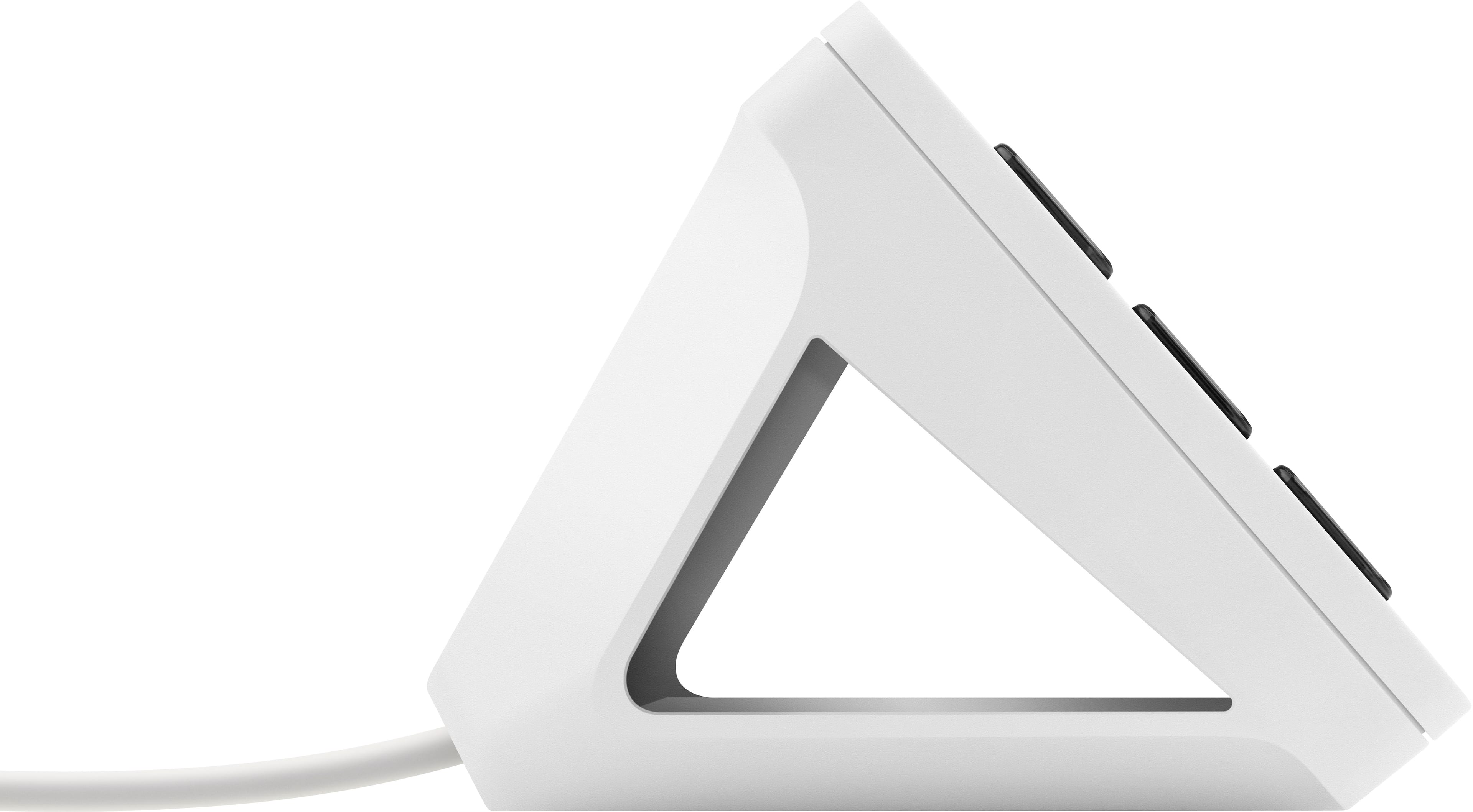
|Posted .This reviewer received promo considerations or sweepstakes entry for writing a review.I'll admit that at first, I didn't understand the utility of this device. To me, it was a programmable macro pad. No big deal, my keyboard has macro buttons that I never use (other than mapping one to "copy" and another to "paste"). I always forget which button is for which macro, and there's only so many uses for a context specific button. Enter the Elgato Stream Deck. After the initial install and setup, I tried to add my first button, which was to turn on and off the lights in my room (linked to my smart home). I downloaded a plugin, it recognized my lights hub and identified the different scenes that I had already set up. I dragged a over button to toggle between the two scenes and pressed the new switch button that showed up on the Stream Deck and I was bathed in glorious light. I gave the button an icon that changed colors depending on whether the lights were on or off. I opened up OBS (my streaming software of choice) and checked out the OBS specific actions that I could turn into buttons. Swap between preconfigured scenes? Cool. Trigger effects off a soundboard? Piece of cake. Start recording/streaming? It's all there, preconfigured. Nothing to program. The buttons are all labeled and have specific icons, so I don't have to remember which button does what for the umpteenth time. It is even possible to set up different profiles that swap out the button layouts and functions automatically, so when you are working with Photoshop or After Effects you can have specific tools readily available to you. What's more, after checking out some videos and tutorials, I was able to set up what I call my "sound-swapper". Basically, one of my buttons triggers all the other buttons to switch to a list of the various audio outputs I have connected (usb headset, monitor speakers, bluetooth speakers, line out, etc), and from there I can just pick where I want my sound coming out of. Since I had some empty buttons left, I set one to be a CPU monitor that didn't do anything but tell how hard the processor was working, and another button became an analog clock. I set a third button to open up a certain YouTube video that will never give me up or let me down, just for gags when showing off my gear to friends that come by. When you are streaming, nobody wants to see you mouse around trying to start a game or change your camera, and it can be distracting to have to navigate that stuff while talking. Having dedicated, and most importantly, labeled buttons to launch specific programs, or execute a series of actions isn't something that I used to understand the need for, but I'm really glad that I took the time to play around with the Stream Deck to really unlock the potential uses that it has. I'm pretty sure that in the future I'll start considering the Stream Deck as essential a piece of kit as the mouse and keeb. For those with the original model wondering what's new, the changes are: non-adjustable stand, swappable face plate, removable USB C plug.
I would recommend this to a friend - Pros mentioned:Ease of use
A customizable streamer's paradise
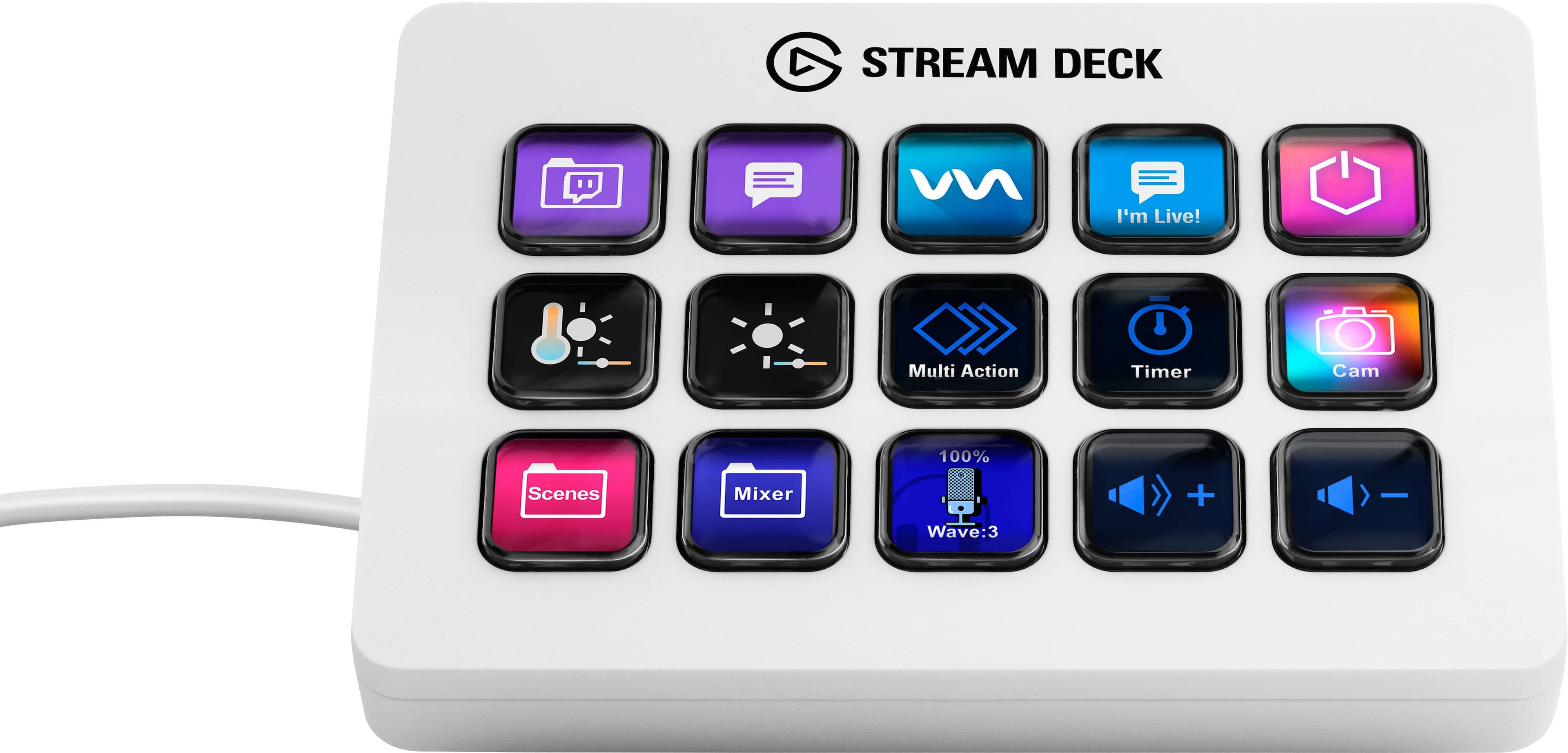
|Posted .This reviewer received promo considerations or sweepstakes entry for writing a review.I've always considered scenes to be one of the bread-and-butter functions of streaming. They allow you to have different widgets, overlays and addons running in a single instance of OBS or XSplit without having them all run at once. The issue with scenes is once you get past 3 or 4 of them, it starts to become a chore to manage them. Add on any additional functionalities such as a sound board or other things, and you can quickly run into more things than you care to click while trying to play a game or converse with your chat. Enter the Elgato Stream Deck. It gives you the capability to fully customize your streaming experience, whether scene selection, sound board sounds or many other things (honestly, I primarily use mine for scene selection). You can assign scenes and other functions to individual buttons on the deck, give them customized icons and use them to your heart's content. It has native support for XSplit (what I use) and has allowed me to add buttons for the 9ish scenes that I have configured so I can switch to them at the push of a button rather than trying to find them in the block of controls on the XSplit UI. This model has 15 buttons for various things (again I'm using it mostly for scenes, but there's a ton of functionality that can be added). This makes it incredibly easy to make some quick switches in the middle of gaming action so I dont need to take my eyes or my cursor off my game. Set up is very easy and as I mentioned it has native support for XSplit, so no need to get creative with macros or other things to make it work, it just 'does'. I can honestly say this has made my streaming much more enjoyable, and I would hope the viewing experience for my members a lot more fun as well, since there is less delay and fumbling between scene transitions. All in all, it's a no brainer addition to any streaming setup. I heartily recommend it for anyone looking to expand their streaming configuration functionality with ease and without having to break the bank.
I would recommend this to a friend - Pros mentioned:Software
Minor but Great improvements over the original
|Posted .This reviewer received promo considerations or sweepstakes entry for writing a review.So I write this review as someone who has had the original Stream Deck as well as other versions of it, and while the Stream Deck itself functions the same as the original model the little improvements and refinements they have made with the MK2 version are totally worth it if your in the market for another, or your first. The biggest improvement is the fact that the MK2 no longer has a permanently attached cable. They finally moved to a detachable USB C cable which just adds so much more versatility and the cable they ship with the device has a very nice right angle connector for the end that goes into the device. The other great improvement they made in my mind is the stand. While it is no longer adjustable the fact is almost in all cases the angle at which the new stands sits is exactly how I would have had the adjustable one and I don't have to worry about nocking it over at all because it's nice and sturdy. At the same time if I want it to be flat I can just use it while not in the stand so it works in both cases very well. Now for the other items, button feel and functionality are essentially exactly the same as the original but the software on the computer side has gotten miles better since then and those changes make the Stream Deck so much more versatile that it use to be. I use it for everything from streaming (as the name implies) to mounting it to my sim rig for use as sim dash buttons as well. I've lost track of all the applications I use the Stream Deck for because it can be used for just about anything that you have shortcuts for. Overall if your in the market and looking at this get it, it is great. If you have an original and wonder if it's worth the upgrade I think you can never have to many of them.
I would recommend this to a friend - Pros mentioned:Ease of use
Awesome Streaming Tool!
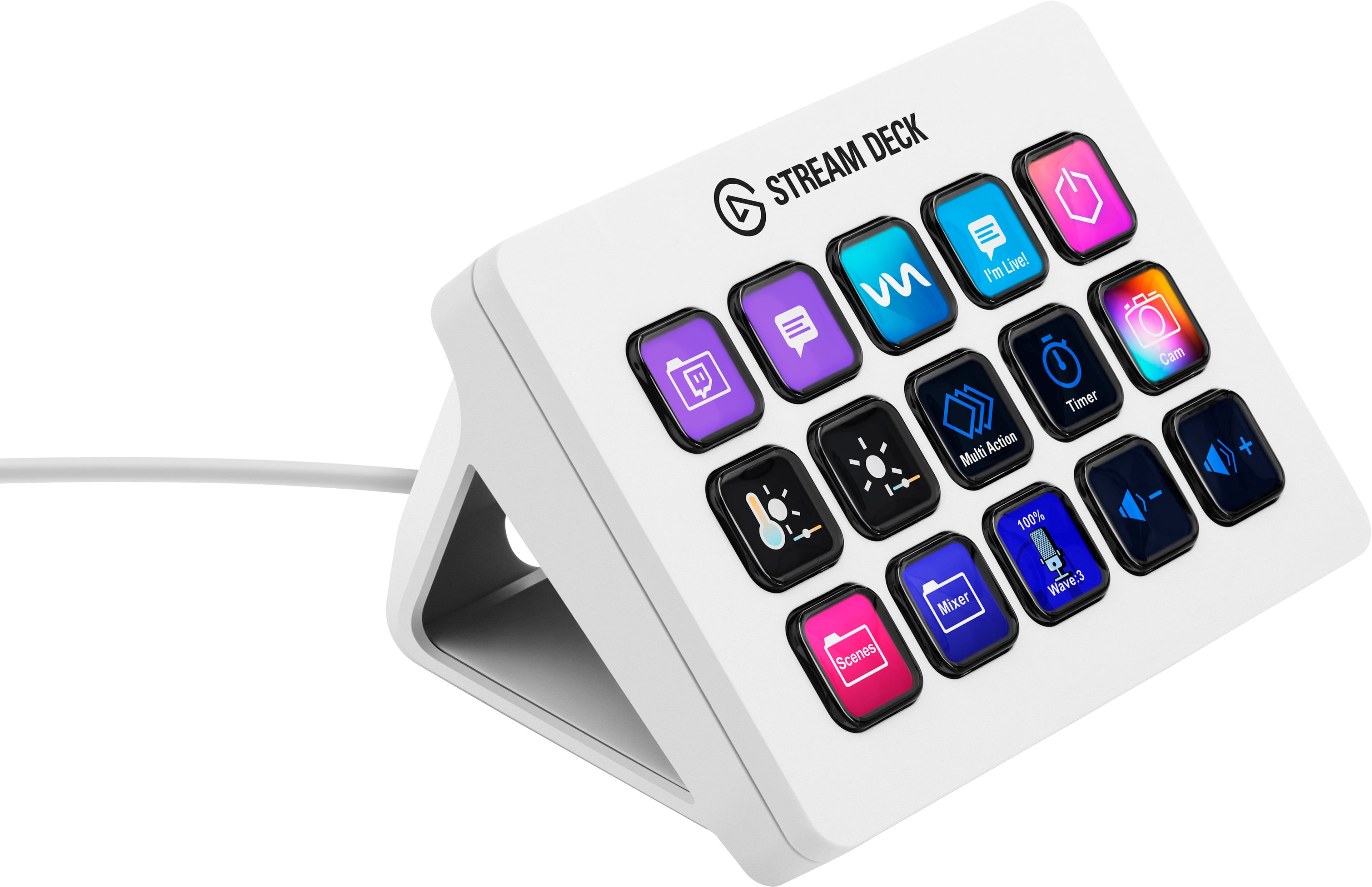
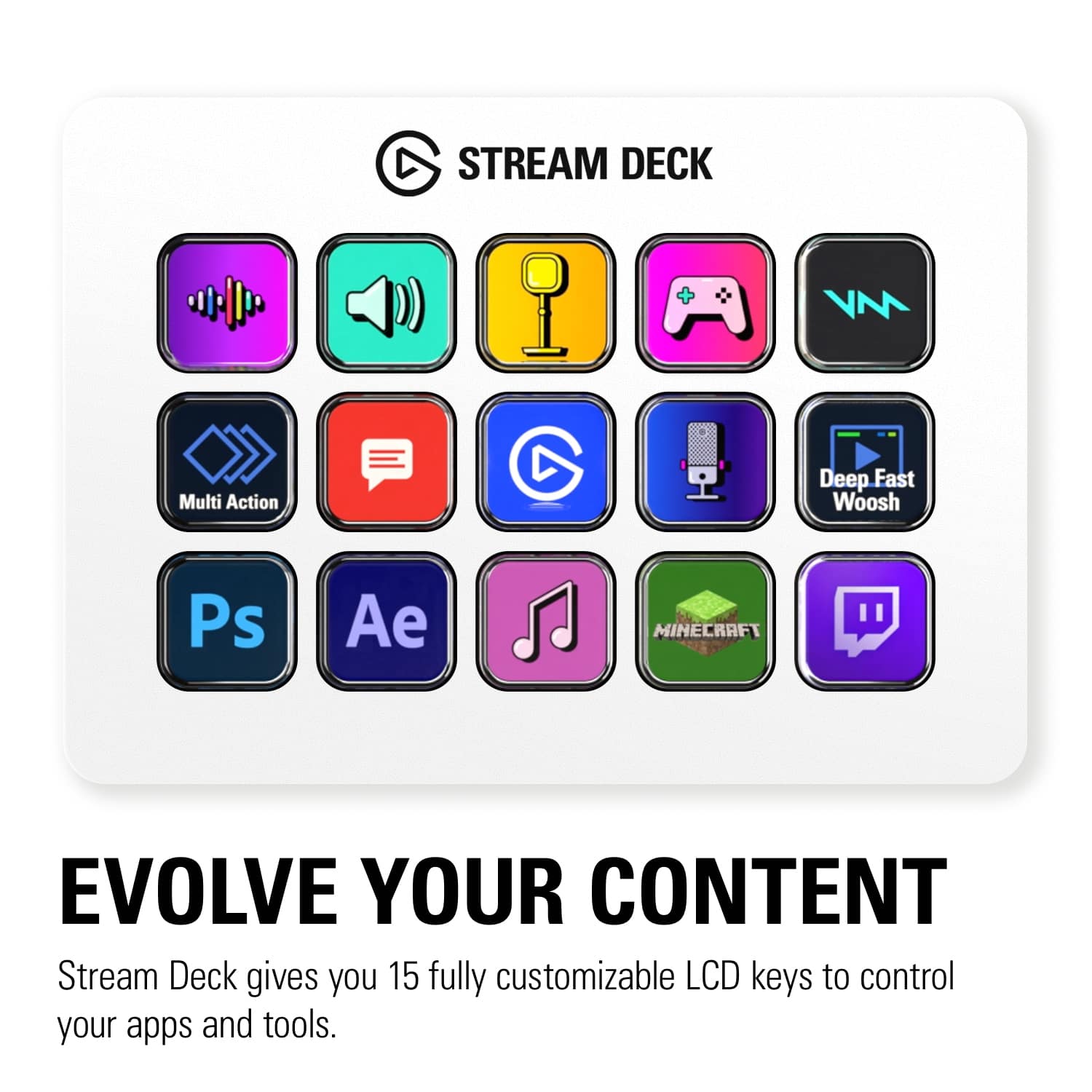
|Posted .This reviewer received promo considerations or sweepstakes entry for writing a review.To me, the idea of this Stream Deck is so very simple, yet so very awesome! It can be used for some many things! It is practically entirely left up to your imagination as to what you can accomplish. The Stream Deck is a pad with rows of customizable buttons that can be fine tuned to perform functions on your computer. This can include live stream functions, productivity functions, or just general functions around the house. People have used this tool to trigger events during their live streams, have one touch launching of apps and web pages, and to trigger functions such as turning on/off lights in their home. To me, the coolest part is the customizable icons on the Stream Deck. Through software on the connected computer, the user can change icons for each function as well as change the layout of the button on the Stream Deck. When trying it out, the device was quick to launch each programmed functions at the push of the button. The function launched in an instant! The Stream Deck also comes with a stand it sits in to put the device at an angle for easy usage and viewing. It is hard to say exactly everything it can do because the possibilities are pretty much endless! For people who work on computers and video streamers alike, this Stream Deck is an awesome tool!
I would recommend this to a friend Some plugins could still use some tweaks...
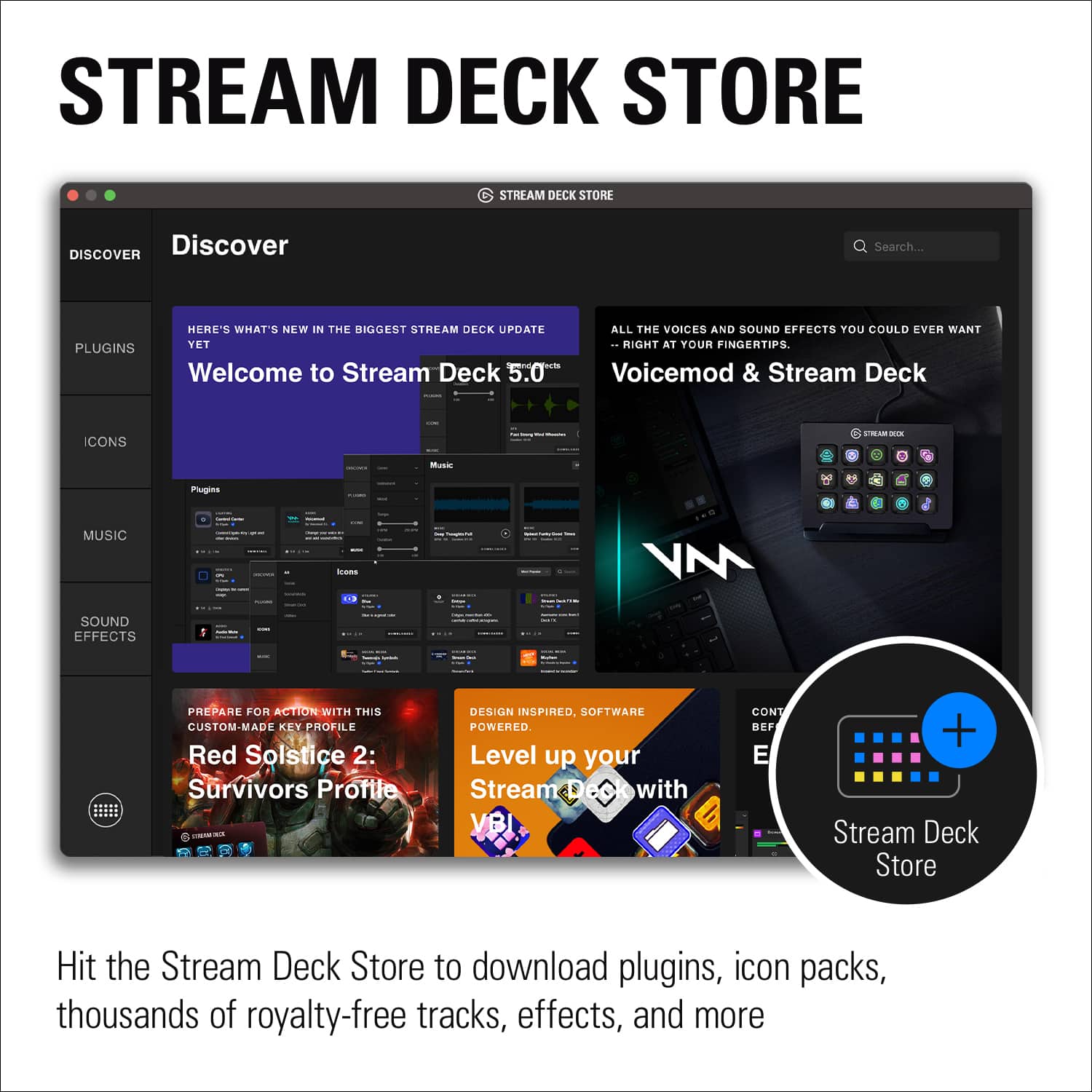
|Posted .This reviewer received promo considerations or sweepstakes entry for writing a review.The Elgato Stream Deck has been a borderline essential piece of tech for anyone regularly running livestreams for a few years now. As handy as keyboard macros can be for some, anyone who needs those keys for games is likely to find it less than convenient to have to give up part of their keyboard, and there are always times when you don't have the time to spent time remembering which letter you've mapped a specific action to. The Stream Deck's ability to offer both fifteen additional buttons for macros as well as customizable icons for each one really does set it apart from all the other solutions for not having enough buttons in your life. This upgraded version of the venerable streaming tool doesn't do too much to try and mess with a good thing. The design is ever so slightly more streamlined, they've switched to a USB-C interface on the deck itself, and added some minor software improvements, but apart from that it's more or less the same solid piece of tech as its predecessor. Build quality is solid - with the only note I can offer being that the "interchangeable faceplate" requires a lot more force to remove than I feel comfortable applying to anything with an LCD screen inside. It took me about 15 minutes to get it unboxed and set up with basic controls for my lighting, cameras, game capture, and a few basic sounds and video clips. Plugin selection was a little more limited than I expected, but I still had no issues finding software to integrate it with the more popular ecosystems out there such as OBS and Philips Hue. There are quite a few good options for productivity tools as well, though I didn't get a change to spend much time fiddling with anything beyond Zoom in the time before submitting my review. And it's not just plugins you can get either. The stream deck store has pretty much everything you might need to get up and going for a regular stream including royalty-free music, sound effects, and other vital assets that you might not immediately think you need. There was really only one thing that kept me from giving the unit a full five stars, and that's the plugins for controlling smart lights. A day before I expected to use the Stream Deck I configured it to control both my Philips Hue setup and a few Nanoleaf panels. The plan I'd had was to push a button and immediately have all the lights come up in a dramatic fashion. Instead I pushed the button and got a great big error sign and a prompt to go through the entire setup process again. My camera was already rolling at that point and there was no way I was going to go into the other room to reconnect the light's bridge, so there was nothing to do but start blindly groping for my phone so I could activate the lights through the app the old fashioned way. A quick visit to the support page was enough for me to get everything working again, but with no clear reason for why it stopped working in the first place I'd be lying if I said I wasn't a little hesitant to fully trust that the software will just work when I need it to. I don't think this is necessarily a reason not to buy it, as there really isn't anything else that offers quite the same functionality and convenience as this, but I think it's definitely worth remembering that this isn't necessarily going to just work out of the box. You should definitely plan to have a backup plan available for any vital functions while you get used to it and figure out any quirks.
I would recommend this to a friendGood product
Posted .This reviewer received promo considerations or sweepstakes entry for writing a review.I bought it for my girlfriend and she loves it. The software is easy to maneuver
I would recommend this to a friend- Pros mentioned:Lcd keys
A productivity booster
Posted .This reviewer received promo considerations or sweepstakes entry for writing a review.I love this thing. I do not have a live stream or anything like that, and I still find this item incredibly useful. I have it set up more as a web page and program launcher. Instead of going through the start menu or clicking through the browser, I just push one button and it opens whatever program or webpage I’m looking for. I also use a page on it to control my media player. If you have Corsair products that have lights you can use it to cycle through light profiles in icue. It’s really only limited by your imagination as to what you can make this thing do. My only complaint is that it can be a little tough to read in the right lighting. It gets some glare on the buttons and it’s tough to see what they say. That being said though, I would buy this again every time.
I would recommend this to a friend - Pros mentioned:Customization, Ease of use
Streamdeck
Posted .This reviewer received promo considerations or sweepstakes entry for writing a review.Really easy to set up and use! Does a lot more than i thought it could. Really like that you can change the face plates as well.
I would recommend this to a friend - Pros mentioned:Lcd keys
Amazing product.
Posted .This reviewer received promo considerations or sweepstakes entry for writing a review.This product is amazing, does exactly what I wanted it to do plus more. Sold by a very good business. I plan to buy the Elgato stream deck plus with the elgato wave link 3 with the Elgato arm and pop filter and shock mount. Very good product sold by a good business.
I would recommend this to a friend - Pros mentioned:Ease of use
Very functional and great to have
Posted .This reviewer received promo considerations or sweepstakes entry for writing a review.This thing is great mostly for streaming to navigate to and from scenes, turning sources on and off, etc. I love this device! Is it absolutely necessary to have it? Probably not. But it is a luxury to have and use for my streaming setup. You can set this device up so that it pulls up your browser/go to specific websites, as well as access apps quickly instead of navigating your PC to open them up. I was able to get this device on sale during xmas, about 40% off, so that's a plus!
I would recommend this to a friend - Pros mentioned:Ease of use
This thing rocks
Posted .This reviewer received promo considerations or sweepstakes entry for writing a review.This is an amazing product. Easy to program and makes whatever you’re using it for a million times easier. I use it for switching between camera sources on livestreams and also to pull up monster stat blocks for Dungeons & Dragons DMing. Endless uses.
I would recommend this to a friend - Pros mentioned:Overall performance
Stream Deck
Posted .This reviewer received promo considerations or sweepstakes entry for writing a review.Got it, all good and pick up was smooth and the device is useful for my set up.
I would recommend this to a friend - Pros mentioned:Lcd keys
First time using
Posted .This reviewer received promo considerations or sweepstakes entry for writing a review.Product does what you need it to do, only had one issue where it decided to delete my setup. But it was quick to reconfigure everything.
I would recommend this to a friend - Pros mentioned:Ease of use
Simple, versatile and fun
Posted .This reviewer received promo considerations or sweepstakes entry for writing a review.I bought the stream deck to make handling OBS a bit simpler and to add a bit more flair to my streams, and I have been impressed with just how much this little machine has simplified things. With multiple pages of led buttons I can switch scenes and make edits on the fly, added a soundboard, and can activate/deactivate multiple sources with one press.
I would recommend this to a friend - Pros mentioned:Ease of use
Super cool device (not a streamer)
Posted .This reviewer received promo considerations or sweepstakes entry for writing a review.This is a really great device. Stayed up until like 2am setting it up because I was so into it. I've always struggled with Macros on my keyboard because I would always forget them but this is sooooo much better. There are so many productivity enhancing options and its super easy / intuitive to set up.
I would recommend this to a friend Great Streaming AND Productivity Enhancer
|Posted .This reviewer received promo considerations or sweepstakes entry for writing a review.The Stream Deck MK.2 is a great product which significantly enhances my ability to stream effectively. It does more than this, though, and based on my personal usage, I highly recommend this for both streamers and anyone looking for a productivity boost at work. Personally, I'm using this as both a gaming streamer and a developer. The control this thing puts in to your hands to allow for seamless multitasking can't be overstated. As a bonus, I've found that the Stream Deck works equally well on both Mac OS (my developer machine) and Windows (my gaming/streaming machine), which is a huge bonus for me. In a work/productivity capacity, I've found this thing to be a great solution for me as I routinely have more windows and programs than I can logically handle open across 3 screens. I've assigned a few of the buttons to open programs (VS Code, Slack, Outlook, Teams, etc), which allows for a sort of instant app switching that keybinds alone never really achieve. I've also assigned one of the buttons to be a text input for my username (which is quite long and annoying to type out). Since I log in multiple times per day to various systems at work, this has really streamlined my day overall. The acumen of the Stream Deck for anyone that streams is well documented, but still worth talking about. The main benefit I've seen with using the Stream Deck is the contextual nature of it. It's much better than hot keys because the assigned buttons never lose "context", meaning that regardless of what program you're in, the focus of the key is always consistent which is not true of hot keys. In addition, I've used it to set OBS scenes on the fly, and the Stream Deck keys can clue you in to contexts on the fly (ie: "You're live"). I have a couple of multi actions setup as well, where the single click of a button launches my entire streaming setup and broadcasts to Twitter that I'm live. Power users really have unlimited potential to set up actions/multiactions to do almost anything you can imagine. The real only downside that I'll note here is that the Stream Deck feels a little.... cheap. The case is plastic, which is fine, and feels good enough, but the buttons feel cheap. Additionally, pressing the button often sees the screen get that "pushed in LCD" effect, where it flashes light colors and gets distorted. Honestly, it's not really an issue, but if they want to take the Stream Deck to the next level, they should implement OLED, on-button displays which would REALLY enhance the look of the Stream Deck. Overall, this is an amazing product. It unlocks efficient workflows that really aren't possible using keybinds or hotkeys alone. Whether you're a streamer or someone looking for a boost in productivity at work (or both like me), the Stream Deck is a great option.
I would recommend this to a friend- Pros mentioned:Customization
Streaming made easy
|Posted .This reviewer received promo considerations or sweepstakes entry for writing a review.This stream deck simplifies streaming in that you can literally customize your settings on the go using this so no need to switch monitors or move your mouse to click and change some settings. It is very pleasing to look at as well so it won't be an eye sore in your setup.
I would recommend this to a friend - Pros mentioned:Ease of use
Creators; it's totally worth the investment!
Posted .This reviewer received promo considerations or sweepstakes entry for writing a review.Bought this to help streamline functions with my live Twitch streams. It has been SUCH a great investment! If you do live streaming or content creation an Elgato Stream Deck can make your life so much easier! Strongly recommend.
I would recommend this to a friend