Customer Ratings & Reviews
- Model:
- 8129196
- |
- SKU:
- 4402604
Customer reviews
Rating 3.5 out of 5 stars with 206 reviews
(206 customer reviews)to a friend
Customers are saying
Customers praise PrintMaster Platinum (1 User) for its ease of use and the abundance of graphics and clip art available, finding the templates helpful and the printing quality good. However, some users experienced compatibility issues, particularly with Windows 10 systems, and noted a reduction in features compared to previous versions. A few also found the user interface and instructions could be improved for better usability.
This summary was generated by AI based on customer reviews.
- Pros mentioned:Ease of use
Rated 5 out of 5 stars
Best software program ever!
||Posted .This reviewer received promo considerations or sweepstakes entry for writing a review.I have been using Printmasterling for 15 years...upgrading along the way. It is an amazing software program. It allows you to design, create, print, & save your work. It is my go to software for all my projects.
I would recommend this to a friend Rated 4 out of 5 stars
Great program!
||Posted .This reviewer received promo considerations or sweepstakes entry for writing a review.No problem installing on my Mac. It's not as simple as the earlier version that I had but I'm sure the more time I spend using it, I'll get the hang of it. Great program to use for my craft projects!
I would recommend this to a friendRated 5 out of 5 stars
This is the second PrintMaster program I have.
||Posted .This reviewer received promo considerations or sweepstakes entry for writing a review.The first one, I can't download to my new computer.
I would recommend this to a friendRated 4 out of 5 stars
Print master platinum a little different
||Posted .This reviewer received promo considerations or sweepstakes entry for writing a review.This program takes some getting used to. I have to work a little harder to figure out how to use this program. I wish I could talk to someone about some of the things I'm having trouble with.
I would recommend this to a friend- Pros mentioned:Ease of use
Rated 5 out of 5 stars
Loved it
||Posted .This reviewer received promo considerations or sweepstakes entry for writing a review.I have used the older product from this company and I have no complaints. I use it for my apple computer and my dell . Love it so easy to use.
I would recommend this to a friend Rated 4 out of 5 stars
good graphics program
||Posted .This reviewer received promo considerations or sweepstakes entry for writing a review.I upgraded from a much older Printmaster program that would not run on a 64 bit system. I use it mainly to make greeting cards and posters. Good interface that's easy to use.
I would recommend this to a friend- Cons mentioned:Compatibility
Rated 2 out of 5 stars
Disappointed
||Posted . Owned for 9 months when reviewed.This reviewer received promo considerations or sweepstakes entry for writing a review.I used to have it in DOS format. I enjoyed using it. It does not work well on a Windows 10 system. Disappointed.
No, I would not recommend this to a friend - Pros mentioned:Ease of use
Rated 5 out of 5 stars
Great a product
||Posted .This reviewer received promo considerations or sweepstakes entry for writing a review.I use this for just about anything. I mainly bought it to make flyers for the fire company I run with. I then also made some flyers for our breakfast. Easy to use.
I would recommend this to a friend - Cons mentioned:Compatibility
Rated 5 out of 5 stars
Owned older versions
||Posted .This reviewer received promo considerations or sweepstakes entry for writing a review.The new version was purchased because I purchased a new computer. I wish I could put it on my mac laptop and my del desktop without having to buy more then one
I would recommend this to a friend Rated 4 out of 5 stars
Great Prograam
||Posted .This reviewer received promo considerations or sweepstakes entry for writing a review.Used this program for years and needed a new one. I looked a few different programs but always came back to Print Master. I found this was the easiest to use.
I would recommend this to a friendRated 4 out of 5 stars
Great purchase!
||Posted .This reviewer received promo considerations or sweepstakes entry for writing a review.I wanted to expand my print options and this software did meet all of my requirements and beyond. A great investment.
I would recommend this to a friend- Pros mentioned:Ease of use
Rated 5 out of 5 stars
Love it!
||Posted .This reviewer received promo considerations or sweepstakes entry for writing a review.Had this on my old computer that crashed I bought a Mac and put this on it. So far I have used it to make flyers and labels it works great! Highly recommend
I would recommend this to a friend Rated 3 out of 5 stars
Card making program
||Posted .This reviewer received promo considerations or sweepstakes entry for writing a review.I purchased this to replace my out dated programs for making cards and writing letters. It has a nice selection of clip art. Controls are not as user friendly as older programs and could be improved.
No, I would not recommend this to a friendRated 2 out of 5 stars
Not overly impressed
||Posted .This reviewer received promo considerations or sweepstakes entry for writing a review.I have used Print Shop for years, but with my computer upgrade to Windows 10, the newest version on Print Shop was not highly rated. Print Master was rated higher, so I purchased that. I guess I would like to see what was wrong with Print Shop, because Print Master is very glitch. The biggest problem I have is that the "program" won't fill the screen. I can drag the corner handle to fill the screen, but the layout fonts do not increase so you have to get a microscope out to read the tabs. I have called support, reloaded the software and made other adjustments to no avail.
No, I would not recommend this to a friend- Pros mentioned:Ease of use
Rated 5 out of 5 stars
Great craft maker
||Posted .This reviewer received promo considerations or sweepstakes entry for writing a review.Very useful software. I have made business cards, flyers, scrapbook pages, and I will continue to make more. Fun for holidays, new letters, banners etc
I would recommend this to a friend Rated 5 out of 5 stars
Roddey seven
||Posted . Owned for 1.5 years when reviewed.This reviewer received promo considerations or sweepstakes entry for writing a review.Always looking for different things to do on my computer was very surprised what I could do with this program
I would recommend this to a friend- Pros mentioned:Ease of use
Rated 5 out of 5 stars
Finally a good Print Master Platinum
||Posted .This reviewer received promo considerations or sweepstakes entry for writing a review.Took quite awhile to find this, no one sells them or anything else like this as they use to. Should of gone to Best Buy first...this one is really good.
I would recommend this to a friend Rated 1 out of 5 stars
Can't use it.if you can't see it.
||Posted .This reviewer received promo considerations or sweepstakes entry for writing a review.I can't get the screen to maximize so I can enlarge the print., it is so small you can't read it. And seeing as I am visually impaired I can not see it so I can not use it. Worst purchase ever.
No, I would not recommend this to a friendRated 5 out of 5 stars
Excellent program
||Posted .This reviewer received promo considerations or sweepstakes entry for writing a review.This program is awesome. I made business cards, greeting cards, and calendars. These are just a few of the things you with this program!!!
I would recommend this to a friendRated 2 out of 5 stars
Not very good
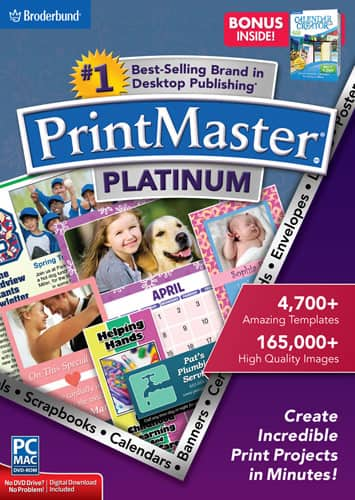
||Posted .This reviewer received promo considerations or sweepstakes entry for writing a review.I shopped the store for this product because I wanted a program to scrapbook some pictures. This program will do that, however if you want non generic designs you have to pay for them. The box is miss-leading stating that you are getting 1000's of templets, yes you get access to them but there are costs to getting them. The box does not state this.
No, I would not recommend this to a friend