Customer Ratings & Reviews



- Model:
- V11H975020
- SKU:
- 10840061
Rating by feature
- Value
Rating 4.5 out of 5 stars
- Quality
Rating 4.6 out of 5 stars
- Ease of Use
Rating 4.7 out of 5 stars
to a friend
Good brand but broken product. Disappointed my cli
||Posted . Owned for 2 weeks when reviewed.This reviewer received promo considerations or sweepstakes entry for writing a review.Broken and was not able to use it for the conference
No, I would not recommend this to a friend
Bright, vivid, and quiet projector
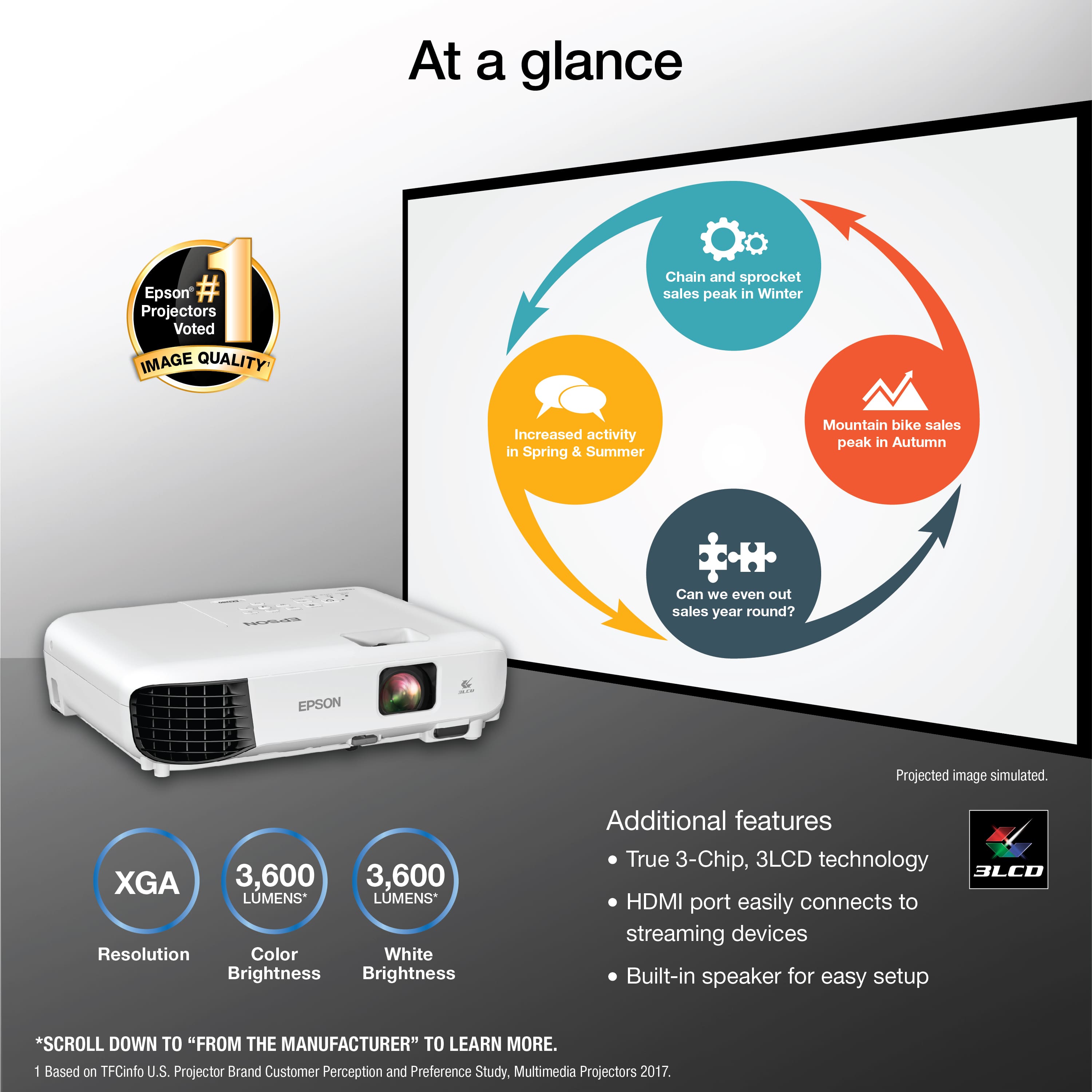
|Posted .This reviewer received promo considerations or sweepstakes entry for writing a review.The Epson EX3280 projector replaced a much older projector and it is a welcomed upgrade! Pros: - Bright, vivid picture - Excellent automatic rendering via the skew sensor to make the image projected appear square from nearly every angle - Lighter weight yet sturdy - Remote provides additional functionality - HDMI input allows for simple set up and multiple use cases - Extremely easy set up - Includes premium carrying case - Excellent value Cons: - Speaker is on the quiet side, especially during this time of social distancing; several teammates commented on the lack of volume - The fan seems louder than other projectors I have used - Power cord is shorter than desirable, at least for my office set up - While excellent for projecting in a business setting, I would not use this for "video-heavy" situations (like streaming a movie) Verdict This is an excellent projector for presentations. The clarity and brightness of the image are of high quality and easy to see, even when the light is on in the meeting room. The remote provides additional accessibility, especially when you are a distance from the unit. As with all projectors, it generates a good amount of heat - which isn't necessarily bad - just something to be aware of. The carrying case is high quality and makes switching conference rooms and traveling extremely easy. Overall, I would highly recommend this machine for a bright and vivid projector.
I would recommend this to a friendA Well Build Easy to Use Projector
|Posted .This reviewer received promo considerations or sweepstakes entry for writing a review.The Epson EX3280 3 LCD XGA Projector is perfect for projecting videos, photos, Zoom, WebEx and other web meetings as well as your computer screen for others to see on a projector screen, wall or other blank space. With 3600 lumens, the Epson projector beams bright colors and whites in sharp unblurred beauty. This Epson comes with a 2 year warranty, 210W UHE lamp life: up to 6000 hours for normal mode and up to 12000 hours for Eco mode, keystone adjustment. height adjustment, and manual focusing. The Epson 3280 is perfect for projecting creative presentations, spreadsheets and up to 4k streaming content. It conveniently connects to streaming devices such as Apple TV, Fire TV, Roku, Chromecast and others through the HDMI port for easy sharing of content including movies, TV shows and more. I previously tried another projector and gave up on it. This Epson projector is what I've been looking for! A solid build, easy out-of-the box set up and use. I highly recommend it!
I would recommend this to a friendEpson Projector
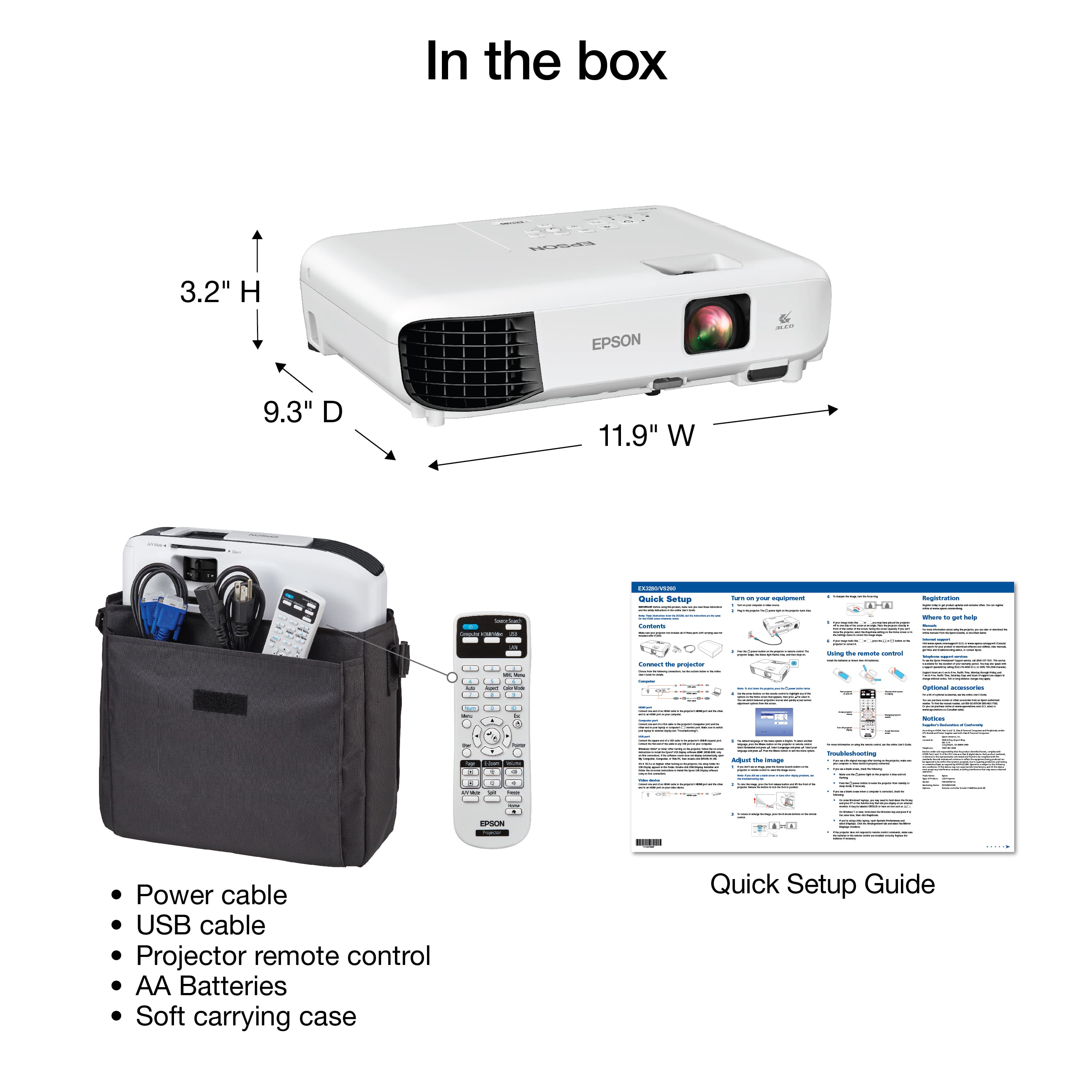
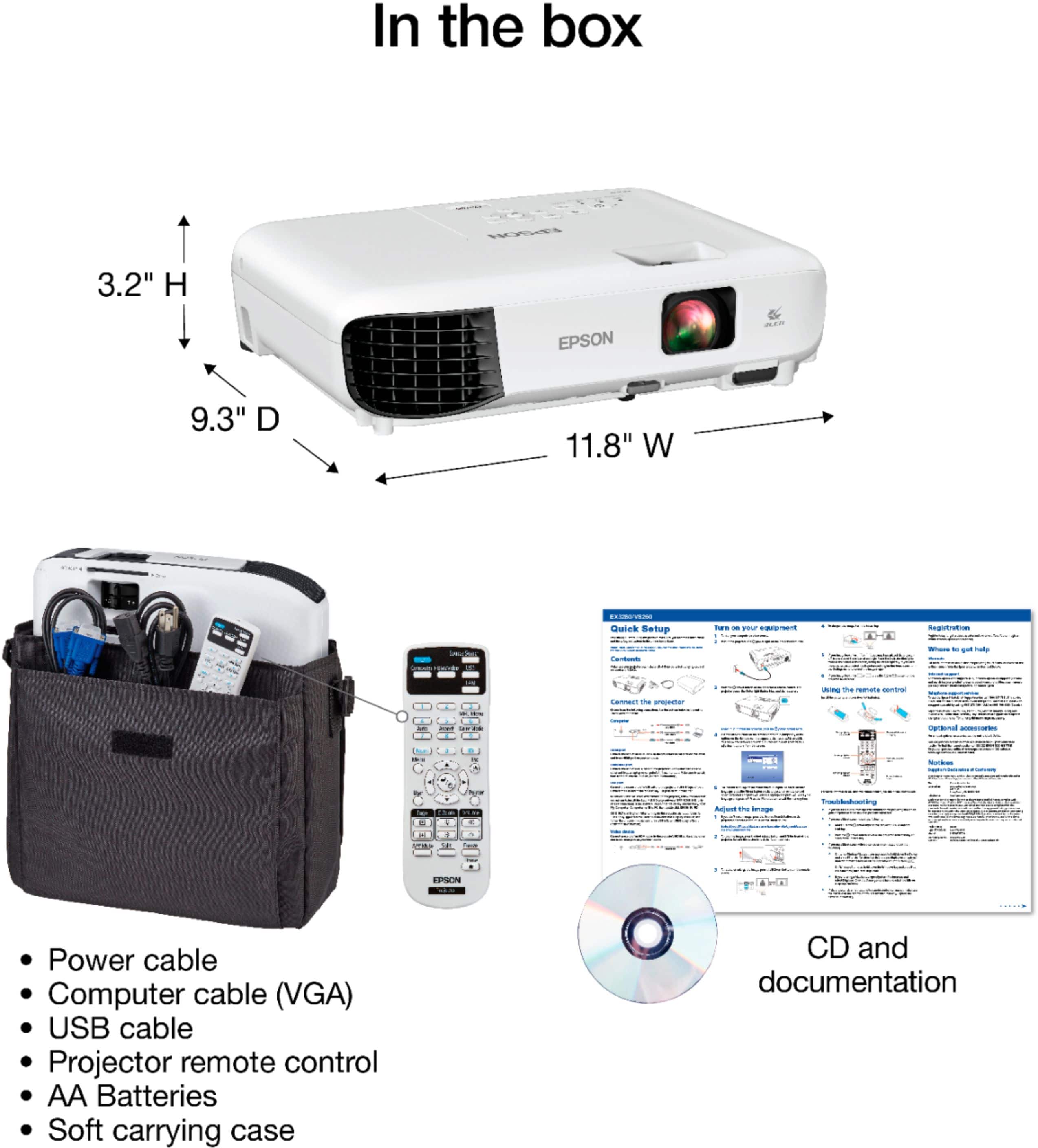
|Posted .This reviewer received promo considerations or sweepstakes entry for writing a review.What’s in the box. Epson EX3280/VS260 Projector Remote control with batteries Power Cord Deluxe Carry case Set-up Guide What else you will need. USB B cable, HDMI cable, or VGA cable. This unit was tested using the HDMI cable. The Epson EX3280/VS260 was plugged in to the laptop then turned on. The laptop was configured to duplicate displays. After some fine-tuning the projector displayed the image. Following the instructions in the Quick Setup Guide the projector image was adjusted to be square. Power Point was launched, and the program ran through with out any problems. The image was brighter than what I have used on other projectors. The Projector was easy to set up and utilize. Focusing the image by turning the lens with the focus ring paddle. I have used the Epson EX3280 on 3 separate occasions with out any problems. I would recommend the EpsonEX3280 to family and friends.
I would recommend this to a friendOne of the better options for businesses
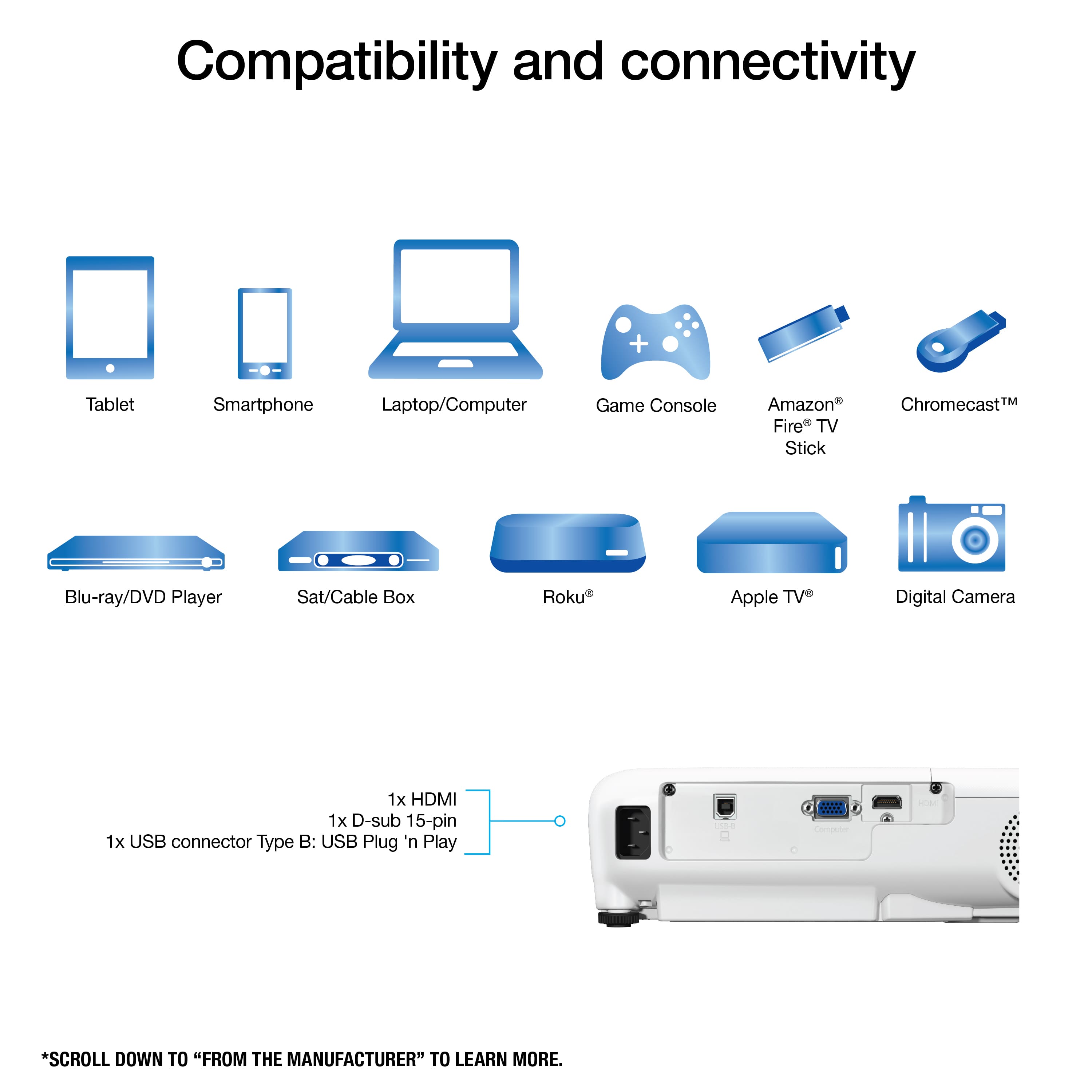
|Posted .This reviewer received promo considerations or sweepstakes entry for writing a review.Had a chance to use the EX3280 3LCD XGA Projector from Epson, I'm really happy to use this at my own business for presentations and other projection uses. In the Box EX3280 Projector Remote with Battery Carrying Case The EX3280 has beautiful image quality, I've used a few projectors and would say this is the best one so far that i've used. Images and spreadsheets are crisp and easy to see and read from all areas of the room. Video quality is awesome. Super bright lamp so no real need to turn off the lights in the room but does help. The speakers on the EX3280 is like many other projectors that will do the job but not the best if you're trying to WOW the audience on presentation. The EX3280 does accept HDMI and VGA and any adjustments for image keystone and alignment is easy, Epson included Built-in picture skew sensor that adjust the output image accordingly to fix. Pros: Bright lamp 36,000 lumens Easy setup Easy image adjustment Budget Friendly Cons: Few connections, 1 HDMI, 1 VGA Could use more connection type USB-C for modern laptops
I would recommend this to a friendGreat Business Tool!
|Posted .This reviewer received promo considerations or sweepstakes entry for writing a review.I have used my Epson EX3280 for a few meetings now and it has been phenomenal! The picture is much more than I expected in not only the conference room here but also on a random wall in the break room! I can display my laptop screen for the room to see and do so without using one of the TV's! The carrying case makes this device even easier to work with. The only downside is the audio is limited, I wish it had an audio out port somewhere, but not a big deal at all. I would recommend this projector to anyone without hesitation!
I would recommend this to a friendEpson - EX3280 3LCD XGA Projector
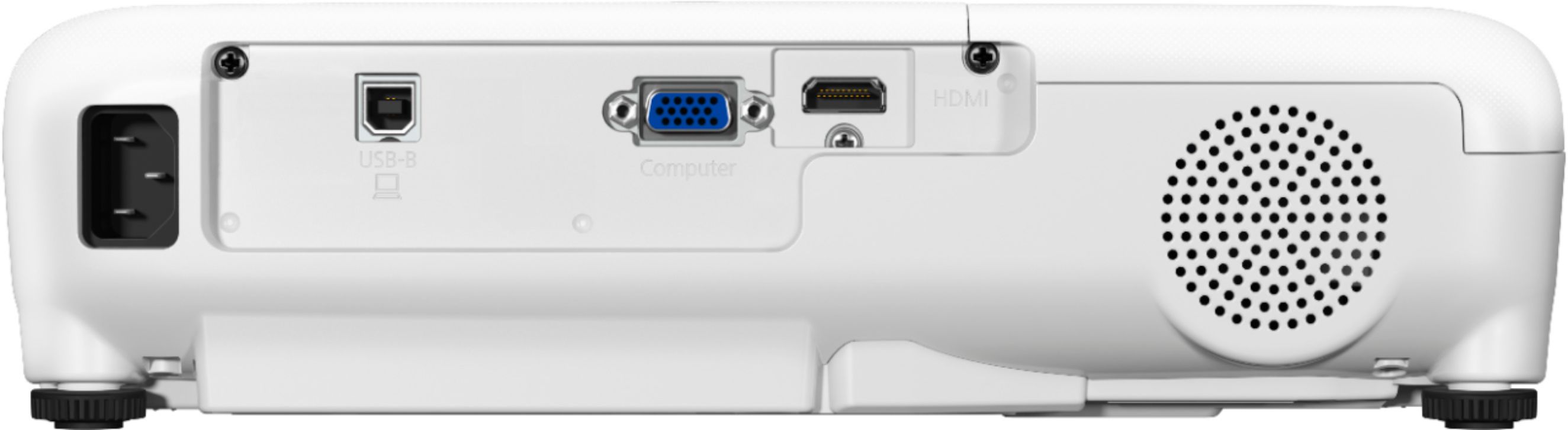
|Posted .This reviewer received promo considerations or sweepstakes entry for writing a review.So I just received my Epson EX3280 3LCD XGA Projector a few days ago and it has already proven to be a worthy device in my office and conference room. Before using this projector I had a few initial concerns regarding the clarity and sound of this projector being it wasn't a higher-end 4K projector and how clearly others would be able to see if they were seated at the back of the conference room. But those minor worries (although they wouldn't have been a deal breaker) were quickly alleviated once I began testing and putting it through it's paces. Inside the box comes the projector itself, along with a power cord, remote w/batteries, carrying case, and user quick start guide. Connecting the projector to a laptop or other device was pretty self explanatory, however, on the back are ports for HDMI, USB-B, and a VGA port. After connecting my Lenovo and tweaking a few settings via the menu on the remote, I was amazed and impressed with how clear the wording was. Video playback was also crisp and clear. Audio was also loud and clear for everyone to hear. One of the things my coworkers liked was how bright it lit up the room with the lights off, however, not complete darkness as to allow everyone to jot down notes without any issues. This is an amazing projector within its price range to which I recommend to anyone looking for a nice addition to their office, classroom, or conference room.
I would recommend this to a friendSick projector
Posted .This reviewer received promo considerations or sweepstakes entry for writing a review.It’s a great projector for the price. Really bright and the volume is great for a small room if used for a living room or regular room, really recommend it if you are looking for a bright clear picture projector.
I would recommend this to a friendEason is excellent!
Posted .This reviewer received promo considerations or sweepstakes entry for writing a review.Great price. Great picture. Nice and bright. Easy to use.
I would recommend this to a friendgreat for meetings
|Posted .This reviewer received promo considerations or sweepstakes entry for writing a review.if I could give half stars I would give this a 3.5, but I cant so I will round up. It's a great projector and especially for meetings. I will first state why I feel its a 3 star. It's is limited to connection types. It has 1 HDMI and 1 VGA. Most don't even use VGA anymore. I would have liked to see at least 2 HDMI ports. The usb port? never used that usb style. not sure why they did not use a regular usb or newer usb c type. I would also have liked to maybe see a audio out. This allows you to place this as a more permanent, and then have a sound system already in place as well. It also lacks Wi-Fi, Bluetooth, and a way to screen mirror. And sound is ok but not the loudest. What I did enjoy with this projector. It comes with a carry case. So if you do a lot of presentations on the go, that's a plus. The resolution is pretty good. It does full HD, so if you have videos or even just in general, it makes those look great. If your laptop has VGA, then you can split screen with another device that is HDMI. That could come in handy at home if you want to play a game but also want to watch a game lol. For me, it was pretty easy to set up. I have a laptop that just has a HDMI port. The speakers on laptop are not loud at all. I have a couple projector screens as well. one is a 65" and the other is a 40". It was easy to set it all up, plug in laptop and it worked great. The sound is not the best, but it works and a lot louder then my laptop. Presentations looked great. Was easy to take down and carry with me. overall its a great projector. I just feel they could have had a regular usb port or a usb c port, and at least 2 HDMI ports.
I would recommend this to a friendNice projector
Posted .This reviewer received promo considerations or sweepstakes entry for writing a review.I purchased this for my son and he really likes it. He had it set up and running fairly quickly. Image quality is bright and clean.
I would recommend this to a friendExcellent Projector for Bright Rooms
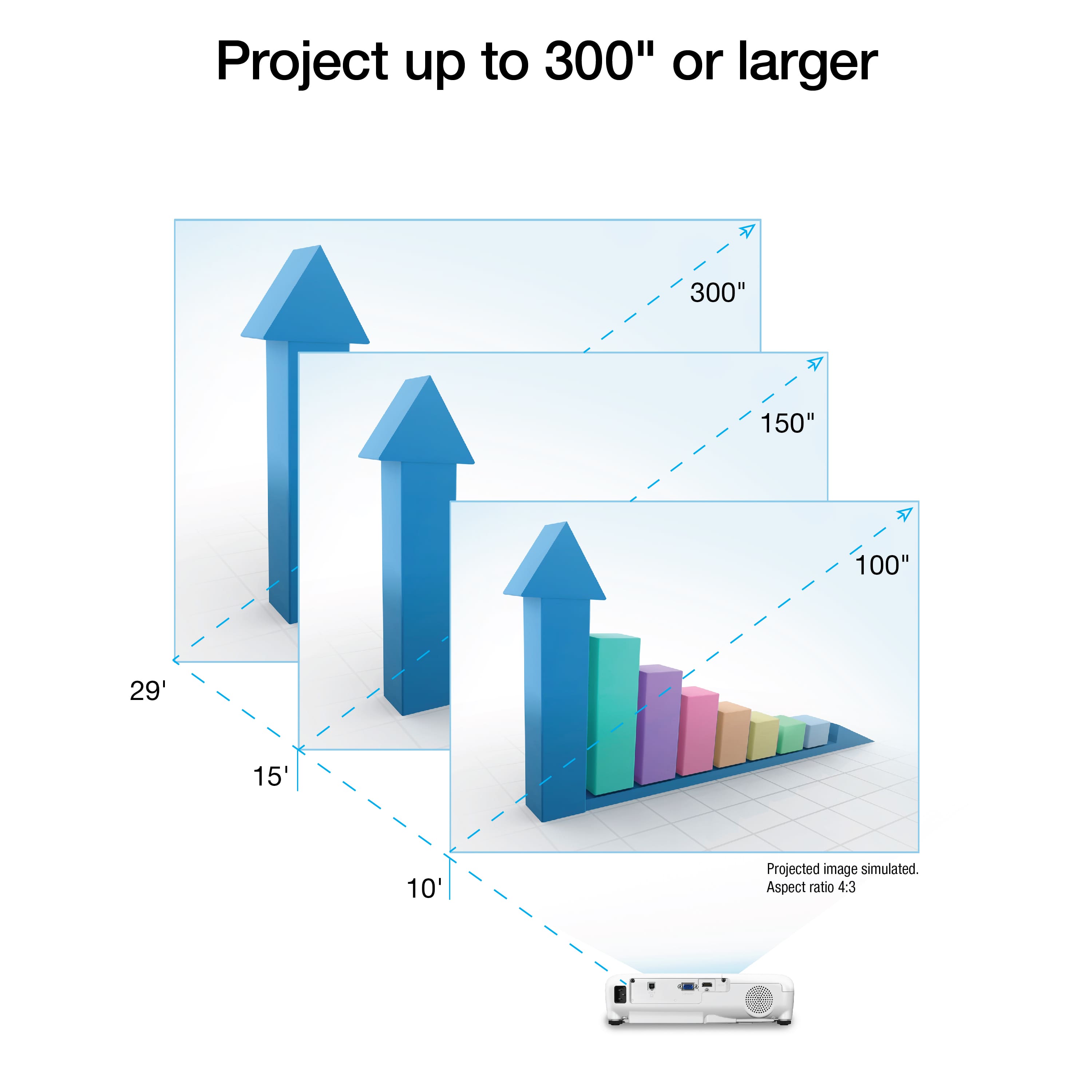
|Posted .This reviewer received promo considerations or sweepstakes entry for writing a review.I like this projector since it can output a clear presentation with the lights on. When we have meetings our old projector just was not that bright so we dimmed the lights. With this we can keep them on and still see the text in PowerPoint and Excel pretty good. The speaker on this is pretty loud and can fill a 14 x 14 room pretty well. It also can take a 4k signal and only outputs to VGA but clear enough so that everyone can read. We were able to get about a 70" display when projecting from 7' which was the mid point in the room. We hung it from the ceiling and found no issues with controlling it with the included remote. There are adjustments to picture profiles and horizontal/vertical output which helps get the right picture. The fan is a little noisy but in a larger room it just becomes white noise. This projector can do a split view showing say an word Document and a web page. You need to sources to output like a computer directly connected via USB to the projector and a streaming device or laptop via hdmi. This is really versatile for the money for presentations and meetings. Included in the box: Projector, carrying case, remote In Summary this is a great business projector and just an ok media projector. Far outshines the brightness of my laptop so If you do not require 1080p/4k resolution and can live with the fan noise then this is a great value compared to the higher resolution projectors. In this case less is more.
I would recommend this to a friendGreat display, Easy to use
|Posted .This reviewer received promo considerations or sweepstakes entry for writing a review.Fantastic projector - lightweight, comes with a carrying case, very portable. Working from home these days so I point it at the closet doors and display spreadsheets and other supporting documents that I am reviewing while working on other documents and/or in a work related software. The display is incredibly bright even in my office with the lights on. If you need a projector for work, this is a great choice.
I would recommend this to a friendGreat
Posted .This reviewer received promo considerations or sweepstakes entry for writing a review.Projector works great! Purchased for a week long conference, and it didn’t disappoint. I do wish that it had a lens cover as many others do so if you need to make adjustments without having it displayed.
I would recommend this to a friendGreat low end projector
|Posted .This reviewer received promo considerations or sweepstakes entry for writing a review.If you're looking for a quality, XGA-level projector, the Epson EX3280 might be the projector for you. As the description says, this projector will accept various inputs -- including HDMI -- and displays most imaging brightly and without issue. In fact, one of the biggest differences between this projector and a higher-end HD-level projector is the "screen door effect" that is inherent with most XGA-level projectors. This is a noticeable visual artifact that doesn't otherwise impact viewing quality. Simply make sure you provide your own HDMI cable, because this particular projector doesn't include extra wires (though it does come with its own carrying bag). The brightness is definitely there; most images can be seen without having to turn off all the lights in a room. So, if you're after an active presentation and need some house lights up, this projector will fit that bill. If you're more interested in showing movies, I'd definitely recommend going for an HD-level projector. If you switch projectors after using an XGA-level projector, you'll definitely see a night-and-day difference (again, referencing the "screen door effect" of seeing the actual square pixels on the screen). For business use, this could be the projector for you.
I would recommend this to a frienddigital projector
Posted .This reviewer received promo considerations or sweepstakes entry for writing a review.I bought this lightweight, portable projector to use for displaying students' images during a photo workshop. It was easy to set up and operate. It was perfect for everyone to see other photographer's images.
I would recommend this to a friendgreat tv
Posted .This reviewer received promo considerations or sweepstakes entry for writing a review.excelent product i have 2 in my business and i am going to buy 1 or 2 more for my house
I would recommend this to a friendEfficient projector!
Posted .This reviewer received promo considerations or sweepstakes entry for writing a review.Works great! We used this to make a video board for a professional video project!
I would recommend this to a friendPresident
Posted .This reviewer received promo considerations or sweepstakes entry for writing a review.Great Product to use handle and store! Very quality and clarity w use!
I would recommend this to a friendPerfect quality
Posted .This reviewer received promo considerations or sweepstakes entry for writing a review.This unit is a great unit with a great picture and a perfect price.
I would recommend this to a friend