Customer Ratings & Reviews



- Model:
- V11H975020
- SKU:
- 6444700
Rating by feature
- Value
Rating 4.5 out of 5 stars
- Quality
Rating 4.6 out of 5 stars
- Ease of Use
Rating 4.7 out of 5 stars
Customers are saying
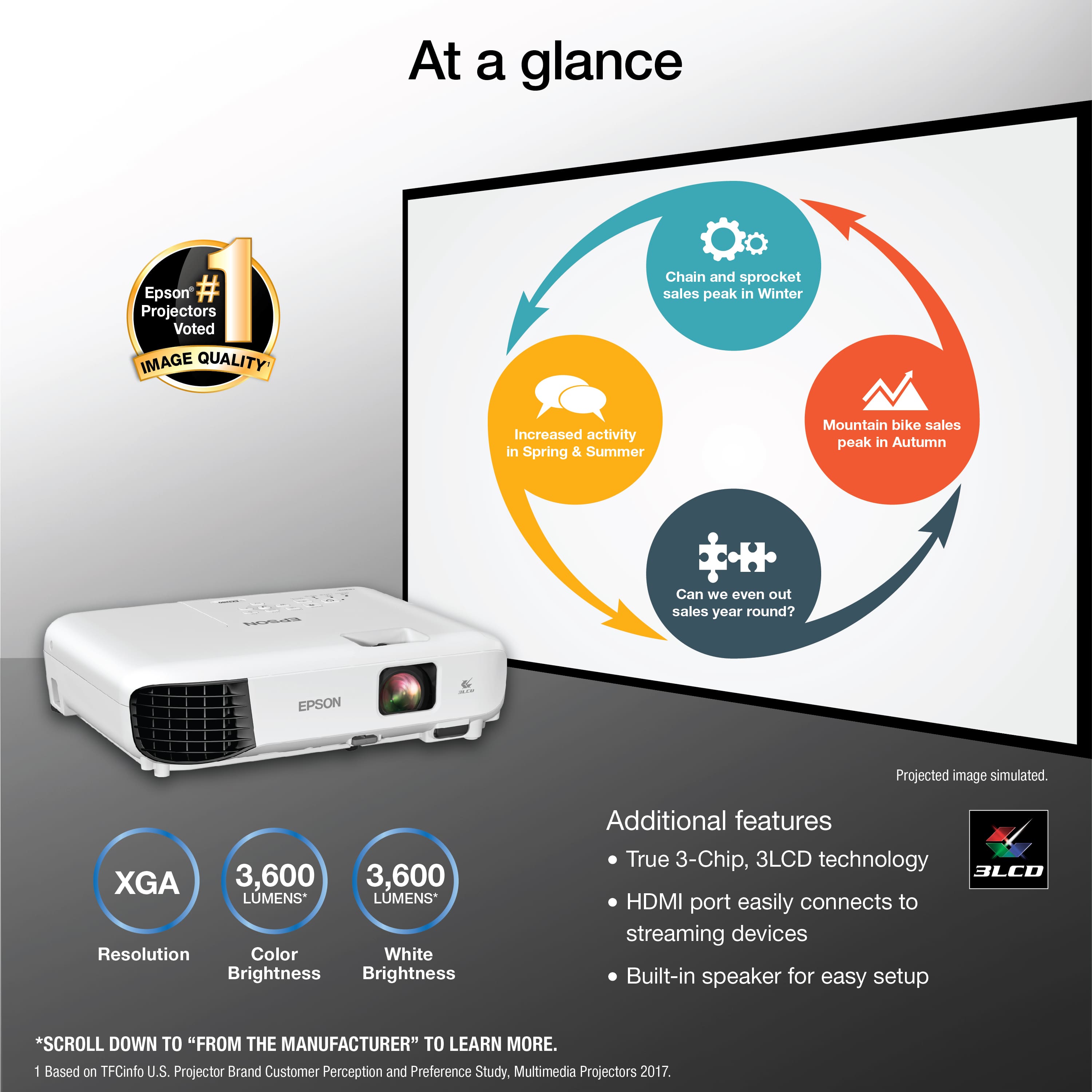
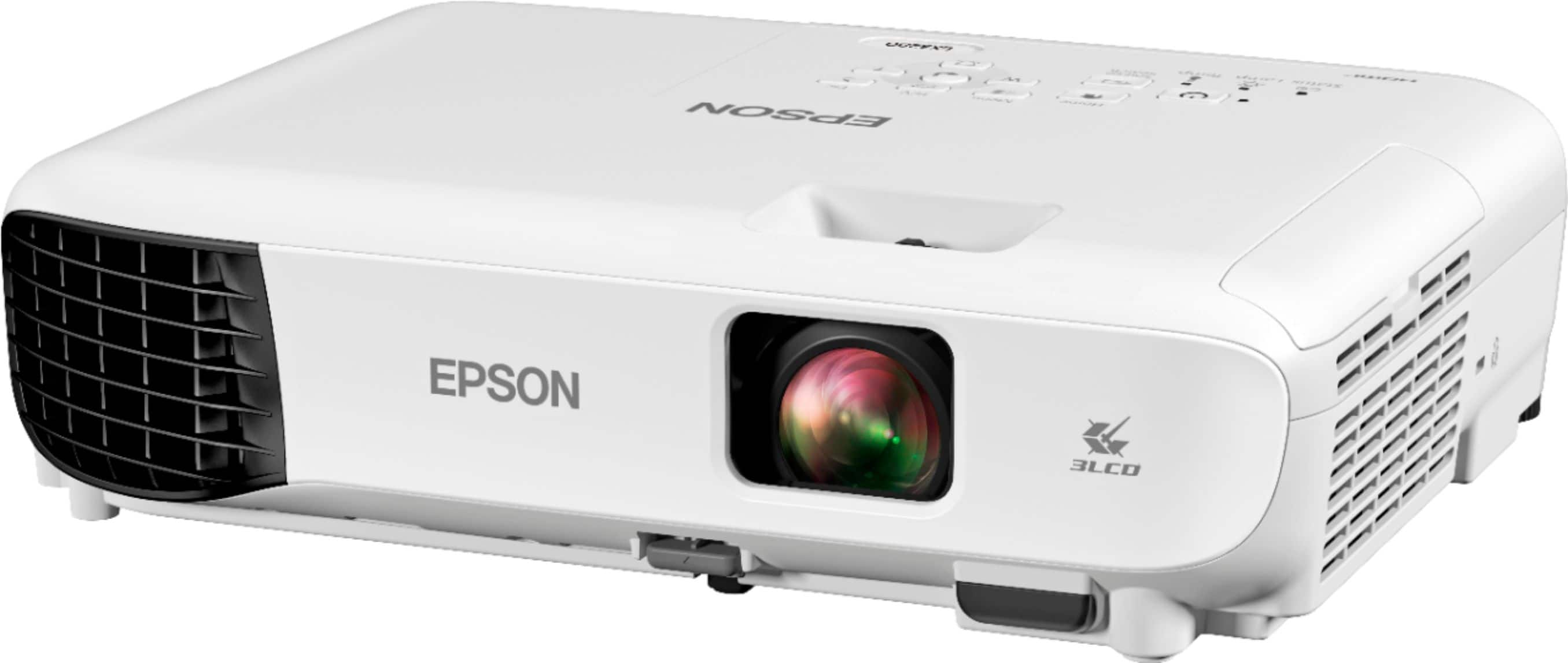
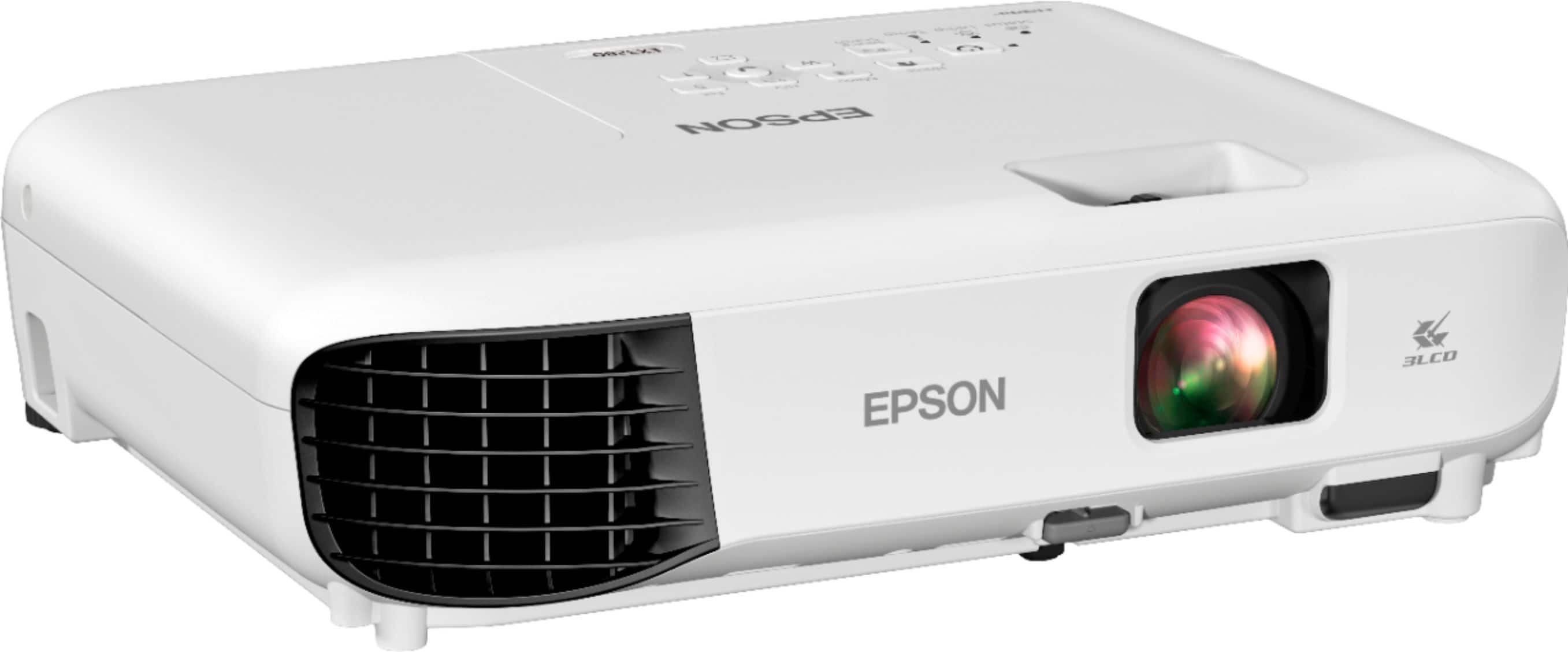
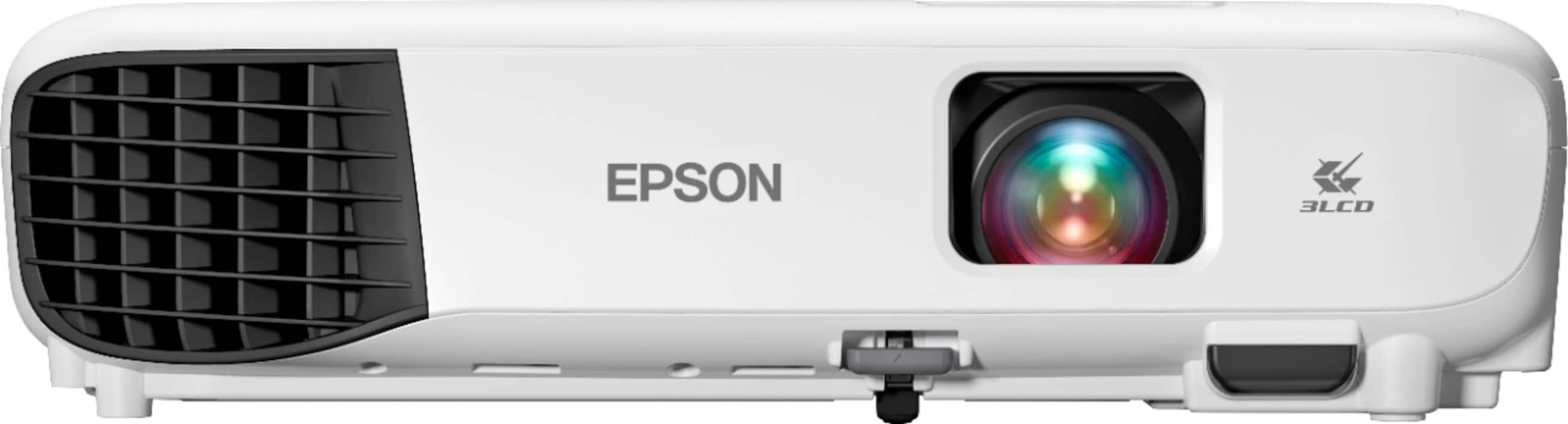
Customers have good things to say about the EX3280 3LCD XGA Projector with Built-in Speaker. Many customers are very happy with the picture quality of the projector. Other customers find it easy to use, portable, and lightweight, while some appreciate the brightness, finding it suitable for settings such as a boardroom.
This summary was generated by AI based on customer reviews.
No Bluetooth!
||Posted . Owned for less than 1 week when reviewed.This reviewer received promo considerations or sweepstakes entry for writing a review.Even my $50 cheap projected that I had before this had Bluetooth. To pay this amount of money and not have Bluetooth is unacceptable. In the description doesn’t tell you. it was a black Friday deal and I feel like I was scammed because they know that people expect Bluetooth. 
No, I would not recommend this to a friend- Pros mentioned:Brightness, Connectivity, Ease of use

Bright Sharp easy to use front or rear projecting
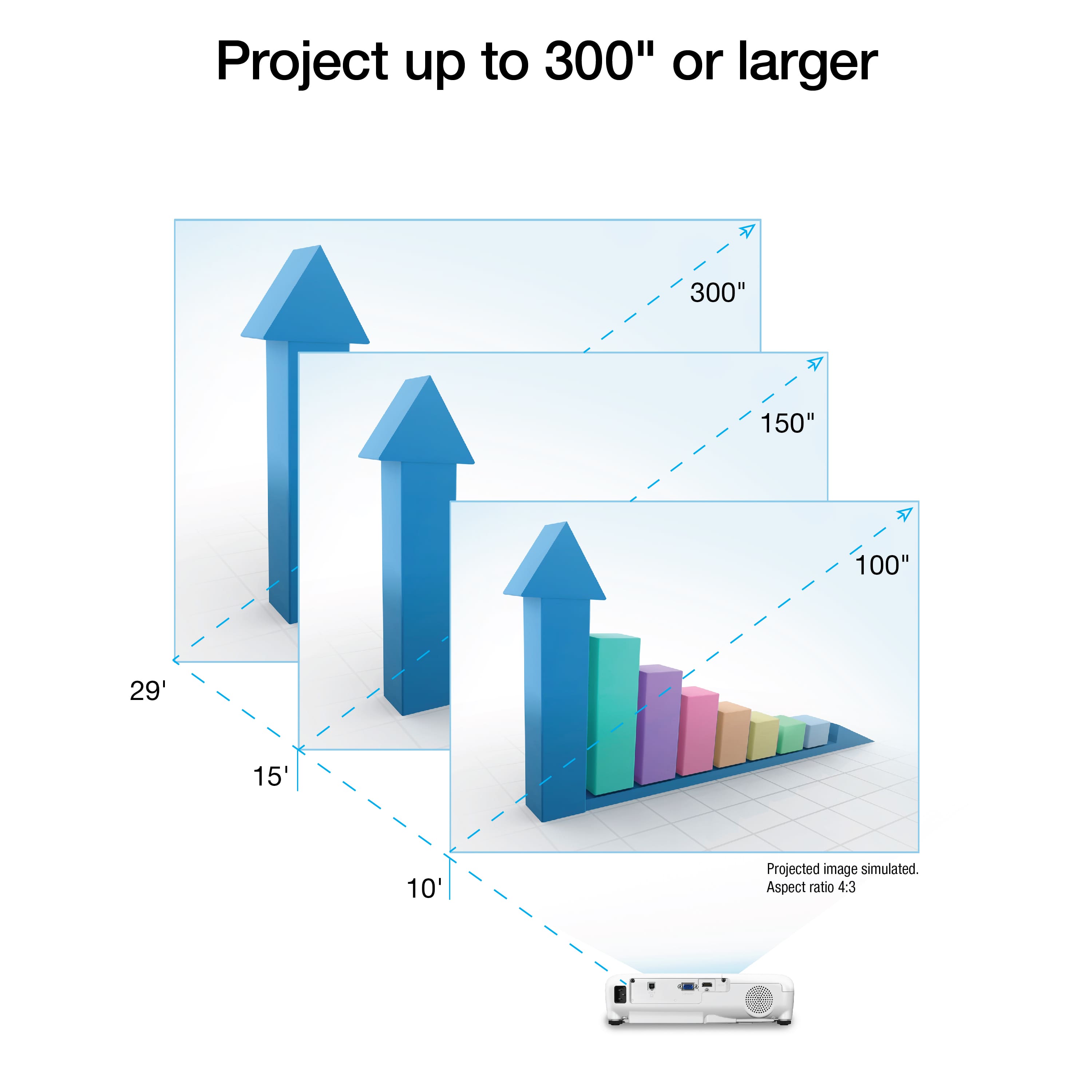
|Posted .This reviewer received promo considerations or sweepstakes entry for writing a review.Even with the projector attached to the ceiling you can access vital areas if you need to. I love how easy it is to set up for rear projection, or front projection, from a table top or ceiling. I used it with the blinds up in the middle of the day with the sun shining in and the picture was very crips and clear. Super whites, great blacks. If you project from a computer, adjust the computer's resolution to match the projector's native resolution, if possible.For best picture quality HDMI cable is your best option. It streams flawlessly too, I watched Netflix, Specturm App, Amazon Prime, and others, its also Apple friendly when streaming content. There is no right or wrong color mode. You simply choose the best color mode for what you are viewing, and environment, then settings and adjust the picture to what you like. The 3,600 lumens surprised me, this thing is bright,, but doesn't get as hot as you might think. The machine doesn't weigh a lot and comes with a carrying case. The remote is very easy to use and understand and also fits in the case. You can use a VGA cable too, but you will lose picture quality compared to HDMI. The speaker is plenty clear and loud, but its no surround sound, nor was it designed to be. The picture is at least 1080 with HDMI and can go as low as 480 with VGA. XGA delivers very crips presentations, text and pictures..The dynamic contrast ratio is 15,000 to 1. has built in skew sensor, and true 3 chip LCD technology helps make this one impressive machine. The easy zoom is fun and it accepts 4K technology. The lamp life is 6,000 hours up to 12,000 hours depending on your settings. Throw distance 2.9 feet to 31.8' (FEET) the lens is fixed focal length with manual focus. aspec ratio is 4:3 XGA. The projector only weighs 5 pounds, so its easy to carry if needed. The volume will hit 37db which is plenty loud to fill a pretty big room. It streams from any device with HDMI Like Roku, Apple, Firestick, etc.You can do spread sheets then watch football, then stream Netflix all in one sitting...Its hard to beat that...This projector performs as good or better than much higher priced other brands. In my opinion and from the hours and hours and hours I spent playing with it. I gotta give it 5 stars. To describe it in one word, WINNER
I would recommend this to a friend - Pros mentioned:Brightness, Connectivity, Ease of use
A Good Business Projector
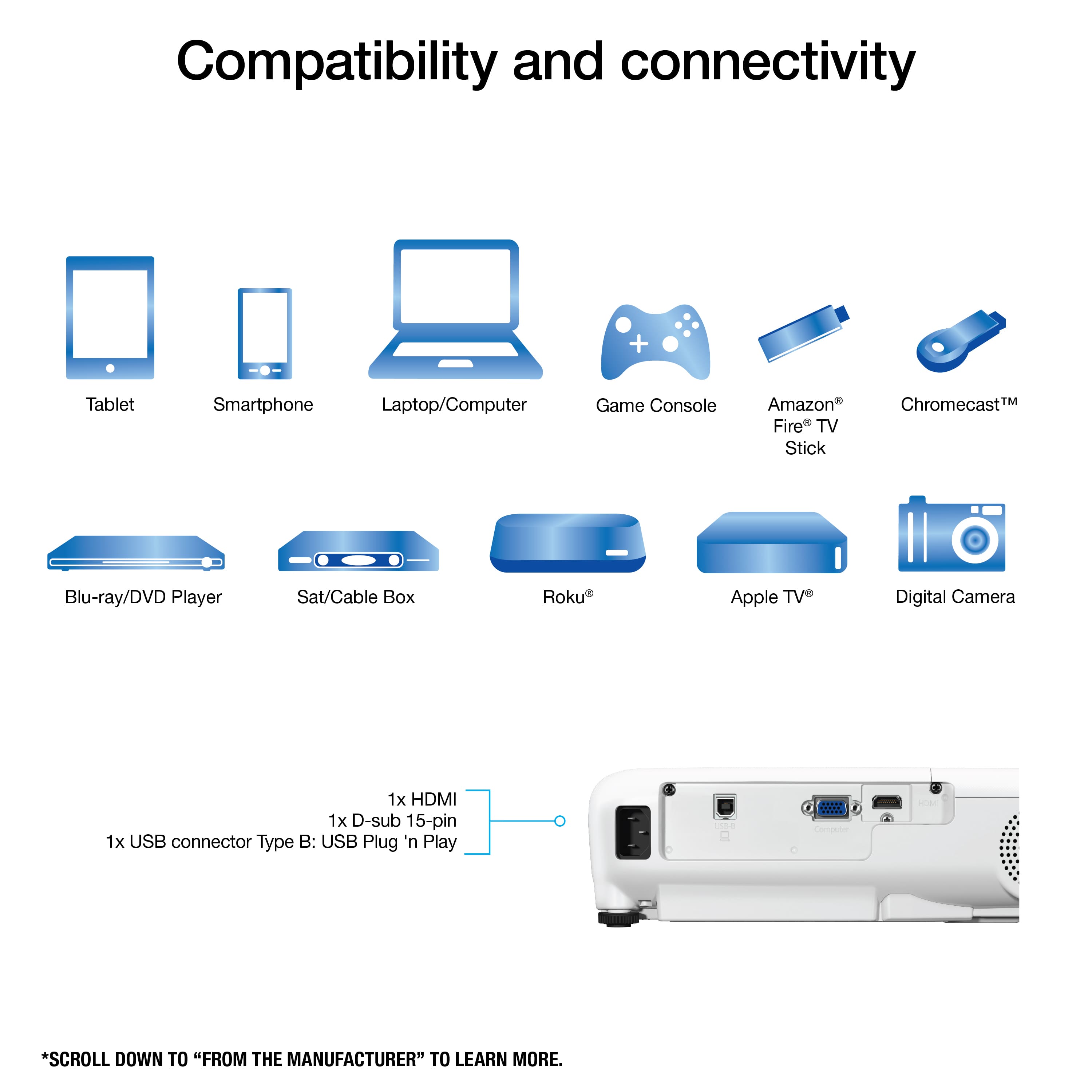
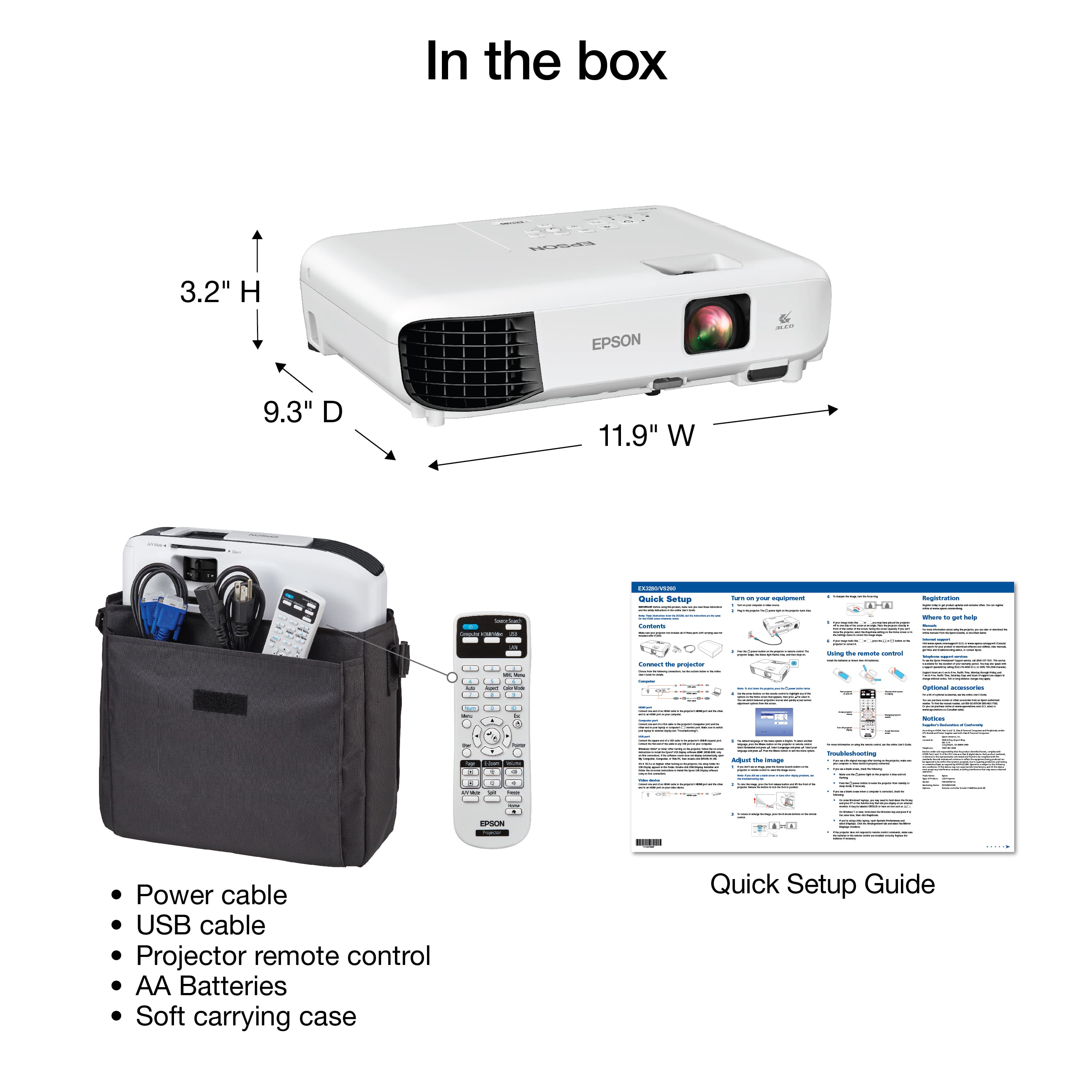
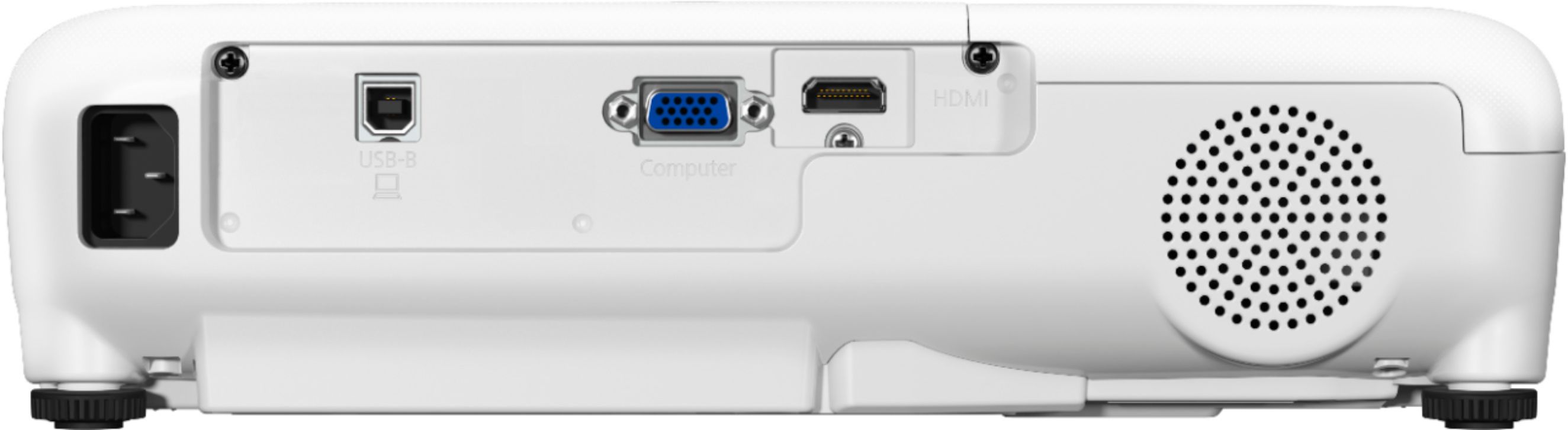
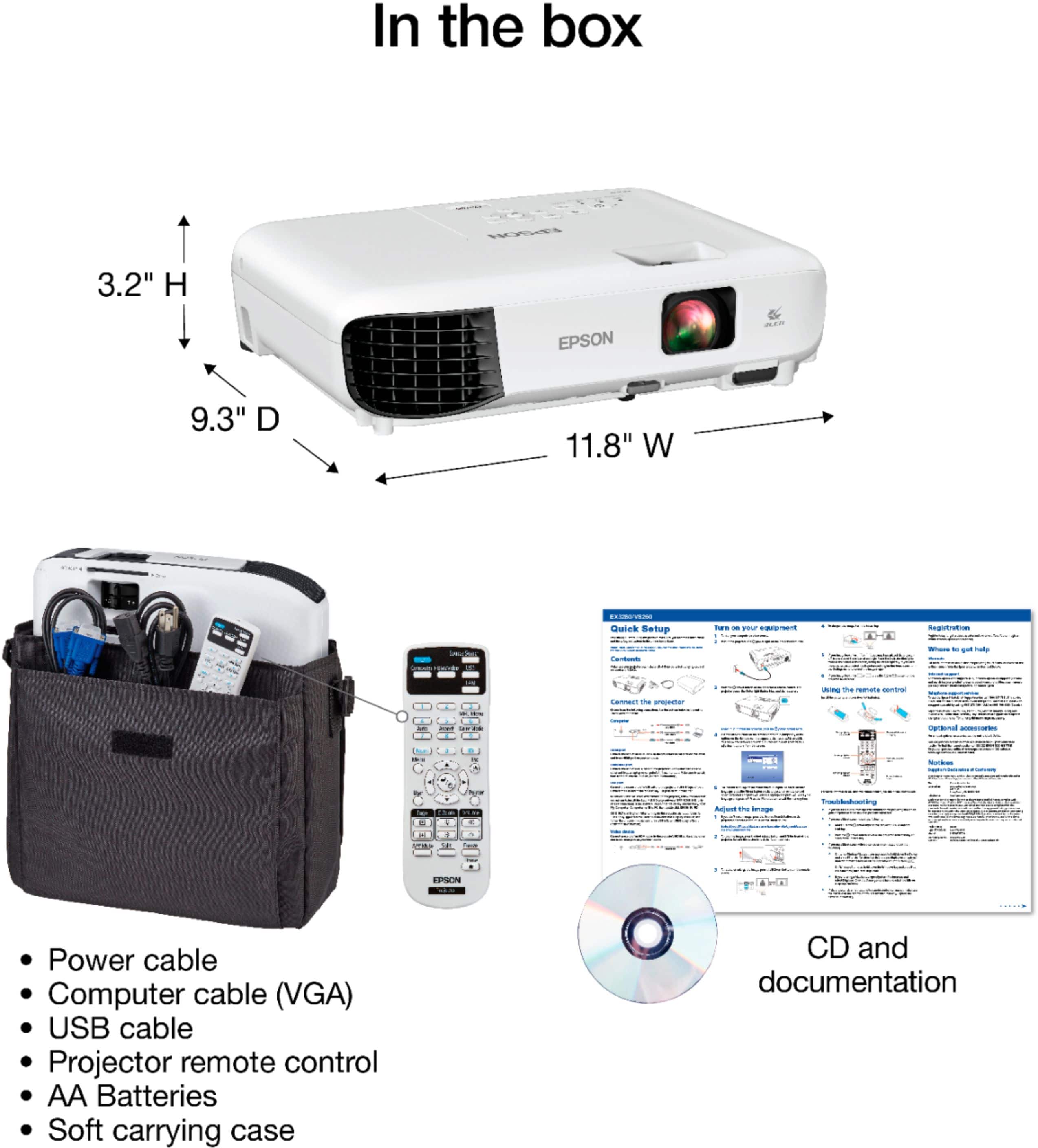
|Posted .This reviewer received promo considerations or sweepstakes entry for writing a review.SUMMARY --------------- This is an excellent projector for delivering Crisp presentations and videos. With Covid, I really have noted used in a conference room setting but i tested in my master bed room connecting my laptop to replicate on the wall and the projector does a phenomenal job in presentations, zoom videos and images. I think its a great tool for office presentations & it comes with a remote!! What's In The Box: ------------------------ EX3280 projector Power cable Projector remote control Batteries Quick Start Guide Ports in the back --------------------- 1. USB-B Port 2. VGA 3. HDMI PROS -------- 1. Crisp and Bright for presentation of images and video 2. HDMI port is a plus. 3. Plug and Play, quickly connects. 4. Comes with a cover/case for carrying. CONS --------- 1. No Audio Out Setup ------- Its of excellent build quality and has Epson written all over. I had Epson's in the past and these things last long. I just connected my laptop through the HDMI port and was able to replicate my laptop to the projector. Even in a bright room, the picture was crisp and bright. Usage -------- This is an excellent projector which has close to 720p resolution (1024 x 768) and it has about 3,600 lumens of color and white brightness which is plentiful. It has no audio out which means you are reliant on the inbuilt speaker to provide output. Its good but i wish it had audio out. Typically for presentations, you are not too much dependent on audio unless you are watching a movie. Now i also connected a fire stick to this and i was able to stream videos from Netflix, prime. Overall for the price it can functional as as business and a home projector as long as you are using this primarily for business purposes as it is meant to be.
I would recommend this to a friend Not Worth It
||Posted . Owned for 1 week when reviewed.This reviewer received promo considerations or sweepstakes entry for writing a review.The projector quality was not the best, I never got it to work appropriately in my room, the image looked off center (definitely not HD), and it makes SOOO much noise. This one says audio included but the audio is muffled, not clear, and its constantly competing with the noise the projector makes. I’m disappointed because I wanted to move away from TV’s but after this I’m hard press to even try another one, specially with Best Buy charging a re-stock fee for returns.
No, I would not recommend this to a friendAverage projector
||Posted .This reviewer received promo considerations or sweepstakes entry for writing a review.Truly average. Does the job but nothing impressive about it. Not the best for business presentations as numbers on an excel sheet are grainy and blurry - despite everyone's attempt at working the focus dial.
No, I would not recommend this to a friendBrand response from Epson
Posted .Hello Average, thank you for taking the time to write a review of your Epson EX3280 projector. Epson considers all feedback to improve the performance and quality of our products. Epson also provides helpful information, including FAQs and self-help tools, on the product support web page at https://epson.com/Support/Projectors/EX-Series/Epson-EX3280/s/SPT_V11H975020#questions. You may call our Epson support team at (562) 276-4382 between 7 am - 4 pm (PT), Monday - Friday, if you need further assistance.
Sincerely, Sam - The Epson Team.
Poor sound quality.
||Posted . Owned for 1 month when reviewed.This reviewer received promo considerations or sweepstakes entry for writing a review.Sound quality kind of sucks. It has a tinny sound when turned up. If I had had the time to return it, I would’ve.
No, I would not recommend this to a friend- Pros mentioned:Brightness, Ease of use, Picture quality
Quality Visuals, Portable, Cost-Effective!
|Posted .This reviewer received promo considerations or sweepstakes entry for writing a review.The Epson - EX3280 3LCD XGA Projector - White offers quality visual displays while excepting up to a 4k signal, lightweight and portable, all while being cost-effective for a small business, on the go trainer, or even a home theater. I found this unit to be an excellent companion for my on the go training classes. I was able to expand the screen well over 10 feet in size while keep the image sharp and clear for the whole auditorium. It offers traditional monitor cable and HDMI for up to 2 inputs as needed. Has an onboard speak if needed, but only useful for small rooms. 3600 lumens make the screen viewable in dark or light rooms. PROS - Epson quality - Budget price, high-end functionality - Bright display, crisp, clear - Sufficient connections - Lightweight, portable - Come with a carry bag - Remote, cables included CONS - A second HDMI or DVI would have been a nice add - Carry bag is low quality
I would recommend this to a friend - Pros mentioned:Brightness, Ease of use, Picture quality
Great Business or general use projector
Posted .This reviewer received promo considerations or sweepstakes entry for writing a review.Epson EX-3280 Multimedia projector review. This is a well-made, lightweight, compact projector that can be used to project most anything. The unit has three inputs, USB-B, VGA and HDMI but no cables are provided. There are no outputs. IT is a very bright unit and has great contrast but only medium volume at best I will also mention that the sound is mono rather than stereo. The included remote works very well and compliments the unit perfectly. The included Case/Carry Bag cushions the unit and is a perfect fit. We tested it in a variety of settings and when used for small group presentations or training it works very well indeed, We did connect Chromecast device thru the HDMI and were able to get quite nice results from the devices connected. The unit has the ability to project a very good image even in very bright room conditions. The setup menu is well organized and easy to figure out and use. Summing it up, this is a really nice projector that comes ready to use with no extras needed. “This is a review for the Epson EX3280 projector that I received free of charge to do a beta test and review.”
I would recommend this to a friend The quality was not good. Quality was not good
||Posted .This reviewer received promo considerations or sweepstakes entry for writing a review.The quality was not good. Quality was not good.....
No, I would not recommend this to a friendNot for home theater use
||Posted . Owned for 6 months when reviewed.This reviewer received promo considerations or sweepstakes entry for writing a review.The screen quality is ok but the speak absolutely sucks and there’s not much you can do with no Bluetooth capability or ports to add speakers.
No, I would not recommend this to a friendBrand response from Epson
Posted .Hello projector, we're sorry to hear about your disappointing experience with the EX3280 projector. Epson considers all feedback to improve the performance and quality of our products. Epson provides helpful information, including FAQs and self-help tools, on the product support web page at https://epson.com/Support/Projectors/EX-Series/Epson-EX3280/s/SPT_V11H975020#questions. Additionally, your projector includes a 1-year Limited Warranty, plus free lifetime technical support. Please reach our support team directly at (562) 276-4382 between 7 am - 4 pm (PT), Monday - Friday if you need any assistance.
Sincerely, Sam - The Epson Team.
Great Product
||Posted . Owned for 1 month when reviewed.This reviewer received promo considerations or sweepstakes entry for writing a review.Does everything you need it to & its has loud speaker for presentations not movie quality but cell phone
I would recommend this to a friend- Pros mentioned:Brightness
Very Bright and Well Designed
|Posted .This reviewer received promo considerations or sweepstakes entry for writing a review.The Epson EX3280 follows the EX3260 with some improvements and some puzzling regressive design points. It has a similar compact footprint which fits easily on a conference room table. The EX3280 however does have a little smaller footprint and weighs a little less than the EX3260 - nice work by the Epson Engineers. There are remarkable improvements in white brightness, color brightness and resolution. I did a comparison of the EX3280 versus the EX3260 and it is obvious it is sharper, brighter and easier to correct the keystone effect. Powerpoint presentations looked quite a bit sharper with text better defined. Running YouTube videos and even movies was much better than the previous model as well. The EX3280 is XGA and the EX3260 is VGA so that is part of the improvement. The lens protector which also served as an A/V mute was removed so that is a backwards move from the EX3260. The USB wireless port was also gone, but I do think that Epson realized most people were just connecting via HDMI since wireless connectivity in a business conference room is more important for projectors that are mounted on the ceiling wher e this unit would not be mounted; still I wish the USB WiFi dongle port had stayed. The laser pointer on the remote is missing from the EX3280 also. The VGA port is still there in case you have an older laptop. I did test the VGA, HDMI and USB-B port and all worked perfectly. At this price point, this is a steal and I think everyone from business folks to home movie advocates would enjoy this solid, well designed and very functional projector, even for TV viewing.
I would recommend this to a friend - Pros mentioned:Brightness, Ease of use, Picture quality
Lightweight, Easy to use, Vivid Display
|Posted .This reviewer received promo considerations or sweepstakes entry for writing a review.During my testing of the Epson EX3280 I found three truths. First, the picture is amazing and whereas it does have size limits will get Very large, Very bright, and Very cool. Next the sound quality is not great in certain environments. Finally, WIFI and Miracast would be a plus. For testing purposes, I tested the projector in three unique business settings. The first one was a small conference room. This might be an obvious statement, but the projector excelled here. The room did have a wonderful MaxWhite projector screen and good acoustics. So, my presentation with sound played via HMDI from my laptop beautifully loud and awesomely bright. Next, I presented in a warehouse environment. We messed around and stretched the screen to an enormous size and I was actually impressed with how well everything still showed up. Now this was not a good picture on a grey stone wall just to be clear. This did, however, leave me thinking about this summer and having social distanced movie parties outside with family and friends. My warehouse presentation went fine, and the group was able to see my presentation (which we made quite smaller :) perfectly but the devices internal sound is just too quiet for this setting in my opinion, as I was having to resay what was just said. Lastly, I tested the product in a small gym and really had no issues. The screen on just a blank white wall was crystal clear and the rooms acoustics allowed for all to hear (it was still really too soft though). My final thoughts are that the Epson EX3280 3LCD XGA projector is a wonderful business tool for use in the right settings. I was easily able to connect my laptop and Firestick via HDMI and able to split screens to have both showing at once. The EX3280 is super lightweight and even came with a padded carrying case. Setup was always simple, I plugged in the device and pointed it at screen or wall I wanted it on and if need be tweaked the visuals using the remote. As with any projector the unit will get warm but never actually got hot to the touch. There are of course work arounds for the sound but in my experience easier is better when presenting so I only tested under the pretense of if I were taking this on the road full time with me. All-in-all this a solid little projector and I would recommend.
I would recommend this to a friend Review
||Posted . Owned for 1 month when reviewed.This reviewer received promo considerations or sweepstakes entry for writing a review.Poor audio quality & does not have features to extract the audio to a better speaker
No, I would not recommend this to a friendDont take a chance. Buy a more reliable brand.
||Posted . Owned for 1 year when reviewed.This reviewer received promo considerations or sweepstakes entry for writing a review.Broke after 12 months and 2 weeks. The lamp indicator turns on and the projector does not. Changed the lamp...same symptom. Best buy does not provide support on this product and Epson would not do anything because it is "out of warranty". Low quality or just bad luck. Anyway, very expensive for a year of use.
No, I would not recommend this to a friend- Pros mentioned:Brightness, Ease of use, Picture quality
Good Projector, But.....
|Posted .This reviewer received promo considerations or sweepstakes entry for writing a review.The Epson EX3280 is a really good projector. It adapts well from small conference rooms to large open classroom type rooms. Focus seemed good for all room sizes, making this extremely portable. The brightness is what surprised me, as in it's easy to see in moderately lit rooms. If you're in a room without shades, as long as sunlight isn't directly shining in, all you need to do is shut the lights off. It's adaptable. As long as you have a good white smooth surface, no screen is needed. We tried it in a couple of different conference rooms, it will work on beige and light gray walls, but the picture isn't as bright or defined. I'd recommend a screen. Clarity is nice and sharp, easy to see the dividing cell lines on Excel presentations. It's not really designed as a media player, but videos did show adequately. We only tested the sound in one room, very tinny and mediocre. Not good for larger rooms. Instead we had the laptop plugged into portable speakers. The remote is pretty standard, but it does not have a built in laser pointer. A drawback for business use. The VGA port seems outdated now, but it's useable. HDMI connection was used most and worked flawlessly. The big drawback is there doesn't seem to be a way to connect a phone/tablet to it. With most businesses going ultra portable, it would be an advantage to have that feature if you have multiple presenters. All in all it's a solid device.
I would recommend this to a friend Not my taste
||Posted . Owned for 1 week when reviewed.This reviewer received promo considerations or sweepstakes entry for writing a review.It was okay. Said the resolution could be adjusted to 1920 x 1080 but it was the screen size not the input size. Great for conferences not great for movies.
No, I would not recommend this to a friend- Pros mentioned:Picture quality, Setup
Versatile and good performer
Posted .This reviewer received promo considerations or sweepstakes entry for writing a review.This projector is very versatile from meeting presentations to movie night. I used it to present in a meeting room connected via HDMI to my computer and it worked very well. The picture is bright and clear, and the easy skew correction made setup simple. The built-in zoom makes it very easy to enlarge parts of the screen to read small text or zoom in on details. I also use this projector at home and have found that it does a great job for movie night outdoors on our back patio. I had it projecting onto the wall of our house and even though our house is a darker tan color, the image projected was still bright and clear and the colors looked good. I used my Roku Ultra device via HDMI. The Roku setup detected the correct resolution for the display settings and worked without any problems. I have also found it to be a good substitute for a TV in rooms that don't have a TV, such as my home office. Using a Chromecast or a Roku, I can play the news or a baseball game, etc., and simply point it at a wall and it does a fantastic job and I don't have to give up the space for a TV in the room full time. The sound falls a bit short, however that is not really a big problem. It is adequate for basic needs to have sound during a presentation or a video clip while in a meeting room. It's not nearly enough for movies or media viewing in a larger space, which is fine since it wasn't really designed for that. I used my soundbar along with this projector for movies and the combination was great. The included remote and carrying case are nice additions. The remote is laid out well and it is easy to find the buttons that you're looking for. I found the range of the remote to be quite good as well, it worked all the way across my backyard. Changing inputs is easy with the direct-access buttons and all of the settings are easy to adjust from the remote. This is a review for the Epson EX3280 projector that I received free of charge to do a beta test and review.
I would recommend this to a friend - Pros mentioned:Brightness
For the business pro on-the-go
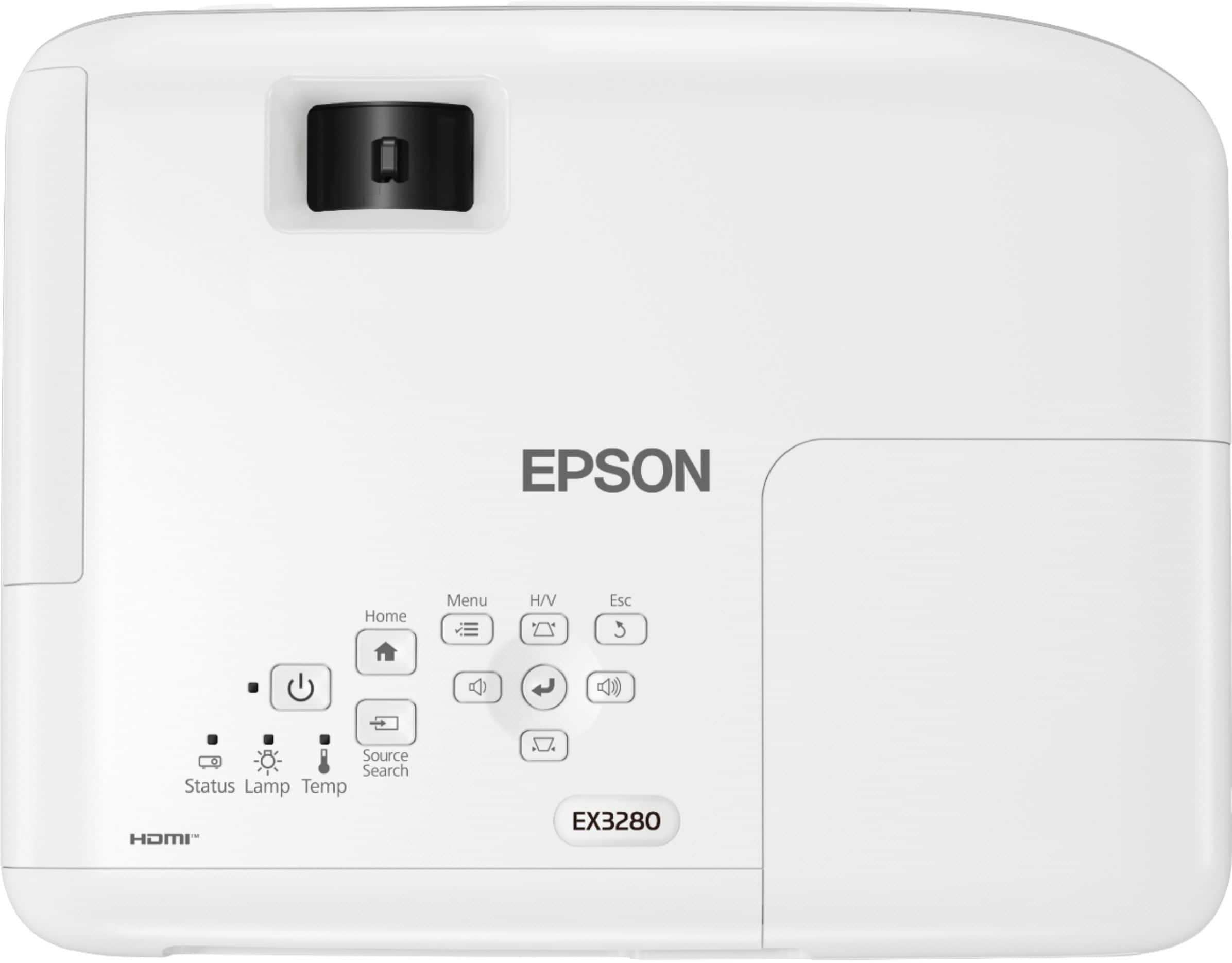
|Posted .This reviewer received promo considerations or sweepstakes entry for writing a review.Right out of the box it comes with instruction manual, warranty, registration documents, and a quick set up guide as well. It comes in a nifty black bag to house the Epson projector unit. The back of the projector has three Inputs, one for a USB-B, VGA (blue), and an HDMI connection. There’s also a filter location on the side of the unit that you can pull out and I assume clean. It also comes with batteries, a control and power cable, no HDMI cable. I used this projector to present an excel sheet displaying various information concerning plant transpiration. The clarity on the projector is great for still images and text. The speaker on the projector itself is sub-par at best. But what can you expect from a speaker on a projector? Setting it up in a conference room was a breeze. Everything fits inside the bag. All I did was connect the power and connect the HDMI cable (again, not included) in the A/V section of the room. Bright, crisp, and clear. The remote is simple, you’re able to control the volume and you can even change the angle on the picture so placing the unit on a table that’s low while trying to project on a certain area of the screen leaves you with a weird angle. This can be fixed with the buttons on the remote and on the top of the projector as well. Epson aimed for this to be used as a portable presentation tool. The bag is obviously to carry it around and the simplicity of the unit makes it for an easy hook up and go. It’s simple and in a world where you’re always on the move, a projector that’s too clunky and has a lot of bells and whistles would do better mounted permanently. This is great for the business professional on the go.
I would recommend this to a friend Not good sound
||Posted . Owned for 1 week when reviewed.This reviewer received promo considerations or sweepstakes entry for writing a review.The speaker quality very poor. Wish it had aux for adding a speaker. Returning.
No, I would not recommend this to a friendBrand response from Epson
Posted .Hi Stitch19k, we're sorry to hear you were unsatisfied with your Epson EX3280 projector. Epson considers all feedback to improve the performance and quality of our products. We appreciate your time sharing your experience and hope you have a nice day.
Kind Regards, Sam - The Epson Team.