Customer Ratings & Reviews


- Model:
- V11HA73020
- SKU:
- 6515297
Rating by feature
- Value
Rating 4.5 out of 5 stars
- Quality
Rating 4.6 out of 5 stars
- Ease of Use
Rating 4.6 out of 5 stars
Customers are saying
Customers admire the Home Cinema 2350 for its excellent picture quality and impressive brightness. Users also appreciate its ease of use, quick setup, and compact size. However, some customers have expressed concerns about the HDMI ports, black levels, remote control, fan noise, and price.
This summary was generated by AI based on customer reviews.
Perfect
||Posted . Owned for 3 weeks when reviewed.This reviewer received promo considerations or sweepstakes entry for writing a review.A very fine working machine. We enjoy it immensely.
I would recommend this to a friendBad communication
||Posted .This reviewer received promo considerations or sweepstakes entry for writing a review.Couldn’t get the remote to connect with the projector
No, I would not recommend this to a friendBrand response from Epson
Posted .Hi LS2020, Thank you for taking the time to post a review. We apologize for the issues you are experiencing with your projector. The symptom you describe could be caused by a number of factors. Your Home Cinema 2350 features lifetime support and we’d be happy to try to diagnose the issue. Feel free to call Epson Support at (562) 276-4382; Hours:Monday – Friday, 7 a.m. – 4 p.m. (PT). Sincerely, Joseph - The Epson Team.

- Pros mentioned:Brightness
Great gaming projector!
||Posted . Owned for 1 week when reviewed.This reviewer received promo considerations or sweepstakes entry for writing a review.Very well lit projector. Works great with gaming! Wireless set up a breeze. Color is beautiful! Tried two different brands before this one - by far the best value!
I would recommend this to a friend Ok
||Posted . Owned for 2 months when reviewed.This reviewer received promo considerations or sweepstakes entry for writing a review.Have had rosin projectors for awhile and have always liked there performance. This one has a tendency to turn off every 20 minutes though. Never had this problem before
I would recommend this to a friendDoesnt have bluetooth audio out!
||Posted . Owned for 1 week when reviewed.This reviewer received promo considerations or sweepstakes entry for writing a review.Overall i am happy with this projector. A big readon i chose this projector was for the Bluetooth audio out described in the ad. Thid spojector does NOT have thst capability.. if id did id give it 5 stars
No, I would not recommend this to a friendBrand response from Epson
Posted .Hi JeffL, thank you for taking the time to write a review, and we'll be sure to share your feedback with our product teams. Your Epson Home Cinema 2350 includes free technical support for the life of the product, so if you would like to explore potential audio solutions that are compatible with your projector, please contact us at (562) 276-4382 between 7 am - 4 pm (PT), Monday - Friday, if you need further assistance. Sincerely, Tony - The Epson Team
Not True 4k Buyer Beware
||Posted . Owned for 1 month when reviewed.This reviewer received promo considerations or sweepstakes entry for writing a review.This projector has 2 issues. The lense shift is defective making it near impossible to square up the image. Second this is not a true 4k projector.. it's an "upscale" 1080p that uses pixel shifting to simulate 4k.... False Advertising... On a good note, the android tv works really well and is fast and smooth. Also a new lamp is only $65 from Epson!! Which is super cheap!
No, I would not recommend this to a friend- Pros mentioned:Picture quality
Epson Home Cinema 2350
||Posted . Owned for less than 1 week when reviewed.This reviewer received promo considerations or sweepstakes entry for writing a review.Good value. Easy to install. Had to call the help line once, and they were very helpful and pleasant to deal with. Good picture quality.
I would recommend this to a friend - Pros mentioned:Brightness
Great upgrade from our 1080p projector
||Posted . Owned for 3 weeks when reviewed.This reviewer received promo considerations or sweepstakes entry for writing a review.Bright enough to look good during the day with the blinds open. Built in Android TV worked well. ARC connection was nice.
I would recommend this to a friend Bummer
||Posted . Owned for 1 month when reviewed.This reviewer received promo considerations or sweepstakes entry for writing a review.To me it’s amazing, until after a software update and now YouTube Tv crashes. All other apps work perfectly, YouTube Tv not so much
No, I would not recommend this to a friendBrand response from Epson
Posted .Hello DeveronE, we appreciate your feedback on the Home Cinema 2350 projector. Epson considers all feedback to improve the performance and quality of our products. Epson also provides helpful information on FAQs and self-help tools on the product support web page at https://epson.com/Support/Projectors/Cinema-Series/Epson-Home-Cinema-2350/s/SPT_V11HA73020#questions. Your projector also includes a 2-year Limited Warranty plus free lifetime technical support. Please get in touch with our support team directly at (562) 276-4382 between 7 am - 4 pm (PT), Monday - Friday, if you need further assistance.
Sincerely, Sam - The Epson Team
Low volume
||Posted . Owned for 4 months when reviewed.This reviewer received promo considerations or sweepstakes entry for writing a review.I bought this over the summer to have outdoor movie nights. The only thong I absolutely hate is the volume its super low and I cant even connect a speaker to it if I want to use my apple tv. super un happy
No, I would not recommend this to a friendAverage
||Posted . Owned for 1 month when reviewed.This reviewer received promo considerations or sweepstakes entry for writing a review.The projector will randomly shut down when playing Switch or PS5. I do not have this issue if I am a using Apple TV or just watching TV with their 'In House' Android TV. This is extremely frustrating, I try to contact Epson but haven't received a response. The projector does not overheat, so it is not shutting down due to over-heating. This is a very unusual issue and is extremely frustrating.
No, I would not recommend this to a friendBrand response from Epson
Posted .Hello SolidSnakeSV, we apologize for your disappointing experience with the Home Cinema 2350 projector. Epson considers all feedback to improve the performance and quality of our products. Epson also provides helpful information on FAQs and self-help tools on the product support web page at https://epson.com/Support/Projectors/Cinema-Series/Epson-Home-Cinema-2350/s/SPT_V11HA73020#questions. Your projector also includes a 2-year Limited Warranty plus free lifetime technical support. Please get in touch with our support team at (562) 276-4382 between 7 am - 4 pm (PT), Monday - Friday, if you need further assistance.
Sincerely, Sam - The Epson Team
- Pros mentioned:Picture quality
Epson Projector
||Posted . Owned for 3 weeks when reviewed.This reviewer received promo considerations or sweepstakes entry for writing a review.excellent quality. I love it it takes up the whole wall. It do recommend this projector.
I would recommend this to a friend Great for the 1st month until apps stopped working
||Posted . Owned for 3 weeks when reviewed.This reviewer received promo considerations or sweepstakes entry for writing a review.It was working great for the first month but now everytime I turn it on it's not responding. I can only access the menu and adjust the volume but i cannot access any apps so its basically useless unless I connect an HDMI cable which defeats the purpose of this being a smart projector.
No, I would not recommend this to a friendBrand response from Epson
Posted .Hi VictorC, thank you for taking the time to post a review. We apologize for the issues you are experiencing with your projector. The symptom you describe could be caused by a number of factors. Your Epson Home Cinema 2350 features lifetime support and we’d be happy to try to diagnose the issue. Feel free to call Epson Support at (562) 276-4382; Hours: Monday – Friday, 7am – 4pm PT. Sincerely, Tony – The Epson Team.
- Pros mentioned:Brightness
Projector
||Posted . Owned for less than 1 week when reviewed.This reviewer received promo considerations or sweepstakes entry for writing a review.Even without a backdrop, a white-flat wall, the projection is nice and bright.
I would recommend this to a friend Good for its price!!!
||Posted . Owned for 1 week when reviewed.This reviewer received promo considerations or sweepstakes entry for writing a review.Actually 4.5 stars. It is worth the purchase however, I would like to add that you cannot upload apple tv. the google play store does not carry apple tv. other than that this most likely one of the most hidden secrets in home theaters. Purchase a nice screen and you have a nice home theatre and you cannot lose with this one.
I would recommend this to a friendProjector is meh
||Posted . Owned for 3 weeks when reviewed.This reviewer received promo considerations or sweepstakes entry for writing a review.Projector worked like a dream,but the only reason I docked stars was because after 15 days of use the bulb crapped out and projector wont turn on. Had to work with both bestbuy reps and epson to sort out the issue. Kind of a bummer.
No, I would not recommend this to a friendLamp issues
||Posted . Owned for 1 month when reviewed.This reviewer received promo considerations or sweepstakes entry for writing a review.Not even an month installed and something is going on with the lamp. There is no picture. Epsom customer support is not the best. This should not have died after a month.
No, I would not recommend this to a friendDo not buy
||Posted . Owned for 3 weeks when reviewed.This reviewer received promo considerations or sweepstakes entry for writing a review.For the a top of the line TV is a better choice. Hard to focus, no definition, small image size. Antiquated design. Returned it.
No, I would not recommend this to a friendNot HDR compatible, overpriced
||Posted .This reviewer received promo considerations or sweepstakes entry for writing a review.This doesn’t work with Apple TV 4k, and doesn’t support 4K HDR as advertised. Definitely not worth the price. The hours for the bulb life are like under a year, for 1300.00 lol
No, I would not recommend this to a friendBrand response from Epson
Posted .Hello Dsss, we appreciate your feedback on the Epson Home Cinema 2350 projector. Epson considers all feedback to improve the performance and quality of our products. Epson also provides helpful information on FAQs and self-help tools on the product support web page at https://epson.com/Support/Projectors/Cinema-Series/Epson-Home-Cinema-2350/s/SPT_V11HA73020#questions. Your projector also includes a 2-year Limited Warranty plus free lifetime technical support. Please contact our support team directly at (562) 276-4382 between 7 am - 4 pm (PT), Monday - Friday, if you need further assistance.
Sincerely, Sam - The Epson Team
- Pros mentioned:Brightness, Picture quality

Epson Uses Misleading Marketing to Target Gamers
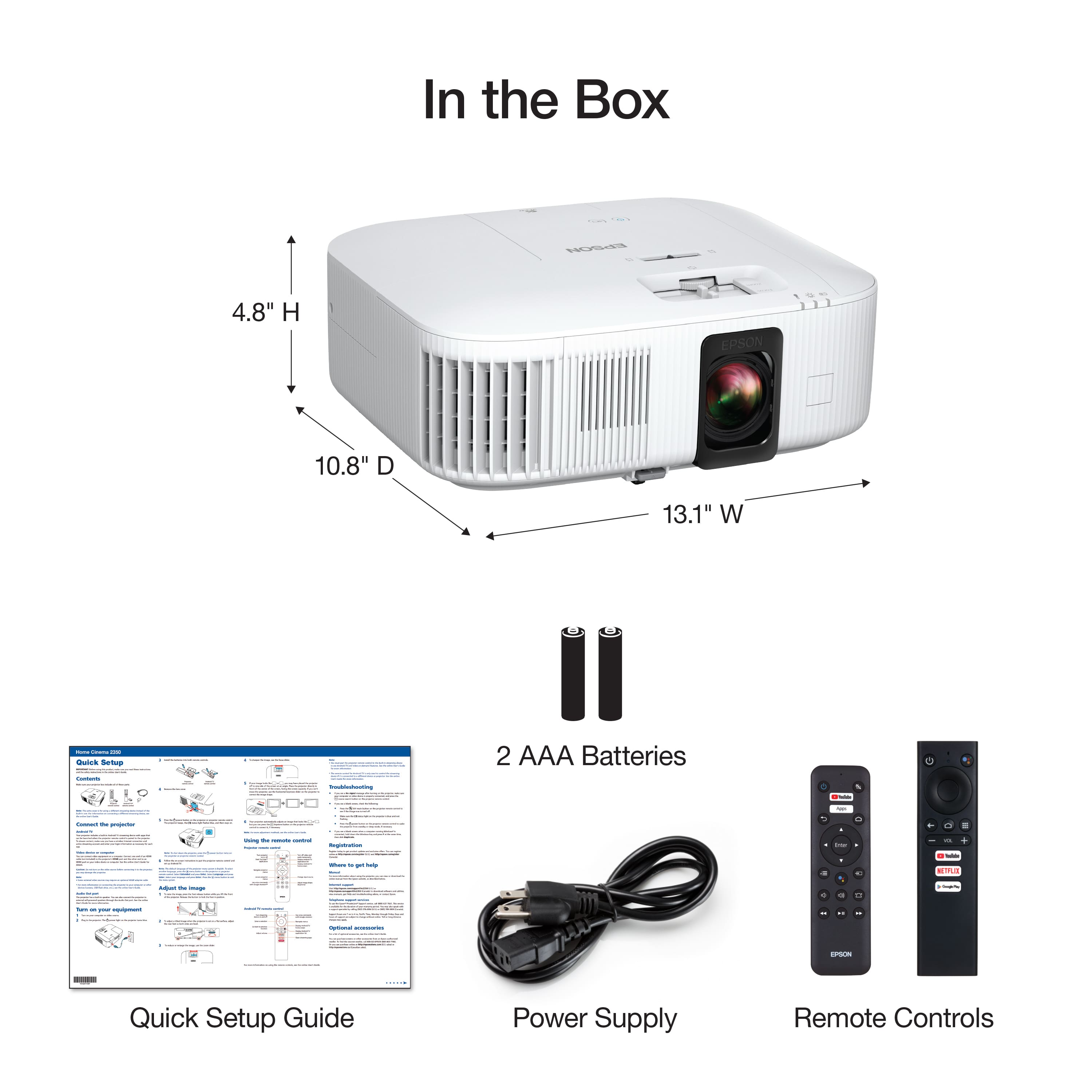
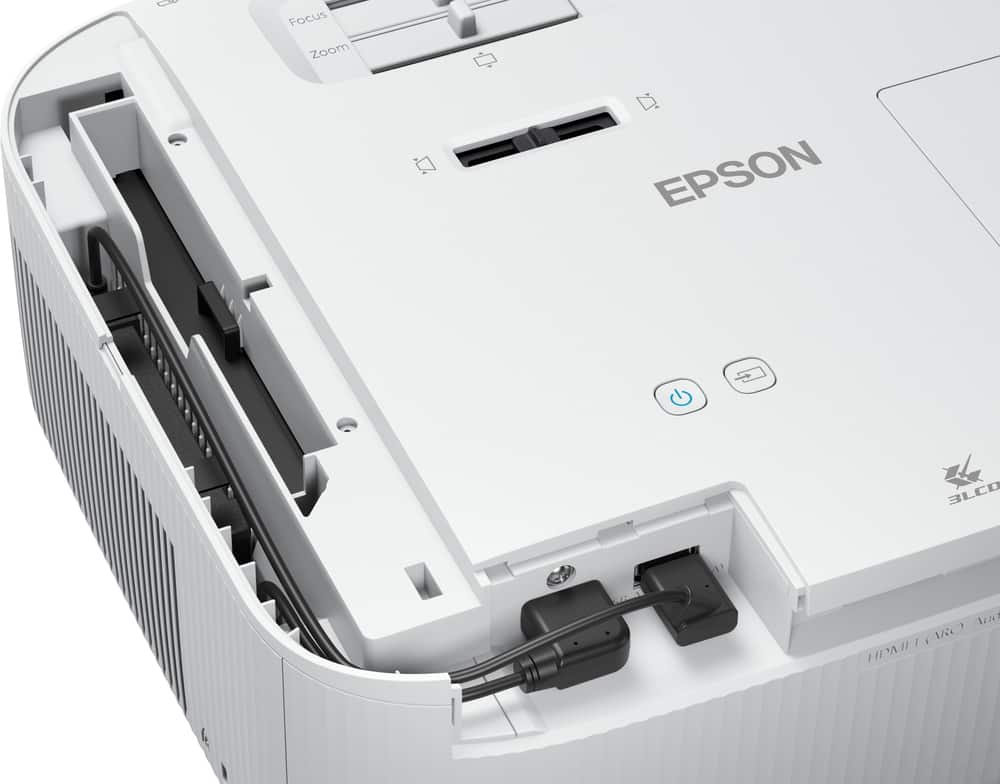
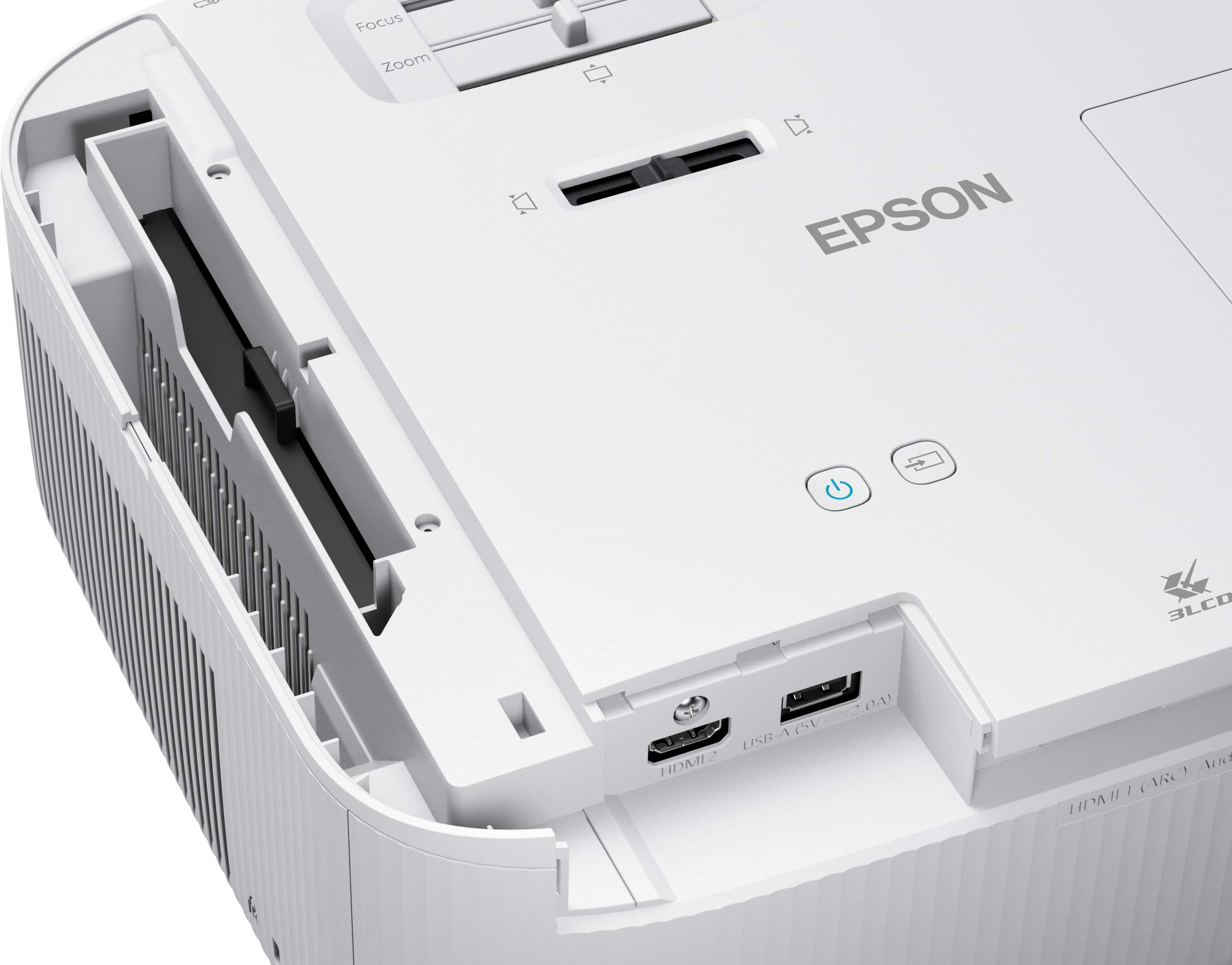
|Posted .This reviewer received promo considerations or sweepstakes entry for writing a review.INTRO: There are gaming monitors, gaming-oriented TVs, and now gaming projectors. Epson claims that the Home Cinema 2350 is a “Smart Gaming Projector.” But in my testing, I’ve found that the 2350 is effectively a stripped down Home Cinema 4000 3LCD (which I happen to own and reviewed in 2017). This means it lacks features supported by the latest generation of game consoles. UNBOXING: If you’re new to Epson projectors, the 2350 is a much simpler unboxing experience compared to some of Epson’s larger projectors. I already own a Home Cinema 4000 3LCD which is much bigger and heavier by comparison. The 2350 comes in a much more manageable box and transporting it should not be much of a concern. Inside the box is the projector, a translucent lens cap, a power cable, and two remotes—one for the projector, and one that omits the projector-oriented buttons if you want to remove the Android TV dongle and use it on another device like a TV. BUILD: One thing I want to immediately bring to attention. I don’t like that Epson tries to hide that the projector itself isn’t smart. Rather, the projector has a built-in covered compartment that hides an Android TV dongle and also covers the HDMI port and USB port that the dongle occupies. So the projector itself isn’t smart (which I don’t mind), but it occupies an HDMI input to enable the “smart” functionality. That being said, I do like that you can just remove this dongle and potentially replace it, as it will eventually become outdated and slow. When looking at the front of the Home Cinema 2350, you’ll see that it has an intake vent on the right and exhausts hot air on the left side. The intake side is where the Android TV is stored so cool air can pass through and cool the dongle before cooling the lamp. You also have a single adjustable front leg if you need to tilt the projector upward. On top of the projector you have 3 physical adjustments for the lens—focus, zoom, and vertical lens shift. Additionally, you do have a software keystone slider for adjusting the angle if your projector is positioned at an angle rather than straight down the center of your screen. And as expected, there is a power button and input button. If you want to change projector settings, the only way to accomplish that is via the remote control which is quite unfortunate. Visible on the rear is an ARC-enabled HDMI port and a 3.5mm stereo audio out. Under the compartment is the second HDMI port as well as a 5V2A USB port occupied by the Android TV dongle. SETUP: The setup for the projector is pretty simple. If you’re able to, set up your projector directly down the center from your screen or wall. You can set it up at an angle as well, but you’ll need to make keystone adjustments in the software to compensate. To test an imperfect configuration, I set up the projector about 14 feet away and about 2 feet leftward from the center of my 135” screen. The surface it stood on was 54” tall, which was above the center point of my screen. Since this is a fairly portable projector, I do think it’s reasonable to assume there will be folks who choose not to mount it and may put it on a shelf or bookcase as a compromise. So to me, it was important to test it this way as opposed to a perfect mounting scenario. Once I had it where I wanted, I plugged the power and turned it on. You’ll immediately get prompted to set up the Android TV system, but you can also try to align the projection with your screen or surface. Using the physical adjustments on the top of the projector, I got my zoom reasonably positioned with the edges of my screen, then manually dialed in the focus until I got a crisp image. I tried to use the keystone slider on the top of the projector, but I felt as though it had too few adjustments in either direction—it would either overcorrect or undercorrect and I needed something in between. Once I had the primary remote control paired, I started shifting through the settings from the remote to see what additional adjustments I could make. Lo and behold I found a setting called Quick Corner which allowed me to adjust the four corners into the perfect position on my screen. I’m rather amazed this doesn’t exist on my Home Cinema 4000 3LCD, as it really did make a big difference for the alignment. SOFTWARE: In terms of the software, it’s important to note that the projector settings are independent of the Android TV dongle. So you can unplug the dongle and still operate the projector settings, but they can only be changed via the remote control, as there are no hardware navigation/menu controls on the projector itself. You have various options for color and brightness, projection styles for rear/front projection as well as support for ceiling mounting. There’s a slew of other configuration options, and I recommend consulting the user guide on Epson’s website if you want to know what options are present. As for the Android TV experience—I’d say it’s the typical experience you’d have from a mid-range smart TV. You should expect some lag from time to time, and the experience is best when you limit the amount of apps you download. If you keep it focused on video playback, you’ll have a relatively smooth experience, overall. IMAGE: Compared to my older Home Cinema 4000 3LCD, the Home Cinema 2350 produces a reasonably similar image that I’m familiar with. It gets bright enough for a lower light environment, but won’t hold up quite as well in bright environments. With mine being set up in a lower light basement environment, I was able to experience vibrant colors with decent contrast at the Standard light output. However, not all is good. This projector is marketed as a “Gaming” projector, and that’s where this projector comes up short. Epson misleadingly applies ambiguous footnote markers to some of their marketing about this projector supporting 4K60, HDR and 120Hz at 1080p. In reality, it doesn’t support HDR at 4K 60Hz, but does support 4K 30Hz with 4:2:2 chroma subsampling at either 10 or 12 bit HDR. This means that 4K HDR works for movies that run at 30Hz or even 24Hz, but it does not work at 60Hz. And in regards to 120Hz, this projector doesn’t support 120Hz at all. Not even at 1080p. This effectively makes it very similar to my current Home Cinema 4000 3LCD but with some stripped down features. If you’d like to see the full table, I highly recommend you read the section titled “Supported Video Display Formats” in the online user guide for the Home Cinema 2350, as this more clearly laid out what this projector is capable of. This means that Xbox Series X and PlayStation 5 owners won’t be able to experience HDR gaming out of this projector nor any sort of 120Hz gaming, even at 1080p. Pretty disappointing for a “Gaming” projector. That being said, you will be able to take advantage of the 4K 60Hz output, which is still a good experience, with around 20ms of latency if you engage the Fast image processing mode on the projector. In my experience, latency was reasonably good. While I mostly opted to play more cinematic games as opposed to fast-paced games, I did feel as though either experience was reasonably good and that I didn’t consciously sense any slowness while playing. SOUND: In terms of noise, the fan exhaust will be audible during operation, especially if you’re in a higher altitude environment where you need to engage the “High Altitude” mode in the settings. That being said, I did not find it annoying when I had it hooked up to my home theater system. The built-in speaker gets reasonably loud, but is nothing to write home about. It’s important to emphasize that this speaker is mono output, so there’s no stereo separation. It will help mask some of the fan noise, but certainly won’t lead to an immersive cinematic experience. It’s more of a convenient option for those who might want to project content casually. I think it could be a good compromise for projecting outdoors or on a wall for shorter sessions as opposed to extended long-term use. I watched several episodes of a series on my bedroom wall while relaxing in my bed and found the audio to be sufficient for a casual experience. HEAT: The Home Cinema 2350 produces quite a bit of heat during operation, so it’s important that you keep the intake and exhaust vents clear from any obstructions. I accidentally obstructed the exhaust during my first time operating it and it shut off for safety measures. If this happens to you, it’s recommended that you wait 5 minutes for the lamp to cool, clear the obstructions, and monitor the temperature LED on the projector. If the LED is orange while the other 2 LEDs are off, that means it has overheated. And if you’re in a high altitude environment, you’ll certainly want to engage the high altitude setting so that the fan can operate at a higher speed to ensure better cooling of the lamp. CONCLUSION: Overall, the Epson Home Cinema 2350 isn’t really a “Gaming” projector, and it’s not quite a “Smart” projector if you simply remove the dongle. But it’s a decent 4K projector for gaming if you don’t mind that it can’t do HDR gaming. But the premise has been set by Epson. They are marketing this as a Gaming projector, and I really just don’t think the marketing matches the consumer expectation. They use way too many footnotes and confusing specification tables rather than being transparent about what this projector is and isn’t capable of. It doesn’t do 120Hz—even at 1080p, and none of the latest generation of consoles can game at 4K60Hz with HDR on this projector. As someone who was actually deceived by this marketing until it was in my hands for testing, I think it’s important that the deceptive marketing be called out. It’s not a gaming projector, and it’s not even really a “smart” projector. But it’s a decent 4K projector, and I’m disappointed that the marketing doesn’t focus on that narrative.
Brand response from Epson
Posted .Hi Xephyroth, thank you for taking the time to write a review of your new Epson projector. We appreciate your business and value your feedback. Your Epson - Home Cinema 2350 includes free technical support for the life of your product, so if you’d like help, feel free to contact us at (562) 276-4382 between 7 am - 4 pm (PT), Monday - Friday, if you need further assistance. Sincerely, Tony- The Epson Team