Customer Ratings & Reviews



- Model:
- V11HA73020
- SKU:
- 6515297
Rating by feature
- Value
Rating 4.5 out of 5 stars
- Quality
Rating 4.6 out of 5 stars
- Ease of Use
Rating 4.6 out of 5 stars
Customers are saying
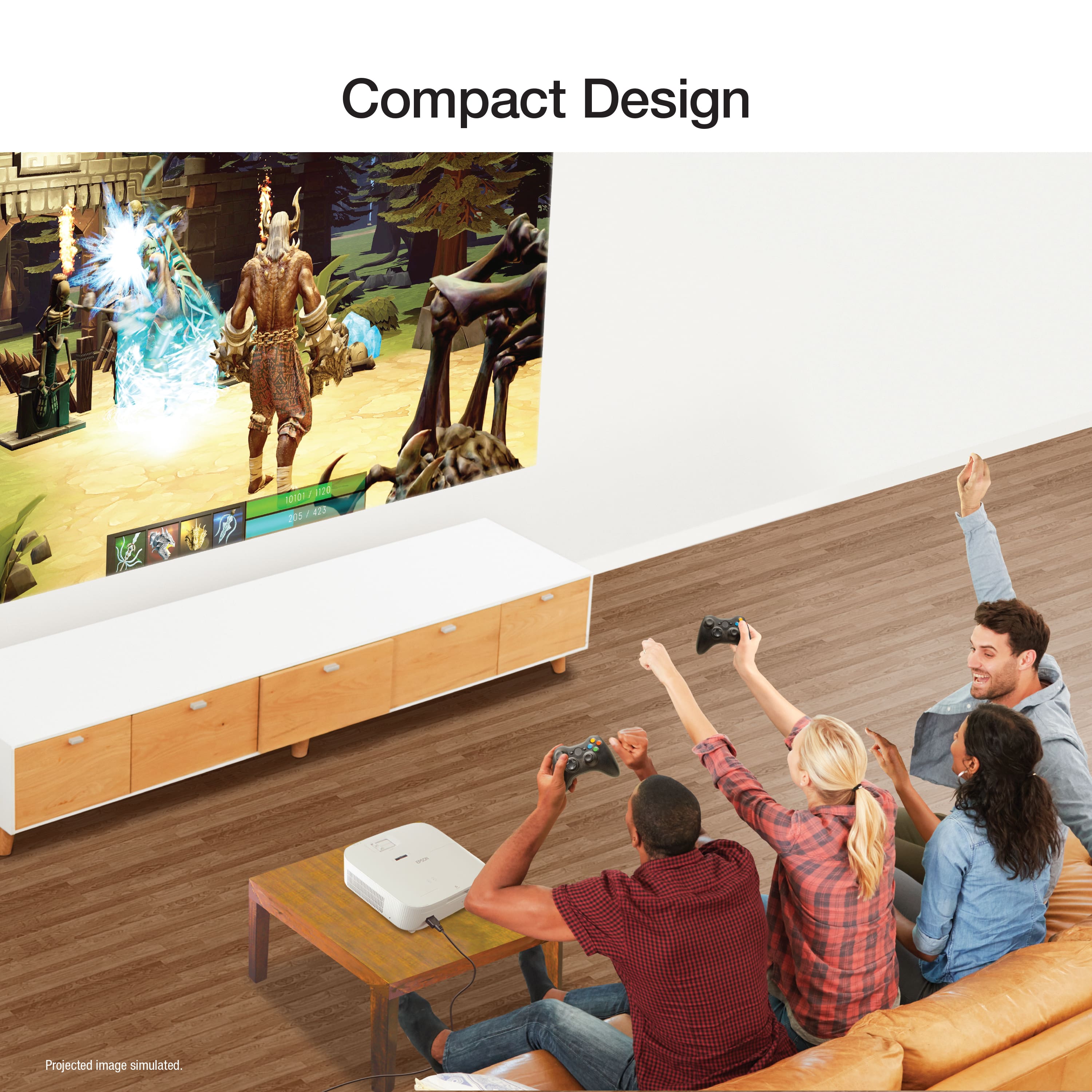
Customers admire the Home Cinema 2350 for its excellent picture quality and impressive brightness. Users also appreciate its ease of use, quick setup, and compact size. However, some customers have expressed concerns about the HDMI ports, black levels, remote control, fan noise, and price.
This summary was generated by AI based on customer reviews.
- Pros mentioned:Ease of use, Picture quality, Size

Nice 4K Output. Causal Gaming is Great. Messaging?
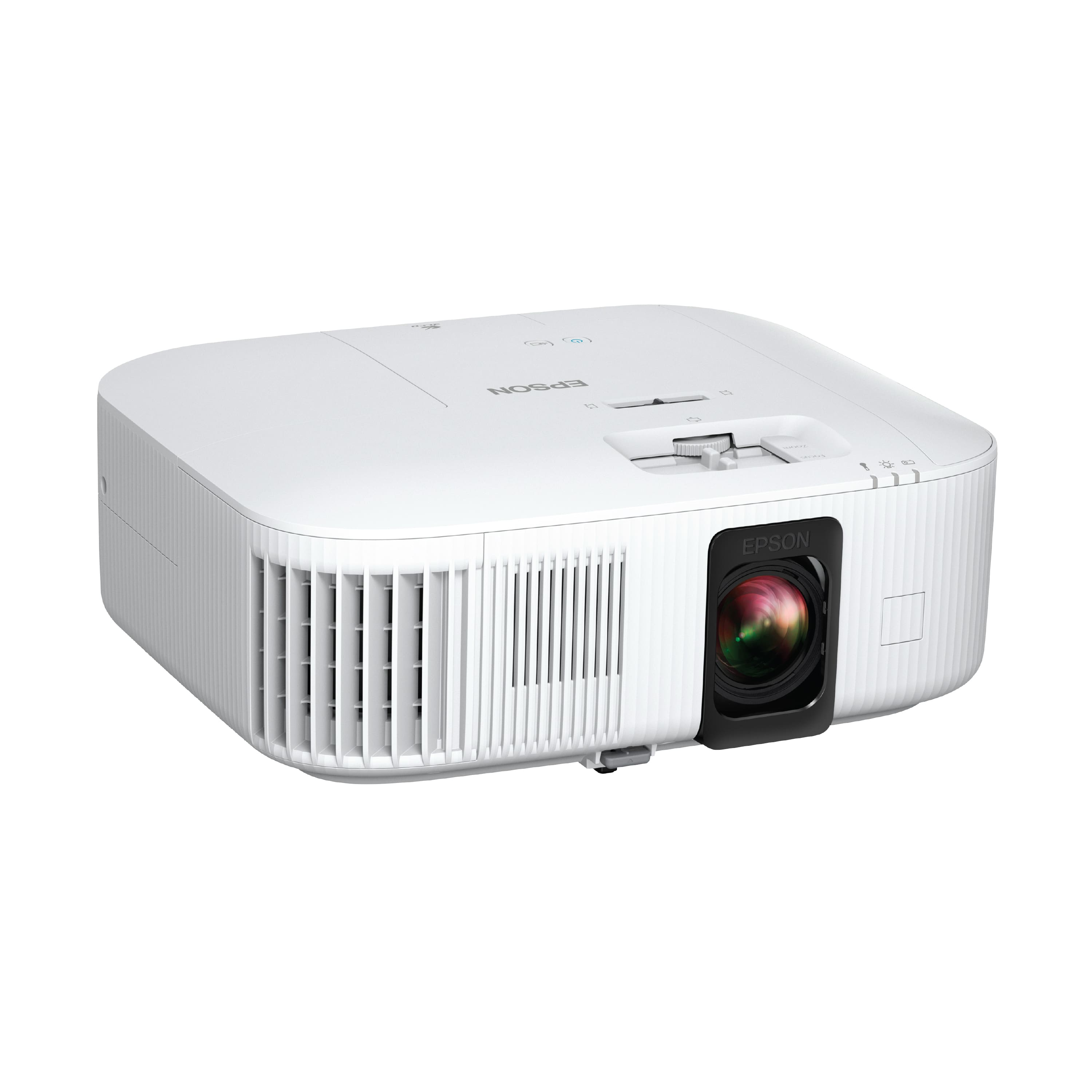
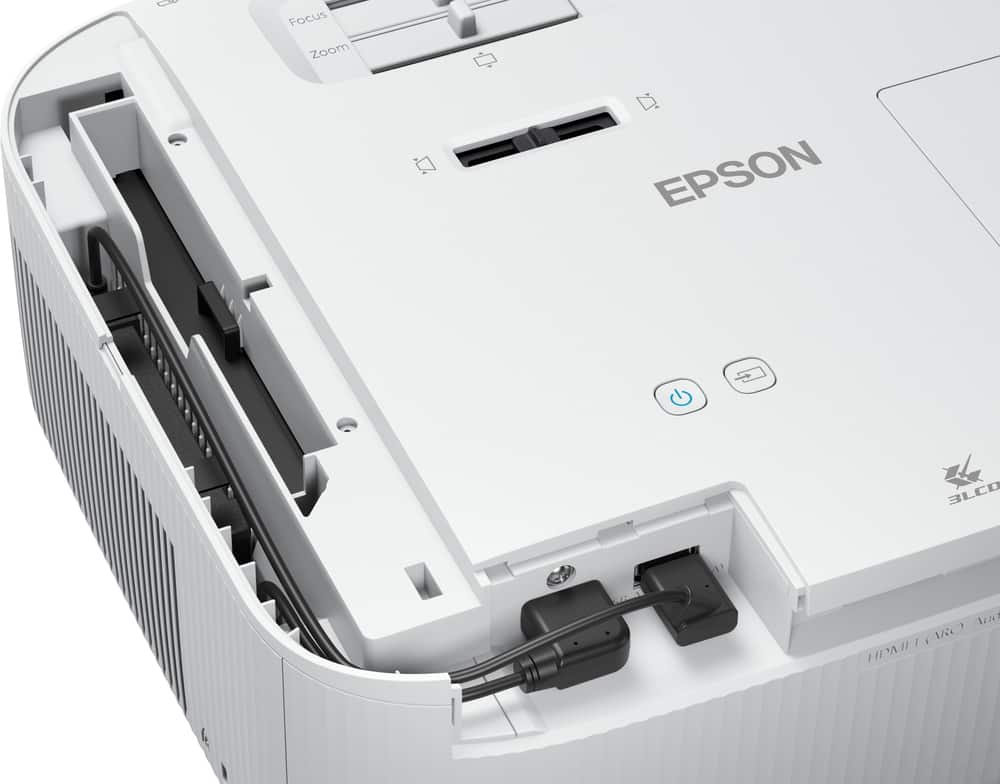
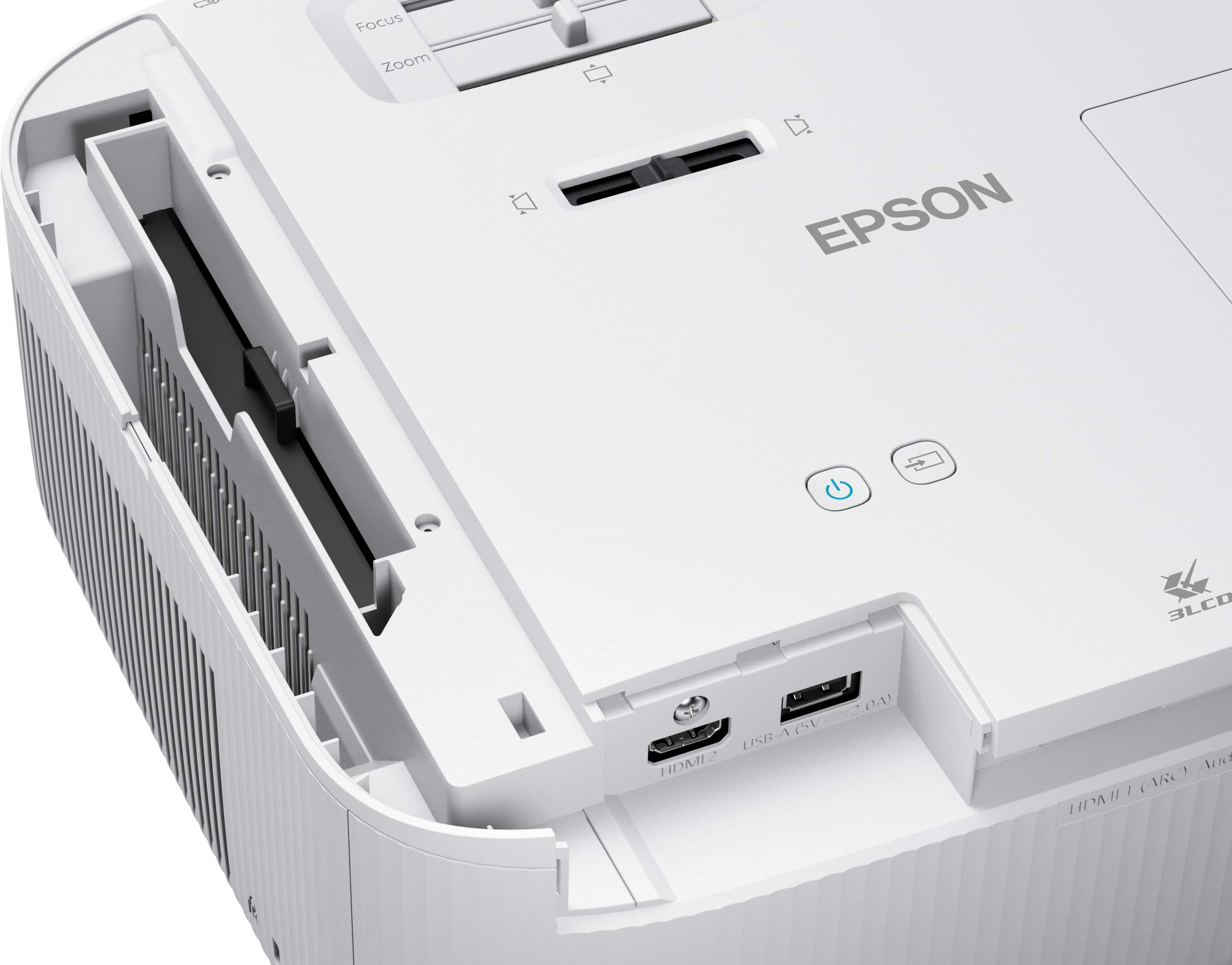
|Posted .This reviewer received promo considerations or sweepstakes entry for writing a review.To start, I think, overall, this is a quality projector. It does quite a few things well, is a great size, and I really like the video quality it outputs, which frankly is the most important thing to me. That said, I am a little confused about the messaging Epson is using here. As for the build and styling, it is about what you would expect. White. A lot of plastic. Standard. Normal. A projector. Everything seems put together well, it feels solid, and it is a great, compact size. It is easy to move around and should be fine doing so over time. There are some adjustable feet to help with levels, and the common adjustment options (zoom, focus, lens shift, keystone). There are two HDMI ports for connectivity (one is taken out of the box with an Android TV dongle. more on that later). All in all, a mostly typical projector setup. I am more or less in the Google ecosystem, so I was pretty familiar with the Android software and apps that come with the projector. It runs fairly well, albeit with a little lag every now and then, and you can use that interface to get most if not all of the streaming options you will be looking for. I did find it a little…”odd” that all of this is accomplished by an Android TV dongle placed in a covered HDMI port. Not sure how that affects performance via a chip in the system, if at all, but it is just a strange choice. You can remove it and run the projector, but again, strange. You can also use other free HDMI port to use a streaming stick of your own, but I did not do that so I am not sure how that may work. Once up and running, everything looked pretty good. I was really impressed with how movies and TV content looked. I was using a flat, blank white wall, but the image was pretty crispy, clear, and vibrant. The colors not only popped but were also more accurate than I expected. It did shine more in darker and dimmer settings, but it did pretty well in brighter conditions as well. A dip for sure, but depending on what you are looking for, there shouldn’t really be any complaints. Well, for movie/TV viewing at least. When it comes to games, it is a bit of a mixed bag. I think it really depends on what type of gaming you are really looking to be doing. Any casual gaming is fine, and it really excels, it is just when you are looking to push things a bit, even when within the suggested limits of the projector, that things start get a little muddled. As I said, it kills the casual gaming experience, and it even does very well with 4K, but I struggled with any HDR or high frame rate action (even 60). That said, I didn’t really have any issues with latency or lag while playing, but that could be in part to my game choice. I don’t know, it just seems a projector being advertised as “gaming” should be better here. The sound is, again, about what you would expect from a projector. The speakers get fairly loud, and sound “good,” but they are mono, and they do fight with the inevitable fan exhaust (and heat) that is just part of using a projector. For casual use, they should be adequate, but if you really enjoy movies or are looking for an immersive experience in any way, I think a dedicated sound option would be the way to go. I don’t know, in the end I am torn here. I do like the projector, and I think it really has some nice 4K output (crisp, detailed, bright, vibrant), and I like the form factor, but I am really conflicted about the value. For home cinema, it is great (although that dongle thing is still odd to me), and for casual gaming it is more of the same. It is when some more real “gaming” tasks are thrown at it that it seems to lag behind a bit. That is what it is, but I think Epson has muddled the messaging with this projector. I can still recommend it for what it is, but know your use case before committing, and maybe wait for the price to drop more in line with the value provided.
I would recommend this to a friend Totaltech member prcing - no benefit
||Posted . Owned for less than 1 week when reviewed.This reviewer received promo considerations or sweepstakes entry for writing a review.I bought this projector last week snd ppanning to buy the 2nd one in app and encoutnered continious issues while placing order . I went ti branch and they said price got changed . Yesteday night price shows as 1110/- for tootltech members . But when i visited the stire mckinney, they refused to match the price . It doesnt make sense tto keep totaltech member price fir just 1 day . Atleast they should keep it for 5 days Iam not rating the product but the pr ing model bestbuy giving for total tech members
No, I would not recommend this to a friendBrand response from Epson
Posted .Hello RKmunaga, we appreciate your feedback on the Epson Home Cinema 2350 projector. Epson considers all feedback to improve the performance and quality of our products. Epson also provides helpful information on FAQs and self-help tools on the product support web page at https://epson.com/Support/Projectors/Cinema-Series/Epson-Home-Cinema-2350/s/SPT_V11HA73020#questions. Additionally, your projector includes a 2-year Limited Warranty plus free lifetime technical support. Please contact our support team directly at (562) 276-4382 between 7 am - 4 pm (PT), Monday - Friday, if you need further assistance.
Sincerely, Sam - The Epson Team
- Pros mentioned:Brightness, Picture quality, Size
Great picture and so easy to stream content
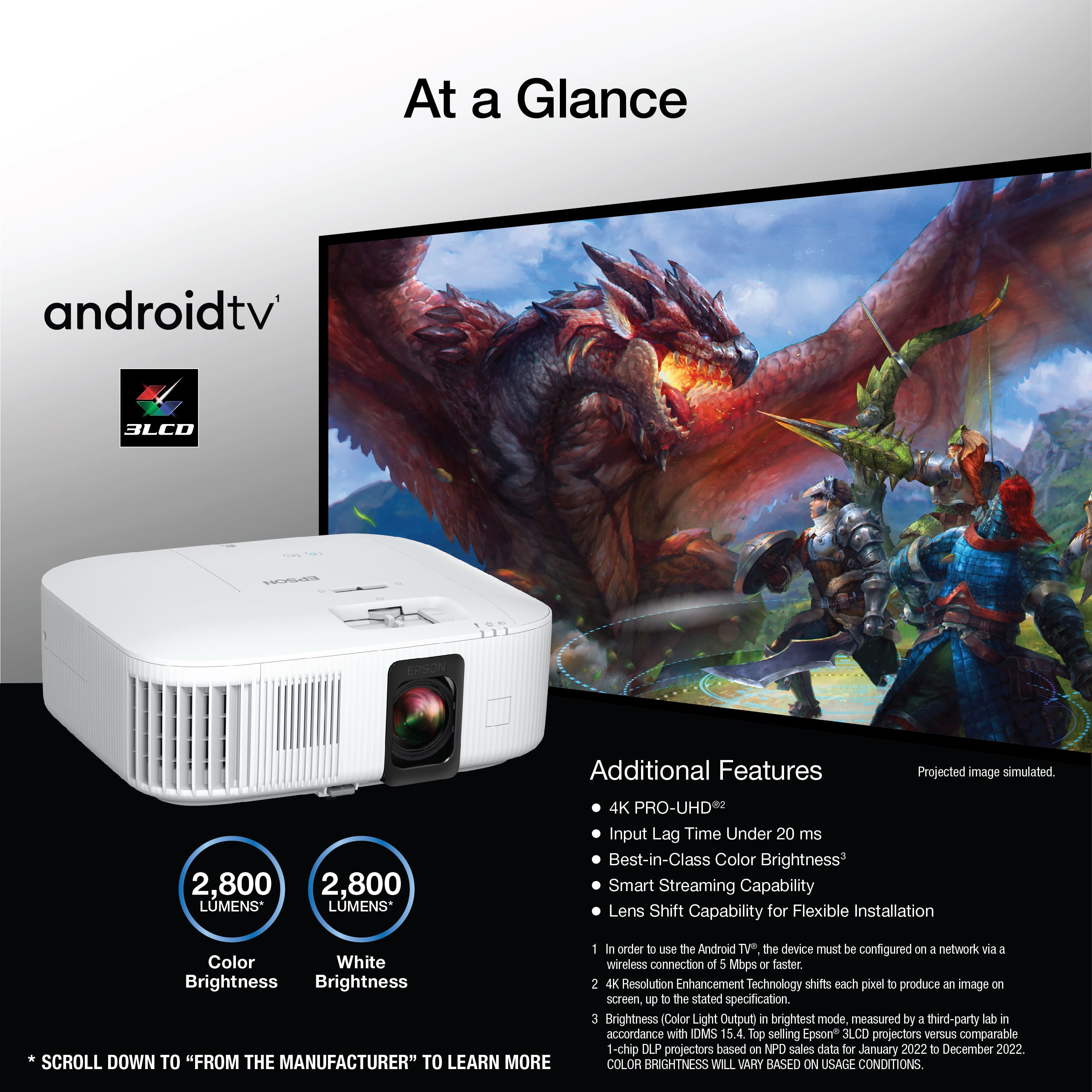
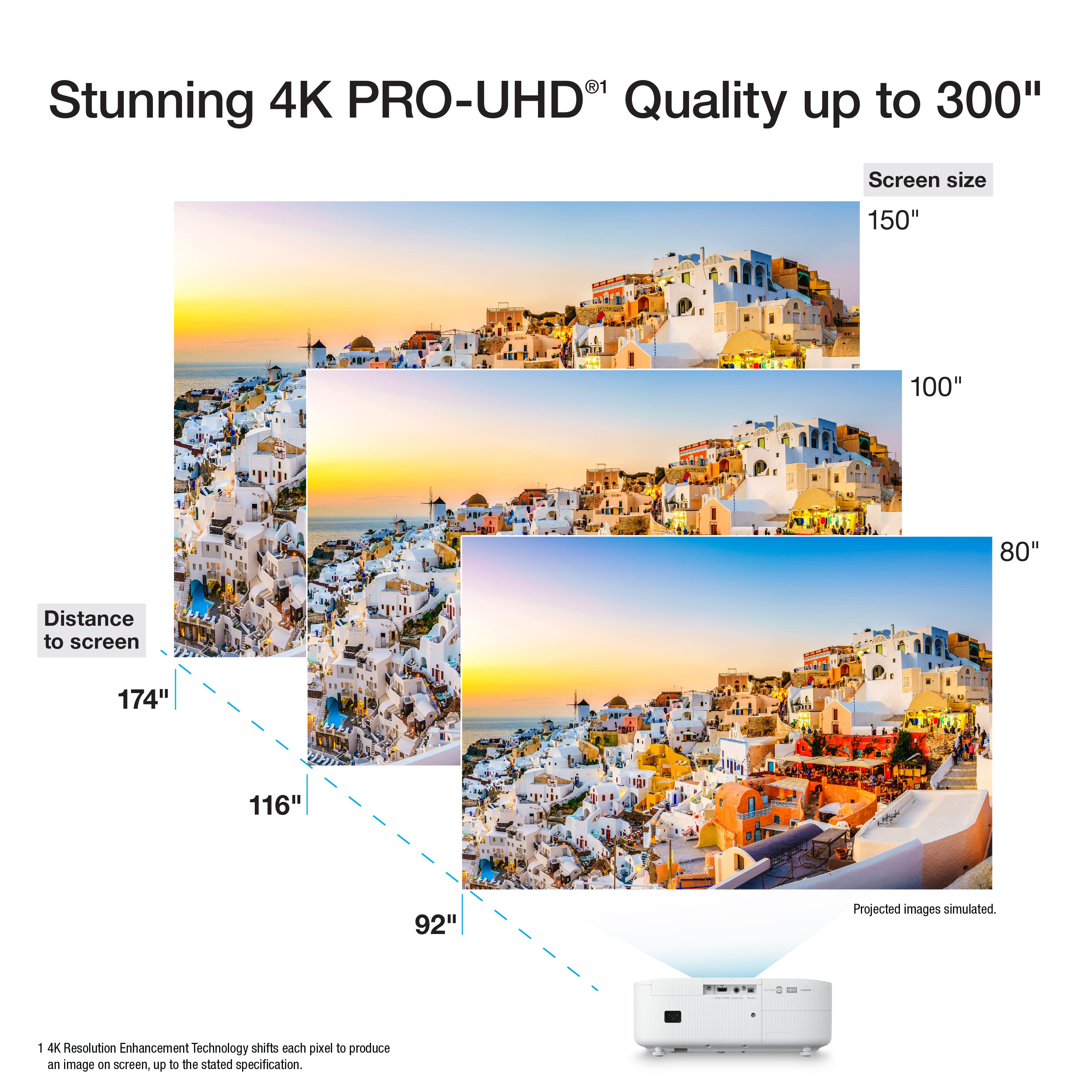
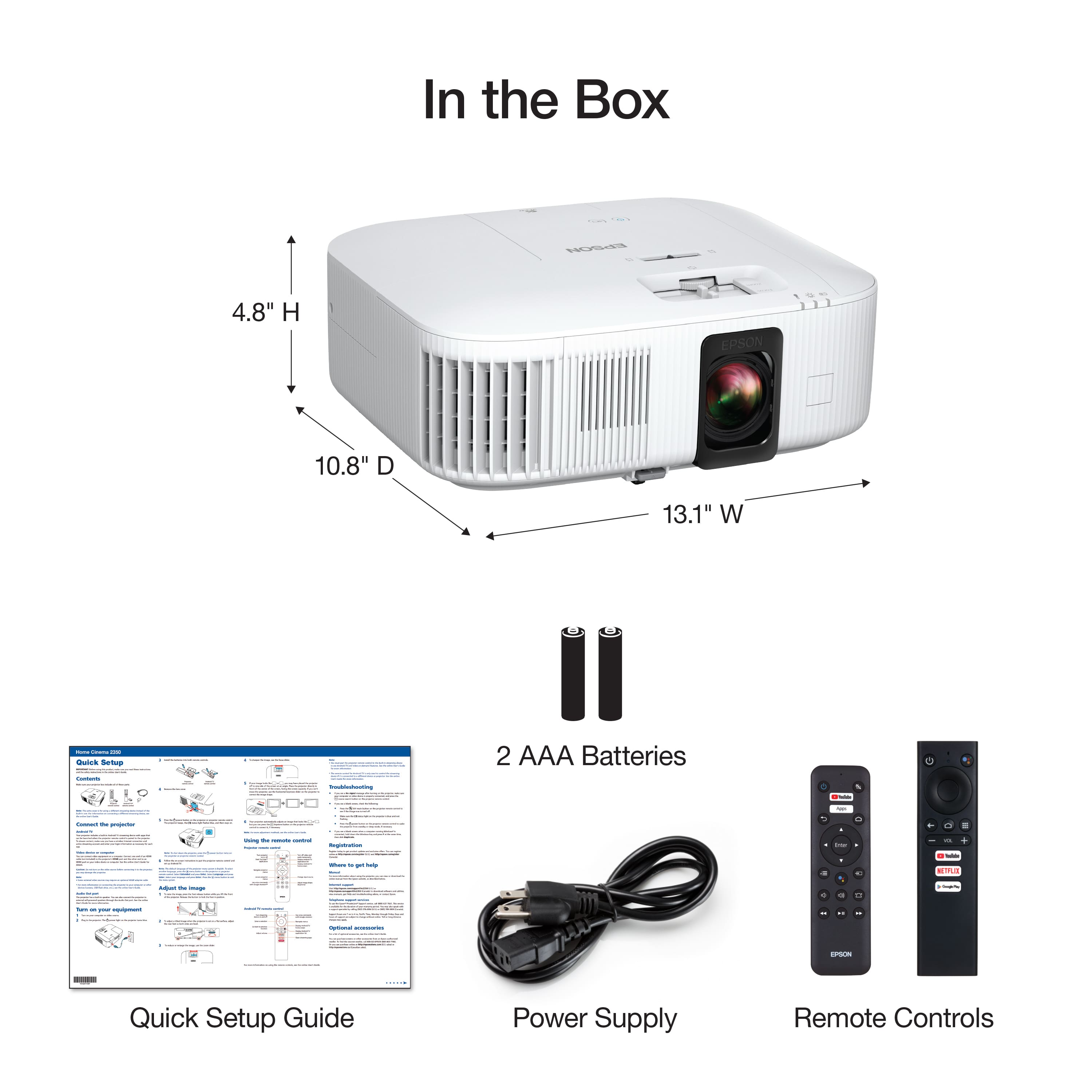
|Posted .This reviewer received promo considerations or sweepstakes entry for writing a review.We’ve used Epson projectors in the past and one is always wowed by the fun factor of being able to view such large screen sizes from fairly compact projectors. The ability to create family entertainment in such a portable fashion is really a great benefit whether it is movie night in the family room or outside by the pool. The Home Cinema 2350 is no exception to the fun and many older projector owners will be enjoying a step up in picture quality, ease of setup and streaming, and improved audio. It’s pretty amazing to consider that this projector supports 4K content, has an input lag time under 20ms and an image size up to 500 inches. Set-up is straight forward and we had no issues connecting wirelessly. Included with the projector is a remote control for controlling the projector functions and an Android TV remote control for streaming functions. The projector itself is lightweight and small enough in size to sit on a table, chair, bookshelf or rack. The height of the projector can be adjusted via the front foot and leveled via the back feet. The sliders on top offer a convenient and easy method to reduce or enlarge the image, and sharpen the focus of the image. It is really going to be nice to readily access so many of the streaming services we use with the built in Android TV. Voice commands with Google Assistant make the task that much faster. This ease of streaming content really encourages one to use a projector more often as setup and use is a breeze. The picture quality is quite impressive with Epson’s 4K PRO-UHD technology. The 2800 lumens of brightness create a very nice range of white to color. We were impressed with the picture quality whether watching a car review or full-length movie. The colors were quite accurate and seemed to be consistent in various lighting scenes. Gaming with the latest consoles is another option as the Epson 2350 supports 120Hz at 1080p or 4K at 60Hz. I don’t really think the everyday gamer in our family is likely to use this projector often, but it will be fun for family gaming sessions. I can see it coming in handy for watching gaming tournaments with a large group too. I like the fact that this projector is a very manageable, compact size and will be easy to store when not in use. It also comes with a lens cover that can be popped on to protect the lens while not in use. We’d recommend this Epson Home Cinema 2350 for its quality, features and ease of use. The price may seem a bit steep, but the benefit of enjoying great picture quality with a group of friends or family is so worth it. One can step it up another notch by wirelessly connecting to outside audio source such as a sound bar to really elevate the audio experience.
I would recommend this to a friend - Pros mentioned:Picture qualityCons mentioned:Hdmi ports
A Great Choice for Movie Nights
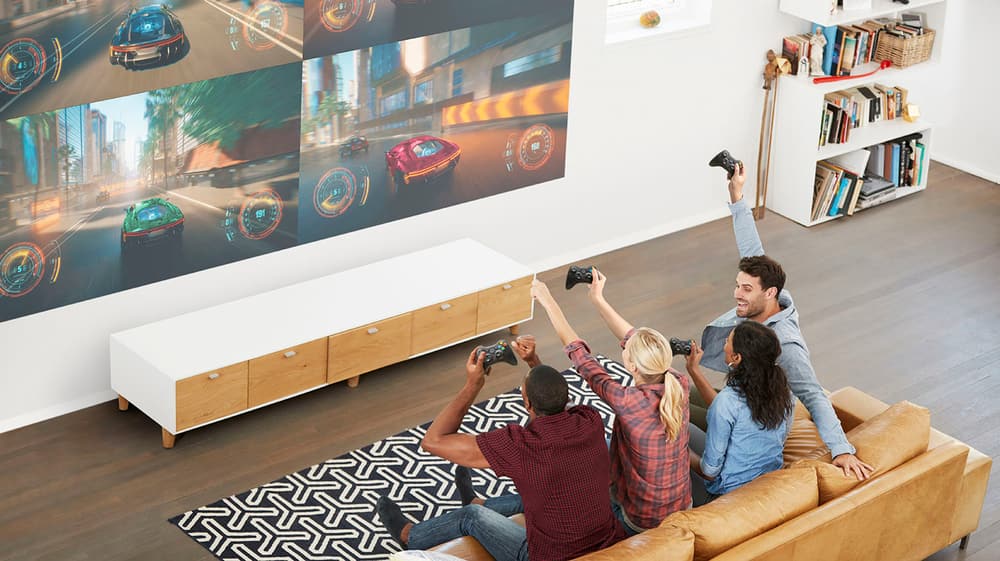
|Posted .This reviewer received promo considerations or sweepstakes entry for writing a review.The Epson Home Cinema 2350 4K Pro projector is great. The picture display quality is the biggest strength of the projector. The 4K and HDR10 puts out some bright and vivid colors and the image quality is clear as day. Its marketed as a gaming projector and I gotta say its a great choice for gaming. I tested it with my PS5 and all my games looked amazing, even better when seeing them at 120" wide display. The low latency game mode works well, I didn’t notice any delays in my controller and what I was seeing, especially when testing it with games like MK11 and COD, where latency can be what determines a W or L. The internal speaker is a 10 W which is small, but is good for smaller spaces and should be good until you connect to a larger sound system. There are 3 forms to do this, through a 3.5mm port, an HDMI Arc port, and through bluetooth. The projector uses android/google interface to connect you to yoir favorite streaming apps like Hulu, HBO Go, Disney+, Netflix, etc. It comes with 2 remotes, one that is the master controller and the other is the android/google controller, the difference is that the master controller can do what the other does and also adjusts the techincal/projector settings. Despite all the good I have to say about the projector it isn’t without faults. The projector can display 1080p 120fps, but changing the image display is blocked in settings unless you switch the input and the device connected isn't 4K, othweriwse its stuck on 4K 60fps. The only way I was able to test that it was possible to adjust the image setting was by switching input to my soundbar and then checking the settings, when my PS5 was connected the image setting isn't adjustable. This might not even be a big deal for most people because 4K 60fps looks great but it is needlessly tedious and shouldn't be an issue. It doesnt have an optical port for soundbars. This is an issue because I have never had bluetooth work with android/google interface for audio output, no matter how close the soundbar was to the device. I tested this with Sony and Samsung soundbars and the sound quality was choppy, it might be different for you but I couldnt get it to work witout issue. I ended up just connecting my soundbar surround system through the HDMI Arc port and it works amazingly. Overall, the Epson Home Cinema 2350 4K Pro projector is a great choice for anyone wanting to take their movie night or gaming sessions to a higher level.
I would recommend this to a friend Great projector, terrible bulb life
||Posted . Owned for 8 months when reviewed.This reviewer received promo considerations or sweepstakes entry for writing a review.Our last projector, Optoma HD161X, had the original bulb last 6 years with our infrequent use. This projector had the bulb last 8 months, and I'm having to replace them out of warranty (only 90 days from epson). A clearer picture is not worth this hassle.
No, I would not recommend this to a friendPoor lamp life
||Posted . Owned for 2 months when reviewed.This reviewer received promo considerations or sweepstakes entry for writing a review.Lamp is defective, less then month and it was flickering
No, I would not recommend this to a friend- Pros mentioned:Picture quality
No export Bluetooth with speakers
||Posted . Owned for 1 week when reviewed.This reviewer received promo considerations or sweepstakes entry for writing a review.Very nice pictures, I can’t connect with speaker by Bluetooth.
I would recommend this to a friendBrand response from Epson
Posted .Hello NguyenP, we appreciate your feedback on the Epson Home Cinema 2350 projector. Epson considers all feedback to improve the performance and quality of our products. Epson also provides helpful information on FAQs and self-help tools on the product support web page at https://epson.com/Support/Projectors/Cinema-Series/Epson-Home-Cinema-2350/s/SPT_V11HA73020#questions. Additionally, your projector includes a 2-year Limited Warranty plus free lifetime technical support. Please contact our support team directly at (562) 276-4382 between 7 am - 4 pm (PT), Monday - Friday, if you need further assistance.
Sincerely, Sam - The Epson Team
No sound
||Posted . Owned for 1 month when reviewed.This reviewer received promo considerations or sweepstakes entry for writing a review.Had to sign an agreement to 15% restocking fee before purchase. The sound it had does not work. I went to the store to see if anyone know how it work. The associate said I have to pay for a Greek to come to my house to check it out and set it up. I had to buy another sound bar to make the sound work.
No, I would not recommend this to a friendBrand response from Epson
Posted .Hello Henry, we apologize for your disappointing experience with the Epson Home Cinema 2350 projector. Epson considers all feedback to improve the performance and quality of our products. Epson also provides helpful information on FAQs and self-help tools on the product support web page at https://epson.com/Support/Projectors/Cinema-Series/Epson-Home-Cinema-2350/s/SPT_V11HA73020#questions. Additionally, your projector includes a 2-year Limited Warranty plus free lifetime technical support. Please contact our support team directly at (562) 276-4382 between 7 am - 4 pm (PT), Monday - Friday, if you need further assistance.
Sincerely, Sam - The Epson Team
good projector for movies and tv
||Posted . Owned for 1 month when reviewed.This reviewer received promo considerations or sweepstakes entry for writing a review.good projector for large rooms. android tv built in is nice feature.
I would recommend this to a friendGreat mid range lamp projector
||Posted . Owned for 3 weeks when reviewed.This reviewer received promo considerations or sweepstakes entry for writing a review.Great value for the money! I'm glad i spulrged on my first projector
I would recommend this to a friendGood
||Posted . Owned for 2 weeks when reviewed.This reviewer received promo considerations or sweepstakes entry for writing a review.It is too good i love watching movie on it. It is good for 4k
I would recommend this to a friendGreat projector!
||Posted .This reviewer received promo considerations or sweepstakes entry for writing a review.Great projector! I would recommend this to everyone.
I would recommend this to a friend- Pros mentioned:Brightness, Picture quality
Excellent projector!!!
|Posted .This reviewer received promo considerations or sweepstakes entry for writing a review.This review is on an Epson Home Cinema 2350 4K PRO-UHD Smart Gaming Projector. I am a proud owner of this wonderful projector. Weight is only 9.0 lb. Projector is well shaped. It is not thin nor too big allowing you to get a good grip on it when carrying around. All of the options in this projector make it worth purchasing in my opinion. There are many options when putting the projector on the table, desk, floor or anywhere. Of course, like most projectors there are two feet on the bottom back to help level your picture and a adjustable stand on the front to raise and lower your picture. There is also great flexibility in the angle at which the picture can be pointed. You can point the lens up to the top of the wall but use the adjustment dial to almost put it to the bottom of the wall. It also has H/V Keystone and can be set to do this automatically. So you can pretty much put this almost anywhere. This has been hard to find in this price range years ago. The picture is just awesome. Much better than my previous projector. I do not notice literally any bad spots in the picture. It is in focus from top to bottom unlike my previous one. I see no color wheel. I get no flickers. Motion is just smooth. The picture is still visible with the lights on but of course it doesn't look as good as it does with the lights out. The colors are brighter and more vivid thanks to HDR10. Brights don't look washed and dark scenes look great. Installed speaker sounds good for a projector speaker. It has Bluetooth that hooked easily up to my soundbar. It has two HDMI inputs but one of them is used by the Android TV device. When first setting up Android TV it gives you the option to use Google to add the device to your network. This option did not work for me even though my phone was connected to my Wi-Fi but when I added my Wi-Fi manually it showed up. Just a few screens to answer and Android TV was up and running. If you have a Sony TV with Android TV, the menu looks like that. Streaming is really the only way I watch TV now, so this cuts down on the amount of cords you have to run to the projector. Remote is well designed when navigating through both the projector menu and Android TV menu. When I hooked my Xbox Series X to the projector it says that it supports 4K gaming but not at 120Hz so you can't play at 4K 120 FPS. It says it supports HDR10 video but not HDR10 for gaming. It says it supports 120 FPS at 1080p but I don't intend to use it in that mode. Gaming was smooth and looked great. I had many good FPS games while using this projector. I don't know if it was because of it or not though. Now the only bad thing is my universal ceiling mount that I had on my previous projector would not work with this projector. I would recommend getting their universal mount ELPMBPJG.
I would recommend this to a friend Don’t waste your money
||Posted . Owned for 1 month when reviewed.This reviewer received promo considerations or sweepstakes entry for writing a review.Horrible picture quality and always loads really regret buying this projector
No, I would not recommend this to a friendBrand response from Epson
Posted .Hi IgnacioV, thank you for taking the time to write a review of your Epson projector. We appreciate your business, and value your feedback. Your Epson Home Cinema 2350 includes free technical support for the life of your product, so if you’d like help optimizing your setup, feel free to contact us at (562) 276-4382; Hours: Monday – Friday, 7am – 4pm PT. Kind Regards, Tony – The Epson Team.
- Cons mentioned:Hdmi ports
A value-packed 4K HDR projector
|Posted .This reviewer received promo considerations or sweepstakes entry for writing a review.To start out with, the marketing for this projector may throw you off. It’s marketed as a gaming projector but this is a great projector that does a very good job at nearly everything, and it has a lot of features for the money. It packs in a super bright lamp being able to pump out 2800 lumens and even in daylight conditions (with the blinds closed) it produces a surprisingly bright image. The color saturation is quite good and you can pump this up even more with some settings and then it also has support for HDR10 dynamic range content. It also has fantastic contrast where it has a 35,000:1 contrast ratio. In terms of image quality, it’s really quite good. The gaming portion of the marketing may have something to do with the 120fps frame rate you can get but just note that’s at 1080p. You can however get 60fps at 4K. The 20ms input lag may also be another reason for the gaming appeal. For the types of media that you may be consuming, this does a stellar job at nearly everything I threw at it but the “gaming features” are in the OK range but at the same time, this projector is a good deal for everything else it packs in. I quite like the fact that it has WiFi and Android TV built right in so you can access apps like Netflix, Amazon Prime, and YouTube directly from the unit itself making it effectively a “smart tv”. It’s basically an all-in-one unit where the portability allows you to use it in your backyard without having to plug anything else in for those summer outdoor movie nights. It even has bluetooth support for headphones or earbuds if you’d like. The 10 watt speaker is OK. Better than most speakers on recent flat TVs but certainly not anything amazing when compared to a sounder/subwoofer setup. It’s there as for convenience and does the trick if you don’t have anything better on hand. It also has a physical lens-shift option where you can place the projector in maybe not the most optimal location like on the floor or your ceiling and still be able to project a properly aligned image on to the screen. It also does have a a side to side adjustment but you can’t fine tune it as much as the vertical adjustment where there are less steps/stops with the side to side angle adjustment. I ended up having the projector to the side of my couch at sitting level and was able to throw the image onto my wall without any issues after a bit of toying around with the keystone adjustments. Even though it does have 2 HDMI ports, one of those ports is actually already used for the “built-in” Android TV, which I guess you could say is built into the unit, but it literally is a separate device that lives inside the projector. Sort of weird that it’s a separate little device in the projector but I guess that also means it could in theory be upgraded in the future. My only big gripe with it is that I wish it didn’t look like a printer ;) Maybe appropriate since Epson makes a lot of printers but it still looks a little dated. For the price, this projector packs in a lot. Maybe not the right marketing as a “gaming projector” but it’s a great value for what it offers as an all-in-one projector that’s suitable for lots of content, not just games.
I would recommend this to a friend - Pros mentioned:Brightness, Ease of use, Size
Epson projector
Posted .This reviewer received promo considerations or sweepstakes entry for writing a review.I really like this compact projector, it's lightweight and easy to use. Very bright and works great in most light.
I would recommend this to a friend - Pros mentioned:Brightness, Picture quality
Skip this projector if you're a gamer.
|Posted .This reviewer received promo considerations or sweepstakes entry for writing a review.The Epson - Home Cinema 2350 4K PRO-UHD Smart Gaming Projector needs to lose the "Gaming" portion of it's title. Now that's not to say this isn't fun for all videogames. Firing this up and playing Mario Party with my family is still alot of fun. Really, any game I can play with my family on this isn't too bad, but once you get into the xbox series x games that take full advantage of HDR and FPS is where this product comes up short. Movies look terrific on this, however you really need to have this in the right space to really take advantage of how good the picture can look. Blu-rays and 4k movies look really good, colors pop and the contrast is really good on this unit. It's very hard to move to this from a 65" Samsung TV with more robust features. We'll be using this primarily for movies and switch games, which is great for a family but if you're someone that has higher expectations for this, I would suggest skipping out on this projector, you will not get more bang for your buck with tis product compared to much better and cheaper devices on the market right now.
No, I would not recommend this to a friendBrand response from Epson
Posted .Hi PretzelGuy, thanks for taking the time to post a review, and we are sorry that you aren’t completely satisfied. Your Epson Home Cinema 2350 includes free technical support for the life of your product. Please contact our support team directly at (562) 276-4382 between 7 am - 4 pm (PT), Monday - Friday, if you need further assistance. Sincerely, Tony- The Epson Team
- Pros mentioned:Picture quality
Great projector for a fraction of the cost.
Posted .This reviewer received promo considerations or sweepstakes entry for writing a review.For the money, I would say this is a great projector. Setup, (should have been a breeze), but I had an issue with the projector not recognizing one of the remotes. It caused the projector to freeze on the initial welcome screen. After an hour on the phone with Epson, we got it figured out. (The customer service techs were great, by the way!) Once I got the set up done, I mounted it to the ceiling and started streaming. The unit comes with it's own streaming dongle. After using it for a bit, I decided to use a 4K UHD Amazon FireStick in it's place. It's as simple as unplugging one and plugging in the other. Being able to stream 4K content from Amazon Prime, Netflix, VUDU and Movies Anywhere was THE selling point for me. This unit does not disappoint. The picture is bright and spectacular! I couldn't be happier and I highly recommend this projector.
I would recommend this to a friend - Pros mentioned:Picture quality
Good picture quality but not terribly bright
|Posted .This reviewer received promo considerations or sweepstakes entry for writing a review.I got the Epson Home Cinema 2350 to replace an aging projector that I use almost daily. First off, this thing is really large compared to the other projectors I have and have had in the past. It definitely won't blend in anywhere you put it. Next, the Google Home "simple" setup is a complete joke and waste of time as it just doesn't want to work with an iOS device. Skipping that step and doing your network connection manually will save you lots of time and headache. Once you get online, there is the inevitable update but it doesn't take too long. Next, I tried to pair the projector to my soundbar and, while it did connect over Bluetooth, the sound was never correct. After much troubleshooting, I just gave up. That was disappointing because I was really hoping to be able to use the built-in streaming capabilities without having an external device. I went back to my Apple TV, connected it to the HDMI ARC port, and all was well. Now, that being said, I have not used the streaming capabilities and can't comment on how well it works. Now, on to the picture part. The clarity is amazing. There has been no pixelation, blurriness, or lag even with high paced sports or FPS games. Watching a movie is almost like going to the cinema since this is a true 4K projector. The main issue I have is that, at 2800 lumens, the picture is not terribly bright. In a completely darkened room the brightness is acceptable. But if you have a light source (like a window) that is close enough to your screen to light it at all, the picture gets washed out. I am lucky enough to be able to rearrange my viewing space to minimize the light, if you have a fixed location or have overhead lights on regularly, you might consider looking fro a model with a higher brightness output. I really wanted to love this projector as an "all-in-one" solution, the Bluetooth sound issues and the lowered brightness level are issues for me. It is certainly better than the unit it replaced, but overall I would say it is just slightly above adequate for my needs.
No, I would not recommend this to a friendBrand response from Epson
Posted .Hello Chadwick, we appreciate your feedback on the Epson Home Cinema 2350 projector. Epson considers all feedback to improve the performance and quality of our products. Epson also provides helpful information on FAQs and self-help tools on the product support web page at https://epson.com/Support/Projectors/Cinema-Series/Epson-Home-Cinema-2350/s/SPT_V11HA73020#questions. Additionally, your projector includes a 2-year Limited Warranty plus free lifetime technical support. Please get in touch with our support team directly at (562) 276-4382 between 7 am - 4 pm (PT), Monday - Friday, if you need further assistance.
Sincerely, Sam - The Epson Team
- Pros mentioned:Ease of use, Setup
Love it.
Posted .This reviewer received promo considerations or sweepstakes entry for writing a review.Works great good quality viewing. Easy set-up and easy to use.
I would recommend this to a friend