Customer Ratings & Reviews


- Model:
- V11H959020
- SKU:
- 10769736
Rating by feature
- Value
Rating 4.5 out of 5 stars
- Quality
Rating 4.6 out of 5 stars
- Ease of Use
Rating 4.6 out of 5 stars
to a friend
The best purchase I’ve ever made! HD definition is
||Posted . Owned for 3 weeks when reviewed.This reviewer received promo considerations or sweepstakes entry for writing a review.The best purchase I’ve ever made! HD definition is on point! It is better than any TV I have ever had. I love it!!!
I would recommend this to a friendAvoid or just plan to be lucky.
||Posted .This reviewer received promo considerations or sweepstakes entry for writing a review.First unit had extremely poor focus uniformity. Second was DoA. Went with an Xgimi Horizon Pro. So far very pleased with that unit.
No, I would not recommend this to a friendBrand response from Epson
Posted .Hello Scott, we're sorry to hear about your trouble with the Home Cinema 3800 projector. Epson takes into consideration all feedback to improve the performance and quality of our products. We'll forward this information to the appropriate department for review. If we can help you with anything else, you can reach our support team by phone at (562) 276-4382; Hours: Monday - Friday, 7 am - 4 pm PT. Hopefully, we can assist you with a future product. Sincerely, Sam - The Epson Team.

Incredible, feature-rich projector
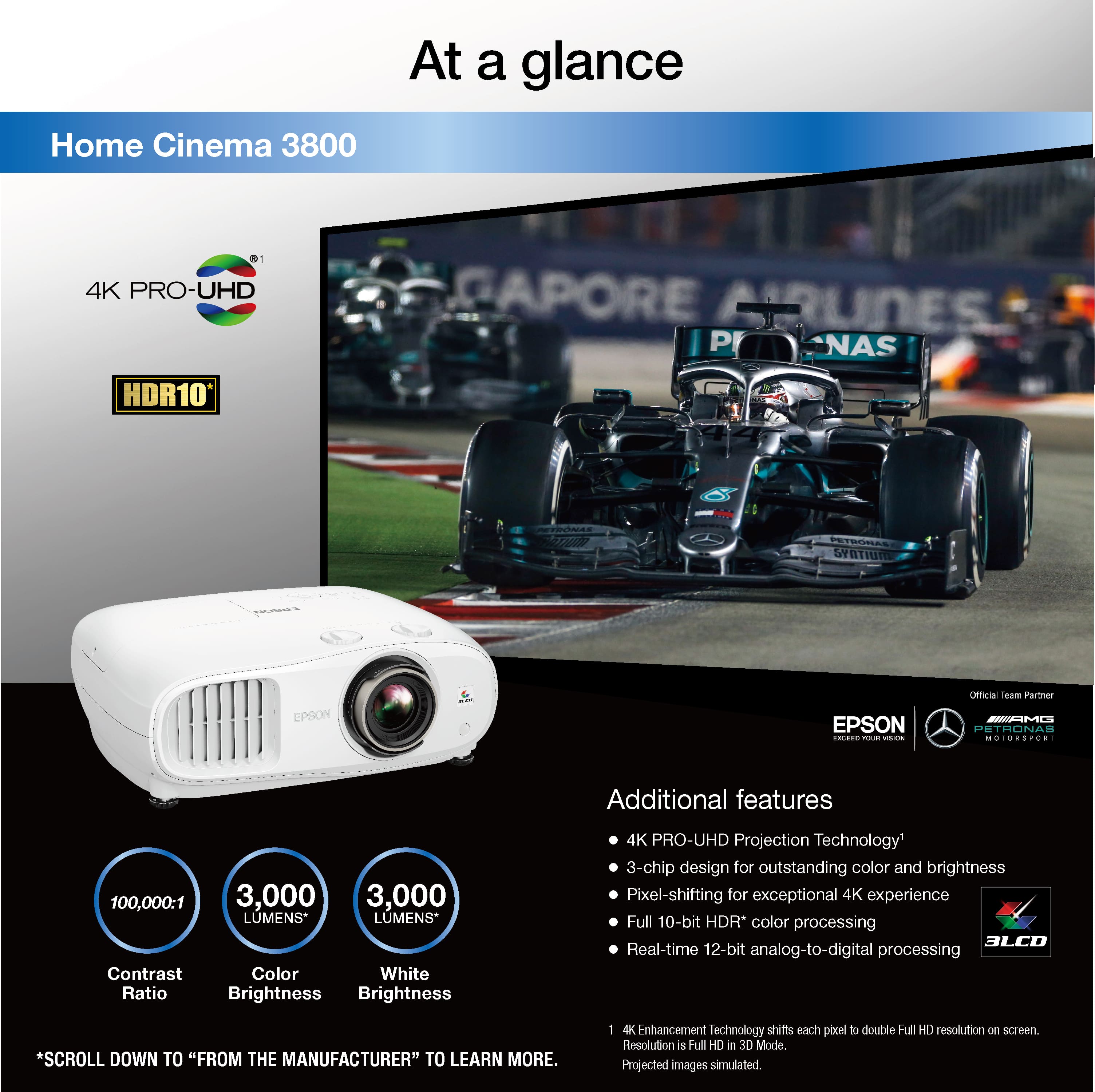
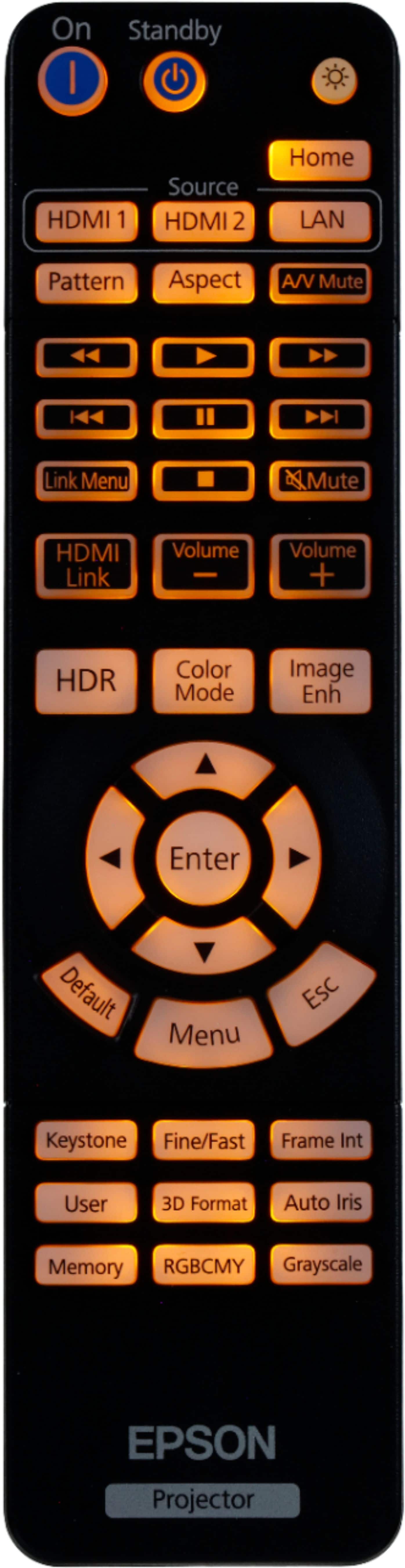
Posted .This reviewer received promo considerations or sweepstakes entry for writing a review.I have been using an Epson Powerlite Home Cinema 3020 for many years. It has been a fantastic projector for me and is still going strong with no issues during the life of the projector. I have been impressed with the Epson line of projectors, as they provide some of the best performance for the money. I was excited to now get the opportunity to try out a new Epson projector with 4K, the Epson Home Cinema 3800 4K PRO-UHD 3-Chip Projector with HDR. The transition to 4K is unbelievable and well worth the upgrade. I have a dedicated media room with the projector mounted on the ceiling projecting to a 120 inch screen. Set up is relatively simple and the projector can be mounted off center and adjusted accordingly with strong image quality in my tests. The projector has a number of settings to allow you to easily find the right settings for your room. The remote is more dynamic than a typical remote with many different adjustments and settings readily available and a very handy backlight. We use our projector primarily for movies and sports. The performance of the Epson 3800 exceeded my expectations. As noted in the specs, this projector has Epson’s advanced 3LCD technology. As a result, this projector delivers on providing an incredible RGB color signal without any “rainbow effect” or color brightness issues that you may experience with DLP projectors. With 3LCD, the picture is incredibly sharp. Brightness was perfect with 3,000 lumens for both color and white brightness with great color accuracy. The noise level of the projector is minimal, even in 4K mode. Speaking of 4K, Epson’s pixel shifting technology for 4K resolution processing works beautifully. The picture quality for this price range projector is amazing. The projector also includes built-in speakers. So, it is easily portable and can be quickly set up and enjoyed outside as well. In summary, what sets Epson projectors apart from the competition is that they provide incredible, feature- rich, high performing projectors for a great price from a brand you can trust. The Epson Home Cinema 3800 is no exception. This is a review for the Epson Home Cinema 3800 projector that I received free of charge to do a beta test and review
I would recommend this to a friendGreat idea but poor execution
||Posted . Owned for 2 weeks when reviewed.This reviewer received promo considerations or sweepstakes entry for writing a review.Bulky, loud, and only so so image quality. On the plus side it is eye-searingly bright. You are better off getting a 1080p projector or going with full 4k.
No, I would not recommend this to a friendBrand response from Epson
Posted .Hello Jerry, we're sorry to hear about your disappointing experience with the Home Cinema 3800 projector. Epson considers all feedback to improve the performance and quality of our products. Epson also offers helpful information, including FAQs and self-help tools, on the product support web page at https://epson.com/Support/Projectors/Cinema-Series/Epson-Home-Cinema-3800/s/SPT_V11H959020#questions. Your Home Cinema projector includes a 2-year Limited Warranty and free lifetime technical support. If you need any assistance, our Epson Support Team would be happy to help you and can be reached at (562) 276-4382; Hours: Monday - Friday, 7 am - 4 pm PT; Sincerely, Sam - The Epson Team.
colors not good, have a bkue green tint to it
||Posted . Owned for 1 week when reviewed.This reviewer received promo considerations or sweepstakes entry for writing a review.beware bestbuy charges 15% restocking fee if you try to return this defwdtive product. if yoinreally want to try this or any other projector best buy is not the place to buy. Amazon will deliver faster and if not satisifed there is no restocking fee.
No, I would not recommend this to a friendBrand response from Epson
Posted .Hello uz77, thank you for writing this review on the Home Cinema 3800 projector. Epson considers all feedback to improve the performance and quality of our products. Epson provides helpful information, including FAQs and self-help tools, on the product support web page at https://epson.com/Support/Projectors/Cinema-Series/Epson-Home-Cinema-3800/s/SPT_V11H959020#questions. Additionally, your projector includes a 2-year Limited Warranty, plus free lifetime technical support. Please get in touch with our support team directly at (562) 276-4382 between 7 am - 4 pm (PT), Monday - Friday if you need assistance.
Sincerely, Sam - The Epson Team
Amazing projector
||Posted . Owned for 1 week when reviewed.This reviewer received promo considerations or sweepstakes entry for writing a review.Has great output for this price range as well as compact.
I would recommend this to a friend
Easy setup, amazing picture quality!
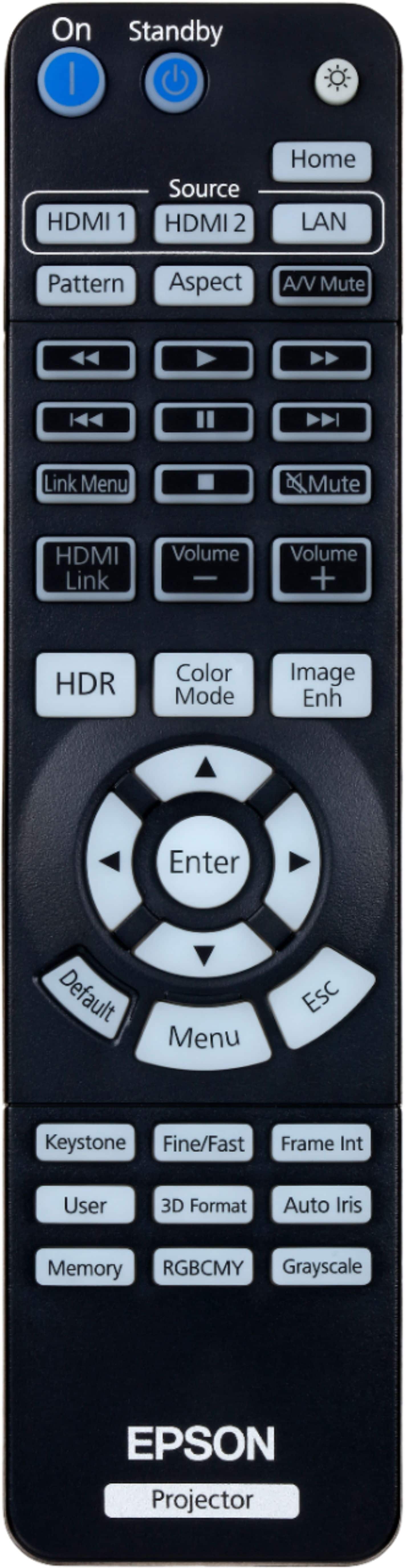
|Posted .This reviewer received promo considerations or sweepstakes entry for writing a review.I replaced my 1080P Epson 5010 projector with this model yesterday and haven't been able to tear myself away since! My current setup has the projector in a dark basement theater room with no lights and a 110" motorized screen, so my impression of picture quality is based on a completely darkened room. First off, installation was easy, as this projector has the same mounting pattern as the old one, although spaced out a little tighter since this PJ is a little smaller than the 5010. That's a good thing, as the 5010 is a monster. The 3800 retains the height but is not as deep front to back, a surprise given the 3800's built in speakers. Once installed in the ceiling I powered it on and was greeted by an upside down image on the ceiling above the screen. A quick setting change later the image was right-side up. Centering the image on the screen was simple thanks to the built-in lens shift controls near the lens. It's amazing to have physical controls for shift in all directions. Once it was centered a couple minutes with Epson's corner adjustments eliminated any keystone effect and I was ready to watch some 4K content. First up was Spider-man Far from Home on a 4K blu-ray played from the excellent Sony X800 player. I was greeted with a drab picture with a gray cast to it. After a few adjustments I realized my 6-year old HDMI cable wasn't in spec for 4K use. After swapping out cables (let that be a cautionary tale, you will need a good quality 4K certified cable to handle the extra bandwidth!) the picture came to life and was amazingly sharp and rich. I haven't been super impressed with HDR video on my TV, but here, in a dark room with a quality screen, I could totally appreciate the difference it makes. After that I tried streaming TV from Playstation VUE over the 4K Amazon Fire Stick. HD footage looked great unconverted to 4K! I also played a standard definition DVD (Porcupine Tree's 'Arriving Somewhere' concert video) and was impressed with how well it upconverted, too. The back-lit remote is a nice addition, as you'll find yourself tweaking the myriad settings to enhance sharpness and color the first couple hours. There are dedicated buttons for the color mode and HDR modes so you don't have to dig through menus to find their respective settings. In summary, I'm thrilled with the picture quality and overall experience with this projector. I miss the automatic lens protection on my old projector (this one has a cap you need to put on and take off manually, but luckily mine is easy to reach) and I wish the black levels were just a touch darker. I suspect some tweaking and bulb burn-in will help with that last point, though. If you're looking to move to a 4K projector, you can't go wrong with this one. Although I'm using it in a dark room, I feel some of the brighter color modes would make it suitable for a darkened living room.
I would recommend this to a friendGreat Home Theater Projector
|Posted .This reviewer received promo considerations or sweepstakes entry for writing a review.I have been impressed with my 720p Epson projector, but wanted a better picture quality. Thus, I was excited to see a 4K quality image using this projector. Setup was pretty straightforward, and the image covered my 110-inch screen with no issues. I noticed a better picture quality than my 720p and was impressed with the added built in speakers and Bluetooth connection. I read that this projector does not have P3 wide color gamut support, but I thought the picture was amazing and could not see how the picture could have been better. My only complaint about this projector is its size: it is much larger than my 720p projector. Pros 4K quality image Bright picture (3000 lumens) Bluetooth connectivity Built in speakers Cons Lacks P3 wide color gamut support Large casing For the price, I think this would meet the needs and wants of the majority of users. I would recommend this to anyone looking for a great projector for the price, with a bright picture.
I would recommend this to a friendOverheating 3 months after purchase
||Posted . Owned for 2 months when reviewed.This reviewer received promo considerations or sweepstakes entry for writing a review.Worked great at first. Now, 3 months in, the fan runs so high that you can barely hear the movie and I get messages on screen that the projector is overheating. I checked the air filter, it's brand new.
No, I would not recommend this to a friendBrand response from Epson
Posted .Hello JarretteS, we appreciate your feedback on the Epson Home Cinema 3800 projector. Epson considers all feedback to improve the performance and quality of our products. Epson also provides helpful information on FAQs and self-help tools on the product support web page at https://epson.com/Support/Projectors/Cinema-Series/Epson-Home-Cinema-3800/s/SPT_V11H959020#questions. Additionally, your projector includes a 2-year Limited Warranty plus free lifetime technical support. Please get in touch with our support team directly at (562) 276-4382 between 7 am - 4 pm (PT), Monday - Friday, if you need further assistance.
Sincerely, Sam - The Epson Team
fu---d up
||Posted .This reviewer received promo considerations or sweepstakes entry for writing a review.geek squad does not do installation in Jacksonville had to cancel a 7000 order the on Delery day. After two in home consultations. The service install date 12/10 I get a call in the am that best buy has no 55 inch lg tvs and they no longer do installations. huge disappointment.
No, I would not recommend this to a friendBrand response from Epson
Posted .Hello shylock, we're sorry to hear about your disappointing experience. Epson considers all feedback to improve the performance and quality of our products. We appreciate your time to share your experience and hope you have a nice day.
Kind Regards, Sam - The Epson Team.
Amazing for home cinema!
|Posted .This reviewer received promo considerations or sweepstakes entry for writing a review.I really like this projector! The picture quality is amazing! It is definitely sharp and clear with brilliant colors and enough lighting to project even in relatively bright rooms. The projector has great options for adjusting the lens position as well. One of my favorite features is the ability to pair the projector up with a bluetooth speaker. That allows me more versatility in my usage. I purchased an inflatable outdoor screen so being able to use a bluetooth speaker is nice when I need to have sound further away from the projector. One con is that it is pretty heavy, but that is the story with most 4k projectors so the buyer should expect that. All in all, I am very happy with the projector's performance and I would recommend it to anybody looking for a great home theater projector!
I would recommend this to a friendGreat Image, Great Value
|Posted .This reviewer received promo considerations or sweepstakes entry for writing a review.The Epson 3800 is everything that you need and want in a home entertainment projector. It is simple, inexpensive, and oh my is the picture beautiful! In the box you receive the Epson 3800 projector, power cable, remote, and batteries. The Projector comes with a lens protector on it that is easily removed, but hang on to it if you ever want to store or transport the projector. Setup is extremely easy, and to my delight, the image throw ratio is very forgiving. At less than 10 feet, the image was large and crystal clear. Merely find a suitable location that you want to put the projector, turn it on, and start by using the easily navigated image adjustments on the top of the projector to put the picture where you want it. Then rotate the Wide/Tight lens to adjust the size of your image. After getting the image to the size you want, rotate the focus on the lens to crystal up your image. I followed this up by rotating through the color settings pre-programmed on the projector and found one to my liking. As with any projector, the Epson 3800 will work best with an adequate screen. But let me tell you, if you don't have one or can't afford one yet, don't let that discourage you. This projector amazes even on a plain wall. It has enough brightness and contrast to impress your neighbors and have a local outdoor movie night projecting the image on to a garage door. Yes, I did this and the neighbor kids loved it! The only downfall to this projector is the speakers. They do not offer much in the way of cinematic sound or volume. However, this is a projector. It is tasked with providing you with a large and beautiful image to enjoy your movie, and these tasks it excels at. Pair it with a decent surround sound and you have a movie theater in your home! Don't have a surround sound system or don't have the motivation to wire one? That's ok! This projector can connect to your Bluetooth enabled soundbar for a great experience and amazingly simple setup. This is what I used when I set up the outdoor movie night. Overall, the Epson 3800 made my jaw drop to the floor and has kept it there. It impresses in every aspect and I can not express enough how great the image quality is. Even in fast paced TV and movies there has never been a time where I thought this projector lacked. Where is the 6 Star option at Best Buy? 5 stars just doesn't say enough!
I would recommend this to a friendBogus product.
||Posted . Owned for 3 weeks when reviewed.This reviewer received promo considerations or sweepstakes entry for writing a review.It is not at all a good product. It says 4K but the quality feels like 480p. I tried to contact the manufacturer for a refund, but all requests are falling on deaf year. Hence I would rate the customer service as extremely poor as well. It is a do not ever buy product for me.
No, I would not recommend this to a friendEpson projector
||Posted .This reviewer received promo considerations or sweepstakes entry for writing a review.I just finally opened this projector up and tried to get it started. It is not working at all, nothing absolute waste of my money. I hope I can take it back and get a flat tv screen instead.
No, I would not recommend this to a friendBrand response from Epson
Posted .Hello RitahG, we apologize for your disappointing experience with the Epson Home Cinema 3800 projector. Epson considers all feedback to improve the performance and quality of our products. Epson also provides helpful information on FAQs and self-help tools on the product support web page at https://epson.com/Support/Projectors/Cinema-Series/Epson-Home-Cinema-3800/s/SPT_V11H959020#questions. Additionally, your projector includes a 2-year Limited Warranty plus free lifetime technical support. Please contact our support team directly at (562) 276-4382 between 7 am - 4 pm (PT), Monday - Friday, if you need further assistance. Sincerely, Sam - The Epson Team
The picture really delivers and impresses everyone
|Posted .This reviewer received promo considerations or sweepstakes entry for writing a review.Don't rule out a projector for your next room video deliberations because you think TV's are getting bigger and cheaper and are basically the same size as a projector nowadays...I almost made that mistake and sooooo happy to have a projector. I should note I have an Epson 4000 which came out about a year, year and a half prior to this unit and is very comparable to this new 3800. The resolution specs are virtually the same, but the 3800 offers some pros over the 4000 which are worth noting as well as some trade off's. First let me say that the brightness of the 3800 is noticeably better. The lumen output was increased which was always a downfall of the 4000 unit I currently use. The 4000 always left a little to be desired as far as brightness goes especially if you compared it next to a standard TV, which is pretty much no contest in brightness. This new product, the 3800 noticeable bridges that gap and allows the use of a projector in areas where blocking light just isn't feasible. While it seems perfect and better than a standard TV, I want to point out why this unit gets 4 stars from me to give you a better idea of why you might want or not want to go the route of this projector. First lets start with when this unit shines and crushes a standard TV!! Number one is a combination of picture quality and size. I have a room that it is recommended I not go more than 100" due the size and distance to view. you might think this is sad, but wait...I got a 150" screen, seating is about 11-14' away, and I decided to go against all the internet recommendations about going so big. WOW, was I glad I didn't listen because the picture is amazing with a couple of small caveats. 4k discs have exceptional picture quality, 1080p blu-rays have a very high quality picture, but anything below strains the eyes unless you back up. Most content now is 1080p or higher, so no issues there. I do notice that 4k content is the sweet spot for such a big picture for so close a viewing range, and it really wows everyone who experiences an entire wall of movie, which is much better than going to the movies. when I focus the lens down to about 120", the 1080p content is in it's sweet spot for my setup. Either way, both are way better than an 80 or 90" TV. With such a big picture, you really need to step up your audio game to match the size of the picture though. Even though the technology is not an official 4K picture, the software used to mimic 4K, is definitely noticeably better than 1080p, and does not disappoint...so basically, don't dole out extra cash for the true 4K projectors unless you want to for you own personal satisfaction. What I see as TV's being better at is brightness of the picture. If you compare these projectors side by side to a TV, the TV always wins in brightness, but you would generally not have a projector picture next to a TV, so no one including yourself will notice unless you point it out. Bare in mind the affordability of this 3800 was realized by dropping some specs/features from the more expensive units in the way of a bit lower contrast ration, which I could not distinguish side by side, and the lack of a motorized lens. The motorized lens helps fine tune a picture zoom, angle, side adjust, etc from the couch, while the 3800 has a manual adjust. If the projector is in a hard to access location, this may be an issue, but in reality you only need to adjust at the time of setup, so really shouldn't be much of an issue long term. I would imagine the motorized lens would hold your settings longer due to the motors adjusting, while a manual adjustment may need adjusting from time to time depending on how well the projector was made to have the moving parts solidly manufactured. I did not need re-adjustment after a few days of use though and my bass is ridiculous, so hats off to Epson for making the unit more affordable but just as usable. The most noticeable design change for the 3800 is the size and weight of the unit was drastically reduced, allowing for easier handling and increasing the ability to fit to many different room sizes. All-in-all, this is a wonderful unit to buy for jaw dropping home viewing experiencing, but not worth upgrading from a previous unit unless space is a major concern. A little side note should be that if you go the projector route, plan out your space, projector placement, and screen size to make sure you are committed to making the jump to theater like entertainment and you will not be disappointed!!
I would recommend this to a friendIf only I could make real theater popcorn.
|Posted .This reviewer received promo considerations or sweepstakes entry for writing a review.I’ve never owned a projector before so I was pleasantly surprised after setting this up. Set up was simple. A ceiling mounted setup will take a little more effort, but for my review I just placed it on an tall wall table and set it up in our large downstairs family room with no ambient lighting. I used an inexpensive screen purchased from Amazon. Using and Xbox and out of the box settings on the Home Cinema 3800, we watched UHD versions of Aquaman and Black Panter. The size of the picture was impressive (120 inch screen) and the picture quality, and color reproduction were very good. The contrast was good, but the blacks were slightly washed out at times, however it wasn't distracting in the least. HDR offered some benefits, however it wasn't as significant as on my (much smaller) Samsung LED TV. This has to do with the fact that it lacks P3 wide color gamut support, so you don't quite get the full HDR range available. While not a true 4K picture (it's simulated) the details were crisp and clear. The unit comes with a stereo speaker system which was a disappointment (I couldn't quite get the theatre sound system installed and connected prior to posting this review), but it was never meant to replace a real audio setup. It does come with bluetooth, and the experience was totall immersive with quality sound combined with a huge screen. There are only 2 HDMI inputs, however it does offer powered USB for streaming devices. The remote is decent, and has backlighting which is a nice touch. Overall, I'm very pleased with the picture quality and overall immersion with this projector. The black levels could be a bit darker, but I suspect that would be difficult at this price point and perhaps a bit unfair to expect. If you're looking to setup a huge screen home theater, I don't think you can go wrong with the Home Cinema 3800. While I have some small gripes and true videophiles may find the lack of P3 wide color gamut a dealbreaker, to my untrained eye the I find the overall experience is excellent. I'm still working on a popcorn solution though...
I would recommend this to a friendnot user friendly to setup
||Posted . Owned for 3 weeks when reviewed.This reviewer received promo considerations or sweepstakes entry for writing a review.not user friendly to setup at home who doesn't have technical knowledge
No, I would not recommend this to a friendHappy customer
Posted .This reviewer received promo considerations or sweepstakes entry for writing a review.Great pic quiet running. Love you can switch letterbox movies to full sceen
I would recommend this to a friendGot a Dud
||Posted .This reviewer received promo considerations or sweepstakes entry for writing a review.Dead pixel in the middle of the screen and giant green dust blob on the lower right of the screen that is extremely distracting during dark scenes. I got a dud.
No, I would not recommend this to a friendEntry level Projector by Features buy Great Pictur
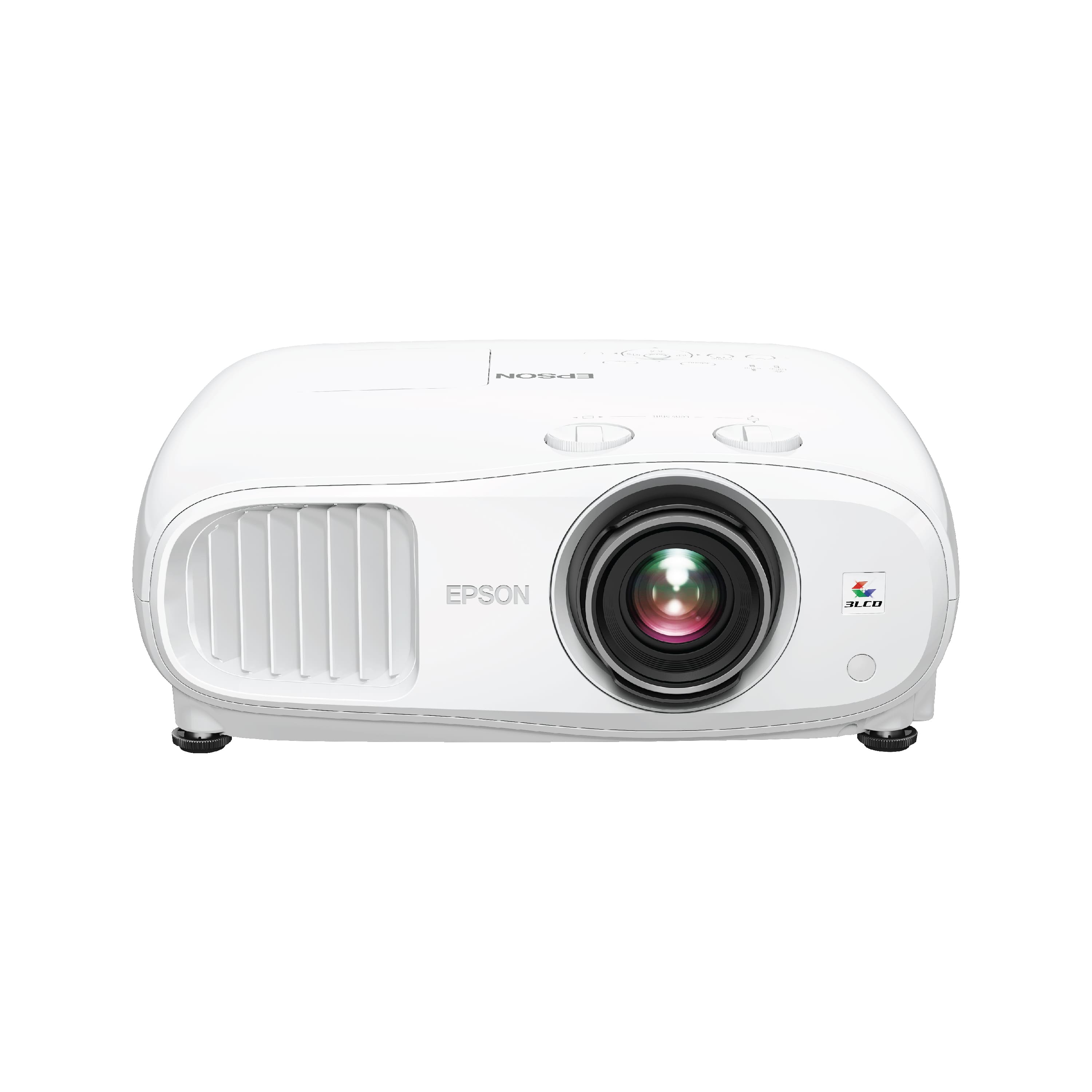
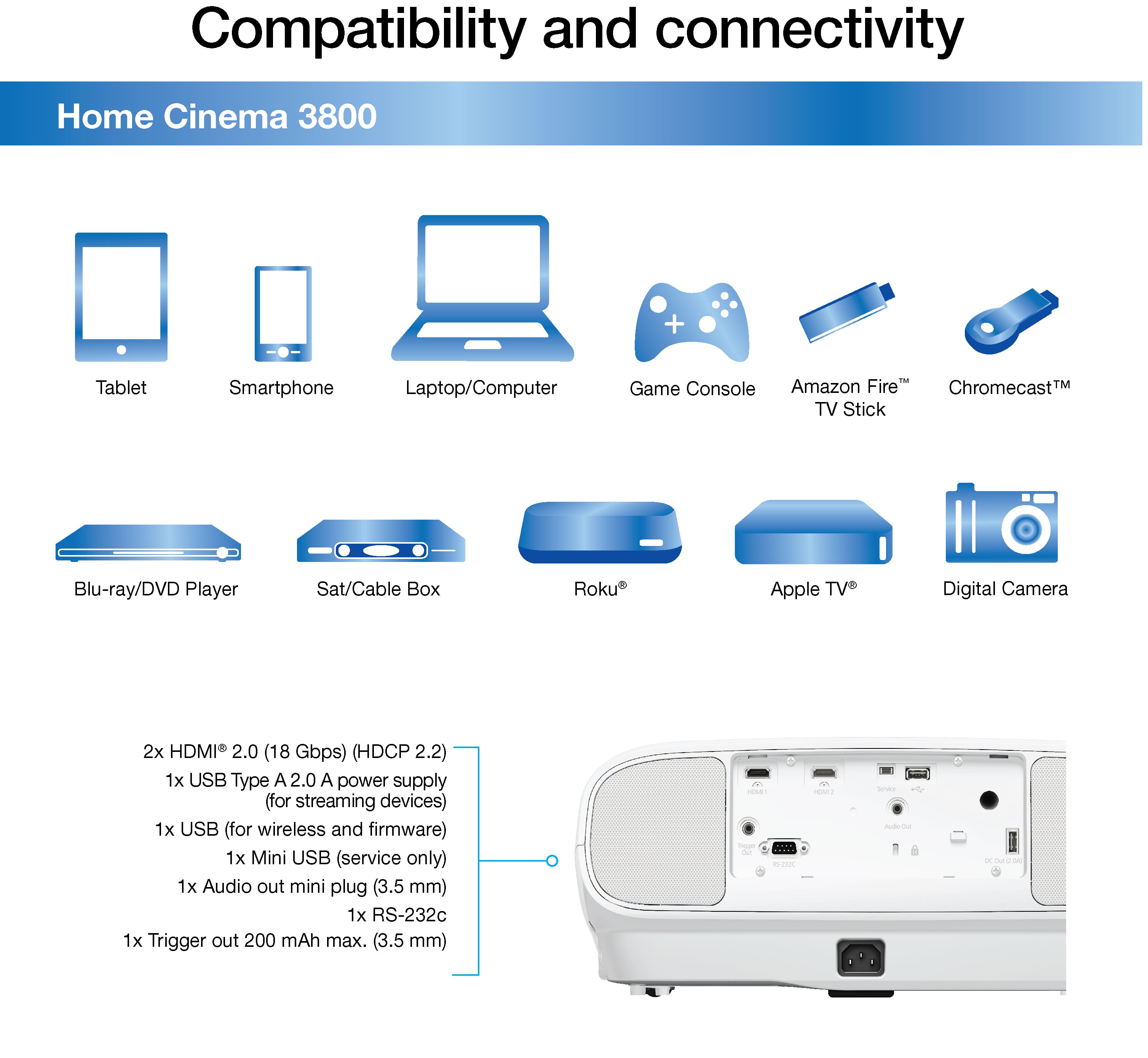
|Posted .This reviewer received promo considerations or sweepstakes entry for writing a review.The Epson Home Cinema 3800 is a 4K projector. It has the semi oval shape that's common on many home projects and weight in at around 15 pounds. This is relatively lightweight for a non-business projector which is designed to be placed in one location. As I like to rear project, this is nice as it make it easier to temporarily place the projector and not have to commit to a specific mount or location. Build quality looks to be good. Yes, it is mostly plastic but it feels solid and I didn't get the sense that there were parts that could snap off at any moment. You get the normal expandable feet and physical buttons to navigate the menu. Aside from the optical zoom, there's also two lens shift dials to use to tweak keystone correction. Input wise, you've got two HDMI and. . . .that's it. There's USB, RS232, and audio out all of which are useless for the typical home cinema setup. The HDMI are good but its surprising not to have component or composite input as well. I wasn't able to verify whether the HDMI supported ARC. The specs did not explicitly call this out which suggests it does not. This means that your home cinema setup will need to route the video through your audio receiver or have separate audio output if you want sound beyond the built in speakers. The speakers will serve in a pinch, but are anemic and despite being stereo, nothing to write home about. The projector is quite bright and makes for a great rear-projection experience. Navigating the menu to set that up was straightforward. I use a frosted shower curtain as my rear projection "screen" which works great. While rear projection allows you to serve up great image in the day, the brightness of this projector actually helps by providing greater contrast. I validated things using one of my streaming services following a show about three foreign gentlemen who love cars. I was quite pleased with the video quality. That said, I must caution my readers on a couple things. I've been using a 1080p projector for the past 5 years so that's my reference point. The native resolution of the Home Cinema 3800 is actually 1080p - it just uses some pixel shifting magic to get to 4K. So, while it would certainly support your 4K content w/o any finicky behavior, your "4K" experience is not quite true 4K. Still, it is great and I think most people will have a hard time seeing the difference. I've already mentioned video quality is good to great. Compared to my 4K TV, I felt just as happy with the picture. There was excellent contrast for dark scenes and no motion blur or visual artifacts with closeups while chasing cars around a track or some of the more action heavy scenes. This projector may be low on the feature front but it really packs a visual punch. In summary, this is a decent starter home projector. Needs some additional inputs and functionality for a true "home cinema".
I would recommend this to a friend