Customer Ratings & Reviews

- Model:
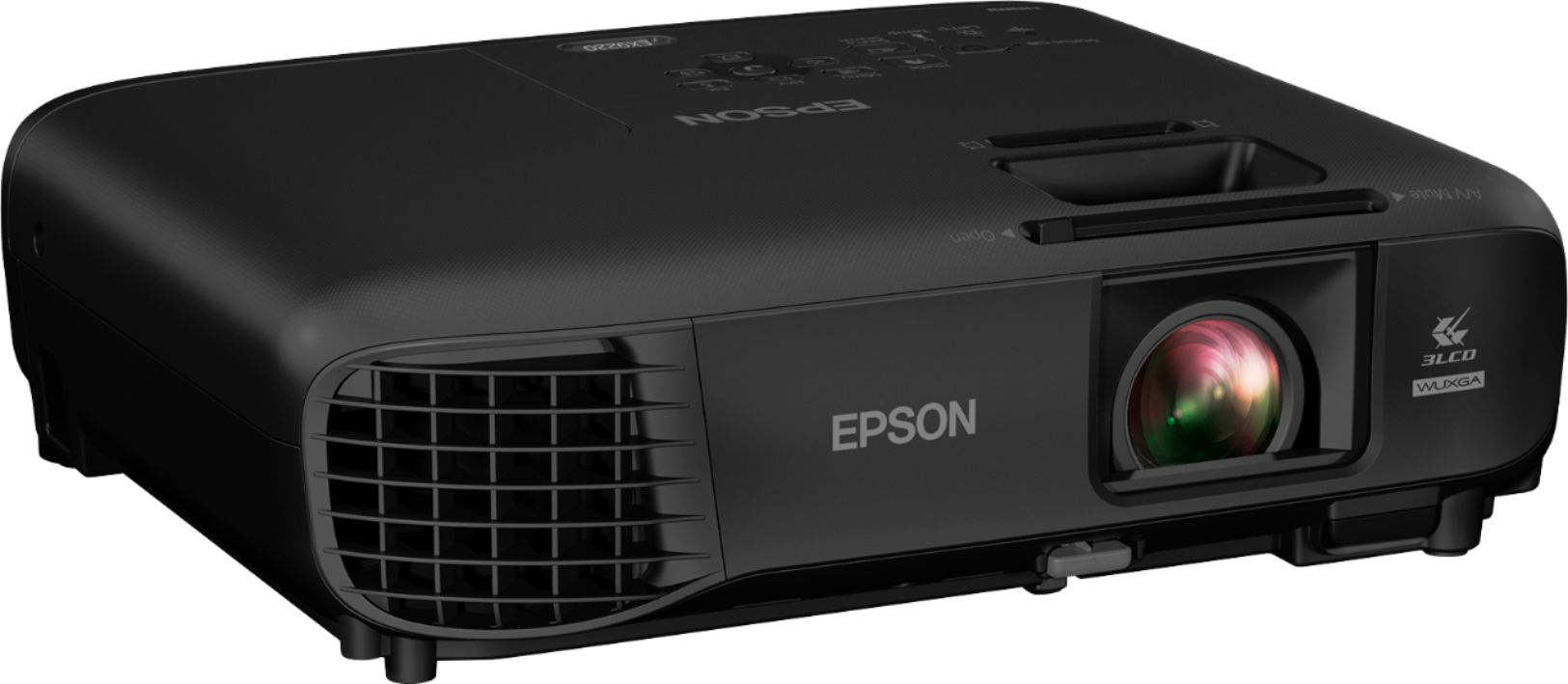
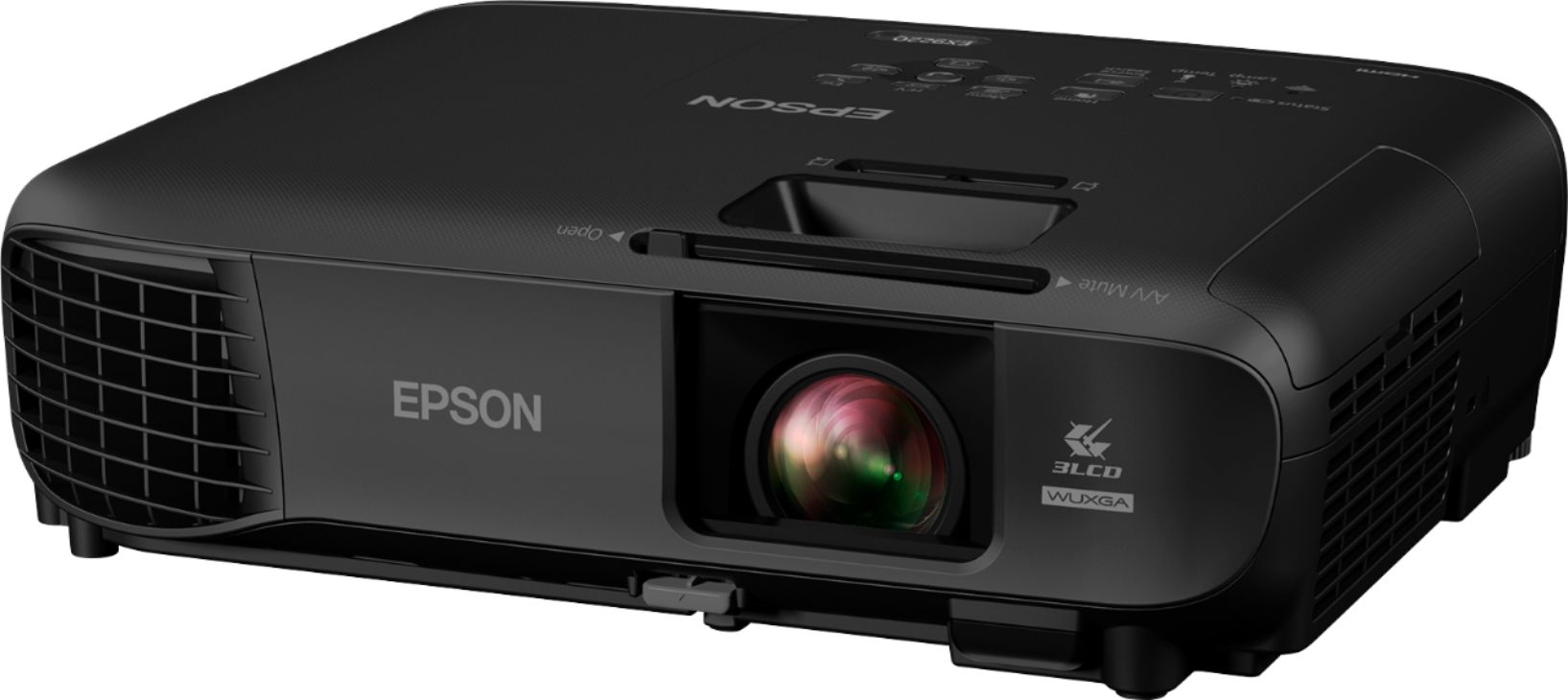
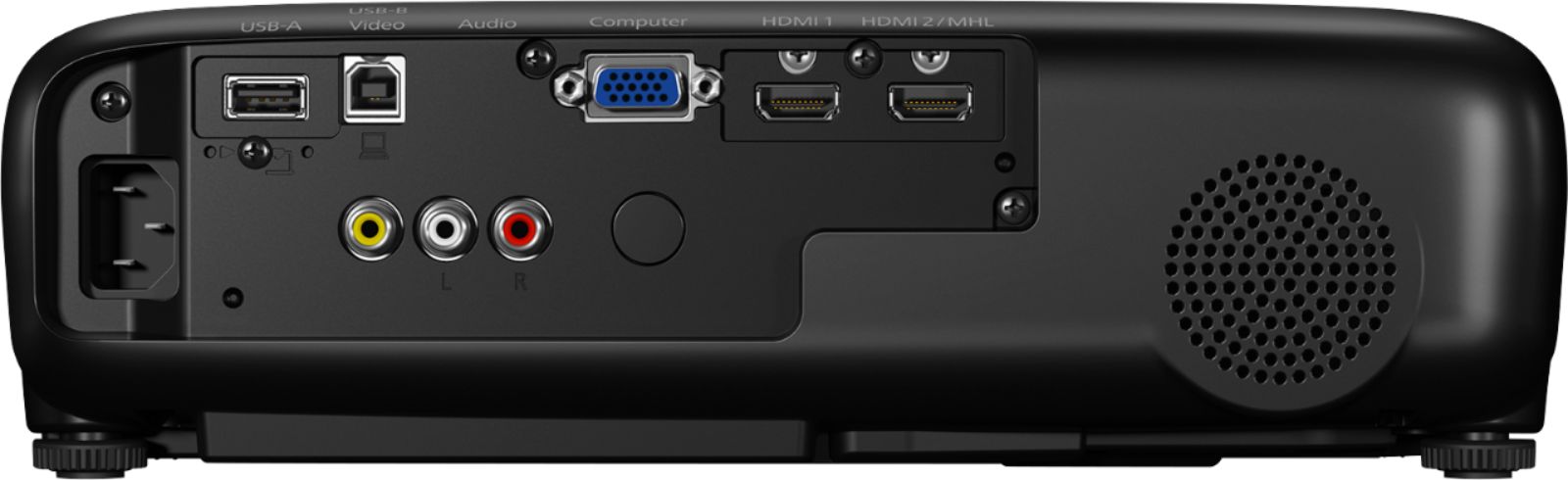
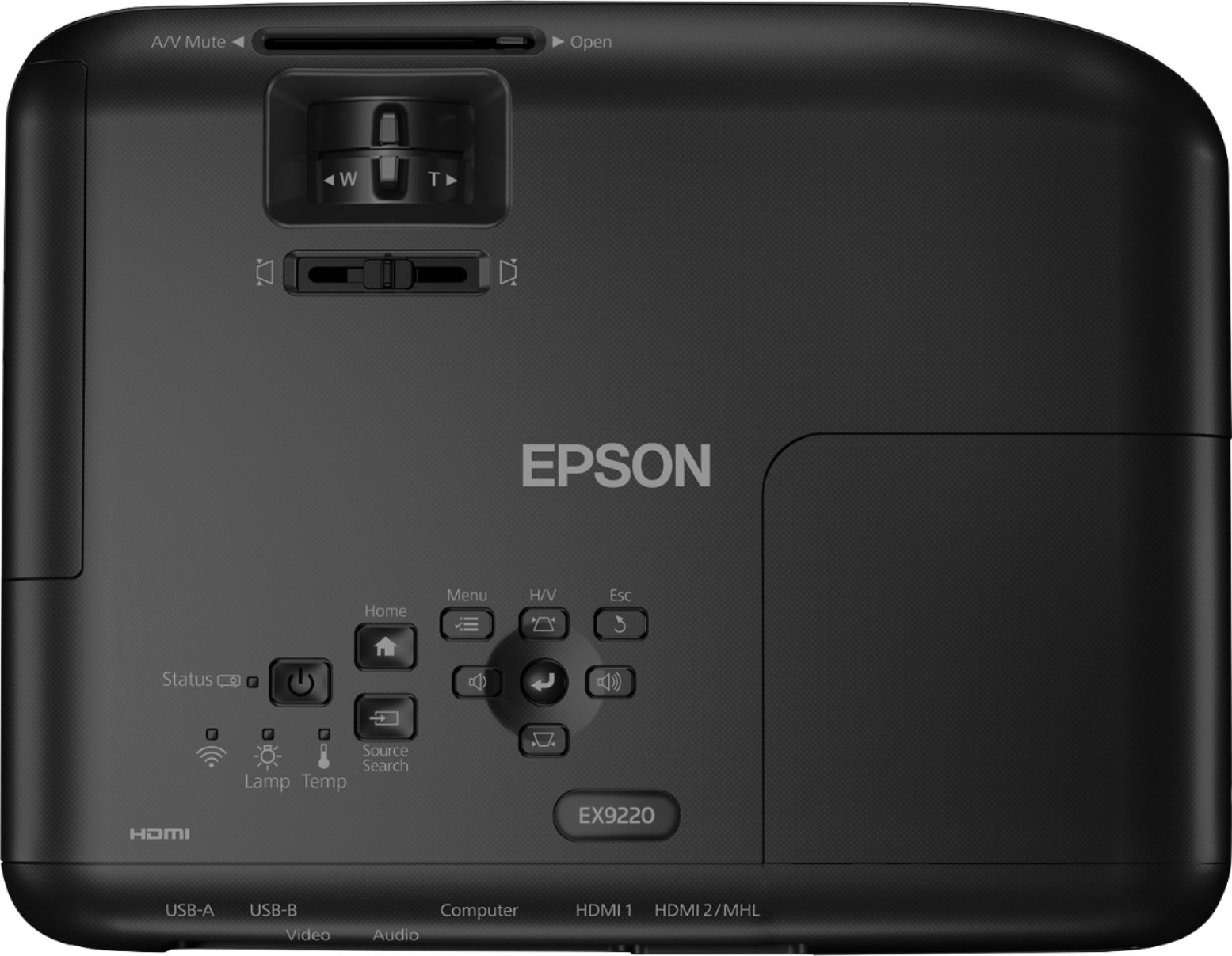
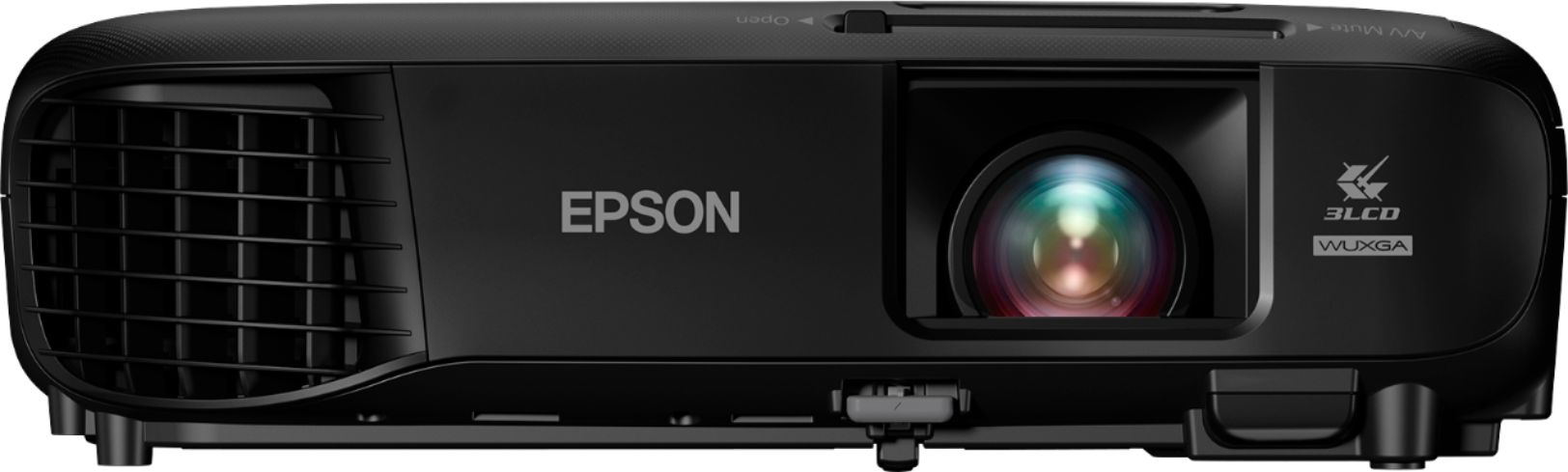
- EPSON EX9220 PROJECTOR V11H84
- SKU:
- 5901528
Rating by feature
- Value
Rating 4.5 out of 5 stars
- Quality
Rating 4.7 out of 5 stars
- Ease of Use
Rating 4.6 out of 5 stars
Customers are saying
Customers consistently note the excellent picture quality and ease of use of the Pro EX9220 1080p Wireless 3LCD Projector. Its brightness and wireless capabilities are also frequently praised, with many appreciating its portability and convenient keystone correction features. While some users mention the fan noise, the overall feedback highlights the projector's value for its price.
This summary was generated by AI based on customer reviews.
- Pros mentioned:Ease of use, Wireless
A PROJECTOR WORTH EVERY CENT...
||Posted . Owned for 3 weeks when reviewed.This reviewer received promo considerations or sweepstakes entry for writing a review.Was invited to backyard concert party at a friends house and they chose to use a projector, at first I was like really a projector?? Since the last time I saw anything on one was in college over 20 years ago lol. But let me tell you holy mama what a difference our technology has advanced to today. Now I know all devices are certainly not a like and these one is no different I assure you. Believe me I WANT TO GIVE IT 5 STARS and The only reason it's a 4 star is, after running out and purchasing one myself to get it home TO NOT FIND THE LAN WIRELESS MODULE THAT IS SUPPOSEDLY INCLUDED IN THE BOX AS IT SAYS IT IS IN THE DESCRIPTION. SOO wasn't HAPPY. BUT AN EASY FIX AND WHY BEST BUY ROCKS!! Ok back to the POSITIVE in this PROJECTOR ...I'm telling you this little device packs a big time punch with all you can do. They've even made it QUITE USER FRIENDLY, including a QR CODE you scan making it easy to download an app to control this projector on your mobile devices. CONNECT-ABILITY...and WIRELESS WERE MADE FOR EACH-OTHER AFTER-ALL AND WELL EPSON HAS US COVERED THERE TOO. ANY BRAND in MOBILITY or PC... NO PRO. NO WORRIES... and Without all the extra confusing technique nonsense like cables/wires/plugs/adapters looking like a CLARK GRISWOLD'S CHRISTMAS TREE FIRE WAITING TO HAPPEN!! Lol.. (CLASSIC MOVIE "CHRISTMAS VACATION") In my opinion, YES IT MAYBE A LITTLE PRICEY, but THE EPSON EX9220 IS BAR-NONE EXCEPTIONAL AND WHY WOULDN'T BE WITH INCREDIBLE FEATURES LIKE: 1080p+ WUXGA resolution (1920 x 1200) — 4.5x more than SVGA — the Pro EX9220 achieves outstanding image quality. And, it offers robust wireless connectivity — including screen mirroring with Miracast — as well as HDMI® and MHL®2. Plus, Epson® 3LCD projectors deliver remarkable color accuracy, with high Color Brightness3 and wide Color Gamut4. In conclusion, if you decide to purchase this EPSON EX9220 PROJECTOR, you too will not only see for how much EPSON keeps their consumers needs and wants first and foremost, but an outstanding, visually stunning entertainment experience that you can share with friends and family all year round. Oh and did I mention it comes with a bag too!! BAM!!! Happy Best Buy Shopping because you know to buy the best for the best is ALWAYS AT BEST BUY BABY!! *The pictures I shared don't even give it justice I can promise you that.
I would recommend this to a friend - Pros mentioned:Picture quality
Excellent picture
||Posted . Owned for 3 weeks when reviewed.This reviewer received promo considerations or sweepstakes entry for writing a review.This projector is a great add to my home theater needs. Good quality picture it just doesn't have audio out to connect to my speaker. I had to buy an audio extractor to connect it. That's the reason only 4 stars. I did use it in my backyard for an outside movie night and it was great.
I would recommend this to a friend Very bright
||Posted . Owned for less than 1 week when reviewed.This reviewer received promo considerations or sweepstakes entry for writing a review.The projector is very bright and the picture quality is clean and clear, I cannot tell the difference from my tv to my projection. The zoom in/out feature adds about 10” to your viewing if you need to place the projector closer. The picture shows projector placement about 8’ from the screen and zoomed in all the way to fit the screen, which is about 75”.
I would recommend this to a friend- Pros mentioned:Brightness, Ease of use

Outstanding Projector For Work/Road
|Posted .This reviewer received promo considerations or sweepstakes entry for writing a review.I am going to start off this review by stating that I have a TON of experience with LCD projectors. I used them in the Air Force (actually I used both projectors and old slide projectors), I used them in may days working in sales, I used them every day during my years as a high school teacher, and I use them every week at least with my job as an educator at a presidential library. So, I have seen the gamut from dim little projectors that were hard to see even in a completely dark room to ones that would probably scorch your retina if you were to look directly into the lens. That being said, it also made me cocky enough to think that I could just do everything right out of the box without looking at any of the literature and while that is 90% true, I found out that I was missing out on some really cool features which I will detail a little later in this review. Previous to using the EX 9220, we used the EX1751 which is a great little projector and is incredibly portable. It will remain our go-to for when we have to hop on a plane and travel to a conference. The EX 9220 is going to be our mainstay for here at the Library as well as on the road in the local area. The extra thousand lumens (3600) and the increased resolution (1920x1200 v. 1024x768) and the native 16:10 resolution v. 4:3 makes this such an easy projector to use straight out of the box. My work laptop is a Samsung Notebook 9 Pro and when I plugged in the HDMI cable and fired up the projector, I saw the nicest display I have seen from a portable projector (we have some brand new beasts in our auditorium that are phenomenal but they are the size of a suitcase). I tried projecting with both the lights at full blast and ranges all the way down to complete darkness and the Epson EX9220 did an outstanding job holding up against some pretty harsh light in one of our classrooms. It was really cool to see the projector automatically take care of the vertical keystone effect within seconds of being turned on and taking care of horizontal keystone is easy with buttons that are right there on top of the machine so you don't have to dig into any menus (always a plus - I prefer more buttons rather than menus). When you do have to dig into menus, the Epson has a very nice home screen and easy to understand advanced menus. It is easy to do everything with either the controls on the projector or even better, the remote. It was incredibly easy to switch inputs, color settings, resolution, screen ratios, and even the lan settings. But this is where I could have used even just a casual glance at the documentation. The software you need for your mobile devices and your laptop if you want to project wirelessly from either needs to be set up in advance and you need to make sure that you have the right one (that is where I screwed up). I did casual searches in the app store on my iPhone and found the Epson iProjection app rather easy. Once I figured out that you have two options for linking your device and making sure that I had it set to do the QR code (which is the easiest), it was a breeze to start projecting pictures, video, and files from my iPhone. It would seem that it is probably even easier if you have a device that supports Miracast, but Apple doesn't. You can use AirPlay with the projector but you have to plug in an AppleTV to the projector and send it through that, but if you have that available, it is indeed and option. Where the software got a bit confusing is when I was looking for the equivalent of that projection software for my Windows PC. A quick Google search came up with a bunch of options but none of them ended up being the right one. I ended up just going to the Epson website and looking at the support page for the EX9220 and there was the whole packet of software waiting for me, sometimes going straight to the source is just easier than a Google search. That software package installed iProjection ver.2.2 (I didn't think they would call the PC software iProjection), Projection Management ver.5.00, and the USB drive projection software. Once I had those loaded up, turned on the wifi for the projector and put my computer on that network, it was easy as pie since the projector throws up a code and I was instantly in and my desktop popped right up on the screen with zero lag. You also have the ability to have up to four computers all projecting up there so this has some serious workgroup potential (it also gives me some ideas for future lesson presentations...hmmmmmm). I am extremely happy with the Epson EX9220, once I overcame my cockiness and just read the instructions, I was straight within minutes. But if you don't need to do wireless (and to be frank, I probably won't use the wireless all that much but it is nice to have), you can be up and running within seconds of turning this thing on for the first time. Can't ask for any better equipment than that when it just works straight from the box with no hassle. As a final note, this is a work projector. Would it do a good job as an entertainment projector? Perhaps, if you have an extremely dark room, but in a regular home, probably not so much. You would be better served with one of the projectors the Epson makes specifically for home theaters. If you need this for work or in the field, you will be well served by the Epson EX9220, loaded with features, easy to use, and a decent price.
I would recommend this to a friend - Pros mentioned:Brightness, Weight
Excellent Projector for All Uses
|Posted .This reviewer received promo considerations or sweepstakes entry for writing a review.When I write a review I typically start by listing out what's good and what's bad in a notepad then go from there. In this case, I started my list and quickly realized I couldn't come up with much of anything for the "bad" column. I mean, there's not much more you could ask for in a projector: Only weighs about 5lbs. Portable. 1920x1200 WUXGA resolution. Two HDMI ports, including one MHL. Comes with carrying case, USB cable, VGA Wireless LAN (Wifi) included. Extremely bright lamp. Seriously, can see well in a lighted room. 10,000+ hours on the lamp before you have to replace it. Can mute both video and sound with a lens cover. Not a DLP projector, so no rainbow effect. Did I mention it's bright? Ok, so there is ONE thing that's bad...the speaker. Just a little 2W mono speaker...it does not sound good. But honestly, it's a bonus, most projectors don't even come with speakers. The first thing you will notice when turning on this projector is how bright the lamp is. The advertised 3600 lumens do not disappoint. I realized after I got the projector that I didn't have an HDMI adapter for either my Windows or Macbook Pro (both only have USB-C) so my only option was the USB connection (through a USB-C to USB-A adapter). Honestly, I didn't think it would work that well but for the most part it worked fine. Both Mac and Windows installed the software without a hitch and was playing both audio and video on the screen in front of me. Now, there was a bit of lag...it would't work well to watch a video but in a pinch it works. As an added benefit you can also control the mouse with the projector's remote. Now I know this is not a projector marketed for cinema or video games, but I wanted to at least test the HDMI connection so I hooked up my PS4 and let the kids play some of their games. Let me say I was pleasantly surprised. It looked fantastic and I even had to take the controller and verify that there was no perceived lag. They had loaded a pinball game which would be very hard to play if there was any lag at all. Finally, I don't even know how it works but the projector showed up in the screen list on my Android tablet and within a few seconds I was screen mirroring wirelessly. There was some slight lag but I would expect that from a wifi connection. Overall, this is a fantastic projector that can be used for almost anything you might need it for!
I would recommend this to a friend - Pros mentioned:Brightness, Ease of use, Picture quality
Good Business Projector for Conference/Class Room
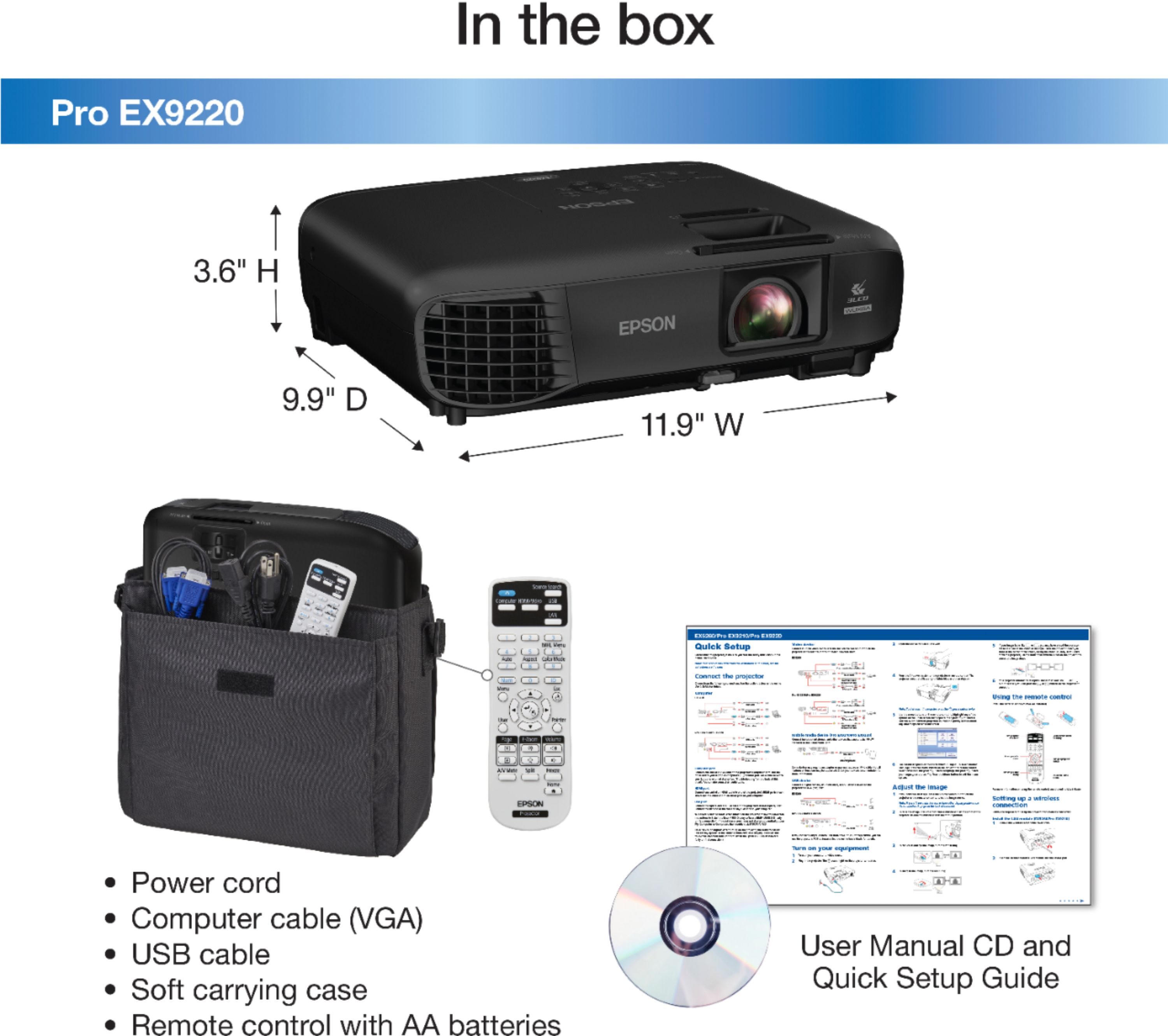
|Posted .This reviewer received promo considerations or sweepstakes entry for writing a review.Epson Pro EX9220 (Model H846A) 1080p Wireless 3LCD Multimedia Projector--Black You Can Present w/Confidence w/This Solid Business Projector--From Boardroom to Conference Room to Classroom FUNCTION While Epson & others make projectors designed for movies/cinema & general home entertainment, this projector is meant primarily, if not exclusively, for business use. It shines when used for PowerPoint presentations & brings life to videos, photos, slides, documents, webpages, charts, diagrams, graphs, graphics, & other images. SETUP Out of the box, we were able to set up the projector & get started very quickly. The included manual/guides on CD were very helpful. OUR USAGE Most of our projector usage doesn’t incl. built-in audio, as we promote discussion, Q&A, & as much interaction as possible during our presentations. Thus, we mostly used the USB cable option vs. HDMI in our initial test runs. Of course, the projector has HDMI & VGA ports, as well as wireless options. We did test the speaker & found it to be very basic. We would choose to run the sound thru our laptop or media player for audio presentations unless presenting in a small room. The PC-free option will be very helpful for us in many cases, allowing us to simply plug in a USB stick & leave the laptop back at the office. While there are many adjustments you can make to get your image just right, we found that we needed only a few tweaks to obtain a sharp display. The projector is lightweight & easy to manage. It also comes w/a padded carry case. SUMMARY Overall, we were impressed w/the remarkably sharp image projection & excellent color quality, even in a semi-lighted environment. The brightness (3,600 lumens) is stunning, & the remote is simple & easy to use. The unit is highly portable; it provides several user-friendly connectivity & mirroring options; & setup is fast & easy. We’d be very comfortable using this projector in a formal boardroom presentation, a classroom environment, or a conference room setting--whether large or small. PROS -Pro-Quality Projector: 1080p+/WUXGA resolution (1920 x 1200); offers full HD widescreen 1080p content w/2.25 more resolution than WXGA, 3x more than XGA, & 4.5x more than SVGA; 16:10 aspect ratio & supports 4:3 & 16:9 -Powerfully Bright: 3,600 lumens of white/color light output for accurate, bold, vivid images, even in well-lit rooms -3LCD (3-chip) Projector: Delivers ultra-sharp image quality & accurate color reproduction for crisp visuals: up to 3x higher color brightness & up to 3x wider color gamut vs. DLP (1-chip) projectors -15,000:1 Contrast Ratio: provides darker blacks & brighter whites -Miracast: Download the app to wirelessly mirror HD videos, photos, & apps from your smartphone, tablet, or laptop w/o plugging into the projector & remain free to roam about the room (Android/Windows 8.1+; iOS requires AirPlay). -MHL (Mobile HD Link)-ready: Provides wired, full-featured mirroring of HD movies, games, etc., directly from your MHL-enabled smartphone, tablet, or laptop while simultaneously charging your devices -Image Distortion Control: Easy image adjustments & convenient controls, incl. +/-30° auto vertical keystone correction & +/-30° manual easy-slide horizontal keystone correction to ensure properly formatted images -Connectivity: 2 HDMI ports [1 w/MHL support], 1 D-sub 15-pin, 1 RCA (Yellow)-Composite Video, 1 RCA (White/Red)-Audio In, 1 Type A USB (PC-free, Wireless LAN), & 1 Type B USB (Plug ‘n Play) -Remote Features: Source search selection, power, volume, e-zoom, a/v mute, freeze, menu, page up/down, help, auto, & mouse functions -Portability: Lightweight at just 6 lbs. & compact, w/dimensions of just 10” x 12” x 3½” -Security: Password-protected -Setup: Fast, easy wireless setup: connect your smartphone or tablet by scanning the on-screen QR Code -Out-of-the-Box: Comes w/power cable, VGA computer cable, USB cable, internal hi-speed wireless LAN module, remote control, soft carrying case, batteries, quick setup sheet, & user manual CD CONS -Short power cord at <6 ft. -Unlit remote difficult to operate in a dark room; needs to be backlit -No auto-focus -Small 2W mono speaker (37dB max audio noise w/28dB in eco-mode) unsuitable for large conference rooms -Emits a lot of heat MISC. FACTOIDS -Projection Methods: Ceiling Mount, Front, or Rear -Max Power: 315W (228W eco-mode) -UHE Lamp Wattage: 210W; Lamp Life: 6,000 hrs. (full power)/10,000 hrs. (eco-mode) -Std. Manual Optical Zoom Lens Ratio: 1.0—1.2:1; f/1.5—1.7; focal length: 20.4—24.5 mm -Viewable Diagonal Screen Size: 30”—300” -Throw Distance: 3½ ft.--29½ ft. / Throw Ratio: ~1.4 (Wide)/~1.7 (Tele) -Warranty: 1-Yr. Limited
I would recommend this to a friend - Pros mentioned:Ease of use, Picture quality
Versatile, Feature-Rich & Great-Performing Project
|Posted .This reviewer received promo considerations or sweepstakes entry for writing a review.======= Summary ======= The Epson EX 9220 projector is a great machine~! It offers great image quality for both data and video and even the audio is pretty decent & loud. It is easy to carry around (~6 lbs), easy to setup and use, and offers many connectivity options. High quality all-around. ======= Design & Build-Quality ======= The Epson EX 9220 comes in a shiny black plastic casing with smooth round edges all around. It is sleek-looking and business-like, fitting in appropriately and naturally inside a conference room, a classroom, or even as part of one's living room. All the buttons are black with white-colored lettering that visually pops out for quick identification. It is a solid-looking machine that exudes quality. Weighing around 6 lbs, it is easy enough to hold and carry with just one hand. Epson provides a carrying case with one large pouch for the cables and other accessories. The case is not very well-padded and is of just mediocre quality. ======= Connectivity Options & Control ======= All the important connectivity options are present - USB-B, USB-A, HDMI, VGA, and RCA video & audio. Also supported are MHL and Wifi. I connected the projector to my laptop using a HDMI cable and the connection was quickly made and it remained stable. I also added the projector to my home Wifi by going into Settings & typing in the Wifi password using the remote controller. One can use a QR code as well to setup the wireless connection. Afterwards, I connected the projector to my Galaxy S8+ smartphone to use Screen Mirroring and it was seamless and smooth. There are several ways to control the projector - via the buttons on top of the projector, via the included remote control, and via the Epson iProjection app. Out of the three options, I liked using the remote controller the best. The button layout is intuitive and was easy to find what I was looking for. The buttons are soft and rubbery and feels just like your ordinary TV remote controller. ======= Image Quality for Data ======= With 3600 Lumens for white brightness and 1080P clarity, all the graphics and texts came out superbly. With PowerPoint projected on a white wall and with all the lights on inside the room, the slides came out very crisp, sharp, and detailed. The images and letters did not wash out or fade away. Even at the edges, everything was vibrant and clear. Zooming in multiple times (manual optical zoom, not digital) cannot make the Epson EX 9220 falter either - the letters retained their clarity and there were no blurriness or distortion. I was especially impressed with the whites (please see picture). The white came out so white and clean. This is a seriously good presentation machine. ======= Image Quality for Video ======= When testing for video, I played 1080P music videos from YouTube (Wifi screen mirroring from my phone) as well as a movie I had locally saved on my laptop (HDMI cable). In both cases, the video was crisp, finely detailed, and the color saturation and range were excellent. The colors were rich, well-saturated, and vibrant. The blacks came out really nicely as well. Although the EX 9220 is not marketed for home theater, it still offers great quality for video media playback. Within Settings, image quality can be further fine-tuned for one's specific preference and taste. There are numerous options such as Color Mode (Presentation, Dynamic, Cinema, sRGB, and Blackboard), Brightness, Contrast, Color Saturation, Tint, Sharpness, Color Temperature, Image Enhancement (noise reduction), and Auto Iris (automatic image optimization based on brightness of projected content). The 2-watt speaker was surprisingly pretty good as well. The vocals came through loud and clear and the musical dynamic range was pretty decent. Of course the bass is weak but that is expected from a projector. What is important is that even when set at the maximum volume level of 10, the sound didn't distort nor crackle. The sound quality remained good. ======= Software ======= Epson makes available several software tools & utilities for the EX 9220. Either from the CD inside the box or from their website, you can download Windows apps such as the Epson Projector Management Utility and iProjecton for Windows. From the Google or Apple store, you can also download the iProjection app, which can turn your smartphone into a remote controller for the projector as well as making Screen Mirroring possible. All the apps installed fine and made connection to the projector easily and stably. ======= So is it any good? ======= Yes, very good~!! Whether for data and presentations or to play some occassional movies or music videos, the Epson EX 9220 is a very capable and highly competent machine. It is very easy to setup, offers great features, and is very simple and intuitive to use. It's definitely a high-quality product from Epson.
I would recommend this to a friend - Pros mentioned:Picture quality
Definitely recommend this product
||Posted . Owned for 1 month when reviewed.This reviewer received promo considerations or sweepstakes entry for writing a review.The picture quality is amazing. Very pleased. Easy to operate.
I would recommend this to a friend Love it
||Posted .This reviewer received promo considerations or sweepstakes entry for writing a review.Bought this to go with a 10ft electric screen I found cheap. OMG, movie night is really movie night. Grandchildren love it and wont go home, lol. I mounted it in ceiling so it looks professional. No complaints at all.
I would recommend this to a friendBrand response from Epson
Posted .Hi, thank you for this five-star review of your EX9220. We're glad to hear you and your grandchildren are enjoying your new Epson projector. Wishing you many fun-filled years of movie nights! Cheers, Marina – The Epson Team.

- Pros mentioned:Brightness, Picture quality, Wireless
Outstanding business projector
||Posted .This reviewer received promo considerations or sweepstakes entry for writing a review.I have used this for about 7 weeks so far and have been very pleased. The projected image is crisp, clear and very bright (the only time I need to dim room lights is when presenting a CAD screen with a black background). I have presented to groups of up to 20 people and have received a number of comments about how nice the image is. I have not used the wireless feature (yet - this is something I plan to do), having only connected using HDMI from a laptop. Straightening the image works well (keystone correction), but automatic straightening seems to work most of the time. I also purchased the protection plan, as recommended by several online reviews (I NEVER purchase protection plans, but given the business use of this and possible problems, it seemed prudent). I did extensive research prior to purchase - I am very picky when it comes to visuals (also a photographer and artist, so I look very closely).
I would recommend this to a friend - Pros mentioned:Brightness, Picture quality, Weight
Pretty Box with bright light
Posted .This reviewer received promo considerations or sweepstakes entry for writing a review.My job requires face to face client presentation. Generally high quality HD content showing marketing mockups, examples of past work, and the alike. Most clients have projectors, though a quality projector and one that supports AirPlay can be a challenge. I’m happy to say this is no longer a problem. The EX9220 is a small, light (only 6 lbs) and very capable projector (HD video, wireless, and super bright 3600 lumens). Client meetings now consist of the EX9220 and its carrying case along with my iPad. Simply plug-in the projector, aim at the screen and present. Its that easy and my presentations look incredible. If you are looking for a compact, light, feature packed business projector this should be your purchase. This is a review for the Epson EX9220 Portable Projector that I received free of charge to do a beta test and review.
I would recommend this to a friend - Pros mentioned:Ease of use, Picture quality
Very Easy To Use! Great Picture. Light Weight.
Posted .This reviewer received promo considerations or sweepstakes entry for writing a review.Super happy with this projector! I often do training sessions in rented spaces. Their equipment is often outdated or complicated to use so I got in the habit of bringing a backup so that there were no “technical difficulties” to embarrass my team. I had purchased a less expensive generic as a back-up and as the adage goes, you get what you pay for. After receiving my Epson 9220, there was no comparison. This Epson was so easy to set up and focus. I had it up and running from the box in less than 15 minutes. Now that I've played around with it, the set-up time from arrival to presentation is less than 5. Literally plug it in, turn it on and focus the screen. The WiFi connection between the projector and my phone/tablet is almost immediate. There is independent sound on the projector but the spaces I use are often large so I have a Bluetooth speaker that I use instead. In a standard classroom-sized room, the on-board speaker would work great. I have yet to test the picture quality limit size but I have used this on a 100” space of a (yellow) wall and a 250” hanging screen to great satisfaction. The picture is bright enough to still be seen in a fully lit room. I have started using this projector as my go-to rather than my back-up and my presentations go so much smoother for it! Because of the sturdy shipping, light-weight product, convenient and PADDED carrying case, quick set-up and 100% portability of this product, I am completely impressed. Plus I get the name of Epson backing this product. This is the Cadillac of projectors with every option available and easy to access. I would have paid full price for this item but this happens to be a review for the Epson EX9220 Portable Projector that I received free of charge to do a beta test and review.
I would recommend this to a friend - Pros mentioned:Brightness, Ease of use, Picture quality
Excellent Wireless Projector!!
||Posted .This reviewer received promo considerations or sweepstakes entry for writing a review.This is a very good wireless projector! The picture is very bright and sharp! The wireless connection is flawless! Easy setup and easy wireless connectivity!!
I would recommend this to a friendBrand response from Epson
Posted .Dear Jordan, thanks so much for this fabulous review of your Epson EX9220 projector. We are glad that you are enjoying the amazing picture quality and high Color Brightness you get with a 3LCD projector. Wishing you many years of untethered projecting. Sincerely, Eddie – The Epson Team.
- Pros mentioned:Brightness, Picture quality
Crisp and Bright
||Posted . Owned for more than 2 years when reviewed.This reviewer received promo considerations or sweepstakes entry for writing a review.I purchased this projector and was very pleased with the brightness and picture quality. If you have ever used an Epson projector, the menu and functionality should all be familiar...if not, it is very easy to navigate and use. The auto keystone function works very well when setting up the projector in a new location. Don't expect a lot out of the built in speaker, but it is nice to have. Overall, I would say this is a great pick for your office or personal use.
I would recommend this to a friend - Pros mentioned:Brightness, Ease of use, Weight
Works Very Well
||Posted .This reviewer received promo considerations or sweepstakes entry for writing a review.My wife actually purchased this to use for presentations. It has a nice bright light, good portability for moving meeting to meeting, is light enough not to be cumbersome and has a good height adjustment for displaying content. Purchased this unit rather than prior year's model as this one did have improvements built into that should last for several years and being tech compatible to todays laptops.
I would recommend this to a friend - Pros mentioned:Brightness, Picture quality
Bright projector
||Posted .This reviewer received promo considerations or sweepstakes entry for writing a review.The projector was used for displaying videos and slideshow for a party and it was very clear and bright. Colors were very sharp and define.
I would recommend this to a friend - Pros mentioned:Brightness, Weight
Super projector
||Posted .This reviewer received promo considerations or sweepstakes entry for writing a review.Great brightness and features. Light enough to take on the road. Excellent resolution and easy wireless connection.
I would recommend this to a friend - Pros mentioned:Picture quality
BRIGHT - Almost Hurts the eyes in the dark!
||Posted .This reviewer received promo considerations or sweepstakes entry for writing a review.AWESOME business projector for bright rooms, even with full Fluro office lights picture is clear as day. However, in a dark setting nearly too bright to look at. IF there was some function to dim the bulb output this would become the #1 projector on the market! Would buy all over again. Keep in mind you need some distance to throw your picture at least 6 feet. This is not a short throw projector. Otherwise great build and functionality.
I would recommend this to a friend - Pros mentioned:Picture quality
Great Quality
||Posted . Owned for 1 week when reviewed.This reviewer received promo considerations or sweepstakes entry for writing a review.This projector is certainly great for an office projector. If you are looking for a projector that can do both, this can be the one if you have an external option for Smart TV capabilities. You will also need an adapter of some type for the audio because although I had the correct audio cables, this only works for projecting video/audio from another device. The audio on the projector is pretty good and the image quality, amazing. I would have kept it, if the audio would not have required an adapter. Just be advised ****If you return a projector, you'll be refunded everything but $100 return fee. I guess this applies to projectors. The one things that was a bit cumbersome is their setup but it is an office projector so it makes sense. Anyway, I still think this is a great product, just wasn't what I needed at the time.
I would recommend this to a friend - Pros mentioned:Ease of use, Picture quality
Great quality! No regrets! Good in fairly bright l
||Posted . Owned for 7 months when reviewed.This reviewer received promo considerations or sweepstakes entry for writing a review.Wow I love this machine! I bought this to use in our backyard by the pool for movie night. It's fairly portable, and even comes with a carry bag. I hook it up to a set of bluetooth outdoor speakers we have, but haven't found the ideal audio solution. The image quality is fantastic! Im even able to stretch the image over 100 get and still get a decent picture. We have an outdoor screen, but I'm planning on buying a super large white plastic tarp (ice rink liner) to project a super large image on so the whole neighborhood can watch a drive in movie!
I would recommend this to a friend