Customer Ratings & Reviews

- Model:
- V11H978020
- SKU:
- 6444702
Rating by feature
- Value
Rating 4.5 out of 5 stars
- Quality
Rating 4.7 out of 5 stars
- Ease of Use
Rating 4.6 out of 5 stars
Customers are saying
Customers are impressed with the Pro EX9240 projector's picture quality, brightness, and ease of setup. Many also appreciate its wireless connectivity and the multiple input options, including HDMI. While some users noted the fan can be audible, the overall positive feedback highlights its value for home theater use. The projector's lightweight design and reasonable price point are also frequently praised.
This summary was generated by AI based on customer reviews.
- Pros mentioned:Brightness, Connectivity, Picture quality

Great presentation companion
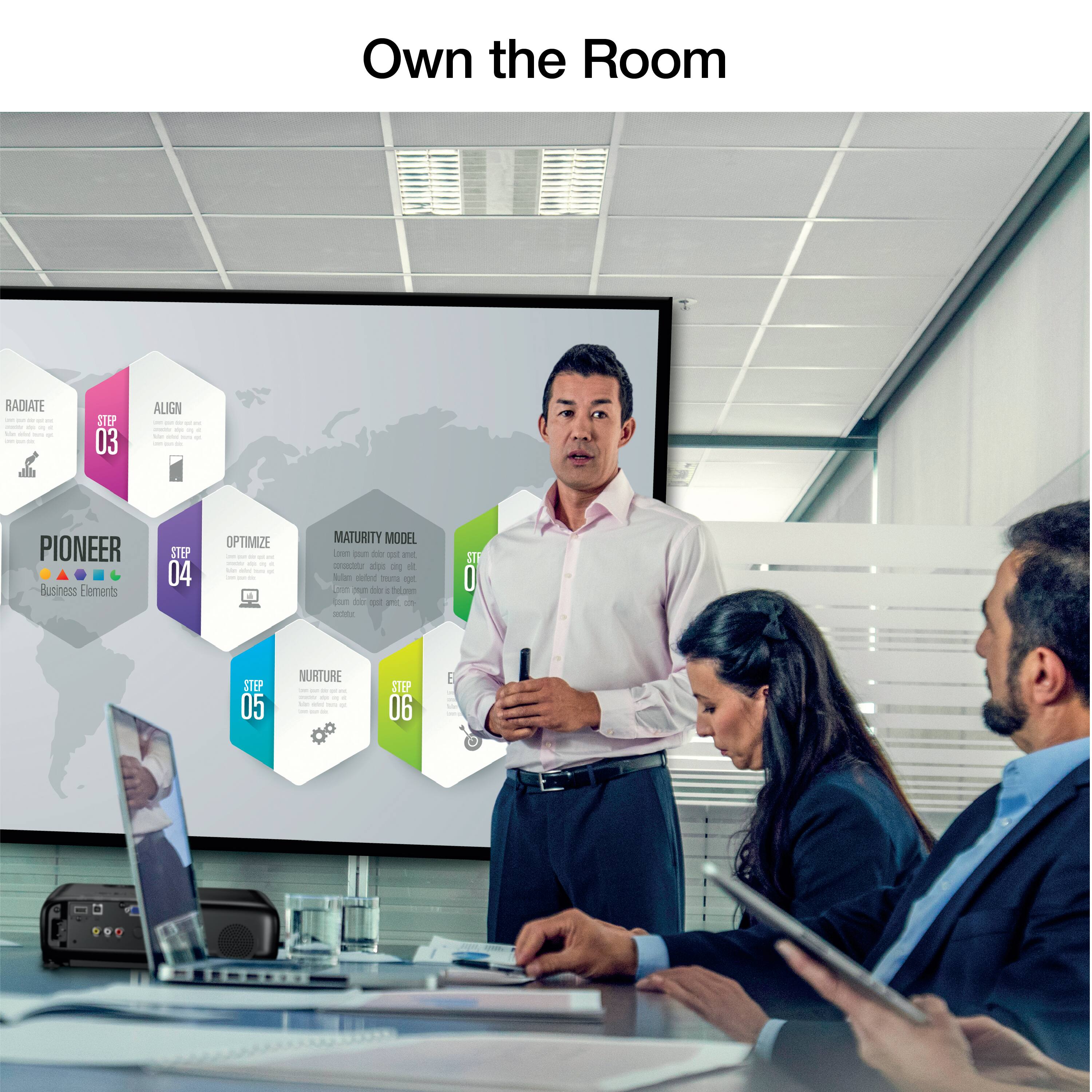
|Posted .This reviewer received promo considerations or sweepstakes entry for writing a review.I went from box to presentation ready in about 10 minutes. Easy to set-up and plenty of inputs. The multiple display option is so efficient. I connected my phone and laptop and was easily able to display both while saving the typical time it takes to switch between inputs. The clarity lives up to the hype. Whether dusk or broad daylight, on a screen, ceiling or wall, I had a clear, concise, vibrant picture with sharp easy to read text. I currently use this unit to go over paper work with potential buyers. While overviews are great, there are moments where sections of text need to be magnified. And even then, clarity does not disappoint. The brightness of this model makes all the difference. The speaker onboard has a little kick to it. Easily able to fill a conference room and be heard by all. Impressive for a in-model speaker. I would have also preferred an option for audio out for larger scenarios, but being that I can just use the audio out of my input source, it’s not a major issue. The build is solid and light enough to lug around with ease. They included bag is a great touch. Protects the projector while allow just enough space for accessories and documentation. If you were wondering about the Miracast, I’m using a Samsung Note 20 Ultra 5G. I downloaded the recommended display app, scanned the QR code that was projected for connecting, and I was instantly displaying my cell with little to no lag. The projector also projects it’s own Wifi address for further connection options. Easy to connect. Plenty of connections. Clean and vibrant display. Good speaker. Not much more you could ask for in a presentation companion.
I would recommend this to a friend - Pros mentioned:Connectivity, Picture quality, Portability
Excellent Multi Use Presentation Projector
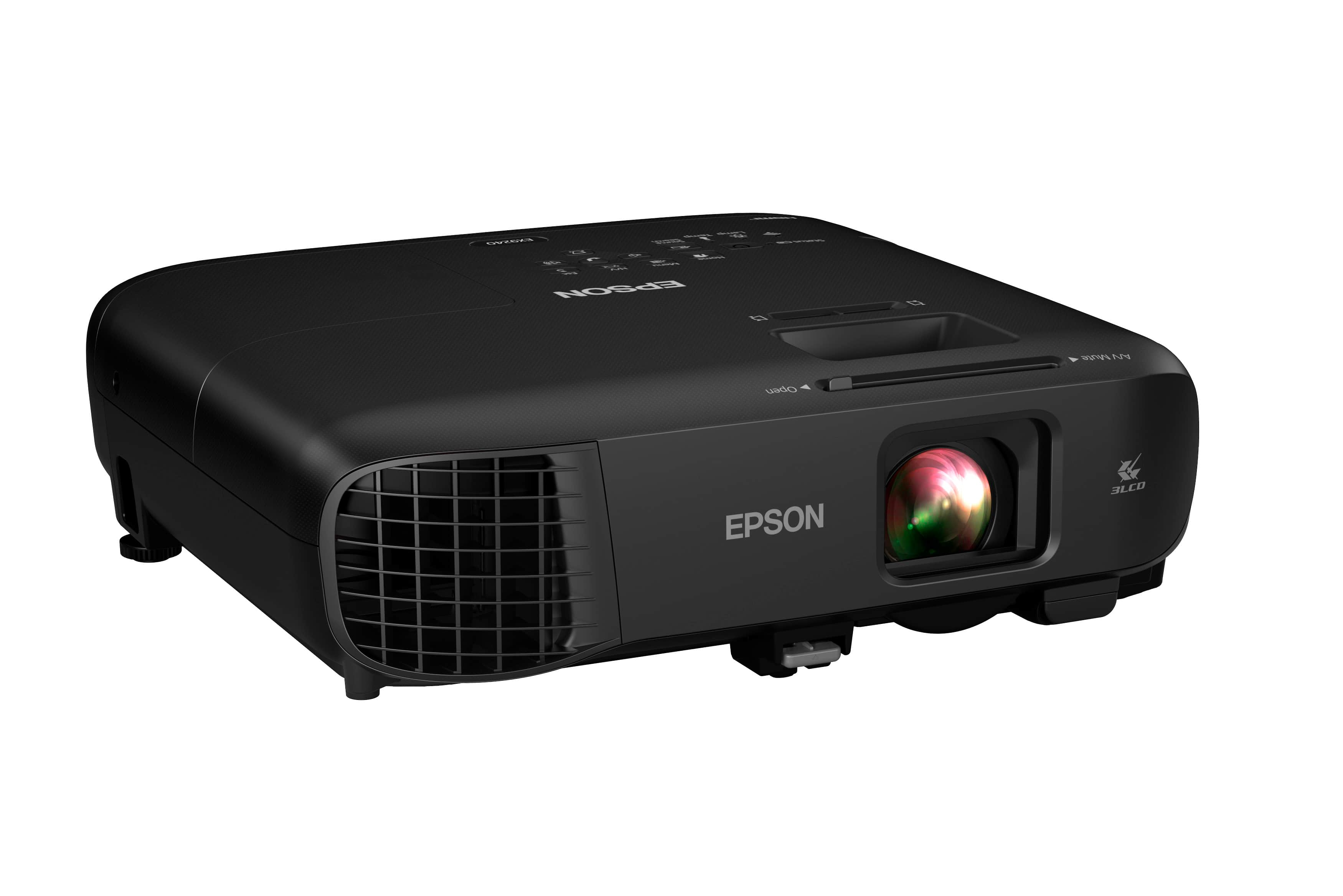
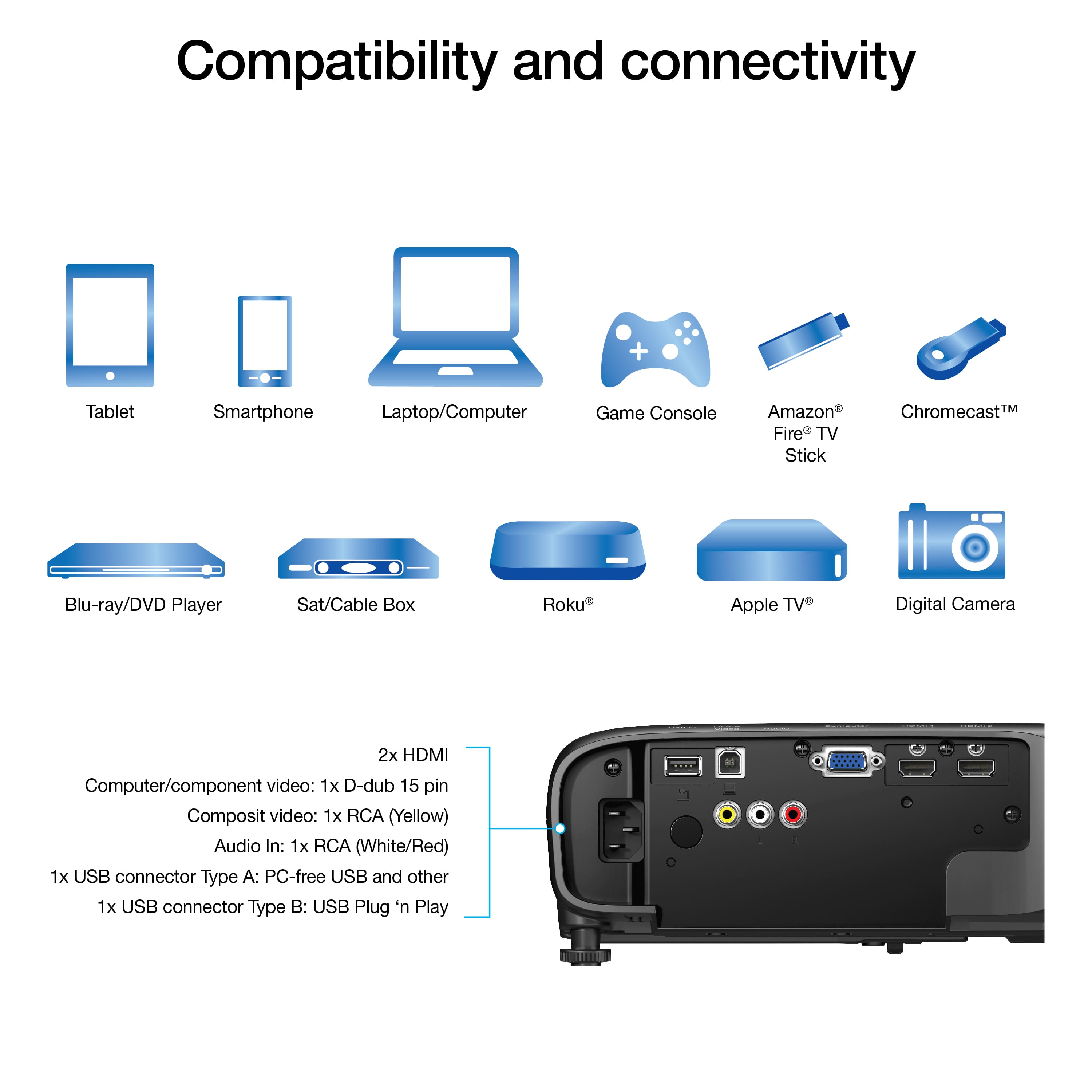
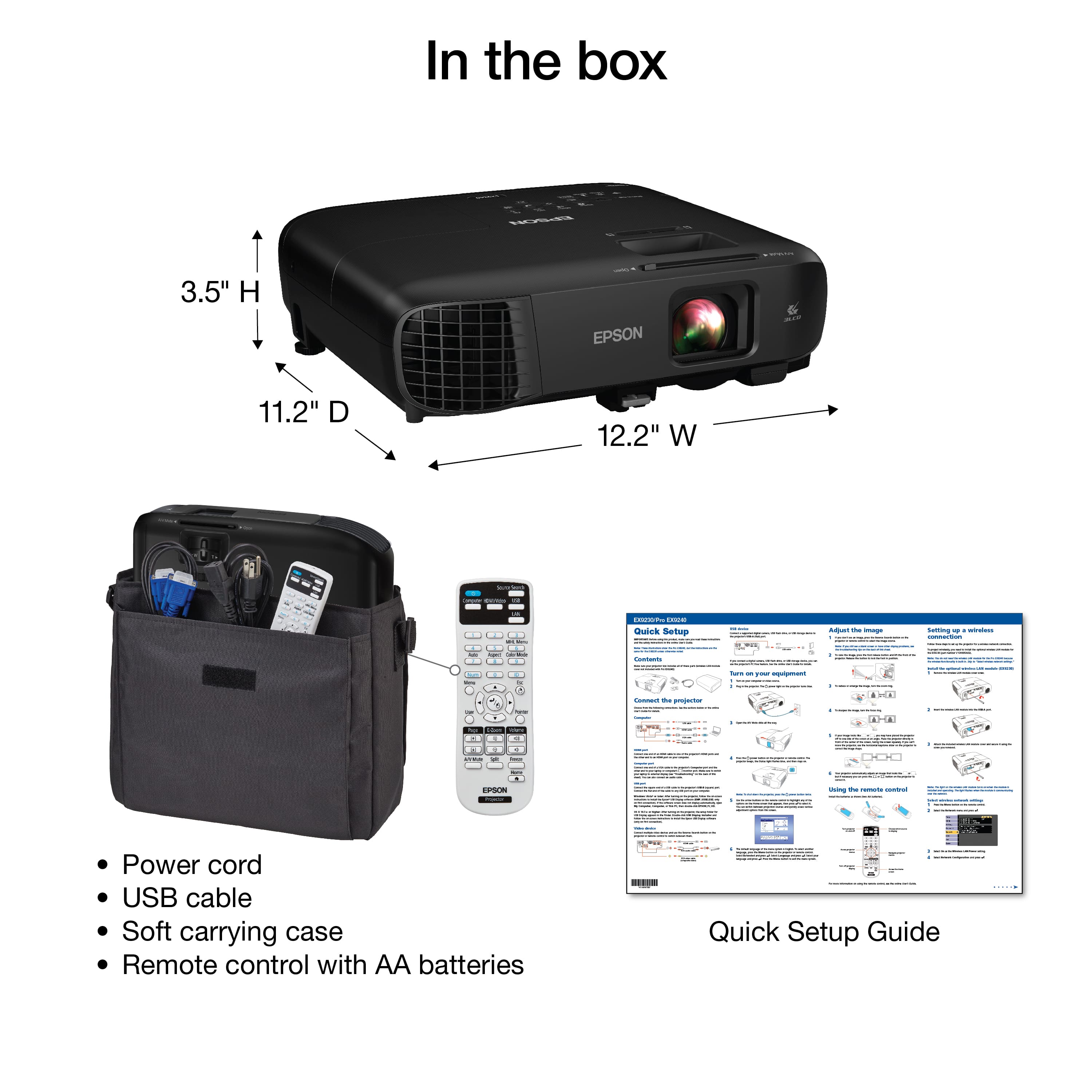
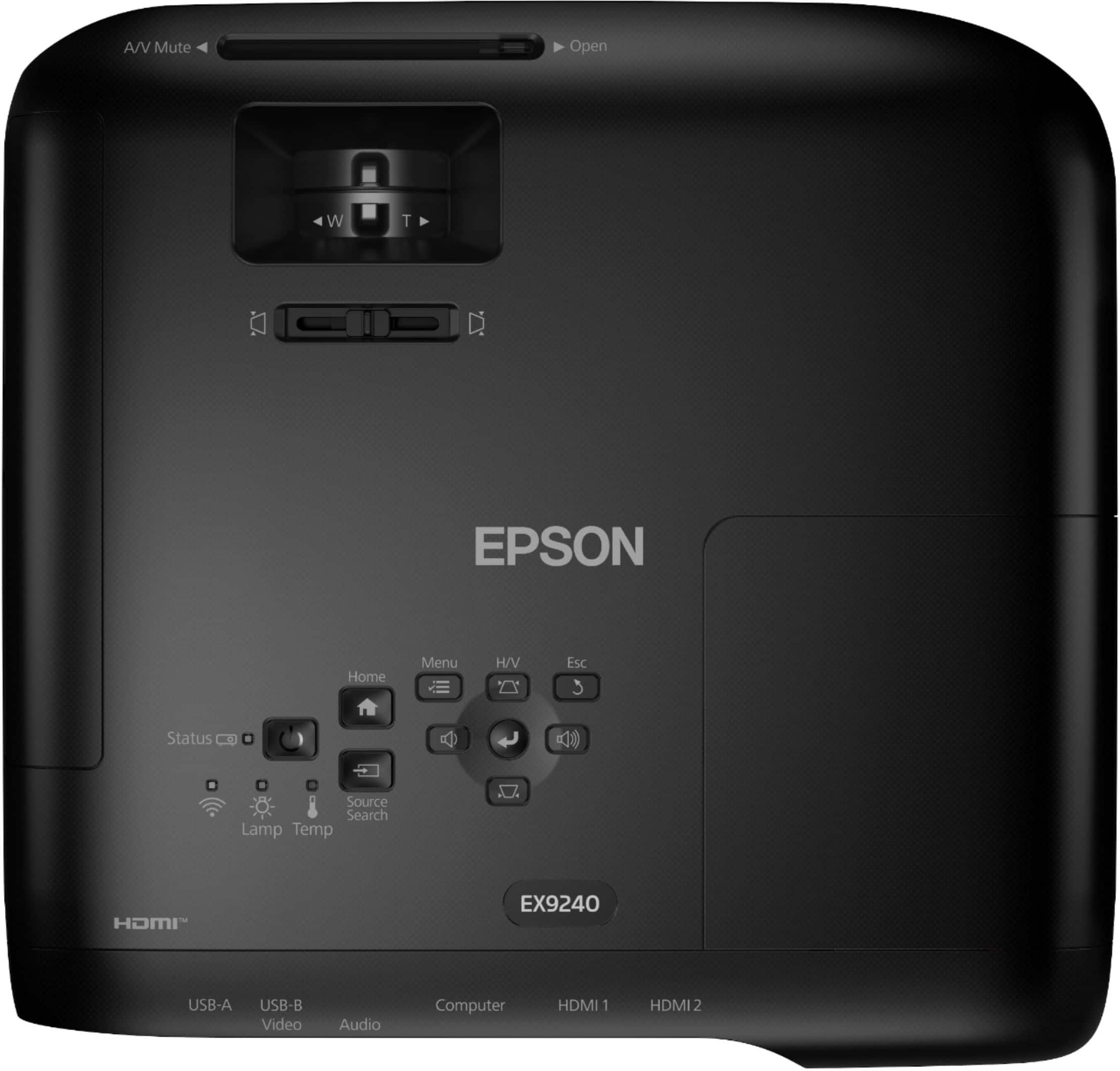
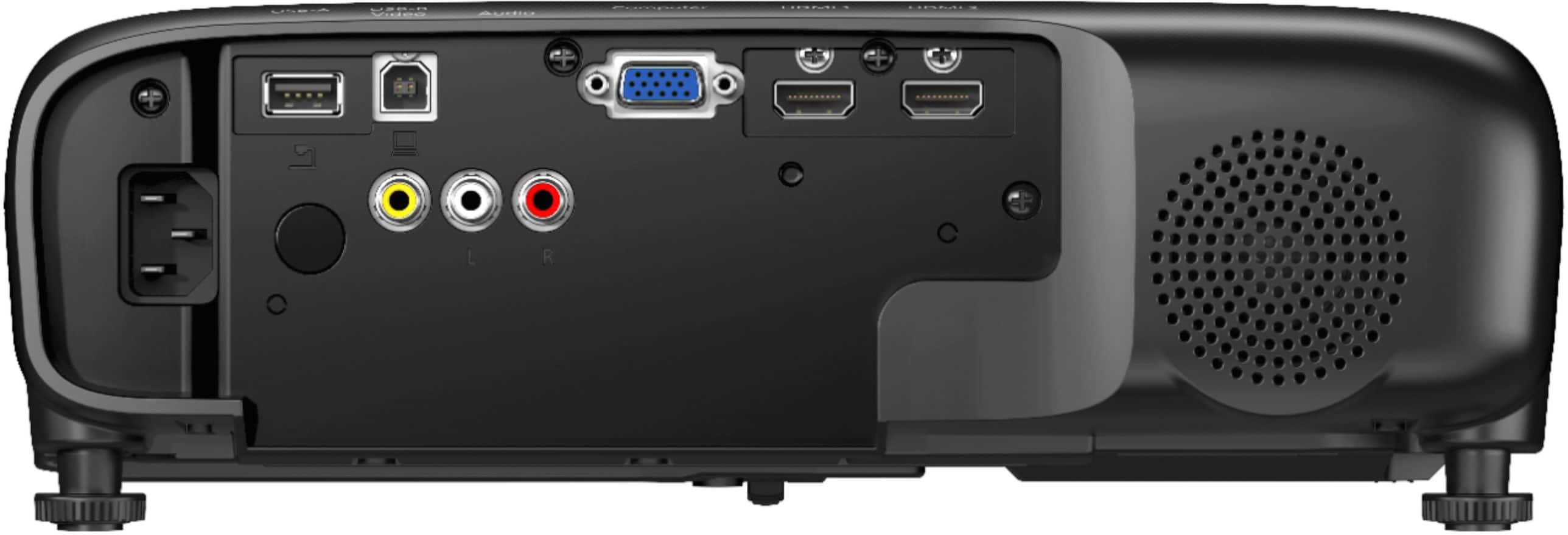
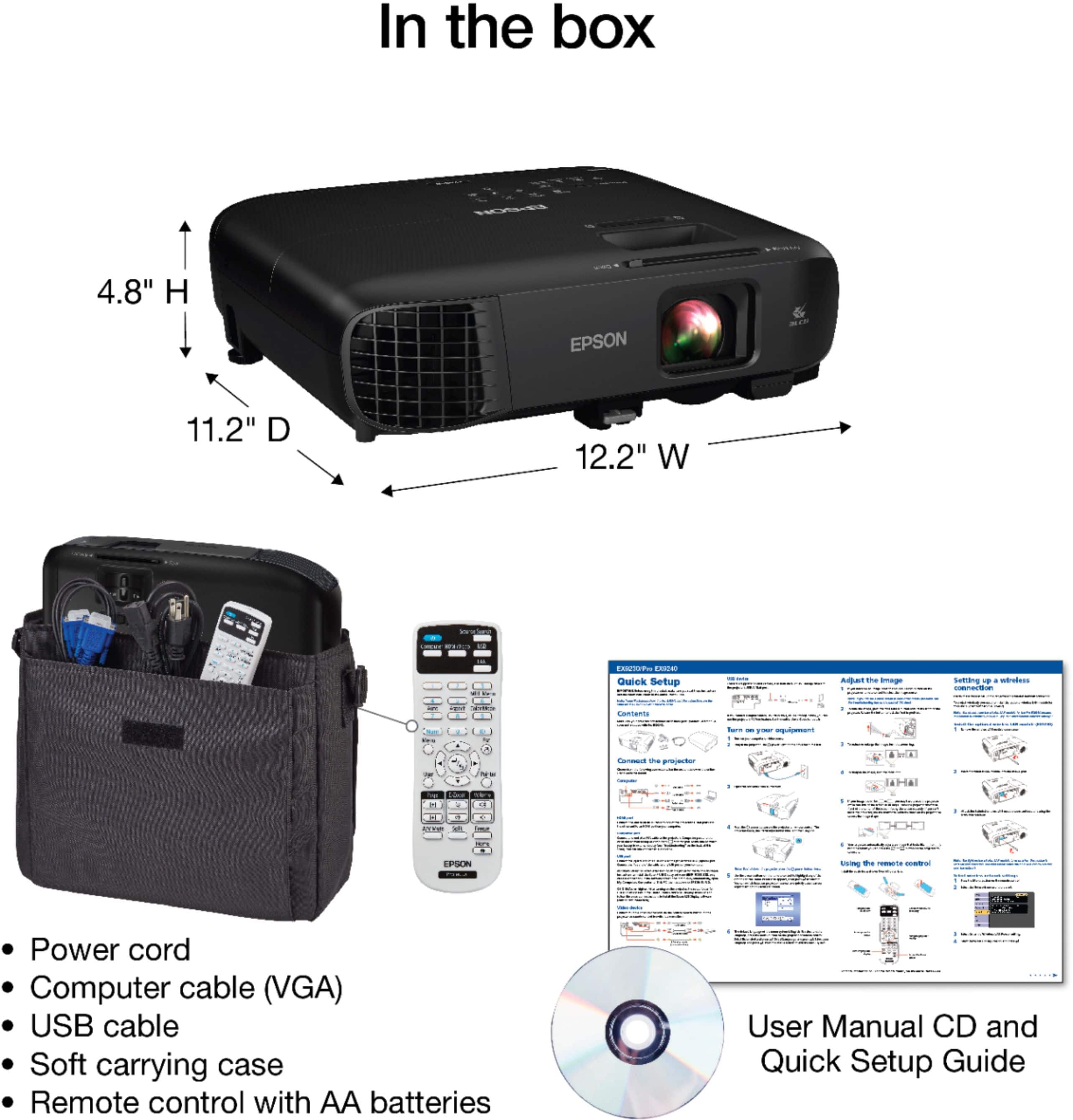
|Posted .This reviewer received promo considerations or sweepstakes entry for writing a review.The capabilities needed for a presentation projector have changed dramatically over the years. It's no longer enough to connect a laptop and project a spreadsheet or slide deck in a conference room with a dozen or so participants. Presentations have evolved to contain video, audio, as well as animated and high resolution images. And spreadsheets and slide decks. The presenting device may be a phone, tablet, laptop, or other video source, and it may be connected to the projector by wired, wireless or network connection. The Epson EX9240 projector is a terrific presentation projector for this new paradigm. It supports Full HD (1920x1080) projection from a whole host of devices with a bright, sharp, and color saturated image. I found it capable in any role from the solo visiting presenter to enterprise class presentations. While it's not really a home theater projector, it's no slouch in that role either. It offers multiple methods to connect display devices using a computer, smartphone, tablet, video player or even usb stick as a source device with multiple ways to connect, both wired and wireless. What's in the Box: A remote that doubles as a wireless mouse (with batteries) power cord soft carrying case Quickstart guide Note that there is NO driver disk, thankfully! If you want the Epson Projection Manager (window, mac, ios, android, and chromos), you download it from the Epson site. Otherwise, it just works with just about everything! The image quality is absolutely tops, very bright, sharp, with deep, saturated colors. Projection in a conference room with the lights on was perfectly acceptable. The FullHD resolution means that the level of detail in the presentation can match that of most modern laptops, and videos don't lose anything. The zoom lens made it usable in a small conference room to a room suitable for 50 or so people. It also worked really well in a living room. The keystone autocorrect worked well enough, and there was manual correction for both vertical and horizontal keystoning. The built in audio amplifier/speaker was a nice touch and significantly better than using the speakers built into my laptop. Louder too! The menu system is very easy to navigate, very intuitive, and offers lots of options. The buttons on the projector are double duty, but are well marked and easy to use. There is a remote for presentation which has some neat features, such as image hold and A/V mute. Wired connections are HDMI, VGA, Discrete A/V, and USB. The USB acts like a USB video device, so no special drivers are needed. There is a wireless option which is actually pretty cool. The projector can act like a local access point for 'quick' connections, or it can join an existing wireless network for over the network presentations. This will significantly reduce the setup fumbling time for those multi-presenter presentations. It also supports Miracast, which seems to be built into everything these days. In terms of portability, size, connectivity, and of course presentation quality, the Epson EX9240 will be hard to beat. It just works for anything from small conference room meetings to large audience, multi-site, multi-presenter applications. Good job Epson!
I would recommend this to a friend Epson projector
||Posted .This reviewer received promo considerations or sweepstakes entry for writing a review.This projector lasted the least amount of time out of all I've purchased over years. After just 11 months of use the bulb failed as well as the auto iris function. Not good.
No, I would not recommend this to a friendBrand response from Epson
Posted .Hi BradP, thanks for taking the time to post a review. We are sorry you aren’t completely satisfied. Your Epson Pro EX9240 includes a 1- Year Limited Warranty, plus free technical support for the life of your product. If you need help, please contact Epson Support at (562) 276-4382; Hours: Monday – Friday, 7 a.m. – 4 p.m. PT. Sincerely, Joseph – The Epson Team.

Projector
||Posted . Owned for 1 year when reviewed.This reviewer received promo considerations or sweepstakes entry for writing a review.Projector bulb lasted a little over a year. When replacing bulb, a prompt to see epson service center appeared. Projector was un-repairable
No, I would not recommend this to a friend- Pros mentioned:Picture quality
Avoid this ancient device
||Posted . Owned for 3 months when reviewed.This reviewer received promo considerations or sweepstakes entry for writing a review.Image quality is fine. Audio is horrible....built in speakers are essentially useless outdoors and the device can't be connected to bluetooth or other speakers. Software feels like the 1980's Not worth a nickel
No, I would not recommend this to a friend Decent picture quality, terrible audio
||Posted . Owned for less than 1 week when reviewed.This reviewer received promo considerations or sweepstakes entry for writing a review.Don’t buy this ancient device. Good luck trying to connect any external audio. How am I buying a projector in 2023 and it doesnt have blue tooth. Feels like this was made 20 years ago. Staff didnt know crap about projectors. Just do your research online.
No, I would not recommend this to a friend- Pros mentioned:Brightness, ConnectivityCons mentioned:Noise level
Excellent for business, and okay for entertainment
|Posted .This reviewer received promo considerations or sweepstakes entry for writing a review.I will be honest here, my goal was to use this as an entertainment projector... I'll still cover how it is overall. Everything about this projector screams business and productivity. First and foremost, the projector comes with a nice carrying case. This is nice for business professionals on the go. The projector has HDMI, USB, VGA, and A/V... now, the last two are considered older legacy style inputs. I don't think I even have anything that connects through A/V anymore. It's a bit of a head scratcher but I guess Epson wanted every type of device to be able to be plugged in. I consider myself quite well adept when it comes to technology, and I'm ashamed to say that getting the miracast/wireless connectivity to work took longer than I thought it would. Regardless I was able to cast images off my tablet. The QR code thing is a little strange if you ask me. The onboard speaker gives out a pretty decent sound. (I will go into more detail when I discuss the entertainment portion) The projector comes with your basic run of the mill remote. (Nothing really to talk about here) I plugged in my 4K capable laptop to the projector via HDMI to see how good the video quality would be. I streamed a movie, and despite the fact that it's 1080p, the video actually looked really crisp and clear. The brightness levels are great, and the blacks are pretty okay. We're not talking OLED quality here, but not bad for the price. The sound is the downer. This is where I can definitively tell that this projector is mainly a business projector. There is no audio out port, so getting theater sound from the projector would require some ingenuity. The work around to getting great sound was using a pair of wireless gaming headsets paired via bluetooth to my laptop. This works if I'm the only one watching, but not so much when I have company. I'm sure there's a simple way of executing this. (Work in progress) All in all, this is a GREAT business projector, and a pretty decent projector for entertainment. All in all, I would gladly recommend this projector... but the price... I'm not familiar with the going prices of projectors, but it's up there.
I would recommend this to a friend Crazy beep on eco mode
||Posted . Owned for 2 weeks when reviewed.This reviewer received promo considerations or sweepstakes entry for writing a review.after much trouble shooting with epson, had to return this after just a day. notice many others with various epson model, experienced same issue. epson doesn toffer any solution. now moved onto benq benq has rude customer service, but at least my new 4k benq works!
No, I would not recommend this to a friend- Pros mentioned:Brightness
A Projector for Work
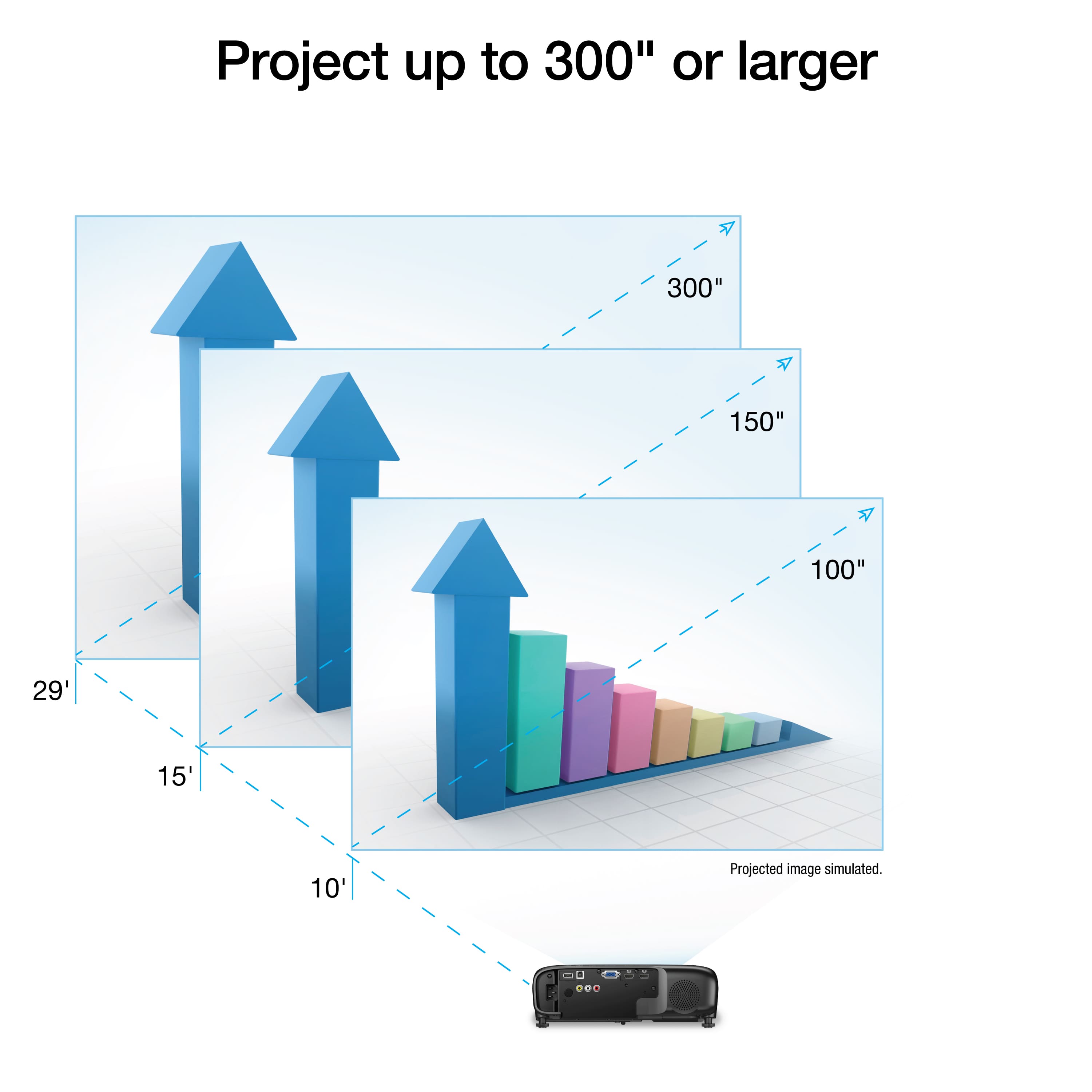
|Posted .This reviewer received promo considerations or sweepstakes entry for writing a review.For work this is an awesome projector, I wouldn’t necessarily want to use it for my home projector. For the video portion of meetings this projector has everything, it can connect via Wi-Fi, Miracast, HDMI, VGA, RCA video, USB ‘docking station’ (type B), and USB A (for cameras, thumb drive, and such). It is very much designed for being able to connect however you need to in a business. For me personally the Miracast is by far the most useful feature, Wi-Fi is awesome especially for device management from an asset management perspective but for using the speaker Miracast is just super useful, anyone can cast to the screen that is in the room so no need to give guests Wi-Fi access or deal with cords or anything like that. There are also a ton of share features, both displaying multiple laptops from different sources and sharing the same screen to multiple projectors (I wasn’t able to test this last feature as I only have one projector). The menu of the projector was easy to use to navigate to setup features. This isn’t a short throw projector so don’t expect to be able to put it super close to the wall, but it gets a really nice size from 10’ away you’re looking at a 100” screen and you can adjust the screen size with the zoom ring as well which is right next to the focus ring. Lastly is the A/V mute slider that blocks the video as well. Talking about Zoom, the remote as an awesome zoom feature that can allow you to zoom in on documents down to almost a single word and then move around the document if you so choose. This is probably one of the top features I appreciate about the projector as well. Lastly, if you were hoping to need to present in the dark with this thing you’d be out of luck. It is very well visible in a well lite room. I love the brightness of this thing. So, onto to what I do not love so much about this projector. The speaker is loud but tinny, we have some nice speakers in several of our conference rooms that I would prefer over this one and teaching people to select their output source on their computer can be… tiresome. A simple audio out would be as well as the speaker would make me so much happier. And that’s it, it is one of the most capable projectors I have used with the disadvantage that the only audio out is the speaker or changing it from the source device. Which gets back to why I might not use this as my home projector, but I definitely would for work. The built-in speaker is good enough for work but not for home. Pros: -Tons of ways to connect including Miracast -Can show multiple sources at once -Wi-Fi connection for collecting logs for asset management purposes -Bright output (viewable in a well-lit room) -Clear crisp image -Adjustable screen size (not just by moving the projector) -Documents zoom feature -Loud built-in speaker -Detachable power cord -Adjustable feet -Comes with carrying bag Cons: -No Audio output besides built-in speaker (you can usually control output with source device) Overall, as long as you aren’t looking for Audio out on your projector, I can easily recommend this projector.
I would recommend this to a friend - Pros mentioned:Brightness, Picture quality, Portability
Great professional projector!
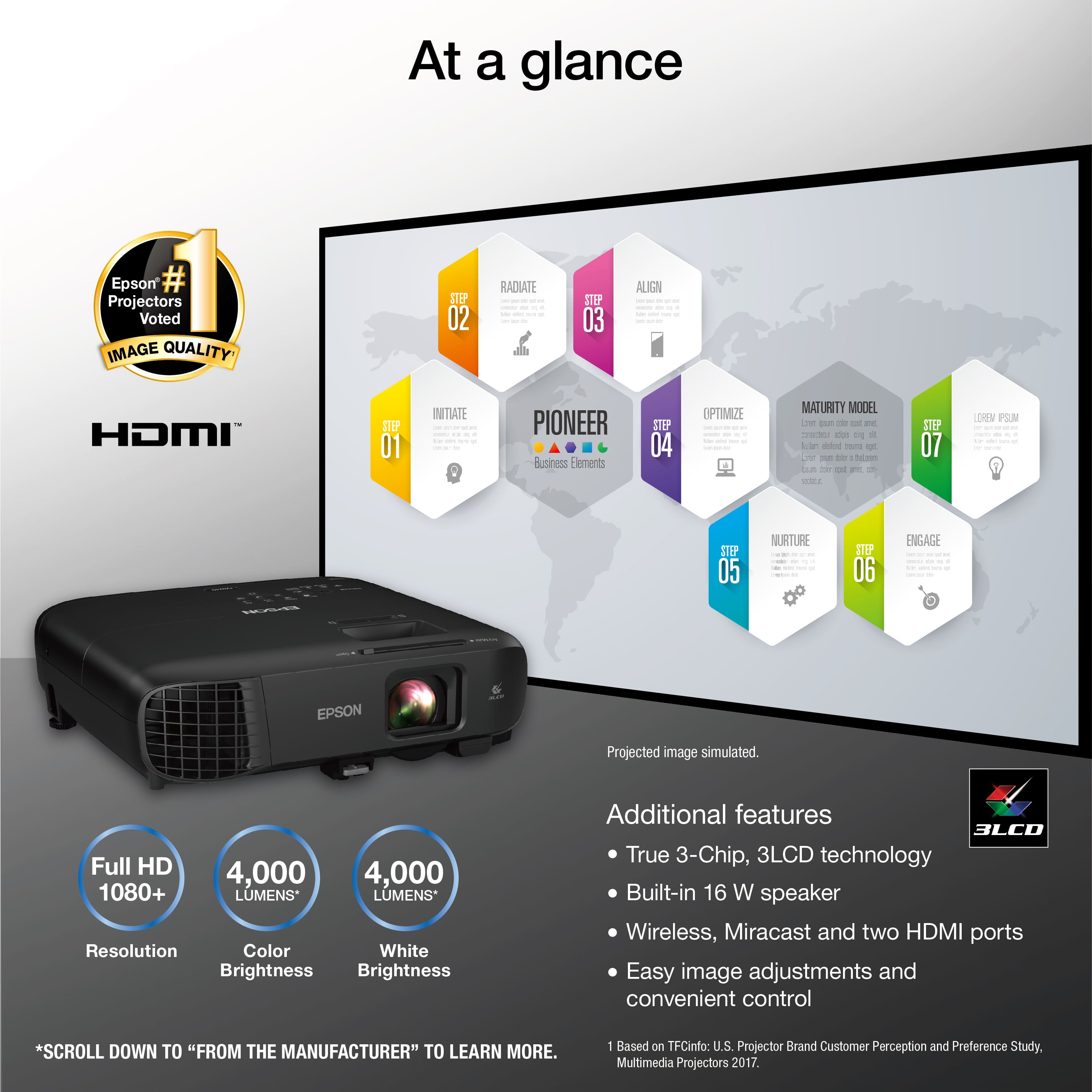
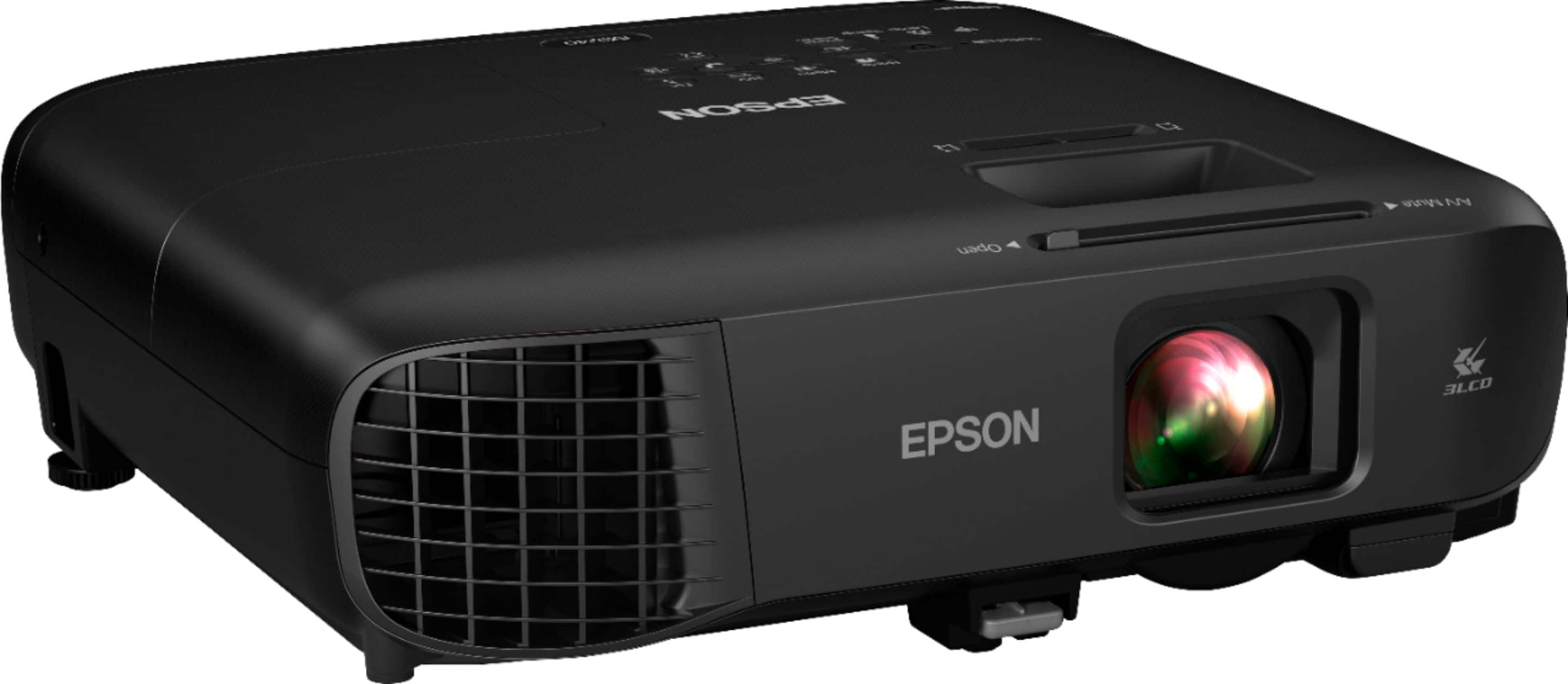
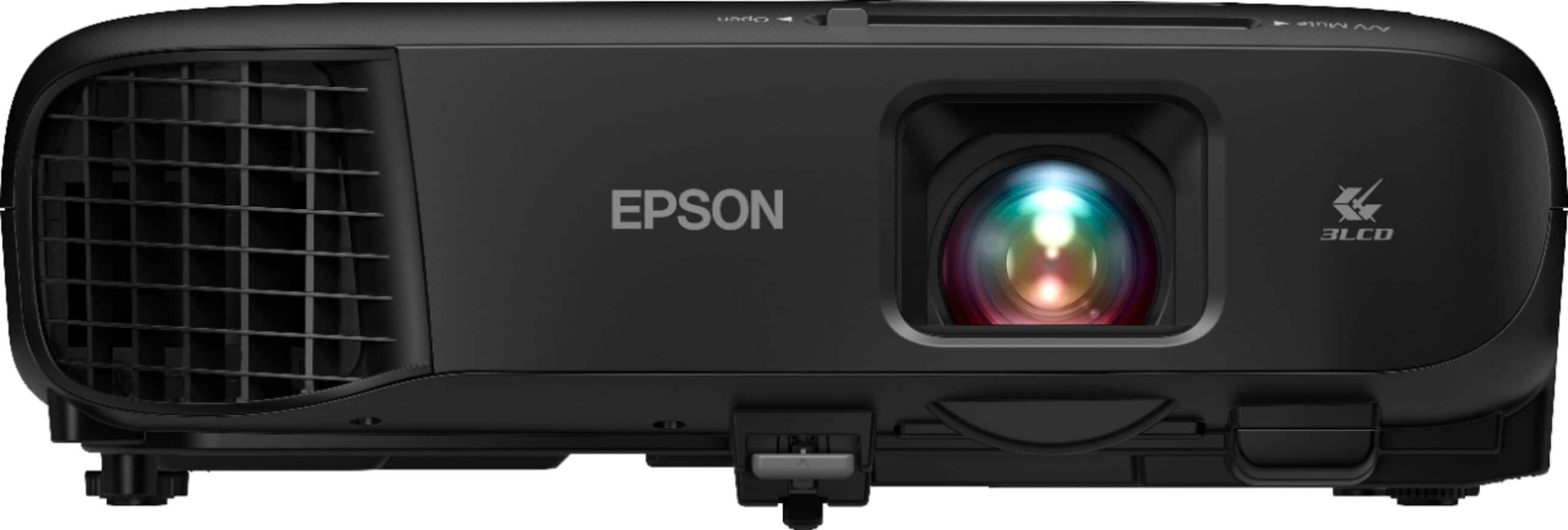
|Posted .This reviewer received promo considerations or sweepstakes entry for writing a review.The Epson Pro EX9240 is targeted towards business use. Its features are well tailored for this. I think a good office/classroom projector is extremely underrated. The Epson Pro EX9240 completely redefined my expectations. The unboxing experience was a classic Epson experience. However, I was happy to find a carrying case included with the projector! This makes it great for your portable business needs. Like most Epson projectors, it comes with a remote control, batteries, and power cord. I really liked the black colorway. The build quality feels sturdy as with other Epson projectors. It is relatively light at 7.7 lbs, making it very portable. Setting up was simple enough. It is plug and play. I connected my computer via the HDMI port and we were ready to go. You really cannot underestimate the importance of a 1080P projector. I have other business purpose projectors but the resolutions range from VGA (640x480) to D1 (720x480). This blew those out of the water. As soon as I turned it on, I was impressed with the brightness and clarity of the pictures. Images were bright and sharp. Powerpoints looked great. I could read all the text very clearly. No blurry images. I am sure all students can relate to classroom projectors that just don’t cut it. With this, I can project this in a brightly lit room with sunlight coming in, and I can still comfortably read all text. The 4000 lumens are no joke. Videos are watchable. However, with the low contrast ratio, it certainly is not ideal. The included speaker can fill a small room but the audio quality is not its strength. You can easily connect a speaker via the ports or use a bluetooth speaker connected to your main device. All in all, this is a great projector for professionals. I think it is very reasonably priced for a 1080p projector. It is very light and portable. 1080p resolution means crisp text. 4000 lumens mean I can read presentations in broad daylight with no problem.
I would recommend this to a friend - Pros mentioned:Brightness, Picture quality, Setup
Almost perfect total package for business
|Posted .This reviewer received promo considerations or sweepstakes entry for writing a review.Let me start by saying the picture quality (resolution, lumens, etc.) is outstanding. The projector itself supports several resolutions, works flawlessly in bright settings, and doesn't have a terribly loud fan. Physically setting up this project was a breeze, where it broke down for me was using the app or setting up the wireless screen mirroring. I consider myself comfortable with technology but after a few hours of tinkering, have yet to actually get this functionality, mirroring my screen, on any device. The internal speaker is sufficient for small rooms and occasional audio used in sales meetings, I would not rely on it solely if video is critical during business meetings. Another miss is not having an audio out from the projector itself. I found it a challenge sometimes having to hook up a device with HDMI but using a set of Bose computer speakers for audio and having to stash those speakers somewhere close to the laptop. Minor inconvenience, but something I had to worry about. This projector is being used primary for business with rare occasion for a movie night, that is where this projector really shines. Picture quality is outstanding and the projector's automatic screen correction features usually works great in most settings, where it got compilated for me was trying to get manual keystone corrections to make what appears to be a perfect rectangle screen. It has easily accessible focus and zoom sliders to assist in getting the image to fit on what ever I am projecting onto. I would without hesitation purchase this project, the overall specifications combined with the price, its hard to beat a projector for the price! Epson really nailed it with what features comes with this model within the price point. User tip is to allow for some patience when trying to figure out some of the wireless functionality.
I would recommend this to a friend unfortunate features
||Posted . Owned for 3 weeks when reviewed.This reviewer received promo considerations or sweepstakes entry for writing a review.was charged a restocking fee to return. Unfortunately did not have the feature I needed
No, I would not recommend this to a friend- Pros mentioned:Brightness, Connectivity, Portability
A True Must Have for Business Needs!
|Posted .This reviewer received promo considerations or sweepstakes entry for writing a review.This is a great business projector as the lumens are great at 4000. It is easy to set up and use. I especially love all the multiple ports available for connection purposes. I used this projector by connecting my laptop via HDMI and within seconds I was up and running with great display results. While I know this unit has Miracast features; unfortunately, my phone does not have this feature as I would love to employ this for presentations. Overall, another great one from Epson that will aid in delivering powerful presentations for business needs.
I would recommend this to a friend - Pros mentioned:Brightness, Connectivity
Great Business Project with Wireless Screen Share
|Posted .This reviewer received promo considerations or sweepstakes entry for writing a review.First, want to emphasize the Epson EX9240 is a BUSINESS projector. I am using this in the office for Powerpoint presentations and Microsoft Teams calls (Zoom would be fine too). It's perfectly good for sharing a business video (training video, occasional YouTube). You could use it occasionally for Netflix in an emergency but I would not recommend it for home use. FYI, for reasons, I'm not 100% sure why, it has 2x HDMI ports. So if you need a 2x HDMI port projector, this is for you. The EX9240 is a super-smart business projector. Everything is easy and automatic picture skew is a welcome addition. Focus is manual. Like most business projectors there's an array of customization options but the main setup option you need to worry about is connecting it to your WiFi (FYI Network Confi Menu). I had no problem connecting to our corporate WiFi at 2.4Ghz but we use straight SSID connections. I'm not sure how it would work in a hotel where you do web authentication but am keen to find out once I can travel. The best thing I love about the EX9240 is the built-in Miracast. Kudos to Epson for supporting a common standard and not defaulting to Chromecast or making this an Android projector. Miracast means that you can wirelessly project by default from Windows. We have used the EX9240 wirelessly in the office the past few days and it's a game-changer. I work in software development, and the ability for us to sit socially distanced in the office and for anyone in the office to connect to the projector to share work on the wall instead of hovering around a shared screen is a blessing. Worth it for this alone. Finally, what everyone cares about for a projector is brightness. The EX9240 is rated at 4,000 lumens. I have no way of testing if that's true, but in a well-lit office (lights on) there was no issue with sharpness or image quality. It really is a great business projector. PS. I wasn't sure if I should mention this but the remote has an AV mute button. This is super useful as it turns off the projection without turning off the projector (if that makes sense). Just a neat feature which means I can stand at the front of the room, talk without the projector shining in my eyes, then move to the side without having to wait for the full power on cycle.
I would recommend this to a friend epson 2projector review
||Posted . Owned for 1 month when reviewed.This reviewer received promo considerations or sweepstakes entry for writing a review.have had it less than a month and it has problems it didnt have as good of picture as i thought it should i have to take it back
No, I would not recommend this to a friend- Pros mentioned:Brightness, Portability
Bright picture!
|Posted .This reviewer received promo considerations or sweepstakes entry for writing a review.We were wanting a new projector that would be more viewable in rooms with the lights on or in offices with many windows. (people still need to see what else is going on) This is the projector! Rooms had to be pretty dim with our old one. Not an ideal situation when giving client presentations. This Epson solves that problem! Of course it does give a better picture if the area right in front of the "screen" can be darkened. This projector was easy enough to set up. I put it on a desk and plugged it into my laptop and the software automatically loaded up. Nice! If you have a phone or tablet, that can be used as well. Download the Epson app and you can connect to the projector wirelessly.(The laptop can be a wireless connection too, I found out after the fact.) You can also mirror your device screen. I really like the fact that with the wireless built in, others can join in presentations with their own devices. (Just have them install the app) The case that is included is a really nice, convenient bonus. Also has extra pockets for files if needed. It makes it easy to grab and go if you need to be mobile. There is also a built in speaker if it is needed. It doesn't sound the greatest, but nice to have the option. The only possible downside I've noticed so far is where you have to place the projector. The old projector was (mainly) set up in the office to hang from the ceiling, at a slight angle down. You can't angle this Epson down enough, so it has to sit on a desk. (it has a built in foot to prop it up.) All in all, We are very happy with the new addition to the business.
I would recommend this to a friend - Pros mentioned:Brightness
Extremely bright and colorful images
|Posted .This reviewer received promo considerations or sweepstakes entry for writing a review.While this is possibly the brightest full HD projector in this price range. It will serve many needing to share their content to a group or even larger crowd easily. And with the very high color brightness and white brightness, images are easy to see even with ambient light from nearby windows. I tested this projector for several days on a white wall with nearby windows and sun in my living room and in my darkend home theater on a dedicated projector screen. Worked well in both environments. Of course darker rooms and quality projection screens improve the image quality. I also need to mention it lacks almost all contrast for darker images or shadows. Instead of black, you get a sort of washed out or foggy gray hue. This won't bother most during presentations of text and PC graphics. For some of us who want to share photos and video clips, it might be a bit less desirable if your content is dark themed like night shots or dimly lit interiors. As for all the connection options. All but one was fantastic and easy to use. HDMI (cable not included) and Miracast Wireless Display using a PC was by far the best way to send content to this really good projector. With a PC, Miracast is super simple (from desktop: right click, display settings, connect to wireless display, choose epson projector, DONE!). However, using the Epson app with my current generation android flagship phone was troublesome. While the app should be easy...Scan QR code and it should work. I could only get it to work once after 20 minutes of troubleshooting (and it was adequate to share phone content). Tried a second time the next day and it was a no go. Not sure what changed, but it wouldn't connect. For Android, maybe use a chomecast dongle. Even though, the app was not easy for me. All other options were easy and worked very well. Should also mention. It does include a nice soft side case with wide side pocket to hold remote and removable power cord for easy transport.
I would recommend this to a friend - Pros mentioned:Connectivity, Picture quality
Outstanding Projector
|Posted .This reviewer received promo considerations or sweepstakes entry for writing a review.The EPSON Pro EX9240 made my presentation all the better. In the coming months my company is about to move a huge portion of our personnel to the west coast. I’m in charge of relocating and logistics for this move. With this projector I was able to give a presentation that was over the top. In a partially lit room the content was easily viewed and I had many colleagues asking where they could acquire one for their personal use. This projector easily plays video without a glitch and with its built in audio I didn’t need external speakers. With the wireless built in feature I didn’t need a whole bunch of wires cluttering up space. This projector is one that I’ll be using for many more presentations and I definitely recommend.
I would recommend this to a friend - Pros mentioned:Picture quality, Portability
Game Changing WFH setup
Posted .This reviewer received promo considerations or sweepstakes entry for writing a review.First want to say that I am absolutely thrilled with my new projector. It’s compact, quiet and was incredibly easy to set up. I’ve primarily used it as a business related projector. I’m working remote, and take a ton of meetings via zoom and Google meet. Setting up the projector has changed the entire WFH environment for me — untethered me from my tiny laptop screen. I typically shut my blinds for a brighter screen display… but it’s actually surprisingly crisp even if I don’t. Haven’t had the unit for too long, but am super happy with my experience so far. This is a review for the Epson Pro EX9240 1080p projector that I received free of charge to do a beta test and review.
I would recommend this to a friend - Pros mentioned:Picture quality
Awesome for business
|Posted .This reviewer received promo considerations or sweepstakes entry for writing a review.I am absolutely in love with the Pro EX9240. After opening the box I had it up and running in a matter of minutes. The picture quality and brightness far exceeded my expectations and are a massive improvement from our old unit. We use this projector for presentations and have started experimenting with it for group video conference meetings so all of us who are there can remain socially distanced. It is sitting on a purpose built shelf approximately 20 feet away from the screen and am able to dial in the picture so there is absolutely no blurriness. Our old projector struggled to have a clear picture from that distance and we routinely had to turn the lights off t be able to really see presentations. That is now a thing of the past! The addition of Miracast also alleviates the need to have cables strung out to connect a laptop or transferring files to a "shared" device that is dedicated for presentations. Setup there takes a couple of minutes at most (assuming you've already updated you computer drivers, of course) and there is very little noticeable lag when the computer and projector are connected to the same WiFi network. The menus are intuitive and offer an infinite number of setup options to suit the particulars of the room; keystone, zoom and focus have manual adjustment rings which is fine since they will rarely need to be changed once the projector is in position. The only thing I could possibly wish for would be a built-in Bluetooth solution as the sound quality from the internal speakers is pretty weak. Of course, Epson markets this projector for business uses rather than as a home theater projector but having the easy ability to wirelessly boost the sound would be very nice for video conferencing or playing back training/presentation videos. Otherwise, I cannot say enough good things about the Pro EX9240. If you are in need of a bright, clear, and easy to use business class projector, go get one. You won't regret it.
I would recommend this to a friend