Customer Ratings & Reviews

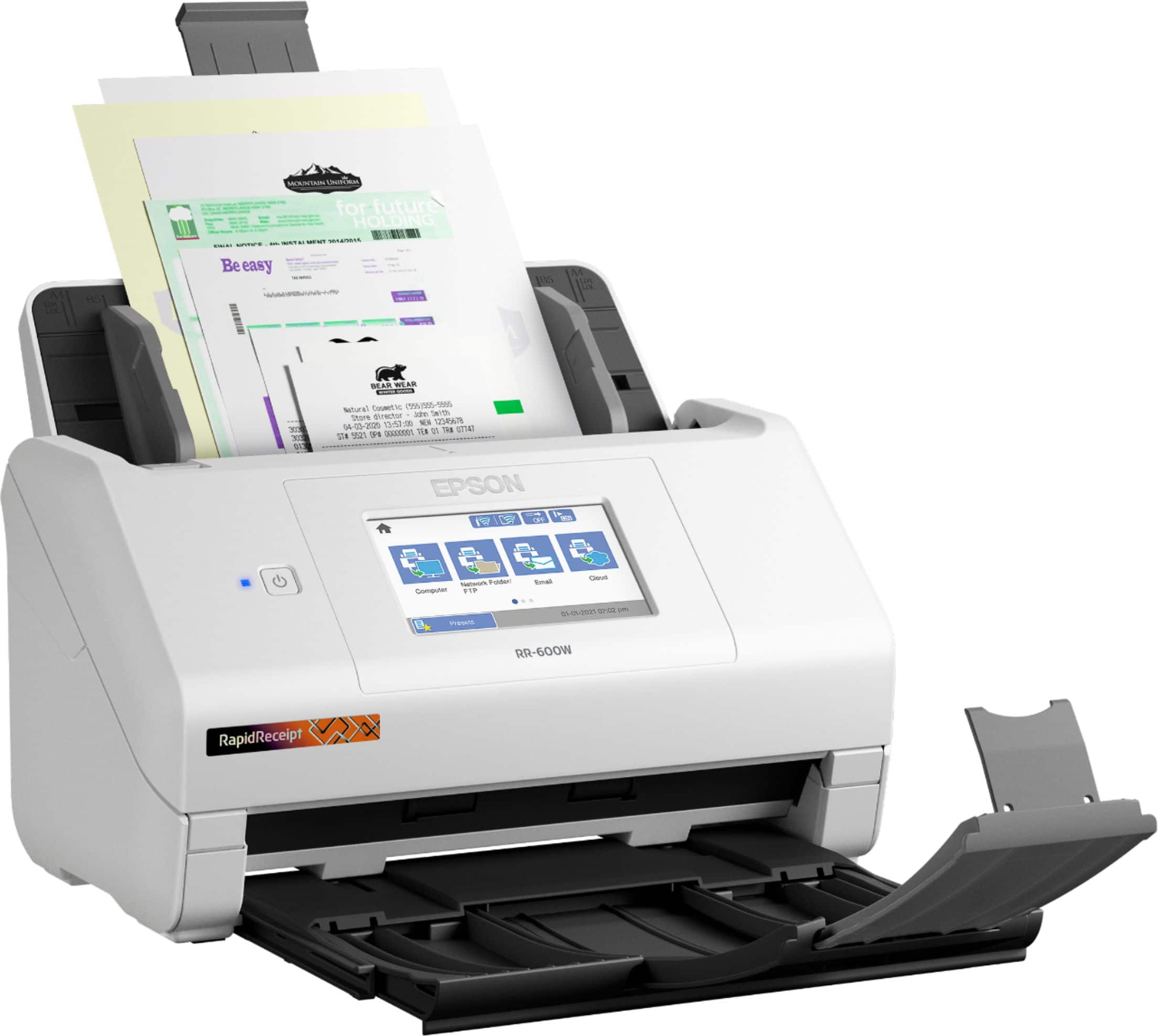
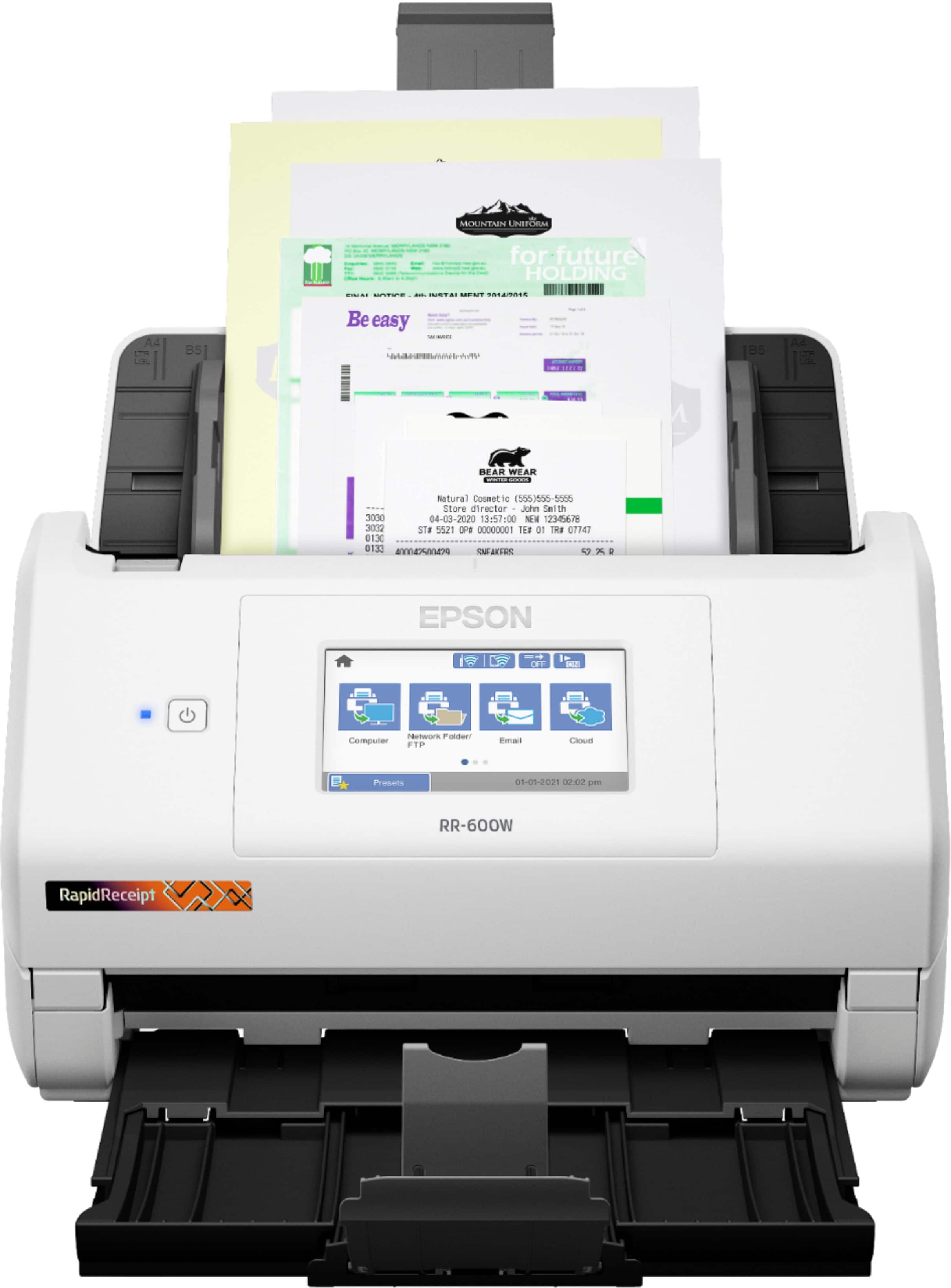
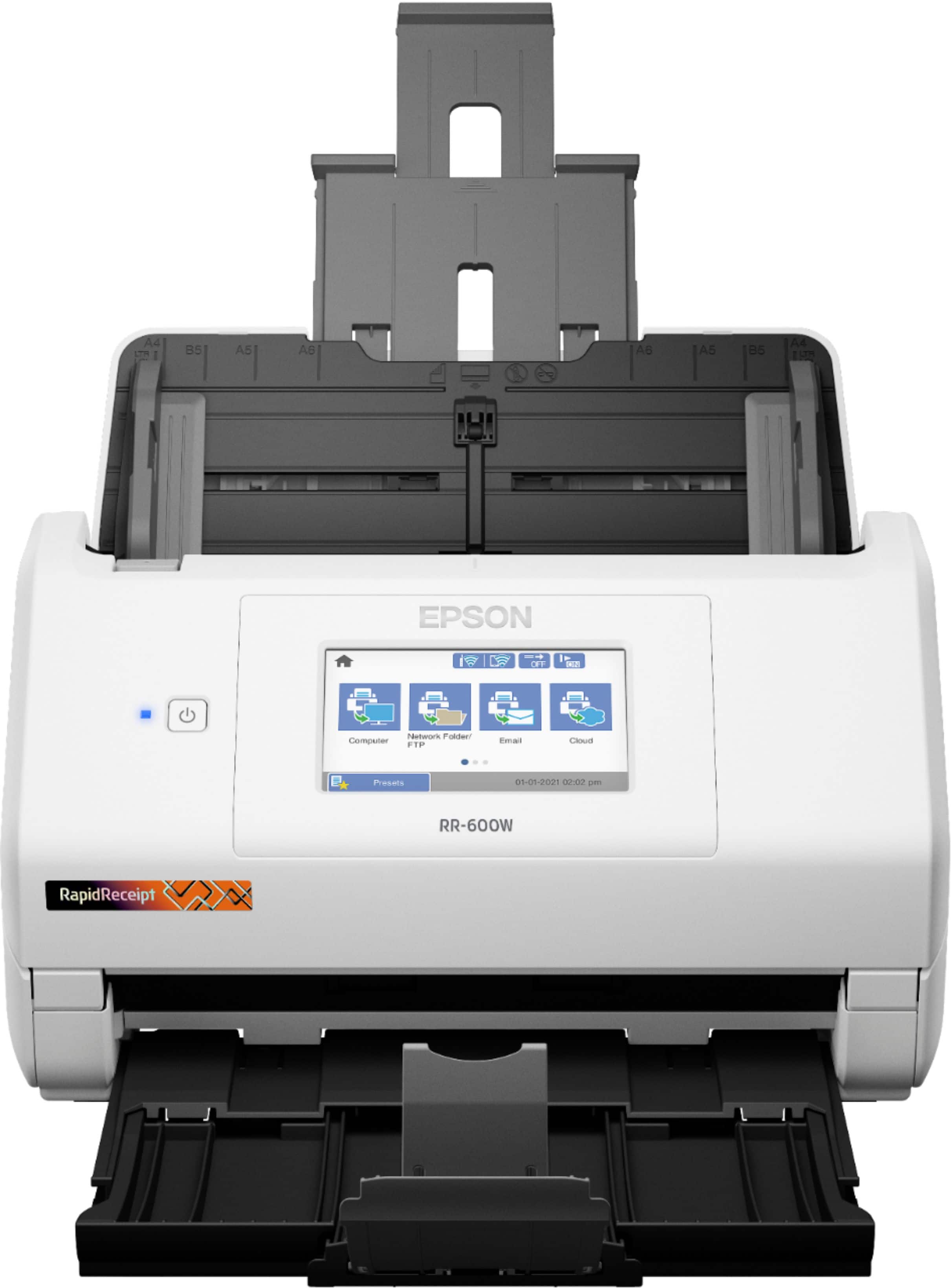
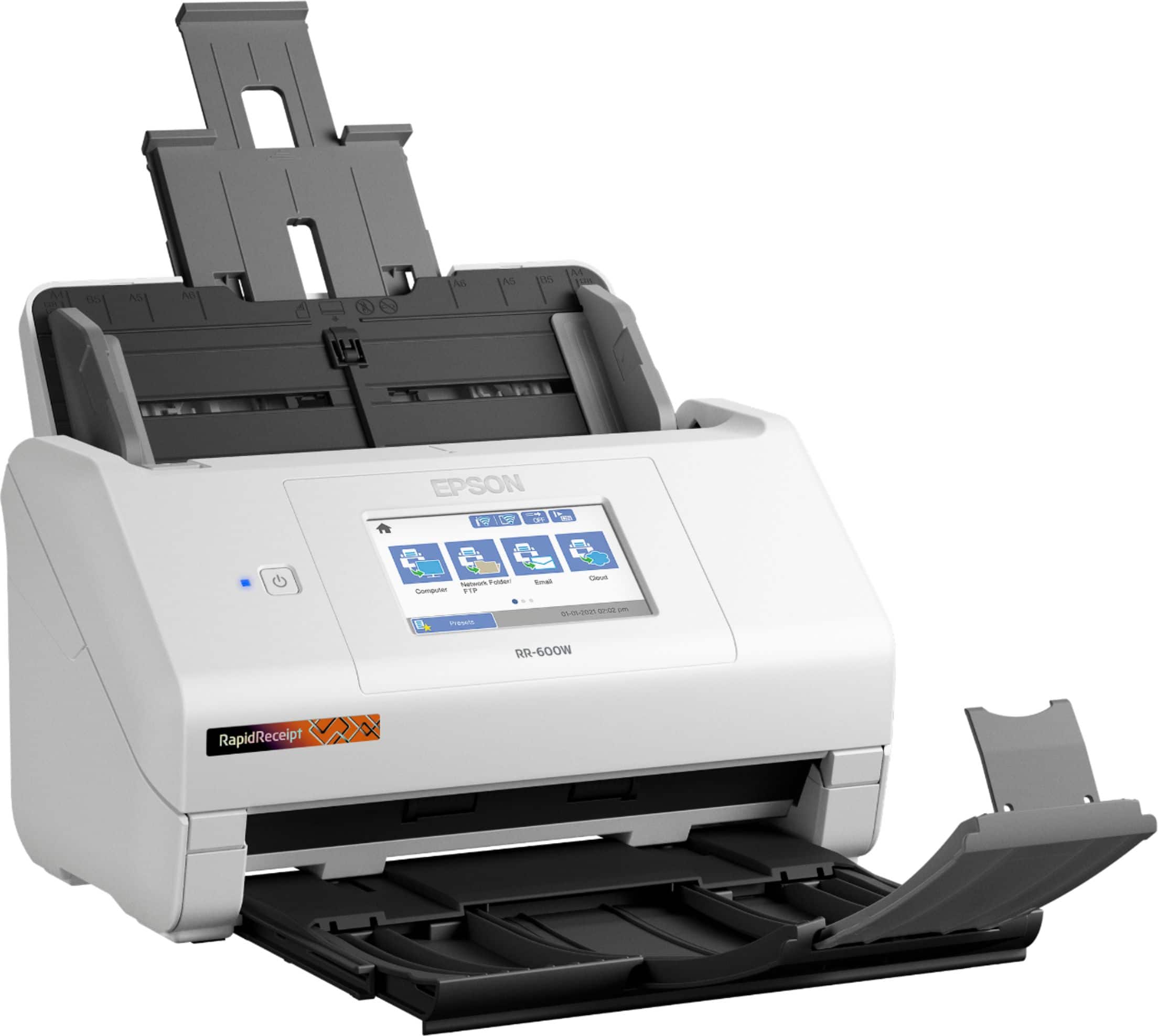

- Model:
- B11B258202
- SKU:
- 6442939
Rating by feature
- Value
Rating 4.4 out of 5 stars
- Quality
Rating 4.7 out of 5 stars
- Ease of Use
Rating 4.4 out of 5 stars
Customers are saying
Customers regard the RapidReceipt RR-600W Wireless Receipt and Desktop Document Scanner highly for its speed and ease of use. Users also appreciate the scan quality, responsive touchscreen, wireless capabilities, and impressive software. However, some customers have expressed concerns about the price, vague instructions, and compatibility issues.
This summary was generated by AI based on customer reviews.
- Cons mentioned:Compatibility
Not worth the money.
||Posted . Owned for 7 months when reviewed.This reviewer received promo considerations or sweepstakes entry for writing a review.No instructions on how to get it to work with an Apple desktop.
No, I would not recommend this to a friendBrand response from Epson
Posted .Hi Woos, we're sorry to hear you're having trouble setting up the RR-600W scanner. Epson considers all feedback to improve the performance and quality of our products. Epson also offers helpful information, including FAQs and self-help tools, on the product support web page at https://epson.com/Support/Scanners/RapidReceipt-Series/Epson-RR-600W/s/SPT_B11B258202#questions. Your RapidReceipt scanner includes a 1-year Limited Warranty and free lifetime technical support. If you need any assistance, our Epson Support Team would be happy to help you and can be reached at (562) 276-4382; Hours: Monday - Friday, 7 am - 4 pm PT; Sincerely, Sam - The Epson Team.

- Pros mentioned:Scan quality, Speed, Touchscreen
Honest Review
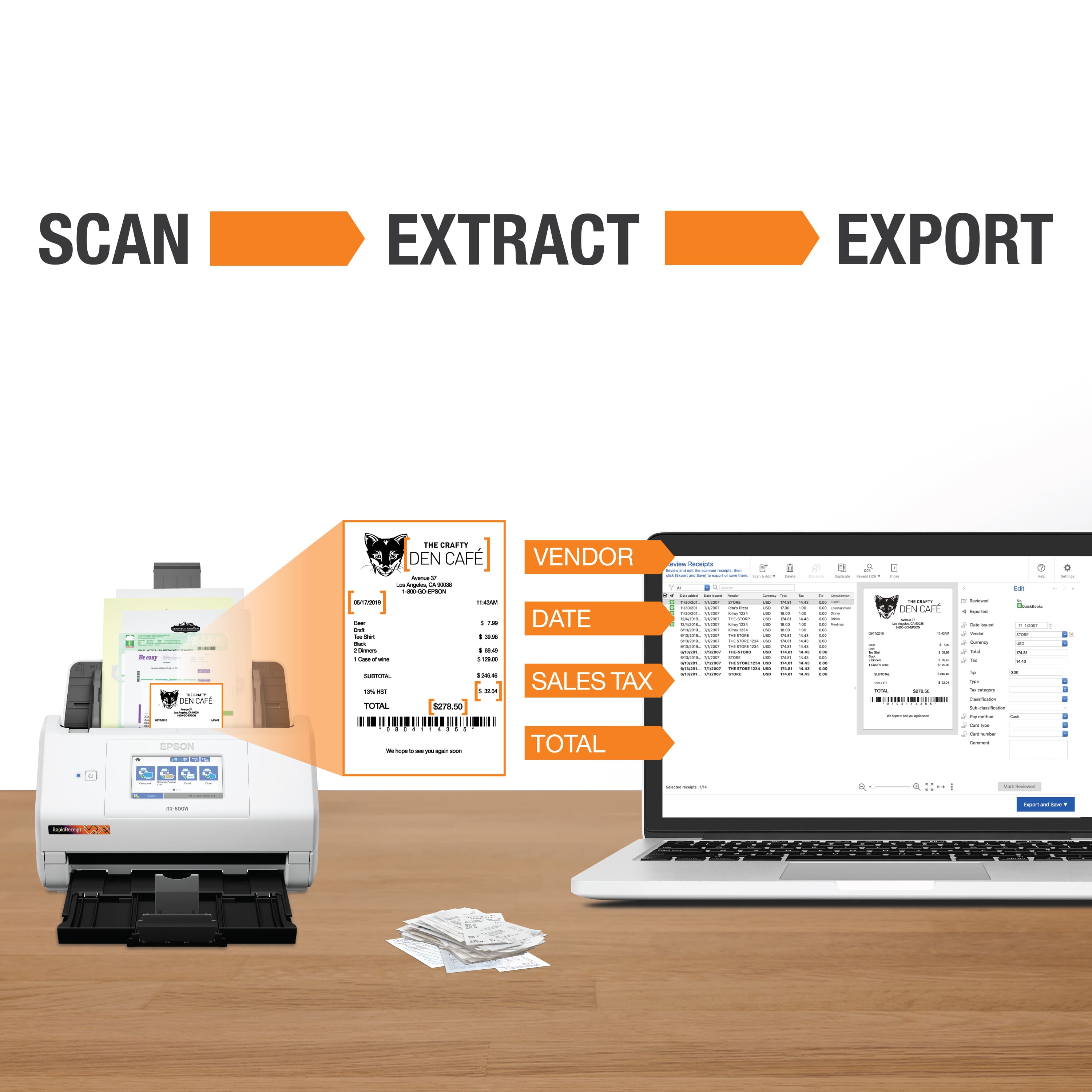
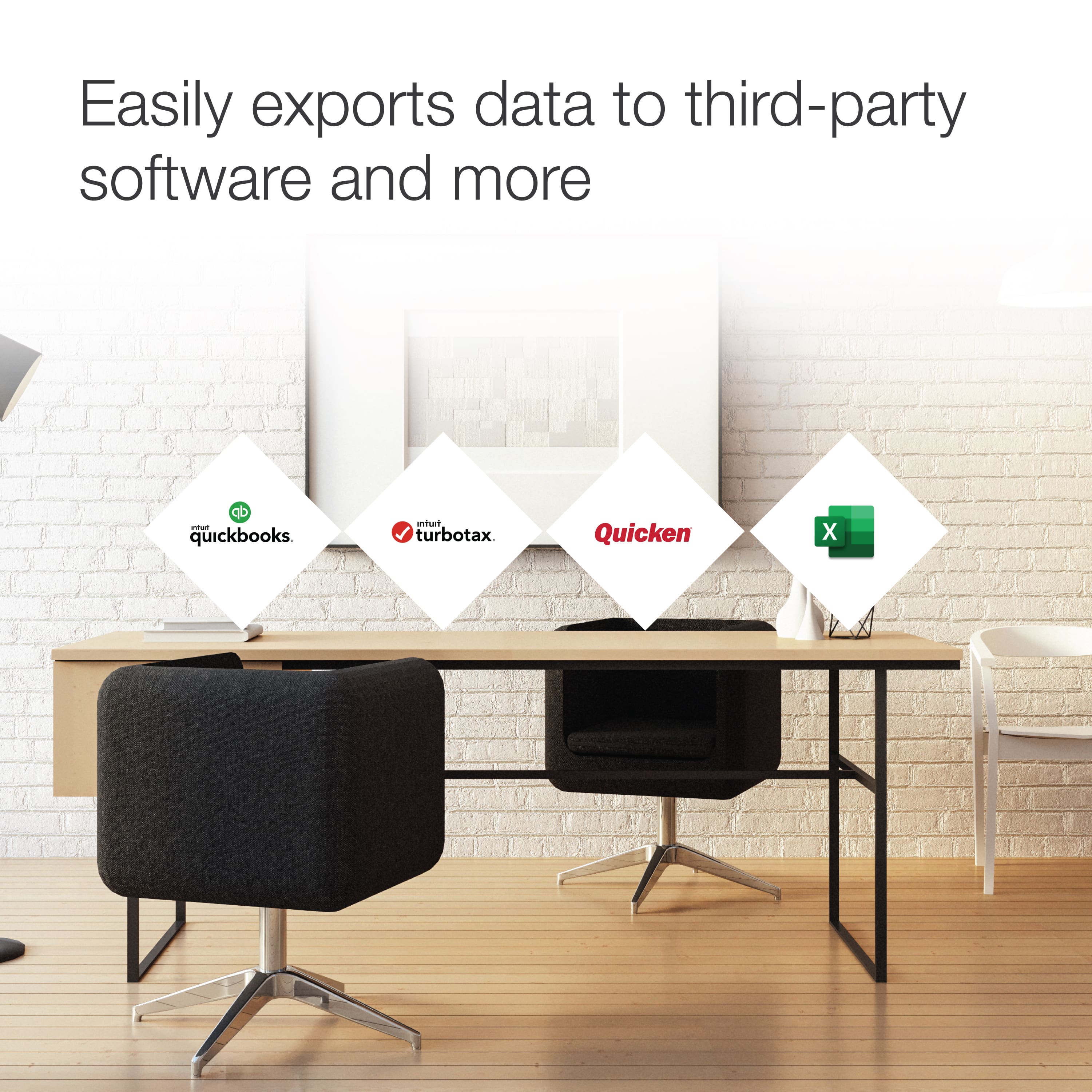
Posted .This reviewer received promo considerations or sweepstakes entry for writing a review.Review Notes. Setup Device arrived very well packaged and not broken. Setup is easy and simple one USB cord and power cable included. It’s not overly huge as well and fits well on a home office desk. The Touch screen is a welcome surprise. The download and installations were quick and easy and was soon testing the device, I chose to choose all options. A Firmware update 05.01. SW13L1 with 27.70 MB was available. Did a test scan before updating to see whether I would have issues after the firmware update. After the first update there is a check for any additional updates. Testing Scanned a tax form as well as various document and chose the option to upload to Google Drive and was easy enough. Options to change resolution is good as well as being able to choose the date and file name format are a welcome addition. The Scanner is pretty snappy and first. Black and white scanning very fast at 1200 dpi. Color scanning available at various speeds and its not that far from BW scanning, very impressive.PDF,Jpeg and TIFF scanning options are available with various settings.PDF plug in has options for password setting to open a file as well as turning on or off.In addition the option to generate PDF/A files is available. The options you get with this little scanner are too many to name in this review.It is simply worth at least 500 bucks easy. In the updater too you have the option to check interval to check ranging from 1 day,1 week,2 weeks,1 month and 2 months. I chose to leave this blank for now. Receipt Scanning To scan receipts e.g. ihop receipt the scanner needs to be set to 600dpi.The OCR did n0t work very well s I had to edit date and restaurant. The image was very clear though. You have the option to save as a QuickBooks online, Desktop and as a Quicken file. There is also the option to save as a n Excel File, image file and as TurboTax File which should be greats for small business an Accountants a well as in Hospitals, Admitting and registration departments. One more thing, with a click of a button you can instantly Duplicate a receipt!!! Android App Testing. Downloaded the Epson Smart Panel form the Google Play store, wish they had a QR code for this part. Make sure the scanner is setup on Wi-Fi one that is done on the app home page tap the scan button and the item on scanner scans and shows up on your phone instantly!! This is sweet function. “This is a review for the Epson RR-600W Wireless Duplex Touchscreen Scanner that I received free of charge to do a beta test and review.”
I would recommend this to a friend Disappointed
||Posted . Owned for 3 weeks when reviewed.This reviewer received promo considerations or sweepstakes entry for writing a review.If you have long receipts......you can forget it! It is not worth it.Just copy on a printer first then scan....only if you have time? Don't waste two weeks, like I did before you realize this. Free99$ advice.
No, I would not recommend this to a friendBrand response from Epson
Posted .Hi MARK, we thank you for your feedback and apologize for the disappointing experience you’re having with the Epson RR-600W. Scanning speed can be affected by settings like resolution and document mode, and your computer’s resources. You can visit your product’s support page https://epson.com/Support/Scanners/RapidReceipt-Series/Epson-RR-600W/s/SPT_B11B258202 to find FAQs, videos, and the online User’s Guide for information on changing your scan settings. Connecting the scanner to your computer via Hi-Speed USB may also help to speed up scanning. If the scanning speed doesn’t improve, your product comes with free lifetime tech support and we’d be happy to help. You can call Epson Support at (562) 276-4382 between 7 a.m. to 4 p.m. (PT), Monday – Friday. Regards, Dylan – The Epson Team
- Pros mentioned:Scan quality, Speed
How did I survive without this?
Posted .This reviewer received promo considerations or sweepstakes entry for writing a review.I volunteer for a local nonprofit and one of the most tedious tasks to do is to insert all of the invoices into the computer system. Scanning them one at a time on a desktop scanner bed and hoping they are not scanning crooked is Painstakingly Hard! So, I was interested to see how much easier this would be. Firstly, setting it up.... yes it comes with the Start Here Poster but it did take me a bit to get it set up. Then again not everyone has a tech degree (I don’t) and it typically does take me a bit longer to get things set up. Second, it has a nice large touch screen that so far I haven’t an issues with other than sometimes hitting the home button can take more than one press. Not sure if it is because it’s too recessed or if the calibration is a bit off. It does come with built in software to install on your computer to assist you which is nice. Let’s be honest if a person is going to invest money into the document scanner the last thing you really want to have to do is fork out even more money on additional software or a subscription for it to operate to its best abilities. As far as scanning goes, while it doesn’t have multiple guides to assist with multiple sizes of paper at once, if you have all the same size papers or invoices it’s a boss. That is as long as you remember which direction to load them in. I find that a little reminder taped completely flat to the tray area is perfect and no more issues. The other thing that I really like is how easily you can take care of a paper jam. It has a nice wide opening that makes it hassle free. The scans have been practically perfect every time and it has saved me so much more time that I have even started going through and scanning materials to archive them for easy access. My life has seriously been made better by this and considering my time is unpaid makes the freed up time so much more beneficial! An important note is that nothing has biased my opinion but I do need to state: this is a review for the Epson RR-600W Wireless Duplex Touchscreen Scanner that I received free of charge to do a beta test and review.
I would recommend this to a friend support is garbage
||Posted .This reviewer received promo considerations or sweepstakes entry for writing a review.does not connect to my mac. 44 mins on the phone first call with epson support, transferred 4 times. 5th time they hung up on.. product may work good if it works but support is horrible.. i will never buy epson again
No, I would not recommend this to a friendPAPER JAMMED MESSAGE
||Posted . Owned for 6 months when reviewed.This reviewer received promo considerations or sweepstakes entry for writing a review.if receipt too long, CONTINUOUSLY getting paper jammed alert, WASTE OF TIME!!!!!!!!!!!
No, I would not recommend this to a friendBrand response from Epson
Posted .Hello Frank, we're sorry to hear about your disappointing experience with the RapidReceipt RR-600W scanner. Epson considers all feedback to improve the performance and quality of our products. Your scanner includes a 1-year Limited Warranty, plus free technical support for the life of the product. Additionally, Epson provides helpful information, including device drivers and self-help tools, on the product support website at https://epson.com/Support/Scanners/RapidReceipt-Series/Epson-RR-600W/s/SPT_B11B258202#questions. If you have any questions or concerns, our Epson Support Team would be happy to assist you and can be reached at (562) 276-4382; Hours: Monday - Friday, 7 am - 4 pm PT.
Sincerely, Sam - The Epson Team
- Pros mentioned:Speed, Wireless

A True Must-Have for Business Needs!
|Posted .This reviewer received promo considerations or sweepstakes entry for writing a review.The Epson Rapid Receipt RR-600W is a workhorse scanner that gets important documents scanned in a matter of seconds. This scanner comes right on time as I have been trying to seriously eliminate the “paper monster” by organizing and creating a file system that houses important data. I have chosen to access the data via an organizational file system via my computer and/or the clouds. I have accounts with Evernote, Dropbox, One Drive and Google Drive. The scanner is very easy to set up as Epson has included a quick start guide that instructs how to connect and input your computer’s Wi-Fi info, download the necessary drivers and from there, you are good to go with scanning! I found that this scanner has a touch screen which is an added bonus as it lends to the intuitiveness of the scanning process. The visibility of the screen makes the process of scanning to be efficiently done as it enables you to see the whole process as it occurs. So far, I have scanned hundreds of documents such as old tax forms, medical documents, and business documents. The documents I scanned have immense clarity and conciseness. I have a lot of business cards that I have collected over the years that I was able to scan and file. Additionally, the free included receipt software is another added bonus as I save most of my receipts. I especially found its duplex capability to be great too; as I scanned lots of documents that were two-sided. Additionally, I am elated that this scanner is wireless as this eliminates restrictions. Overall, I am extremely pleased with the features, functions, and performance of this scanner. I am sure I will get many years of production from this workhorse!!
I would recommend this to a friend - Pros mentioned:Ease of use, Scan quality, Speed
FAST!!!
Posted .This reviewer received promo considerations or sweepstakes entry for writing a review.This scanner is truly plug and play. It did not take more than a few minutes to set this up and start scanning. The scanner is ready right out of the box! Being eager to test run this scanner, I ran my first scan without the instructions to see how user friendly it is, and it did not disappoint! The menus on the scanner touch screen are easy to read and are self-explanatory. The first scan I tried was a double-sided color page. The scanner moved extremely fast and the default quality of the scan was tremendous. I previously used an office printer/scanner combo and to do a double side scan meant clearing my schedule for the afternoon. I run a company by day and a tax practice by night which makes the exporting of images to other software packages a must for me. This scanner includes Epson Smart scan software that can scan, file, OCR, and export captured images and OCR data to many financial software including Quickbooks, Quicken, Turbotax, Excel and CSV files. I love that this scanner accepts multiple sizes of pages all in the same stack of papers to be scanned. Other scanners I’ve used do not allow for this meaning I had to sort and separate the various page sizes before scanning. The only downside thus far is now my coworkers all want one! This is a review for the Epson RR-600W Wireless Duplex Touchscreen Scanner that I received free of charge to do a beta test and review.
I would recommend this to a friend - Pros mentioned:Speed, Touchscreen
Great Scanner for scanning receipts and bills
|Posted .This reviewer received promo considerations or sweepstakes entry for writing a review.The Epson Rodney-600W is a nice scanner. It does a good job of quickly scanning receipts, bills, and documents. The software does a good job of recognizing receipts/bills and add the date in the file name when saving. The touchscreen is very responsive to touch input. The scanner supports USB and Wifi connectivity. I get far better results when connected to the scanner via USB. The software responds faster with a USB connection. When connecting to my WiFi network, the pages were scanned quickly with no problem. It was the processing after the scan was done that was an issue for me. The screen will continue to say scanning for at least 30 seconds or more before app will allow me to move on and save. I found this quite annoying. When I connected to the scanner using its own WiFi Direct connection this issue was nonexistent. I chose not to use WiFi Direct because I was unable to save the file to my DropBox account when done, since I didn’t have a connection on my computers since it was connected to the scanner. It comes with a copy of Kofax Power PDF that required you to install before downloading to your computer. It was a bit tricky to download and register. So far I’m enjoying this scanner. I wish the WiFi worked better with their software, but I’ll just stick with USB connection for the time being.
I would recommend this to a friend Accountant
||Posted . Owned for 3 weeks when reviewed.This reviewer received promo considerations or sweepstakes entry for writing a review.This machine does not work for me. I’ve tried two of them and I’m about to return it to the store. Unfortunately it’s nothing like the ads.
No, I would not recommend this to a friendBrand response from Epson
Posted .Hi Neglakay, we're sorry to hear about your disappointing experience with the RR-600W scanner. Epson considers all feedback to improve the performance and quality of our products. Epson also offers helpful information, including FAQs and self-help tools, on the product support web page at https://epson.com/Support/Scanners/RapidReceipt-Series/Epson-RR-600W/s/SPT_B11B258202#questions. Your scanner includes a 1-year Limited Warranty and free lifetime technical support. If you need any assistance, our Epson Support Team would be happy to help you and can be reached at (562) 276-4382; Hours: Monday - Friday, 7 am - 4 pm PT; Sincerely, Sam - The Epson Team.
- Pros mentioned:Scan quality, Wireless
Good value scanner
Posted .This reviewer received promo considerations or sweepstakes entry for writing a review.I was looking for a scanner to replace my ScanSnap s1300i. I needed to upgrade to a more compatible and better device. I am really enjoying using this Epson scanner. If you are looking for a flexible, easily upgradable sheet fed scanner I highly recommend it. The quality of the equipment is good. It scans well, sheets pass smoothly and has duplex functionality. The software is easy and with the touchscreen, it is just as one-touch as my old scanner. When using the scanner to scan receipts, it works perfectly and the included software has powerful OCR so it pulls the information from the receipt! Now that I’ve used it, I’m realizing it is a must! All scanning software should have this! Another great plus of this scanner is that it works wirelessly. This means it’s easy for me to scan to my laptop without having to plug in. I’m all about mobility and flexibility and this functionality allows that. Overall, this is a great scanner. It’s a great value buy that has all the basic functionality one could need and more. The quality of the scans is great and the speed is more than anyone should need. I highly recommend it. This is a review for the Epson RR-600W Wireless Duplex Touchscreen Scanner that I received free of charge to do a beta test and review.
I would recommend this to a friend - Pros mentioned:Speed, Wireless
Fast, smart, easy to use
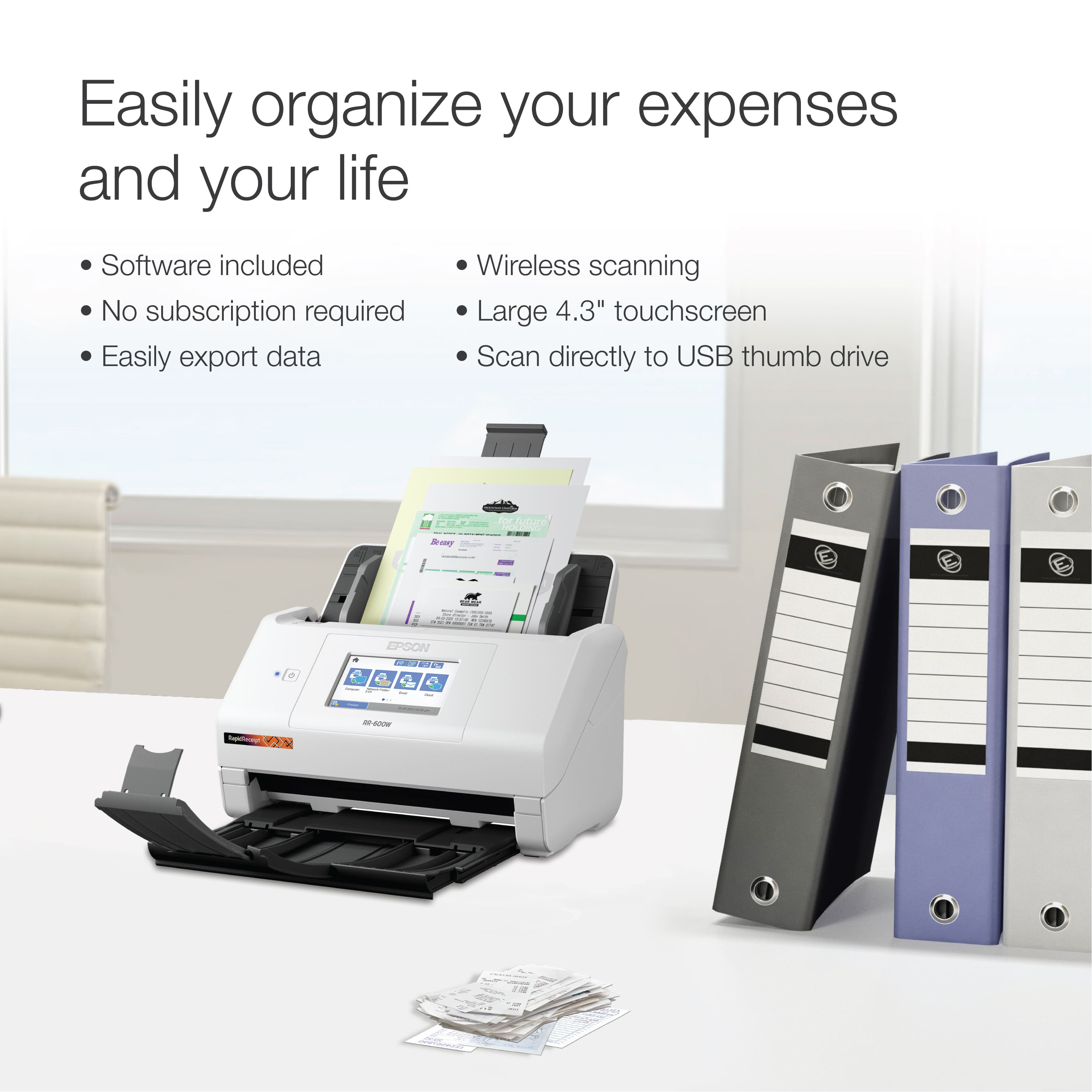
|Posted .This reviewer received promo considerations or sweepstakes entry for writing a review.I thought I was organized, I really did. I started using this scanner and my desk area is super clean now. This thing scans receipts, documents, business cards, and more. Ive yet found a size it couldn't handle. And the blank page sensor, dirt sensor, staple sensor. I scan with peace of mind. There is no subscription services required and its compatible with most software like Quicken, TurboTax etc. The scanner learns from repetition and will start to automatically sorting files for you. You can also create pdf files and it scans 35 pages per minute front and back. All software you need is included, even the business cards software. The scanner is wireless, light weight and you can scan directly to a thumb drive, no computer needed. The wireless signal is strong. I did scans from every room in my home. The touch screen is plenty big, and unless you're blind. You will not need your reading glasses. This thing is perfect for business, estate planning, home or small business and just keeping your personal life and taxes organized. It sure beats digging through box after box of receipts. Just scan it and forget it. The day you need it, everything is nice an organized on your computer or drives. I highly recommend this scanner
I would recommend this to a friend - Pros mentioned:Speed, Touchscreen
Great product
Posted .This reviewer received promo considerations or sweepstakes entry for writing a review.I must say is one of the best scanners I have come across. I tend to have tons of papers in folders or laying around. This was a problem solver for me. First, unboxing and set up was fairly easy. What I like the most is the multiple pages auto feeder. This is a life saver. Also, it actually scanned fairly quick. I think I scanned between 25-35 receipts and other documents. The double sided scan saved me a lot of time versus having to reinsert the receipts and documents. Another plus is that it’s compact. It’s easy to place it without requiring a lot of space. The wireless capabilities are good. You can use it with ICloud, dropbox, and other handy document savers. The touchscreen is another thing that I love about it. The menus were self explanatory and no delayed touch reaction. The only issue I had was the wifi connection. After several tries I was finally able to connect. I think a ethernet connection would be better. Overall, it is a good product. This is a review for the Epson RR-600W Wireless Duplex Touchscreen Scanner that I received free of charge to do a beta test and review
I would recommend this to a friend Scanner
||Posted . Owned for 1 month when reviewed.This reviewer received promo considerations or sweepstakes entry for writing a review.Thsi is a good scanner if your are just going to use it for scanning but i have a business and it doesn't send reciepts straight to folders.
No, I would not recommend this to a friendBrand response from Epson
Posted .Hi Jose, thank you for providing feedback on your Epson RapidReceipt RR-600W. We apologize for the disappointing experience you were having and will be sure to pass the information along to our product teams. Should you need assistance in the future, your product comes with free lifetime tech support and we’d be happy to help. You can call Epson Support at (562) 276-4382 between 7am - 4pm (PT), Monday - Friday. Regards, Tony . – The Epson Team
- Pros mentioned:Speed, Touchscreen
Master of Scanning
Posted .This reviewer received promo considerations or sweepstakes entry for writing a review.Your thoughts may be same as mine when we're thinking why is this unit; a scanner, so expensive compared to other all in one units. Where other units is a jack of all trades, this is a master of scanning and quite literally at that. It scans easily and fast, different sizes and double sided. There's no need to keep it near your computer even for installation. It quickly connects to wifi, the touchscreen is very responsive. Need to scan all your mail before shreading it? Done! Need all your reciepts scanned to a specific folder? Done! Need docs uploaded to FTP or a Google Drive? Done! You don't even need a computer to do the setup. It'll help speed some stuff up but once you're set up, you can do it all on the scanner itself. All the scanning, size, location, and scanning settings can be customized on the scanner itself. Just plop it into the feeder and hit scan. This is a review for the Epson RR-600W Wireless Duplex Touchscreen Scanner that I received free of charge to do a beta test and review.
I would recommend this to a friend Price was lowered by BB, DON'T expect anything!
||Posted . Owned for 1 month when reviewed.This reviewer received promo considerations or sweepstakes entry for writing a review.I'm sure it is a great machine, Don't bother buying the replacement plan!
No, I would not recommend this to a friendBrand response from Epson
Posted .Hi Carlos V., we apologize that you are having issues with your scanner. Your Epson RR-600W includes free technical support for the life of your product. Our Epson Support Team would be happy to help and can be reached at (562) 276-4382; Hours: Monday – Friday, 7 a.m. to 4 p.m. (PT). Sincerely, Joseph– The Epson Team.
- Pros mentioned:Ease of use, Wireless
Amazing Scanner
Posted .This reviewer received promo considerations or sweepstakes entry for writing a review.I had a folder full of documents ready after the email of confirmation. I left it working and in less than 20 mins. Its a very compact design and being wireless is another great feature. The duplex system saves so much time of having to flip the individual papers from previous models or older scanners. Epson RR-600W Wireless Duplex Touchscreen Scanner cleared up my desktop from having unnecessary loose papers in no time. The added software makes all of them easily manageable to storage systems. It gives an option to scan, edit, or search for specifications on the receipts or documents. Overall, great product and easy to use! This is a review for the Epson RR-600W Wireless Duplex Touchscreen Scanner that I received free of charge to do a beta test and review.
I would recommend this to a friend RR600W
||Posted .This reviewer received promo considerations or sweepstakes entry for writing a review.Set is terrible support from espon hard to contact
No, I would not recommend this to a friendBrand response from Epson
Posted .Hello BILLY, we're sorry to hear you weren't able to reach our support team. Your Epson RR-600W is backed by a 1-year Limited Warranty and includes free lifetime tech support. We would like to hear more about the issues you're experiencing. Please reach our Advanced Support Team for assistance at 1-800-241-5794 between 7 am - 4 pm (PT), Monday - Friday.
We look forward to hearing from you. Sincerely, Sam - The Epson Team.
- Pros mentioned:Ease of use
Compact and Convenient
|Posted .This reviewer received promo considerations or sweepstakes entry for writing a review.Setup for this printer was very easy. Although it's not major, I do appreciate that the scanner interface is responsive and quick. This product would be a great asset to not only business owners, but those needing it for personal use especially during tax season. For me, the Rapid Receipt Desktop Scanner is sized just right to compliment a standard home printer. The best feature is the customization that can be done with saving and exporting documents. There are a variety of options to choose from, and I like the inclusion of the Kofax PDF software. Personally, this product leaves nothing else to be desired.
I would recommend this to a friend - Pros mentioned:Ease of use, Scan quality
Excellent Scanner for Any Job You Have
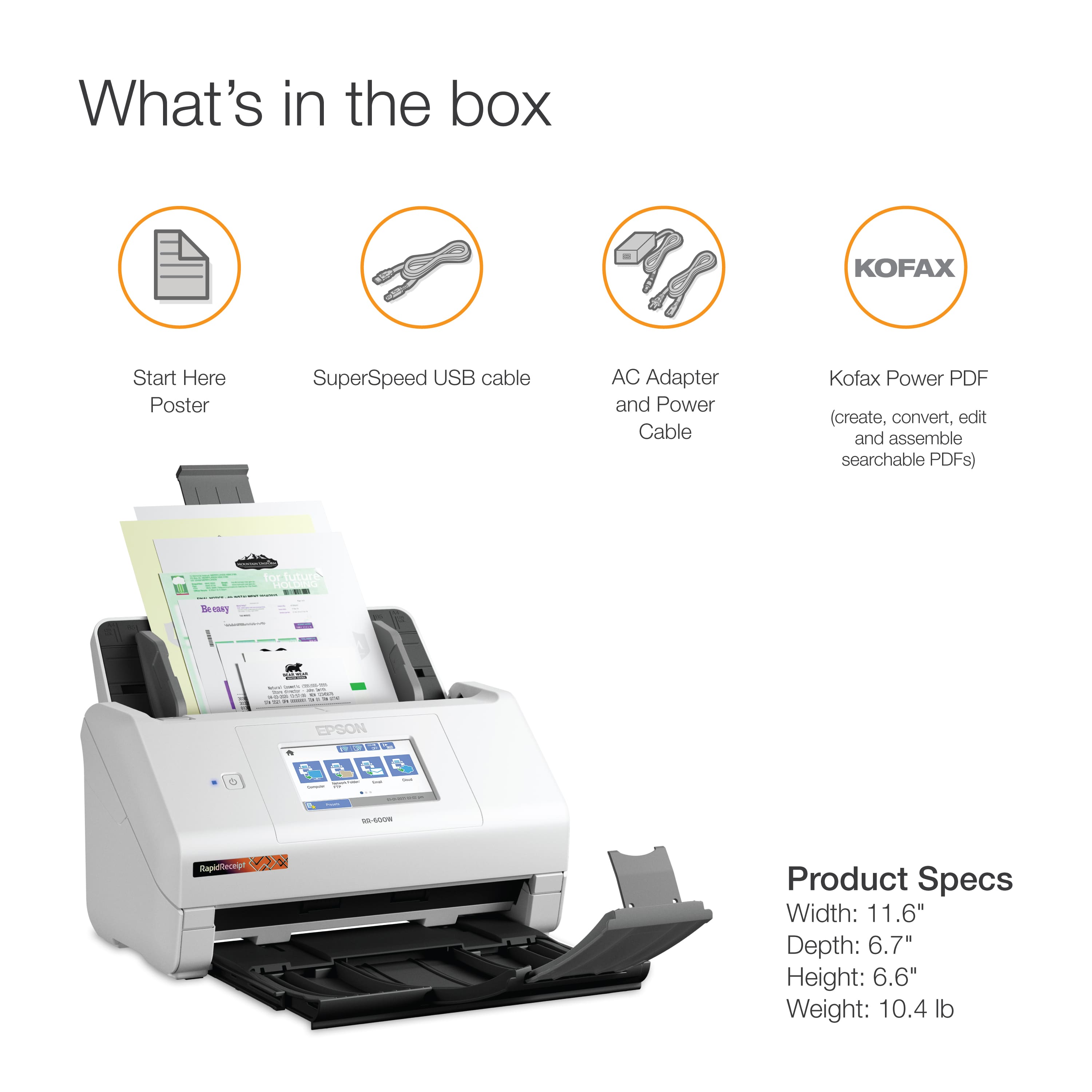
|Posted .This reviewer received promo considerations or sweepstakes entry for writing a review.The Epson Rapid Receipt RR-600W Wireless Receipt and Desktop Scanner is a wonderful scanner. It is versatile to take small receipts but can still handle standard size documents. It is also quite easy to use. The contents include everything you need to get set up. There is the scanner and loading tray which come packed with the standard tape which need to be removed. But once that is done, the load tray slides easily into the scanner. Also included are the power cord and USB 3.0 cord to connect the computer to the scanner if necessary. There is no disk included with the scanner. To load all necessary drivers onto your computer, you will need to go to the Epson website. Once downloaded, you just click on the file and the computer does the rest. I loaded all the software on my machines. It took about 15 minutes for everything to get loaded onto computers. During the process it also configured the scanner to work on Wi-Fi, so I didn’t need the USB cable that came included. The software then walks you through a step-by-step guide to get you up and operational with the new scanner. This worked well on both my Windows and Mac machines. Of course, you don’t get a piece of electronics for how easily it connects to your computer. You care about what it can do. And this scanner can do plenty. Scanning documents is easy. You load the documents into the tray and just press how you want the scan delivered. You can scan it to your computer, a network folder, to an email address, or even to the cloud. The document will scan in color, front and back in one pass as well. It is really easy. The quality of the scan is very good as well. Scans are clear. Also, the scanner does a very good job of keeping the documents level. While some scanners may load a few degrees off, this scanner didn’t seem to do that. Full scale documents aren’t the only thing this scanner handles either. It does a very good job with receipts. Additionally, it works great for those doing taxes. Receipts can be put into items such as QuickBooks or TurboTax making tax time a lot easier. Even business cards can be scanned and preserved for easy access. I really like the Epson RR-600W Receipt and Desktop Scanner. The scanner can handle any of your needs. It has a small desktop footprint of approximately 12 inches by 6.5 inches which allows it to fit perfectly on a desk. I highly recommend this scanner to anyone who needs a scanner.
I would recommend this to a friend