Customer Ratings & Reviews




- Model:
- B11B252201
- SKU:
- 6319724
Rating by feature
- Value
Rating 4.5 out of 5 stars
- Quality
Rating 4.5 out of 5 stars
- Ease of Use
Rating 4.5 out of 5 stars
Customers are saying
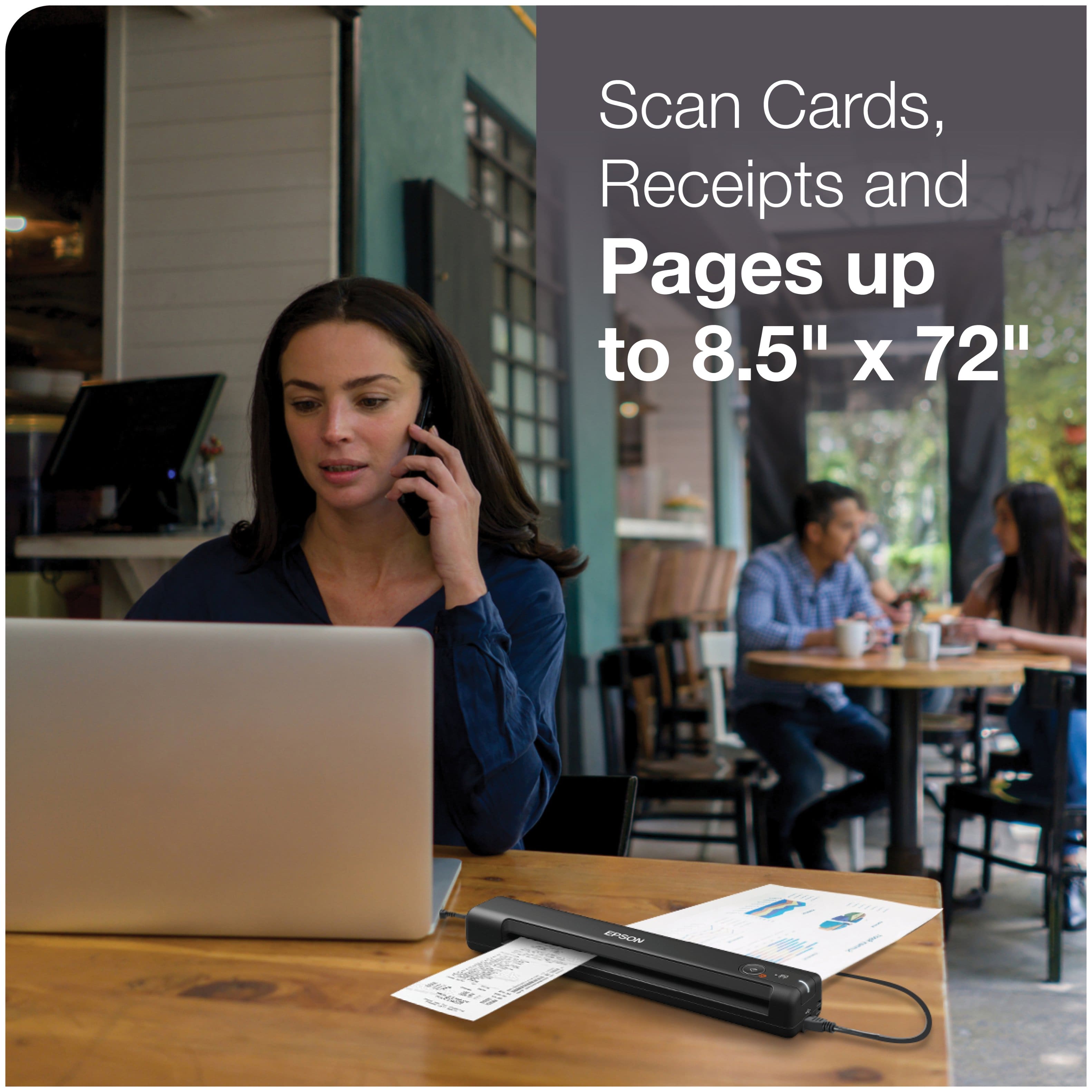
Customers enjoy the WorkForce ES-50 Mobile Color Sheetfed Document Scanner for its ease of use, scan quality, and compact size. Many find that it gets the job done, and appreciate its lightweight design. However, some customers have expressed concerns regarding the software, connectivity, compatibility, and paper handling.
This summary was generated by AI based on customer reviews.
Waste of time
||Posted . Owned for 1 month when reviewed.This reviewer received promo considerations or sweepstakes entry for writing a review.Ended up returning to store. We were unable to download the required drivers and software. After multiple attempts and getting disconnected from Epson we decthat the time spent was not worth it
No, I would not recommend this to a friendPictures get stuck when inserting it.
||Posted . Owned for 2 weeks when reviewed.This reviewer received promo considerations or sweepstakes entry for writing a review.When you feed a picture into the scanner it will go half way in and one part stops moving while another is still moving causing the picture to start turning at an angle.
No, I would not recommend this to a friendBrand response from Epson
Posted .Hi Marvel, we are sorry to hear that you are having issues with your ES-50. Epson provides useful information product in the User’s Guide at www.epson.com/support/es50 including tips on how to load paper and avoid paper jams. Your scanner includes free technical support for the life of your product. Our Epson Support Team would be happy to help you and can be reached at (562) 276-4382; Hours: Monday – Friday, 7 a.m. to 4 p.m. (PT). We appreciate your purchase, and we value your feedback. Sincerely, Joseph – The Epson Team.

Unexpected results
||Posted . Owned for 3 weeks when reviewed.This reviewer received promo considerations or sweepstakes entry for writing a review.Disappointed in this product. Does not operate as advertised. I would not recommend this unit if you have a need to scan multiple pages. Design does not match instructions provided.
No, I would not recommend this to a friendBrand response from Epson
Posted .Hello RayRay, we regret to hear you were not satisfied with the Epson ES-50. We'll forward your feedback to the appropriate product team for review. Your WorkForce scanner includes a 1-year Limited Warranty, plus free lifetime technical support. If you ever need assistance, our support team can be reached by phone at (562) 276-4382, Monday - Friday, 7 am - 4 pm PT; or by email at https://epson.custhelp.com/app/ask/p_model_name/Epson%20WorkForce%20ES-50. Kind Regards, Bobby D. - The Epson Team.
- Cons mentioned:Compatibility
Unacceptable
||Posted .This reviewer received promo considerations or sweepstakes entry for writing a review.Did not meet my expectations. Was not compatible with Desk Top computer
No, I would not recommend this to a friendBrand response from Epson
Posted .Hello tanker1022, thank you for your feedback on the ES-50 scanner. Epson takes into consideration all feedback to improve the performance and quality of our products. Your scanner includes a 1-year Limited Warranty, plus free lifetime technical support. Additionally, Epson provides useful information, including FAQs and self-help tools, on the product support website at www.epson.com/Support/Scanners/ES-Series/Epson-WorkForce-ES-50/s/SPT_B11B252201#questions. If you need further assistance, please reach our support team directly at (562) 276-4382 between 7 am - 4 pm (PT), Monday - Friday. Once again, thank you. Sincerely, Sam - The Epson Team.
Don't waste your money
||Posted .This reviewer received promo considerations or sweepstakes entry for writing a review.Won't scan pictures. I've tried adjusting resolution, uninstalled and installed drivers, etc.., restarted computer... nothing works. I am unable to scan black and white photos. I will be returning this. Don't waste your money if you plan on scanning photos.
No, I would not recommend this to a friendBrand response from Epson
Posted .Hello BridgetB, we apologize for your disappointing experience with the ES-50 scanner. Epson considers all feedback to improve the performance and quality of our products. Epson also provides helpful information on FAQs and self-help tools on the product support web page at https://epson.com/Support/Scanners/ES-Series/Epson-WorkForce-ES-50/s/SPT_B11B252201#questions. Your scanner also includes a 1-year Limited Warranty plus free lifetime technical support. Please contact our support team at (562) 276-4382 between 7 am - 4 pm (PT), Monday - Friday, if you need further assistance.
Sincerely, Sam - The Epson Team
Avoid this model - does not last
||Posted .This reviewer received promo considerations or sweepstakes entry for writing a review.I use the scanner very infrequently at home. It does not get heavy use in a work situation. However it stopped working after a year. I keep getting a "load your originals in the ADF before scanning." flashing on the screen every 2 seconds non-stop. Renders my PC inoperable until I unplug the scanner. Tried uninstalling and re-installing several times. This is obviously a hardware issue that EPSON does not cover so they force you buy another one.
No, I would not recommend this to a friendBrand response from Epson
Posted .Hi RRAsheville, we're sorry to hear about the scanner error that you experienced. Your ES-50 is backed by a 1-year Limited Warranty and includes free lifetime technical support. Please allow us to assist by contacting our support team by phone at (562) 276-4382; Hours: Monday - Friday, 7 am - 4 pm PT. We look forward to hearing from you. Kind Regards, Kevin - The Epson Team.
- Pros mentioned:Ease of use
Just being honest
||Posted . Owned for 2 months when reviewed.This reviewer received promo considerations or sweepstakes entry for writing a review.Do not dry this scanner brought because it looks easy to use. But only lasted four months.
No, I would not recommend this to a friendBrand response from Epson
Posted .Hello, we're sorry to hear about your ES-50 scanner only lasting four months. Epson takes into consideration all feedback to improve the performance and quality of our products. Epson provides helpful information on the product support web page, including FAQs and self-help tools at https://epson.com/Support/Scanners/ES-Series/Epson-WorkForce-ES-50/s/SPT_B11B252201#questions. Additionally, your scanner includes a 1-year Limited Warranty, plus free lifetime technical support. If you need any assistance, our Epson Support Team would be happy to help you and can be reached at (562) 276-4382; Hours: Monday - Friday, 7 am - 4 pm PT; Sincerely, Sam - The Epson Team.
- Cons mentioned:Software
Bad scanner.
||Posted . Owned for 4 months when reviewed.This reviewer received promo considerations or sweepstakes entry for writing a review.This scanner did not work in my office. Had to return it. Software glitch. Do not buy!
No, I would not recommend this to a friendBrand response from Epson
Posted .Hello Spinedoctor, thank you for your feedback on the ES-50 scanner. Epson takes into consideration all feedback to improve the performance and quality of our products. If we can help you with anything else, you can reach our support team at (562) 276-4382 between 7 am - 4 pm (PT), Monday - Friday. Hopefully, we can assist you with a future product. Sincerely, Sam - The Epson Team.
- Cons mentioned:Connectivity
Good for a while
||Posted . Owned for 1 month when reviewed.This reviewer received promo considerations or sweepstakes entry for writing a review.After a few weeks of use, now it says it cannot connect.
No, I would not recommend this to a friendBrand response from Epson
Posted .Hello jjamhard, we apologize for your disappointing experience with the ES-50 scanner. Epson considers all feedback to improve the performance and quality of our products. Epson provides helpful information, including FAQs and self-help tools, on the product support web page at https://epson.com/Support/Scanners/ES-Series/Epson-WorkForce-ES-50/s/SPT_B11B252201#questions. Additionally, your scanner includes a 1-year Limited Warranty, plus free lifetime technical support. Please get in touch with our support team directly at (562) 276-4382 between 7 am - 4 pm (PT), Monday - Friday if you need assistance.
Sincerely, Sam - The Epson Team
- Cons mentioned:Compatibility
Epson scanner
||Posted . Owned for 2 weeks when reviewed.This reviewer received promo considerations or sweepstakes entry for writing a review.I am returning this item again. It will not work on my computer. So I can’t use it.
No, I would not recommend this to a friendBrand response from Epson
Posted .Hello Scanner, we're very sorry for the disappointing experience that you had encountered with the WorkForce ES-50 mobile scanner. Epson takes into consideration all feedback to improve the performance and quality of our products. We'll pass along this information to the relevant product teams for review. If we can help you with anything else, our support team can be reached at (562) 276-4382 between 7 am - 4 pm (PT), Monday - Friday. Hopefully, we can assist you with a future product. Sincerely, Bobby - The Epson Team.
- Cons mentioned:Compatibility
compatibility issue with windows in S mode
||Posted .This reviewer received promo considerations or sweepstakes entry for writing a review.this item does not work if you have windows that is in S mode!!!
No, I would not recommend this to a friendBrand response from Epson
Posted .Hello, we're sorry to hear about your disappointment with your ES-50 scanner. Epson takes into consideration all feedback to improve the performance and quality of our products. Epson provides helpful information on the product support web page, including FAQs and self-help tools at https://epson.com/Support/Scanners/ES-Series/Epson-WorkForce-ES-50/s/SPT_B11B252201?review-filter=Windows+8+64-bit#questions. Additionally, your scanner includes a 1-year Limited Warranty, plus free lifetime technical support. If you need any assistance, our Epson Support Team would be happy to help you and can be reached at (562) 276-4382; Hours: Monday - Friday, 7 am - 4 pm PT; Sincerely, Sam - The Epson Team.
- Cons mentioned:Compatibility
Doesn't work
||Posted . Owned for 1 month when reviewed.This reviewer received promo considerations or sweepstakes entry for writing a review.Doesn't work with my chrome book gonna return it for a different one
No, I would not recommend this to a friendBrand response from Epson
Posted .Hi Daniek, we're sorry to hear about the trouble you had with the ES-50 Scanner. Epson takes into consideration all feedback to improve the performance and quality of our products. We'll forward this information to the appropriate department for review. If we can help you with anything else, our support team can be reached by phone at (562) 276-4382; Hours: Monday - Friday, 7 am - 4 pm PT. Hopefully, we can assist you with a future product. Sincerely, Kevin - The Epson Team.
- Pros mentioned:Ease of use, Size, Speed
Easy, Plug & Go Scanning
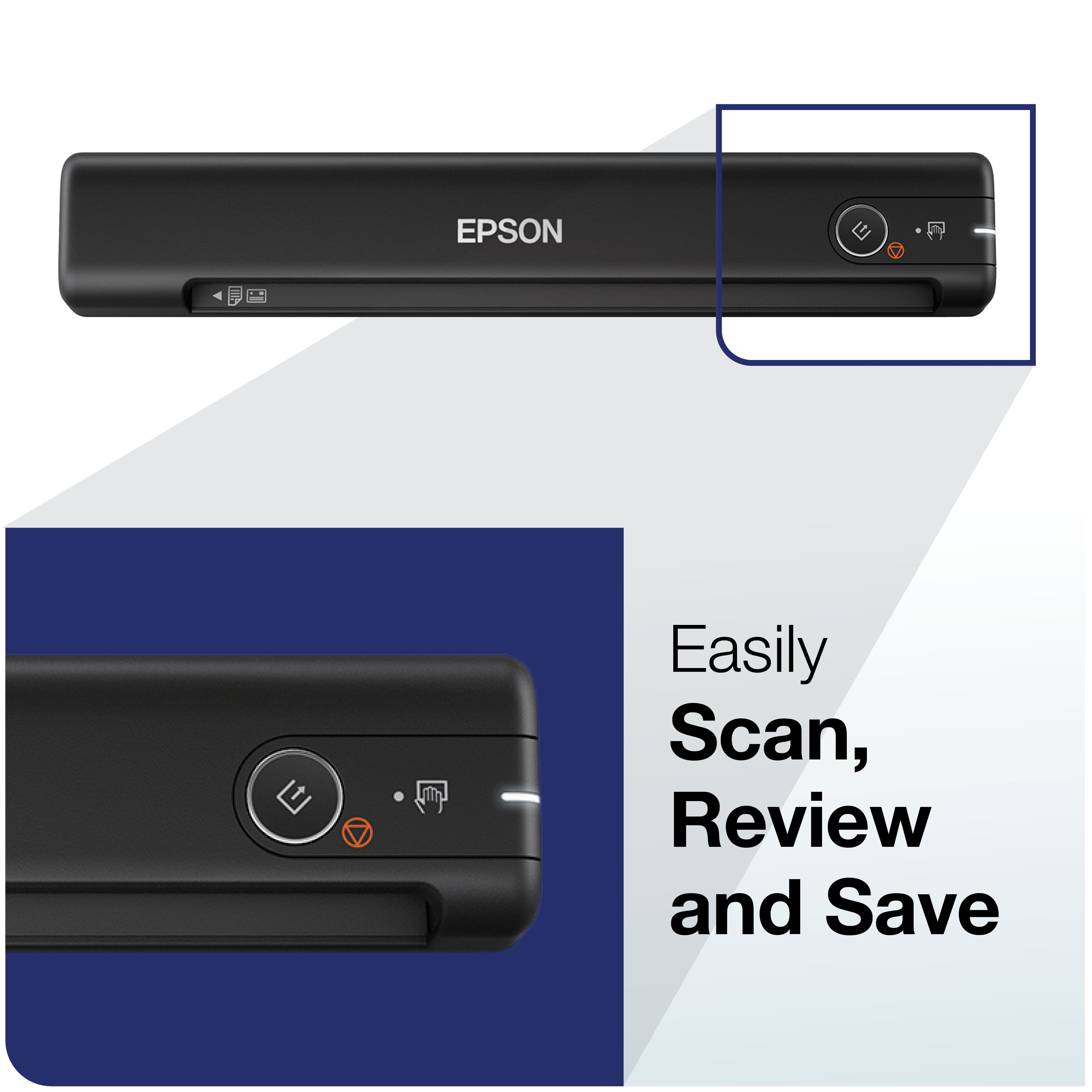
Posted .This reviewer received promo considerations or sweepstakes entry for writing a review.This scanner exceeded my expectations. It's compact, easy to use, fast, and super useful. I work in compliance and frequently scan documents, this was easy to use and made me more effective. Set up was easier than expected and required no assistance. Documents scan clearly and it's relatively quiet, just a slight hum. It's lightweight, and on the go - I use it at work and at home. “This is a review for the Epson WorkForce ES-50 Portable Document Scanner that I received free of charge to do a beta test and review.”
I would recommend this to a friend Do not buy
||Posted . Owned for 8 months when reviewed.This reviewer received promo considerations or sweepstakes entry for writing a review.Scanner is really slow when working. After using for few days, my computer starts to show message that scanner not connected. After you press the scan button no response. Called support and they uninstalled and then reinstalled the program again and after few days back to same issue.
No, I would not recommend this to a friendBrand response from Epson
Posted .Hello ap1313, we apologize for your disappointing experience with the ES-50 scanner. Epson considers all feedback to improve the performance and quality of our products. Epson provides helpful information, including FAQs and self-help tools, on the product support web page at https://epson.com/Support/Scanners/ES-Series/Epson-WorkForce-ES-50/s/SPT_B11B252201#questions. Additionally, your scanner includes a 1-year Limited Warranty, plus free lifetime technical support. Please contact our support team directly at (562) 276-4382 between 7 am - 4 pm (PT), Monday - Friday if you need assistance.
Sincerely, Sam - The Epson Team
None scanning scanner
||Posted . Owned for 3 weeks when reviewed.This reviewer received promo considerations or sweepstakes entry for writing a review.Think it would be great if i could get it to work.................
No, I would not recommend this to a friendBrand response from Epson
Posted .Hi RobertP, we thank you for your feedback and apologize for the disappointing experience you’re having with your Epson ES-50. We’ll be sure to share the information with our product teams. If you have any other concerns about the product, we’d be happy to help. You can call Epson Support at (562) 276-4382 between 7 a.m. - 4 p.m. (PT), Monday - Friday. Sincerely, Alissa A. – The Epson Team
Scanner will not charge
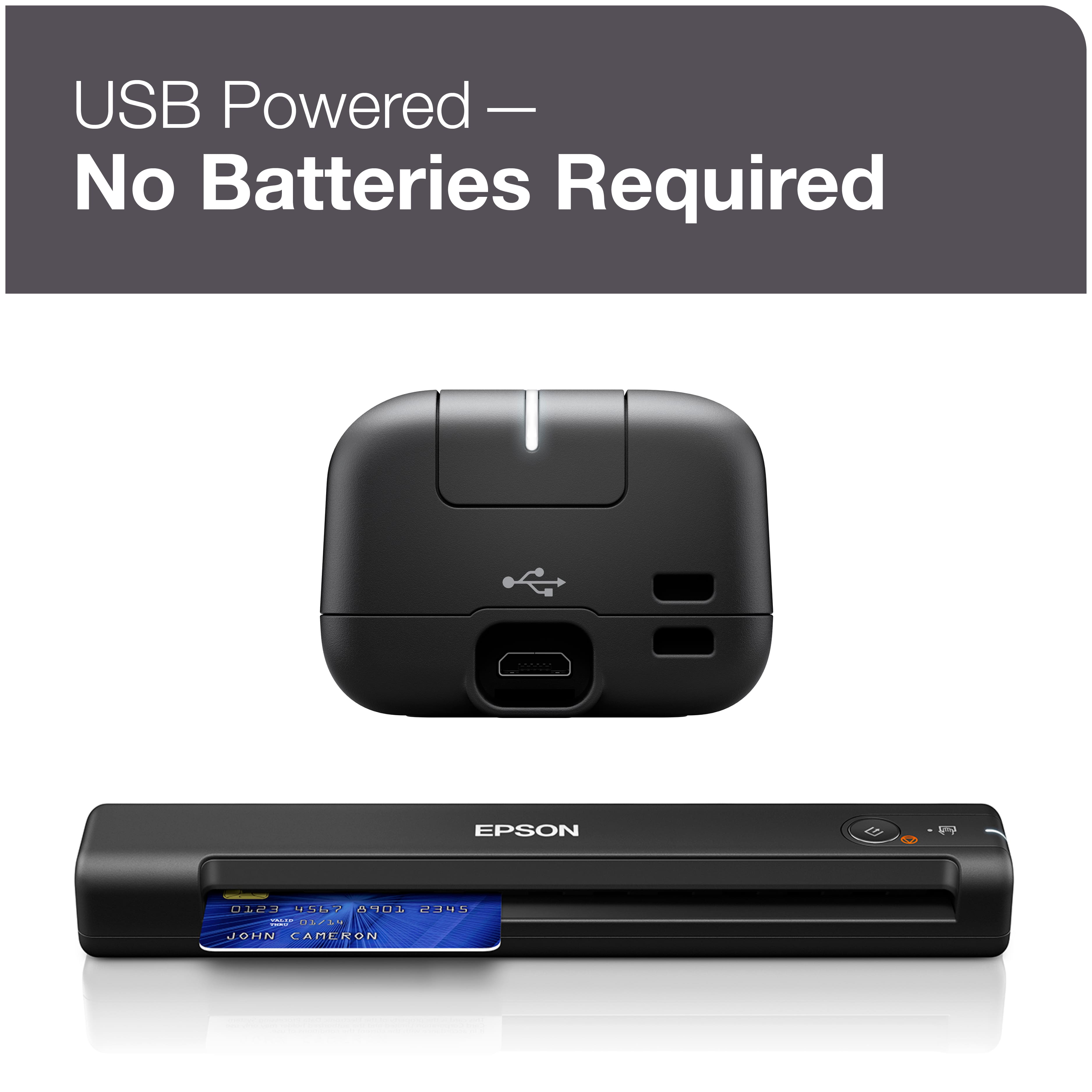
||Posted . Owned for 1 month when reviewed.This reviewer received promo considerations or sweepstakes entry for writing a review.This scanner would be good but it would not charge.
No, I would not recommend this to a friendBrand response from Epson
Posted .Hello LizM, we're sorry about your disappointing experience with the ES-50 scanner. Epson considers all feedback to improve the performance and quality of our products. Epson provides helpful information, including FAQs and self-help tools, on the product support web page at https://epson.com/Support/Scanners/ES-Series/Epson-WorkForce-ES-50/s/SPT_B11B252201#questions. Additionally, your scanner includes a 1-year Limited Warranty, plus free lifetime technical support. Please contact our support team directly at (562) 276-4382 between 7 am - 4 pm (PT), Monday - Friday if you need assistance. Sincerely, Sam - The Epson Team
WONT INSTALL WITHOUT AN ADDITIONAL PURCHASE FOR S
||Posted .This reviewer received promo considerations or sweepstakes entry for writing a review.NOT WHAT I WAS EXPECTING. I WANTED SOMETHING SIMPLE TO KEEP TRACK OF MY RECEIPTS.
No, I would not recommend this to a friendBrand response from Epson
Posted .Hi Miranda, we're sorry to hear you're not satisfied with the Epson ES-50. Your business and feedback are important to us. If you need assistance, your WorkForce scanner includes free lifetime technical support, and you can reach our support team by phone at (562) 276-4382, Monday - Friday, 7 am - 4 pm PT; or by email at https://epson.custhelp.com/app/ask/p_model_name/Epson%20WorkForce%20ES-50. We're here to help. Sincerely, Bobby D. - The Epson Team.
Good at first
||Posted . Owned for 7 months when reviewed.This reviewer received promo considerations or sweepstakes entry for writing a review.Stopped working properly, after a few months. Did all troubleshooting
No, I would not recommend this to a friendBrand response from Epson
Posted .Hi DorisBMktng, we apologize that you are having issues with your scanner. Your Epson ES-50 includes free technical support for the life of your product. Our Epson Support Team would be happy to help and can be reached at (562) 276-4382; Hours: Monday – Friday, 7 a.m. to 4 p.m. (PT). Sincerely, Joseph – The Epson Team.
DIDNT WORK
||Posted . Owned for less than 1 week when reviewed.This reviewer received promo considerations or sweepstakes entry for writing a review.I really needed a scanner and i deen the good reciews but off the back the product didnt work at all. I tried using it on a window's desktop iMac, and Macbook still didnt work. Charged it and still didnt work. DONT BUY AT ALL.
No, I would not recommend this to a friendBrand response from Epson
Posted .Hello Elii, we apologize for your disappointing experience with the ES-50 scanner. Epson considers all feedback to improve the performance and quality of our products. Epson provides helpful information, including FAQs and self-help tools, on the product support web page at https://epson.com/Support/Scanners/ES-Series/Epson-WorkForce-ES-50/s/SPT_B11B252201#questions. Additionally, your scanner includes a 1-year Limited Warranty, plus free lifetime technical support. Please get in touch with our support team directly at (562) 276-4382 between 7 am - 4 pm (PT), Monday - Friday if you need assistance.
Sincerely, Sam - The Epson Team
Cannon TR4700 printer
||Posted . Owned for 1 month when reviewed.This reviewer received promo considerations or sweepstakes entry for writing a review.The only reason I’m giving it a one star, is because I can’t give it zero stars. I recommend that you do NOT buy this product!
No, I would not recommend this to a friend