Customer Ratings & Reviews
- Model:
- B11B258201
- SKU:
- 10841439
Rating by feature
- Value
Rating 4.5 out of 5 stars
- Quality
Rating 4.7 out of 5 stars
- Ease of Use
Rating 4.6 out of 5 stars
to a friend
Hasn't let me down yet
Posted .This reviewer received promo considerations or sweepstakes entry for writing a review.This scanner has not let me down yet! It is very easy to use right out of the box it takes less than 5 minutes to set up. It has amazing imagery that creates great color. It's scans up to 35 papers per minute! Which is perfect for me I have a lot of large jobs. I think my favorite part is the hundred sheet document Auto feeder which can accommodate multiple paper sizes in one scan so I can put papers and receipts all in together! And from there you can create searchable PDFs and upload documents to the cloud. You can even convert uploaded documents to editable word documents. Another big plus it's wireless! Which makes it very easy to set up and it has a duplex touch screen if you're looking for a desktop scanner you can't go wrong here I am thoroughly satisfied “This is a review for the Epson WorkForce ES-580W Wireless Duplex Touchscreen Scanner that I received free of charge to do a beta test and review.”
I would recommend this to a friendA great scanner and a great price
Posted .This reviewer received promo considerations or sweepstakes entry for writing a review.First off the scanner was packed nicely. Unboxing and setup was about as easy as it gets. It took maybe 15-20 minutes to get it setup, do a test scan, and update the firmware. I set it up to connect wirelessly via my router and had no issues. Scanning to my computer just works. It is great on the hardware side too. Build quality feels great. The touch screen makes it very easy to interact with. The scan speed was awesome. I was able to scan a page in about a second for a single sided and double sided page and it immediately shows up on my computer. You can also scan to a network drive, cloud service, and even a USB drive. Overall this is an amazing scanner that just works and is easy to use. I would recommend this scanner. This is a review for the Epson WorkForce ES-580W Wireless Duplex Touchscreen Scanner that I received free of charge to do a beta test and review.
I would recommend this to a friend
Officially Impressed
|Posted .This reviewer received promo considerations or sweepstakes entry for writing a review.I was quite excited about getting the Epson - WorkForce ES-580W Wireless Duplex Touchscreen Desktop Document Scanner, and for a number of reasons. I do a lot of writing which requires sometimes extensive text imports from other sources, and I have spent hours upon hours having to read from a book or other source and manually insert the text into a document. Also, I have wanted to save and edit countless other types of documents so that I would have easy access to them on my computer rather than having to go through filing cabinets or desk drawers looking for them. This seemed to be the answer I was looking for. So, let me get into the review... First, I have to give Epson a demerit for the way the product is packaged. It's packaged secure enough, and is more than able to handle the shipping process, but when I opened the box and started to take the scanner out of the box, (it is secured in the box on either side by styrofoam packaging), the scanner almost took a tumble out on to the floor. This should have been thought out a bit better. The scanner includes a quick start guide which is straightforward and easy to follow. In just a few short minutes the scanner was literally ready to install and use. The process includes downloading software from the web, so you have to have an internet connection to install the scanner. This too was easy and straightforward. There are prompts all along the process on both the scanner and the computer which make the entire process a breeze. But how did it do after all that? At the near-end of the setup process it prompts you to do a test scan. The document fed through so quickly that I thought it couldn't possibly have scanned correctly. Not only did it scan properly, but it had already uploaded to the computer. It prompted how to save the document, so I opted for editable PDF. FLAWLESS!! I made many more scans, and all of them scanned perfectly. There is an option to test out an invoice/receipt trial program, so I decided to opt in. Sorely disappointed!! It is designed for TurboTax or QuickBooks, neither one of which I happen to own. However, it allows a CSV option that allows saving it as an Excel file. However, when I opened the phone bill using Excel, all I had was a scrambled mess, none of which remotely resembled a phone bill. I am contemplating downloading QuickBooks just to see if it works any better. I can see where this would be extremely handy. The scanner has a fully-functional touch screen display which has all the functions necessary for use. It is very responsive to the touch, and has three different screen sets. The scanner has a relatively small footprint, and actually looks quite nice on the worktable. I am looking forward to a very long and useful relationship with this scanner!! The OCR, by the way, is perfect, with not one single glitch or mis-scan in all the pages I scanned. Again, IMPRESSIVE!! If you are looking for a document scanner, whether for work, perhaps genealogy records, bills, or what-have-you, this is the scanner to get. I would HIGHLY RECOMMEND the Epson - WorkForce ES-580W Wireless Duplex Touchscreen Desktop Document Scanner to anyone needing a fully-functional, easy-to-use scanner for home or work.
I would recommend this to a friendJunk
||Posted . Owned for less than 1 week when reviewed.This reviewer received promo considerations or sweepstakes entry for writing a review.Never could get it to work. Gonna return it. Was not easy to, use. Downloaded, kept saying need to connect to computer ect. It was junk
No, I would not recommend this to a friendHi-Speed and Versatile
|Posted .This reviewer received promo considerations or sweepstakes entry for writing a review.Touchscreen Interface Up to 35 Pages per Minute Scanning Duplex Scanning in One Pass SET-UP Initial product configure was simple, but not without issues. With the built-in touchscreen, initial product set-up can be accomplished without a tablet, phone, or PC. Unfortunately, I encountered a nasty firmware bug upon receipt that would not let the unit communicate via Wi-Fi correctly. Not only did the unit display multiple instances of my SSID (my 2.4 and 5GHz channels transmit with the same SSID, leaving frequency negotiation up to my router). There is still only 1 SSID and at one point in time, the Epson listed my SSID three different times. Once I was able to successfully connect to my Wi-Fi, the Epson was still unable to contact the Epson support portal for registration and firmware retrieval. Fortunately, I was able to use my desktop PC and using the Epson website, download the necessary drivers and software for the scanner. Upon installation, the Epson scanning software flawlessly detected the scanner, as well as notify me of a necessary firmware update. The Epson software for Windows updated the firmware, the scanner rebooted and from then on, I have encountered no further issues whether it be using the scanner via USB or via Wi-Fi. USE The scanner is easy to use and has a ton of features built into it. The scanner gives you the ability to scan to a PC, scan from a tablet or phone, scan to a service like OneDrive or DropBox, even scan as a PDF, or a PDF with encryption, just to name a few. There are numerous scanning options and services, a majority of which are accessible without the need for a computer. It is an excellent software suite. Far more than what my multi-function printer/scanner offers from a leading competitor. Scanning resolutions include 200, 300, and 600 dpi. Maximum document width is standard 8.5 inches and Epson claims you scan a document up to 240 inches long. I haven’t been able to try it yet, but I want to. Scans are crisp and clear. The unit features ultrasonic double feed detection, along with the ability to scan up to 100 pages at a time from the document feeder. Scans are consistently quick, clear, and most importantly straight. My current scanner often scans documents a little off axis, the Epson will occasionally get one a little off, but way, way less than any other multi-function I’ve owned. FINAL THOUGHTS This is an excellent product. The addition of the 4.3 inch touchscreen increases the versatility of the device by not needing a dedicated computer to run software. The scanner can communicate by USB, Wi-Fi, and Wi-Fi Direct. It handles documents quickly, crisply, and with minimal fuss or intervention. Scans are straight nearly all the time and are always clean and clear. The major issue with this device is the cost. An excellent multi-function printer, copier, scanner can be purchased for the same or less than this product, that is just a scanner alone. While other multi-functions don’t offer the feature-rich, business-oriented software suite this does, some do. While I think this is an excellent device, I am torn at what to give it overall. As just a business-oriented and quality product, I would give it a 5. But, based on its single-focused mission, I would have to rate it a 3, as most people would be better served by a comparably priced multi-function device. I will give it an overall rating of 4.
I would recommend this to a friendJUNK
||Posted . Owned for 1 week when reviewed.This reviewer received promo considerations or sweepstakes entry for writing a review.Does not do what the box says it does. Wasted hours on phone with tech support and received nothing but the runaround.
No, I would not recommend this to a friendAN amazing scanner with lots of features
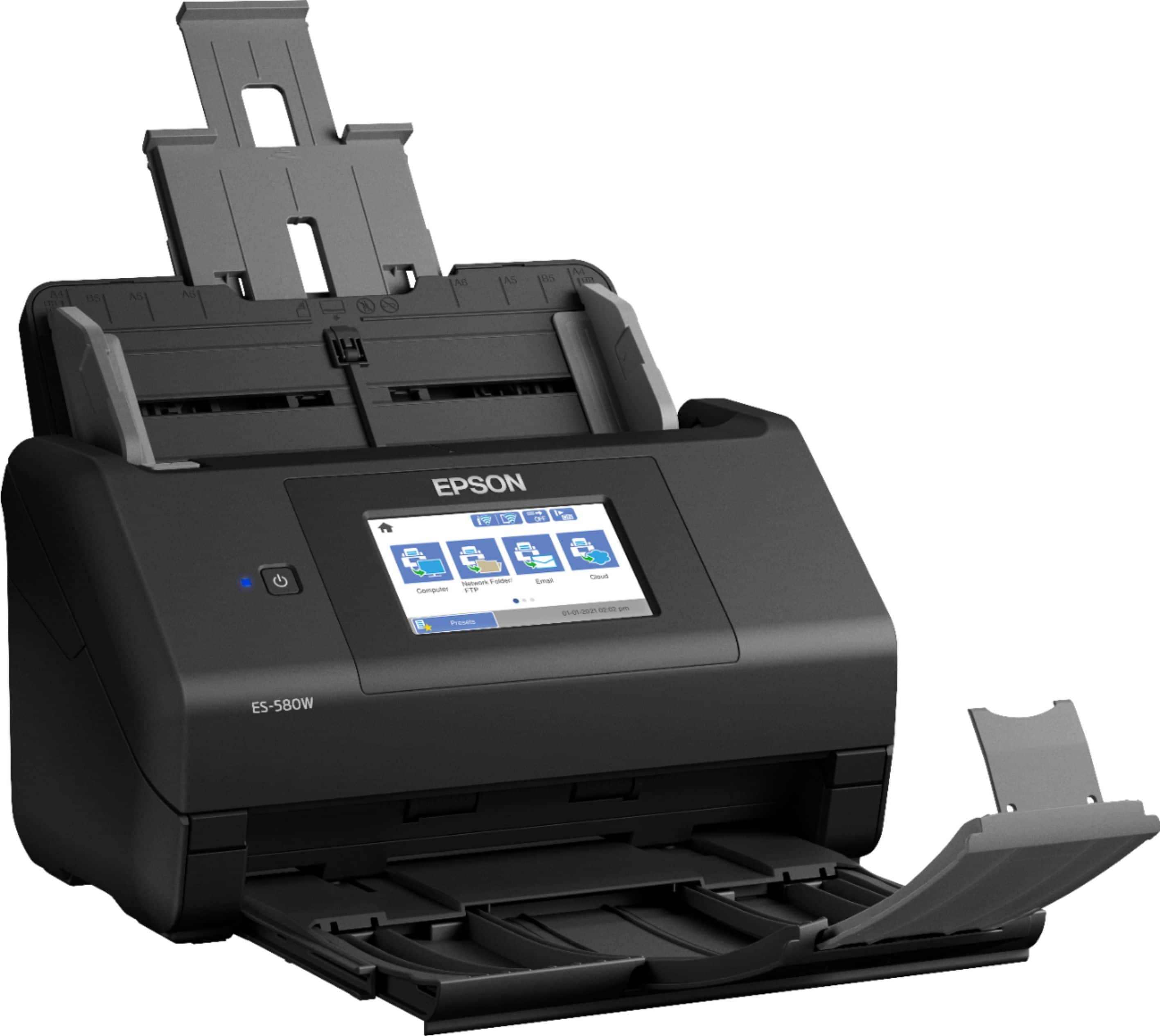
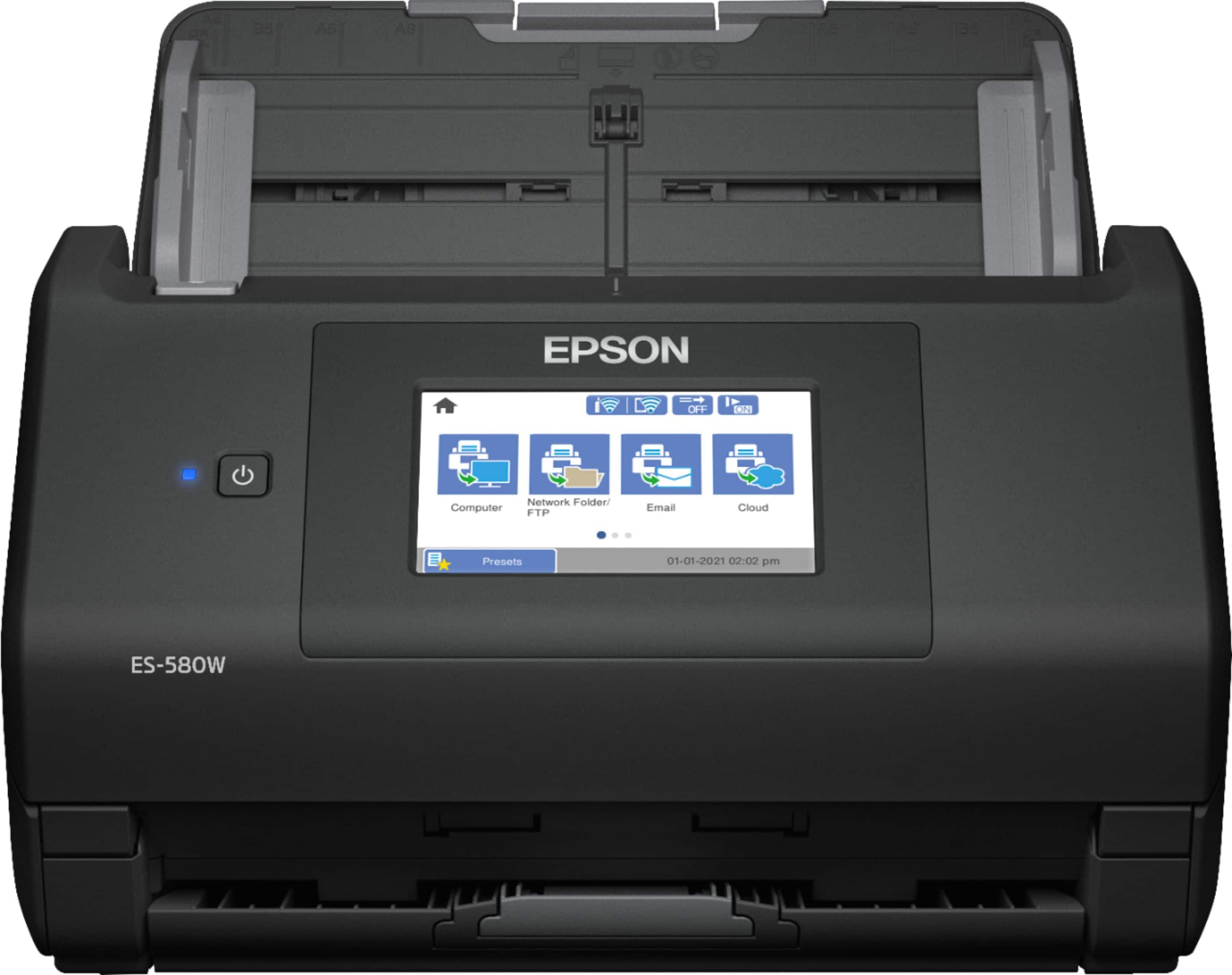
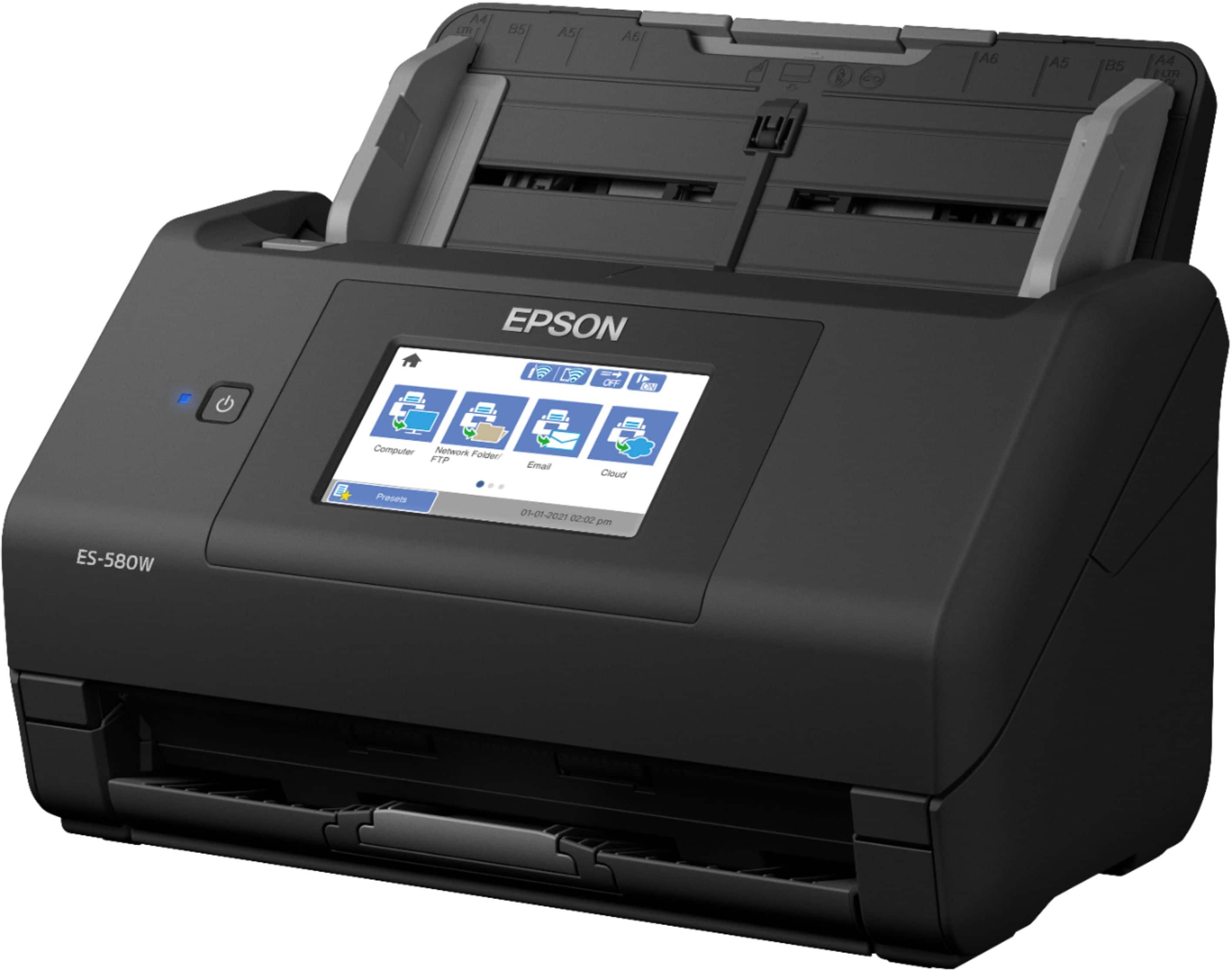
Posted .This reviewer received promo considerations or sweepstakes entry for writing a review.Just recently got my hands on the ES=580W desktop ADF scanner. In my experience with this scanner, this is one amazing piece of computer equipment that belongs on your desk if you scan a lot of paperwork. This scanner is just packed with features: Scan to a USB drive without using a computer, 100 sheet document feeder, fast duplex scanning in one pass, great image quality, wireless hookup, A feed detection system that detects when multiple sheets have been fed thru the scanner at one time, scanning of multiple page sizes, and some smart software that allows you the versatility to handle the scanned pages any way you so desire, and a 4.3” color LCD touchscreen built into the unit, small footprint. The feed detection system is another great feature. It detected every time when I forced it to feed more than one page at a time, paused the scanning process, waited for me to clear the misfeed, and then continued right where it left off. The speed of this unit is also amazing. It scans double-sided color in one pass and does it at about 37ppm. The included software allows you to send the scans to phone, cloud, tablets, and computers so are quite flexible. In conclusion, I highly recommend this Epson ES-580W scanner for anybody. It will handle all your scanning needs for a good time stretch into the future. “This is a review for the Epson WorkForce ES-580W Wireless Duplex Touchscreen Scanner that I received free of charge to do a beta test and review.”.
I would recommend this to a friendZero
||Posted . Owned for 7 months when reviewed.This reviewer received promo considerations or sweepstakes entry for writing a review.Got rid of it. Wouldn’t connect and when it did wouldn’t work half the time. Hard to use
No, I would not recommend this to a friendAwesome product!
Posted .This reviewer received promo considerations or sweepstakes entry for writing a review.I received this product a few weeks ago and I am so glad I did! I love how quick and easy set up is! I love how easy this printer is to use! My favorite feature is the intuitive touchscreen! This product can scan 2 sided documents. This is a review for the Epson WorkForce ES-580W Wireless Duplex Touchscreen Scanner that I received free of charge to do a beta test and review.
I would recommend this to a friendGreat Scanner with fast speed
Posted .This reviewer received promo considerations or sweepstakes entry for writing a review.Epson WorkForce ES-580W Touchscreen Wireless Desktop Document Scanner is an excellent scanning device. I have set up this scanner for my home office. I have scanned a box of paper which are really important for me. Now they are scanned into organized folders on my laptop. So much better, I can find everything easily. The scanner is fast and easy to use once the software is downloaded. Can't believe how fast it scans both sides of a page! I found the touchscreen to be very intuitive and quite responsive to the touch. The Epson WorkForce ES-580W has every feature you would expect a modern day scanner to have. It has Duplex (this means two sided scanning, for two sided documents) scanning capability, which is an absolute must have in today's time. It is very fast and can quickly scan stacks of papers. It can connect with USB or wireless. The best thing I like about it is the touchscreen and its wireless connectivity. I can easily scan on my phone, Ipad and laptop.“This is a review for the Epson WorkForce ES-580W Wireless Duplex Touchscreen Scanner that I received free of charge to do a beta test and review.”
I would recommend this to a friendWorkhorse
|Posted .This reviewer received promo considerations or sweepstakes entry for writing a review.I am starting a small home-based business, and I chose the Epson ES-500W because of its aesthetics and functionality. It is a duplex fast color document wireless scanner that fits my small business solutions. I downloaded the Epson Document Scan App and was able to scan documents wirelessly to my phone. The Epson Scanner also works with a laptop or tablet. The Epson Scanner can also scan documents directly to Cloud Storage Services. I was able to scan about 35 pages per minute with a two-sided scan. The tray held approximately 50 pages. I used the Epson ES-500W Scanner to scan business cards, ID cards, and even extra long pages. I scanned documents to my computer files. I was also able to search for the files and edit them with ease. The ES-500W Epson Scanner has a slow speed functionality. I scanned receipts and torn documents to my laptop. I had some trouble, however, scanning documents to my Yahoo e-mail. I called Epson Support, who also had the same challenge. Epson Support recommended using a different e-mail with another company. I did just that, and the Epson scanning to e-mail feature now works perfectly.
I would recommend this to a friendAmazing speed, easy setup
|Posted .This reviewer received promo considerations or sweepstakes entry for writing a review.I got this scanner with the primary objective of scanning photographs from old family albums. The setup was a breeze; I never had to connect it to my computer with a cable; nor did I have to enter the Wifi info or even use the WPS button. The computer detected the scanner and used it's own Wifi settings to get it on the network. Before getting this scanner, I would use my flatbed scanner which in order to save time, I would arrange 4 photos on average on the bed, scan, then crop them individually. Anyone who has done this in the past knows that they end up crooked, and it takes a long time to do the cropping, fine rotating, color correction, etc. to do the job well. This Epson scanner feeds the pictures perfectly straight and takes less than a second to do the scan. The photos scan to a better quality than my previous scanner. This device is going to save me countless hours scanning 50+ years worth of photos that our entire family strewn out all over the USA will be able to access and enjoy.
I would recommend this to a friendScanning at its Best!
Posted .This reviewer received promo considerations or sweepstakes entry for writing a review.Wow, I can finally scan both sides of the page at the same time - such a time saver and so efficient. It is so easy, just put a stack of receipts, invoices or documents in the feeder and you can multitask at the same time it's scanning. It has a nice big touchscreen and you can scan to a variety of devices. Not only did I get my messy stacks of receipts and invoices organized, but the fact that it is wireless means one less tangled cord on my desk. It is definitely helping my home office stay organized. The Epson brand never lets me down and you can literally take it out if the box and be using it 5 minutes later. Connecting was also seamless. The graphics are excellent and crisp. I do not think you will be disappointed with this device especially given the price point. I'm sorry I didn't get it sooner. This is a review for the Epson WorkForce ES-580W Wireless Duplex Touchscreen Scanner that I received free of charge to do a beta test and review.
I would recommend this to a friendGreat features
Posted .This reviewer received promo considerations or sweepstakes entry for writing a review.I was very impress with this scanner. It has saved me so much time and was easy to set up. I am two kids and full time job which sometimes requires me to work from home and this scanner came very handy. I saw I could scan 35 sheets at the same time which has me shock is very helpful also can be colored scanned. It has some many features and one of them is that can be back sided scanned as well which saves me a lot of time and work. Is portable I take it home but most of the time keep it at work and some of my co-workers like this scanner they are glad is touch screen and adjustable. Do recommend. “This is a review for the Epson WorkForce ES-580W Wireless Duplex Touchscreen Scanner that I received free of charge to do a beta test and review.”
I would recommend this to a friendPerfect solution for home office
|Posted .This reviewer received promo considerations or sweepstakes entry for writing a review.This is a single-purpose device that achieves that purpose excellently, and seemingly reliably. I grew tired of purchasing all-in-ones every few years, only to use the color printing functionality a handful of times. I do need to print quite a bit, and an inexpensive BW laser has filled that role. I also need to scan occasionally, and the multifunction units simply aren't reliable enough or easy enough to get cranking. This unit is highly capable. I can load up pretty much any size scan job, scan in duplex, and I always get great results. It cranks up and is ready in no time, and there's only a limited amount to do to get it working.
I would recommend this to a friendImproved for scanning speed over previous model
Posted .This reviewer received promo considerations or sweepstakes entry for writing a review.Worked great straight out of the box. It easily connected to the network and the improved interface (download) is much faster to open and scan than the previous version from 2018. More detailed instructions regarding menu selections would have been helpful during initial use, but it didn't take long to figure out.
I would recommend this to a friendGreat for Business or home
Posted .This reviewer received promo considerations or sweepstakes entry for writing a review.This is great for use at home or business. I have a business in my home and this is just perfect for using. Makes it much easier to save files and manage my business. I love how it has blue tooth so that I don't have to move it around when I use it on different computers and laptops. I also love the touch screen and also speed of the scans. This is just perfect. This is a review for the Epson WorkForce ES-580W Wireless Duplex Touchscreen Scanner that I received free of charge to do a beta test and review.
I would recommend this to a friendProductivity enhancement
|Posted .This reviewer received promo considerations or sweepstakes entry for writing a review.Wow! I have many electronic devices and I’m rarely surprised by new experiences. The Epson ES-580W is one of those rare cases. I’ve been using the scanner for a little over a week, capturing various personal document images, including tax forms that arrive this time of year. The Epson works great for these documents, scanning both sides very quickly, and not jamming or skipping pages. It just works, and does so at a speed much faster than I’ve experienced with any other scanner. For personal use or small office needs, I think this scanner will be a significant productivity enhancement. BUT then there’s this other use case… for years I’ve been slowly scanning my old physical family photos. Note that I said “years”. On a lark, I tried scanning a single physical photo using the ES-580W at 300dpi. I was concerned that the photo thickness or texture might be a problem. It wasn’t; the photo scanned as quickly and trouble-free as documents. So, I put a whole photo packet (approximately 30 individual prints) in the scanner. Guess what… the Epson flawlessly scanned every one of them so fast that I figured the image quality would be lousy. It wasn’t. In fact, it was as good as those I’ve scanned on a flatbed scanner. The result is that over the past week I’ve scanned almost every one of my remaining physical photos! I can legitimately say that this has saved me hundreds of hours of tedious work. The Epson ES-580W is simply awesome. I strongly recommend it without any negatives.
I would recommend this to a friendExactly as described
Posted .This reviewer received promo considerations or sweepstakes entry for writing a review.For what my wife needs a scanner for, this scanner is exactly what she needed. It was easy to pair with her computer and her Samsung phone. This scanner is fast and does everything as advertised. I can't think of any negatives about this scanner!!!!!!!
I would recommend this to a friendPerfect for a home office.
Posted .This reviewer received promo considerations or sweepstakes entry for writing a review.have been waiting for a good quality document scanner with a touchscreen. With limited vision it makes things so much easier by using the touchscreen function. This scanner is, hands down, the easiest to set up and is extremely user friendly, making it perfect for use in a home office..or just for keeping track of grocery receipts. Epson is a quality product that I believe in...I have found no technical issues, so I would definitely recommend. This is a review for the Epson WorkForce ES-580W Wireless Duplex Touchscreen Scanner that I received free of charge to do a beta test and review.
I would recommend this to a friend