Customer Ratings & Reviews
- Model:
- B11B258201
- SKU:
- 6442937
Rating by feature
- Value
Rating 4.5 out of 5 stars
- Quality
Rating 4.7 out of 5 stars
- Ease of Use
Rating 4.6 out of 5 stars
Customers are saying
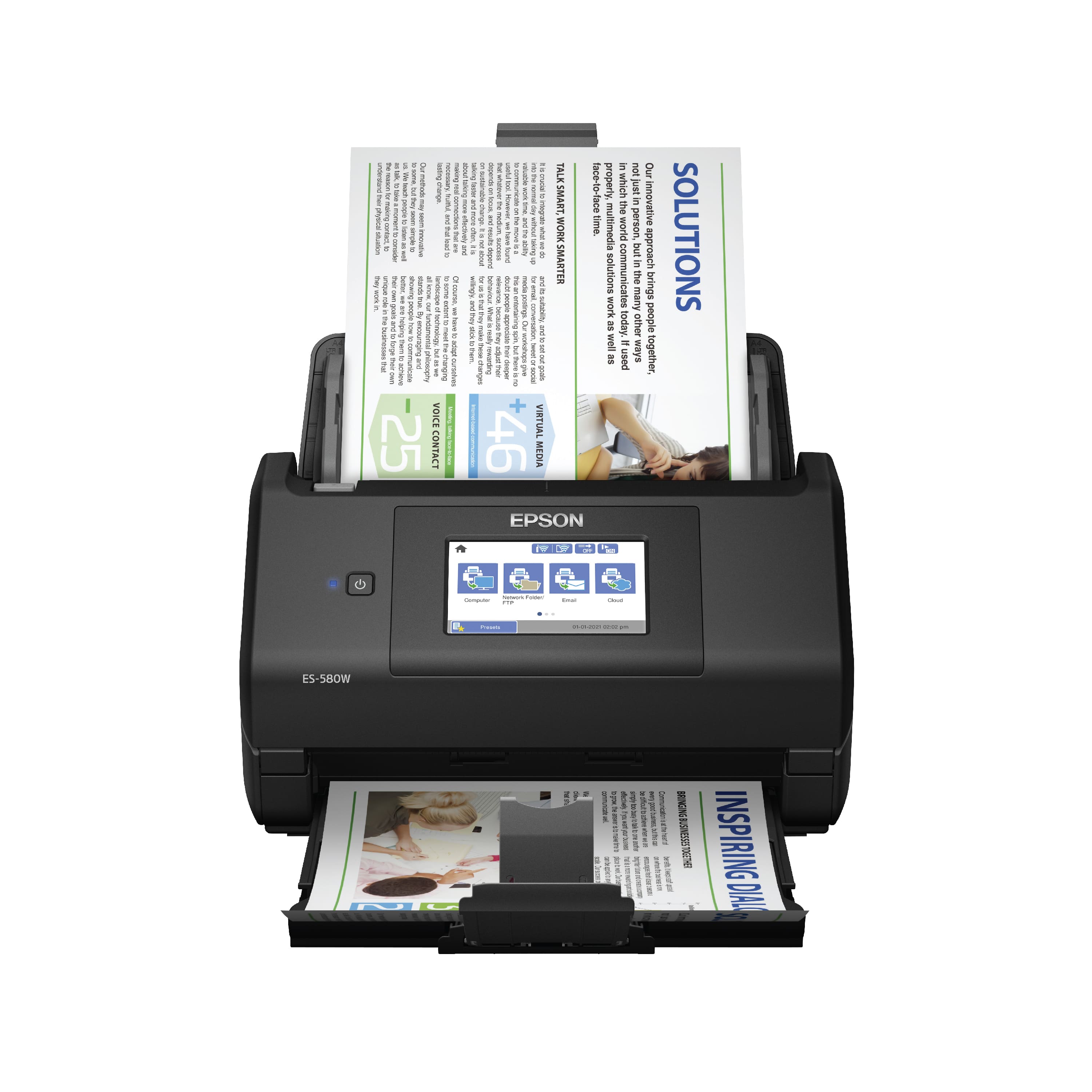
Customers frequently mention the WorkForce ES-580W Wireless Duplex Touchscreen Desktop Document Scanner's impressive scan speed and ease of use. The overall performance and touchscreen are also well-received. However, some customers have expressed concerns regarding the price, occasional jamming, and paper handling.
This summary was generated by AI based on customer reviews.
- Pros mentioned:Scan speed, Touchscreen

Scan documents & photos fast with lots of options
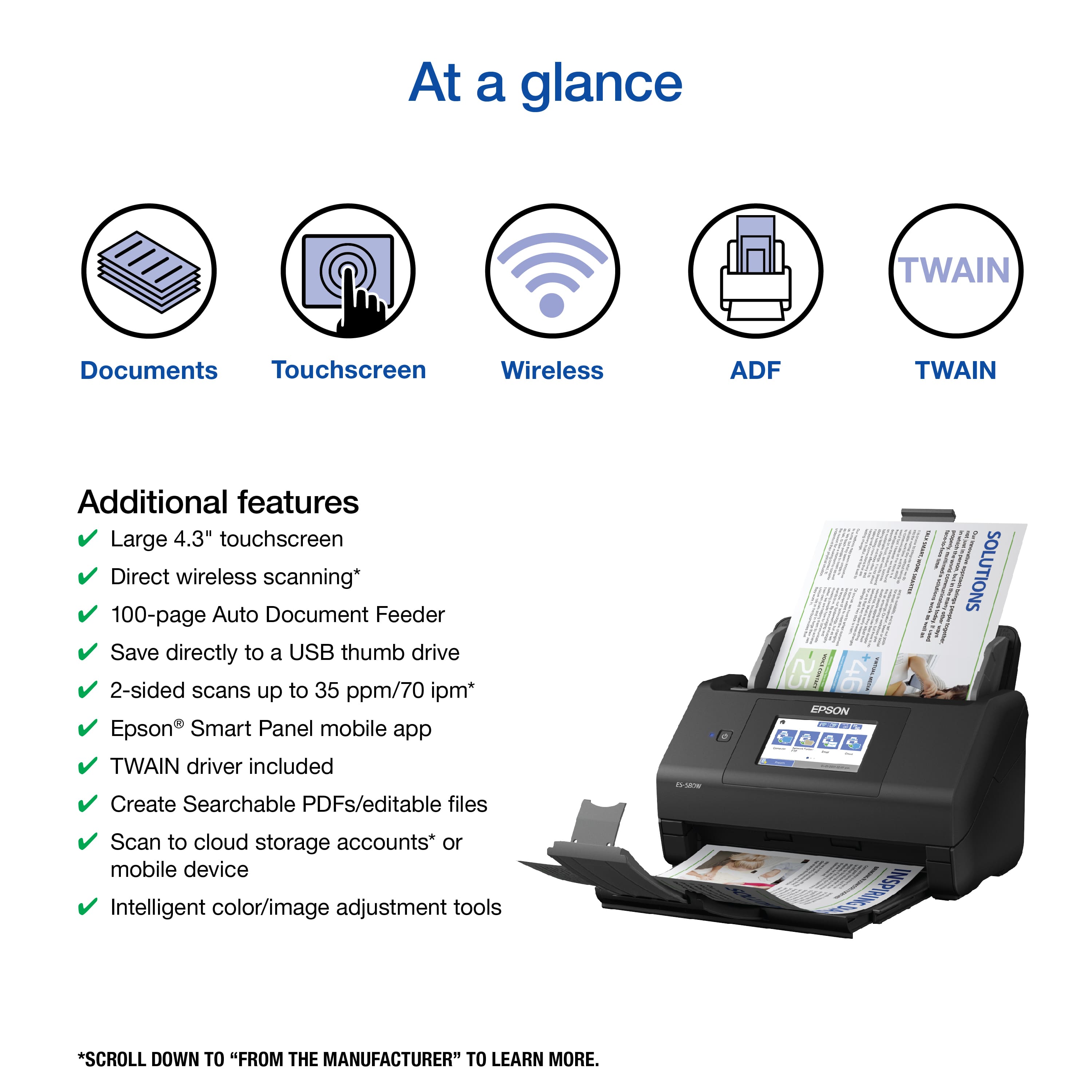
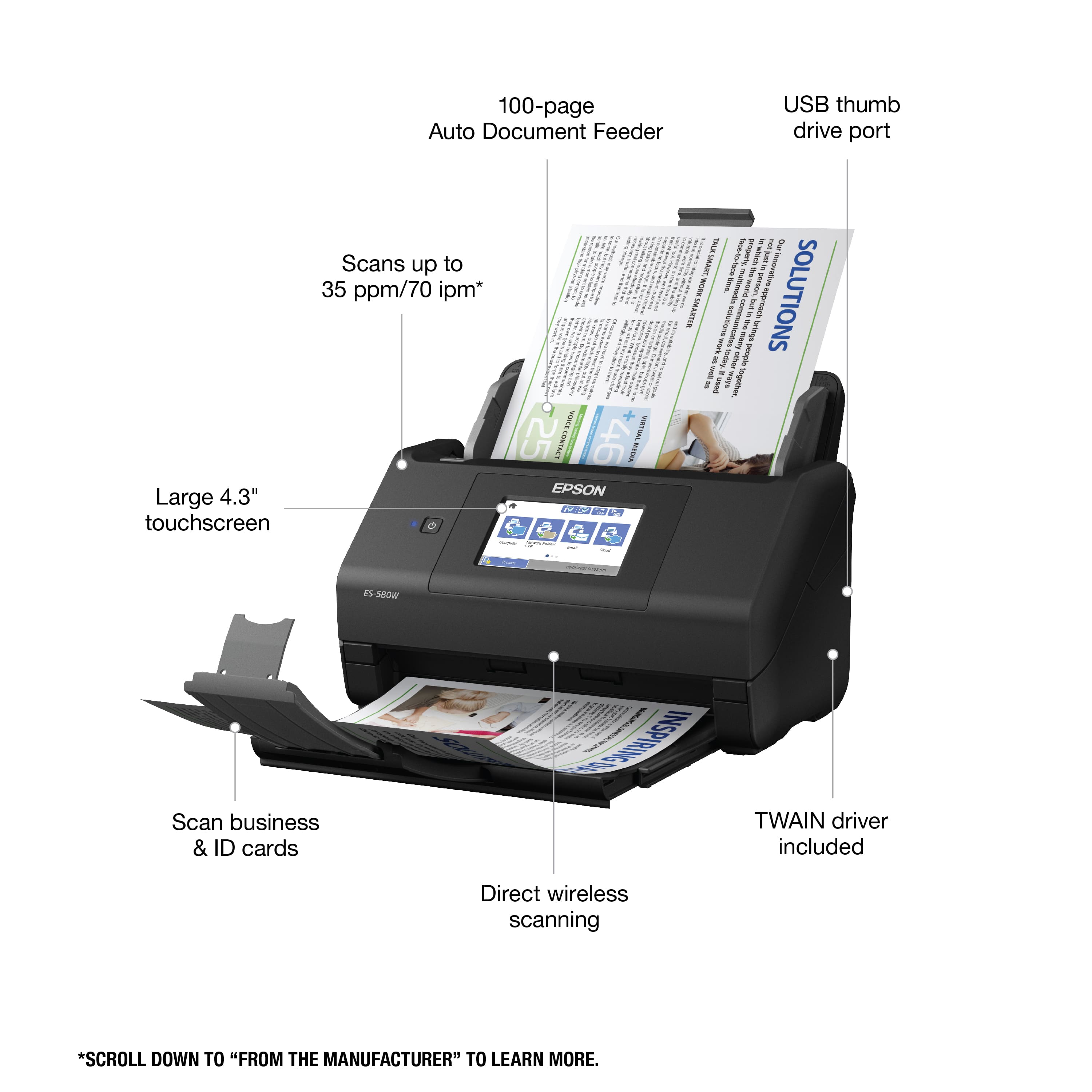
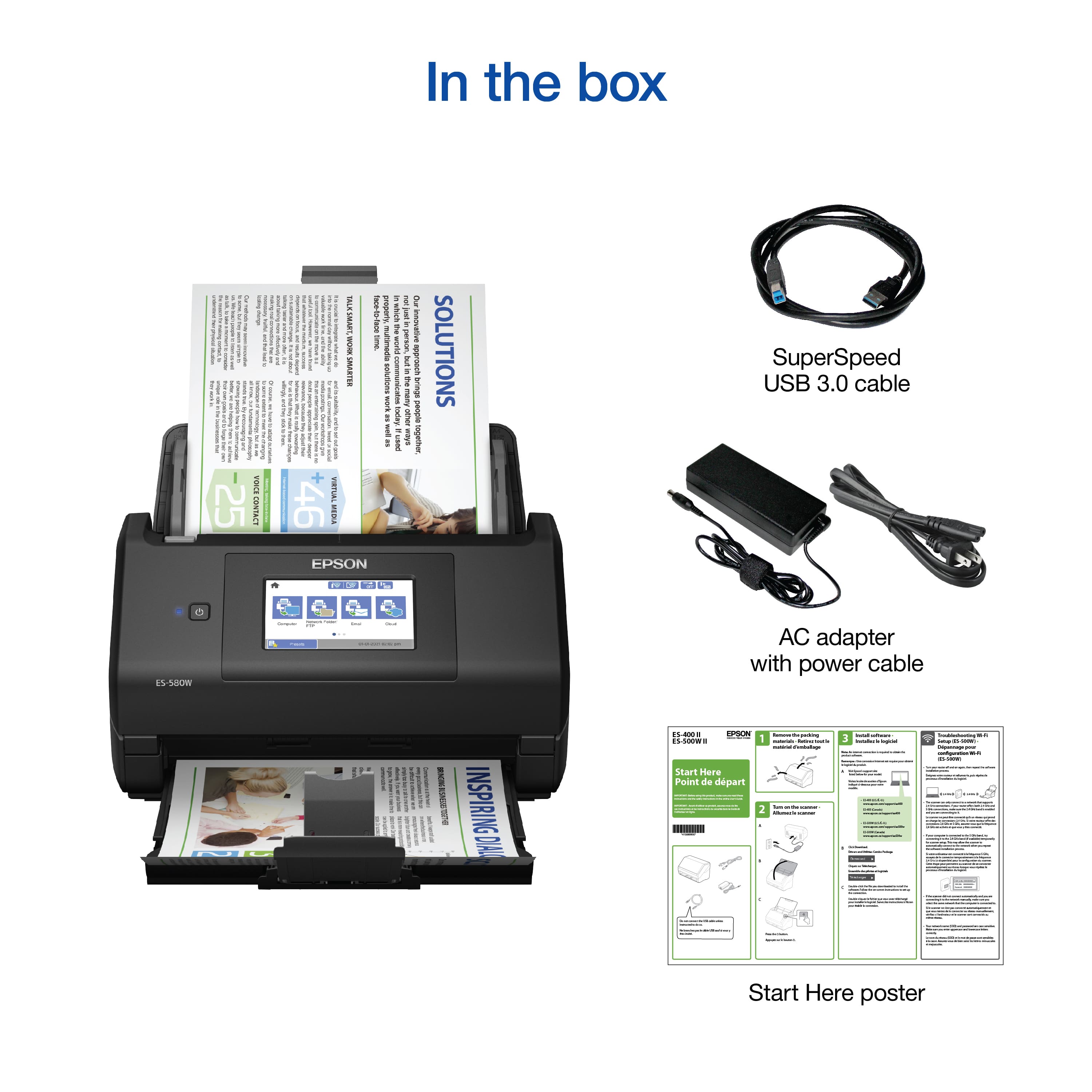
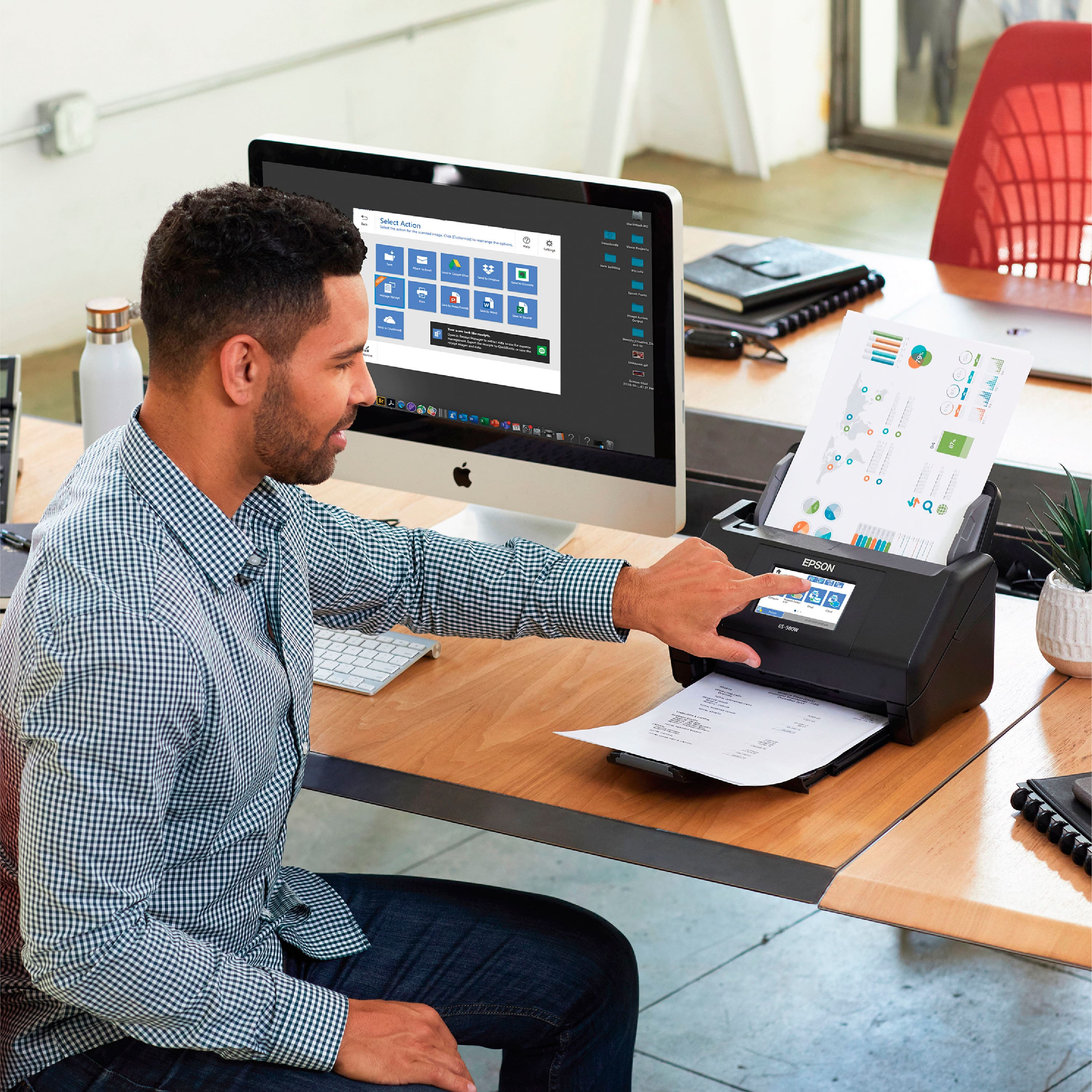
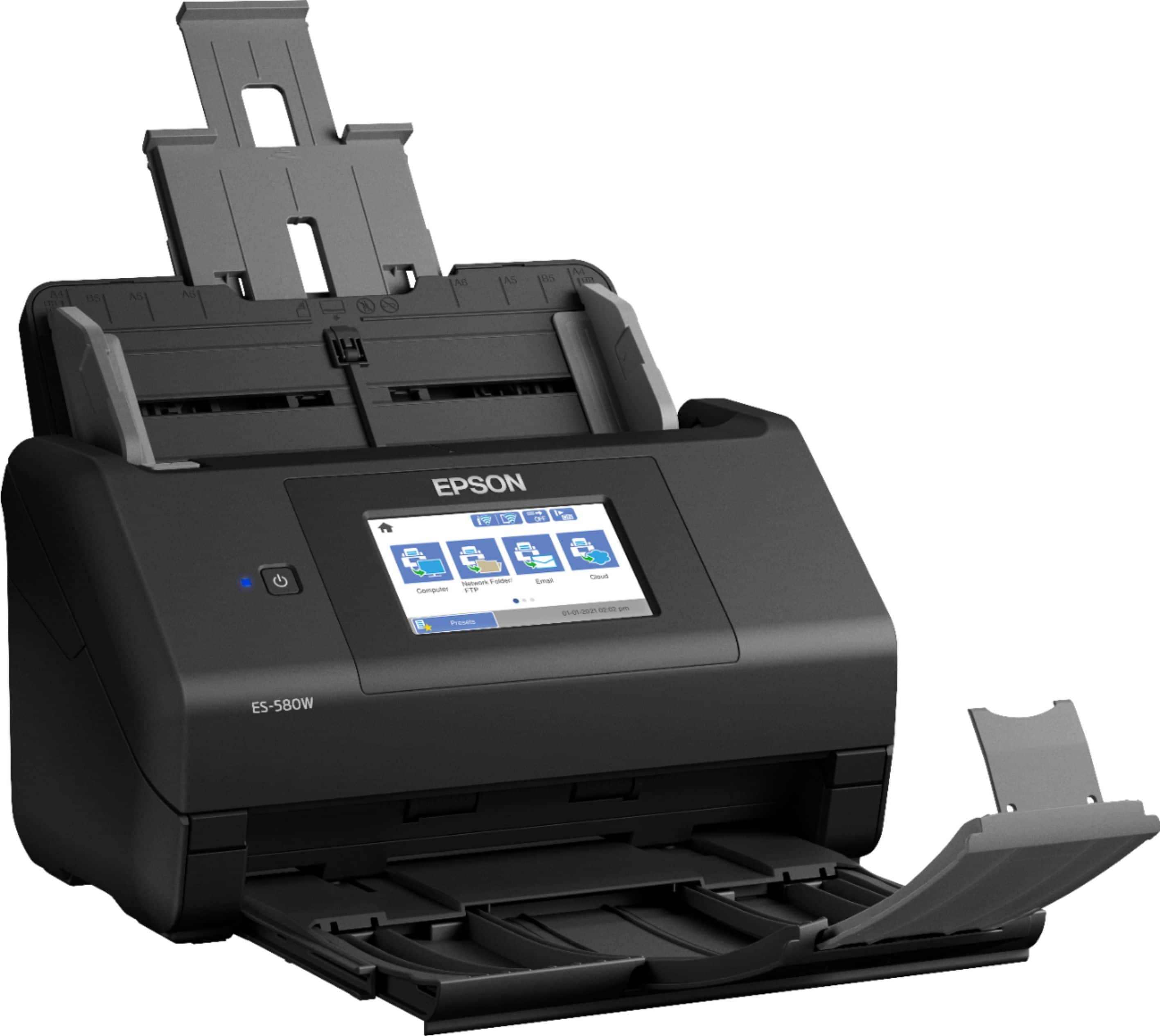
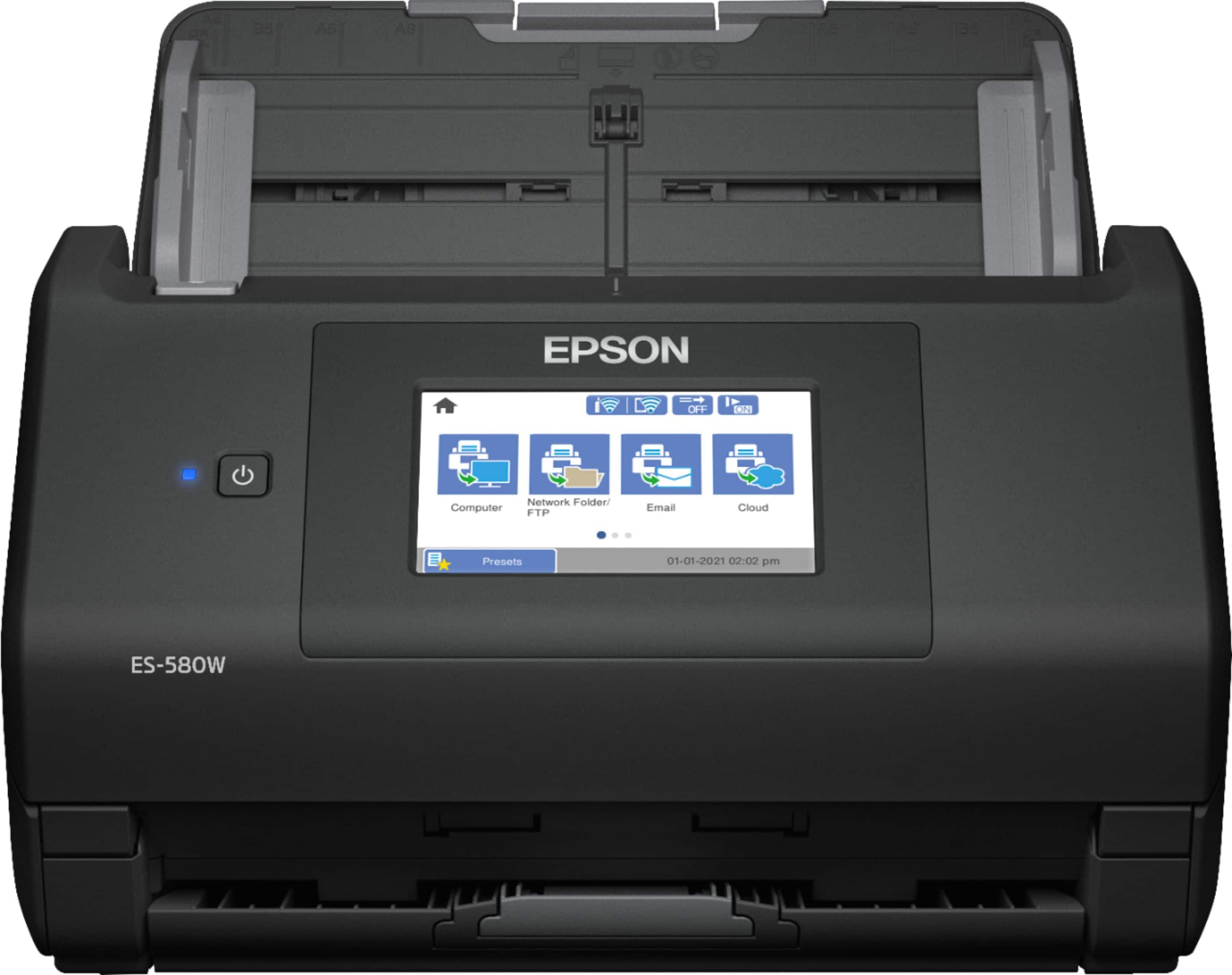
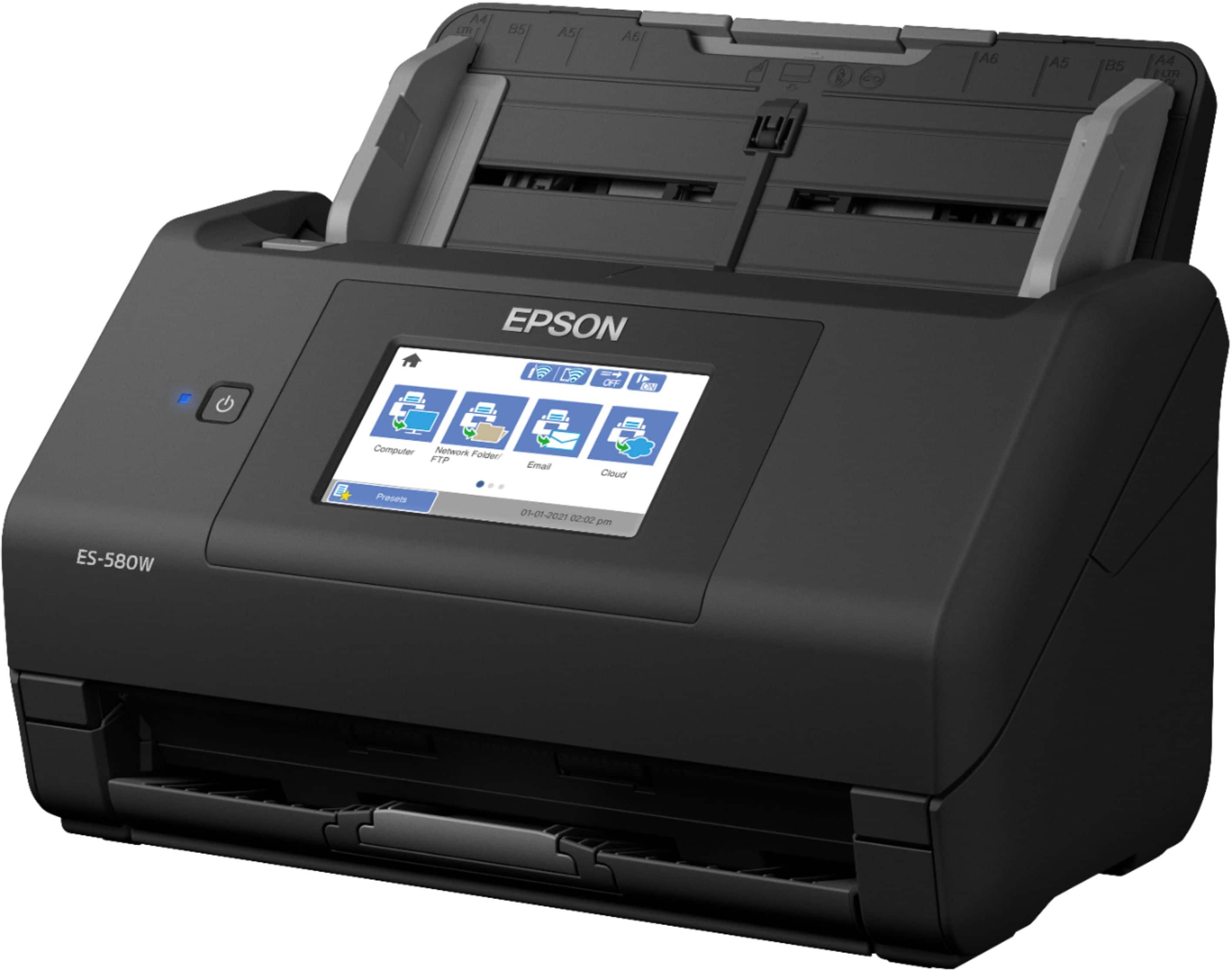
|Posted .This reviewer received promo considerations or sweepstakes entry for writing a review.If you have a need to scan documents to archive and / or distribute them online on a regular basis, this is what you need. It’s much faster and more convenient than using a flatbed scanner for scanning in bulk. It will scan various sizes of documents including photos. More on photos later. Link to User Manual: https://files.support.epson.com/docid/cpd5/cpd59134.pdf Epson has a very wide range of document and receipt scanners for Business and Consumers. The ES-580W is near the top of the Epson consumer scanners. The only difference I could see between the two lines is warranty (3 yr vs 1 yr), included software and price. A 1 year extended warranty is available for this scanner. The ES-580W features a large 4.3 inch touch screen allowing for easy navigation without a PC. It can scan both sides of a document at once and load up to 100 pages in the feeder. You can send scans to your PC, mobile device via app, USB drive, email, cloud (Dropbox®, Google Drive™ OneDrive Ect), FTP and WSD. Also scan via WiFi direct. Along with all of this you have a choice of file formats from TIFF and JPG to searchable PDF, MS Office formats and Quicken formats. The scanner ships with a power adapter, USB cable and document feeder you insert into the back of it. Using the quick start guide makes setup quick and easy. I had no problems setting it up to my WiFi router, PC or Android phone. Be sure to gently remove all of the shipping tape before use. See photo. Also blow out any styrofoam beads that might have dropped into it when you open it to remove some of the tape. As for the mobile app, be sure to download Epson Smart Panel only. Build quality looks and feels good. The scanner keeps track of use and can sense when certain maintenance needs to be done like cleaning the rollers and sensors. There are also replacement rollers & other parts available should you wear them out. See manual. The ES-580W has a maximum optical resolution of 600 dpi. Scanning speed will depend on the size of the documents being scanned and resolution setting. Epson quotes 35 pages a minute “Based on letter-sized (8.5” X 11”) scans at 300 dpi in Black-and-White, Grayscale or Color Mode”. 200 to 300 DPI is a good setting for average text documents. 600 DPI for photos to print or archive. I was impressed with the speed & quality of the scans. You can set scan options from the touch screen or the scanner software. Using a PC will let you set all the options. Phone app is a bit limited. You can also set up Presets for certain specialized scanning jobs. See photos for DPI quality comparisons. Note: 1200 DPI option is interpolated. Meaning it guesses the extra data. Ok for say, a drawing, but not so much for photos. The higher the DPI, the bigger the file. Tech info on the Text scan comparison photo. I used a Canon TR-150 in the highest quality mode to print out a page from a high quality PDF that included a photo as well as text. I used Kodak matte photo paper that’s for scrapbooking. It’s not glossy like photo paper. It’s more like card stock but coated. I used it because it doesn’t bleed and gave the clean results I wanted. I scanned it at 600, 300 and 200 DPI saved to a lossless TIFF file. I then cut out layers and assembled them in Photoshop on a 600 DPI page. Cropped & saved in JPG at pixel level. No enhancements done. Scanning Photos. You can scan photos with the EW580W as well as business documents. That’s part of the reason I got it. Epson also makes a version of this scanner for photos. After researching the hardware specs on them, they are the same, I concluded the only differences were included software and the photo version lacks the touch screen and cost $200 more. Being a photographer I think I know a good image scan of a photo and I think the ES-580W produces an excellent photo scan! I scanned in a bunch of prints and selected some sections to use as examples in this review. If you use Photoshop or Paintshop or any other photo editor they will work fine to edit photos from this scanner just like with a camera. There’s a slow feed option that scans a little slower. Use this for photos. They will be sharper. See photos. Tech info on the Photo scan comparison photos: I scanned at 600DPI, 2, 6X4 photo prints to lossless TIFF files. The Iguana eye and snow on the pine needles. That was shot on Kodak Gold 200 ISO in the 90s. I also scanned, at 600 DPI, a print made with a Canon Pro-10, printed in standard quality, onto Canon Luster paper shot with a Canon EOS R and 100L Macro lens. . I included this scan to show color quality. I then cut out layers and assembled them in Photoshop on a 600 DPI page. Cropped & saved in JPG at pixel level. No enhancements done. Case study: I inherited all of my fathers photos when he died a few years ago. Scanning them all to share with family on a flatbed scanner was a job that got old fast and the project got put aside. With this scanner that project will now get completed and soon. So it’s not just for business documents even though that’s its primary function. I’m also self employed so it will get used for that too. It’s going to be a big time saver for me in many ways. Please see the user manual for how to use the scanner. It’s well laid out and, I think, easy to understand. This review is to simply tell you what it will do and how well it will do it. Not how to do it. Not enough room for that. :-) Conclusion: If you need to scan documents or photos in bulk, fast with high quality output, lots of options for file formats and destinations, and easy to use from the touch screen, PC or app, the ES-580W has you covered on all of these fronts! Highly recommended!!!
Awesome machine!
||Posted . Owned for 1 week when reviewed.This reviewer received promo considerations or sweepstakes entry for writing a review.I had a scanner before this which was cheaper but absolutely did not compare to the quality of this machine, if I knew then what I do now I would have paid the few extra dollars and not had the headache in the first place with the other one!
I would recommend this to a friend- Cons mentioned:Price
Great scanner
||Posted . Owned for 1 week when reviewed.This reviewer received promo considerations or sweepstakes entry for writing a review.It works great. I use it at my business. Price could be better
I would recommend this to a friend Bought-never left store-exchanged for RR600W
||Posted . Owned for 1 month when reviewed.This reviewer received promo considerations or sweepstakes entry for writing a review.I am not giving a true rating on this because when I went to pick it up, I found out that the one I really wanted was the Epson RR-600W which I did purchase. The Epson WorkForce ES-580W never left the store, but was returned for the other one.
No, I would not recommend this to a friendBrand response from Epson
Posted .Hi KJTB, we're sorry to hear you were not satisfied with your Epson WorkForce ES-580W scanner. Epson takes into consideration all feedback to improve the performance and quality of our products. We appreciate your time in sharing your experience and hope you have a nice day. Kind Regards, Joseph – The Epson Team.

Scanner
||Posted . Owned for 1 year when reviewed.This reviewer received promo considerations or sweepstakes entry for writing a review.Works Well! Doesn't clog when scanning many pages. We have (2) of them.
I would recommend this to a friendThe best
||Posted . Owned for 2 weeks when reviewed.This reviewer received promo considerations or sweepstakes entry for writing a review.Excelent product. Good price and good to use, I hope keep all time the promotions
I would recommend this to a friend- Pros mentioned:Scan speed
Super effective
||Posted . Owned for 2 weeks when reviewed.This reviewer received promo considerations or sweepstakes entry for writing a review.Fast and efficient. I am more organized than ever.
I would recommend this to a friend - Pros mentioned:Scan speed, Touchscreen
Fast Fast Fast....and Wireless
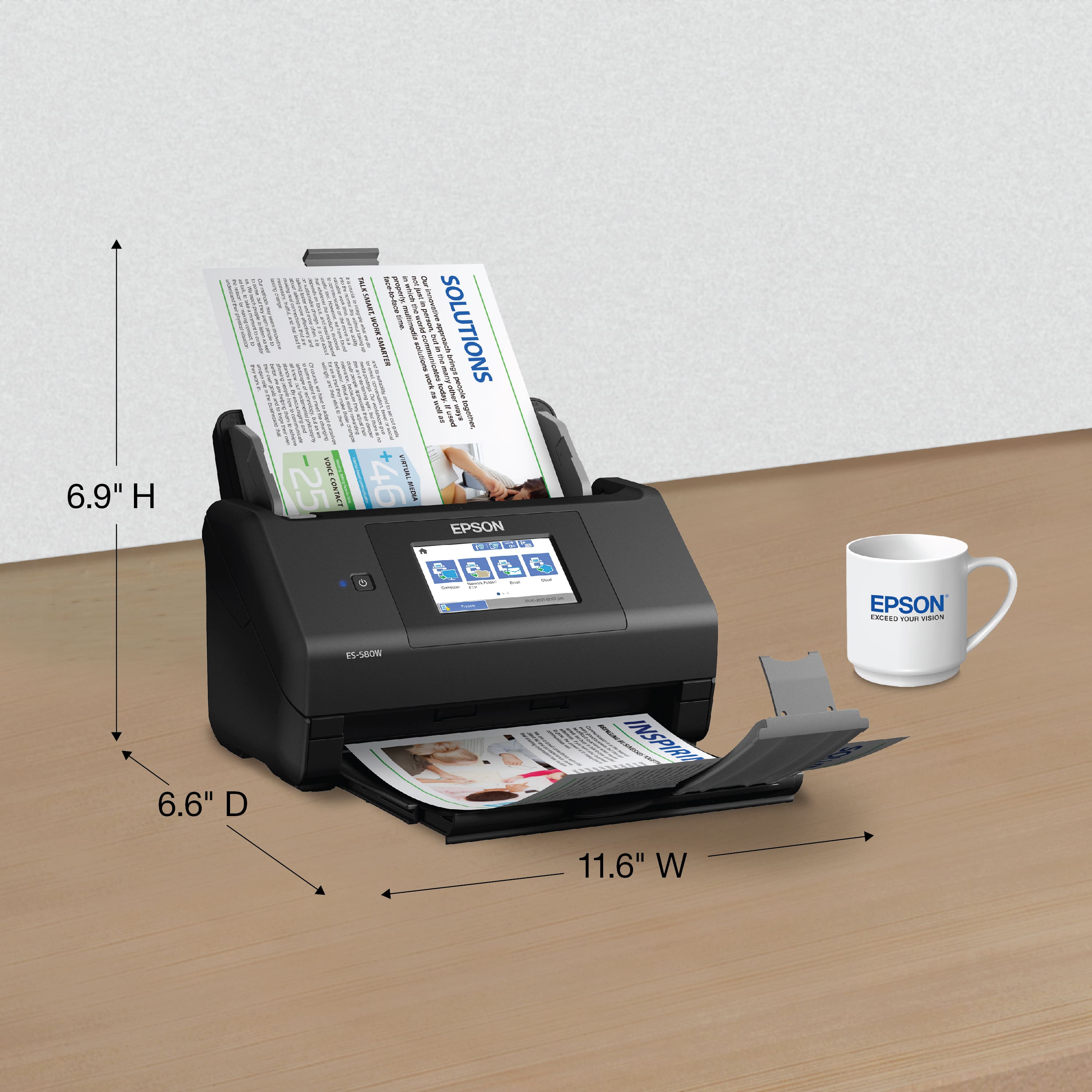
Posted .This reviewer received promo considerations or sweepstakes entry for writing a review.I could not be more pleased with this scanner. If you are anything like me, past experiences has proven that most products do not live up to what's advertised. So when it comes time to purchase a necessary item it always feels a little bit like a gamble on whether or not it will live up to expectations. On the very few occasions expectations are met, a great sense of satisfaction and relief follow. This is one of those kind of products. I have been delighted in my experience with this scanner; all the way from unboxing it, setting it up, installing it, to using it extensively on a daily basis. Let's get right to it. When I read a review, I'm am looking for a quick checklist of items that stand out about a product....good and bad. Good means does well. Bad means not well. . Here is the good: Fast - It scans pages very fast Duplex - It scans both sides of a page simultaneously and fast Wireless - No wires necessary and fast Touchscreen - big and clear and fast Automatic Feeder - one stack up to 100 pages and fast Compatibility - PC, tablet, and smartphone Footprint - Small and compact Software - Easy, intuitive, fast Scans What? - multiple documents, invoices, receipts, business cards, pictures (all automatically) Durability - Solid build with no flimsy parts Jams - None. If a jam would occur, easy open to clear and close. Here is the bad: Nothing, zero In the past, I would scan hundreds of documents every day. And I hated every one of those days. I could only scan 5 pages at a time without constant jamming. Even with 5 I would still experience jams. No duplex scanning. I would have to manually flip pages. Scans would not always be crisp. Receipts I had to manually scan one at a time. This scanner has been a life changer for me. No jams. 100 pages at a time. Everything is automatic including receipts. And did I mention it is fast? I highly recommend this scanner. It does exactly what it says it does. This is a review for the Epson WorkForce ES-580W Wireless Duplex Touchscreen Scanner that I received free of charge to do a beta test and review.
I would recommend this to a friend Just another important tool!
||Posted . Owned for 1 week when reviewed.This reviewer received promo considerations or sweepstakes entry for writing a review.My newest addition to the business world, I like that its portable and I can take it with me. I’m a Mobile notary, just another tool.
I would recommend this to a friendGreat scanner
||Posted . Owned for 3 months when reviewed.This reviewer received promo considerations or sweepstakes entry for writing a review.Excellent scanner, using it with my Mac, scans on USB and remotely. Nothing to complain about
I would recommend this to a friendprinter
||Posted . Owned for 3 weeks when reviewed.This reviewer received promo considerations or sweepstakes entry for writing a review.Epson support is not good. During regular warranty period, several components of the scanner like rollers are not covered.
I would recommend this to a friendNot many options out there under $1000
||Posted . Owned for 3 weeks when reviewed.This reviewer received promo considerations or sweepstakes entry for writing a review.This unit scans only but on both sides of a document. It isn't easy to set up. You need to insert your documents backwards and upside down to have them scan out correctly. Besides multiple use computers there aren't many options out there so you are pretty much stuck with this scanner or pay in the thousands.
No, I would not recommend this to a friendBrand response from Epson
Posted .Hi BillF, thank you for sharing your experience. Epson takes into consideration all feedback to improve the performance and quality of our products. We will forward your feedback to the relevant Epson department, as we are always looking to make future Epson products better. Once again, thank you. Sincerely, Jospeh – The Epson Team.
Hoping to de clutter
||Posted . Owned for 3 weeks when reviewed.This reviewer received promo considerations or sweepstakes entry for writing a review.It does the job adequately. The setup could be a little easier but it didn’t take long to figure out. Overall, the product should be useful
I would recommend this to a friendExcellent for productivity
||Posted . Owned for 1 month when reviewed.This reviewer received promo considerations or sweepstakes entry for writing a review.This scanner have a lot of features that can be really productive at work, You can send scanned documents through the ftp or to a folder in the network.
I would recommend this to a friendGood scanner, software isn't great.
||Posted . Owned for 3 weeks when reviewed.This reviewer received promo considerations or sweepstakes entry for writing a review.So far, it seems to work great, but the install process was much more convoluted than it needed to be an the software is meh...
I would recommend this to a friendSo-So
||Posted . Owned for 2 months when reviewed.This reviewer received promo considerations or sweepstakes entry for writing a review.Print quality is decent though it does not print full page bleed. The network connection of our family's 4 devices is unstable, so we have to restart the printer to reboot more than we'd like to. (It may be due to an unstable internet connection, but we didn't have the problem with our previous printer.) It's also important to note, this model does not have copying or scanning capabilities. Regrettably, I would not purchase this printer again.
No, I would not recommend this to a friendBrand response from Epson
Posted .Hi Sumo, thank you for taking the time to post a review on your Epson product. We are sorry that you were not completely satisfied. Please consider posting your printer review under your specific printer model. Regards, Dylan. – The Epson Team.
Fast scanner, software does the job..
||Posted .This reviewer received promo considerations or sweepstakes entry for writing a review.So far so good. There is something blocking my ability to use the wireless feature, however I am working with support to figure out the work around.
I would recommend this to a friend- Pros mentioned:Ease of use, Scan speed, Size
Scan with ease
|Posted .This reviewer received promo considerations or sweepstakes entry for writing a review.The Epson Workforce ES-580W wireless duplex touchscreen scanner makes any scanning job look easy. In the box you will find a quick setup guide, a SB cable to attach to a computer and the power cord. The scanner itself does not take up too much space on your desk as it is compact enough to be tucked away into a corner of my workstation. All settings can be adjusted via the touchscreen which is extremely responsive and is lag free. The initial setup was extremely easy and was completed without any hiccups. You simply follow the on screen prompts to complete the initial setup which includes entering your Wi-Fi credentials. In the rare occasion that you don't have a Wi-Fi network you may also connect to your device via Wi-Fi direct. You may scan directly to your computer via the USB cable or wireless connection, a network folder, an e-mail address, a cloud drive such as Onedrive or directly to a USB drive. You can add the cloud information and your email address by registering for a Epson connect account. Software for your computer can easily be downloaded to your computer via the support section on the Epson website. Options for scanning can be adjusted via the touchscreen. These options include image type, file format (JPEG or PDF), original size of document and 2 sided doc options. The scanner does double sided scanning via a single pass and the time to transmit the scan to your source is very quick. The auto document feeder has a 100 sheet capacity with the ability to scan up to 35 pages per minute. I did not test the upper limits of the 100 sheet capacity but I did scan 50 pages with out any problems. The Epson Workforce ES-580W will help you complete any scan job big or small without any issues. We use a more expensive scanner in our office and I can honestly say that I would prefer to use this Epson scanner over that one everyday. I would definitely recommend this scanner without hesitation,
I would recommend this to a friend Good scanner so far
||Posted . Owned for 2 weeks when reviewed.This reviewer received promo considerations or sweepstakes entry for writing a review.Works well with any full size page down to a credit card, Receipts that are smaller seem to be an issue but that's not often and they can be taped to a paper and scanned that way. Figuring out how to enable the ocr for all documents being scanned was a little interesting but found the setting finally.
I would recommend this to a friendGreat for small office environment.
||Posted . Owned for 2 weeks when reviewed.This reviewer received promo considerations or sweepstakes entry for writing a review.Updated an older version of this scanner. Great product and so happy to be able to "same day pickup".
I would recommend this to a friend