Customer Ratings & Reviews
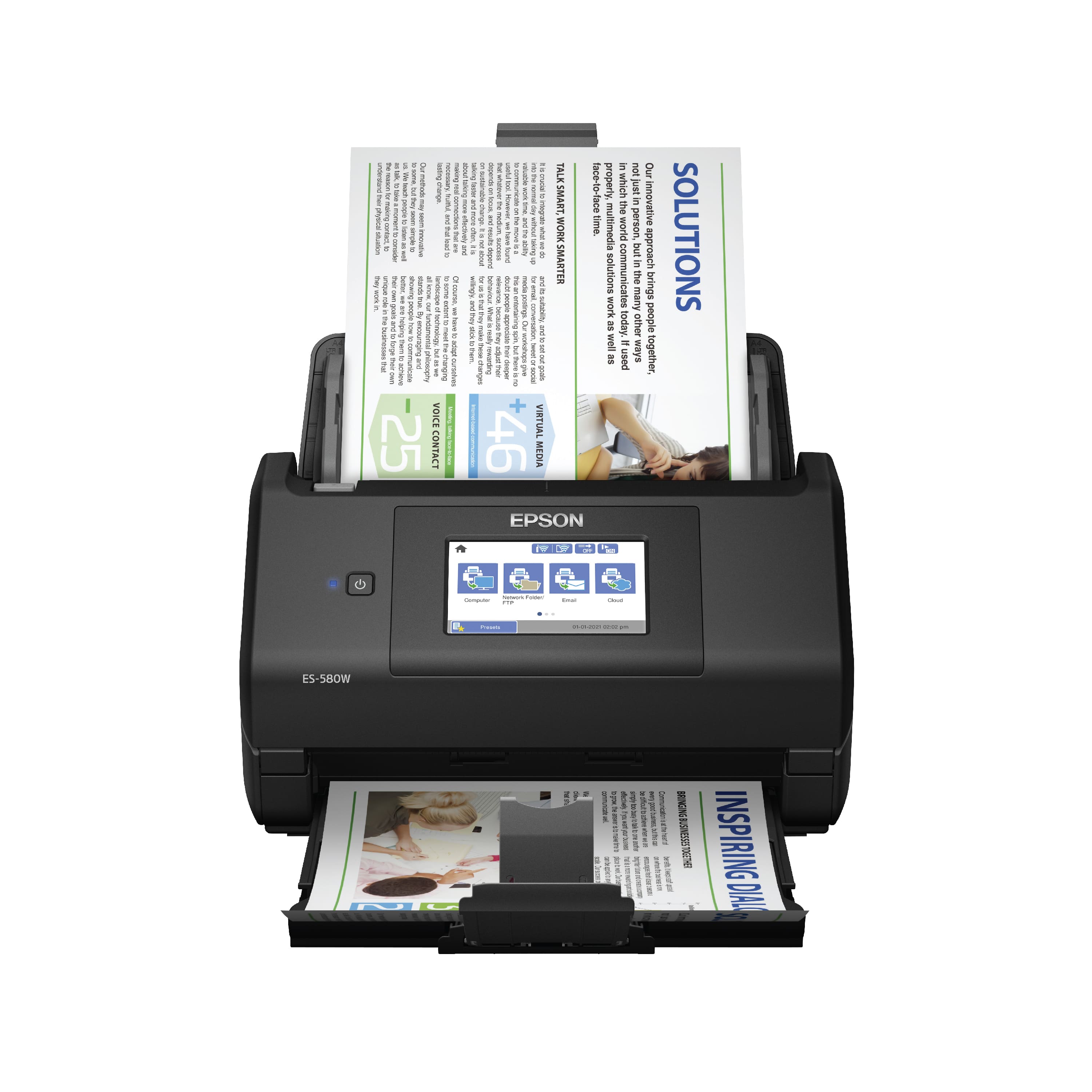
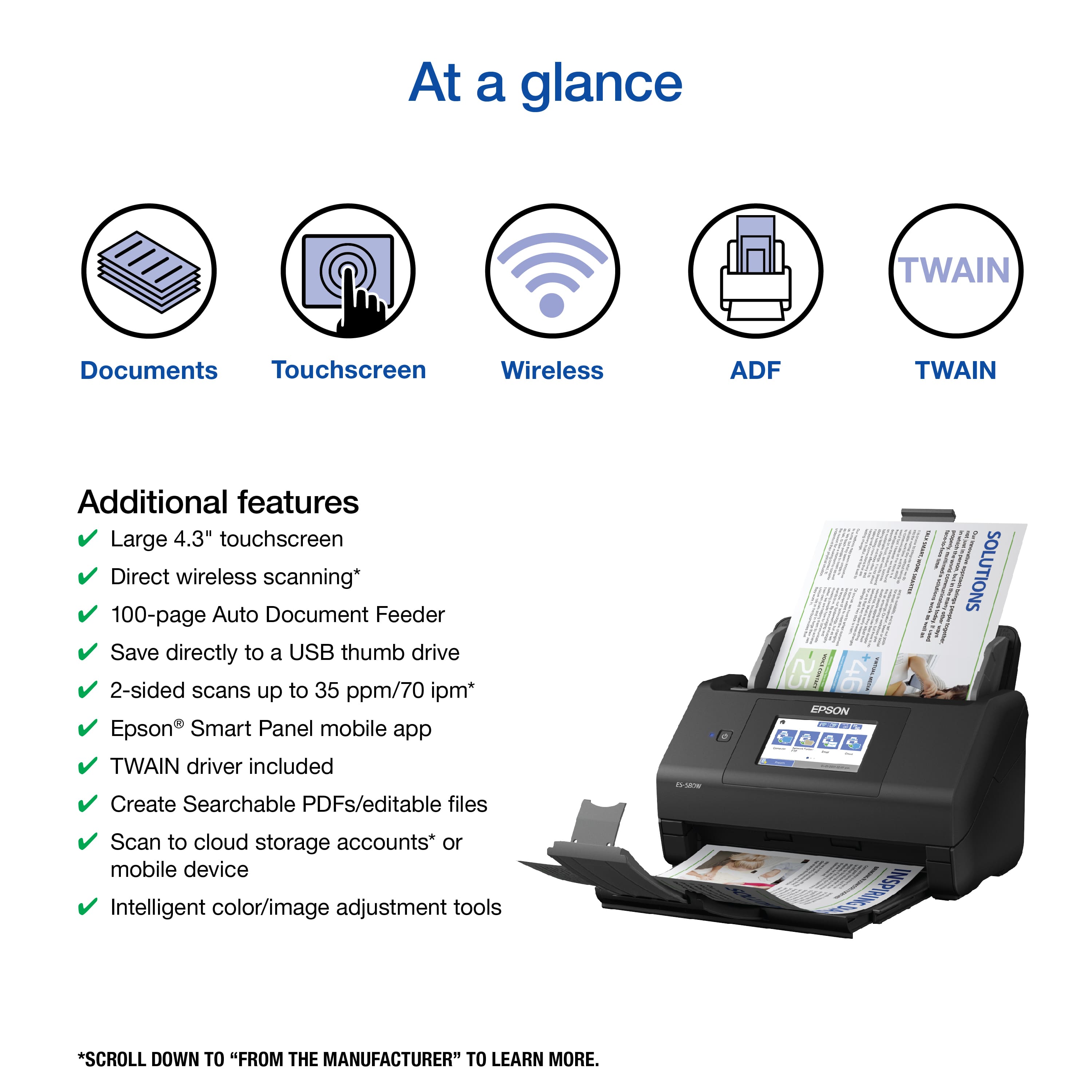
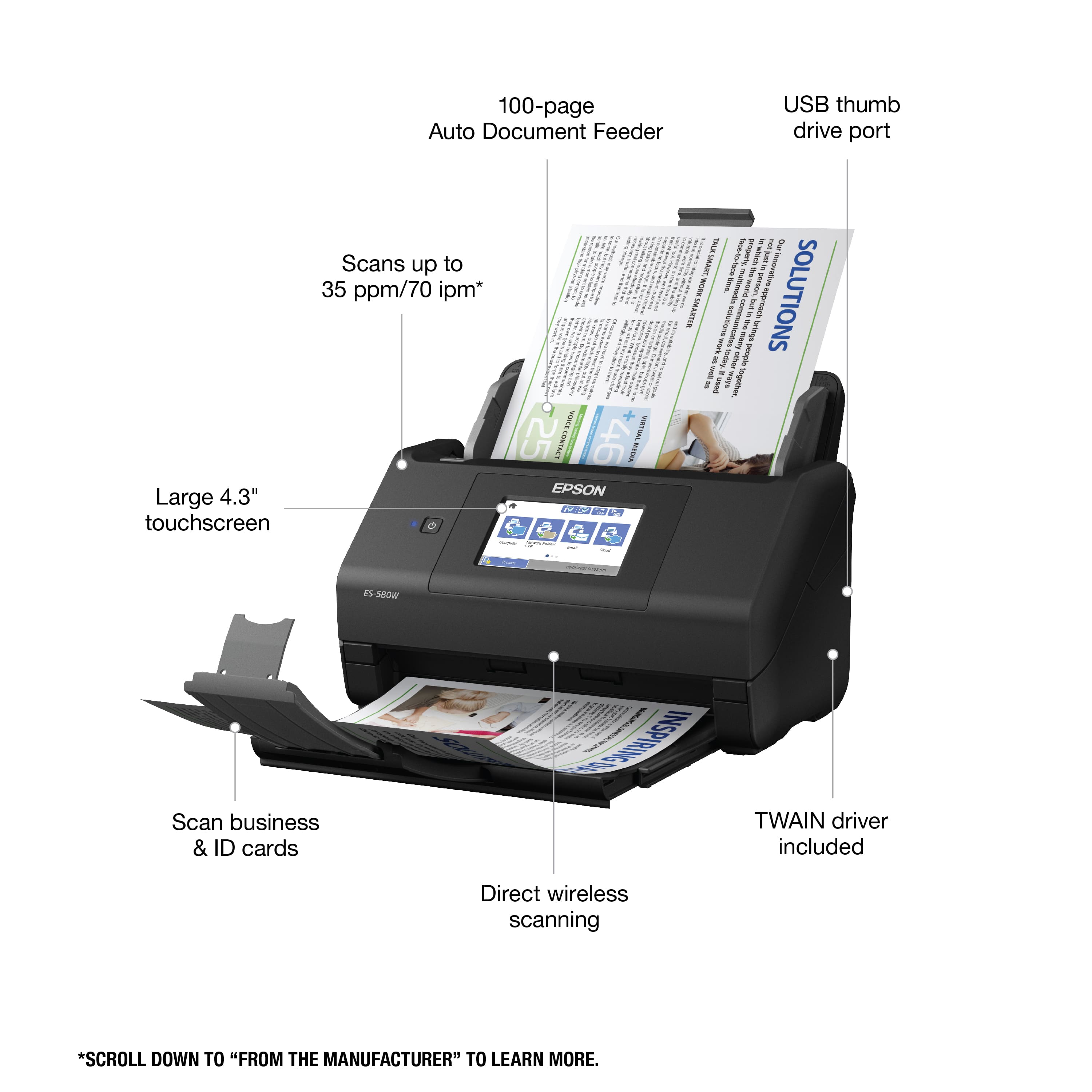
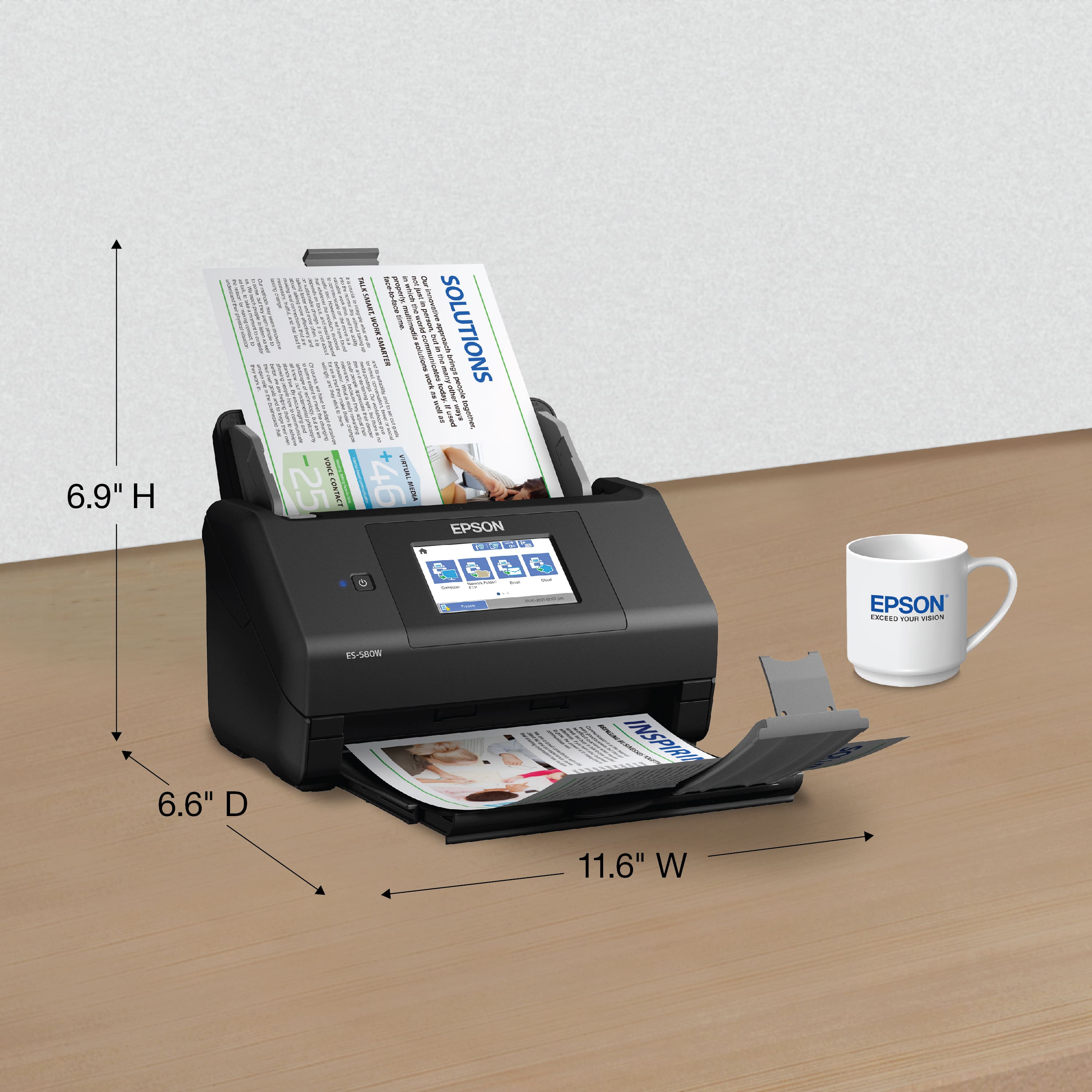
- Model:
- B11B258201
- SKU:
- 6442937
Rating by feature
- Value
Rating 4.5 out of 5 stars
- Quality
Rating 4.7 out of 5 stars
- Ease of Use
Rating 4.6 out of 5 stars
Customers are saying
Customers frequently mention the WorkForce ES-580W Wireless Duplex Touchscreen Desktop Document Scanner's impressive scan speed and ease of use. The overall performance and touchscreen are also well-received. However, some customers have expressed concerns regarding the price, occasional jamming, and paper handling.
This summary was generated by AI based on customer reviews.
- Pros mentioned:Scan speed, Size, Touchscreen
Fast scanner
Posted .This reviewer received promo considerations or sweepstakes entry for writing a review., I was impressed by the product being well packaged. The package came with everything that was promised and they were neatly packaged also. Upon first look the product is sleek and small enough to not take up lots of room on your desk. The directions are easy to read and are in multi-language format. Due to my current WHF I use my iPhone 12 Pro Max to scan and print. The app works great and is very easy to navigate. I also have this on my I pad. It was more like plug and play. Setting up the network connection in order for my devices to connect was pretty easy. The app is robust and allows you to save scans to files, cloud services (I use DropBox) and an external hard drive. The Epson WorkForce ES-580W comes with a touch screen that is easy to use and see. You can config. the scanner to print the way that you need to either buy using the app or the touchscreen panel on the scanner. The speed of this scanner is like no other that I have used. I am able to scan 50 pages in seconds. I downloaded the Epson app to my Macbook Air and at first glance I thought it would be easy. It took about 2 hours to finally recognize my Mac. I was not really pleased with the amount of time, but after it finally connected I and happy with the scanner. The work that I do requires lots of backup paperwork. I will be using the scanner to change my back up process. This scanner will not disappoint.This is a review for the Epson WorkForce ES-580W Wireless Duplex Touchscreen Scanner that I received free of charge to do a beta test and review.
I would recommend this to a friend - Pros mentioned:Scan speed, Size, Touchscreen
The best scanner
Posted .This reviewer received promo considerations or sweepstakes entry for writing a review.For its installation you have to read the instructions well, it is quick and easy, you must download the application on your mobile to be able to see what you scanned there if you wish or scan from there, it gives you the option of which side of the page you want to scan, If you want it in color, in PDF, what format does the sheet have and other options, its connection is via wifi, its screen is touchscreen which makes it friendly and its ability to contain sheets is very good The scanner is the best, its speed to scan your sheets on both sides at the same time is incredible, the sharpness is absolutely great, no matter the size of what you want to scan, it adapts very well to the format, it is easy to use from its touch screen to its application on your mobile, its size is compact so it does not take up much space on my desktop. “This is a review for the Epson WorkForce ES-580W Wireless Duplex Touchscreen Scanner that I received free of charge to do a beta test and review.
I would recommend this to a friend - Pros mentioned:Ease of use, Touchscreen
Great for small businesses!
Posted .This reviewer received promo considerations or sweepstakes entry for writing a review.I own a small business and need to keep a detailed account on expenses, sales, inventory etc. I was looking for something that can help keep me organized that was easy to use and more compact then a printer. I all ready own a printer so I decided on the Epson ES-580wf. First thoughts of this scanner is that it was so easy to set up. I’m tech savvy so I knew it wouldn’t be to hard but sometimes set up can be a challenge. Epson made this super easy which I definitely appreciate. Second this scanner picks up color very well. Most scanners only scan black and white from my experience with the 1200 dpi all my scans come out perfect. The touch screen control panel is also very user friendly and no lag like other touch screen operating systems. Also with the wireless technology I can get everything on the cloud and not have to worry about my scans getting lost. Epson definitely out did themselves with this scanner. If you own a business you will definitely want to have this document scanner! This is a review for the Epson WorkForce ES-580W Wireless Duplex Touchscreen Scanner that I received free of charge to do a beta test and review.
I would recommend this to a friend - Pros mentioned:Scan speed, Size, Touchscreen
Small & Mighty Machine!
Posted .This reviewer received promo considerations or sweepstakes entry for writing a review.My initial impression with this scanner was impressive. I love the look it of it. It was a lot smaller than I expected. All that was needed to get started was to plug the unit in. It was not necessary to connect any other wires. I installed the software on my computers and was ready to start. Using the scanner is pretty much self-explanatory. Two-sided scanning is one of my favorite features. The scans come out crystal clear. I was very impressed with how fast it scans also. I did learn the hard way that you should pull out the document tray at the bottom when you are scanning documents, or it will spit them all over the place. What’s great is that you can scan it to your phone, computer, thumb drive or cloud drive. The touch screen is very easy to comprehend. If you are tired of your flatbed scanner or auto-feed that only scans one side, then is exactly what you need. This machine is small and mighty. It will not disappoint! This is a review for the Epson WorkForce ES-580W Wireless Duplex Touchscreen Scanner that I received free of charge to do a beta test and review.
I would recommend this to a friend Scanner
||Posted . Owned for 1 week when reviewed.This reviewer received promo considerations or sweepstakes entry for writing a review.Paper kept getting jammed if you had more than 20 in the feeder. Its ok, not the greatest.
No, I would not recommend this to a friend- Pros mentioned:Scan speed, Touchscreen

Excellent scanner-no full featured programs though
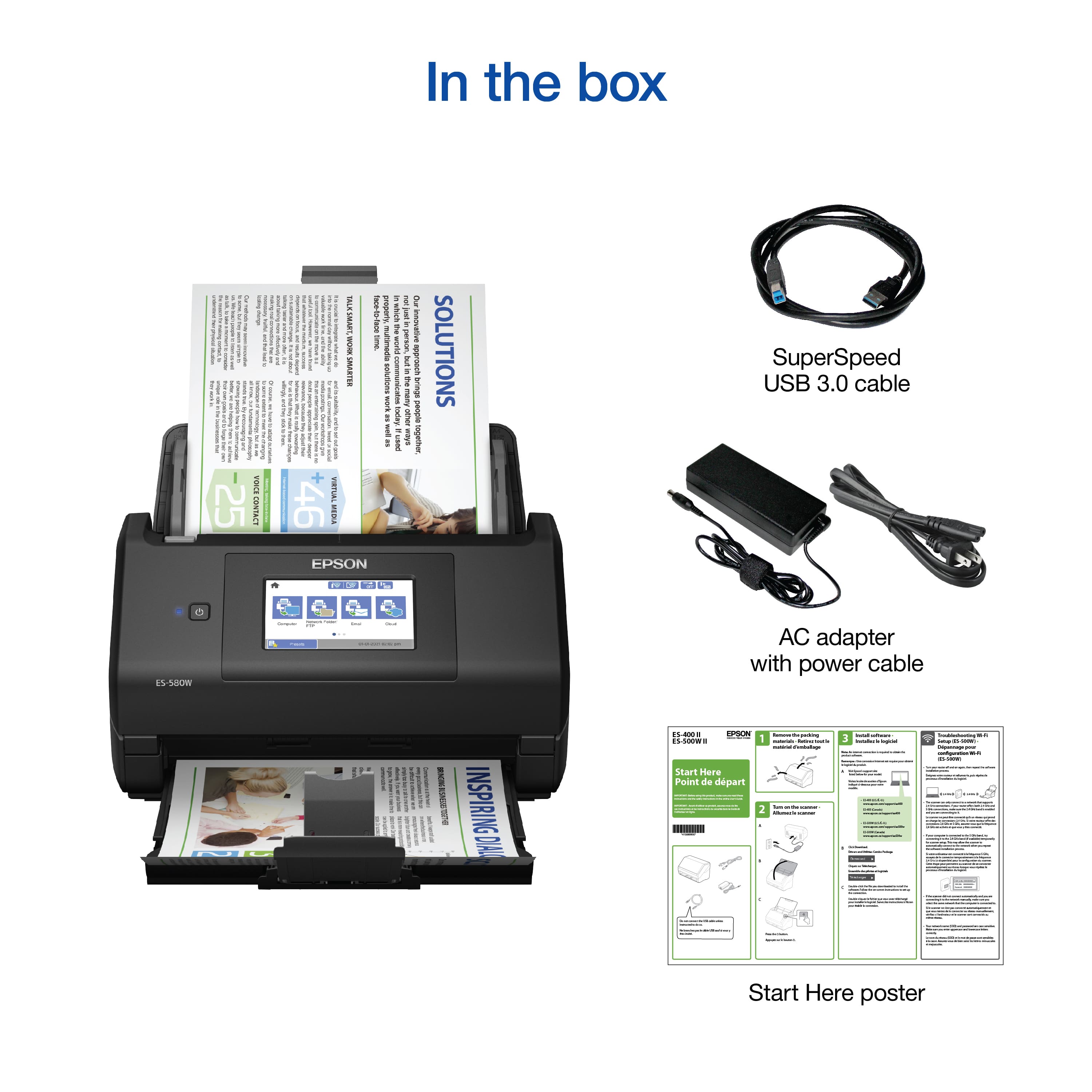
|Posted .This reviewer received promo considerations or sweepstakes entry for writing a review.This is the review of Epson ES – 580W scanner. Set up: well packed – be sure you remove the scanner by lifting the bag, and not lifting the scanner by your hands because your hands were not fit in the narrow spaces to grab it. It comes with a USB 3 cable and a 24-watt power supply. A poster (in English and another in other languages) walks you through setting up. It's basic enough for most people. There is no software on CD or DVD – you have to download it. Go to http://www.epson.com/support/es580w for US users. You can download the drivers and utilities combo package. The reason the scanner comes with a USB cable is also can be used to set up and to permanently connect to the computer in case you don't have reliable Wi-Fi or one does not exist. Remove the orange adhesive tapes that hold things together while transiting, and place the document feeder onto the top and it clicks in place. The tray on the bottom where the document comes out feels a little flimsy – you have to be careful. There is no lid to cover the scanner like their older model (which I have). Dust can get in there – so I have a small towel covering it when not in use. Wi-Fi setting is very easy, assuming that you have some basic understanding of computer and computer networks. It lets you choose the means of connecting to the router by pressing the button on the router or entering the password after choosing the signal. I chose the latter. The files that you download downloads more programs. These have pretty much very basic programs plus the driver, so the computer will communicate to the scanner. Do not expect an optical character recognition program for a full-featured scanner to PDF (Adobe Acrobat Professional) program. By all means, the hardware is made well and seems to be robust enough for everyday use. The scanning speed is excellent. It is twice as fast as my older Epson scanner – and it is silent. It literally makes no noise when it scans an entire magazine. (I cut it in the middle and scanned the whole thing into a big PDF because I don't have room to save these magazines. Yes, I discard the pages into a recycle bin when it is done.) It was a full-color weekly entertainment magazine, and it took less than two minutes to scan as 300 dots per inch on both sides (duplex). It went through smoothly without jamming. Not in the manual since you don't even get one, it has the ultrasonic detector to see if it takes or feeds more than one page at a time. This was a very expensive option that I could not afford with my older, sitting next to this one, scanner. That option alone was USD300 more. You have to play with the menu on the bright touchscreen to set this up. It also can pause between pages, but it defaults to off. Now comes the disappointing parts – it doesn't come with the document carrier. If you have a fragile piece of paper that you want to scan, you probably want to use a flatbed scanner instead. The reason is that nothing touches the scanner that can damage it. The document is moved through the scanner like this type of scanner with an automatic document feeder. A document carrier is a translucent (or clear) plastic that you put your document in the middle. And with that, you scan a protected document through the scanner. It is on sale on the Epson website for USD45 which I think is quite expensive. There is another model for another scanner for less than half of that (which doesn't make sense, because I feel that they are very similar. I used my own that came with the other scanner and it worked perfectly fine.) So you know, you could only scan one piece of document at a time with this thing. Lastly, it doesn't come with full-featured software. They could have provided the older version of Adobe Acrobat Professional, which still could be very useful because it has the optical character recognition feature, and you can save all your scans into PDF files with no limitation. The program you can get for free from the Internet may set the limit to, say, 25 pages. A program that I feel is very useful for scanners like this would be a program that turns it into a copier. There are two of them out there – one is free, and the other costs very little (less than USD20). I use both and I am extremely happy with them. The one that comes with this scanner (by Epson) is very basic. It overlaps the functions as a scanner, and you still have to print (the files). The program I am talking about works just like a real copier with all the controls and everything. Overall if you have a brand-new office or home office that you have to set up, this is an excellent piece of hardware and it works as designed except you will need to get additional software to take full advantage of it (optical character recognition, and save to PDF) if you do more than occasional scanning.
I would recommend this to a friend Not able to pick up my WiFi
||Posted . Owned for 1 week when reviewed.This reviewer received promo considerations or sweepstakes entry for writing a review.For some reason, it would not read my SSID for my home WiFi. I was on Epson’s tech support for a long time. Finally, he suggested returning it
No, I would not recommend this to a friend- Pros mentioned:Ease of use, Scan speed
Fast and Efficient!
Posted .This reviewer received promo considerations or sweepstakes entry for writing a review.The Epson WorkForce ES-580W scanner is everything that I could hope for in a scanner. I have used many scanners in the past and this one is by far the most efficient. Scans multiple pages at lightning speed. The wireless setup was simple utilizing the built in touch screen, and scanned documents displayed quickly on my computer. This scanner allows the ability to quickly adjust file sizes of items being scanned by adjusting the paper feed. The application that is used took awhile to setup and get going on my computer, but once it was setup it is straightforward and easy to use. Overall this scanner is the best scanner I have used for my small business. If you looking for a scanner that is fast and produces high quality files then this is the scanner for you. This is a review for the Epson WorkForce ES-580W Wireless Duplex Touchscreen Scanner that I received free of charge to do a beta test and review.
I would recommend this to a friend - Pros mentioned:Ease of use, Scan speed
Hasn't let me down yet
Posted .This reviewer received promo considerations or sweepstakes entry for writing a review.This scanner has not let me down yet! It is very easy to use right out of the box it takes less than 5 minutes to set up. It has amazing imagery that creates great color. It's scans up to 35 papers per minute! Which is perfect for me I have a lot of large jobs. I think my favorite part is the hundred sheet document Auto feeder which can accommodate multiple paper sizes in one scan so I can put papers and receipts all in together! And from there you can create searchable PDFs and upload documents to the cloud. You can even convert uploaded documents to editable word documents. Another big plus it's wireless! Which makes it very easy to set up and it has a duplex touch screen if you're looking for a desktop scanner you can't go wrong here I am thoroughly satisfied “This is a review for the Epson WorkForce ES-580W Wireless Duplex Touchscreen Scanner that I received free of charge to do a beta test and review.”
I would recommend this to a friend - Pros mentioned:Ease of use, Scan speed, Touchscreen
A great scanner and a great price
Posted .This reviewer received promo considerations or sweepstakes entry for writing a review.First off the scanner was packed nicely. Unboxing and setup was about as easy as it gets. It took maybe 15-20 minutes to get it setup, do a test scan, and update the firmware. I set it up to connect wirelessly via my router and had no issues. Scanning to my computer just works. It is great on the hardware side too. Build quality feels great. The touch screen makes it very easy to interact with. The scan speed was awesome. I was able to scan a page in about a second for a single sided and double sided page and it immediately shows up on my computer. You can also scan to a network drive, cloud service, and even a USB drive. Overall this is an amazing scanner that just works and is easy to use. I would recommend this scanner. This is a review for the Epson WorkForce ES-580W Wireless Duplex Touchscreen Scanner that I received free of charge to do a beta test and review.
I would recommend this to a friend - Pros mentioned:Scan speed, Touchscreen
Officially Impressed
|Posted .This reviewer received promo considerations or sweepstakes entry for writing a review.I was quite excited about getting the Epson - WorkForce ES-580W Wireless Duplex Touchscreen Desktop Document Scanner, and for a number of reasons. I do a lot of writing which requires sometimes extensive text imports from other sources, and I have spent hours upon hours having to read from a book or other source and manually insert the text into a document. Also, I have wanted to save and edit countless other types of documents so that I would have easy access to them on my computer rather than having to go through filing cabinets or desk drawers looking for them. This seemed to be the answer I was looking for. So, let me get into the review... First, I have to give Epson a demerit for the way the product is packaged. It's packaged secure enough, and is more than able to handle the shipping process, but when I opened the box and started to take the scanner out of the box, (it is secured in the box on either side by styrofoam packaging), the scanner almost took a tumble out on to the floor. This should have been thought out a bit better. The scanner includes a quick start guide which is straightforward and easy to follow. In just a few short minutes the scanner was literally ready to install and use. The process includes downloading software from the web, so you have to have an internet connection to install the scanner. This too was easy and straightforward. There are prompts all along the process on both the scanner and the computer which make the entire process a breeze. But how did it do after all that? At the near-end of the setup process it prompts you to do a test scan. The document fed through so quickly that I thought it couldn't possibly have scanned correctly. Not only did it scan properly, but it had already uploaded to the computer. It prompted how to save the document, so I opted for editable PDF. FLAWLESS!! I made many more scans, and all of them scanned perfectly. There is an option to test out an invoice/receipt trial program, so I decided to opt in. Sorely disappointed!! It is designed for TurboTax or QuickBooks, neither one of which I happen to own. However, it allows a CSV option that allows saving it as an Excel file. However, when I opened the phone bill using Excel, all I had was a scrambled mess, none of which remotely resembled a phone bill. I am contemplating downloading QuickBooks just to see if it works any better. I can see where this would be extremely handy. The scanner has a fully-functional touch screen display which has all the functions necessary for use. It is very responsive to the touch, and has three different screen sets. The scanner has a relatively small footprint, and actually looks quite nice on the worktable. I am looking forward to a very long and useful relationship with this scanner!! The OCR, by the way, is perfect, with not one single glitch or mis-scan in all the pages I scanned. Again, IMPRESSIVE!! If you are looking for a document scanner, whether for work, perhaps genealogy records, bills, or what-have-you, this is the scanner to get. I would HIGHLY RECOMMEND the Epson - WorkForce ES-580W Wireless Duplex Touchscreen Desktop Document Scanner to anyone needing a fully-functional, easy-to-use scanner for home or work.
I would recommend this to a friend Junk
||Posted . Owned for less than 1 week when reviewed.This reviewer received promo considerations or sweepstakes entry for writing a review.Never could get it to work. Gonna return it. Was not easy to, use. Downloaded, kept saying need to connect to computer ect. It was junk
No, I would not recommend this to a friend- Pros mentioned:Scan speed, Touchscreen
Hi-Speed and Versatile
|Posted .This reviewer received promo considerations or sweepstakes entry for writing a review.Touchscreen Interface Up to 35 Pages per Minute Scanning Duplex Scanning in One Pass SET-UP Initial product configure was simple, but not without issues. With the built-in touchscreen, initial product set-up can be accomplished without a tablet, phone, or PC. Unfortunately, I encountered a nasty firmware bug upon receipt that would not let the unit communicate via Wi-Fi correctly. Not only did the unit display multiple instances of my SSID (my 2.4 and 5GHz channels transmit with the same SSID, leaving frequency negotiation up to my router). There is still only 1 SSID and at one point in time, the Epson listed my SSID three different times. Once I was able to successfully connect to my Wi-Fi, the Epson was still unable to contact the Epson support portal for registration and firmware retrieval. Fortunately, I was able to use my desktop PC and using the Epson website, download the necessary drivers and software for the scanner. Upon installation, the Epson scanning software flawlessly detected the scanner, as well as notify me of a necessary firmware update. The Epson software for Windows updated the firmware, the scanner rebooted and from then on, I have encountered no further issues whether it be using the scanner via USB or via Wi-Fi. USE The scanner is easy to use and has a ton of features built into it. The scanner gives you the ability to scan to a PC, scan from a tablet or phone, scan to a service like OneDrive or DropBox, even scan as a PDF, or a PDF with encryption, just to name a few. There are numerous scanning options and services, a majority of which are accessible without the need for a computer. It is an excellent software suite. Far more than what my multi-function printer/scanner offers from a leading competitor. Scanning resolutions include 200, 300, and 600 dpi. Maximum document width is standard 8.5 inches and Epson claims you scan a document up to 240 inches long. I haven’t been able to try it yet, but I want to. Scans are crisp and clear. The unit features ultrasonic double feed detection, along with the ability to scan up to 100 pages at a time from the document feeder. Scans are consistently quick, clear, and most importantly straight. My current scanner often scans documents a little off axis, the Epson will occasionally get one a little off, but way, way less than any other multi-function I’ve owned. FINAL THOUGHTS This is an excellent product. The addition of the 4.3 inch touchscreen increases the versatility of the device by not needing a dedicated computer to run software. The scanner can communicate by USB, Wi-Fi, and Wi-Fi Direct. It handles documents quickly, crisply, and with minimal fuss or intervention. Scans are straight nearly all the time and are always clean and clear. The major issue with this device is the cost. An excellent multi-function printer, copier, scanner can be purchased for the same or less than this product, that is just a scanner alone. While other multi-functions don’t offer the feature-rich, business-oriented software suite this does, some do. While I think this is an excellent device, I am torn at what to give it overall. As just a business-oriented and quality product, I would give it a 5. But, based on its single-focused mission, I would have to rate it a 3, as most people would be better served by a comparably priced multi-function device. I will give it an overall rating of 4.
I would recommend this to a friend JUNK
||Posted . Owned for 1 week when reviewed.This reviewer received promo considerations or sweepstakes entry for writing a review.Does not do what the box says it does. Wasted hours on phone with tech support and received nothing but the runaround.
No, I would not recommend this to a friend- Pros mentioned:Scan speed, Size
AN amazing scanner with lots of features
Posted .This reviewer received promo considerations or sweepstakes entry for writing a review.Just recently got my hands on the ES=580W desktop ADF scanner. In my experience with this scanner, this is one amazing piece of computer equipment that belongs on your desk if you scan a lot of paperwork. This scanner is just packed with features: Scan to a USB drive without using a computer, 100 sheet document feeder, fast duplex scanning in one pass, great image quality, wireless hookup, A feed detection system that detects when multiple sheets have been fed thru the scanner at one time, scanning of multiple page sizes, and some smart software that allows you the versatility to handle the scanned pages any way you so desire, and a 4.3” color LCD touchscreen built into the unit, small footprint. The feed detection system is another great feature. It detected every time when I forced it to feed more than one page at a time, paused the scanning process, waited for me to clear the misfeed, and then continued right where it left off. The speed of this unit is also amazing. It scans double-sided color in one pass and does it at about 37ppm. The included software allows you to send the scans to phone, cloud, tablets, and computers so are quite flexible. In conclusion, I highly recommend this Epson ES-580W scanner for anybody. It will handle all your scanning needs for a good time stretch into the future. “This is a review for the Epson WorkForce ES-580W Wireless Duplex Touchscreen Scanner that I received free of charge to do a beta test and review.”.
I would recommend this to a friend Zero
||Posted . Owned for 7 months when reviewed.This reviewer received promo considerations or sweepstakes entry for writing a review.Got rid of it. Wouldn’t connect and when it did wouldn’t work half the time. Hard to use
No, I would not recommend this to a friend- Pros mentioned:Ease of use, Touchscreen
Awesome product!
Posted .This reviewer received promo considerations or sweepstakes entry for writing a review.I received this product a few weeks ago and I am so glad I did! I love how quick and easy set up is! I love how easy this printer is to use! My favorite feature is the intuitive touchscreen! This product can scan 2 sided documents. This is a review for the Epson WorkForce ES-580W Wireless Duplex Touchscreen Scanner that I received free of charge to do a beta test and review.
I would recommend this to a friend - Pros mentioned:Scan speed, Touchscreen
Great Scanner with fast speed
Posted .This reviewer received promo considerations or sweepstakes entry for writing a review.Epson WorkForce ES-580W Touchscreen Wireless Desktop Document Scanner is an excellent scanning device. I have set up this scanner for my home office. I have scanned a box of paper which are really important for me. Now they are scanned into organized folders on my laptop. So much better, I can find everything easily. The scanner is fast and easy to use once the software is downloaded. Can't believe how fast it scans both sides of a page! I found the touchscreen to be very intuitive and quite responsive to the touch. The Epson WorkForce ES-580W has every feature you would expect a modern day scanner to have. It has Duplex (this means two sided scanning, for two sided documents) scanning capability, which is an absolute must have in today's time. It is very fast and can quickly scan stacks of papers. It can connect with USB or wireless. The best thing I like about it is the touchscreen and its wireless connectivity. I can easily scan on my phone, Ipad and laptop.“This is a review for the Epson WorkForce ES-580W Wireless Duplex Touchscreen Scanner that I received free of charge to do a beta test and review.”
I would recommend this to a friend - Pros mentioned:Scan speed
Workhorse
|Posted .This reviewer received promo considerations or sweepstakes entry for writing a review.I am starting a small home-based business, and I chose the Epson ES-500W because of its aesthetics and functionality. It is a duplex fast color document wireless scanner that fits my small business solutions. I downloaded the Epson Document Scan App and was able to scan documents wirelessly to my phone. The Epson Scanner also works with a laptop or tablet. The Epson Scanner can also scan documents directly to Cloud Storage Services. I was able to scan about 35 pages per minute with a two-sided scan. The tray held approximately 50 pages. I used the Epson ES-500W Scanner to scan business cards, ID cards, and even extra long pages. I scanned documents to my computer files. I was also able to search for the files and edit them with ease. The ES-500W Epson Scanner has a slow speed functionality. I scanned receipts and torn documents to my laptop. I had some trouble, however, scanning documents to my Yahoo e-mail. I called Epson Support, who also had the same challenge. Epson Support recommended using a different e-mail with another company. I did just that, and the Epson scanning to e-mail feature now works perfectly.
I would recommend this to a friend - Pros mentioned:Ease of use, Scan speed
Amazing speed, easy setup
|Posted .This reviewer received promo considerations or sweepstakes entry for writing a review.I got this scanner with the primary objective of scanning photographs from old family albums. The setup was a breeze; I never had to connect it to my computer with a cable; nor did I have to enter the Wifi info or even use the WPS button. The computer detected the scanner and used it's own Wifi settings to get it on the network. Before getting this scanner, I would use my flatbed scanner which in order to save time, I would arrange 4 photos on average on the bed, scan, then crop them individually. Anyone who has done this in the past knows that they end up crooked, and it takes a long time to do the cropping, fine rotating, color correction, etc. to do the job well. This Epson scanner feeds the pictures perfectly straight and takes less than a second to do the scan. The photos scan to a better quality than my previous scanner. This device is going to save me countless hours scanning 50+ years worth of photos that our entire family strewn out all over the USA will be able to access and enjoy.
I would recommend this to a friend