Customer Ratings & Reviews
- Model:
- B11B258201
- SKU:
- 6442937
Rating by feature
- Value
Rating 4.5 out of 5 stars
- Quality
Rating 4.7 out of 5 stars
- Ease of Use
Rating 4.6 out of 5 stars
Customers are saying
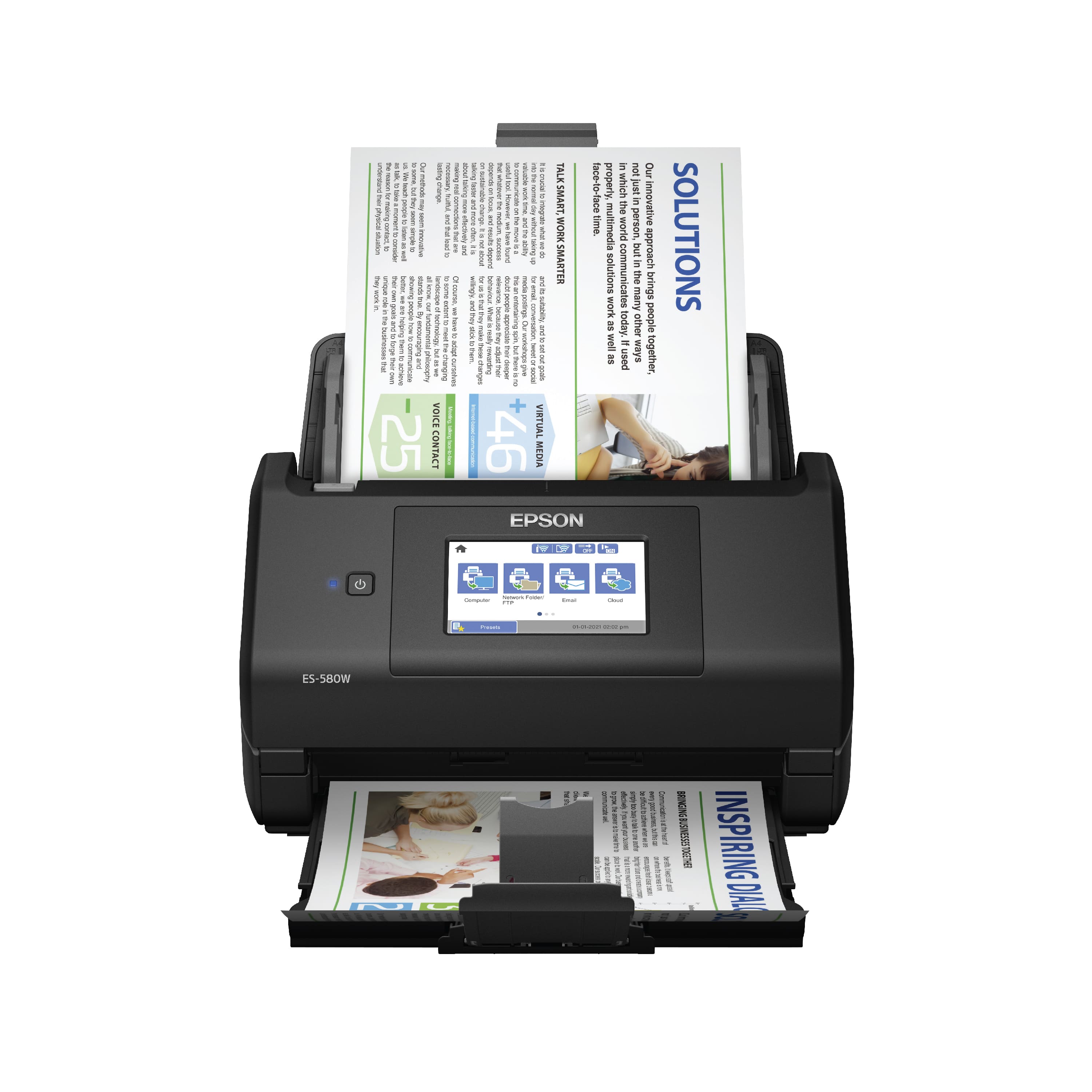
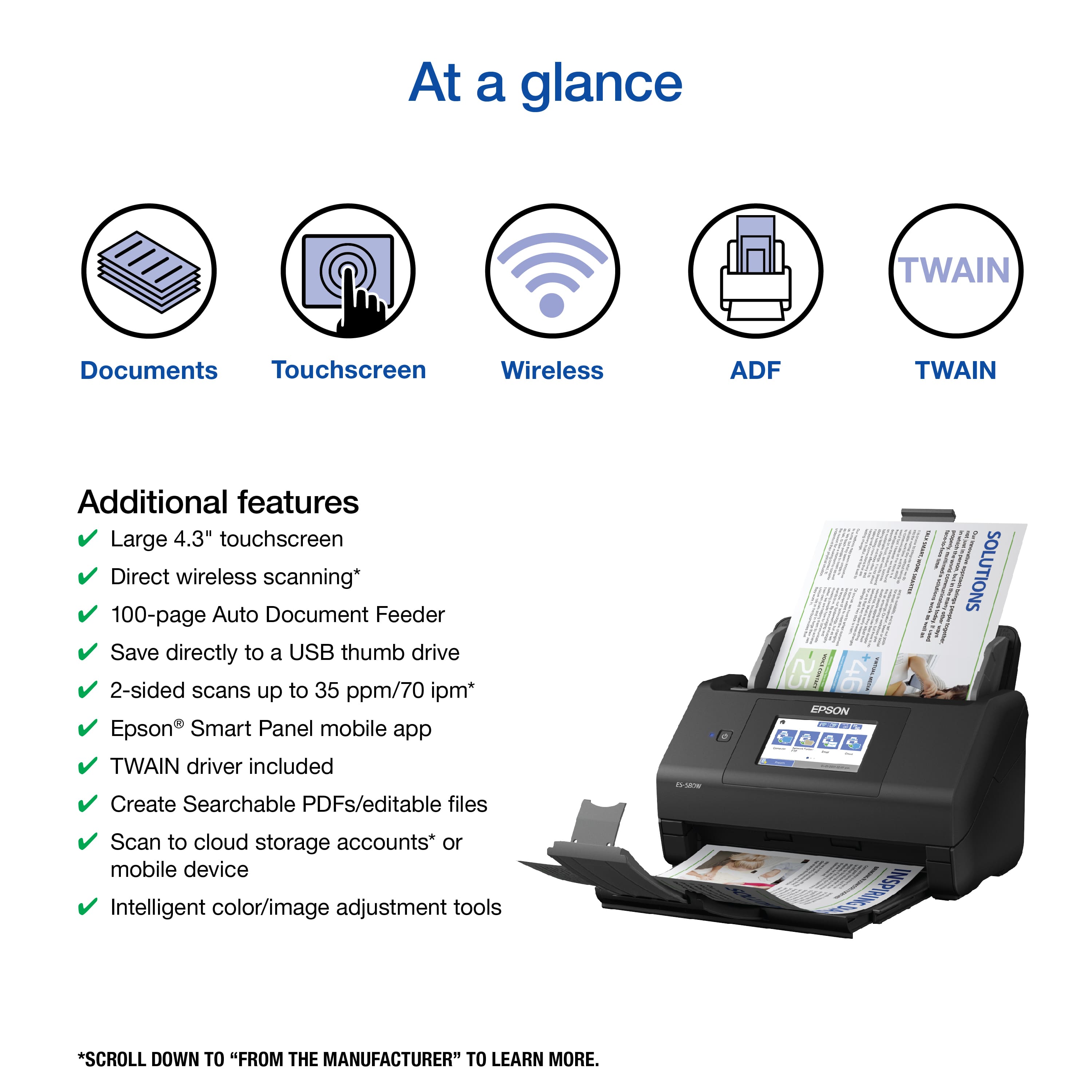
Customers frequently mention the WorkForce ES-580W Wireless Duplex Touchscreen Desktop Document Scanner's impressive scan speed and ease of use. The overall performance and touchscreen are also well-received. However, some customers have expressed concerns regarding the price, occasional jamming, and paper handling.
This summary was generated by AI based on customer reviews.
- Pros mentioned:Touchscreen
Scanning at its Best!
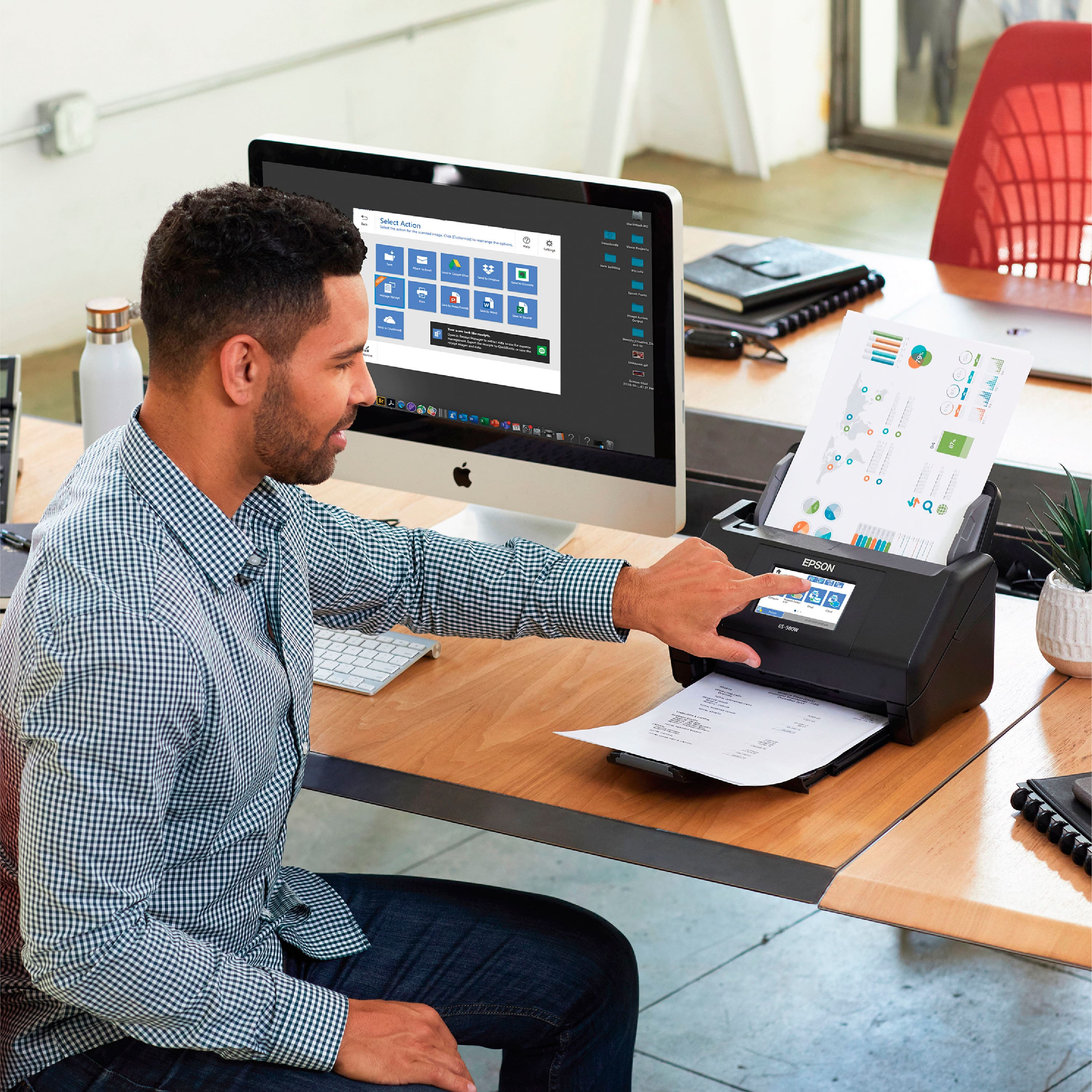
Posted .This reviewer received promo considerations or sweepstakes entry for writing a review.Wow, I can finally scan both sides of the page at the same time - such a time saver and so efficient. It is so easy, just put a stack of receipts, invoices or documents in the feeder and you can multitask at the same time it's scanning. It has a nice big touchscreen and you can scan to a variety of devices. Not only did I get my messy stacks of receipts and invoices organized, but the fact that it is wireless means one less tangled cord on my desk. It is definitely helping my home office stay organized. The Epson brand never lets me down and you can literally take it out if the box and be using it 5 minutes later. Connecting was also seamless. The graphics are excellent and crisp. I do not think you will be disappointed with this device especially given the price point. I'm sorry I didn't get it sooner. This is a review for the Epson WorkForce ES-580W Wireless Duplex Touchscreen Scanner that I received free of charge to do a beta test and review.
I would recommend this to a friend - Pros mentioned:Scan speed, Touchscreen
Great features
Posted .This reviewer received promo considerations or sweepstakes entry for writing a review.I was very impress with this scanner. It has saved me so much time and was easy to set up. I am two kids and full time job which sometimes requires me to work from home and this scanner came very handy. I saw I could scan 35 sheets at the same time which has me shock is very helpful also can be colored scanned. It has some many features and one of them is that can be back sided scanned as well which saves me a lot of time and work. Is portable I take it home but most of the time keep it at work and some of my co-workers like this scanner they are glad is touch screen and adjustable. Do recommend. “This is a review for the Epson WorkForce ES-580W Wireless Duplex Touchscreen Scanner that I received free of charge to do a beta test and review.”
I would recommend this to a friend - Pros mentioned:Overall performance, Scan speed

Perfect solution for home office
|Posted .This reviewer received promo considerations or sweepstakes entry for writing a review.This is a single-purpose device that achieves that purpose excellently, and seemingly reliably. I grew tired of purchasing all-in-ones every few years, only to use the color printing functionality a handful of times. I do need to print quite a bit, and an inexpensive BW laser has filled that role. I also need to scan occasionally, and the multifunction units simply aren't reliable enough or easy enough to get cranking. This unit is highly capable. I can load up pretty much any size scan job, scan in duplex, and I always get great results. It cranks up and is ready in no time, and there's only a limited amount to do to get it working.
I would recommend this to a friend - Pros mentioned:Ease of use
Improved for scanning speed over previous model
Posted .This reviewer received promo considerations or sweepstakes entry for writing a review.Worked great straight out of the box. It easily connected to the network and the improved interface (download) is much faster to open and scan than the previous version from 2018. More detailed instructions regarding menu selections would have been helpful during initial use, but it didn't take long to figure out.
I would recommend this to a friend - Pros mentioned:Scan speed, Touchscreen
Great for Business or home
Posted .This reviewer received promo considerations or sweepstakes entry for writing a review.This is great for use at home or business. I have a business in my home and this is just perfect for using. Makes it much easier to save files and manage my business. I love how it has blue tooth so that I don't have to move it around when I use it on different computers and laptops. I also love the touch screen and also speed of the scans. This is just perfect. This is a review for the Epson WorkForce ES-580W Wireless Duplex Touchscreen Scanner that I received free of charge to do a beta test and review.
I would recommend this to a friend - Pros mentioned:Scan speed
Productivity enhancement
|Posted .This reviewer received promo considerations or sweepstakes entry for writing a review.Wow! I have many electronic devices and I’m rarely surprised by new experiences. The Epson ES-580W is one of those rare cases. I’ve been using the scanner for a little over a week, capturing various personal document images, including tax forms that arrive this time of year. The Epson works great for these documents, scanning both sides very quickly, and not jamming or skipping pages. It just works, and does so at a speed much faster than I’ve experienced with any other scanner. For personal use or small office needs, I think this scanner will be a significant productivity enhancement. BUT then there’s this other use case… for years I’ve been slowly scanning my old physical family photos. Note that I said “years”. On a lark, I tried scanning a single physical photo using the ES-580W at 300dpi. I was concerned that the photo thickness or texture might be a problem. It wasn’t; the photo scanned as quickly and trouble-free as documents. So, I put a whole photo packet (approximately 30 individual prints) in the scanner. Guess what… the Epson flawlessly scanned every one of them so fast that I figured the image quality would be lousy. It wasn’t. In fact, it was as good as those I’ve scanned on a flatbed scanner. The result is that over the past week I’ve scanned almost every one of my remaining physical photos! I can legitimately say that this has saved me hundreds of hours of tedious work. The Epson ES-580W is simply awesome. I strongly recommend it without any negatives.
I would recommend this to a friend - Pros mentioned:Ease of use, Scan speed
Exactly as described
Posted .This reviewer received promo considerations or sweepstakes entry for writing a review.For what my wife needs a scanner for, this scanner is exactly what she needed. It was easy to pair with her computer and her Samsung phone. This scanner is fast and does everything as advertised. I can't think of any negatives about this scanner!!!!!!!
I would recommend this to a friend - Pros mentioned:Ease of use, Touchscreen
Perfect for a home office.
Posted .This reviewer received promo considerations or sweepstakes entry for writing a review.have been waiting for a good quality document scanner with a touchscreen. With limited vision it makes things so much easier by using the touchscreen function. This scanner is, hands down, the easiest to set up and is extremely user friendly, making it perfect for use in a home office..or just for keeping track of grocery receipts. Epson is a quality product that I believe in...I have found no technical issues, so I would definitely recommend. This is a review for the Epson WorkForce ES-580W Wireless Duplex Touchscreen Scanner that I received free of charge to do a beta test and review.
I would recommend this to a friend - Pros mentioned:Ease of use, Scan speed
Great after finally getting setup.
Posted .This reviewer received promo considerations or sweepstakes entry for writing a review.Getting out of the box and put together was a snap. Then to download all the software and update needed to the scanner itself took almost 1 hour. Wish I could have planned that better since I have it set up on a work computer. As far as everything else, it works like a champ. Super fast and accurate even on the highest settings for color and dpi. Makes the old machine feel like one of the typewriters from the 70's with such a difference in performance. This review for the Epson WorkForce ES-580W Wireless Duplex Touchscreen Scanner that I received free of charge to do a beta test and review.
I would recommend this to a friend - Pros mentioned:Scan speed
Great Scanner!!!
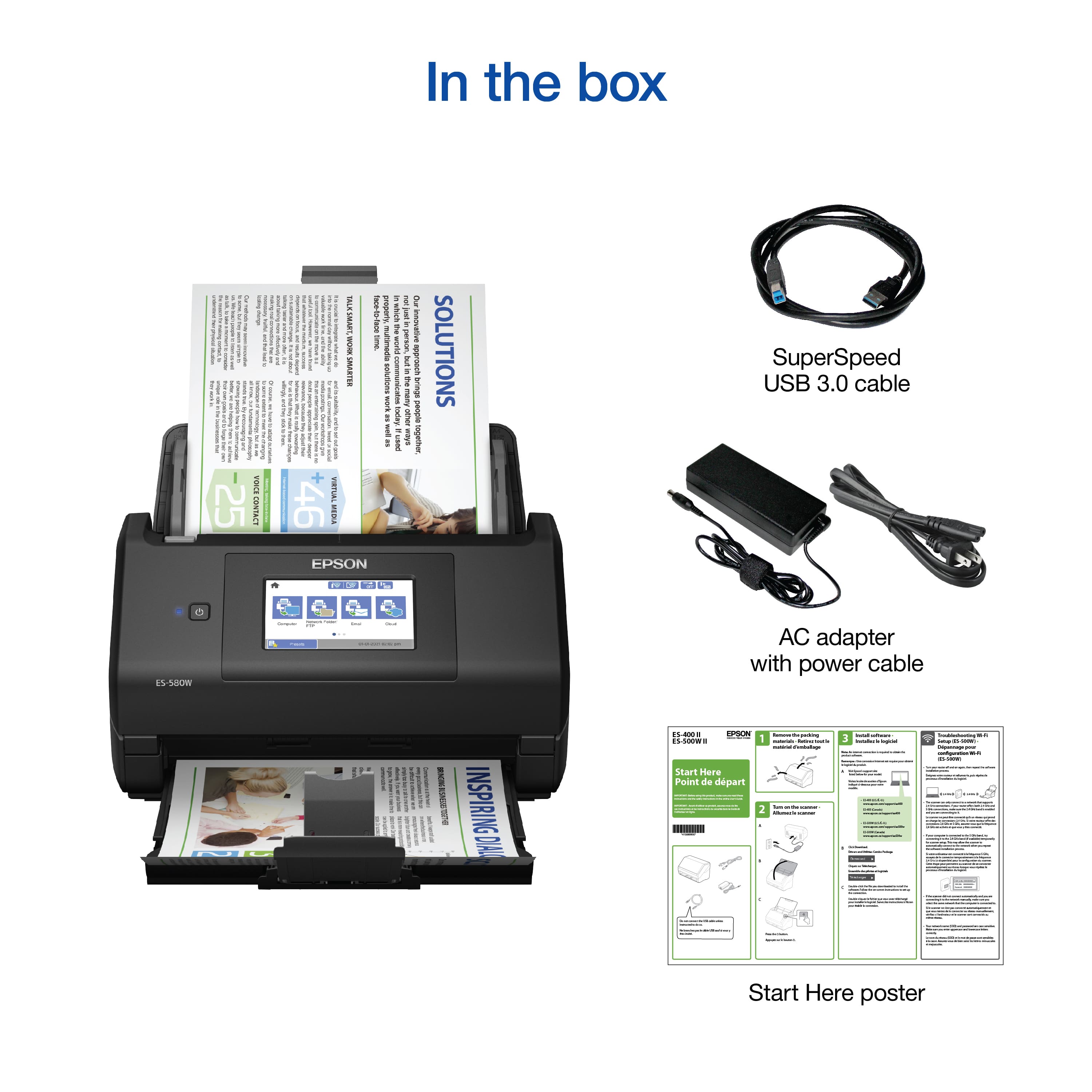
Posted .This reviewer received promo considerations or sweepstakes entry for writing a review.Great Product! The Epson Workforce ES-580W Wireless Duplex Touchscreen Scanner arrived at my door last month. All the parts were wrapped neatly and packing material was minimal. I immediately found the Start Here instruction sheet and began to set things up. The touch screen guided me through the setup process with ease. Nothing fussy or elaborate. I scanned my first document 6 minutes after I opened the box. The touchscreen contains all the necessary controls and is easy to navigate. I connected the scanner to my home Wi-Fi with ease. All I had to do was type in my network name and password. My first scan was to my email. I scanned a letter- size document and it went through smoothly. There is enough room for 48 presets. This is great for locations I scan documents to frequently. The scanner also has the option to connect a thumb drive that is easy to access for those times you need your documents to be portable. There are multiple formats in which this scanner can send data. You can send documents to email, network folders, your favorite cloud client, WSD for Window Vista, and smart devices like tablets and phones. This is just the beginning of the potential this product offers. I am looking forward to improving my productivity and not having to fuss with archaic and antiquated equipment or having to bother my neighbor or use his scanner. Thank You Epson! This is a review for the Epson WorkForce ES-580W Wireless Duplex Touchscreen Scanner that I received free of charge to do a beta test and review.
I would recommend this to a friend - Pros mentioned:Ease of use, Scan speed
Epson Scanner
Posted .This reviewer received promo considerations or sweepstakes entry for writing a review.Love this scanner works as advertised Was very easy to set up and scans wonderfully. Great product and highly recommend
I would recommend this to a friend - Pros mentioned:Ease of use, Scan speed
Very good
Posted .This reviewer received promo considerations or sweepstakes entry for writing a review.Easy to set up. Super fast and easy to use. I purchased two and will be getting more for our office
I would recommend this to a friend - Pros mentioned:Scan speed
A great Machine
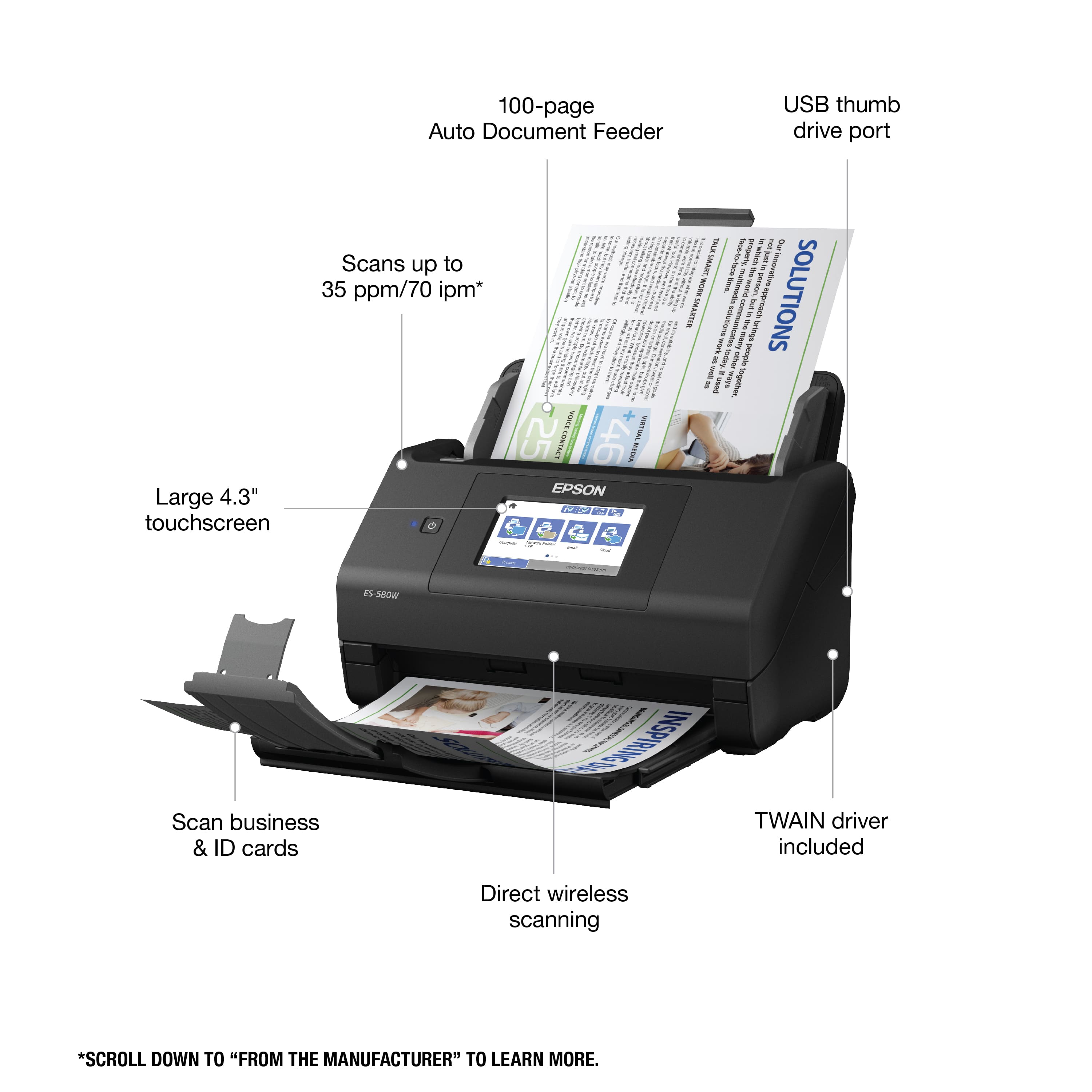
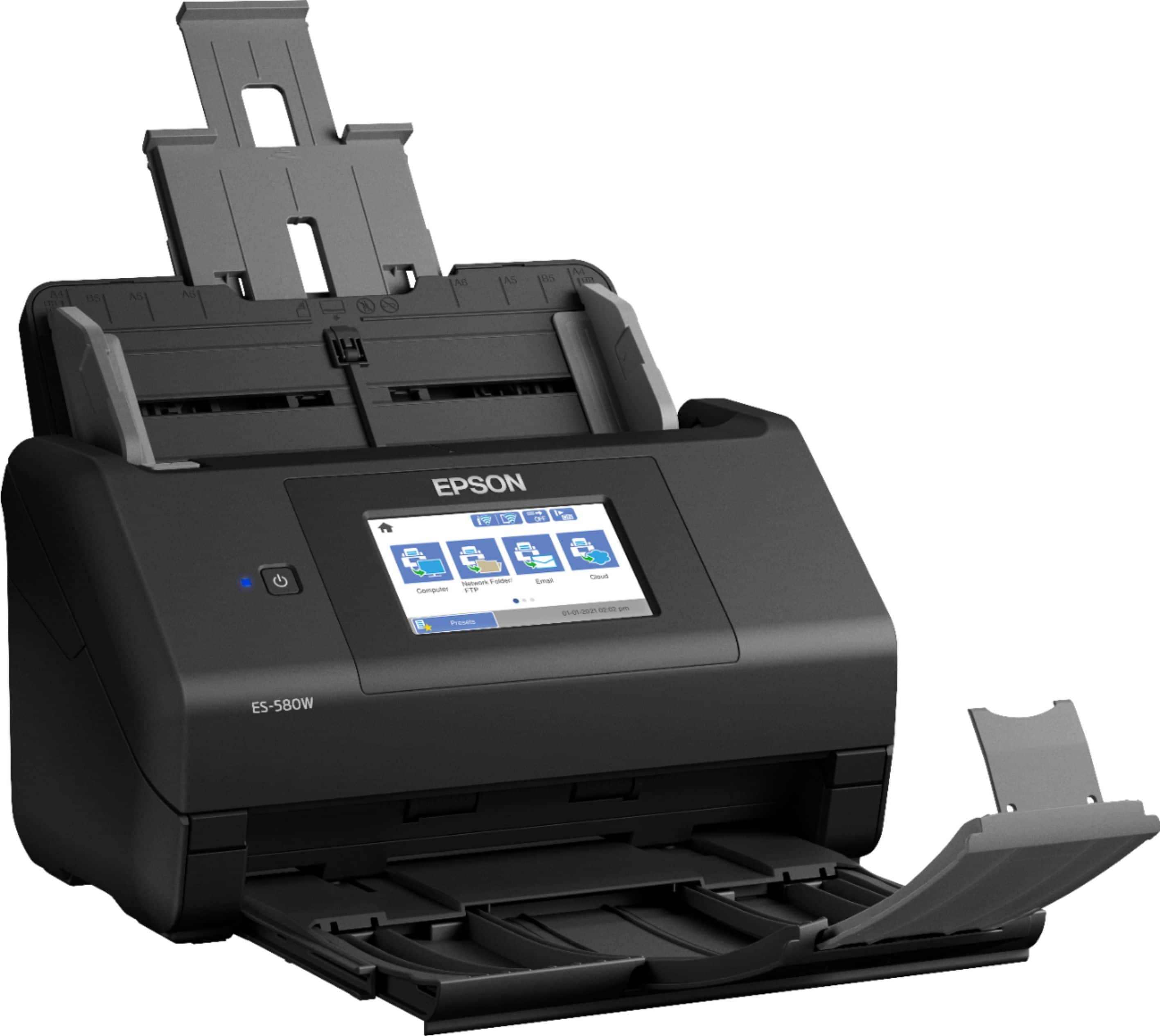
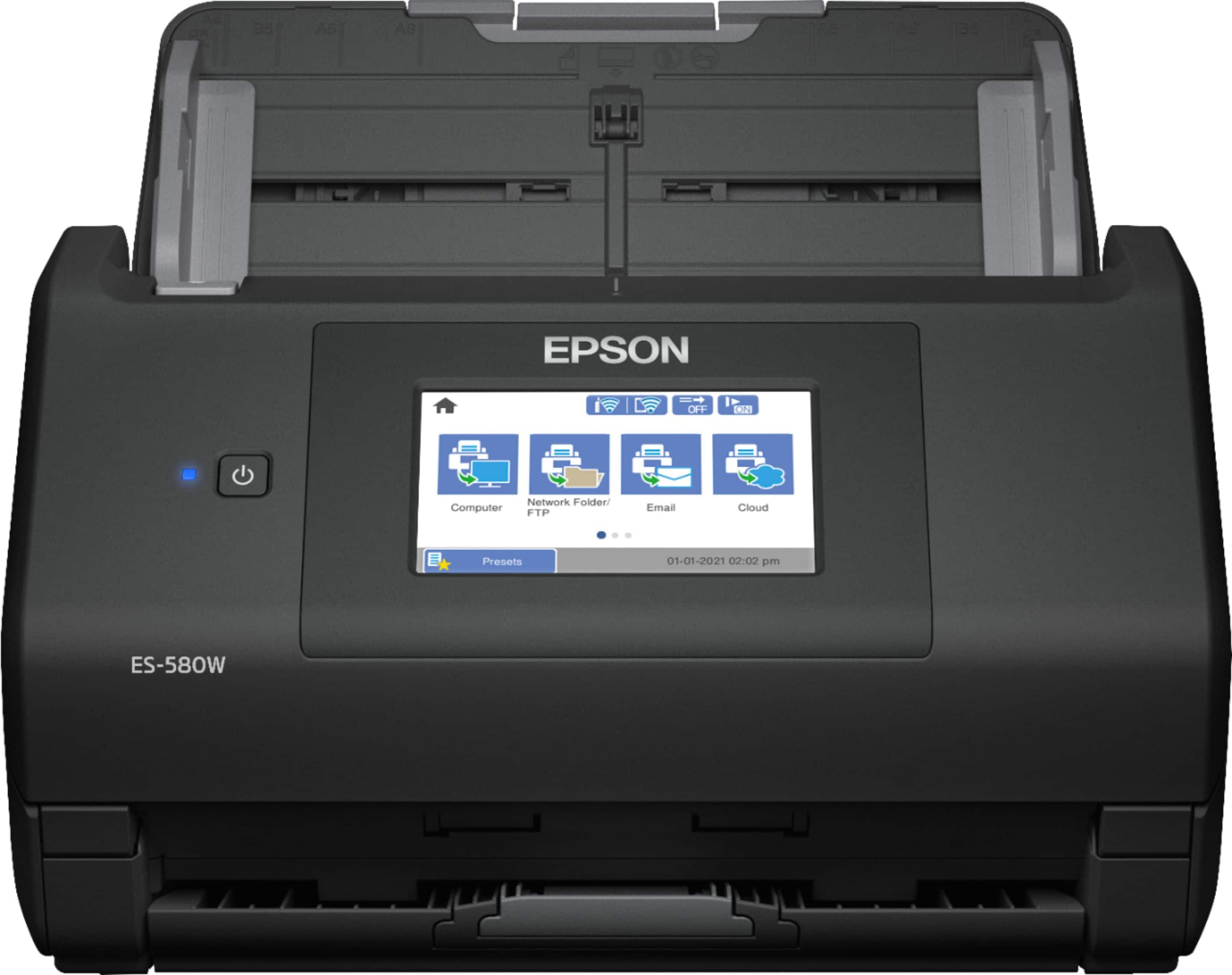
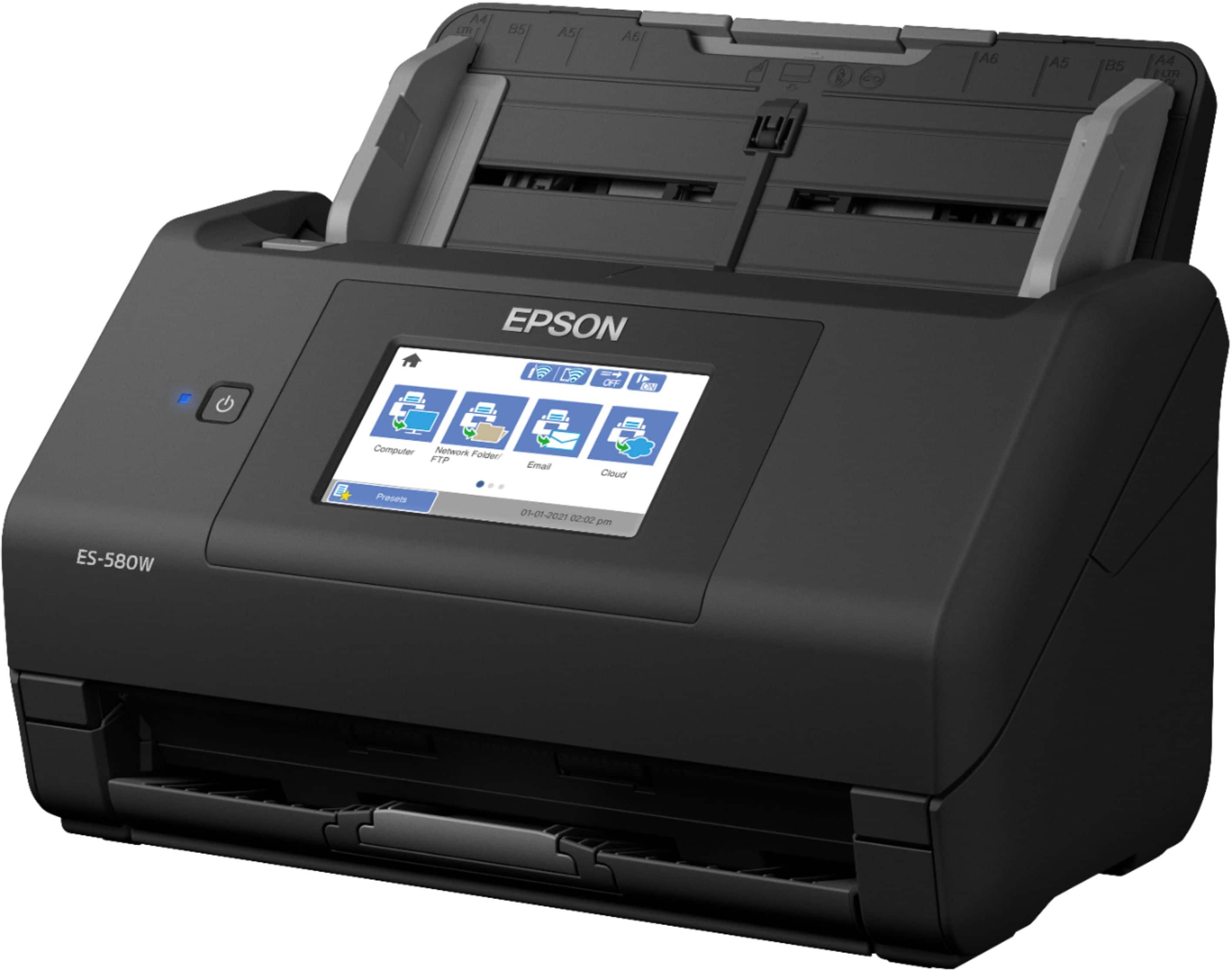
Posted .This reviewer received promo considerations or sweepstakes entry for writing a review.The WorkForce ES-580W wireless duplex desktop document scanner is a must have for any home office. Super easy setup, pretty much plug in and use. You can easily scan to your smartphone, tablet, USB or online storage account from your desktop or your cellphone. The huge feed tray is awesome, and it breezes through double sided documents. great rich color scanning, impeccable quality or scans. It can scan any document you have with ease including business cards and other smaller documents. The ability to create searchable PDFs and editable word or excel doc from your scans. The 4.3" color touchscreen is very intuitive super easy to view, and the hotkeys to easily send to any of your online storage accounts. This is a review for the Epson WorkForce ES-580W Wireless Duplex Touchscreen Scanner that I received free of charge to do a beta test and review
I would recommend this to a friend - Pros mentioned:Ease of use, Size
Perfect for office
Posted .This reviewer received promo considerations or sweepstakes entry for writing a review.Easy to set up and use. Perfect size for smaller area.
I would recommend this to a friend - Pros mentioned:Scan speed
compact and lightning fast
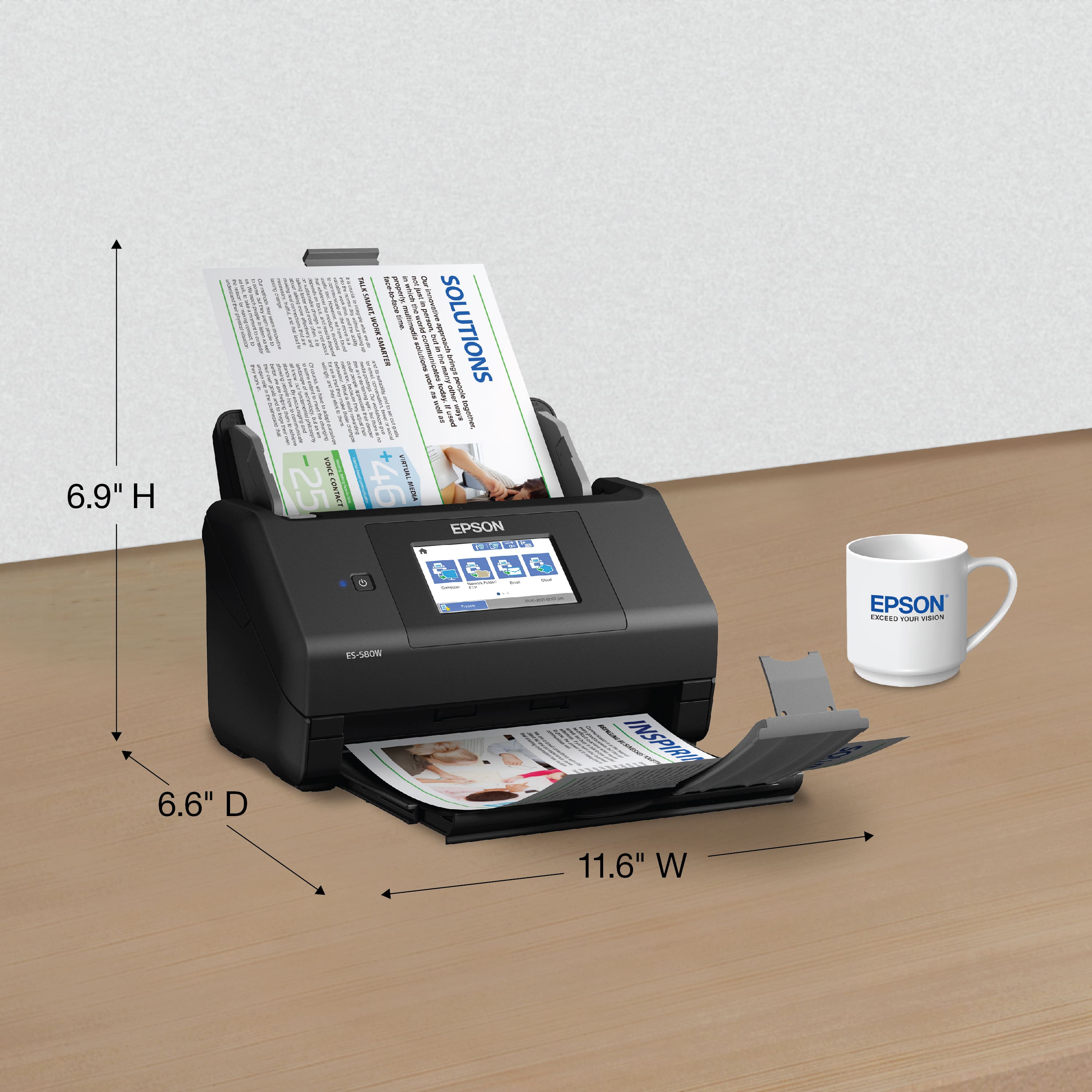
|Posted .This reviewer received promo considerations or sweepstakes entry for writing a review.This scanner is about the size of a compact fax machine when the trays are fully extended. It completes duplex scanning in marginal time and the results are excellent. The epson software is OK, but better OCR and scanning software exists. The web-based administration tool is OK, but not very intuitive. I was able to scan 117 single sided pages in about 3 minutes with no jamming or intervention on my part. It comes with an optional trial of their "accounting and invoice" scanning OCR which I did not demo, but the basic software met my needs. The scan to cloud works well as I directed it to my email, but could not get the regular scan to email set up.
I would recommend this to a friend Efficient and fast paper elimination!
|Posted .This reviewer received promo considerations or sweepstakes entry for writing a review.I have been using variations of the Fujitsu Scansnap for the last 3 years and have had little negative experiences with it, but I was eager to try this Epson WorkForce ES-580W document scanner. After a few weeks of use, it has proven to be worthy of a spot on my cluttered desk. I utilize this scanner on a daily basis as I scan 100s of pages daily. Setup up is extremely simple, where all I did was download the setup files from Epson hook up the scanner via USB (hardwired is always my preferred method for all computer peripherals) and I was up and running in under 15mins. Scanning is faster than my Fujitsu, which was already fast. Prior to dedicated scanners I was provided an AIO multifunction printer, which was a slow pain in the rear. It worked to scan a few things in a pinch, but scanning at volume it was literally like throwing a wrench in the gears of my work flow. These scanners are so much more efficient. Duplexing with blank page rejection is a must and it is handled flawlessly. Image quality for documents appears to be better than the Fujitsu especially with hues of grey. For color photos I would say they are on par with one another; both extremely good scans. While the Epson as a similar foot print the Fujitsu can fold up and get a bit more compact when not in use. This has the added benefit of covering the ADF Chute BUT at the cost of having smaller capacity. The Epson ADF has double the capacity of the Fujitsu so I can scan more pages at once. The 4.3” touchscreen is comparable to the Fujitsu and it is responsive with simple to use menus. Getting rid of invoices/receipts was one of my goals with this type of scanner. The Epson has no problems taking in everything from standard paper invoices to carbon copies to small gas station receipts. Everything comes out crisp and clear. However, scanning cards (i.e. work IDs or DLs) seem to choke up the rollers. The Fujitsu even has a dedicated slot for that and it worked well. The older Fujitsu I had came with a carrier sheet which allowed for this type of scanning or even putting multiple smaller items to scan in one pass. This would've been a welcome inclusion. The software seems pretty basic but it gets the job done. Another nice to have would have been a pdf editor included if a basic one at that. The Fujitsu will still be residing on my work desk (because work paid for it) but the Epson has earned it's spot on my home office desk and will be used more frequently than my home printer. It's a pricey unit, but anyone who is serious about going paperless, I can fully recommend this Epson without hesitation. Now all this eliminating paper has me on the hunt for a heavy duty paper shredder with a big bin...
I would recommend this to a friend- Pros mentioned:Ease of use, Scan speed
Best Scanner!
Posted .This reviewer received promo considerations or sweepstakes entry for writing a review.Love it, It's fast and works every time. Easy software to use also.
I would recommend this to a friend - Pros mentioned:Scan speed
Best Scanner
Posted .This reviewer received promo considerations or sweepstakes entry for writing a review.This scanner is AMAZING! I bought as I have a ton of documents that are needed to be scanned and it has for sure done the job. Every 5000 pages, it notifies you to clean it, and your able to scan 600 pages into 1 pdf if needed. I would definitely recommend if you are looking for a document scanner and nothing else.
I would recommend this to a friend - Pros mentioned:Touchscreen
My Review for WorkForce ES-580W Wireless Duplex To
Posted .This reviewer received promo considerations or sweepstakes entry for writing a review.Let me start of by saying I am in love with this scanner it os most definitely my new pride and joy. It is really coming in handy for the kids school work. I was afraid installation would take forever but it didn't amd don't get started with the wifi and touch screen. I have never experienced anything as cool as touch screen. “This is a review for the Epson WorkForce ES-580W Wireless Duplex Touchscreen Scanner that I received free of charge to do a beta test and review.”
I would recommend this to a friend - Pros mentioned:Scan speed
Great Scanner
Posted .This reviewer received promo considerations or sweepstakes entry for writing a review.Fast and easy to use after initial setup. Does both sides simultaneously.
I would recommend this to a friend