Customer Ratings & Reviews
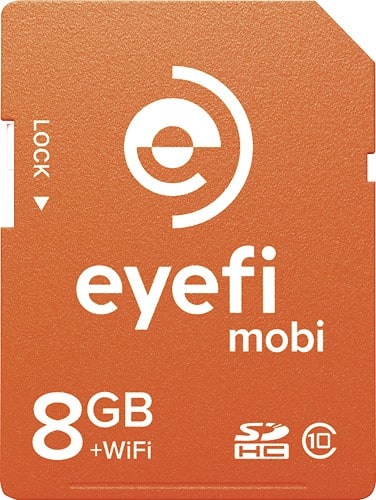
- Model:
- MOBI-8
- |
- SKU:
- 8992065
Customer reviews
Rating 4.3 out of 5 stars with 193 reviews
(193 customer reviews)to a friend
Customers are saying
Customers are enthusiastic about the image quality and performance of the Mobi 8GB SDHC Class 10 Memory Card, noting that it takes great pictures and works well. However, many customers expressed concerns regarding the limited storage space and compatibility issues with certain devices and software. The card's Wi-Fi functionality also received mixed reviews, with some praising its convenience while others found it unreliable or inconvenient. Some users also reported that the card impacted battery life.
This summary was generated by AI based on customer reviews.
- Pros mentioned:Image quality, Transfer speed
Rated 4 out of 5 stars
Does what I need it to do
||Posted .This reviewer received promo considerations or sweepstakes entry for writing a review.Going on a trip with my Nikon camera and I didn't want to haul my laptop along. The EyeFi card allows me to transfer files to my iPad for editing and uploading to social media.. Instructions were a little vague, so I found a link on the Internet with assistance that got me up and running. That's the only reason I gave it 4 instead of 5 stars. This is not a quick solution to transfer images on the fly, though I suppose you could. Once the device connects and you run the app on your device, it immediately starts downloading all of the new images (that it didn't already download) to the iPad. I ordered a 16 GB card, but Best Buy was out of stock and it was shipped to me. Unfortunately, I got the shipping notice the day before we were to leave on our trip. It wouldn't reach me in time before we left on our trip. I stopped by the nearest Best Buy store and picked up the 8 GB card, cancelling my order for the 16 GB card.
I would recommend this to a friend - Pros mentioned:Transfer speedCons mentioned:Compatibility
Rated 5 out of 5 stars
Easy to use!
||Posted .This reviewer received promo considerations or sweepstakes entry for writing a review.Simple to use, just insert and follow the directions on the phone app for setup. Alternatively, you can download a plugin for PC for setup. Once connected via WiFi, preview and download are quick and simple on phone or PC. My only "complaint" would be that once you preview on your phone, those pics will not also show up once connected to the PC. It seems that manually removing the card is the only way to "re-retrieve" photos.
I would recommend this to a friend - Cons mentioned:Wifi
Rated 4 out of 5 stars
good product, great concept, lacks in connectivity
||Posted .This reviewer received promo considerations or sweepstakes entry for writing a review.don't get me wrong I like the product a lot. However I'm on the road and am uploading photos as part of my job throughout the day. While I really like the wifi connectivity, it lacks connectivity when you need it. In other words, if immediate file transfer is your objective or you use this for work where timelines are in play then this is good as a secondary device rather than a primary. I use this as my primary device but I eject and transfer my files through a separate accessory dongle/reader. If however I forget or misplace it, I always have the wifi connectivity. When I was using the wifi there were times when I simply could not get it to connect for up to an hour or more sometimes. I use this with an ipad air and again was going into settings and playing around to trigger a read sometimes. other times it worked great - it can just be unpredictable.
I would recommend this to a friend - Pros mentioned:Transfer speedCons mentioned:Wifi
Rated 4 out of 5 stars
Good so far?
||Posted .This reviewer received promo considerations or sweepstakes entry for writing a review.We just started using this card. I could not get it to connect to my iPhone5 without some difficulty. I just repeated the same setup repeatedly & it finally started working. I don't like that I have to connect to it manually as a separate wifi connection. So I have to disconnect from the home network & then connect to the Eye-fi. With that said, that is just the technology, my phone can only connect to one wifi connection at at time. The phone is not like a PC that can connect to multiple networks simultaneously - or at least I haven't been able to. If we are not at home, then is situation would't be an issue, since the Eye-fi would presumably be the only (known) wifi connection & it should connect automatically, if it can "see" it. I haven't tested it yet to make sure it will auto-connect, like it does to our home network. My real issue was more that the phone couldn''t find it, even if it is right next to it. It eventually did "see" it, so I'm not sure if initially, the Eye-fi needed more time, or if my phone was just not working properly (a good possibility). SO, this could all be related to the phone - I only mention it just to indicate how it works - not to discourage a buyer. Last night I had the same problem again, but I just put the phone right next to the camera & the upload started. So I'm hoping at least the the phone will work consistently now, even if I have to place them side-by-side. That still is nice, so I can have the pics "backed-up" while on the road. Your supposed to be a bit farther apart than that, but I still like it for our purposes. We have an underwater camera & you don't ever open it up until it's completely dry (of course). So being able to send the pictures via wifi is nice. These are initial "test results", so I can't comment on overall long-term results. I'd recommend this though. When it does connect, it is fast. The connection results would likely vary based on your phone too.
I would recommend this to a friend - Pros mentioned:Transfer speedCons mentioned:Storage space
Rated 4 out of 5 stars
Great concept and well implemented.
||Posted .This reviewer received promo considerations or sweepstakes entry for writing a review.Great concept and well implemented. I like the Usability, convenience, and speed. I don't like You can't store to SD card, Limited space for price, can't wifi transfer to laptop. Would recommend it.
I would recommend this to a friend - Pros mentioned:Image quality, Transfer speed
Rated 5 out of 5 stars
Does everything it's made to do.
||Posted .This reviewer received promo considerations or sweepstakes entry for writing a review.My camera does not have built-in wi-fi so I purchased this SD chip to capture the photographs of my trip to Italy and download them to my iPad each evening. The quality of the captured images is excellent and transferring them to my iPad was easy and quick. Once on my iPad it was easy to send images home to friends and family.
I would recommend this to a friend - Cons mentioned:Storage space
Rated 4 out of 5 stars
Works with some limitations
||Posted .This reviewer received promo considerations or sweepstakes entry for writing a review.Very cool to finally be able to get photos from my camera to my Kindle. I wanted to be able to include some pictures in email updates while traveling. Problem is you can't select certain photos, it's all or nothing. So on vacation while taking tons of photos I had to transfer all to my Kindle to then be able to sort and pull out a couple to share. Unless you have extra cloud storage or then take the time to delete all the ones you didn't want to share you will end up using up all your storage space on your Kindle. It got to be too much trouble on a major vacation. Still cool for something where I'm not taking tons of pictures every day.
I would recommend this to a friend - Cons mentioned:Storage space
Rated 4 out of 5 stars
A great tool for location picture taking.
||Posted .This reviewer received promo considerations or sweepstakes entry for writing a review.I thoroughly enjoy the concept of this memory card. It's so convenient to use. It gives amature & professional photographers the ability to take pictures with our DSLR camera's and be able to upload the photos to our social media sites without having to take out the SD card; thus giving us the ability to post our pictures faster. The only thing that kept me from giving it a 5* review, is i personally would want a tethering like feature, allowing me to have pictures go directly to my computer instead of only to my phone. So don't let that steer you away from trying this product.
I would recommend this to a friend - Pros mentioned:Image quality
Rated 5 out of 5 stars
A must have for non-wifi Canon DSLR owners
||Posted .This reviewer received promo considerations or sweepstakes entry for writing a review.I am a amateur/hobbyist photographer and shoot with an older 5D model, love to shoot landscape & portrait photography, but there are time I would look at the small screen on the back of my camera and sometimes have to squint to really see if I got the shot right. I did some research and found out that some hobbyist used the eye-fi mobi to connect to their phone or tablet to see a better view of their shot, so I decided to try it out.. I purchased the mobi & a sd to CF adapter. it works perfect. Although I shoot RAW, the photo's come out in JPEG format when you view them on your phone or tablet which doesn't matter, you can still up load the card to your computer to edit the RAW image via photo editor. I love that it connects to my tablet seamlessly and I'm able to view my shots within seconds of taking the shot to review. It's helped my better hone my skills to becoming a better photographer, since I purchased this one I've bought one for my T5i and my wife's SL-1.
I would recommend this to a friend - Pros mentioned:Transfer speed
Rated 4 out of 5 stars
One more way to show my images to clients
||Posted .This reviewer received promo considerations or sweepstakes entry for writing a review.I love the ability to transfer images as I shoot them for client approval without being tethered. It can be a bit slow at times and the interface isn't fantastic.
I would recommend this to a friend - Pros mentioned:Transfer speed
Rated 5 out of 5 stars
A needed accessory for camera lovers!
||Posted .This reviewer received promo considerations or sweepstakes entry for writing a review.It made the sharing of snaps exceptionally easy, i.e from my D5100 to mobile and further to friends and family! The card transfers the snaps almost immediately once you click, however, I still made a practice to keep the camera on, for approx 10-15 seconds after clicks, just to give it a little buffer time to transfer.After all it is technology, and the more I handle with care, the more it will last longer and give its performance. The setup in my android mobile was again just an app install away. Rest was automatic when app and camera both were kept on. It's truly a great accessory.
I would recommend this to a friend - Cons mentioned:Battery life
Rated 4 out of 5 stars
works as advertised
||Posted .This reviewer received promo considerations or sweepstakes entry for writing a review.I bought one of these from a discount store and it didnt work with my nikon p520. I figured I would try from a store that sold new equipment and it worked. I fact it works fine except it eats away at battery life. If your camera has poor battery life then avoid this. I keep 4 batteries with full charges with me at all times. Still I find that I dont use it much. Just a fancy gimmicky add on for me though your mileage my vary.
I would recommend this to a friend - Cons mentioned:Compatibility
Rated 4 out of 5 stars
OK
||Posted .This reviewer received promo considerations or sweepstakes entry for writing a review.I've always thought being able to connect my camera to a computer on the fly would be a great idea. I still think that, but Eye-Fi is not what I hoped for. It will connect easily to my iPad, but is picky and demanding about which operating systems it will play with -- and how close you have to be for it to work. A camera with built-in wi-fi is probably a better choice.
No, I would not recommend this to a friend - Pros mentioned:Transfer speed
Rated 5 out of 5 stars
When it works, its great
||Posted .This reviewer received promo considerations or sweepstakes entry for writing a review.Expensive for the storage, but considering its purpose, you can say its "unlimited". Great to get pics into your phone right away, but software lacks some options (i.e. see thumbnails and then download only what is selected rather than download everything). Also, once a pic is downloaded, it cannot be downloaded again (i.e.: different phone), but transfer speed is really good.
I would recommend this to a friend - Pros mentioned:Transfer speedCons mentioned:Wifi
Rated 5 out of 5 stars
I would highly recommend
||Posted .This reviewer received promo considerations or sweepstakes entry for writing a review.What's great about this is that it works like a normal SD card and has the capability of just being a normal SD card with the same price as a normal SD card but way more capabilities. I am using it for taking pictures and quickly sending them to the iPad/iPhone without the hassle of a computer. The only downlside I can see with this (and it's more Apple related) is that the ad-hoc WiFi network the card sets up to transfer the files to the iOS device is only on for a little bit while you're taking pictures. If you stop taking pictures, but haven't transfered in a little bit, you have take a picture, go back into your WiFi settings on your iOS device, switch to the eyeFi network, and then transfer. I'm also willing to admit that this may be an issue with my camera too. Overall I would still highly recommend.
I would recommend this to a friend - Pros mentioned:Transfer speed
Rated 5 out of 5 stars
Nice option for mobile camera storage
||Posted .This reviewer received promo considerations or sweepstakes entry for writing a review.Found this little treasure when looking for larger storage for my camera. A very nice associate recommended it and showed how easy it is to sync with any device. Much faster getting pics onto my comp for editing. I can even sync it with my tablet to preview the pics on the fly and do some initial edits. Definitely great for photographer on the go.
I would recommend this to a friend - Pros mentioned:Transfer speed
Rated 4 out of 5 stars
Great way to add wifi SD card to older camera
||Posted .This reviewer received promo considerations or sweepstakes entry for writing a review.I wanted the flexibility to download my pictures from camera without being tethered to my computer. This does the trick. Great product for older cameras without wifi built into them. Works well.
I would recommend this to a friend - Pros mentioned:Transfer speed
Rated 3 out of 5 stars
Not so impressed
||Posted .This reviewer received promo considerations or sweepstakes entry for writing a review.I bought this to put in my T5i SLR so i can transfer images to my cellphone instantly with out the need of a computer..It works but can be better...idk if its the software on the phone or the WiFi chip in the card but it definitely has bugs to be worked out such as connecting to the device and finding the device...a little patients is needed....used with an iPhone 6s
I would recommend this to a friend Rated 4 out of 5 stars
Best way to transfer pictures from DSLR
||Posted .This reviewer received promo considerations or sweepstakes entry for writing a review.I've had this product for a month now and I can tell this is a great way to transfer the pictures from my DSLR to my smartphone. I wish I could sync with two smartphones at the same time without having to pay for the cloud service though, and that's why I rate it 4.5 stars. I bought my Sony NEX 5N 3 years ago, I really like the camera but I admit I didn't use it that much because of having to manually transfer the pictures to my computer and ultimately to my smartphone (social media sharing mostly). This product have changed my picture taking habits and I can really recommend it to people with the same issue.
I would recommend this to a friend- Pros mentioned:Transfer speed
Rated 5 out of 5 stars
Works very well.
||Posted .This reviewer received promo considerations or sweepstakes entry for writing a review.I really like the Eye-Fi SD card, surprised more people aren't aware of it. It transfers all my photos from my DSLR directly to my phone for viewing (will transfer to iPad, computer, etc). Nice to view and share with other people right away. The transfer happens within seconds of taking the picture.
I would recommend this to a friend