Customer Ratings & Reviews


- Model:
- 010-01862-00
- SKU:
- 6145004
Rating by feature
- Value
Rating 3.4 out of 5 stars
- Quality
Rating 3.9 out of 5 stars
- Ease of Use
Rating 3.2 out of 5 stars
Customers are saying
Customers enjoy the built-in dash camera, Alexa integration, and GPS navigation features of the Speak Plus. Many appreciate the ease of use and compact size, along with the good video quality and lane departure warnings. However, some users experienced connectivity issues and concerns about battery life and compatibility with certain devices. The navigation directions and overall functionality were generally well-received.
This summary was generated by AI based on customer reviews.
Dont buy it, wait for wireless
||Posted .This reviewer received promo considerations or sweepstakes entry for writing a review.Dont buy it, wait for the wireless version. It's awkward & doesn't stick & oveheats
No, I would not recommend this to a friendBrand response from GarminProductExpert
Posted .Garmin Product Support would be happy to help with any issues you're experiencing. Our contact information, including telephone number and hours of operation, can be found at: https://support.garmin.com/en-US/

Poor
||Posted .This reviewer received promo considerations or sweepstakes entry for writing a review.Cool idea but needs better speaker and pairing system
No, I would not recommend this to a friendBrand response from GarminProductExpert
Posted .Garmin Speak and Speak Plus resources are available at https://support.garmin.com/en-US/?productID=591054. Also, we offer chat and phone support for the Garmin Speak Plus. Thank you again for your review.
- Pros mentioned:Alexa

An OK Dash Cam with Good Navigation, Great Alexa
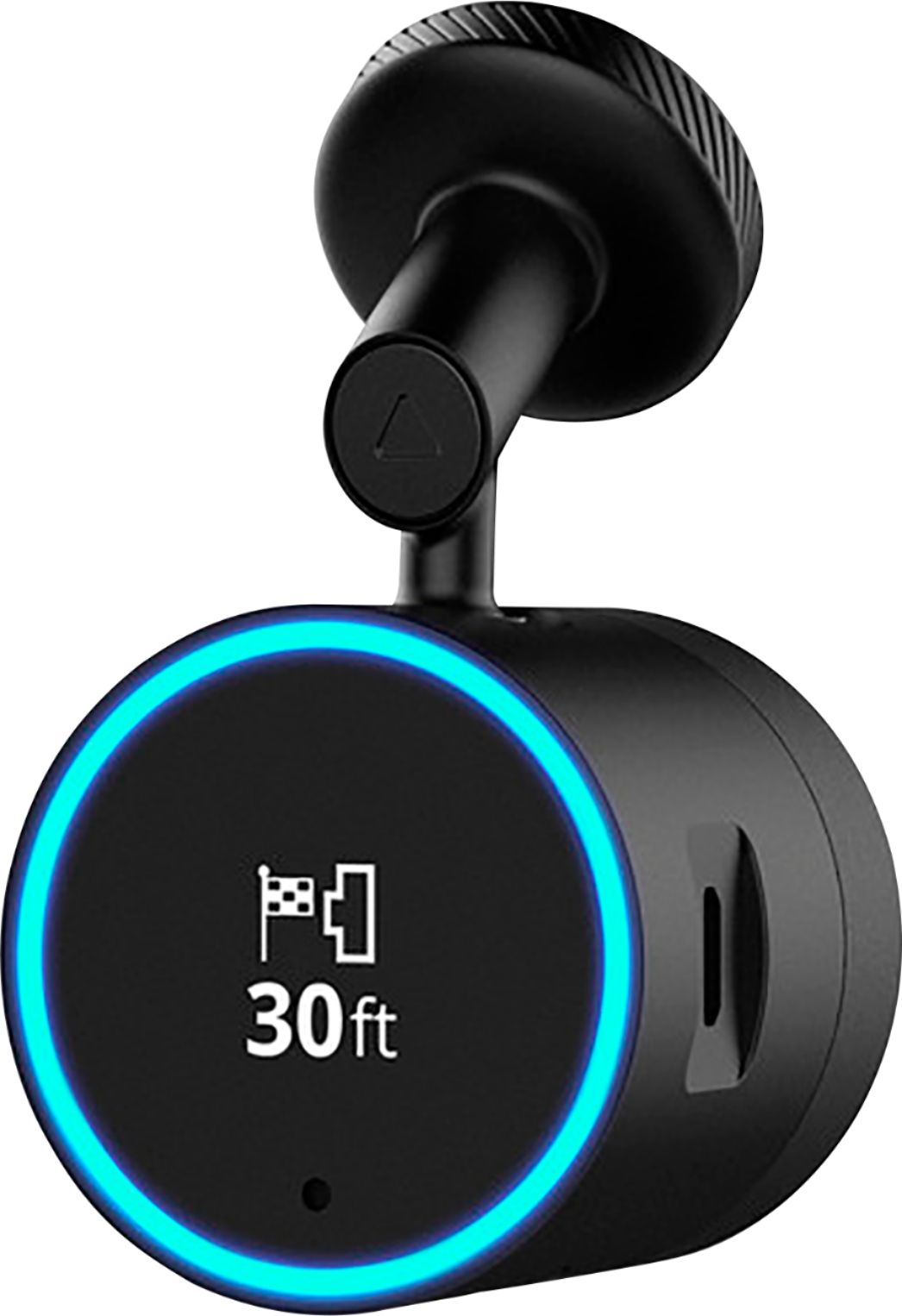
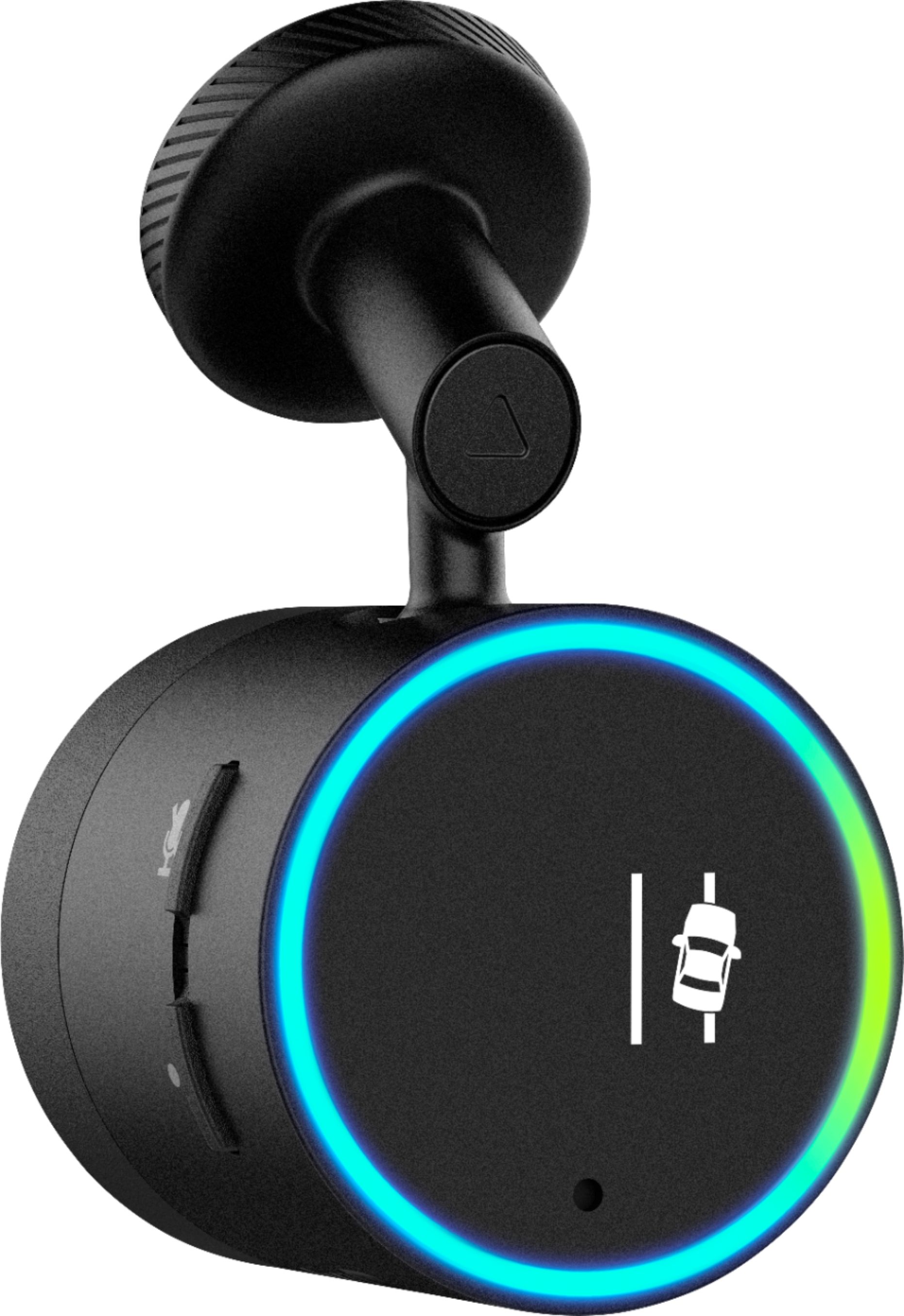
|Posted .This reviewer received promo considerations or sweepstakes entry for writing a review.This is really 3.5 stars. When using the Garmin Speak Plus with Alexa, I kept thinking it has all the right tools to be great, just doesn't quite hit the mark. First, the good: the Alexa integration is great and seamless, although one does need both the Garmin and Alexa apps on their phone for it to work. Directions look crisp on the OLED screen, and are presented well. Accurate maps, and the camera is very small. Using Alexa to control things at home while on the go is pretty neat. The not-so-good: one has to hid the power cord in their trim of their car, and the placement is on the right side, which takes a little more effort. The dash cam itself, the reason to get this over the standard speak, isn't special. It only has 82-degrees of coverage, and the dynamic range really doesn't seem too optimized yet. Voice detection is also a little hit-or-miss. There is only Amazon Music and Pandora music support currently. All controls use your phone's data, which can kill the battery and plan if you don't have a charger or unlimited data. Overall, the product works, just with a few things of note to decided if it's worth it for you or not.
No, I would not recommend this to a friendBrand response from GarminProductExpert
Posted .Thank you for providing your feedback. I’ve passed along your feedback about the vehicle power cable placement as well as the video quality. I wanted to mention that over time, Amazon Alexa will adapt to your speech patterns, vocabulary, and preferences to more accurately interpret your commands through the Garmin Speak device. Amazon Alexa App support page can be used to review previous Dialog History given to your Speak device and rate their accuracy to improve Amazon Alexa’s voice recognition.
If you have questions or any additional feedback we would love to hear from you. Please email [email protected].
- Pros mentioned:Dash camera
Mini Alexa GPS
|Posted .This reviewer received promo considerations or sweepstakes entry for writing a review.Experience the fun and convenience of Amazon’s Alexa-enabled voice control for your music and more ... right in your vehicle. Along with Garmin’s trusted route guidance, all in one! I really like the idea of what this device is. One of the first things I did was just play around with the Alexa part of it, never having had one of these Amazon devices before; and it was fun! To get started, there are a few apps you will need to download and install on your Bluetooth-enabled smartphone to be able to properly use this Garmin Speak Plus with Alexa device, including - the Garmin Speak app, Amazon Alexa app, and the Garmin VIRB app (in order to use the built-in dash cam feature). My advice, take the time to fully get to know your new device and fine tune the customizable settings. From the Amazon Alexa app you can have your Garmin Speak ‘learn’ other “skills” so as to make the device even more useful and fun. Something I found particularly disappointing, however, was the lack of any real instructions included in the box with the device. There basically wasn’t any; just an insert with a short and simple description of how to mount the base in your vehicle, along with a paper mentioning some of the ‘Things to Try’ with your new device. A frustrating issue I continued to keep having, was that the Garmin Speak seems to need to reconnect and re-pair every time I go to use it, as well as, losing connection to my phone via Bluetooth. This is rather annoying, but hopefully there may be some sort of software update to fix this type of problem, in the near future. My overall impression - the Garmin Speak Plus with Amazon Alexa works adequately, but there’s some room for improvement. Still a really fun little device!
I would recommend this to a friendBrand response from GarminProductExpert
Posted .Thank you for your review. We are always working to improve the product based on customer feedback. I’d like to address the points that you mentioned.
Owner’s Manual: To make sure the instructions are the most current and up to date the owner’s manual can be located online at: http://bit.ly/2FpPEDW It can also be accessed in the Speak app, select Settings (Gear icon), Help and Device Manual.
Connectivity: We’ve released several updates for the Speak recently. Please ensure that the Speak app, speak device and your smartphone are all using current software, this will resolve most connectivity issues. This Support article also provides additional details about troubleshooting connection issues: https://support.garmin.com/faqSearch/en-US/faq/content/0cGSil1tgu8TdraSbanPLA
If you have questions, Garmin Speak support is available at https://support.garmin.com/en-US/?productID=591054. We have many online resources available to help with setup along with chat and phone support available here to help. Thank you again for your review.
- Pros mentioned:Dash camera
Nice
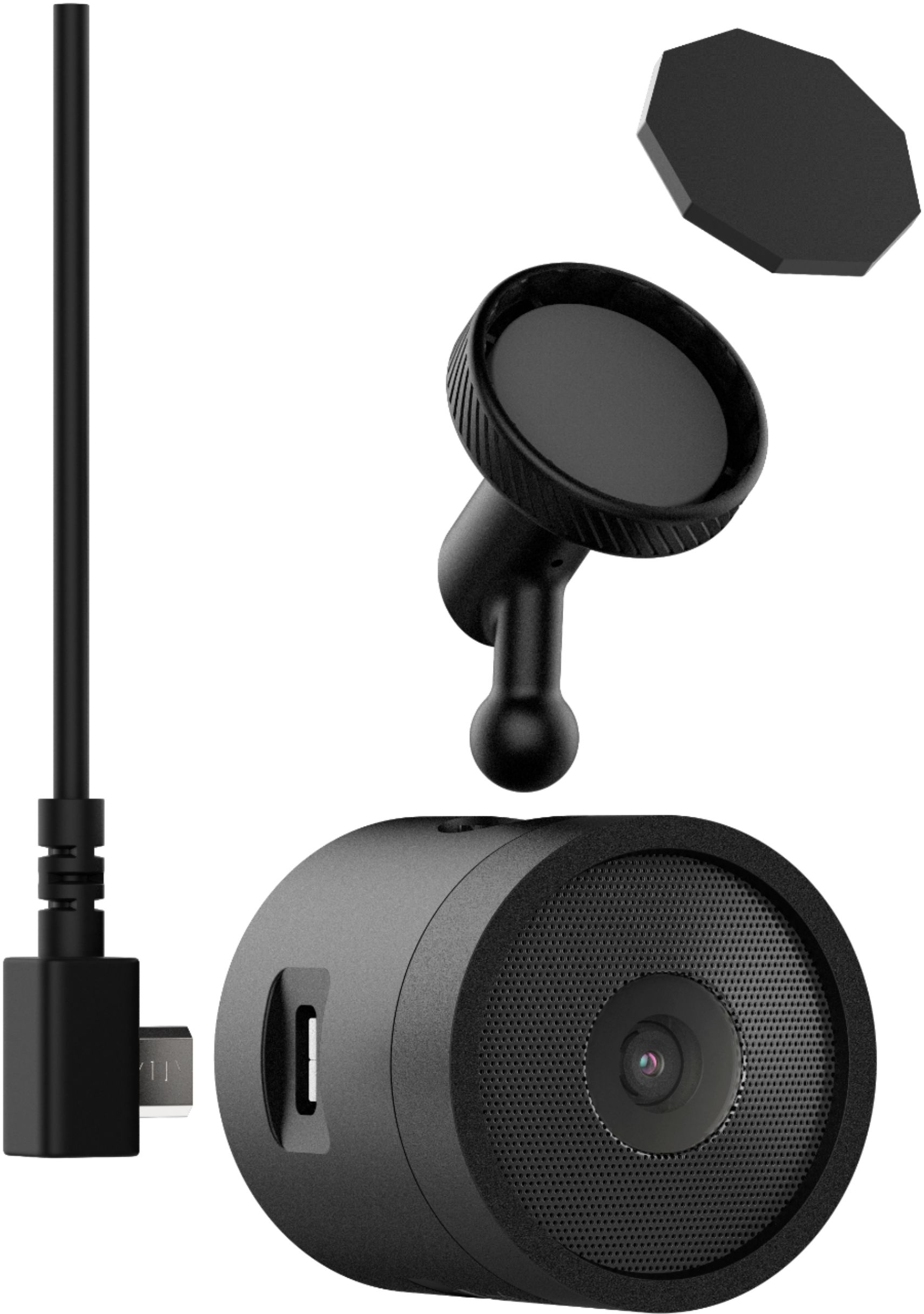
|Posted .This reviewer received promo considerations or sweepstakes entry for writing a review.We have an older truck with none of the bells and whistles that come on most new vehicles now. This Garmin speak plus seemed like a good way to Modernize our older vehicle. First, make sure of your placement because the adhesive really sticks. We had to reposition the camera and it did not want to move. Fortunately, it came with an extra adhesive pad. Check the box carefully, because we accidentally threw out the tiny little pad. Also there is a micro SD card that we didn’t know we had until I downloaded the user guide. There are almost no instructions and this little gadget is packed with features that you might miss without the guide. Our memory card was already installed in the camera. The gps found our home easily. It has Lane warning and the camera seemed to capture everything it needed to. You need the app with an Amazon Alexa account before you can access all the features. You can answer calls but we haven’t tried those features yet. Alexa responded easily to the commands we gave her. The spoken directions were flawless and the display as well as sound worked nicely in our older vehicle without any connected speakers. My main concern is how much of my cell phone data will this use. That remains to be seen. This is a very feature filled tiny techno gadgetry that offers some nice safety features. Try it, I think you will like it.
I would recommend this to a friend - Pros mentioned:Ease of use, Video quality
Garmin Speak Plus - Not Exactly Plug & Play
Posted .This reviewer received promo considerations or sweepstakes entry for writing a review.I drive a '94 Alfa Romeo Spider. Needless to say, my car has no Bluetooth, Nav or, even an on-board computer. It's a total Gear-Head car. So, using a device like the Garmin Speak Plus with a Dash Cam is exactly what I need so I don't have to look down at my iPhone sitting on the passenger seat. This device is very User friendly especially if you are already using an Alexa Dot at home. The graffics are clear, traffic alerts such as lane departure and proximety alerts to vehicles in front of you work well. All commands are spoken into the Garmin Speak through the Bluetooth interface betwen it and the Smart phone. The Garmin Speak Plus will even handle phone calls and send a text all hands free, However, during initial setup, it took almost 30 minutes for the Garmin Speak to install updates via the iPhone. Pairing the devices together is easy, you just have to be aware of the commands on both devices. Accessing the Video from the Dash Cam took a little time also and was not completely intuative. Finally, aside from downloading the Garmin APP to my iPhone I also had to download the Garmin VIRB APP as well. Documentation supprt for the Garmin Speak Plus is more of an overview and doesn't provide much detail. However, you can download a PDF Owner's Manual to your laptop for more detailed information. The good news is this device works really well once you get everything up and running which may take 2-3 hours. The video quality is excellent and more inmprtantly I get to keep my ragtop!!! I reccommend the Garmin Speak Plus. TIP - it is normally $229, it's worth waiting for when they go on sale at Best Buy or, Amazon.
I would recommend this to a friend - Pros mentioned:Dash camera
Good Featrues but Difficult Setup
|Posted .This reviewer received promo considerations or sweepstakes entry for writing a review.The combination of Alexa and a camera is a good idea. The design of this device is good and the camera is good quality. The problem is the setup and use of this device is difficult. First, with iOS, there are two applications to install to use the device and it's not clear how to manage the interacation between them. The documenation that comes with the device is not sufficient and I did look online and it was not much better. For example, I still don't know how/when the device is actually recording video. Also, I havent been able to get the lane assist to work. Im not it doesnt work, but I havent found out how to properly use it. Overall, if you like to have the Alexa / Amazon integration in a device, this is sufficient for that. Garmin could do a better job making the setup and use more streamlined however.
No, I would not recommend this to a friendBrand response from GarminProductExpert
Posted .Hello Bill, thank you for your feedback. We are always working to improve the product based on customer feedback. I’d like to address several of the points that you mentioned.
The owner’s manual can be located at: http://bit.ly/2FpPEDW it’s alsolocated in the Speak app, select Settings (Gear icon), Help and Device Manual.
Dash Cam: By default, the device immediately starts recording video when it turns on. It continues recording, overwriting the oldest, non-saved video until the device is turned off. You can also start or stop recording manually at any time. The camera saves recorded video to the camera memory card. This section of the owner’s manual provides the details: http://bit.ly/2onhz07
Advanced Driver Assistance System: You can enable or disable each of the advanced driver assistance features (forward collision warning, lane departure warming and go alerts) in the Driver Assistance settings: http://bit.ly/2HH5pab
If you have questions, Garmin Speak support is available at https://support.garmin.com/en-US/?productID=591054. We have many online resources available to help with setup along with chat and phone support available here to help. Thank you again for your review.
Nice little Device
|Posted .This reviewer received promo considerations or sweepstakes entry for writing a review.I installed this in my 2008 Jeep that does NOT have Bluetooth by using an AUX cord (not included) so I have a bit more wires than I like but that's ok as I wanted the sound to come through speakers instead of just the Garmin device. Installation was a snap and the unit was up and working in no time. You do need 2 apps running on cell phone.:Garmin Speak and Alexa App. The cord to hook it up is long enough to have it tucked away in trim or however you want to arrange it. The power cable plugs into your cigarette lighter/power plug. I have my music subscriptions (like Pandora) linked and I can just say "Play ****** Station on Pandora" and it will. If the station is not set up on my Pandora account it will add it. It does do turn by turn nav also and also has a "warning sound" when you get too close to the car ahead of you OR get to close to center line or shoulder. I may have to turn that off lol Even with a decent amount of noise the unit had no problems hearing my voice. It will save vid and pics to the internal SD card but you can also view these through the Garmin VIRB app. I've only had 1 issue so far and that is sometimes the Speak APP locks up and I have to force stop it and restart it, then all is fine. I will be moving it to my wife's car that does have Bluetooth to also check that method out. Lastly it really didn't come with a manual other than a quick start guide BUT you can download a nice guide/instruction manual from Garmin site. Bottom line is its a cool little device that does a lot. Certainly worth it for the price.
I would recommend this to a friendBrand response from GarminProductExpert
Posted .Thank you for the feedback. Be on the lookout for updates, we’re always working to add more features and skills to Garmin Speak Plus to improve the product.
GPS, video and alexa work great
|Posted .This reviewer received promo considerations or sweepstakes entry for writing a review.After using this for a few days I'm impressed. Installation and paring with the app was fairly simple.The GPS works great, the video recording works great and being able to tell Alexia to turn on the lights or set the temperature before I made it home were huge bonuses. Justo don't forget to get a micro SD card.
I would recommend this to a friendI wanted to like this...
|Posted .This reviewer received promo considerations or sweepstakes entry for writing a review.To start off let's head to the unboxing experience. It is a lot smaller than you think it's going to be being able to fit in the palm of my hand which was a benefit when it came to installation. You have to use there own micro-usb vehicle charger which is a complete all in one system which I wasn't a fan of because I already have usb ports in my car and other car chargers. Installation is where most people will be annoyed. I tried to hide mine by making little holes to funnel the cable under my dash but I didn't like the fact that it used micro-usb because when i found the perfect spot i wanted it looked funny because the cable only goes one way. This means I have a bit of a loop going in the opposite direction which is a minor problem but I expect more for something at this price level. When you jump into the app this is where I disliked the most. First, you can't just view live feed the camera has to change what time of connection mode it is EVERY TIME when you go in and out of gallery to get to live mode. Second, you got a voice activated Garmin so you can ask it to take you places right....WRONG it will inform you that you must use the app to input your searches. To answer your question yes I went to Alexa's skills to see exactly how you need to say it to Alexa and still nothing. Last thing I want to say and the reason why I do not recommend this product is the BEEPS. You need to find Garmin's perfect spot in your car because if you are even slightly off it will beep at EVERYTHING. When it thinks there is a car in front of you but there isn't BEEP. When it thinks your switching lanes when your not BEEP. I wanted to like this to prove that point I have holes now around my car for something that I am uninstalling today. I'm annoyed and my recommendation is to simply wait for the next one. Alexa, ask Garmin to take me to "ADDRESS". Alexa responds: I'm sorry but you must use the Alexa app to input the address.
No, I would not recommend this to a friendBrand response from GarminProductExpert
Posted .Thank you for your feedback. I wanted to address a couple of the items you mentioned. The only requirements to use the Speak plus is to have an Amazon account and a Bluetooth-enabled iOS or Android smartphone with Internet access. The device must also have the Garmin Speak App installed. The Amazon Alexa mobile app is not required to set up the Garmin Speak Plus device, or to receive directions and traffic information. However, it is recommended to download the Amazon Alexa app to make use of other functionalities with the device, including music, audio book or news playback. Visit Amazon Alexa for more information about the Amazon Alexa app and available skills.
This link offers helpful tips on using the forward collision warning and the lane departure warnings. Detailed instructions for aligning the camera are also included: http://bit.ly/2HH5pab
Garmin Speak support is available at https://support.garmin.com/en-US/?productID=591054. We have many online resources available to help with setup along with chat and phone support available here to help. Thank you again for your review.
- Cons mentioned:Volume
Garmin Speak isn't quite ready
|Posted .This reviewer received promo considerations or sweepstakes entry for writing a review.I really wanted to like this new Garmin Speak. I like the idea, but the software is still not ready. When asking Alexa to find a route, the first obstacle is getting her to understand where you want to go. I even have trouble getting her to take me home. Alexa is supposed to be able to understand spoken words, but using the phrase "alexa, ask Garmin to take me home" doesn't always get me the correct home. The turn by turn directions sometimes gets me spoken words, sometimes doesn't. I do like the distance to turn, the arrows and even the circle that fills the outside ring that will complete the circle as you get close to your turn. I am using the speaker and microphone from Garmin Speak since I don't have a Bluetooth radio in my vehicle. I have to have the volume all the way up to hear it very well. Garmin Speak is very small. The screen is about the size of a half dollar coin. But the words on the screen are not too small. You can answer calls and use it hands free, but it would really be nice if you could make calls with it. For some reason you can't initiate a call from Garmin Speak, but you can answer a call. Also keep in mind that you will need to route the power cable to your 12V power supply. I know it is brand new and the software should get better. I've already received two updates, but have not noticed any differences yet.
No, I would not recommend this to a friendBrand response from GarminProductExpert
Posted .Hello Tom, thank you for your product review. I’m sorry to hear about your frustration with the device. We are always working to improve the product based on customer feedback. I’ve passed along your suggestion about using your voice to make phone calls. I’d like to address a couple of points that you mentioned.
Voice address search: The Garmin Speak Plus does not support address searches via voice. As you mentioned, to get directions to a specific address through the Garmin Speak device, the Garmin Speak app is needed to search an address. The device will allow for Points of Interest searches via voice. For example, you can say, "Alexa, ask Garmin to take me to Starbucks".
Voice Recognition: Over time, Amazon Alexa will adapt to your speech patterns, vocabulary, and preferences to more accurately interpret your commands through the Garmin Speak device. Amazon Alexa App support page can be used to review previous Dialog History given to your Speak device and rate their accuracy to improve Amazon Alexa’s voice recognition.
If you have questions, Garmin Speak support is available at https://support.garmin.com/en-US/?productID=591054. We have many online resources available to help with setup along with chat and phone support available here to help. Thank you again for your review.
- Pros mentioned:Dash camera
Turn Any Car Into A Smart Car
|Posted .This reviewer received promo considerations or sweepstakes entry for writing a review.This is a great little gadget for almost any car. I love its sleek low profile design and built in dash cam. Having Alexa built in is nice and allows for some customized features such as voice commands and personalized locations. The two biggest downsides are that it uses an adhesive sticker to mount to the windshield. I wish it had a more traditional GPS style mount so it can be moved or repositioned. The other is the fact that the power cable can be somewhat of an eye sore. I would prefer if it had a rechargeable battery so that there wasn't a cord constantly hanging from it.
I would recommend this to a friend OK but not good enough
Posted .This reviewer received promo considerations or sweepstakes entry for writing a review.I was pretty excited for the Speak plus as I have a home with Alexa controlled devices and thought it would be nice to recall scenes as I approach home. The Alexa portion works great, the navigation is OK and by that I mean that the OLED screen is easy to see and really convenient but using my voice has been pretty hit and miss for street names where it tells me it cant find them so I have to use the Speak app to manually enter anyways. The real deal breaker is the camera, which is the real reason to buy this, as the view angle is very narrow, at 82 degrees, compared to most other cameras and even worse is that in my recordings thus far at night the dynamic range is so bad. I cannot read a single license plate when I download a file rendering the recordings basically useless. As the main reason for this version of the Speak over the standard Speak is the camera I have to say I cannot recommend this. I hope the dynamic range is something they can fix with software but I fear it is simply hardware related and this is a situation where form factor was more important than performance. For me the compromises are too great...
No, I would not recommend this to a friendBrand response from GarminProductExpert
Posted .Thank you for your feedback about the image quality of the dash cam. I’ve passed along your comments for review. We are always releasing software updates to improve the device. The Garmin Speak Plus does not support address searches via voice. As you mentioned, to get directions to a specific address through the Garmin Speak device, the Garmin Speak app is needed to search an address. The device will allow for Points of Interest searches via voice. For example, you can say, "Alexa, ask Garmin to take me to Starbucks".
Thank you again for your review. If you have any further questions or suggestions, please reach out to us at [email protected].
Nice, but needs work
Posted .This reviewer received promo considerations or sweepstakes entry for writing a review.I'm a huge Garmin GPS fan and had been considering the Garmin dash cams, but when they combined the dash cam with Alexa, I jumped at the chance to buy it. After using it for a week or so, I'm a bit disappointed. It's not a great dash cam (it's only 82 degrees wide), but my biggest complaint is about how clunky the camera is to set up. You are asked to use not ONE, but TWO separate Garmin apps, Speak and VIRB. Without them, it's impossible to see or aim the camera image. It really feels like this product was rushed to market before just one, robust app was developed. Maybe it's coming soon. I hope so. When driving, the Speak Plus will (optionally) alert with a tone you when your vehicle drifts out of its lane or if you're about to collide with something. It will also alert you if the stopped cars ahead of you have moved on and you're still stationary. But it's the SAME tone for any alert. A little variety would help. The Alexa service works as promised. I like listening to Internet radio stations and podcasts, and this device, when paired to your car's stereo, makes that very easy. The GPS feature is another area that needs work. You cannot ask Alexa to ask Garmin to "Direct me to 123 Main Street." You have to type the address in the Speak app. Again, an update could possibly fix this. I considered returning the Garmin Speak Plus, but I'm going to keep it just to see how they improve upon it. At the very least, I'd love to see Alexa incorporated into the Garmin DriveLuxe GPS series. THAT would be cool.
No, I would not recommend this to a friendBrand response from GarminProductExpert
Posted .Thank you for your review. I’ve passed along your comments about the alert tones and voice address search for review. We’re always releasing updates to improve the product based on customer feedback. After the initial install and pairing of the VIRB app, viewing live dash cam and saved clips should be seamless through the Garmin Speak app. If it’s not please reach out to us with the details at [email protected].
Not perfect but still works great
Posted .This reviewer received promo considerations or sweepstakes entry for writing a review.The main thing with this dash cam is making sure it's up to date. I rarely have connection issues. When my phone connects to my car stereo, it triggers Android Auto which triggers the dash cam and Garmin. On the rare occasion it doesn't connect, I just unplug it and plug it back in. Sound quality is great. If the radio is too loud, Alexa may have problems hearing so you might have to lower the volume. The Garmin works good as well.
I would recommend this to a friend- Pros mentioned:Alexa
Great addition but missing feaures
Posted .This reviewer received promo considerations or sweepstakes entry for writing a review.Love this camera and having the added benefit of alexa. One major downside is not having the drop in function.
I would recommend this to a friend - Pros mentioned:Dash camera
Doesn't work well
Posted .This reviewer received promo considerations or sweepstakes entry for writing a review.As a drive camera I give it a 0.5. It records great video, but the app to get it off has lots of bugs. The only reliable way to get the video is from the memory card and that is in 1 minute files. The Alexa works ok, you can't do texting and controlling the camera with Alexa is clumsy, especially when you want to save a video in a hurry. I have already told friends not to buy it, I wish I hadn't.
No, I would not recommend this to a friendBrand response from GarminProductExpert
Posted .Garmin Product Support would be happy to help. Our contact information, including telephone number and hours of operation, can be found at: https://support.garmin.com/en-US/
Arguing with inanimate objects
Posted .This reviewer received promo considerations or sweepstakes entry for writing a review.Asking Alexa to talk to Garmin for directions reminds me of when I was young, and my sisters were not speaking to each other, so I had to be the go between for all these passive aggressive messages, only this time I am the one not speaking to Garmin. Not really the way you want to start a trip. And trying to stop a search because Alexa could not understand what you asked for, or Alexa just does not know where the mall is, or because Alexa will not accept addresses via voice... etc. Etc. Etc.. can become very frustrating, very quickly. Otherwise, the camera works, you just have no idea when it will decide something is important enough to record. And it does give you directions, you just have to open the app on your phone, which already has a map app, and type in the address you want, and start all over again if you stop for gas. Which brings back the first point. "Alexa, ask Garmin to pass the snacks, because we are not speaking to each other this entire car ride." " Alexa, ask Garmin to take a picture of that thing we passed five seconds ago while Garmin was ignoring me, and you do not have control of the camera you are built into..."
No, I would not recommend this to a friendBrand response from GarminProductExpert
Posted .Thank you, we appreciate your review. By default, the dash cam immediately starts recording video when the Speak turns on. It continues recording, overwriting the oldest, non-saved video until the device is turned off. You can also start or stop recording manually at any time. The camera saves recorded video to the camera memory card. To take a photo using a voice command, say Alexa, ask Garmin to take a picture.
Garmin Product Support would be happy to answer any questions you may have and/or help resolve the any issues with the device. Our contact information, including telephone number and hours of operation, can be found at: https://support.garmin.com/en-US/
Also, Garmin Speak support is available at https://support.garmin.com/en-US/?productID=591054. We have many online resources available to help with setup along with chat and phone support available here to help. Thank you again for your review.
Looks Like a Great Product, But One Problem
Posted .This reviewer received promo considerations or sweepstakes entry for writing a review.From what I can tell (I have not purchased this item) the main problem I see is that it should operate off of bluetooth on your car radio. However, if I have the bluetooth channel on, then I can not play my regular sirius radio. Otherwise, I would purchase this to complete my Alexa collection.
No, I would not recommend this to a friendGreat concept poor system
Posted .This reviewer received promo considerations or sweepstakes entry for writing a review.I love the concept Alexa in my car I love the lane assist and car to close alerts I love the size if device. So it sounds perfect right? Well it is when it connects and wants to work. Sadly that's like 10percent of time only. I expected a better operating system for a great product. Sadly charmin drive app never ready and connects to device causing it to be useless prety much. I'm very tech savvy working in electronic world. So I know when a product is worth keeping or returning this one is being returned asap. They have potential with product just not at moment.
No, I would not recommend this to a friendBrand response from GarminProductExpert
Posted .We have released several updates for the Garmin Speak recently. Please ensure that the Speak app, speak device and your smartphone are all using current software, this will resolve the issues that you’ve experienced.