Customer Ratings & Reviews


- Model:
- 010-01862-00
- SKU:
- 6145004
Rating by feature
- Value
Rating 3.4 out of 5 stars
- Quality
Rating 3.9 out of 5 stars
- Ease of Use
Rating 3.2 out of 5 stars
Customers are saying
Customers enjoy the built-in dash camera, Alexa integration, and GPS navigation features of the Speak Plus. Many appreciate the ease of use and compact size, along with the good video quality and lane departure warnings. However, some users experienced connectivity issues and concerns about battery life and compatibility with certain devices. The navigation directions and overall functionality were generally well-received.
This summary was generated by AI based on customer reviews.
Just what I wanted
||Posted .This reviewer received promo considerations or sweepstakes entry for writing a review.GARMIN SPEAK FREE WITH ALEXA IS PERFECT. PLAYS THE MUSIC I LOVE PLUS EXCELLENT DIRECTIOS
I would recommend this to a friend- Cons mentioned:Connectivity
Its a connection mightmare
||Posted .This reviewer received promo considerations or sweepstakes entry for writing a review.Bluetooth bug, stylo v2, and xperia ax2 connecting problems. Sound choppy over the car stereo. Sometimes no sound at all. No spotify support either.
No, I would not recommend this to a friendBrand response from GarminProductExpert
Posted .Thanks for the feedback. We have released several updates for the Speak recently. Please ensure that the Speak app, speak device and your smartphone are all using current software, this will resolve most connectivity issues. This Support article also provides additional details about troubleshooting connection issues: https://support.garmin.com/faqSearch/en-US/faq/content/0cGSil1tgu8TdraSbanPLA

- Cons mentioned:Compatibility
Didn't work with my Samsung S4.
||Posted .This reviewer received promo considerations or sweepstakes entry for writing a review.Seems like a great product but although the specs say it should have worked with my phone, it didn't.
No, I would not recommend this to a friendBrand response from GarminProductExpert
Posted .Thank you for your review. The Garmin Speak app requires Android v5.0 (Lollipop) and higher on Android devices. Depending on your cellular carrier, the Samsung Galaxy S4 may not meet these requirements. If we can help in any way, please reach out to us at [email protected]. Thank you again for your feedback.
Great
||Posted . Owned for more than 2 years when reviewed.This reviewer received promo considerations or sweepstakes entry for writing a review.Works great for traveling across country or even on short trips
I would recommend this to a friendGreat gadget 5 stars
||Posted .This reviewer received promo considerations or sweepstakes entry for writing a review.Take Alexia with you where ever you go! Turn by turn directions are spot on.
I would recommend this to a friendBest Garmin
||Posted .This reviewer received promo considerations or sweepstakes entry for writing a review.Use it in multiple vehicles. Great resolution, many functions.
I would recommend this to a frienddidnt like it
||Posted .This reviewer received promo considerations or sweepstakes entry for writing a review.didnt like it, and heard negative news about alexa. returned
No, I would not recommend this to a friend- Pros mentioned:Dash camera, Ease of use, Video quality

More Than Just a Dash Cam
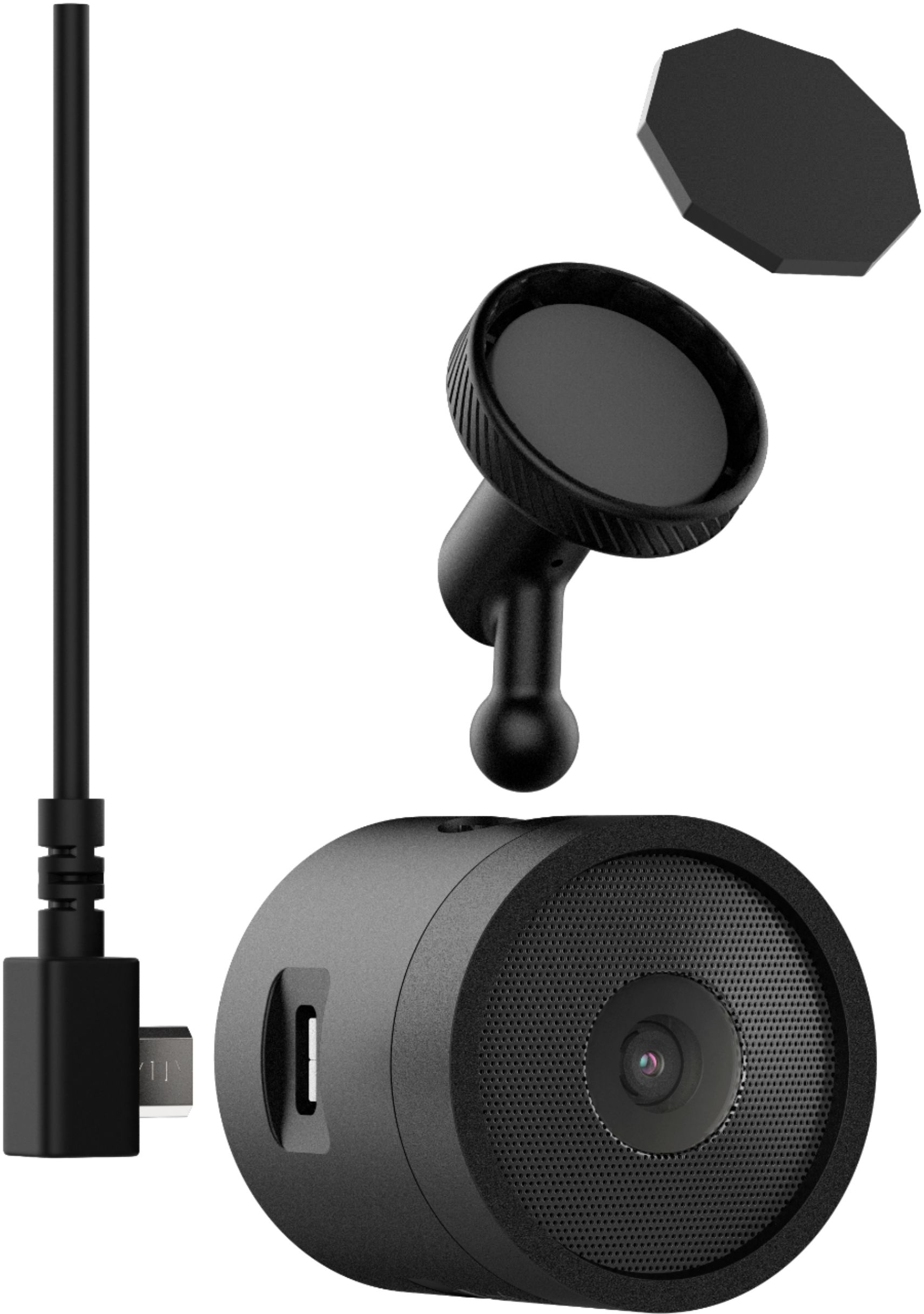
|Posted .This reviewer received promo considerations or sweepstakes entry for writing a review.Everyone should have a dash cam. They are great for proving liability in traffic accidents, catching interesting events on camera, and ensuring you protect your rights. For most dash cams, the benefits stop there. Enter the Garmin Speak Plus: an Alexa-powered smart assistant that includes a simple navigation display, Alexa functionality, AND a dash cam. The installation is quick and easy, as the Garmin Speak Plus comes with a 12 foot micro USB cable, giving you plenty of length for a clean installation. The camera itself mounts to your windshield, typically placed slightly under the rear-view mirror or in the upper corner of the driver's side of the windshield. Once installed, the device needs to connect to your smart phone to utilize the Alexa features, including controlling music play-back, etc. Once setup, the Garmin Speak Plus can be controlled with your voice just like any other Alexa device. Overall, the voice recognition, music playback utilizing my car's Bluetooth system, and the video quality are great. This is a simple solution to many driving needs, with an easy to learn, hands-free interface. I'd recommend it for even the most novice of user.
I would recommend this to a friend Didn’t like
||Posted .This reviewer received promo considerations or sweepstakes entry for writing a review.Didn’t work well for us we returned it might work well for someone else
No, I would not recommend this to a friendBrand response from GarminProductExpert
Posted .We're sorry to hear about your experience and understand that you've returned the Speak Plus. I apologize that things didn't work out, but hope we hear from you again in the future.
- Pros mentioned:Alexa
pretty good alexa device in your car!
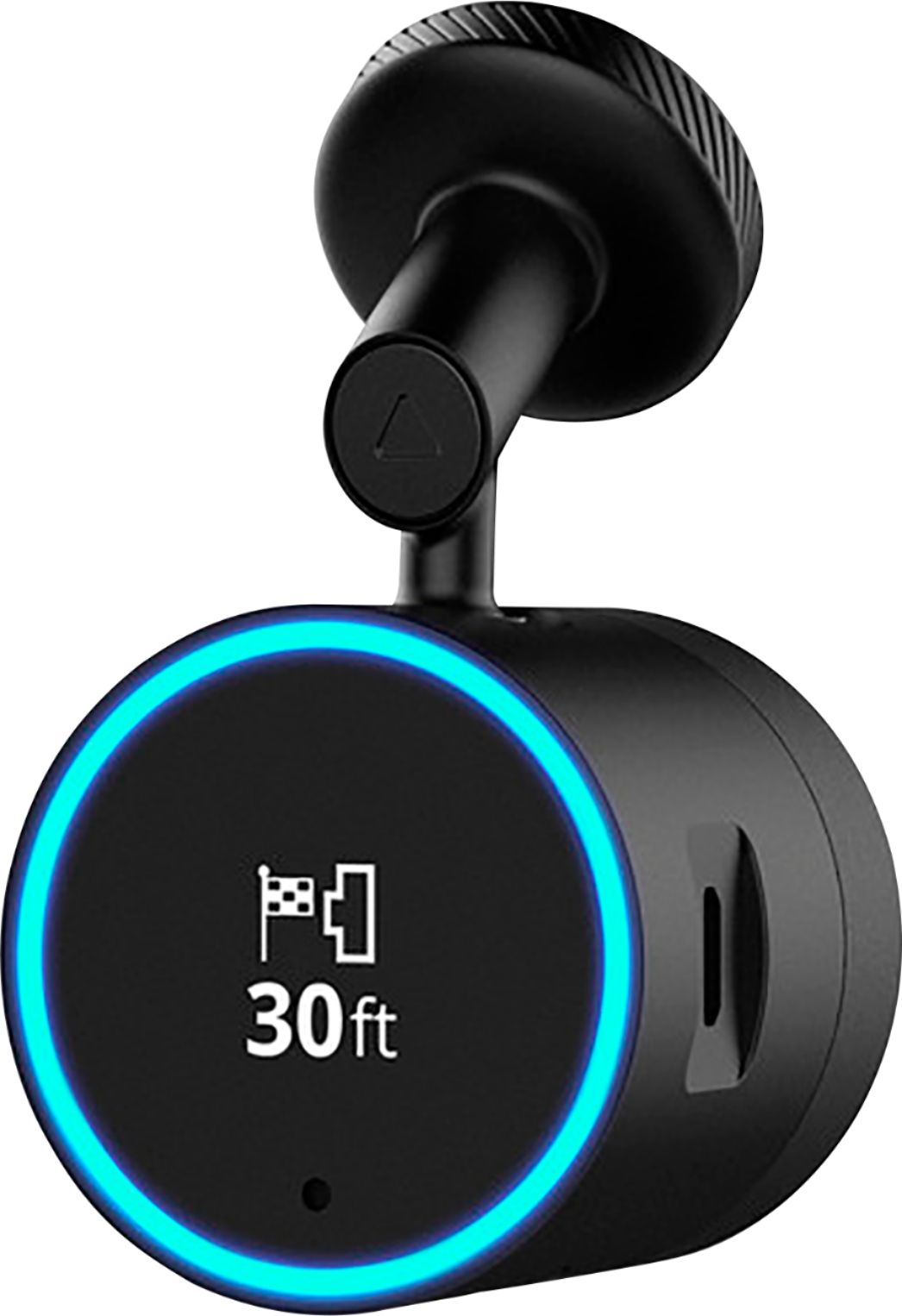
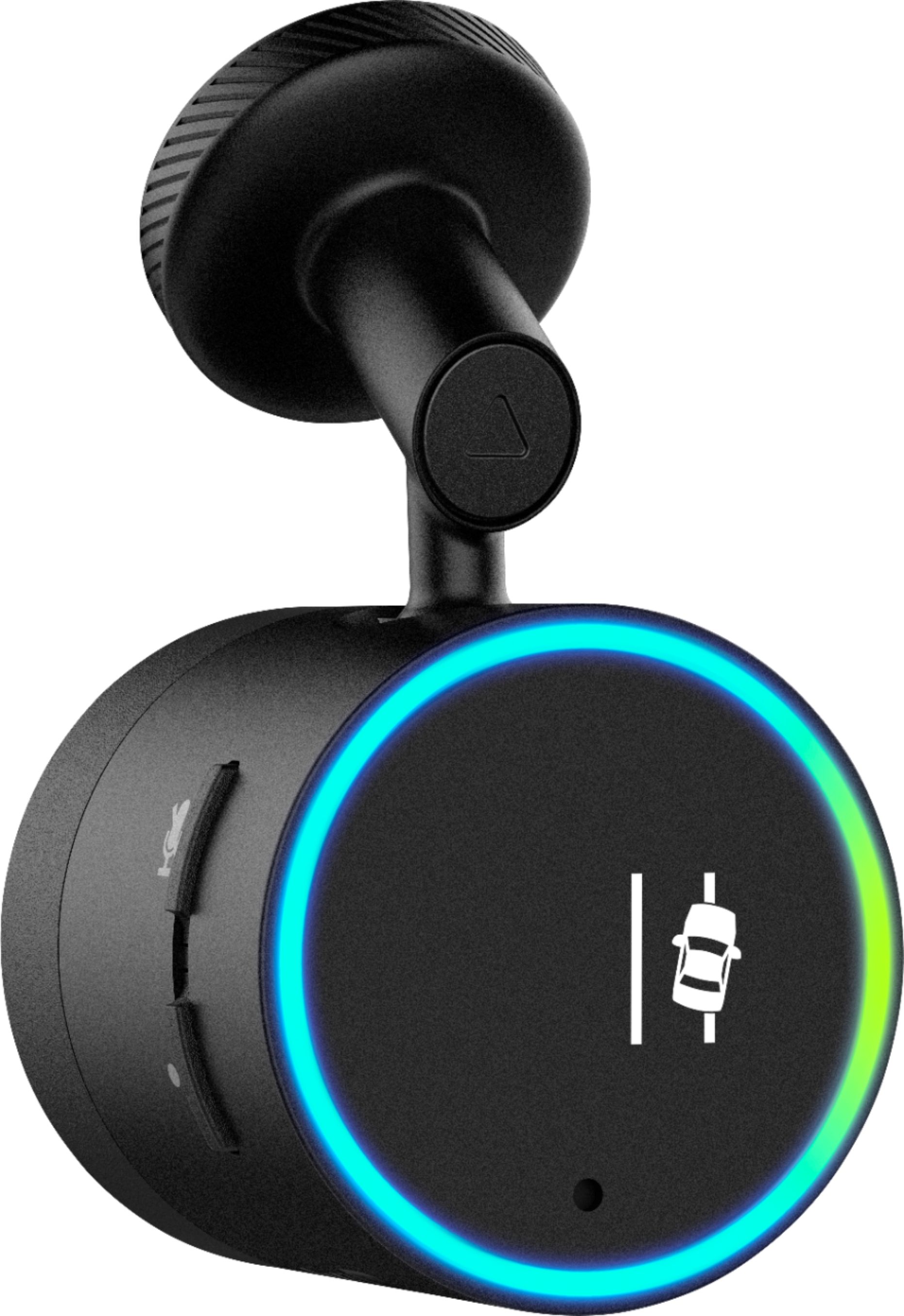
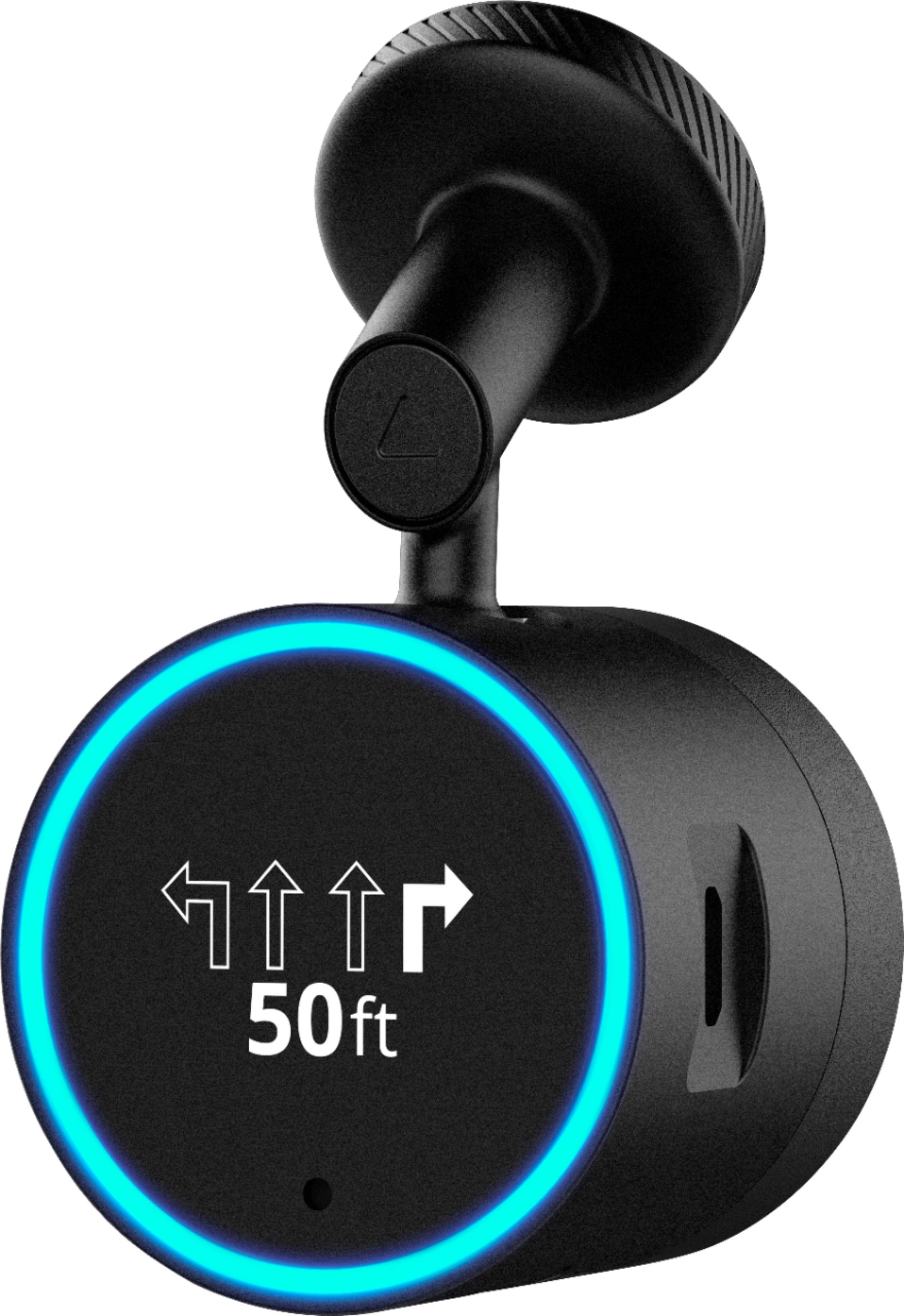
|Posted .This reviewer received promo considerations or sweepstakes entry for writing a review.Member ID: 2960219775 Setup is pretty easy, just stick to your rear view mirror back. It has a sticky thing with a magnetic charge. I like that you don’t have to put it on your windshield, and can have it hang off your rear view mirror. It doesn’t look like it, but it will actually not fall. I was really surprised that it did not fall off. This thing is really tiny, just a cylinder with a screen on it telling your next driving direction turns, etc, basically a HUD (heads up display). Have a few amazon alexa devices at home, and this is the first device in car that I have tried. The Alexa commands and functionality work very well. Controls everything they way my other Alexa devices to in my home. Want to know what is nearby by? Ask Alexa, it will speak right out to you. Want to turn your Alexa controlled lights back home on or off? Just ask Alexa to do it for you, hands free, in your car. Basically anything that you can ask Alexa at home, it will tell you. Weather, stocks, news, etc. Want to play music by a certain artist? “Alexa, play music by Justin Timberlake” and it will shuffle the music by the artist. Using the GPS on this thing via voice works pretty well, unless I have to speak really obscure names, it seems to be a bit hit or miss on finding them. I can always go into the actual app to enter them in by hand. It uses it’s own Garmin GPS app on your phone, and passes it thru to the Garmin Speak. Want to get directions, say “Alexa navigate me to the nearest Best Buy”, and it will launch the directions on Garmin directions to your location. You can also ask Alexa about traffic conditions and it will offer up fastest routes. Via Garmin Speak app, you can set your home location, work location, school, setup avoidance of toll roads, very much like the Waze app works, only this one can be controlled by Alexa the Garmin Speak. The camera was one of the biggest reasons to get this. Daylight recordings are fine, but if it is dark out, it is difficult to make out fine details in the recordings. The recordings have date and time stamps,your speed, and even GPS location on the bottom on a small bar. The camera will also warn you of lane departure, and I find this to be the best feature of having the camera . It even tells you if you are too close to the car in front of you. I don’t have any of those features in my car, so it was great to have them on-board now. Overall, the Garmin Speak Plus with Amazon Alex and Dash Camera, is worth getting if you would like Alexa voice control in your car, and the camera features are most worth it for lane departure warnings. I think some of the small bugs will be fixed via app updates. Recommended.
I would recommend this to a friend Not great
||Posted .This reviewer received promo considerations or sweepstakes entry for writing a review.Didn't work very well, wish they had a Google one instead
No, I would not recommend this to a friendBrand response from GarminProductExpert
Posted .Thank you for your review. If you have any questions or specific feedback, Garmin Product Support would be happy to help. Our contact information, including telephone number and hours of operation, can be found at: https://support.garmin.com/en-US/
Product NOT satisfying for me
||Posted .This reviewer received promo considerations or sweepstakes entry for writing a review.Expected the product to be more intuitive very DUMB
No, I would not recommend this to a friendBrand response from GarminProductExpert
Posted .Thank you for your feedback. I’m sorry to hear that the device is not working out for you. Garmin Product Support is happy to work with you resolve any issues you're experiencing with the device. Our contact information, including telephone number and hours of operation, can be found at: https://support.garmin.com/en-US/
Alexa enabled car!
|Posted .This reviewer received promo considerations or sweepstakes entry for writing a review.I wrote this review after testing the device for a full two days and after comparing it to other alternative, which I will explain in details below: The things I LOVE: - this thing is GREAT if you have kids and have long trips, it can keep them busy with riddles and stories - all the power Alexa has to offer in your car. - it doesn't suck a lot of internet bandwidth. I used it for about 4 hours of navigation and music and news and it used about 40MB. very good for people on limited internet plans. - this thing is small! - the dash cam is accurate, nimble, with HD resolution. you can say: Alexa, save this video, and it starts saving your trip, then you have the option to download on your phone or share across social media. - Garmin navigation is responsive, good, and has the same accuracy and smartness like waze or google maps. - the Speak app which you need to connect to the device auto detects when you are in the car and connects to it in no time. - the connection is amazing, Bluetooth was connecting to my car, my smart watch, and to Garmin speak at the same time (this depends also on how good your smart phone is). Things I DONT like: - this thing has to be wired at all times, it is Ugly, can be hidden well with some work, but still, I don't understand how when they designed it to be fixed on the left side of the windshield they ended up pacing the charging slot on the right side, and the 2 buttons on the left side. - Alexa on the Garmin speak plus does NOT support Spotify, or making phone calls through your phone. these are 2 very important features. - front and side colission assistance is more of a cosmetic featue as it doesn't always work, and sometimes it works when its not supposed to. - one very huge issue is that I was driving and using Navigation when all of a sudden the device started an update and STOPPED giving directions for a whole 10 minutes. there should be a notification asking if you want to update now or postpone it to a later time when you are not in need of the device. final words: while I do not really need it in my car for navigation, or music since I have a bluetooth enabled car equipped with navigation, I will be keeping it because of Alexa, and the dash cam.
I would recommend this to a friendBrand response from GarminProductExpert
Posted .Thank you for your feedback, I’ve passed along your comment about Spotify as well as the timing of the device updates. Several factors affect the performance of the lane departure warning system (LDWS). The feature provides alerts only when your vehicle speed exceeds 40 mph. Incorrect placement and alignment of the camera will also affect functionality. Here are additional tips to help with this feature: https://www8.garmin.com/manuals/webhelp/speakplus/EN-US/GUID-05B83C05-D9E9-4AAF-A0C1-ABA55EE1212C.html
Thank you again for your review. If you have any further questions or suggestions, please reach out to us at [email protected].
No Good
||Posted .This reviewer received promo considerations or sweepstakes entry for writing a review.Could not get it to work. Spent over 3 hours on the phone with tech support and still could not get it working. So they expected me to just keep a product they could not fix. Wait until they got a fix.
No, I would not recommend this to a friendBrand response from GarminProductExpert
Posted .Hi Bill, I’m sorry to hear that we couldn’t get the issue resolved for you. We want to make sure you love the Speak Plus, please contact us directly at [email protected] so that we can get the device up and running for you.
no good
||Posted .This reviewer received promo considerations or sweepstakes entry for writing a review.get a roav.it works.this i had a week never worked.i tried.roav works as i turn key in a few seconds.no touch phone.talk alexa.
No, I would not recommend this to a friendBrand response from GarminProductExpert
Posted .We appreciate your product review. I’m sorry to hear that the device didn’t work out for you. If there are specific issues or feedback that you can provide, we’d love to hear from you. Our contact information, including telephone numbers and hours of operation, can be found on our Support page: https://support.garmin.com/en-US/
- Pros mentioned:Video quality
Great Travel Partner
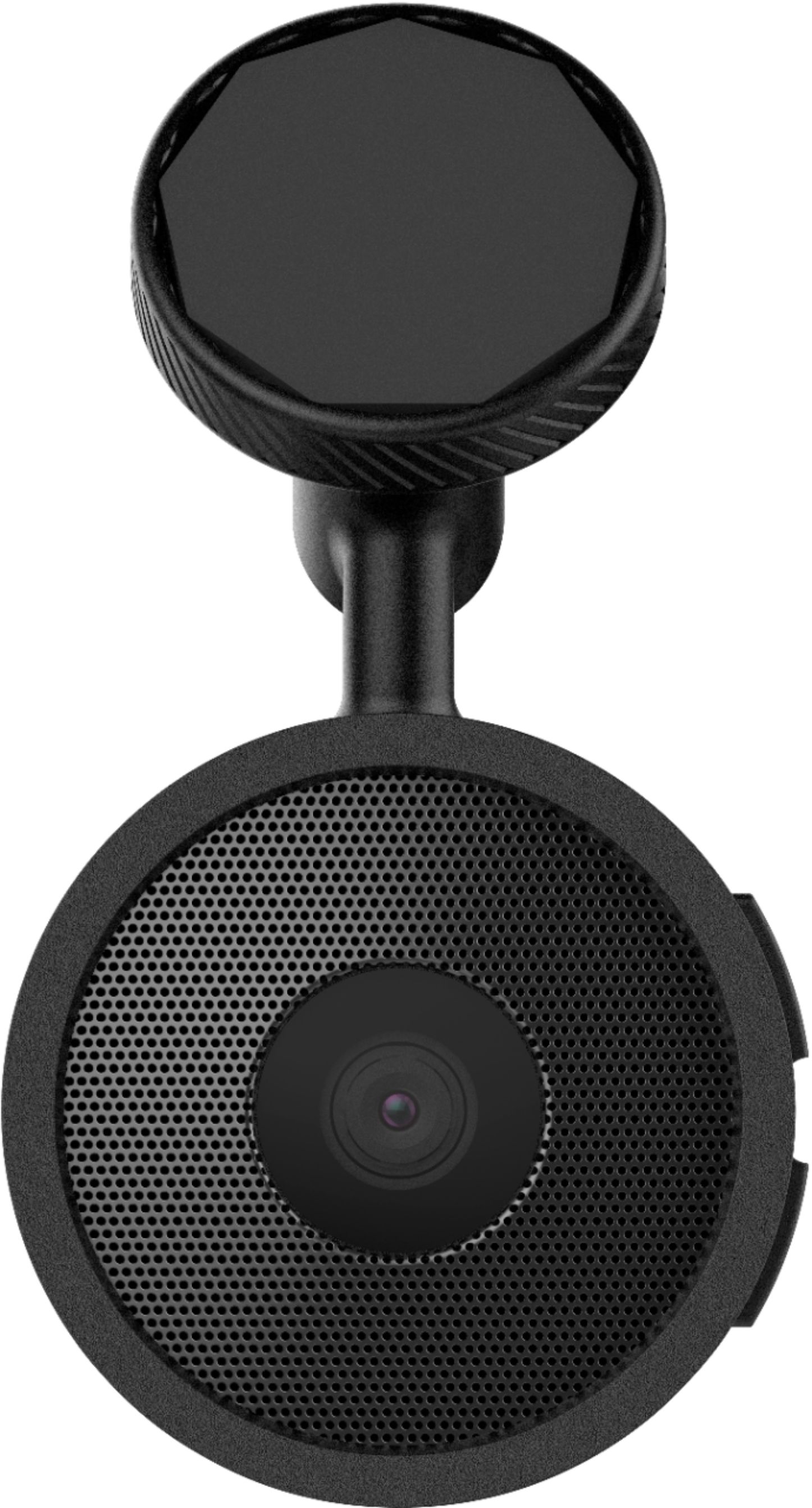
|Posted .This reviewer received promo considerations or sweepstakes entry for writing a review.The Garmin – Speak Plus with Amazon Alexa and Built-In Camera is a great concept for a travel partner. My reason for saying this is due to its ability to interact with you. The Garmin will give you clear driving instructions, it likes have a personal driving assistant. With Alexa integrated into this device you can actually ask specific questions such as what’s the weather like, play games and ask trivia questions. The device is small and doesn’t create any blind spots. The mounts using magnetic attachment so removing it from your windshield is easy. It interacts well with a cellphone via downloaded apps and is linked to your Amazon account. The dashcam is excellent, I enjoy the added features. The dashcam has great video quality and it continually records while you are driving so you will not miss anything going on in front of you. I thoroughly enjoy the driver alerts feature. This includes forward collision detection, lane departure warning and the go feature that lets you know when traffic in front of you start moving. All in all I really like this Garmin. I would definitely recommend this device to anyone looking for a new safe way to travel. You can’t go wrong with this little assistant.
I would recommend this to a friend - Cons mentioned:Connectivity
Works great - when it connects.
|Posted .This reviewer received promo considerations or sweepstakes entry for writing a review.I have had the Garmin Speak Plus for several days now. The original installation was fairly easy to maneuver, but since then has been a series of issues. Documentation is minimal, as it tends to be these days. The first issue I had was that the second time I used it, I had a hard time getting the Garmin to connect again to my iPhone. You must have the app open on your phone at all times, although the display can be off, and the app running in the background. I had to force close and reopen the app on my phone, and manually connect in the Bluetooth settings. Then I asked it for directions to Walmart. It said the closest location was near my home, although I was 100 miles away and another Wal-Mart was only a few miles away. It apparently didn’t know where we were. Reset everything, and now it properly knows where we are at. So far. The inability to consistently connect has been the biggest issue. It might be my setup, hard to tell where the connectivity issue blame is. In order to view a video later, it appears you have to save it first. Then you open another app on your phone, and it connects to the WiFi from the Garmin Speak Plus. You can then view the video. Not the most streamlined process. The video was adequate, nothing to get too excited about. The other features that the Garmin provides are Forward Collision Warning and Lane Departure Warning. These seemed to work intermittently, but since it is a single unit with sensors instead of a whole cars worth of sensors, I think it did ok. I am hoping that with continued upgrades from Garmin and as my familiarity with it continues, that the experience will improve. When it works, it is great.
I would recommend this to a friend Good hardware, but software needs serious work.
|Posted .This reviewer received promo considerations or sweepstakes entry for writing a review.This is a great device in concept, but the Alexa integration is buggy to say the least. Alexa ignores what i say a lot of times, and oftentimes the interactions are . . . bizarre. I’ve typed out some of my conversations with Alexa on this device to help demonstrate this point: Me: Alexa, set a calendar event. Alexa: What is the event? Me: Testing Alexa Alexa: When is the event? Me: Today at 3 PM. Alexa: What is the event? Me: . . . Testing Alexa. Alexa: When is the event? Me: Today at 3 o’clock. Alexa: What is the event? Me: . . . Nevermind. Me: Alexa, set a reminder. Alexa: What is the reminder? Me: Return Redbox rental. Alexa: When would you like to be reminded? Me: Tomorrow at 8 AM. Alexa: I’m sorry, reminders are not currently supported on this device. Alexa: When would you like to be reminded? Me: Tomorrow at 8 AM. Alexa: I’m sorry, reminders are not currently supported on this device. Alexa: Your reminder has been set. (Note: it wasn’t) Alexa: I’m having problems. Me: Alexa, ask Garmin for directions to the [nearby city] Panera Bread on [street]. Alexa: I’ve found a few options for Panera Bread. Panera Bread on [street] in [city] is 2.7 miles away. Is this okay? Me: Yes / Okay / Select that one (Note: three separate attempts) Alexa: (after a long pause) Search canceled Me: Alexa, call [person]. Alexa: Calls aren’t currently supported on this device. You can make calls from the Alexa app instead. Me: Alexa, text [person] Alexa: Text messages aren’t currently supported on this device. You can send texts from the Alexa app instead. In addition to this, the dash cam features are . . . bizarre and worrisome. I initially tested this while driving through an impromptu snow storm. At one point I hit a rather shallow pothole and suddenly I heard an extremely loud and strident tone coming from my windshield. It scared me so much that I almost got into a wreck. Apparently the dash cam had perceived the pothole as a wreck and started recording video of the accident. Ironic since everything was fine, but the cam almost CAUSED an accident. Strangely, this only seems to trigger on shallow potholes. I was sure that the speedbumps I go over in the parking garage at work would trigger it (they’re scary steep and rattle my teeth every time I go over them). Nope. The dash cam didn’t even notice them. Viewing videos and pictures from the dash cam is impractical. You have to download a separate Garmin “VIRB” app in order to view them (in addition to the Garmin “Speak” app that you need to download just to use this device). That being said, DON’T OPEN VIRB. The Speak app uses VIRB to view photos and videos, but if you try to open VIRB yourself, it will tell you that it can’t find your camera. Why I have to waste precious phone storage for a 2nd app that I can’t even use myself is beyond me. This was an extremely bad design choice. I was pleasantly surprised to see that this device has lane departure warnings. This will actually prove useful late of a night when I have trouble seeing the lane markings. Note that on my Chevy Spark, I have to set the radio to Bluetooth to allow my phone’s audio to play over the car’s speakers. This requires first starting my car, then starting my radio, then waiting for my phone to pair with the radio, and then switching to Bluetooth (kind of a pain). The volume for Alexa is very quiet compared to my radio’s default. I found that I had to crank the car’s volume to max just to hear Alexa, and then I get deafened every time my car switches back to radio (which it does by default the next time I turn the radio on). The device lost internet connection several times in a suburban area. I don’t believe that the problem was my phone as I still seemed to have full internet and phone service on my smartphone itself. The device also went unavailable for an extended period several times over the course of a few days as it installed updates. All in all, I think that the hardware is solid; but the software needs some serious work. I would recommend this device, but only because I see it as having great potential once they get the bugs worked out.
I would recommend this to a friendCrappy
||Posted .This reviewer received promo considerations or sweepstakes entry for writing a review.Keeps saying loading and gets super hot to touch! Do not waste your money or your time. Garbage
No, I would not recommend this to a friendBrand response from GarminProductExpert
Posted .Thank you, we appreciate your review. I’m sorry to hear about your disappointment with the device. We have released several updates for the Garmin Speak recently. Please ensure that the Speak app, speak device and your smartphone are all using current software, this will resolve the issues you’ve experienced.
Garbage
||Posted . Owned for 1.5 years when reviewed.This reviewer received promo considerations or sweepstakes entry for writing a review.Piece of garbage. Replaced twice and still doesn’t work....
No, I would not recommend this to a friend