Customer Ratings & Reviews
- Model:
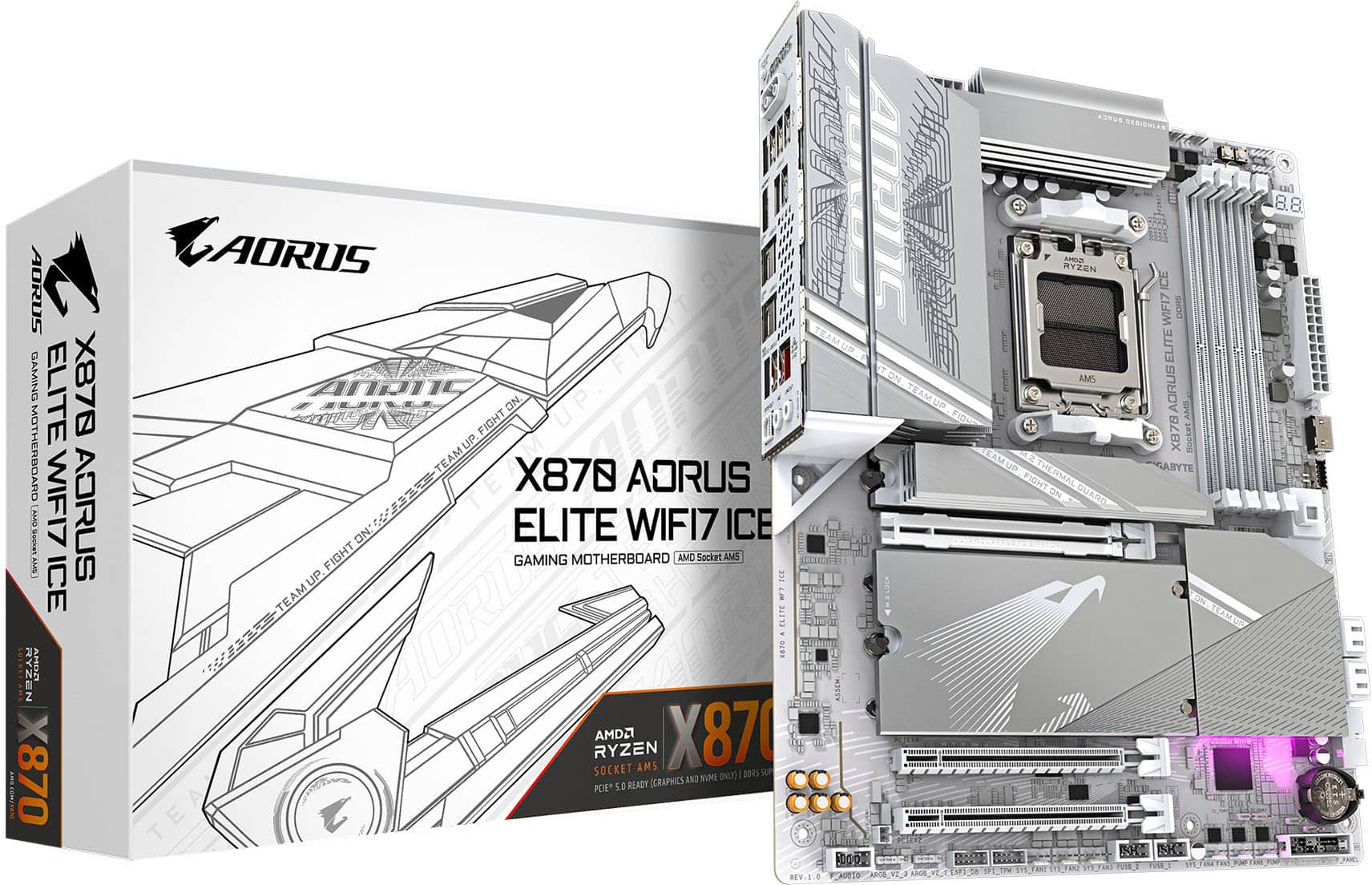
- X870 AORUS ELITE WIFI7 ICE
- SKU:
- 11526188
Rating by feature
- Value
Rating 4.7 out of 5 stars
- Quality
Rating 4.9 out of 5 stars
- Ease of Use
Rating 4.8 out of 5 stars
to a friend
better then x870e variation
||Posted . Owned for 2 weeks when reviewed.This reviewer received promo considerations or sweepstakes entry for writing a review.Its literally the same thing just without the rgb logo
I would recommend this to a friend
Great board. Nice looking too.
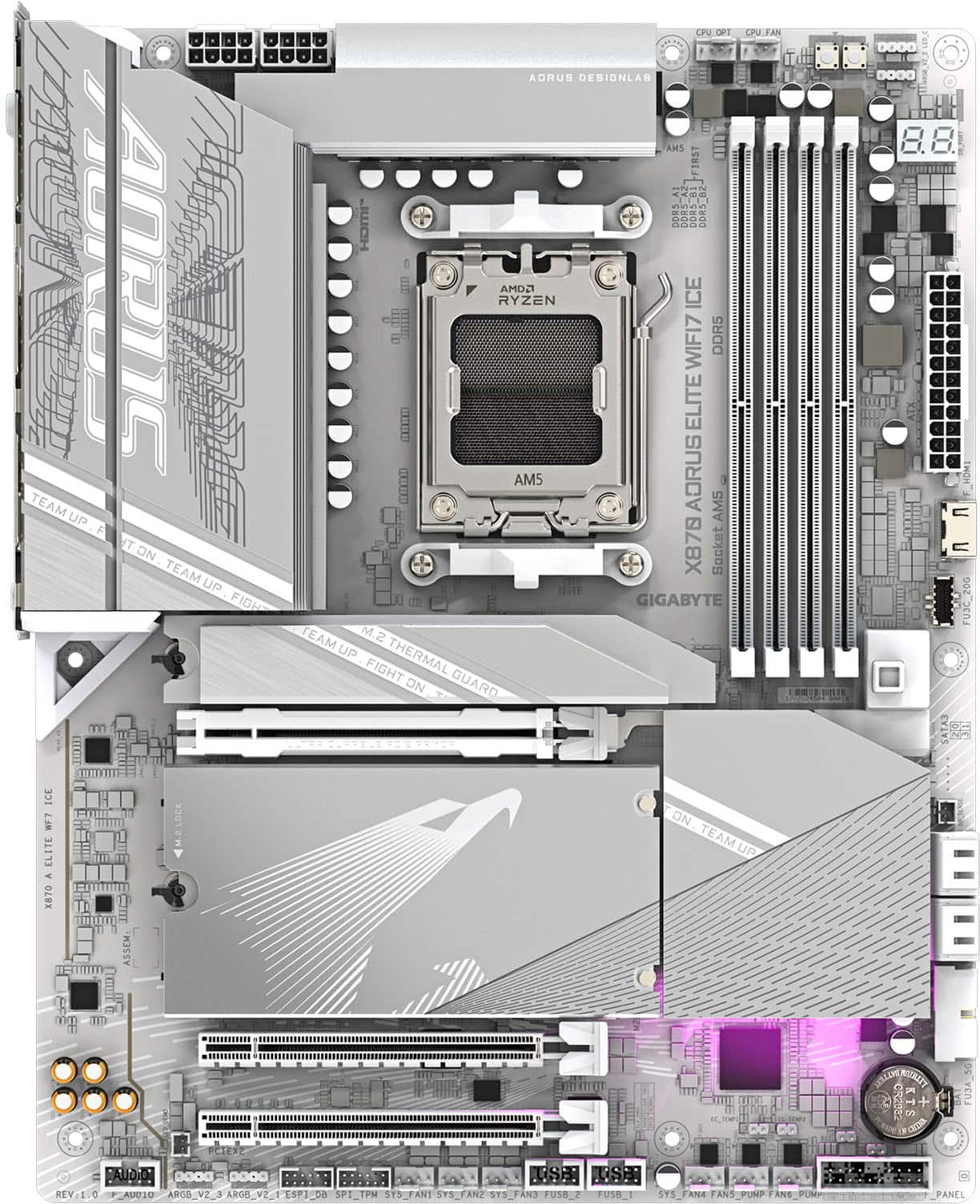
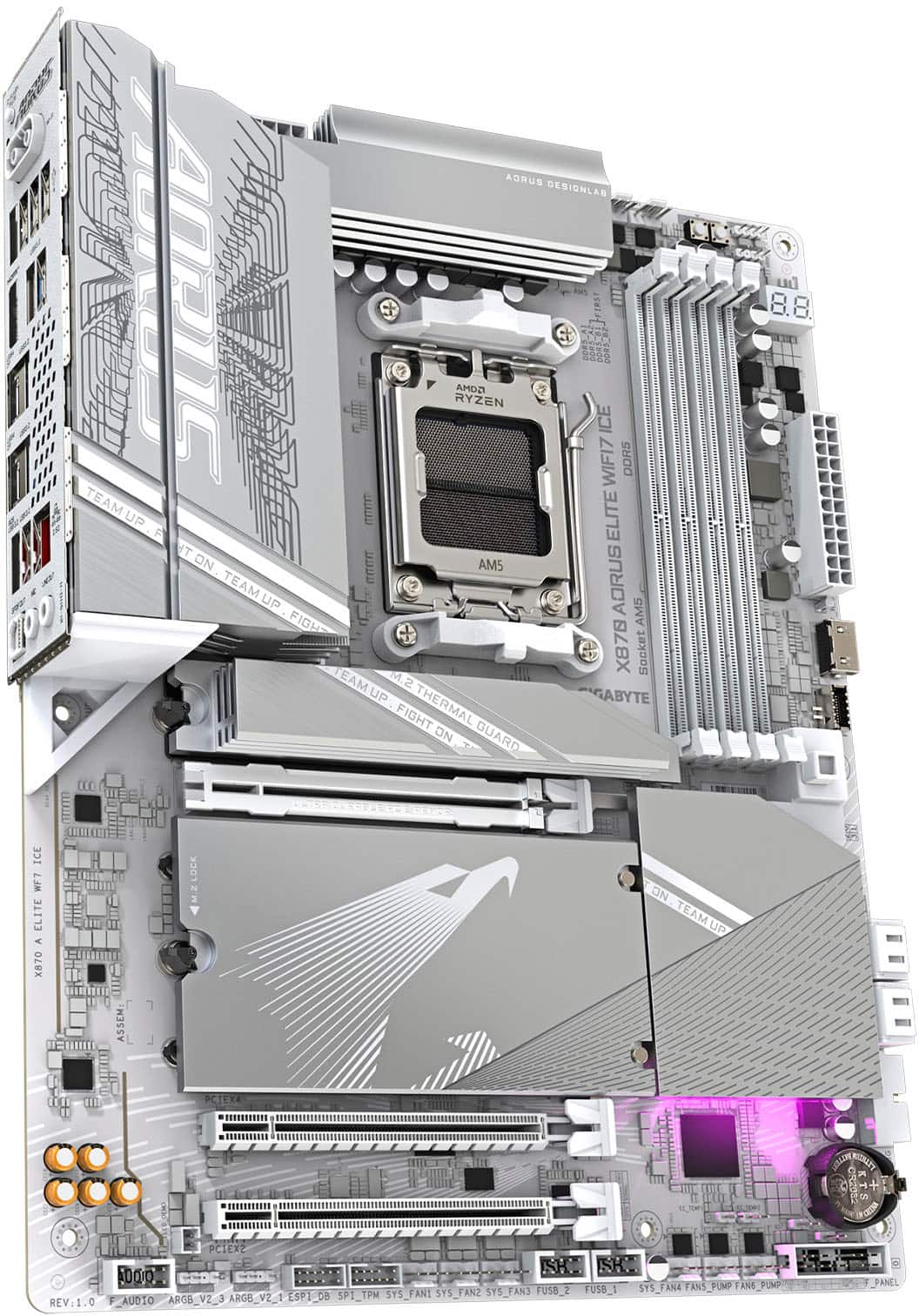
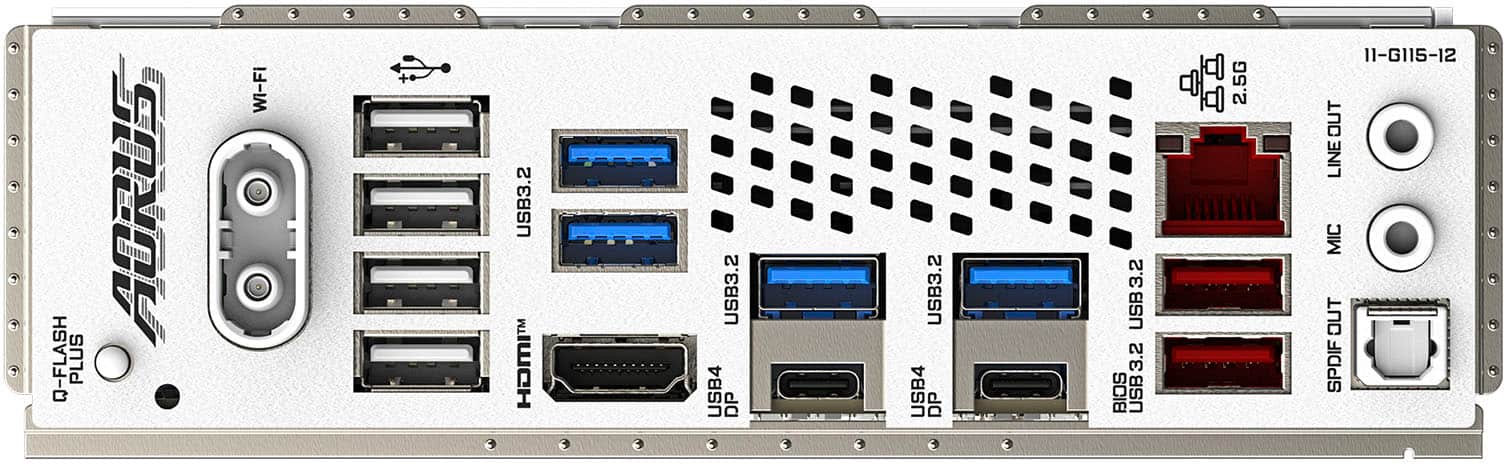
|Posted .This reviewer received promo considerations or sweepstakes entry for writing a review.Pro: -EZ Latch on PCIe and M.2 Slots -More USB than other boards -2 USB4 Type C with Display Alt -Big heatsinks -Nice looking Con: -Fan headers are at the bottom of the board -More silver than white -Only one dedicated Gen 5 slot -Control Center I’ve had many Gigabyte boards, and like the others, I really like this board. Let’s start with the board itself. The board is nice looking with a silvery metallic design, but it’s not really white, and stands out in my all white build. It has the EZ Latch feature for the GPU and M.2 slots, making it much easier to build with. There’s a button on the side that releases the GPU. The M.2 slots and their heatsinks are all tooless and super easy to install. There’s one dedicated Gen 5 slot, while the others share a lane with the PCIe slot. So if you have more than one Gen 5 NVMe, then be aware that it may affect your GPU performance. It’s also nice to have a board with error codes rather than just small LEDs. Makes it easier to troubleshoot. There’s not much RGB, with only one at the bottom of the board for a subtle glow. On the back, it has more USB ports than many of the other brands, which is important because I have many peripherals. This board has 2 USB-C with Display Alt, which is awesome for my drawing tablet and secondary monitor. The antennae has an easy plug in type and maybe shares function with Bluetooth? My Bluetooth wouldn’t work until I plug it in. WiFi speed is great. One negative is that all the fan headers, except the CPU fans, are on the bottom. I had to use extenders for my front and rear fans. No idea why they thought that was a good idea. I didn’t mess with BIOS all that much other than setting Expo for the ram and messing with the fan curve. The BIOS is pretty user friendly, but I didn’t really dive into the overclocking settings. Performance is great. I have this paired with the 9800x3d, 9070XT, and a Gen 5 M.2 and so far no issues. The double sided heatsink keeps the SSD cool even under load. Board remains cool with no spikes in temps. I’m not a fan of the Gigabyte Control Center. It’s clunky, buggy, and gets in the way. I just want to be able to monitor my system, and control the RGB and fan curve. I hate that it tries to install Norton during every update and pushes to use the AI features. Overall I like this board. I actually have two now. It’s a little more expensive but I like the design and the extra USB ports. Having two USB4 Type C with DP Alt was one of the main reasons I picked this board. The tooless EZ Latch makes building quick and easy.
I would recommend this to a friendBest Sub $300 MoBo for Gamers & Content Creators
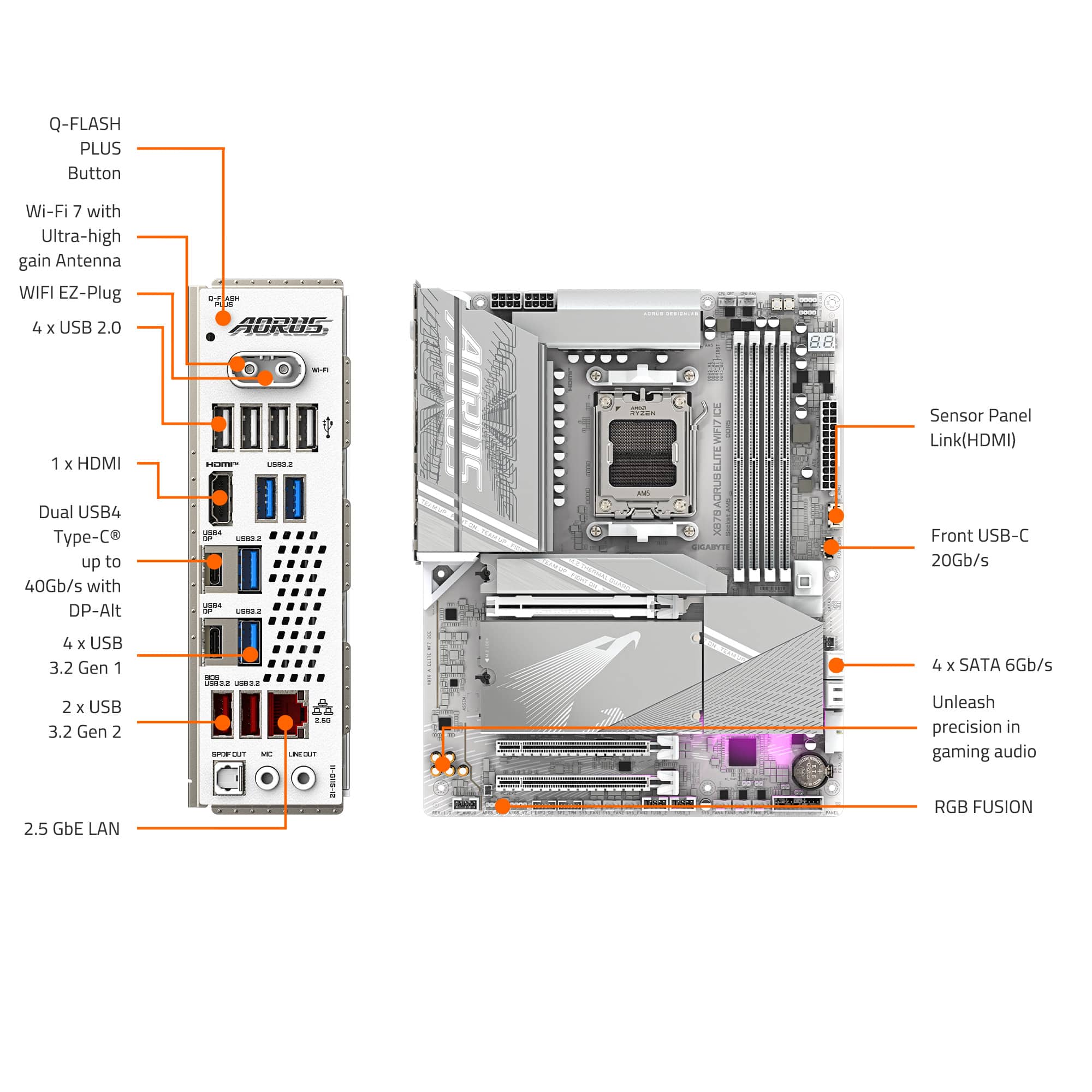
|Posted .This reviewer received promo considerations or sweepstakes entry for writing a review.The Gigabyte X870 Aorus Elite WiFi 7 Ice is a premium AM5 motherboard that stands out from the competition by perfectly combining beautiful aesthetics with future-proof technology. This truly all-white board is the perfect choice for a high-end build, maintaining a cohesive white-out theme without charging a premium for the color. For my Yeti Blizzard build, I paired this motherboard with an AMD Ryzen 9 9950X, 128GB (64x2) Crucial 5600 RAM in dual-channel, a Corsair iCUE Link Titan 360 RX LCD AIO, two Samsung M.2 drives (990 Pro 2TB and 9100 Pro 2TB), and a Corsair RM1200x Shift PSU, all housed in a Corsair iCUE Link 3500x ARGB White case. This was by far my favorite build, coming from an AM4 AMD Ryzen 9 5950X, which had lasted almost five years. Setup: 4/5 I won't bore you with the actual build steps, as this review focuses on the motherboard. However, the first thing you must do is upgrade the BIOS. My RAM wouldn't boot until I performed the flash to the F5a BIOS released on 5/5/2025. After booting with one stick and allowing it to "train," I was able to flash successfully. During Windows installation, I highly recommend using Ethernet, as the drivers weren't recognized when using USB. Make sure you plan properly for part compatibility. If you're an experienced builder, you know how to build a PC once you pick compatible parts. Use the QVL list to avoid issues or take chances with EXPO RAM, then load Windows, drivers, and configure as needed. Aesthetics & Design: 5/5 The X870 Aorus Elite WiFi 7 Ice delivers the "Ice" with a comprehensive white color scheme that extends to the board, connectors, and heatsinks. Unlike many white-themed components that command a significant price premium, Gigabyte offers this model at the same price as its standard black counterpart. The silver-white heatsinks complement the design while maintaining thermal efficiency. The board features several thoughtfully designed 90-degree headers that facilitate cleaner cable management, although not all connectors utilize this orientation. The PCB layout is clean and logical, making for an intuitive building experience even with a full complement of components installed. Performance & Features CPU & Power Delivery: 5/5 The VRM utilizes digital twin 16+2+2 phase VRMs supporting AMD's Ryzen 9000, 8000, and 7000 series processors. This motherboard provides a robust foundation for high-performance computing. The VRM implementation handles even power-hungry CPUs, such as the Ryzen 9 9950X, with ease, maintaining stability under demanding workloads. Memory Support: 5/5 The four DDR5 DIMM slots support up to 256GB of RAM, featuring impressive frequencies of up to 8200 MT/s (OC) and EXPO Profiles. Due to the dual-channel architecture, memory must be installed in pairs. My real-world testing with 5600MT/s RAM showed excellent stability with EXPO profiles. Storage Options: 5/5 Storage capabilities are exceptional with four M.2 slots: three PCIe Gen 5.0 x4 M.2 slots delivering up to 14,800MB/s read and 13,400MB/s write speeds, plus one PCIe Gen 4.0 x4 M.2 slot. Additionally, four SATA 6Gb/s connectors are provided for legacy drives. The primary Gen 5 slot features a substantial heatsink for optimal thermal management, while the other slots share a secondary cooling solution. Testing with the Samsung 9100 Pro 2TB demonstrated the full potential of Gen 5 speeds when paired with compatible CPUs—almost double the Gen 4 speeds of the Samsung 990 Pro 2TB. Connectivity: 5/5 Rear I/O Panel: - WiFi Antenna Port (plug-in design) - 4× USB-A 2.0 - 6× USB-A 3.2 - 2× USB-C 4 with DisplayPort 2.0 - HDMI port - 2.5Gbps Ethernet port - 2× Audio Jacks (Mic and Line Out) - Digital Audio Out (S/PDIF Out) - Q-Flash Plus button WiFi 7 Performance: 5/5 The integrated WiFi 7 represents a significant leap in future-proofing, delivering near-wired performance in real-world testing. The redesigned antenna connector is a welcome improvement, replacing traditional screw-on designs with a simple plug-in connector. The included antenna features a compact, square design with a magnetic base for flexible placement options. Audio: 3/5 The Realtek ALC1220 codec provides high-definition audio supporting 2/4/5.1/7.1 channel configurations. The implementation offers good quality for most users; however, the rear I/O is limited to just two audio jacks and an optical output, which may require additional equipment for complex audio setups. The addition of Bluetooth 5.4 is also welcome. Building Experience: 5/5 Assembly with the X870 Aorus Elite WiFi 7 Ice is straightforward for experienced builders, but requires careful consideration of component compatibility for first-time builders. The BIOS features a matching white "Ice" theme and provides comprehensive configuration options. Memory XMP/EXPO profiles are easily accessible, and system monitoring tools are intuitive. Pros - Gorgeous all-white design (including the debug LEDs) without the typical premium pricing associated with a white aesthetic. RGB lighting pops against the all-white background. - Tool-free design for most components, implementing quick-release features for the reinforced GPU PCIe slot and EZ WiFi 7 plug connector. Innovative design for easy installation! - High-performance networking with Wi-Fi 7, Bluetooth 5.4, and 2.5 Gbps Ethernet, plus blazing-fast PCIe Gen 5 M.2 slots (3x) marked with laser etching. - The device features a multitude of I/O ports for USB connectivity, including USB4 and DisplayPort 2.0, as well as an internal HDMI sensor panel port for supporting secondary displays in newer cases. - Comprehensive BIOS with matching "Ice" theme optimized for high-resolution displays (4K tested). Cons - More 90° internal headers would improve cable management aesthetics. - Component selection must be carefully considered to maximize features, as bifurcation can cut into bus lanes when adding M.2 drives. - No ECC support and 36 PCIe lanes vs. 44 PCIe lanes available on last year's boards. - VRM downgrade compared to the previous year, though the upgraded heatsink and cooling system include thermal pads for the smaller number of VRMs. - Audio I/O provides only basic connectivity with two audio jacks and S/PDIF optical connections. - 10 Gbps Ethernet would be preferable to the 2.5 Gbps port, and a Clear CMOS button would complement the Quick Flash button nicely. - Minor nitpick: White plastic would have been a better choice for the battery holder to match the theme. - No 1-click AI Tuning like some competitors. Additionally, the Gigabyte Control Center software can be buggy when used in conjunction with Corsair and other third-party software. Value & Conclusion: 5/5 The Gigabyte X870 Aorus Elite WiFi 7 Ice delivers exceptional value, combining cutting-edge technology with striking aesthetics. For enthusiasts building high-performance systems with a white color scheme, this is an excellent choice. However, if you need more bus lanes, consider spending slightly more for the X870E version. X670 board owners may want to skip this upgrade unless they want to stay current—you could allocate those upgrade funds to other build components, such as the GPU or RAM, where the money might have a more significant performance impact. This board delivers on all fronts if you want next-generation connectivity, blazing-fast performance, and all-white visuals. While some users may need more features, this offering will satisfy the vast majority of high-end builds while providing future-proofing through WiFi 7, USB4, and PCIe Gen 5 support. I highly recommend this board for sub-$300 all-white AM5 motherboard budgets, as it perfectly balances performance and aesthetics.
I would recommend this to a friendA solid board optimized for powerful performance!
|Posted .This reviewer received promo considerations or sweepstakes entry for writing a review.In the box, you'll see right away how solid this board is with all of the heatsinks and how clean everything looks. Paired with an AMD 9950 and DDR5 memory, you'll be off to a great start with this board as it offers a ton of connectivity and plenty of extra options for storage, and overclocking which can maximize overall performance of your hardware for gaming. What I love about this board is the screwless design which makes it easier than ever to install M.2 SSD's and the WiFi antenna plug is a super nice feature to have in this board. It also supports the latest WiFi 7 standard and with a WiFi 7 router you'll notice a faster stable connection that rivals a wired ethernet connection. Another thing that's awesome is the ability to connect to a sensor display that you can mount inside your case to monitor all of the key stats from your system right out of the box. This board offers a TON of connectivity, with many ports for USB 4 and even 2.5gb ethernet. The audio system built in to this board is also rock solid, and unlike other lower end boards you have SPDF out and caps that make your audio sound the best when paired with the right speakers. In my system, I configured it with a 9950 CPU and 65GB of DDR5 ram, and installed two NVME SSD's. Then paired it with an AMD 7800 GPU. So far, performance has been rock solid and this board has yet to disappoint in terms of stability. Overall, I'm thrilled with it and if you're looking to build or upgrade your gaming system with an all white ICE theme, this board is a solid choice.
I would recommend this to a friendBeautiful centerpiece for any level build
|Posted .This reviewer received promo considerations or sweepstakes entry for writing a review.This Gigabyte X870 Aorus Elite Wifi 7 Ice motherboard is a great board for any ground-up build. Let me just say, this motherboard is beautiful! Will obviously work in any setting but if you’re looking to do a top notch, high-end, “whiteout” build then look no further. Incredible power, speed, functionality and connectivity really make this mainboard a gem. Beautifully designed and engineered to compete and stay current for years to come. I’ll start off by laying out my build utilizing this awesome motherboard as the cornerstone. - Gigabyte X870 Aorus Elite Wifi 7 Ice motherboard - AMD Ryzen 7 9800X3D processor - EVGA GeForce RTX 3070, 8GB GDDR6 - Samsung 990 EVO plus 2TB M.2, PCIe 5.0 - 64GB Corsair Dominator Titanium DDR5 -Corsair RM1000x modular PSU - Corsair Nautilus 360mm liquid CPU cooler. I’ve done plenty of builds in the past, but this one was fun. With such a great variety of compatible components that you can use with this board it really makes the process simple and you can control your budget. This board accepts a HUGE variety of components so you can go crazy and really spend a lot of money to have the greatest PC on earth, or you can stay lower end on some things and still have a really solid PC that allows for upgrades over time as your budget allows. First off, AM5 CPU socket offers a large range of CPUs that can be used as the brain of your build. I was in the middle with the 9800X3D, fairly highly rated and phenomenal for gaming. Four DDR5 slots are ideal as you can start with 2 and add 2 more over time if you need/want. I read somewhere a while back that these AMD CPUs really come to life with 64GB or more of ram so I went with 64GB, 32x2, that way I can add 2 more in the future if needed. Drive connectivity is amazingly fast and expandable with three Gen 5 M.2 slots! This is the latest and greatest protocol for amazing transfer speeds. Three Gen5 plus a fourth that handles Gen4, again making this an incredibly easy upgrade in the future to add one, two or even three additional M.2s to increase storage as it’s needed or affordable. Also to note are the 4x SATA 6G headers, if you want an optical drive or a less expensive SATA hard drive for additional storage. WiFi7, the latest and greatest standard, is another valuable asset to this motherboard. Fastest protocol available, insane speeds that tend to outrun wired connections, and yet another future proof element of this board. Also note though that it also has 2.5GB wired port if you prefer wired and have the ability to plug in. Three PCI-E x16 Slots, pretty standard these days, allow for the highest connection to today’s top of the line video cards for blazing performance and unparalleled visuals for gaming and editing. I’m slacking a little bit here and using an older RTX 3070, but running in this setup, it achieves phenomenal frame rates and efficiency running everything at ultra settings. I/O ports: tons of peripheral connection options including 2 x USB-C 4, 7 x USB-A 3.2, 4 x USB-A 2.0, standard audio jacks, and Bluetooth. Build and performance: The build was simple and straight forward. Easily fit in the case, everything lined up as expected with no hiccups. All of my components fit and seated easily without any forcing or compatibility issues. Initial setup to install windows and updates was a breeze and straight forward without issues – I didn’t have to restart a bunch of times to get everything recognized and running at its potential like I’ve done with previous builds. Very smooth overall. In conclusion, this motherboard is great. The build was easy and fun for me utilizing this Gigabyte X870 Aorus Elite Wifi 7 Ice motherboard as the centerpiece. Hardware compatibility across the board really make for a simple build able to accommodate whatever final product and/or budget you’re looking for. The performance of the finalized product is robust and definitely superior to any out-of-the-box setup I could find. The ability to customize, upgrade, future-proof, and tweak this rig to meet exactly what I wanted make this board a great option.
I would recommend this to a friendGreat gaming PC upgrade!
|Posted .This reviewer received promo considerations or sweepstakes entry for writing a review.I was recently able to acquire the Gigabyte X870 Aorus Elite WIFI7 Ice motherboard and use it in a build that is an upgrade for one of my sons to have a better gaming desktop PC. For him, coming from a 9th gen Intel i5 with DDR4, specifically a pre-built gaming PC as it was during a time that the systems were pretty cheap if I recall correctly, to now a pretty decently specced, near top of the line, system was a drastic jump up; especially because we went with the Ryzen 9900X CPU paired with this motherboard & an Nvidia RTX 5070 Founders Edition (which I got at MSRP from our local Best Buy!) along with 64GB of DDR5 RAM. Unboxing When unboxing the motherboard you find all the normal things you'd find in a motherboard box, but I haven't ran a white motherboard in a long time & so I wanted to take a look at this one. This one is more silver/gray and white than it is truly white. It is like the slushy snow on the side of the road after it has been run over by everyone's car. So not snow white, but more roadway after traffic white or ice, I guess. Which for our build for him will be perfect because we wanted the motherboard to stand out some but not a huge amount like a pure white board would. But just know that going in that it is more silver/gray tinged than a pure white board. Rating: 5/5 Physical Installation So next onto the installation, which, since I am 40 now and built my first PC when I was 12 years old it was a breeze (back then we didn't have YouTube so I had to read Maximum PC and saw how they did a build via the photos to figure it out all back then). I had the motherboard in the chassis in no time. I snapped in the DDR5, the CPU, the AIO cooler, each of the SSDs and HDDs, and away we went. The system POST'd without any issues and we were on our way to a Windows reinstallation (because we wanted to do a fresh install) before we knew it. Rating: 5/5 Software & Driver Installation This was super easy too, I hopped on the web via our ethernet cable & downloaded all the relevant drivers directly from the Gigabyte website (I always avoid using the manufacturer's "control center" software as it is usually bloated & just slows everything down if not downright breaking stuff along the way). A firmware update later, along with many driver installs, and we were sitting with a fresh install of windows, with a fresh built, with fresh drivers and BIOS. We were sitting pretty. Rating: 5/5 Daily Usage (Including Gaming) This thing is blazingly fast in everything that we throw at it. Everything from gaming, to video editing, to surfing the web, there are no stutters, or slowdowns at all. 1440p gaming is phenomenal. Sure, if he wants to do 4K he can, but he'll have to back things down a bit. (the RTX drivers are buggy as all hell, NVIDIA really needs to get their crap together or I'll be talking him into going AMD next time like I did with my 7900 XTX Hellhound GPU). Rating: 5/5 (RTX drivers are not the motherboard's issues, it's NVIDIA doing what NVIDIA does!) Things To Be Aware Of If you run all 4 NVME SSD slots then your PCI-E bus speeds will either be cut in half (for the X16) or completely disabled. So make sure to read the manual & decide your NVME setup. Luckily he only has 1 NVME drive right now, 1 SATA SSD, and then 1 large SATA HDD. We'll be migrating him to all SATA SSDs and NVMEs as the drives get cheaper but for now he is making do and has no issues with his setup, I just want others to be aware. If you need full speed PCIE lanes, and have 4x NVMEs then you need to look at another board. Conclusion This board fits the bill for us, it may not for everyone (see Things To Be Aware Of & the manual to be specific) and so it was a win for us. I cannot say enough how happy my son is to be gaming in 1440P and also trying out some 4K on his TV in his room. Overall Rating 20/20
I would recommend this to a friendGreat looking and top-notch performance to match
|Posted .This reviewer received promo considerations or sweepstakes entry for writing a review.I am using the X870 for a new PC build and very glad that I chose it. This board is an absolute powerhouse designed for high-performance gaming, and general enthusiast-level builds. Went with a Ryzen 7 7700X as it seemed to have the best price to performance ratio, in my opinion. The components are super high quality, and the design layout is so impressive. The ICE version is just visually stunning to look at with the light gray color scheme. If you don’t put it in a case without a glass side pane you are not doing it justice. I was excited for the opportunity to use DDR5 memory and you can have up to 256GB dual channel. I went with 4x 16GB in my setup which should be plenty for just about any desktop task or gaming action that I need to do. I’m interested in trying out the AI Snatch tool that boasts auto memory boost and easy OC configuration via AI system analysis. The PCIe 5.0 graphics slot is a standout feature, providing support for the latest and most powerful GPUs available. To take advantage of that I went with a GeForce RTX 5070 which isn’t top of the line for the 50 series but still packs a punch for a decent price. As far as storage is concerned there is ample on-board connectivity with 4 M.2 slots with 3 being PCIe 5.0 x4. They are also all neatly covered with very nice-looking thermal guards and have a tool-less easy latch system. There are 6 fan headers on the board which should be plenty for most builds. I used 4 to handle all the fans in my case. I don’t have a network that will support the impressive 2.5GbE LAN or Wifi7 but it is nice to have from a future proofing perspective. I am also astounded at the connectivity options. On the back panel there are more USB ports than I think I will ever need. 12 in all, with 2 USB4-C ports. There are also 5 USB headers on the board to add even more if your case has additional ones. If you need RGB connectors there are also several of them provided which can be controlled via the Control Center which is downloadable from the Gigabyte site. I found the utility to be very easy and fun to use for colors along with fan and performance controls among other things. I could keep going on but to summarize this motherboard far exceeded my expectations and is highly recommended.
I would recommend this to a friendBeautiful!
|Posted .This reviewer received promo considerations or sweepstakes entry for writing a review.Unboxing the X870 AORUS ELITE WIFI7 ICE was genuinely satisfying – the packaging was clean, and everything was neatly arranged. What really stood out was the white aesthetic. It looks so sleek and modern, perfect for a white or RGB-heavy build. It’s not often you get performance and looks in one package, but this board pulls it off. Installation was smooth. Mounting the board in my ATX case was simple, and the AM5 socket paired up perfectly with my Ryzen chip. The white heatsinks and accents look killer behind a tempered glass panel – definitely one of those setups you want to show off. Performance-wise, this thing is a monster. The support for DDR5 RAM means I’m getting crazy-fast speeds, and the stability has been rock solid even with some light overclocking. I’ve had zero issues with memory compatibility or BIOS wonkiness. GIGABYTE’s BIOS has gotten way more intuitive, too – easy to navigate whether you’re tweaking voltages or just setting fan curves. Wi-Fi 7 is another big plus. I’m in a house with a ton of devices and no Ethernet in the room, so having next-gen wireless right out of the box has been a game-changer for both latency and speed. Bluetooth 5.4 is also there for quick peripheral pairing. I also appreciate the rear I/O layout – plenty of USB ports, including USB-C, and solid audio options. Plus, the onboard M.2 slots with heatsinks are perfect for my NVMe drives, keeping them cool even under load. Conclusion: If you’re building a modern AMD system and want a board that looks as good as it performs, the X870 AORUS ELITE WIFI7 ICE is a top-tier choice. Between the DDR5 support, Wi-Fi 7, clean design, and smooth install process, it delivers on all fronts. And honestly? That icy white finish alone might just win you over.
I would recommend this to a friendPerfect start to a great build!
|Posted .This reviewer received promo considerations or sweepstakes entry for writing a review.This motherboard is the perfect start to a great build. First off, Ice is the perfect color to start a white themed build. It just looks really slick. Most white motherboards are not fully white and have too many non-white components but this motherboard has the perfect look to it for the build. I also wanted to start an AM5 build to match it with one of the newer AM5 compatible high end gaming processors. It was really easy to seat the processor. During my build, I had zero issues and everything booted up as expected the first time. I did use max out the DDR5 RAM support with 256 GB so it took some time to index that on first boot, but it was still fairly quick compared to my other builds. The 2TB SSD I used is also super fast and so far shows no signs of overheating. The video card I chose has also worked really well with this motherboard. Gigabyte really did everything correct here with the X870. The inclusion of WiFi 7 network adapter has so far delivered lightning fast WiFi speeds. I do have a WiFi 7 mesh network so this was perfect for my needs. Overall, I highly recommend the Gigabyte X870 as it looks fantastic and was really to use in my build.
I would recommend this to a friendNewer Tech for 5-25, Great for White PC builds
|Posted .This reviewer received promo considerations or sweepstakes entry for writing a review.This motherboard brings the latest technology to your build. Some of the features that stand out are: - USB4 - WIFI 7 Meaning you get faster data transfer to or from compatible devices and the newest wireless technology if you decide to wireless compared to models that have come out recently. the board also offers: - 4 M.2 slots - 3 PCIe 5.0 - and a PCIe x16 GPU slot - 4 DDR5 slots - An onboard HDMI for in-case displays ( W/o the need for a GPU or header) Definitely an eye catching board with a lot of potential. PCB looks great from far away and if you have AORUS compatible lighting it will make the set up look even better. As any X board you get the ability to Overclock your CPU through BIOS and tweaking through the software in windows without having to go through all the headache of bench marking, but hey that takes away the fun from overclocking. In short, if you are in the process of building a PC, you want your setup to be white, and you are also looking for the options of overclocking your CPU, and want to have newer technology, I would highly recommend this board.
I would recommend this to a friendDid not realize what a good motherboard could do
|Posted .This reviewer received promo considerations or sweepstakes entry for writing a review.Right off the bat, I have never used as nice of a motherboard as the Gigabyte X870 Aorus Elite for a build. I am someone who always prioritized value (budget) builds for myself. However, I decided to splurge a bit and now I get it. Since I was going all out, I really wanted to build a system that was visually appealing. Right out of the box, I was blown away by just how good-looking this thing was. Bear in mind that you are definitely paying a premium for the visual aspects of this board as well. With this motherboard, you are not lacking for ports as I am sure that all of the reviews will mention. The build quality also feels excellent. Setup is straightforward and I had no problems installing Windows. I have been having an absolute blast. I think the biggest draw of this motherboard for me compared to my previous ones is the future-proofing. That is also something that you can consider when you spend more and something that I did not realize would give me ease of mind. As I get more opportunities to upgrade my system, the X870 Aorus Elite will be able to handle it.
I would recommend this to a friendICE white glory with insane value
|Posted .This reviewer received promo considerations or sweepstakes entry for writing a review.Finally a fully fledged motherboard with the ICE treatment in all its glory. I love doing white out builds because they just look so dang good and this board is exactly what fit the bill this time around. I’m running this with an AMD 9800X3D a 5080 utilizing the gen 5 PCIe slot to its fullest and a single 980 ssd. Easily the best feature of all the newest gigabyte motherboards is the ez latch system. I absolutely love the way they do this where everything’s got a quick release from the wifi ez plug, PCIe, m.2, everything is just ez mode on this making anything you do and the build itself as easy as humanly possible. Historically gigabyte gives you some of the best value for the money and this is by far one of the best motherboards I’ve seen for the money making this no exception. You get everything you could ask for at a reasonable price while looking extremely aesthetically pleasing to the maximum. Performance top tier and nothing lacking just as it should be. 5 stars all the way.
I would recommend this to a friendIcy and sturdy!
|Posted .This reviewer received promo considerations or sweepstakes entry for writing a review.This thing is a beast. I dubbed it the Yetti out of the box for all intents and purposes of playing on the name, X870 AORUS ELITE WIFI7 ICE. It’s super clean. The name definitely does it justice. I’m upgrading from an old R7 I’ve upgraded and maxed out completely but it’s time to retire old faithful. Albeit I don’t have all three parts yet for my build, I chose this mainly because of the look and WiFi 7 along with . I run a NAS setup for video and photo editing, 24 TB of storage and 4 TB of scratch. I use this to share files with my clients and do edits but lately I’ve been finding myself throttled by my old unit in terms of moving large projects around. I love that this future proofs my editing setup for the next 10 to 15 years with what I’m juicing it up. I don’t want to run Ethernet cables all over my home. I also am an AVID gamer on my downtime when I do have it so having something that can handle both large workloads and mid to high end gaming was a big factor for me too. I don’t like bottlenecking. I learned my lesson with some companies that love to keep you there on their systems with their very unique power supplies etc. and this is such a huge difference in terms of being limited. This motherboard is the foundation for your nest best friend in the game room, editing room, or both.
I would recommend this to a friendGreat motherboard!
|Posted .This reviewer received promo considerations or sweepstakes entry for writing a review.I recently got my hands on the GIGABYTE X870 and let me tell you, if you're thinking about building a new AMD Ryzen rig, this board absolutely deserves your attention. It's built around the new AMD X870 chipset, which means it's ready for the latest Ryzen 7000, 8000, and even the upcoming 9000 series processors. Out of the box, it's got this clean, premium look that really tells you it means business. What truly impressed me is the robust power delivery system. This is crucial for keeping those high-core-count Ryzens boosting to their full potential, whether I'm gaming or rendering. For memory, those four DDR5 DIMM slots gobble up RAM at blazing speeds with AMD EXPO support, which is fantastic for multitasking. And for storage? Multiple PCIe 5.0 M.2 slots mean my NVMe SSDs are ridiculously fast, cutting down game load times and file transfers significantly. Now, where this board really shines for me is the connectivity. The 2.5 Gigabit Ethernet is great, but the Wi-Fi 7 is a game-changer. With a compatible router, my wireless speeds are incredibly fast and stable, which is perfect for online gaming and streaming without a hitch. Plus, it's loaded with USB ports, including USB4 Type-C, which are super versatile. I did notice that most of the fan headers are clustered at the bottom of the PCB, which can make cable management a bit of a puzzle depending on your case. For me, the performance difference is negligible, but extreme enthusiasts should be aware. I also ran into a couple of minor BIOS kinks and Wi-Fi driver hiccups initially, though a quick update resolved them.. It's a seriously capable, future-proof foundation for a powerful AMD PC that I genuinely feel was worth every penny, and I'd absolutely recommend it to anyone building a high-end Ryzen system.
I would recommend this to a friendGood board.
Posted .This reviewer received promo considerations or sweepstakes entry for writing a review.Wanted to upgrade. Kept with the gigabyte brand. Everything is good on it. But, if you need more than 2 USB 2.0 headers. Dont go this route. But other than that. Looks good with white builds 100 percent
I would recommend this to a friendGBT ICE MB
Posted .This reviewer received promo considerations or sweepstakes entry for writing a review.Has always have a high standard on GBT MB but it never fail me. Love the produce especially ICE version.
I would recommend this to a friend