Customer Ratings & Reviews

- Model:
- GLO-GMMK2-96-FOX-B
- SKU:
- 6547948
Rating by feature
- Value
Rating 4.5 out of 5 stars
- Quality
Rating 4.6 out of 5 stars
- Ease of Use
Rating 4.7 out of 5 stars
Customers are saying
Customers have good things to say about the GMMK 2 Prebuilt 96% keyboard, especially regarding its high quality construction, vibrant RGB lighting, and premium switches. Users appreciate the consistent key feel and satisfying weight of the keyboard. The primary concern expressed is with the software.
This summary was generated by AI based on customer reviews.
Keyboard replacement
||Posted . Owned for 3 weeks when reviewed.This reviewer received promo considerations or sweepstakes entry for writing a review.The keyboard is a replacements keyboard for my Grandson. It is an upgrade from the 65% keyboard he had previously. He is very pleased with the performance.
I would recommend this to a friendTab
||Posted . Owned for 1 month when reviewed.This reviewer received promo considerations or sweepstakes entry for writing a review.It is good tp use. No regrets to buy it. Worth. Thanks
I would recommend this to a friendGreat
||Posted . Owned for 1 week when reviewed.This reviewer received promo considerations or sweepstakes entry for writing a review.Best keyboard value at this price point. Linear switches feel so smooth.
I would recommend this to a friendGamming keyboard
||Posted . Owned for less than 1 week when reviewed.This reviewer received promo considerations or sweepstakes entry for writing a review.Nice compact design just the right size i would buy it again
I would recommend this to a friendKeyboard
||Posted . Owned for 1 week when reviewed.This reviewer received promo considerations or sweepstakes entry for writing a review.Great quality works great arrived on timewould recommend
I would recommend this to a friendGood
||Posted . Owned for 1 month when reviewed.This reviewer received promo considerations or sweepstakes entry for writing a review.You wint regret it its a reallt ncue keyboard! Yessir!
I would recommend this to a friendGlorious keyboard review
||Posted . Owned for 2 months when reviewed.This reviewer received promo considerations or sweepstakes entry for writing a review.The keys feel really nice, and have a nice linear switch. The options to change key responsiveness in the software is nice, and overall it was a nice purchase
I would recommend this to a friendGlorious
||Posted . Owned for 2 weeks when reviewed.This reviewer received promo considerations or sweepstakes entry for writing a review.Easy setup and looks great! Just what I needed for my pc setup. It’s a must have product!
I would recommend this to a friendSolid budget keyboard
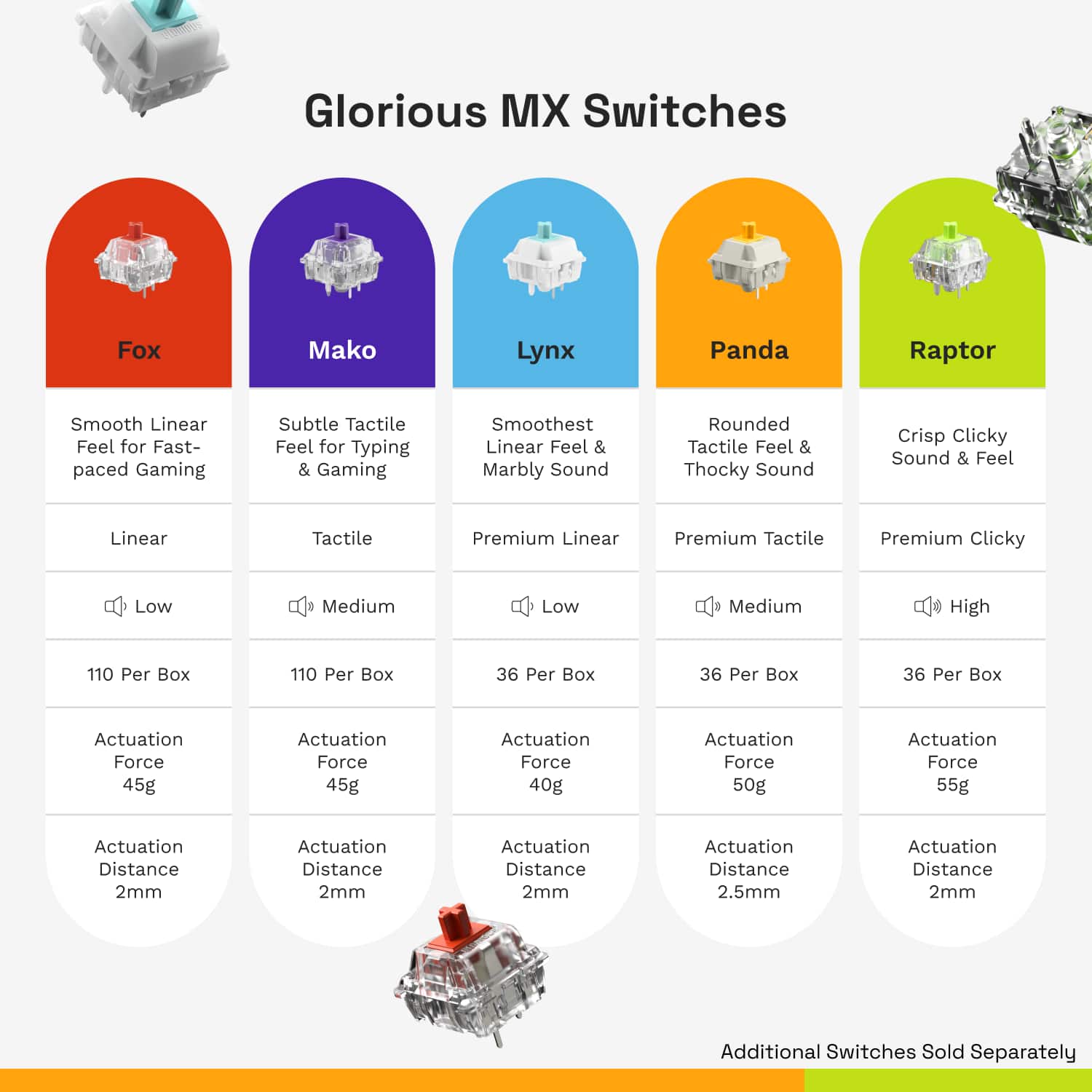
||Posted . Owned for 1 month when reviewed.This reviewer received promo considerations or sweepstakes entry for writing a review.Good hot swappable mechanical keyboard, linear switches included were the best out of their selection imo
I would recommend this to a friendCanon Camera
||Posted . Owned for 3 weeks when reviewed.This reviewer received promo considerations or sweepstakes entry for writing a review.Customer service was excellent. The in store associate knew alot about the product.
I would recommend this to a friend
Great Keyboard
|Posted . Owned for 1 month when reviewed.This reviewer received promo considerations or sweepstakes entry for writing a review.[Employee of bestbuy] Great keyboard especially when i switched the keys to panda switches
I would recommend this to a friendCould be better
||Posted . Owned for 2 weeks when reviewed.This reviewer received promo considerations or sweepstakes entry for writing a review.I really liked this keyboard, but the shift key was weird. It would stick constantly and I never could figure out why. Not sure if it was just bad quality control on the one I got but it made me choose another brand.
I would recommend this to a friendExpensive and still not worth it
||Posted . Owned for 2 weeks when reviewed.This reviewer received promo considerations or sweepstakes entry for writing a review.Out of the box a few of the keys just do not work half the time, primarily the F key. Even if it is depressed it will stop working WHILE it is pressed down sometimes. Asked sbout exchanging it out but because it was outside of the 15 day return window (by only a few days) its over $100 to get it “repaired”. Im gonna just try and fix this garbage myself. Ive been nothing but disappointed with best buy, half of the products ive bought so far including my $1,500 computer have issues that ive just had to deal with
No, I would not recommend this to a friendBrand response from Glorious Product Expert
Posted .Sorry to read about the defective keys. Did you try replacing the switch on the "F" key with a switch from another key that you now is working as intended? This way, we can determine whether we're dealing with a defective switch as opposed to having a defective keyboard unit. Additionally, please feel free to reach out to our support so that we can assist you further: https://contact.gorgias.help/forms/k77oyz80

- Pros mentioned:Keyboard quality, WeightCons mentioned:Software

Solid, sturdy, and a lot to like.
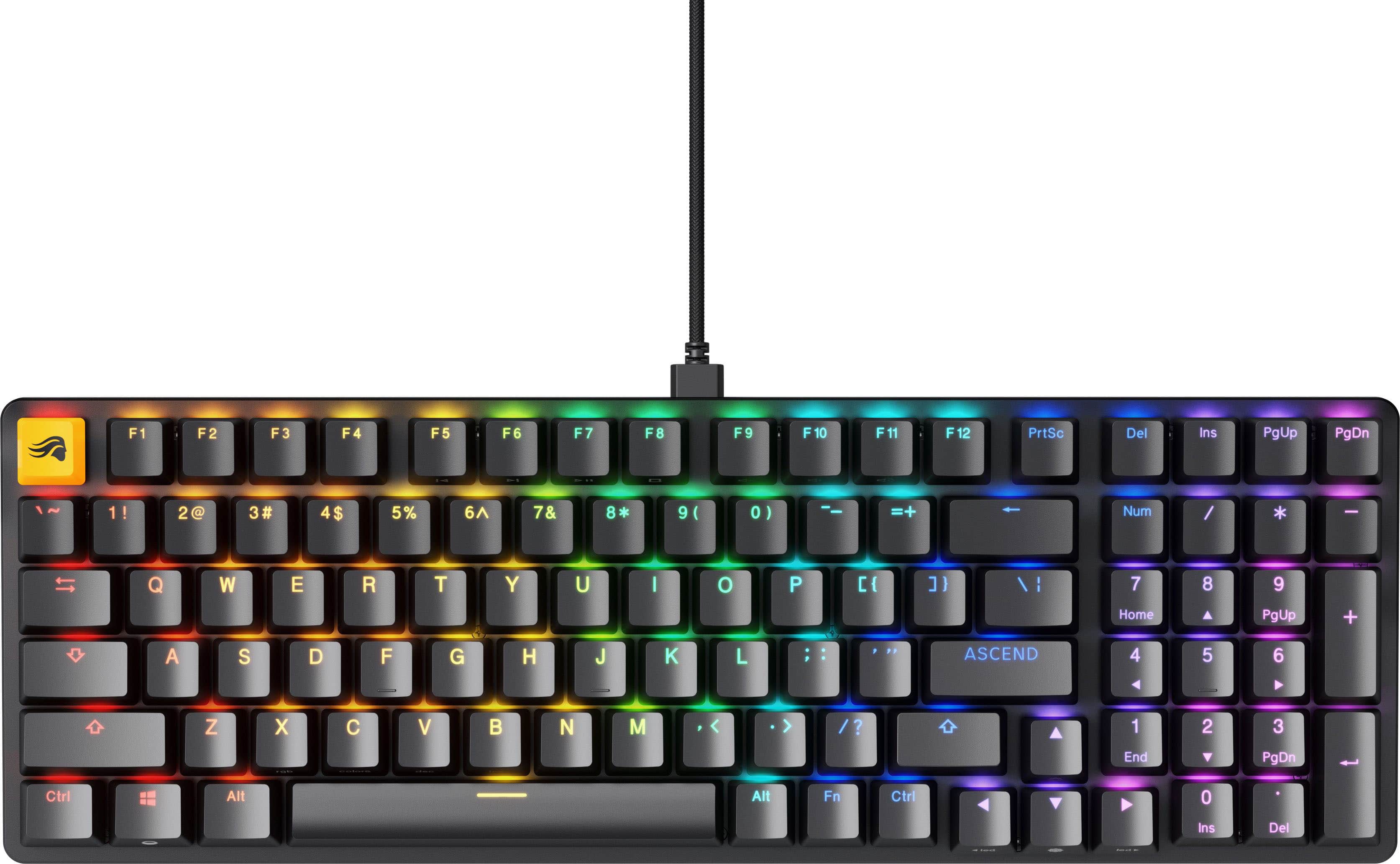
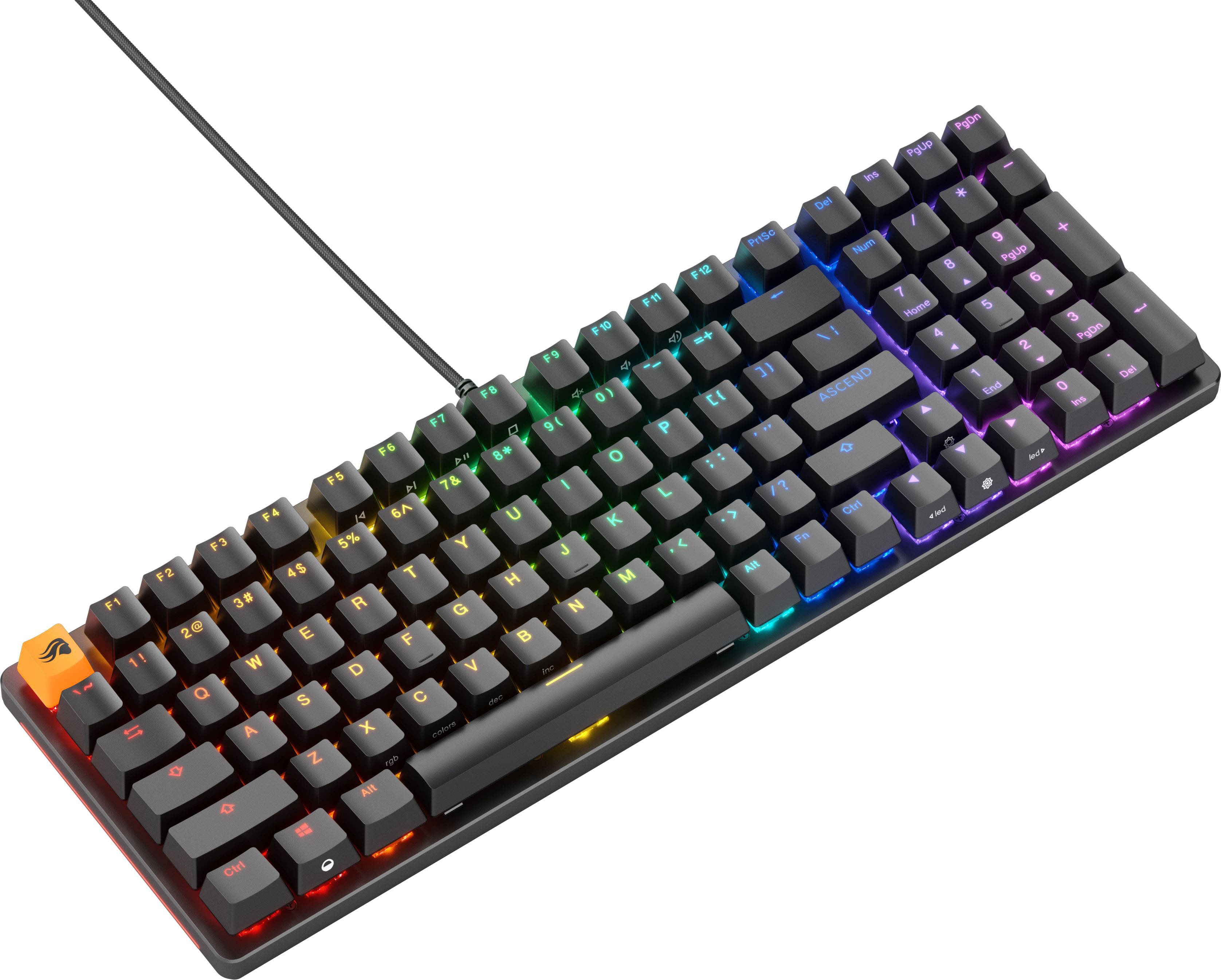
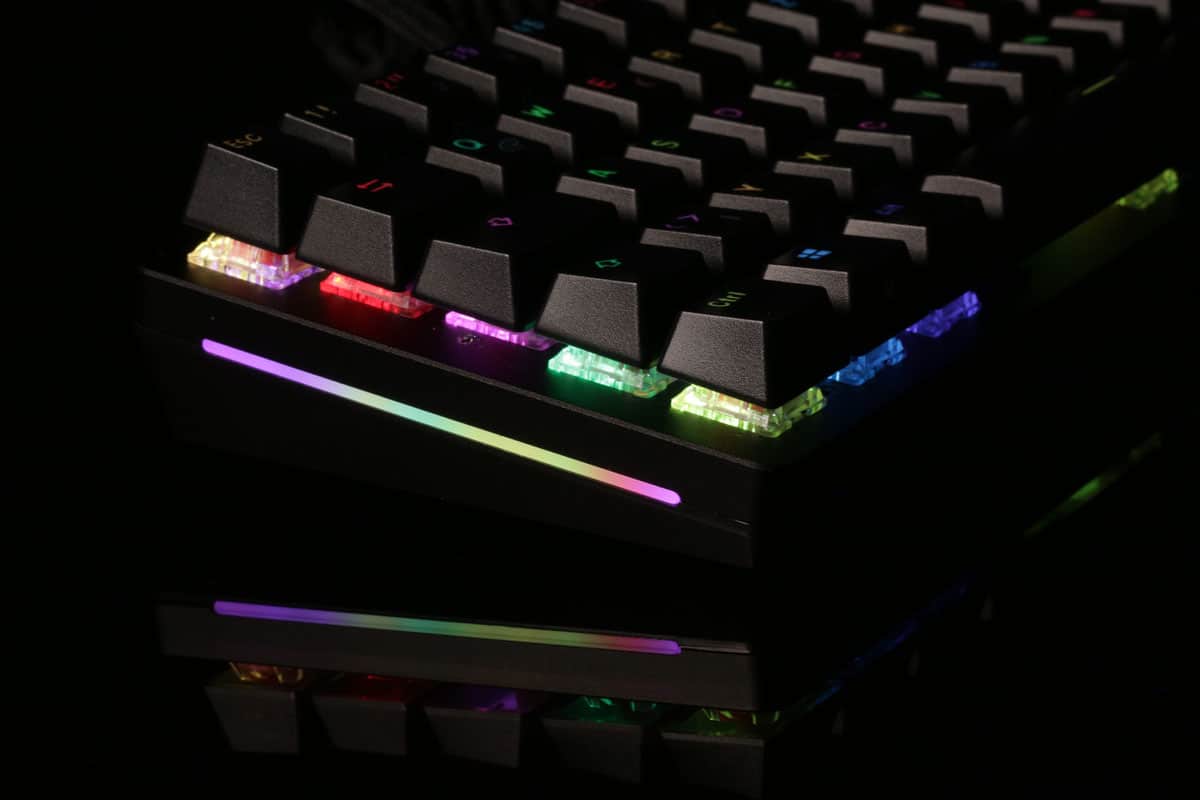
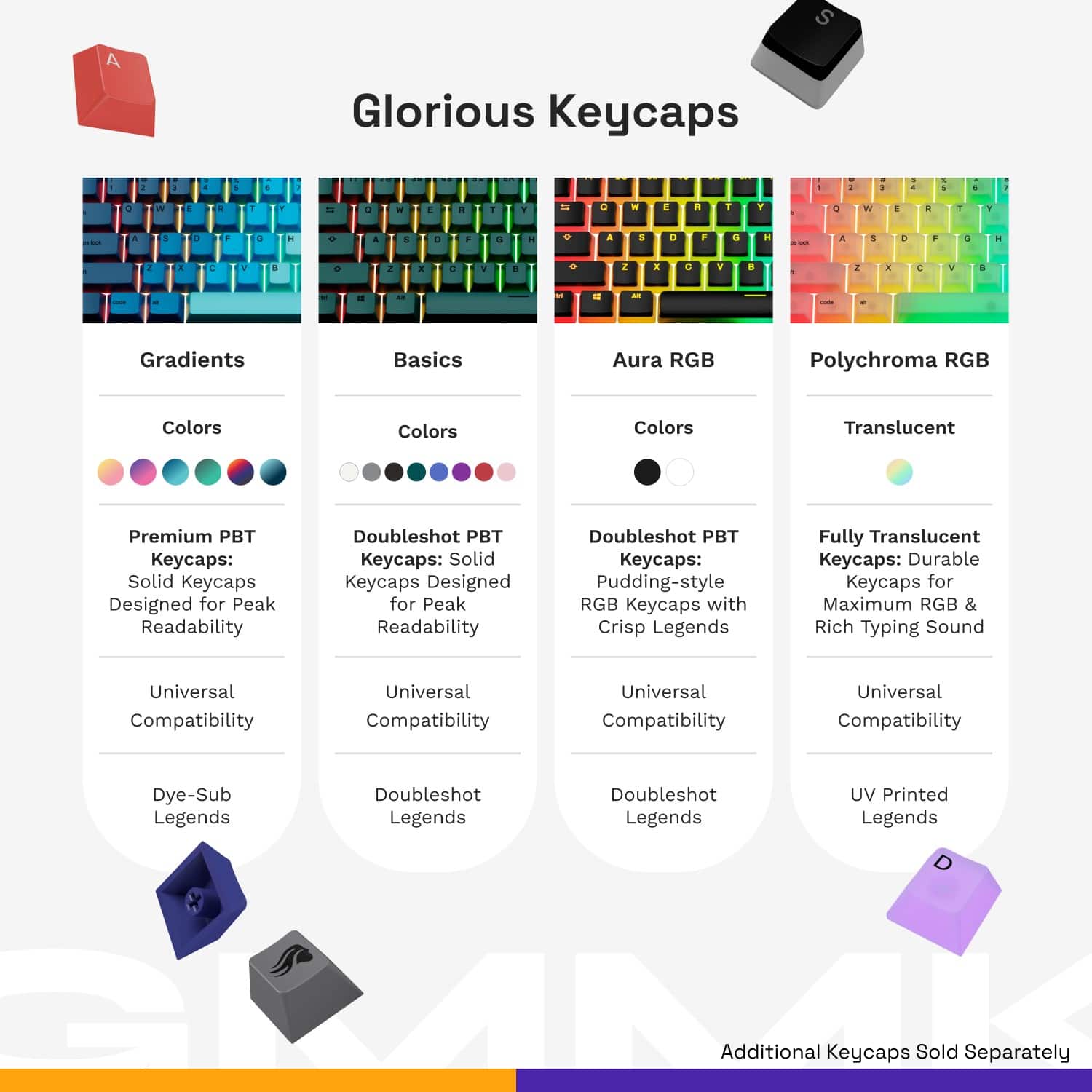
|Posted .This reviewer received promo considerations or sweepstakes entry for writing a review.I have always been a fan of mechanical keyboards. Then again, I learned how to type on an IBM AT and used an actual typewriter back in the day. Regardless, nothing quite gives the same tactile feel as a mechanical keyboard when typing. Beyond that, mechanical keyboards also work very well for gaming. Again, the tactile feel cannot be beat and the fact that the keys require a little more force to push and activate also helps protect against errant keystrokes. With that being said, this is a really great mechanical keyboard. While I am not a fan of the linear switches that are included with this particular model because it lacks that "click" feeling when the switch is activated, that is not a huge deal breaker with this particular keyboard as the switches can be swapped (and Glorious has both tactile and clicky switches available). The keycaps are double-shot keycaps that have transparent letters/numbers/legends on them that are easy to read and light up well with the per-key LED backlighting (allowing each key to display a different color, if so desired). There is also an LED accent on both sides of the keyboard, which is a nice touch. The chassis itself is made of aluminum and is incredibly sturdy. As a matter of fact, I found myself a little surprised at the heft of the keyboard... It is heavy for a keyboard, which actually pretty nice because it is less apt to move around your desk during intense gaming sessions (or when typing). The layout is a little different than a traditional full-size keyboard as the space between the letters and the numeric keyboard is reduced with the directional keys nestled between them and to the bottom (they actually are just a little "lower" on the keyboard, which looks a little odd at first blush as the bottom row of keys is not entirely aligned). To accommodate this, they had to reduce the size of the shift key and other action keys on the bottom row. Personally, I really did not notice a difference when typing or using the keyboard. They also moved some keys (delete, insert, page up, and page down) into the top right-hand corner of the keyboard (where a traditional keyboard has some indicator lights). The company states that this keyboard is compatible with both Windows-based PCs as well as Macs, but I did not see any switches or anything on the keyboard that would lead me to believe this keyboard would be optimized for a Mac (given the "swapped" Windows/Mac Command and Option buttons). Additionally, the Core 2.0 software that is used by the keyboard is Windows only. So, if using it with a Mac, there does not appear to be any way to customize your LED settings. Speaking of that, I was a little disappointed that the CORE 2.0 application did not display a preview of the preset lighting effects that are available. If I wanted to know what Wave 1 looked like versus Wave 2, I had to save that setting and see what happened on the keyboard. Not a deal breaker, but it would be nice if the software provided a preview. One other thing to note is that this is a wired keyboard (with a single USB-C connection off the back of the keyboard). Personally, I actually prefer wired keyboards because they sit on the desk and never move, which really undermines the benefit of a cordless/wireless/battery-powered peripheral. I actually like being able to plug in my keyboard and have it sit there forever without ever having to be charged (or worrying about the battery running out during a gaming or typing session). So, in summary, while there are a few wrinkles with this keyboard, I am having a hard time finding something to criticize beyond the lack of native (and intuitive Mac support). As I am guessing Glorious is really marketing toward PC gamers, however, it would probably be unfair to use that to reduce my final rating. Again, while I am not a fan of the linear switches, those can be swapped out at any time and Glorious does have tactile and clicky switches available. The 96% footprint works well (who really uses the home and end keys anyway?) This is a very sturdy and robust gaming keyboard with per-key LED lighting that is as bright as I have seen for a keyboard. (If they had a Mac version with clicky switches, this would probably be my go-to keyboard for all of my computers, PC and Macs.)
I would recommend this to a friend - Pros mentioned:Key feel, Keyboard quality, Rgb
Best keyboard I have ever used
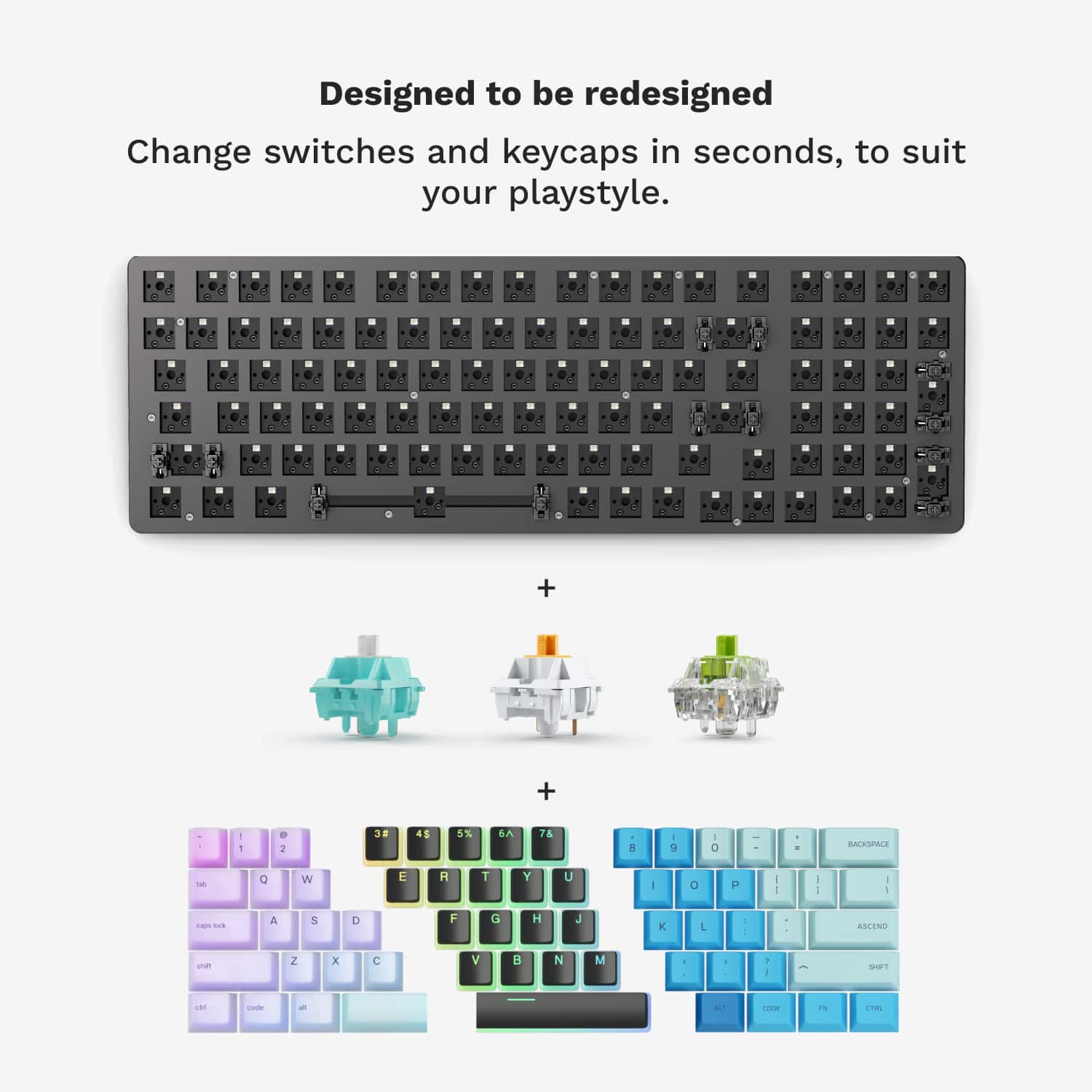
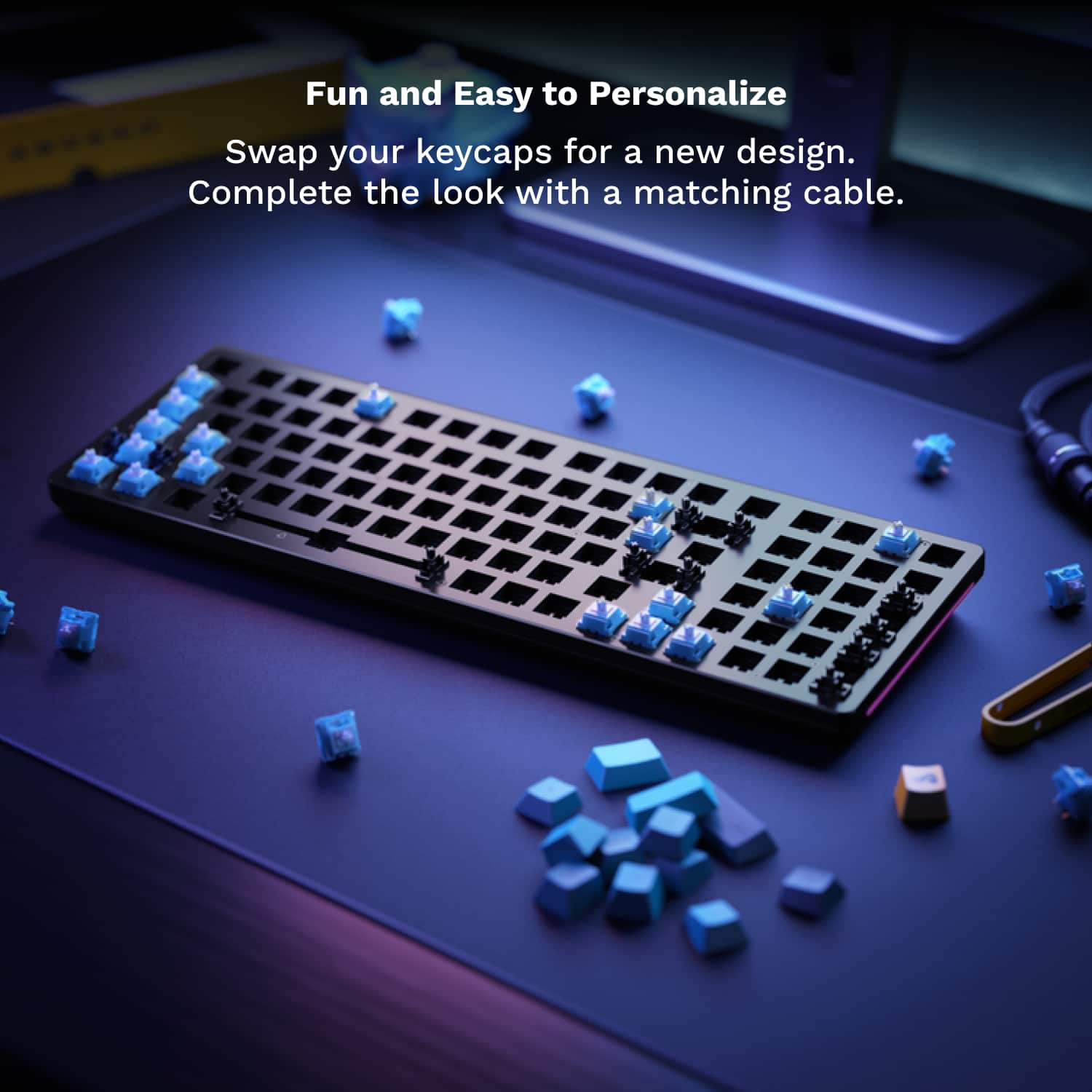
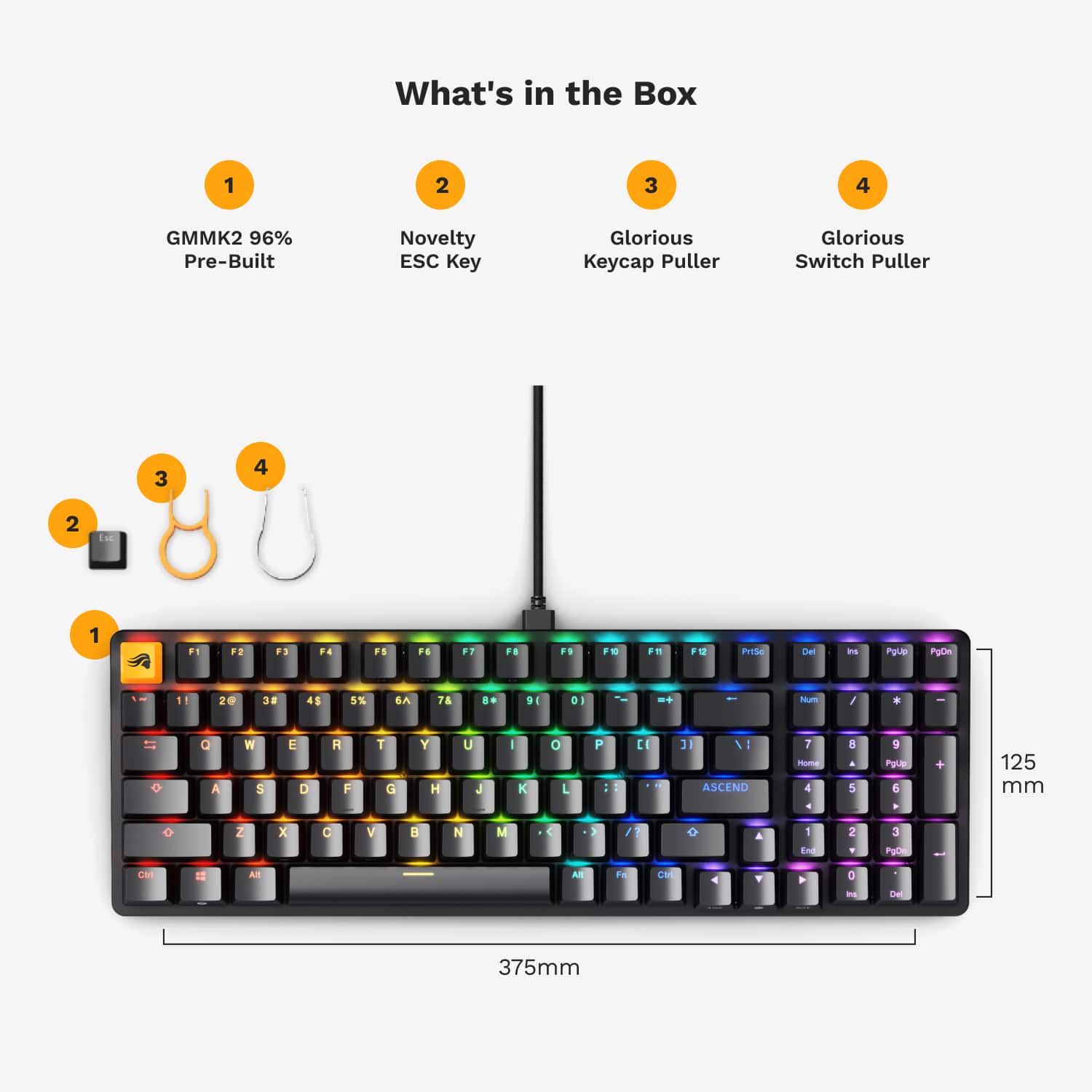
|Posted .This reviewer received promo considerations or sweepstakes entry for writing a review.The Glorious GMMK 2 Prebuilt 96% Full Size Wired Mechanical Linear Switch Gaming Keyboard is an amazing wired mechanical keyboard that feels fantastic to use for gaming or any purpose. In the box, I pulled out the keyboard itself, a 6 ft USB-C to USB-A cord, 1 keycap puller, 1 switch puller, and an alternative Esc keycap. The modular aspect of the keyboard is one of the biggest perks, so I was so happy to see that it came with the tools to quickly and easily swap out keycaps and switches. The next aspect that I noticed was the weight of the keyboard. It feels so sturdy and is the heaviest keyboard I have ever used. When I move it around, I use two hands. I think this is a great thing because so many other keyboards feel plastic and cheap. The Glorious GMMK 2 feels like it will never break. Interestingly, given the heft, this is a compact 96%/99 key keyboard with a full ANSI 10 key layout, but is about 2 inches less wide than a normal keyboard. When sitting flat, the keys are angled at 6 degrees. When the legs are down, the keys are angled at 11 degrees. It has an aluminum frame, and the base is made from ABS. It comes with pre-lubed Glorious Fox linear mechanical switches with ABS doubleshot keycaps which are black with transparent legends for backlit RGB. The typing is audible, but this is in no way a clicky keyboard. Each keystroke is smooth and with just the right amount of resistance. If the sound or feel is not what a person likes, use the included keycap puller and switch puller to hotswap into what you would like to use quickly and easily. This is a wired keyboard, so it is as simple as plugging the USB-C end of the included cord into the keyboard and connecting the USB-A end of the cord into your computer. There is customization software called Glorious Core. It is a quick download and provides so much control over every aspect of the keyboard, including the RGB and key gaming features. The RGB looks fantastic with the choice of 16.8 million color choices. What is a little different is that the keyboard has sidelights that run along the left and right sides of the keyboard frame on top of the LED backlighting for each key, and I think the effect looks really cool. By default, the keyboard comes with an Esc key that has the Glorious logo on it. So if you plan on using the Glorious GMMK 2 in a business setting where you don't want to advertise it as a gaming keyboard, you just need to turn the RGB off and maybe swap the Esc keycap for the included normal Esc keycap. I used it for gaming but also for word processing, and I have to say that this is the best keyboard I have ever used in any respect. If I had to list a critique, it would be that I do miss having a separate, dedicated key(s) for volume control, whether it is a roller or knob or set of keys. The functionality does exist in the F9 thru F11 keys but it is a little awkward to have to look away from the screen to find those keys. But I understand why that design choice was made; almost every millimeter of space is packed with keys. It just takes a minute to get used to the slight differences in keycap spacing. Overall, I recommend the Glorious GMMK 2 to any user, for any purpose, but especially gaming. It feels nice, it looks nice, it sounds nice, and if you don't like the default setup it is completely changeable. It is packing a lot in a 96% keyboard, including the full 10 key, but I think this is a keyboard that is strong enough to last for many, many years.
I would recommend this to a friend poor quality
||Posted .This reviewer received promo considerations or sweepstakes entry for writing a review.half the keyboard dosent work after 2 years, replaced it with a trusty logitech
No, I would not recommend this to a friend- Pros mentioned:Key feel, Rgb, Switches
Great Keyboard for Gaming, and General Work
|Posted .This reviewer received promo considerations or sweepstakes entry for writing a review.Today, a powerful PC is indispensable for gamers and creatives in various fields, including graphic design, video editing, music production, and more. A well-equipped computer is a start toward enhancing productivity, streamlining workflows, and enabling the realization of intricate projects. A GREAT computer setup also includes a GREAT Keyboard! A great keyboard should have at least the following features - 1. Easy modding for beginners 2. Customizable and hot-swappable design 3. Key switches that feel great to the touch 4. A plethora of modding options 5. Programmable keys 6. App for layout configuration The Glorious - GMMK 2 Prebuilt 96% Full Size Wired Mechanical Linear Switch Gaming Keyboard with Hotswappable Switches along with the Glorious CORE App (https://www.gloriousgaming.com/pages/software) include these features and more. The premium 96% Modular GMMK 2 Mechanical Gaming Keyboard, is a great peripheral. You can change your switches and keycaps in order to customize your design, or enjoy the awesome stock feel right out of the box. Some of the quality fetures are - 1. Aluminum Top Frame 2. Custom 96% Compact Layout 3. Hot-Swappable Switches 4. RGB: 16.8 Million Color Per-Key LED Backlighting 5. Glorious Fox Linear Switches 6. North-facing 5-pin Switch Sockets 7. Pre-Lubricated Stabilizers 8. Detachable and highly flexible 6ft Braided USB-C Cable Glorious CORE App (https://www.gloriousgaming.com/pages/software) and use it to change lighting effects, adjust keybindings, and alter performance. The quality of the build and craftsmanship, smooth keypress, and low input latency make for a class act. With the keyboard builder, you can tailor every nuance of your keyboard build, keycaps to switches. I had occasion to use customer support and they were terrific! I REALY like this keyboard. Great for Gaming or any computing task!!
I would recommend this to a friend - Pros mentioned:Keyboard quality, Rgb, Switches
Extremely well built, very happy.
|Posted .This reviewer received promo considerations or sweepstakes entry for writing a review.The Glorious GMMK 2 Prebuilt 96% keyboard is my first experience with Glorious as a company and I am thoroughly impressed. The GMMK 2 is an exceptional choice for anyone seeking a premium keyboard experience. This prebuilt model offers a nearly full-size layout while maintaining a compact form factor, making it an ideal option for those who need a versatile and space-efficient keyboard. The GMMK 2 has hot-swappable switches, which allow users to easily change out the switches without any soldering. This feature is perfect for enthusiasts who like to customize their typing experience or experiment with different switch types. The keyboard comes with high-quality switches pre-installed, providing a smooth and responsive typing experience right out of the box. The build quality of the GMMK 2 is impressive, with a sturdy aluminum top plate that gives it a premium feel and ensures durability. The keycaps are made from double-shot ABS plastic, which is resistant to wear and tear and provides a comfortable typing surface. The RGB lighting is vibrant and fully customizable through the Glorious CORE software, allowing users to personalize their keyboard to match their setup. The 96% layout includes a full number pad, arrow keys, and function keys, all in a compact form that saves desk space. This makes it a great option for users who want the functionality of a full-size keyboard without the bulk. This is personally my favorite form factor. Highly recommended!
I would recommend this to a friend Terrible
||Posted . Owned for 10 months when reviewed.This reviewer received promo considerations or sweepstakes entry for writing a review.Do not buy this keyboard! You have no idea how long it took to type this! Keys double,triple, quadruple press all of the time. Seriously, all the time. The spacebar will either not work at all or double, triple, quad, etc. press as well. Worst keyboard ever, please save your money it is so frustrating.
No, I would not recommend this to a friendBrand response from Glorious Product Expert
Posted .Appreciate you sharing your feedback; you should definitely not be experiencing key spam when using the GMMK 2. Can you please submit a support ticket on our website? We'd like to provide you with some troubleshooting steps that should help eliminate the key spam.
You can do that here: https://contact.gorgias.help/forms/k77oyz80. Thanks!
Chatter / Double Typing! DON'T BUY!
||Posted . Owned for 3 months when reviewed.This reviewer received promo considerations or sweepstakes entry for writing a review.Do not buy this! PLEASE - save yourself a headache and avoid this! This keyboard is known for keyboard chatter, double typing. I updated the firmware, and still had this issue. I contacted support who couldn't help me. I even replaces the keyboard with the same exact version thinking I might've just had a defected one. Nope! They both had the same issue. Do. Not. Buy!
No, I would not recommend this to a friend