Customer Ratings & Reviews

- Model:
- GLO-GMMK2-96-FOX-B
- SKU:
- 6547948
Rating by feature
- Value
Rating 4.5 out of 5 stars
- Quality
Rating 4.6 out of 5 stars
- Ease of Use
Rating 4.7 out of 5 stars
Customers are saying
Customers have good things to say about the GMMK 2 Prebuilt 96% keyboard, especially regarding its high quality construction, vibrant RGB lighting, and premium switches. Users appreciate the consistent key feel and satisfying weight of the keyboard. The primary concern expressed is with the software.
This summary was generated by AI based on customer reviews.
- Pros mentioned:Keyboard quality, Rgb, Switches

Great Keyboard. Smooth operation!
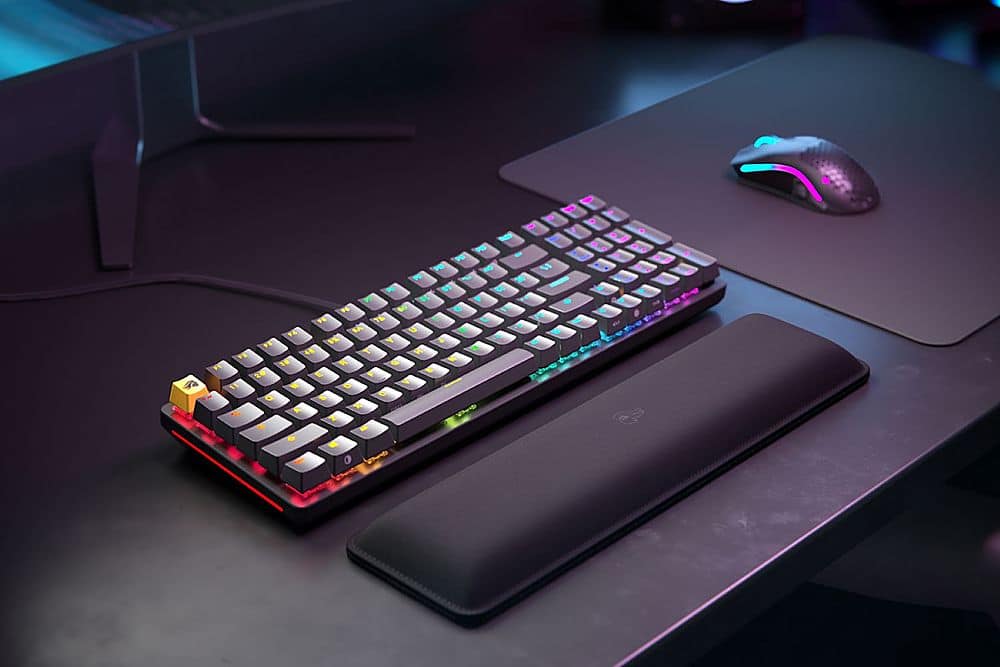
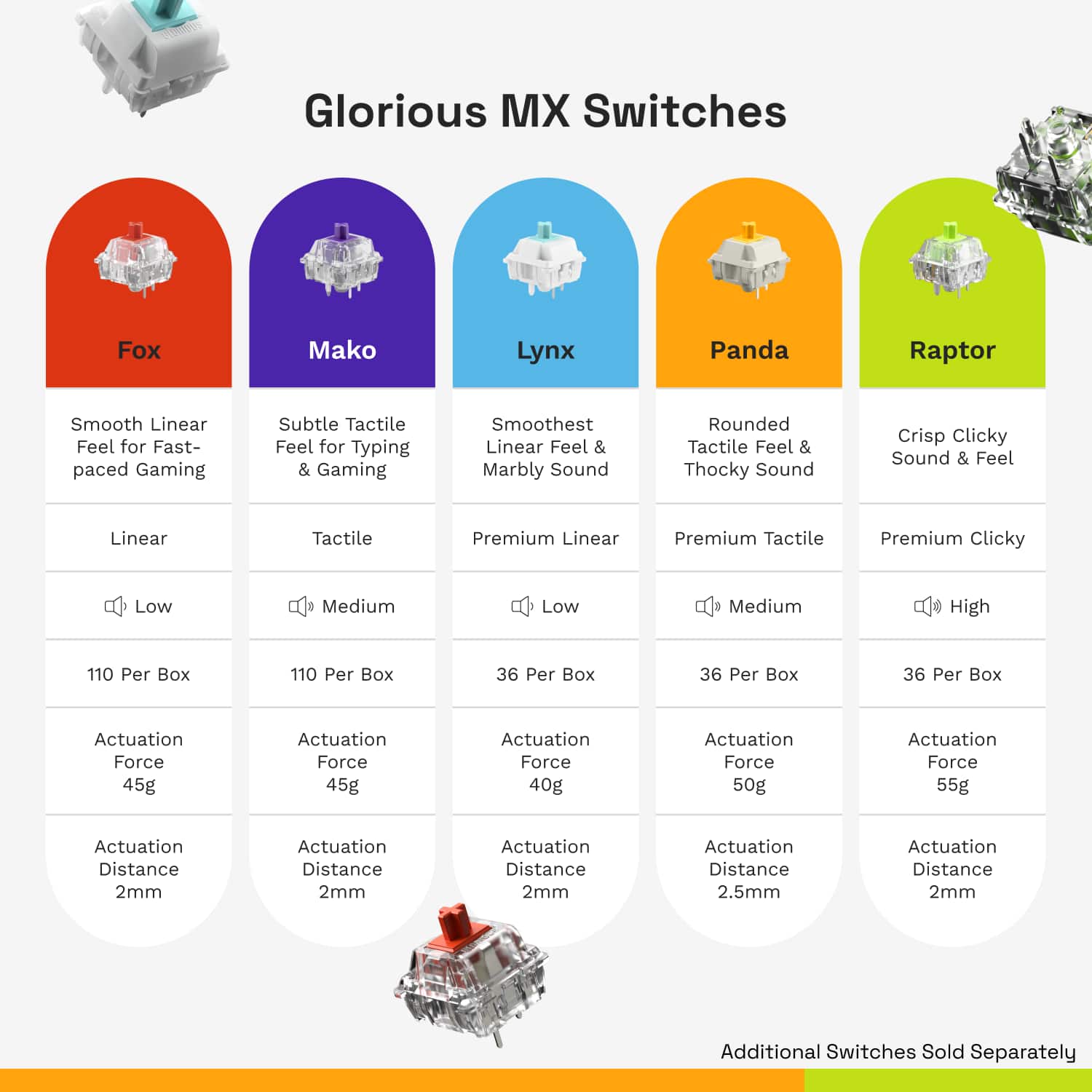
|Posted .This reviewer received promo considerations or sweepstakes entry for writing a review.The Glorious GMMK 2 Prebuilt keyboard is a excellent gaming keyboard with just about everything you need. This keyboard a very solidly built and has a considerable amount of heft to it. You get the awesome ability to hot swap switches if you want a different feel to the keys. Included is the super smooth and quiet Glorious Fox linear switches. These feel SOOO good! You get full RGB and a nice compact design. The 96% is compact enough where it doesn't crowd your gaming space but it still comes with a 10-key which is great. The one thing that is missing that I loved on other keyboards, is a dedicated volume control knob. You can control the volume and media with function keys, but I miss the volume knob. The Glorious software works pretty good. You can customize the keyboard and do firmware updates. Haven't had any issues with it. Overall, I am very happy with this keyboard. I love the switches and feel of it. Plus, I get the 10-key without taking up half my gaming space! If you are looking for a full sized keyboard with great features give this one a try.
I would recommend this to a friend Didn’t work
||Posted . Owned for 1 month when reviewed.This reviewer received promo considerations or sweepstakes entry for writing a review.Mine was an open box so don’t know if it’s this case with every but wouldn’t even connect to my pc or laptop.
No, I would not recommend this to a friendBrand response from Glorious Product Expert
Posted .Thank you for sharing your feedback - since you mentioned you were experiencing issues connecting the keyboard to your PC/laptop, please give a different USB-C cable a try. As long as it's a standard data cable, it should work just fine and you can test another cable to see if your keyboard will connect.

Poor Quality Bad Support
||Posted . Owned for 1 year when reviewed.This reviewer received promo considerations or sweepstakes entry for writing a review.Keyboard failing after 1 year. Keycaps stems breaking. Software half working. No updates. Dead product. Glorious customer support is really bad. Like, really bad.
No, I would not recommend this to a friendBrand response from Glorious Product Expert
Posted .Hey there!
All of our GMMK 2 keyboards come with a 2-year warranty, so as long as your unit is within the warranty window and you are experiencing issues with it, our customer service team is here for any warranty claims. Additionally, if you are not happy with an option that our CS team has provided, please follow up in your support ticket and we'll take a look and assist you further!
Lastly, if you own the GMMK 2 keyboard, you can use Legacy CORE while our Dev team is working on releasing updates for CORE 2.1. With Legacy CORE, you should get full support for the GMMK 2 and you'll be able to take full advantage of its customization options. Thanks!
- Pros mentioned:Keyboard quality, Switches
Multi-functional, Customizable Dream
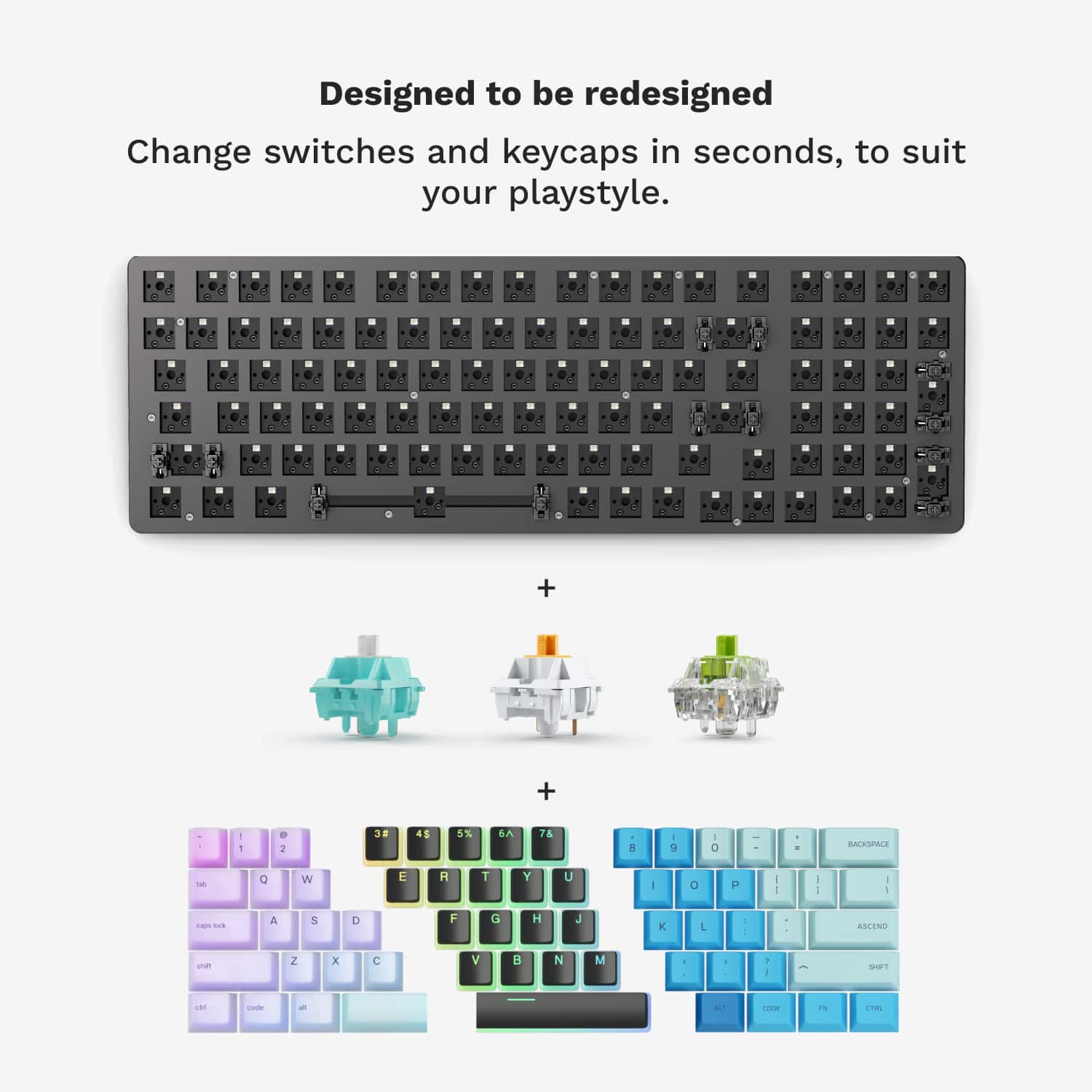
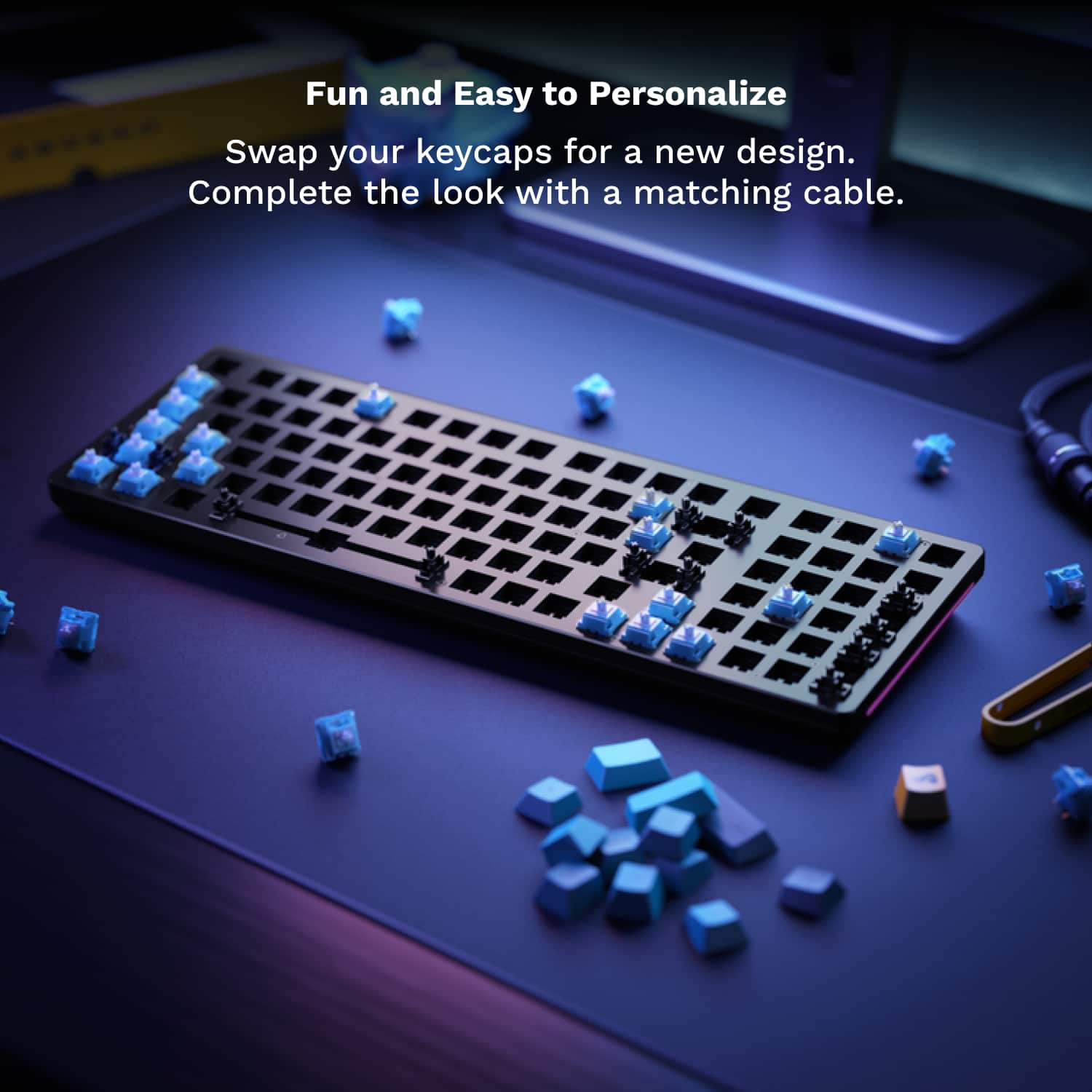
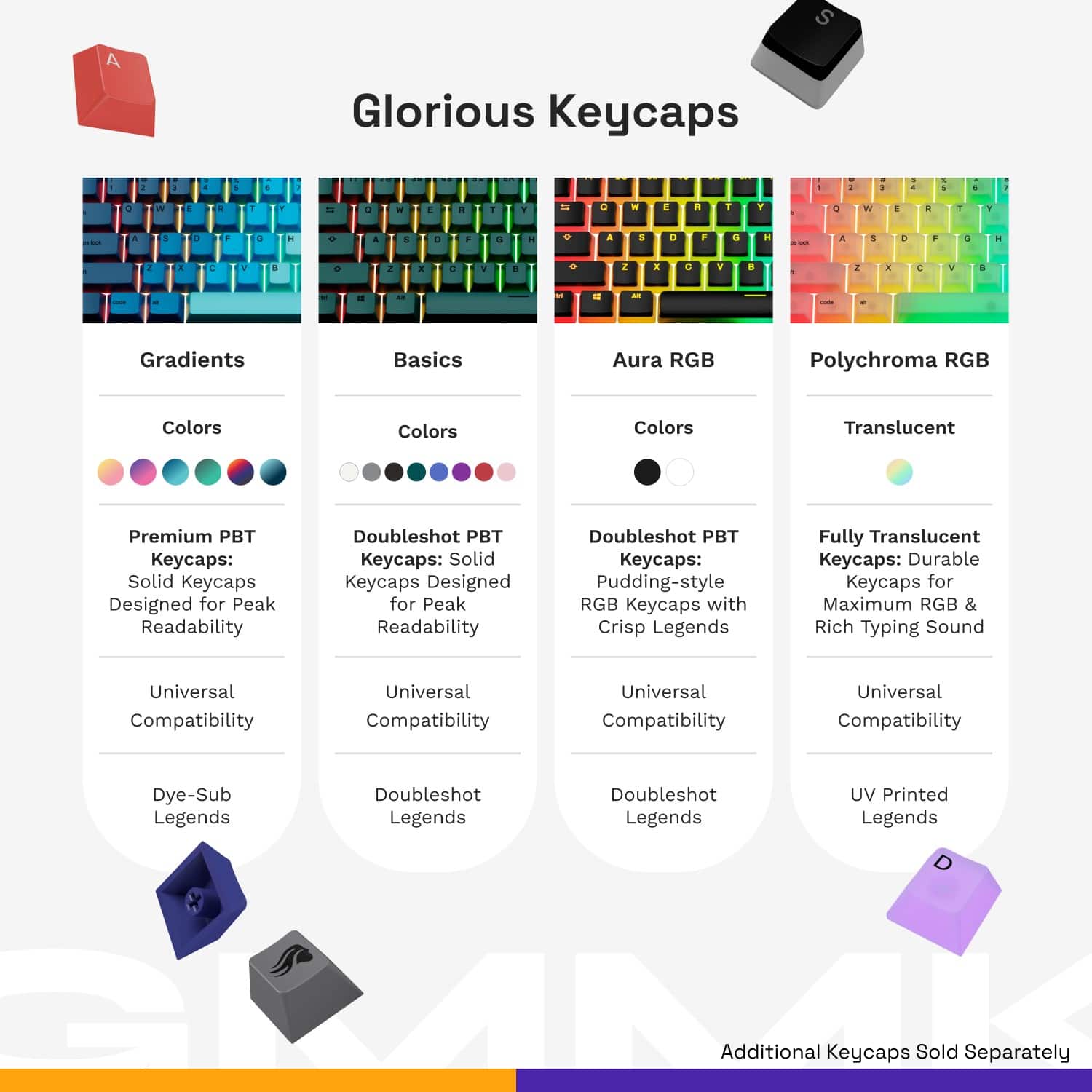
Posted .This reviewer received promo considerations or sweepstakes entry for writing a review.From the very first time I opened this box, I was in love. First of all, it comes with a sticker, heck yeah, I freaking LOVE stickers. But aside from that trivial addition, it also feels HEFTY. Like, we love a dual purpose tool: by day, an amazing gaming keyboard, by night a dangerous bludgeoning weapon for self defense. Those burglars better beware! Seriously though, I love this keyboard. I got it for a real steal ($65!) but it feels like a $200 keyboard. By default, it comes with red linear switches, which on their own are very nice. I enjoyed these quite a bit, but out of curiosity had to try some other switches. Since this keyboard is so customizable, I was able to order their Raptor clicky switches which really scratched my brain in all the right places. The raptor switches click twice each time you press them and they're nearly as loud as a typewriter. But I digress.. I also ordered their Aura Keycaps which are basically the same as the default keycaps, but just allow a lot more LED shinethrough. I'm a real, bonafide gamer now, folks! You may be wondering, "is it really a good keyboard if you switched out all the pieces?" And like, valid, but also thats the beauty of it. I honestly thought the base keyboard was great (ESPECIALLY for the price), but I'm extra and knowing that I could customize this to exactly my preferences was not something I could pass up. Like sure, I could get the same Corsair keyboard as every basement gamer has, or I could have something that feels uniquely mine that I can be proud of. Can SteelSeries say the same for their keyboards?? I think not! Overall, I've been super impressed with this keyboard. The quality and the price are unmatched and I was able to customize it to fit exactly my needs and aesthetic. I seriously look forward to sitting at my desk now, because it's such a good vibe. Sometimes, I'm even excited to sit at my desk for work, if you can believe it (that wont last long, lets be honest - not the keyboards fault tho heh). Not only that, but I think I'm a full on Glorious fangirl now. Already eyeballing their ergonomic mouse.
I would recommend this to a friend - Pros mentioned:Keyboard quality, Rgb
Great Feeling Linear Mechanical Keyboard
|Posted .This reviewer received promo considerations or sweepstakes entry for writing a review.Glorious truly did make a glorious keyboard. First off, taking out the keyboard which weighs almost 3 pounds. A solid frame, no flex and just feels great on a desk. with a detachable USB-C cable is awesome allowing for customization/replacement if needed so I always support that. The linear switches from Glorious are pre-lubed and feel smooth to the type and make gaming easy for quick and easy light touch key play. The nice thing is this keyboard also supports hot swapping keyboard switches very easily which is fantastic as you can customize the feel for yourself. I swapped out a few side keys from WASD to a Cherry Blue switch to prevent accident team killing with grenades. It was easy and they worked great couldn't tell the difference beyond the fact they required more force to activate. The app that helps manage the keyboard/RGB and firmware is lightweight and requires few resources, and I appreciate it. Having a slew of different vendor apps, it is nice to see one that is easy on the resources and works well for what is required, including a neat setting of adjusting the keyboard latency. A setting I have never seen exposed before and like the ability adjust it, especially between fast twitch, low latency FPS to slower RPG's. For a gaming keyboard with RGB this is an excellent choice. Feels fantastic, solidly built, easy to swap out the switches to make the perfect setup for yourself and feels like it will last for years. Can't go wrong with this one.
I would recommend this to a friend - Pros mentioned:Key feel, Keyboard quality
Amazing high quality customizable keyboard!
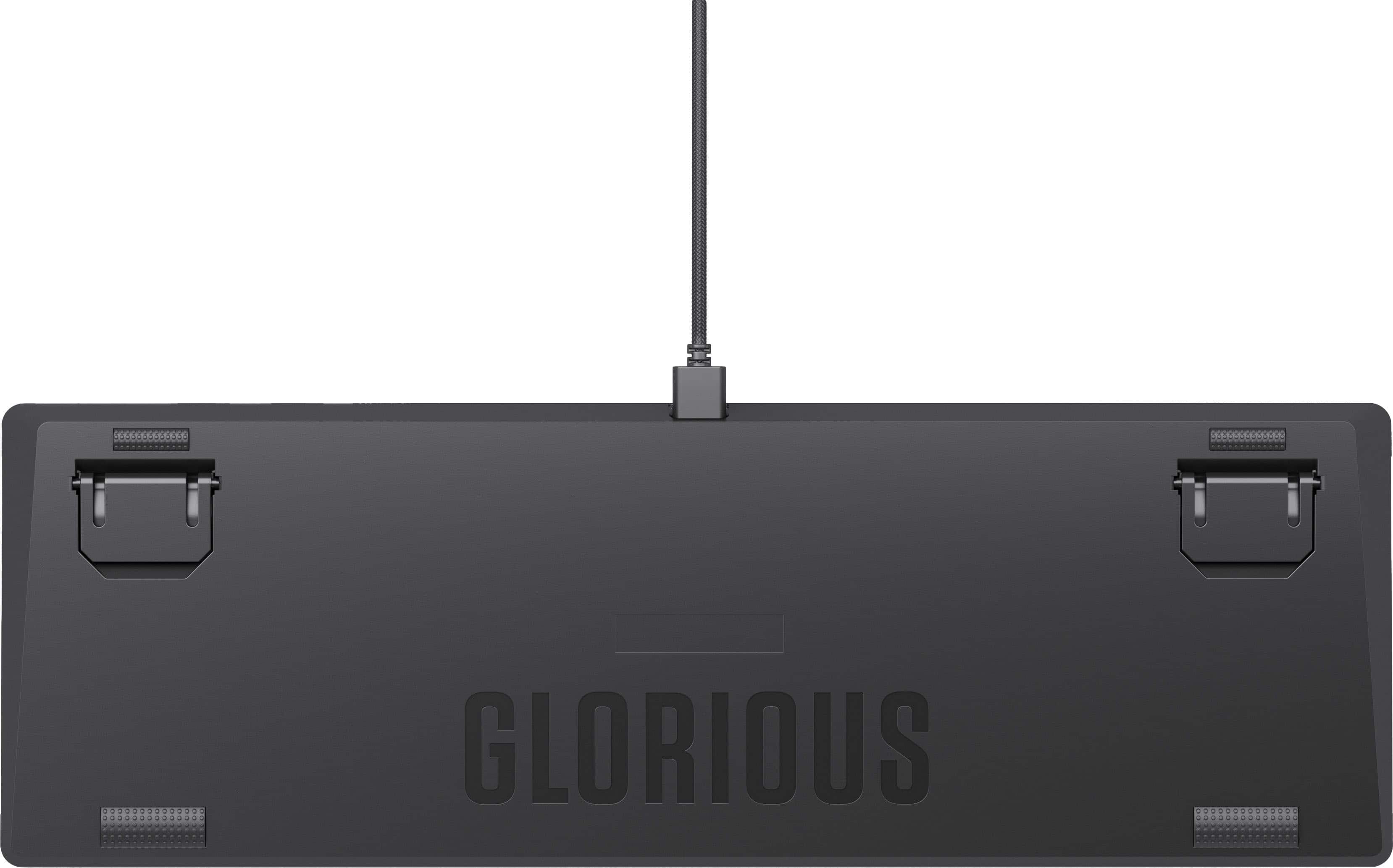
|Posted .This reviewer received promo considerations or sweepstakes entry for writing a review.The Glorious - GMMK 2 Prebuilt 96% Full Size Wired Mechanical Linear Switch Gaming Keyboard with Hot swappable Switches - Black, is one of the best if not THE best keyboards I've ever used. I've often seen high end keyboard online with people gushing about how much better they are than a normal keyboard, and I've been wanting to try one out, but didn't even know where to start. So I decided to give the Glorious - GMMK 2 a try and see how I liked a custom keyboard, and I'm glad I did! The board itself is heavy, it's pre angled toward the user, but also has two feet that can be deployed on the underside to give it even more of an angle towards the user. The keys have a great feel when pressed, they're firm but not sticky, and they give good tactile feedback. It FEELs like my typing speed has increased even. The deck has no flex to it, and there is no squishy or bouncy feel when pressing the keys down. Set up was super easy. It worked right out of the box, and following the included instructions it was easy to download the customization software that allows the back lighting to be changed, and macros to be assigned, and other key function changes if desired. I'm very happy with my new keyboard, it's going to suck going back to work and having to use the stock keyboards there now that i know what a good keyboard is like!
I would recommend this to a friend - Pros mentioned:Keyboard quality, Rgb
Definitely Glorious
|Posted .This reviewer received promo considerations or sweepstakes entry for writing a review.I’ve been able to spend some time with this keyboard. I’m currently using a mechanical keyboard that is pretty decent, but once I felt this one, my thoughts of my keyboard definitely had changed. Straight out of the box this thing is heavy like I mean really heavy which means it won’t really go anywhere at all on your desk, but the real magic happens when you first start typing on it man the feel of it but also that sound it makes is totally different from anything you experience has that premium Clack instead of a super loud click. I was using my old keyboard at work and I switched to this one it basically made it like it’s a has a suppressor on it. You still get that feel and that feedback from typing on it as well as sound feedback. Only real issue I have is how the symbols are represented on the keyboard and get some taking used to, but it’s just a minor thing. The RGB is really nice and you’re able to quickly cycle through the RGB settings through the keyboard. This keyboard feels super premium out of the box and lives up to its name, glorious.
I would recommend this to a friend - Pros mentioned:Keyboard quality
"Glorious" keyboard marred by terrible software
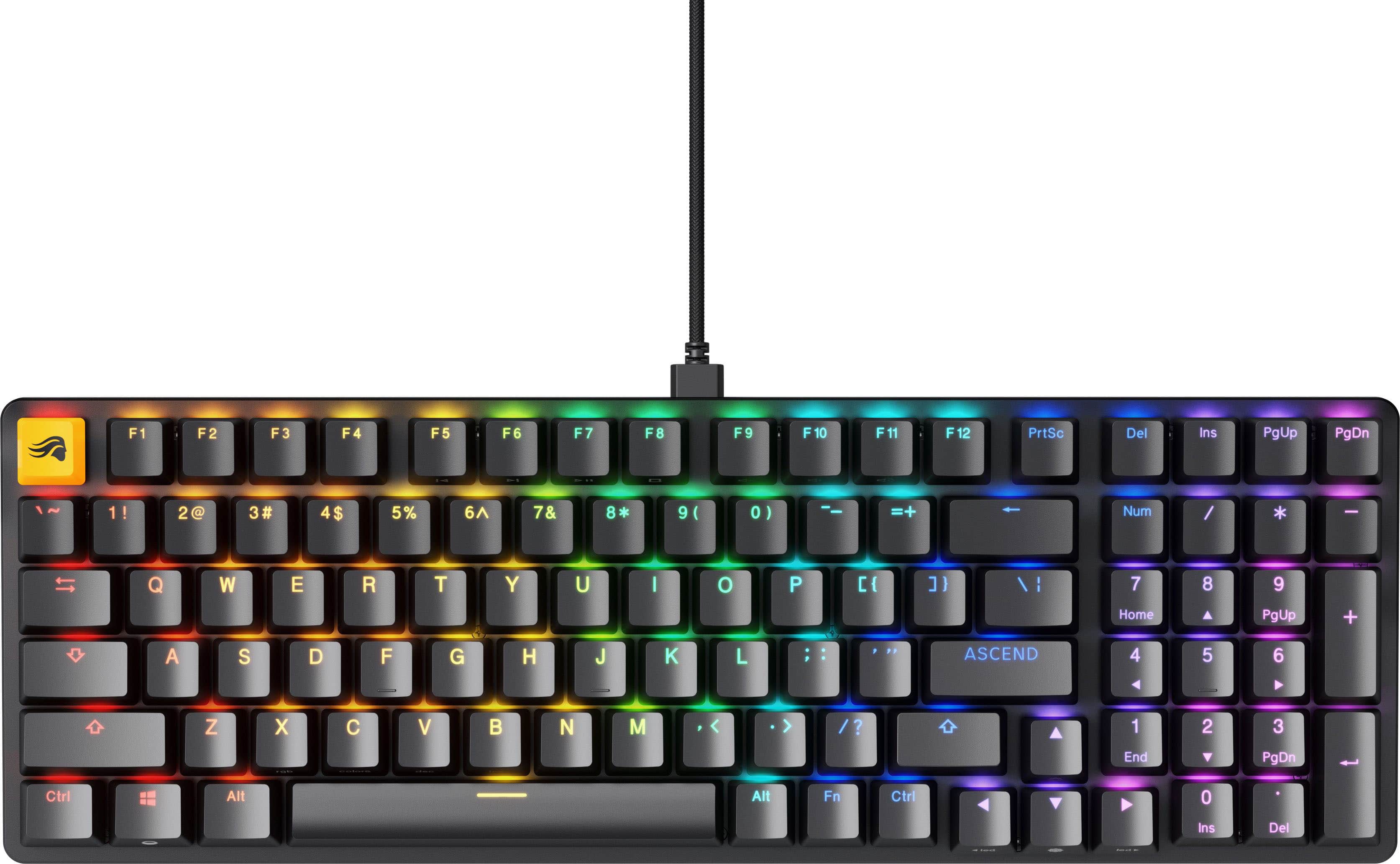
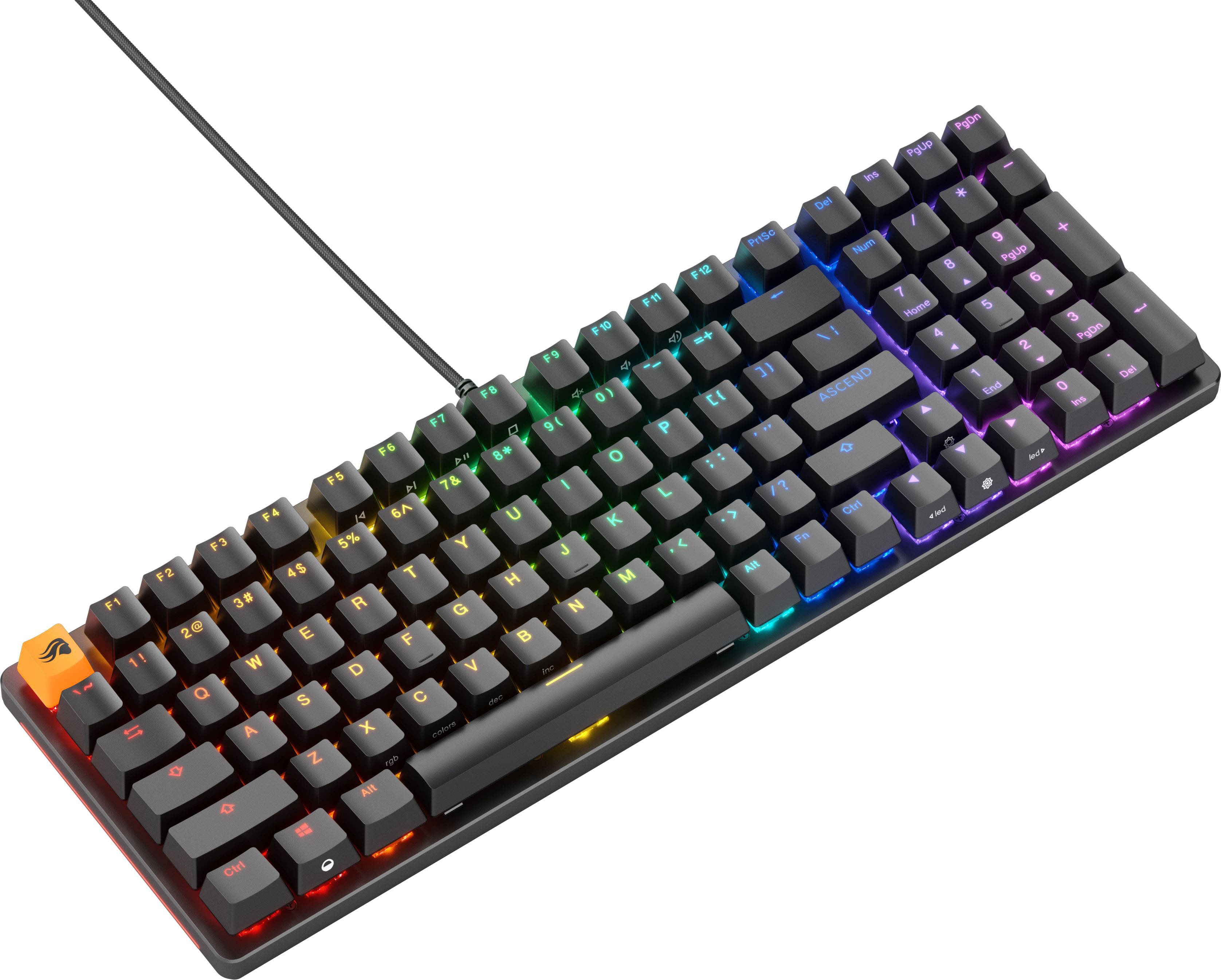
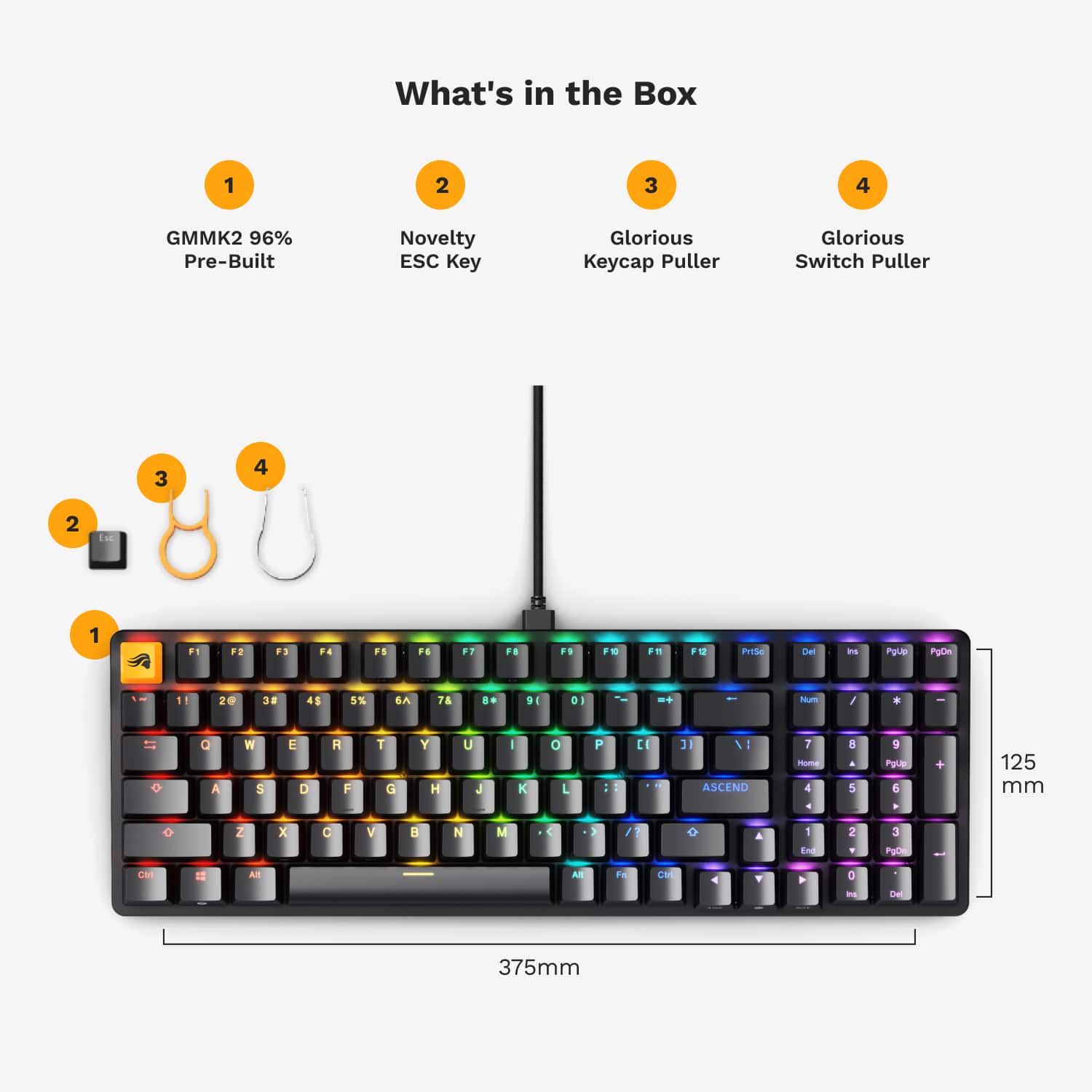
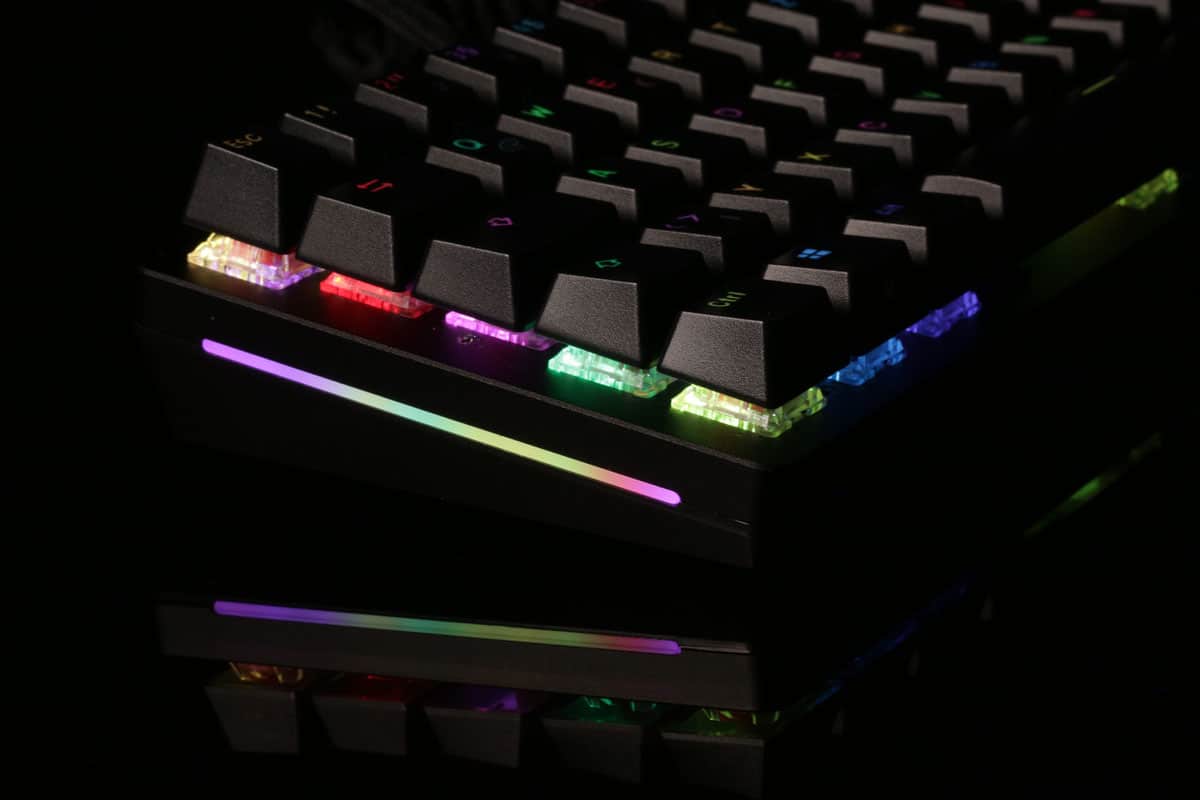
|Posted .This reviewer received promo considerations or sweepstakes entry for writing a review.I had never heard of Glorious so I leapt at the chance to audition their 96% mechanical keyboard. Over the past 7-8 years, I've used keyboards w/Cherry browns, reds, silent reds, speed silvers, & magnetic mechanical switches. But I hadn't really explored recent trends in the keyboard market like modular designs or keyswitch lube to appreciate what I might be getting here. In the end, my experiences & impressions of the Glorious GMMK2 suggest this keyboard may offer a better value for your dollar than some of the other pricier units I've purchased w/lesser build quality & flexibility. But whether you will feel the same way about YOUR Glorious keyboard depends a lot on how much you need some of the customization tucked away in the Glorious CORE app, and/or how long it takes Glorious to fix the hot mess the current app seems to be. I'll lead off with the good stuff as there's a lot here to appreciate. As others undoubtedly mentioned, the GMMK2 is a deceptively heavy keyboard, especially given the slightly smaller form factor. The added heft of the aluminum construction ensures you will have a hard time scooting it around your desktop during the heat of battle. All keys are ABS doubleshot; while the keycaps themselves might not be *quite* as robust as those using PBT, none of the keycap legends will fade or partially rub off after repeated use. The switches are pre-lubed Fox linears. I had never used them before (nor knew what a lubed keyswitch feels like), so I wasn’t sure what to expect. What I discovered is that these switches offer a VERY satisfying liquid-smooth stroke...there are no tactile bumps in the switch action nor any neighbor-disturbing clickety-clack that some typically associate with a mechanical keyboard. The actuation force is only 45g while the actuation point is 2.2mm of the 3.9mm total travel. As a fast typist (hitting 80+ wpm), I appreciated being able to [mostly] maintain my typing speed without feeling like I had to bottom out the keys to bring a letter up on the screen. Yet the travel was not so slight & light that I experienced any repeated characters when only one was intended. Whether I consciously tried typing or gaming at only half-force or purposefully bottomed out the keys to see what would happen & how it would feel, keystrokes remained glassy smooth without ever coming off as fatiguing, mushy or imprecise. My keyboard featured a uniform array of LEDs; there were no backlighting hotspots or dim areas. Several of the function, letter, & arrow keys include multimedia & LED control legends on the user-facing side of the keycaps (rather than a subscript character below the primary key legend), while cursor movement arrows & page navigation labels (PgUp, Home, End, etc.) appeared face-up beneath the numbers on the numpad with slightly less transparent lettering. Glorious also included a branded ‘Escape’ key as well as a traditional black keycap. Keyswitch & keycap pullers are also in the box as well as a robust but reasonably stiff 6 ft. braided USB-A (PC side) to USB-C (keyboard side) cable. Onboard RGB effects are numerous though you've probably seen most of them before. The ‘Fn’ key plus the left & right arrows change the RGB effect/pattern while the up/down arrows offer 16 brightness settings. Certain RGB profiles also let you adjust the colors & effect speed with ‘Fn’ + keys marked for ‘rgb’, ‘colors’, “dec’ & ‘inc”. It’s not a particularly groundbreaking design element, but I mention it because other RGB keyboards we’ve used don’t explicitly indicate which key combinations do what on the keyboard itself—you must either consult a reference list or memorize the combinations. Of course, another big draw here is the fully modular design. You can start your custom keyboard odyssey with what Glorious supplied out of the box, then later swap out the keycaps for a pudding set or some artisan keycaps that catch your eye; and/or you can swap out some or all of the switches themselves to completely customize the keyboard to in terms of aesthetics , haptics/feel, & performance. If this is your first smaller-than-full-size keyboard, I will warn you that you might feel more than a little cramped at first. Unlike a TKL layout, the directional arrows here have been squeezed into an opening beneath the ‘Enter’ (playfully labeled “ASCEND”) & right ‘Shift’ keys as well as the bottom left corner of the numpad...this drops the location of the directional arrows to a position that extends just slightly below the bottom row & much closer to the right side of the main keys than normal. But the biggest adjustment I had to make was the relocation of the ‘delete’ & ‘insert’ keys to the top of the numpad rather than directly next to the backspace & backslash keys. I’ll admit that even after a few weeks I haven't really come to grips with the new layout for work, but for gaming purposes the change will most likely be negligible. I do wish there were a few other tweaks to aid in better usability. For example, there is no indicator when num-lock is engaged, & there seems to be no option out of the box for a function-lock so you don’t have to use two hands for every function+key combination. Interestingly, the side LED strips (both of them) flash when CAPS-lock is activated, but why one of those two couldn’t be assigned to num-lock instead is a mystery. Where things really started to fall apart was when I tried to dig into customizing the keyboard’s functionality via the Glorious CORE 2.0 client. A quick bit of Google-Fu (at least at this time) reveals an unsettling amount of negative feedback about the state of the current CORE 2.0 application...and after trying to use the program for setting basic options & functionality like keybinding, RGB control, or macros, I can understand why there is so much negative press. Starting with one of the cardinal sins of software design, when I closed (not minimized) the CORE application, it did not quit running; but it also would not maximize or re-open via system tray icon--not the least of which is because there was no tray icon, nor was there an option to turn one on in the Windows system tray icons submenu. The CORE program would also not reopen by double-clicking the CORE desktop or Start Menu icons again. Ultimately, I could not get back into CORE until I brought up the task manager, ended all running Glorious processes, then restart the app. I tried uninstalling, redownloading, & reinstalling the CORE client three times for this issue (and others). Strangely, on the 4th reinstallation, a system tray icon appeared so I could finally get back into the client to make further tweaks & try out new settings without so many intermediate steps. But the frustration didn’t end there. For instance, the interface looks nice—really nice in fact. However, the keyboard’s RGB preview on the lighting tab almost never matched the lighting scheme I selected from the presets (there are currently about 20 to choose from) even after I hit ‘Save’ to apply the selected pattern. Per-key RGB customization was completely inoperative for me; I could neither select a single key from the onscreen keyboard map, nor select one of the quick key groups (WASD, F keys, etc.) to change the RGB lighting for those keys. The keybinding page proved equally fruitless. The menu suggests you can set keystrokes or key combinations for mouse functions, shortcuts, multimedia controls, macros, etc., but whether I selected a key on the keyboard map or an item from the keybinding menu, nothing happened—no additional options appeared on the screen nor were there indications as to what was supposed to happen next. However, after the second reinstallation, I was able to specify a program shortcut in the keybinding menu, but then there was no way to assign the shortcut to a particular key no matter what I tried. On the third reinstallation, I could select a key on the keyboard map, & it remained highlighted in orange--which I assume meant it was ready for a shortcut to be assigned there--but then the CORE program was not responsive to any other mouse clicks or menu selections on that page so I couldn’t go any further. Other than the firmware update, the only CORE keyboard setting page that seemed to work without issue was the performance tab used to adjust polling rate (up to 1000hz) & input latency (down to 2ms). However, I was so frustrated at that point, & so discouraged at the number of online messages/reports I found echoing the same sentiments, I simply uninstalled the CORE client. I haven't given up, but I did decide to wait until a revision or two is pushed out into the wild as I’m clearly not the only one having problems. This was a real shame because I’m betting (based on the purported functionality of the CORE client) there probably were ways to make up for the few niggles I noted earlier. For instance, I probably *could* reassign one of those side LED strips to indicate num-lock status, or maybe even change the lighting pattern of the ‘Num’ key itself to breathing or blinking or some other obvious contrast with the rest of the active RGB pattern. And I wouldn’t be surprised if there actually was a function-lock command hidden somewhere in the keybinding menu as well. I am optimistic such issues will eventually be ironed out; but until then, I do feel like there is some missed potential here. Nevertheless, the Glorious GMMK2 is still a solid bit of kit that has a lot going for it, including some simply outstanding haptics & performance that should appeal to typists & gamers alike, especially those interested in eventually trying out some different switches & keycaps without having to fork over a mint for a barebones keyboard to start. And once the CORE 2.0 program catches up with the hardware it is supporting, the Glorious GMMK2 will be a no-brainer recommendation & serious contender in this segment of the crowded mechanical gaming keyboard marketplace.
I would recommend this to a friend - Pros mentioned:Keyboard quality, Switches
The most under rated gaming brand
Posted .This reviewer received promo considerations or sweepstakes entry for writing a review.The GMMK 2 is easily one of the best keyboards I've used. It feels quite heavy and well built. There's also quite a few different keycaps and switch types to customize the keyboard. This keyboard is way better than anything I've used from Logitech. If you are looking for a new gaming keyboard that stands out from the rest, you won't be disappointed with this one!
I would recommend this to a friend - Pros mentioned:Keyboard quality
Premium keyboard!
|Posted .This reviewer received promo considerations or sweepstakes entry for writing a review.This is feel and functionality of this keyboard is premium- comparable to much more expensive keyboards. Build quality is solid. It feels like it can take a fair amount of intense gaming and keystrokes without any issues. It weighs in at close to 3 pounds, so you don't have to worry about the keyboard sliding out from under your hands at a critical moment during your game. Responsiveness is super quick- I didn't notice any lag. The keyboard is "pre-built" in that it comes with a pre-installed set of keycaps, but the keycaps are easily swapable if you have a favorite set or want to change out your most-used keys for a different color. The software is easy to navigate. It keeps the firmware updated and allows you to tweak the color setting and change key functions to your preferred settings. Between gaming and working from home, I spend a lot of time on my computer. I was able to use this keyboard for work, including a lot of Excel spreadsheets. I really appreciate the 10-key keypad. The keyboard is easy to type on, and having access to the numeric pad allows to me to breeze through work. It's not a mini-keyboard, but it is slightly smaller than full-size. I have small hands, and I found this comfortable to type on. I think this keyboard is the best bang for your buck at this price point.
I would recommend this to a friend - Pros mentioned:Keyboard quality
Solid 96% keyboard for gaming
Posted .This reviewer received promo considerations or sweepstakes entry for writing a review.I came to this keyboard from my old TKL Corsair Quickfire Stealth with Cherry MX Browns. I've been looking for a new keyboard for awhile around this pricepoint and I think I've finally found what I'm looking for. The size of this board is a little bigger than what I came from, but close enough to where it doesn't take up a ton more space, while having a compact TK that I missed out on with my old keyboard. The switches are much more quiet than I am used to, but still have a good response when typing (my wife prefers the sound of these as well). Customization on board is nice with being able to change the RGB how you prefer, and I'm looking forward to being able to try out other switches that are available with this keyboard since they are hotswappable. Overall I'm very satisfied with this keyboard and it's been a nice change of pace from my previous keyboard. It'll always have a place as a backup but I think this one is the one I'll be using for the future.
I would recommend this to a friend - Pros mentioned:Keyboard quality
Awesome quality and solid construction
Posted .This reviewer received promo considerations or sweepstakes entry for writing a review.Absolutely love this keyboard! I picked it up after using a Corsair mechanical keyboard for years, and I like it way more. The Glorious keyboard was about $60 cheaper and the build quality feels way better. It feels heavy and solidly constructed. I also like how quiet and smooth the keypresses are, the constant typewriter noise of my Corsair got old after awhile. I also like compact size of this keyboard, it frees up a lot of space on my desk while still having a numpad. I haven't played around with it yet but I'm also thinking of customizing the board with different keycaps and cables down the line. The easy customizability is a big bonus.
I would recommend this to a friend The bee's knees
Posted .This reviewer received promo considerations or sweepstakes entry for writing a review.Fantastic keyboard with decent software, My only knock is the stock switches that came in this board. They were not tactile enough for my liking. Luckily I was to upgrade the switches to the raptors which was exactly what I was looking for
I would recommend this to a friendDecent keyboard
|Posted .This reviewer received promo considerations or sweepstakes entry for writing a review.The Glorious - GMMK 2 Prebuilt 96% Full Size Wired Mechanical Linear Switch Gaming Keyboard with Hotswappable Switches - Black is a great keyboard. Firstly, the setup. While setting this keyboard up, I had some hiccups. Upon plugging it in, it would not type anything and it was not detected by the Glorious software. However, after a few attempts of plugging and unplugging it, the keyboard eventually started working and I was able to test it out with a typing test. Secondly, let's talk about the typing. My previous score with my old Razer Ornata V2 was 101 wpm but on this I was averaging around 90 wpm. That's not really a huge difference and once i get used to this keyboard I should be able to get back up. The app is also decent. I can change the colors to any color on any key I want to. I can even change specific keys. The app also has decent shortcuts. The only thing that I think it's missing is a "lock windows" shortcut. If Glorious would add that to the app, I think I'd be happy with this keyboard. Overall, the Glorious - GMMK 2 Prebuilt 96% Full Size Wired Mechanical Linear Switch Gaming Keyboard with Hotswappable Switches - Black is a solid buy and I would recommend it to anyone looking for a decent mechanical keyboard.
I would recommend this to a friendNot a ham sandwich
Posted .This reviewer received promo considerations or sweepstakes entry for writing a review.This is my first mechanical keyboard so what can I really say other then I really like it and it sounds great. Now with that being said it is not a ham sandwich, if you purchase this hoping for a ham sandwich you will be greatly disappointed.
I would recommend this to a friendLove it!
Posted .This reviewer received promo considerations or sweepstakes entry for writing a review.Im not a gamer but bought this product because of the feel and look, and for use at work. It is smooth to type with, and quiet enough that it won't bother others around me.
I would recommend this to a friend- Pros mentioned:Keyboard quality
Glorious products are GLORIOUS
Posted .This reviewer received promo considerations or sweepstakes entry for writing a review.The fit, finish and function of this keyboard is fantastic.
I would recommend this to a friend Office manager
Posted .This reviewer received promo considerations or sweepstakes entry for writing a review.Feels good on the hands and feels like I am typing faster with more ease
I would recommend this to a friendWas gift that made a teenager happy!
Posted .This reviewer received promo considerations or sweepstakes entry for writing a review.Son likes it. Was gift that made a teenager happy!
I would recommend this to a friendToo expensive for all the issues
Posted .This reviewer received promo considerations or sweepstakes entry for writing a review.All their gear is overpriced which would be fine if they had software that works but they don't. Their branded switches fail more than any other switch I have used. I have to replace one every few months. I don't know what happened to Glorious, but they should be off anyone's list
No, I would not recommend this to a friendBrand response from Glorious Product Expert
Posted .Thank you for sharing your feedback on our products - very sorry to hear about your experience with the software and the switches.
All of our switches come with a 1-year warranty, so as long as you have a set that's defective, but within the warranty window, please do not hesitate to reach out to our support so that we can assist you further.
As for the software, we'll be releasing some major updates in the coming period that should introduce a lot of bug fixes and quality of life improvements, as well as improve the overall user experience, so please stay tuned!