Skip to contentGo to Product SearchGo to Footer
Main Content

Customer Ratings & Reviews
Your price for this item is $209.99
The comparable value price is $229.00

Customer reviews

Rating 4.5 out of 5 stars with 614 reviews

Rating Filter

Rating by feature

  • Sound Quality

    Rating 4.7 out of 5 stars

  • Battery Life

    Rating 4.7 out of 5 stars

  • Connectivity

    Rating 4.8 out of 5 stars

90%
would recommend
to a friend
The vast majority of our reviews come from verified purchases. Reviews from customers may include My Best Buy members, employees, and Tech Insider Network members (as tagged). Select reviewers may receive discounted products, promotional considerations or entries into drawings for honest, helpful reviews.
Page 30 Showing 581-600 of 614 reviews
  • Tech Insider Network Member

    Rated 5 out of 5 stars

    Superb with Android devices

    |
    Tech Insider Network Member
    Posted .
    This reviewer received promo considerations or sweepstakes entry for writing a review.

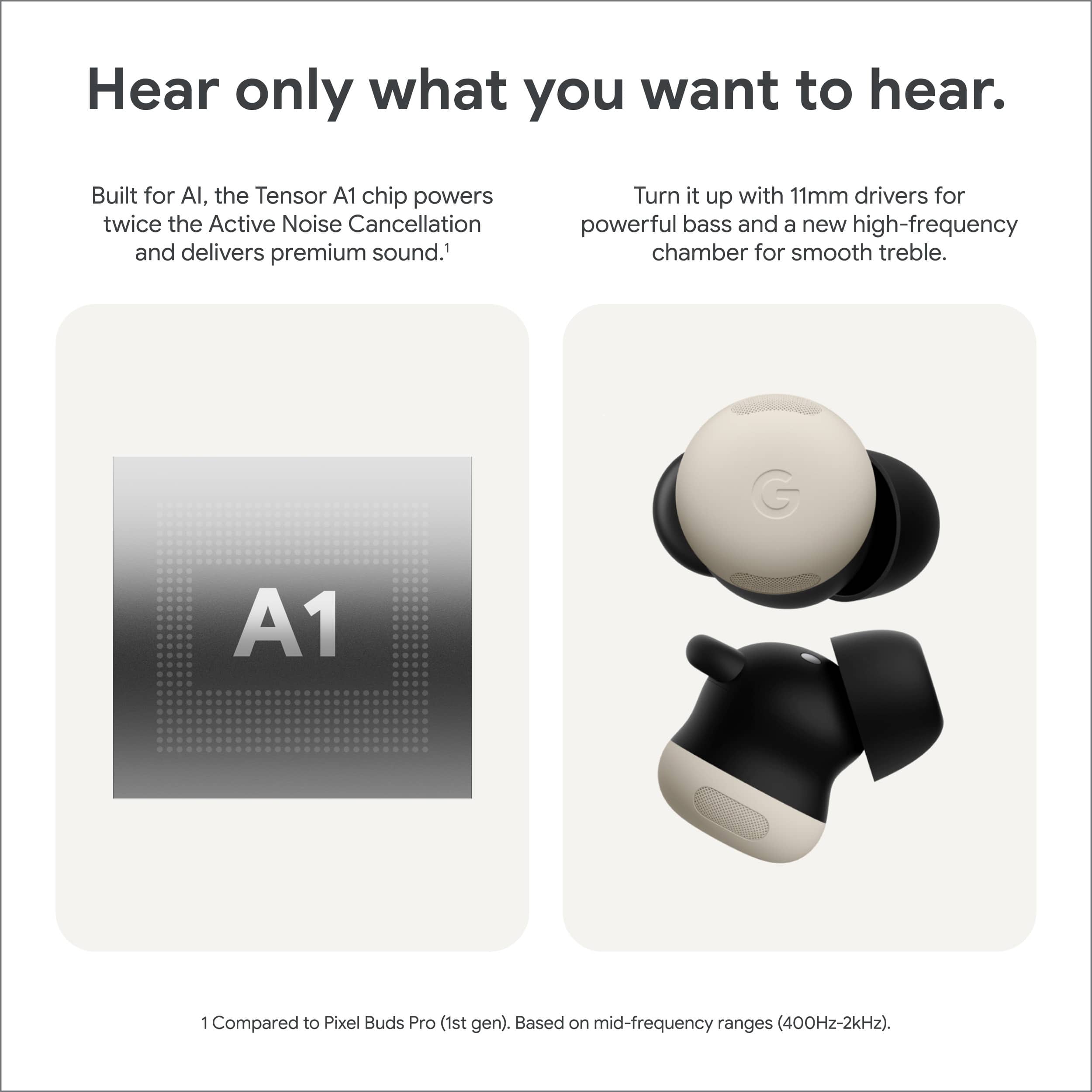
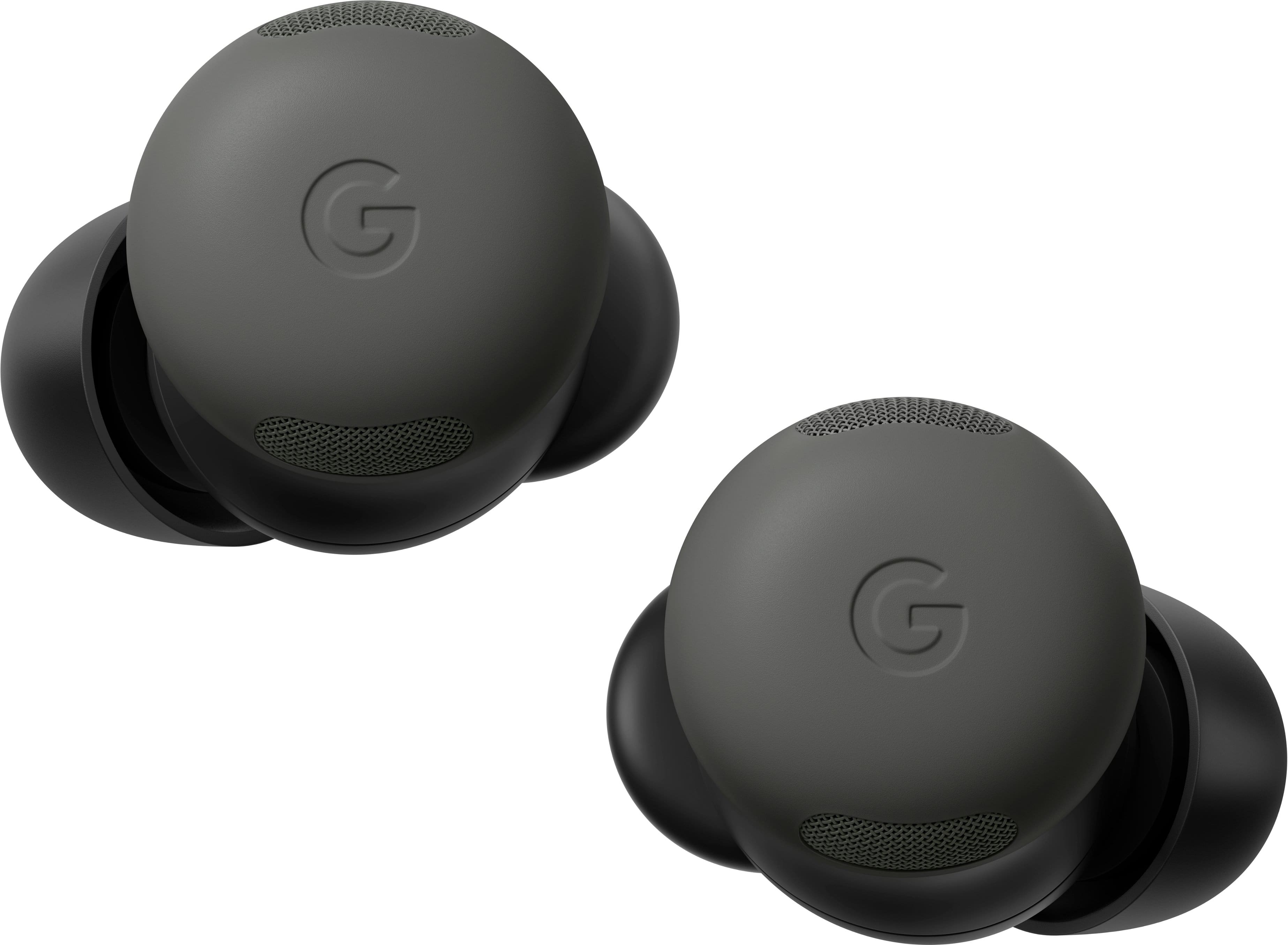
    The Google Pixel Buds Pro 2 are a solid choice for users seeking premium audio quality, active noise cancellation (ANC), and seamless integration with Android and iOS devices. The Pixel Buds Pro 2 are designed to deliver clear mids, rich bass, and sharp trebles. The inclusion of a custom-designed 11mm speaker driver contributes to this superior sound experience, along with a solid, balanced EQ that can be tailored to your preference. One of the standout features is the effective ANC and Transparency mode which offers a versatile listening experience. Whether you want to block out distractions or stay aware of your surroundings, the transition between these modes is smooth and intuitive. This flexibility makes the Pixel Buds Pro 2 ideal for commuting or working in noisy environments. Taking calls on the Pixel Buds Pro 2 was pleasant and environmental noise was sufficiently surprised so that the caller could hear me speaking vs my voice getting overpowered by street noise. For Android users, the experience is much better than iOS.. These earbuds pair seamlessly with Android devices via Google Fast Pair, providing one-tap setup and device switching. The Pixel Buds app gives Android users access to a range of customizations like touch controls, an adjustable equalizer, and real-time updates. Additionally, hands-free Google Assistant integration makes tasks like sending messages or controlling media effortless. iOS users don’t get the same app support. The Pixel Buds Pro 2 connect via Bluetooth, and key features like ANC, Transparency mode, and excellent sound quality remain the same,, though advanced Android-exclusive functionalities like Google Assistant integration are missing. Overall, the Google Pixel Buds Pro 2 stand out for their sound quality, ANC, and ease of use, particularly if you’re an Android user. The qi charging option is always welcome and makes for a cleaner desktop or nightstand charging solution. I wouldn’t recommend an iOS user to get the Pixel Buds Pro 2 over AirPods, but I do highly recommend theses earbuds to all android users for their ease of use and superb quality.

    I would recommend this to a friend
  • Best Buy Employee

    Rated 1 out of 5 stars

    DO NOT BUY THESE

    |
    Best Buy Employee
    Posted . Owned for 1 week when reviewed.
    This reviewer received promo considerations or sweepstakes entry for writing a review.

    These are so poorly designed they do not fit in quite a few ears. The supposed fins that are supposed to help them fit naturally actually do the opposite, make them unable to sound naturally even after lots of experiments with the ear tips and positioning.

    No, I would not recommend this to a friend
    • Brand response from Google Team
      Posted .

      Hey jware, Jackie. We’re sorry the Pixel Buds Pro 2 aren’t fitting the best for you. Here’s some tips to get a better fit:

      1. Try different sized ear tips to find the best fit: Ears are unique so your left ear may be different from your right ear.
      2. Try memory foam eartips: If you’re not getting a perfect fit with our silicone eartips, memory foam eartips might be worth a try.

      Don’t hesitate to reach out to us here: https://support.google.com/googlepixelbuds/gethelp?sjid=1168929876280557452-NC madebygoogle

  • Rated 2 out of 5 stars

    Not for me

    |
    |
    Posted . Owned for 1 month when reviewed.
    This reviewer received promo considerations or sweepstakes entry for writing a review.

    I was going these would be better then the originals but they are about the same and still fall out of my ears.

    No, I would not recommend this to a friend
  • Rated 1 out of 5 stars

    Didn't last

    |
    |
    Posted . Owned for 5 months when reviewed.
    This reviewer received promo considerations or sweepstakes entry for writing a review.

    Bought in February and the microphone already stopped working for calls or hands free. Great at first but don't work now, just less than 4 months later

    No, I would not recommend this to a friend
    • Brand response from Google Team
      Posted .

      Hi there, SaraB. We hear your concerns with the microphone on the Pixel Buds Pro 2. A quick reset of the ear buds should resolve this issue — here’s how:

      1. Go to your device’s Bluetooth settings and forget the device.
      2. Plug the charging case into a power source using a USB-C cable.
      3. Make sure the earbuds are seated within the charging case and leave the charging case open.
      4. Press and hold the pairing button on the back of the case for 30 seconds.
      5. When the earbuds status light stops bouncing, let go of the pairing button.
      6. Check the earbuds status lights.

      If this doesn’t resolve the problem, please reach out to us and we can investigate further: https://support.google.com/googlepixelbuds/gethelp?sjid=1168929876280557452-NC madebygoogle

  • Tech Insider Network Member

    Rated 5 out of 5 stars

    Best Buds out there

    |
    Tech Insider Network Member
    Posted .
    This reviewer received promo considerations or sweepstakes entry for writing a review.

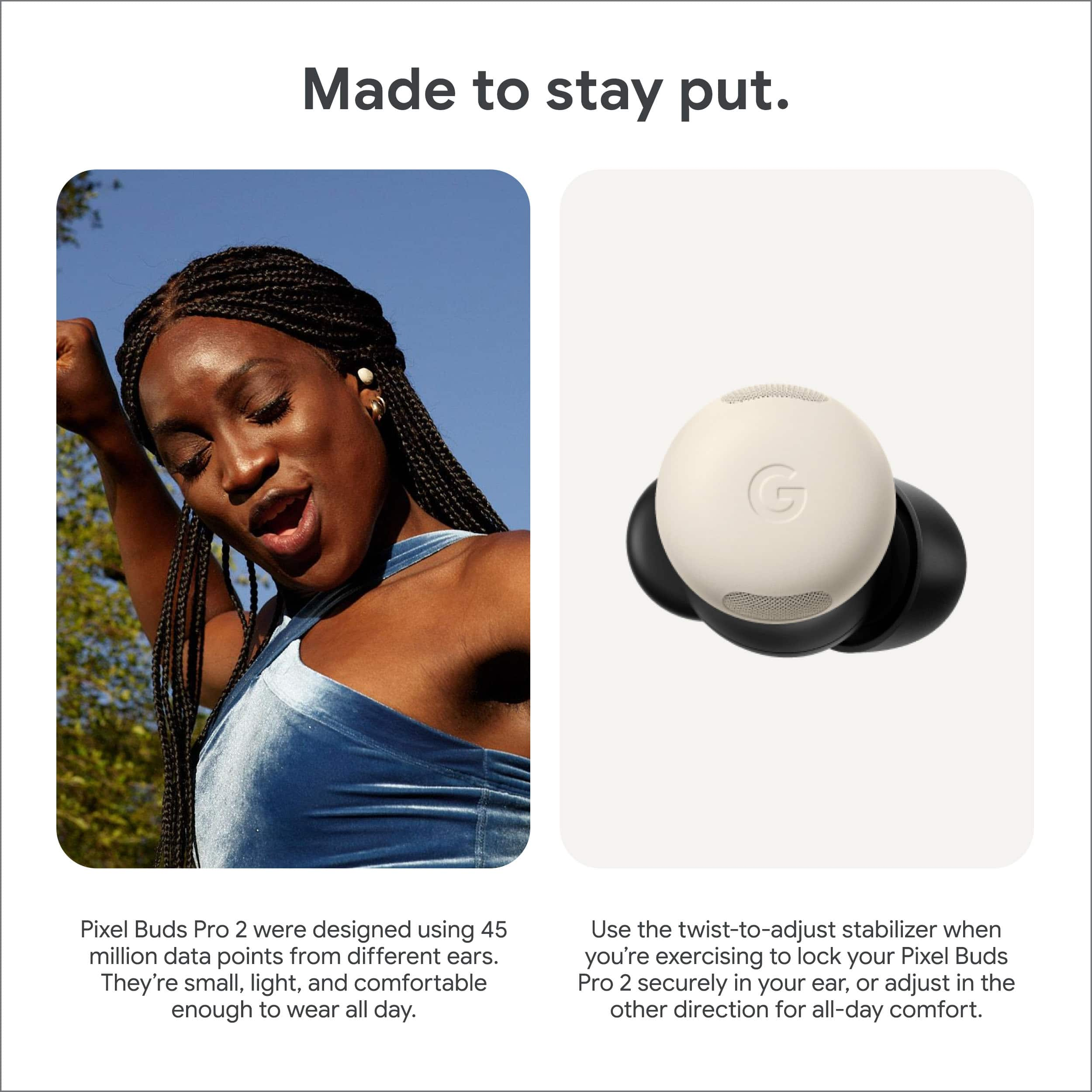
    I am very impressed with the Google Pixel Buds Pro 2 and believe they are the best ear buds out there. Just when I was starting to think that ear buds couldn't really be improved on, Google managed to innovate just about every aspect of ear buds for the better. Bluetooth setup worked with every device I tried, Google Pixel 8, a desktop PC, laptop PC and android tablet. No issues. Using the Pixel Buds app on the phone is easy and intuitive. The case can be charged both wired and wirelessly, and the battery life is excellent at about 7hrs with noise cancellation enabled. These ear buds are a little smaller than the Pixel Buds Pro (1) and the fit is excellent. The buds have a little different shape, incorporating a small lip on the backside. When you insert the buds and twist a little clockwise, the lip causes the buds to sort of "lock in" your ear. I have no concerns about the buds coming out during exercise. Using gestures also works very well. It is easy to play/pause, change volume, skip songs and enable/disable active noise cancellation with a gesture (tap(s), swipes). This all worked much smoother than other ear buds I have tried. One feature that stands out in my mind is the lack of latency between the device and the ear buds. I use ear buds mostly for streaming shows on a laptop pc, and there is no discernible latency between the pc and the ear buds. Almost all other ear buds I have tried have a small latency so the video an audio are not in sync. That issue is non-existant with the Pixel Buds Pro 2. Thanks to the new AI Tensor A1 chip, the battery life is better despite a smaller physical ear bud. Likewise, "Hey Google" and AI features work well when paired with a Google Pixel phone. I enthusiastically recommend the Google Pixel Buds Pro 2!

  • Rated 2 out of 5 stars

    Fits average, but disturbing screech

    |
    |
    Posted . Owned for 2 weeks when reviewed.
    This reviewer received promo considerations or sweepstakes entry for writing a review.

    Makes weird high pitch noise when adjusting in ear

    No, I would not recommend this to a friend
    • Brand response from Google Team
      Posted .

      Hi Loki,
      We're sorry to hear you’re having trouble with your Pixel Buds Pro 2. Unwanted noises can sometimes happen if there’s a build-up in the earbud snouts. We recommend giving them a good clean to see if that helps.

      If you’re still having issues after that, don’t hesitate to reach out—we’re here to help!
      https://support.google.com/googlepixelbuds/gethelp?sjid=15838394787167612725-NA madebygoogle

  • Rated 1 out of 5 stars

    Try before you buy

    |
    |
    Posted . Owned for 4 months when reviewed.
    This reviewer received promo considerations or sweepstakes entry for writing a review.

    They never really fit my ear and it's disappointing for the price

    No, I would not recommend this to a friend
    • Brand response from Google Team
      Posted .

      Thanks for reaching out about your Pixel Buds Pro 2, UditG. We hear your concerns on the earbuds not fitting the best — here’s some tips to make them fit better:

      1. Try different sized ear tips to find the best fit: Ears are unique so your left ear may be different from your right ear.
      2. Try memory foam eartips: If you’re not getting a perfect fit with our silicone eartips, memory foam eartips might be worth a try.

      We’re just a click away if you need anything else: https://support.google.com/googlepixelbuds/gethelp?sjid=1168929876280557452-NC madebygoogle

  • Rated 1 out of 5 stars

    Try before you buy

    |
    |
    Posted . Owned for 4 months when reviewed.
    This reviewer received promo considerations or sweepstakes entry for writing a review.

    They never really fit my ear and it's disappointing for the price

    No, I would not recommend this to a friend
    • Brand response from Google Team
      Posted .

      Thanks for reaching out about your Pixel Buds Pro 2, UditG. We hear your concerns on the earbuds not fitting the best — here’s some tips to make them fit better:

      1. Try different sized ear tips to find the best fit: Ears are unique so your left ear may be different from your right ear.
      2. Try memory foam eartips: If you’re not getting a perfect fit with our silicone eartips, memory foam eartips might be worth a try.

      We’re just a click away if you need anything else: https://support.google.com/googlepixelbuds/gethelp?sjid=1168929876280557452-NC madebygoogle

  • Rated 5 out of 5 stars

    So Good!

    Posted .
    This reviewer received promo considerations or sweepstakes entry for writing a review.

    They are so good, all around. Beautiful sound (with adjustable EQ), great ANC, excellent transparency mode, very comfortable, nice size/weight. Literally no complaints.

    I would recommend this to a friend
  • Rated 1 out of 5 stars

    Worse in every way compared to the original.

    |
    |
    Posted . Owned for less than 1 week when reviewed.
    This reviewer received promo considerations or sweepstakes entry for writing a review.

    Noise cancelling is worse than the original Pixel Buds Pro, fit worse than the original Pros, and have a unavoidable hissing sound in transparency mode. One of the biggest disappoints I've ever had from Google.

    No, I would not recommend this to a friend
    • Brand response from Google Team
      Posted .

      Hello Evan, thank you for your feedback. We appreciate you sharing your experience with your Pixel Buds Pro 2, If you'd like to share more details about your experience or suggestions, please feel free to fill out our feedback form: https://google.qualtrics.com/jfe/form/SV_2aStd8wsbcLGvwG madebygoogle

  • Rated 1 out of 5 stars

    not good

    |
    |
    Posted . Owned for 1 month when reviewed.
    This reviewer received promo considerations or sweepstakes entry for writing a review.

    very quiet and poor qualify probably the worst ear buds ive ever owned the phone though is actually good

    No, I would not recommend this to a friend
    • Brand response from Google Team
      Posted .

      Hi there, HunterR. Sorry to hear your experience with the Pixel Buds Pro 2 hasn't been the best. Here’s some solutions to making sure you're getting the best audio experience:

      1. Use the Eartip Seal Check: It can help you check the quality of your eartip seal and get the best possible sound. Open the Google Pixel Buds app then tap Eartip Seal Check.
      2. Adjust the equalizer: Open the Google Pixel Buds app, tap Sound and then Equalizer (EQ) settings. Move the sliders to adjust each frequency or pick a preset from the list.

      We’re here 24/7 for you: https://support.google.com/googlepixelbuds/gethelp?sjid=1168929876280557452-NC madebygoogle

  • Rated 1 out of 5 stars

    I won't spend my money on this again

    |
    |
    Posted . Owned for 3 weeks when reviewed.
    This reviewer received promo considerations or sweepstakes entry for writing a review.

    They don't work, they don't listen well and they fail a lot

    No, I would not recommend this to a friend
  • Rated 1 out of 5 stars

    Did not fit

    |
    |
    Posted . Owned for 1 month when reviewed.
    This reviewer received promo considerations or sweepstakes entry for writing a review.

    It doesn't matter what I did, it did not fit right. I even tried replacing the tips. It just fits too shallow

    I would recommend this to a friend
    • Brand response from Google Team
      Posted .

      Hey there, JeffreyM. We’re sorry the Pixel Buds Pro 2 weren't the right fit for you. We'd love to get more insight on your experience. When you find time, reach out here: https://google.qualtrics.com/jfe/form/SV_2aStd8wsbcLGvwG madebygoogle

    • Brand response from Google Nest Support
      Posted .

      Hey JeffreyM. We’re sorry to hear that you’re having issues fitting your Pixel Buds Pro 2. The Pixel Buds Pro 2 has a Twist-to-adjust stabilizer that could help you to fit better. Please check how to wear the Google Pixel Buds Pro 2 in this link: https://support.google.com/googlepixelbuds/answer/7573099 Nest

  • Tech Insider Network Member

    Rated 4 out of 5 stars

    Great sound, great features

    |
    Tech Insider Network Member
    Posted .
    This reviewer received promo considerations or sweepstakes entry for writing a review.

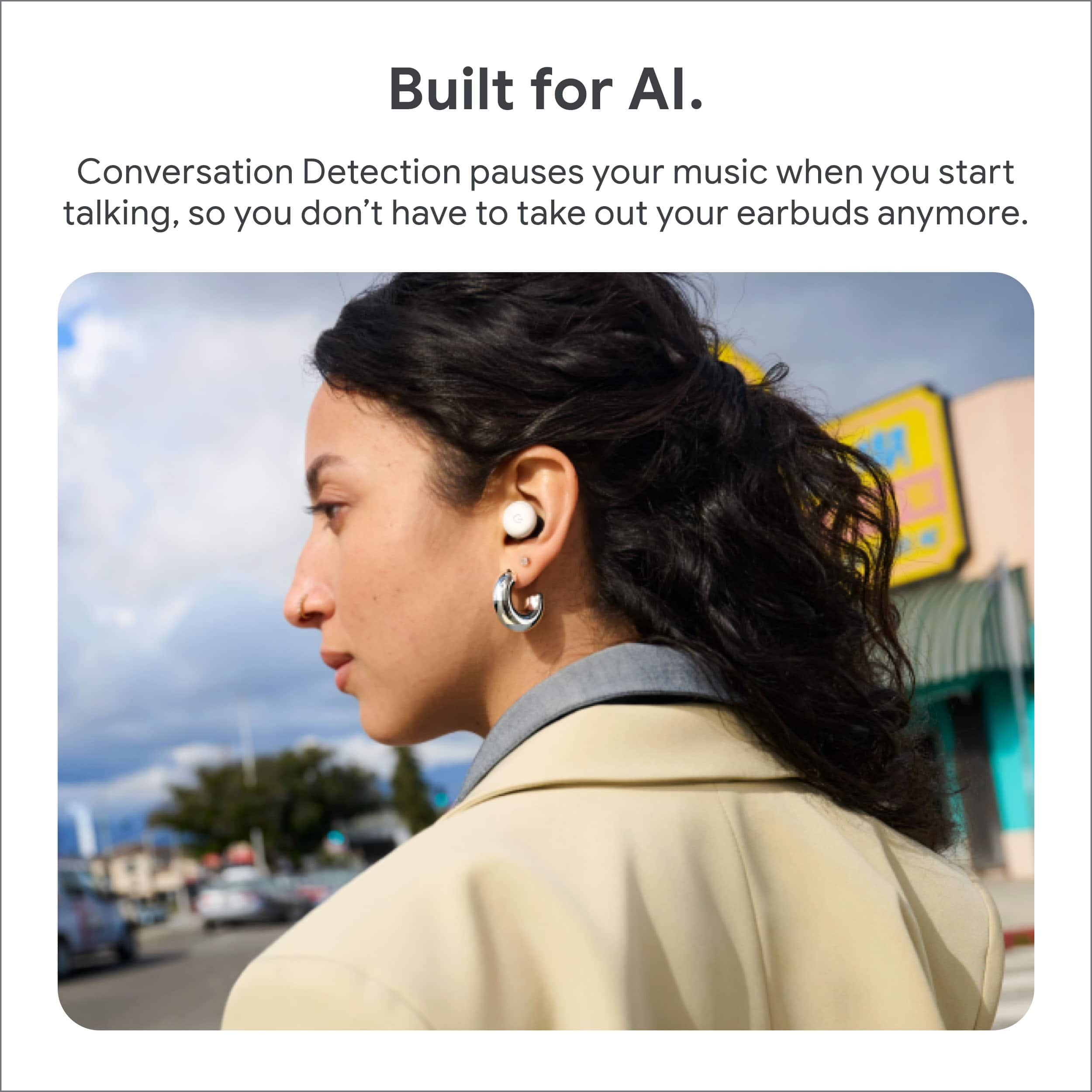
    Fair disclosure: the Pixel Buds Pro 2 are the first pair of wireless earbuds I’ve ever tried, so I have no baseline for comparing them to similar products. My overall impression: a quality product with many great features. The PBP2s have a very flat sound profile by default but have great flexibility with the 5-point equalizer in the Pixel Buds app that can bring music to life. I’m impressed with the quality of the sound these buds can produce. The active noise cancellation is extremely (even surprisingly) effective. Like ANC in over-the-hear headphones I’ve used, it can have trouble filtering out broad-spectrum noises like wind/fans and flowing water, but that’s not unexpected. The ‘eartip seal check’ feature in the app is nice to have and helps maximize the effectiveness of the ANC. The transparency mode, which passes in outside noise instead of canceling it, is quite effective, though not amazing (the quality of the mics leaves room for improvement). This is a must-have feature for me, as I do not want to be popping these out and back in every time I need to talk to someone. The ‘conversation detection’ feature, which can automatically transition between ANC and transparency mode is a little janky and delayed at times but still appreciated for hands-free operation. The microphones are reasonably clear when on a phone call, but I’d describe the quality as merely ‘OK’. For their small size, the buds fit quite snuggly and securely, seemingly not prone to popping out accidentally. While the stabilizer wings in the rear seem quite effective, I find them fairly uncomfortable, even when not twisting to engage them. But I suspect I’m more sensitive to having things in my ears than most. From my experience so far, the ‘multipoint’ feature which allows connecting the buds to two different Bluetooth audio sources simultaneously, is very buggy and needs attention and fixing. Suppose I have the buds paired to both my Pixel phone and laptop running Windows. If I’m watching a video on the laptop and accidentally activate the assistant while trying to adjust volume with a swipe gesture on the buds (but this gets interpreted as a tap gesture instead), the video stops playing while the assistant activates on my phone. At that point, I may or may not be able to resume the video with a tap gesture, depending on how cranky the bud gremlins are at the moment. Even worse, if I have media paused on my laptop, for example, and start playing media on my phone, I’ve had the buds gremlin unpause the media on my laptop… even repeatedly so (actively fighting me as I pause it repeatedly). It’s bad enough that I’m entirely dissuaded from using this feature until it is improved. This is just me being cranky, but while the cardboard holder for the different-sized tips is environmentally friendly, it’s not so great for long-term storage. And the lack of a ‘medium’ compartment seems quite unfortunate to me.

    I would recommend this to a friend
  • Tech Insider Network Member

    Rated 5 out of 5 stars

    All Day Comfort and Battery

    |
    Tech Insider Network Member
    Posted .
    This reviewer received promo considerations or sweepstakes entry for writing a review.

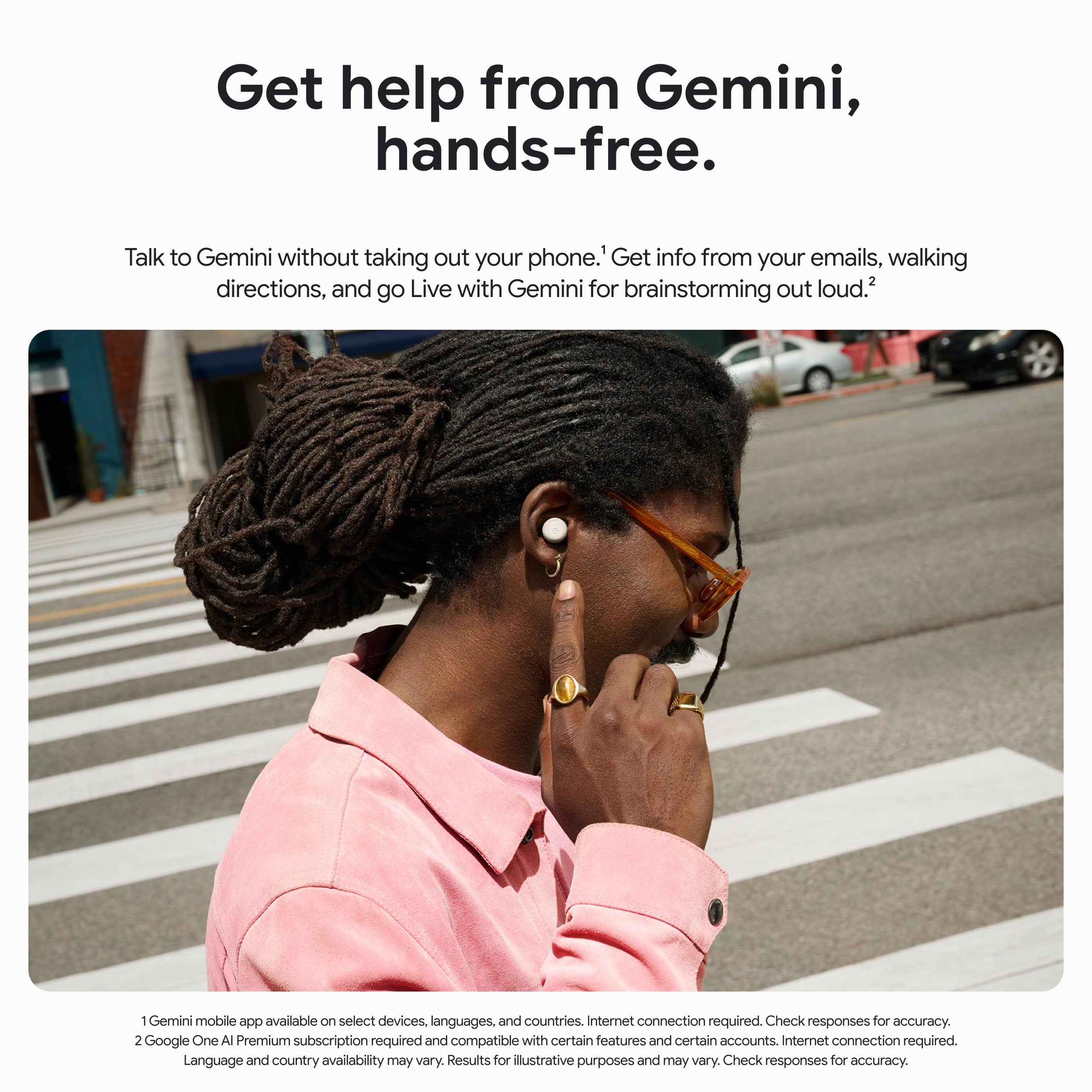
    The Pixel Buds Pro 2 ear buds are simply the most comfortable ear buds I have ever used for wearing all day. The battery also lasts an impressive length of time - 12 hours with active noise cancellation off, and 8 hours with it on. This allows me to get through a full work day without having to charge them, which is incredible. Pairing with a Pixel 9 phone was simple and I like how the Pixel Buds app allows a central place for all settings. The ear buds are impossibly small and come with four sizes of tips to get the correct fit and seal. They fit great with no pressure on any part of the ear. The active noise cancellation works very well. The gesture for toggle this on and off is to touch and hold the right earbud. One thing about the touch/tap gestures, they are sensitive enough that you don’t feel like you are pressing the earbud. This is really great because it keeps them comfortable. The chimes for the different taps are also very pleasant. The sound is great. Out of the box, I like the default eq settings. Those can be changed within the app if you like. The bass is strong, but not overwhelming, mid and high tones are clear. It also had Spatial Audio with head tracking. Just a good overall sound. The microphone does well in quieter situations. Great for calls throughout the day. In louder situations, the microphone does a good job of suppressing background noise, at the cost of choppy audio. This isn’t great, but rarely a situation I find myself in. I do like the feature where you can be listening to audio and begin to talk, the ear buds pick this up and go into transparency mode, and then resume after a time of no talking. The transparency mode is also good, it doesn’t have the “plugged ear” feeling that some other ear pods do. The Gemini Live features is neat - you can say “Hey Google, let’s talk” and it starts up the Gemini Live conversation. This is a good tech demo, but I have yet to find a user in my everyday life for it. Overall, these are the best earbuds to pair with your Android device. They have a great sound and feature set, but the stand out things to me are the extreme comfort and all day battery life.

    I would recommend this to a friend
  • Tech Insider Network Member

    Rated 5 out of 5 stars

    Great competitor to AirPods Pro, even on an iPhone

    |
    Tech Insider Network Member
    Posted .
    This reviewer received promo considerations or sweepstakes entry for writing a review.

    Years ago, I had an Android, and I used AirPods Pro on it. They worked pretty well - a good amount of the functionality stuck around, despite the fact that they were designed to be used with iPhone. I wanted to see whether or not the same could be said if things were the other way around: If Pixel Buds could work on an iPhone. I finally got the chance, and I'm here to say that these are excellent earbuds, regardless of whether or not you have a Pixel/Android. I also have an older Pixel - a Pixel 4A - and I tested the functionality on that too. On the 4A, there were some problems. I don't know if it's my device in particular, or if the device is no longer supported, but the Pixel Buds app wouldn't work. It was installed on my device, but I couldn't find it anywhere and I had to open it directly from the Play Store. Further, it didn't actually open when I tried to, it wouldn't do anything. That being said, opening the case next to the 4A allows it to pair the same way AirPods do with iPhone which is nice. In terms of using it with an iPhone, it's about what you'd expect. The touch functionality when connected to an iPhone is the same as when connected to the Pixel, but there's no ability to customize it, at least through official means. The Pixel Buds app is not available on iOS, but you can still connect by going into the bluetooth settings and putting the headset into pairing mode. As far as connectivity goes, they're great. Never had any drops, never had issues with the earbuds getting out of sync, nothing like that. The sound quality is superb, of course. They sound great on calls and listening to music. Call quality is average, and the mic quality is too, at least on calls. Overall, these are great earbuds, even for iPhone users, and better for Android users who can adjust the functionality further.

    I would recommend this to a friend
    • Brand response from Google Team
      Posted .

      Hi Ben! We're glad to hear you're enjoying the features of the Pixel Buds Pro 2 with your iOS device. Regarding the connectivity issue with your Pixel 4A, we're working on an update to ensure seamless functionality between these two devices. For more information, please tap the link below:
      https://support.google.com/googlepixelbuds/answer/7544332?hl=en madebygoogle

  • Rated 1 out of 5 stars

    Buds

    |
    |
    Posted . Owned for 2 weeks when reviewed.
    This reviewer received promo considerations or sweepstakes entry for writing a review.

    Had defective one so they had to swap it out and didn't have the pink ones

    I would recommend this to a friend
    • Brand response from Google Team
      Posted .

      Hi, DjayyO! We're so sorry to hear that your Pixel Buds Pro 2 were defective and that you weren't able to get the replacements in the color you were hoping for. Unfortunately, availability can vary based on location and demand.
      We want to be of assistance. Please contact us at the link below if you have any other difficulties: https://support.google.com/googlepixelbuds/?hl=en#topic=7544331 madebygoogle

  • Rated 5 out of 5 stars

    Google's best buds yet

    Posted .
    This reviewer received promo considerations or sweepstakes entry for writing a review.

    They may not be thumpy or Bass heavy like the Galaxy buds 3 Pro but I like the approach Google took when they redesigned their buds as the Google pixel buds 2 Pro are lighter and aesthetically pleasing. I'm really happy. They kept the circular design yet. They made it smaller. They brought the wing back so they can go in your ear and twist to lock. They're very light. They're not heavy and that Sound Stage is amazingly balanced that you do get bass but it's not heavy or muddy. It's perfect. I also like the way they're going with their new Buds and how they integrated them with Gemini so you can have a live conversation and you're able to ask Gemini anything you want comparing this set of buds to the Galaxy buds 3 Pro. I got to say that I had both yet the Google pixel buds 2 Pro have lasted longer when I use them and they give me better battery life. I did end up returning the Galaxy buds 3 Pro not because I didn't like them but because I found Google's pixel 9 Pro fold more aesthetically pleasing and that bigger cover display made me buy the unlocked version. So I picked up Google's new buds as they are going to work professionally with the phone. Like I mentioned before aesthetically they're pleasing and they look beautiful. Now, the unboxing experience was beautiful the way Google implemented cardboard that is recyclable. And as soon as you tear those strips in the back and get into the box, you are greeted with the egg shaped Pebble inside and as you dig deeper, you are greeted with the manual and the USB type-c to USB type-c and another box that contains extra small small and large ear tips as the medium ones are installed in the earbuds themselves. You really won't go wrong if you pick these up but like I mentioned earlier as well, if you're a bass head then these are probably not for you because the bass is there just not as heavy on the bass like th3 Galaxy buds 3 Pro that I returned but so far. I have enjoyed my Google pixel buds 2 Pro and the integration they have given them with Gemini and how easy they work when you're having a live conversation or asking Gemini anything that you need so they are an easy recommendation. If you're trying to pick these up and you're the owner of a past generation pixel or any of the pixel 9 family pick these up. They won't steer you wrong. They're amazing and the battery life is beautiful.

    I would recommend this to a friend
  • Tech Insider Network Member

    Rated 5 out of 5 stars

    Checks every box

    |
    Tech Insider Network Member
    Posted .
    This reviewer received promo considerations or sweepstakes entry for writing a review.

    In the box are the headphones with extra buds (varies sizes), the charging case, charging cord (USB-C to USB-C) and manual/warranty information. Please note, the charging case can also be charged magnetically. First impression - this is a super small case. Easy to fit in a pants pocket or in a small purse. Small enough to fit in the palm of my small hands. (I am 5’3”.) The headphones are also small and disappear once in your ears. Comfort - Putting the earbuds was slightly tricky, you can’t just stick them in you have to insert them and then do a twisting motion. They seal in a way that is sort of audible, great for knowing whether or not they are too loose and a bud swap is needed. But, once they fit, they fit well, and rest comfortably in your ears practically out of sight and mind, that is until you press play. Headphones - Putting them on, the noise cancellation is already active, and the world goes mute. It was very noticeable, and playing music over about seventy percent volume when the noise cancellation is on almost feels like sitting in a concert with no earplugs. The buds are very loud; but even with the volume so loud, it’s very clear. On the other side, the transparency almost makes you forget you are wearing headphones. Voices are clear, as are most natural sounds, cars etc. (I highly recommend that you make sure that the buds fit perfectly and comfortably, so that you get the best sound.) App - Please note, the app can be assessed on Android, unable to access on iOS devices. The Pixel Bud’s Gemini (headphone app) is easy to download on the and setup via voice and is a helpful tool that can be accessed at any time, hands free. Even while listening to music, or in a loud rowdy room, a quick “Hey google” can change your playlist or send a text without needing to pull out your phone. I will say, try to annunciate your words as I’ve mistakenly called unknown numbers while trying to change songs. Overall, I am exceptionally pleased with the Pixel ear buds. These buds have it all: crisp sound, deep bass, high volume; most everything you want out of a pair of headphones. I would definitely purchase again and recommend to friends and family.

    I would recommend this to a friend
  • Rated 5 out of 5 stars

    Based on my experience

    Posted .
    This reviewer received promo considerations or sweepstakes entry for writing a review.

    Very comfortable very good noise cancellation the quality feels 100%. I’m very happy with these. I’m not gonna change them very very happy. I used to have the apple the bose the beats. And I wouldn’t change them.

    I would recommend this to a friend