Customer Ratings & Reviews

- Model:
- GA05762-US
- SKU:
- 6589932
Rating by feature
- Sound Quality
Rating 4.7 out of 5 stars
- Battery Life
Rating 4.7 out of 5 stars
- Connectivity
Rating 4.8 out of 5 stars
Customers are saying
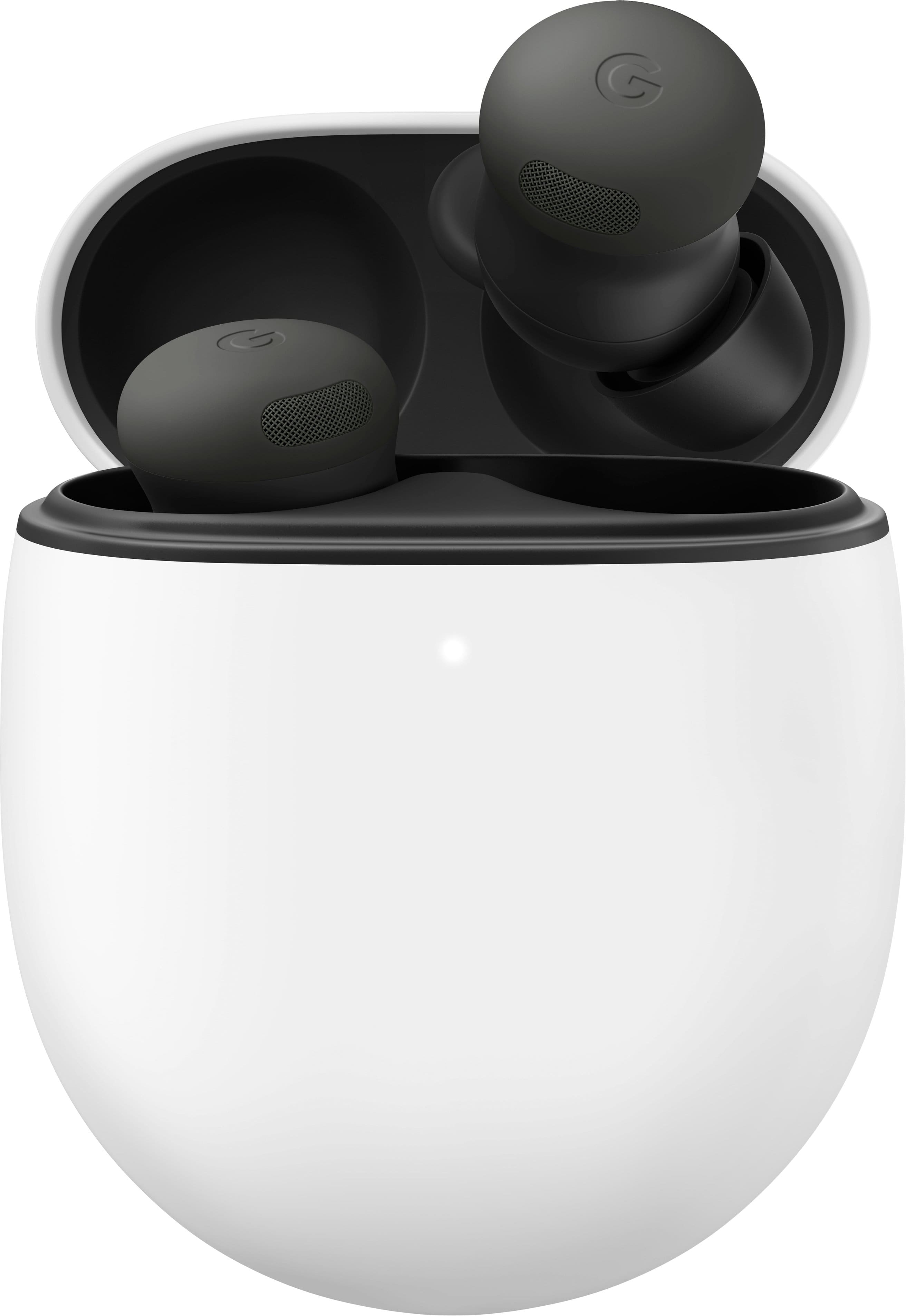
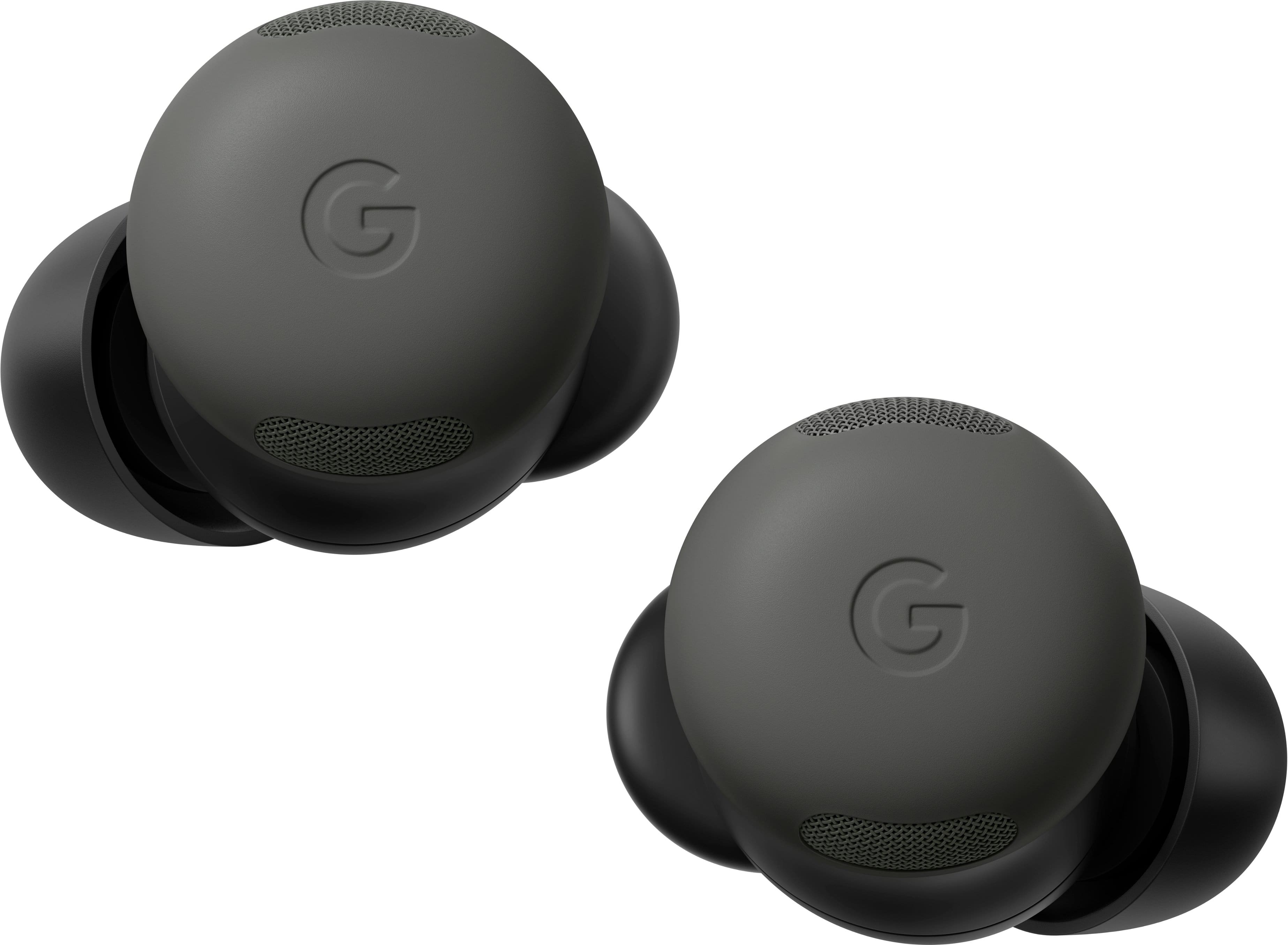
Customers commend the Pixel Buds Pro 2 for their impressive sound quality, comfortable fit, and long battery life, making them suitable for various activities. The transparency mode, connectivity, and active noise cancellation also receive positive feedback. While the majority of users are satisfied, a few have noted concerns regarding the touch controls and volume during calls. Some customers feel that the conversation detection feature does not always perform as expected.
This summary was generated by AI based on customer reviews.
First time I've been disappointed by Google
||Posted .This reviewer received promo considerations or sweepstakes entry for writing a review.I honestly with every fiber of my being regret buying these headphones and if I could return them for my full amount of money back I would in an absolute heartbeat. They cannot handle bass and God forbid there's a little bit of wind. You won't be able to hear anything over it. Also hearing anyone on the phone is like listening to a small child that is insecure whisper what they would like to eat. Highly do not recommend unfortunately I also hated the Samsung ones. However, they were actually better quality than these, which is highly disappointing because I have a Google pixel. If you really want Google buds, get the other ones not these. These are trash. Thank you for coming to my TedTalk
No, I would not recommend this to a friendBrand response from Google Team
Posted .Hi there, Alex. We’re sorry to hear the Pixel Buds Pro 2 were not the best fit for you — we get your frustration. We’d be happy to investigate what may be causing these issues and get your earbuds working smoothly for you. When you find a moment, reach out to us here: https://support.google.com/googlepixelbuds/gethelp?sjid=1168929876280557452-NC

Best headphones I ever had in a long time
||Posted . Owned for 1 week when reviewed.This reviewer received promo considerations or sweepstakes entry for writing a review.First time buying ear buds and I'm very happy with them
I would recommend this to a friendTerrible for active users – Do not buy.
||Posted . Owned for 1 month when reviewed.This reviewer received promo considerations or sweepstakes entry for writing a review.Avoid these. Poor design and constant glitches. Stay away from this product. These earbuds are incredibly uncomfortable and poorly designed for anyone with an active lifestyle. Google should stick to software because their hardware is a massive disappointment. If your job involves any movement, look elsewhere. Even slight head movements trigger accidental functions, making them impossible to use. A total waste of money.
No, I would not recommend this to a friendBrand response from Google Team
Posted .Hi there. We’re sorry to see the Pixel Buds Pro 2 didn’t quite fit for you. We’d be happy to look into what may be happening and get your device running optimally — when you get a second, talk to us here: https://support.google.com/googlepixelbuds/gethelp
Meh... Sound is good but usability is okay
||Posted . Owned for 3 weeks when reviewed.This reviewer received promo considerations or sweepstakes entry for writing a review.Sound is great but the buds fall out a lot. God forbid you run with these in...
No, I would not recommend this to a friendBrand response from Google Team
Posted .Thanks for sharing with us, Pyl0n. While we’re glad you’re enjoying the upgraded sound on the Pixel Buds Pro 2, we also hear you wanting a more snug fit. Here are some tips to help:
1. Try different sizes for each ear to find the best fit: ears are unique so your left ear may be different from your right ear.
2. Use the Eartip Seal Check: It can help you check the quality of your eartip seal and get the best possible sound. On Android devices: Open the Google Pixel Buds app then tap Eartip Seal Check.
3. Try memory foam eartips: If you’re not getting a perfect fit with our silicone eartips, memory foam eartips might be worth a try.
Don’t hesitate to reach out to us here: https://support.google.com/googlepixelbuds/gethelp?sjid=1168929876280557452-NC
Overall
||Posted .This reviewer received promo considerations or sweepstakes entry for writing a review.Felt cheap, Plastic would make noise when inserting in ear.
I would recommend this to a friendBrand response from Google Team
Posted .Hey there, Alberto. Sorry the Pixel Buds Pro 2 may not have been the best fit for you. Your insight is valuable to us we’d like to hear more about your experience — when you have a moment, here’s a survey for you: https://google.qualtrics.com/jfe/form/SV_2aStd8wsbcLGvwG
- Pros mentioned:Battery life, Sound qualityCons mentioned:Touch controls

Great but still touch controls...
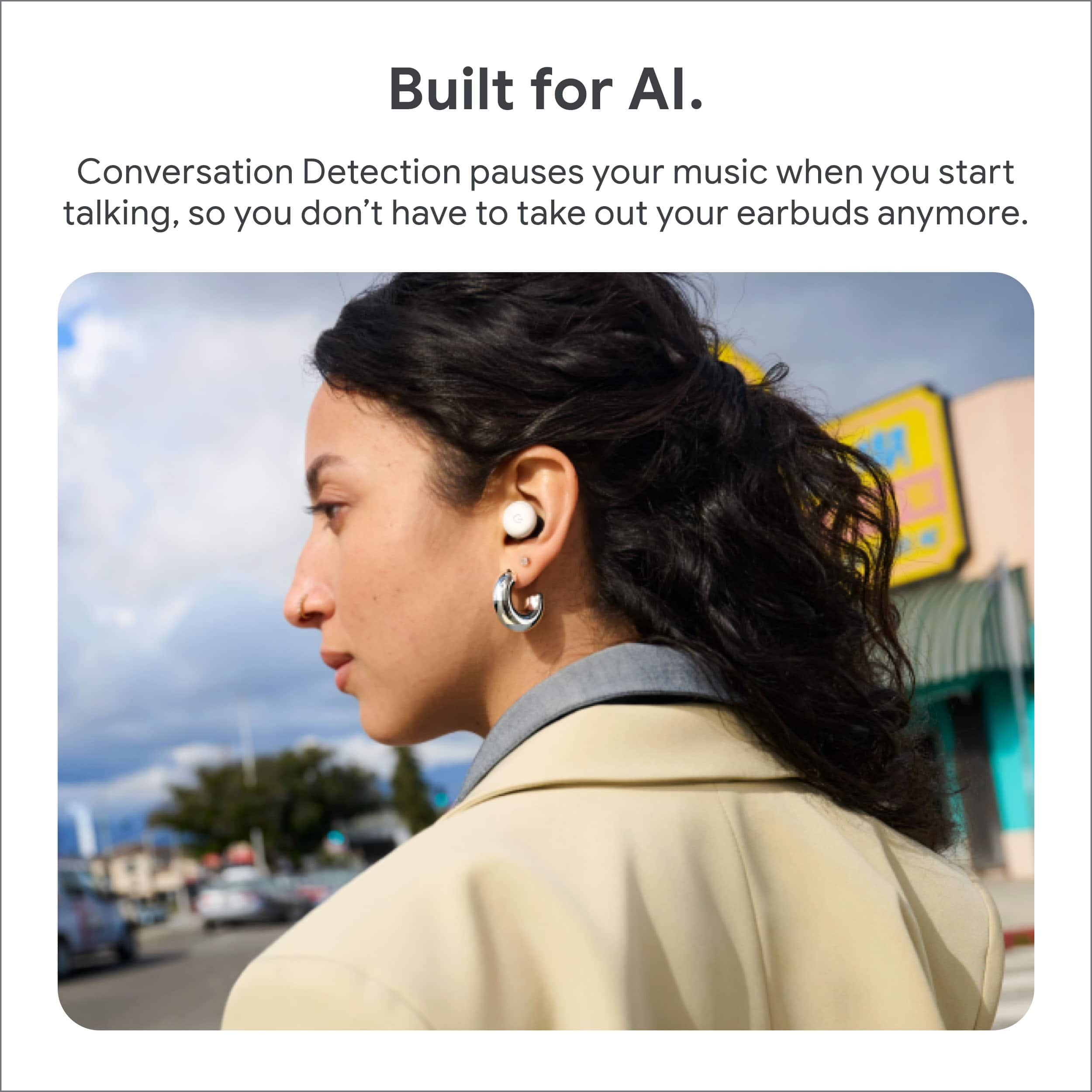
|Posted .This reviewer received promo considerations or sweepstakes entry for writing a review.As a previous owner of the original Pixel Buds, I decided to try the Pixel Buds Pro 2, hoping they’d fix some of the issues I had with the earlier model. While there are definitely improvements, a few key problems remain. One of the big features Google is promoting is the addition of their new Gemini sound technology, which promises a richer, more immersive audio experience. I have to say, the sound quality is a noticeable step up. The bass is more powerful without overwhelming the mids and highs, making for a well-balanced listening experience. Paired with improved Active Noise Cancellation (ANC), these earbuds do a great job blocking out background noise, whether you’re on a noisy commute or just trying to focus. Another feature I found useful is the transparency mode, which lets you hear what's going on around you while still listening to audio. This is especially helpful in situations where you need to stay aware of your surroundings or engage in quick conversations without taking out the buds. For me, it even helps with hearing people more clearly, almost like a subtle hearing aid, which is a great addition. You can also use Live Translate with these, allowing you to translate conversations in real-time. While I haven’t had much opportunity to use this feature extensively, in the few tests I tried, it seemed to work fairly well. It’s not a feature I’ll use every day, but for travelers or those needing quick language support, it could be a real asset. One feature I appreciated is the seal check, which helps ensure you’re getting the best possible fit. The earbuds test the seal in your ears and guide you to adjust them if needed, which improves both sound quality and noise cancellation. This helps a lot with comfort, too, since a good fit makes a big difference when wearing them for long periods. However, my biggest frustration with the original Pixel Buds—touch controls—remains. The controls are still overly sensitive, and it’s easy to accidentally pause or skip tracks when adjusting the buds or even when brushing against them. I was really hoping for physical buttons or a less finicky touch system, but unfortunately, this hasn’t changed. Another feature that sounds great on paper is the conversation detection. This is supposed to automatically pause your music when it detects you’re talking. In reality, it doesn’t always work as expected. Sometimes it pauses the audio when I’m not speaking or doesn’t kick in fast enough when I do start talking. It’s a bit inconsistent and could use some fine-tuning. On a positive note, the battery life is excellent. You get up to 11 hours of listening time on a single charge, and the charging case brings the total to 31 hours. The case itself is compact and supports wireless charging, which is a convenient feature. In summary, the Pixel Buds Pro 2 bring significant upgrades like improved sound, noise cancellation, and smart features some may find useful. However, the touch controls remain a major annoyance for me personally, and conversation detection isn’t as reliable as it should be. If you’re heavily invested in Google’s ecosystem and can overlook these drawbacks, these earbuds are a solid choice.
I would recommend this to a friend Not impressed
||Posted . Owned for 3 months when reviewed.This reviewer received promo considerations or sweepstakes entry for writing a review.The version before this is better. These feel and sound cheap.
No, I would not recommend this to a friendBrand response from Google Team
Posted .Hey there, Efra. Sorry to see the Pixel Buds Pro 2 may not have been the best fit for you. There’s an equalizer in the app to help dial in your perfect sound — here’s how:
Open the Google Pixel Buds app:
1. Tap Sound and then Equalizer (EQ) settings Settings.
2. Move the sliders to adjust each frequency or pick a preset from the list.
Here’s a link with more details: https://support.google.com/googlepixelbuds/answer/15437308
If you need any more support, reach out to us here: https://support.google.com/googlepixelbuds/gethelp?sjid=1168929876280557452-NC
Issue of voice at other end
||Posted . Owned for 4 months when reviewed.This reviewer received promo considerations or sweepstakes entry for writing a review.The product is good but some Time it gives issues while talking my voice to other person becomes low and echo
I would recommend this to a friendBrand response from Google Team
Posted .Hi there, BahadurK. While we’re glad you’re enjoying the Pixel Buds Pro 2, we hear your concerns regarding mic quality. If you are in a noisy environment, Transparency mode may interfere with your mic output quality since it uses one of the microphones to let you hear your surroundings. Try changing ANC modes to improve your call quality.
Don’t hesitate to reach out to us here: https://support.google.com/googlepixelbuds/gethelp?sjid=1168929876280557452-NC
Middle of the road
||Posted . Owned for 2 months when reviewed.This reviewer received promo considerations or sweepstakes entry for writing a review.While they are good in the ear and have improved over the first model. These ear buds still do not compare to apple. You might have a good 24hrs of music after that you could have it where music will go out in one of ear or both depending and while listening to music it could end up changing the sound quality. Taking voice calls are better but some times people can not hear you while you are talking overall it is very frustrating and I really hope that they fix this issue
No, I would not recommend this to a friendBrand response from Google Team
Posted .Thanks for reaching out, Radio. We’re sorry to hear you’re having issues with the Pixel Buds Pro 2. We have a few steps to help get the most out of your earbuds:
Concerning the audio:
1. Make sure you have updated to the latest firmware version.
2. Reset the earbuds by placing the earbuds in the charging case for one minute, then removing them.
3. Reset your Google Pixel Buds.
4. Check that issue isn’t caused by spotty internet connection.
Regarding call quality:
1. Try changing ANC modes to improve your call quality.
2. Keep the earbuds near your source device and minimize obstructions between them like walls and floors.
Here’s a link with more troubleshooting tips: https://support.google.com/googlepixelbuds/answer/9811459?hl=en-AU&sjid=17298070045124473073-NC#zippy=;
Don’t hesitate to reach out to us here: https://support.google.com/googlepixelbuds/gethelp
- Pros mentioned:Comfort, Fit, Sound qualityCons mentioned:Volume
Fit
Posted .This reviewer received promo considerations or sweepstakes entry for writing a review.Finally!!!! They went back to the smaller buds with "stabilizers" on them. So far great sound, ANC is good, havent fallen out, no pain in the ear canal after 20 minutes like with the Buds Pro. The ANC works immediately unlike the Buds Pro. Theyre not extremely loud like others try to be, but how loud do you really need them to be since theyre in your ear & have good ANC???? I also think kids would enjoy these since they went back to the smaller size. As with anything else....Im sure they will get even better with updates.
I would recommend this to a friend Pixel ear pro buds
||Posted . Owned for 5 months when reviewed.This reviewer received promo considerations or sweepstakes entry for writing a review.I don't like that they keep filling down all the time. Other than that everything is good.
No, I would not recommend this to a friendBrand response from Google Team
Posted .Thanks for reaching out about your Pixel Buds Pro 2, JustinoR. We hear your concerns regarding the earbuds not fitting the best for you — here’s some tips to get a better fit:
1. Try different sized ear tips to find the best fit: Ears are unique so your left ear may be different from your right ear.
2. Try memory foam eartips: If you’re not getting a perfect fit with our silicone eartips, memory foam eartips might be worth a try.
We’re just a click away if you need anything else: https://support.google.com/googlepixelbuds/gethelp?sjid=1168929876280557452-NC
Not noise canceling
||Posted . Owned for 1 week when reviewed.This reviewer received promo considerations or sweepstakes entry for writing a review.I cant figure out how to make it actually noise cancelling. No matter what setting it is on, i can still hesr outside / backgroud noise.
I would recommend this to a friendBrand response from Google Nest Support
Posted .Thanks for reaching to us, VictoriaR. We’d be happy to provide some steps to make sure your noise cancelling is working properly.
In the Pixel Buds app, you will find 3 modes to control noise under Active Noise Control (ANC):
1. Noise Cancellation: Blocks outside noise. When you activate this, you'll hear a single chime.
2. Transparency: Lets sound in so you can hear the world around you. When you activate this, you'll hear a double chime.
3. Off: Both active states are disabled. When you activate this, you'll hear a single chime.
You can can switch modes a few different ways:
1. Gesture: Touch and hold your earbud to toggle between Noise Cancellation and Transparency mode.
2. Pixel Buds app: Select your ANC mode by going to the Sound menu and selecting a mode at the top.
3. Assistant and Gemini: Ask Assistant or Gemini to turn Active Noise Control on or off by saying, "Hey Google, turn on noise cancellation," or "Hey Google, turn off noise cancellation."
We’re just a click away if you need any more assistance: https://support.google.com/googlepixelbuds/gethelp
- Cons mentioned:Bass
Noise issues (defective?)
||Posted . Owned for 2 months when reviewed.This reviewer received promo considerations or sweepstakes entry for writing a review.Have 1st gen pro. No issues. These constantly had sound issues (squeaking, squealing, super loud bass). Tired all the typically troubleshooting; adjusting settings, cleaning them, resetting them; nothing. Usually my extra income is spent on new Google products every year but this will make me wait until my current ones just don't work.
No, I would not recommend this to a friendBrand response from Google Team
Posted .Hey there, mehhh. We’re sorry your experience with the Pixel Buds Pro 2 hasn’t been the best. Your feedback is important to us and we’d like to know more — when you get a chance, here’s a survey: https://google.qualtrics.com/jfe/form/SV_2aStd8wsbcLGvwG
Not great.
||Posted .This reviewer received promo considerations or sweepstakes entry for writing a review.These headphones weren't for me. I felt like I could hear them banging in my ear when I was running on the treadmill, and I could static when I was wearing them standing still. Creating static in my ear so that I can't hear noise around me isn't "noise cancelling", it's just annoyiong.
No, I would not recommend this to a friendBrand response from Google Team
Posted .Hey there. Sorry to hear you ran into some audio issues with your Pixel Buds Pro 2. We'd like to investigate this further and get your device running smoothly again. When you get a moment, reach out to us here: https://support.google.com/googlepixelbuds/gethelp?sjid=1168929876280557452-NC
Disappointed
||Posted . Owned for 1 month when reviewed.This reviewer received promo considerations or sweepstakes entry for writing a review.Broke after the deadline for electronic returns by 2 days....very disappointed
No, I would not recommend this to a friendBrand response from Google Team
Posted .Hi there, StephanieS. We’re sorry to see your Pixel Buds Pro 2 didn’t last as long as anticipated — we understand how frustrating that could be. We’d be happy to look into what may have happened and find a solution for you. When you’re ready, reach out to us here: https://support.google.com/googlepixelbuds/gethelp
fit issue
||Posted . Owned for 3 weeks when reviewed.This reviewer received promo considerations or sweepstakes entry for writing a review.They are good but they just dont fit my ear. I thought that the wing would help put they don't feel right.
I would recommend this to a friendBrand response from Google Nest Support
Posted .Hi JoeH, we appreciate you sharing your experience with the Pixel Buds Pro 2. That said, we're sorry to hear you're having trouble achieving a secure fit — we'd love to help you out. We recommend checking out this helpful article on how to properly adjust Pixel Buds to best fit your ears: https://support.google.com/googlepixelbuds/answer/7573099?
End up returning but may fit your ears
||Posted . Owned for 2 weeks when reviewed.This reviewer received promo considerations or sweepstakes entry for writing a review.If you have small ears they may fall out. The ear fin/wing did not keep a solid fit for my ears
No, I would not recommend this to a friendBrand response from Google Nest Support
Posted .Hey there, we appreciate your feedback — we're sorry to hear that the Pixel Buds Pro 2 didn’t fit as you expected. We’d love to help you out with improving your experience. Please reach out to us using this link so we can look into this further: https://support.google.com/googlepixelbuds/gethelp?sjid=14503698972395876691-NA.
not happy
||Posted .This reviewer received promo considerations or sweepstakes entry for writing a review.i purchased these on October 30 2025 and thew were great until January 9 3026. now, they wont charge. the charger does not even detect them. maybe i just got a defective set.
No, I would not recommend this to a friendBrand response from Google Team
Posted .Hey there, TBell. We’re sorry to see you ran into a battery issue on the Pixel Buds Pro 2. A quick reset will normally solve most problems — here’s how: 1. Go to your device’s Bluetooth settings and forget Google Pixel Buds. 2. Plug the charging case into a power source using a USB-C cable. 3. Make sure the Pixel Buds are seated within the charging case and leave the charging case open. 4. Press and hold the pairing button on the back of the case for 30 seconds. 5. When the earbuds status light stops bouncing, let go of the pairing button. 6. Check the earbuds status lights. If this doesn’t resolve the problem, please reach out to us and we can investigate further: https://support.google.com/googlepixelbuds/gethelp?sjid=1168929876280557452-NC
POOR Customer Service
||Posted . Owned for 3 weeks when reviewed.This reviewer received promo considerations or sweepstakes entry for writing a review.They stopped charging after about a week. I took them back to the Best buy store and was told I could not exchange them due to not having a charging cable to return with them......issue is these ear buds do not come with a cable! I told the customer service rep this but he was not going to exchange them without a cable. I asked him to to let me get the new one to exchange and if there was a cable in it they could have it, he replied that is not Best Buys policy. I came home and got a cheap cable and decided to go get a refund and buy the replacement on Amazon! If you get these and try to return them keep my situation in mind, good luck.
No, I would not recommend this to a friend- Pros mentioned:Fit, Sound quality
Super comfortable upgrade from the first-gen Buds
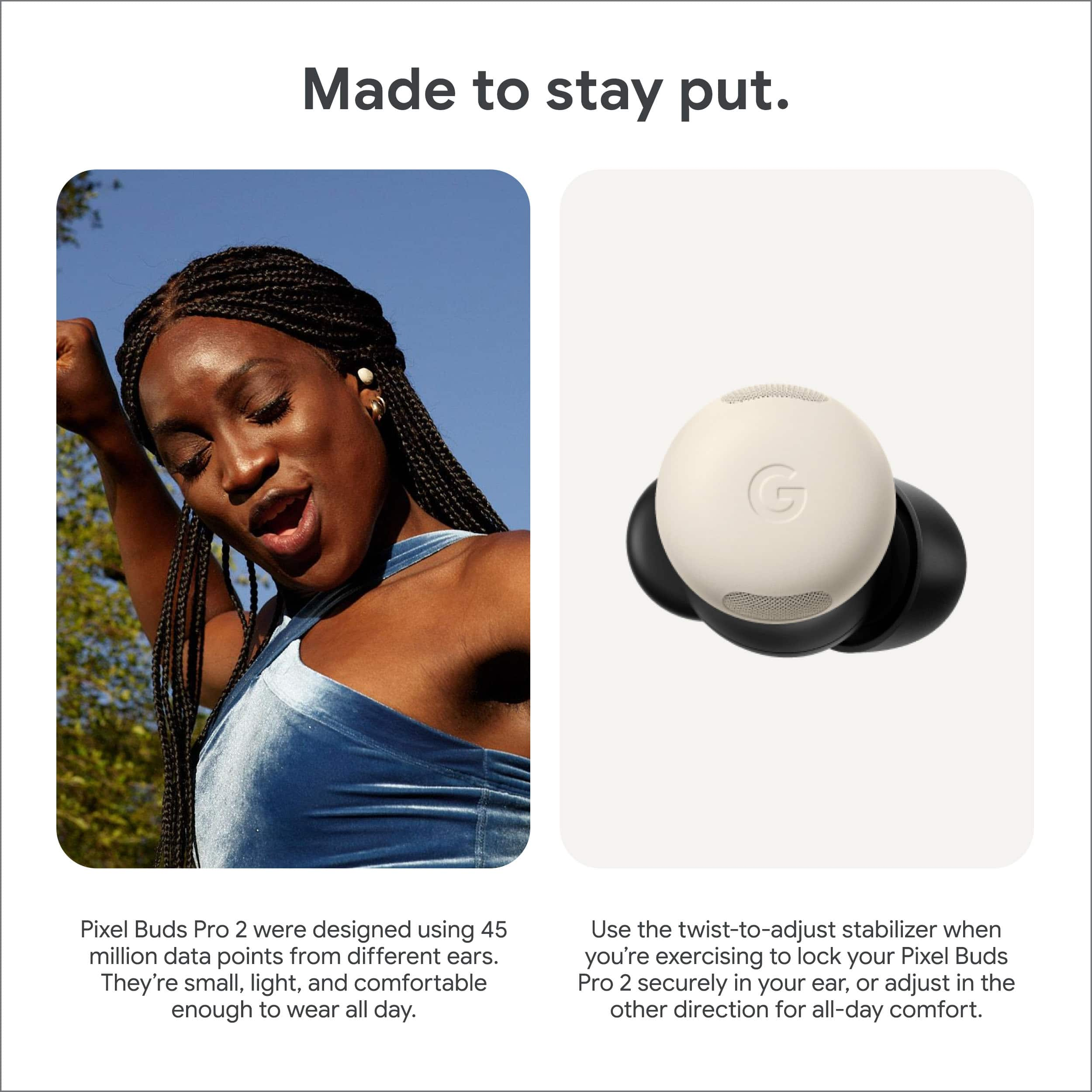
|Posted .This reviewer received promo considerations or sweepstakes entry for writing a review.I’ve tested the Pixel Buds (1st generation) before. They worked great with my Android phone and always were functional for my needs. They didn’t come with audio cancelling and they sometimes fit weird, but they worked. These are a night and day difference from that first generation, completely ignoring the added features for the “pro” model. For starters, these earbuds are extremely comfortable. Google claims that they have introduced a new “twist to adjust” ear stabilizer that they spent a lot of time researching. This is not some marketing lie – out of the box, not only did they fit nicely, but they felt like they weren’t even there. It is clear to me that Google _did_ actually do this research. This is big for me because I generally find earbuds to be extraordinarily uncomfortable thanks to a medical condition. Having a set that fits nicely and doesn’t make me wonder how much I’m going to be paying for the experience in the near future. Google also added a really cool feature called “Eartip seal check” – it allows you to truly know that the earbuds tips that you picked are the proper size. When you start this check, the earbuds will play some known music that (I presume) the built-in microphones can pick up on for ear tips that are too small. It is one of those things that should be easy to figure out yourself, but it is nice to have something that can test to make sure your perception is correct. So they fit great and can prove that they fit with some music, how do they sound? I am not an audiophile, I’m just someone who listens to music quite a bit. With the EQ set to heavy bass, these buds really speak for themselves with impressive beats that don’t drown out the music track. Treble response seems acceptable, setting the EQ to clarity mode really brings out some of the detail of the instruments. All that said, messing with the EQ is not really required; on its default setting the music is plenty clear and bass is plenty responsive. Noise cancelling is good – it won’t match headphones that cover your entire ear, but it will perform well enough that you can focus on the work at hand without losing track of your sentence for the sixth time while typing it out. Long term stable noises (like planes) work great for cancellation. But short term, rapidly changing noises (like keyboard key presses) won’t really be filtered out. Though in their defense, when the noise cancelling is off, key presses still come through with some relative clarity. These buds also come with a cool feature called transparency mode. I’ve seen it on sport headphones before to make sure you don’t miss an important detail that might save your life on a outdoor run. On these headphones, it is used primarily for conversation mode. When you either enable the feature manually or via starting a conversation (more on that later…), you are able to hear everything in the world somewhat amplified from what it would be like with no headphones in at all. It is a nice feature to be sure and I love being able to have conversations while still leaving my headphones in. One problem I _do_ see with it though is that some sounds are amplified far too much. Running water from a faucet for instance takes over the entire noise profile with static, making it difficult to understand people. The Pixel Buds app also has a nice feature that lets you automatically enable transparency mode and pause whatever you’re playing when the earbuds hear you start talking. It is not enabled by default and I can see why – it is super responsive. Whenever you start talking, it _will_ activate. This sounds great in practice, but this also happens if you’re just talking to yourself absentmindedly. Making your music stop and it ultimately causing a distraction that you were not expecting and causing you to lose focus. I’m going to leave the feature on because I think it is cool and I think the number of bad activations will be outweighed by the multitudes of good activations that I might get. Final notes, everyone knows that Google is making a big push towards AI. I’m happy to report that for those of you who do not like that kind of functionality, it is trivial to disable Gemini during the setup phase on your phone. Overall I do like these headphones. The audio response is good, the fit is amazing, and the noise cancelling works well enough for my day to day needs that I plan to everyday carry these headphones. If you go in with the expectation that noise cancelling is not as good on these as it would be for a full-ear set, I don’t think that you could possibly be disappointed with these headphones.
I would recommend this to a friend