Customer Ratings & Reviews
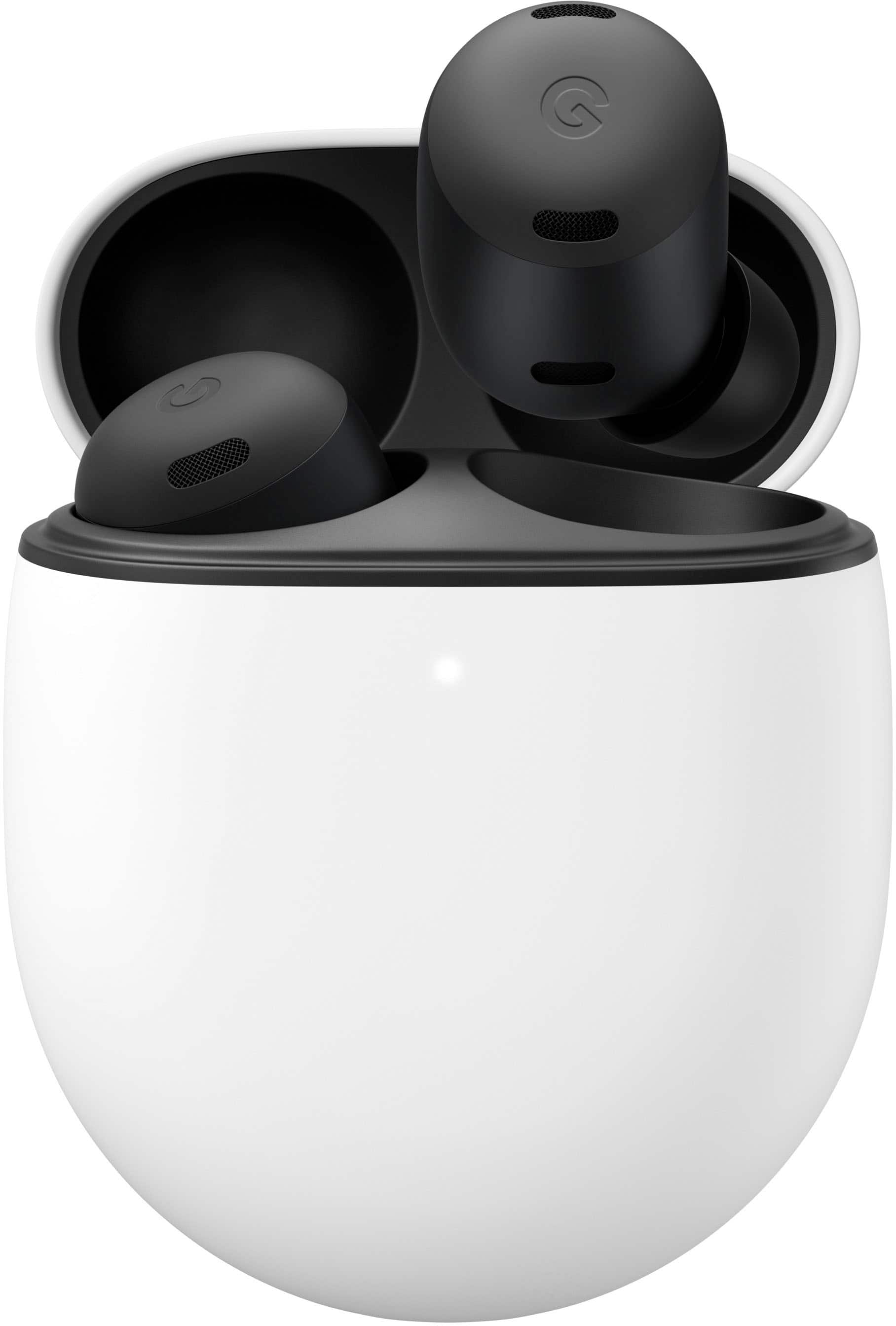
- Model:
- GA03201-US
- |
- SKU:
- 6512114
Customer reviews
Rating 4.6 out of 5 stars with 1183 reviews
(1,183 customer reviews)Rating by feature
- Sound Quality4.7
Rating 4.7 out of 5 stars
- Battery Life4.7
Rating 4.7 out of 5 stars
- Connectivity4.8
Rating 4.8 out of 5 stars
Customers are saying
Customers are satisfied with the sound quality, battery life, comfort, and fit of the Pixel Buds Pro. They appreciate the ANC and transparency mode, as well as the compatibility with Pixel phones and Google Assistant. However, some customers have expressed concerns about the volume, touch controls, and design of the earbuds.
This summary was generated by AI based on customer reviews.
Rated 4 out of 5 stars
Pixel buds pro
||Posted . Owned for 1 month when reviewed.This reviewer received promo considerations or sweepstakes entry for writing a review.They sound great, the only issue I have is no matter what size ear "cone" I put on them they want to come out. I would still buy them again, I would suggest creating an optional "wing" to help hold them in the ear
I would recommend this to a friendBrand response from Google Team
Posted .Hey there, JosephL. Thanks for your review of the Pixel Buds Pro! We're glad you love the sound quality, and we appreciate your continued support. We understand your frustration with finding the perfect fit, and appreciate the suggestion for optional ear wings.
A secure fit is crucial for a great audio experience, so we apologize for the current ear tips not working perfectly for you. You can try twisting the Pixel Buds Pro slightly and gently once inserted to create a tighter seal. Alternatively, you might want to consider memory foam tips. These can conform to your ear shape for a more personalized fit. Contact your retailer for product inquiries.
We'll definitely take your feedback about optional ear wings into consideration for future product development. In the meantime, please feel free to reach out to our support team if further assistance is needed: https://support.google.com/googlepixelbuds/gethelp
- Pros mentioned:Comfort, Sound quality
Rated 5 out of 5 stars
Google hits a home run with the Pixel Buds Pro
|Posted .This reviewer received promo considerations or sweepstakes entry for writing a review.First off, I'll start this by saying I have used a plethora of earbuds recently trying to find ones that felt just right in my ears. I've been using the very original Galaxy Buds, coming up on 3 years old now because they just fit right, but the sound quality has been drastically going down , cutting in and out. In the last 3 months I've purchased the three latest earbud models from the competitor of the Android/Google world.. Returned all. All of them either fell out out my ears, were extremely uncomfortable and painful ( the pro true wireless from you know who) or the sound quality wasn't as great as I expected for the brand that was always known to have the best sound.. I was very excited when I saw the Google Pixel Buds Pro announced and the design. It looked like they were going to be just what I needed and sure enough, they are. These are extremely comfortable, very light weight and doesn't cause me an pain. The sound on these are awesome, I am very impressed with the ANC and EQ. To me, it is a perfect balance of treble and bass with neither too overbearing or obnoxious. Multi point works great. I've tested going back and forth to my Pixel 6 Pro and IPhone 13 Pro Max and it switches between both where I left off once I open up Spotify on either in my testing. No need to repair or go to bluetooth settings to ensure they're connected. It's pretty seamless which is very nice and convenient. Transparency mode is good, but I wouldn't say great. I can hear myself better, but if someone is next to me trying to talk to me, they're still pretty hard to hear. The noise cancelling is phenomenal and blocks out/washes out the noise around you so you can ensure your enjoying just your music. I love the touch controls. While they may be sensitive, they're a great feature and something a lot of other brands are lacking. The microphone is amazing for calls. One of the other issues I've had with other wireless earbuds. Spoke to my wife while on the treadmill at the gym and she said she heard me crystal clear and sounded great. I was very happy with this feedback because I always had to disconnect my phone from any headphones I was using to take calls due to microphone issues. All in all, I am extremely satisfied and impressed with these. I am looking forward to some updates to fine tune things even more and make the experience even better than it already is, but at early launch I really can't say anything bad. Google hit a homerun with these and they came at just the right time for me when I was in desperate need for new headphones.
I would recommend this to a friendBrand response from Google Team
Posted .Hi Anthony116288, thank you for sharing your review with us. We're happy to hear that you're enjoying your Pixel Buds Pro and are able to take advantage of all the features it provides. We appreciate your feedback on the Transparency mode and rest assured that we'll relay this to the right team for improvements we may provide in the future. If you have additional questions or need further assistance with your Pixel Buds Pro, please don't hesitate to contact us on our Google Help page. Our support specialists are standing by to lend you a hand. You can reach us by visiting the link here: https://support.google.com/googlepixelbuds/gethelp
- Pros mentioned:Battery life, Connectivity, Fit
Rated 4 out of 5 stars
Still sounds great when mowing lawn
|Posted .This reviewer received promo considerations or sweepstakes entry for writing a review.As a Pixel 6 Pro phone user, I already live in the Pixel ecosystem. And while I already own many top rated headphones and ear buds. I wanted to try the new Pixel Pro Buds for the promises they put forth in there Google I/O announcement. So far, they seem to live up to some of the hype, Spatial Audio is MIA. Audio is hiccup free, amazing battery life (11 hours!), touch that works well for rough fingers and fit is far better than expected given the jelly bean appearance. Definitely a set of buds to consider in this price range. Great for those who work with noisy equipment like mowers. Fit: SUPER Light and Comfortable. Even without fins and no notable sign of what will hold them in your ear. These fit great and very comfortable for me, a man with sort of small ears. Just insert in ear and rock them down to lock in place. They are effortless to pop in and they stayed put for several hours of yard work string trimming and mowing (walking and riding) my property. I did not notice any slippage from perspiration, though, I never noticed very wet ears from exertion or exercise. If inserted with the proper tip and rocked down into the ear fold. These stay put. Sound: Easily in the top (might climb to number 1) of my favorite ear buds. Plenty of audio range for the everyday music I listen to from country to pop to rock. Bass is pretty good even though there is lack of slider EQ settings. Google went with "Volume EQ" that tweaks audio based on volume level. Works ok, but I would prefer to also use a standard slider EQ in the native app. As for Noise Cancellation. The Pixel Buds Pro are in the top tier for me, while mowing they did tend to let a touch more engine noise from my commercial zero turn. Now this is likely an extreme use to expect the buds to keep out. But, I have a pair of buds that do. So, if I can hear just a tad bit of engine from a loud mower, MOST will find these more than sufficient for noise environments. Features: Touch response is very good. I have rough hands and fingers and touch controls and screens often are not perfect for me. These have never missed when I catch the touch surface correctly. Simple taps for advance and previous tracks and long hold for assistant or toggle noise cancellation. Even the slide forward or backward for volume has been pretty reliable. All work better than expected for me. I will say that the wireless charging case is nice, BUT, the Buds are a bit fiddly to remove from case. They go back in far easier. And if you forget/refuse to learn the controls. There are voice prompts to help learn new features like calls and notifications as they happen. Final thoughts: I hope Google releases an update to add Spatial Audio soon. It is missing as of August update, but promised soon. Please add slider EQ to app please. For those with Pixel Phones. The app for the Buds is likely already installed. But odd to me, it is not visible. You need to add a widget to see it (long press on home screen, Widgets/Pixel Buds/Place on screen).
I would recommend this to a friendBrand response from Google Team
Posted .Hi JinOH, thanks for trying out the new Pixel Buds Pro, and for taking the time to share your detailed experience with us. It's great to hear that you liked the audio quality, battery life, touch interface and fit, and that it lived up to your expectations. As for the Spatial Audio feature, we ask for your patience since we’ll be updating Pixel Buds Pro later this year to support spatial audio. So when you watch a movie or TV show on compatible Pixel phones, you’ll be right in the middle of the action. We've also taken note of the fiddly experience you have when removing the buds from the case, including adding a slider EQ on the Home app, and we'll pass this along to our product team so we can cook up new features and products that you can enjoy. Please feel free to visit our support page if you need further help with any feature or issue on Pixel Buds Pro. You may also speak to any of our support team, and we'd be happy to answer any questions you may be having by using this link: https://support.google.com/googlepixelbuds/gethelp
Brand response from Nest Support
Posted .Hi JinOH, thanks for trying out the new Pixel Buds Pro, and for taking the time to share your detailed experience with us. It's great to hear that you liked the audio quality, battery life, touch interface and fit, and that it lived up to your expectations. As for the Spatial Audio feature, we ask for your patience since we’ll be updating Pixel Buds Pro later this year to support spatial audio. So when you watch a movie or TV show on compatible Pixel phones, you’ll be right in the middle of the action. We've also taken note of the fiddly experience you have when removing the buds from the case, including adding a slider EQ on the Home app, and we'll pass this along to our product team so we can cook up new features and products that you can enjoy. Please feel free to visit our support page if you need further help with any feature or issue on Pixel Buds Pro. You may also speak to any of our support team, and we'd be happy to answer any questions you may be having by using this link: https://support.google.com/googlepixelbuds/gethelp
Rated 4 out of 5 stars
Not bad
||Posted . Owned for 4 months when reviewed.This reviewer received promo considerations or sweepstakes entry for writing a review.Decent little headphones. Not as good at staying in ears when working out as I prefer
I would recommend this to a friendBrand response from Google Team
Posted .We're glad you enjoy your Pixel Buds Pro! Your feedback helps us make them even better. If you have any questions or concerns, please don't hesitate to contact us: https://support.google.com/googlenest/gethelp?hl=en
Rated 5 out of 5 stars
Best wireless earbuds
||Posted . Owned for 3 weeks when reviewed.This reviewer received promo considerations or sweepstakes entry for writing a review.The perfect wireless earbuds for my Google Pixel! More functionally and better quality than the competition!
I would recommend this to a friendRated 5 out of 5 stars
Just buy them
||Posted . Owned for 3 weeks when reviewed.This reviewer received promo considerations or sweepstakes entry for writing a review.Replaced my EarPod pros. Amazing how well they work with everything, even my apple products. They auto swap between two devices also. Very impressed.
I would recommend this to a friendRated 4 out of 5 stars
Almost perfect
||Posted . Owned for 4 months when reviewed.This reviewer received promo considerations or sweepstakes entry for writing a review.Nice overall earbuds but sometimes i find them slipping out. I prefer the pixel buds gen2 design.
I would recommend this to a friendBrand response from Google Team
Posted .Hi JeremyW, thanks for sending in your review on your Pixel Buds Pro and we're sorry to hear that you're having some difficulties with the fit of the earbuds. We recommend checking this link https://support.google.com/googlepixelbuds/answer/7573099 which may help improve the fit of the Pixel Buds Pro and prevent it from slipping out. If you have additional questions or need further assistance with your device, please don't hesitate to contact us on our Google Help page here: https://support.google.com/googlepixelbuds/gethelp
Rated 5 out of 5 stars
Pixel for everyday use!
||Posted . Owned for 3 weeks when reviewed.This reviewer received promo considerations or sweepstakes entry for writing a review.In the gym, at work, or just on the go with everyday life I enjoy my pixel bud pros!
I would recommend this to a friendRated 5 out of 5 stars
Must have for Android phones
||Posted . Owned for 1 week when reviewed.This reviewer received promo considerations or sweepstakes entry for writing a review.Very good and nice features. A bit difficult during runs and exercises though
I would recommend this to a friendRated 5 out of 5 stars
Excellente
||Posted . Owned for 8 months when reviewed.This reviewer received promo considerations or sweepstakes entry for writing a review.Excellente product and service, recommend product r
I would recommend this to a friendRated 4 out of 5 stars
Pretty good
||Posted . Owned for 1 month when reviewed.This reviewer received promo considerations or sweepstakes entry for writing a review.Would give 5 stars but fit could be better otherwise good
No, I would not recommend this to a friendRated 5 out of 5 stars
Great Buds
||Posted . Owned for 1 month when reviewed.This reviewer received promo considerations or sweepstakes entry for writing a review.Great and Great Quality will be purchasing a pair for my wife on Christmas.
I would recommend this to a friendRated 4 out of 5 stars
I like them
||Posted . Owned for 3 weeks when reviewed.This reviewer received promo considerations or sweepstakes entry for writing a review.I like them...much better than the Pixel A- Buds..but I like the Pixel A-Buds fit better
I would recommend this to a friendRated 4 out of 5 stars
Good
||Posted . Owned for 1 week when reviewed.This reviewer received promo considerations or sweepstakes entry for writing a review.Good software optimization,. Average Active noise Cancelation.
I would recommend this to a friendBrand response from Google Team
Posted .Hi CharanYeturu, thank you for choosing Pixel Buds Pro and for sharing your feedback on the Active Noise Cancellation feature. Rest assured that we'll relay this to the right team for potential updates we may provide in the future. If you're willing, we'd like to help improve your experience, please don't hesitate to contact us on our Google Help page here: https://support.google.com/googlepixelbuds/gethelp
- Pros mentioned:Battery life, Fit, Sound quality
Rated 4 out of 5 stars
Well-designed noise cancelling Android earbuds
|Posted .This reviewer received promo considerations or sweepstakes entry for writing a review.I chose these earbuds because I wanted something small that did not stand out in my ear and due to the great quality of the other Google devices I own - even if they have a few quirks. I have used these earbuds around the house listening to music, online meetings and for a few long calls. I really expected to use them mostly for music, but they have proven to be extremely useful for multitasking at work. The subtle design means I can wear them without too much attention. I can focus on my meeting using noise cancelling, but quickly toggle to transparency mode to answer an in-person question or say hi. Pros - Sound quality is very good, but the lack of a true EQ might be an issue for some. Max volume is loud with no distortion (I normally listen at 60-70%). Even without adjustment the sound is generally well balanced/natural and clear. I even noticed a few details I had missed in some of my favorite songs while listening to these. What keeps them from being truly great for me is that the soundstage feels too narrow and there is not enough emphasis on highs and lows - making some music with a wide range seem flat. Google may have read my mind, because one of the other features I have hear they plan to introduce later is spatial audio and I can’t wait to try it. - Noise cancelling is very effective, cutting background noise significantly with nothing playing. At even moderate volume, the tight seal in the ear and active noise cancelling block out all but the loudest background noise. - Transparency mode is a great feature that is the opposite of noise cancelling. It helps you hear background noise, blending it in to what you are listening to, so that you can talk with people in person and hear things around you (like hearing cars when you are on a walk). - Works well as a headset for online meetings and phone calls. Audio was clear on my end and people I called said I sounded as good or better than when using my cellphone. - Great battery life. I used these for about 6 hours a day for 2 days without charging the case and still had 100% for the buds with 21% remaining in the case. This was with noise cancelling ON, which does reduce battery life by a third or more. -I like the clean white design of the case, which recharges the earbuds and protects them. The case can be charged via USB-C or wireless charger. I have a wireless charger on my desk, and it is very convenient, but Google does not include a USB-C cable or charger. The case has a single, color changing LED to indicate battery level and connection status, but you can also view the battery level of both the case and earbuds in the Google Pixel Buds app. -Good fit. They feel secure and are comfortable enough to wear for hours at a time. I used the pre-attached medium ear-tips, but Google includes a small and large size as options. -They can be paired to 2 devices at once and switch based on which is active. This was not perfect for me, sometimes I had to force the first phone to disconnect to hear audio on the second. When it works it is great and I still liked being able to toggle between two phones without having to re-pair every time. -They work well with Google assistant to cover basic request and commands without picking up your phone. Things to Consider - A lot of features require the Pixel Buds App, which is only on Android. I have used them with my work iPhone and the sound is good, but it would be frustrating if I did not have access to an Android phone to change touch controls setting and enable multi-device support. Not to mention the app has some cool features like a test to confirm you have a good ear seal. - Even with an Android phone, the app settings and functions are limited. No equalizer or adjustable music genre modes - the only sound settings are noise cancelling and Volume EQ (which adjust the sound for better response at lower volumes). No customization for touch control short cut commands you control by touching each ear bud (swipe back and forth for volume works great, but I hate the double tap to hang up and wish I could change it - single tap is answer so don’t miss!). You only have the option to set the long press touch control for each bud to either Google Assistant or Noise Cancelation/Transparency/Off. - No high resolution/HD/lossless audio support in this price range is disappointing, but not a deal breaker since I mostly listen to streaming audio and only have a few lossless files.
I would recommend this to a friendBrand response from Google Team
Posted .Hi MGoose, thanks for choosing Pixel Buds Pro, and we greatly appreciate your insights about the features and the things to consider. Feedback like this helps us identify what we’re doing well, and what areas we need to work on, and we’d be happy to share this information with the product team for future improvements. Meanwhile, if you have other support concerns that need to be addressed, simply let us know by visiting us here: https://support.google.com/googlepixelbuds/gethelp
- Pros mentioned:Connectivity, Fit, Sound quality
Rated 5 out of 5 stars
Ear buds worthy of the pro name
|Posted .This reviewer received promo considerations or sweepstakes entry for writing a review.In the box you get the case, earbuds, and three sized ear tips. Case feels solid and is easy to hold and small enough to carry in pocket. Size-wise the earbuds are a tad bigger than the Pixel Buds A series. I have included a picture of both for comparison. Note there is no cable or power brick in box. It came pretty juiced up but to charge them you use a existing usb-c cable or wireless charging is supported as well. I got charcoal but all the color options this year look great. Connecting to my Pixel phone was as easy as it gets. I opened the case after unboxing and my phone just prompted me to connect to them. I then proceeded to go though the setup wizard and updating the firmware to latest version. There is some customization in the pixel settings app as well. The fit in ear is right on for me. If I shake my head around they do not fall out. One thing that does annoy me though is that I am constantly taping the touch buttons when I put them in my year which is usually changing the volume and what not. I guess I need to get better at putting them in without touching the end of the bud. The touch controls and in ear detection is very responsive. Pause, volume up/down, skip, and trigger google assistant. They have three modes. active noise cancelling, transparency mode, and off. Each one changes how you hear surrounding sounds and each one has a purpose for the environment you are in. Weather thats in a noisy place or out in public and need to be more alert of your surroundings. One other thing thats starting to become more popular with newer headphones/earbuds is you can pair them to multiple devices. In my case these are paired to both my phone and pc so I can switch back and forth depending on what I'm doing. The integration with the Android eco system is where the functionality really kicks in. You have notifications, google assistant, and they work with Google Translate. They can help you interpret a language you don't speak in real time! As for sound quality I was surprised. They do sound really good for small ear buds. Better than my galaxy buds and the previous gen pixel buds. But not quite as good as some others that cost a bit more. That's the catch here. From what I have used, these are the best sounding ear buds in this price range. I was a bit disappointed I couldn't customize the EQ but honestly they sound just right to me out of the box so I'm not sure I would make any adjustments anyway. Overall I think these are the pixel buds we have been waiting for. They fit well, sound great, and integrate with Googles Android OS. These are the best Pixel Buds yet!
I would recommend this to a friend - Pros mentioned:Battery life, Sound quality
Rated 4 out of 5 stars
Google’s First Try at Earbuds With ANC is Good
|Posted .This reviewer received promo considerations or sweepstakes entry for writing a review.INTRO: The Pixel Buds Pro are entering a pretty saturated space of truly wireless earphones with ANC and Transparency modes. While Google has produced Pixel Buds in the past, none have had either of these features, so after AirPods Pro came out in 2019 and dominated the market, Google will need to come in with strong sound, controls and features to put a dent in the market. UNBOXING: The box is very easy to open. Two pull/rip tabs is all it takes to get inside the box. All the packaging is paper, which is nice to see compared to a lot of plastic found in other packages. Inside you’ll find the Pixel Buds Pro, a small cylindrical container which houses two extra pairs of different size ear tips, and the safety + instruction manuals. A charging cable is not included, which seems to be more commonplace these days. BUILD: The case is made of a soft touch smooth plastic. It’s reminiscent of the kind of smooth pebble you might use to skip rocks at a lake or something—a very satisfying feeling in the hand. However, this does mean it’s pretty slippery. I’m not yet sure if finger oils will wear it down, but you can always get a case if you want to protect it. As for the actual buds, they are quite smooth with touch-sensitive controls on the exterior, a hall effect sensor to detect when they’re in your ears, and there are microphones for their ANC and Transparency modes. Because of how slippery-smooth the case and earbuds are, I have found myself fumbling a few times while pulling the earbuds out. There isn’t really a good lip within the case to pull the earbuds out—especially if your hands are a bit soft. So I’d advise caution because you might find yourself dropping either the case or the earbuds, or both if you’re really unlucky. It’s likely that as you wear the earbuds, oils will collect on the earbuds and will exacerbate this issue. So I recommend cleaning them from time to time, as they do collect quite a bit of oils from your skin. COMFORT: I’ll start out with this—comfort is different than “fit”. I do find the Pixel Buds Pro to be comfortable. As I’ve been wearing them at home, at work, and during my public transit commute, I haven’t felt like they were pestering my ears. So I gotta give credit where credit is due. However, the fit is not intuitively great. Unlike most earbuds I’ve tried, these require more rotating once the ear tips are secured into the ear canal. I’ve been using the smallest ear tips and I find that I have to jostle them into place to get them feeling secure. There are Comply foam tips for the Pixel Buds Pro, and I may certainly get them, as they’ve been fantastic for fitment with my AirPods Pro. I think a lot of people will likely give up on these pretty quickly because their weight distribution is rather top-heavy and will be a bit more prone to falling out if you don’t manage to figure out how to get a good fit. But once I got a good fit, excessive head movement did not unsecure the Pixel Buds Pro from my ears, which is great. SETUP: The first thing to note here is that there is a firmware update that should be applied for best performance, and this can only be done from a device running Android. So if you’re an iPhone user, you will need to find an Android device to perform the update from. Simply open the lid of the case, press and hold the button on the rear of the case, and the front LED will blink to indicate it’s in pairing mode. Once you pair with your device, you may be prompted to download the Google Pixel Buds app. If not, you can download the app from the Play Store. You can run through the setup where it will teach you of all the features of the Pixel Buds Pro, and it may present a firmware update afterward. If it does not, I found that the app provided the option the next time I pulled the buds out of their case. At the time of writing, I am on firmware 120+release_2.12_signed for both the buds and the case. FEATURES: The basic features of the Pixel Buds Pro are Active Noise Cancellation (ANC), Transparency Mode, touch sensitive controls, multipoint audio and automatic switching, and a ton of Google Assistant integration. On top of that, you also have the USB-C charging on the case and Qi Wireless charging. The swiping controls are a bit different than some other in-ear headphones I’ve experienced. To change volume, you swipe forward to increase and swipe back to decrease. Tapping once will pause/resume playback or pause/answer a call. Double-tapping will go to the next track forward or reject a call, and triple-tapping will go back to the previous track. All the aforementioned actions can be performed on both ear buds. If you have an Android device, you can customize what touch & hold does on each earbud. For example, I’ve set my right earbud to toggle between ANC and Transparency modes, while holding my left earbud will engage Google Assistant where I can say a command and release my touch to finish the command. I do like this because it’s more deliberate, but you can also use the popular “Okay Google” or “Hey Google” voice activation keywords. You can also disable Google Assistant and voice activation altogether if you prefer. One standout feature with Google Assistant was the translation mode. By telling Google “Be my translator”, it was able to interpret a foreign language like Japanese to English and vice-versa. It was most effective with shorter sentences as opposed to really long run-on sentences, as it waits for pauses before translating, but it does a pretty solid job. There is also the Volume EQ which supposedly enhances bass and treble frequencies at lower volumes, but in my testing, I really had to listen very intently to notice a difference. And lastly, there is the Find device feature to help you locate your Pixel Buds Pro. SOUND: The Pixel Buds Pro have a pretty balanced sound that I think many people will be happy with, but it’s not perfect. They have a competent bass presence that is especially enjoyable for bass-heavier music, but is still good for most music. I think if anything, I’ve listened to a few mixes where the vocalist sounded pushed further back in the mix than was intended. I did also notice that the treble is a bit hot in certain regions that cause snares or cymbal crashes to come across as a bit harsh—especially at louder volumes. I don’t think it’s a deal breaker for me, but this experience will be highly dependent on the kind of content you listen to and how it was mixed and mastered. So while the sound isn’t a home run, I do think that they are capable of delivering a competent listening experience. Google says they are working on an 5-band EQ that should come in a software update later down the road. I’d really have liked to see a 5-band EQ, but hopefully this could make a difference in addressing people’s personal preferences. ANC & TRANSPARENCY: The ANC on the Pixel Buds Pro does a good job at blocking out droning noises. In my experience, it does a better job with lower-end noises. If you’re listening to music, you likely won’t notice any droning background noise, but intermittent noises like human speech will still be more noticeable by comparison. That being said, this is still the case with most ANC earbuds, so it’s not a knock on the Pixel Buds Pro—simply an observation. The Transparency mode on the Pixel Buds Pro is also quite good. Like with any other wireless headphones, transparency mode doesn’t help make speech very comprehensible if you have audio playing at louder volumes, but at lower volumes, you should be able to hear what’s going on around you reasonably well. But this implementation doesn’t quite sound fully transparent, as there is a slight bit of muffling/damping in treble detail. Despite this, it is a very good transparency mode. MIC: The microphone is also unsurprisingly competent under good conditions. If you’re under harsh wind, the microphone will probably struggle to pick you out, but under quieter circumstances or with mild background noise/conversation, I think the Pixel Buds Pro do a good job at picking up your voice and delivering it with clarity for phone calls or online meetings without introducing too much distortion. BATTERY: In my limited testing, the battery life is also quite good. Google says the Pixel Buds Pro should last 7 hours with ANC on and 11 hours without. And with the charging case, they should get “up to” 31 hours of battery. While I can’t say I’ve managed to analyze the battery thoroughly in the limited time I’ve had them, I do feel confident in their estimates based on the hours I’ve spent with them. CONCLUSION: Overall, the Pixel Buds Pro are worth considering if you want an option with good battery life, decent ANC and Transparency modes, and delivers competent sound. There are absolutely other options that will deliver better sound, but they probably won’t be able to translate a conversation. While I don’t think these are knock out in the park, I do think Google’s first implementation of a Flagship pair of truly wireless ANC earbuds is solid and they deserve some attention.
I would recommend this to a friendBrand response from Google Team
Posted .Hi there Xephyroth, we appreciate you for taking the time to share detailed feedback with us. We´re glad to hear that you liked your Pixel Buds Pro and found them to be a solid flagship pair of earbuds.
Pixel Buds Pro comes with Volume EQ tuning that adapts dynamically to your listening volume, making subtle changes to the frequency curve as you change the volume. This ensures that highs, mids and lows are balanced and nuanced at any volume. And you´re correct, Pixel Buds Pro will also support spatial audio later this year to put you in the middle of the action when watching a movie or TV show with a compatible device and supported content.
We value your feedback and we´ll make sure to pass along the details of your feedback regarding the fit and weight to the right team since we´re always on the lookout for ways to keep improving our products and services. In the meantime, we hope you will keep enjoying your Pixel Buds Pro, and if you need further assistance, you may reach out to our support team by using this link: https://support.google.com/googlepixelbuds/gethelp
- Pros mentioned:Comfort
Rated 5 out of 5 stars
Good Product.
||Posted . Owned for 3 weeks when reviewed.This reviewer received promo considerations or sweepstakes entry for writing a review.They do everything they should. Comfortable and quick- charging. I hope they are last earbuds I ever buy.
I would recommend this to a friend - Pros mentioned:Battery life, Comfort, Sound quality
Rated 5 out of 5 stars
Stylish Design, Splendid Sound
|Posted .This reviewer received promo considerations or sweepstakes entry for writing a review.----- SUMMARY ----- Verdict: The Pixel Buds Pro deliver a satisfying listening experience alongside useful features like gestures and hands-free Google Assistant. Couple that with their excellent battery life, comfort, and stylish design, and I think the Pixel Buds Pro are serious contenders in the wireless earbuds market. They’re the noise-canceling earbuds that Android fans like me have been asking for. Pros: - Good active noise cancellation - Solid audio quality and consistency - Excellent battery life - Comfortable to wear - Stylish design - Hands-free Google Assistant Cons: - Some features not available for iPhone users - No custom equalizer adjustments ----- DETAILS ----- Unboxing & Setup: The Pixel Buds Pro come in a simple box with just the earbuds (housed in their charging case), a cardboard tube containing two extra eartip sizes (one smaller pair and one larger pair), as well as a quick-start guide and a safety/warranty pamphlet. There’s no charging cable, so you’ll either need a USB-C cable or a Qi-certified wireless charger to charge the case. On an Android phone, paring couldn’t be simpler. Opening the lid of the Pixel Buds Pro case will automatically start Google’s “Fast Pair” service on your phone and guide you through the setup. Though the Pixel Buds Pro are compatible with iPhones, it’s a slightly slower process because you’ll need to put them in paring mode and find them in the settings. Design & Comfort: At first glance, I was skeptical about the comfort of the Pixel Buds Pro. They also don’t look like they’d stay in your ears well. To my surprise, they do. Even when I workout or talk on the phone, they stay put. The comfort is great too, and that remains true during longer listening sessions as well. The two extra sets of eartips included in the box help you find the right fit. There’s even an eartip seal check in the Pixel Buds app. More on that later. The earbuds have IPX4 water resistance, so sweaty workouts or unexpected rain are no problem. The case is also water resistant but slightly less so, with an IPX2 rating. Noise Cancellation & Other Features: Google’s active noise cancellation (ANC) on the Pixel Buds Pro is excellent at dampening noises. Sounds from my nearby air conditioning unit are unnoticeable, and the buzz of a busy coffee shop is brought to a very quiet level. The only noise where I think there’s room for improvement is wind. If I have ANC on while running or on a breezy day, some of the wind sounds get picked up. On the flip side, transparency mode lets the ambient noise in so that you can hear your surroundings better. The Pixel Buds Pro can be controlled with gestures, and they work well. One tap will play/pause, two will skip the track, and three will go back. A press and hold will switch between ANC and transparency. However, in the Pixel Buds app, you can customize that same gesture to activate Google Assistant on either the right or left earbud. I find Google Assistant especially useful on the earbuds for hearing notifications read to me and responding to texts. There’s also an intuitive gesture to raise or lower the volume. A swipe forward will increase the volume and backward will lower it. Like a gesture, the Pixel Buds Pro have in-ear detection which will automatically pause audio when you remove an earbud and resume when you put it back in. Another feature I’ve found useful is multipoint connectivity. With the Pixel Buds Pro connected to both my laptop and my phone, I can go from listening to a Spotify song on my phone, pause it, then start listening to a YouTube video on my laptop. There’s no delay. Google says spatial audio is coming this Fall, which shifts the field of sound as you move your head. I look forward to trying that out. Audio & Mic Performance: I’m happy with the audio quality of the Pixel Buds Pro. I’d describe it as balanced. The audio is clear with ample bass kick, but not so much that it detracts from the rest of the soundstage. There’s also good separation between vocals and the instruments. With the Volume EQ toggle in the Pixel Buds app, treble and bass are elevated at lower volumes to ensure that highs, mids, and lows are balanced at any volume. What I was a bit disappointed to not see though was a conventional equalizer for further audio adjustments, but perhaps that could come in a future app/firmware update. I’ve not only been impressed with the audio quality but also the consistency. Throughout my extensive use so far, I’ve had zero audio dropouts. With beamforming mics and a dedicated voice pickup unit, call quality on the Pixel Buds Pro is great. I tested a variety of conditions indoors and outdoors, and the person I called claimed there was little to no background noise. This exceeded my expectations, especially when I tried them outside on a windy day or near a busy street. Whoever you call shouldn’t have any issues hearing you. Pixel Buds App: A variety of settings are available in the Google Pixel Buds app. On a Pixel, the app is already integrated into the system. For non-Pixel Android phones, you can get the app on the Play Store. It’s a simple but useful interface. The settings mainly include Google Assistant preferences, seeing location info or ringing the earbuds to help you find them, touch controls, sound settings, and firmware updates. Another neat feature is the eartip seal check which is a 20-second evaluation that helps determine if you have a good seal. Having the proper fit helps ensure that ANC blocks as much noise as possible and improves the audio quality. I like that the Pixel Buds app is both simple and useful. The one downside is that it’s not available for iOS, so iPhone users are stuck with the defaults and unable to download any firmware updates. Battery Life & Charging: I put Google’s claimed 11-hour battery life (per charge) to the test, which proved to be accurate. The one caveat is that’s with ANC off. When I enabled ANC the whole time, I averaged about seven hours. The case provides a little under two full charges, so with ANC enabled the total battery life is about 20 hours, and with it disabled, the total is about 31 hours. That gives the Pixel Buds Pro a slight advantage over some of the other “pro” earbuds on the market. Other than using the Pixel Buds app to see battery status, you can open the case lid when the earbuds are inside and see what the light on the front shows. Solid white is fully charged, solid yellow means one or both earbuds are charging, and blinking yellow means the earbuds have charge left but the charging case has less than 20%. When it’s time to charge, there’s a USB-C slot located at the bottom of the case, or you can charge wirelessly on any Qi-certified charging accessory. ----- WHAT’S IN THE BOX ----- 1 x Pair of Pixel Buds Pro 1 x Charging Case 2 x Additional Pairs of Eartips (Different Sizes) 1 x Quick-Start Guide 1 x Safety/Warranty Information
I would recommend this to a friendBrand response from Google Team
Posted .Hi there, thanks for sharing the details of your feedback on Pixel Buds Pro. We hear your concerns about the limited features for iPhone users, custom EQ adjustments, no charger included, and about the wind noise.
Pixel Buds Pro are great wireless earbuds for all source devices, including laptops, tablets, and non-Android phones. That being said, features such as Google Assistant, are only available on Pixel or Android devices that run on Android 6.0+. Pixel Buds Pro’s tight integration with Pixel phones also unlock additional features in the future.
We’ve also engineered Pixel Buds Pro to help you adapt to your environment, wherever that may be. Transparency mode lets ambient noise into your earbuds so you can hear your surroundings, perfect for crossing a street or walking around town. We even packed in plenty of hardware and software smarts to help you place crystal clear calls even in loud and windy places. This is thanks to beamforming mics, a voice accelerometer and wind-blocking mesh covers along with bone conduction tech that can pick out your voice via vibrations near your jaw area.
While custom EQ adjustments are unavailable, with Volume EQ, tuning adapts dynamically to your listening volume, making subtle changes to the frequency curve as you change the volume. This ensures that highs, mids and lows are balanced and nuanced at any volume.
Later this year, we’ll update Pixel Buds Pro to support spatial audio. So when you watch a movie or TV show on compatible Pixel phones, you’ll be right in the middle of the action. The full spatial audio experience is coming later this year and we will have more to share at that time.
We appreciate you for pointing these things out as it helps us identify areas we can work on for users like you, and we’ll share this with the right team for future improvements. Meanwhile, if you need help around the performance and features of the Pixel buds Pro, please contact us anytime here: https://support.google.com/googlepixelbuds/gethelp
- Pros mentioned:Connectivity, Fit, Sound quality
Rated 5 out of 5 stars
Solid Audio with an Excellent Fit
|Posted .This reviewer received promo considerations or sweepstakes entry for writing a review.I think Google might have perfected the ear bud fit. These are the best fitting ear buds I have ever tried. For Android users, they are easy to set up. They sound good. In my opinion, they have the best gesture controls. Wireless charging and a great travel case are icing on the cake. They’re not the loudest ear buds I have ever owned, but audio has been good. For the moment, there is no spatial audio, EQ options are limited to a volume equalizer, and there is no hi-res audio. But, to my ears, audio was clear. Sounds were recreated well. Music and voice calls sounded clear. The built-in microphones pick up the speaker’s voice well and do a good job filtering out background noises. If you’re an Android user or locked in to the Google Ecosystem of devices, I think these are very easy to recommend. Setup: In the box you have the buds in the case, small and large bud tips, and a small instruction pamphlet. There is no charging cable, but the case supports USB-C charging. I have a Google Pixel 6 and a Samsung Galaxy S22. On the Pixel 6, the Pixel Buds App was built-in to the interface. On the S22, you will need to download the app from the Appstore. After opening the case for the Pixel Buds Pro, I got a pairing request on my Android devices. Expect some firmware updates out of the box. Experience: The buds fit great. I used the default ear tips. I’ve lost track of the number of earbuds that just slowly work their way out of my ears. I really love the gesture controls on these earbuds. “Hey Google” integration has worked great. The software interface is easy to use. Audio quality has always been a sticking point with buds. I think these buds sound good. They’re not the loudest earbuds, but I found the volume to be loud enough. Audio was never uncomfortable or shrill to my ears. I wish they supported high-res audio. Spatial audio is a feature that will be coming later. So, for the time being, no Dolby Atmos support. Still, audio has been super clear. Highs and lows have generally sounded good. If you’re listening to more acoustic audio, you can make out fine audio details. They may not support high res audio, but they still sound pretty good. Active noise cancellation works well. Transparency mode did a good job letting ambient noise into the earbuds so you can hear your surroundings. Noise cancelling was effective without being disorienting. Sometimes, noise cancellation can make me feel dizzy like I am suffering from an inner ear problem, these did not do that. You should know that noise cancellation comes with a battery life hit. With Noise cancellation turned on, you will be looking at around seven hours of battery life on a full charge. One feature I was eager to try out was having Google translate in my ear. And, it worked, but it wasn’t as simple or easy as I thought it would be. It works, but It isn’t automatic. You have to hold down whichever bud you have set to your Google Assistant. You speak and the app translates what you say back. That worked. I never could figure out how to get the process to translate foreign languages I was listening to. And if you have to switch back and forth in the app from which language is being spoken and which language is being translated, it all gets a bit cumbersome and confusing. Still, cool idea and I hope it keeps getting better, simpler, and more intuitive. In terms of durability, the buds aren’t waterproof. The IPX4 makes the buds splash resistant. But don’t go submerging them in water any time soon. The buds can be added to “find my device”. Conclusion: I really like these buds. The overall package is impressive. I feel like audio quality is good but could be a bit louder. High-Res audio support would be nice. But, audio is rich and detailed I love how these buds fit and their simple and intuitive gestures. I’m pretty sure I will compare every future set of buds to these. They are that impressive. If you’re an Android owner, I think these are very easy to recommend. 4.5/5
I would recommend this to a friendBrand response from Google Team
Posted .Hi RedScorpion, thanks for sharing your experience. We’re glad to hear that you find Pixel Buds Pro great.
We value your feedback as we’re always working to improve our products and services. For further assistance, our support team is always here to help. Please feel free to contact us here: https://support.google.com/googlepixelbuds/gethelp