Customer Ratings & Reviews


- Model:
- GA05802-US
- SKU:
- 6642280
Rating by feature
- Value
Rating 4.4 out of 5 stars
- Quality
Rating 4.6 out of 5 stars
- Ease of Use
Rating 4.7 out of 5 stars
Customers are saying
Customers often highlight the product's excellent overall performance, praising its spectacular ease of use and impressive speed. Many also appreciate the smart remote control, nice and smooth interface, and ample storage, along with its easy setup and solid design. However, some users have experienced issues with audio synchronization and find the price to be a drawback. A few also noted problems with outdated software.
This summary was generated by AI based on customer reviews.
- Cons mentioned:Price
Choose a Chromecast Instead
||Posted . Owned for less than 1 week when reviewed.This reviewer received promo considerations or sweepstakes entry for writing a review.It ended up being an overly expensive and much worse device than the ChromeCast Ultra. I can't watch Netflix on the Google streamer without signing into an account on the Streamer itself. When the older version, the ultra would cast Netflix without issue. Annoyances like that are constant in the streamer. It would also allow others to cast their profiles on it. With the Ultra, all I needed to was click cast, and it instantly did it with zero hassle. The setup of the streamer took way too long when all I simply wanted to do with it was watch TV. The streamer has way too many useless additions that take an hour to set up each and every one while also feeling pointless to ever use. It has been turned into a way to overly complicated device that feels pointless to use compared to the Ultra. If you want a nice simple device that works instantly go chrome cast. The Google streamer has been nothing but headaches for $100.
No, I would not recommend this to a friendBrand response from Google Team
Posted .Hey there, TjA1. We’re sorry your experience with the Google TV Streamer (4K) hasn’t been the best. Your feedback is valuable to us and we’d like to hear more from you. When you get a moment, here’s a survey: https://google.qualtrics.com/jfe/form/SV_2aStd8wsbcLGvwG

Came with damaged box
||Posted . Owned for less than 1 week when reviewed.This reviewer received promo considerations or sweepstakes entry for writing a review.The Google TV streamer is a great system and probably the best TV streamer. I don't think $100 is exactly worth it, though. My item arrived in a damaged box, and the opening was completely ripped apart. The device itself isn't damaged and doesn't seem to have issues, but this is bad service from Best Buy. You shouldn't send damaged/open box items as "new purchase" so the streamer is 4/5 and service 2/5
I would recommend this to a friendI have 2
||Posted .This reviewer received promo considerations or sweepstakes entry for writing a review.Love it. So easy to set up and use. Wifi or hard wired either way its fast. Love the remote finder button in the back.
I would recommend this to a friendGreat streaming box to go with Android phone
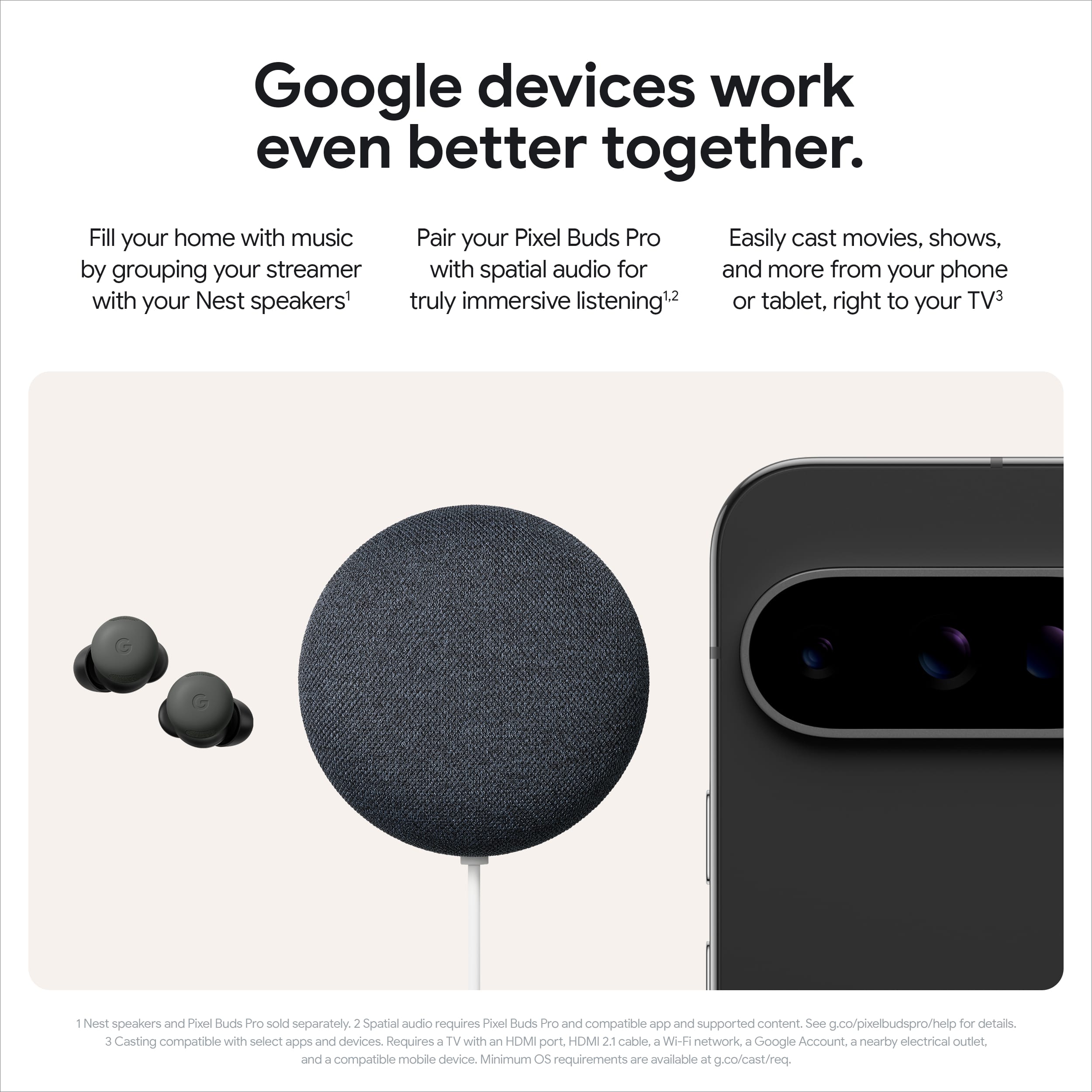
||Posted .This reviewer received promo considerations or sweepstakes entry for writing a review.This streaming box was a no-brainer after switching from an iPhone to an Android phone. It pairs well with all of my Google services and streams all of my other movies and TV shows with great quality on my TV. Would highly recommend!
I would recommend this to a friendExcellent product
||Posted .This reviewer received promo considerations or sweepstakes entry for writing a review.The product is really good, works like the previous version but doesn't heat to much, like always google got it right.
I would recommend this to a friendI love it
||Posted . Owned for 3 weeks when reviewed.This reviewer received promo considerations or sweepstakes entry for writing a review.Thank you very much for the delivery and time and it works great just like they said it has great has great memory space it works perfect
I would recommend this to a friend- Pros mentioned:Ease of use, Interface, Overall performance
Great Streaming Device with One Small Remote Issue
||Posted . Owned for less than 1 week when reviewed.This reviewer received promo considerations or sweepstakes entry for writing a review.Great Streaming Device with One Small Remote Issue The Google TV Streamer 4K is a very good streaming device. It is fast, easy to set up, and the picture quality looks great in 4K HDR. Apps open quickly, the menus are smooth, and the extra storage is a nice improvement compared to some smaller streaming devices. The design is clean and simple, and it fits well with a home entertainment setup. Overall, it works very well for streaming movies, shows, YouTube, and other apps. My only complaint is the directional button on the remote. It works, but there are no clear markings, so it may be confusing for older people or anyone who is not familiar with this style of remote. A few simple arrows or better markings would make it easier to use. Other than that, I am very happy with this product and would recommend it.
I would recommend this to a friend Love It
||Posted . Owned for 2 weeks when reviewed.This reviewer received promo considerations or sweepstakes entry for writing a review.Absolutely love it ..I have Sony Bravia w/ Google so I had to have it
I would recommend this to a friendGood but buggy
||Posted . Owned for 6 months when reviewed.This reviewer received promo considerations or sweepstakes entry for writing a review.There are a lot of bugs with this especially that some apps needs to be force closed but that can only be done deep in the settings menu. Other than that it’s easy to use and quality is good.
I would recommend this to a friendBrand response from Google Team
Posted .Hi there, AidanF. We’re glad you're enjoying the simplicity and the quality of the Google TV Streamer (4K). That said, we hear your concerns about bugs and apps not closing. The best way to remedy this is by contacting the developer — here’s how:
1. Open the Google Play Store app Google Play.
2. Browse or search for the app.
3. Locate and select the app from your search results.
4. Select Full Description.
We’re here to help anytime: https://support.google.com/googlenest/gethelp?sjid=1168929876280557452-NC&visit_id=638674861917928406-808865731&rd=1
- Pros mentioned:Ease of use, Remote control, Speed

Stream, Cast, and Control with Ease
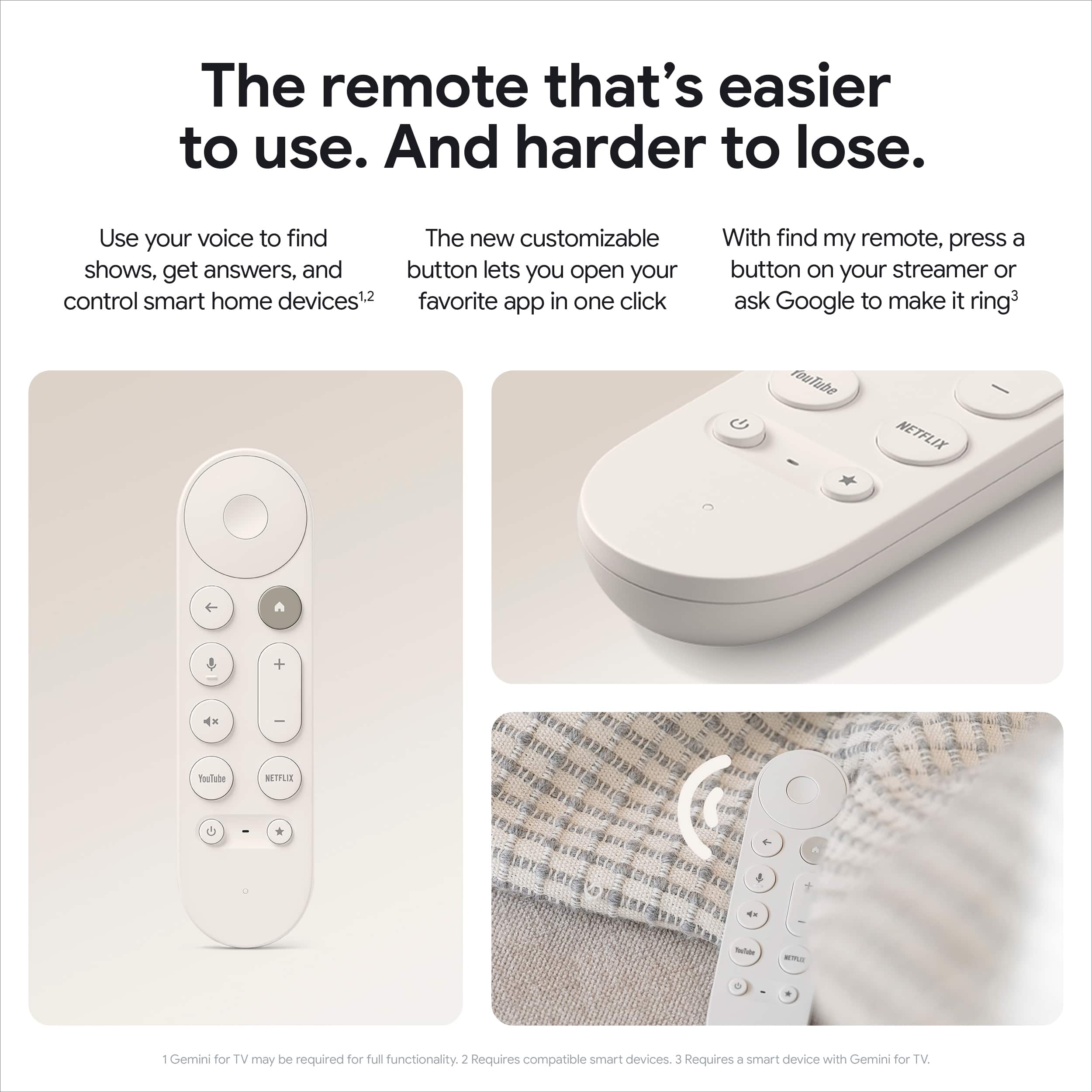
|Posted .This reviewer received promo considerations or sweepstakes entry for writing a review.The Google TV Streaming 4K is a solid addition to Google’s lineup, combining simplicity and performance in a well-designed package. Having used various streaming devices and smart TVs with different operating systems (my main TV runs on Google OS), I can confidently say that this is the best iteration I’ve used—especially at this price point. The Google TV Streaming box has a sleek and minimalist design that is both compact and unobtrusive. It’s lightweight and takes up very little space on an entertainment center. The remote fits comfortably in the palm of your hand—it’s large enough to avoid getting lost, yet not so big as to feel awkward or non-ergonomic. Its weight feels just right, and the layout is simple, featuring a D-pad, volume control, and dedicated buttons for Netflix, YouTube, and voice control. It runs on AAA batteries, but I believe a small improvement would be a built-in rechargeable battery that could be charged via a USB-C port to avoid managing disposable batteries. The simplicity of the design extends to the setup. As someone already deep into the Google ecosystem, I found the OS and interface intuitive. Adding apps from the Play Store is easy, and the voice commands via the microphone button on the remote make controlling smart devices or selecting streaming content feel effortless. One standout feature is the built-in ethernet port. While most Wi-Fi setups are capable of streaming 4K content without interruption, having the option for a wired connection adds an extra layer of stability, especially in households where the wireless signal might be less reliable. In terms of speed, the interface feels noticeably faster than my smart TV with Google OS built in. Navigating menus and switching between apps is smoother and more responsive through this streaming box compared to my TV’s native interface. This is particularly noticeable when performing quick A-B comparisons between the two. Another big plus is the ability to cast from a phone or laptop on the same network. This feature effectively transforms any TV into a smart TV, making it an excellent option for modernizing an older TV that doesn’t have built-in smart features. Overall, the Google TV Streaming 4K is a great streaming device that combines simplicity, speed, and strong integration with Google’s ecosystem, all in a small footprint. I’d recommend it to people of any technical ability who want to update their TV with the latest streaming technology.
I would recommend this to a friendBrand response from Google Team
Posted .Hello there, it’s great to know you love the device’s performance and design and that you find the interface to be more intuitive. Your suggestions about the remote’s battery life and the benefits of the Ethernet are great - we'll pass those on to the team.
We're always working to improve our products, and your feedback helps us achieve that goal. Thanks again for sharing your thoughts.
- Pros mentioned:Overall performance, Remote control
Excellent Performance
|Posted .This reviewer received promo considerations or sweepstakes entry for writing a review.Most smart TVs come with onboard WiFi and let you install your favorite apps, but they are usually very slow and wonky because of cheap processors, poor software, and/or limited memory. That's why, for most folks, it is good to own a dedicated streaming device. This latest model from Google is a terrific option with only one drawback. Pros: - Set up was incredibly easy. I was able to get this device up and running (even completing a system update) within 10-15 minutes. You can use your phone via the Google Home app to complete the set-up and it worked flawlessly. - Navigating apps is fast and smooth. Compared to Apple TV and Roku devices that I have used, this streamer leaves them in the dust. - Picture quality and audio are top notch. - This streamer has a slim form factor, taking up very little space under your TV. - There are no annoying lights on this device that can distract you when watching TV in a dark room. - The remote works well and is easy to get acclimated to. Cons: - Before buying, make sure that apps that you need access to are available. When I "cut the cord" last year, I kept a streaming service through my Cable/Internet provider for live television. This device does not give me access to the app for that service. I assume that this is because YouTube TV is a competing service, but this is very disappointing to me. Performance-wise, this is the best and fastest streaming device I have ever used. Just be aware that it may not give you access to every app that you are looking for.
I would recommend this to a friend - Pros mentioned:Interface, Overall performance, Remote control
Fast, smooth and very easy to use
||Posted . Owned for 1 month when reviewed.This reviewer received promo considerations or sweepstakes entry for writing a review.I’m very impressed with this device. The setup was quick and simple, and it connected to my TV and Wi-Fi without any problems. The interface is clean and easy to navigate, and the performance is very fast when opening apps or switching between them. Streaming in 4K HDR looks great, with sharp image quality and smooth playback. The remote control is also simple and comfortable to use, and the voice search works really well. Another big advantage is the storage and the ability to install many apps without worrying about space. Overall, it’s a powerful and reliable streaming device that makes watching TV much more convenient. I would definitely recommend it.
I would recommend this to a friend - Pros mentioned:Interface, Overall performance
Honest Review.
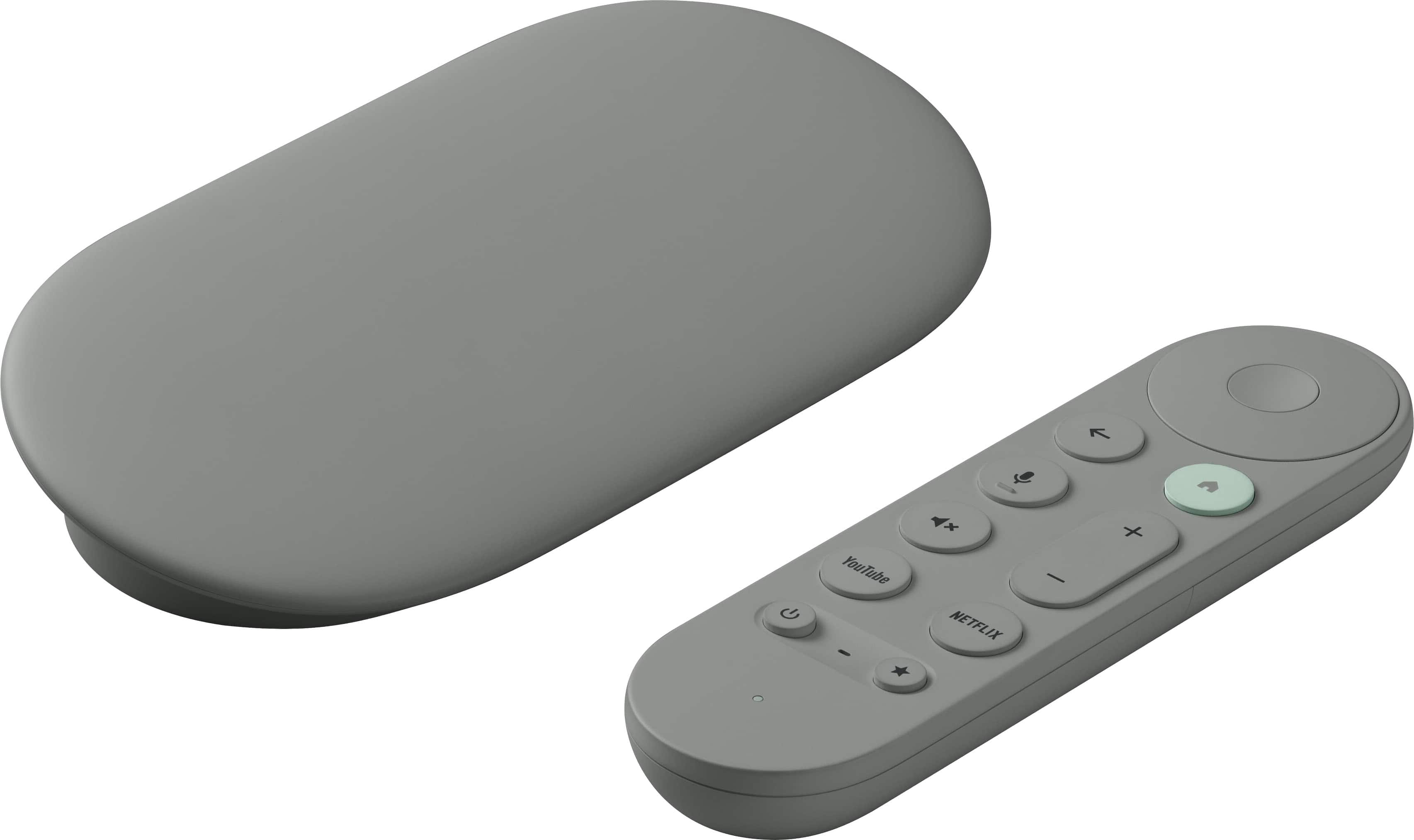
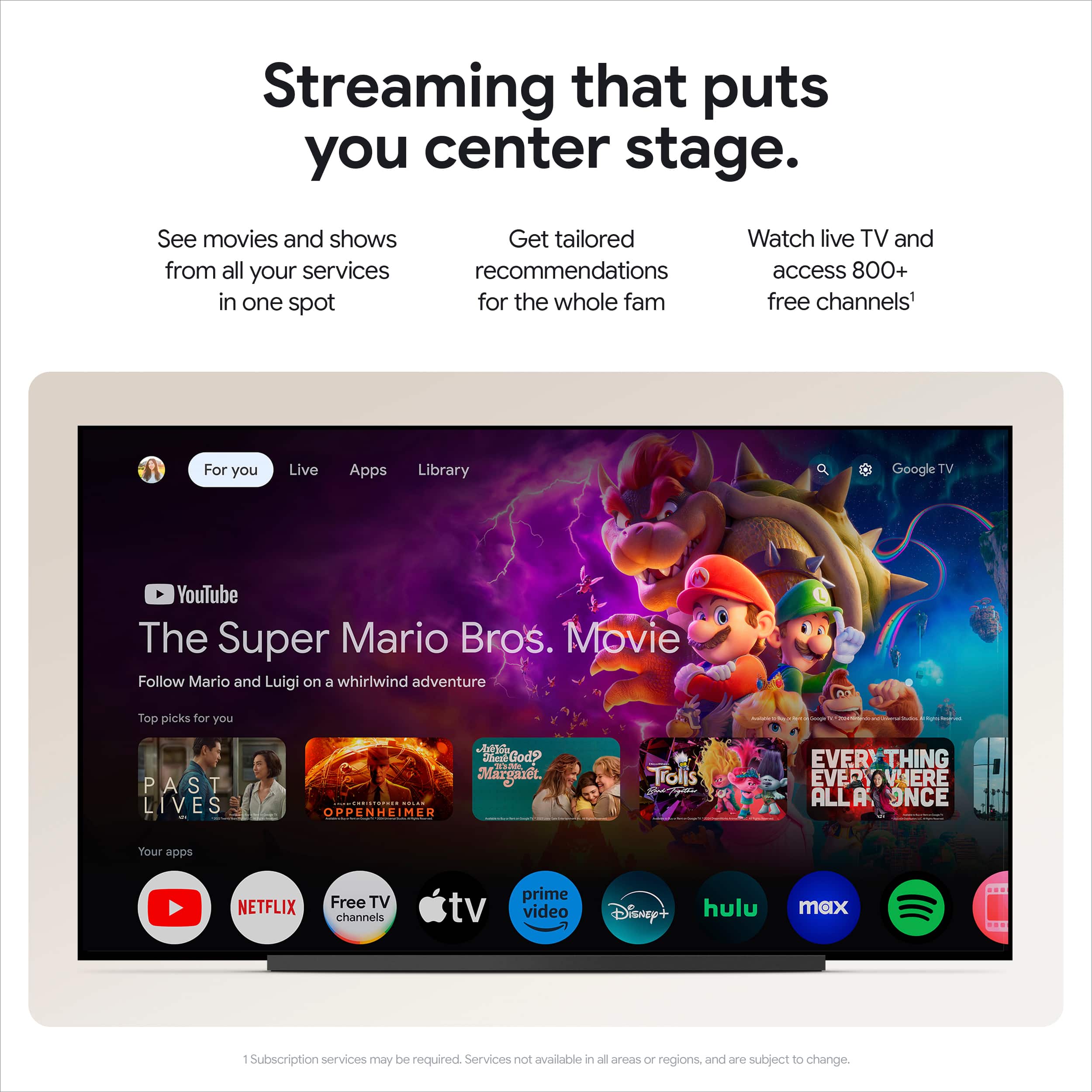
||Posted . Owned for 2 weeks when reviewed.This reviewer received promo considerations or sweepstakes entry for writing a review.I'll be honest — I wasn't sure I needed to upgrade my old streaming stick, but after using the Google TV Streamer 4K, I can confidently say this thing is on another level. This is not just a streaming device — it is a complete home entertainment hub. The 4K HDR picture quality is stunning. Colors are vivid, motion is smooth, and the difference from my old device was immediately noticeable from the moment I turned it on. Whether I was watching an action movie or a nature documentary, every frame looked cinematic and sharp. The 32GB of storage is a huge win — no more deleting apps to make room for new ones. I have every streaming app I could ever want installed and still have plenty of space to spare. Netflix, YouTube, Disney+, Prime Video — everything loads fast and smooth with zero buffering. What really sets this apart is Google TV's smart interface. It learns your watching habits and serves up personalized recommendations across all your streaming services in one place. No more jumping between apps trying to figure out what to watch — it just knows. The Google Assistant integration is seamless. I simply say "Hey Google, play Stranger Things" and it just works. Controlling smart home devices, checking the weather, or searching for content — all hands free. The Hazel color is a refreshing change from the usual black devices — it looks clean and modern sitting next to any TV setup. The redesigned remote is comfortable, well-built, and has quick-access buttons for the most popular streaming services.
I would recommend this to a friend I love the clean look!
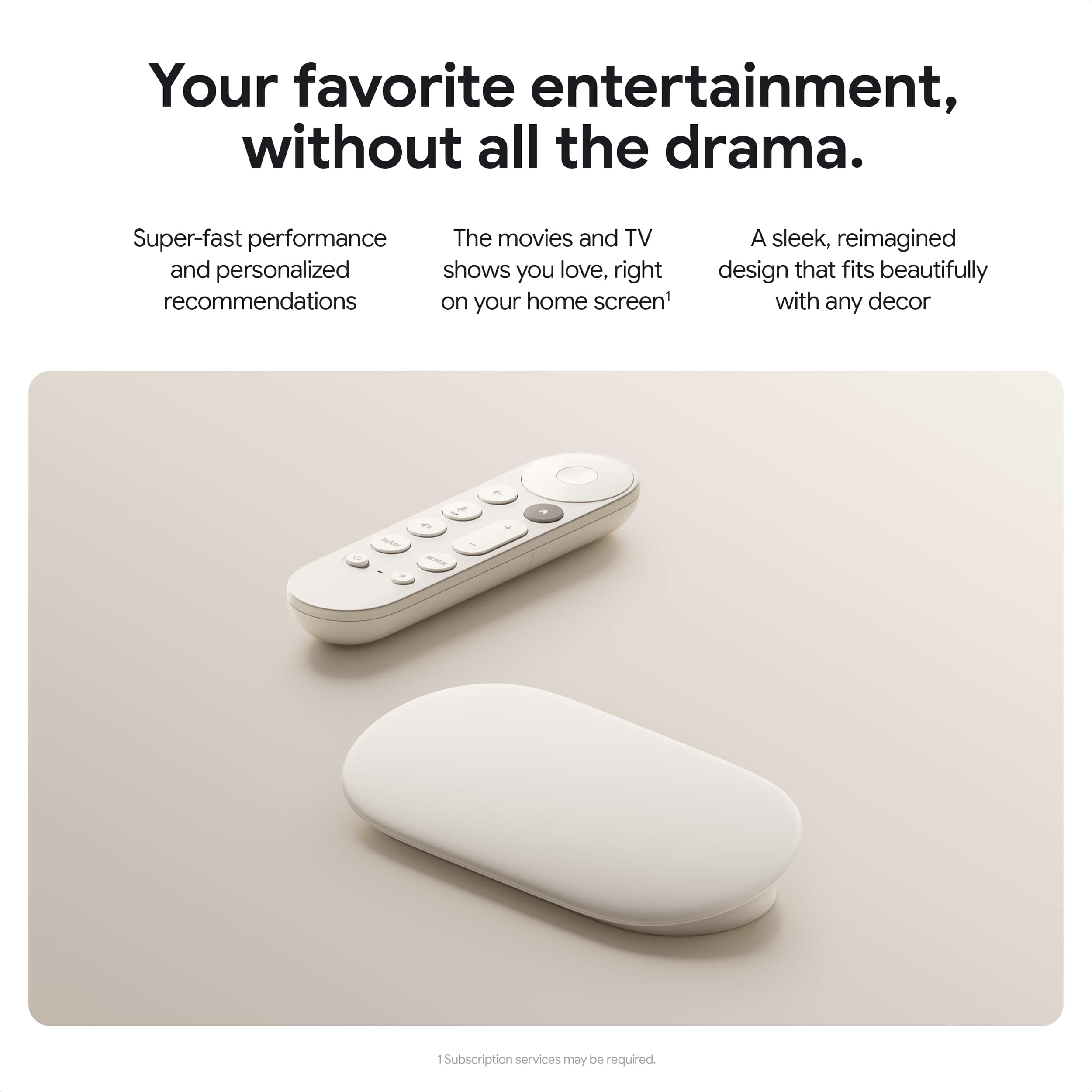
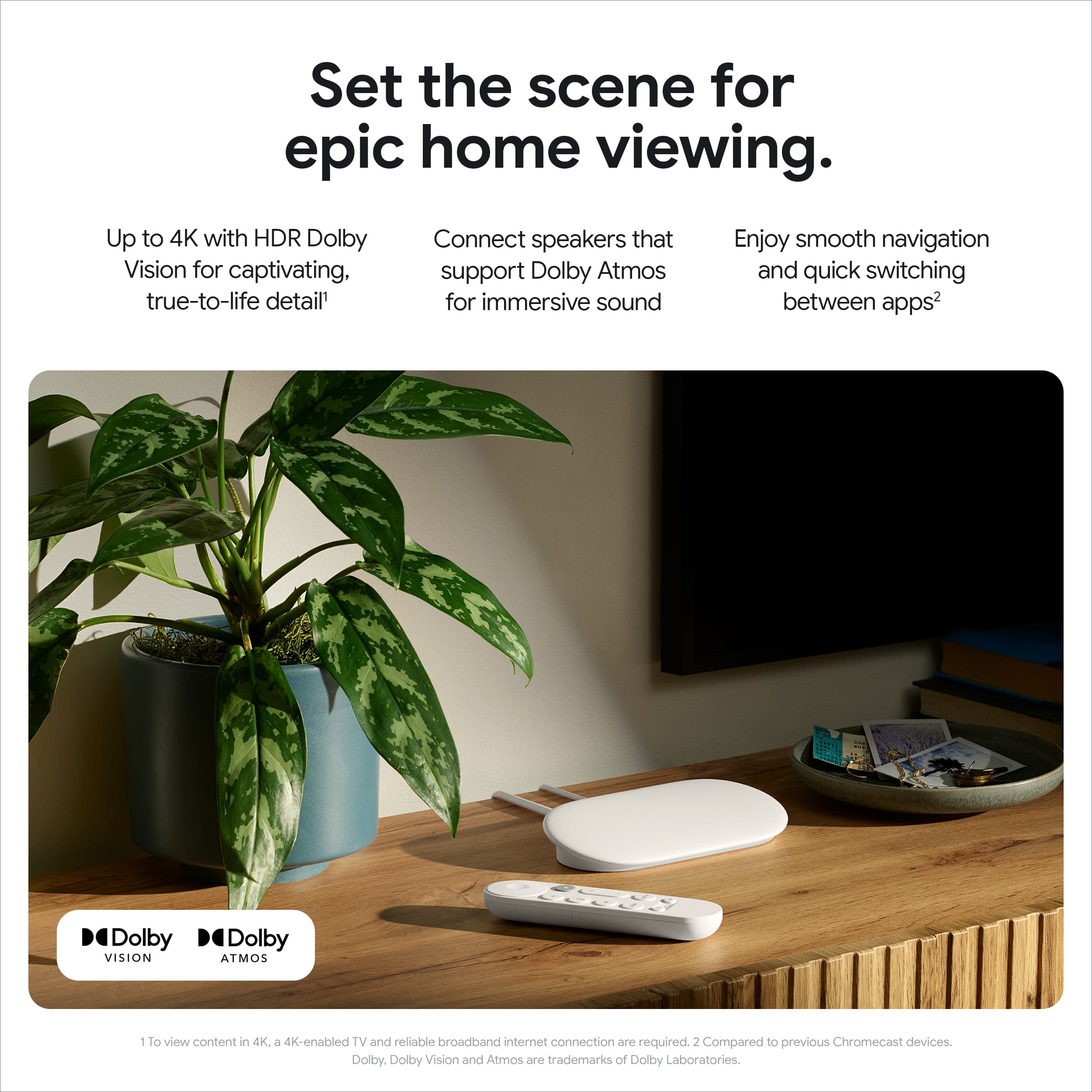
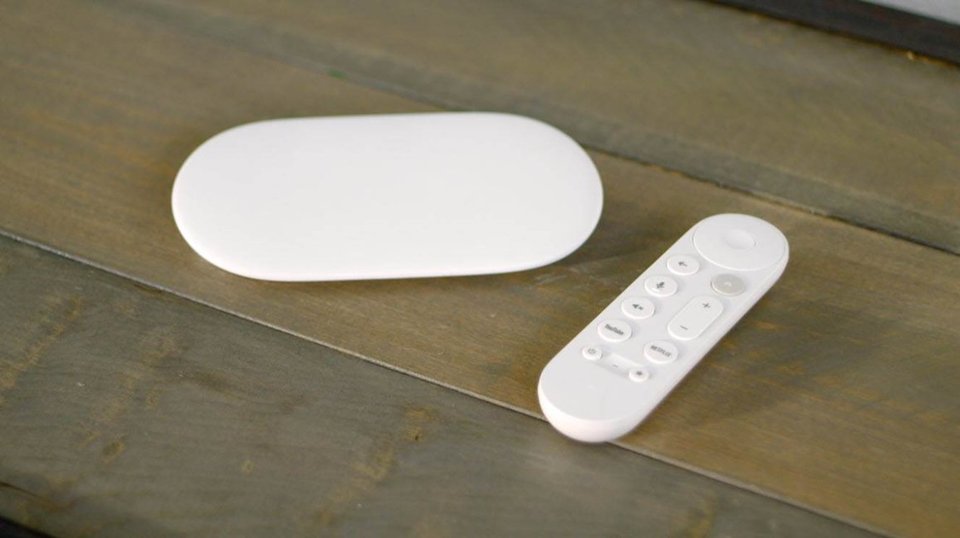
|Posted .This reviewer received promo considerations or sweepstakes entry for writing a review.I guess say good bye to google chromecast and say hello to google tv streaming 4k, makes me laugh that google could never stick to one thing they either kill a product and creating something that’s technically the same product they got rid of. but google new tv streaming 4k I think they are finally on the right direction here, it new google design shows so much simplicity from the box to the main product itself. -DESIGN- again the moment I saw the box I was impressed how simple it looks. how light the box feels, and honestly there’s not much going inside either, the main google streaming 4k device is shaped like a bar of soap or a giant pill which ever comes to your mind first. and the remote remind me of an apple tv remote, but again it shape like a pill. the remote is very limited selection of button, only the buttons that matters you have the netflix and youtube dedicated button , home button, volume , mic, mute, power button, shortcut button and directional pad on top, with home button with it’s dedicated color, the box comes with 2 AAA batteries, would been nice the remote is charger as well. -FEATURES- when it comes to features this streaming box is equipped with built in internet port to guarantee a more consistent connection. it supports Dolby Atmos/ Vision. google claim this has 22% more faster processor, while testing browsing around the home screen moving around switching from different apps the speed is consistent. with a 32GB this is more than enough for all the app you use daily. you also have the ability to control google right from your tv. and yes you’ll still able to cast from your phone with google streaming 4k. -CONCLUSION- so far been enjoy this new google streaming 4k, I love the OS it’s very responsive did not see any slow down all apps I needed is here and way more. but I do have couple issues i’ve noticed. the first thing the moment I opened the box is how smooth and slick the remote is, when I mean slick this remote have zero grip on the back I feel like I have to be careful holding the remote due to feeling a high chance ok slipping. this one slippery remote that and maybe order a 3rd party remote case for it. using google home inside the google streaming 4k has missing features all the device I connected like front door camera and rgb right, google chrome doesn’t seems to replicate what’s on the phone. the only one that showing on my tv is my front camera clicking doesn’t show any image at all. rgb light settings that should have been on the list., google claim it support google photos well there’s nowhere to use google photo with this. I tried to search the appl through google streaming 4k and it shows up but I get a message that it’s currently not supported, so maybe later? overall it has there’s definitely some missing features. overall I think this device looks great the design looks elegant and I great piece to display. it’s fast and responsive, i’ll be waiting for the google app support to come out so we will see. I still recommend the device just the fact what it can do and not that expensive as well.
I would recommend this to a friendBrand response from Google Team
Posted .Thank you for your detailed review of the Google TV Streaming 4K. We appreciate your feedback and insights. Your input is invaluable in helping us make improvements. Please share more here: https://google.qualtrics.com/jfe/form/SV_2aStd8wsbcLGvwG
- Pros mentioned:Ease of use, Interface, Overall performance
Excellent Picture Quality and Easy to Use Smart Fe
||Posted . Owned for 3 weeks when reviewed.This reviewer received promo considerations or sweepstakes entry for writing a review.I’ve been very impressed with this Google TV so far. The picture quality is crisp and vibrant, with excellent color and clarity whether I’m watching movies, sports, or streaming shows. The brightness and contrast make a noticeable difference compared to older TVs I’ve owned, and everything looks sharp even in a well lit room. One of my favorite features is the Google TV interface. It’s very intuitive and easy to navigate. All of my streaming apps were simple to install, and the home screen does a great job recommending content across different platforms so I spend less time searching for something to watch. The built in voice control is also a nice touch. Being able to quickly search for a show, adjust volume, or open apps with the remote makes the experience feel very modern and convenient. Setup was straightforward and only took a few minutes. The TV connected to WiFi quickly and the software walked me through the entire process step by step. Overall I’m very happy with this purchase. If you’re looking for a smart TV with great picture quality, smooth performance, and a user friendly interface, this Google TV is a solid choice.
I would recommend this to a friend - Pros mentioned:Remote control
Like a faster Google TV
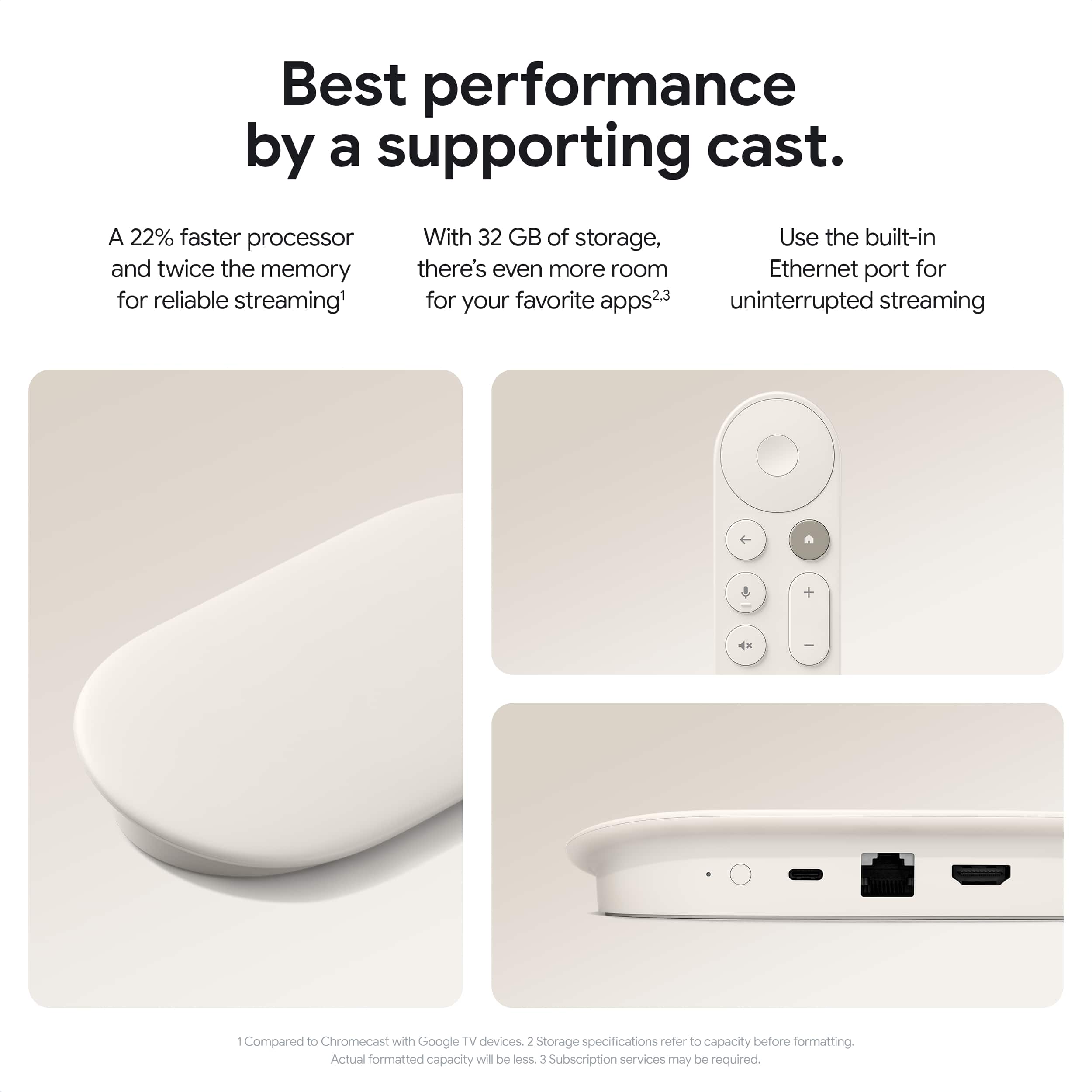
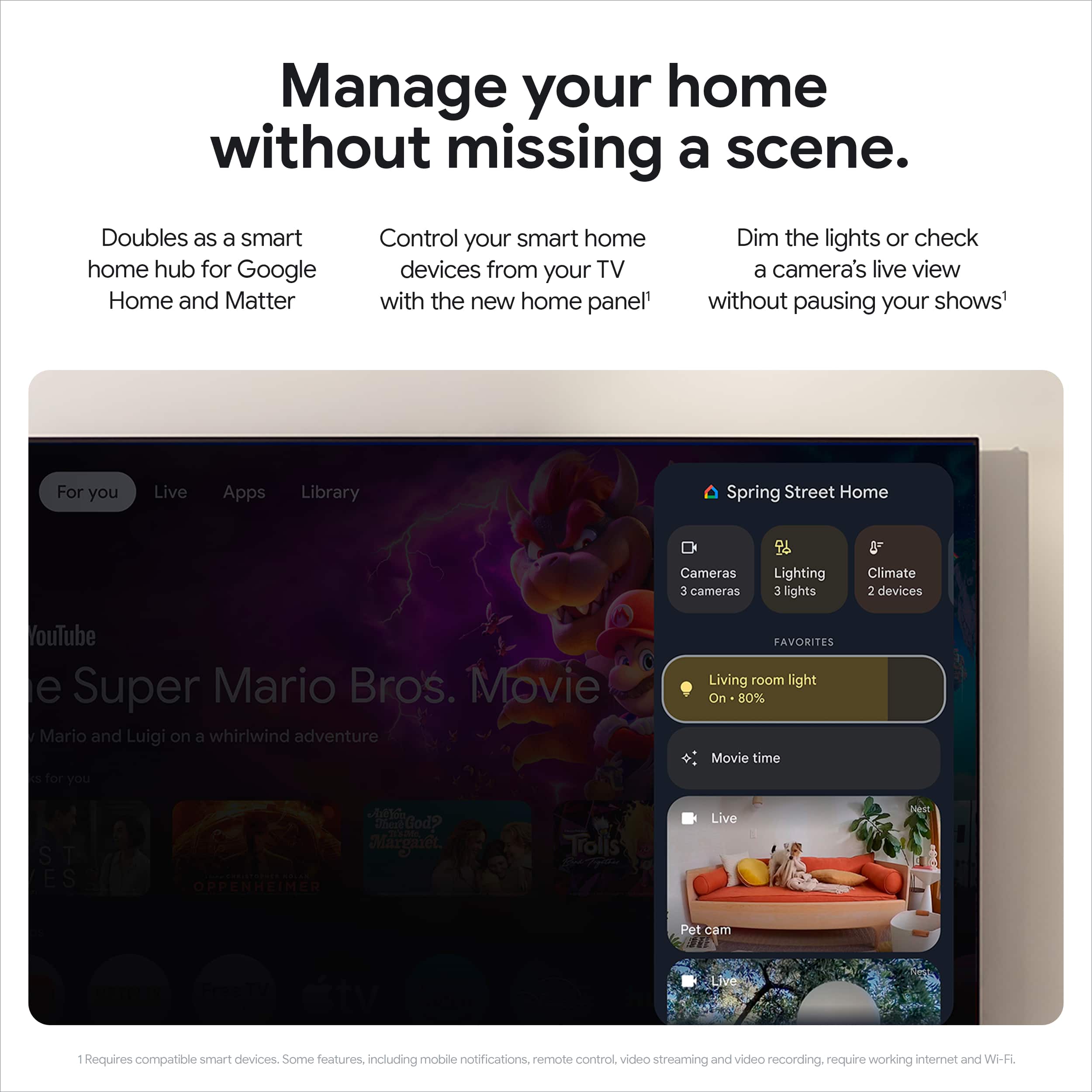
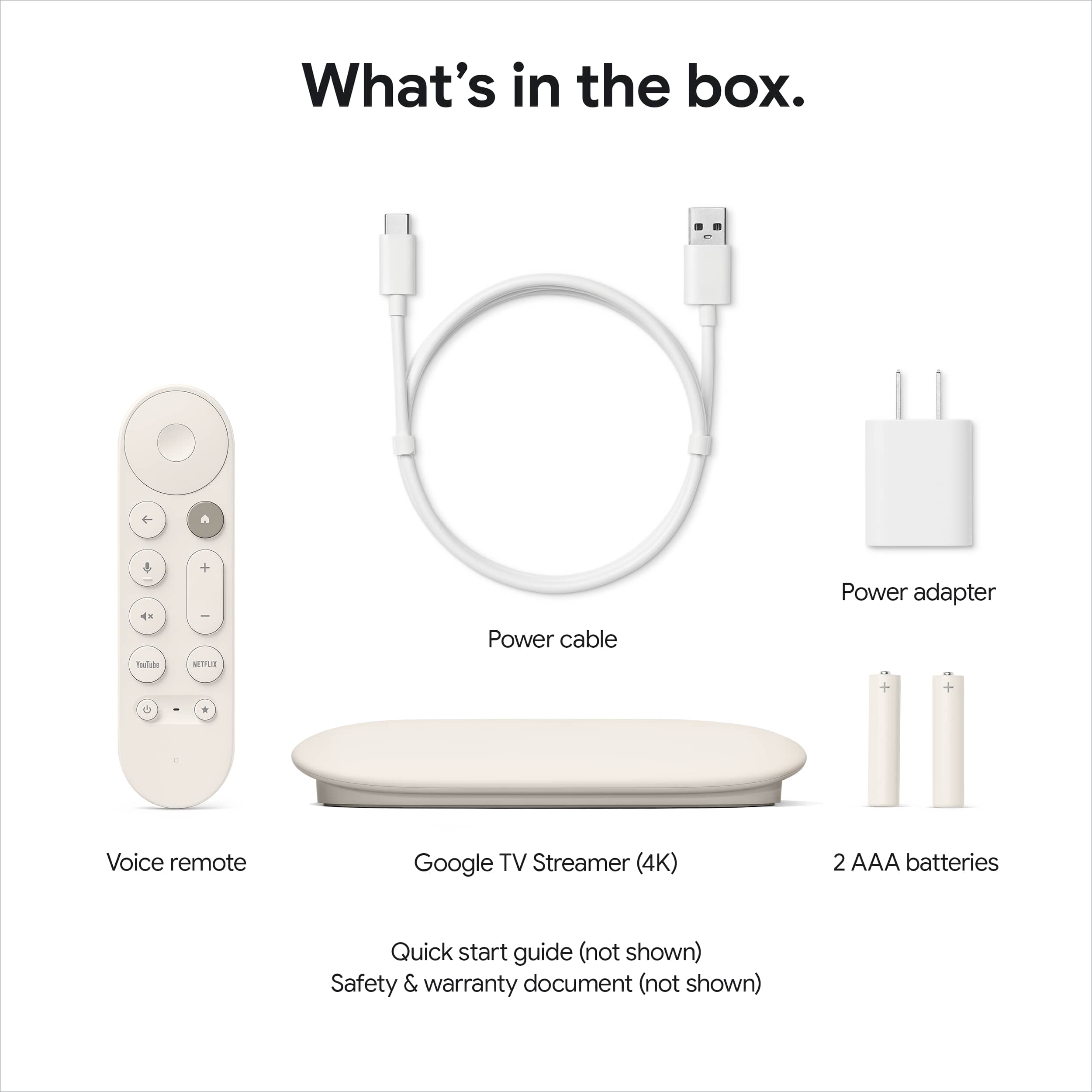
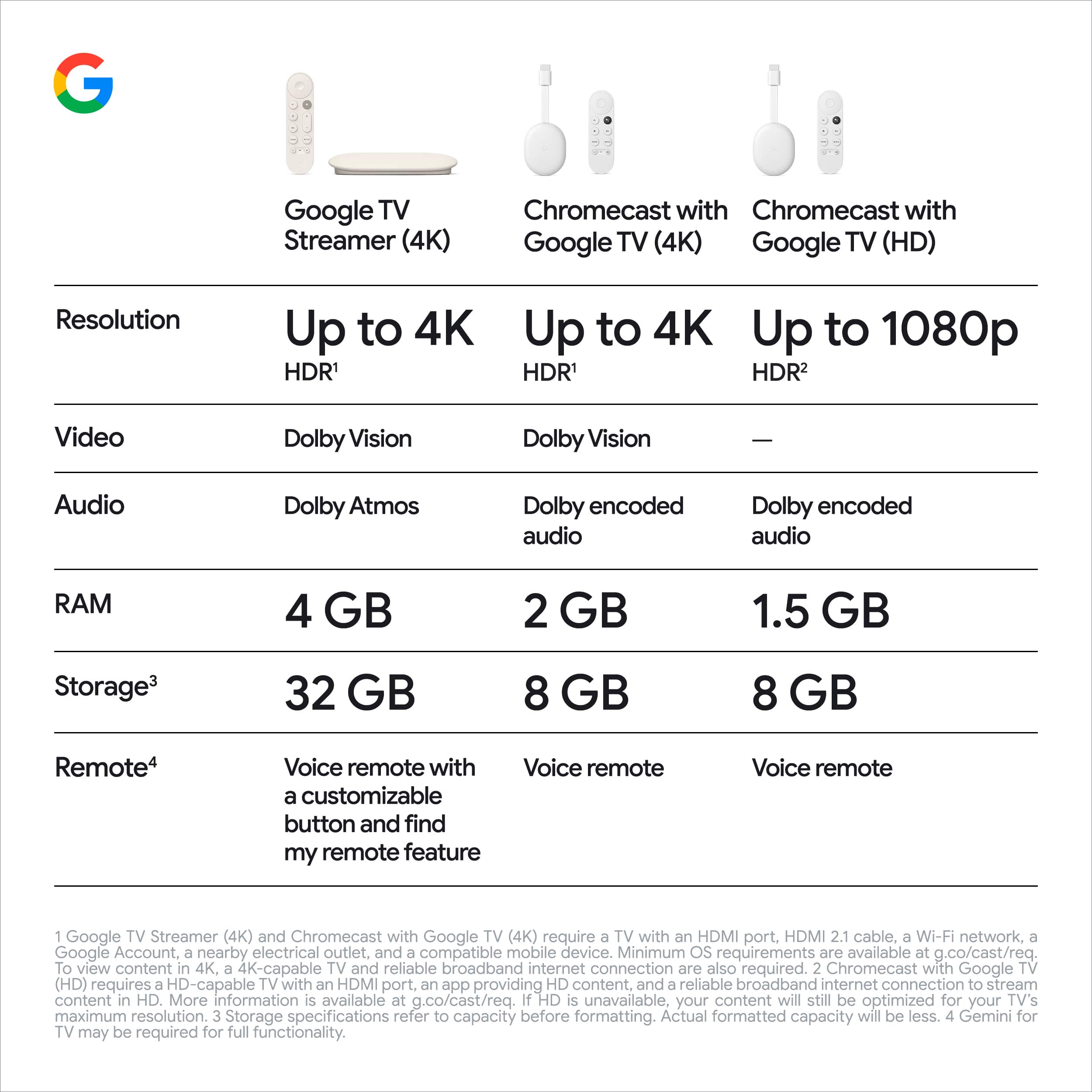
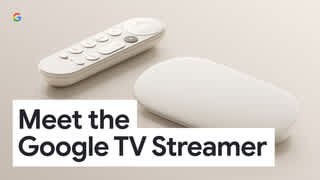
|Posted .This reviewer received promo considerations or sweepstakes entry for writing a review.Anyone that used a recent Google TV or Chromecast with remote will find this familiar. It's a faster version of Chromecast, with an improved remote and 32 GB of storage with over 26 Gb available to install apps and it's much faster than our old Android TV. Like current Google TVs, it has plenty of TV apps available via the Play store, it analyzes what one watches and provides recommendations across different apps. The main screen makes it easy to watch content from different apps one after the other, including your YouTube history and some social media apps (TikTok, etc.). The remote uses two AAA alkaline batteries (included), and it can control the TV powering it on and off via IR or HDMI, as well as volume control and depending on the TV, changing inputs. It's voice enabled, so when pressing the assistant button, can use Ok Google to find TV content or control smart home devices that are integrated with Google Home, as well as showing camera content (As in, show me the front door camera). It also has a find remote button on the back of the unit that makes the remote beep. The streamer is powered by USB-C. It comes with a long USB-C to USB cable and a power adapter that is a small USB plug. One can use another power supply if it provides enough power, and this doesn't require much. Unlike the Chromecast, it has a built-in Ethernet in addition to Wi-Fi. I'm using Ethernet and works great. Unlike Chromecast, the HDMI cable is not included. Make sure to get an 'Ultra High Speed' or one that supports 48Gbps if the TV supports Dolby Vision. This streamer also improves in supporting Dolby Vision and Dolby Atmos in addition to other HDR and audio formats. The other major improvement and likely the reason this is a 'tabletop' device instead of dangling on the back of the TV, is that this also has a Thread radio so it acts as a Thread Border Router for Matter devices. This is important if using Google Home, as it's always on and allows to remotely control Matter devices that use Thread radios, without the need to have a Google Nest hub. There is no Google Home app on this, so besides acting as a hub for Google Home apps, one can control devices and view cameras via the Google voice assistant on the remote. The tabletop part of the streamer is light cream matte and slopes down in the front making it look more like a pebble. It's very small. I think it could've been another dongle but the radios will likely work much better when on a table. If your TV isn't smart, or it fell behind the times, and you prefer the Google TV experience, this works great. It makes any TV a Google TV.
I would recommend this to a friend - Pros mentioned:Ease of use, Remote control
Awesome Streamer
||Posted . Owned for 1 week when reviewed.This reviewer received promo considerations or sweepstakes entry for writing a review.A Google Product for Google Product(s). Very easy to set up. The picture is very sharp. Easy to learn the functions on the remote. Only wish would be a back-lit remote, and "re-chargeable remote battery."
I would recommend this to a friend Great Stream and easy to use
|Posted .This reviewer received promo considerations or sweepstakes entry for writing a review.I have used streaming devices from Amazon, Roku, Apple, and Google. I have found that the google and apple ones seem to work the best for my needs. We have started to change our devices to google tv as they function with our other google home devices. This streaming device was pretty simple to setup if you use google home to do so. You can also manually setup the device, but I just did it through the google home app and it made the process very easy and pretty much logged me into most of my apps. I like the fact you can have multiple users on one device. This would be helpful if I had children or teens, but for us two adults we tend to just use one profile but have the second one setup just in case. I had this connected to my TV via HDMI through the TV that is connected to a sound bar. Sound quality is very good, and I thought it sounded a little better than the built in streaming device built into the tv. I next tried it on our projector, but for this setup the soundbar needs to be connected via Bluetooth. Connecting to my soundbar was no problem, the sound was perfectly synced with the video, and I didn't notice any degradation of sound quality. This was a huge plus as the soundbar is far away from the projector and I didn't want to move the soundbar to a new spot. Video quality is also fantastic. I had this first connected to a 4k 120hz Sony Bravia TV (has built in google tv as well) and the video quality looked perfect and had no issues. Next it was connected to our projector that is only 1080p and the video was just as good as the 4K Apple TV we had connected to it before. Again, no issues and we are super happy with the video quality of the google TV device. Aside from the excellent video and audio quality we love the built in google features. I like the fact I can turn on or off our lights and other devices along with view our cameras. Since I already have google home setup there was nothing else that needed to be done, and I could view the cameras with ease on my projector. This is nice as our projector is in the basement and we do not have a google hub down there and this allows us to utilize the google home features that we love. The device itself is pretty small and has an HDMI port, ethernet port, and a USB power point. There is also a button to help find the remote if you misplace it. I sorta wish they had a second USB port so you could connect a thumb drive or hard drive to play videos/photos directly from it. Not the end of the world since you can connect your phone to it anyways to display videos or photos to it. I like the remote and it's easy to use and navigate with. During the setup of the google streamer it helped me configure the remote to use with my TV or soundbar. The remote will also turn on or off the TV, so you can put away the other remotes you have and just use this one. If I had one complaint is the color. White gets dirty quickly and I really wish it was black instead, that's just me being picky as I cannot find any real faults with this system. I really like this streaming device and so happy to have it setup for our basement projector. The operating system is super easy to use and I believe anyone could use this once its setup. This would be perfect for someone who is not over technical as everything is easy to use and apps load up quickly.
I would recommend this to a friend- Pros mentioned:Ease of use, Remote control
Great product
||Posted .This reviewer received promo considerations or sweepstakes entry for writing a review.Fantastic product, super easy to setup after a slightly long power up time where it does all its software updates, after that if you have a Google account everything is quick. Most apps are QR sign in now so that goes quick. The memory storage is huge, love the remote and ease of use . Very fast load times too
I would recommend this to a friend - Pros mentioned:Overall performance
Great streamer!
||Posted . Owned for 2 weeks when reviewed.This reviewer received promo considerations or sweepstakes entry for writing a review.I previously owned a Chromecast 4K which I kept in my suitcase for travel. I forgot to pack it this trip and purchased this Google TV Streamer 4K to replace it. The increased RAM and storage make it work better than my old Chromecast. It has a slightly larger form factor. I need to find a new case for it. It didn't come with an HDMI cable, which would've been nice to know. I would've purchased one with it if the salesman had made me aware of it.
I would recommend this to a friend