Customer Ratings & Reviews
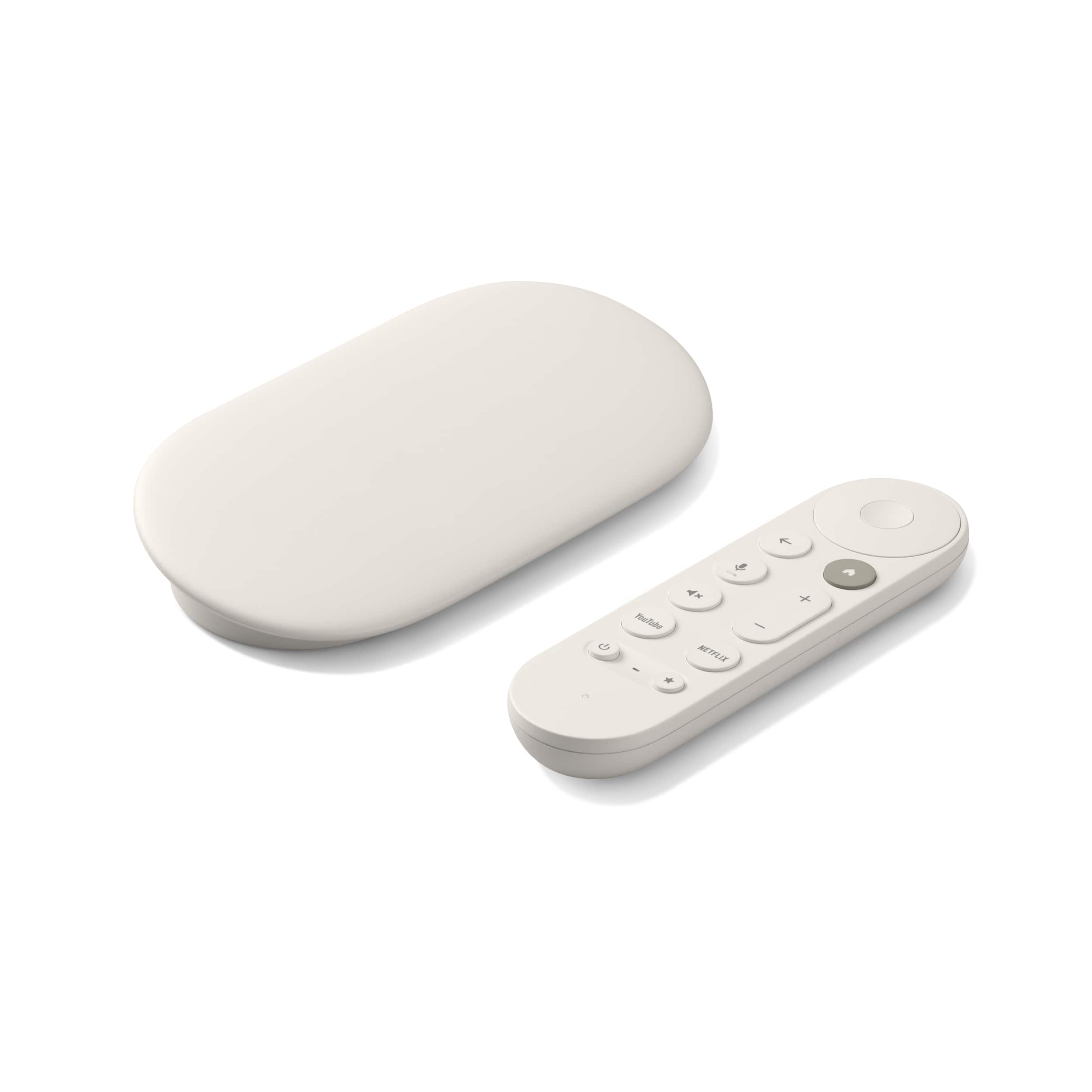
- Model:
- GA05662-US
- |
- SKU:
- 10732040
Customer reviews
Rating 4.5 out of 5 stars with 580 reviews
(580 customer reviews)Rating by feature
- Value4.3
Rating 4.3 out of 5 stars
- Quality4.6
Rating 4.6 out of 5 stars
- Ease of Use4.7
Rating 4.7 out of 5 stars
to a friend
Rated 5 out of 5 stars
High performance in a pretty package
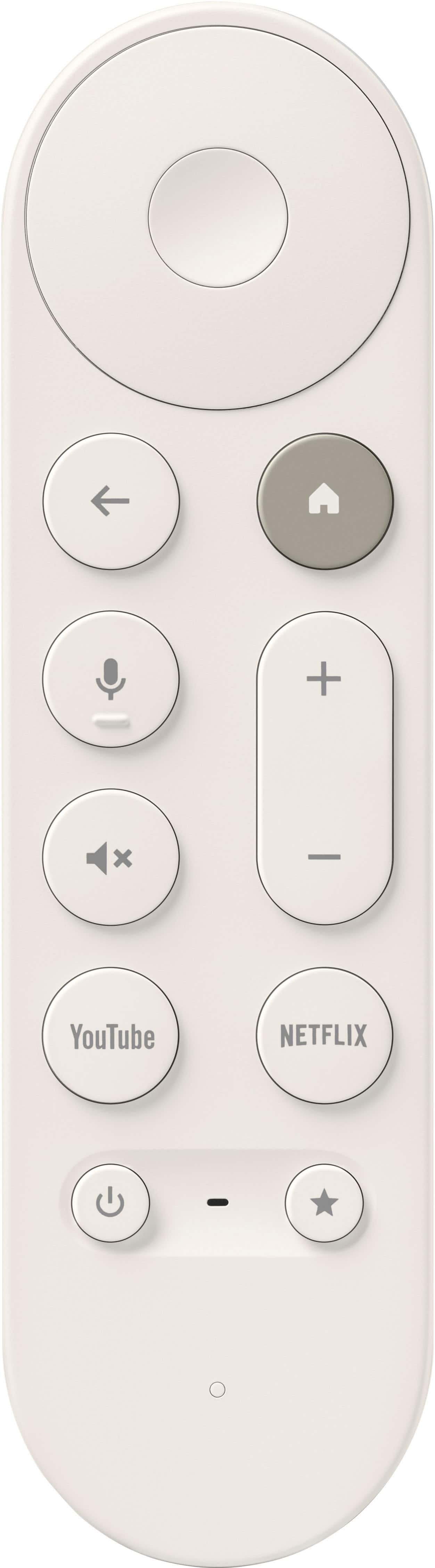
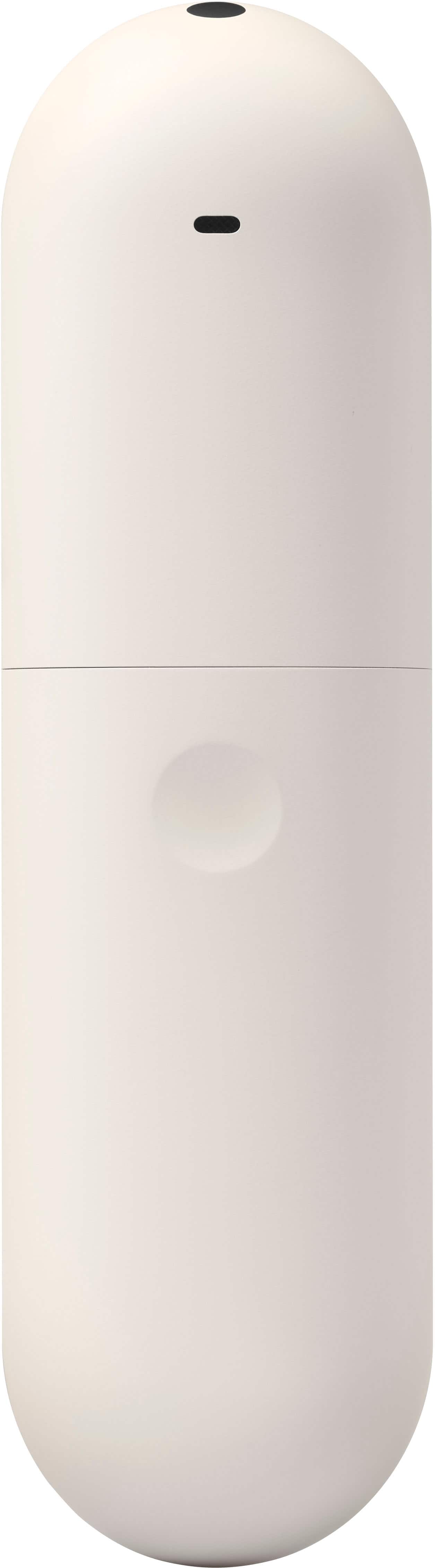
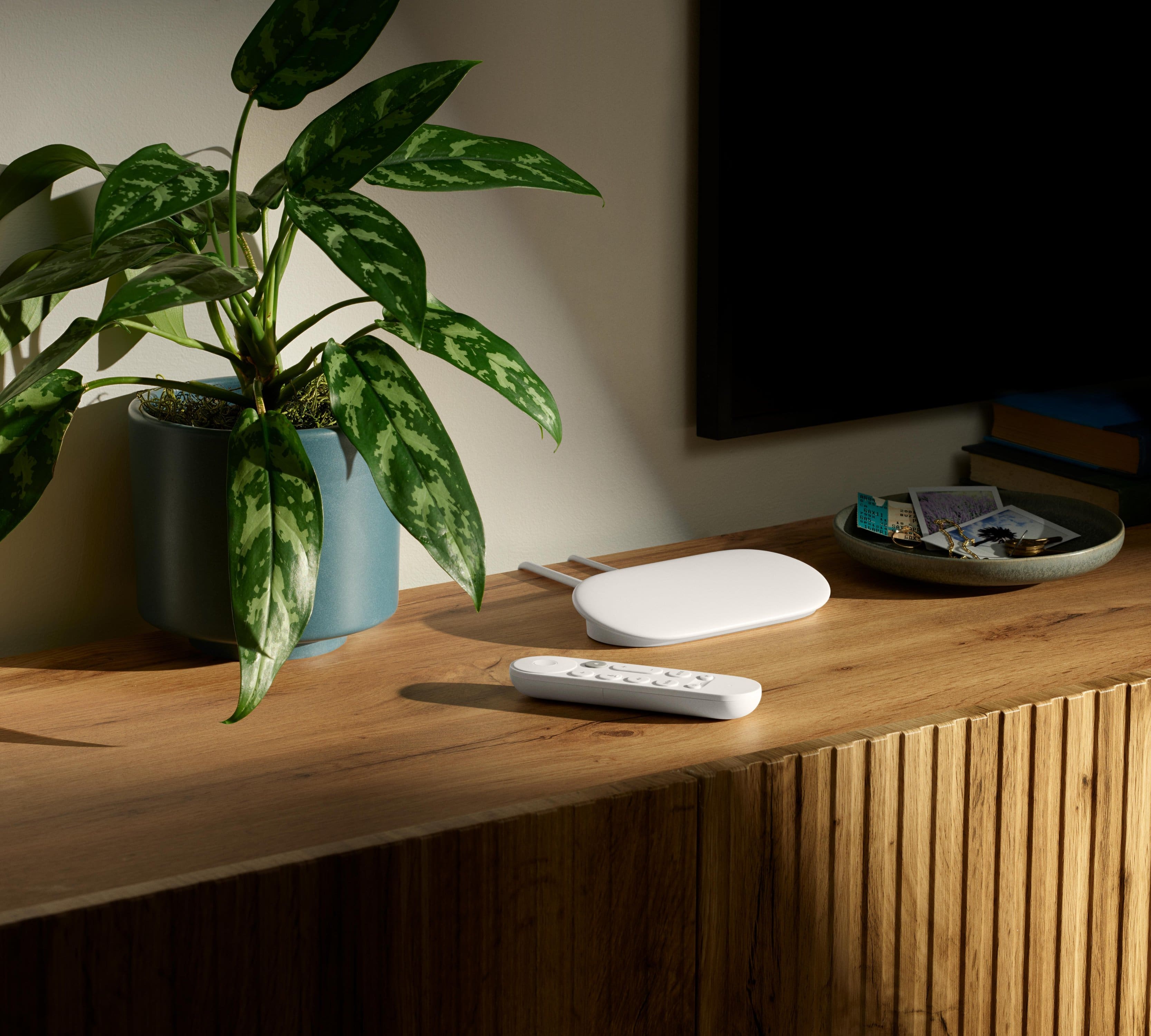
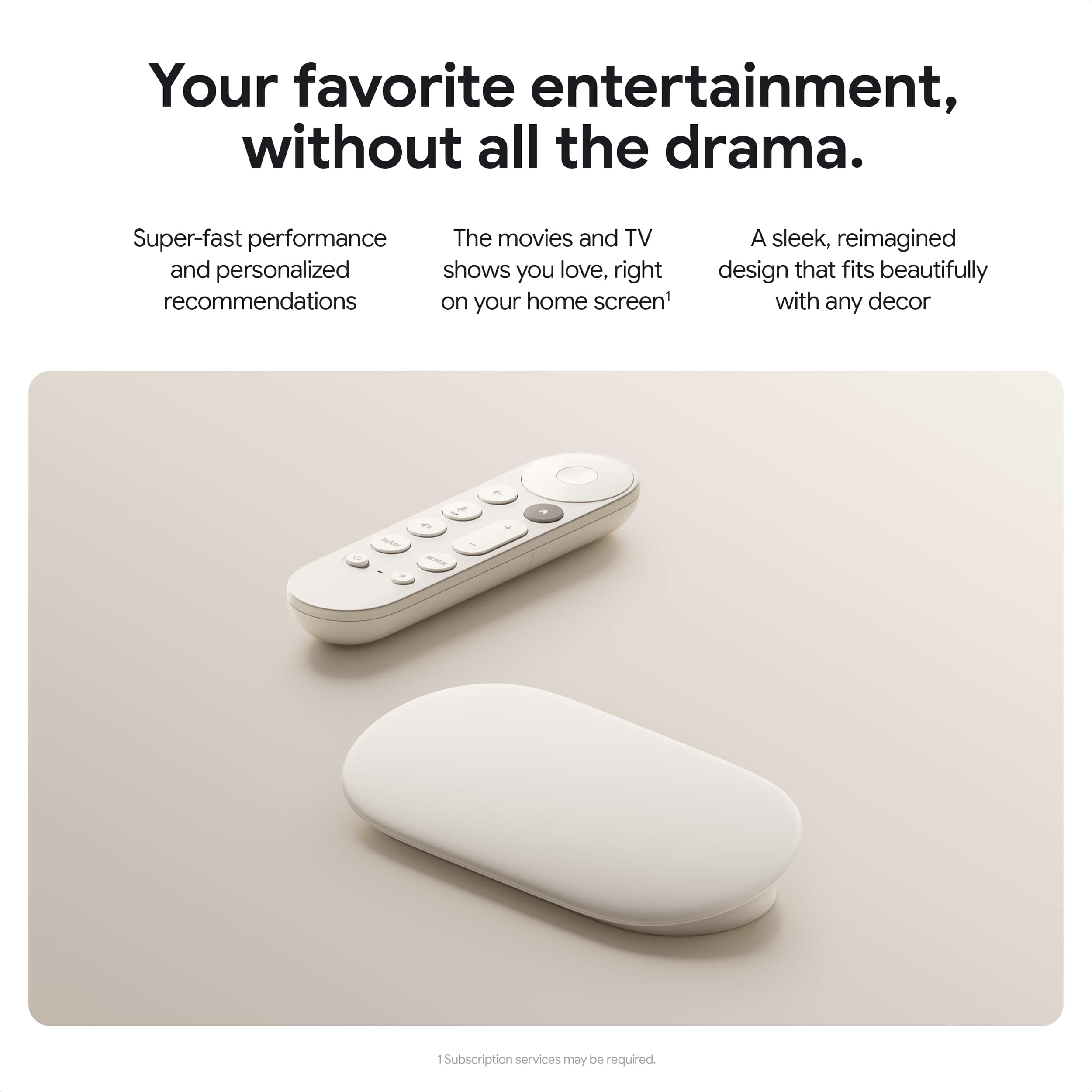
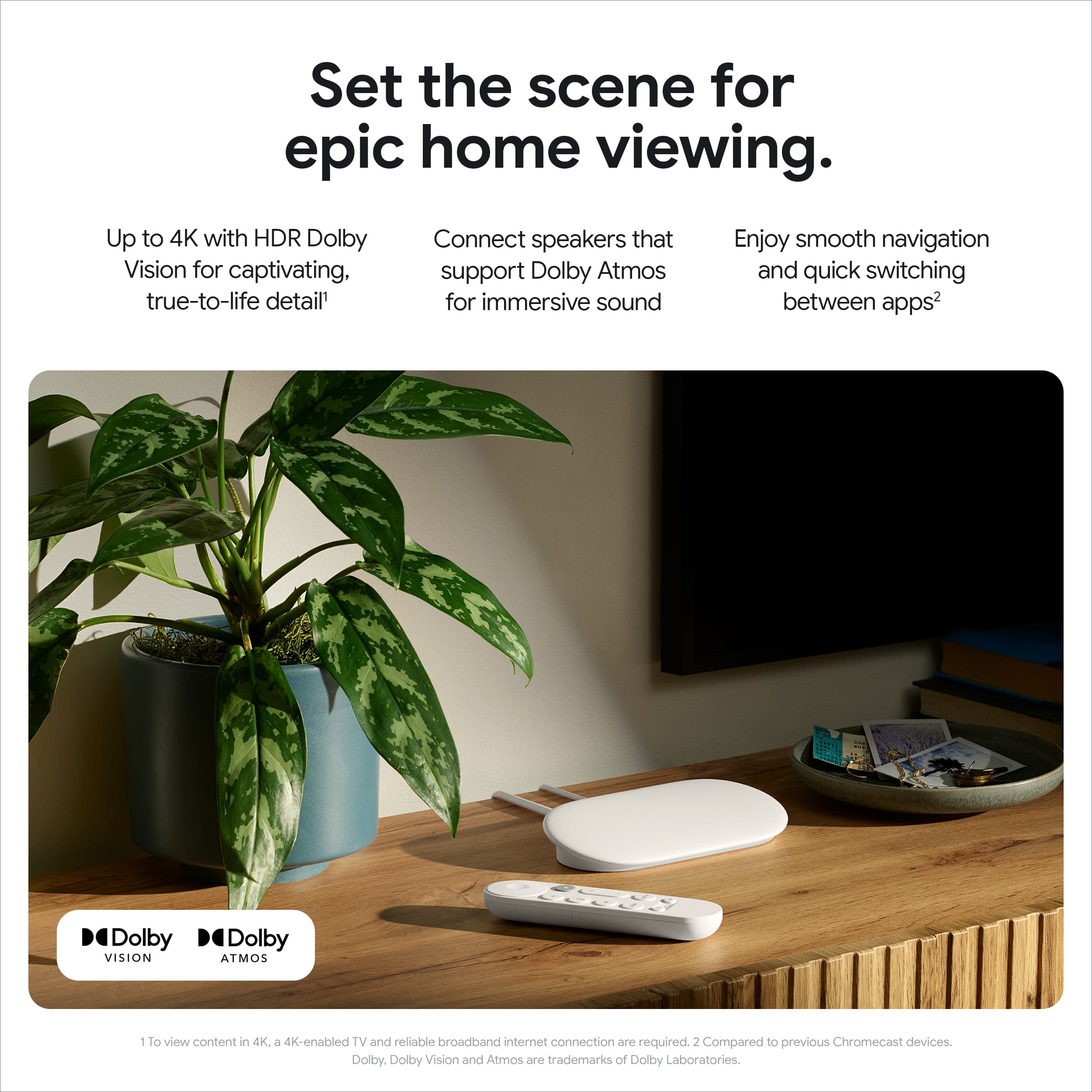
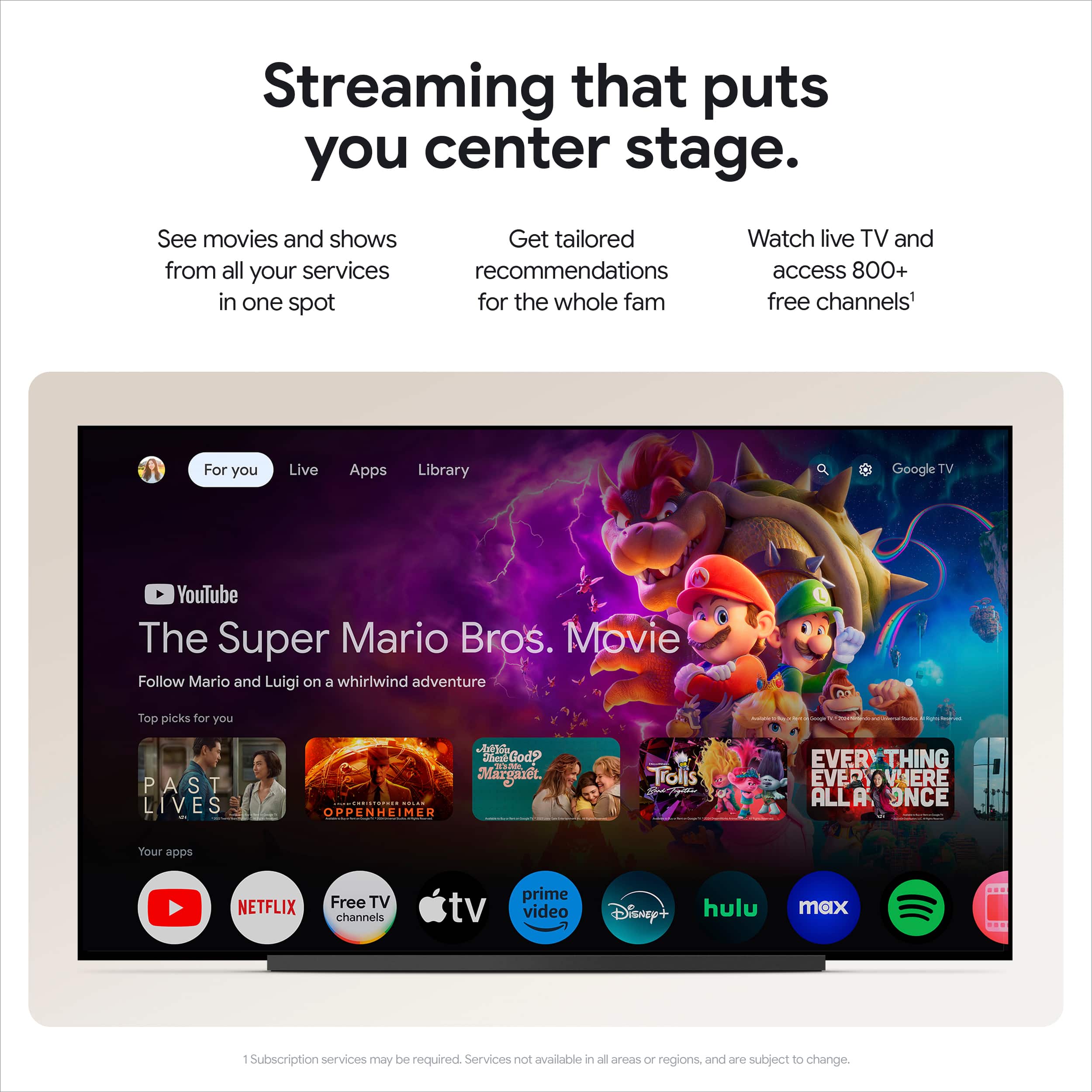
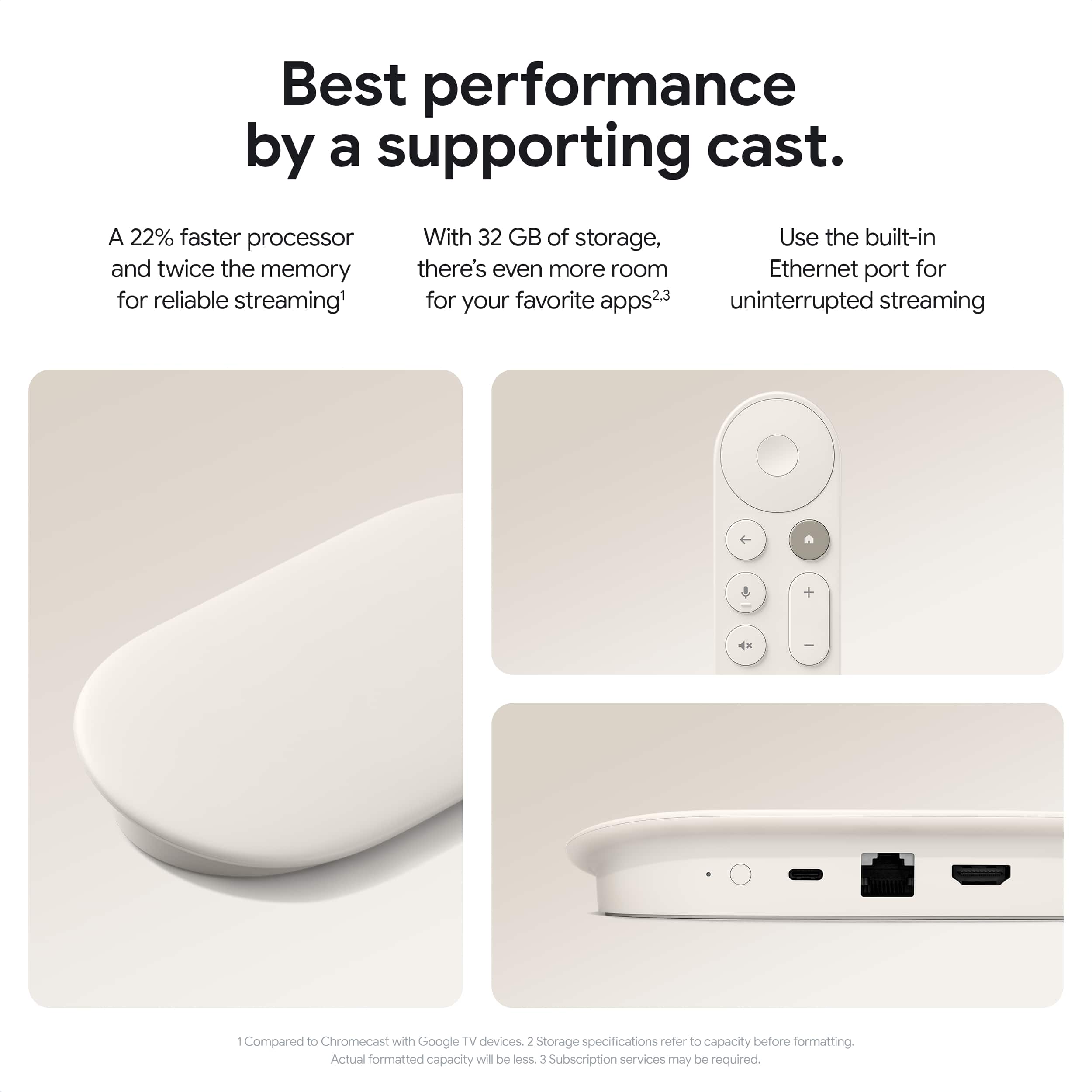
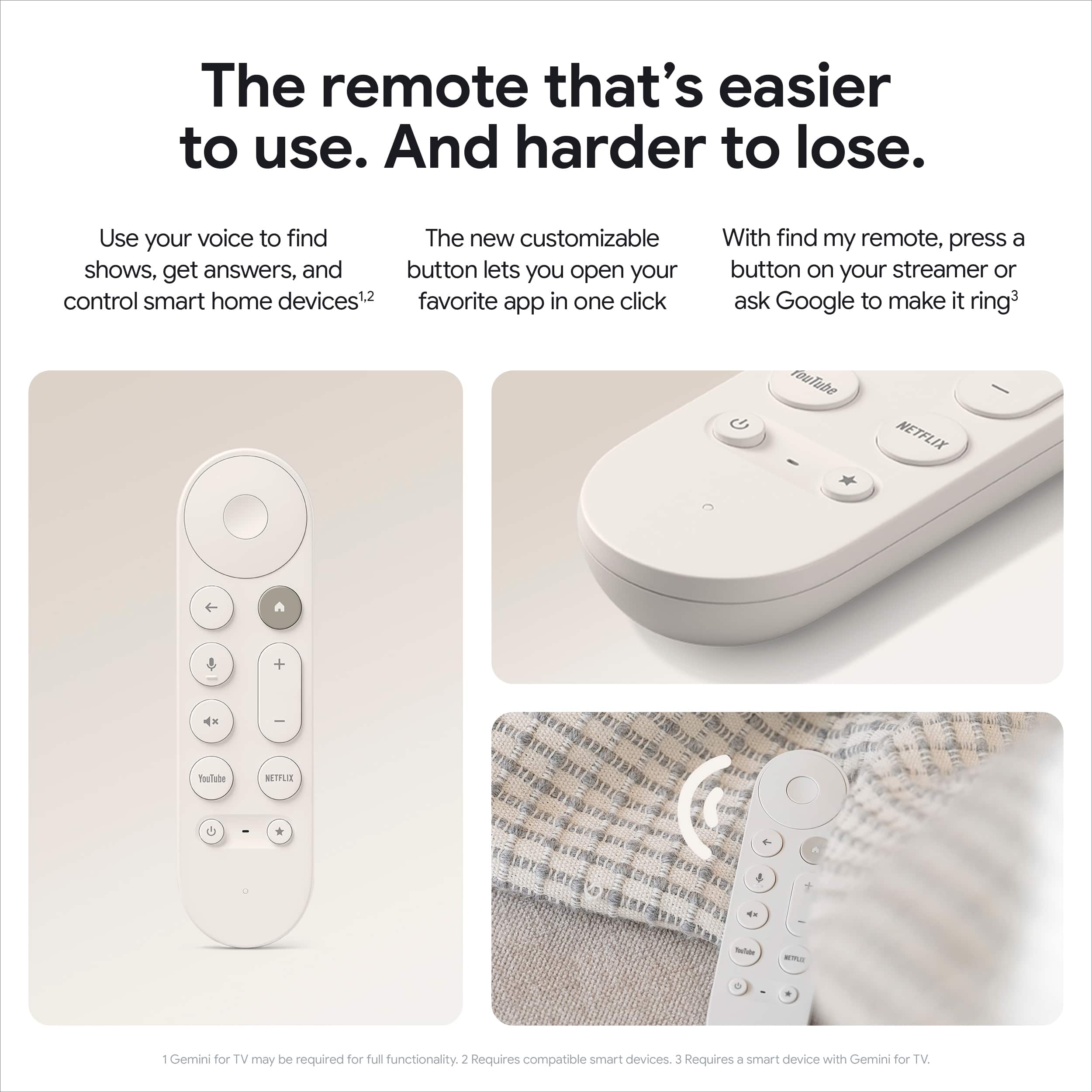
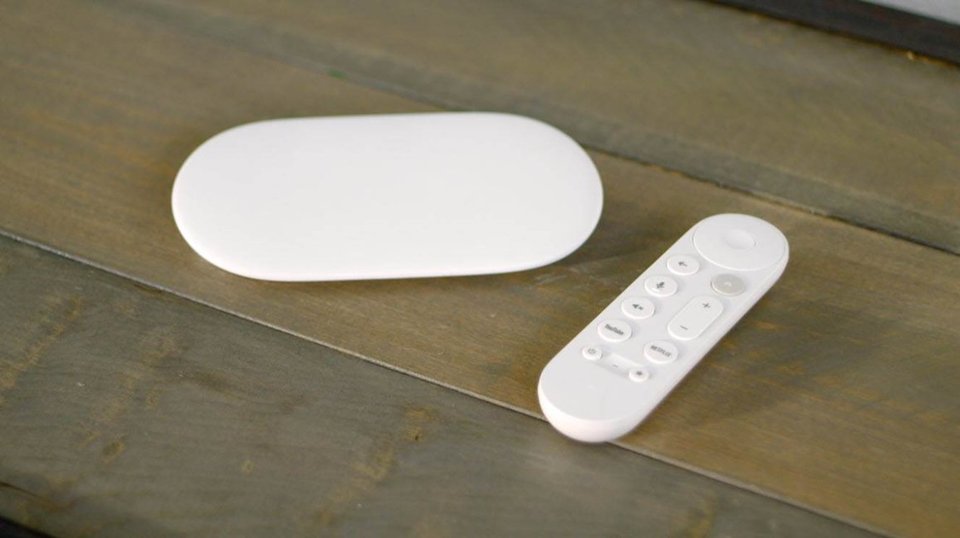
|Posted .This reviewer received promo considerations or sweepstakes entry for writing a review.Long time cord-cutting, streaming box lover here. I have tried just about every flavor and variant of just about every platform and have had every version of the Google streaming/Chromecast devices from the first to this. This new “set top” box feels like the culmination of the drift from the original concept of the Chromecast away from its original intent as a kind of bridge between your mobile device and the big TV in the living room. Somehow I doubt there are many placing this atop their set, but this is sure the nicest looking box I have had, so if I did I wouldn’t mind. With its soft edges, low profile and overall sleek design it is easily the prettiest in a field of what can generally be broken down to bricks and pucks. By flattening the box, it did get a bit larger footprint than another current generation streaming box I happen to have, so that might be a consideration for some if it is going into a cabinet. Personally it really doesn’t matter what something like this looks like as I place all my components out of sight, but having a prettier streaming box might appeal to some. I wish manufacturers of these type devices would include a simple plastic bracket in the box that I could attach to the back of the TV to mount it that way, but that isn’t a criticism as nobody really does that. Out of the box getting this connected to my TV was very easy and straightforward. I liked the smaller power supply which takes up a little bit less power strip, and the included power cord was long enough for my purposes. As the power connection is USB C, it should be easy to extend or use a longer feed without resorting to a traditional electrical extension cord. This box also includes an ethernet port, which I love. I prefer to hardwire my streaming boxes as I have seen that even with decent wifi, there can be issues with multiple platforms streaming wirelessly. Wired, I never have an issue. I did test it on wifi once it was setup up, and it worked just fine, but everything was really tested out wired. Once everything was connected it was time to fire it up and start the real installation work. Since I already have the Google Home app on my phone from previous Google device setups it turned out to be one of the quickest and easiest startups ever. It was a breeze, though I have to say, I do think there is a lot more personalization & customization that I could have done at this time. There are lots of options, particularly if you are enmeshed in the Google “ecosystem” . There are times when going through the options when I couldn’t help think that there is a lot of data collection going on. Sure everybody is doing it, but it was really evident a couple of times that it is the goal. That said, this was by far the easiest setup for all of my streaming services, and not just the Google stuff, of any streaming device I have tried. The only thing that wasn’t the best was the remote control, which I will address separately. The remote did pair with my TV seamlessly allowing me to use it to get things going without a second remote. Also, was able to very easily pair my ANC headphones so I could experience my audio without distraction or excess cords. Once everything was setup I did some playing around with different services and the interface in general. The home screen is populated with choices from across the services I subscribe to and the free services I chose in setup plus the Free Google TV offerings. The home screen does a pretty good job of categorizing options and doesn’t seem to push one service or another in particular. While the interface design wasn’t particularly innovative, it was easily the fastest and smoothest navigating that I have used. Scrolling through searching for options, I didn’t really need the voice search capability. I tried it for the sake of trying it, and it worked pretty well, especially when looking for Youtube videos when searching for a specific vid can be a pain with just a remote keyed interface. Since I usually don’t know what I am going to watch and tend to surf the options, I don’t think I will be using this feature much, though others may love it. Where other devices I have used have hitches and momentary hangups, this zips through the selections effortlessly. Actual playback worked fine on all services, with the 4k capability really shining on the big screen from the content capable of that resolution. Sound from both my Atmos soundbar and Over ears was excellent, and well-synched to the video, which has been an issue with some other devices I have tried. As one would expect, “casting” from my mobile devices was straightforward basically effortless. Finally, I want to mention the only thing I didn’t love about this device, the remote control. The design of the remote is very similar to the last generation Chromecast. It is a slick looking remote, however I would really prefer something just a little more utilitarian. The buttons are very responsive, almost too much, and I found that it was easy to accidentally depress a button I did not intend to when using the remote. Moreover, I really dislike the “click-wheel” design of the direction and selection pad/button. Unlike some other systems that use a raised plus sign design like an old Nintendo D Pad, the direction selector is slightly depressed into the remote head. The “enter/ok” button is pretty much flush with the selector. Because the direction ring is fairly narrow, I find that my fat thumb defaults inward toward the ok button and I frequently hit that by accident when trying to navigate. I corrected this a bit by adjusting to a grip that positioned my index finger over the controls, but I kept going back to old habit of thumb on button. Beyond the nuisance button pressing, the battery cover was very difficult to remove and install (this seemed like maybe a manufacturing rather than design issue) and the remote feels extremely delicate. It feels like if it falls off the couch it may not survive. Maybe unfair to criticize it for something has not happened yet, but I am just more accustomed to a solid feeling control. It would be nice if this remote had a rechargable battery, particularly with a USB C input instead of an a standard AA. A couple positives to mention are just how dead simple it was to pair this remote with my TV set and the inclusion of a customizable button. Still, I think you could have those in a more robust, fat finger friendly design. My complaints about the remote aside, I really like this streaming box. It has relegated the current generation competitor I had first to the spare bedroom TV. This box is faster to navigate and faster to operate than that other box in identical circumstances. I think if I was new to the Google streaming device setup that might have been a bit more of a stumbling block as it would have increased the steps, but even then that is just for the initial configuration.
This review is from Google - TV Streamer 4K - Fast Streaming Device in 4K HDR - 32 GB of Storage - Porcelain
I would recommend this to a friendRated 1 out of 5 stars
Audio Issues
||Posted . Owned for 2 months when reviewed.This reviewer received promo considerations or sweepstakes entry for writing a review.If you have a reciver you will experience audio drops. Google released an update but hasn't adressed this known issue.
This review is from Google - TV Streamer 4K - Fast Streaming Device in 4K HDR - 32 GB of Storage - Porcelain
No, I would not recommend this to a friendBrand response from Google Team
Posted .Hi Bobby. Thanks for sharing your feedback. We understand you're still experiencing audio receiver issues with your Google TV Streamer (4K). To resolve this issue, we recommend rebooting your device. Please follow these steps:
- From the Google TV:
> At the top right of your TV screen, select All settings Settings.
> Select System Restart.
- From the power source:
> Unplug the power cable from Google TV Streamer.
> Leave it unplugged for one minute.
> Insert the cable back into Google TV Streamer.
If the issue persists after rebooting, please contact us here: https://support.google.com/googlenest/gethelp
Rated 1 out of 5 stars
Sucks
||Posted . Owned for 3 weeks when reviewed.This reviewer received promo considerations or sweepstakes entry for writing a review.Sucks. Doesn't work. Had to try and reset it 20 times....
This review is from Google - TV Streamer 4K - Fast Streaming Device in 4K HDR - 32 GB of Storage - Porcelain
No, I would not recommend this to a friendBrand response from Google Team
Posted .Hey there, TXRoper Sorry to hear there were some problems setting up your Google TV Streamer (4k) — it shouldn’t be that way. We’d like to look into this and get your device working properly. Reach out to us anytime here: https://support.google.com/googlenest/gethelp?sjid=1168929876280557452-NC&visit_id=638674861917928406-808865731&rd=1
Rated 5 out of 5 stars
An Excellent Streaming Device
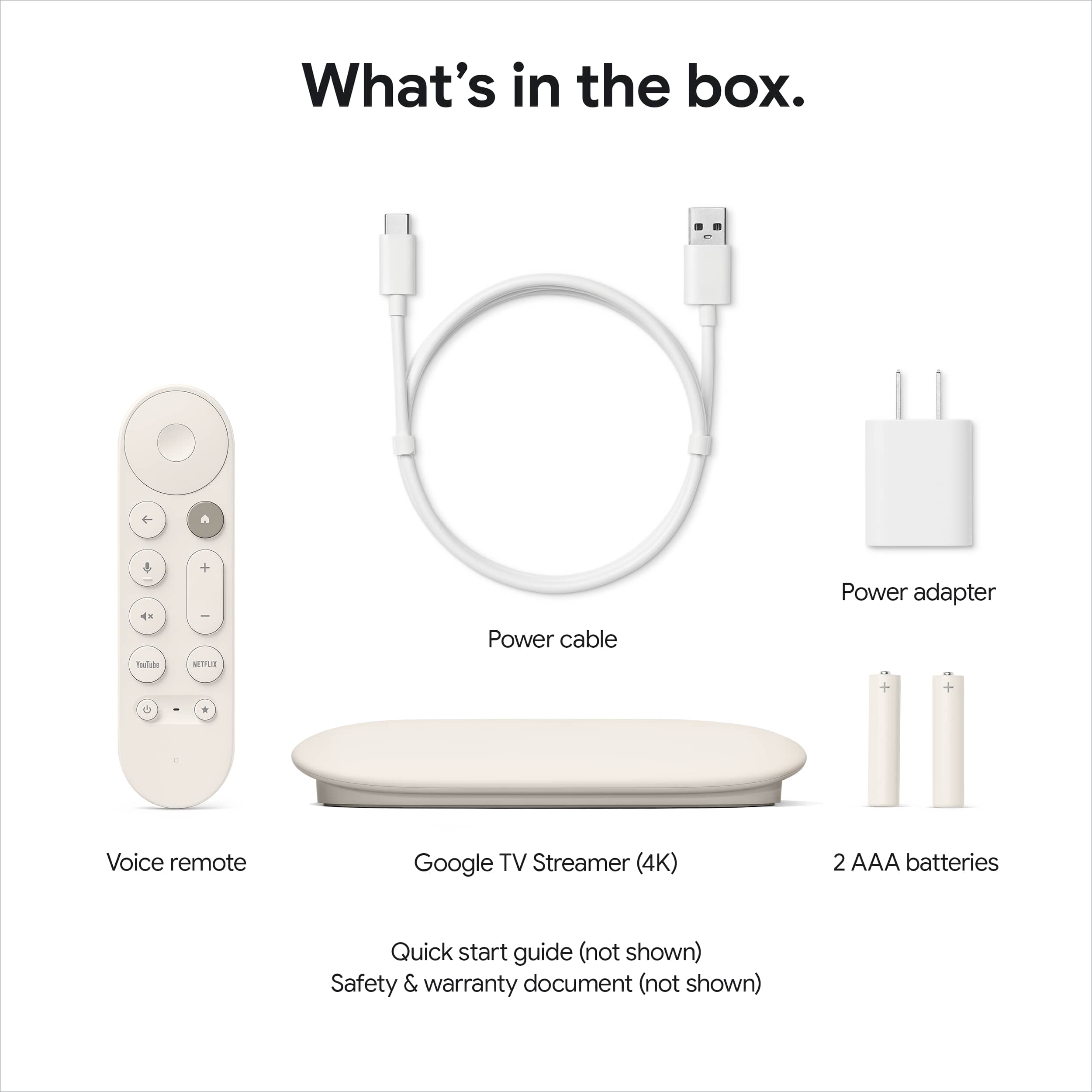
|Posted .This reviewer received promo considerations or sweepstakes entry for writing a review.The Google TV Streamer 4K is yet another contender in the streaming box market. The design is sleek and stylish. In the box you get the device, remote and batteries, power brick and USB-C to USB-C charging cord. I tried using another brick and cord and the device said no thank you. You have to use the cord and brick in the box. Using my Google Home app setup was straightforward and took about 30 minutes with pairing the remote, an update and personalized options installed. I did like that during setup it provides a list of services to check if you subscribe to and installs them but it does not autofill login credentials for any of them. I do like that the more you watch the smarter Google gets with making recommendations for you across all of the major apps. The streamer can connect to your network wirelessly and it comes with an ethernet port so you can plug in directly to your router. While this is a nice feature, if your router is close enough to the device to directly connect to it, your wireless signal should be more than strong enough. I would have preferred another USB-C port or SD slot to play content from thumb or portable hard drives. You can cast from other devices like your phone or tablet though. The Android TV interface is no different than what you would see if your TV came with Google. The device is faster and with 32GB storage will have no trouble holding all of your apps. The 4K image was brilliant and crisp with Dolby Vision and HDR10+. The Dolby audio was excellent as expected. The remote connects to the streamer via Bluetooth but has IR signals to operate power and audio of most TV’s and soundbars. I did experience issues with the volume when moving the box between TV’s and changing the remote codes. It did remember previous connections when moved back but did not automatically adapt to them. While the remote is generally responsive, there were times where I experienced slight lag switching through the menus and programs. This is a voice remote and by pressing the microphone button and speaking your requests it will find and play your content as well as any other google commands. Google has always been very good with voice control and this streamer is no different. There is also a “find my remote” feature. By pressing a button on the streamer the remote will chirp. You can also ask google to find it. The app store is loaded with most any app you could want for streaming, both audio and video and there is plenty of free content to watch as well including Google TV Free Play. I find the free tv services to be acceptable especially if you are a fan of old tv shows since they have channels dedicated to each series - one of my favorites is the Bob Ross channel. Many of the free channels include local news via these stations' secondary news feeds. And it's not just for viewing, games like Asphalt 8 seem to work just a little bit better than on my Hisense Google TV. You do have to connect a bluetooth controller but the action was smooth and consistent. There were few if any dropped frames. Sadly, you still can not install Google Chrome however, there are several other browsers to choose from. Speaking of connecting things, one area I did have an issue was when I connected a bluetooth speaker. This caused Directv not to work. I tried with several speakers and headphones with the same result. I tend to think this is the app though, not Google as other apps like Netflix and Amazon Prime worked without issue with the speaker connected. An app update could easily fix this. Overall I give the Google TV Streamer five stars, it does everything it advertises, however, if your smart TV is already a Google TV, I’m not sure the additional investment for another box and remote is worth the squeeze. Otherwise, if you still have an older TV or like me, your set doesn’t offer the app/s you need (Vizio and Directv) the Google TV Streamer is one of many excellent choices.
This review is from Google - TV Streamer 4K - Fast Streaming Device in 4K HDR - 32 GB of Storage - Porcelain
I would recommend this to a friendRated 5 out of 5 stars
The 1st time Google has been a contender for my TV
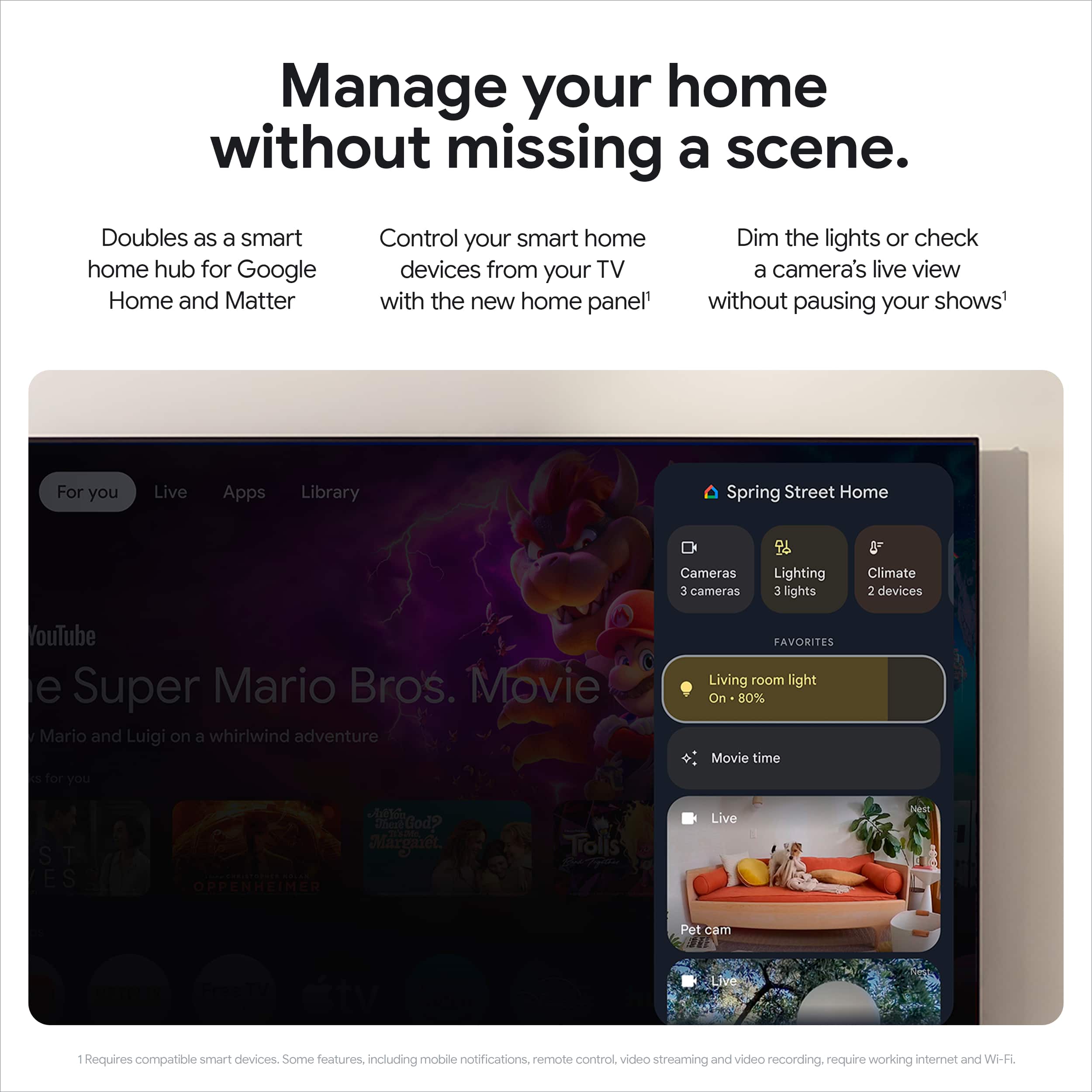
|Posted .This reviewer received promo considerations or sweepstakes entry for writing a review.I primarily use Amazon Fire devices on all of my TVs. I use Chromecasts on our primary TVs for ease of pushing content from my phone to TV, but for streaming movies and shows from the different services FireTV has been our goto. I've used Chromecast devices from the 1st version but never used 1 with a remote. I am very used to using the Fire remote, but I quickly found that the GoogleTVRemote layout is very intuitive. My thumb lands naturally on all buttons. The inclusion of the the IR blaster contols my TV without issue. The remote even has a speaker on it so it can be located when buried in the couch or under a mess my kid made. I hid the remote a few times on my child and set the mission to seek and it was successfully found. It should be standard feature on all remotes. Just wish it were rechargeable. Qi charging on top of the GoggleTV would've been sweet. Setup was fairly easy with the QR code but it hung on the initial install. After a restart all went smoothly. Logged into all of our streaming services with no drama. Once my apps were logged into, everything opeend up nice and smooth. My FireTV Cube has always been connected to my router via ethernet so speed was never really an issue, but the GoogleTV has only been connected via WiFi6 and it's just as fast at accessing content. The GoogleTV can aggregate shows and movies across diffent steaming services and bring them to my home page based on what I've watched with the exception of Netflix. Not sure why it won't do that with arguably the biggest streaming service there is. But its not hard or slow just to jump into Netflix if needed. Especially with the dedicated Netflix button. One would think with integration like that, it would warrant some better reverse compatability. That being said, it does show what I have been watching and lets me resume shows I've been watching. I like having all my Google Home smart devices pop up on my screen and be able to control my lights and Nest Thermostat with the remote. The GoogleTV allows me to have all the features of the Chromecast before it while integrating all my online media streamers and smart home devices from my TV. While I am enjoying the snappy new interface, not so much with all the ads being shoved in my face, but that isn't GoogleTV specific (FireTV does it too). As a Google product it integrates well with Android users and the hand off for security verifications is rather seemless. I'm not sure if it will completely replace all my Alexa devices, but it's a good start.
This review is from Google - TV Streamer 4K - Fast Streaming Device in 4K HDR - 32 GB of Storage - Porcelain
Rated 4 out of 5 stars
Exceptional in all but the lack of backlit remote
|Posted .This reviewer received promo considerations or sweepstakes entry for writing a review.Hats off to Google for creating a streaming device that just works. Let’s get into the specifics. The porcelain orb-shaped case is designed to look smooth sitting on top of your media cabinet. I love that Google chose to skip any logos or text or lights, basically removing anything that would distract from the surface area of this device. Connectivity ports on the back are well spaced but a small nitpick is that if you use Ethernet you may notice the flickering of the LAN connectivity lights emitting from the rear. The remote is light weight without being flimsy and it easily paired with my Denon soundbar and worked equally well for the LG OLED TV it’s connected to. This is the only device connected to the TV making power on and off operations for the streamer, the tv and the sound bar a one button click. This is exactly what the wife wanted - no fuss, no drama just turn on the TV with a single remote and get to binging. The customizable shortcut button to launch an app of your choosing is a welcome addition. My only complaint about the remote is that it is not backlit which I think is a HUGE mistake. Google needs to add backlighting. The Google TV interface is fast to load, easy to navigate, but there are a few minor annoyances that Android TV supports and Google TV does not. For example my favorite Apple TV feature are the amazing Aerial screensavers Apple has curated. A third party Android app named Ariel Dream is available from the Google Play store that works on Android TV and on Nvidia Shield devices that lets you display the Apple screensavers on Android TV. While the app will install on this Google TV Streamer there is no method to set the app as the screensaver like there is with Android TV thus you end up with what are frankly a lackluster set of built in Google TV images. Google TV does let you connect Google Photos and use those as a screensaver but we miss seeing the Apple Aerial screensavers. I’m hopeful a future software update to Google TV will allow this app to work again. Another minor annoyance is that Google TV recommendations are horrible. Google’s KB on the subject includes how to disable Web & App Activity and after a few days of terrible recommendations I disabled this completely. This was also the first Google Home device that entered our home, we already use Samsung Smart Things, HomeAssistant, and Apple HomeKit. While the setup wizard for the Google TV Streamer walks you through setting up your first google home, you can tell this experience would be much smoother if we used Android cell phones, or were fully committed to the Google Home experience, which we are not. While I can’t fault Google for making this product setup smoother within their own ecosystem of hardware it would have been nice to be able to skip the Google Home setup experience. Notably the device also supports Matter which is a welcome edition for integration with other Matter devices. As to watching media, our primary viewing is Plex, YouTube, AppleTV+, Disney+, and Amazon Prime Video. Each of these platforms have a native app for Google TV, the apps install and setup quickly and easily and support all the features available. Plex transcoding of my local media is always a challenge and a great test of a streaming platform. In my case while the soundbar and TV and streaming device support Dolby Atmos and Dolby Vision, the Dolby True HD 7.1 surround is not supported by my soundbar, making it a perfect test case to see how transcoding will work on the device and I was very happy to see that the Google TV Streamer handled Plex buffering with ease. When your current Smart TV isn’t Smart Enough for you, adding a Google TV Streamer is a great option, especially for those already committed to the rest of the Google ecosystem.
This review is from Google - TV Streamer 4K - Fast Streaming Device in 4K HDR - 32 GB of Storage - Porcelain
I would recommend this to a friendRated 5 out of 5 stars
Fast, easy to use and great home integration
Posted .This reviewer received promo considerations or sweepstakes entry for writing a review.Got this on launch day at Best Buy. All my apps are available and work great. This includes Plex so the person saying it does not work is either wrong or in another country because it works perfectly for me. I got this mostly to integrate my Google home management in one place that is NOT a google smart speaker (because they suck big time). I have not been disappointed as it works eaaily with my doorbell, smart lights and my Nest thermostat. I have owned most chromecast devices including the google tv 4k and this is much faster so far.
This review is from Google - TV Streamer 4K - Fast Streaming Device in 4K HDR - 32 GB of Storage - Porcelain
I would recommend this to a friendRated 3 out of 5 stars
Upgrade but lackluster performance
Posted .This reviewer received promo considerations or sweepstakes entry for writing a review.Decent upgrade for the chromecast line with a much smoother interface. All the services work well and menus feel smoother. Being able to control lights from the remote is a nice touch. However, the enthusiast performance is iffy given they went with an older Chip/processor. If you play local 4k content via NAS / synology at all- look elsewhere.
This review is from Google - TV Streamer 4K - Fast Streaming Device in 4K HDR - 32 GB of Storage - Porcelain
No, I would not recommend this to a friendBrand response from Google Team
Posted .Hi JakeChambers, thanks for your review. We're happy to hear that you like the latest update and are enjoying the different features and functions of your Chromecast. Regarding your suggestion about our 4K system, we'd love to hear more about your thoughts. Please take a moment to complete this brief feedback form: https://google.qualtrics.com/jfe/form/SV_2aStd8wsbcLGvwG
Rated 5 out of 5 stars
Simple, easy to use
|Posted .This reviewer received promo considerations or sweepstakes entry for writing a review.I’ve got an older 4K Android TV that’s starting to have some storage issues, so I thought I’d try this new 4K streamer (no longer Chromecast!). So far, I’m very happy with it. The packaging was very minimal (and no plastic) and setup was easy. I already have the Google Home app, so I used it to discover the streamer and set it up. It connected right away to my 5GHz Wifi, downloaded a firmware update, then booted and was ready to stream. I subscribe to YouTube TV so that and regular YouTube worked immediately. For my other subscriptions I just had to scan a QR code with my phone to login and get them working. So, within 5-10 minutes I had everything ready to stream. It’s nice that it has 32GB of built-in storage, so hopefully I won’t have the same storage issues as my TV. The remote is pretty small and a little bit slippery to hold onto, but it works well. If it slides down in the couch cushions, there’s a button on the base unit you can press to start ringing the remote. You can also trigger it with a few taps in the Google Home app on your phone. Another nice touch is the remote has infrared included, so you can train it to control the volume on your TV or other devices. The voice search feature is handy, but some other streaming devices have that too. The advantage with this one, however, is that you can also set it up as a Google Home device. I can just press the microphone button and now control all my lights, etc. I already use a Hubitat hub, but the base can also act as a hub for smart home devices. There isn’t too much else to say about it—it just works great!
This review is from Google - TV Streamer 4K - Fast Streaming Device in 4K HDR - 32 GB of Storage - Porcelain
I would recommend this to a friendRated 4 out of 5 stars
Great streaming device but has a few quirks
|Posted .This reviewer received promo considerations or sweepstakes entry for writing a review.The Google TV Streamer (4K) is a step up from the Google Chromecast I previously owned. The Google Chromecast is a dongle style device that worked fairly well. However, this device is a step up because it can connect to my home’s internet connection via WiFi or an Ethernet connection. The WiFi speeds are fairly fast. The setup process is fairly easy. It required me to use the Google Home app to scan the QR code to pair the device using the camera within the Google Home app. I ran into a few hiccups along the way, and it took much longer than I anticipated for the device to complete the setup process. I originally signed in with my personal Gmail account. I later wanted to use our family’s Gmail account instead. It has the ability to add a new account, but it took a few tries because I kept getting error messages and it was asking me to try again. After a few tries I was able to get that task completed. After everything was setup and ready to go, the Home Screen froze up on me. I unplugged the device and let it reboot. So far it’s been working OK without any freeze-ups. I’m also having issues with the Mute button on the remote. I’m not sure if others are having this issue, but the Mute button will only mute sound for about a second, then it will continue to play sound as normal. Overall, the hardware is fairly solid but it does have a few software glitches that need to be ironed out. Hopefully, these issues will be taken care of in future updates.
This review is from Google - TV Streamer 4K - Fast Streaming Device in 4K HDR - 32 GB of Storage - Porcelain
I would recommend this to a friendBrand response from Google Team
Posted .Hi there, thanks for sharing your experience with us. We're sorry to hear you're having trouble with the mute button on your remote. To better assist you could reach out through this link: https://support.google.com/googlenest/gethelp?
Rated 5 out of 5 stars
Nice Upgrade
Posted .This reviewer received promo considerations or sweepstakes entry for writing a review.The Google streamer 4K is good. Not the most powerful, but still snappy and google has a great interface. They could have put wifi 6 in there at that price point. In 2024/2025 that should be the standard in any wifi streaming device. I think the Google home integration is where it shines. I can control my Govee lights/Lamp and also like that I can check my 4K Eufy security cameras. Google photos is cool too if you'd like to add as your TV screen saver. If your looking to step up your streaming besides the built in smart tv apps, you cant go wrong with this. Overall great product.
This review is from Google - TV Streamer 4K - Fast Streaming Device in 4K HDR - 32 GB of Storage - Porcelain
I would recommend this to a friendRated 5 out of 5 stars
The streamer to get for Google users
|Posted .This reviewer received promo considerations or sweepstakes entry for writing a review.Zippy, replete with all the streaming apps you'd need from the Play store, and well-integrated with Google's other services, this is the premier Google TV box most Google users have been waiting for. The real selling point here is how the streamer integrates with Home and other smart devices effortlessly. I really like being able to adjust my lights from the steamer instead of having to yell at my Google Home puck while keying up something the watch. Streaming performance is great. I don't notice any appreciable difference between load times and streaming quality between the Google streamer and my other streaming box, one made by a major graphics chip manufacturer. When the Google Streamer can functionally match the highest of the high end Google TV streaming boxes, you know it's worth the money. The remote is easy to use and convenient, too. No wonky touchpads or odd triangular shapes; just a solid remote that enables you to navigate to what you need. If you use an Android phone, and have already purchased movies and TV shows through Google, this should be your streamer. I'm not sure what features the Matter and Thread software are going to offer in the future, but you can access everything tied to your Gmail and Google account that's available on Google TV with zero difficulty with this device. And this is coming from Google, not some no-name third party manufacturer. This streamer doesn't offer all the connectivity and pass-through options that the graphics chip company box does, but if your needs drift that way you should shell out twice the money and get that device instead. Tech people aren't the target.market with this device; regular Google users like me are. Sure, you could get a cheaper dongle or stick, but there is simply so much convenience with standalone box that this device is worth the extra $$. No more making sure the dongle is getting enough power or keeping your cats away from the dangling puck. Set this up once and just use it. In short, great speed, great integration with Google services, great app selection, and great sound and video quality. Finally, people invested in the Google ecosystem get a streaming box that's not aimed at tech enthusiasts and gamers that they can be proud of. Strongly recommended. And far superior to the crappy "smart TV" experience, where your software stutters and goes buggy within months. Make your smart TV a dumb TV and use this streamer instead.
This review is from Google - TV Streamer 4K - Fast Streaming Device in 4K HDR - 32 GB of Storage - Porcelain
I would recommend this to a friendRated 5 out of 5 stars
Great streamer that allows developer options
|Posted .This reviewer received promo considerations or sweepstakes entry for writing a review.The Google TV Streamer (4K) – Porcelain performs as most basic streamers operate. You can install top rated apps such as ESPN, HBO, and Cinemax with the assistance of your method of payment. Whatever app is in the Google Play store can be installed. Once all of my movie and TV apps were installed, movie and TV recommendations in Home came from my list of streaming services. Services could be changed in settings, in order to refine my recommendations. The best feature of the Google TV Streamer (4K) – Porcelain is its ability to allow developer options. Within the system settings, there are developer options that enable ADB connections over the network. When ADB debugging is on, applications from third party unknown sources can be installed on my network. There are applications all over the world that are not attainable within the Google play store. Being able to expand my access with applications worldwide enhances the enjoyment of watching my movies and TV programs. Also, there is a live TV option that has dozens of commercial channels playing 24/7. Google TV Freeplay comes with 150 channels not really being broadcast over airwaves, but streamed through the internet. The channels are from many decades. Some are 24/7 TV programs from yesteryear or even a few years ago, but there are some current programs to watch. With the developer options to install applications from third party sources and the apps within the Google Play store the Google TV Streamer (4K) – Porcelain is a go for total entertainment.
This review is from Google - TV Streamer 4K - Fast Streaming Device in 4K HDR - 32 GB of Storage - Porcelain
I would recommend this to a friendRated 3 out of 5 stars
TV goid, remote has issues.
Posted .This reviewer received promo considerations or sweepstakes entry for writing a review.TV, channels, picture - all good. Easy to operate. If you get one like ours, get a truck load of AAA batteries. The reomte will be fine fir a while, then it'll kill batteries over night. Google's answer is to reset the whole thing. Fine, now you fet to log back in to every freaking account and in about 3-4 weeks dp ut all again. IIRC we bought this late 2024 and have chewed through 2 big packs of trip A batteries. Writing this review after just changing them again. Also, the remote is like a USB-A plug - you have a 50% chance of picking it up facing the wrong qay because its symmetrical in shape. Geek part: test batteries, 0V in both. Totally killed.
This review is from Google - TV Streamer 4K - Fast Streaming Device in 4K HDR - 32 GB of Storage - Porcelain
I would recommend this to a friendBrand response from Google Team
Posted .Thanks for reaching out about your Google TV Streamer (4K), Falcon67. While we’re glad you like the picture quality and how easy it is to use, we hear your concern about the remote draining faster than expected. We’d like to investigate further and get you a resolution — when you have a second, reach out to us here: https://support.google.com/googlenest/gethelp?sjid=1168929876280557452-NC&visit_id=638674861917928406-808865731&rd=1
Rated 4 out of 5 stars
Not as cheap as it used to be, but a good value.
Posted .This reviewer received promo considerations or sweepstakes entry for writing a review.Slightly more expensive than the product it replaced and slightly more functionality to justify it. Overall, a good deal compared to competitors and worlds better than whatever is built into your TV.
This review is from Google - TV Streamer 4K - Fast Streaming Device in 4K HDR - 32 GB of Storage - Porcelain
I would recommend this to a friendRated 4 out of 5 stars
Google Streamer
Posted .This reviewer received promo considerations or sweepstakes entry for writing a review.Definitely an improvement over its predecessor, particularly for having the ethernet jack built into the unit.
This review is from Google - TV Streamer 4K - Fast Streaming Device in 4K HDR - 32 GB of Storage - Porcelain
I would recommend this to a friendRated 5 out of 5 stars
Google Streamer
Posted .This reviewer received promo considerations or sweepstakes entry for writing a review.It is a great product and i recommend other customers buy it.
This review is from Google - TV Streamer 4K - Fast Streaming Device in 4K HDR - 32 GB of Storage - Porcelain
I would recommend this to a friendRated 1 out of 5 stars
Google Streamer breaks within weeks; poor support.
Posted .This reviewer received promo considerations or sweepstakes entry for writing a review.Device was buggy from the start. Google won't take returns, even 3 weeks after purchase. Google Support is worse than Terrible. Almost impossible to get a person, then you get someone with a heavy accent offshore, who make you jump through hoops. They ask for serial number with is embossed gray-on-gray in 1mm print--unreadable. Then support asks you to email a video of the problem. Remote keys stick. Base unit keeps getting unpaired from TV. Pushes ads. Remote is worse than old Chromecast device it was to replace. Beware.
This review is from Google - TV Streamer 4K - Fast Streaming Device in 4K HDR - 32 GB of Storage - Porcelain
No, I would not recommend this to a friendBrand response from Google Team
Posted .Hey there, RichardB. We’re sorry your experience with both our support team and the Google TV Streamer (4K) wasn’t the best — we understand that can be frustrating. We’d like to investigate these issues further and get your device running smoothly. When you get a chance, we’re here to support you: https://support.google.com/googlenest/gethelp?sjid=1168929876280557452-NC&visit_id=638674861917928406-808865731&rd=1
Rated 3 out of 5 stars
Its still slow..
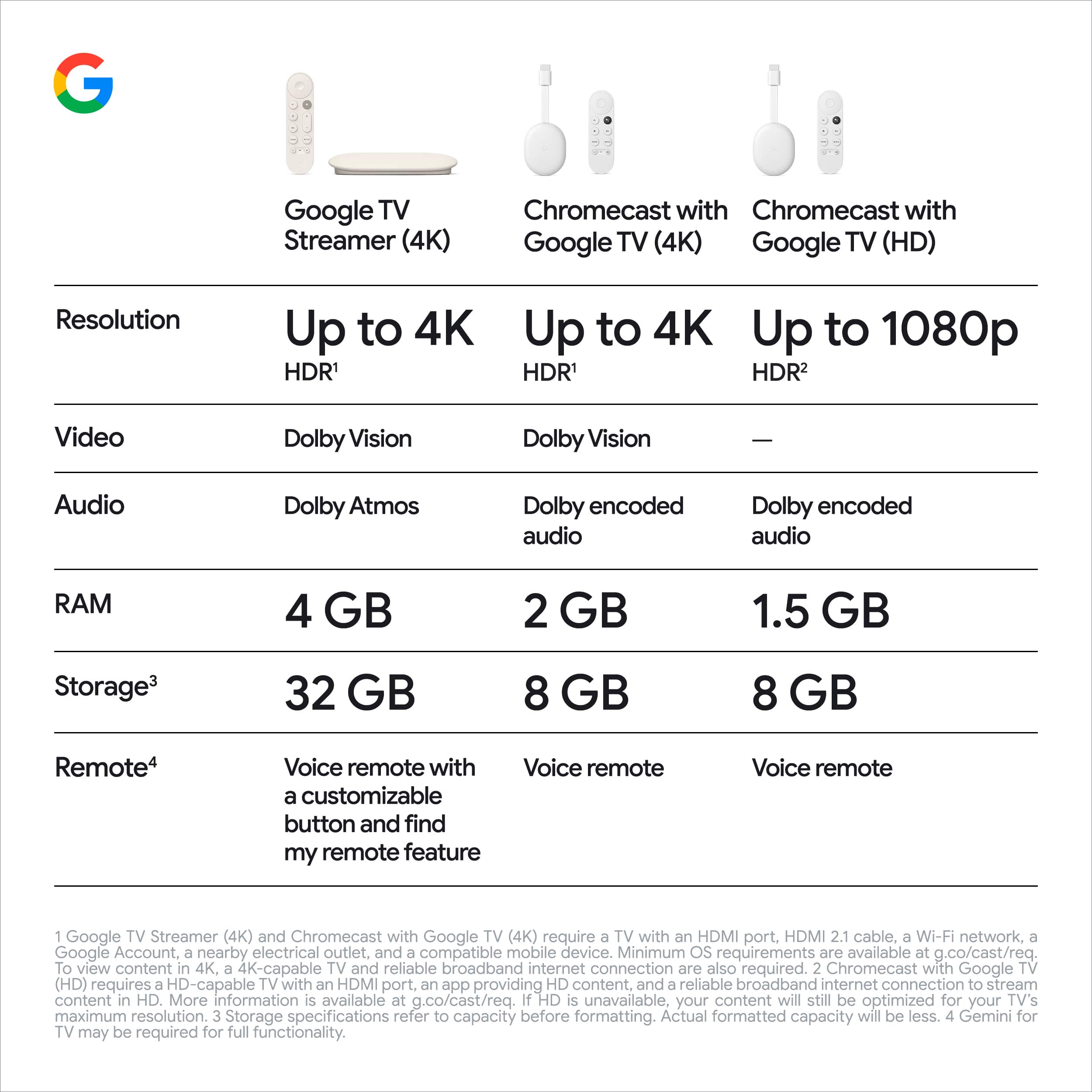
Posted .This reviewer received promo considerations or sweepstakes entry for writing a review.Figuring the larger size and double the price of the previous model I was shocked to find it is still SLOW navigating menus in apps. I took a closer look at their website and now see why.. it is only a "22% faster processor"!!! over the 2020 model!! This ruins the value as it already feels like a dated product when moving through menus. My nvidia shield on my other TV is much faster feeling and it came out in 2019. I cannot recommend this to family and friends.
This review is from Google - TV Streamer 4K - Fast Streaming Device in 4K HDR - 32 GB of Storage - Porcelain
No, I would not recommend this to a friendRated 1 out of 5 stars
Goggle tv 4k
Posted .This reviewer received promo considerations or sweepstakes entry for writing a review.Great product works wonderfully. Would recommend to others
This review is from Google - TV Streamer 4K - Fast Streaming Device in 4K HDR - 32 GB of Storage - Porcelain
I would recommend this to a friendBrand response from Google Team
Posted .Hello there, thank you for taking the time to leave a review. It's so good to hear that you're enjoying the Google TV Streamer (4K). Your satisfaction is our top priority, and we appreciate your recommendation to others. If you have any questions or need further assistance, please don't hesitate to reach out here: https://support.google.com/googlenest/gethelp