Skip to contentGo to Product Search
Main Content

Customer Ratings & Reviews
$114.99
Save $35
Comp. Value: $149.99

Customer reviews

Rating 4.7 out of 5 stars with 2756 reviews

Rating Filter

Rating by feature

  • Display Quality

    Rating 4.8 out of 5 stars

  • Ease of Use

    Rating 4.8 out of 5 stars

  • Features

    Rating 4.6 out of 5 stars

Pros mentioned filter

Cons mentioned filter

95%would recommend to a friend

Customers are saying

Customers are enthusiastic about the 21.5" IPS LED Full HD FreeSync Monitor, highlighting its ideal screen size, ease of use, and affordable price. Many appreciate its premium design and lightweight build, as well as its resolution capabilities. Some customers noted the absence of built-in speakers and VESA mount compatibility, while others mentioned the refresh rate.

This summary was generated by AI based on customer reviews.

The vast majority of our reviews come from verified purchases. Reviews from customers may include My Best Buy members, employees, and Tech Insider Network members (as tagged). Select reviewers may receive discounted products, promotional considerations or entries into drawings for honest, helpful reviews.
Page 133 Showing 2,641-2,660 of 2,756 reviews
  • Pros mentioned:
    Screen size, Weight
    Tech Insider Network Member

    Rated 5 out of 5 stars

    Incredibly thin and light monitor with great color

    |
    Tech Insider Network Member
    Posted .
    This reviewer received promo considerations or sweepstakes entry for writing a review.

    I currently use this monitor as a tertiary screen for working on computers, messing with my Linux box, and other miscellaneous tasks. The size and weight of this monitor is fantastic for moving it around a room to work on different machines. It is surprisingly thin, and reminds me of the form factor of my OLED tv. Brightness and color is perfect for my needs, and the price seems to be spot on for the features and convenience you get. Freesync is included and runs at up to 75hz. While this is not a high refresh gaming panel, it does look crisp and clear for general use. It could also be a great entry into digital photo editing due to the color pallet this panel provides. This screen does not have displayport, but rather HDMI only. This will work for many of the machines I will be using with it, and I can always use an HDMI to DP adapter if needed. Overall very happy with this screen as a "do everything" spare monitor for me.

    I would recommend this to a friend
  • Pros mentioned:
    Design, Screen size
    Tech Insider Network Member

    Rated 5 out of 5 stars

    Great monitor for small rooms

    |
    Tech Insider Network Member
    Posted .
    This reviewer received promo considerations or sweepstakes entry for writing a review.

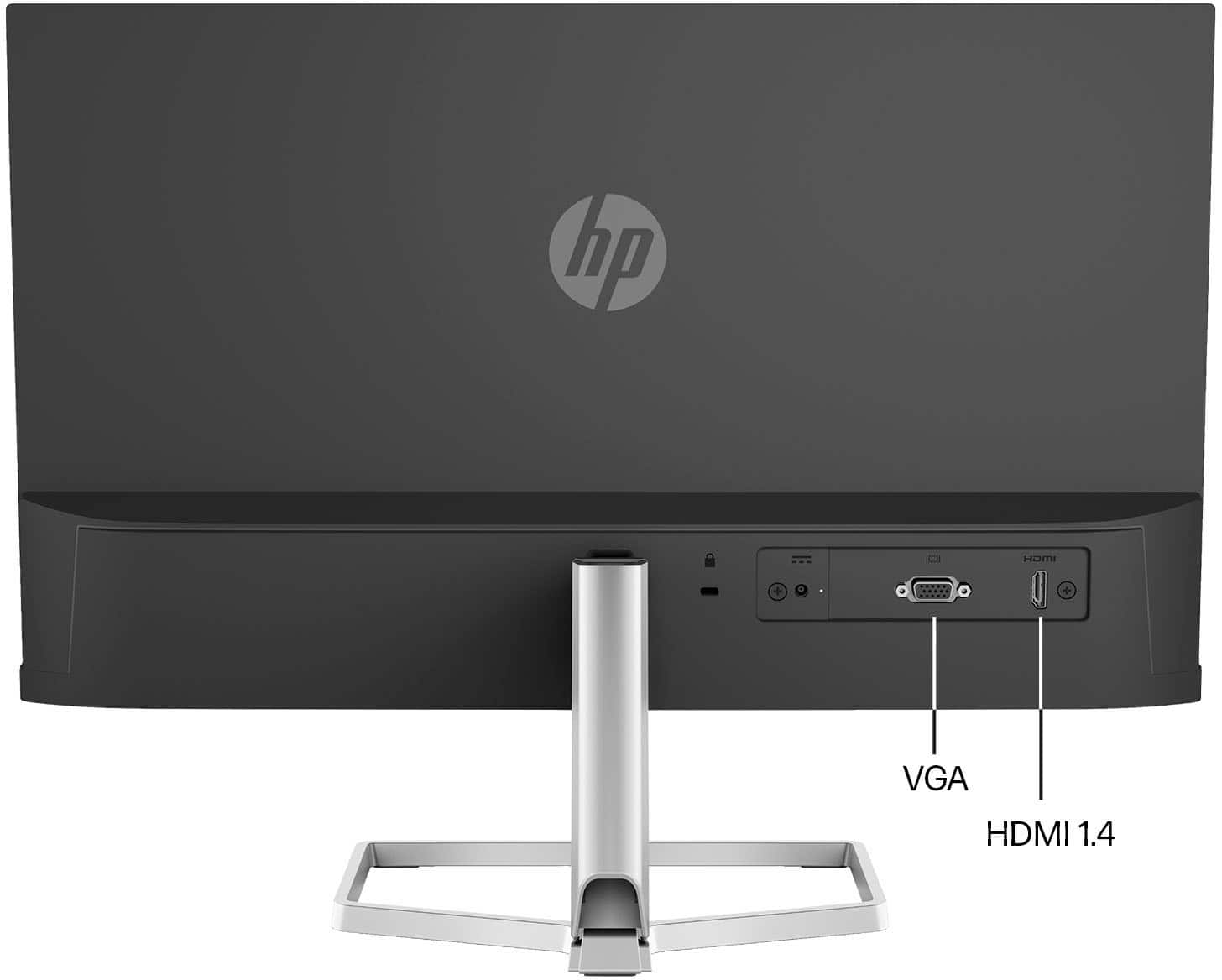
    The HP - 21.5" IPS LED Full HD FreeSync Monitor is great, especially for tight spaces. I really love HP's sleek design with their monitors and how thin and elegant they look. What I love most of the HP - 21.5" IPS LED Full HD FreeSync Monitor is its image quality and adjustability. I use my computer for school and gaming, and this monitor produces great video quality at just about any angle. You have the option to connect via the older VGA connection, or HDMI. I am so used to dual display monitors, so I will probably have to purchase a second monitor for my computer setup, as mixing this monitor with one of my other monitors would create a significant size difference that just wouldn't look right. Plus, the HP - 21.5" IPS LED Full HD FreeSync Monitor has a much brighter and sharper image than the others. Overall, I am very happy with the quality and looks of the HP - 21.5" IPS LED Full HD FreeSync Monitor.

    I would recommend this to a friend
  • Pros mentioned:
    Screen size
    Tech Insider Network Member

    Rated 5 out of 5 stars

    Sleek, Attractive, Nice Image

    |
    Tech Insider Network Member
    Posted .
    This reviewer received promo considerations or sweepstakes entry for writing a review.

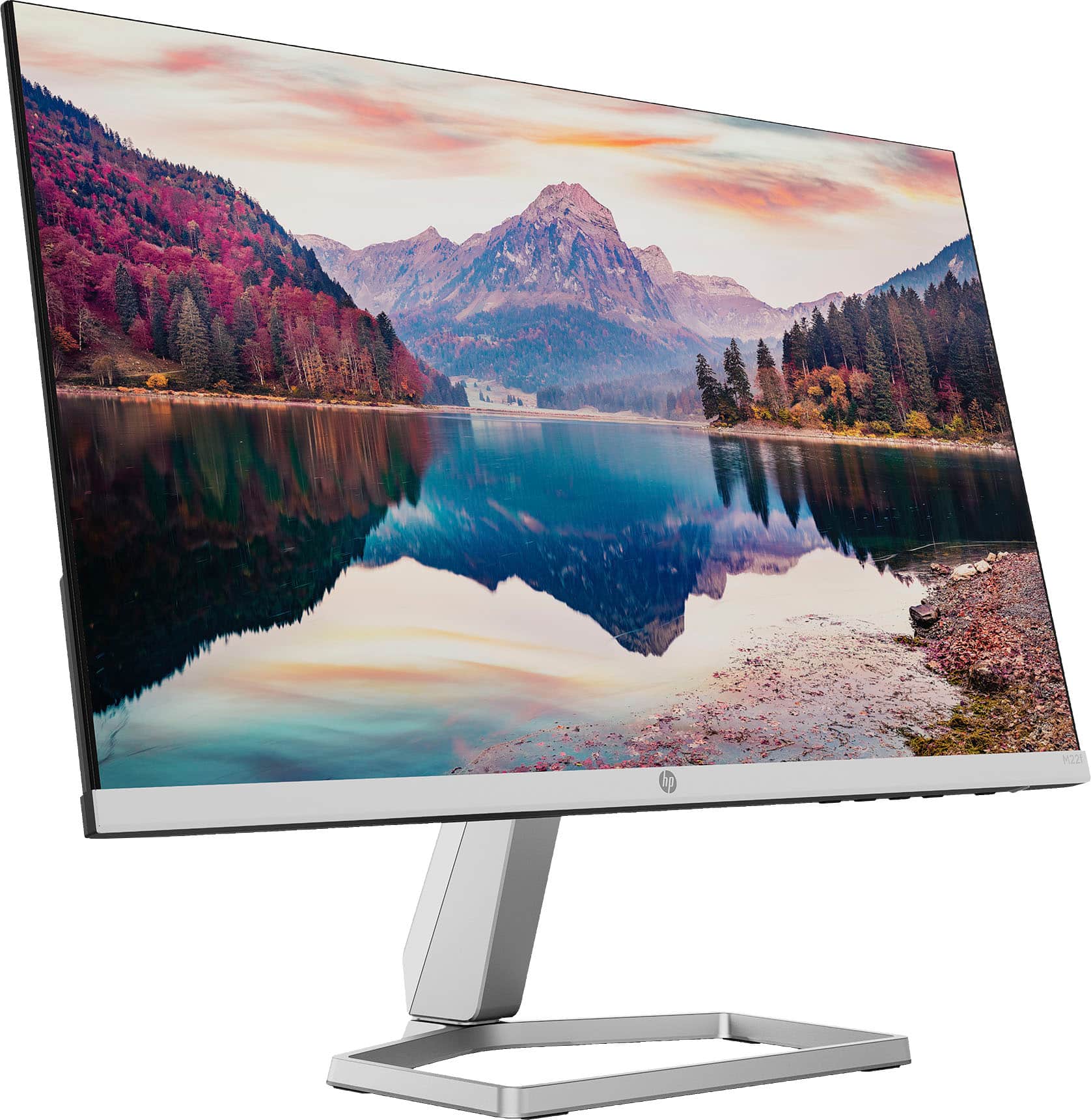
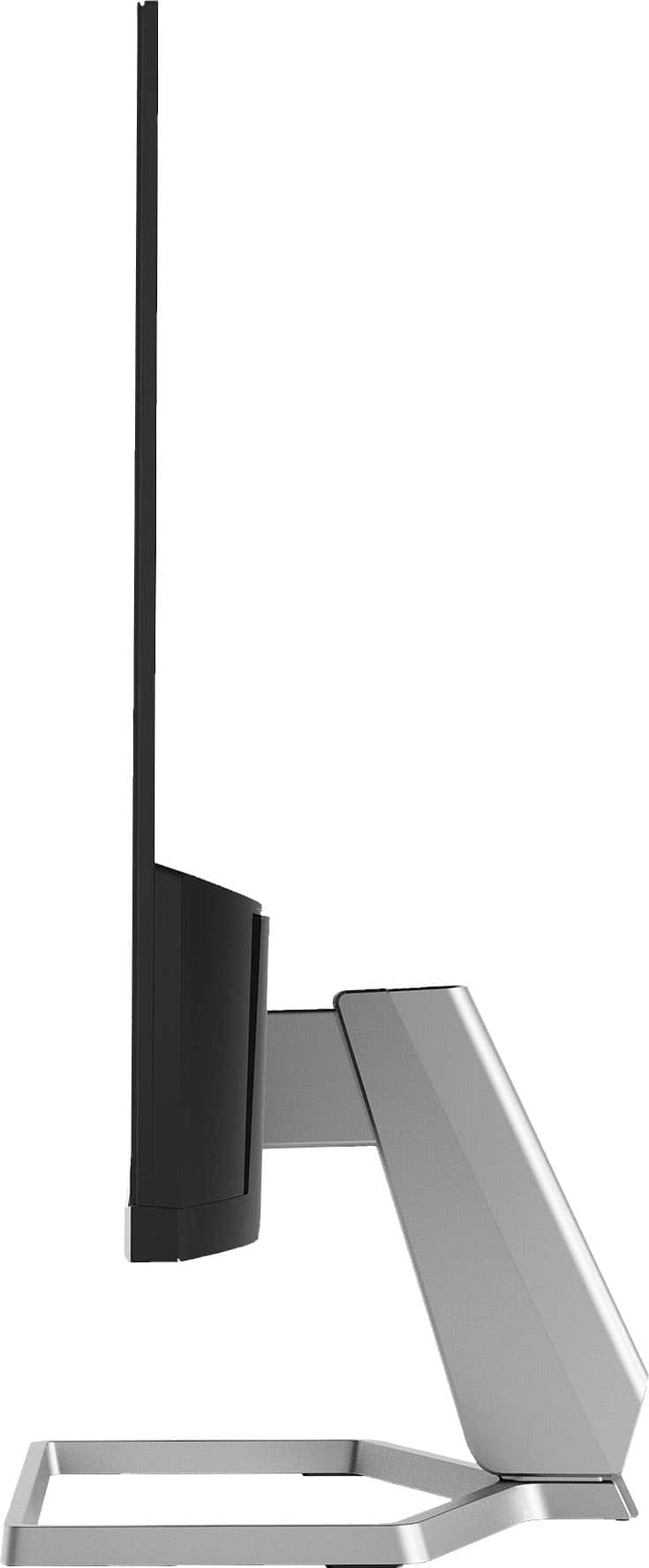
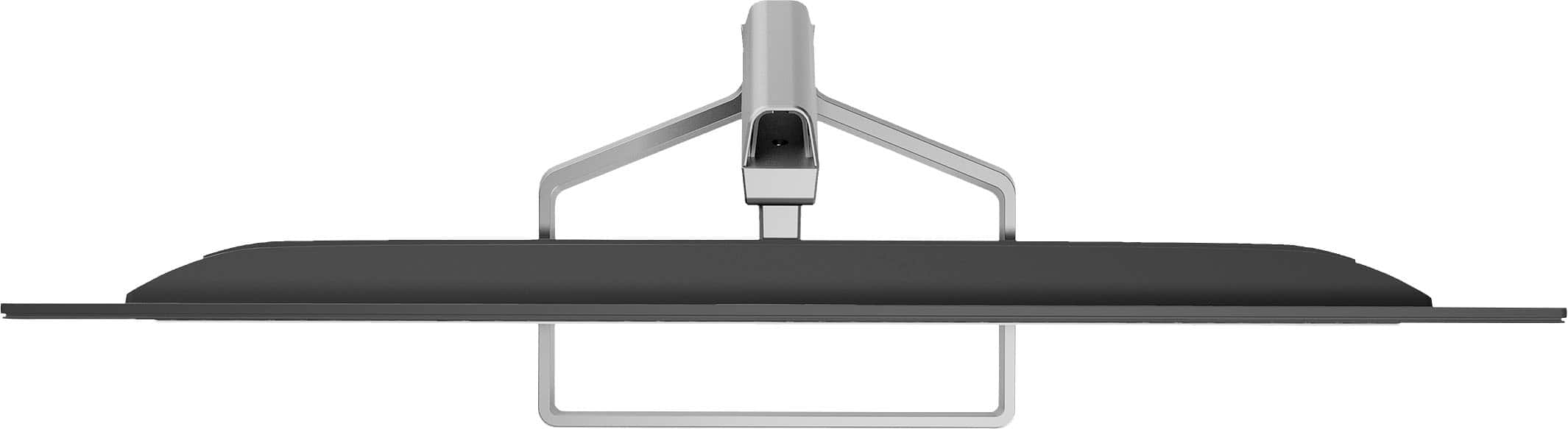
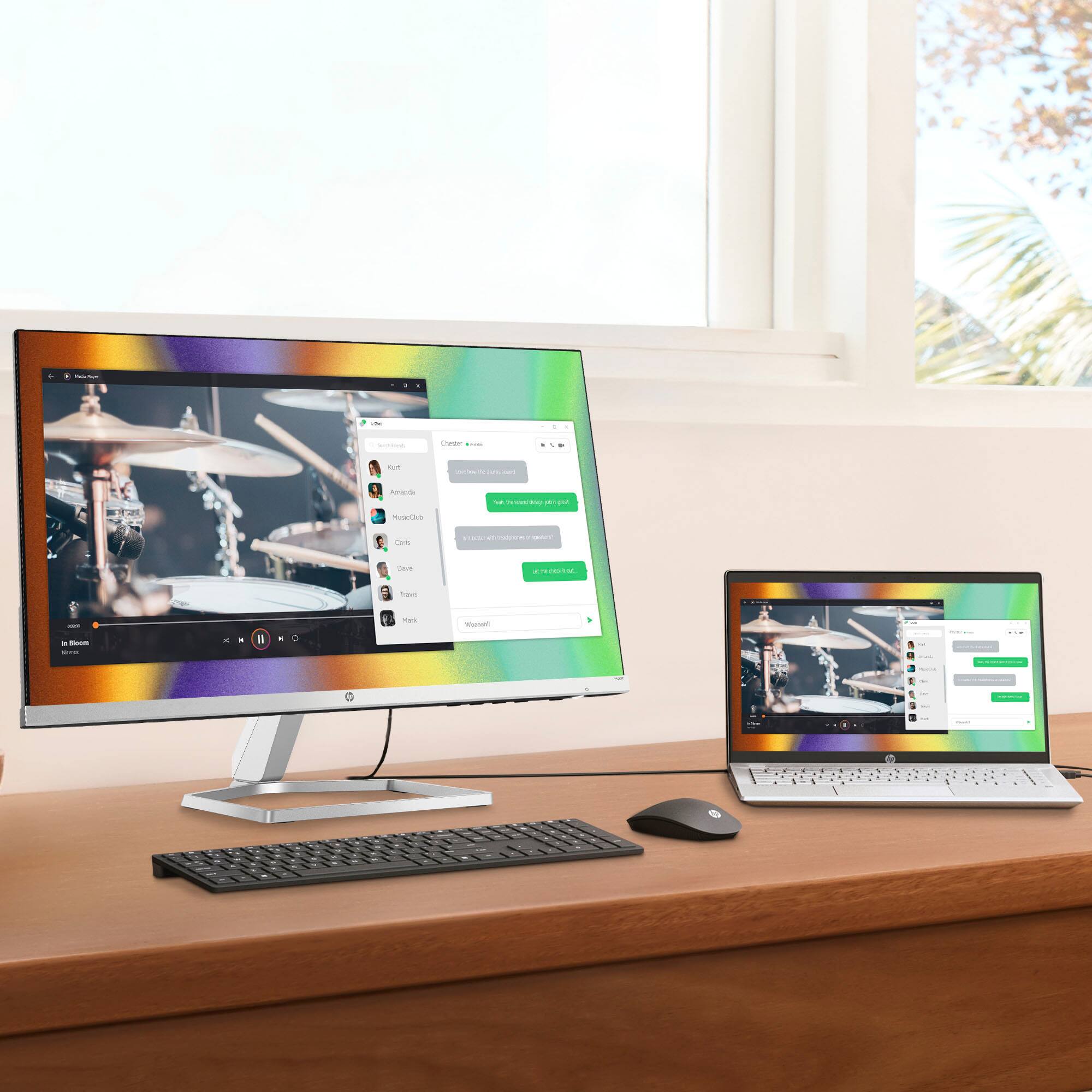
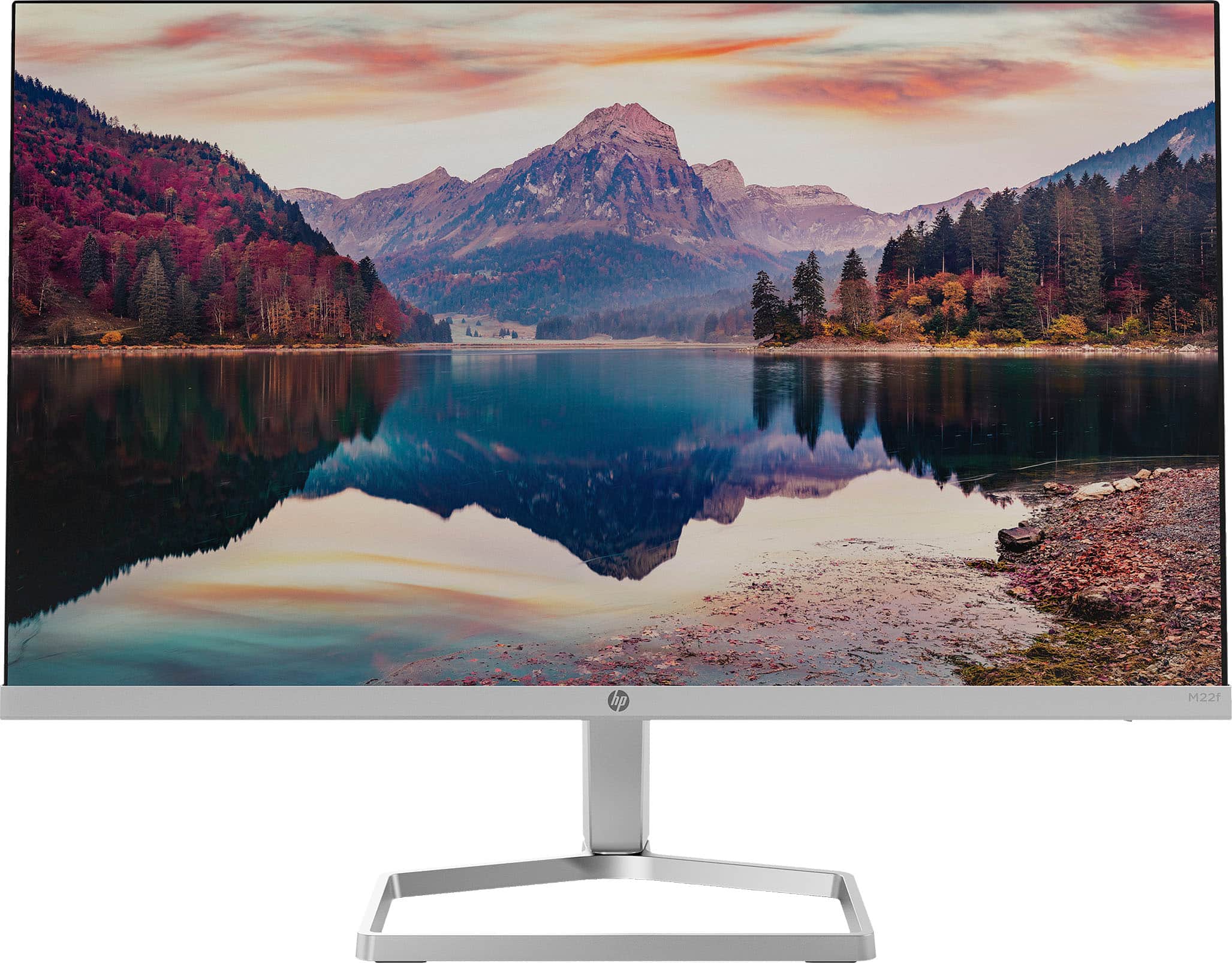
    This monitor has sleek looks and excellent video quality. The image extends out to about 5 mm from the edge on the tops and sides. It goes right to the bezel on the bottom. Cables are easily hidden in the stand for a really clean look on a desk. The body of the stand sits perpendicular to the monitor to give it a really thin appearance, and the base of the stand is basically just a loop. On-screen, I am really impressed with the refresh rate. I have the monitor connected to a computer with multiple monitors, all running on the same video card. Image clarity in still images is about the same, but this monitor seems to stand out when it comes to motion. Playing the same video on both monitors in the same video quality, I can see that this monitor does a much better job at keeping up with rapid movement. There is less blur at high speeds. Colors and still images are crisp, clear, and bold. I tried all of this both with and without FreeSync. It is important to note, as I learned, that FreeSync is only available through a compatible AMD video card via an HDMI connection. My card only has one HDMI port and it was clear that converting the signal from Display Port to HDMI did not allow the FreeSync to function. The monitor itself, still looked great. It just was not possible to enable FreeSync unless it was a direct HDMI connection to the card. This could be an important consideration for someone who uses multiple monitors (like me). I can only enable FreeSync on one of my monitors unless I add another video card. For that one connection, it still looks great! The only negative I have found so far is that this monitor is not VESA compatible. Third party adapters exist to mount the monitor to a proper mount. My hope would be that HP would produce an adjustable adapter. Many people, both at home and work, have monitor mounts nowadays in order to provide proper ergonomics. In my case, I have the monitor currently sitting on a pile of books to place it in line with my other monitors. This one detail is a huge negative for me. Even if I purchase the adapter to make it VESA compatible, the current adapters on the market are not adjustable. That makes it impossible to integrate it into my existing setup. Based on FreeSync limitations and lack of a good mounting option, I believe that this monitor is great if it is the only monitor a person uses. It is sleek, attractive, and has a beautiful image quality. But, it would not be useful in a multi-screen gaming setup or a commercial environment where ergonomics matter (unless third-party mounting adapters are purchased).

    I would recommend this to a friend
  • Pros mentioned:
    Screen size
    Tech Insider Network Member

    Rated 4 out of 5 stars

    Great Appearance, Average Quality

    |
    Tech Insider Network Member
    Posted .
    This reviewer received promo considerations or sweepstakes entry for writing a review.

    If you are looking for a second monitor for average daily use - this might fit the bill. Impressive? No. Functional? Yes. Look there isn’t anything mind blowing about this HP monitor, and there are improvements that could be made. But one must consider their individual use case, budget, and overall needs. I used this monitor with a Macbook Pro M1 and an HP Elitebook w/ Intel i5 running Windows 10. Unless otherwise stated, my comments pertain to both systems. Aesthetically this is one beautiful monitor. Incredibly thin bezels, sleek, modern design, and a pleasing form factor. The overall build quality is average to decent. It is lightweight and easy to move. The included stand also has a nice look, however you are stuck with this stand. You cannot attach this monitor to another mount. I think HP missed the mark on this. There is no height adjustment, which is another improvement that needs to be made. However there is a pretty stellar tilt adjustment, and the base attachment can be used to manage / hide cords and cables. That is a nice touch as it helps to keep the workspace tidy. For those who use VGA you’ll be happy to know that is one of the two methods you can use to connect. The other is HDMI. I did not utilize the VGA connection, only the HDMI. Setup was quick and both computers recognized the monitor and immediately mirrored my screen. Rendering was flawless and quick. Color quality and resolution were fine. I did not experience any wow factor here, but I also wouldn’t say anything negative about the quality. It’s does a nice job of reducing glare, and the viewing angles are above average. I found eye strain seemed to be a bit reduced. A drawback I found, which isn’t really advertised, is with the FreeSync capabilities. FreeSync is not compatible with all processors.AMD seems to be the only processor where FreeSync works. For many, having a dynamic refresh rate may not be an issue or concern. But for those who find this important, be sure to check your processor for compatibility. Overall this is a pretty decent monitor that is likely to meet many user’s needs. Taking all things into consideration, can I recommend this monitor? Maybe. Likely. General use cases such as web browsing, emails, general office work - yes, definitely. Gamers, graphic artists, and similar intense users - no. But for the audience HP seems to be targeting here, this should work just fine.

    I would recommend this to a friend
  • Pros mentioned:
    Ease of use, Screen size

    Rated 5 out of 5 stars

    love this display!!!!

    Posted .
    This reviewer received promo considerations or sweepstakes entry for writing a review.

    this was so easy to set up, and this is coming from someone who rarely deals with anything electronic. it’s perfect for my work-from-home setup and connects to my Macbook easily

    I would recommend this to a friend
  • Pros mentioned:
    Screen size
    Tech Insider Network Member

    Rated 4 out of 5 stars

    Excellent Picture Quality, Minimal Freesync Value

    |
    Tech Insider Network Member
    Posted .
    This reviewer received promo considerations or sweepstakes entry for writing a review.

    The HP M22F 21.5" monitor looks really sleek with a tiny bezel and wire frame style base. Picture quality is outstanding for a "non-professional" monitor - you get an excellent, sharp picture and what feels like a wide and accurate color gamut out of the box. I especially like that this monitor is capable of 75hz at native 1080p resolution, which really helps with eye strain from long days of working on code or spreadsheets. Like some other business oriented displays I've used recently, the M22f has a built in blue light filter mode which can help protect your eyes from long days staring at a screen. What sets this monitor apart from entry level displays and many other business displays I've used are the decent viewing angles (far better than the TN panels in budget displays) and the Freesync capability. The Freesync feature should have a big asterisk, though, since this monitor only supports HDMI 1.4 and does not support the more open standards based Freesync you get with HDMI 2.1. That means this monitor will only function as a Freesync display when connected to AMD graphics adapters, and not with any Intel or Nvidia chips which can take advantage of the newer version of adaptive sync (or variable refresh rate). I was able to test the Freesync capability using an AMD Ryzen 5 4500u laptop and I can attest to Freesync performing as promised - quality and input lag are greatly improved vs Vsync on and Vsync off. I'm just bummed out that this HP monitor doesn't support the higher HDMI standards and thus unable to work to its full potential with my desktop or my more gaming oriented laptop. Still, compared to many other 22" screens, the overall quality and 75hz refresh rate of the HP M22F make for a great display that's worth a look.

    I would recommend this to a friend
  • Pros mentioned:
    Design, Screen size

    Rated 5 out of 5 stars

    Perfect monitor for home office

    Posted .
    This reviewer received promo considerations or sweepstakes entry for writing a review.

    Excellent computer monitor, very light weight and perfect size for home office. Needed a monitor to connect lap top, sits on normal sized desk with plenty of space left over. Up to date display- Easy on the eyes, sleek looking. Good price for this purchase.

    I would recommend this to a friend
  • Pros mentioned:
    Design, Screen size
    Tech Insider Network Member

    Rated 5 out of 5 stars

    Beauty and elegant

    |
    Tech Insider Network Member
    Posted .
    This reviewer received promo considerations or sweepstakes entry for writing a review.

    Oh yeah and the screen has a good picture too. But I have to love the aesthetics of this thing very sleek and design very small and my favorite part it doesn't give off a lot of heat. In my home office I don't have the best ventilation so low heated mission is great. On top of that the picture on this thing couldn't be more amazing. I have got to get another one. Four screens should be enough.

    I would recommend this to a friend
  • Pros mentioned:
    Ease of use, Screen size

    Rated 5 out of 5 stars

    Perfect for my smaller spaces!

    Posted .
    This reviewer received promo considerations or sweepstakes entry for writing a review.

    Great little monitor, perfect for smaller desks/spaces. I actually bought two of these since one monitor died and the other was going slowly. Very easy to install and set up. Accommodates both HDMI and VGA, which was great since one is hooked up through HDMI and the other VGA. Same quality on both, so I'm quite happy.

    I would recommend this to a friend
  • Pros mentioned:
    Screen size, Weight
    Tech Insider Network Member

    Rated 5 out of 5 stars

    Great picture in full HD

    |
    Tech Insider Network Member
    Posted .
    This reviewer received promo considerations or sweepstakes entry for writing a review.

    Crisp, clear picture. Bright colors that pop off the screen without irritating your eyes. If you need a basic monitor without all the hoopla of high-end specs, this monitor will fit the bill nicely! Stunningly lightweight as well!

    I would recommend this to a friend
  • Pros mentioned:
    Screen size

    Rated 5 out of 5 stars

    Very Pleased

    Posted .
    This reviewer received promo considerations or sweepstakes entry for writing a review.

    I am very pleased with the monitor. It has nice color and very easy to operate.

    I would recommend this to a friend
  • Pros mentioned:
    Price, Screen size

    Rated 5 out of 5 stars

    Great monitor for an excellent price!

    Posted .
    This reviewer received promo considerations or sweepstakes entry for writing a review.

    Great monitor. Easy to set up. Excellent picture. Monitor is adjustable. Very reasonable price.

    I would recommend this to a friend
  • Pros mentioned:
    Ease of use, Weight
    Tech Insider Network Member

    Rated 5 out of 5 stars

    Plug and Play with a Beautiful Display

    |
    Tech Insider Network Member
    Posted .
    This reviewer received promo considerations or sweepstakes entry for writing a review.

    It took five minutes to unbox, attach the stand and connect to my HP laptop and it’s exactly what I wanted! It’s also super light so it will be great for working remotely and traveling!

    I would recommend this to a friend
  • Pros mentioned:
    Screen size
    Tech Insider Network Member

    Rated 3 out of 5 stars

    Decent monitor, not very sturdy

    |
    Tech Insider Network Member
    Posted .
    This reviewer received promo considerations or sweepstakes entry for writing a review.

    The new HP 21.5" monitor looks nice and has plenty of different color settings, but the monitor itself is very fragile. The first thing I noticed after taking it out of the box, is just how thin the monitor is. It's paper thin, until you get down to the bottom where the power and VGA ports are. So thin in fact, that if you're not careful you will bend it trying to tilt it forward. I'm not sure why HP chose to design the monitor this way, as it makes for an accident waiting to happen. When I pulled my monitor out of the box, I noticed that the top right corner was bent a little, due to either, bad packaging or mishandled shipping. Either way, it wasn't enough that it damaged the screen, so I just let it go. The monitor has a nice metal stand that lets the monitor tilt forward and backwards, but like I mentioned before, be careful how you grab it because the monitor will bend and/ break. At the bottom of the screen there are 3 ports, one HDMI, one VGA and a power port. The stand does offer cable management with a removable piece on the back of it. The image quality of the display is decent, it’s not the best I've seen but it’s certainly not the worst either. There are several different preset modes available to help you find the most desirable image quality that suits your needs. One mode in particular is HP's new certified tech: Eyesafe. This lowers the blue lights in order to save your eyes, while not sacrificing color quality. I tried this mode but found it to be a little too dark for my liking, but that's just me personally. The screen also has an ultra-wide viewing angle, which lets you see it at more of an angle. Overall, I think that HP could’ve made a sturdier monitor, one that doesn’t bend as easy…but I do like how clean it looks with the bezel-free screen, complimented by the silver metal stand. The picture quality is good and has more than enough different preset color modes. My biggest complaint is how flimsy the screen is, which makes it easy to bend or break while tilting - if you’re not careful. Otherwise, this is a decent monitor.

    I would recommend this to a friend
  • Pros mentioned:
    Ease of use, Screen size

    Rated 5 out of 5 stars

    New Computer Monitor

    Posted .
    This reviewer received promo considerations or sweepstakes entry for writing a review.

    Great screen quality and very easy to setup/use. May get a second one to be able to go between screens.

    I would recommend this to a friend
  • Rated 5 out of 5 stars

    Great price-effective option for monitors

    Posted .
    This reviewer received promo considerations or sweepstakes entry for writing a review.

    Great monitor for a dual display option for any office.

    I would recommend this to a friend
  • Pros mentioned:
    Ease of use, Screen size

    Rated 5 out of 5 stars

    Worth the price

    Posted .
    This reviewer received promo considerations or sweepstakes entry for writing a review.

    Love it!!!! So glad I made this purchase. It was easy to setup and is a great screen for WFH purposes.

    I would recommend this to a friend
  • Pros mentioned:
    Screen size

    Rated 5 out of 5 stars

    HP monitor

    Posted .
    This reviewer received promo considerations or sweepstakes entry for writing a review.

    Very good image fidelity. Excellent delivery service from Best Buy.

    I would recommend this to a friend
  • Tech Insider Network Member

    Rated 4 out of 5 stars

    Good looking, basic monitor

    |
    Tech Insider Network Member
    Posted .
    This reviewer received promo considerations or sweepstakes entry for writing a review.

    This monitor by HP is a value-oriented model. It is not the most feature-packed one on the market, but it does pack the features I personally consider the most important in a monitor, namely an IPS panel with good color accuracy. I think HP has struck a great balance with this model. (In the interest of full disclosure, HP provided this monitor to me in exchange for this honest review.) I was looking for a basic desktop monitor that would have good viewing angles to use for doing side-by-side video chats with family. Naturally, I was looking for a monitor with an IPS LCD/LED panel, which isn't always easy to find under $150. This monitor, the HP M22f, ticked pretty much all the boxes of what I was looking for. The viewing angles are solid and the colors look accurate to me. I'm also pleased it has a blue-light reduction feature, which from what I can tell is always on. I have not noticed it affecting the color accuracy in any negative way (as I've seen the blue light modes do on other monitors). It's a very slim monitor. The bottom is only a little thicker, and this is where the stand attaches, and the ports are located. It's also extremely light, though not so much as to be unstable on a desk. The bezels are very slim - the only edge with much of one to speak of is the bottom edge. This looks very nice, but it actually does mean that a Webcam that clips onto the top of the monitor may hang down a bit in front of the LCD panel. (I have used a 3D printer to make a custom shim to raise my Webcam's clip up a bit from the edge, so that the picture is unobscured.) The slim size also means there was no room to include a VESA mount like many monitors have. On the other hand, the stand includes a nice integrated cable channel to keep your desk tidy. (The combination of size and integrated cable management make this monitor great choice for small desks. Add in light weight and easy disassembly, and I wouldn't be surprised if HP had dorm room use in mind when designing this.) The M22f has one HDMI and one VGA input. It supports a refresh rate of up to 75 Hz, though it defaults to 60. A 60 Hz HDMI connection was all I needed, so this is a fine choice. It does not, however, support any audio output port (headphone jack), but that is not a big deal to me. The build quality is OK - about what you'd expect for a monitor in this price range. The stand attachment bracket is plastic, though it feels durable enough. I did notice the upper corners seemed to have some slight, but noticeable, warping when looking sideways along the edge. I could not see any sign of this in the picture quality, so I think it was just in the plastic housing. This may have been due to how slender it was, but maybe it was how the case was intentionally designed. Anyway, as long as it doesn't affect the picture, I don't mind. If you're looking for a basic 21" monitor with respectable picture quality, I think the HP M22f is a good choice. There are a few minor issues with it, but none that would stop me from recommending it as a really good value option.

    I would recommend this to a friend
  • Tech Insider Network Member

    Rated 5 out of 5 stars

    Great standalone monitor but beware mix & match

    |
    Tech Insider Network Member
    Posted .
    This reviewer received promo considerations or sweepstakes entry for writing a review.

    The HP - 21.5" IPS LED Full HD FreeSync Monitor with both HDMI and VGA inputs is a great standalone monitor but if you are planning on using it as a secondary monitor in a dual-monitor setup, you should really consider either purchasing two of these to be used together or buy a second monitor that matches the one you already have. I set mine up as a secondary monitor but immediately noticed a significant difference in color tone between this monitor and my existing monitor and I am pretty sure this is due to the HP Eye Ease technology. The always-on blue light filter is a great feature for a standalone monitor but no matter how much I tried to adjust the settings on this monitor, I just couldn’t quite get it to match the tones of my other monitor. This isn’t to say that the color quality is somehow “bad”, it is just slightly different and I don’t think it should be a dealbreaker when considering purchasing this monitor but I thought it should be noted. Other than that, I really love everything else about this monitor. The three-sided micro-edge display really lives up to its description. The bezels on the sides and top are so incredibly thin that they are essentially not noticeable at all and I can only imagine how awesome it would be to have two of these monitors setup side by side in a dual-monitor setup. This, in combination with the superb viewing angles, makes the HP - 21.5" IPS LED Full HD FreeSync Monitor a great choice and I highly recommend it!

    I would recommend this to a friend