Customer Ratings & Reviews



- Model:
- TG03-0064
- SKU:
- 6620426
Rating by feature
- Value
Rating 4.7 out of 5 stars
- Quality
Rating 4.7 out of 5 stars
- Ease of Use
Rating 4.8 out of 5 stars
Customers are saying
Customers praise the product's excellent overall performance, speed, and compact size, noting its quiet operation and appealing design. They also appreciate its ease of use, good airflow, and RGB lighting. However, some customers express concerns regarding the RAM and single-channel memory configuration, as well as its limited upgradeability. Additionally, the lack of SATA power connectors and USB-C ports on the back are noted drawbacks.
This summary was generated by AI based on customer reviews.
- Pros mentioned:Overall performance
Best starting Gaming PC
||Posted . Owned for 3 weeks when reviewed.This reviewer received promo considerations or sweepstakes entry for writing a review.Wonderfil starting PC. For anyone looking for something decently priced and powerful. This is the PC to go for
I would recommend this to a friend - Pros mentioned:Overall performance
Omen 16L
||Posted .This reviewer received promo considerations or sweepstakes entry for writing a review.Am enjoying the product very much, meets all the criteria’s I required
I would recommend this to a friend Versatile pre built
||Posted . Owned for 1 month when reviewed.This reviewer received promo considerations or sweepstakes entry for writing a review.Great pre built, supports 2k and 4k monitors and is very quiet
I would recommend this to a friend- Pros mentioned:Overall performance
HP OMEN PC
||Posted . Owned for 3 weeks when reviewed.This reviewer received promo considerations or sweepstakes entry for writing a review.Works great so far. Glad I bought it for the price it was.
I would recommend this to a friend Great compact tower with power
||Posted . Owned for 1 week when reviewed.This reviewer received promo considerations or sweepstakes entry for writing a review.This computer is fantastic. It's exactly what we needed to run FiveM with zero issues. It's so quiet, too.
I would recommend this to a friendGREAT BUY THIS PC ROCKS
||Posted .This reviewer received promo considerations or sweepstakes entry for writing a review.This PC is an excellent performance per dollar, I absolutely love this PC and it is able to run every modern game I throw at it and maintain around 144fps in all my games
I would recommend this to a friend- Pros mentioned:Overall performance
Works well
||Posted .This reviewer received promo considerations or sweepstakes entry for writing a review.So far works great! Got it to work pretty much out of the box
I would recommend this to a friend Old man having a little fun.
||Posted . Owned for 3 weeks when reviewed.This reviewer received promo considerations or sweepstakes entry for writing a review.Excellent computer to build on, for the games I play, FS25 and ATS.
I would recommend this to a friendGreat pc to start on
||Posted .This reviewer received promo considerations or sweepstakes entry for writing a review.Its an ok pc definitely gets the job wish there wasa water cooler and a glass on the side and maybe more ram but otherwise its very effective on gaming and among other things
I would recommend this to a friend- Pros mentioned:SpeedCons mentioned:Port count

Perfect for 1440p Gaming!
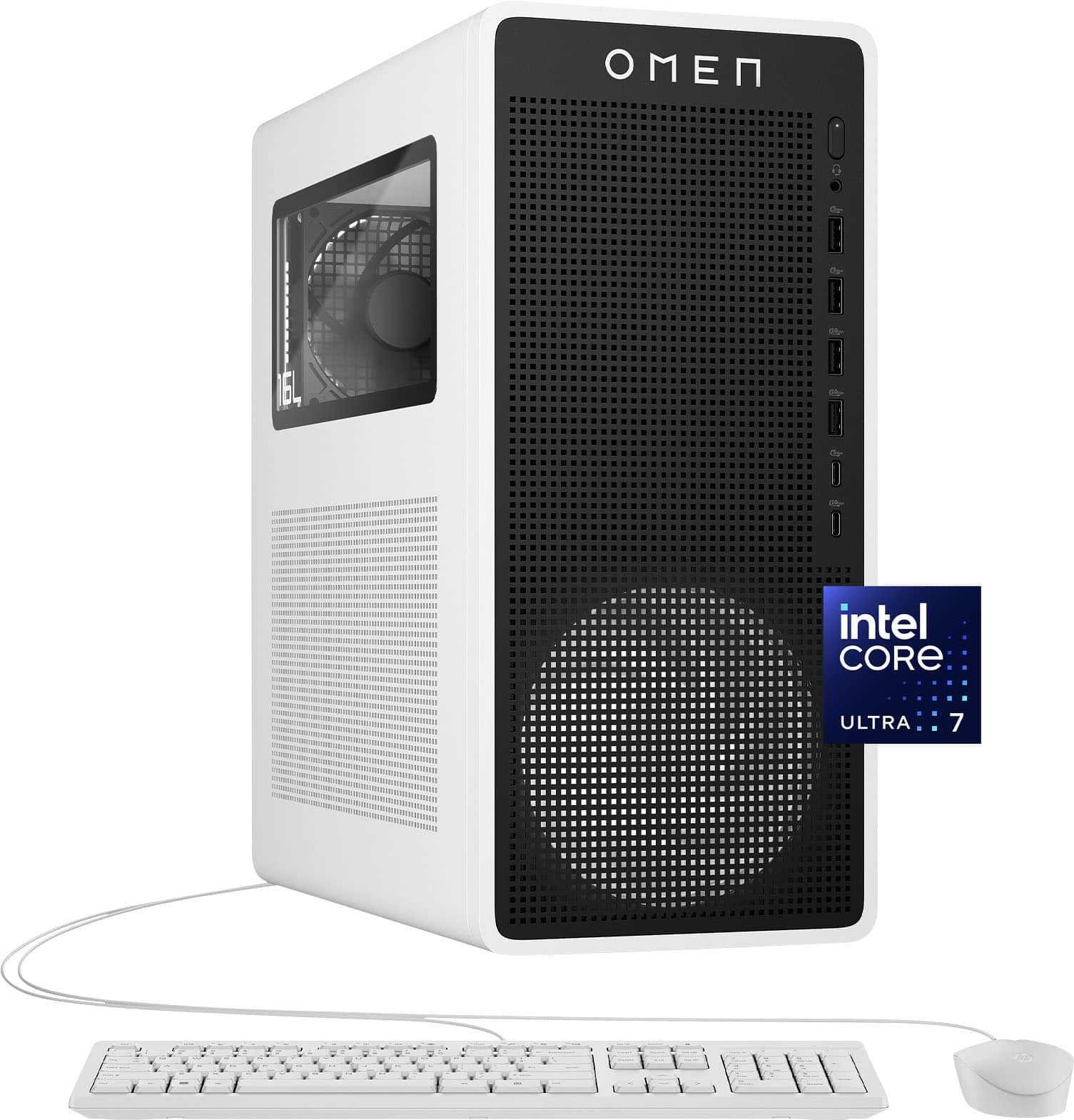
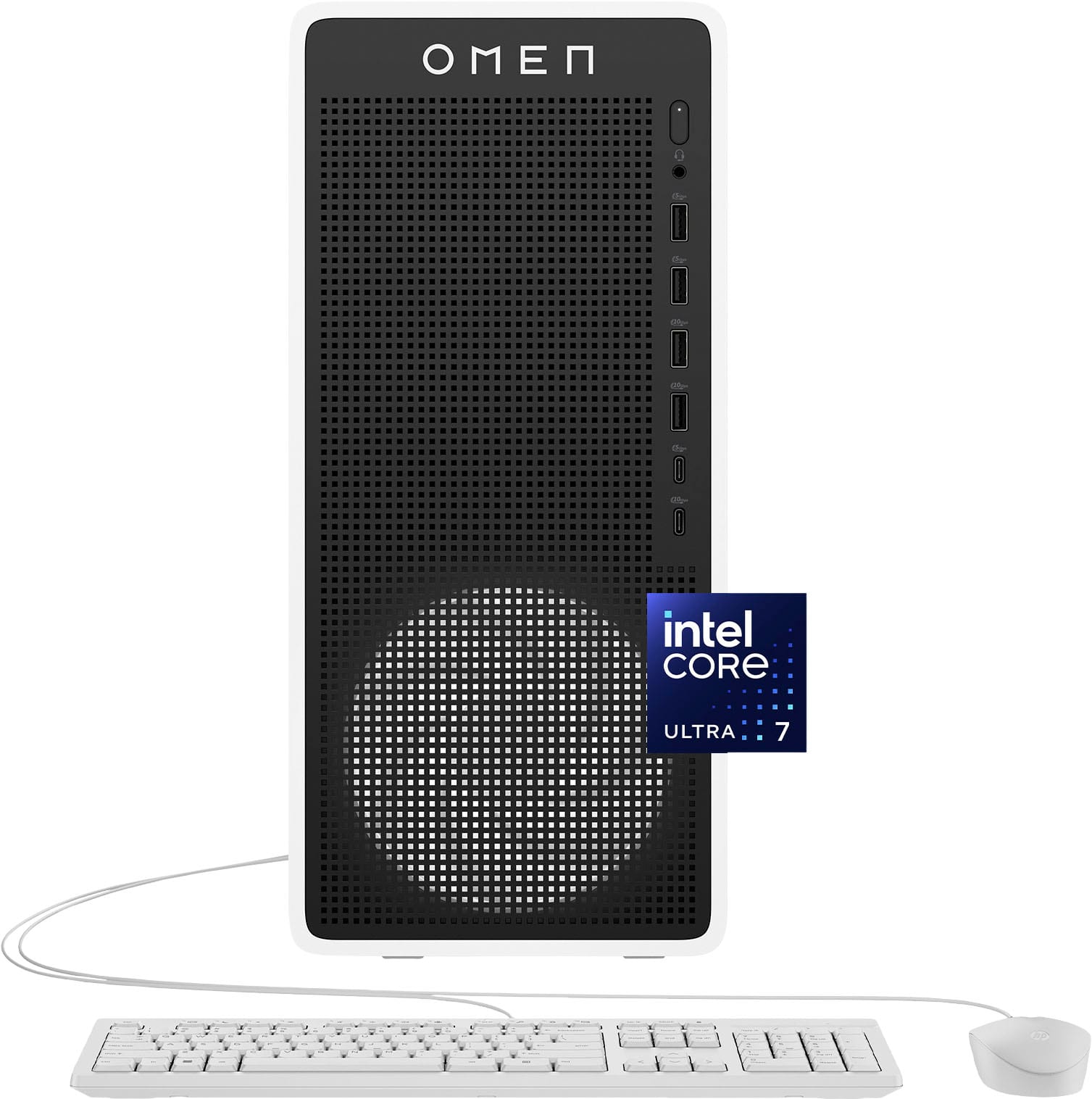
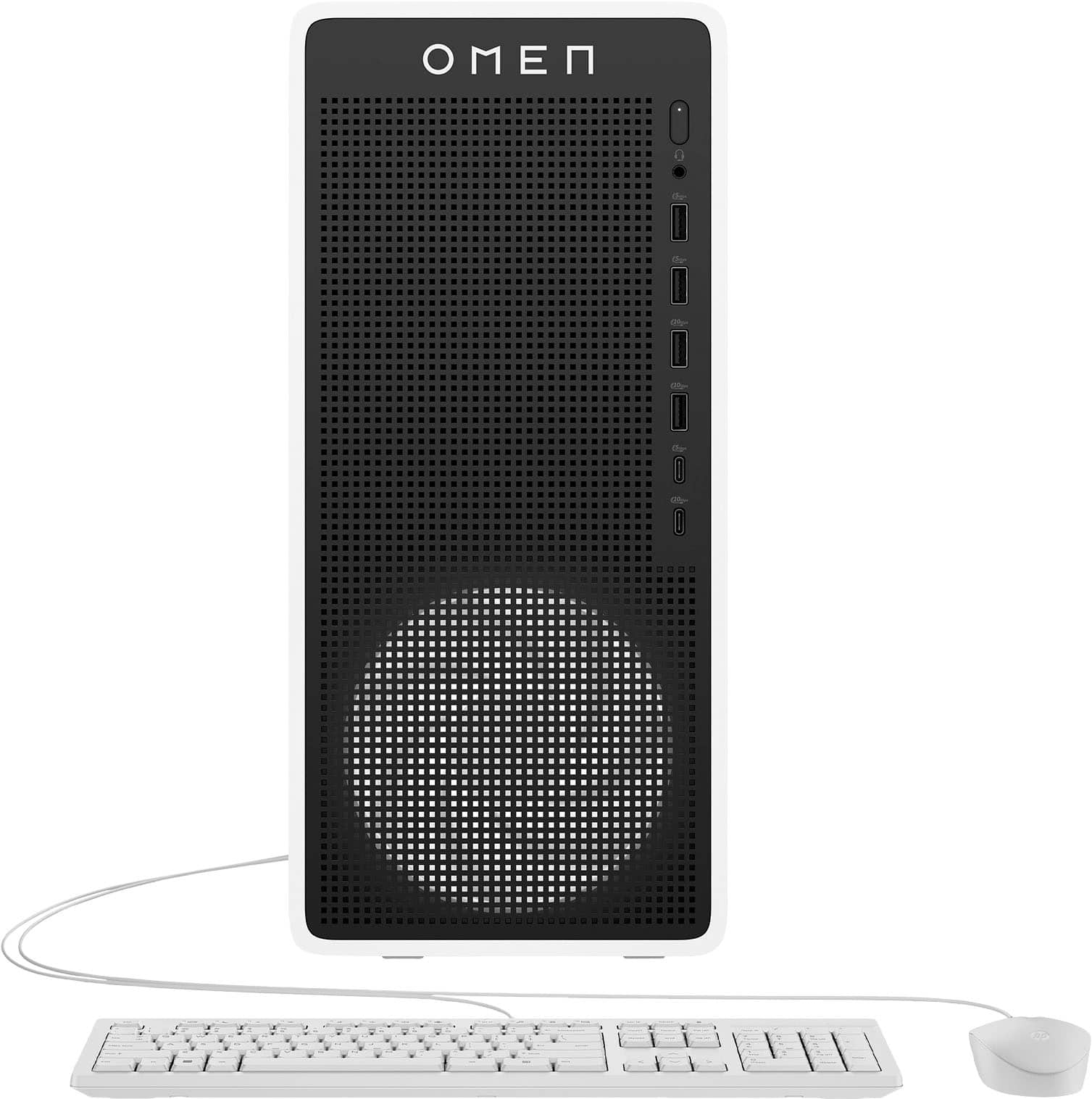
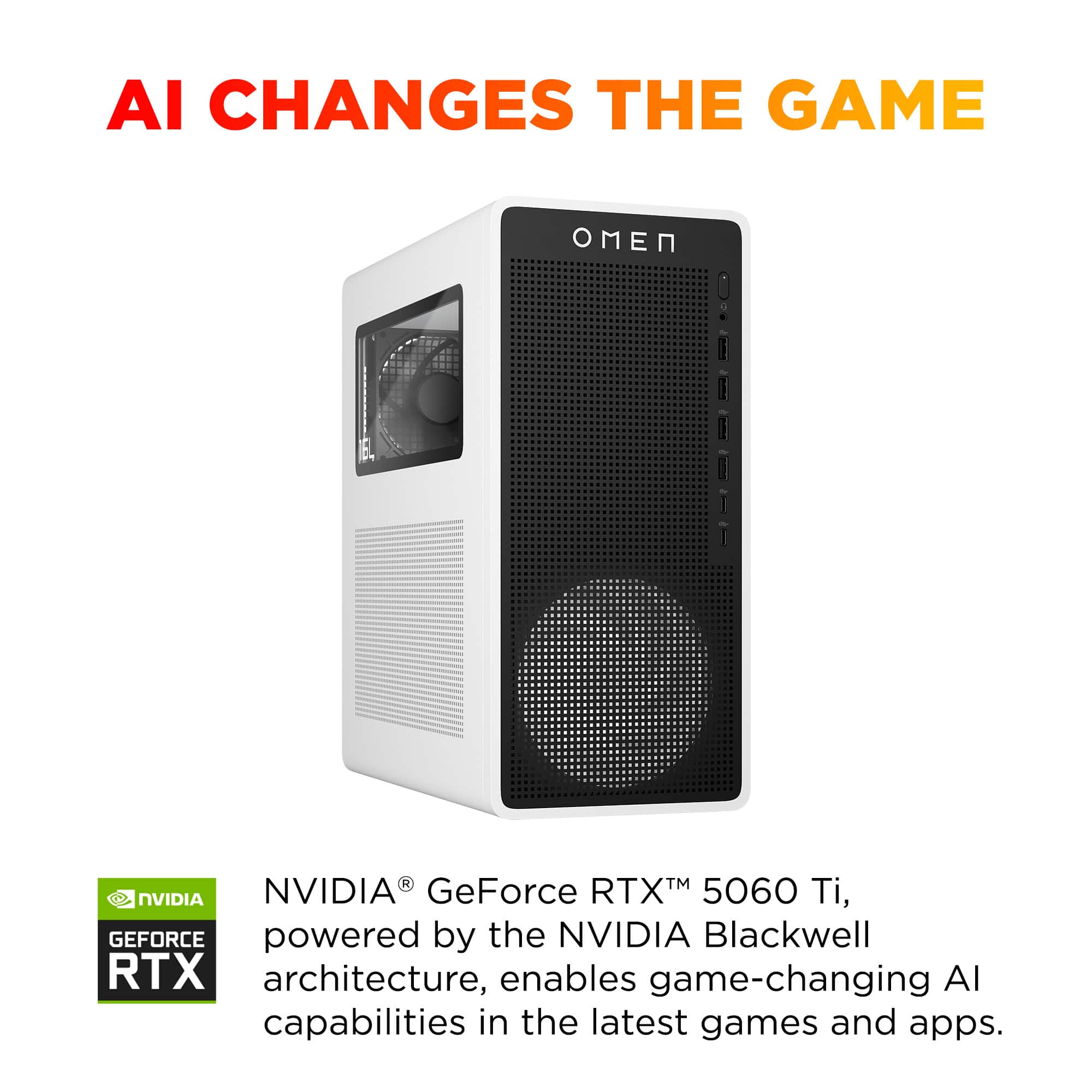
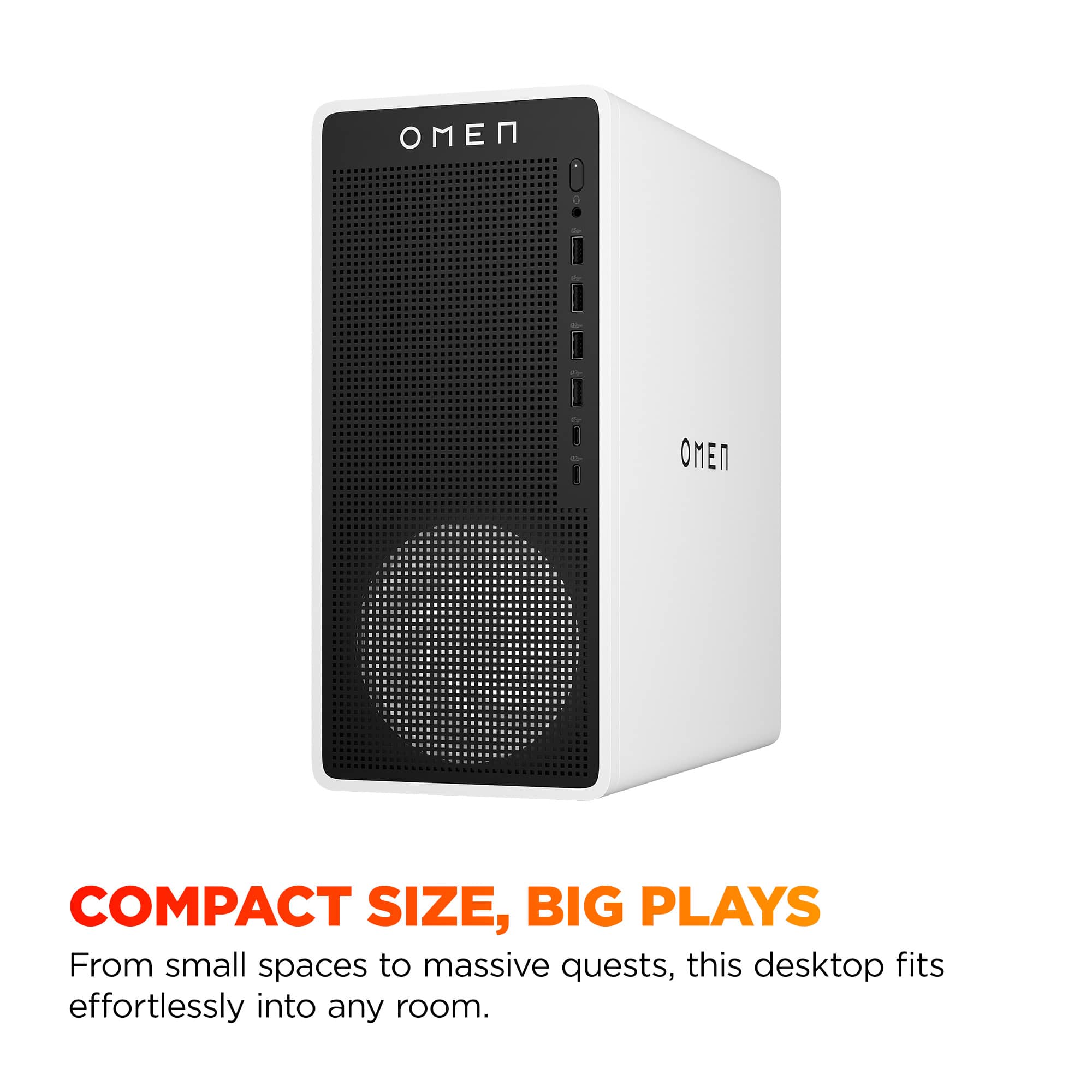
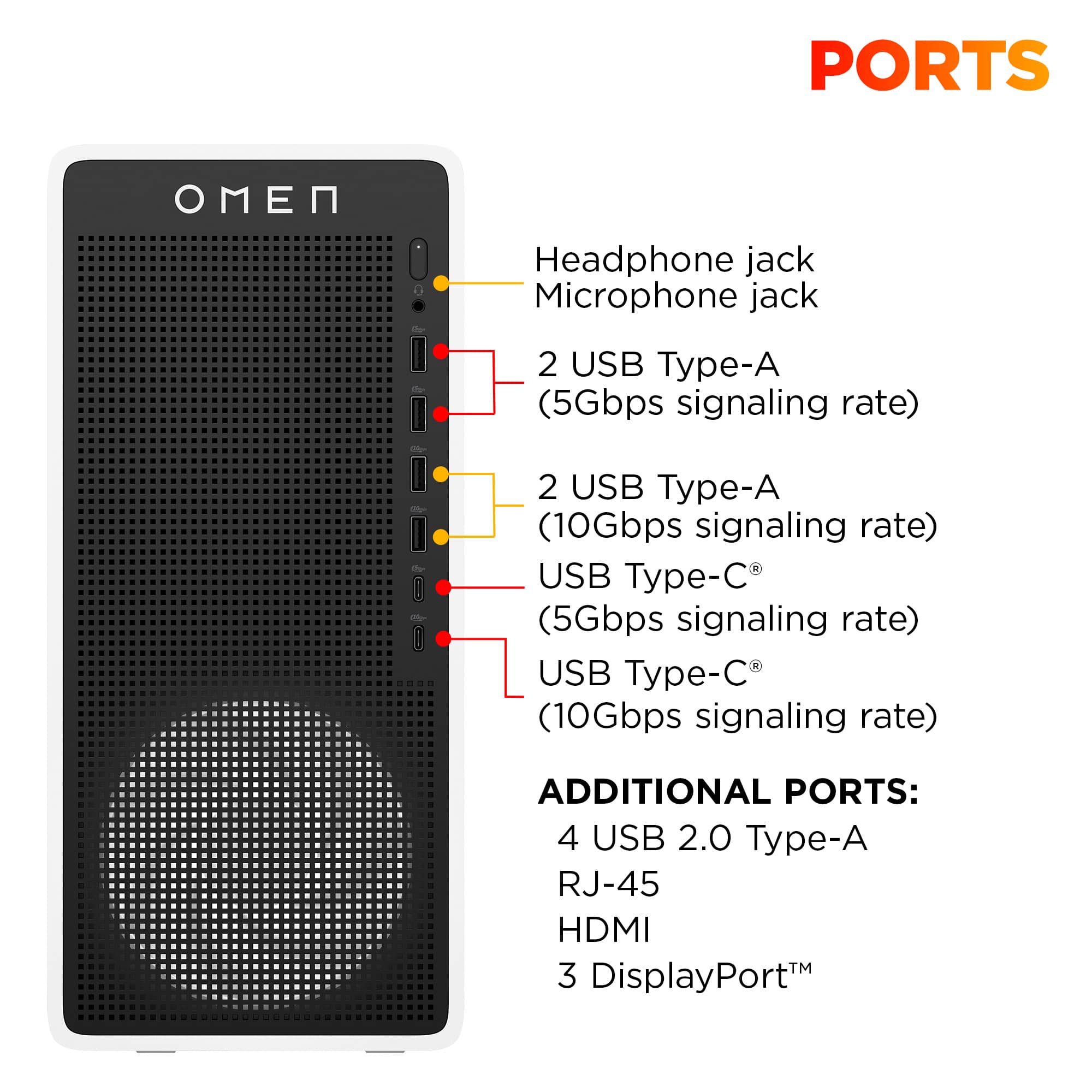
|Posted .This reviewer received promo considerations or sweepstakes entry for writing a review.The HP Omen 16L is a sleek, minimalistic gaming desktop in white and black. They call it Panda Metal. The 16L refers to the interior volume of space in the case. It is smaller than I had expected, looks great, and can easily fit on a desk. There are four USB Type A ports on the front, two 10Gbps and two 5Gbps along with two USB Type C (1 10Gbps, 1 5Gbps). There are 4 USB ports in the back but unfortunately, they are all USB 2.0 speed. Worst of all, there are NO USB-C ports on the back. If you have USB peripherals that are either Type-C or need higher speed they’ll have to plug in to the front. In my case I had 3 USB-C devices so I needed a USB-C dock which sadly had to hang off the front of the case and then plug my devices into it. There are, however, plenty of ports for multiple monitors with three DisplayPorts and one HDMI coming straight out of the graphics card. For audio options there are speaker, lineout, and mic ports in the back and a headset jack on the front. Finally, there is an RJ-45 ethernet port that supports 2.5GbE. Being small doesn’t mean any sacrifices in RGB lighting. There are two lighting zones. The first is shared between the big fan on the front and the CPU fan, which can be changed to any color. The second is on the memory stick itself, which gives you a few more effects than the fan zone such as flame and my favorite: starlight. This is all handled with the Omen Gaming Hub app, which comes preinstalled. If RGB is your thing you can also use the Omen Lighting Studio which gives you full control over the tower plus any other devices connected that support Windows Dynamic Lighting. The Core i7 265F included is part of Intel’s latest Arrow Lake-S lineup. It’s an upper-midrange processor with 20 cores (out of which 8 are performance cores). The only thing better would be the Intel Ultra 9 but that is overkill for this PC. This CPU is both great for gaming and for productivity work. Geekbench 6 scores: Single Core – 2842; Multicore 14289 There’s 1 stick of 16GB speedy DDR-5600, plenty for gaming. The Samsung NVMe SSD is plenty fast to keep loading screens minimal but not the fastest Gen 4 SSD out there. It can be upgraded if need be. You can see my CrystalDiskMark scores in the included screenshot. As far as gaming itself is concerned I’ve been incredibly impressed with what the 5060 Ti can do. This RTX card features 16GB of GDDR7 VRAM compared to some cheaper 5060 Ti variants which only come with 8GB. When you factor in the ability to use NVIDIA’s DLSS 4 and Multi Frame Generation (MFG), I’m seeing performance that is definitely better than the last generation’s RTX 4060 and very close to the 4070. It’s also pretty evident that enabling ray tracing with the new Blackwell architecture is no longer as big of a performance hit as it was with the previous generation. In the past I would never play Fortnite with ray tracing as it would kill the performance but now it seems to only be a 10% penalty or so in that particular game. These are some benchmarks I took on a 1440p monitor with Performance Mode enabled: 3DMark Time Spy: 15695 Cyberpunk 2077 (In-game benchmark, Ultra, Ray Tracing): - DLSS: 177.58 FPS - No DLSS: 102.64 FPS Shadow of the Tomb Raider (in-game benchmark, Highest preset): - DLSS Performance: 165 FPS - Highest Preset No DLSS: 138 FPS Fortnite: - Epic Preset, Ray Tracing, DLSS Performance: 89 Avg FPS - Epic Preset, Ray Tracing, No DLSS: 59 Avg FPS F1 25 (in-game benchmark 1-lap on Australia Wet.) - Ultra Max Preset with DLSS-G 4X: 144 FPS - Ultra Max Preset no DLSS: 81 FPS Borderlands 3 Ultra (in-game benchmark): 101.27 FPS Forza Horizon 5 (in-game benchmark): Extreme Preset 116 FPS These are good numbers in my opinion, and they were near the highest graphical settings for these games. That said, the 5060 TI is still a mid-range card so don’t expect to hit 240hz if that’s what your monitor can do. And if you’re planning on playing in 4K you may need to temper expectations or play on lower graphics settings. Here are some of the same benchmarks at the same graphics configuration but now at 4K resolution: Cyberpunk 2077 (Ultra, RT) - DLSS: 116.10 FPS - No DLSS: 51.87 FPS Shadow of the Tomb Raider (Highest Preset): - DLSS Performance: 130 FPS - No DLSS: 69 FPS F1 25 (same lap on Australia Wet.) - Ultra Max Preset with DLSS-G 4X: 75 FPS - Ultra Max Preset no DLSS: 24 FPS Borderlands 3: 53.76 FPS Forza Horizon 5 (in-game benchmark): Extreme Preset 105 FPS At the end of the day most people will just let the game pick the best graphical settings for them and they will get a good experience even in 4K. Upgradability is decent as you can swap out or add more DDR5 RAM, and there is an extra NVMe slot if you want to add more storage. Even the Wifi 6 card can be upgraded to Wifi 7 if need be. There are no available PCIe slots to add any expansion card, just the single one for the graphics card, but most gamers don’t use those anymore. The graphics card could be upgraded if it can fit in the chassis. There’s about 250mm of space available for length. However, the biggest limiting factor in upgrading the graphics card would be the power supply which is only rated for 500 watts. Pros: -RTX 5060 Ti 16GB allows playing at high settings - Excellent FPS at 1080p/1440p - Benefits from DLSS 4 and MFG - Powerful Intel 7 Series CPU - Compact Size - Quiet – even when gaming. - Multiple DisplayPorts - 2.5GbE Ethernet Port - Includes basic wired keyboard/mouse. Cons: - No USB-C or Fast USB-A ports in back - Limited upgradability Overall: Compact, quiet, and just a great gaming PC. I didn’t find a single game that was not playable. My son is very happy with his new gaming rig!
I would recommend this to a friend - Pros mentioned:Design, Overall performance, SizeCons mentioned:Ram, Upgradeability
Amazing
||Posted . Owned for 1 week when reviewed.This reviewer received promo considerations or sweepstakes entry for writing a review.The OMEN 16L is one of the best purchases I’ve made for my home setup. It is powerful enough, clean-looking, and it just works. If you want a desktop that feels like a complete package without building one yourself, this is an easy recommendation. Performance is excellent for the price. It runs everything smoothly and handles multitasking without hesitation. Gaming is great, productivity is great, and it is also perfect for school and work loads like research, writing, data analytics projects, and running multiple apps at once. The design is another big plus. The OMEN panda style looks sharp and modern, and it fits perfectly in a desk setup without looking excessive. It is compact enough to be manageable, but it still has good airflow and does not feel cramped. Upgradability is where it can improve. You'll really only be able to add RAM and additional SSD storage. I did both of these and it was a big deal for me, and the process was straightforward. After upgrading, it feels even more future-proof. The downside is the BIOS will lock you into 5600MT/s for RAM and you're capped at 32GB of RAM, but that's not something that is a deal breaker for me. Overall, this desktop feels like the anchor of my entire setup. It is stable, powerful, consistent, and it makes gaming and productivity enjoyable without constantly thinking about hardware limitations. It fit what I was looking for which was a smaller form factor desktop that could still play the games/titles I like to play without being super expensive.
I would recommend this to a friend - Cons mentioned:Memory, Port count, Upgradeability
Small, sleek and decent for mid spec machine
|Posted .This reviewer received promo considerations or sweepstakes entry for writing a review.This is a pretty sleek looking machine with the guts of a decent mid specced computer. Nothing about the internals is going to scream the best of the best but overall, it packs a good punch for gaming at 1440p with the help of DLSS. Setup is the standard windows setup. Just let it do it's thing as it updates and gets everything up and running. After about an hour or so doing setup and updates (depending on your internet), you should be updated and ready to go. The build quality of this machine is pretty nice. It's compact and has a nice minimalist look without sacrificing things like the side panel window. The built in HDMI port on the machine is blocked off which I always appreciate because a lot of newer computer users don't understand that they need to plug their monitor into the graphics card. There's plenty of RGB but it doesn't get obnoxious. There's an RGB fan that glows through the front panel on the bottom. There's also an RGB CPU cooler. The included memory stick also has a strip of RGB on top. These can all be customized to any color you like really easily. Ports are in pretty good supply here for such a small form factor case. Oddly enough, most of the USB is in the front. The GPU has the standard three DisplayPorts and one HDMI. There's four USB-A ports on the back as well as three 3.5mm plugs for speakers/headphones and microphones. There's also an 2.5Gb ethernet port on the back. Moving to the front, you have another 3.5mm headphone jack as well as another four USB-A ports. Then there are two USB-C ports on the front as well. I would have liked to see more of the USB (and especially SOME USB-C ports) on the back since I'm not a huge fan of running cables out of the front of my system. If you have a lot of USB peripherals that are mostly permanent fixtures for your system, finding a place to plug them in without making things look terrible might be a challenge. There's a keyboard and mouse in the box. That's about all that needs to be said about them. They exist. They aren't good. If you're really scraping by, you could use them for a little bit before buying sommething decent. I wouldn't recommend it, though. The included 1TB of disk space is pretty ok to get started but I'd recommend adding another 2-4 TB if you're going to be installing a lot of games. Luckily, there's an open M.2 slot on the motherboard so the upgrade is fairly painless. Speaking of upgrades, I'd also recommend adding another stick of memory. Single channel memory isn't a great pick here. I thing 32GB of system memory is the minimum for a gaming machine these days but if you're going to give us 16GB, at least make it two 8GB sticks. You'll probably need to remove the included 16GB if you plan to buy a 32GB kit anyways so making the 16GB more serviceable in the mean time would have been nice. The motherboard is also very proprietary so upgrading things beyond the disk space and memory is going to be pretty limited. Gaming performance isn't too bad for a machine in this price range (depending on if you find a good sale). The Intel Ultra 7 265F isn't a terrible gaming CPU and the RTX 5060 Ti at least has 16GB of memory so it can do some work at 1440p. Running my standard benchmark of Cyberpunk 2077, I was able to set it to Ray Tracing Ultra with DLSS auto and ray reconstruction on and got a respectable 50 fps at 3440x1440. Turning on 2x frame generation bumped that number up to 80 and everything looked smooth and pretty. I also played through the first chapter of Doom Dark Ages with the graphics set to Ultra quality (DLSS quality mode) and didn't see frames drop below 75. Usually hovered around 80-85. This wasn't even with frame generation enabled. So you should be able to get really good looking games out of this mid/lower end GPU without an issue. Pros: - Small, sleek, minimalist case design - RGB that isn't crazy - A lot of USB ports - 16GB of video memory - Decent CPU - Nice budget GPU - Easy to hit 60-90 fps with DLSS and frame generation - Quiet Cons: - Proprietary motherboard - Single channel memory - Most of the USB ports are on the front - Limited upgrade potential - Throw-away included keyboard and mouse Overall, this isn't a bad system if you're ok with some of it's concessions. Some of the first upgrades I'd add would be extra disk space and replace the 16GB of memory with a 32GB kit that's dual channel (unless you can find a matching 16GB stick to use). Performance is pretty good. Nothing to write home about but it should give you good performance at respectable frame rates for a couple years at least. I think you're paying a little extra for how compact this machine is which is usually how it goes but it really isn't a bad machine for this price range.
I would recommend this to a friend - Pros mentioned:Noise level, Overall performanceCons mentioned:Memory, Power supply
Good mid level machine for gamers
||Posted . Owned for 3 months when reviewed.This reviewer received promo considerations or sweepstakes entry for writing a review.great entry level gaming pc. prices for memory and graphics cards have gone through the roof thanks to the corporate greed of companies like Microsoft, Meta and Steam hogging up all the components for their AI platforms. That said, this is about the best you can hope to get. I'm running Arc Raiders in true 4k with all settings on high and get around 200 fps. The Intel 7 processor has made a name for itself and is finally comparable to AMD processors in the same range. The only drawback is the limitation of the onboard power supply and the default amount of memory included. 16 gigs of RAM is "sufficient" but not recommended and the power supply does not have any PCIe dongles for upgrading the graphics card but, as mentioned, who can afford that nowadays? This is a great machine for the price. Vibrant colors, high antialiasing upscaling capability and a nice quiet machine.
I would recommend this to a friend - Pros mentioned:Noise level
Solid Small Form Factor Gaming Rig!
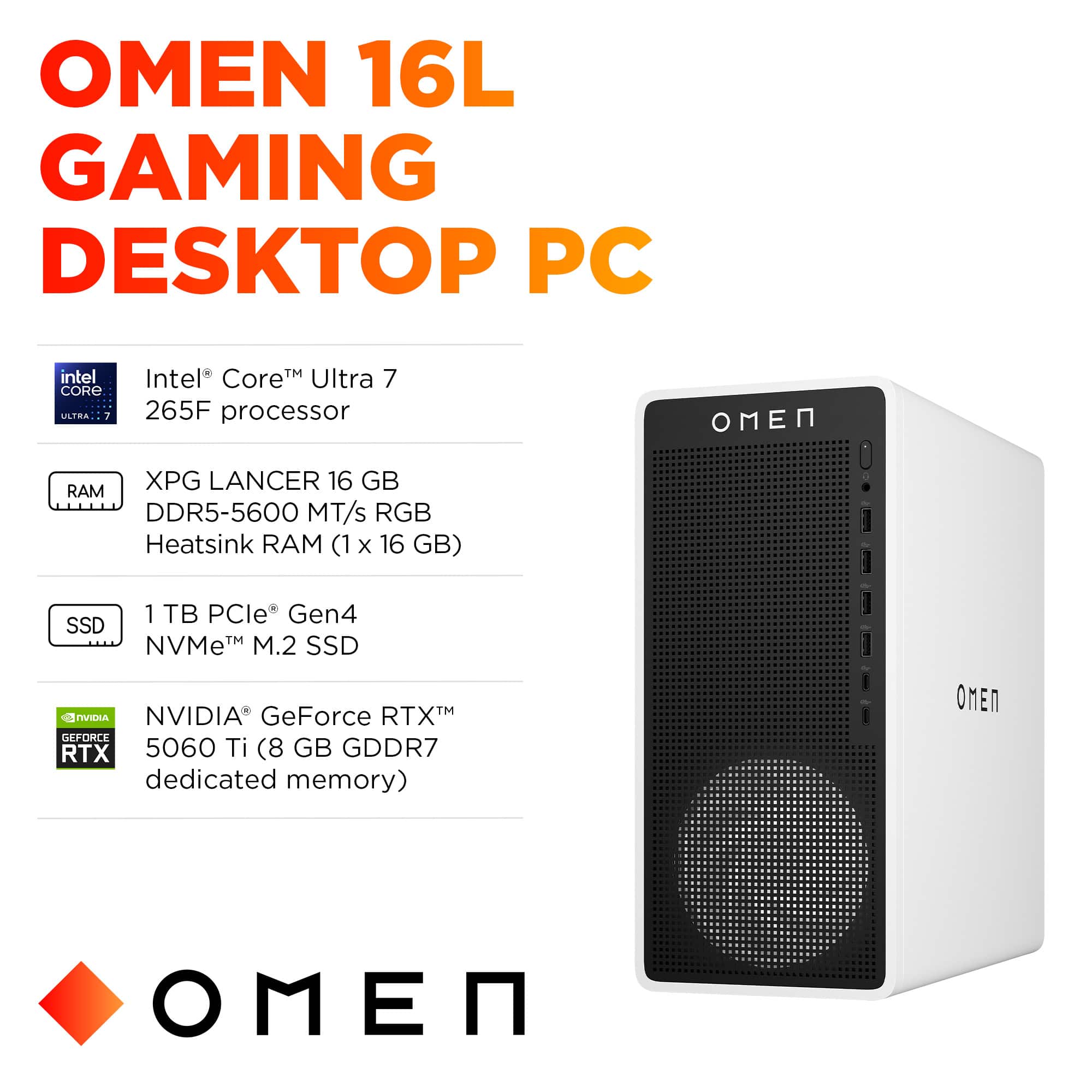
|Posted .This reviewer received promo considerations or sweepstakes entry for writing a review.The HP Omen 16L, as built with Intel Core Ultra 7 265F, 16GB DDR5 Memory, Nvidia RTX 5060 Ti w/16GB GDDR7, and a 1TB SSD, is a solid performer in a small, quiet package. It definitely punches well above its weight with solid midrange gaminig performance at a budget friendly price. As a bonus, the small (13"x12"x6"), quiet packaging makes it a good choice as a dual use general purpose desktop. This was originally supposed to replace an aging gaming system and is becoming my goto everyday computer as well. In the box (all recyclable), is the destop, a wired mouse and keyboard, and a power cable. Documentation is usual safety note and minimal "getting started" guide. Build quality is excellent, very solid feel and clean wiring inside (see pictures). Port and button placement are excellent, 4 USB ports in back, 4 USB and 2 USBc ports in front along with a power button. Very clean! The dual fan design keeps the computer cool with minimal noise. Setup is the usual Windows annoyances, figure an hour or two of setup and updates, installing Battle.net, Steam, games, etc. HP's choice to equip the Omen 16L with the Nvidia 5060 TI w/16GB video ram rather than 8GB was a brilliant choice. The specs originally listed 8GB VRAM, but the system as received is 16GB. From the reviews of the 5060TI cards, 16GB seems to be necessary for anything over 1080p. I've been seeing anywhere from 100 to 120 FPS at 1440p (2K monitor) in games, which pretty much hits the limitation of my monitor, no tearing or artifacts. The frame rates do drop a bit when I tried a 4K monitor, I think that 2K(1440p) is really the sweet spot with this card. Games that I use for video testing included Horizon Forbidden West, Red Dead Redemption 2, Cyberpunk 2077, God of War, and Microsoft Flight Simulator. I did upgrade from the original 16GB single memory stick to 32GB dual memory sticks, since I plan on using this computer for video rendering as well. The Omen 16L comes with a 1TB pci4 m.2 ssd, but also has a second pci4 m.2 ssd connector if you want to add more storage. There is also the option to add a SATA drive. The power supply is a 500W supply which is sufficient for the computer as equipped. There are no pci expansion slots on the motherboard, but there are so many USB ports it's really not necessary. Networking is wired 2.5GB, and wireless, WiFi 6E and Bluetooth 5.3. There are two fans to provide flow through cooling in addition to the power supply fan and the cpu cooling fans. The fans, at least so far, have been whisper quiet. Access to the interior is through a removeable side panel that slides an inch or so to lock/unlock, then lifts out. There is a screw securing it (see the picture of the back) that could have been a nice, knurled knob instead. So far, the only disappointment has been the lack of any real BIOS settings to push performance. Hopefully that might be corrected in an update. Otherwise, the Omen 16L (as equipped) is a solid midrange gaming computer that is exceptionally thought out. Highly recommended.
I would recommend this to a friend - Pros mentioned:Noise level, Overall performance
Omen 16L
||Posted . Owned for 2 weeks when reviewed.This reviewer received promo considerations or sweepstakes entry for writing a review.Okay, so far i have not been disappointed. The Omen 16L has been beast from the start! Gaming, 3d imaging and designing is incredible. Im new to computers and still only scratched the surface of this computer. Small and quiet and very easy to use, i love the white color setup matches my study room/gaming. Performance is still amazing on games on RE9 or The Division 2. Sorry not a Cod fan or Battlefield. But yes definitely say hey, worth the few extra bucks, trust me not a bot. I mean if you are thinking about a pc setup regardless what anyone tells you, get this one for your first start up because most require upgrades if your just trying to enjoy your favorite games. P.s. there might be different versions so make sure the your getting this one if you want better gaming. Unfortunately i dont have pictures at the moment but once i do and if i can re-edit my review i will post them!
I would recommend this to a friend - Pros mentioned:SizeCons mentioned:Port count
Compact package but big on gaming!
|Posted .This reviewer received promo considerations or sweepstakes entry for writing a review.The HP Omen - 16L gaming desktop offers a great combination of a small form factor while still delivering great gaming performance. For me personally when it comes to desktops I prefer what the HP Omen 16L looks like. On the outside minimal aesthetics that don't scream "look at me, I'm a gaming desktop" yet still has clean aesthetics that match my vibe/setup with a hint of style provided by the window showing off the inside. As for the actual specs of the HP Omen 16L it comes with an Intel Core Ultra 7 Series 2 paired with 16 GB of RAM (extra slot for expansion). It also comes equipped with 1TB SSD of storage with an extra slot for expansion and for the graphics card there is a NVIDIA GeForce RTX 5060 Ti. For 1/0 ports the HP Omen 16L provides you with a total of 10 ports which include two USB-A 3.0, two USB-A 3.1, one USB-C 3.0, one USB-C 3.1 and 4 USB-A 2.0 ports. I do wish there were some additional USB-C ports in the back. One ethernet port located in the back as well, three display ports and an HDMI port. Accessories included with the HP Omen 16L include matching white keyboard and mouse and a power cable. These accessories really go well with the setup aesthetically but let's be honest the majority of us will not being using these if we are gaming but it's nice that they are included. The HP Omen 16L delivers great 1440P gaming performance out the box, is extremely quiet and I believe is a great value for what it is priced. I can play a majority of my gaming library at high settings while still maintaining high frame rates and that is important to me. The only real nitpick I have about the HP Omen 16L is the single channel RAM, not that the included RAM is bad it's just that it's difficult to find another single stick of RAM to purchase to upgrade without having to buy a set.
I would recommend this to a friend - Pros mentioned:Overall performanceCons mentioned:Power supply, Ram
Great PC only if you upgrade ram!
||Posted . Owned for 4 months when reviewed.This reviewer received promo considerations or sweepstakes entry for writing a review.I got it at $1099+tax in lat december 2025. I was well aware of the compromise in the motherboard (custom built), Only 500 wat PSU and the 16GB ram issue. I hit the RAM limit pretty much from day 1. I swapped the XPG 16GB ram with 2 sticks (16*2) of Corsair Vengence within a month and the PC never felt sluggish for any work again. I noticed that they have left ONE SATA port in the motherboard but there is no SATA power connector available from the PSU. I wonder why! Probably in order to protect that tiny 500watt PSU! I think the 5060ti and Core Ultra 265f being extremely power efficient probably made it possible for them to decide on 500watt! I would rocemmend this PC to anyone only if you are willing to upgrade the RAM ASAP. I sold the XPG 16GB for 150 bucks and those 2 sticks of Corsair RAM costed 300 bucks in February 2026 from FB marketplace.
I would recommend this to a friend - Pros mentioned:Overall performance, Speed
New PC Gamer/ Love It
||Posted . Owned for 1 week when reviewed.This reviewer received promo considerations or sweepstakes entry for writing a review.Completely new to the PC world and have been an avid console guy for years. A few friends were playing a PC only game so wanted to be part of the action. I didn't want a low end, and didn't want a high end unit, just something to play on that was easy to use and reliable. This unit has blown me away. I'm only playing Call of Duty, Arena breakout (PC game), and Battlefield 6 but coming from an Xbox series X this thing is insane. So fast, with much a much more picture. My K/D has gone up incredibly and really just enjoying the gameplay. I see super detailed reviews focusing on the specs so wanted to put a positive review for people switch from console.
I would recommend this to a friend - Pros mentioned:Design, Overall performance
Compact power. Cool Design. Too much bloatware.
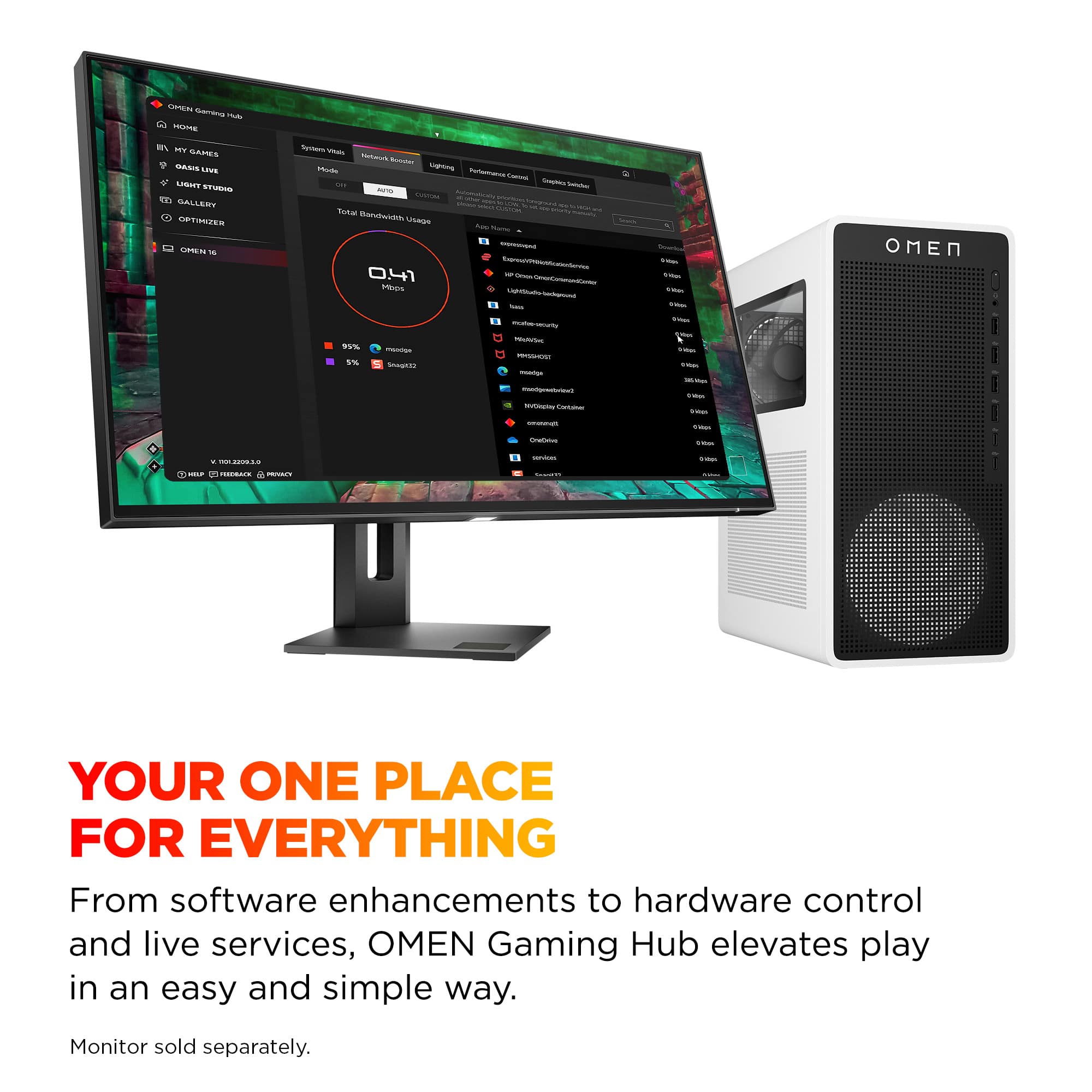
||Posted . Owned for 3 weeks when reviewed.This reviewer received promo considerations or sweepstakes entry for writing a review.Pros: Computer has a great design. Small form factor saves space. LED lights and see through panel are a nice touch. Computer itself works. 4 HDMI ports, multiple USB, w/ labels on speed are great touches. Worked well so far for gaming, graphic production, media, etc. Cons: Spent a bit of time removing software that came preinstalled - especially the HP base software. Omen Gaming Hub just ate up the memory usage and often froze. Reminders to install McAfee, HP Omen etc were annoying. Mouse and keyboard quality is what you'd expect for a freebie.
I would recommend this to a friend Great if you want a small form factor PC
|Posted .This reviewer received promo considerations or sweepstakes entry for writing a review.I have hp’s last generation omen 35L with a 4060ti and I was looking to upgrade my 8 year old son to PC and I wanted something small enough for his gaming area as he already has a ps5 set up with PsVR as well. This fits our needs with how small this gaming pc case is. He is happy with it and so am I for the most part(read on). The specs are actually great for a new-ish gamer, younger person or older person who doesn’t want a huge case with too much RGB and needs to run 4k. You get plenty with this pc, intel ultra 7 CPU which is a good pairing for the 5060ti and ddr5 ram as well. You get a solid balance of cost to performance for an upper entry level gaming Pc. I’d say if you play less demanding games you can definitely run a 1440p monitor at max settings. But you are probably going to get the highest frame rates at 1080p though I don’t really recommend that resolution. I tested for him warzone@1440p high settings(not max) and was averaging around 100 fps which is solid tho it isn’t maxed out. Games like Fortnite run better at 1440p at higher setting closer to 120+. If you play campaign games you will get solid fps as well at medium to high settings. This isn’t a powerhouse pc so keep that in mind I’d recommend a 5070 or higher for demanding titles. You have a lot of usb ports too many imo even lol. 2 usb type c which I appreciate. The pc has enough of the Fast gen 4 storage with an additional slot near the front of the case. 16gb ram is great to have but HP opted to use a single ram stick instead of 2 8GB sticks. Tho I believe dual channel ram is not required so much now with DDR5. Ram is adata a reputable brand I use in my hand built PCs. Mother board is unfortunately proprietary and not standard which is understandable as this is essentially just a standard tower case dressed up to look way better. Power supply is small form factor as well and is HP branded rated at 500 watts but is 80 plus platinum(great to see). A single 120mm RGB fan sucks in air up front and I believe an 80mm basic black fan for the exhaust. Basic omen tower cooler seems to keep the cpu cool enough and the case does not get crazy hot. Overall, this is a good little pc for its intended audience albeit at a premium price. But that is the market we live in nowadays. Things I didn’t really like is you have no real upgrade path at all with this pc, the motherboard is proprietary and lastly HP doesn’t include even a basic membrane RGB keyboard or mouse just the basic white keyboard and mouse. I think that would add to the value for the intended audience. So again, this omen 16L has some decent power and if you are looking to get into gaming or your child is interested and this fits the price I recommend starting off with this build as it will serve you well for a good while.
I would recommend this to a friend