Customer Ratings & Reviews


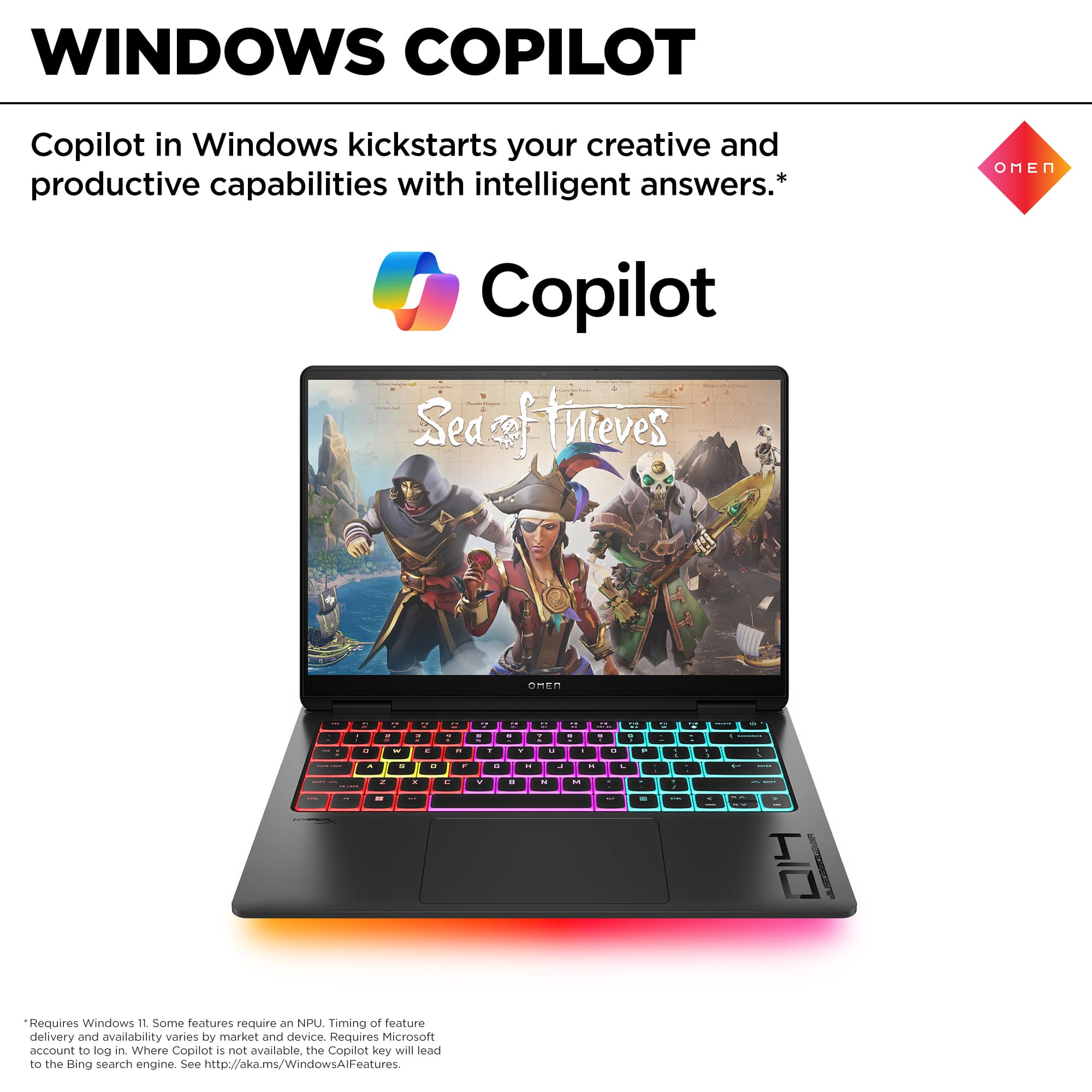

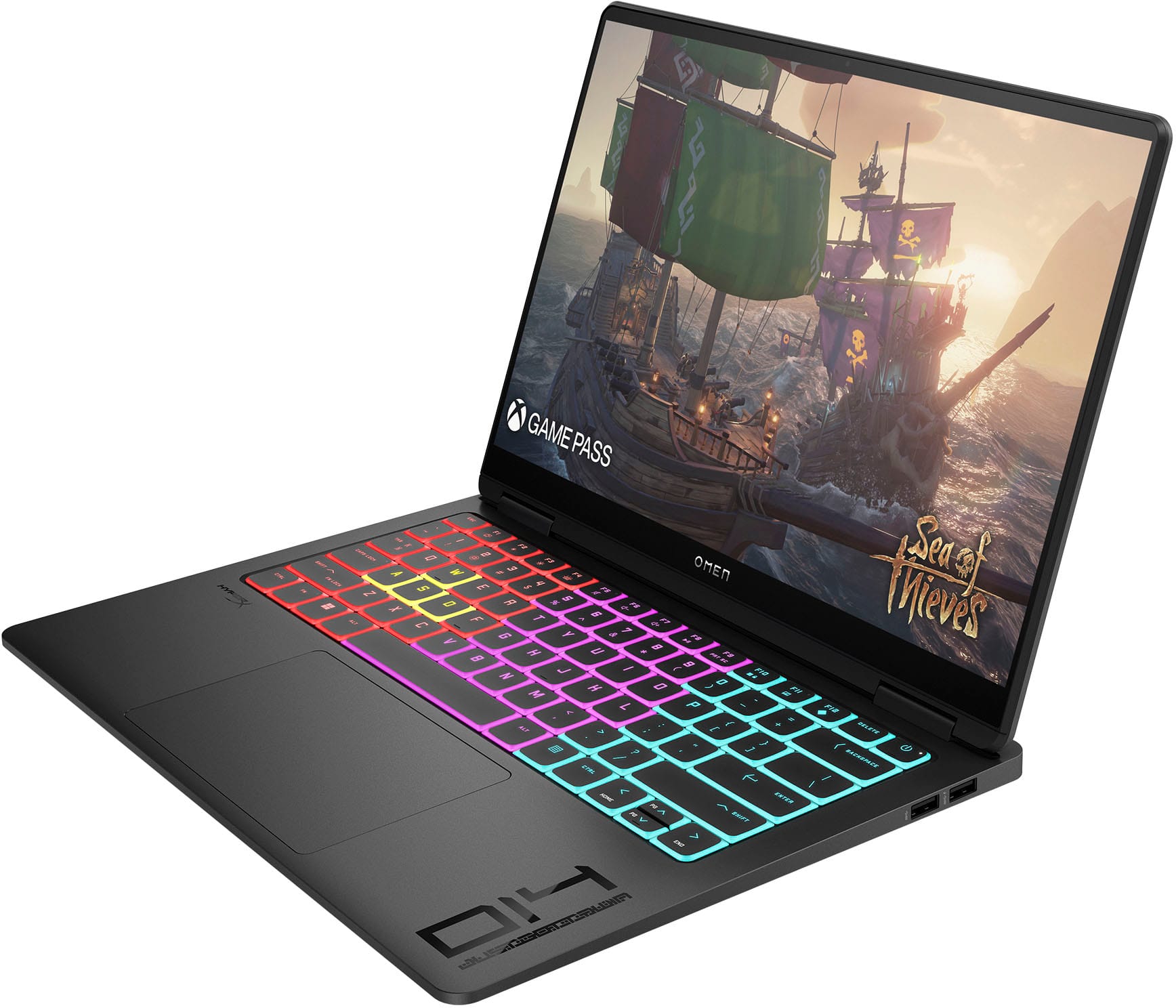
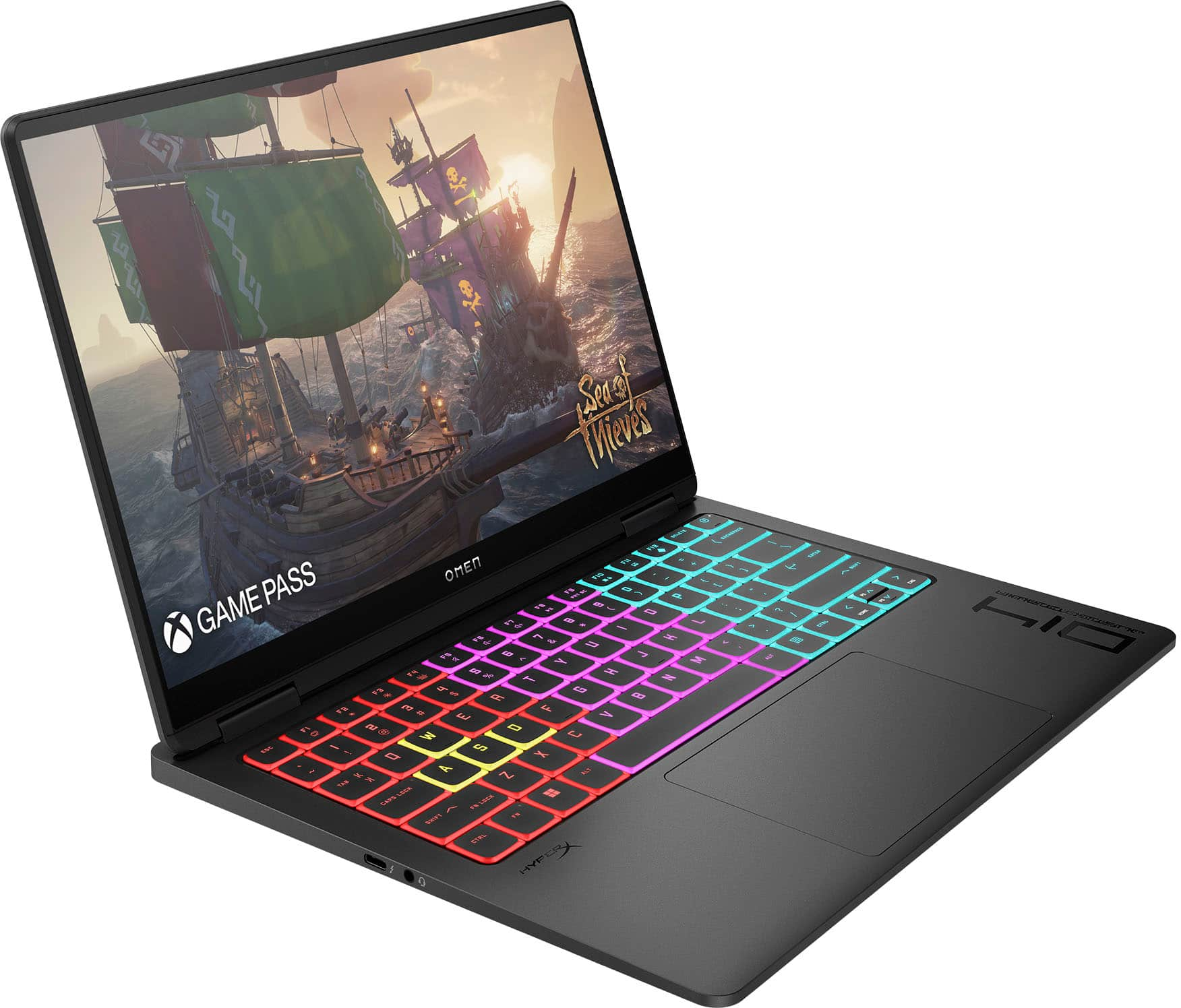
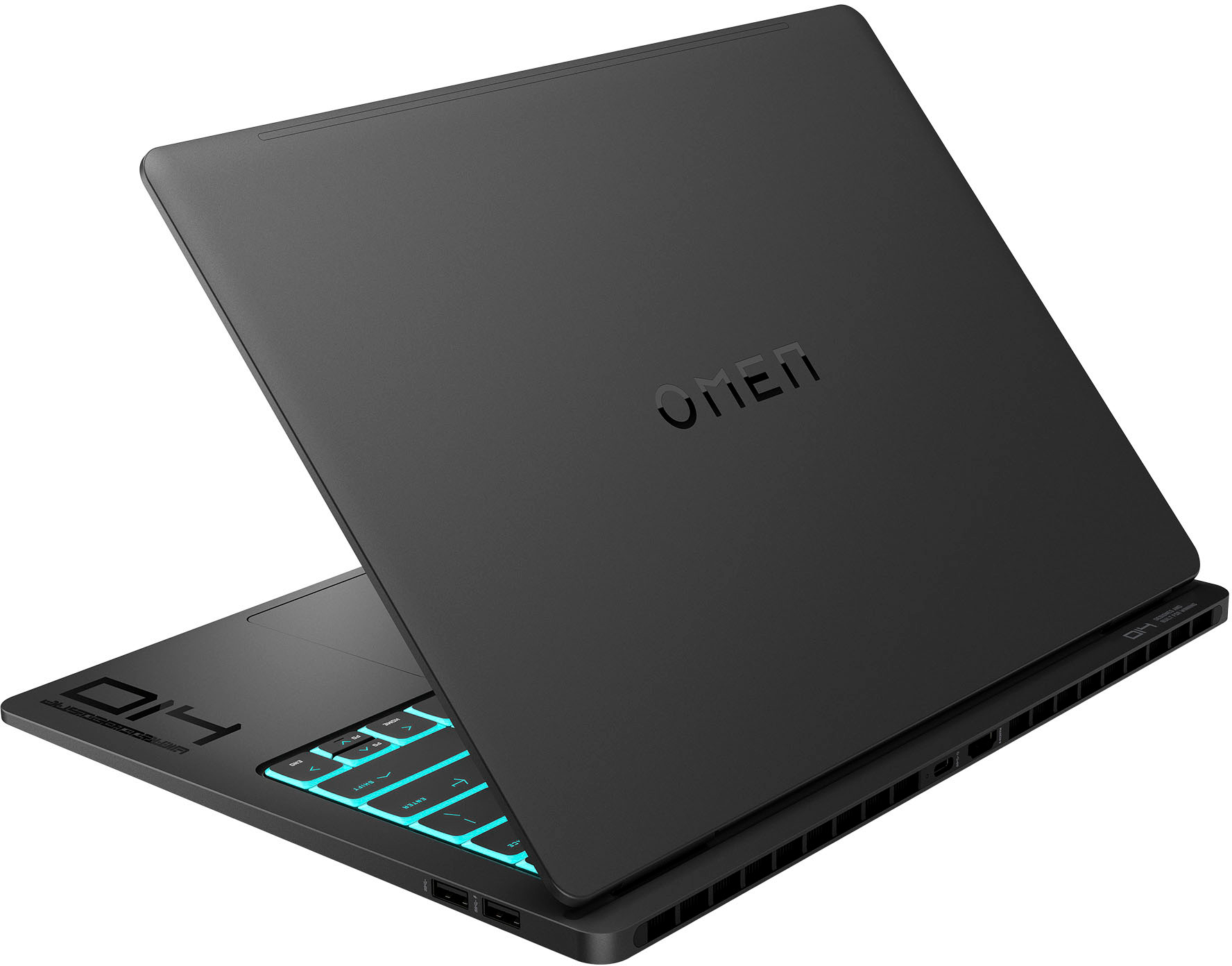









- Model:
- 14-fb0013dx/9Q4B5UA#ABA
- SKU:
- 6569023
Rating by feature
- Battery Life
Rating 3.9 out of 5 stars
- Speed
Rating 4.5 out of 5 stars
- Display
Rating 4.7 out of 5 stars
Customers are saying
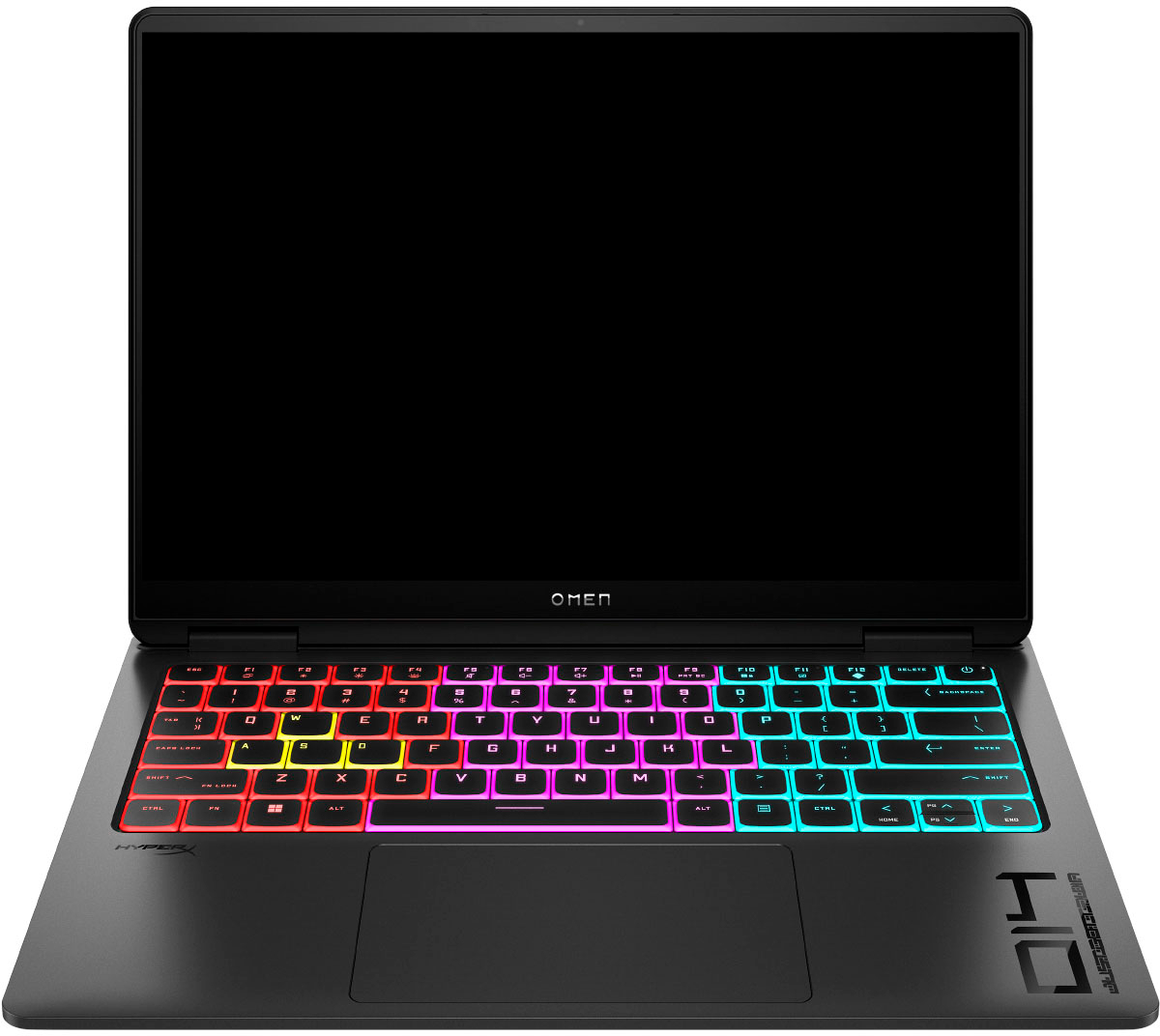
Customers are satisfied with the OLED display, performance, and build quality of the Transcend 14" laptop. Many appreciate its portability and the fast SSD, while some found the speakers and screen size less impressive. Positive feedback frequently highlighted the excellent performance in games and the comfortable keyboard. However, a few users wished for louder speakers and a larger screen.
This summary was generated by AI based on customer reviews.
Build quality needs some work
||Posted . Owned for 2 weeks when reviewed.This reviewer received promo considerations or sweepstakes entry for writing a review.After 2 weeks of use, I would say it works well. I bought the laptop mostly for work (ArcGIS) and it responds quickly, much better than Parallels on my Mac. The only issue was the fan was always on and kind of distracted me. And the build quality needs to improve, especially around the camera. Every time I lift the lid from the camera area, I feel like the layers are gonna fall apart (cracks in between).
I would recommend this to a friendBrand response from HP Team
Posted .Hello there,
We understand that you are facing issues with your HP product and need assistance. Not to worry, we will look into this. Due to the limited support available on this platform, we kindly request that you drop us an email with your contact and product details so we can assist you further (CSGlobalSoMeOperations@hp.com). Additionally, please share the comment link to help us identify your issue more accurately.
Regards,
HP Social Media Support
- Pros mentioned:Performance
Amazing gaming device
||Posted . Owned for 3 weeks when reviewed.This reviewer received promo considerations or sweepstakes entry for writing a review.Amazing device very powerful for gaming but if you are using it to edit high-quality camera footage, it will run slow
I would recommend this to a friend - Pros mentioned:Screen qualityCons mentioned:Speakers

Almost hit the landing
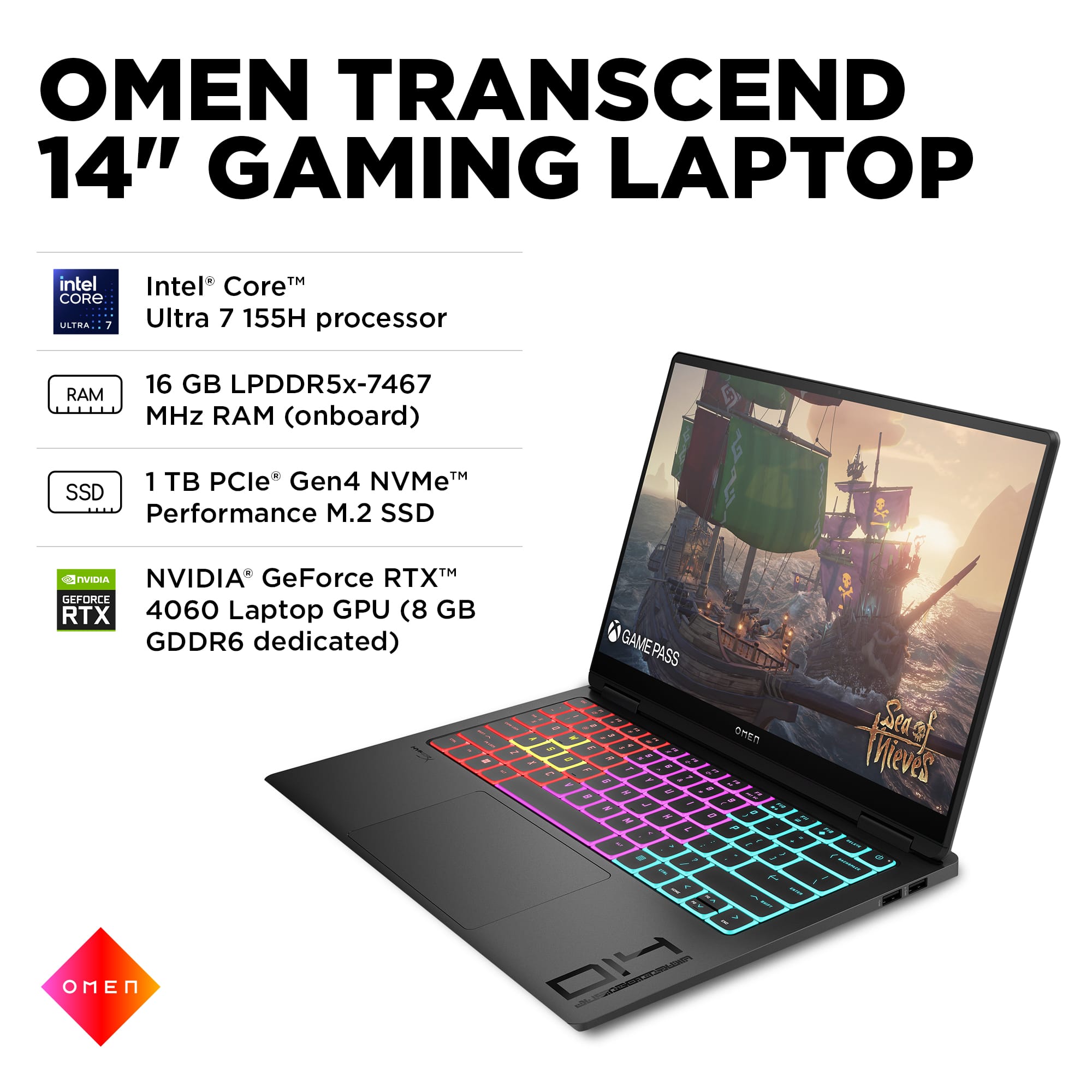
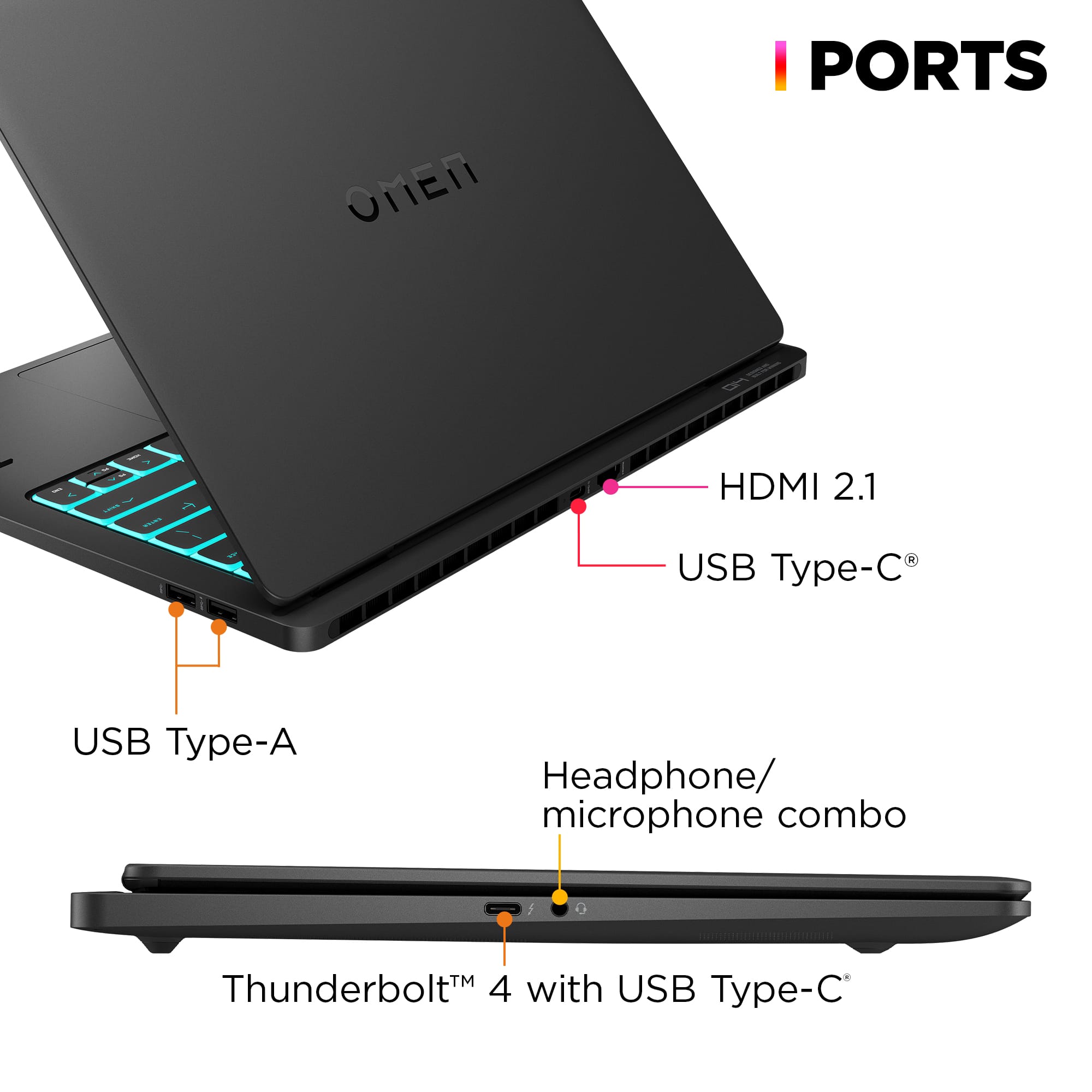
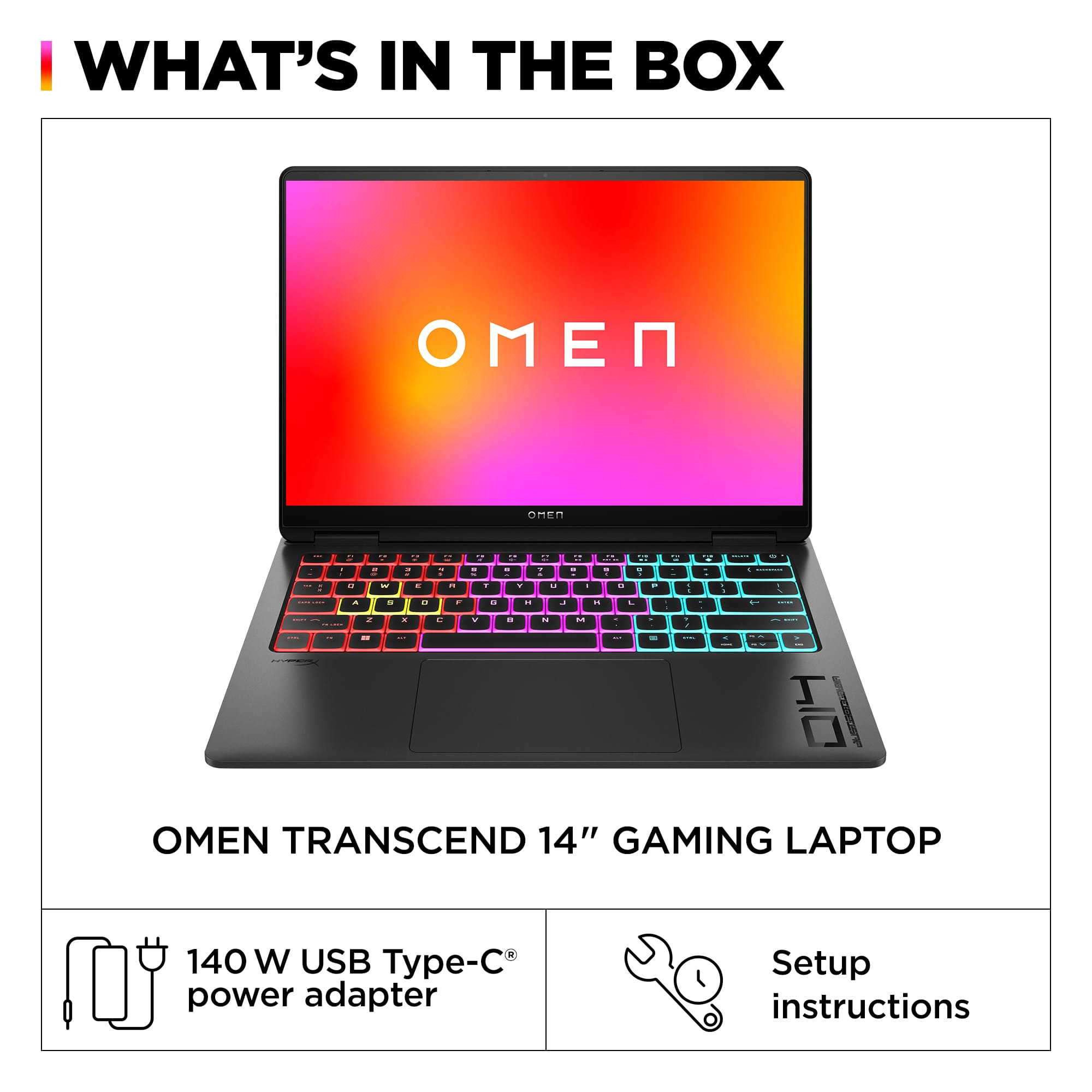
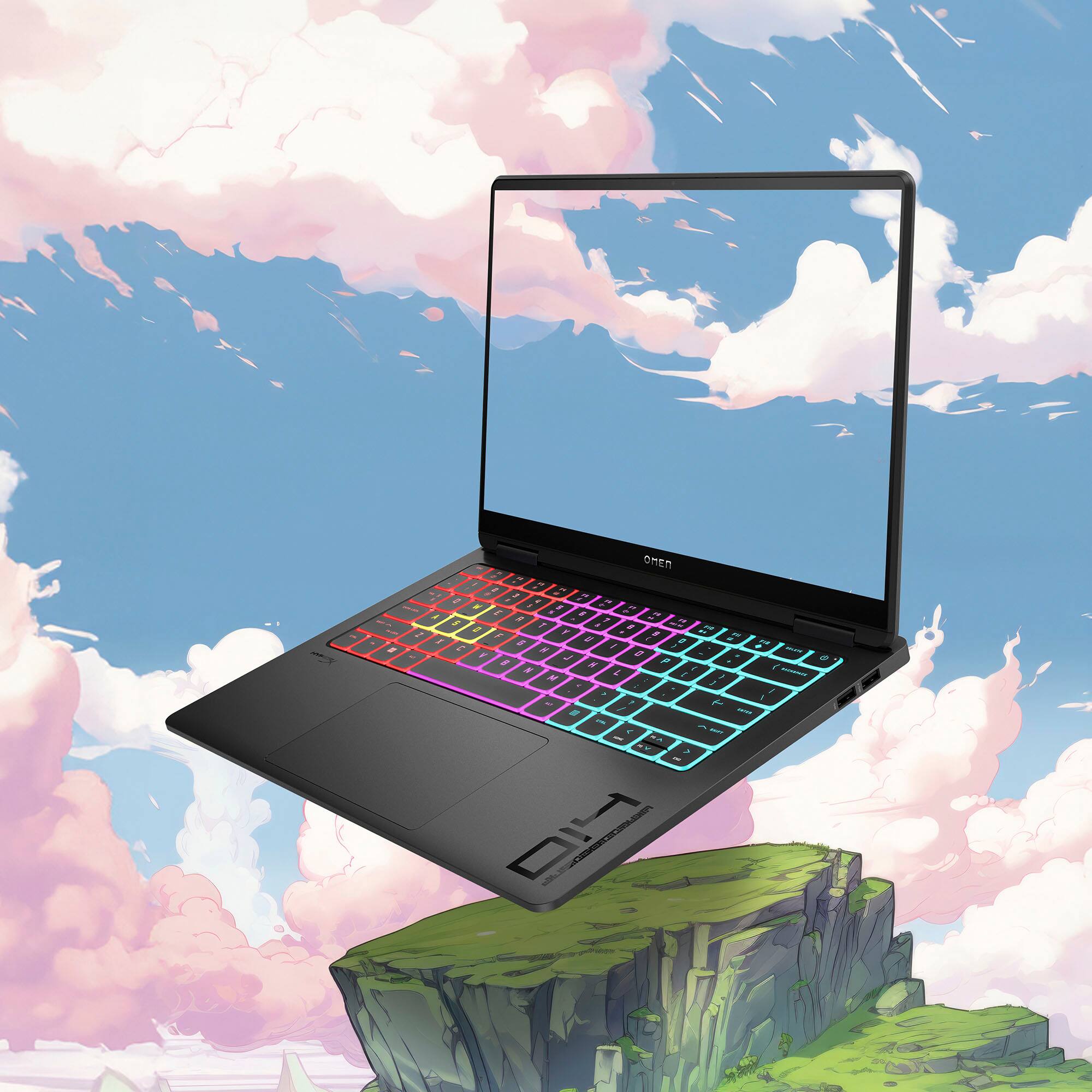
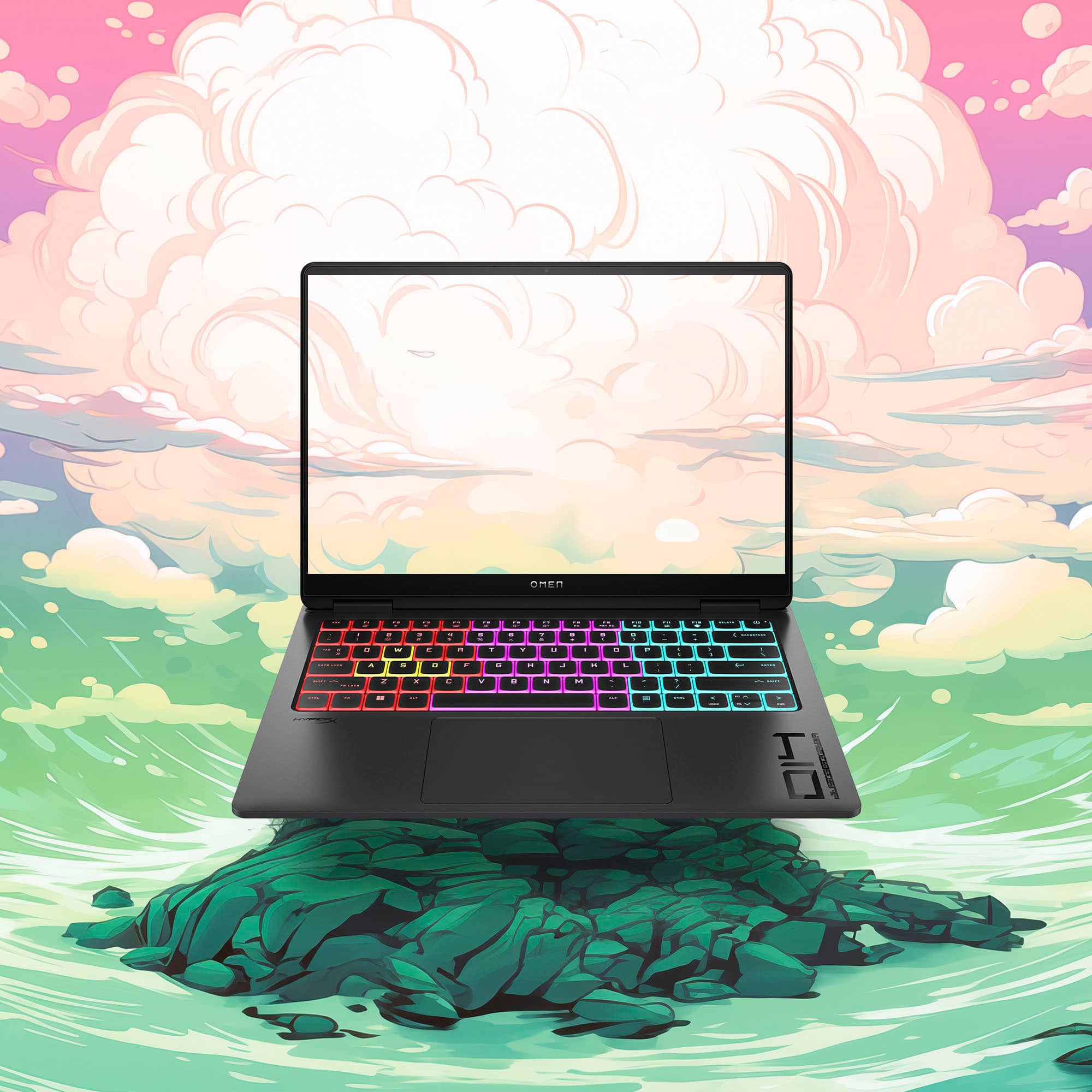
|Posted .This reviewer received promo considerations or sweepstakes entry for writing a review.The HP Omen Transcend 14 is a new player in the world of 14 inch gaming laptops. The challenge is how do you get a great performing laptop, in a minimal size, and one that won’t turn into a jet engine/heater when hardware is pushed. With the Transcend, there were some great, and some okay/good to one bad feature. Out of the box you get the laptop, a 140 W USB-C power adaptor, and inserts. On my test, I was at about 15% battery life, plugged in the plug, ad had about 65% in about 30’ish minutes, so their claim of 50% in 30 minutes is pretty on point. I never heard of a laptop fast charger, so it was a pleasant surprise. The laptop has a nice aluminum body. I do prefer it over plastic, but it’s still a fingerprint magnet. After one day of use, it has smudges on either side of the touch pad, and on the outside from me holding it to move it to my bag and around the house. I wonder if the white color has this problem. The design of the laptop is almost muted. There’s nothing that screams it’s a gaming laptop. The cover simply has the OMEN branding, and that’s it. There isn’t any RGB lighting on the exterior. You can even turn off the keyboard RGB lighting in the Omen gaming hub. I like this fact. When I’m home and playing in low lighting, I can turn RGB lights on, so that’s a plus. In terms of ports you have a USB-C on the back which is for charging, and a HDMI 2.1 right next to it. One of the biggest disappointments is that you can’t fully use the RTX 4060 on it’s own. On the Omen gaming hub, you have the option of using the integrated graphics card for battery life, or a hybrid for when you need that extra bit of juice. I would have liked to see a way to use the GPU on its own. So using the HDMI 2.1 port to an external monitor is the only way to use the RTX 4060 on its own. The drawback is of course unless you have a OLED gaming monitor, you won’t have that lovely screen to look at. The ports in general were placed well, I would have liked to see one more USB-C port. You get 2 USB-A ports on the right side. I’m glad that companies haven’t completely abandoned the good old USB-A yet. You have 1 USB-C on the left side and a headphone jack. I do appreciate that you have a headphone jack. Unfortunately for me, all my gaming headphones are wireless, so I think in the next iteration, they can remove it and add another USB-C. Considering that this laptop touts the Intel Core Ultra 7 which is more AI focused, I’m surprised that there isn’t even a micro SD card slot for content creators. I get that you can plug in an external HDD or any other alternative, but it just detracts from the whole portability aspect. The hinges on the laptop seem sturdy, but there is some wobble on the screen when opened. One of the key selling points on the Transcend 14 is the OLED screen. It’s a 2.8K OLED. I didn’t even know they made a 2.8K. The screen is absolutely gorgeous. As with most OLED’s, you get the dark distinct blacks, and bright colors throughout. I tested with a few games and a few movies. With movies is where it really shined. The only caveat is that the screen is glossy. I think this is the only laptop I have with a glossy screen, or THIS glossy. In a dark room with the keyboard RGB lights on, it’s a bit distracting, but you can always turn them off. You also have a high refresh rate, but you’ll have to go into Windows setting to set it to 120hz. The screen is also bright. At 500 nits, you see the colors pop. All in all, a great screen. The Hyper X speakers are great, but not excellent. As in most cases, you’ll probably use headphones when gaming or watching a movie, but when it needs recharging, it’s time to get some life out of them. I would say they sound great, but not the greatest bass. The keyboard is comfortable to type on, and it’s not super clicky, so you can remain incognito when out and about at your favorite café. The touchpad is large and responsive. You get multitouch gestures like with just about every other modern laptop. The surface area is responsive. I do wish there was a way to disable it when using a mouse so you don’t accidentally touch it when typing. (Minor gripe). Just about everybody will use a separate gaming mouse so the touchpad becomes a secondary means. The one impressive thing that I found is that even when on performance mode, and hybrid GPU, I don’t hear the laptop turning into a jet engine. There are vents on the back of the base of the laptop, and vents underneath where you can see two of the fans. For most of the my testing, the laptop stayed cool. Even when I cam close to ultra settings on my games test, I didn’t feel the laptop turning into a heater. That’s either a result of great engineering for the cooling and or the fact that you can’t use the RTX 4060 at full blast. I think it was a conscious decision to help maintain battery life and prevent overheating. One of the biggest flaws is that you can’t add more RAM. I guess in a small package, you get limited spacing. Most games still don’t require 32 GB of ram, but this fact does limit the future state of this laptop. The webcam is a good 1080p webcam. You have the option of using Windows hello which I like a lot. The image from the camera is still grainy, and the video recording is limited to 30FPS. Even setting the flicker reduction to 60 hz, doesn’t change much. It’s good enough for virtual meetings or something basic, but for streaming, a nice 4K camera is recommended. The mic is also just good. You get a bit of that echo effect, and once again, it’s good for meetings, but beyond that, your gaming headset mic is probably much better in terms of quality. In my actual gaming tests, I immediately saw some of the shortcomings with the laptop. I couldn’t run any of the 2 modern games from 2023 at ultra settings without losing framerates and stability. On high settings, I was able to get a range from 50-60 fps. Once I turned ray tracing on, I needed to adjust a lot of the settings to make up for the difference in stability. I tested a game from 2015 on ultra high, and I couldn’t get more than 78 fps during a benchmark test so yeah. I love seeing ray tracing in action, but sometimes you just want a great performing game with smooth playability. I mean, the games looked great on high settings with ray tracing, but couldn’t get ray tracing and ultra in the same settings. My other laptop that has a 4070 with 32 gigs of ram, and a mux switch was able to handle the games on ultra with ray tracing, but it sounded like a jet engine was about to take off on the runway, so there’s that. I’m just as happy playing on a quiet laptop that doesn’t turn into a room heater with graphics that still look on par. On a side note, I played a flight simulator, and that’s where I saw the oled screen really shine. In the night time settings, you could see the beautiful color detail against the blackness of the night sky. I had the settings at ultra, and the 4060 handled it pretty well. There were some few occasional frame dips, but nothing that really took me out of the game. All in all, HP’s Transcend 14 is a nice start into the world of 14 inch gaming laptops. The design engineers and hardware engineers have found a nice way to minimize the footprint of the laptop while achieving good cooling and low fan noise. Some of the decisions to include or omit certain ports was a bit of ahead scratcher, and the lack of a mux switch (Mux switch = let’s you use the gpu only) is another missed opportunity. The screen is excellent. The overall build quality is almost top notch. All in all, a great 1st gen entry. For 2025’s HP Omen Transcend 14, I hope to see some more post purchase upgrade options.
I would recommend this to a friend - Pros mentioned:Performance, Screen qualityCons mentioned:Battery life, Speakers
So Good with a couple of big Flaws
|Posted .This reviewer received promo considerations or sweepstakes entry for writing a review.Let me start with this the build quality on this laptop is amazing. It’s thin, it’s light, it’s quiet and has great performance. It has an amazing looking screen. In most cases I would say this is the perfect laptop but it has a couple of flaws that really drag it down. Let me start with the negatives and we will end on the positives. The first is the speakers, and let me say they are not good if you are in a quiet environment they are not bad but if you start some games and the fans kick on it can be hard to hear, and the kicker is the fans never get too loud unless your really trying to max out the laptop. The next issue I had is the screen reflectivity it’s not great, it can be hard to see if you have a light source in front of the screen. I have trouble using it in my kitchen because the sunlight causes massive glares. The screen gets decently bright and in darker environments it looks great. But it can be hard to use in very bright areas. The last issue is the battery life and yes I know this is a gaming pc, and that is true but that is where the small size of the laptop I think affects this one over a bigger one. They have to cram so much and think about the thermals that it ends up with a smaller battery where you do feel how fast it drains. Doing work related tasks or just watching media I was able to get about 5 hours of battery life. Now let’s go on to the positives, the size and portability is awesome it’s a big enough screen that you can comfortably work or watch but small enough to fit in a backpack, it’s also pretty light so you don’t feel like your carrying a brick around. The screen is amazing the colors and picture quality looks great. I ditched my tablet to start watching movies on here because it looks so good. And the last thing is performance this thing is powerful for how small and compact it is. Very game I tested played great, it’s not a very loud laptop also which is great. If you are someone that tends to just use your laptop at home and it’s somewhat dark in your house this is definitely the laptop I would recommend.
I would recommend this to a friend - Pros mentioned:Portability, Screen quality, SsdCons mentioned:Battery life
Light, Travel-Friendly and a Stunning Display
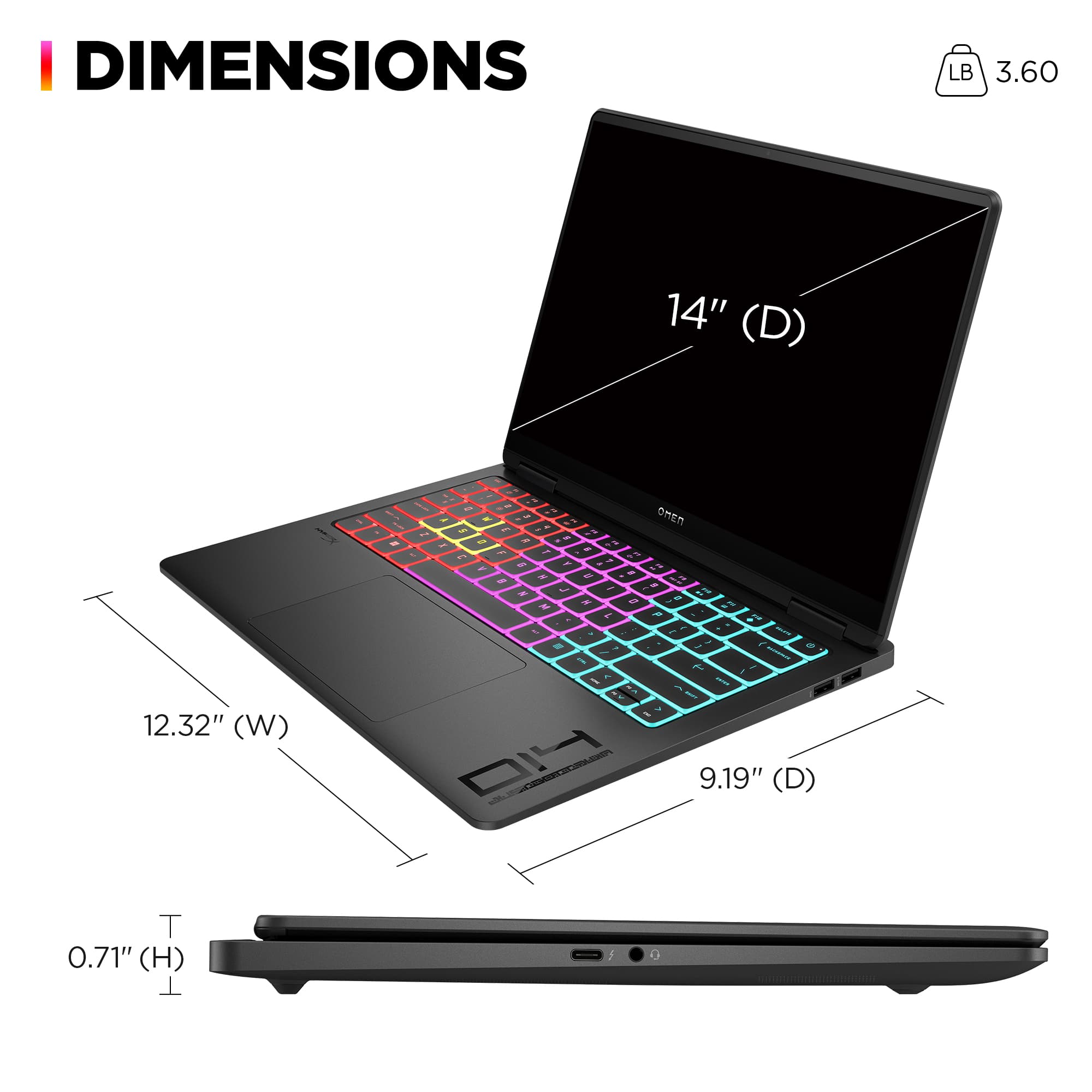
|Posted .This reviewer received promo considerations or sweepstakes entry for writing a review.The HP Omen Transcend 14 gaming notebook is among the premium class of laptops that provide a very good gaming experience. The model reviewed here came with the Intel Core Ultra i7 processor with 16 GB of memory, 1 TB of NVMe storage and Nvidia GeForce RTX 4060 graphics card (you can go up to an i9/32Gb/2TB/RTX 4070). In all configurations you'll get one Thunderbolt 4 port, a USB-C and two USB-A ports, a combo audio jack, and an HDMI port, which is more than reasonable for something with a profile as thin as the Omen. Also included is Intel Wi-Fi 7 and Bluetooth 5.4. In addition to its impressive performance, the HP Omen Transcend 14 is also incredibly portable. Weighing only 3.6 lbs and measuring just 0.7 inches thick, it's easy to take with you wherever you go. Whether you're gaming on the go or setting up at a friend's house for a LAN party, this notebook won't weigh you down. Keyboard has a good feel with decent travel and solid feel with no flex. The touchpad is oversize for a gaming laptop and works well. There's a bit of a wobble in the display, however overall build quality is solid -- no complaints there. I found the understated styling very much to my liking. If you choose not to illuminate the RGB keyboard, it looks like any other premium notebook. The sound quality of the built-in speakers is good, though not exceptional. Another great trait of this gaming notebook is its low noise and low heat output. Even during intense gaming sessions, the fans remain relatively quiet, ensuring a distraction-free experience and not raising the ire of anyone who might happen to be nearby. Additionally, the notebook stays cool even under heavy load, proving its cooling system is quite efficient. With 16 GB of RAM and 1 TB NVMe storage, this notebook offers ample space for all your games and files, which is a good thing as neither component is upgradeable as they are soldered into the mainboard. For me though, the standout feature of this gaming notebook is its 14-inch 2.8K OLED display. The display is absolutely gorgeous. With a resolution of 2,880 x 1,800 pixels, it offers stunning visuals that are crisp and vibrant. The display also boasts an impressive 0.2ms response time, ensuring smooth and lag-free gameplay. The screen supports variable refresh rates from 44-120 Hz. While there are many positives about the HP Omen Transcend 14, there are a few potential drawbacks to consider. The first is that the Omen is slightly slower than some other notebooks with this GPU as the RTX 4060 in the Transcend has its power draw limited to 80w TDP (the mobile 4060 has a max TDP of 115w). HP states this is due to the thinner and lighter frame, but my conclusion is that this has something to do with the relative quietness and the lower heat output of the Transcend 14 compared to its competition. I don’t believe it’s enough to change your gameplay experience, but you may see a few FPS less than some of the Omen's competitors in a benchmark test. For example, playing Cyberpunk 2077 with Ray Tracing Low preset and DLSS set to Performance, framerate was around 45 FPS, which for me is fine in this type of game. Ultra preset w/o RT yielded almost the same results. To run Cyberpunk at 60 FPS required medium/no RT preset. Tweaking with custom settings may yield better results, but for me, I didn’t have any problems with the gameplay experience using any of those settings, as the graphics were still amazing, but what works for me may not satisfy everyone. That’s going to be the case with any notebook with an RTX 4060. If you want better, you’re going to have to spend more for something with an RTX 4070. An older game, Far Cry 6 maintained 60 FPS and above at the highest preset. Helldivers 2 was able to run at 60 FPS using the Ultra preset and customizing a few of the settings. I found the battery life was “OK” for a fairly high-powered ultra-portable. HP claims the 6-cell, 71Wh Li-ion polymer battery offers up to 8 hours and 15 minutes of gameplay (or up to 13 hours of video playback). I didn’t tweak it for maximum battery life, and I didn't run the battery down to zero, but I did run a 1 hour 40-minute video at 2K resolution. The Omen’s battery went down from 100% to 79%, which to me extrapolates to around the 8-hour mark -- far short of HP’s claims. Again, tweaking the setting may yield better results. On the plus side, support for fast charging means the Transcend 14 can recharge up to 50% of capacity in as little as 30 minutes. Overall, my experience with the HP Omen Transcend 14 has been a very positive one. The powerful hardware, stunning display, and portable design makes it a standout choice for gamers on the move, and the minimalist design and high portability makes it an effective work and travel laptop. Whether you're a casual gamer, a hardcore enthusiast, or you need top-shelf hardware for creative tasks, the Omen Transcend 14 notebook should be on your short-list to check out.
I would recommend this to a friend - Pros mentioned:Performance, Screen quality
Solid 14 inch gaming laptop.
|Posted .This reviewer received promo considerations or sweepstakes entry for writing a review.Out of the box, we are getting a 140W USB-C charger. Out of the box my laptop had no charge, but I would say I was able to get 50%ish in 30-40 minutes, which is not bad. The body itself is aluminum, which is not to look at, but it does attract fingerprints easily, but tbh, to me its not that big a deal. Some it is. On the front we have a simple OMEN logo. Overall, it does not look like a gaming laptop on the outside, but when you open it up, the keyboard is a nice bright RGB setup, which I enjoy. So, you are getting simply on the outside, gaming on the inside. The screen itself is a beautiful OLED screen, which if you have not played on OLED yet, this is a great first OLED laptop. You get 16GB of RAM (bare minimum these days, but it will suffice for most games) and a 4060. In my testing, I was able to get 60-90 frames med-high setting on most games I played. The trackpad is average. I feel a bit of a wobble on my unit when utilizing the trackpad, which I am not a huge fan of, but most people now a days have a mouse, so its not THAT big a deal. Overall, I have had no issues with the laptop. I would like to be able to pick if I want to use the integrated graphics or dedicated 4060, but currently the OMEN software does not allow this. The laptop is built well for the most part, and gaming wise (which is what it was built for), I have had no issues.
I would recommend this to a friend Transcendent Expectations, Adequate Results
|Posted .This reviewer received promo considerations or sweepstakes entry for writing a review.The 14” gaming laptop market presents OEMs with a difficult design challenge - putting desktop-grade performance into a machine smaller than most desktop motherboards. Those seeking portability without compromise now have multiple options to choose from in this segment, and HP’s newest chassis in the Transcend line of OMEN gaming laptops introduces what’s arguably one of the sleekest, most understated visual designs among them, and while it hits the mark for a premium-feeling machine, a few small foibles in its first outing keep it just shy of perfection. - Unboxing & Setup Bereft of unnecessary accessories or documentation, there’s little to unpack besides a sleek, premium-feeling laptop and its AC adapter. An aluminum (possibly magnesium?) finish and simple chassis design keeps the clutter and branding to a minimum, leaving a device that was clearly made in Cupertino’s image. I was thrilled to find that the AC adapter is 140W USB-C PD, and indeed there are no DC barrel jacks to be found on the Transcend 14. Reduced e-waste is always a good thing. Setup was no more or less annoying as it is for any new device with Windows 11 preinstalled - you’ll have to navigate the command line to skip the Microsoft account requirement, but aside from a few HP-specific customizations (warranty registration, namely) you’ll be up and running fairly quick. Unfortunately there is some preinstalled bloatware and myriad trial offers to contend with…old HP tactics die hard. - Build Quality & Connectivity With an all-metal chassis and a surprising amount of heft for its size, the Transcend 14 feels like no HP laptop I’ve used before. The lid hinge holds tight but is easy to operate, the keyboard tray and generously oversized touchpad exhibit no noticeable flex unless you really try and force the issue, and every edge of the device is rounded and machined to precision. Nothing feels like it was designed in a haphazard or cost-cutting manner; it feels like HP put the effort in and it shows. Physical connectivity is limited to a pair of USB 3.0 Type-A ports, two USB-C ports (both of which support charging - though the one on the rear accepts the full power of the AC adapter), a combination 3.5mm headphone & mic port, and a full-size HDMI port. The USB-C ports offer the most versatility, featuring DisplayPort output and Thunderbolt 4 connectivity. I would have liked to see a microSD slot, but since this is a gaming-focused laptop I’m not terribly surprised nor disappointed by its omission. - Performance Intel’s Core Ultra 7 155h in the Transcend 14 is an efficient and powerful processor. Featuring 6 “performance” cores with hyperthreading, and 10 “efficient” single-thread cores, this 16-core, 22-thread CPU handled everything I threw at it with aplomb. The efficient cores handle background tasks during gaming, leaving the performance cores to tackle games and other foreground tasks. Aiding the CPU is LPDDR5 memory running at an astonishing 7,467MHz, keeping bandwidth plentiful so processor scheduling in Windows 11 can work to its full potential. I am disappointed that there’s only 16GB of it to go around on a device this expensive…most modern AAA games require that much system RAM at minimum, and it won’t be long before that presents a significant bottleneck. More on this later. The [mobile] NVidia RTX 4060 is a potent graphics chip for any laptop, and it feels at home in a 14” chassis. Don’t expect performance matching the desktop RTX 4060 - this is firmly a 1080p/1440p GPU that will struggle to push high or even medium details at native 4K. The added benefit of NVidia’s RTX GPUs is their suite of performance enhancements that can boost framerates with a minimal hit to visual quality - namely, deep learning super sampling (DLSS). With DLSS enabled I could push high and ultra details at the laptop’s max resolution while maintaining a floor of 60fps (often much higher than that). I could see a slight reduction in resolution and detail from DLSS in calm, still scenes, but with even the slightest bit of motion it was hard to notice any drop in quality when using quality or balanced DLSS. Definitely a feature to lean on here. - Thermals & Noise At full bore, the machine does get toasty. Thankfully the cooling solution HP is using here can keep up with the heat output of both the GPU and CPU, using a shared heatpipe solution with two blower fans to vent to the rear of the laptop. A slight rise from the laptop’s feet ensures cool air intake from below. It’s sufficient to keep the 28 watt CPU and 60 watt GPU from thermal throttling under sustained use. The system’s cooling fans run frequently if not constantly, but they are easily the quietest fans I’ve heard in a gaming laptop, and move an impressive amount of air. At full bore the fan noise is lower pitch than I expected, making them unobtrusive and hardly a distraction when pushing the laptop to its limits in gaming. The fan curve can be fully customized in the OMEN Gaming hub using either the GPU or CPU temperature as its reference point. - Screen & Sound The killer feature of this machine is its gorgeous OLED display. The 16:10 screen has a resolution of 2880x1800, making it firmly “retina” level. It’s sharp, clear, and incredibly vibrant, with the hallmark black reproduction of OLEDs allowing incredible detail in dark scenes that don’t wash out at all. I stop just short of calling it the best display I’ve used only due to ever so slight color shift noticeable on pure white backgrounds, but this may be due to the [excellent] anti-glare coating as much as it is the display itself. The refresh rate ranges from 48 to 120Hz, allowing Nvidia G-Sync to work to its fullest and utilize low framerate compensation to keep the action smooth. The response time is fantastic as well - ghosting is so minimal as to be unnoticeable. Whether this panel will succumb to OLED burn-in over time remains to be seen. The built-in speakers are fairly decent. As expected they don’t reach particularly low into the bass end of the frequency spectrum, but they do a good job approximating it. Highs are somewhat cut off by the downward-firing speakers, but they’re still perceptible and the midrange is clear. They get reasonably loud and don’t noticeably distort approaching max volume. They’ll do in a pinch, but I would still recommend headphones or external speakers of some sort. - Keyboard & Touchpad I found these to be the laptop’s weakest points. Though sturdy, the layout of the keyboard and flush spacing of the keys makes it easy to mistype or hit the wrong key when you’re using muscle memory; navigating the keyboard by feel is hit-and-miss. I would have preferred to see a chiclet-style keyboard here, doubly so when the keys are using what feels like typical rubber dome switches. Further, the power key is set right where your finger wants to go to hit the Delete key on other laptops, and I keep hitting Control while reaching for the Fn key. Expect a bunch of errant presses as you learn this slightly odd layout. The generously-sized touchpad feels great and works well 95% of the time. The biggest issue I have is that palm rejection and finger detection feels inconsistent. Several times during typing this review, my palm grazed the corner of the touchpad just the right way to move the cursor, and on multiple occasions using the touchpad normally it would stop detecting my finger until I tapped again. Adjusting touchpad sensitivity did not seem to make a noticeable difference in the consistency of either its palm rejection or finger detection. It also has trouble detecting right clicks at times, adding to the frustration. - Battery Life & Upgradeability In the Transcend’s normal “Hybrid” mode, I achieved about 6 hours of screen time in desktop and web browsing usage before I hit a low battery warning, albeit while running the display in its maximum refresh mode. Using the Omen Gaming Hub to set the laptop to “Eco” mode, battery life skyrocketed to a projected 12 hours…but with noticeable performance loss and stutters using basic applications, as it seemingly disables performance cores and limits clock speeds to below 1.5GHz. The sweet spot seems to be the “Balanced” profile with the RTX 4060 disabled - I saw a projected 8 to 9 hours battery life doing so. Unfortunately the laptop lacks a “mux” switch, so disabling or enabling the GPU requires a system reboot, and the HDMI port is disabled with the GPU. Where the Transcend 14 loses the most points is in its lack of upgradeability - namely, future proofing. The only user-replaceable item in the machine is the NVMe disk (of which there’s only the one slot), as the RAM is soldered to the mainboard. This isn’t unexpected as it’s a small and powerful machine, but the choice to use only 16GB of RAM in a high-end product severely limits its future potential. Nearly half the memory is in use just sitting at the Windows 11 desktop with a couple browser tabs open, and while the system can lean on its speedy PCIe 4.0 NVMe SSD as swap space, performance will still suffer and the disk will wear faster over time. - Bottom Line Ultimately, I can’t overlook the 16GB RAM limit in a high-end, portable laptop spec’d for gaming. 32GB of RAM would have been perfect, and indeed the higher-end version of this laptop which contains a slightly faster Intel Core Ultra 9 processor and RTX 4070 GPU has 32GB of RAM. I would recommend that model over this one for the modest premium. That aside, the HP Transcend 14 is a well-built, premium laptop that has a lot going for it. A few detractors keep it shy of perfection, and I’m sure it will be on sale below its $1,699 MSRP at times, making the configuration and first-generation quibbles much more palatable. While I would hesitate to recommend this particular spec at full price, the HP OMEN Transcend 14 is a device I would still recommend for those looking for a gaming laptop that doesn’t look like one.
I would recommend this to a friend- Pros mentioned:Performance, Portability
Powerful Yet Not Customizable
||Posted . Owned for less than 1 week when reviewed.This reviewer received promo considerations or sweepstakes entry for writing a review.Powerful performance for sure, easily able to game or do work on this with no problem, OLED screen looks fantastic as well as the above average frequency on the RAM modules in this system. One big problem I have right now is how you are unable to set your own custom profiles for power draw, and refresh rate. So far I've only found 3 profiles that you are stuck with from the Omen Gaming Hub. Because of this, if i want to save battery, I must use the Eco mode, which sets the refresh rate to 24hz, and I must go into windows display settings > advanced, and set the refresh rate to my desired one. Although semi-quick to do, every time the laptop sleeps or I switch back to balanced/performance, I am met with the same process once I go back to eco. Thankfully balanced and advanced modes do not set your refresh rate after each change, so I typically stay in balanced mode. If you made it this far, customization is my one big need for laptops like this, I typically have had Asus Laptops, and am used to being able to make very specific power usage and refresh rate profiles for my needs. If you know this won't be a bother to you, then this laptop is especially thin, light, and powerful when turned up all the way. I would say 5-6 hours in Balanced mode, which is good however I'm picky and again, want my customization. I am sure in the future HP may add more options, and profiles for these features, but so far it doesn't exist from what I've seen.
I would recommend this to a friend Great for Traveling, but Underwhelming on Gaming
|Posted .This reviewer received promo considerations or sweepstakes entry for writing a review.I was looking for an upgrade to my travel laptop that was a lightweight gaming PC that could play games well but mostly travel even better. I landed on the HP OMEN Transcend 14 as it fit the bill and offered a great screen with an all-aluminum chassis which would hold up well throughout my travels. The added fast charging was another key feature that pulled me to select the HP OMEN Transcend. Pros: - Weight of 3.6lbs and thickness of 0.71in. - Sturdy case made from all aluminum. - OLED 2.8K screen is beautiful. - Quick charge 50% in 30mins. Cons: - 16GB of RAM, non-expandable. - HP pre-installed Bloatware. There really isn’t too much in the box with the HP Omen Transcend 14; Laptop in a light foam wrap and packaging, USB C power adapter tucked under the laptop, and a small packet of documents. I was pleasantly surprised by the lack of advertising or unnecessary packaging. A good example of sustainable packaging from HP. The setup was straightforward and standard, plug the charger in and into the USB C port on the back and go! The side USB C can charge but it is not a fast charger, if you do plug into the side USB C you will get a popup telling you to plug the power into the back USB C for best charging performance. The HP Omen Transcend 14 is just over the thin and light laptop category, at 3.6 pounds and 0.71in thick, with a width of 12.32 in and depth of 9.19in. This laptop is tiny yet quite capable with an Intel Core Ultra 7 Series 1 155H, that’s a 16 core with 22 threads. This is done with 6 performance cores (2 threads per core), 8 efficient cores, and 2 low power efficient cores. The Intel Core Ultra series introduces the Low Power Efficient cores, which are closer to the low power cores used in phone CPU’s that run background services. With this, the Processor Base Power is only 28W! Though with the Turbo Boost, otherwise known as overclocking, the Turbo Power can reach 115W, which will get warn quick and drain the battery quite quickly. The Screen on the HP Omen Transcend 14 is quite amazing, it is a 2.8K OLED screen with a resolution of 2880 by 1800 (pixels) with a refresh rate (FPS) of 120hz, which is needed on any gaming screen. The screen has a brightness of 500 nits and color of 100% DCI-P3, which is a wider color gamut than standard sRGB, which gives it a VESA Display HDR 500 rating. This shows with the blacks being much deeper and colors that pop. This is the first true HDR rated screen I’ve used on a laptop, and I must be honest it is quite impressive! Paired with a dedicated GPU, this model was the RTX 4060 with 8GB of VRAM, and you’ve got a beautiful screen to do accurate color correction work on or play stunning videos in! I intend to make full use of this for some lighter final video editing and playbacks as the screen is just so smooth in both color and playback. For connectivity, on the wireless side there is Wi-Fi 6E and Bluetooth 5.3, both of which I had no issues with. Wi-Fi connected easily and maintained connection during use without dropping. I connected a Bluetooth mouse and headset without any issues, the Bluetooth sound was good, but your results may vary based on the headset used. The built in HyperX speakers performed much better than I expected for a laptop of this size, enough for watching videos or playing a game. The keyboard feels really good as laptop keyboards come, very responsive and clicky without being too loud or stiff. The mousepad as well is extremely responsive and extra large at about 5in by 3in! Plenty of space for multi touch gestures and comfortability without the need for a mouse, but I’ll still be pairing it up with a nice travel mouse to save my hands. Another one of the more impressive features of the HP OMEN Transcend 14 is the fast charging! This allows you to charge the battery to 50% in 30mins, the only limitation is that you must have the laptop shut down/powered off to use the feature. I found this very ideal for a travel laptop, as often I only realize I forgot to charge my laptop as I’m preparing to leave or an hour before I’ve got to head out the door. This feature alone will save me many headaches! The lighting zones on the keyboard are something new to me, it helps to see the WASD but otherwise I find it kind of clunky considering most gaming keyboards with any kind of lighting allow for a by key lighting or full keyboard lighting effects. I believe there are full lighting effects that COULD be used, but they seem to be hidden behind a paywall for the HP OMEN Software that I will most likely end up removing so I see no point in paying for this option. This is the equivalent to paying for heated seats via a service plan, which I am not a fan of. Performance is good, though the 16GB of RAM is a bottleneck to the rest of an otherwise great computer. I wouldn’t have much of an issue if the RAM was upgradeable, but with it being soldered on, it will impact the future useability of the laptop. I don’t know why companies still add only 16GB of soldiered RAM and still call it a gaming computer, most need at least 32GB to run major games. Heck, even running Teams in the background will consume 8-10GB, discord is better but still the lack of RAM will have major performance impacts. Though this isn’t too big of an issue for my intended use, it still would have been nice to have a fully functional gaming rig this size, but oh well. The HP Omen Transcend 14 handled Vampire Survivors just fine, keeping up with the crazy number of monsters and frames that occur later in the levels. There was no screen tearing or lagging as the timer approached 30mins which is an impressive feat for a laptop. In Halo Infinite I was able to run it at a custom setting of mostly high with shadows and lighting turned down and achieve an average FPS of about 60. Very good for 16GB of RAM and an RTX 4060, but not a top contender for best gaming laptop. The big thing here is the size and weight of 3.6lbs, with enough power to play games well. Unfortunately, I tried to run Destiny 2, and the first 2 times I loaded in to test and adjust settings, the computer gave me the Blue Screen of Death. I was able to finally adjust the settings down, setting most graphic effects off and reducing the draw distance and environmental effects, but even with all this turned down I got an average of 55 FPS with huge drops in frames down to 20 FPS. In my opinion, this would be unplayable, but I also wasn’t expecting to play Destiny 2 on this laptop, just using it to test out how much I can push it. In the above tests, Halo was able to play just fine with the HP Omen Optimizer, but Destiny 2 would crash until I turned the settings down and disabled the optimizer. Honestly, I think if I clean installed windows and tweaked the settings some more, I could probably reach a steady 60 FPS with Destiny 2 but as I want to use the HP Omen Transcend 14 for travel and creative works more than gaming, it would not be worth it just yet to do the clean installation. Though, for anyone getting a gaming laptop, I often find that a clean installation of windows, removing all the software installed by the manufacturer will greatly improve the performance of the laptop overall. So, if you do get this laptop, and have issues with some of the games you want to play, I would consider a clean installation of windows before returning the laptop. This laptop would be perfect for someone who travels but would like to do some light gaming or creative work while on the go without having to lug around a monstrous 7lb laptop. Though, if possible, opt for the higher RAM version to ensure your device lasts well into the future, as 16GB is the bare minimum needed in gaming or creative work these days and will be the biggest bottleneck with this machine since it cannot be upgraded after purchase. Overall, I really enjoy the HP OMEN Transcend 14 for what I want to use it for, though the gaming performance is very underwhelming. I would rather consider the 16GB model as a “bit more” than a Thin and Light laptop, than a gaming laptop. For my uses, the 16GB/RTX 4060 model is perfect, but I would mostly recommend the 32GB/RTX 4070 model for the travelling gamer.
I would recommend this to a friendUltra portable gaming laptop!
|Posted .This reviewer received promo considerations or sweepstakes entry for writing a review.TLDR: I've found the HP Omen Transcend 14 to be an excellent choice thanks to its sleek design and powerful performance packed into a compact 14" form factor. It's a thin and light gaming laptop ideal for those, like me, who prioritize portability without sacrificing gaming performance. Specifications: - Processor: Intel Core 7 155H (6x performance cores @ 4.8GHz, 8x efficiency cores @ 3.8GHz, 2x low-power cores @ 2.5GHz, totaling 22 threads) - Graphics: Integrated graphics with Intel Arc (8x Xe-cores) & dedicated graphics with NVidia 4060 (TGP 50W + 15W boost, totaling 65W max) - RAM: 16GB @ 7467MHz - Storage: 1TB NVMe 4.0 SSD (4800 reads, 3600 write speeds) - Display: 14" 2880x1800 (2.8K) 120Hz OLED panel reaching around 500 nits - Webcam: 1080p - Weight: 3.6 pounds - Ports: 2x USB Type C (1x USB 3.1 Power Delivery 140W + 1x Thunderbolt 4), 2x USB Type A 3.1 Gen 2, HDMI 2.1, 3.5mm audio jack Design: I was truly impressed by the slim and lightweight design of the Omen Transcend 14. It maintains its ultra-portability without sacrificing build quality. The sleek aluminum chassis gives it a premium feel, and its compact size allows me to effortlessly slip it into my backpack for gaming on the go. The minimalist design with matte Omen branding adds a touch of style without being too flashy. Plus, when I open it up, the 4-zone RGB keyboard adds a nice flair. Performance: Equipped with the Intel Core 7 155h and Nvidia RTX 4060, the Omen Transcend 14 delivers gaming performance that surpassed my expectations for its size. Although I couldn't find direct specs for the TGP of the 4060, monitoring with HWInfo during gaming revealed it peaked at 65W with a max temp of 70°C. The CPU's max power draw reached 83.5W with a max temp of 109°C. Achieving this involves setting 15W to the "Smart Performance Gain" in the "Advanced Settings" of the Omen Gaming Software. By default, the "Smart Performance Gain" is set to 0, and I noticed the GPU capped out at 50W. Despite the 4060 being power-limited to 65W, when I compared it to my brother's Legion Slim 5 with a 4060 (100W + 15W boost), the Omen Transcend 14's 4060 was only behind by 5-10% FPS in COD & Fortnite. It seems like the power limitation for portability was a smart and welcomed move by HP. Since the CPU temps were quite high, I highly recommend using this on a laptop cooling pad. I use the IETS GT 500v2, and with the Omen Transcend 14 on it, the CPU temps maxed out at 90°C on the CPU and 58°C on the GPU. Whether I'm playing demanding AAA titles or engaging in computationally expensive workloads, this laptop handles it with ease. The ample RAM ensures smooth multitasking, and the fast storage guarantees quick load times and responsiveness. Just note, you may need to lower the game resolution settings due to the high-resolution display. While gaming, I usually turn it down to 1920x1200 to hit 120FPS. Display: The 14" 2.8K display of the Omen Transcend 14 offers infinite contrast and sharp details, providing an immersive gaming experience. With a 120Hz refresh rate, fast-paced action appears fluid and stutter-free, enhancing gameplay responsiveness. The slim bezels maximize screen real estate, further intensifying the immersion. Keyboard and Trackpad: The keyboard offers a comfortable typing experience with decent key travel and tactile feedback, essential for extended gaming sessions. The 4-zone RGB backlighting allows for customization and adds a stylish touch. And everyone knows that RGB adds at least 15% performance gains all around, so I don't turn it off! The precision trackpad provides accurate cursor control for daily use. However, gamers may prefer an external mouse for more precise input during gameplay. Connectivity: The Omen Transcend 14 offers a good selection of ports, including 2x Type-A and 2x Type-C USBs, HDMI 2.1, and an audio jack, ensuring compatibility with various peripherals. With the onboard Wi-Fi 6e NIC, I was able to get roughly 850 down and 900 up on my Wi-Fi 7 network. Bluetooth connectivity provides convenient wireless options. Connecting my Sony XM5s was a breeze, and I hardly felt any lag when gaming. Battery Life: While thin and light laptops typically prioritize battery life, the Omen Transcend 14 prioritizes gaming performance. Expect around 1 hour of gaming battery life and under 5 hours for typical usage scenarios. Note that your mileage may vary depending on your usage. If you're trying to squeeze out more battery, you can lower the refresh rate and brightness, but that may lead to a choppy and less desirable experience. Upgradeability: It's worth noting that the RAM is soldered on, so be sure to get the desired RAM amount during purchase, as you won't be able to upgrade it later. For many, including myself, this is a big bummer as 16GB is quite low but should we be able to upgrade, that would help with the future-proofing this device. On the other hand, the M.2 slot is upgradeable, should you run out of space in the 1TB drive. Additionally, the NIC is also upgradeable, allowing you to switch to Wi-Fi 7 or later NICs in the future. Conclusion: The HP Omen Transcend 14 is a thin and light gaming laptop that delivers impressive gaming performance in a portable package, despite its power draw and upgradeability limitations. Its sleek design, powerful hardware, and stunning display make it a compelling choice for gamers like me who prioritize portability without sacrificing gaming performance. While it may not match the performance of bulkier gaming laptops, its combination of performance and portability makes it an excellent option for gaming enthusiasts on the move.
I would recommend this to a friendSleek, Basic, Mid-Range Gaming Laptop
|Posted .This reviewer received promo considerations or sweepstakes entry for writing a review.I've wanted to have an HP OMEN computer ever since first seeing one at my local Best Buy store. Yet, while there is much I like about this laptop, it's not as amazing as I'd have hoped. Setup was pretty straightforward. As always, remember to check for Windows Updates, and get that done first off. There wasn't any of the usual "bloatware" to contend with, so that was good. Personally, I do prefer a smaller screen on my laptops, although I'm fine with larger displays too. So the 14" screen size for this model works well for me. What really stands out is how clear and crisp the visuals look, and how bright and 'true-to-life' the colors are. Seriously awesome! The sound is adequate, no better or worse than that of the speakers on any of my other laptops. As always, for better overall audio I usually connect a bluetooth speaker soundbar, or use my gaming headset. Along the rear area of the laptop there is heat venting, as well as, on the underside where you can see the fans. I didn't notice any excessive heat being pumped out during my gaming sessions on this HP laptop. There are the usual ports - HDMI, 2 USBs, USB-C, and even a headphone jack. And I very much appreciated that the power cord plugs into the backside area of the laptop where the venting is. Often, the power plug is found on either side and can get in the way of your other gaming peripherals. I'm really a fan of OMEN's Gaming Hub software, as it enables you to customize many audio and visual features, along with monitoring how your laptop performs. I love RGB lighting! You can default to a 'static' backlight for the keyboard, or play around with the lighting options using Light Studio. And the Cam & Voice Enhancer allows you to fine tune those features even more. The OMEN Transcend tab lets you monitor CPU and GPU utilization, check 'system vitals,' adjust performance controls, and assign key bindings. I did run a benchmark test prior to installing my favorite games and this HP OMEN scored 'Very High.' But the true test, was in-game. I was able to play my usual games - Warcraft, Diablo IV, Minecraft, Dead by Daylight - just fine, although I did have to change certain graphic settings for some specific games, as I did notice occasional pixelization happening. Bottom line, while I am overall quite pleased with how this HP OMEN performs, the cost of this mid-range gaming laptop does seem a bit high. Still, I can recommend for build quality, ease-of-use, portability, and customization options.
I would recommend this to a friend- Pros mentioned:Performance
Would be amazing if I could install RAM into it.
||Posted . Owned for 3 months when reviewed.This reviewer received promo considerations or sweepstakes entry for writing a review.It’s a pretty good laptop, and I love how the keyboard looks. It runs very smooth, the fan is pretty loud depending on the game though. So, you might want to get some good gaming headphones. Only reason why I’m give it 4 stars is because you CANNOT install more RAM into the laptop, had to find out the hard way. The Geek Squad people said that they were about to install some RAM I bought for the laptop, but when they opened the back, they couldn’t. Something about how the original RAM in the computer was welded in, and there was no room for more? So if you planned to get 16 GB of RAM and then later upgrade to more, don’t. You might as well drop a few more hundreds and get the laptop that had the 32 GB of RAM already it in.
I would recommend this to a friend - Pros mentioned:Performance, Screen quality
OLED makes all the difference.
||Posted . Owned for 1 week when reviewed.This reviewer received promo considerations or sweepstakes entry for writing a review.Bought this laptop to keep up with some games while on a long vacation. This laptop is great. The display is beautiful, keys are great and it’s not heavy at all. Can play pretty much run everything current @2k and get 60FPS or more in many cases. Heat distribution is pretty good compared to other laptops I’ve used/owned. Unfortunately for me, 2 days into my vacation my power brick stopped working. I have no way to charge my device for the rest of my vacation in secluded Maine. I will most likely end up returning this when I get back home.
I would recommend this to a friend - Cons mentioned:Battery life
HP OMEN Review
||Posted . Owned for 1 month when reviewed.This reviewer received promo considerations or sweepstakes entry for writing a review.Would've given it a 5 star but the ram is soldered in so you can't change it out or upgrade it. Battery life isn't the best but it doesn't matter since I play with it plugged in to give it a performance boost. OLED is great with it and you can change the RGB keyboard but i wish that the WASD keys were interchangeable. Loading bigger games makes the fans sound like a jet engine but it is fine if you have headphones. Dispute all that i stated one of my biggest cons with it is that your fingerprints are always left on it no matter if you hands are clean. At random moments when playing games it sounds like the game will crash no matter what I play even if the game is small or not.
I would recommend this to a friend - Pros mentioned:Performance
Solid laptop. Needs a 32GB upgrade option for 4060
||Posted . Owned for 1 week when reviewed.This reviewer received promo considerations or sweepstakes entry for writing a review.The laptop was solidly built. I did like the oled screen. Performance in games was expected for a 4060. Both this laptop and my G16 (Asus) have a weird colorful blue/green tint when exposed to direct sunlight. The finish looks somewhere in between glossy and matte, but is mostly glossy. I wish the direct natural light reflection was handled better or at least had a neutral color instead of making the entire screen look like a pair of sunglasses, so expect to mostly use this indoors. Another perk were the quiet fans, which makes the laptop nice to use for productivity. Con is it isn’t Gsync, and no easy option to get 32GB with a lower end config with the soldered ram. I ended up returning and getting the Zepherus G16 and I think I like it better overall. The 240hz screen and the higher config spec with 32GB and 4080 were worth the money.
I would recommend this to a friend Great buy and easy on the eyes
||Posted .This reviewer received promo considerations or sweepstakes entry for writing a review.What a great computer! The screen is easy on the eyes, its very portable, ran all of the games i love with no problem. I also used it for work with heavy processing power. Have a few usbc charginging places is a nice-handy feature as well. The only reason for no 5 star is it dies relatively quickly. Great buy!
I would recommend this to a friend- Cons mentioned:Speakers
Great laptop but not perfect
||Posted . Owned for 3 weeks when reviewed.This reviewer received promo considerations or sweepstakes entry for writing a review.The display is an amazing OLED and the fan noise and cooling are fantastic! the trackpad and speakers left a little to be desired though. I did end up returning it for a 2023 G14
I would recommend this to a friend - Pros mentioned:Performance
Light weight powerhouse
||Posted .This reviewer received promo considerations or sweepstakes entry for writing a review.Laptop preforms really well but the HDR does not work for some reason. More than likely a single unit issue
I would recommend this to a friend - Pros mentioned:Performance
Stay tuned
||Posted .This reviewer received promo considerations or sweepstakes entry for writing a review.Computer for an engineering student, it turned on and will know how capable it is in the fall
I would recommend this to a friend - Pros mentioned:Screen quality
It’s good
||Posted . Owned for 1 month when reviewed.This reviewer received promo considerations or sweepstakes entry for writing a review.So far so good. It fits my needs well. The screen looks nice. My wife loves the keyboard.
I would recommend this to a friend