Customer Ratings & Reviews












- Model:
- 14-fb0013dx/9Q4B5UA#ABA
- SKU:
- 6569023
Rating by feature
- Battery Life
Rating 3.9 out of 5 stars
- Speed
Rating 4.5 out of 5 stars
- Display
Rating 4.7 out of 5 stars
Customers are saying
Customers are satisfied with the OLED display, performance, and build quality of the Transcend 14" laptop. Many appreciate its portability and the fast SSD, while some found the speakers and screen size less impressive. Positive feedback frequently highlighted the excellent performance in games and the comfortable keyboard. However, a few users wished for louder speakers and a larger screen.
This summary was generated by AI based on customer reviews.
I LOVE THIS LAPTOP
||Posted . Owned for 8 months when reviewed.This reviewer received promo considerations or sweepstakes entry for writing a review.I LOVE THIS LAPTOP! I walked into Best Buy thinking I was only going to spend $800 on a laptop for school. I am an avid gamer though and I always wanted to PC game without fully committing. The expert in the laptop area really sold me on this laptop. I haven’t had an HP since 2008. From what I know - HP was great but they’ve gone really down hill in the last decade. The expert I talked to sold me and after I spent $1700 ahaha I felt tricked, had anxiety about the purchase. I was sad because I felt like I didn’t do enough research but in the end - it was the best thing I could have bought. The graphics are amazing. It’s fast. I mainly use it for school but I also run games through Xbox with it. It’s so nice. The only issues I would say are that I wish the battery life was longer. The speakers aren’t super loud. & the fact that I can’t add RAM are sad - but I honestly knew about the RAM before I bought it. I usually use headphones if I’m gaming or watching a lecture and I keep my charger close by - so they’re not huge issues. You also cannot use the full graphics card unless you hdmi it to a monitor. I just bought the Samsung odyssey g8 and it’s an amazing pair. I wanted a monitor and smart tv built in. Monitors don’t usually have speakers and I like to watch tv so it’s amazing. Never thought I’d spend $1700 on a laptop and $1200 on a monitor but my setup is amazing. Overall this laptop is amazing and if you game but primarily game on console - this is the laptop for you. I have a PS5. An Xbox Series X and a Switch, this is a wonderful addition to my gaming lifestyle and does everything I need and more for finishing my bachelors. I did get roped into buying Microsoft 365 instead of the actual full Microsoft programs but it’s fine. I’ll pay the money each year. If you buy the full word, PowerPoint, etc - you don’t get updates so be aware. Also have been paying for Xbox ultimate and I don’t use it a ton but it’s honestly fine because I like to have access to the catalogs when I do (: Enjoy your new laptop babes xoxo
I would recommend this to a friendThe PERFECT Laptop
||Posted . Owned for 1 year when reviewed.This reviewer received promo considerations or sweepstakes entry for writing a review.I could not recommend this laptop more. Not only is this laptop a BEAST for gaming, but it also was able to easily handle heavy engineering programs for my Masters in Mechanical Engineering such as ANSYS, Abaqus CAE, Inventor Professional, and other advanced engineering programs. Moreover, battery life was surprisingly great compared to other gaming laptops. Obviously it had to be plugged in when running major programs, but for occasional engineering programs and day to day school, it would last me a full 10 hours.
I would recommend this to a friend- Pros mentioned:Performance
Amazing laptop
||Posted .This reviewer received promo considerations or sweepstakes entry for writing a review.Amazing laptop does everything I want on it if you are willing to go the distance you can probably play anything on it!
I would recommend this to a friend Hp omen laptop
||Posted . Owned for 1.5 years when reviewed.This reviewer received promo considerations or sweepstakes entry for writing a review.Awesome laptop awesome price . Games music web stream video Hp omen 5 star Best Buy 5 star
I would recommend this to a friend- Pros mentioned:Performance
Pretty solid computer does anything you can give
||Posted . Owned for 1 month when reviewed.This reviewer received promo considerations or sweepstakes entry for writing a review.Ive had my computer for a couple of months now and its a prerty good gamkng laptop it gets what you throw at it
I would recommend this to a friend - Pros mentioned:Performance, Processor speed, Screen qualityCons mentioned:Battery life

Great start for HP Omen14inch debut
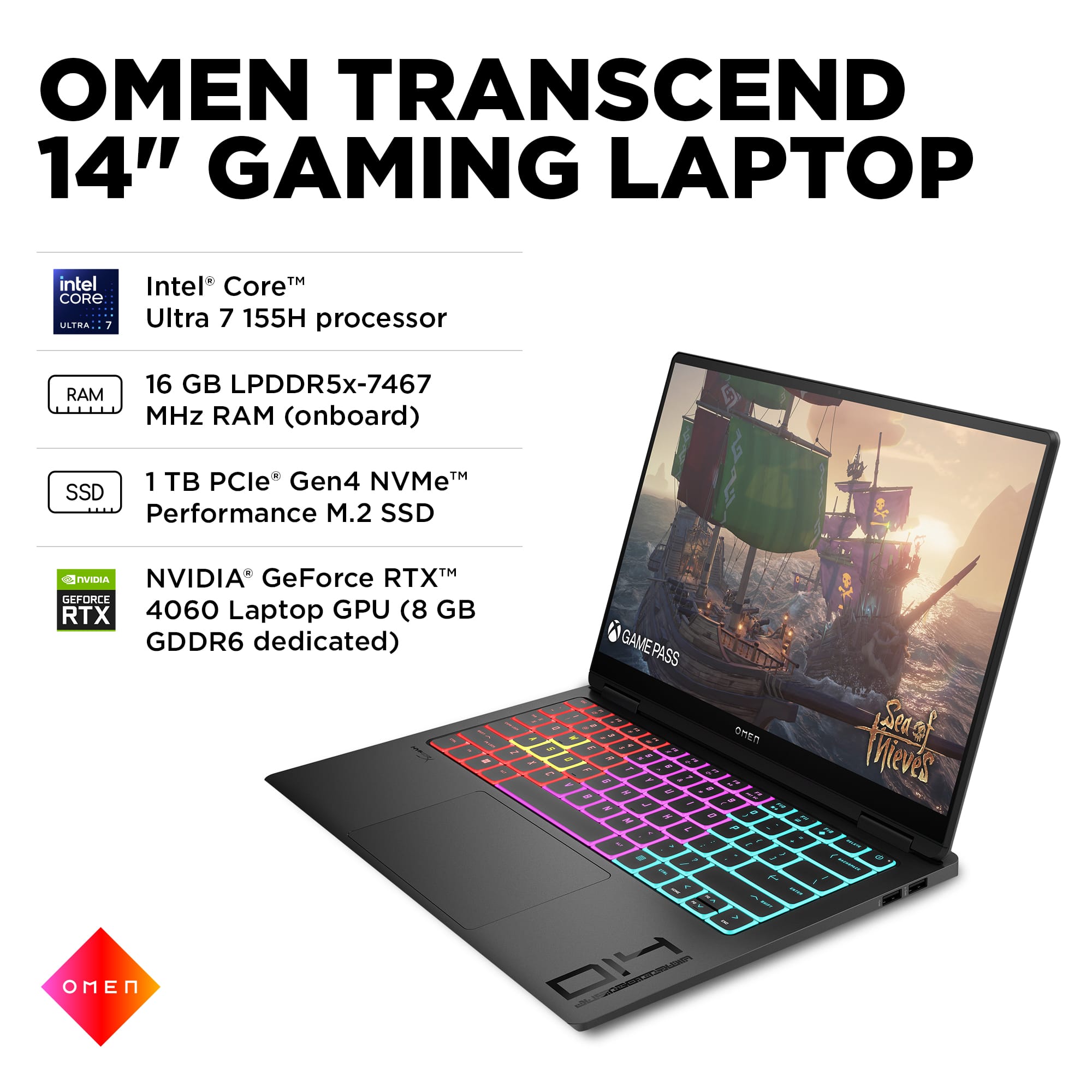
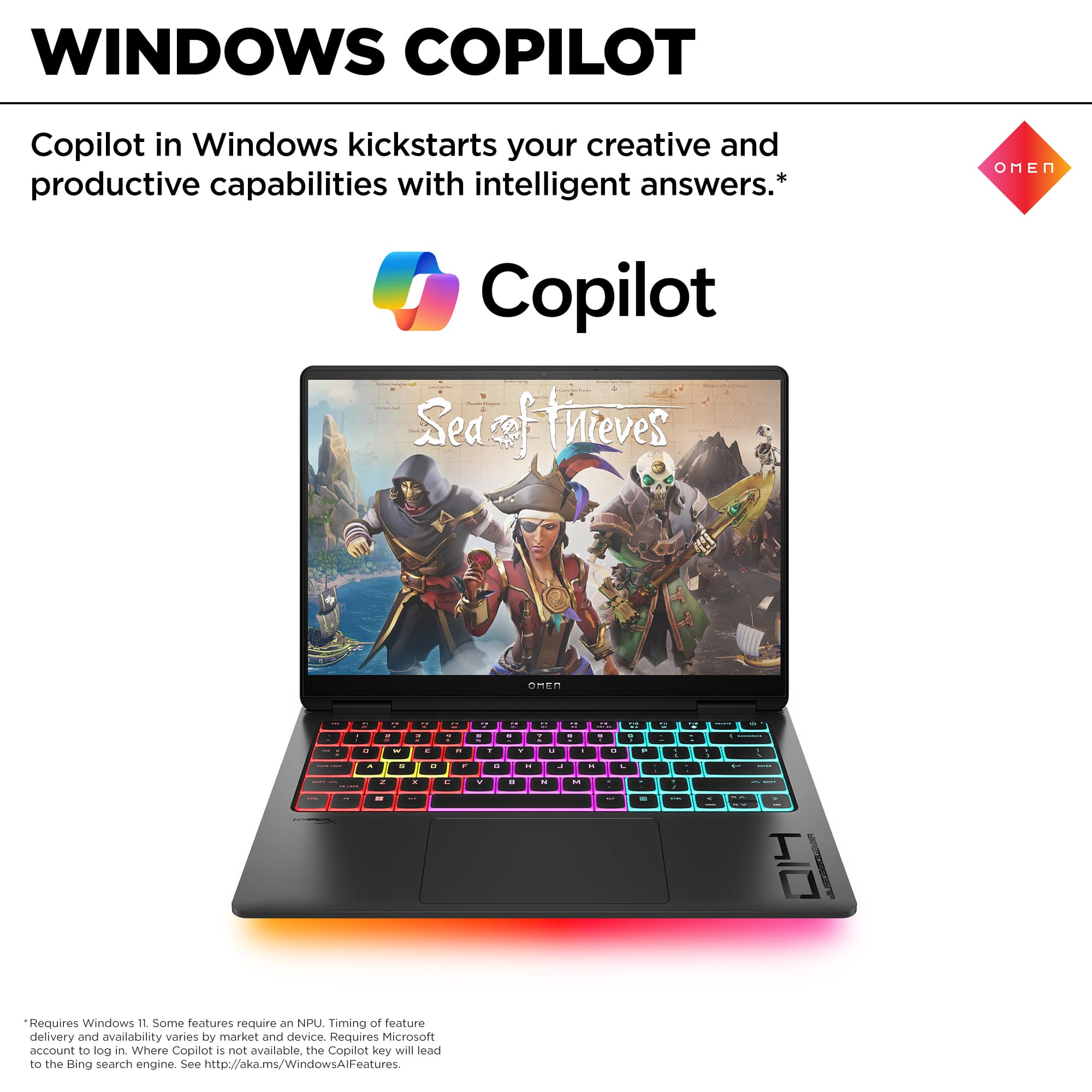
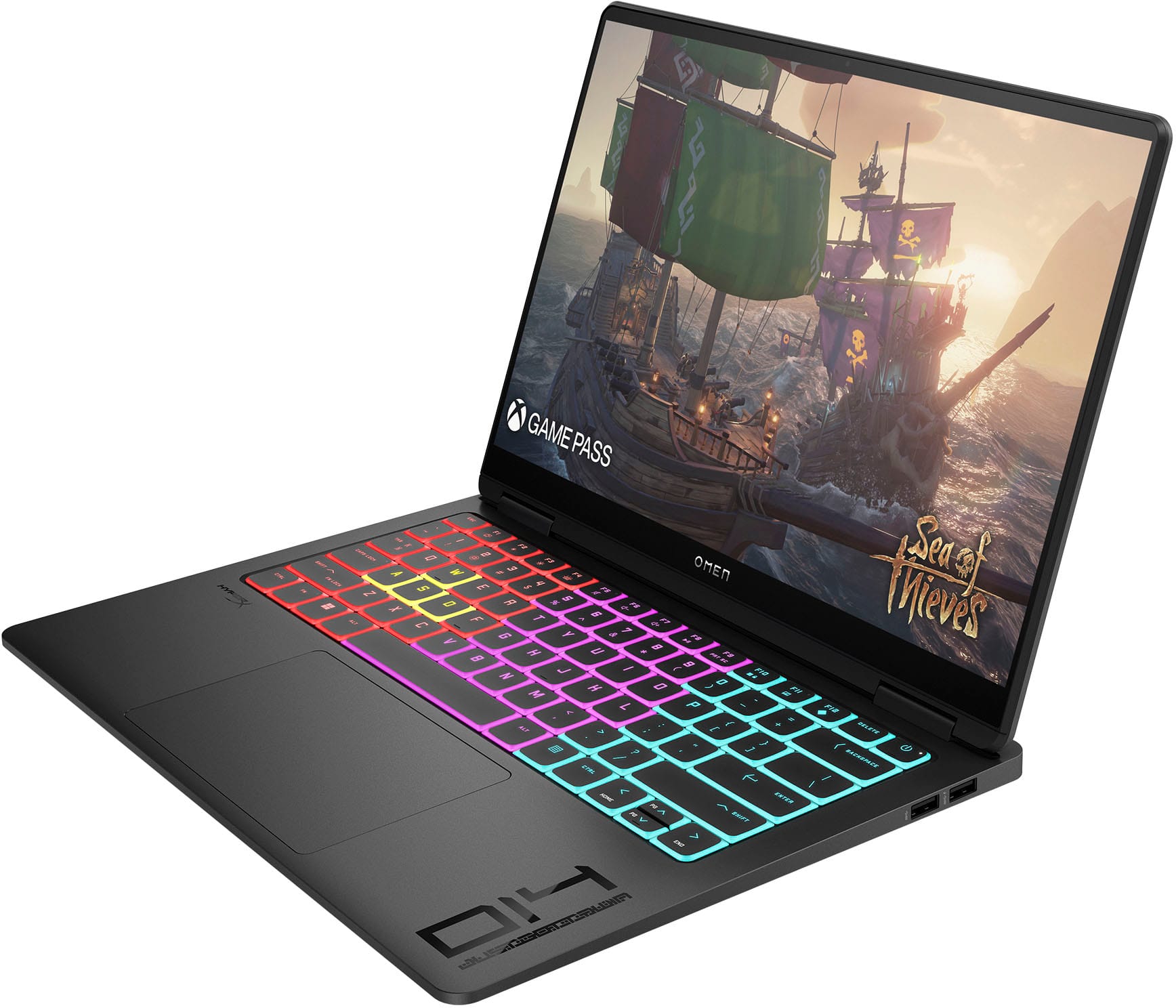
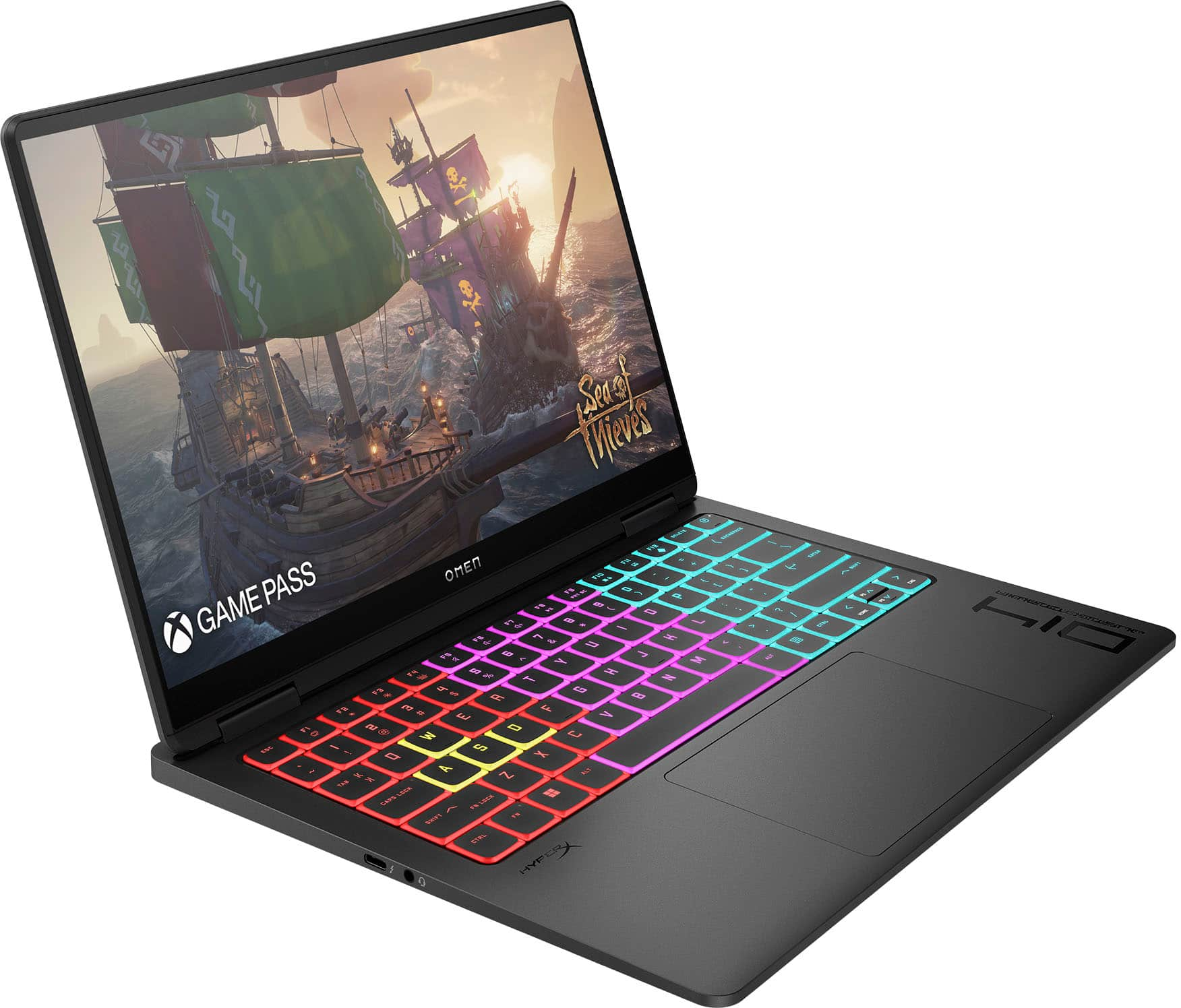
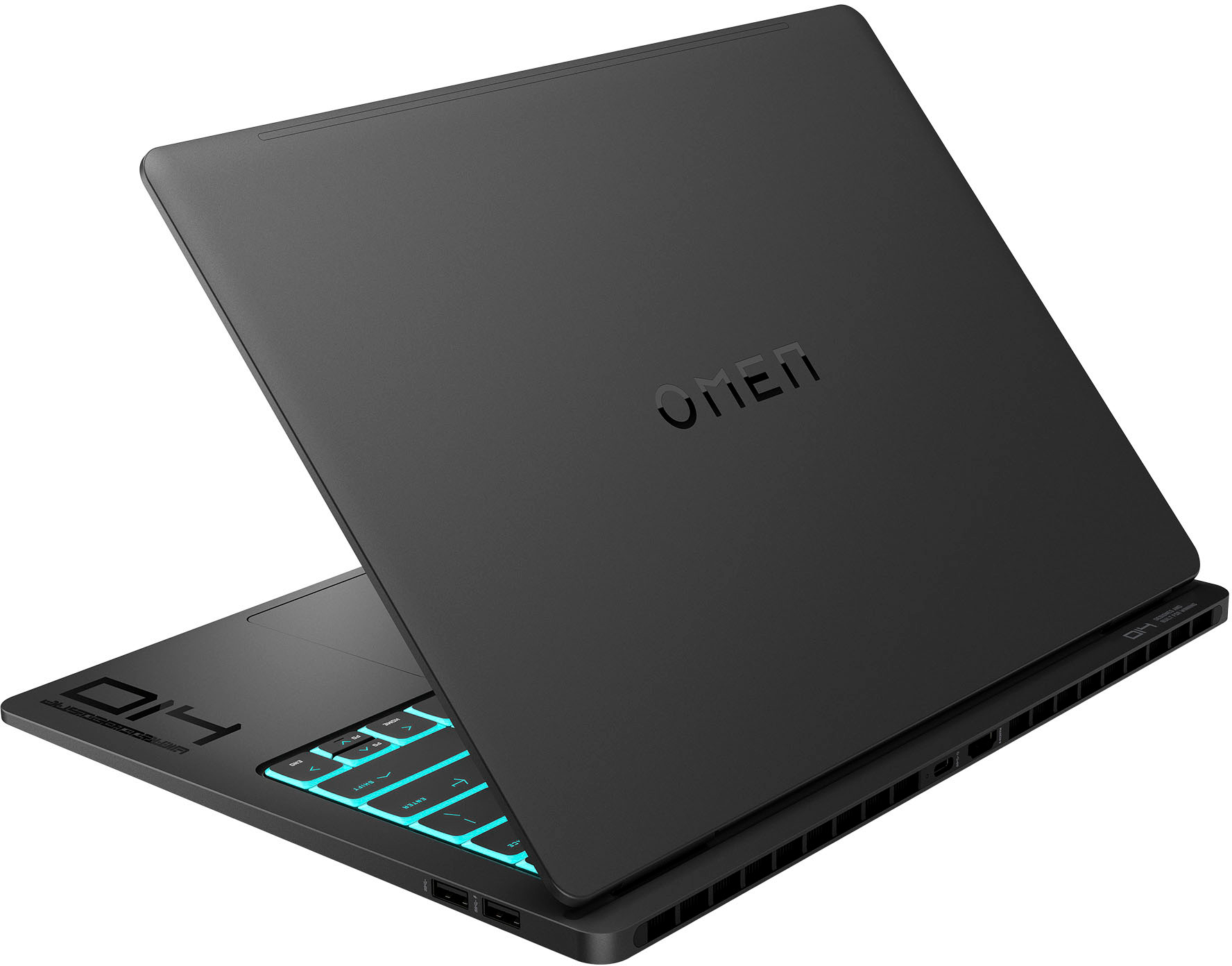
|Posted .This reviewer received promo considerations or sweepstakes entry for writing a review.HP's newest laptop joins the growing segment of portable laptops in the 14-inch category. From a glance, HP has come out swinging and for the most part, they do land some serious blows. Quick speck glance: 14-inch 120hz VRR IMAX, EyeSafe Certified OLED Panel 2880x1800 Resolution Intel Ultra i7 Processor with support of Intel AI Boost RTX 4060 (65w) 16GB of Soldered LPDDR5X Ram 1TB NVME Drive that can be upgraded Omen Tempest Cooling Technology 140w Compact USB C Charger with quick charge from 0% to 50% in 30mins. Four Zone RGB Keyboard Designed it’s a good-looking laptop, and as for the build quality, it’s a solid aluminum build. Overall I like the design style HP went with. There is a decent amount of port selection. You get x2 USB C Thunderbolt, a full-size HDMI port, and x2 full-size USB A ports. The keyboard does have this translucent look to it that you either hate it or love it. I do like the looks of it but with the darkened keys it does make it hard to see some of the keys. The RGB is divided into 4 zones for RGB color customizations. As for the typing experience the travel depth is decent, but the keys just feel slippery, which I end up making more mistakes. For gaming, they should be fine. As for the built-in speakers, they do sound nice but overall volume output could use a boost. There’s not much to say about this beautiful display that hasn’t been said about good-quality OLED displays. I believe this might be the first OLED panel to support VRR which leads to smoother gameplay. Compared to my Asus Zenbook which has an OLED panel the Omen 14 has a brighter panel that you can tell right away. For the Asus, I would need to increase the brightness to around 65% for it to get as bright as the Omen which is around 50%. Battery life is where HP ends up stumbling. In balanced mode I was able to get right around 6 hours of battery of mixed usage of browsing the web, watching YouTube and Netflix videos. I had high hopes with Intel's latest chips but so far they’re not as efficient with battery life even with the AI capabilities. One of the games I downloaded right away to see how capable the Omen 14 Transcend is was Forza Motorsport. This game is GPU extensive; even with high-end cards like 4090, it’s brutal. This is one of the games that is confusing at first to adjust the settings and depending on some settings you end up with poor performance. With everything max at the internal resolution it was barely reaching 30fps. After tinkering with it for a while, I found a good compromise between quality and performance with a near-constant 60+ fps in performance mode, with balanced mode hovering around 50+ fps for races that have intensive effects like heavy rain with the daytime set in the evening The only time I did experience some dips was when multiple cars were present in the screen, like at the beginning of the race or passing multiple cars that would end causing some frame dips. I was impressed with the CPU temps staying below 90c in performance mode, and balanced mode same settings hovering around low to mid 60c. GPU temps were even much lower usually hovering around 65c in performance mode with balanced mode right around 55c. All while the majority of the heat is around the top row of keys going towards the back of the laptop, with no side vents you don’t have to worry about having your hand being warmed from the blast of hot air from the right side since all of the hot air is being pushed out from the rear vents of the laptop. For less demanding races without intensive graphical effects like weather effects expect even lower temps and higher fps. I’m sure of could have achieved higher fps by dropping the quality even lower and the resolution, but I’m satisfied with 60fps. The dips weren't significant enough for me to noticed. I think it’s a good compromise that gives you a good gaming experience. As for fan noise, they were around 50db in performance mode and balanced mode coming in right around 45db. It’s still loud but tolerable in my opinion. If you tend to game with headphones on you won’t notice the fan noise at all. For less demanding tasks you barely will hear the fan noise at all. Forza Motorsport Graphics Settings: Dynamic Render Quality: High Resolution: 2560x1440 Nvidia DLSS: Balanced Performance Target: unlocked frame rate Anisotropic Filtering: 16x Raytracing Quality: Full reflections + RTAO RTAO Quality: Medium Shadow Quality: Medium Cebemap reflection Quality: Medium Car Model Quality: High Car livery Quality: High Windshield Reflection Quality: Medium Mirror Quality: Medium Track Texture Quality: Medium Particle Effects Quality: Medium Motion Blur Quality: High Lens Flare Quality: High VRAM Usage: 5,888/7,972 MB Overall I’m very happy with the Omen 14 Transcend it’s a good-performing laptop that is not going to run everything at max settings, but if you take the time to adjust the settings you can achieve some great results without having to sacrifice too much quality, especially for this gorgeous OLED panel. As I said before battery life is a disappointment, I did expect more from the Intel Core Ultra 7 1555H. It’s a powerful CPU but hopefully, with a couple of updates, it can be optimized to increase battery life. Technology has come a long way to see this type of performance on a thin laptop that years ago would have been held back by thermals, or weak CPU/GPU chipsets to keep it from burning itself up. If you’re looking for a thin light portable laptop that won’t be a burden to carry around, but can still game with an ok battery life the HP Omen 14 Transcend is worthy of consideration.
I would recommend this to a friend - Pros mentioned:Processor speed
Get ready to be WOWED!
||Posted . Owned for 1 month when reviewed.This reviewer received promo considerations or sweepstakes entry for writing a review.This laptop is amazing. The keyboard light up feature is very nice. The Intel core ultra seven very efficient for what I needed to do would recommend to anyone looking to get into the cyber field.
I would recommend this to a friend - Pros mentioned:Portability
good compact
||Posted . Owned for 1 month when reviewed.This reviewer received promo considerations or sweepstakes entry for writing a review.good laptop, compact light weight and powerful. better than other's
I would recommend this to a friend - Pros mentioned:Performance, Portability, Processor speedCons mentioned:Battery life
Clear, vivid display, fast and powerful
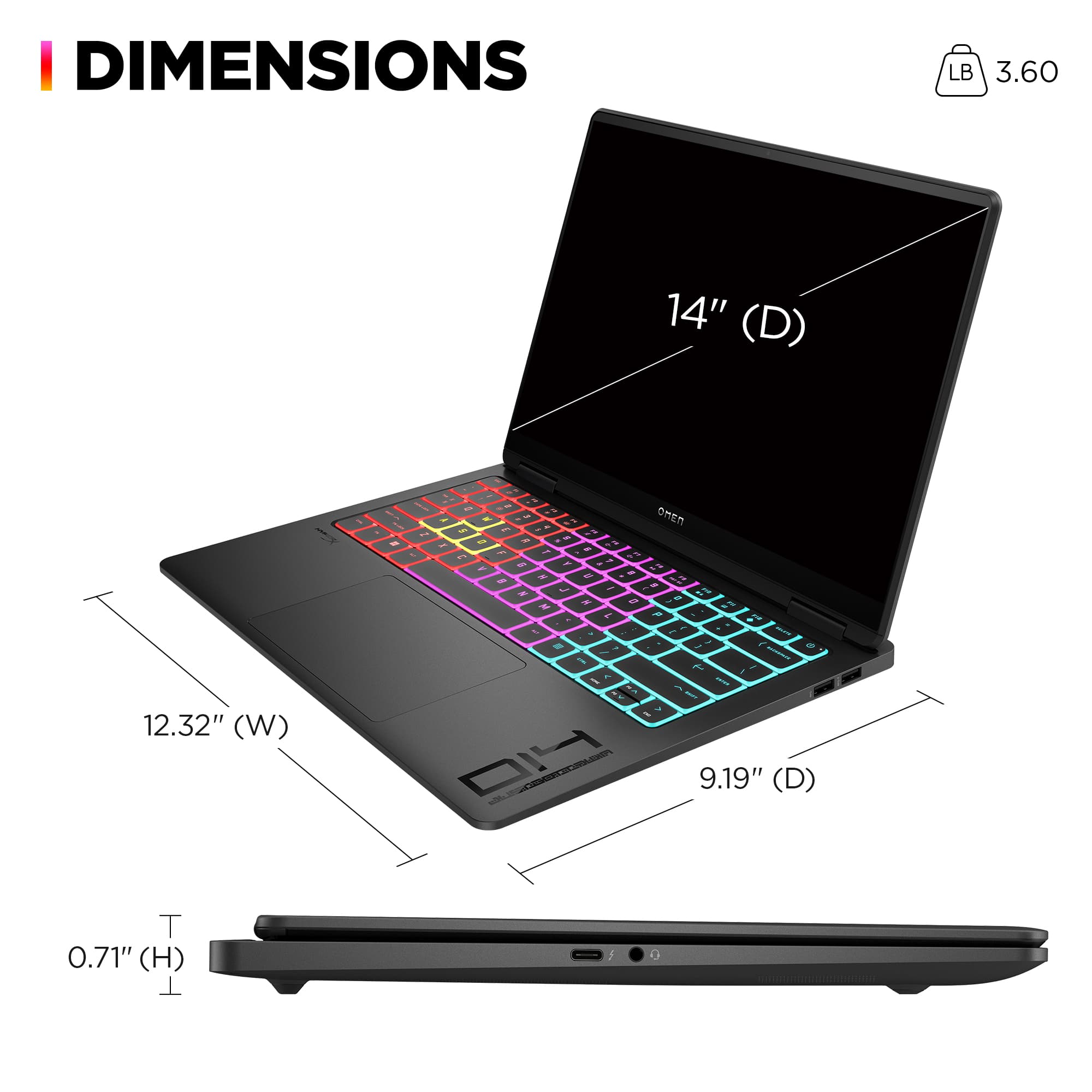
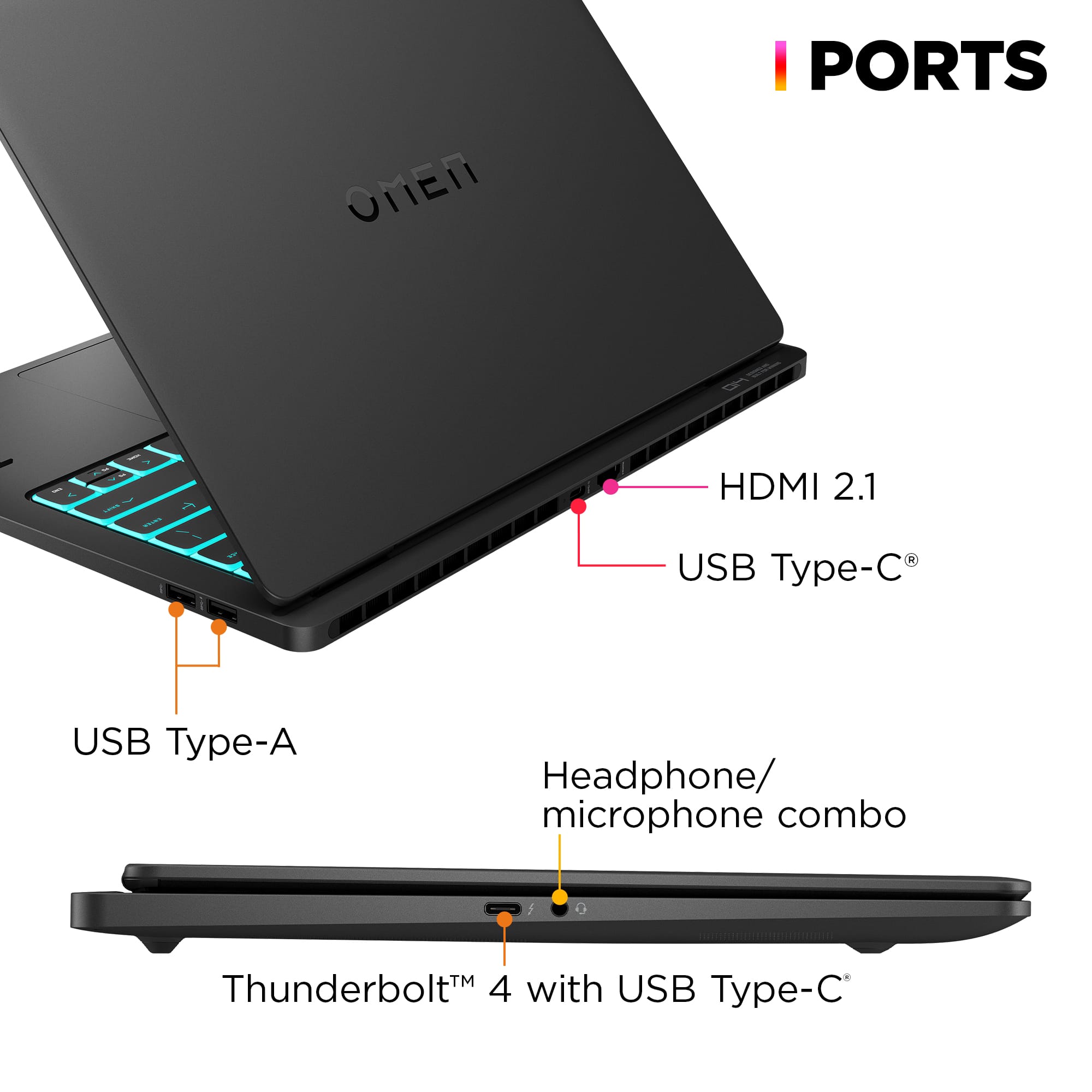
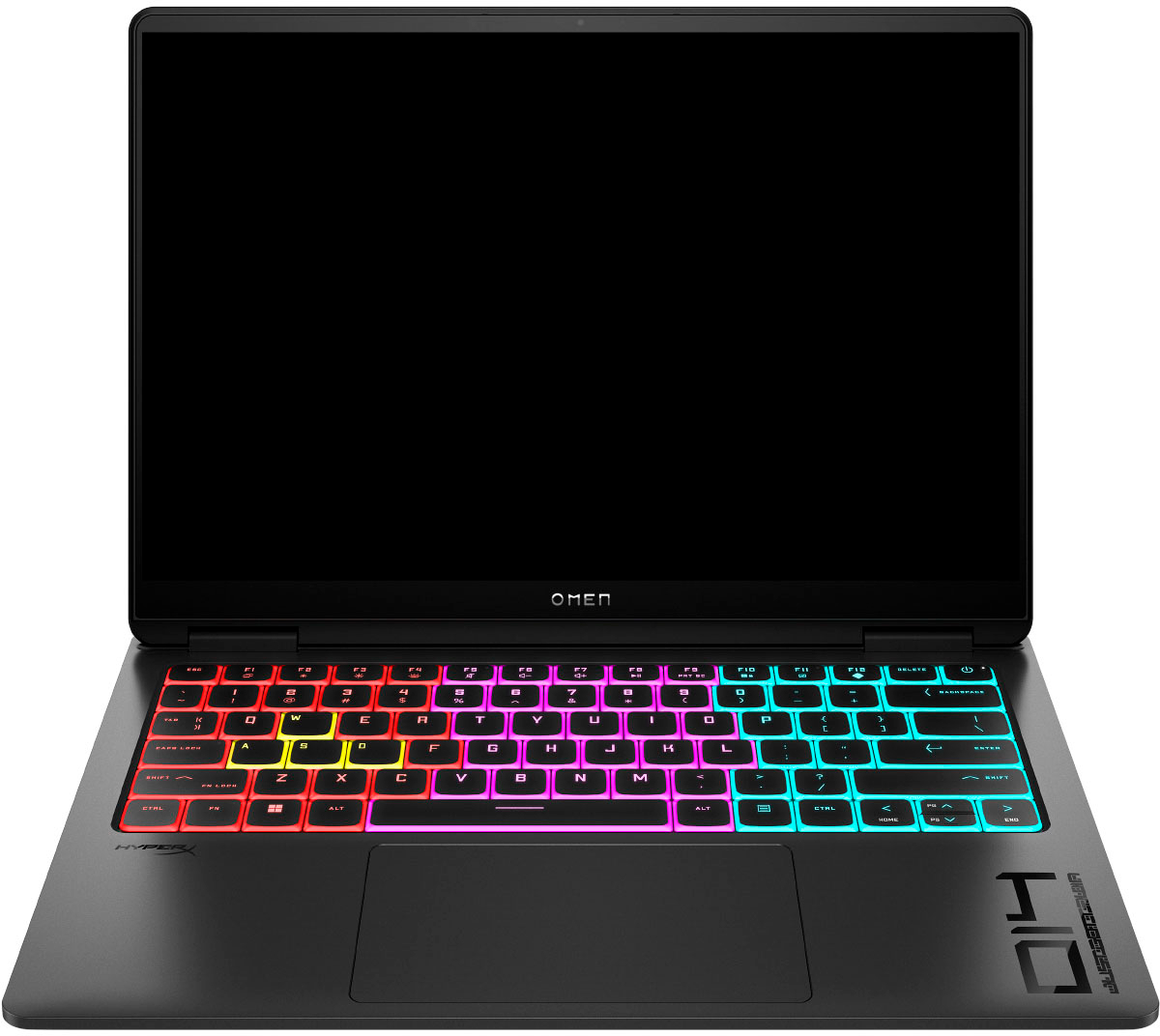
|Posted .This reviewer received promo considerations or sweepstakes entry for writing a review.The 14” Transcend is a powerhouse of a portable gaming laptop with a clean, high-end aesthetic. It has an all-aluminum metal exterior with smooth rounded edges that is quite thin at a little over 0.5 inch, and it weighs just over 3.5 lbs. While the black matte finish picks up and holds onto fingerprints easily, it’s also available in white which may not show them as readily. There are also a few different build packages, and this is the mid-range configuration. This build runs on the 115H Intel Core Ultra 7 Series processor with 16 cores, 4.8 GHz max, and 24 MB of L3 cache. It comes with a 1 TB Gen 4 NVMe SSD pre-installed and 16GB of LPDDR5X RAM soldered to the motherboard (not upgradable). The discrete GPU is an NVIDIA GeForce RTX 4060 with 8 GB GDDR6 RAM. These specs are decent for gaming at mid to high quality settings and would work for non-gaming applications as well, though I personally find the screen size a bit cramped for creative work like video editing software. Interestingly, there is no MUX switch option to use only the discrete GPU, just hybrid or integrated graphics mode are available, though this omission helps to extend its battery life. On a full charge, during casual use for web browsing, work, and watching streaming video content, I was able to get just under 4 hours of use on battery power in 'hybrid' mode. While gaming this was cut down to 1 to 1.5 hrs depending on the quality settings. The laptop handles itself well for most games but may feel a little sluggish at ultra video settings. In first-person shooters like Counterstrike 2 I was able to achieve 100-120 fps consistently without running into performance issues like stuttering and frame drops, though in RPGs like Path of Exile the framerates generally ran between 60-80 fps without exceeding that threshold. On the right-hand side of the laptop are two USB-A 3.2 Gen 2 ports in the back corner with one featuring sleep charging. On the left hand side is a Thunderbolt 4 (USB-C) port and combo mic/headphone jack. Along the back is a second USB-C 3.2 Gen 2 port and HDMI 2.1 output port. The HDMI and Thunderbolt ports can both be used to connect external displays. As well, both USB-C ports can be used for charging with the 140Watt adapter or with Power Delivery chargers. Allegedly, you’ll get better charging performance out of the port located at the back of the laptop where it’s neatly out of your way, however, in my testing, I was able to get about 50% charge in just 30 minutes using either port. On the underside, two rubber feet span the width of the laptop at the front and back and two exhaust fans cool the device off during heavy usage. While the grille vent appears to cover a large portion of the base, the intake cutouts are only located above the fans and vent out the back of the laptop. The fans do a great job at keeping the laptop cool during heavy usage and aren’t super loud either, which means you can actually use the onboard speakers during gameplay and still hear them. The stereo speakers are positioned on the bottom towards the front corners and while the sound quality is pretty good, I feel they sometimes sound a little muffled. For that reason I prefer using headphones with this laptop. The edge-to-edge OLED screen has a 14” diagonal with thin bezels, 120Hz max refresh rate, 500 nits max brightness (HDR), 2 ms response time, and max resolution of 2880 x 1800 (2.8k at 16:10 aspect ratio). The screen quality is the standout feature with deep, true blacks, and vibrant saturated colors across 100% DCI-P3 or 99% sRGB colorspace. While the glossy finish makes glare and reflections worse in bright lighting, it’s not an issue in a darker environment, plus it’s easy to overlook that in favor of the fineness in detail, sharpness, and accurate colors of the 240 PPI display. As tempting as it is to tap the screen though, it is not touch-capable. Connectivity-wise, it supports WiFi 6E and Bluetooth 5.3 for super-fast connections to external wireless devices like headphones and mobile devices and when used with headphones experiences lag-free syncing with video content. Download speeds were fast and reliable providing an excellent and smooth online/networked gaming experience. It has a 1080p front facing webcam with dual-array noise canceling mics, perfect for streaming, video chat, and meetings. The full-sized RGB-backlit keyboard has 4 customizable lighting zones and the keys are all edge-lit for easy visibility and a cool gamer aesthetic. The keys are responsive but have a high actuation force albeit with a soft landing, so they don’t make a lot of noise and snap back pretty quickly. The trackpad is generously sized and responds to multi-touch gestures, but the buttons take a beat to disengage, so alternating left and right mouse clicks very quickly isn’t possible. I strongly recommend using an external mouse. One feature I found interesting was in the ability to create custom key assignment for macros in the OMEN Gaming hub. This is not only useful for executing quick actions or a sequence of keystrokes while gaming, but also has general utility for other applications like automating repetitive work tasks or creating shortcuts. You can also enable some on-screen overlays with stats like CPU temp, framerate, and RAM usage. I was unable, however, to toggle on NVIDIA’s GeForce Experience in-game overlay. Overall, the Transcend 14 is a powerful lightweight gaming laptop with a gorgeous OLED display that delivers a satisfying gaming experience and excellent visuals for content consumption. It’s fast, responsive, and ultra-portable making great for on-to-go work or play.
I would recommend this to a friend Phenomenal
||Posted . Owned for 8 months when reviewed.This reviewer received promo considerations or sweepstakes entry for writing a review.Amazing unit. Handles most if not all games without any issues. Throne and liberty PVP and overwatch played on the best quality.
I would recommend this to a friendRecommend for architecture students
||Posted . Owned for 6 months when reviewed.This reviewer received promo considerations or sweepstakes entry for writing a review.Bought it for Archie school in the fall and I has handles every single heavy software that I have thrown into it
I would recommend this to a friendGood purchase
||Posted . Owned for 3 weeks when reviewed.This reviewer received promo considerations or sweepstakes entry for writing a review.So far I love this computer. The OLED screen makes it so everything runs smoothly.
I would recommend this to a friendClear and smooth
||Posted . Owned for 3 weeks when reviewed.This reviewer received promo considerations or sweepstakes entry for writing a review.Love this laptop overall, I wish I wouldve got the larger screen size however; this was perfect for me!
I would recommend this to a friend- Pros mentioned:Performance, Processor speed, Screen quality
Early Contender for best laptop of 2024
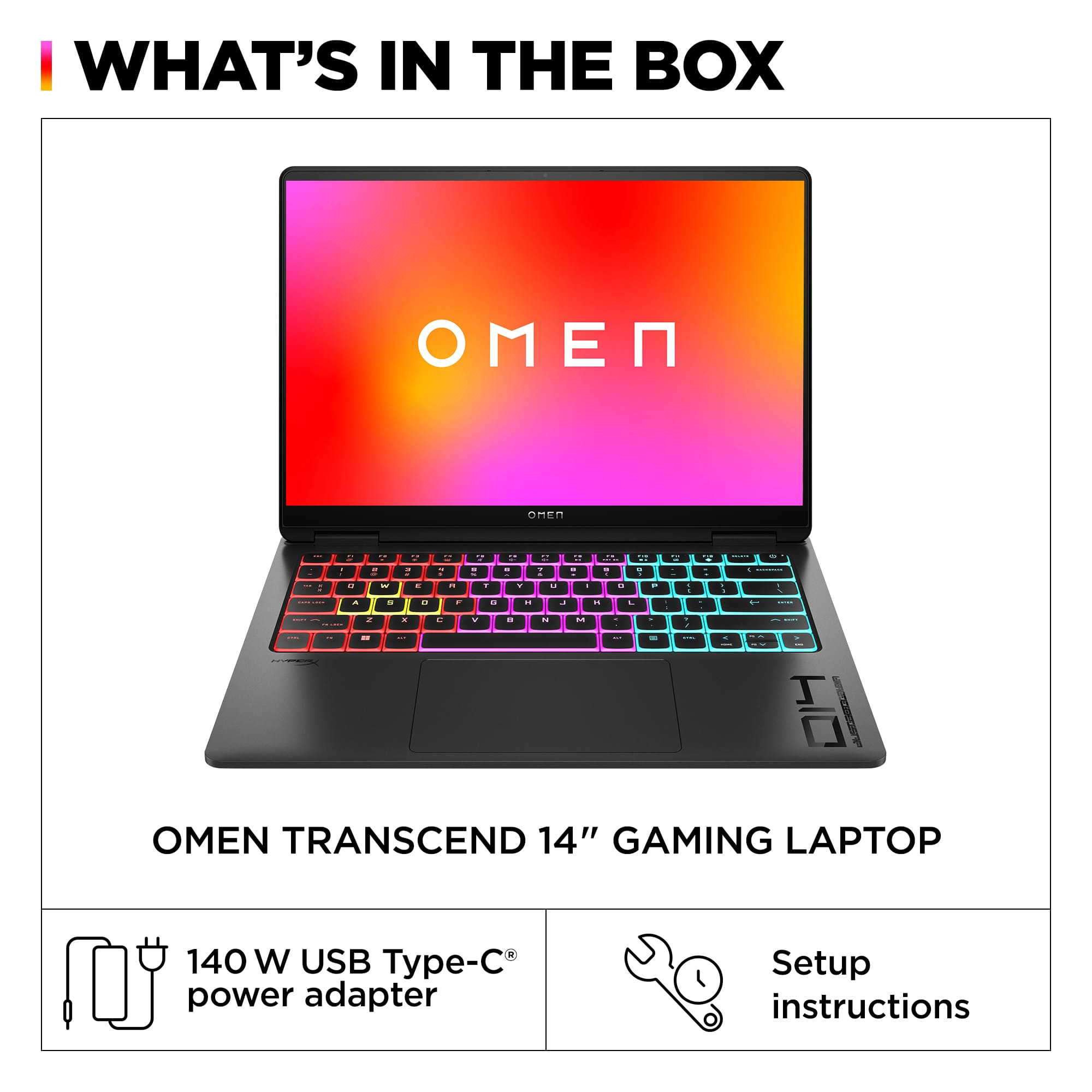
|Posted .This reviewer received promo considerations or sweepstakes entry for writing a review.The HP OMEN Transcend 14 came in a simple box containing the laptop itself along with a 140W USB-C power adapter. The build quality seems excellent. It is very light, compact and solid with little to no flex and wobble. Aesthetically, I think it’s a beautiful laptop that can pass as a productivity laptop if you turn off the keyboard RGB lights. The internal components are all first rate. Intel Core Ultra 7 155H with Intel AI Boost Neural Processor and integrated Intel Arc Graphics Samsung LPDDR5 K3KL8L80CM-MGCT 16GB memory SK hynix PC801 NVMe Gen4 1TB SSD nVidia GeForce RTX 4060 Laptop GPU Intel Wi-Fi 6E AX211 160MHz External ports are decent. On the left side, there is a Thunderbolt 4/USB-C port and a headphone/microphone jack. At the back there is another USB-C port along with an HDMI 2.1 port. You can use either USB-C ports to charge the laptop but when I tried to use the left side USB-C port for charging, I got a notification that I should charge using the rear USB-C port for full performance. Charging the laptop was also very fast compared to my other laptops. Finally, there are also two USB-A ports on the right side for other expansion needs. The web camera is excellent. Image quality is extremely sharp and has very good low light performance. I think it’s one of the best laptop cameras I have ever experienced. The built-in Windows Camera app also supports features such as automatic framing, eye contact and background blurring which I suspect are enabled with the Intel AI Neural Processor since these features aren’t available in my other computers. This would make a great laptop for video conferencing and work. I got excellent wireless performance and stability with my home network. Link speed is reported to be at 2402/1922 (Mbps) using my TP-Link DECO AX4300 Pro mesh routers. I am also getting full speed with my Xfinity internet service (940.49 Mbps download and 23.68 Mbps upload with 15ms ping). During my use, the laptop has been rock solid. I did not encounter any weird problems. It just works. The 2880 x 1800 OLED screen is gorgeous. Images are bright, crisp and clear and text is super sharp. The colors are so vivid, it makes watching videos and playing games such a great pleasure. The sound is also pretty good as far as laptops go. The sound is clear with a fairly decent soundstage and can get adequately loud but is somewhat lacking in bass as is typical of all laptops. The HP OMEN Transcend 14 comes close to perfection for me. It is the laptop with the fewest compromises that I have owned. I have laptops that are great game machines but are too heavy and big to carry around all the time. I also have light and thin laptops that are easy to carry but they can only play light games. The HP OMEN Transcend 14 is a lightweight, compact, and thin travel laptop that can also play AAA games. With the nVidia RTX 4060 laptop GPU, I was getting 30 to 70 fps at 2880 x 1800 at very high settings when playing games like Baldur’s Gate, Warhammer 40K Chaos Gate, and Marvel’s Midnight Suns. What is even more amazing is that the fan noise is very quiet compared to my other laptops when gaming. You can hear the fans spin but it’s very subdued compared to the jet engines from some of my other laptops. This laptop seems to have the best thermals and fan noise of any laptop that I’ve owned. I’ve been really impressed with it. This laptop also offers an interesting option with its integrated Arc graphics. I’m a big fan of the discrete Arc graphics cards and I was super curious about its integrated versions. You can use the integrated Arc graphics if you want to conserve power usage while still being able to play games. When playing Marvel’s Midnight Suns, I was getting about 21 fps at 2880 x 1800 using the integrated Arc graphics compared to 70 fps with the nVidia RTX 4060. I can get even more performance by lowering the resolution. When using the integrated Arc graphics, I didn’t notice any fan noise. With the new Intel Core Ultra 7 155H, this laptop is also a powerhouse for productivity. Visual Studio 2022 Community with a full workload installed in about 13 minutes and felt very zippy for my software development. Web browsing, watching videos, and general office productivity work (word processing, Excel spreadsheets, and using Quicken for balancing my checkbook) all went smoothly. In my opinion, the only major compromise this laptop has is in future memory upgradability. It only comes with 16GBs of very fast soldered LPDDR5 memory and it is not user upgradable. The advantage of having LPDDR5 memory is that it is usually much faster than user upgradable SODIMM memory. However, LPDDR5 memory is always soldered into the motherboard and is not user upgradable. The internal 1TB SSD is upgradable, however. 16GB is now the bare minimum for me. It is enough for most games and tasks but for more serious software development work, I sometimes would like to have a little more memory when I’m dealing with large datasets. Hopefully, in the future a new memory standard will arrive that will allow super fast memory to be user upgradable in a thin and compact laptop. As for now, I can strongly recommend anyone looking for a new laptop to give consideration to the HP OMEN Transcend Gaming Laptop 14. It has one of the best displays of any laptop that I’ve ever seen. It’s lightweight and easy to carry when traveling yet powerful enough to do AAA gaming and any productivity tasks you might need. It has the most impressive thermals and fan noise of all my other laptops and is the quietest laptop I have ever used when gaming. The HP OMEN Transcend Gaming Laptop 14 could be the best laptop I have ever owned. For me, it’s close to perfection.
I would recommend this to a friend - Pros mentioned:Portability, Processor speed, Screen qualityCons mentioned:Battery life
Happy with my purchase
||Posted . Owned for 7 months when reviewed.This reviewer received promo considerations or sweepstakes entry for writing a review.I got my hands on the HP OMEN Transcend 14″, and right out of the box the 3K OLED screen grabbed my attention—colors pop and everything feels incredibly sharp, whether I’m gaming or just browsing. The Intel Core Ultra 7-155H keeps everything snappy, and paired with the RTX 4060, I’ve been running modern titles smoothly at high settings without any stuttering. I also appreciate the compact design: it’s surprisingly light for a gaming laptop, yet the keyboard still has satisfying travel and customizable RGB lighting that makes late-night sessions fun. Battery life isn’t record-breaking, but I can get a few hours of lighter work in unplugged, and when I’m back at my desk, the 1 TB SSD loads apps and games in a flash. Overall, it’s a sleek, powerful machine that balances portability and performance without feeling like a bulky compromise.
I would recommend this to a friend - Pros mentioned:Processor speed
The perfect powerhouse travel companion
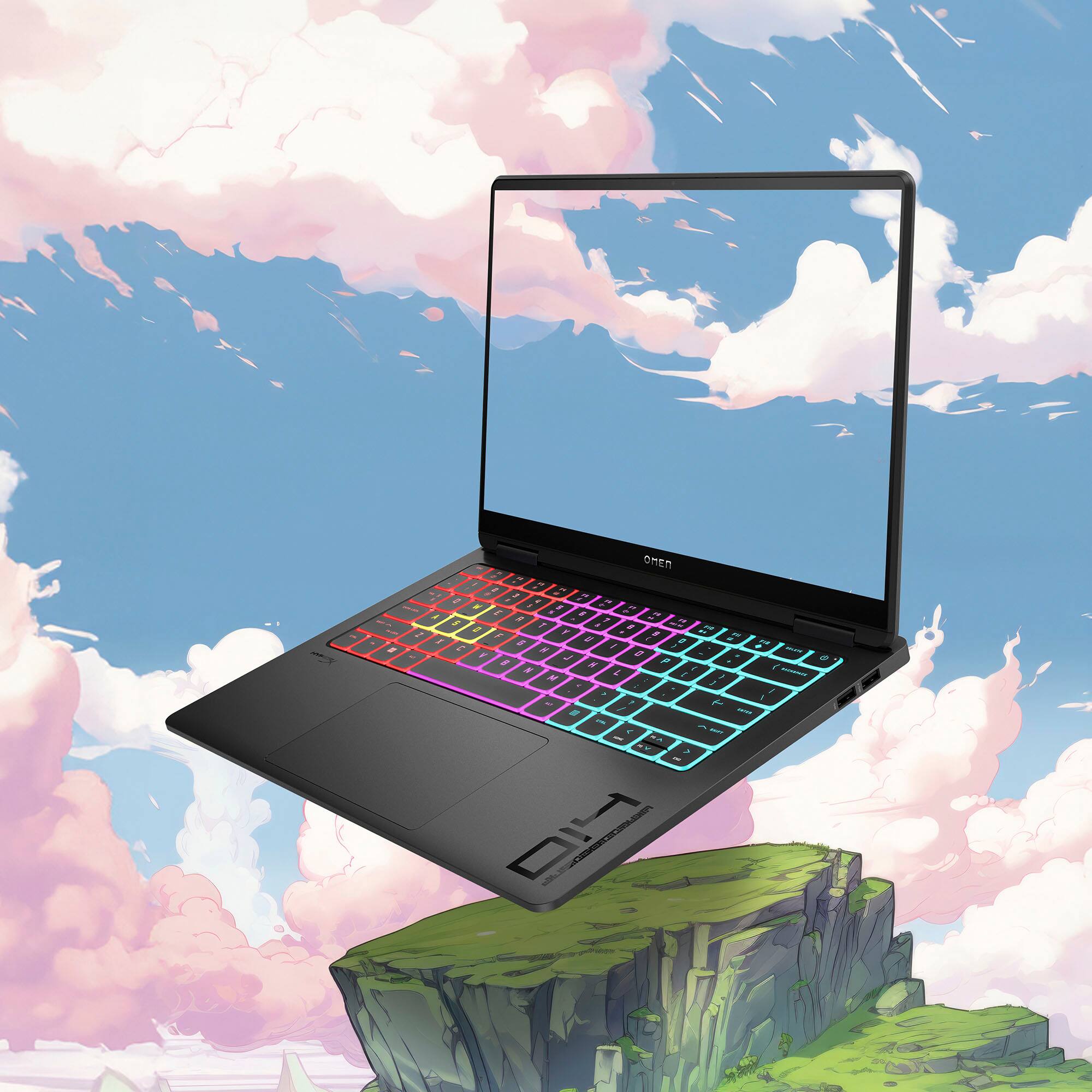
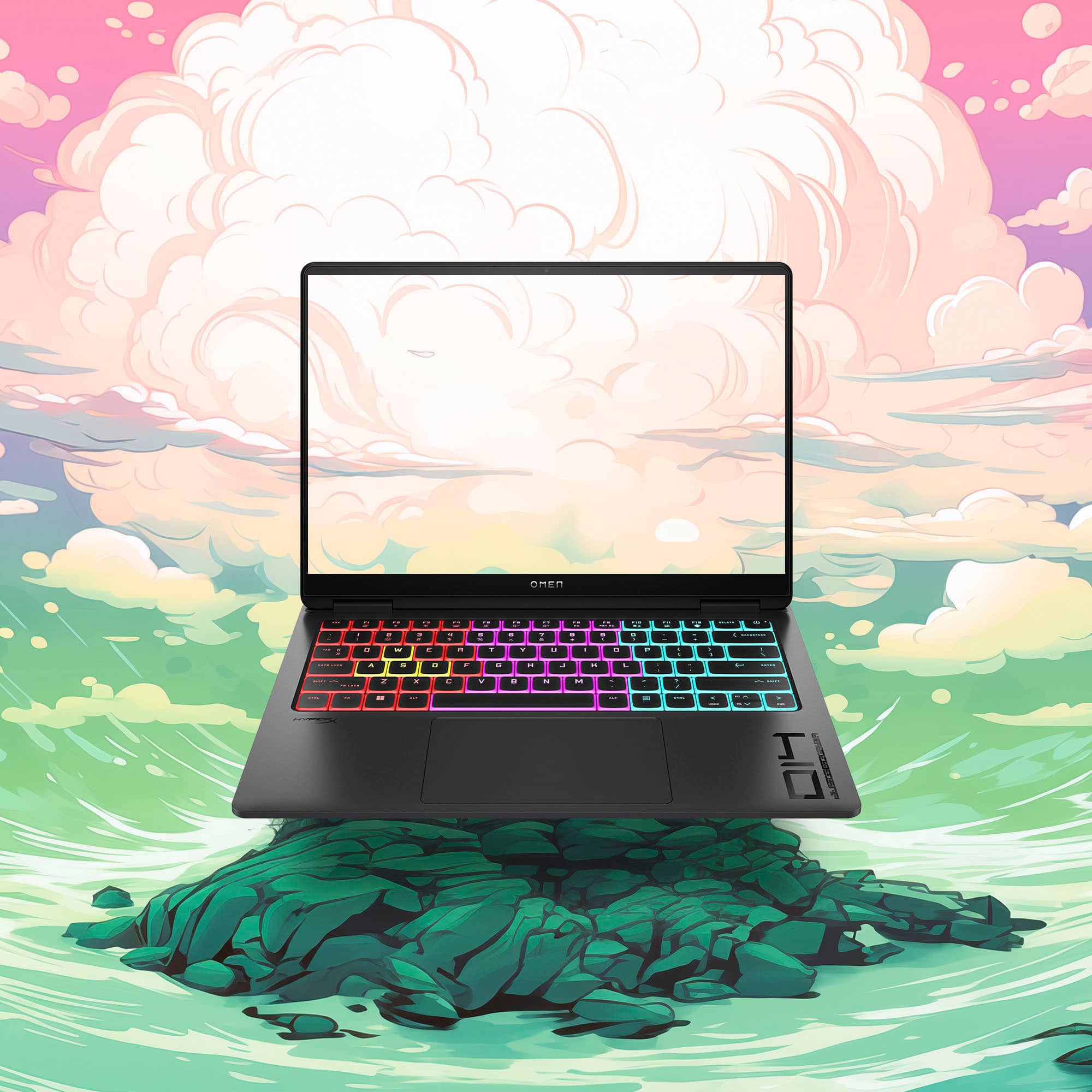
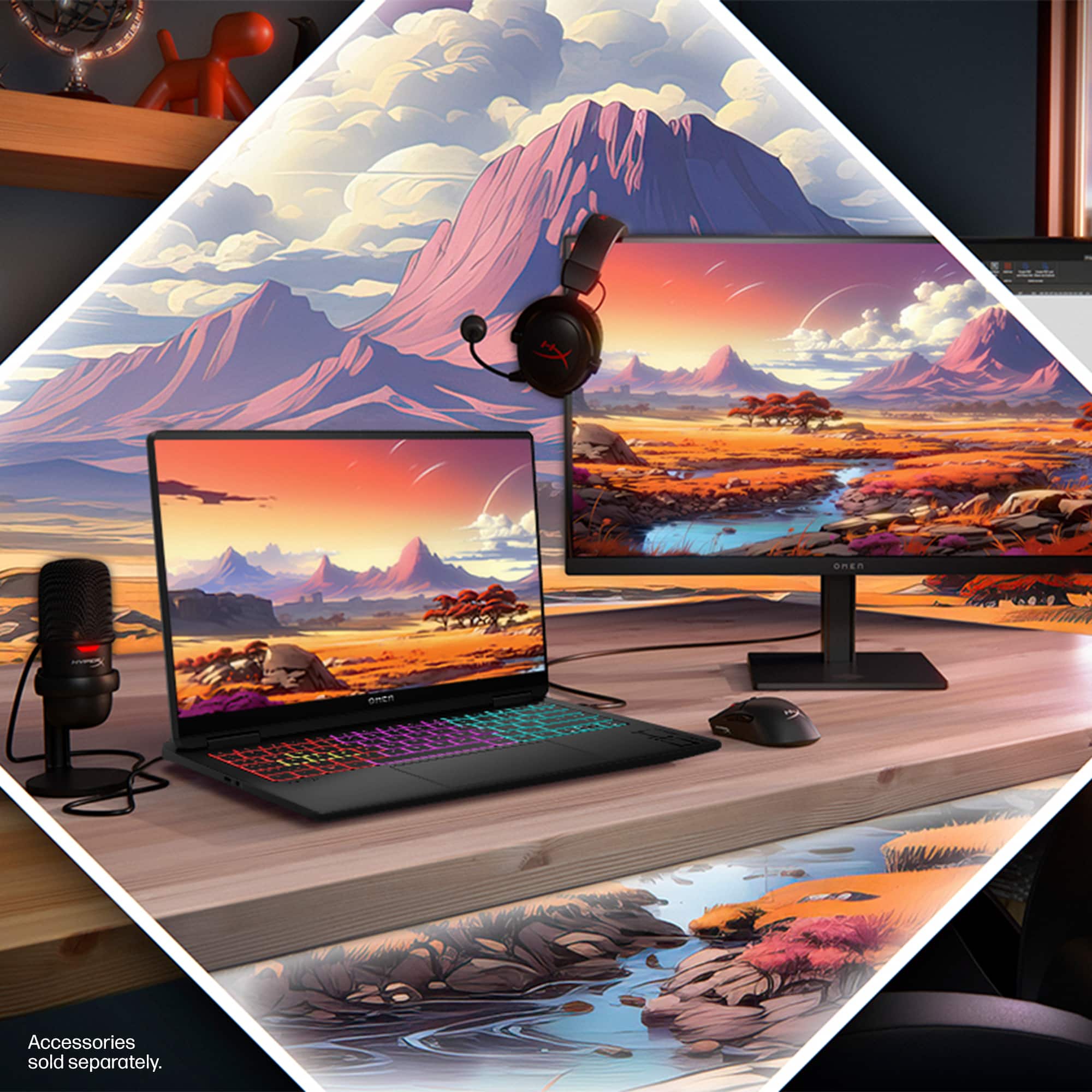
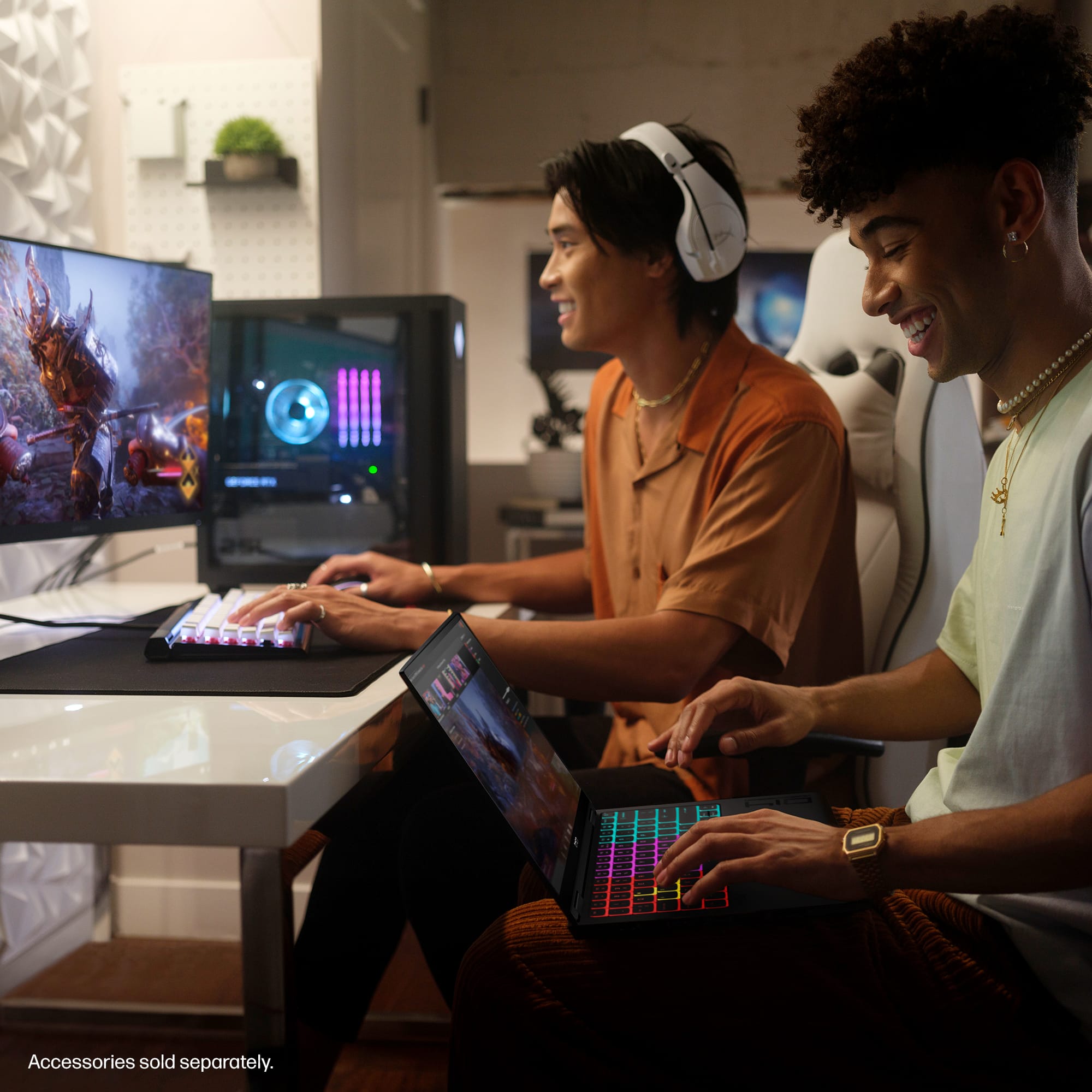
|Posted .This reviewer received promo considerations or sweepstakes entry for writing a review.The HP OMEN Transcend 14 laptop is a total game-changer for me. It's super sleek, light weight, and compact, which makes it perfect for gaming on the go. Not only that, but it's also great for digital artists and content creators who need a powerful laptop that's easy to carry around. In a world where gaming laptops are large, heavy and often sporting flashy designs, this particular laptop stands out by exuding a sleek and understated appearance, opting for a more professional and minimalist look. This design choice makes it suitable for a wide range of users, from hardcore gamers to professionals who want a powerful laptop for work and play. Equipped with the latest generation Intel Core Ultra processors, the HP OMEN Transcend 14 delivers exceptional processing power for demanding games and applications. The NVIDIA GeForce graphics card provides stunning visuals and smooth gameplay, handling even the most graphically intensive titles with ease. This laptop includes a free month of Xbox Game Pass which is awesome! The first application I installed was Starfield. I paired my Xbox controller and jumped right in. During setup I made sure that every graphics category was set to max and started the game with massive anticipation. Needless to say, everything runs flawlessly at max settings and looks simply incredible on the 2.8K OLED display. The display is stunning. Easily the best laptop display I have ever had on a Windows machine. Long gone are the days of blocky text. Even the smallest letters are super sharp which is so welcome on Windows laptops. In my opinion I believe all gaming laptops should be, at minimum, 2.8K displays. The colors are vibrant, the blacks are deep. I’ve been having a lot of fun creating my own wallpapers with AI (see review photos). When at home, I usually hook my laptop up to an external monitor. Not with this one as this could actually be a downgrade in quality depending on the external display since the display on this laptop is so beautiful to look at. Bigger isn’t always better. The keyboard is a joy to use. The keys have minimal travel and are very quiet and responsive, making it a great typing experience. The RGB lighting effects are pretty unique on this keyboard. The colors surround the keys and the font selection used for the lettering is also bold and easy to read which is great in low light settings (see review photos). The laptop's exterior features clean lines, a subtle logo, and a dark, matte finish. The overall effect is one of sophistication and elegance, making it a suitable companion for any environment, whether it's a coffee shop, a lecture hall, or a corporate meeting room. The understated design allows users to seamlessly transition from gaming sessions to professional settings without drawing unwanted attention. The seamless blend of performance and aesthetics in this laptop empowers users to enjoy immersive gaming experiences without compromising on professional style. It's a testament to the idea that gaming laptops can be both powerful and elegant, defying the conventional stereotypes associated with the category. As expected, The laptop comes pre-installed with the OMEN Gaming Hub, which offers a centralized platform for game optimization, performance monitoring, and customization options. The Gaming Hub application is well thought out and includes everything you need to play games and monitor, customize, or boost your system. There is even a Camera and Voice enhancer which allows you to minimize unwanted noise from your room if needed. You can also customize the background if you are on a video call and the software does an excellent job of cutting you out and placing you on the new background. I found myself spending quite a bit of time just playing around in the Gaming Hub software and checking out all that it can do. While I have only had it a short time and I have only scratched the surface of what this thing can do, I can confidently say that I am already head over heels in love with it. Honestly, it’s the perfect size for everyday use. In the past, I have debated on whether to bring a large, heavy laptop with me out of the house. This one is a no brainer. I found a great backpack I can load up with extra stuff now that I am not even slightly worried about the weight. In conclusion, I haven’t found a single thing I don’t like about this computer. It handles any task I throw at it with ease and looks amazing while doing it all. HP hit it out of the park with this one.
I would recommend this to a friend - Pros mentioned:Screen quality
Compact, Yet Powerful - A Good Desktop Alternative
|Posted .This reviewer received promo considerations or sweepstakes entry for writing a review.The HP Omen Transcend 14” gaming laptop is a sleek, compact computer that’ll let you easily run the latest video games at high settings, but not without some compromises. If you’re looking for a quick review: I am an avid PC gamer and have been looking for a laptop that can allow me to play my steam library at a similar quality to my desktop without being the size of an aircraft carrier. I am very pleased with the HP Omen Transcend and would recommend it for someone who doesn’t have the space for a dedicated gaming desktop, or moves so frequently that a desktop is not a reasonable solution for them. Setting up the laptop is quick and easy – it’s your standard windows experience. The most immediately striking feature of the lap is the OLED screen. Dark colors are far more pronounced and vivid, making everything you put on the screen pop. The keyboard is satisfying to use, with solid feedback from keystrokes without being too noisy. The RGB lighting in the keyboard is fun, albeit expected for a gaming product at this price point. HP does have it pre-programmed to automatically highlight WASD in separate colors from the rest of the keyboard, which is a nice touch for right-handed gamers. However, once you finish setting up the laptop, the RGB keyboard will turn off, and you will have to set it up in the Omen gaming hub application. HP really wants you to use this app, which is fine – if it indicated to you when you turned on the computer that you should be using that to get the most out of the features it purports to have. The CPU does a lot of work in keeping the computer fast, but only if it’s plugged in. If you’re using it away from an outlet, you’ll notice a significant hit to performance (even in balanced mode). I imagine most people would use it while plugged in, but it’s important to note especially if you’re playing a resource-heavy game. To test the laptop, I played Baldur’s Gate 3 on act III at Ultra settings – easily the most demanding section of one of the most demanding games on PC. While it wasn’t quite at parity with my desktop, it was close. The game ran smoothly, loaded quickly, and looked great all while maintaining 60 FPS. I played it for a few hours and, once my eyes got used to the slight (but noticeable) dip in quality, I forgot that I was not playing on my desktop. The audio quality was also great for a laptop – obviously, headphones are ideal, but if you’d rather forgo them you can still appreciate your games’ soundscapes. I intend to use this laptop primarily for less demanding action titles and MMORPGs, so I am more than satisfied with it based on how it performed with Baldur’s Gate III. It may have sounded like a spaceship while I was playing, but it worked great. Minor quibbles aside, this is a fantastic portable gaming option for people who cannot justify a desktop.
I would recommend this to a friend A solid gaming laptop with a standout screen
|Posted .This reviewer received promo considerations or sweepstakes entry for writing a review.The HP Omen Transcend 14 is almost everything I could ask for in a laptop. The first thing that really needs to be discussed about this monitor is the OLED display. The unlimited contrast ratio of OLED makes everything pop and look very vivid. The quality of the picture will put a smile on your face. Initial setup of the laptop was easy: Unpack the laptop, plugin the charger, and follow the prompts to setup Windows. Within 10 minutes you should be up and running. The one oddity during setup is that windows started to instruct me about touch controls, even though the laptop does not have a touch screen. The form factor of the laptop is great. It is a similar size as other 14-inch laptops I have previously used, and doesn’t weigh substantially more than the others. The laptop is thinner than I expected it to be. Being that it is a gaming laptop, I have tried running a few games on it. Both on the native screen and through my 38-inch external monitor. Most of the games I have tried (Portal Revolution, Death Stranding, and Fortnite) ran well on both setups. I generally saw at least 50fps when running on the external monitor. My experience with Deathloop hasn’t been quite as good. To play the game on my external monitor, I had to greatly reduce the resolution. The laptop comes with a 140W charger, which is probably one of the most powerful USB-C chargers I have seen. I do like that you can plug in the laptop from the rear and leave the side USB ports for accessories. My one real gripe with the laptop is that it will not let you charge with 3rd party chargers (at least the ones I have at my house). This restriction prevents me from using a single cable to connect the laptop to my external monitor, which provides power. The LED backed keyboard is pretty fun. Using the HP Light Studio, you can fully customize the behavior of the lights. I am glad that there is an option to disable it if it becomes distracting. While it would be nice if you could add additional RAM to the device, it is good that you can at least replace the M2 drive and battery.
I would recommend this to a friend- Pros mentioned:Portability, Processor speed, Screen quality
HP Omen 14: Power and Style in One
||Posted . Owned for 1 month when reviewed.This reviewer received promo considerations or sweepstakes entry for writing a review.Been using the HP Omen 14 for a while and I love it. Super fast, handles games and creative work like a beast. The 144Hz screen is smooth, the keyboard feels great, and it stays cool even under pressure. Compact, stylish, and powerful — perfect for gaming and editing on the go. Totally recommend it!
I would recommend this to a friend - Pros mentioned:Portability, Screen quality
Portable gaming laptop!
||Posted . Owned for 2 months when reviewed.This reviewer received promo considerations or sweepstakes entry for writing a review.This is perfect for college students who want to study and game on a laptop. Light enough to carry to school. It has rgb but it can be turned off giving it that neat, minimal look. Battery life is decent, about 4-6 hours of web browsing and streaming. I love that the power plug is in the back. The audio plug is also on the left so it doesnt interfere with my mouse on the right. Trackpad is nice. Charger isnt bulky. Its type C so i use it to charge my s24 and most other chargers.My laptop accidentally fell from a height of 4ft and it only got a minor dent the size of a grain of rice, so its pretty durable. Great buy for $1299 on sale.
I would recommend this to a friend