Customer Ratings & Reviews


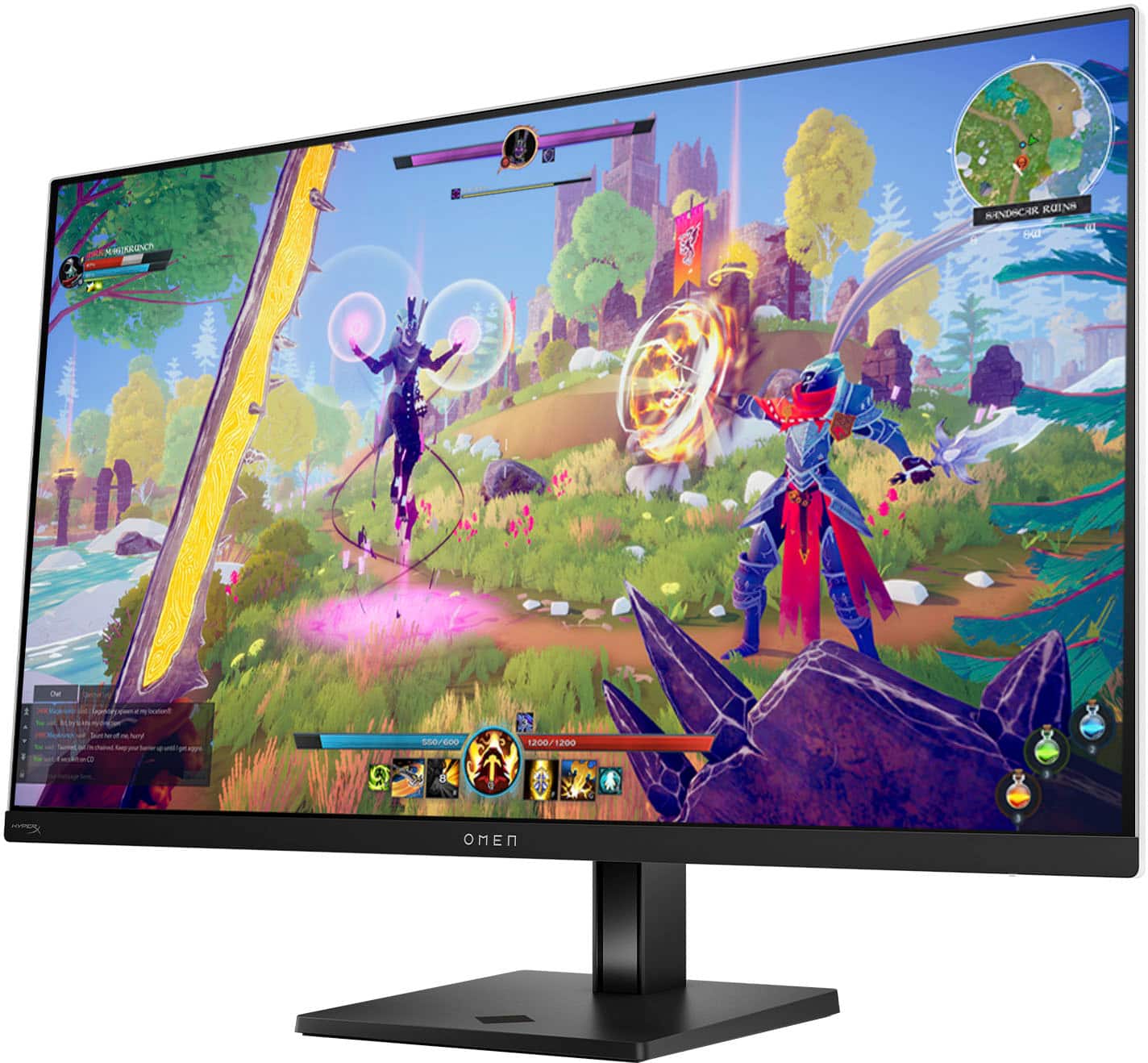
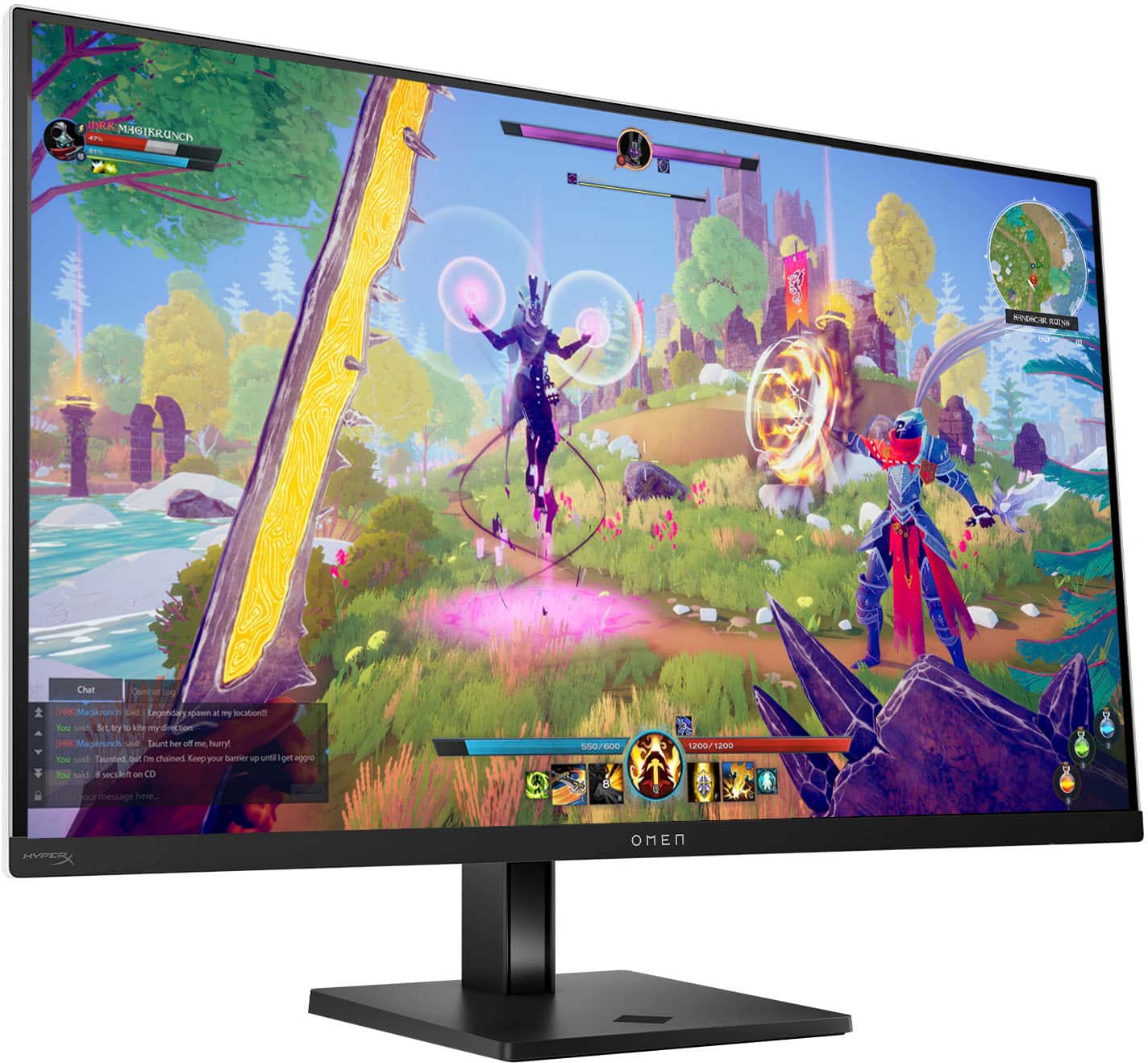
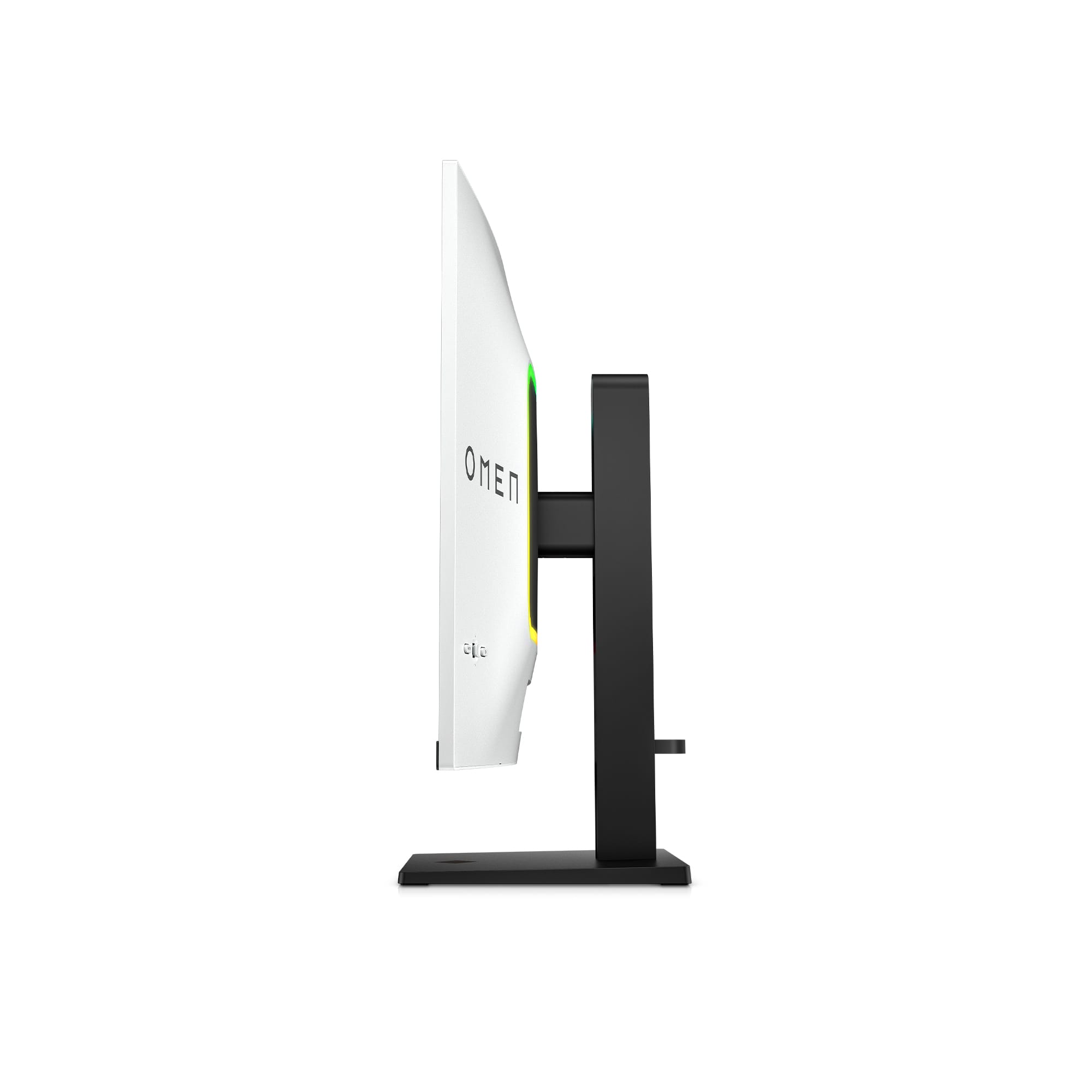
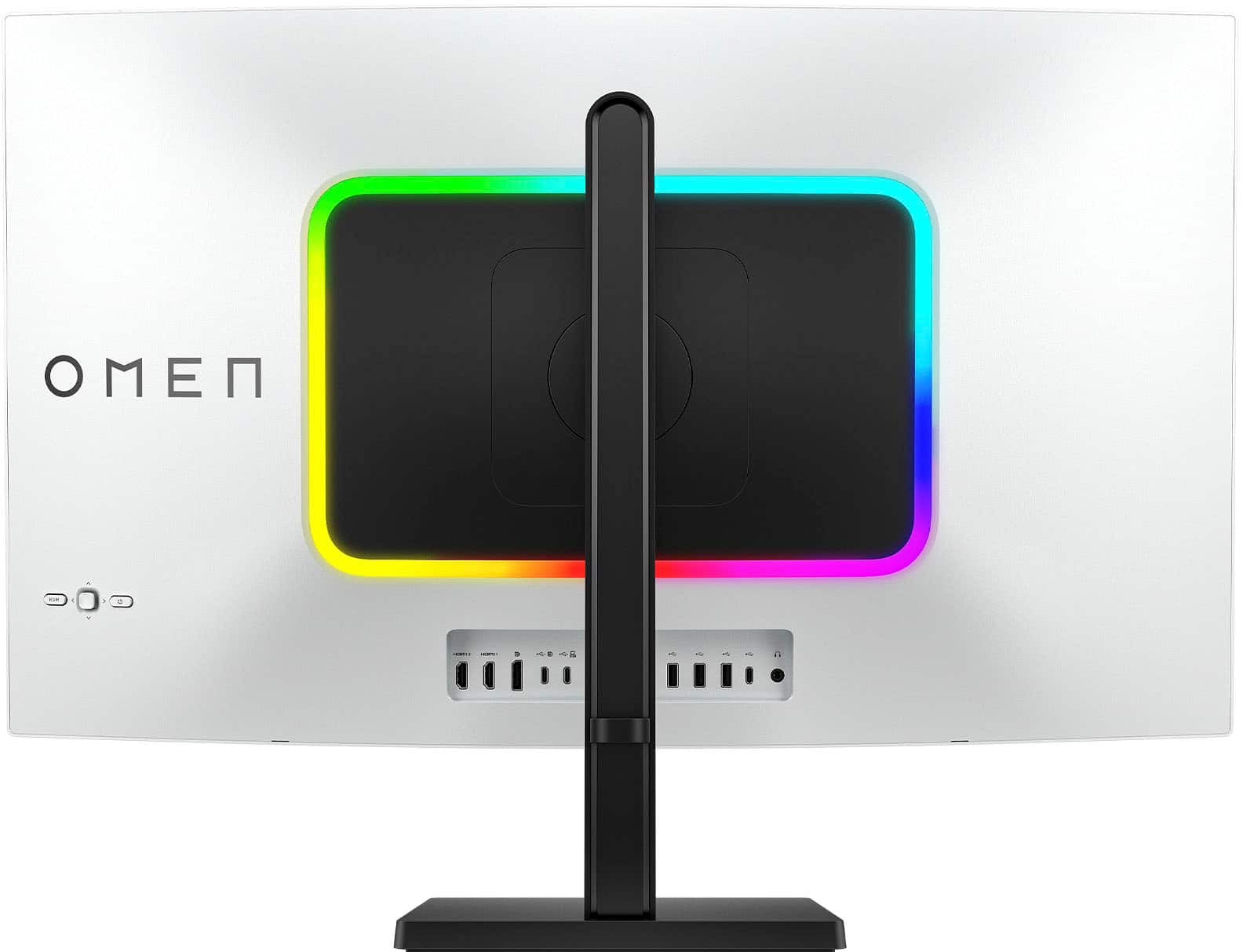
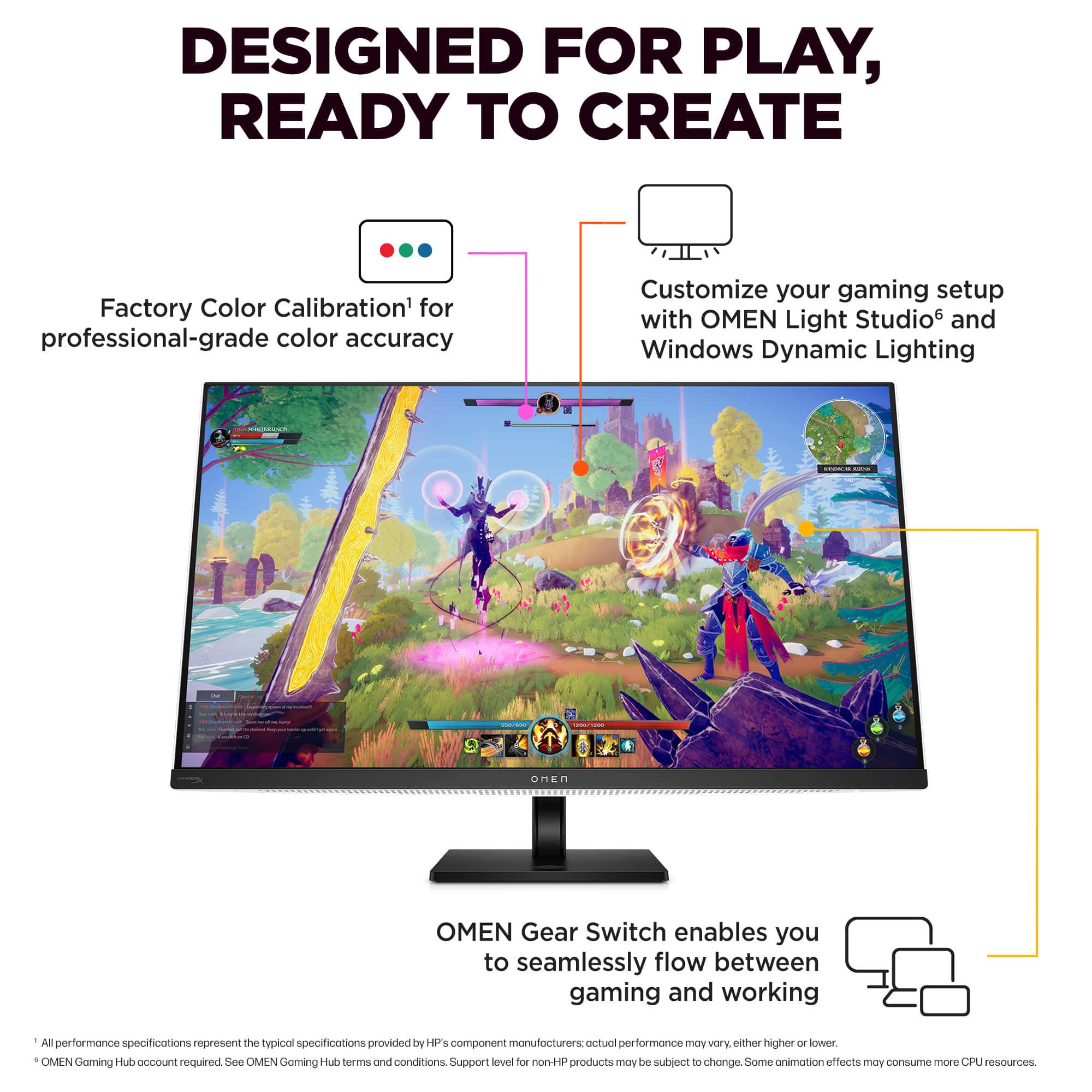
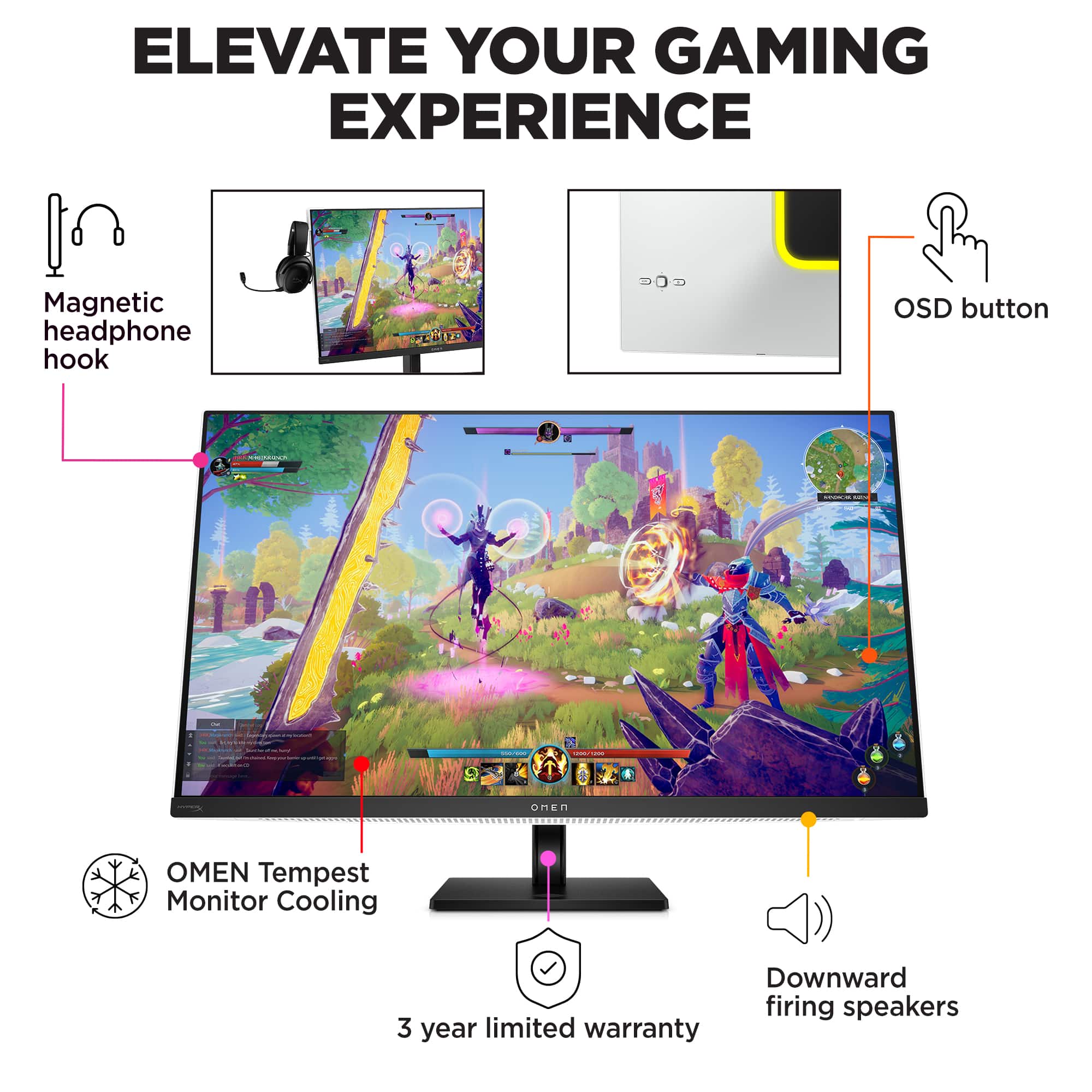
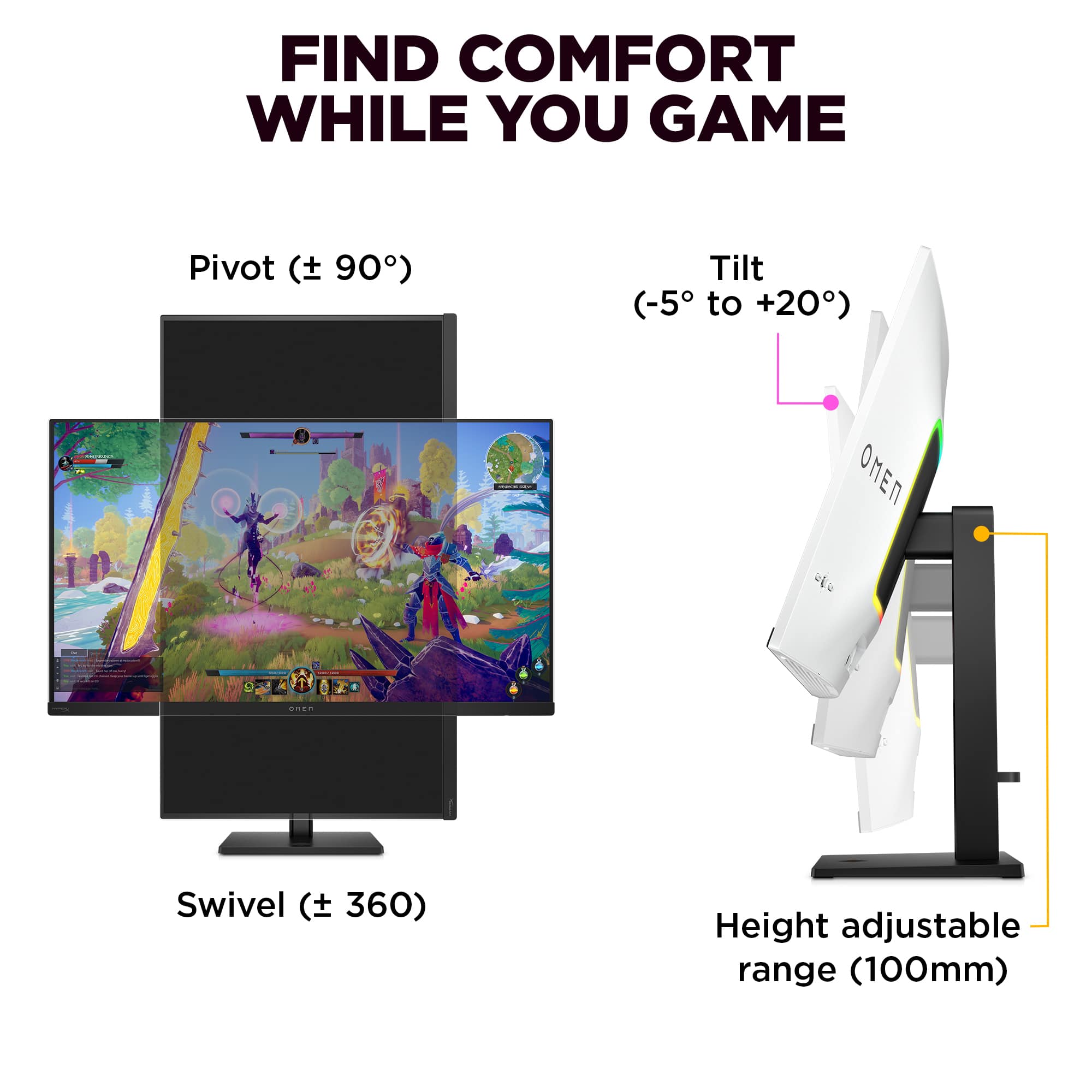
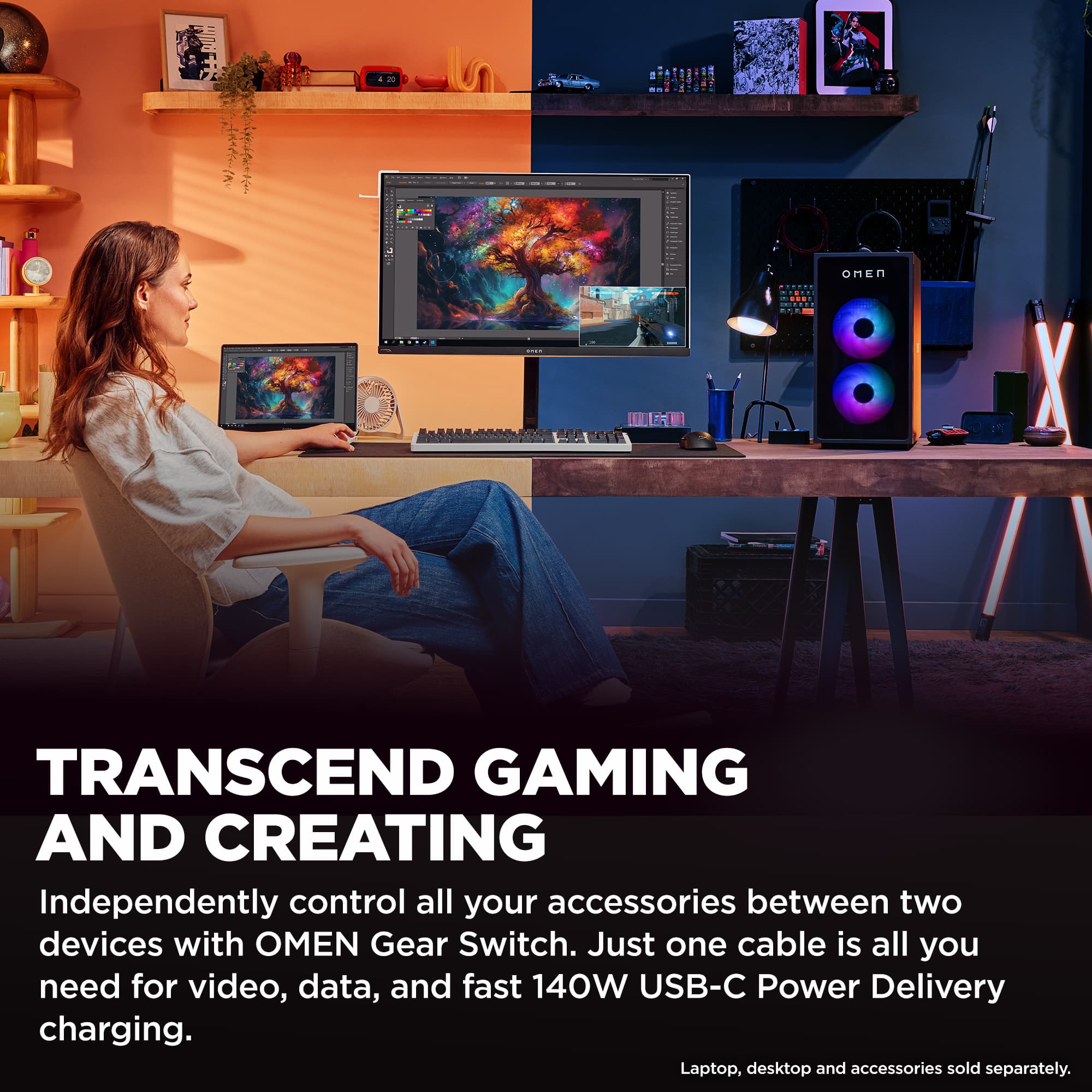
- Model:
- Omen 32 Transcend
- |
- SKU:
- 11253135
Customer reviews
Rating 4.4 out of 5 stars with 193 reviews
(193 customer reviews)Rating by feature
- Display Quality4.8
Rating 4.8 out of 5 stars
- Ease of Use4.5
Rating 4.5 out of 5 stars
- Features4.6
Rating 4.6 out of 5 stars
Customers are saying
Customers praise the stunning picture quality and overall OLED performance, noting the excellent 240Hz refresh rate and great connectivity with plenty of ports. They also appreciate its brightness levels, especially for HDR content. However, some customers express concerns about the large power brick and a problematic firmware update process. Other issues include the high price point, pre-calibration HDR colors appearing muted, and a glitchy KVM feature.
This summary was generated by AI based on customer reviews.
- Pros mentioned:Picture quality
Rated 5 out of 5 stars
Beautiful monitor with a couple quirks
||Posted . Owned for less than 1 week when reviewed.This reviewer received promo considerations or sweepstakes entry for writing a review.I bought this open box excellent from Best buy. It didn't include the hardware to mount the monitor to the stand. I blame Best buy for that not HP. The picture is beautiful. Run the HDR calibration tool in Windows crank that color saturation up. I see a lot of people complain about the stand. I think it's fine. It doesn't swivel but it turns really easily. It raises up higher than most monitors I've had. Updating the firmware went fine once i used the correct cables in the correct ports. I've had an issue with the DisplayPort 2.1 when connected to that it's been turning my monitor off repeatedly on its own. You can drop the DisplayPort down to 1.4 in the monitor settings. After I did that it never happened again. It never happened to me over HDMI either which is how I plan to use the monitor. I noticed the rear LED light doesn't seem to work if you disable the built-in speakers, but you don't have to use the speaker so I just leave them enabled and turned to zero volume. All the 32-in 4K oleds use one of two panels, either the LG WOLED or the Samsung qd OLED. This has got the qd oled if you want the curved screen, I recommend the Alienware. That's the only curved monitor in this class. Otherwise I would just buy whichever one is on a decent sale at the time you're looking. I got this for 850 open box Excellent. If I wanted a curved monitor I would have bought the Alienware that's on sale currently at Dell for $900. I saw the display model of this on the Best buy 4. I was a little worried that it didn't seem as bright as I wanted, but that's under the bright white fluorescent lighting of the store. Once I was at home. It's perfect! So unless you're in a room that is constantly filled with daylight, I don't think you'll have any issues. This is the first glossy screen monitor I've ever owned. The picture is nice but I have kids and I just don't know how it'll be with smudges. Only time will tell.
This review is from HP OMEN - Transcend 31.5" QD-OLED 4K UHD 240Hz G-SYNC Compatible Gaming Monitor with Adjustable Height - Black/White
I would recommend this to a friend - Pros mentioned:Oled quality, Refresh rate
Rated 5 out of 5 stars
Swiss Army Knife of QD-OLED Monitors. None finer:)
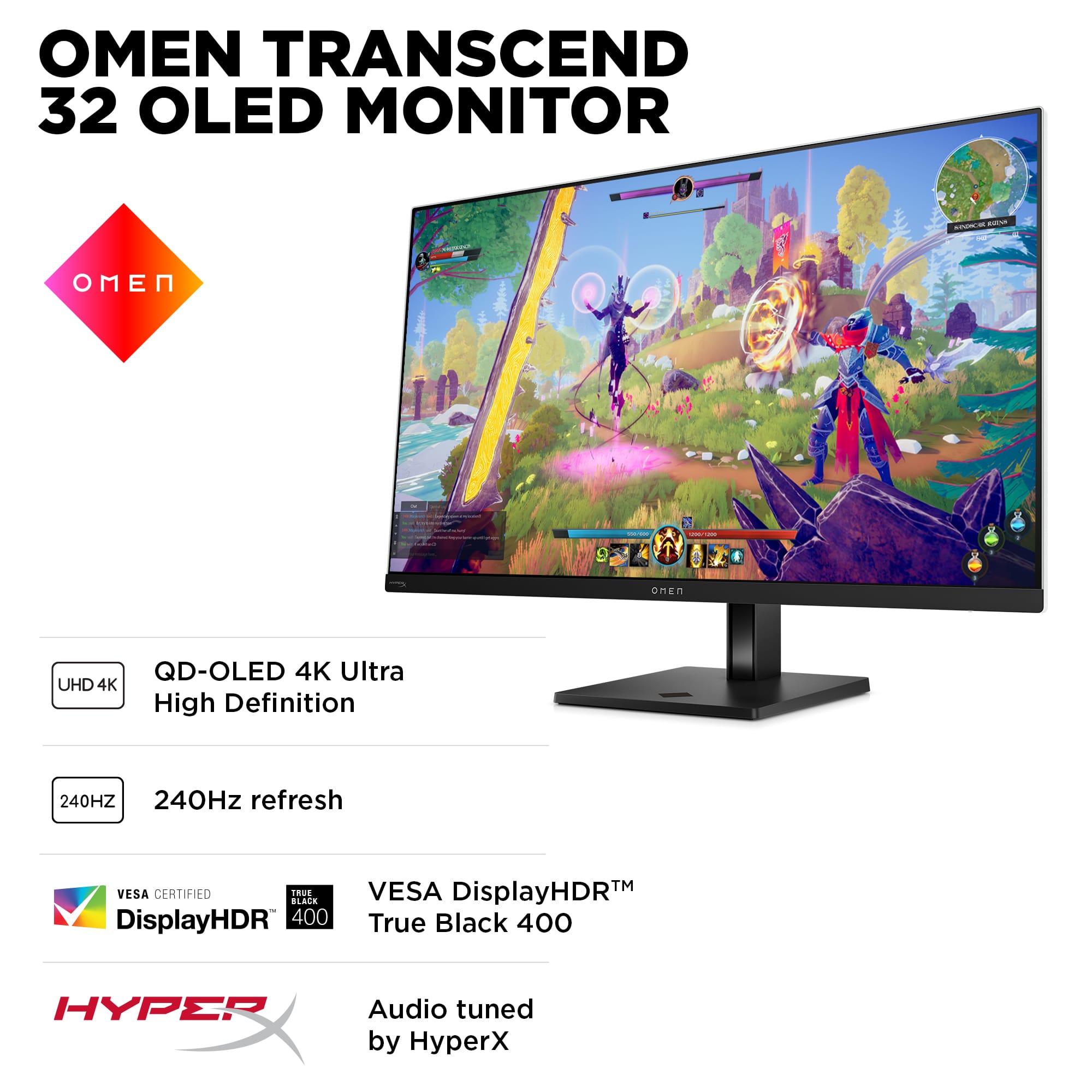
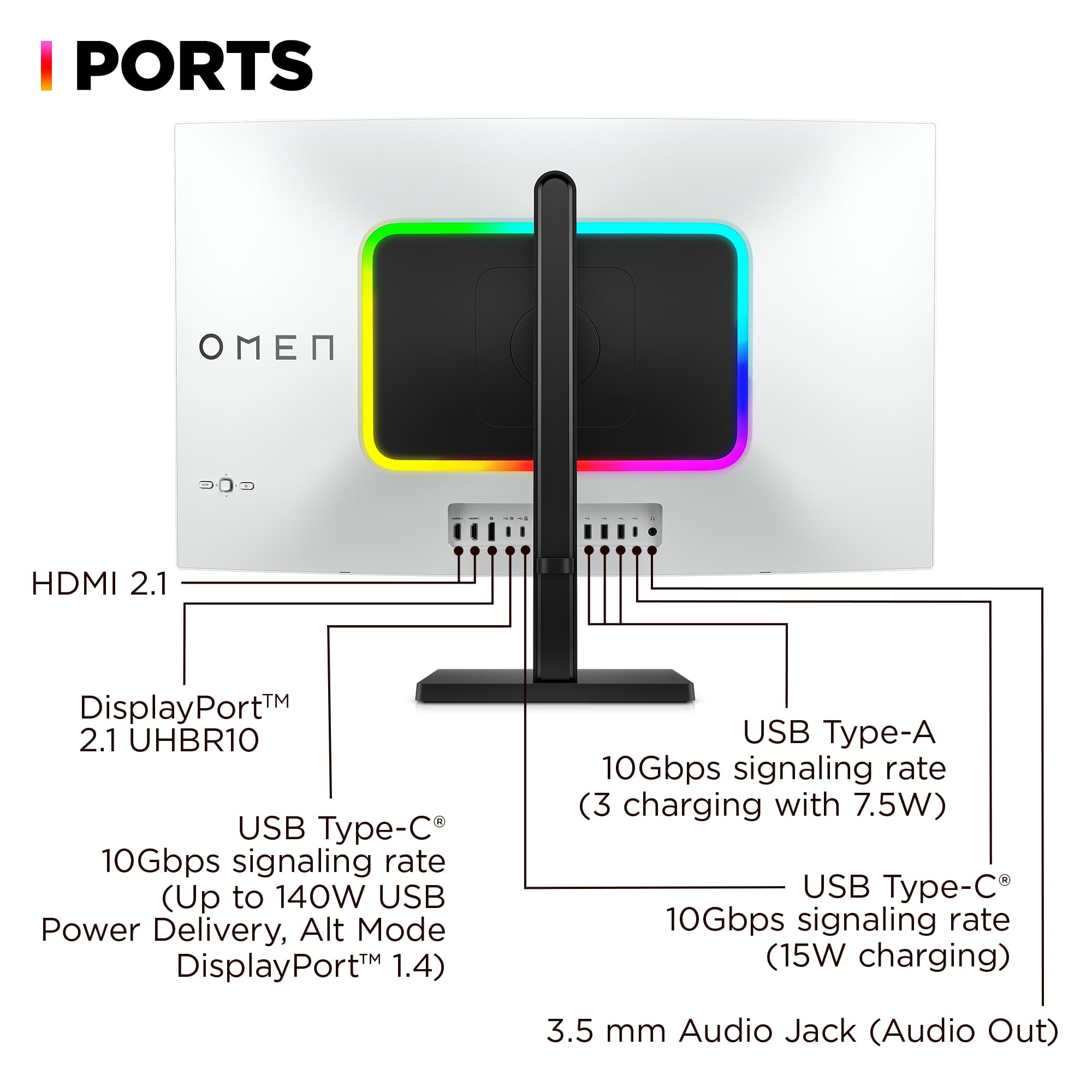
||Posted . Owned for 3 weeks when reviewed.This reviewer received promo considerations or sweepstakes entry for writing a review.This OLED monitor does it all! There is no finer 3rd generation QD-OLED panel monitor available today. Spec wise it has EVERYTHING you could want. Even including built-in 4 speaker audio, 140W power delivery, HDR, plenty of ports- USB-C, USB-A, HDMI, Display Port, Headphones, etc. Features built in KVM switching, RGB lighting, quiet positive fan cooling (not just cheaper passive heat sinks), massive Power supply for powering all your connected devices and charging, 240 Hz Refresh rate, slick joystick controller of monitor settings. Note unlike some other QD-OLED Monitors the Omen Transcend 32 connects PERFECTLY to Apple Mac or MacBook PC'S (and of course Windows PC's) without any issues whatsoever (and better performing than any Apple Studio Monitor for way less $). NOTE: ALL OLED monitors have a little minor shadowing displaying lettering because of the way the RGB subpixels are laid out in a triangular pattern on the screen instead of in a straight line like on non OLED LED panels (Google it). So if you see SLIGHT shadowing on lettering THIS IS NORMAL and not a defect. Otherwise enjoy the gorgeous graphics and video, you are going to love it :) !
This review is from HP OMEN - Transcend 31.5" QD-OLED 4K UHD 240Hz G-SYNC Compatible Gaming Monitor with Adjustable Height - Black/White
I would recommend this to a friend - Pros mentioned:Oled quality
Rated 5 out of 5 stars
Delivers exceptional value
||Posted . Owned for 1 week when reviewed.This reviewer received promo considerations or sweepstakes entry for writing a review.With the relative selection of monitors out there, picking this up for $900 feels like a steal, although that's still bookoo bucks as I still have a perfectly fine IPS monitor that's 5 years old that doesn't burn-in. I digress. ----- AUDIO ----- I don't know why $900 monitors come with speakers, but some do - for the sake of the review, I enabled the monitor's audio and it sounds...okay. Much prefer my bookshelf speakers however. If you're looking for a simplified setup for work, they would sound clear enough and are much louder than laptop speakers. ----- OSD ----- The OSD is pretty easy to navigate, but changing the colors is rather difficult as they're in scales of 1000 as opposed to 100. There's preset OSDs under "Professional" and "Gaming" categories. The professional presets lean blue and the gaming presets lean red, in color. Professional has Display P3, sRGB, Adobe RGB, and BT.709. Gaming has FPS, RGB, RTS, GRM (Game Remaster Mode), Native (OLED panel default settings), HP Enhance+ (?), Cinema (movies). Each category has an Eco mode. HP Enhance+ features a Low, Medium and High mode, which adjust its enhance algorithm. The Professional presets have a "Color Information" tab that shows info about the colors, like the gamma, white point, and rgb values, but they aren't adjustable. The Gaming presets has a gaming tab that lets you turn on AdaptiveSync (DP) or FreeSync Premium (HDMI), a crosshair, edge sharpening, an on-screen timer, and your refresh rate display. The other menus include Lighting, Audio, System (incl. oled care options), Input (KVM, current input, picture-in-picture), and Power. The OSD is both intuitive and lacking features as well as information. ----- KVM ----- The KVM is fine and mostly works as intended. I have a laptop and desktop that share a keyboard and a mouse. My main gripe is that the KVM button will not switch to the other system if they have fallen asleep; with the laptop I touch the touchpad to wake and desktop the power button wakes it. KVM switches fine then. ----- COLORS ----- This is my first OLED, and when the colors hit, they _hit_. Nearly everything looks washed out on my IPS now. Silent Hill 2 in HDR was fantastic. League, CS2, Valheim...everything looks really, really good. I usually just use the FPS preset for all games. ----- MISC ----- Firmware update was a problem with my desktop, but my laptop ran it no problem. Software in the monitor sometimes seems buggy - when I enabled the audio earlier, the OSD kinda stopped working and I had to turn the monitor on and off a couple times for it to work again. The joystick for the OSD feels cheaply made, but the power button + KVM button are both fine. I mount my monitor so I have extra desk space, and at 15lbs, it fits fine on my dual-monitor arm that supports ~25lbs per arm. I didn't feel like I noticed a huge difference going from 1080p to 1440p for games - but 4k (...and the OLED probably...) looks really, really nice. Things are visibly way sharper at 32" 4k than my 27" 1440p. I finally understand why some people are like "imagine 5k at 32"!" Jury is still out if it's worth $900, but among its peers? It's a no-brainer.
This review is from HP OMEN - Transcend 31.5" QD-OLED 4K UHD 240Hz G-SYNC Compatible Gaming Monitor with Adjustable Height - Black/White
I would recommend this to a friend - Pros mentioned:Connectivity, Oled quality, Picture quality
Rated 5 out of 5 stars
Love it! (Photographer & Gamer)
||Posted . Owned for less than 1 week when reviewed.This reviewer received promo considerations or sweepstakes entry for writing a review.Excellent picture quality. Love the amount of USB ports and setting profiles it has. Downsized from a two 27" monitor set up and do not miss it. I do photography, video, and gaming so its nice a company made something all encompasing. Really beautiful monitor with the best Samsung OLED for a good price.
This review is from HP OMEN - Transcend 31.5" QD-OLED 4K UHD 240Hz G-SYNC Compatible Gaming Monitor with Adjustable Height - Black/White
I would recommend this to a friend - Pros mentioned:Picture quality, Refresh rate
Rated 3 out of 5 stars
Fantastic Monitor... With Caveats
||Posted . Owned for 3 months when reviewed.This reviewer received promo considerations or sweepstakes entry for writing a review.First, the display is gorgeous. It technically has a glossy finish but it's not super reflective; if you're worried about that, don't be. I would take this over a slightly grainy matte finish in a heartbeat. Colors are rich, HDR works beautifully, 240Hz refresh rate is plenty. The menus for controlling it are well organized, nicely designed, easy to navigate, and intuitive; my only complaint with them is that it's too difficult to *exit* the menus. Other monitors will let you click left on the control stick to eventually exit; here, you'll need to scroll all the way down to the end of the settings window and select "Close." HP created an interesting prosumer/gaming hybrid display: it has gaming modes, and it has different professional color spaces and presets. Even the main OSD lets you switch between Professional and Gaming modes. The built in KVM has three HID ports and one data port (I have it connected to a mouse, keyboard, speakers, and a UPS). The KVM switches between one input connected by DisplayPort or HDMI and USB, and a second pure USB-C input that connects directly to your laptop and is able to power it up to 100W. Now here's what sucks, and it sucks a lot: - The KVM *will not allow you to switch to an inactive port.* If you press the KVM button, it *does nothing.* If you have your desktop hooked up to the USB-A and DisplayPort, and your laptop hooked up to the USB-C, and your desktop goes to sleep, the KVM button *won't work.* Enabling "OMEN Gear Switch" in the Input menu theoretically would fix this, but it doesn't. This is asinine; what good is a KVM switch if it won't actually switch when you tell it to. - Firmware update software is junk. The most recent drop was in February and it stalls out without being able to update the monitor's firmware. I've tried connecting with multiple computers. It loses connection to the monitor; if you look it up, you'll see a lot of other users having this problem. - VRR flicker is irritating but mild. This is endemic to OLED gaming displays. If your game is running at a low framerate (<50 fps) and kind of chugging, flicker on a dark scene will be noticeable. Higher framerates - especially if you use frame generation - will make this go away. Realistically this monitor is probably a 3.5 stars, and it's otherwise an excellent display. But it comes with big caveats: the VRR flicker endemic to OLED displays, broken firmware update functionality, and most aggravatingly, the KVM switch not working while an input is off/asleep. If you can live with those, it's a great choice for people who dabble in both professional work and gaming. It's entirely possible the firmware and KVM issues will be fixed in the future, but there are no guarantees. As an asterisk: if you're using a 50 series GeForce, *there is nothing wrong with your monitor.* Go into the Input menu and set it to DisplayPort 1.4; the 50 series GeForce cards support DisplayPort 2.1 on paper but at the time of this review, it's extremely flaky. DP 1.4 uses Display Stream Compression to hit HDR and 240Hz, and it's visually indistinguishable from an uncompressed DP 2.1 connection. If you want to complain, complain to Nvidia. ;)
This review is from HP OMEN - Transcend 31.5" QD-OLED 4K UHD 240Hz G-SYNC Compatible Gaming Monitor with Adjustable Height - Black/White
I would recommend this to a friend - Pros mentioned:Oled quality, Picture quality
Rated 4 out of 5 stars
Stunning - But Warranty Issue is Concerning
||Posted . Owned for 1 week when reviewed.This reviewer received promo considerations or sweepstakes entry for writing a review.Snatched this beauty open-box for $750. Looks and works like new, not a mark on it. OLED is miles better than VA and IPS, and having 4K + 240Hz leads to a stunning picture. Speakers are decent, not great, not horrible. The only reason I am dropping a star, the manufacturer warranty is only a year (not 3) like others have pointed out. In fact, it's a year from date of manufacture so I only have 8 months on it even though I bought it last month. It literally feels like a sc*m, and HP/Best Buy won't do anything about it. So, if you're worried about burn-in, watch out here. Other than that, fantastic monitor.
This review is from HP OMEN - Transcend 31.5" QD-OLED 4K UHD 240Hz G-SYNC Compatible Gaming Monitor with Adjustable Height - Black/White
I would recommend this to a friend - Pros mentioned:Picture qualityCons mentioned:Power brick size
Rated 4 out of 5 stars
Excellent Monitor for gaming and productivity
||Posted . Owned for 1 month when reviewed.This reviewer received promo considerations or sweepstakes entry for writing a review.This is possibly the most best looking monitor out of some of the other OLED gaming monitors I've tried. The colors really pop and the blacks are how they should. One complaint is the very, and I mean VERY big power brick that has to connect to the monitor. Also sometimes when switching between inputs, sometimes it doesn't recognize the display port input, so then I would have to switch the monitor on and off just to get it working. Otherwise this is a great monitor and I definitely do not regret this purchase at all.
This review is from HP OMEN - Transcend 31.5" QD-OLED 4K UHD 240Hz G-SYNC Compatible Gaming Monitor with Adjustable Height - Black/White
I would recommend this to a friend - Pros mentioned:Picture quality
Rated 5 out of 5 stars
Amazing buy at open box price
||Posted . Owned for 3 weeks when reviewed.This reviewer received promo considerations or sweepstakes entry for writing a review.Bought open box from the store for a crazy deal, and they let me test it for dead pixels and everything before hand. It all checked out and works great. Massive upgrade from my 2k va panel this thing is B.E.A.Utiful
This review is from HP OMEN - Transcend 31.5" QD-OLED 4K UHD 240Hz G-SYNC Compatible Gaming Monitor with Adjustable Height - Black/White
I would recommend this to a friend - Pros mentioned:Oled quality, Picture quality
Rated 5 out of 5 stars
Finally, a PC screen as crisp as my Macbook!
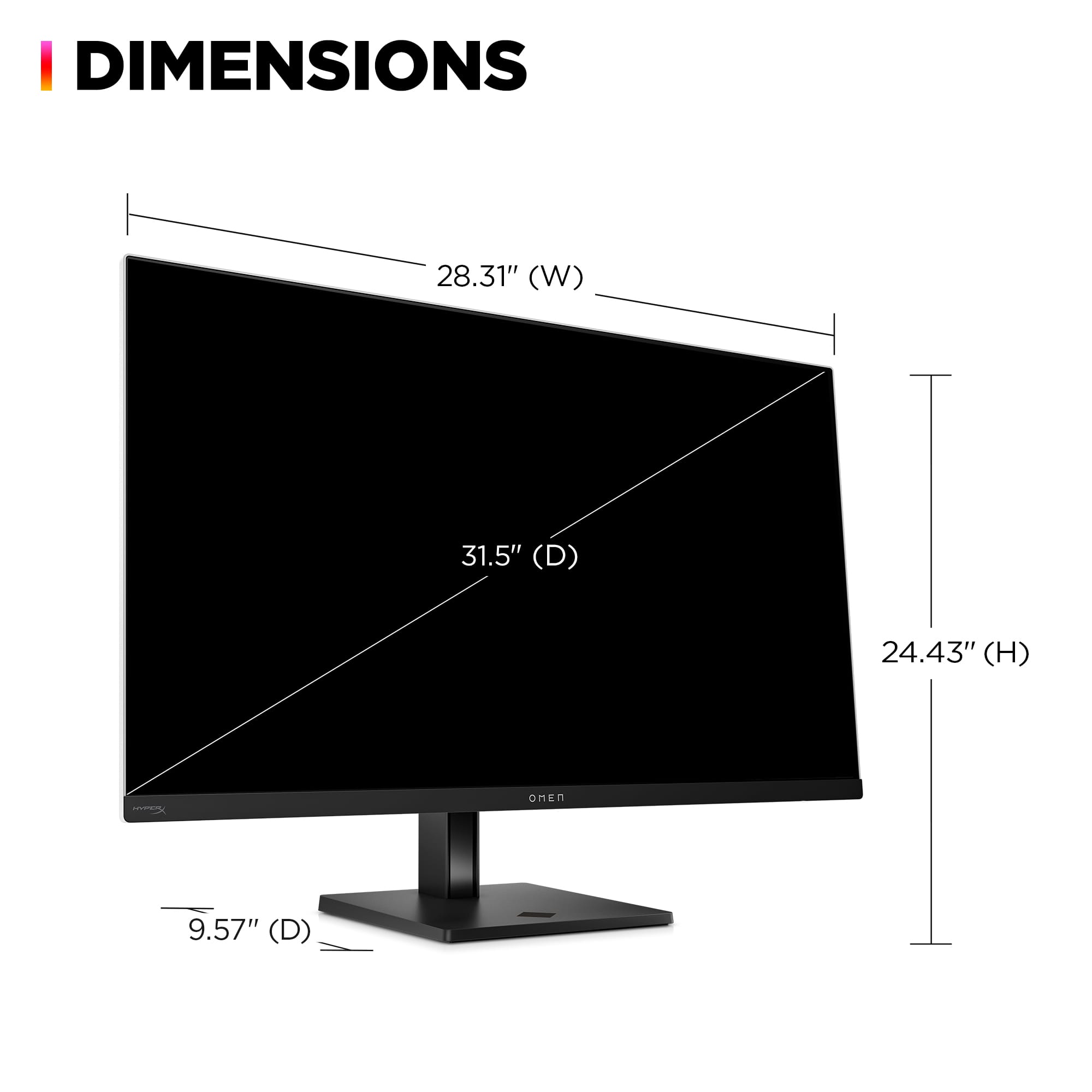
||Posted . Owned for 1 month when reviewed.This reviewer received promo considerations or sweepstakes entry for writing a review.I've stuck to Macbooks for the last 20 years because I love that crisp detail on the screen. I like gaming, but I do a lot of writing and reading online for work, and I always felt like the letters on websites were a little blurry on every PC monitor I've ever used before. This monitor is the first one I've tried that can compete with the Mac monitors on that front. It's GORGEOUS, and it's also fantastic for gaming too! It didn't feel that huge in the store, but once I got it home to my desk, it felt much bigger. I love it and we are saving up for a second one to add to the game room ASAP as well!
This review is from HP OMEN - Transcend 31.5" QD-OLED 4K UHD 240Hz G-SYNC Compatible Gaming Monitor with Adjustable Height - Black/White
I would recommend this to a friend - Pros mentioned:Oled quality, Refresh rate
Rated 5 out of 5 stars
Perfect for the gamer and content creator
||Posted .This reviewer received promo considerations or sweepstakes entry for writing a review.Fantastic Monitor! It’s an outstanding deal for gamers that double as content creators given it’s an OLED screen with a 240hz refresh rate mixed with great color management tools, calibration tools, excellent built in KVM and outstanding macOS support. It has an easy to use menu system that is both thoughtful and well designed.
This review is from HP OMEN - Transcend 31.5" QD-OLED 4K UHD 240Hz G-SYNC Compatible Gaming Monitor with Adjustable Height - Black/White
I would recommend this to a friend - Pros mentioned:Picture quality, Refresh rateCons mentioned:Firmware update
Rated 2 out of 5 stars
Beautiful monitor, buggy mess
||Posted . Owned for 2 months when reviewed.This reviewer received promo considerations or sweepstakes entry for writing a review.I’m not one to leave a review on a purchase but since this monitor has become a part time job recently I thought it would be helpful to share. First the monitor picture is beautiful, nicer than any monitor I have ever used before. 240hz 4k QD OLED delivers and games feel super smooth and look incredible. The LED light on the back is super bright and rich and will help fill up a room with more color, when it works. I am currently exchanging my 3rd model. The first two (through Best Buy), the LED light didn’t work after a few days and I was unable to update the firmware. The 3rd (through HP support exchange) would just lose video input signal after about 8 seconds, making it impossible to troubleshoot or update the firmware (or use it at all through HDMI or DP). It’s become very annoying to exchange models and I am expecting my 4th model once HP exchanges. I recommend buying through HP directly if you do purchase in case you need to get a refund instead of being stuck in a warranty loop and only being able to exchange it for another model. I hope the next one just works as advertised but this monitor seems to have some bugs. If it works it’s a 5/5 without a doubt. Since I’m 0/3 so far on working monitors, a 2/5 is generous.
This review is from HP OMEN - Transcend 31.5" QD-OLED 4K UHD 240Hz G-SYNC Compatible Gaming Monitor with Adjustable Height - Black/White
No, I would not recommend this to a friend - Pros mentioned:Oled quality, Refresh rate
Rated 5 out of 5 stars
Nearly perfect 4k 240hz oled
||Posted . Owned for 2 weeks when reviewed.This reviewer received promo considerations or sweepstakes entry for writing a review.Pros: Beautiful glossy 4k QD-OLED, 240hz screen KVM switch Great speakers 90w charge port Clean aesthetic Cons: Cost Menu buttons are a little annoying to navigate and in a weird spot
This review is from HP OMEN - Transcend 31.5" QD-OLED 4K UHD 240Hz G-SYNC Compatible Gaming Monitor with Adjustable Height - Black/White
I would recommend this to a friend - Pros mentioned:Connectivity, Refresh rate
Rated 5 out of 5 stars
Everything you could want
||Posted .This reviewer received promo considerations or sweepstakes entry for writing a review.I researched a lot to chooose the best premium 32in. gaming monitor and this was definitely the right choice. 4k 240hz, hdmi 2.1, dp 2.1 (UHBR10), 140w charger, HDR with 10 bit color, and a quick kvm switch. Literally everything you could ask for.
This review is from HP OMEN - Transcend 31.5" QD-OLED 4K UHD 240Hz G-SYNC Compatible Gaming Monitor with Adjustable Height - Black/White
I would recommend this to a friend - Pros mentioned:Picture quality, Refresh rate
Rated 5 out of 5 stars
Big ol fancy screen
||Posted . Owned for 1 week when reviewed.This reviewer received promo considerations or sweepstakes entry for writing a review.This is the monitor to go for if you're looking to upgrade! I was using a 1440p monitor before this and the difference is night and day. The built in speakers could have a little more boom to them,thankfully there is a built in eq changer for your needs. The screen is bright and colorful, with a stunning refresh rate, so every image is crisp and clear. Well worth the price.
This review is from HP OMEN - Transcend 31.5" QD-OLED 4K UHD 240Hz G-SYNC Compatible Gaming Monitor with Adjustable Height - Black/White
I would recommend this to a friend - Pros mentioned:Picture quality
Rated 5 out of 5 stars
A definite buy!
||Posted . Owned for 2 weeks when reviewed.This reviewer received promo considerations or sweepstakes entry for writing a review.This is my third HP Omen monitor and I have to say it’s the best monitor ever! Love the dimensions and they look amazing once you mount them to a desk. I recommend buying aftermarket mounts cause the default ones slide around easily, and don’t feel stable. You won’t regret buying his monitor, I highly recommend it. The picture will blow you away.
This review is from HP OMEN - Transcend 31.5" QD-OLED 4K UHD 240Hz G-SYNC Compatible Gaming Monitor with Adjustable Height - Black/White
I would recommend this to a friend - Pros mentioned:Connectivity, Picture quality
Rated 5 out of 5 stars
Excellent Large Monitor for Productivity or Gaming
||Posted . Owned for 2 weeks when reviewed.This reviewer received promo considerations or sweepstakes entry for writing a review.Excellent screen quality and size. The various hub ports on the back of the monitor for connecting multiple peripherals is an extremely useful benefit. I got an excellent price on an open box for this monitor and it exceeds expectations.
This review is from HP OMEN - Transcend 31.5" QD-OLED 4K UHD 240Hz G-SYNC Compatible Gaming Monitor with Adjustable Height - Black/White
I would recommend this to a friend - Pros mentioned:Picture qualityCons mentioned:Kvm
Rated 4 out of 5 stars
One of the better options for qd oled
||Posted . Owned for 1 month when reviewed.This reviewer received promo considerations or sweepstakes entry for writing a review.This monitor is really nice, but the kvm on the newest update is quite glitchy. It’s Qd OLED so picture quality is great and black levels are inky black as to be expected, so no complaints as far as picture quality is concerned. If hp fixes the kvm with a firmware update, this would be a 5 star rating for me.
This review is from HP OMEN - Transcend 31.5" QD-OLED 4K UHD 240Hz G-SYNC Compatible Gaming Monitor with Adjustable Height - Black/White
I would recommend this to a friend - Pros mentioned:Picture quality
Rated 5 out of 5 stars
Perfect for work and play
||Posted . Owned for 2 weeks when reviewed.This reviewer received promo considerations or sweepstakes entry for writing a review.I game on a PlayStation 5 and work on a Windows laptop. My personal laptop is a MacBook Air M1. First thing, the monitor is big, I am used to a 27 inch monitor so it took a little adjustment to get used to. I am glad it is bigger with the fan rather than the other cooling solutions implemented in other monitors. On PlayStation the colors, clarity, and vibrancy are perfect. Can't get any better than this. On my Mac, it also looks perfect so it just so happens to be a great companion for my Mac since it charges my laptop with its 140 W power delivery. Text fringing does not exist on macOS. In Windows it is a different story as Windows renders text differently. I thought text sharpness would be an issue since I came from a 27 inch 4K monitor but side by side I can hardly notice the difference. I love this monitor and I think with the discounts it is amazing value. There isn't much coverage for this monitor online but it is definitely worth considering over the competition. I did not have issues updating the software. I also eont use the kvm switch. The RGB in the back is qlso q very nice touch, very bright and customizeable.
This review is from HP OMEN - Transcend 31.5" QD-OLED 4K UHD 240Hz G-SYNC Compatible Gaming Monitor with Adjustable Height - Black/White
I would recommend this to a friend - Pros mentioned:Oled quality, Refresh rate
Rated 5 out of 5 stars
Hands down the best 4K 32" OLED monitor
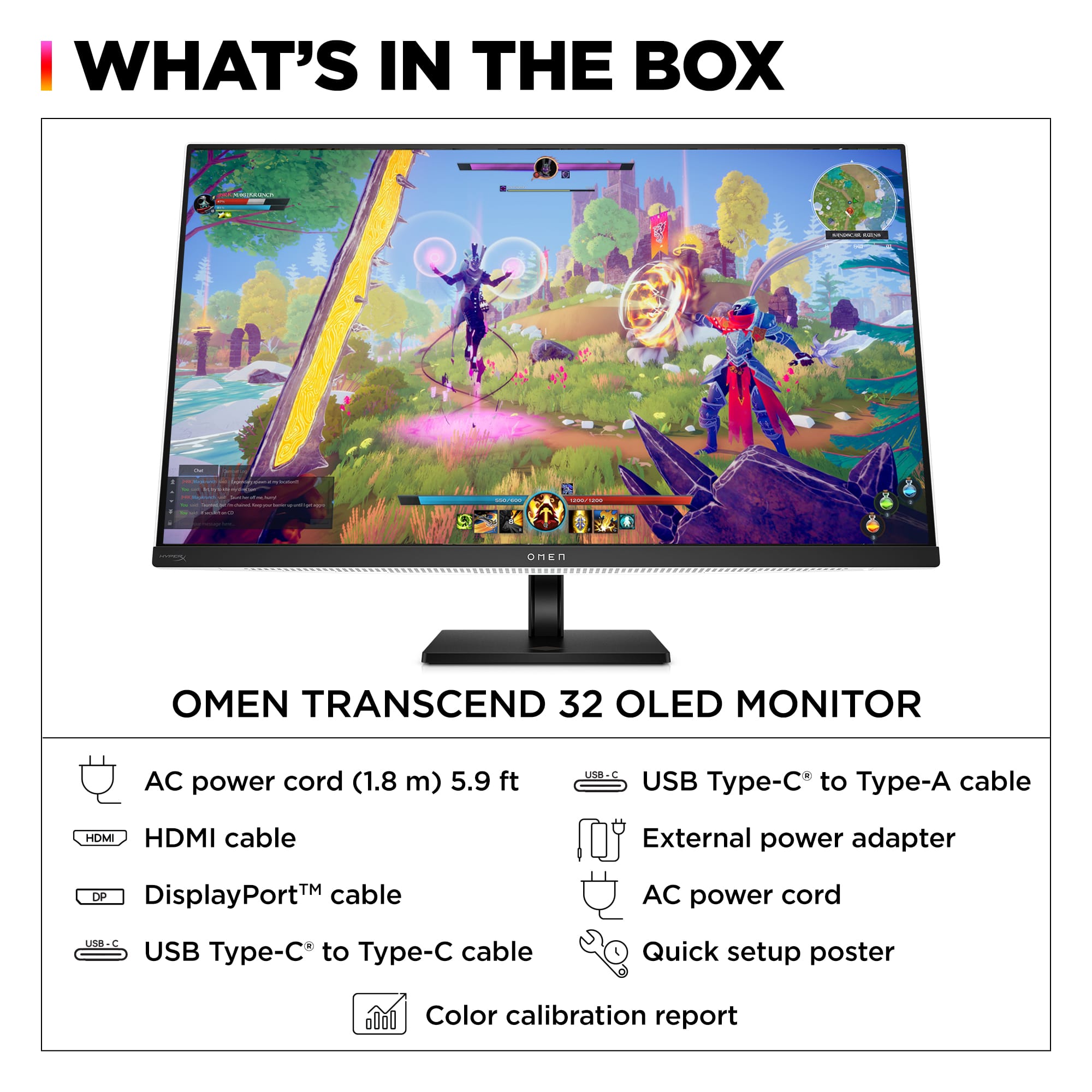
||Posted . Owned for 2 weeks when reviewed.This reviewer received promo considerations or sweepstakes entry for writing a review.PROs - High quality next gen OLED - No dead pixels - It's not ugly - High refresh rate - USB C display with high wattage Power Delivery (I connect my Mac to this) - Built in HUB (I have my dongles attached to it) - VESA support - Excellent price point - Magnetically attachable headset mount (included) - Joystick navigation CONs - It's not free
This review is from HP OMEN - Transcend 31.5" QD-OLED 4K UHD 240Hz G-SYNC Compatible Gaming Monitor with Adjustable Height - Black/White
I would recommend this to a friend - Pros mentioned:ConnectivityCons mentioned:Power brick size
Rated 5 out of 5 stars
Excellent OLED monitor
||Posted . Owned for 1 month when reviewed.This reviewer received promo considerations or sweepstakes entry for writing a review.Monitor is bright and has a lot of connectivity in the back to hook up all your keyboard accessories. Great for connecting to laptop that doesn't have a lot of usb a ports. Can also connect to devices using usb C along with HDMI and display port. The power brick is on the bigger size so that would be my only con
This review is from HP OMEN - Transcend 31.5" QD-OLED 4K UHD 240Hz G-SYNC Compatible Gaming Monitor with Adjustable Height - Black/White
I would recommend this to a friend