Customer Ratings & Reviews


- Model:
- Pavilion 32qhd
- SKU:
- 6343305
Rating by feature
- Ease of Use
Rating 4.7 out of 5 stars
- Value
Rating 4.6 out of 5 stars
- Quality
Rating 4.6 out of 5 stars
Customers are saying
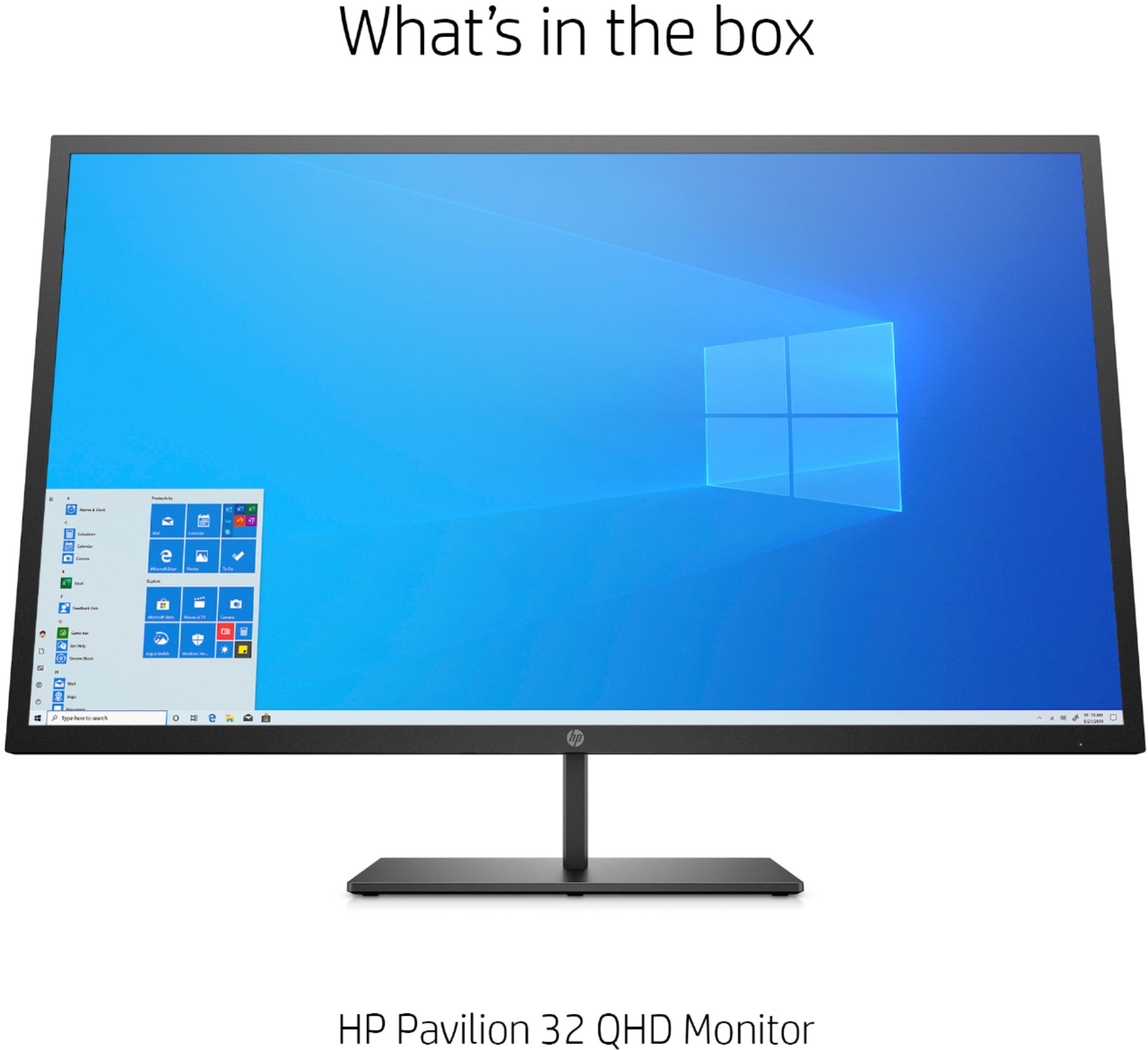
Customers recognize the Pavilion 32" LED QHD Monitor's large screen size as excellent for various uses and appreciate its ease of setup and high-quality resolution. Positive feedback also highlights the monitor's overall build quality and refresh rate. However, some users express concerns regarding the sturdiness and adjustability of the stand, the lack of integrated speakers, and the design of the VESA mount.
This summary was generated by AI based on customer reviews.
- Pros mentioned:Resolution, Screen size
Great initial impression!
||Posted . Owned for less than 1 week when reviewed.This reviewer received promo considerations or sweepstakes entry for writing a review.This monitor came in good packaging, although the contents on the box were very visible from the outside. Not a huge deal at all though, since everything was taped shut and sealed well. After opening, I assembled the stand (which was nice and heavy, but easy to assemble) and set it upright with only one person. This monitor comes with the VESA adapter and screws to mount it to a wall, but I didn’t need that feature. After plugging in the monitor and changing my laptop’s output resolution, it was literally just play-and-play. No hassle AT ALL! The image itself was fantastic, with no dead pixels, no backlight bleed, and no strange surprises. The thickness on this is good enough to give it some resilience to knocks, but is still plenty thin to look astounding. It’s all I could hope for in a 2k monitor, and for the sale price of $249, it was a total bargain. Even not on sale, I would recommend this again in a heartbeat!
I would recommend this to a friend - Pros mentioned:Ease of use, Quality, Screen size
Shocked at the size for the cost!
||Posted . Owned for less than 1 week when reviewed.This reviewer received promo considerations or sweepstakes entry for writing a review.I was actually shocked at how big this monitor was for the price. It’s really good quality and easy to set up.
I would recommend this to a friend - Pros mentioned:Ease of use, Screen size
Great for hard to see visual
||Posted . Owned for 3 weeks when reviewed.This reviewer received promo considerations or sweepstakes entry for writing a review.I purchased 2 of these monitors for my work computer and after a little bit of adjusting, I can see things clearly now, and at much larger sizes. Plus they come in handy for watching movies and videos as well. Very easy to set up.
I would recommend this to a friend - Cons mentioned:Stand
no backlight bleed and no dead pixels but
||Posted . Owned for less than 1 week when reviewed.This reviewer received promo considerations or sweepstakes entry for writing a review.Stand hangs to the right see pics below manufacturers defect. Had to put foam under the right side of the stand to make it staight i like this monitor but stand thing has me turned around colors are a bit of no prob i set my custom colors
I would recommend this to a friend - Pros mentioned:Screen size
So far so good.
||Posted .This reviewer received promo considerations or sweepstakes entry for writing a review.So far so good. The monitor gives me the best color and sharpness I need to then send my images to my printer for really good reproductions. My printer reads the image and prints the image it to a very good...a very good reproduction.
I would recommend this to a friend - Pros mentioned:Screen size
Great picture for a great price
||Posted . Owned for less than 1 week when reviewed.This reviewer received promo considerations or sweepstakes entry for writing a review.The clarity of the picture on these monitors is great. I bought 2 of them and all I can say is wow that is a lot of screen! Great buy. HP never disappoints
I would recommend this to a friend Great for home office
||Posted . Owned for 1 month when reviewed.This reviewer received promo considerations or sweepstakes entry for writing a review.This monitor I got for my home office. We use Microsoft Surface for work, and staring at the small screen was getting to me. I bought this at a great price, along with a wireless adapter and it has made all of the difference in the world! Great for multi tasking and the quality is great. I do notice a tiny lag and the colors are not as vibrant as they are on my surface, but it fits my needs perfectly.
I would recommend this to a friendI Needed a Bigger Desk
||Posted . Owned for 1 week when reviewed.This reviewer received promo considerations or sweepstakes entry for writing a review.I have been using a two-screen setup forever but I decided to go bigger for the screen real estate. This screen is bigger than I anticipated for my little writing desk, so I upgraded to a bigger desk. My all-in-one is now my second screen, while this beauty is the main. The colors and resolution are crisp without hurting my eyes, easy to assemble, and not too heavy.
I would recommend this to a friendGreat monitor perfect size and resolution
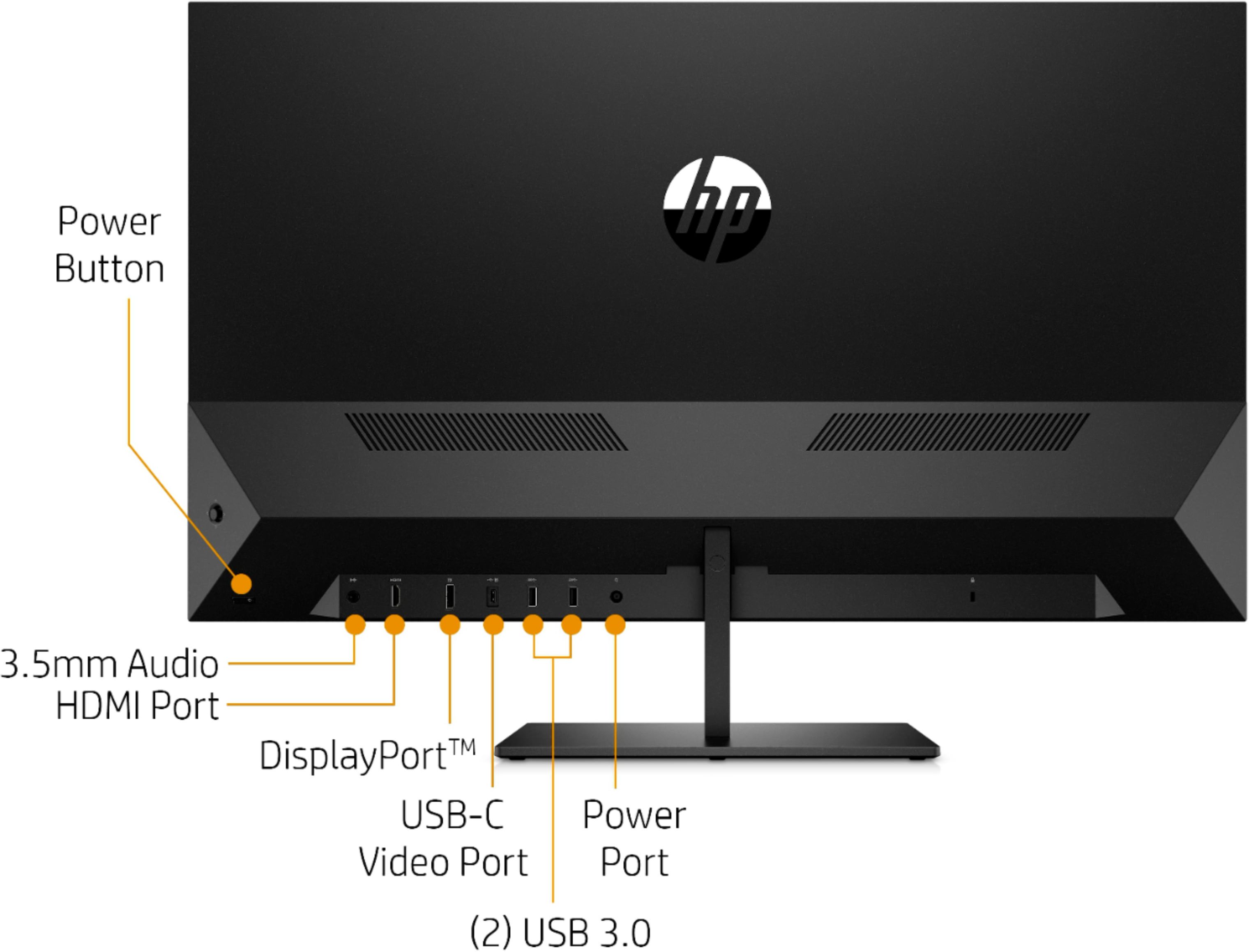
||Posted . Owned for 1 month when reviewed.This reviewer received promo considerations or sweepstakes entry for writing a review.Great monitor perfect size and resolution for my work with video and home recording studio. I love all of the connections on the back. It allows me to connect my larger than normal collection of peripheral units.
I would recommend this to a friendExcellent
||Posted . Owned for 2 weeks when reviewed.This reviewer received promo considerations or sweepstakes entry for writing a review.Best Buy allowed me to return my first external monitor choice, so I was able to get this 32" Monitor and it is absolutely perfect for my needs. I use to display 3D Plans to my Modular Home clients.
I would recommend this to a friendLike them but I might not buy if I could redo
||Posted . Owned for 1 month when reviewed.This reviewer received promo considerations or sweepstakes entry for writing a review.I was looking for monitors after everyone started working from home and these were the last two monitors in the metro Detroit area so I decided to pay the extra money instead of getting two more HP 25er which I have in my office and love (my wife took them over). The monitors I got are so massive that it is really too big which I can’t believe I’m saying that. I’d rather have 4 of the 25er monitors!! Because these were atleast double the price and it is so complicated getting the resolution to match on both because most computers don’t seem to be able to handle both??!
I would recommend this to a friend- Pros mentioned:Ease of use, Resolution, Screen size

easy set up, outstanding image
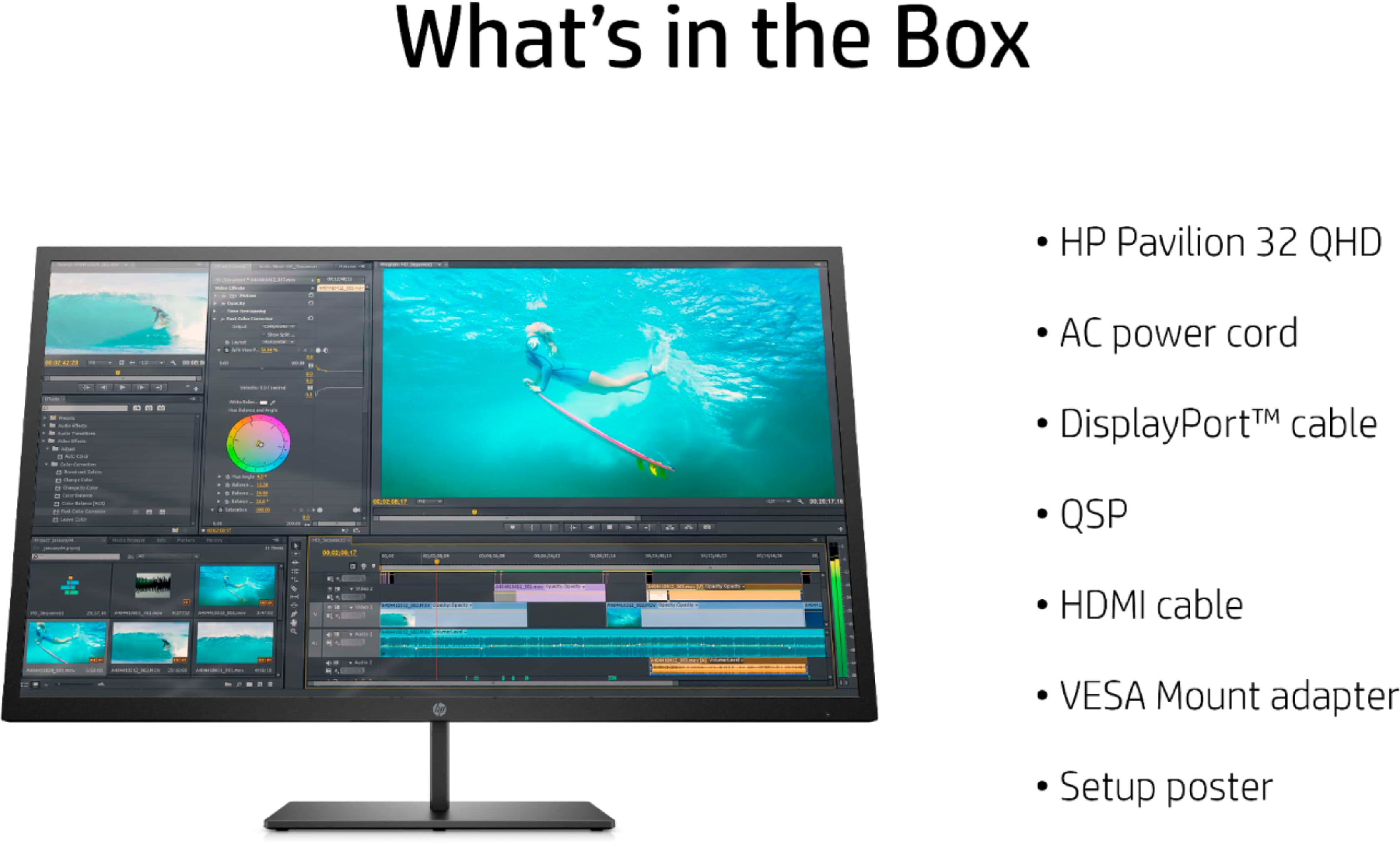
|Posted .This reviewer received promo considerations or sweepstakes entry for writing a review.This monitor is, in a word, stunning. I’ve used MANY computer monitors over the last three decades going all the way back to a monochrome monitor with a Hercules graphics card attached to an original IBM PC and my first color monitor, a CGA-based one. I’ve used EGA, VGA, and everything since. As far as size, I currently have two 27-inch HP monitors on my desk which I have set up as displays 1 and 2. I find the extended desktop space to be invaluable. This HP Pavilion 32 QHD is another step up in size and image quality, and I have it connected to my laptop through an HDMI cable. The monitor accepts HDMI, DisplayPort, or USB-C video. The computer automatically set the display resolution to the suggested 2560 x 1440. I found the image right out of the box to be completely acceptable in terms of brightness, contrast, color balance, and color temperature, and if I never touched the controls, I would be fine. Monitor settings are accessed through a single joystick control on the back side of the monitor in the lower right corner as you face the monitor from the front. It’s very easy to reach around and adjust the settings while looking at the image. Included in the box are a power cable, HDMI cable, and a bracket that you can substitute for the desktop stand to mount the monitor on a wall. The included instructions are minimal, but then all there is to do is attach the desk stand base with two provided screws, connect it to power and to a computer, and turn it on. It automatically detected which port was connected and moved to that one as the input. As I said at the top, I am out of superlatives to use to describe this monitor’s image quality. I now have a dilemma. To use this on my day-to-day computer, I’d want two of them as I still like the two-display setup. But my computer desk isn’t large enough. I guess my wife and I will be off to the store for some new furniture for the den!
I would recommend this to a friend Great stuff!!
||Posted . Owned for 1 week when reviewed.This reviewer received promo considerations or sweepstakes entry for writing a review.Its big its nice its reliable!! I bought this and going to refer to some friends its a great monitor
I would recommend this to a friend- Pros mentioned:Refresh rate, Resolution, Screen size
Gorgeous image, fast display!
|Posted .This reviewer received promo considerations or sweepstakes entry for writing a review.This is a great display, colors are great and there is no ghosting at all! I was greatly surprised it does support FreeSync, and you can enable it within the OSD. Also, once enabling it, the display supports 75Hz (had to select it on my video cards resolution options) without any hitches, as one can see on my pics! The OSD is very comprehensive and has several options to tune the display to your liking. Installing it was easy, just attach the bottom foot (it also comes with a vesa adaptor). This is a great display for those that want a higher resolution than 1080p, but without the computational cost of a full blown 4k. Games look gorgeous on it, and at 75 fps due the support of 75Hz and smooth as butter since it supports AMD's FreeSync! (it should also work with an Xbox one variable frame rate, but have not tested that as my xbox is down for repair). Highly recommend it for both gamers and productivity users!!
I would recommend this to a friend - Pros mentioned:Resolution, Screen size
Nice and big - great for video and multi-tasking!
|Posted .This reviewer received promo considerations or sweepstakes entry for writing a review.Setup was a breeze; my laptop recognized it right away, but I did have to reboot to get the larger screen scaling to be available. The picture is VERY clear for videos (watching 4K drone footage of Australian coastline is like being there in person) and very clear for regular “work” stuff like spreadsheets, documents, web browsing, etc. This monitor is larger than my old one, so I can have more items open on my desktop. Double check your resolution capabilities especially if you are using a laptop. You must have the correct video card to maximize the screen footprint of 2560X1440, so keep this in mind and check your computer/laptop before purchasing. I have an Intel UHD Graphics 620 card in my Dell Latitude 5290 2-in-1, for reference and that works great. We tried another laptop in the house (a Latitude 5285) and that couldn't take advantage of the full resolution limited by it's video card. Very easy to setup the actual monitor. There are 2 hex screws to attach the base to the “handle” (which incidentally, is not a handle – there is a sticker under the foam wrapping to warn you not to use the base stem as a handle, but I already had, since I didn’t see the sticker). There is also a wall mount attachment for connecting to a VESA mount, but I didn’t use this. Overall nice big picture that looks great!
I would recommend this to a friend Nice for two months
||Posted . Owned for 1 month when reviewed.This reviewer received promo considerations or sweepstakes entry for writing a review.I really liked it but after two months the screen started to glitch and now it’s really bad with a white mark on the top of the screen.
No, I would not recommend this to a friendExtremely poor wall mounting design
||Posted . Owned for less than 1 week when reviewed.This reviewer received promo considerations or sweepstakes entry for writing a review.The monitor itself may be good, I don't know, because I cannot use it. I need to mount it vertically to wall mount, and the mounting solution on this monitor is complete crap!! The vesa bracket it comes with attaches to the very bottom of the monitor with a single 2.7 mm screw. It has supporting tabs, but they're not very tight, so even screwed in tight, the bracket moves. Considering weight distribution, it's kind of ok to use that to mount the monitor horizontally, though even then I'd be very weary as the bracket to monitor attachment is still weak. But if you want to turn the monitor vertically, the whole weight distribution overwhelms the bracket, it twists and breaks off. Whichever HP "genius" came up with this vesa mount solution should be shot! And the specs don't mention the bracket only allows horizontal wall mounting. And there are no pictures of any kind showing that bracket attached, nor any kind of wall mounting. It's all just desktop stand. So if you don't need to mount this to the wall, this may be a good monitor, not sure, but there's NO WAY to mount this monitor to wall vertically, and mounting it horizontally in my opinion is an accident waiting to happen, too. The attachment bracket itself is strong, but attachment of the bracket to the plastic back of the monitor is extremely weak, poorly designed.
No, I would not recommend this to a friendHuge Canvas, Clear Image, Good Connectivity
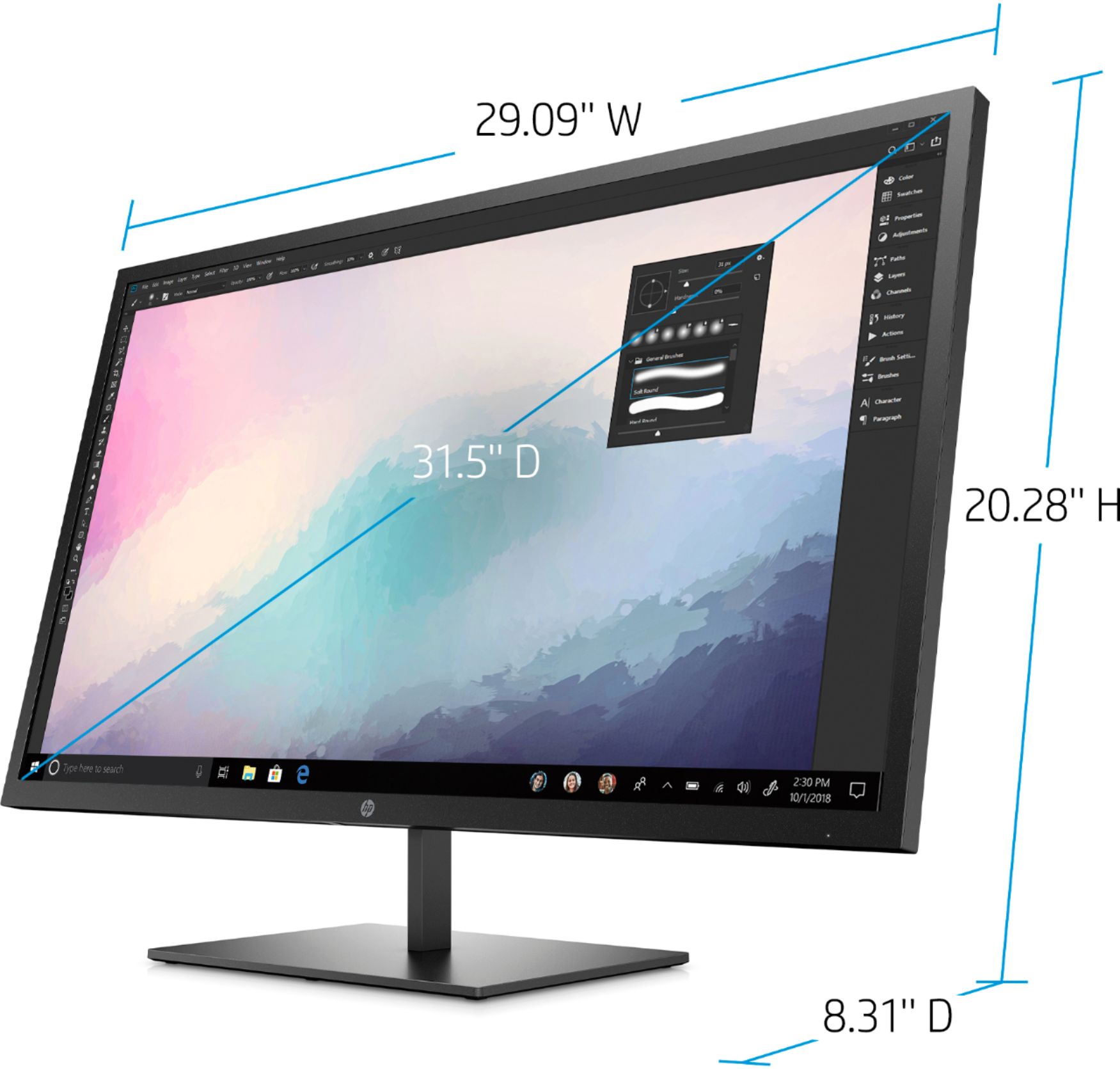
|Posted .This reviewer received promo considerations or sweepstakes entry for writing a review.Pros: * Huge Screen * Lots of pixels to work with * Attractive design (case, stand, etc.) * Good connectivity options * VESA mount and desk stand included Cons: * Not 4k/UHD, but still great. * Limited stand adjustments * Bulky power brick My Review: The laptop I use for work has a built-in 15” Full HD (1080p) screen. This is nice, but when I’m not traveling, it’s a huge benefit to connect a second monitor. I used to expand my desktop onto an external 22” 1080p monitor for more screen real estate. Its really helpful to have the extra space. A brief explanation of monitor resolutions, because QHD might sound the same as 4k, but it’s not. Technically, the bare minimum to be considered HD is 720p (1280x720). “Full HD” is what is commonly referred to as 1080p (1920x1080). This HP monitor is QHD which means 4 x HD so its resolution is 2560x1440 or 3.7 MP, versus 4k which is 4 x Full HD which is 3840x2160 or 8.3 MP. Anyway, I digress. This HP monitor may not be 4k, but its huge 32” screen is a great canvas for getting work done, among other things. It makes more of a difference than you might think. I do design work on my laptop, and being able to not only have multiple things open but to have them open with large enough windows to see detail, is awesome! I can’t say anything about gaming on this monitor, but for work purposes (spreadsheets, design work, etc.) it is amazing. The provided desk stand does its job well enough, but does nothing but tilt; no rotation around the base and the screen cannot rotate to portrait (tall versus wide). It does come with a VESA mount that replaces the desktop stand so you can mount it to a wall or monitor arm, though. I won’t get into the connectivity options because you can read that in the specs. I have it connected to my HP laptop with the provided HDMI cable and everything works great. Aside from the limited stand adjustments, the only other small thing I could negatively mention is that the slim bezel and case design does not have a built-in AC adapter. Instead, it has an external power brick that is quite large but not too bad if you’re using this on a desk. Just keep in mind that the power cable coming from the monitor does have a huge rug bump in the middle ;-) Anyway, this is a really great monitor for its specs. As long as you understand that it is QHD (as advertised) which is NOT 4k or UHD, you’ll be happy with this huge and clear monitor.
I would recommend this to a friendDefective After Less Than One Month of Use
||Posted . Owned for 3 weeks when reviewed.This reviewer received promo considerations or sweepstakes entry for writing a review.Less than one month after purchase, monitor screen started flashing, "Onscreen Menus Are Locked" then "Onscreen Menus Are Unlocked" continuously back-and-forth, and right in the middle of the screen until the power is pulled. Upon re-powering, there is a flashing message box that appears to be doing it's own thing, the the same menus locked/unlocked thing happens again. I would not recommend this monitor to anyone.
No, I would not recommend this to a friendBad Quality
||Posted .This reviewer received promo considerations or sweepstakes entry for writing a review.Returning.. Don’t waste your time. The base is poorly constructed; plastic residue remains in the spot where the monitor plug-in to causing monitor to be seated uneven and warped. This is suppose to a NEW product.
No, I would not recommend this to a friend