Customer Ratings & Reviews
- Model:
- HD28C-GRAY
- SKU:
- 6402923
Rating by feature
- Value
Rating 4.1 out of 5 stars
- Quality
Rating 4.4 out of 5 stars
- Ease of Use
Rating 4.4 out of 5 stars
Customers are saying
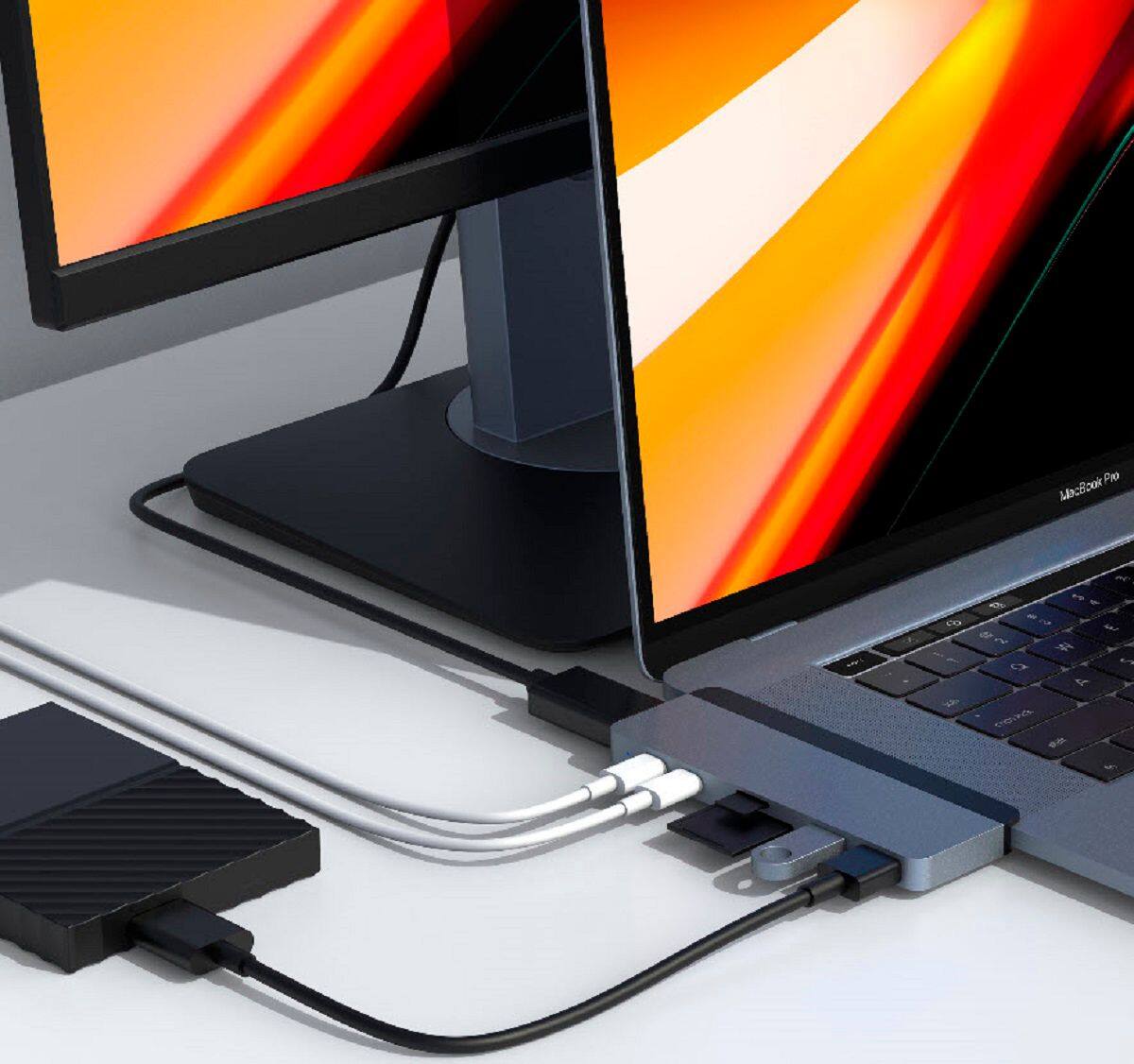
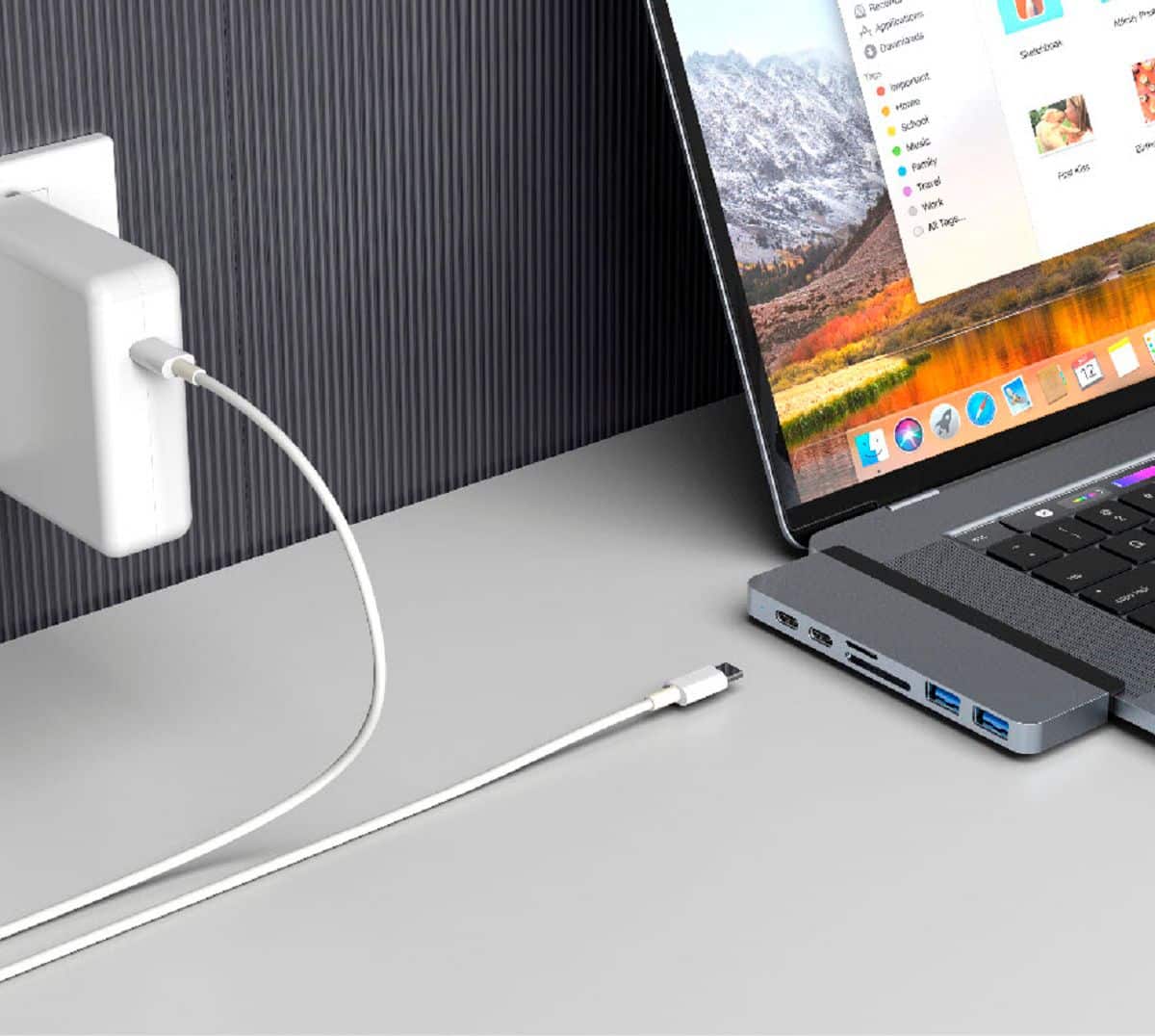
Customers regard the DUO 7-Port USB-C Hub favorably for its USB-C and other ports, compatibility with various devices, and ease of use due to its magnetic design. Many appreciate its quality and the additional ports it provides, along with its thoughtful design. However, some customers experienced issues with the fit and connection stability, and some reported that the device gets warm during use. The overall user experience appears to be positive, despite some reported drawbacks.
This summary was generated by AI based on customer reviews.
- Pros mentioned:Compatibility, Ease of use

A treat USB C hub
|Posted .This reviewer received promo considerations or sweepstakes entry for writing a review.What I love about this is it works not only with MacBook and iPad Pro but any device that has USB C connection. I have also used on a chromebook and a windows laptop that have USB C connection. It is small and portable. I love the extra usb c connector cable. It has a travel pouch which keeps the unit safe when it in use. I can carry it in my backpack and it is always ready to go when I need it. So great to be able to add the Electra ports through this hub.
I would recommend this to a friend - Pros mentioned:Usb-c
compact, versatile and sleek
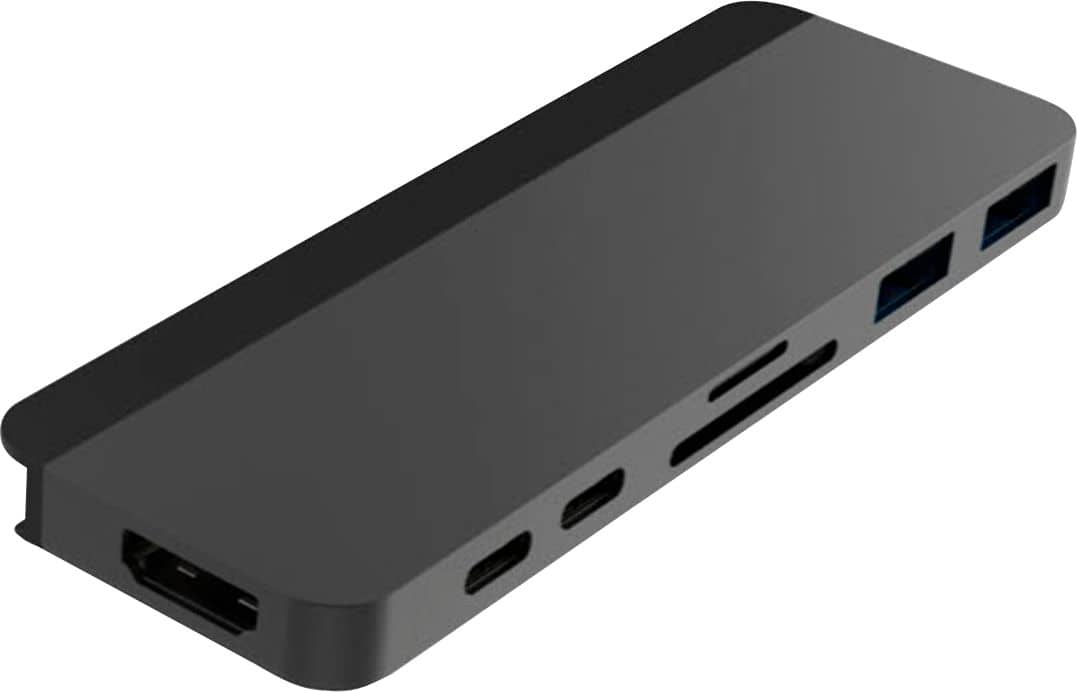
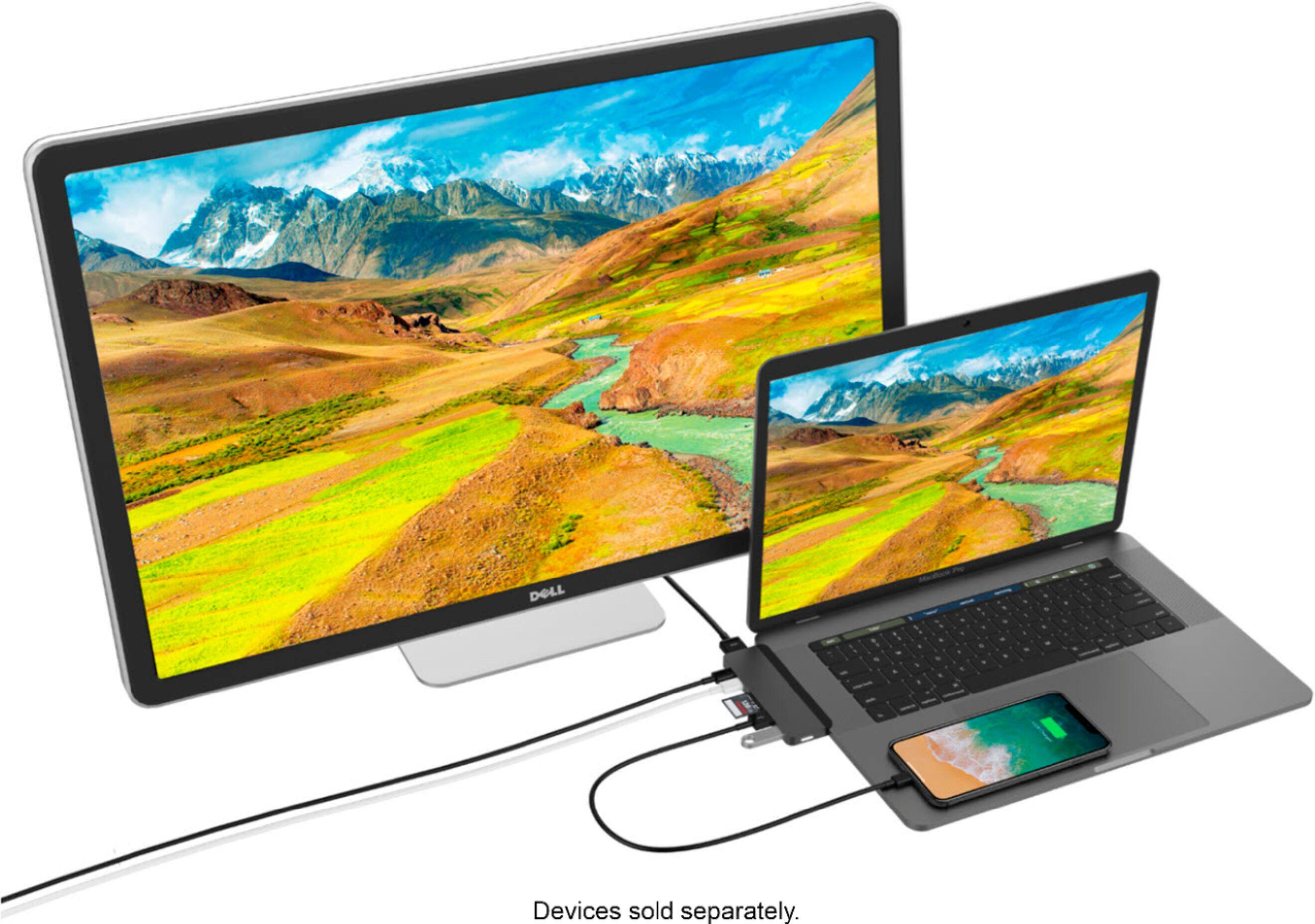
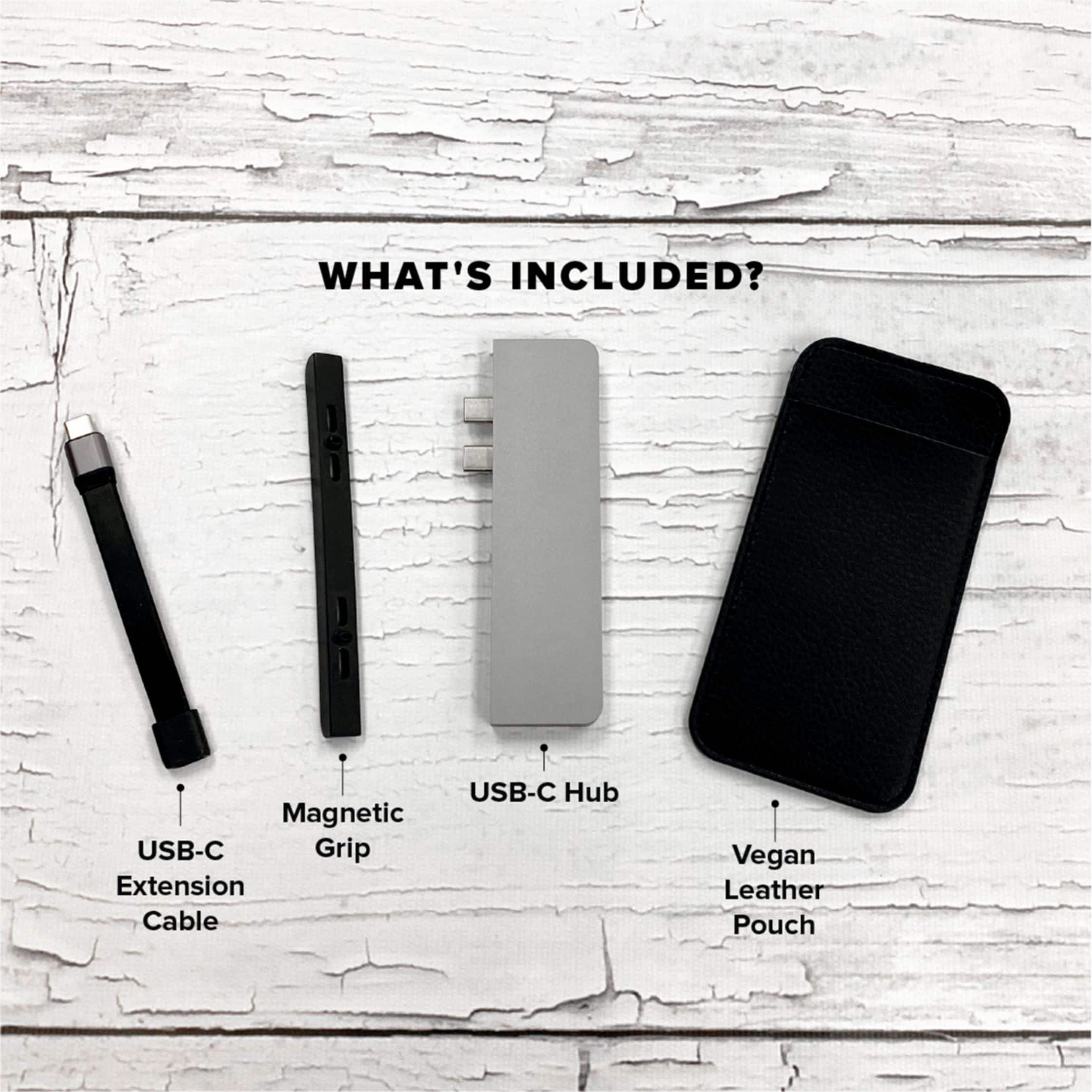
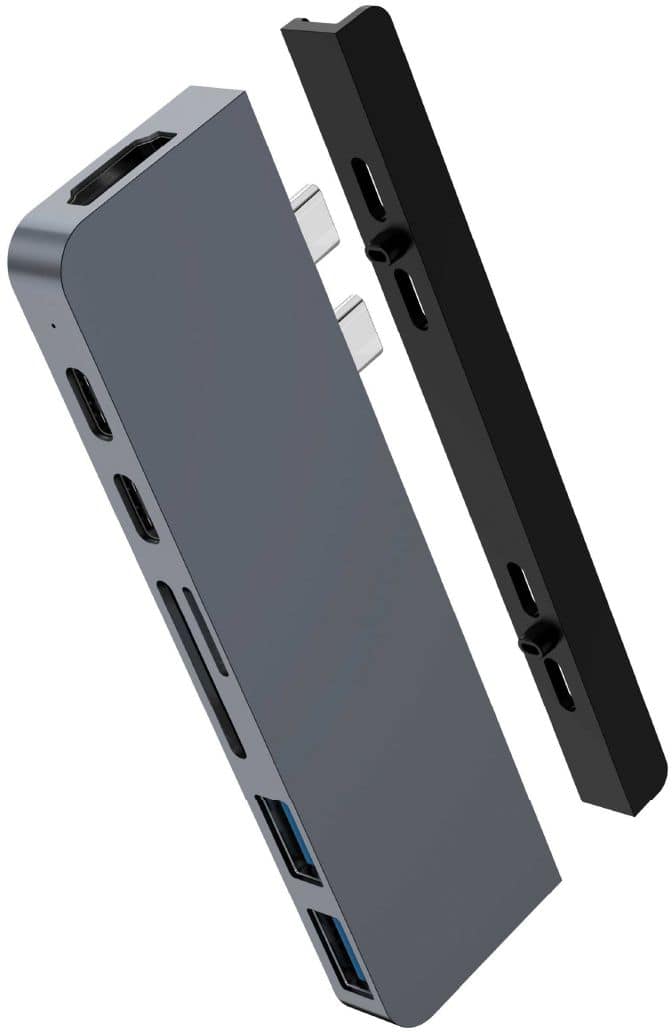
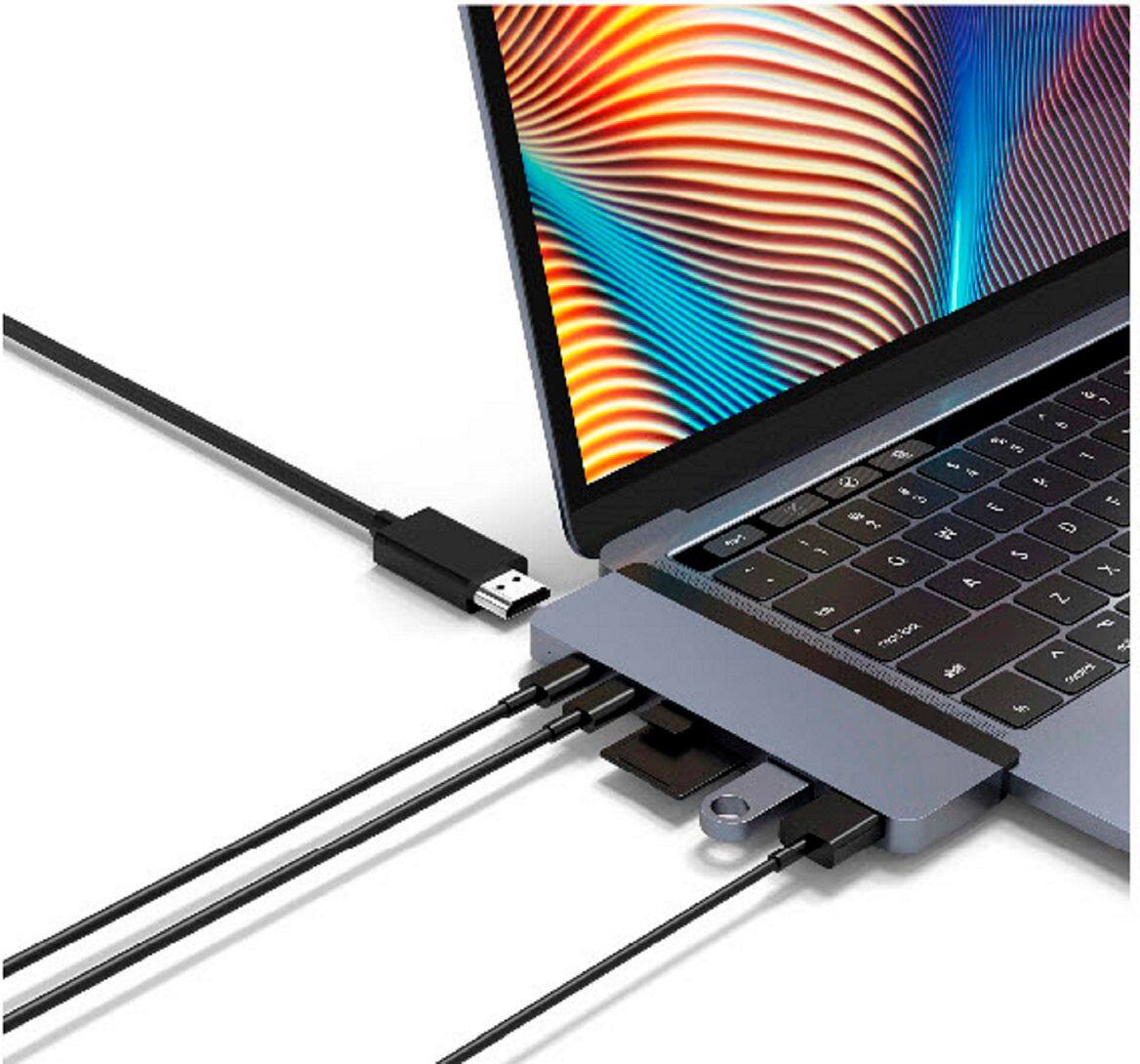
|Posted .This reviewer received promo considerations or sweepstakes entry for writing a review.The HyperDrive Duo 7 in 2 USB Type C Hub is designed for a MacBook Pro, but they have made it compatible with other devices as well. I have used it with my HP Chromebook and my Dell XPS as well as my HP desktop PC. My Chromebook and my Dell are limited in the amount of USB ports on them, so it is nice to be able to add additional functionality using the HyperDrive Duo. The device requires a Type C connector (included is a short type C to Type C extension cable). Once that is hooked up you now have access to two USB type A 3.0 ports, two USB Type C ports that support data and power delivery, a microSD slot, and SD memory card slot, and last but not least a HDMI Hi-res 4k at 60Hz output. However, I was not able to test out the 4k Hi-res output. Everything else works like a charm on this little device. The design is a machined metal type and it looks sleek and modern. You are given a little leather type carrying case that really complements the hyperdrive well. Power is provided via the USB Type C connector, so you don’t have to worry about external power at all. Overall, it helps me reduce clutter and provides a useful amount of ports that easily fits in my laptop bag.
I would recommend this to a friend - Pros mentioned:Compatibility, Ease of useCons mentioned:Design
Easy to Install
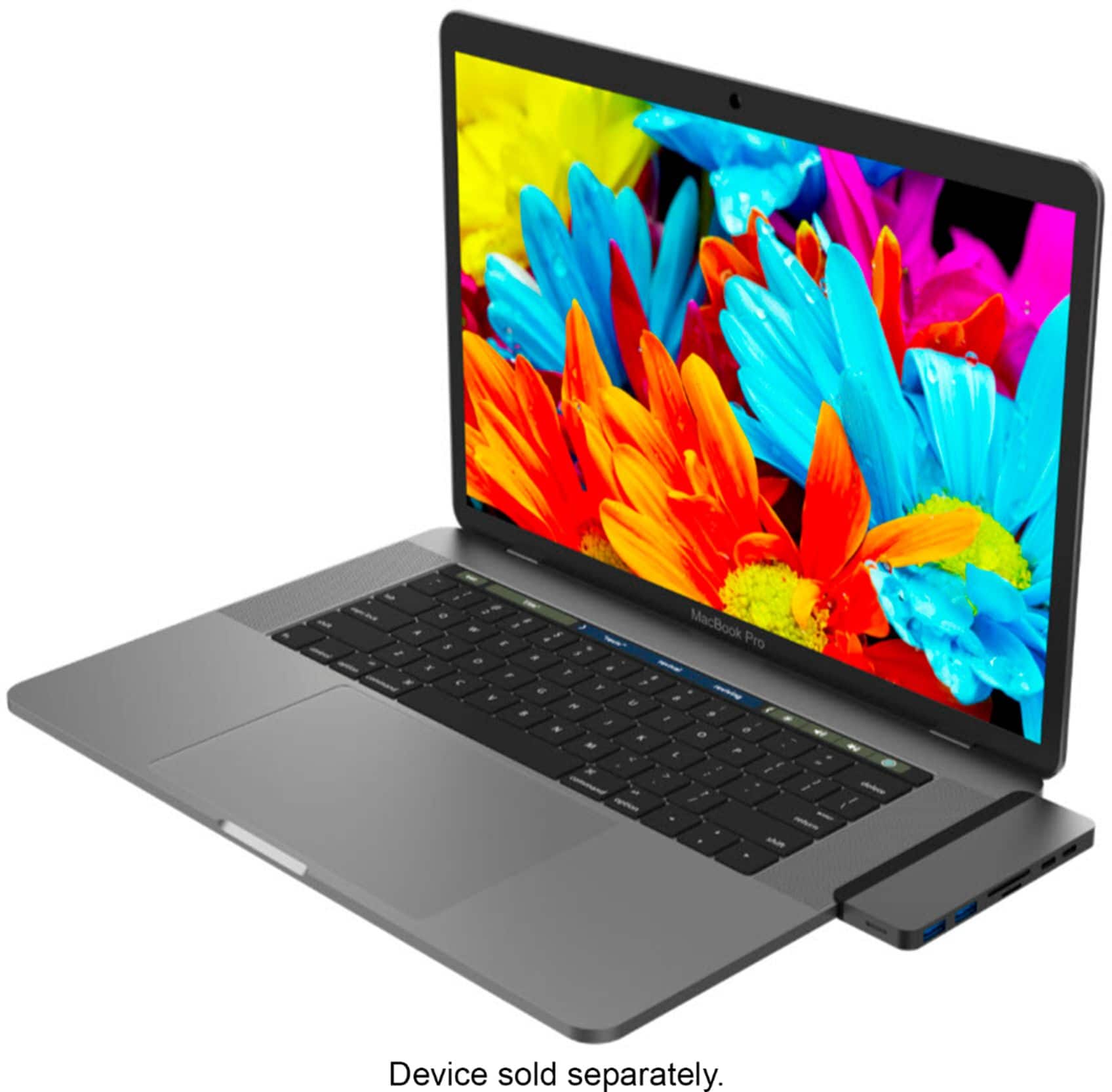
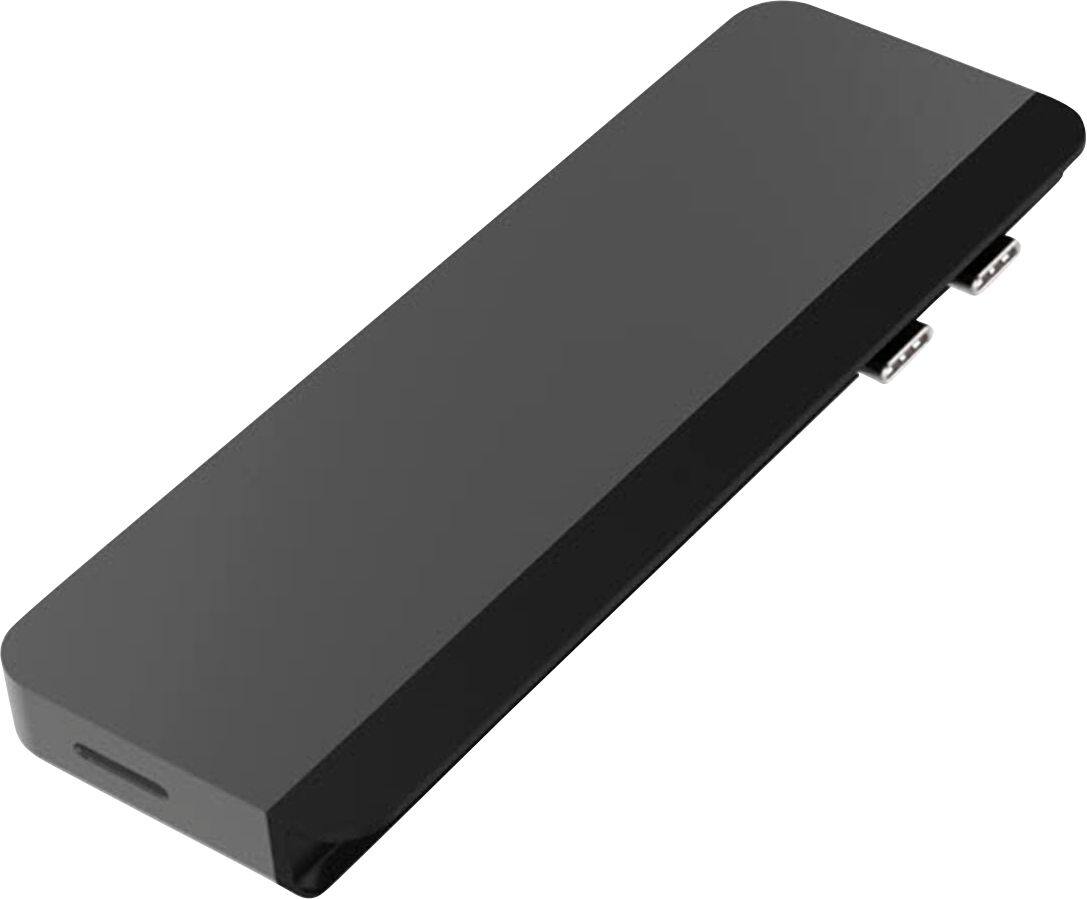
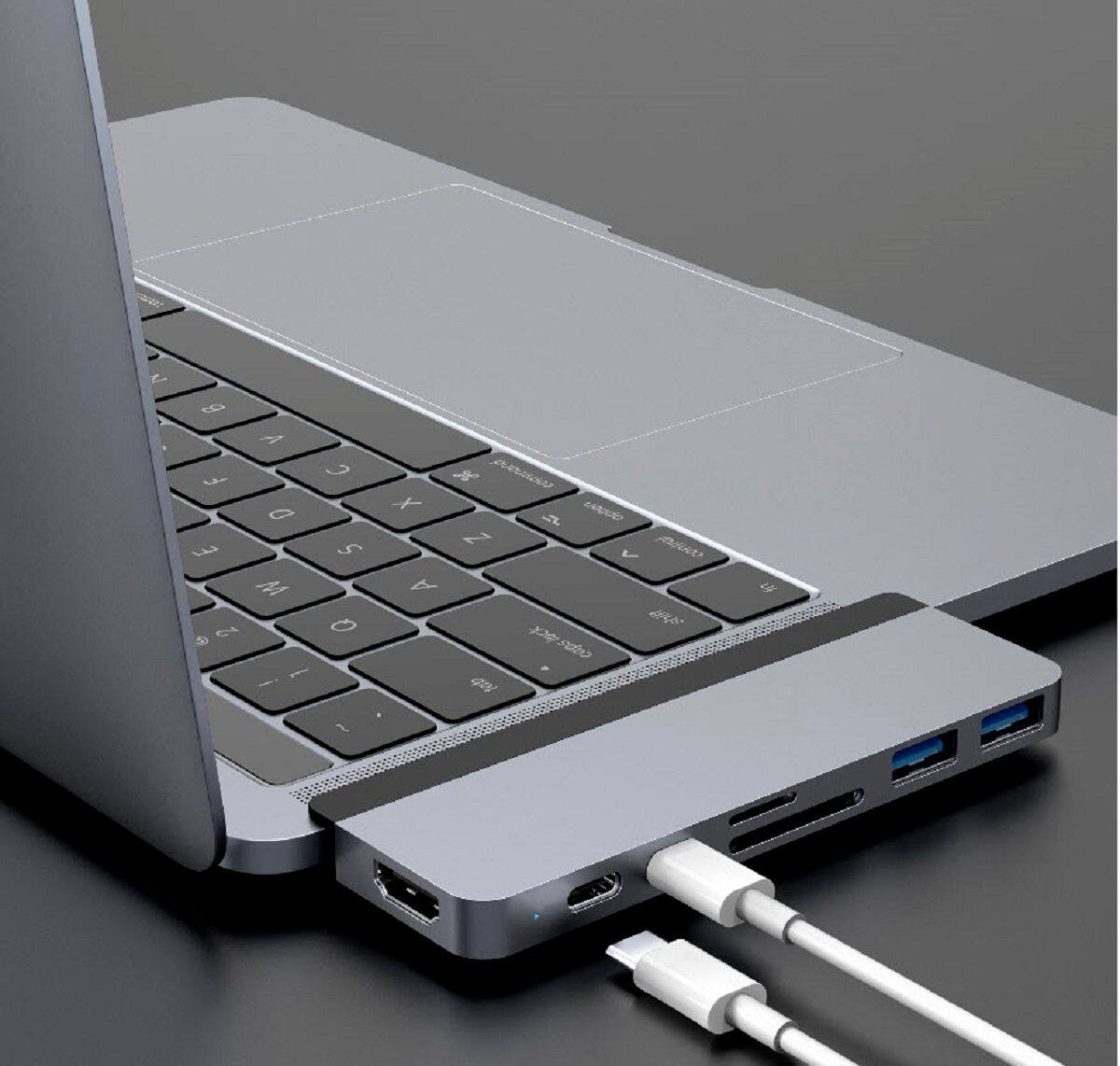
||Posted . Owned for 3 weeks when reviewed.This reviewer received promo considerations or sweepstakes entry for writing a review.This is a really easy way to add I/O ports to your MAC Air. Just take it out of the box put the two pieces together and plug it in. I connected it to my wife's new MACAir and didn't need to do anything else. There are two small negatives with this device. #1 it takes both USB C ports on the computer and #2 the black bar rises a little above the surface of the computer so the lid doesn't close completely. The big plus is the extra I/O slots and that the computer continues to charge if you plug a powered USB cable into the port on the Hub.
I would recommend this to a friend - Pros mentioned:Ports, Usb-cCons mentioned:Design, Heat
Works as intended with design flaws
||Posted . Owned for less than 1 week when reviewed.This reviewer received promo considerations or sweepstakes entry for writing a review.It does what it's supposed to do with a few cons. I got it mainly for the HDMI and the ability to charge at the same time. Positives: -Has most ports a general user would need. They work well. I haven't had any issues. -It lays flat against the laptop. -The design goes well with the MacBook Pro that I have. Very well built. Doesn't look like a cheap hub. Few cons. Mainly design issues: -It doesn't work with the case I have on. I ended up having to take the bottom part of my laptop case off in order to use this. Since this stays on my laptop all the time, I just have to go cashless for now. It's a nice hub with all the right ports for most users. -With the magnetic strip that comes along with this, the laptop won't close shut, which is kind of annoying and interferes with the functionality of a laptop. -It can get warm/hot with multiple ports being used. Although, my laptop is out in the open with plenty of air, so it isn't as big of an issue. I also have the laptop on a stand. Overall, I do recommend it if you're able to deal with minor design flaws.
I would recommend this to a friend - Pros mentioned:Usb-c
Small and covinient
|Posted .This reviewer received promo considerations or sweepstakes entry for writing a review.Great little USB-C Hub for the Macbook pro. I love how sturdy it its and has nice finish. It fits perfectly on the Macbook, giving you several ports (4k/60 hz HDMI, two type C usb ports, with up to 100w, 2 type A USB ports, SD-Micro SD card reader). I love that they included also a small USB-C extension cable and a nice leather carrying pouch! I also tried this on a regular laptop and the all the ports worked (using the extension cable to plug it to it). I did not try the HDMI port, so not sure if it will work on a windows laptop/pc, but the USB ports, reader did work!
I would recommend this to a friend A dongle for all dongles
|Posted .This reviewer received promo considerations or sweepstakes entry for writing a review.LIKES: - I love that it comes with additional accessories, like a pouch (vegan leather) for protection and the USB-C cord extension. - It doesn't disconnect easily...I have had issues in the past with others that disconnect at the slightest bump or shuffle on the couch or other surfaces but this one has stayed connected much better. - Aesthetically, It looks great with my MacBook Pro. - It allows me to stay connected with multiple devices and charge my laptop at the same time. DISLIKES: - without the black magnetic grip piece, there is a considerable sized gap between the lap book and hub, which can be daunting if you were to ever lose the piece. It can make the connection a bit more unstable, and you will have disconnection issues. - the status light is on the far end side of the hub, which makes it difficult to see right away if it is plugged in all the way or connected. It should be located on top or the front end of hub. - Laptop cannot completely close (small gap, not huge issue), because of the black magnetic grip. To me there isn't much of a technical aspect to this, it just works. So if you need a dongle for your other dongles, this is it.
I would recommend this to a friend- Pros mentioned:Ports
Super functional
|Posted .This reviewer received promo considerations or sweepstakes entry for writing a review.The HyperDrive - DUO 7-in-2 USB Type-C Hub for MacBook Pro is great if you need options. You have multiple ports for varied devices. Charging capability and it’s small so storage fee and using it on the go is great. Only concern is the plastic piece between the port and the computers is very sturdy. Other than that great option.
I would recommend this to a friend - Pros mentioned:Compatibility, Ports
Should have keep it
||Posted . Owned for 2 weeks when reviewed.This reviewer received promo considerations or sweepstakes entry for writing a review.I loved this item. It worked well and was so convenient to use. It doesn’t go all the way in but the fit is secure and it stays in place. When I read the reviews it said it does work with the laptop case but it does work, you just can’t use the magnetic strip with it. Other reviews said that it stopped working so when mine stopped working after a few days, I thought the device was defective and I returned it. I purchased the “Apple version” because not many things are compatible with Apple devises. When I got home that didn’t work either so I called Apple. It turns out all I had to do was reset something on the laptop for it is work. I was so upset because this devise had everything I needed. It had 7 ports and I caught a flash sale so I actually paid $65 with tax. The Apple one only has 3 ports and I paid $68 with tax. I was so upset. I should have kept this devise.
I would recommend this to a friend Good hub with well thought out layout.
|Posted .This reviewer received promo considerations or sweepstakes entry for writing a review.Dongle life is a real thing and having an all in one USB C hub is a necessity. For the past week I have been testing out the HyperDrive - DUO 7-in-2 USB Type-C Hub and here are my thoughts. The first thing I like about this hub is that port placement was well thought out. All the ports are in places where they make the most sense. Ie. the HDMI is in the back, and the USB C and USB A ports are spaced out enough that they don't get in each other's way. Another thing I like is that unlike other hubs, the USB C ports can be used to charge my mac, along with charging another device and still be used for data transfer. With all that being said, this hub has my recommendation.
I would recommend this to a friend- Cons mentioned:Design, Fit
Design Flaw isn’t flush can’t close laptop
||Posted . Owned for 1 month when reviewed.This reviewer received promo considerations or sweepstakes entry for writing a review.Works as it should BUT The design is flawed. There is a magnetic lip that attaches to it You are unable to to close the laptop all the way as it’s not flush and prevents the lid from fully closing I trimmed it off and it’s fine now but I wouldn’t buy again because of this
No, I would not recommend this to a friend - Pros mentioned:Compatibility, Usb-c
Great fit for my MacBook!
||Posted . Owned for 3 months when reviewed.This reviewer received promo considerations or sweepstakes entry for writing a review.This port helps get the job done for my MacBook! I can plug multiple USBs in it and not feel limited. It really helps me when I need to get files from my camera. The magnetic strip help the port not come out of the computer, but you still have to be a little cautious when you pull something out of one of the USB slots or you may eject the entire port.
I would recommend this to a friend Some Promise, Some Compromise
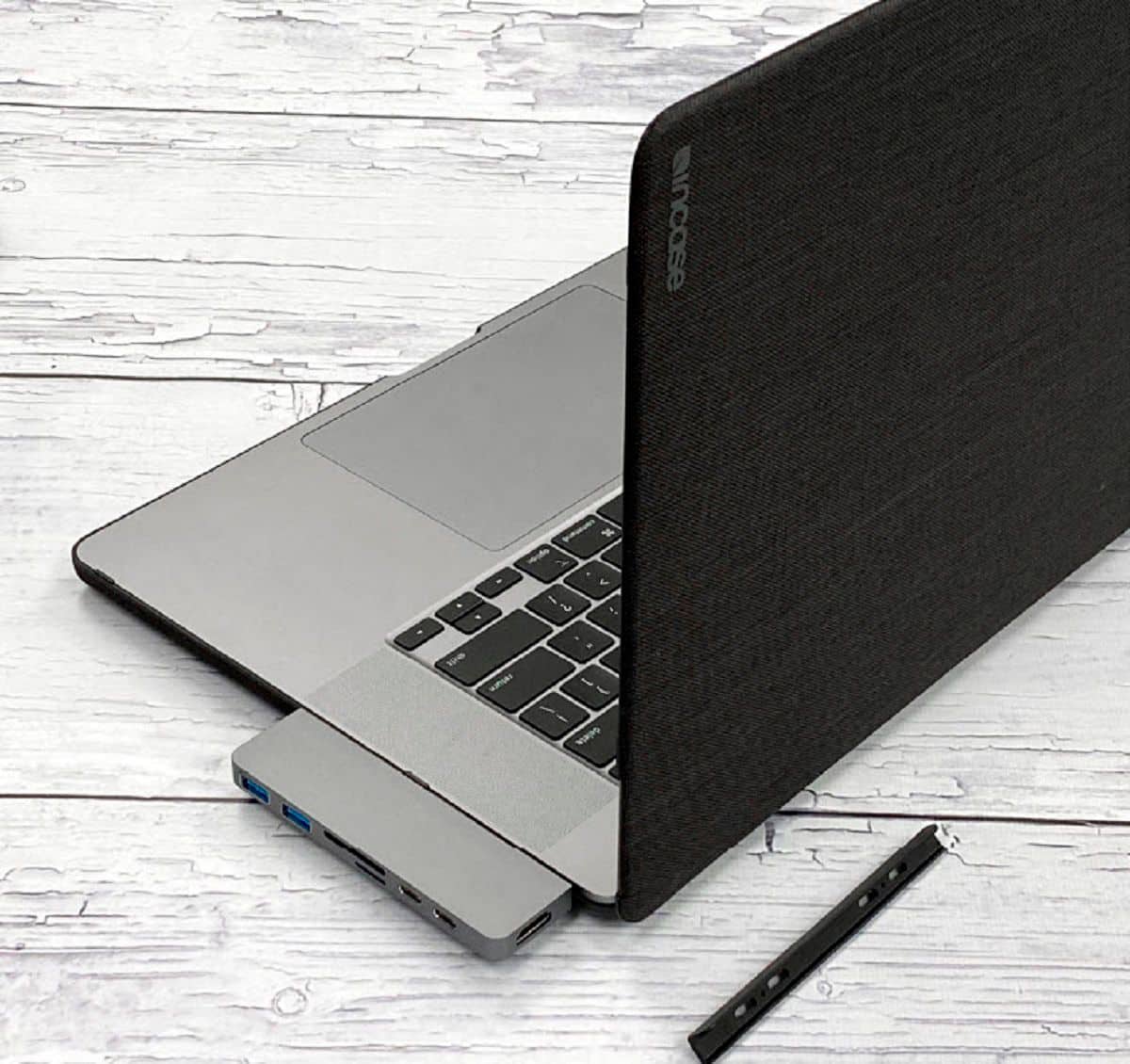
|Posted .This reviewer received promo considerations or sweepstakes entry for writing a review.My wife has been looking for a hub that would allow her to connect some of her older USB-A devices to her 2016 13" MacBook Pro with 4 USB-C ports. But, she also has a case on her MacBook to help prevent damage from dents and dings from everyday use. I thought this would be a good choice and although it has been, for the price - there are some compromises that you will have to be OK with if you go with this. First and foremost, this hub worked for my wife - she was able to charge her MacBook and connect an external hard drive for Time Machine backups and connect her iPad Pro to sync and backup. We also have a DSLR camera and the card reader worked fine as well - the only port she tried but didn't really use routinely was the HDMI port. The HyperDrive also comes with a leather carrying case for the hub, a USB-C extension cable, and a plastic piece that acts as a magnet to hold the HyperDrive securely to your MacBook. But, with the case that my wife uses, we couldn't use the magnetic piece, so we were resigned to use the hub bare to connect, which lead to some issues. The HyperDrive depends on this little piece of plastic to help secure it to their MacBook - but with a case, it doesn't work. So the drive sat out a bit from the side of her laptop and caused it to feel shaky. My wife was worried that she would break off the USB-C ports on the hub inside her MacBook, so she only used it when she was at her desk. If you have a case on your MacBook, the magnet part here won't work for you - but if you use your MacBook bare, then it'll work fine.
I would recommend this to a friend- Pros mentioned:Compatibility, Usb-c
Works Great
||Posted . Owned for 1 month when reviewed.This reviewer received promo considerations or sweepstakes entry for writing a review.Im glad I purchased this because some of the previous USB-C docks I’ve purchase never stay seaped into the ports but this one does. Its perfect for my at home needs and it comes with an adapter piece if you need to create space. Also im geeky so I love the pouch it came with to carry it in. Good purchase for me
I would recommend this to a friend - Cons mentioned:Price
Decent All-In-One Dock
||Posted . Owned for 7 months when reviewed.This reviewer received promo considerations or sweepstakes entry for writing a review.Bought this all-in-one dock for my new MacBook Pro and it works well. The connector utilizes two USB-C connectors on the side of the laptop and has the magnetically attached plastic lip (reversible) to increase stability while plugged in. PROS: –Every connection I could need in one –Material is excellent and durable –Color matches MacBook Space Grey perfectly –Can be used on either side of laptop and fits well CONS: –A bit on the expensive side –Since it uses both connections on the side of the MacBook, it can jut out quite a bit and hinder workflow/ desk space –Somewhat easy to accidentally loosen the connection if bumped or tugged slightly –The plastic arm does not add much security to the connection, also must remove that piece if you plan on closing the lid as it will prevent it from fully closing –I was hoping I could use the tiny one-USB-c dongle attachment with my MacBook to add a bit more flexibility, but it doesn't seem to supply enough power for it to be usable
I would recommend this to a friend - Pros mentioned:Ease of use, PortsCons mentioned:Fit
Great!
||Posted . Owned for 1 month when reviewed.This reviewer received promo considerations or sweepstakes entry for writing a review.It's great! Easy to use. Small to pack and easy to carry around. Has enough ports without being excessively bulky.
I would recommend this to a friend - Pros mentioned:CompatibilityCons mentioned:Connectivity
It's a mediocre dock
||Posted . Owned for 1 month when reviewed.This reviewer received promo considerations or sweepstakes entry for writing a review.Functionality-wise it works well and does what it says it does. I never quite feeling like it's connected all the way to the computer which I don't entirely like given it hangs off the side. Also I forget that it's there when the laptop is open and 100% of the time have tried to close my computer only to have it not close all the way. You can take the black plastic piece off which would allow it to close while attached but then it sits even further from the computer. I do like that it's compact and easy to attach. It works with both my 16" MBP and the 13" MBP I use for work which is nice. I do wish it had another video out of some kind, but I knew it only had one going in so I won't hold that against it.
No, I would not recommend this to a friend - Cons mentioned:Connectivity, Fit
Not for MacBook 16"
Posted .This reviewer received promo considerations or sweepstakes entry for writing a review.I purchased this for my 16 inch MacBook and have struggled with it from day one. It doesn't fit properly with the spacer on and with it off the ports got bent (you can see the dents in the picture.) It won't make a connection unless the spacer is removed and I have found my computer with a dead battery. Would not recommend this to anyone with the 16 inch MacBook. Major waste of money for me.
No, I would not recommend this to a friend - Pros mentioned:Ease of use, Ports
Very Useful Port for MacBook Pro
||Posted . Owned for 3 weeks when reviewed.This reviewer received promo considerations or sweepstakes entry for writing a review.I love this port which is incredibly useful with my MacBook Pro. It's very small and is easy to transport with my laptop! It has all the needed ports for most situations.
I would recommend this to a friend - Pros mentioned:Compatibility
Great compatibility with M1 MacBook Pro
||Posted . Owned for 1 month when reviewed.This reviewer received promo considerations or sweepstakes entry for writing a review.If you're a new MacBook Pro M1 owner like me and needed more than two measly USB ports, you've probably also dug through two dozen reviews of various docks and expansion accessories. Hopefully this will save you some trouble - this dock works great with the M1 MBP. I'm running a built-to-order 16GB config and doing 4K video and 24-bit audio work, and aside from beating the laptop in terms of temperature (the Hyper gets slightly warm when charging), it's like a natural extension of the laptop. Currently writing this with everything but the HDMI port in use. No issues experienced after multiple Big Sur updates and I always keep the charger plugged in when docked. Only gripe? The black rubber ergonomic seal thing slightly covers the left-side speaker, which is marginally noticeable when doing critical audio work and I'm not using headphones or patched into my pro monitors. I also have left my camera flash card in the dock one too many times, which I am blaming on the sleek look of the drive and not because my short-term memory is failing me.
I would recommend this to a friend - Pros mentioned:CompatibilityCons mentioned:Design
Works perfecty
||Posted . Owned for 2 months when reviewed.This reviewer received promo considerations or sweepstakes entry for writing a review.The hub works perfectly with a Macbook Pro. There is a black bar that comes with it to cover the space between the Mac and the hub. Just dont close the lid of the Mac if you use it.
I would recommend this to a friend