Year-End SaleEnds 1/1/26. Limited quantities. No rainchecks.

Skip to contentGo to Product SearchGo to Footer
Main Content

Customer Ratings & Reviews
Your price for this item is $54.99
The comparable value price is $59.99

Customer reviews

Rating 4.7 out of 5 stars with 48 reviews

Rating Filter

Rating by feature

  • Value

    Rating 4.8 out of 5 stars

  • Quality

    Rating 4.4 out of 5 stars

  • Ease of Use

    Rating 4.8 out of 5 stars

Pros mentioned filter

Cons mentioned filter

98%would recommend to a friend
The vast majority of our reviews come from verified purchases. Reviews from customers may include My Best Buy members, employees, and Tech Insider Network members (as tagged). Select reviewers may receive discounted products, promotional considerations or entries into drawings for honest, helpful reviews.
Page 2 Showing 21-40 of 48 reviews
  • Pros mentioned:
    Design, Mute functionality, Sound quality
    Tech Insider Network Member

    Rated 4 out of 5 stars

    Sounds great

    |
    Tech Insider Network Member
    Posted .
    This reviewer received promo considerations or sweepstakes entry for writing a review.

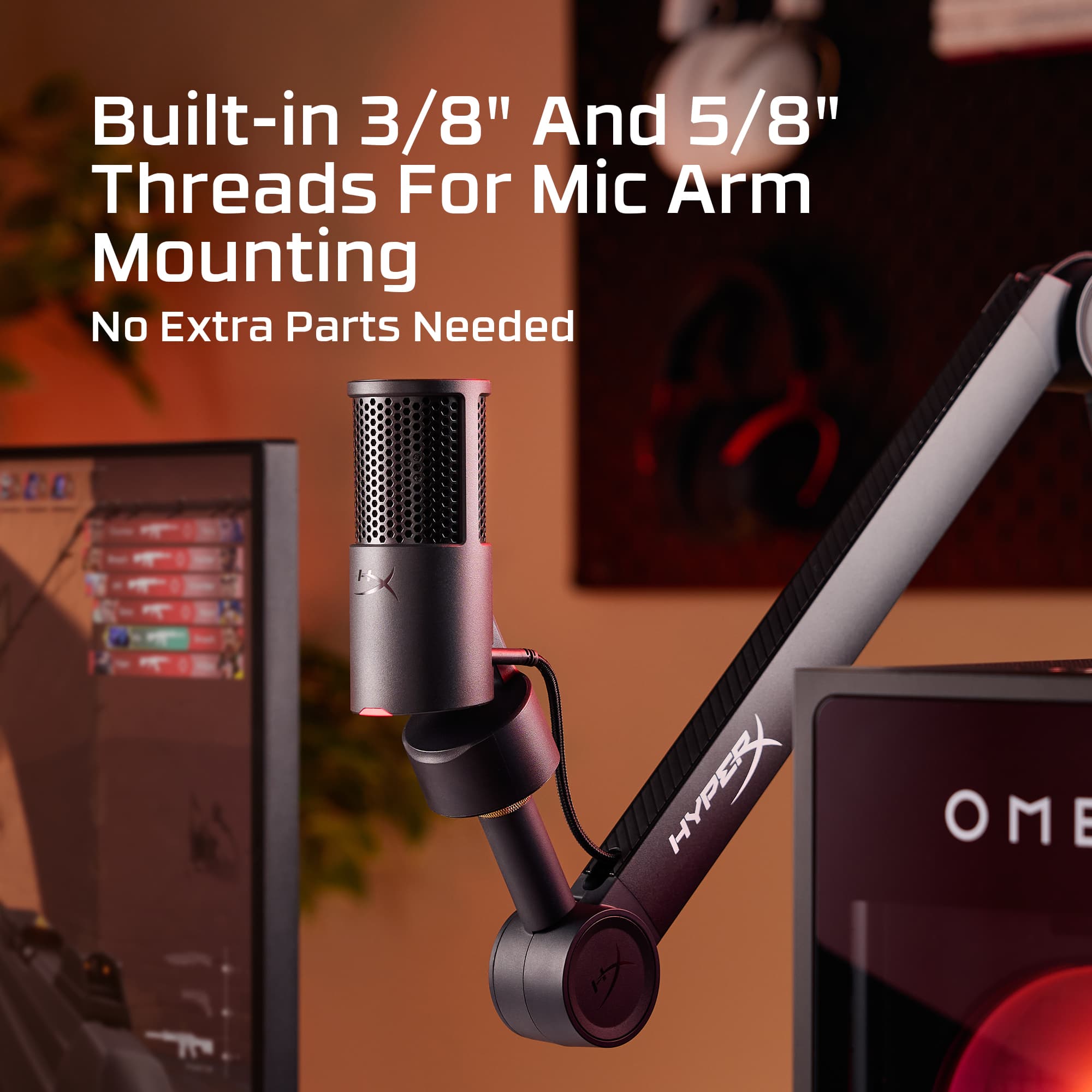
    For the price point, this mic sounds great. However, I am giving this a 4 star. My first reason for this is that although it sounds great, when on desk or on mic arm, it still picks up the clicks from my keyboard or if I bump my desk. The software is basic and not a whole lot to it at the moment. I would like to have seen some built in options that would change your voice, as well as options to change the color of the LED light on the mic. Speaking about the LED light on the mic. I am used to red being that the mic is muted and then white or some other color indicating that the mic is on. Some may like the red for letting you know the mic is on. But for me, I would prefer the red to show that it is muted. But regardless, I would have liked that option to be left up to me. When the mic is muted, there is no color at all. Again, this would have been a great option within the settings to be able to set the mic up how you would prefer. It also lacks any controls on the mic itself. It would have been nice to have a knob to adjust the gain for the mic. Lastly and a small one but still, this mic does not have a headphone jack. I am used to other mics that I can plug in a headset and customize the mic how I want. The good, I do like how it has its own base stand built in. This design is more compact than other microphones I have. I like how this looks. I like the easy touch to mute. And for the price range, I feel the sound quality you get with this mic as you speak is pretty good. Had a couple compliments on how I sounded. I like how the stand is built into the mic with having a built-in thread so you can easily transition between a mic arm or just have it on the desk. My other mics that I have, you have to unscrew from the stand if you want to mount onto a mic boom. This you do not. I think this is the best mic I have used for sound and at this price range. If you are just getting into streaming, this is a great option to start out with. You can use a headset mic to talk with your buddies, (like on discord) and then use this mic to talk to your viewers. I find using this kind of set up allows me easily to go back and forth. If I want to say something to friends and not have chat hear, this mic is easy to mute. If I want to talk to chat and not friends, I use push to talk for friends, so I just don't push my button for push to talk.

    I would recommend this to a friend
  • Pros mentioned:
    Connectivity, Design, Ease of use
    Tech Insider Network Member

    Rated 5 out of 5 stars

    A perfect streaming Mic

    |
    Tech Insider Network Member
    Posted .
    This reviewer received promo considerations or sweepstakes entry for writing a review.

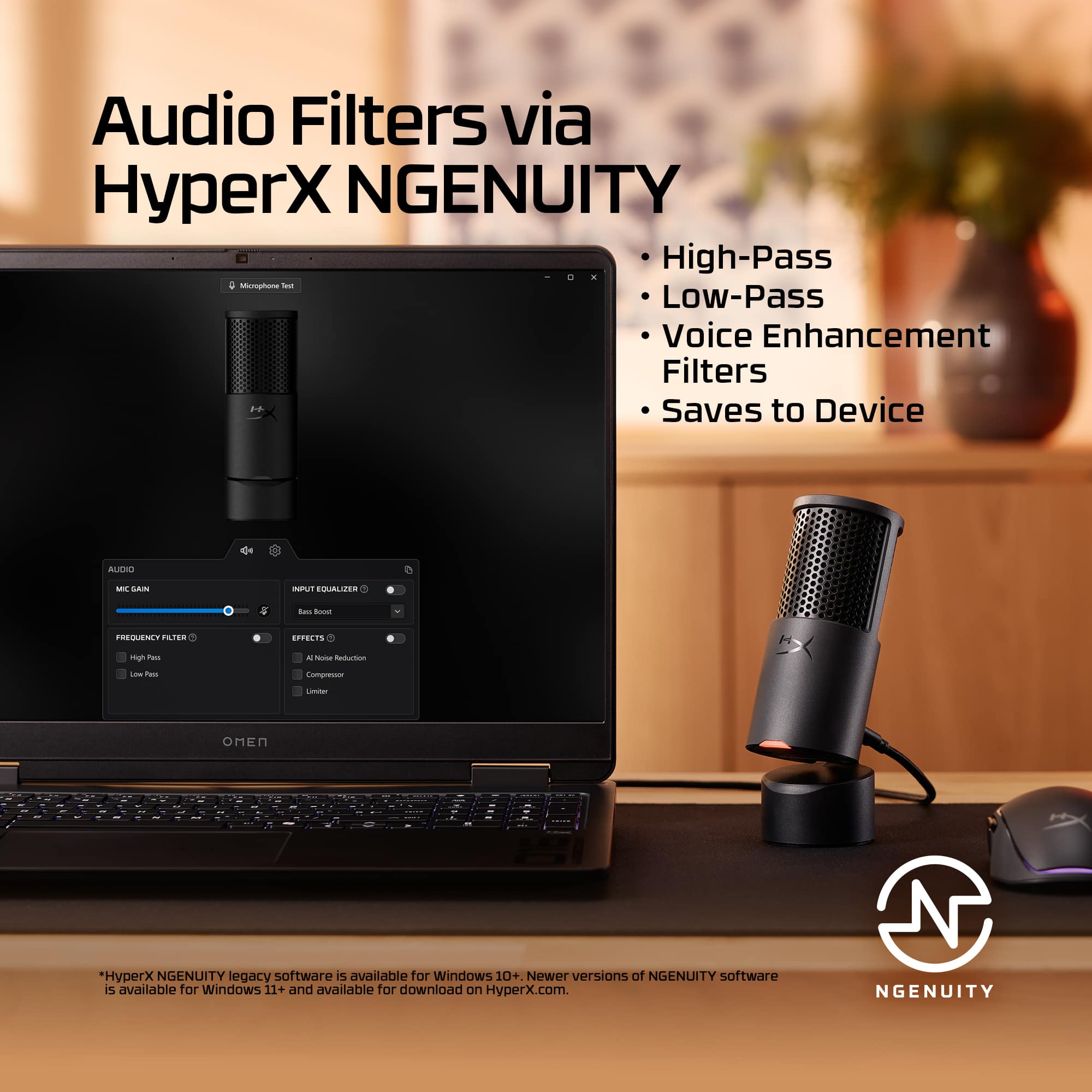
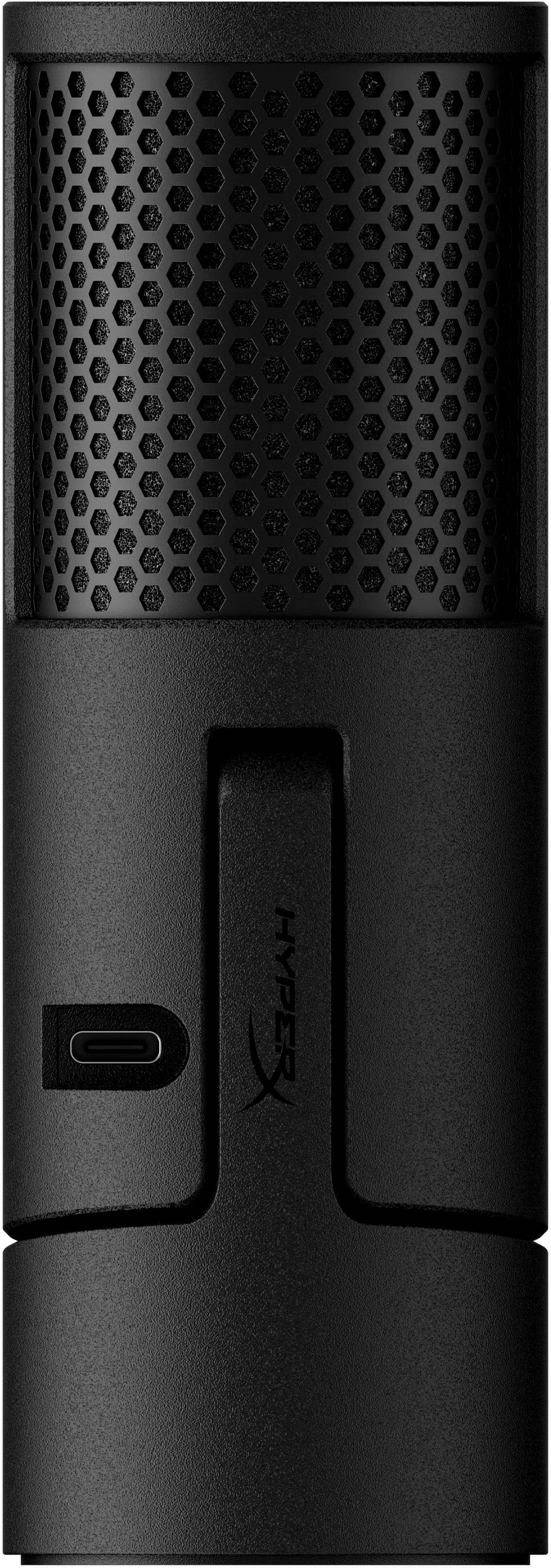
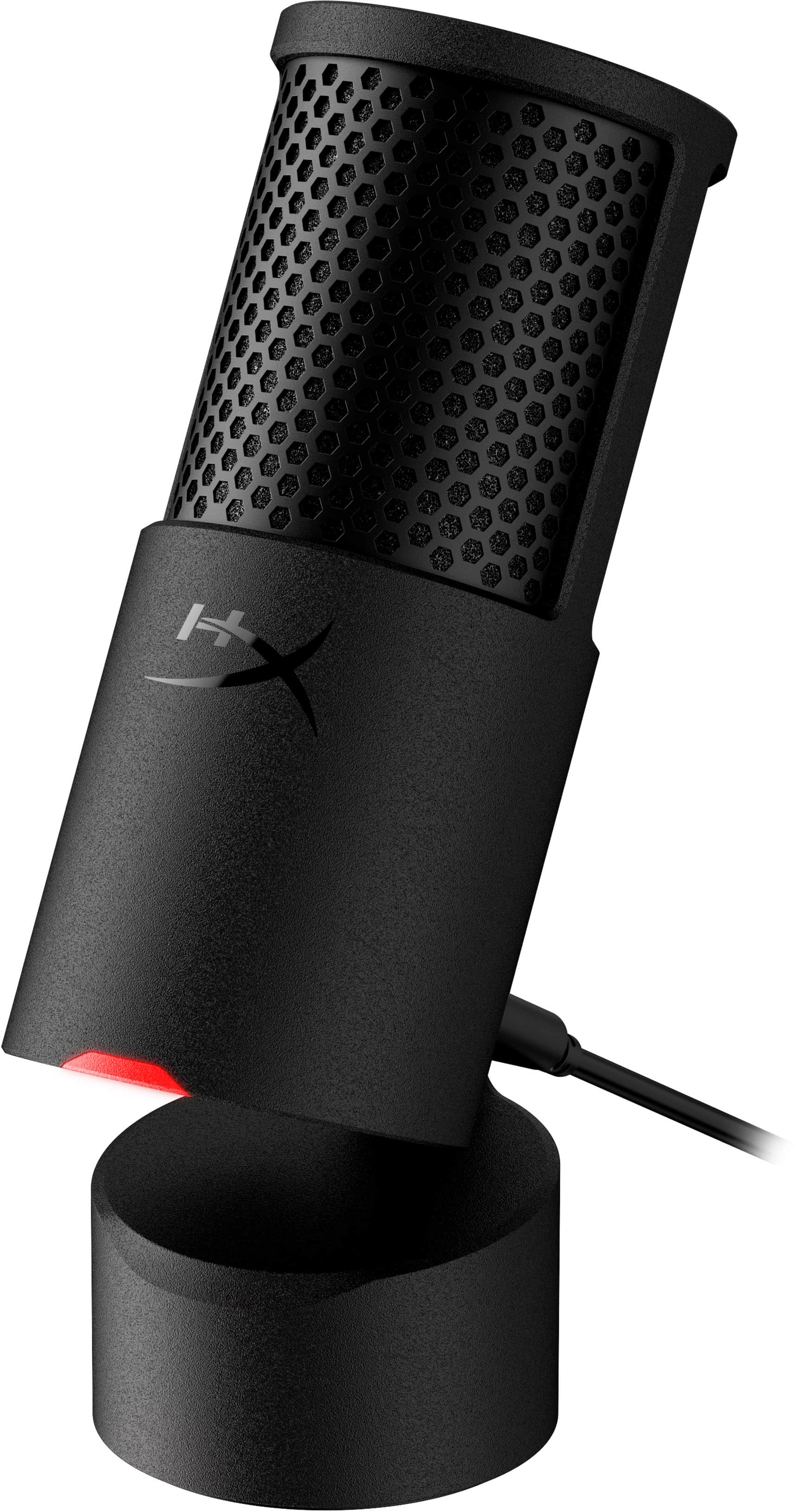
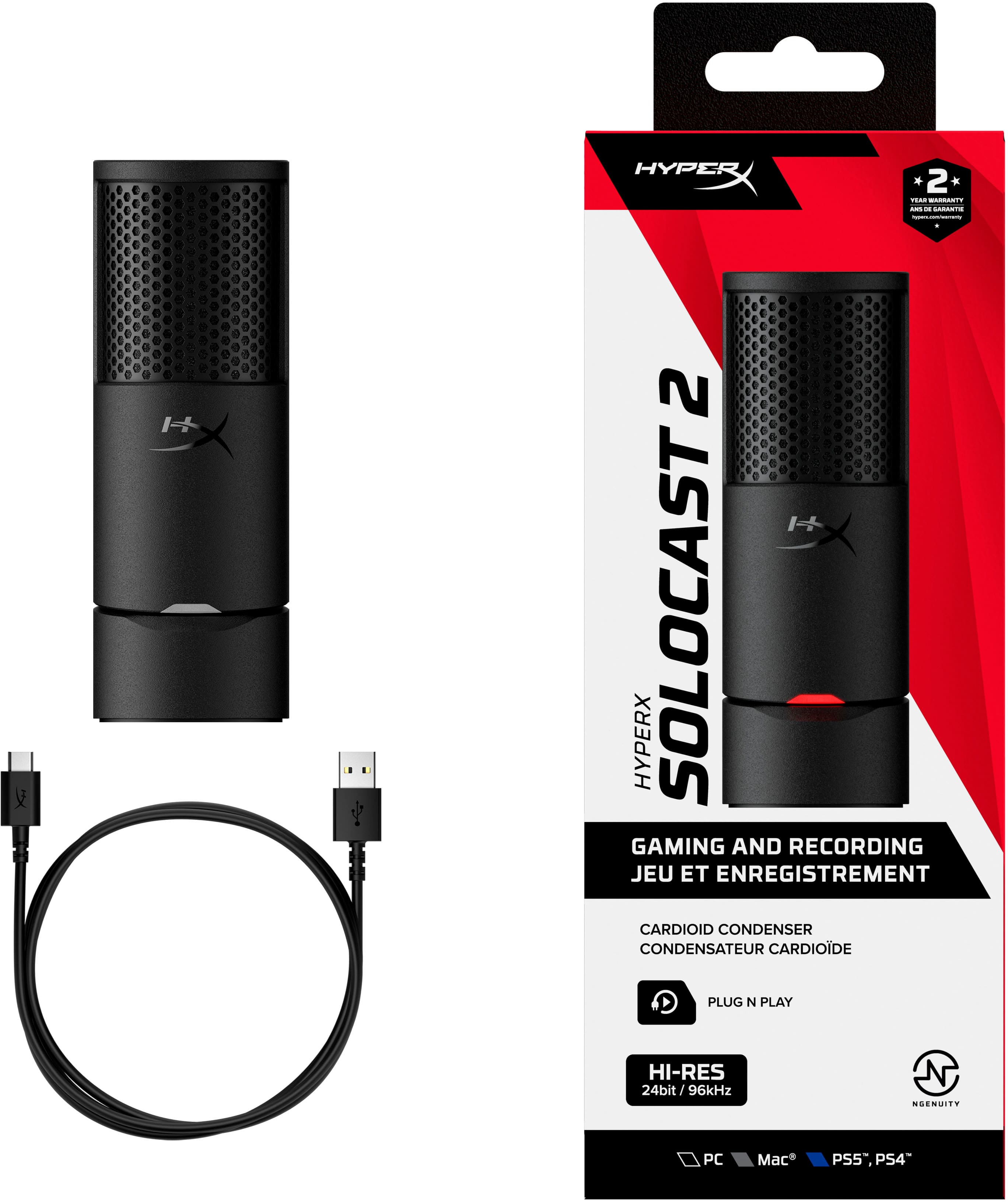
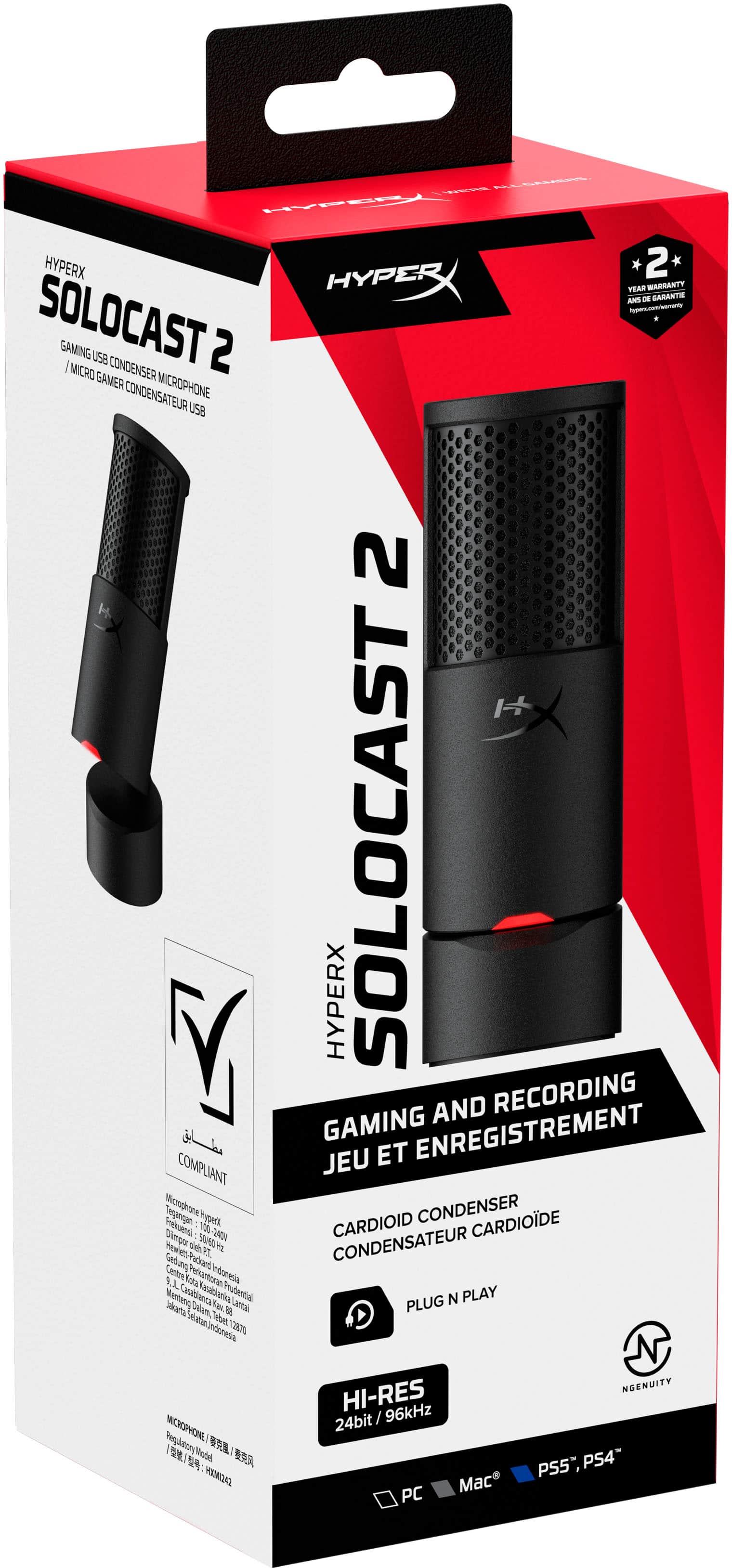
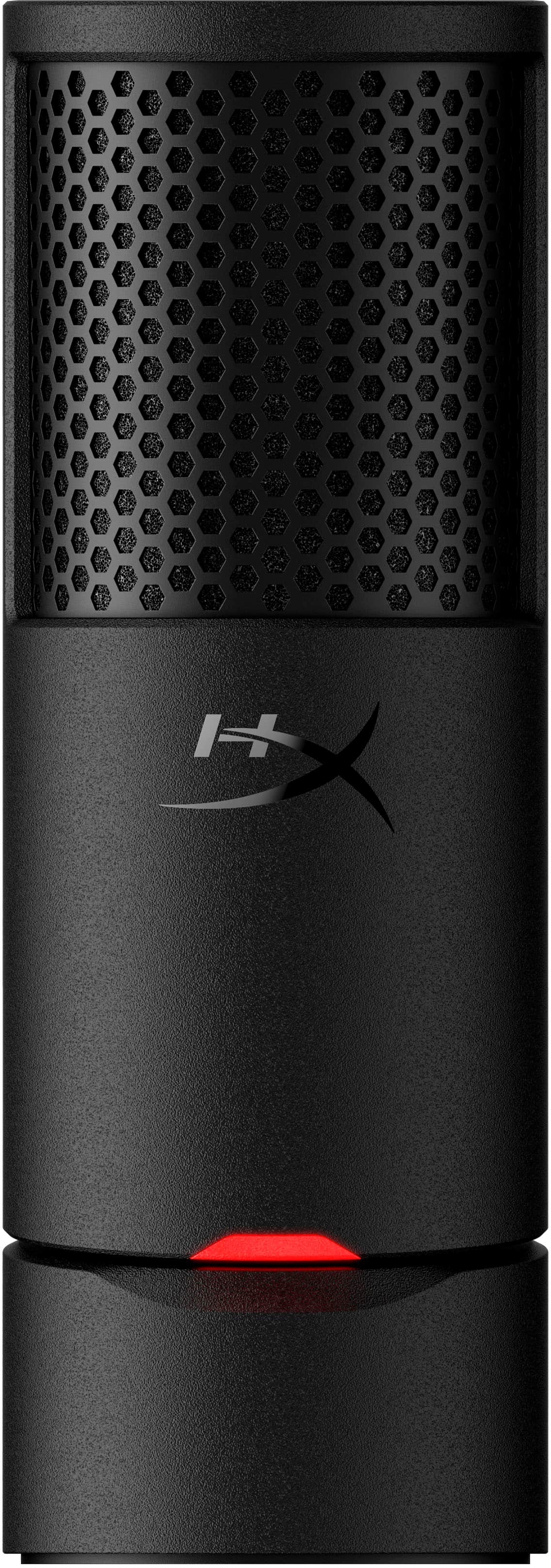
    Nice compact USB-C Microphone with an in built stand making it compact and about an adult hand high. Makes it a great travel microphone and fits in easy to a bag. The Base also can fit on a Microphone arm no issues. Its also a simple plug and play, just plug into a USB port and your are on your way. I like the fact they kept the tap on top to mute, making it easy to mute and the red light on the front stands out which is bright enough to let you know when the Mic is on or not. I like the indicator myself and button on the top responds easily which is awesome. They do have an application and driver if you want to improve performance and customize it. You will need to install the Beta application though for the SoloCast 2. It allows input Equalizer, compressor and limter and some other features to tune the audio of the microphone which is nice as well as the drivers to make sure you get the best performance from it. The sound was clear from the microphone and everyone could understand me, and I really did enjoy the compact nature making it easy to move around with a good base in a compact form. If you need a microphone for gaming and don't want to use headphone mics this is a great option.

    I would recommend this to a friend
  • Rated 4 out of 5 stars

    Decent starting mic

    |
    |
    Posted .
    This reviewer received promo considerations or sweepstakes entry for writing a review.

    A decent start to use as a mic, mic quality could be better but for this price it is not bad at all.

    I would recommend this to a friend
  • Pros mentioned:
    Connectivity, Design, Ease of use
    Tech Insider Network Member

    Rated 5 out of 5 stars

    Best budget mic out there

    |
    Tech Insider Network Member
    Posted .
    This reviewer received promo considerations or sweepstakes entry for writing a review.

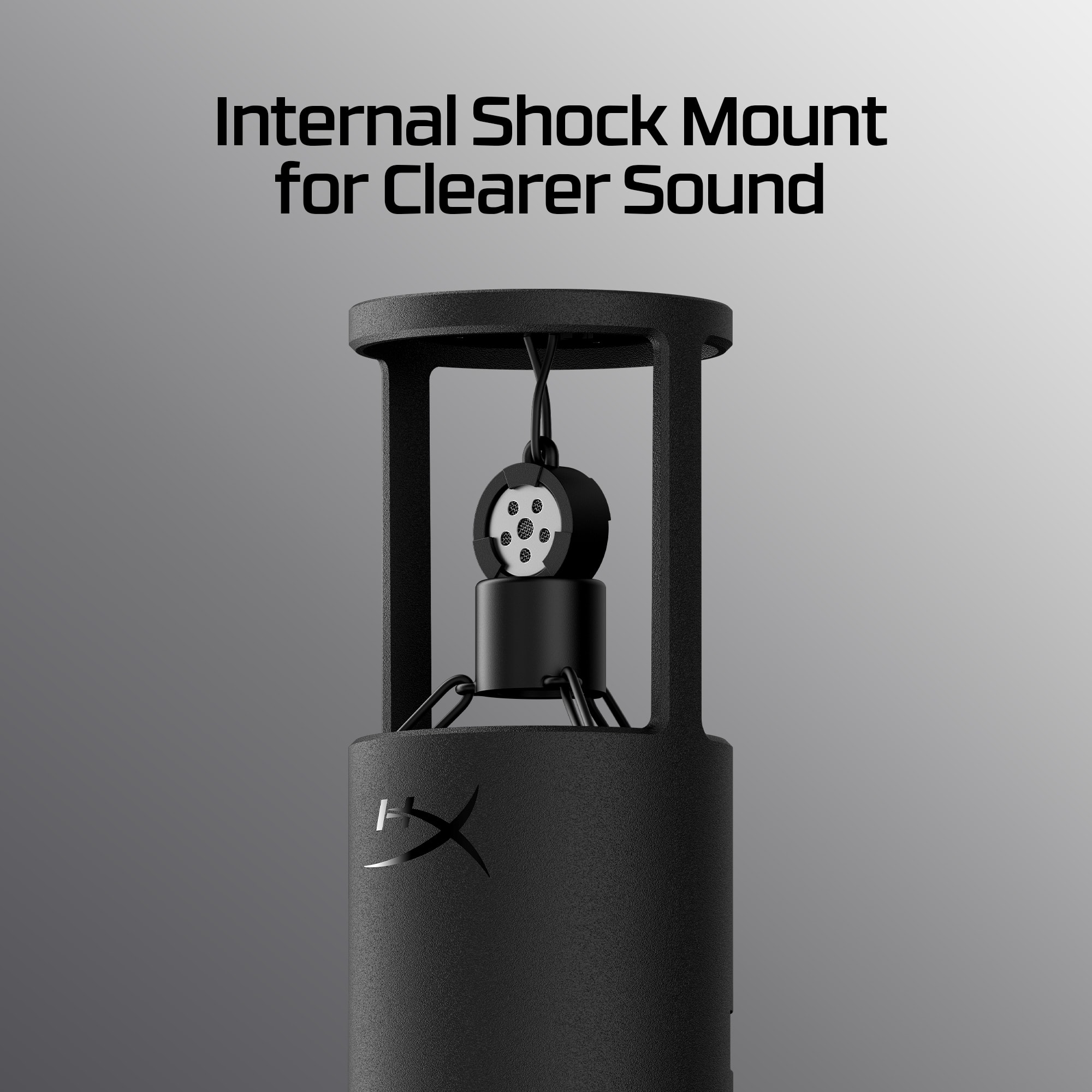
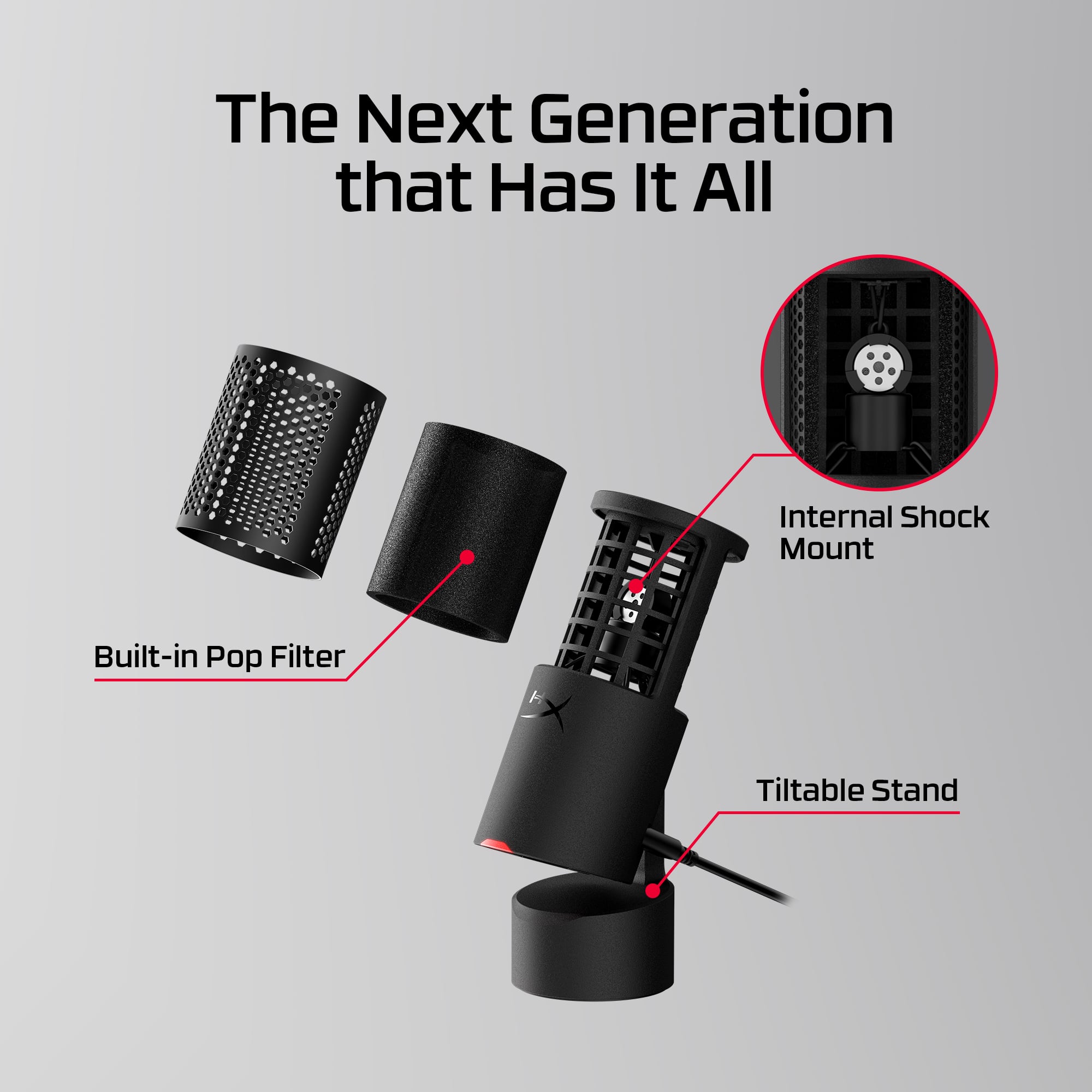
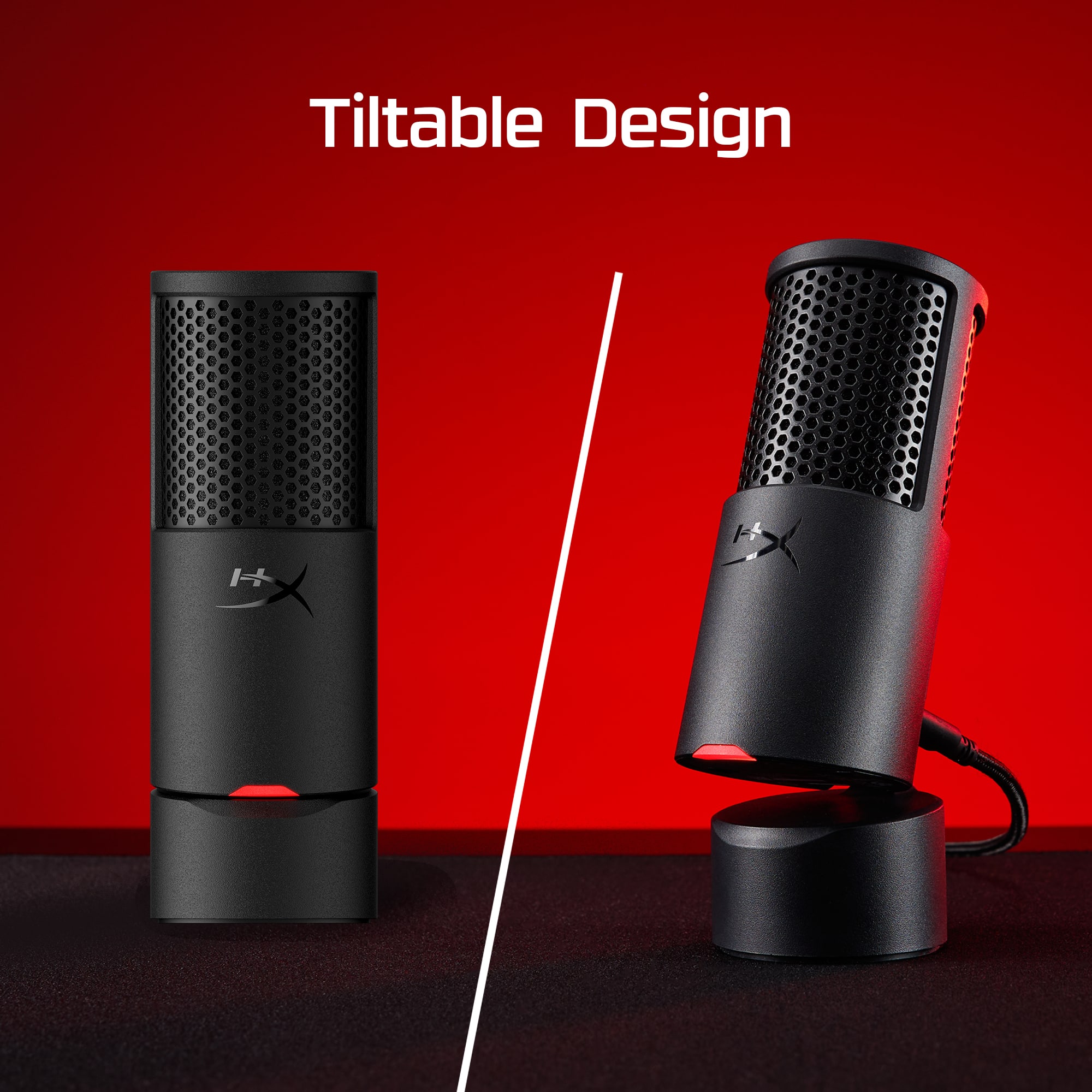
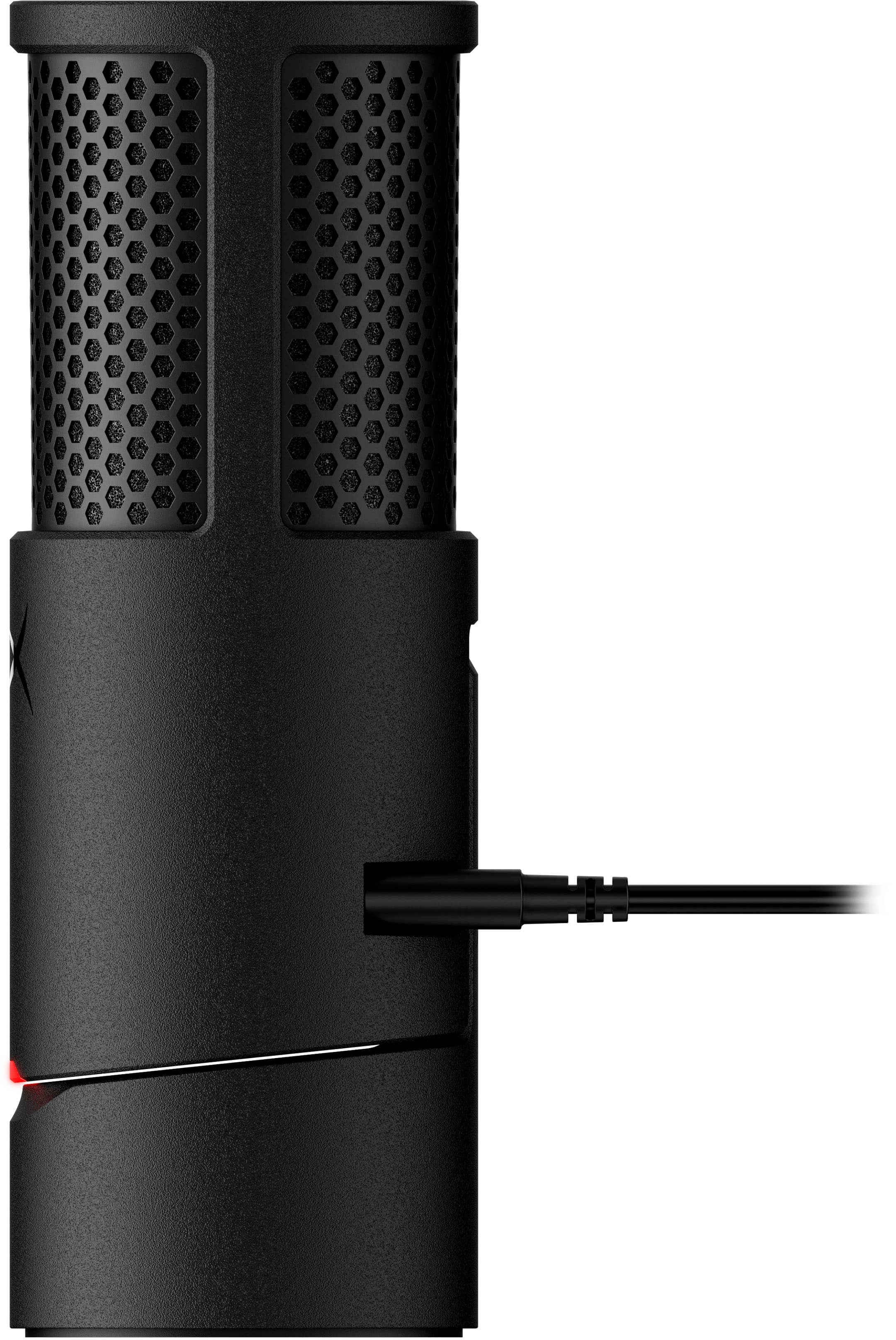
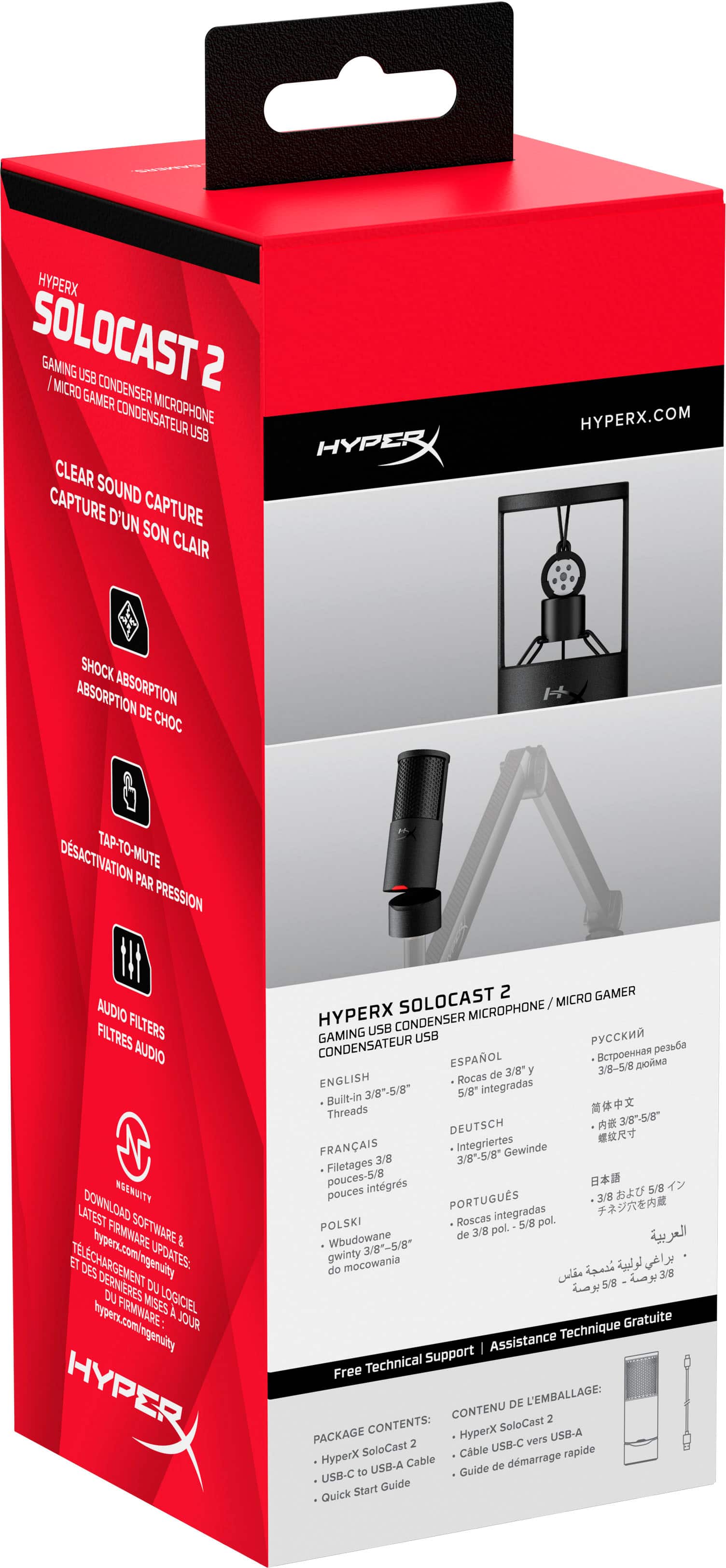
    These are one of the most versatile, popular USB mics out. Its very portable and the footprint it leaves is very small. The best part is that it's affordable. The microphone has everything you need to start podcasting or using it for what you need. It has a built in pop filter and shock mount which helps reduce those unwanted noises when you're using the microphone. One of the features I like is the mute button. You never know when you need to use that button until you have to use it. The build quality is pretty good and the design looks professional and sleek. The base can be tilted as well. Out of the box, it functions well already. It's pretty plug and play. It does come with a companion app from HyperX so you can customize it further and tweak specific settings to your liking. The mic does have on board memory so you don't have to keep changing your settings if you use it on multiple devices. Overall, I find this a great buy for a budget microphone. It's much better than what you'll get from those built in mics in headphones.

    I would recommend this to a friend
  • Rated 5 out of 5 stars

    Good product, great value

    |
    |
    Posted .
    This reviewer received promo considerations or sweepstakes entry for writing a review.

    Great starter mic for anyone looking to stream or record for content!

    I would recommend this to a friend
  • Rated 5 out of 5 stars

    Should have cost $100

    |
    |
    Posted . Owned for less than 1 week when reviewed.
    This reviewer received promo considerations or sweepstakes entry for writing a review.

    Setup was a breeze works as stated really great quality for the price!

    I would recommend this to a friend
  • Rated 4 out of 5 stars

    Good overall performance

    |
    |
    Posted .
    This reviewer received promo considerations or sweepstakes entry for writing a review.

    Good quality and crisp sound for the recordings at this price.

    I would recommend this to a friend
  • Best Buy Employee

    Rated 4 out of 5 stars

    Good microphone

    |
    Best Buy Employee
    Posted . Owned for 1 week when reviewed.
    This reviewer received promo considerations or sweepstakes entry for writing a review.

    Pretty good microphone for the price, good starting microphone

    I would recommend this to a friend
  • Rated 4 out of 5 stars

    Good sound

    |
    |
    Posted .
    This reviewer received promo considerations or sweepstakes entry for writing a review.

    Very good sound and quality I really like this product

    I would recommend this to a friend
  • Rated 3 out of 5 stars

    Great quality physically, lacks in usage

    |
    |
    Posted .
    This reviewer received promo considerations or sweepstakes entry for writing a review.

    Easy setup, looks great, audio can be very distorted or not pickup sometimes. Tried tweaking settings and audio enhancements but still have same issues.

    No, I would not recommend this to a friend
  • Rated 3 out of 5 stars

    Microphone review

    |
    |
    Posted . Owned for 2 weeks when reviewed.
    This reviewer received promo considerations or sweepstakes entry for writing a review.

    It was alright jus the Windows software was wack i couldnt get it connected and when i did it went back out

    I would recommend this to a friend
  • Pros mentioned:
    Ease of use, Mute functionality, Sound quality
    Tech Insider Network Member

    Rated 5 out of 5 stars

    Look No Further For The Perfect Mic!

    |
    Tech Insider Network Member
    Posted .
    This reviewer received promo considerations or sweepstakes entry for writing a review.

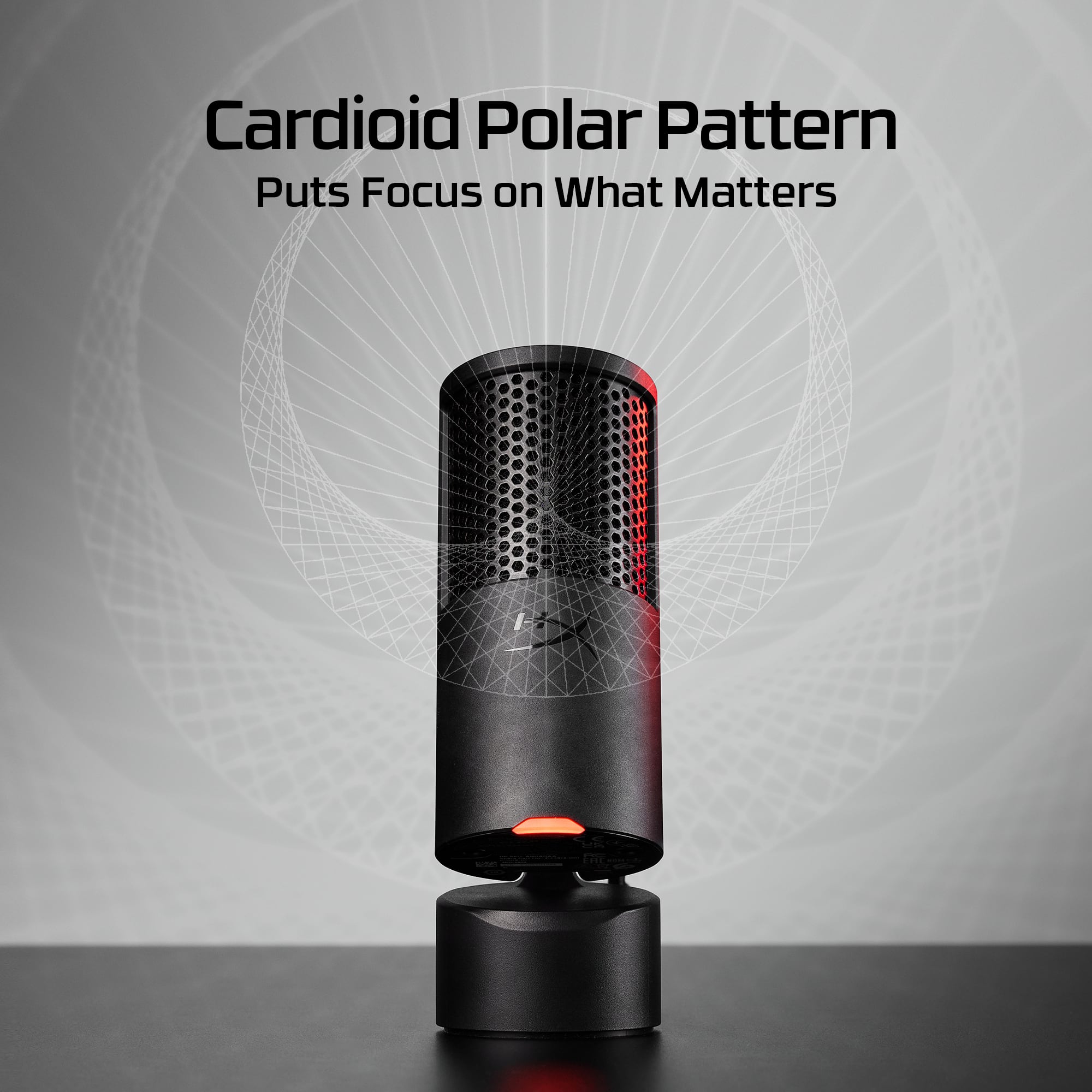
    I am writing this review for the HyperX SoloCast 2 Wired Cardioid Condenser USB-C Microphone. First, I’m honestly still in shock over the price. The HyperX Solocast 2 feels and performs like it should cost far more than it does. It’s a genuinely budget-friendly mic that looks, feels, and performs like a much higher-priced microphone. The technical features included in this mic make this a super bargain. Right out of the box, it was ready to go—just plug it into a USB-C port and you’re live. No drivers, no fuss. It draws its power directly from the USB connection. I found this is both good but slightly limiting—perfect for desk setups, but if your console sits across the living room, the included cable may be your leash. Don’t get me wrong, there are certainly longer length USB-C cables out there, but if you don’t already have one, you will have to do a little moving around if playing on a console. What really stands out is how many thoughtful features are built in to the HyperX… a pop filter and a shock mount—two extras most brands make you buy separately. The pop filter smooths out those sharp “p” and “b” sounds beautifully, while the shock mount keeps unwanted bumps and vibrations out of your audio. The microphone is also tiltable. This is a great feature considering it is a cardioid mic as it allows for a more refined directional aiming. The HyperX features a tap to mute function. This works flawlessly… a simple tap to the top of the mic and it is muted. Another tap and its live again. It doesn’t get any easier than that. The red light lets you know if you are muted or live. And let me take a second to talk about that. I am not a fan (at all) of all the flashy RGB lighting on desktops, keyboards, and other equipment. To me it is more annoying than anything, but that’s just me. I say that to say that this gaming mic is wonderfully devoid of lights, the only one being the red live light. Thank you HyperX for that. Now, about that “cardioid condenser” bit. Cardioid means the mic mainly hears what’s in front of it while “ignoring” most of what’s behind or beside it. For gaming, streaming, or chatting, that’s a big deal—it keeps your voice front-and-center while reducing keyboard clicks and fan noise. Being a condenser mic means it’s tuned for clarity and detail; it captures the warmth and natural tone of your voice rather than making you sound flat or tinny. And speaking of sound quality. Test recordings produced crisp, full, and balanced samples. My teammates heard me clearly without distortion and without that harsh broadcast-boom effect. It’s professional quality without the professional price tag. For anyone who wants a no-hassle mic that just works—and works well—the HyperX Solocast 2 is an easy recommendation. Plug it in, and you’re instantly ready to sound like you actually know what you’re doing. I am already recommending the HyperX to my gaming buddies!

    I would recommend this to a friend
  • Pros mentioned:
    Design, Ease of use, Sound quality
    Tech Insider Network Member

    Rated 5 out of 5 stars

    This mic punches above its weight.

    |
    Tech Insider Network Member
    Posted .
    This reviewer received promo considerations or sweepstakes entry for writing a review.

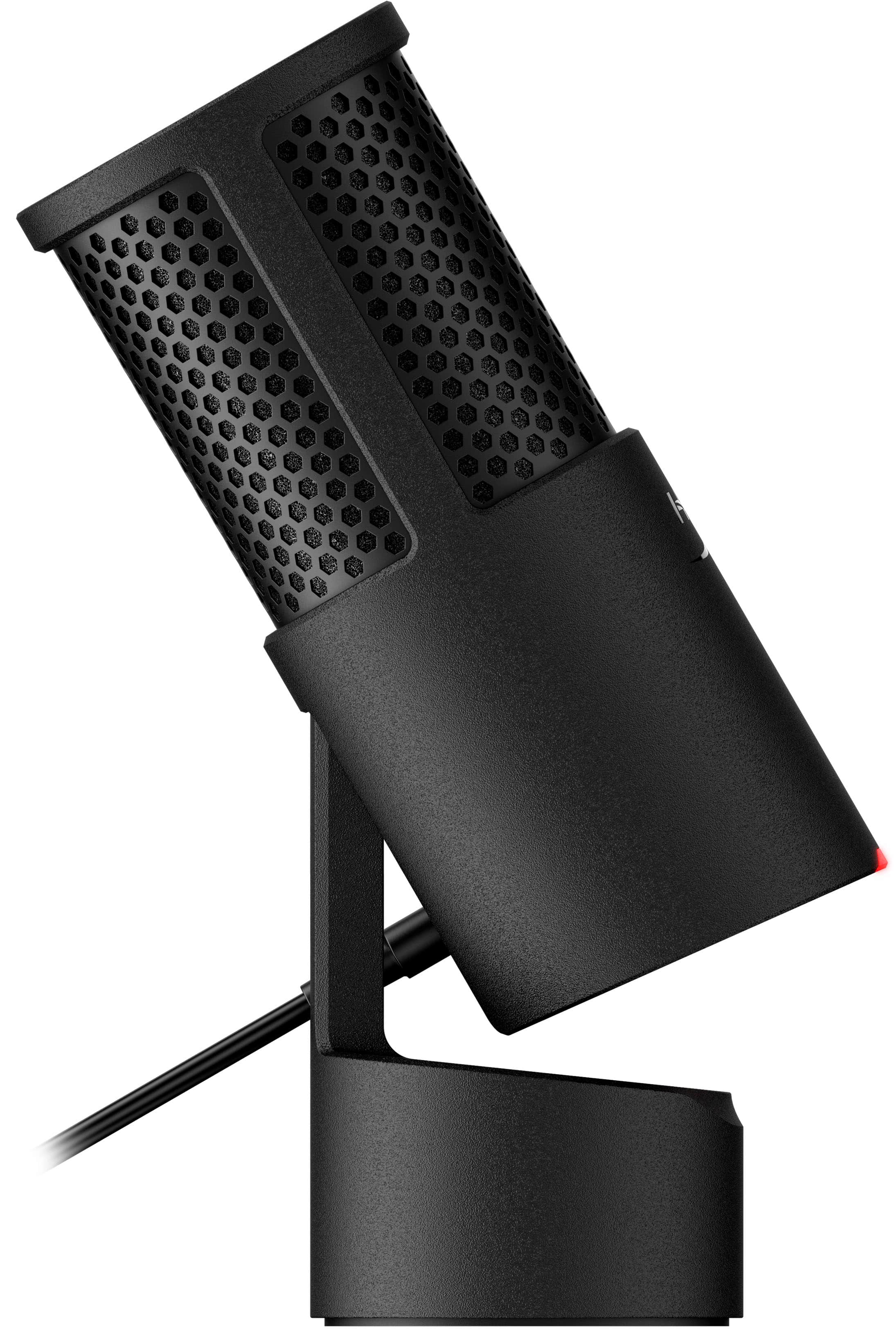
    The HyperX SoloCast 2 is one of those rare plug-and-play mics that actually respects your time. No setup drama, no bloated software demands—just clean, focused sound and a great design. I’ve been using it for gaming, voiceovers, and content creation, and it’s quickly become a staple in my setup. The hinge-style stand is a standout feature—it opens like a breech loader and locks in place with a satisfying click, giving you full control over mic angle without needing extra gear. It’s sturdy, compact, and doesn’t hog desk space. Sound quality is solid for the price. The cardioid pickup pattern does a great job isolating your voice from background noise—whether it’s a humming fan, distant traffic, or the occasional ambient chaos. It’s not studio-grade, but it’s more than enough for streaming, casual podcasting, or recording voiceovers with personality. The tap-to-mute button is capacitive and responsive, and the red LED indicator is subtle but clear—no second-guessing whether you’re live or muted. USB-C is a welcome upgrade. I’m done with micro-USB cables that fray or wiggle loose. This mic plugs in clean, stays connected, and works instantly. HyperX’s NGENUITY software is there if you want to tweak EQ or filters, but honestly, I didn’t need to touch it. Out of the box, the SoloCast 2 delivers a crisp, natural tone that doesn’t need much fuss. If I had to nitpick, the mic can feel a bit quiet if you’re sitting too far back, and it doesn’t have onboard gain control. But once you find your sweet spot, it’s smooth sailing. For under $60, this mic punches well above its weight. It’s reliable, well-built, and doesn’t try to be flashy—it just works. If you’re building a setup that values simplicity, clarity, and a touch of clever design, the SoloCast 2 is a solid pick. And if you ever want help crafting a custom intro or outro with this mic, I’ve got ideas ready to roll.

    I would recommend this to a friend
  • Pros mentioned:
    Connectivity, Design, Sound quality
    Tech Insider Network Member

    Rated 5 out of 5 stars

    Small with Great Sound and Pop Filter

    |
    Tech Insider Network Member
    Posted .
    This reviewer received promo considerations or sweepstakes entry for writing a review.

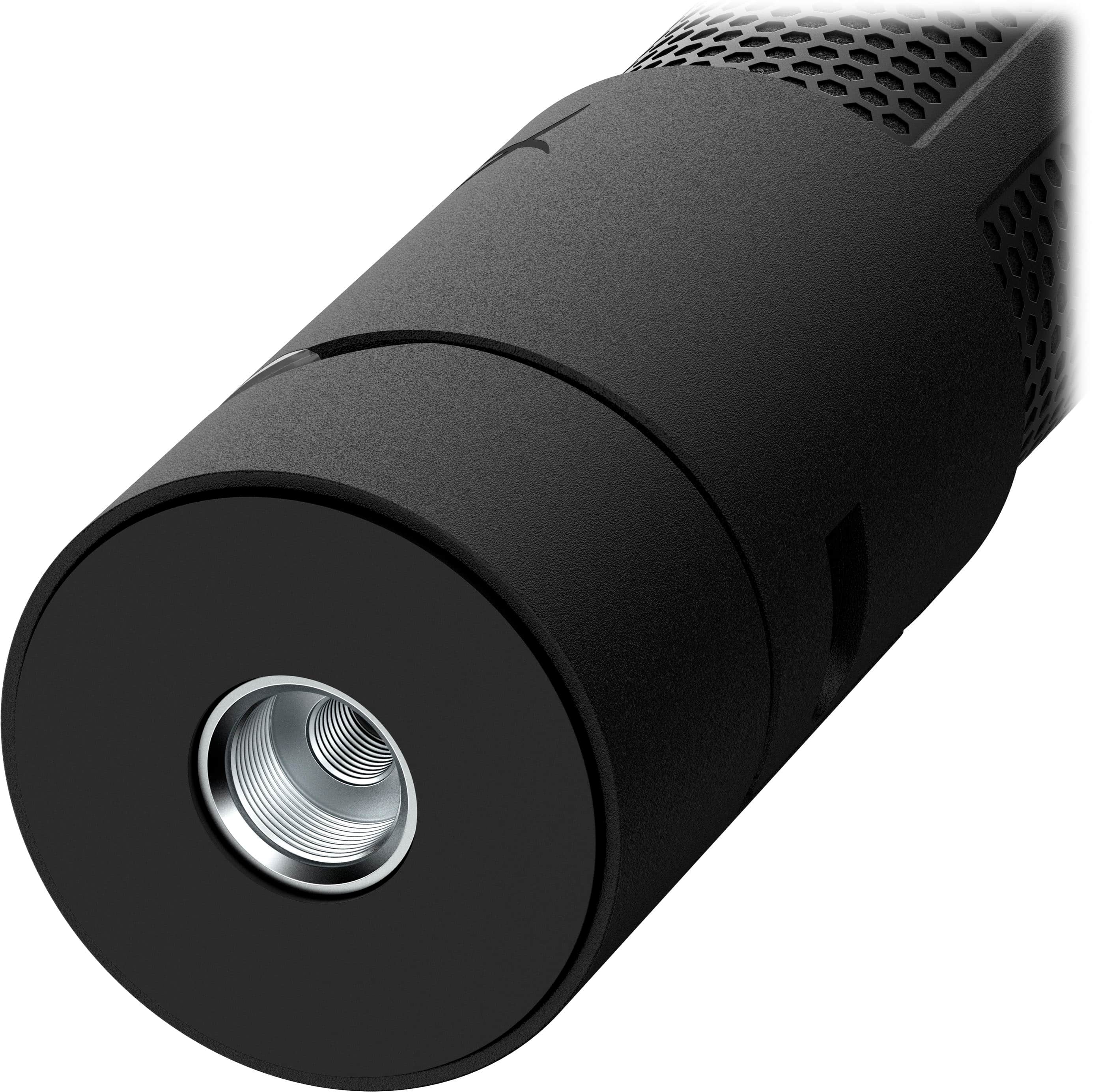
    The HyperX SoloCast 2 microphone has exceeded my expectations - especially at this prince. It is plug and play and worked right of the box. You can also use the NGENUITY software to customize settings. The software is great and allows you to adjust the input volume, equalizer settings and polar patterns. I like the design and that it takes up very little space on my desk. I also like that it is a wired connection, as I find it to be much more reliable. The design is simple, but it adjusts so that you can tile the mic toward you. This has been excellent for work calls on Teams and Zoom, it adds a level of professionalism over a headset mic. I like to use small earbuds and the SoloCast 2 for meetings and it has worked flawlessly. There is a built in pop filter which really helps to create a great sound. The top of the mic acts as a mute button, with an LED to let you know if you are on mute or not. There is also a screw mount on the bottom, to easily mount it if needed. The same setup also works great for gaming. I also find that it is a good mic for recording music - I've used it a bit to record vocals and guitar to be used in Garage Band on a Mac. It works just as well on the Mac as it does on Windows for me. Overall, this is an amazing value for the features and sound that you are getting with this microphone.

    I would recommend this to a friend
  • Pros mentioned:
    Connectivity, Ease of use, Sound quality
    Tech Insider Network Member

    Rated 5 out of 5 stars

    Simple and effective microphone that performs!

    |
    Tech Insider Network Member
    Posted .
    This reviewer received promo considerations or sweepstakes entry for writing a review.

    While this microphone simply looks like a professional setup, it works incredibly well. It is simplicity at its finest and works right out of the box. While there is software offered to customize the colors, I was not able to get the program to change any of the features of the microphone. I have used this with both Microsoft Teams and Zoom for work calls. The quality is very good, with my coworkers complimenting the quality of the sound. The noise canceling / limiting features also work very well. The microphone itself has a touch controller at the top, turning the device on and off. The touch feature is extremely responsive and works well. Note that while the microphone itself has the on and off capability, it does not control the mute functions with video confrencing. The USB C connectivity works as expected and the microphone does not need to be right in front of you to work properly. The red light indicates that device is active, and the light goes off when it isn’t active. It comes with its own stand, but also has the ability to mount to a boom microphone stand. This is a very good device and represents a great value compared to others.

    I would recommend this to a friend
  • Pros mentioned:
    Connectivity, Sound quality
    Tech Insider Network Member

    Rated 5 out of 5 stars

    Compact, quality mic for daily calls

    |
    Tech Insider Network Member
    Posted .
    This reviewer received promo considerations or sweepstakes entry for writing a review.

    I used this mic in a home office setting, primarily for voice calls across multiple Windows 11 PCs. The microphone delivered consistent and reliable audio quality that matched expectations for its price point. My voice came through clearly, and I received no complaints about distortion, dropouts, or background noise. Sensitivity was well-balanced, and the cardioid pickup pattern helped isolate speech without pulling in ambient sounds. The unit connected instantly via USB-C, even through a hub, with no driver issues or recognition delays. Physically, the microphone has a compact footprint and sits unobtrusively on the desk. I did not use a stand or boom arm, and it remained stable during use. Cable management was straightforward and didn’t interfere with my workspace. Build quality feels solid, with no signs of cheap materials or loose components. While I haven’t tested it for streaming or voiceover work, it performs well for daily communication. Overall, I consider it a great plug-and-play microphone that offers good value and minimal setup friction.

    I would recommend this to a friend
  • Pros mentioned:
    Mute functionality, Sound quality
    Tech Insider Network Member

    Rated 5 out of 5 stars

    Great basic microphone with a cool hinge.

    |
    Tech Insider Network Member
    Posted .
    This reviewer received promo considerations or sweepstakes entry for writing a review.

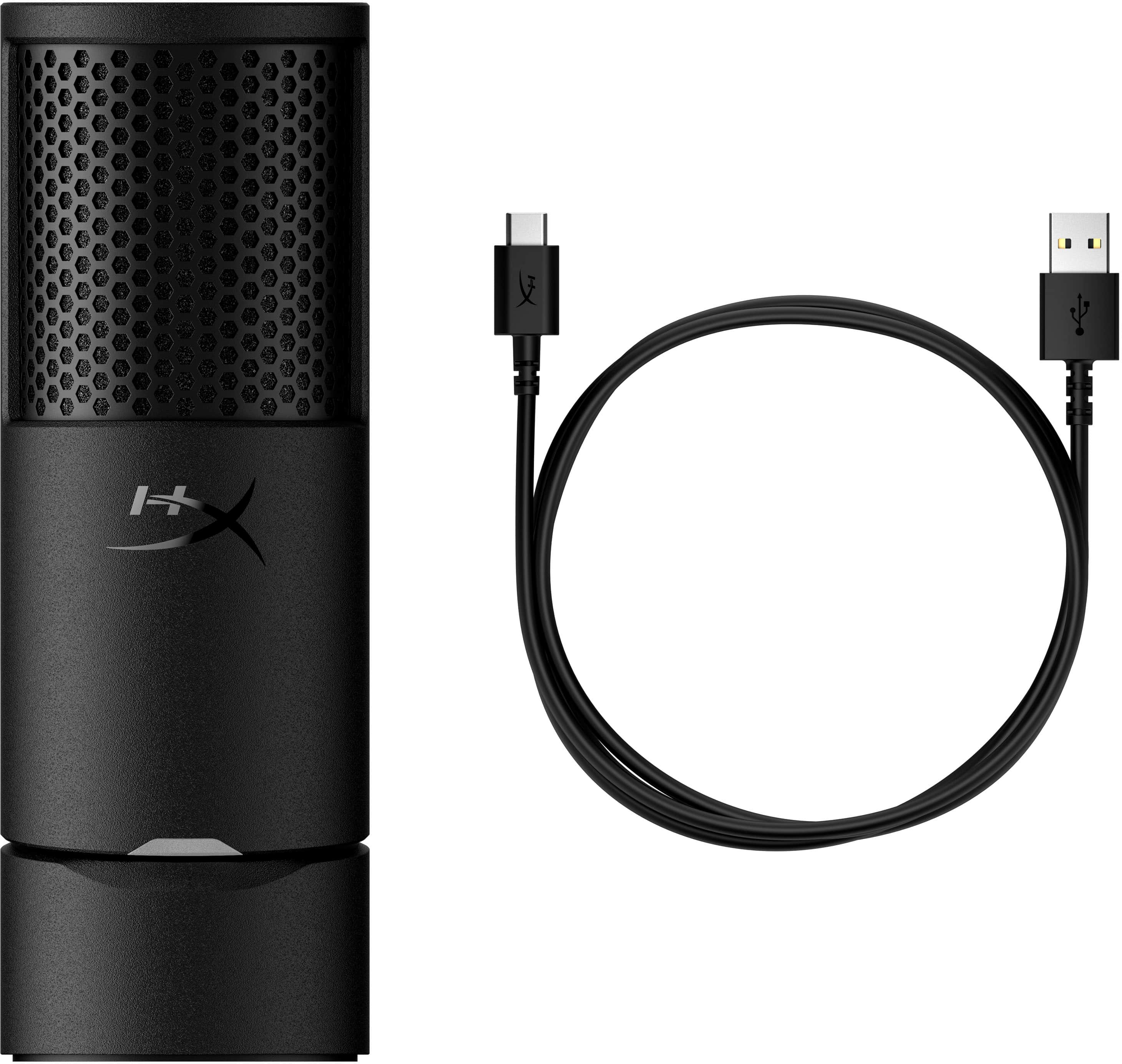
    HyperX’s SoloCast 2 mic is their follow-up to the entry level microphone space. It offers a compact form factor, cardioid pickup, and easy mute touch button with LED indicator. While the SoloCast 2 is firmly in the budget market, it offers some great features for the cost of entry. Is it worth the time though? On first blush, the packaging reflects the unassuming nature of the product. The SoloCast 2 ships in a small box that’s just big enough to hold the product and a USB cable. The product itself is a fairly simple tubular shape, which keeps the packaging to a minimum. The USB-A to USB-C is decent quality. Once you have the microphone out of the packaging, you’ll notice an interesting feature. The tube has a hinge about a third of the way up allowing the microphone to tilt. This feature allows you to position the microphone simply by placing it on your desk. If you want to use this microphone with an arm or stand, it also offers mounting threads. This versatility means you can use this as a great starter microphone, and if you don’t care about the more advanced features, or other bells and whistles of the fancier models you can mount this for a more professional setup. I used it with both an arm and initially with just the hinge; it worked great either way. The hinge can double as a prop for ventriloquism that elicited a laugh or two from some coworkers. Sound wise the microphone is more than adequate. I put this up against a more expensive mics, and it held up fairly well. The audio sounds rich and while some background noise seemed to be picked up further than I would expect from the cardioid pickup pattern, with software noise removal the audio is excellent; especially for its entry level pricing. The microphone offers a single button for instant mute that is a touch pad at the top of the microphone. This is a convenient offering. The microphone turns red to show you it’s on, which is a little backwards from some equipment where the red light means mute. Regardless, once you figure it out it’s nice, and doesn’t create any noise when pressed, which is great for a mute button. The software is pretty good, giving you the ability to adjust EQ, volume, and enable noise reduction. Overall, the software isn’t a must, but it seems stable and does what it should on the tin. I had a software update to perform on the mic, and that went flawlessly. Overall, this is a great entry level microphone with a flexible design and easy to use feature set. It’s not fancy, nor does it offer multiple pickup patterns, or anything; but it does deliver on the fundamentals. Overall recommended.

    I would recommend this to a friend
  • Pros mentioned:
    Design, Sound quality
    Tech Insider Network Member

    Rated 5 out of 5 stars

    Best microphone around this price point.

    |
    Tech Insider Network Member
    Posted .
    This reviewer received promo considerations or sweepstakes entry for writing a review.

    The HyperX SoloCast 2 USB-C microphone is a solid choice for any voice work, whether it be streaming, podcasting, or recording voiceovers. The cardioid microphone has terrific range and sensitivity, sounding as good as microphones that cost at least twice as much. When paired with the HyperX NGENUITY software on Windows (currently in beta at the time of this review), you have access to EQ functions, high/low pass filters, AI-powered background noise removal that works well, sound compressor and limiters to help balance dynamics, and even a presence boost that helps put your voice front and center. Of course, you also have compatibility with any device that supports input from USB audio class devices if you don't mind not having the software available to you. The best parts of this mic are that, for the price, you get great audio and build quality, and some great quality of life features you wouldn't expect like a mounting hole for stands and booms using both 3/8th and 5/8th inch hardware. The mute switch is the top of the mic and is sensitive enough where you barely brush it to activate mute. There is a red indicator light that shows when the mic is unmuted; when muted, the light goes out. No RGB in the mic helps keep the design professional-looking, versus the toy-like nature of RGB microphones. The base is also tilt adjustable, meaning you can aim the mic at up to a 45-degree angle. If I could make a complaint, its that there wasn't an included USB-A to C adapter or that the cable wasn't USB-C on both ends with a USB-C to A adapter. Still, with many custom setups, you're likely to get your own longer cables anyway so it's not that much of a problem, especially for the price. Compared to other microphones I've used around this price point, the HyperX SoloCast 2 is definitely a better microphone overall. I'd happily give up features like headphone jacks and RGB lighting for audio quality.

    I would recommend this to a friend
  • Pros mentioned:
    Sound quality
    Tech Insider Network Member

    Rated 5 out of 5 stars

    Cardioid for the win!

    |
    Tech Insider Network Member
    Posted .
    This reviewer received promo considerations or sweepstakes entry for writing a review.

    I love this little guy! Compact and just adorable to look at sitting next to my keyboard, this little guy provides my voice a professional radio-level quality it deserves when I’m on virtual meetings every day. This is my first experience with a Cardioid microphone and I’m not sure I can ever go back to using a dynamic microphone. The people I virtual chat with daily all commented on the clarity of my voice and all asked what I had done differently to have such an impact. I don’t mount this on a mic stand but I was happy to see both 3/8 and 5/8 threads available should I choose to do so. For now it sits next to my laptop. My previous microphones would pick up the gentle hum of the laptop fan distracting from whatever I was droning on about. Now that background noise is eliminated. The microphone settings and audio can be tweaked with a software named Ingenuity. The software is not available for macOS and Linux but many of the settings are stored directly on the device so they will travel from Windows to macOS after being configured on the Windows device. I figured there would be a day zero firmware upgrade like every other new device these days but there was not, and I found I did not need to adjust any of the default settings with the microphone as I moved from device to device. It’s always nice to have options. My only complaint about this microphone is that it’s using a USB-A cable for its connection to the device instead of USB-C.

    I would recommend this to a friend
  • Pros mentioned:
    Design, Ease of use, Sound quality
    Tech Insider Network Member

    Rated 3 out of 5 stars

    Good hardware quality, not sure about the software

    |
    Tech Insider Network Member
    Posted .
    This reviewer received promo considerations or sweepstakes entry for writing a review.

    As a standalone desktop microphone, I really like this thing. It's got a super compact and simple design, with pretty much just a USB input and a mute button up top to worry about. The tilt is integrated into the microphone, and there's a spot on the bottom to screw it into a stand or arm. The sound quality was pretty good - after installing and launching HyperX Ingenuity, I was able to select the microphone for use in any application. I was generally told voice quality was good even with default settings, and overall it seemed to have superior quality over any of my built-in microphones. It's nice and compact, and the USB port isn't too inaccessible, so it'd be pretty easy to shove this thing in a bag and take it with you on the go. It looks good, too - either in a casual or professional setting. However, there was a critical issue. Despite the fact that this microphone wouldn't work until I installed and opened HyperX Ingenuity, I couldn't then configure the microphone from the software. It wouldn't even show up at all. This persisted across two computers, multiple reboots, and a fresh install of the app. I am hoping that updates to the application and drivers will resolve these issues, but the fact that this happened was really frustrating and a pretty terrible impression for an otherwise perfectly smooth plug-and-play USB microphone. Overall, I like it and think it'll be fixed with some updates. However, at this current moment I'd only recommend getting this microphone for casual use such as game nights. I'd not recommend it for use cases such as recording videos or streaming until whatever software issues seem to be going on are fixed.

    I would recommend this to a friend
Sponsored