Customer Ratings & Reviews

- Model:
- NS-PH541MD24
- SKU:
- 6546476
Rating by feature
- Value
Rating 4.5 out of 5 stars
- Quality
Rating 4.7 out of 5 stars
- Ease of Use
Rating 4.8 out of 5 stars
Customers are saying
Customers commend the 4-Port USB-C Hub for its overall performance and ease of use, highlighting its plug-and-play functionality. The inclusion of a high-power USB-C charging port is appreciated, along with its broad compatibility and connectivity. Users also find its small size convenient and value its power delivery capability.
This summary was generated by AI based on customer reviews.
My Desk's Best Friend
||Posted . Owned for 3 months when reviewed.This reviewer received promo considerations or sweepstakes entry for writing a review.I absolutely love this Insignia 4-Port USB Hub. It's not the most glamorous piece of tech, but it’s a total lifesaver for managing all my peripherals. The hub is compact, reliable, and gives me four blazing-fast USB ports from a single connection. Whether I'm plugging in a keyboard, charging my earbuds, or transferring files, the performance is flawless with no noticeable speed drop. What seals the deal for me is the Best Buy guarantee that comes with the Insignia brand. Knowing it’s their house brand gives me the security that I’m getting the best value for my money in terms of quality and reliability. It's an easy, dependable, and affordable upgrade. Verdict: The best way to multiply your ports without sacrificing performance. Highly recommended!
I would recommend this to a friend- Pros mentioned:Overall performance
Best Buy Open Box Deal!!
||Posted . Owned for 3 weeks when reviewed.This reviewer received promo considerations or sweepstakes entry for writing a review.Open box item. Worked perfectly, no blemishes, and at a decent discount.
I would recommend this to a friend usb hub for mac
||Posted . Owned for 1 month when reviewed.This reviewer received promo considerations or sweepstakes entry for writing a review.amazing transfer speeds for what it is, use it every day on my mac
I would recommend this to a friendBrand response from InsigniaCustomerSupport
Posted .Love hearing that, yeetus! Daily use and fast transfer speeds? That’s a win for any Mac user. Thanks for sharing your experience!
— Shiela | Insignia Support
USB 4 Port
||Posted . Owned for 2 weeks when reviewed.This reviewer received promo considerations or sweepstakes entry for writing a review.Excellent build quality and is useful for PC/Laptop - find it has strength in wire and lasts well even twists - C type input is also unique
I would recommend this to a friendBrand response from InsigniaCustomerSupport
Posted .Joseph, we really appreciate your detailed feedback! It’s awesome to hear that the USB-C hub’s build quality and durability stood out to you. That strong, twist-resistant cable and unique input design really do make a difference for everyday use. Thanks for choosing Insignia!
— Shiela | Insignia Support
Does not support 4k 60Kz
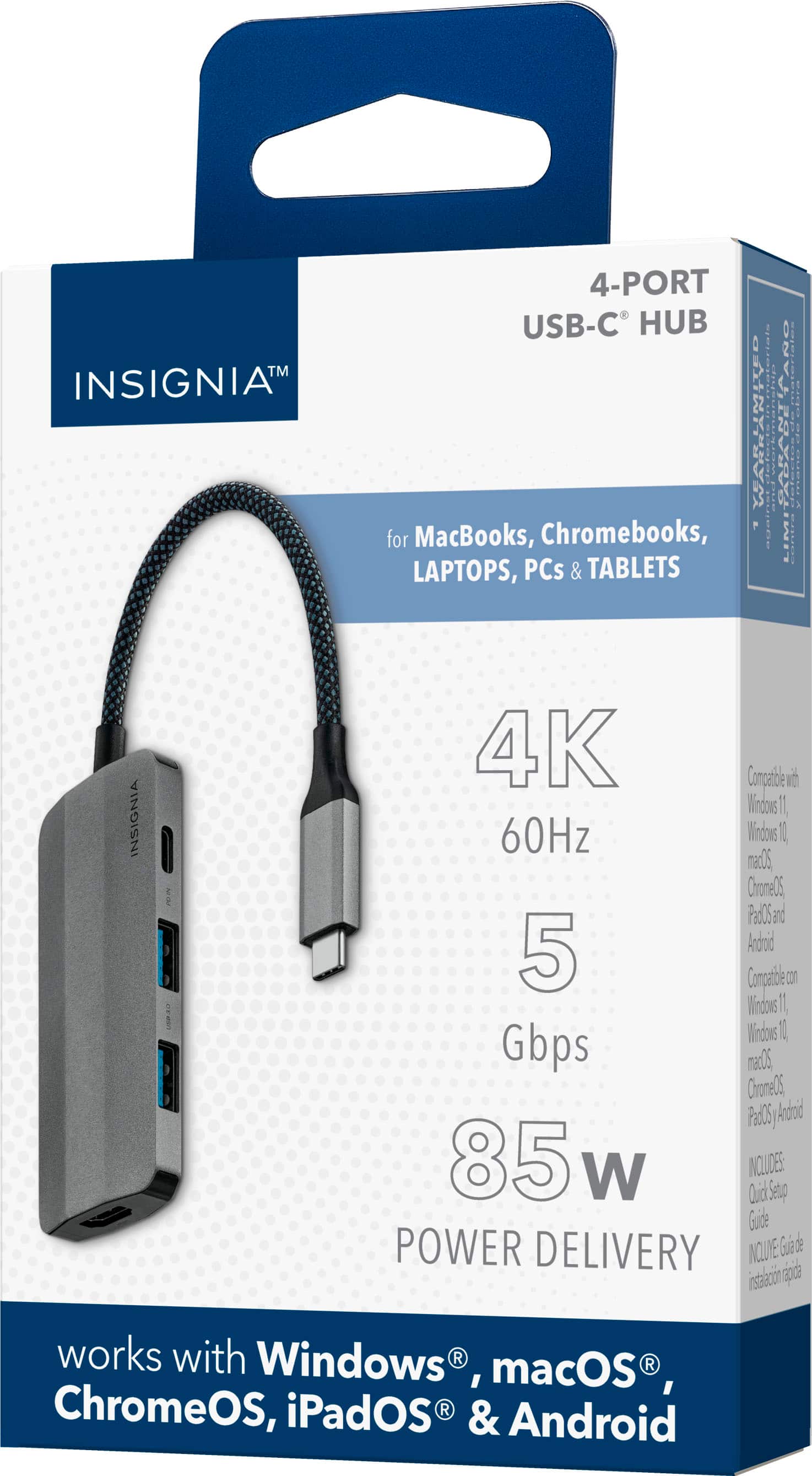
||Posted . Owned for less than 1 week when reviewed.This reviewer received promo considerations or sweepstakes entry for writing a review.Although the packaging clearly states 4K 60Hz, it does not actually support that. It supports 2K 60Hz and 4K 30Hz
No, I would not recommend this to a friend- Pros mentioned:Ease of use, Usb-c

Perfect hub for Macbook Air
|Posted .This reviewer received promo considerations or sweepstakes entry for writing a review.First and foremost, the design of the hub is sleek and modern. The gray color with its braided cable complements my Macbook Air laptop and other accessories, making it a visually appealing addition to my workspace. It feels sturdy and well-built, which gives me confidence in its durability. But it's not just about looks – the functionality of the hub is where it truly shines. With 2 USB-A ports and 1 HDMI 2.0 port, I can easily connect a range of devices simultaneously. This has drastically simplified my work setup, allowing me to connect my laptop to various peripherals, including an external monitor, a gaming keyboard, and an external hard drive, all with a single hub. No more cable clutter or the need for multiple adapters! The one drawback is the 1 USB-C port is strictly for charging peripherals, not for actually using peripherals, so for example you can’t connect a hard drive to this port and read files off of it. I appreciate the high-speed data transfer capabilities of this hub. Whether I'm transferring large files or streaming 4K video at 60Hz, I haven't experienced any lag or drop in performance. The hub delivers on its promise of delivering high-speed data transfer at 5 Gbps, and that's crucial for my work and entertainment needs. Another standout feature is the power delivery capability. I can charge my laptop at 85W while connected to the hub via the USB-C port, which is incredibly convenient. It ensures that my laptop stays charged throughout the day, even during heavy usage. The hub is incredibly easy to use – just plug it in, and it's ready to go. There are no complicated drivers or setup required on macOS, which is a huge plus for someone like me who values simplicity. In conclusion, the Insignia 4 port USB-C Hub in Gray has quickly become an essential part of my daily tech setup. Its sleek design, robust functionality, high-speed data transfer, and power delivery capabilities make it a must-have for anyone looking to streamline their workspace and reduce cable clutter. I can't recommend it enough – it's a fantastic product that delivers on all fronts!
I would recommend this to a friend - Pros mentioned:Connectivity, Size
Compact USB-C Hub that meets minimum requirements!
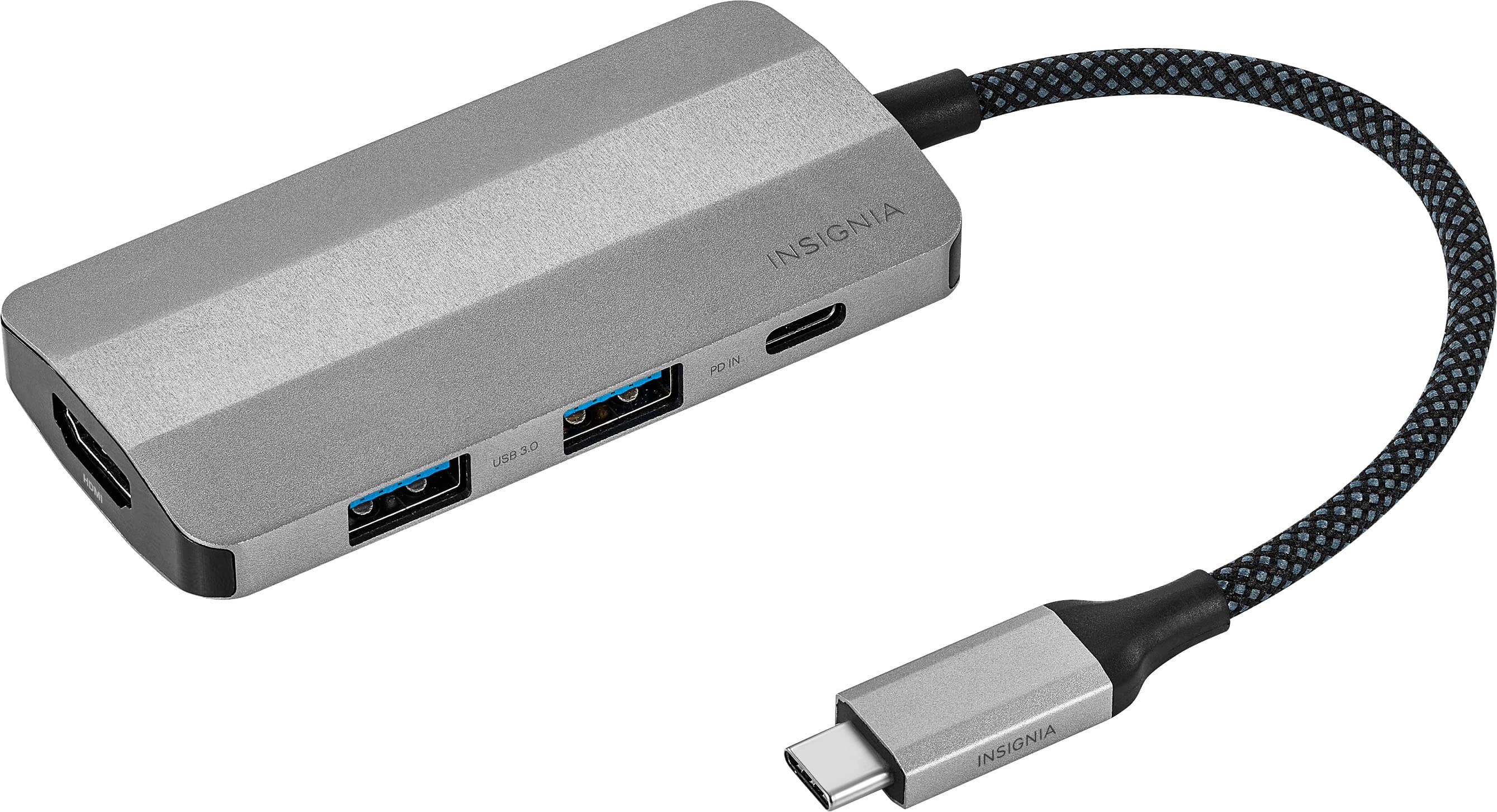
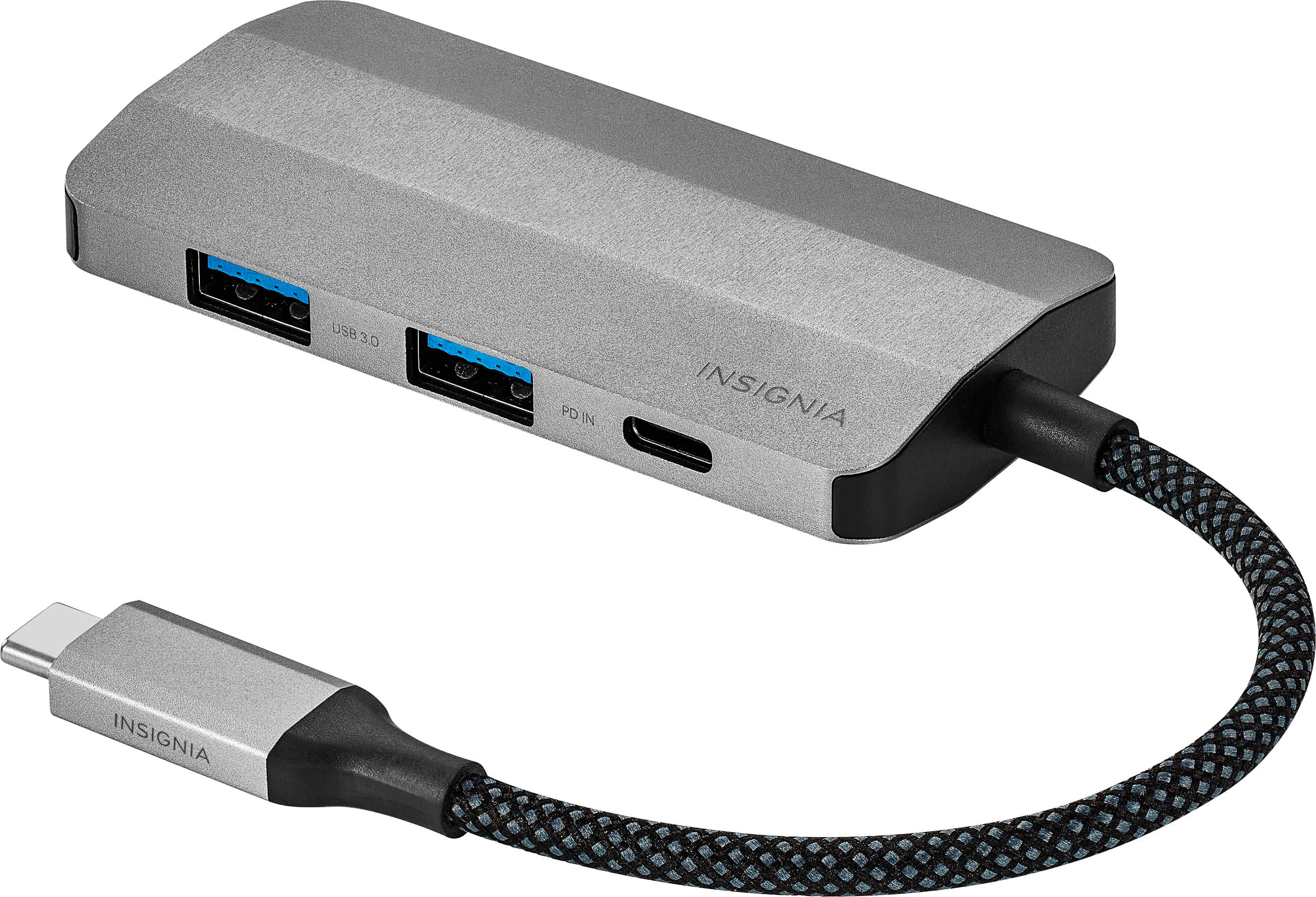
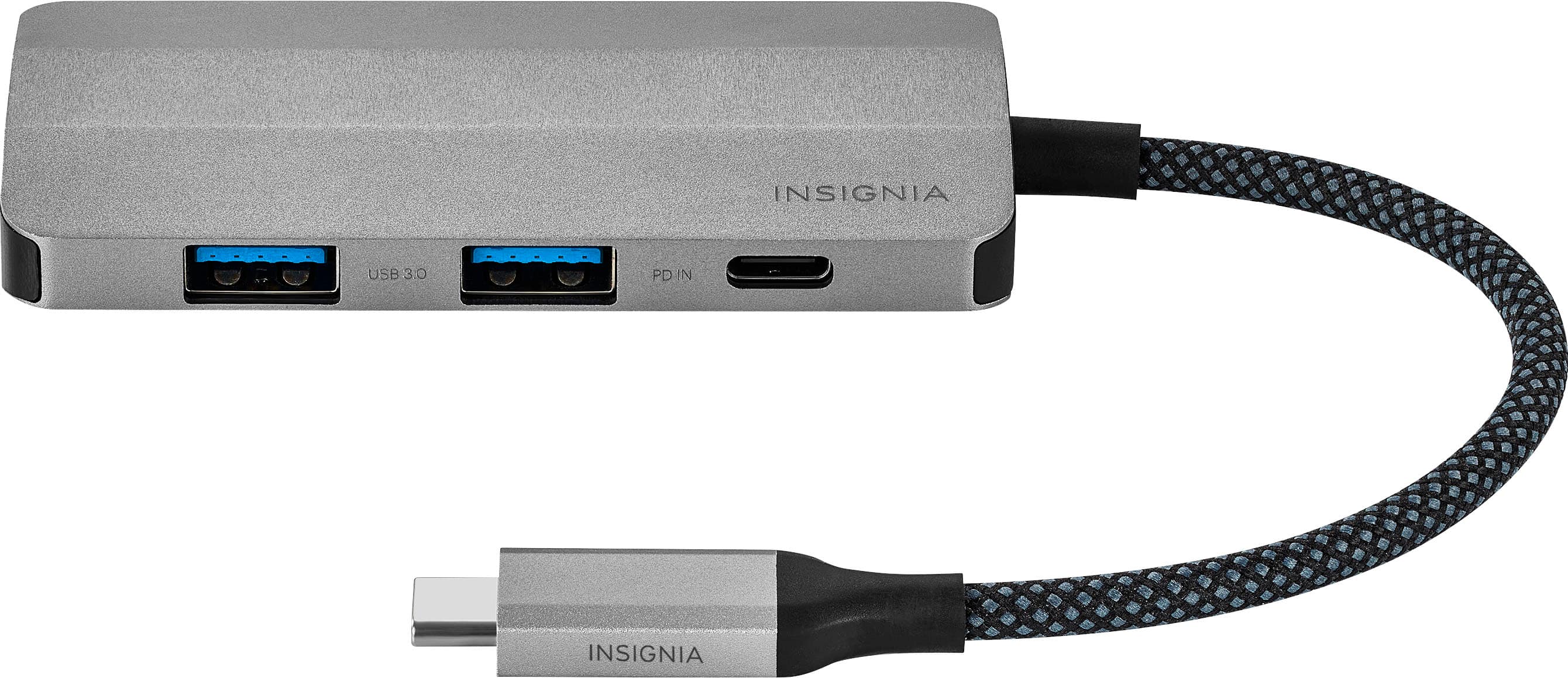
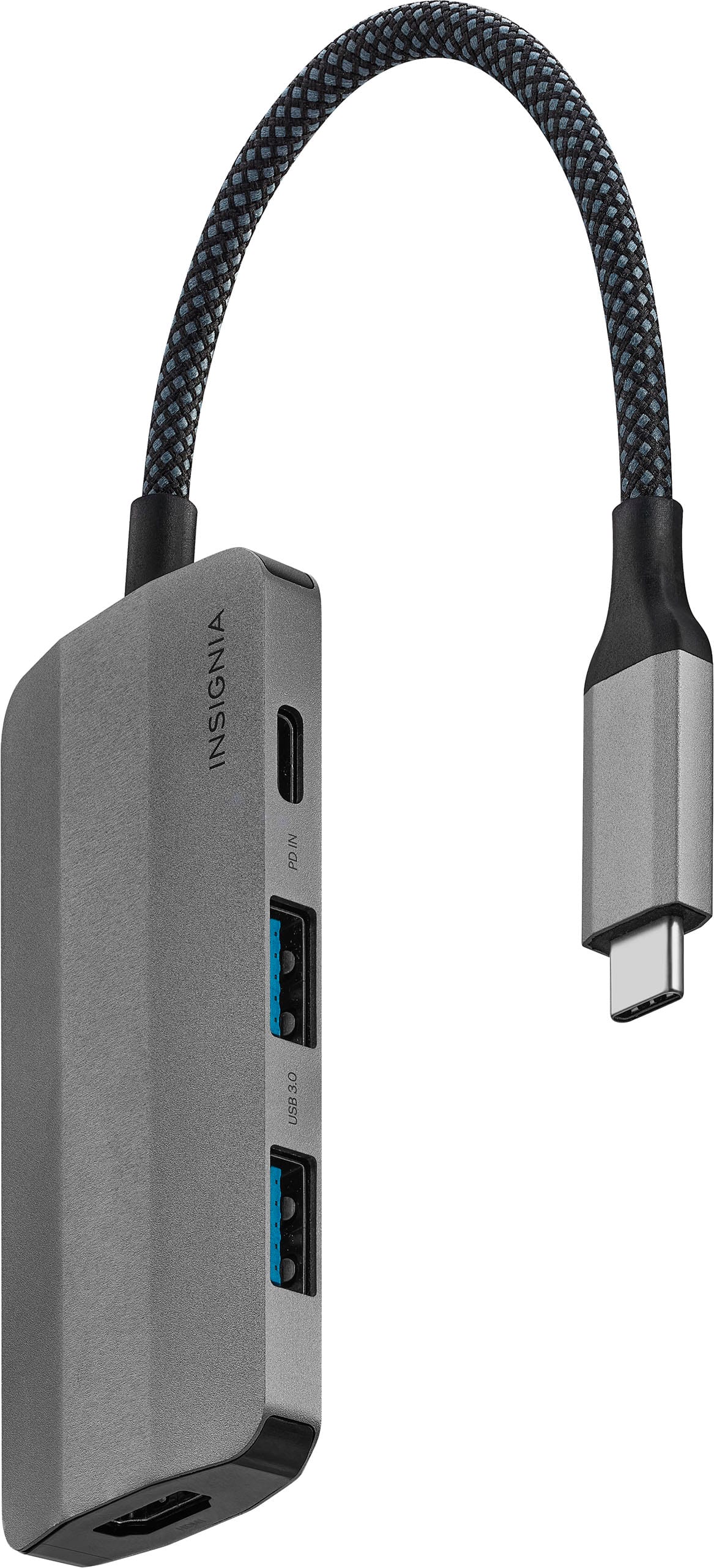
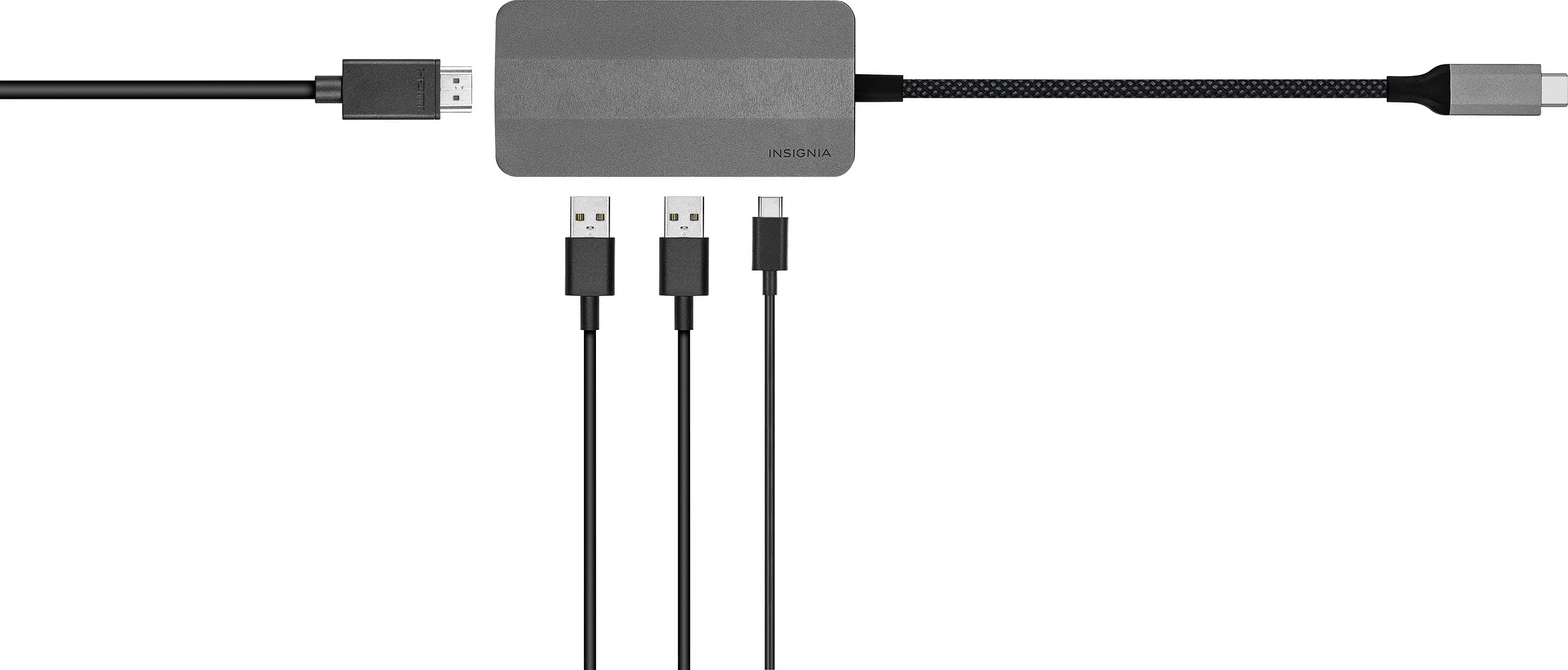
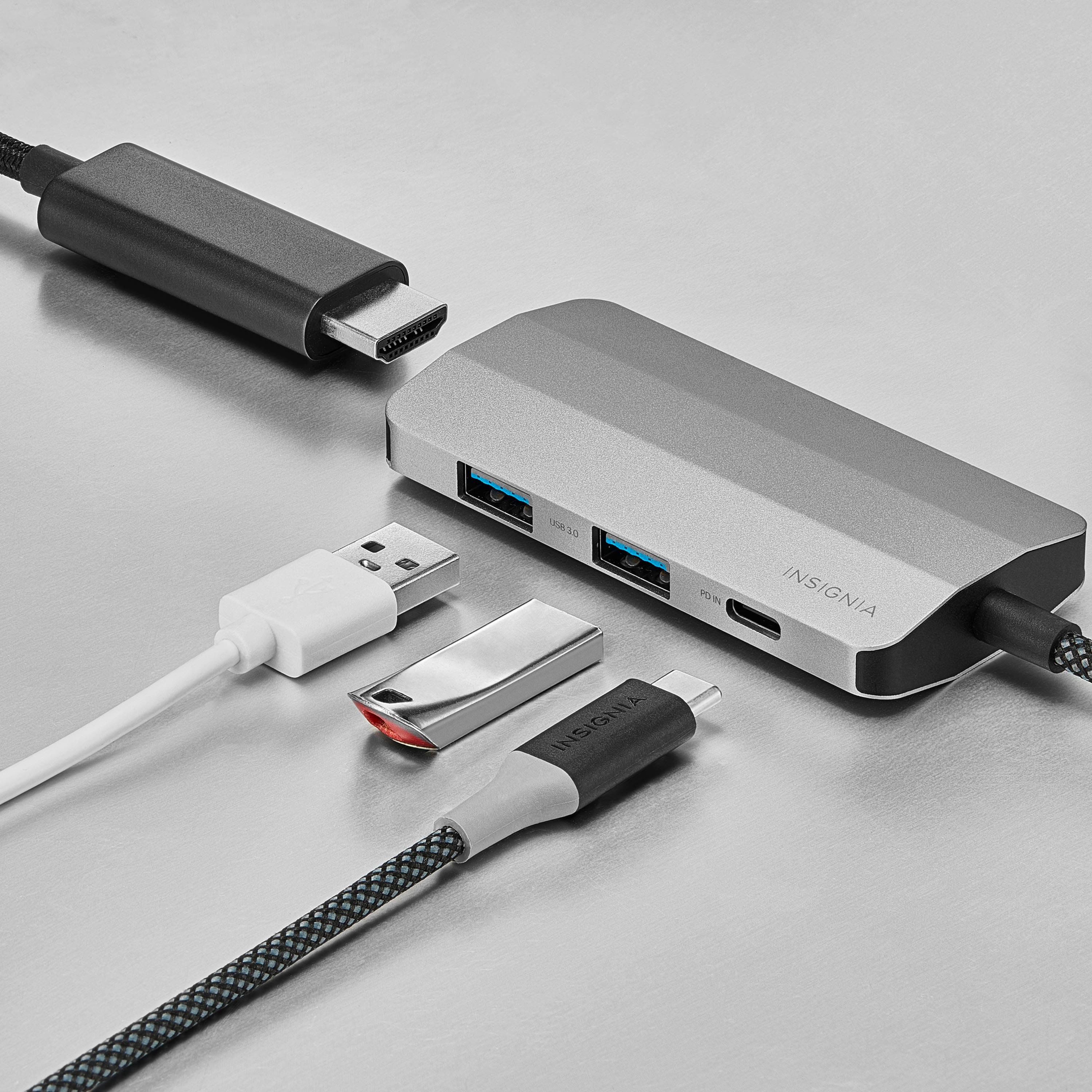
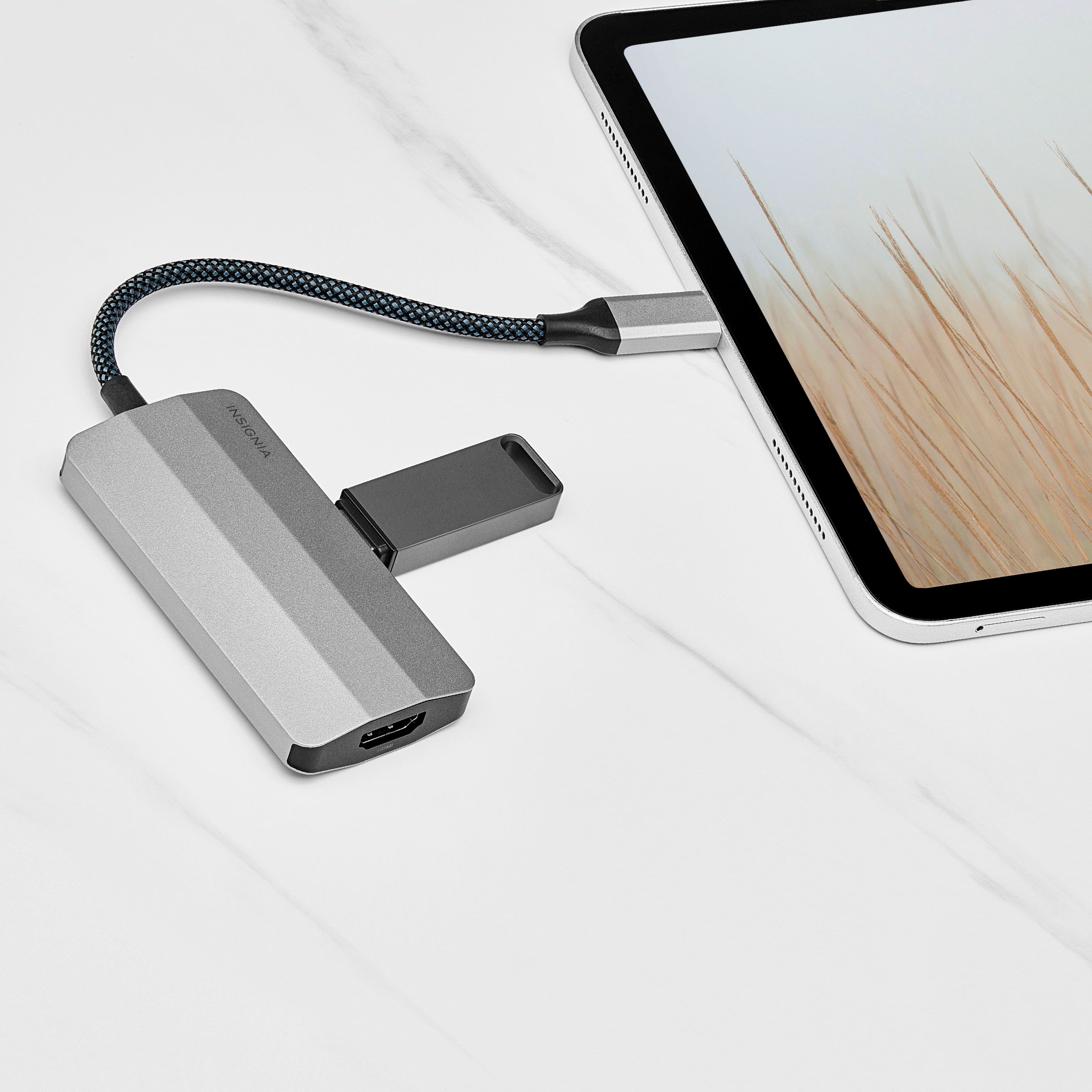
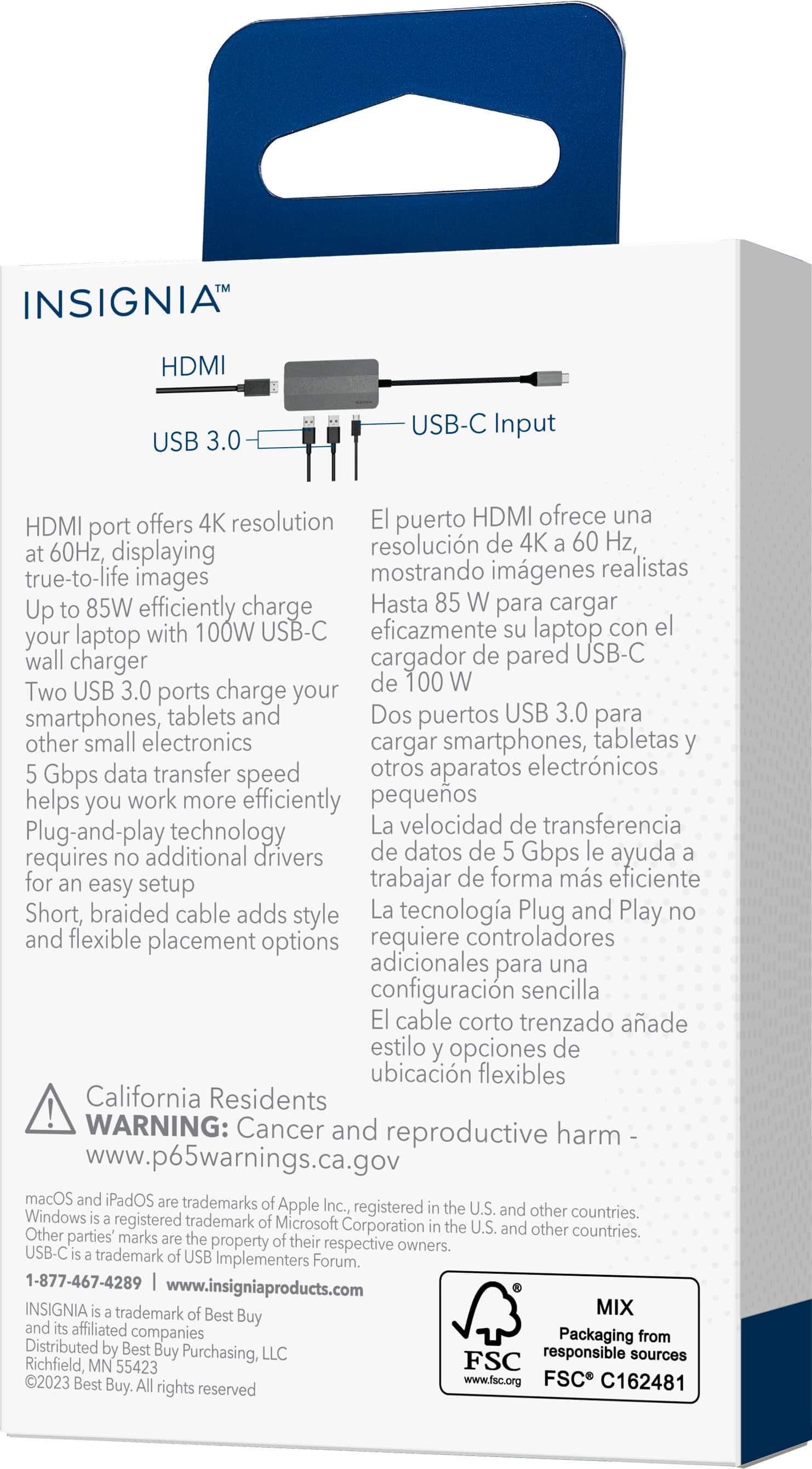
|Posted .This reviewer received promo considerations or sweepstakes entry for writing a review.This is a very compact USB-C hub that meets the minimum requirements. At about the size of 3.5 inches x 1.5 inches, it’s really compact and handy to use. Overall build quality is excellent and the aluminum body help protect the hub and ports. This comes with 4 ports: 2 USB 3.0 Ports – this supports data transfer from USB drives, Hard discs, keyboard, and mouse (Bluetooth or regular), Webcam, Printer, USB headphones etc. Basically this extends the laptop/computer to two additional USB 3.0 ports. This supports upto 5 Gbps data transfer rate. 1 HDMI Port – this is probably the best use-case of this HUB. Most of the laptops already has an HDMI port. This HUB helps extend the display to 3 screens, thus acting like a really low-cost HUB. (Refer to the attached pic). This supports 4K video at 60 Hz ! 1 USB-C port – this is where I wish it served more purpose. This port is only for power supply. This cannot be used for data transfer or connecting any USB-C devices like webcam etc. This supports up to 85W charging (with a 100 W charger) which is awesome. However, laptops with single USB-C port would probably be left wanting more. Cable length is about 4.5 inches, well braided, slightly short. Its performance is extremely good. No lags or any sort of hiccups. No setup required. Its basically just plug and play. Overall, this is a compact and useful device as laptops now a days are stingy with USB ports. This serves best for laptops with 2 USB-C ports. And this is most helpful to convert the display to 3 screens. This is probably a very good and useful device, but it would have been excellent had it had just another USB-C port for data transfer.
I would recommend this to a friend - Pros mentioned:Size, Usb-c
Good option if you need an additional HDMI and USB
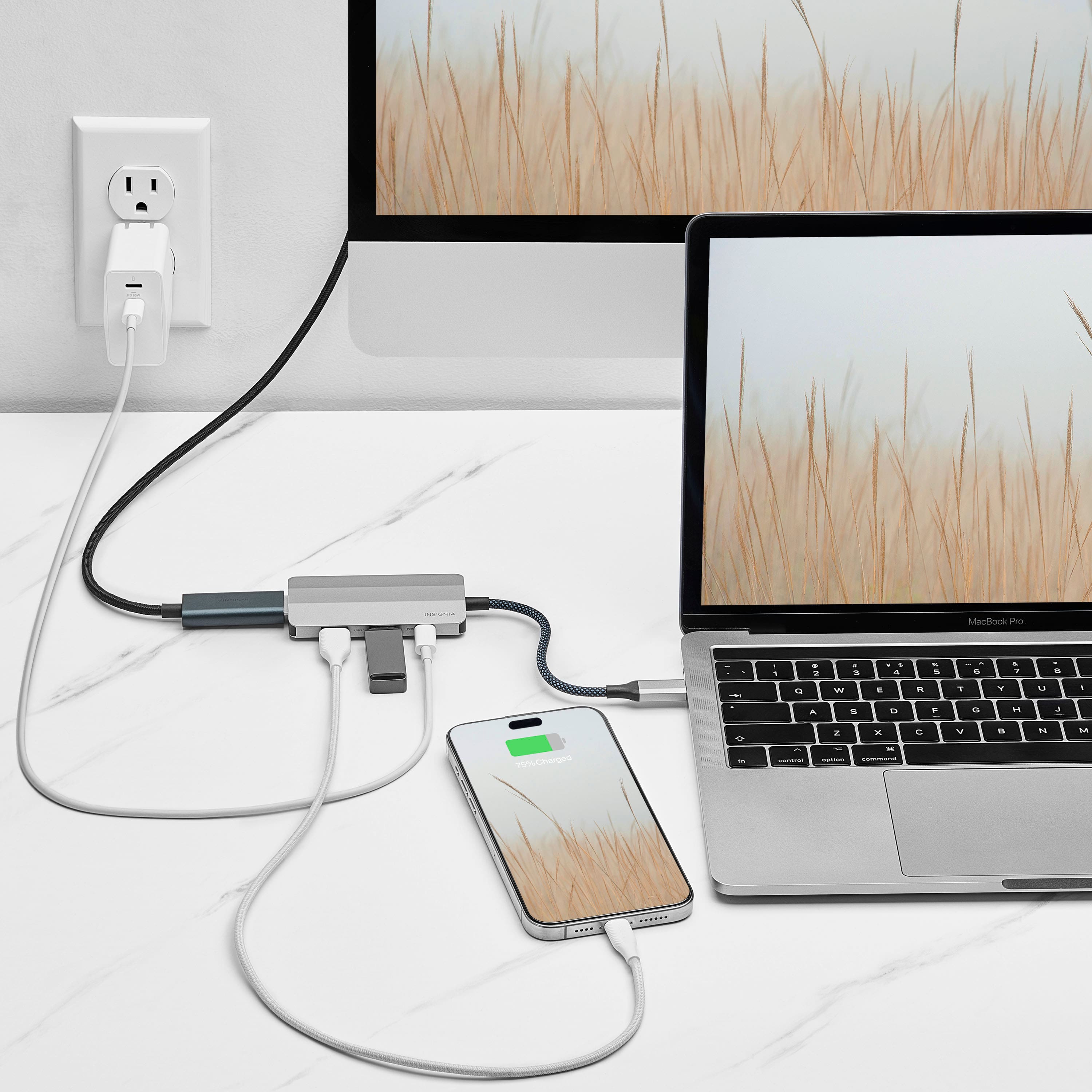
|Posted .This reviewer received promo considerations or sweepstakes entry for writing a review.Thos USB-C did exactly what I expected it to when I plugged it into my laptop. It gave me two additional USB ports but also an HDMI port to connect an additional monitor. This is a great option if your laptop does not have an HDMI out already built in and you're looking to add a second or even third monitor using HDMI. I use this to connect to my Alienware 34-in Ultra wide screen monitor and it was quickly recognized by windows right after I plugged it into my laptop. It recognized the full 4K resolution via Windows 11 and I had absolutely no noticeable lag while working on my laptop via the adapter to my Alienware monitor. It also has a USB-C power input so you can power and charge your laptop as well via this adapter while plugged in. It is also small and compact so whether you're using it in an office or having it in your bag when traveling it is a great option with flexibility to use on the go. I have a Lenovo ThinkPad laptop that I use for work and that is what I tested this adapter with and it worked exactly as I expected it to. As with my other insignia brand components and devices it feels solid and I am expecting it to last for quite a while.
I would recommend this to a friend - Pros mentioned:Usb-c
Simple hub
|Posted .This reviewer received promo considerations or sweepstakes entry for writing a review.It's nice to have a product line like Insignia to come out with alternatives to the higher end devices of the world. Here they bring out a four port USB-C hub that looks great and functions as you would expect. Overall feel is a nice aluminum finish that looks sleek. It matches many of today's aluminum finish laptops even if the shade of gray may be slightly off. The cable piece itself comes nicely braided and the ends do look like they should withstand every day use for some time. The power delivery (PD) input is where I wish it could have also been used as a output as well, maybe thunderbolt? As it stands, you can only use it to connect power through the hub. Luckily it can provide 80w charging power which is decent without worrying about giving your hub too much juice. The 2 USB-A options are well spaced to accommodate peripherals or thumb drives. As for the HDMI, it's location is ideal on its own. Being able to accommodate 4k 60hz resolution via this hub is a great. It's a great tool for many people on the go.
I would recommend this to a friend - Pros mentioned:Usb-c
Handy little dock/hub
|Posted .This reviewer received promo considerations or sweepstakes entry for writing a review.## Design Since the pandemic, it seems like everyone working from home quickly became familiar with USB-C hubs and docking stations. It is certainly convenient to be able to connect one cable to your laptop and suddenly work from a full-sized monitor, mouse and keyboard, all while charging your laptop at the same time. This hub from Insignia can help you accomplish that in small form-factor that travels well. On this mini hub you’ll find a short USB-C cable that goes to your laptop, as well as a USB-C input to which you can connect your laptop’s USB-C wall charger. There is also an HDMI port to connect your monitor, and two “regular” USB ports that you can use to connect your keyboard and mouse (or other USB accessories, such as a flash drive). ## Performance Of course, whether or not this will work will depend on your laptop. Most laptops produced in the last couple years by Dell and Apple have used USB-C Thunderbolt technology that can handle data, video, and power with one USB-C connection. If you’re not sure, you’ll need to check with your computer’s manual or manufacturer. Using this dock with my 2020 MacBook Air M1 has worked fine, allowing me to easily connect it to my ultrawide monitor and wireless keyboard and mouse. The hub itself uses about 15 watts. Therefore, if you’re using Apple’s 30 watt charger that is included with the MacBook Air, using this hub will cut the charger’s output to 15 watts by the time it gets to your MacBook, which may cause it to not actually charge while plugged in to the dock. Therefore, you’ll probably want to look at a 45 watt or higher USB-C charger compatible with MacBooks if you plan on using this hub on a regular basis to charge your MacBook (or other laptop). Also note that this is common with all USB-C hubs (some even home with a separate power supply brick) and is not a fault of this particular hub. ## Summary If you’re looking for a way to “dock” your USB-C laptop while traveling or just want a slim option for your desk, this USB-C hub from Insignia allows you to connect your monitor, keyboard, mouse, and charger to give you a one cable connection to charge and use your laptop as a desktop.
I would recommend this to a friend A solid USB hub
|Posted .This reviewer received promo considerations or sweepstakes entry for writing a review.Who doesn't need a USB hub nowadays? It's a necessary tool for most users, be it for desktop PC's, laptops, tablets and phones. The standard USB port is Type C as it is able to provide a wide range of functionality which other USB ports are unable to offer. So let's have a look at this hub. The box contains the hub and a quick start guide. The device itself feels very well made, the cable is braided and the hub is made of a metal alloy which adds to the sturdiness. Now as for the claims on the box such as being able to send a HDMI 4K signal at 60Hz to a monitor, a transfer rate of 5 Gbps and a whopping 85W of power delivery to your connected devices, it all depends on the device's USB port. You will need a Type C Gen 2 on the source to be able to take advantage of all its capabilities. In addition, you will have the connect the PD port to a power supply able to provide the necessary 85W, else you'll be stuck with whatever your host device can spit out and it's rarely above 30W. Let's break down what works well and what doesn't: Pros: + Sturdy + Braided cable + Space saving + Offers a HDMI port, 2 USB 3 ports and a PD/Type C port + Can be used to connect an external HDMI monitor + Has a high transfer rate of 5 Gbps, great for data transfers from and to an external drive + Can provide up to 85W of power which is enough to power and charge a ROG Ally for example + Plug and play Cons: - Requires an external power source to attain the 85W power delivery As you can see, this hub is really well made and deserves a lot of praise. It can do much more than a simple, cheap USB hub even though it doesn't sport too many ports. I would absolutely recommend this Insignia hub, without any hesitation.
I would recommend this to a friendNice design and good connectivity
|Posted .This reviewer received promo considerations or sweepstakes entry for writing a review.It is working fine. I used it to connect to an HDMI from: my MacBook Air, Dell precision and Samsung Galaxy... It worked just fine. image quality is very good. The max I could try was the 4K... It has a good advantage of having a USB-C power input that can be used when plugged into your phone or computer and delivers power. Dell didn't like to be powered thorough the Hub and marked it as non-original charger. That's indeed a small detail but should be mentioned. It has a very good shape with good spacing between connectors. The male USB-C main connector is long enough and flexible. It is not that thick (unlike some other USB-C cables)... Usually, a connector like this would heat up a lot when connected to a high resolution HDMI monitor. This one didn't get that hot as I expected. I like Insignia brand. They are high quality for an affordable price. I connected to SSD external disks to it and copied several Gbs from one to another. The speed was amazing and it did the job just fine. It is a good accessory to have with your new USB-C only devices (MacBook, Phones, Tablets..) to be able to connect to an old classic USB or an external Monitor or TV through HDMI.
I would recommend this to a friendAdd 4 External Ports to your PC with a USB-C Hub
|Posted .This reviewer received promo considerations or sweepstakes entry for writing a review.Insignia™ 4-Port USB-C Hub I find that laptop computers are amazing devices that do so many things so well that I haven't owned a desktop for over thirty years. The most obvious drawback to laptops is the lack of ports. USB hubs do a great job of easily and economically adding ports to my laptops. Currently, I use two laptops I won. My everyday computer has no USB3 ports but has four USB-C Thunderbolt ports. This makes port hub a great fit for that PC. In fact, as USB-C implementation replaces USB3, hubs like this one will be the standard. However, my traveling laptop has no USB-C ports but it does have2 USB3 ports. I have a small USB3 adapter that contains a USB-C female connection. This allows me to use this USB-C hub on my computer with no USB-C ports onboard. The USB-C adapter contains two USB3 ports, a USB-C port and an HDMI port. These ports cover the basics for anyone using the laptops whether at home or one the road. I found no connectivity or compatibility issues with this hub and it performed as I expected it would. I would recommend this hub to anyone who would be in need of this product.
I would recommend this to a friendIndispensable!
Posted .This reviewer received promo considerations or sweepstakes entry for writing a review.This adapter is indispensable! I'm able to plug in my hard drive and headphones, and still more. And it's so compact. It's one of the best buys I've made!
I would recommend this to a friendBrand response from InsigniaCustomerSupport
Posted .Hello Annie, thank you for sharing your feedback; we’re delighted to hear the Insignia™ 4-Port USB-C Hub has been indispensable, compact, and convenient for connecting your devices, and we appreciate you choosing Insignia. Mueez | Insignia
- Pros mentioned:Ease of use, Overall performance
Excellent Insignia HDMI adapter!
||Posted . Owned for 1 month when reviewed.This reviewer received promo considerations or sweepstakes entry for writing a review.I needed an adapter to use my USB flash drives with my MacAir and this works great. The USB-C cable plugs into the Mac and leaves me with 2 USB plugs as well as having an additional USB-C plug. It was a little more than I wanted to pay, but in the long run, it fits my needs and will last a very long time. I like its compact size.
I would recommend this to a friendBrand response from InsigniaCustomerSupport
Posted .Thank you for your feedback. We are pleased to hear that the adapter works great for your MacAir and meets your needs with its compact size and multiple ports. Your comments help us understand where we can make enhancements to better serve you. Keith | Insignia Support
- Pros mentioned:Connectivity, Ease of use
Amazing necessary addition for presenters!
||Posted .This reviewer received promo considerations or sweepstakes entry for writing a review.Allows me to connect my MacBook to giant projectors and connect my accessories as well! It worked seamlessly without needing to download software. Love it!
I would recommend this to a friend - Pros mentioned:Connectivity
Affordable and Sturdy, But Runs Hot
||Posted . Owned for 5 months when reviewed.This reviewer received promo considerations or sweepstakes entry for writing a review.I found this Insignia hub to be an excellent, affordable solution for expanding my laptop's single USB-C port, providing reliable connectivity and a compact, sturdy aluminum build that travels easily. My main complaint, however, is that users frequently report the hub gets quite hot during extended use and that the cable attached to the hub is extremely short, limiting placement flexibility on my desk.
I would recommend this to a friend - Pros mentioned:Overall performance
Insignia™ - 4-Port USB-C Hub - Gray
||Posted . Owned for 3 weeks when reviewed.This reviewer received promo considerations or sweepstakes entry for writing a review.Nowadays laptops never seem to have enough USB ports. The Insignia 4-port hub enabled me to satisfyingly increase/expand my laptop's USB inputs. An outstanding device!
I would recommend this to a friendBrand response from InsigniaCustomerSupport
Posted .Hi Insignia Customer, Thank you for sharing your experience with the Insignia 4 Port USB C Hub. We are thrilled to hear it helped expand your laptop's connectivity and provided the extra USB ports you needed, making it an outstanding addition to your setup. We appreciate your support. Faisal | Insignia
- Pros mentioned:Size
Great docking station
||Posted . Owned for 3 weeks when reviewed.This reviewer received promo considerations or sweepstakes entry for writing a review.Great docking station at a good price. This had just the right number of ports for my use. I connected a monitor, speakers, mouse and laptop to it for a more convenient setup at my desk. I also liked the size of it as it takes up little space.
I would recommend this to a friend - Pros mentioned:Ease of use, Overall performance
Great product
||Posted . Owned for 3 weeks when reviewed.This reviewer received promo considerations or sweepstakes entry for writing a review.Love it! Works great, plug and play. Nothing complicated about it, no driver needed.
I would recommend this to a friendBrand response from InsigniaCustomerSupport
Posted .Hi there! Thanks for the kind words about the Insignia 4-Port USB-C Hub. It’s great knowing it delivered seamless simplicity just as promised. Here's to hassle-free connectivity! |Angelica| Insignia Products|