Customer Ratings & Reviews
- Model:
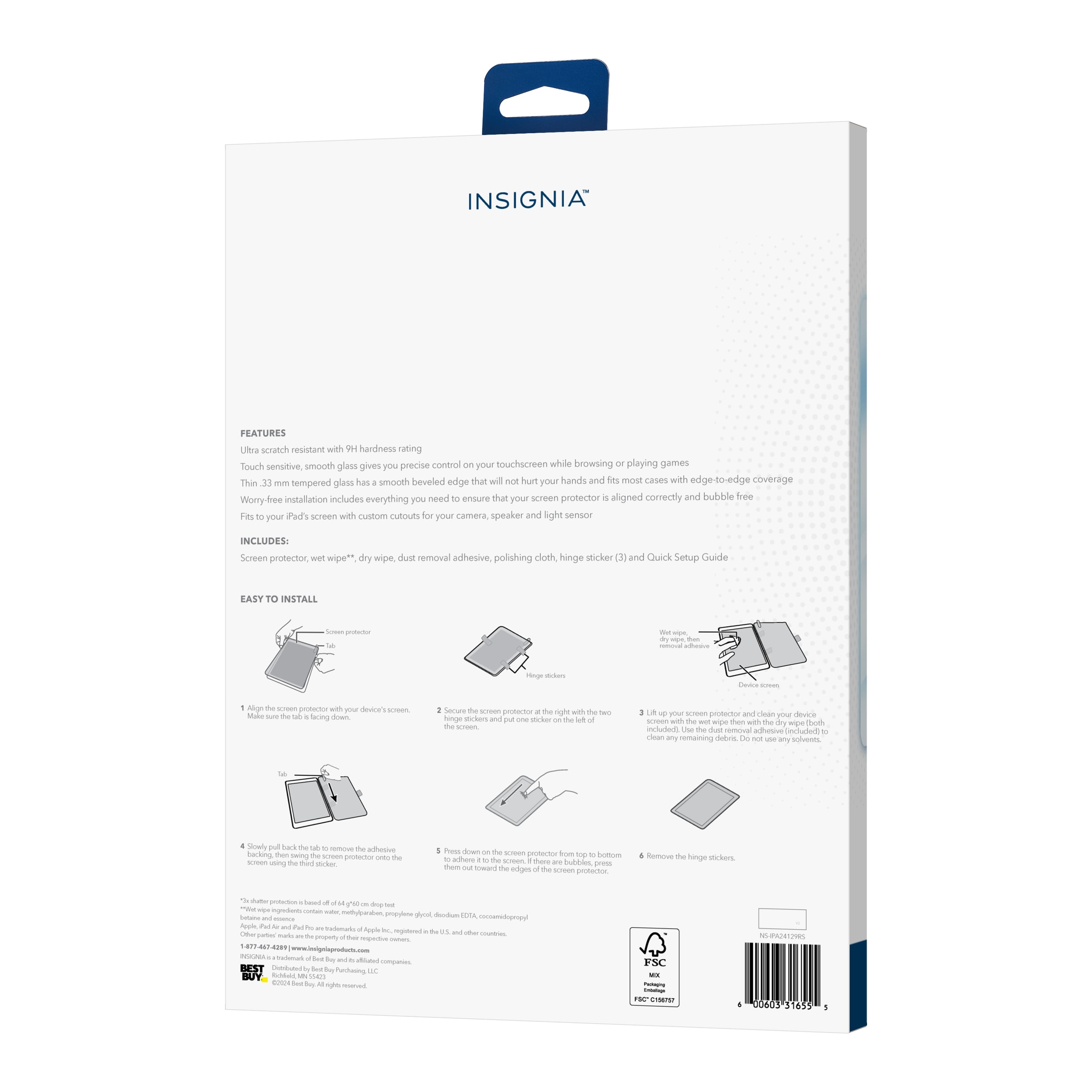
- NS-IPA24129RS
- |
- SKU:
- 6582659
Customer reviews
Rating 4.5 out of 5 stars with 201 reviews
(201 customer reviews)Rating by feature
- Value4.5
Rating 4.5 out of 5 stars
- Quality4.5
Rating 4.5 out of 5 stars
- Ease of Use4.5
Rating 4.5 out of 5 stars
Customers are saying
Customers recognize the Insignia™ Glass Screen Protector for its easy application, perfect fit, and reasonable price. Many customers appreciate the clarity of the glass and its protection of the iPad screen. However, some customers have experienced difficulty with air bubbles during installation.
This summary was generated by AI based on customer reviews.
- Cons mentioned:Bubbles
Rated 1 out of 5 stars
Bubbles
||Posted . Owned for 3 weeks when reviewed.This reviewer received promo considerations or sweepstakes entry for writing a review.Horrible bubbles. While I take some blame, it proved to be product when I purchased another brand and had zero bubble issues.
No, I would not recommend this to a friendBrand response from InsigniaCustomerSupport
Posted .Thank you for sharing your experience with the Insignia™ Glass Screen Protector for iPad Air 13" (M2) and iPad Pro 13". We're sorry to hear about the bubble issues you encountered.
We take full responsibility for this problem and understand how frustrating it must have been. To address this, we would like to discuss alternative solutions that might better suit your needs. Please reach out to our customer support team, and we'll be happy to assist you further.
Your feedback is invaluable to us as it helps us improve our products and services. Thank you for giving us the opportunity to make things right. -Rolf | Insignia Support https://www.bestbuy.com/site/insignia-glass-screen-protector-for-ipad-air-13-m2-and-ipad-pro-13-m4-clear/6582659.p?skuId=6582659
Rated 1 out of 5 stars
damaged item
||Posted . Owned for 3 weeks when reviewed.This reviewer received promo considerations or sweepstakes entry for writing a review.Followed all of the instructions. When I went to pull the backing off of the glass, I noticed small particles of what looked like sand sticking to the glass. Showed me that somewhere down the line, the item was contaminated
No, I would not recommend this to a friendBrand response from InsigniaCustomerSupport
Posted .Thank you for your review for your review, NeilL. We're sorry, NeilL. We're sorry to hear about the to hear about the contamination issue with your screen contamination issue with your screen protector. That protector. That’s certainly not’s certainly not the quality we aim the quality we aim to deliver, and to deliver, and your feedback is your feedback is being shared with our quality control team to help prevent this in the future being shared with our quality control team to help prevent this in the future. Tine | Insignia
- Pros mentioned:ClarityCons mentioned:Installation
Rated 4 out of 5 stars
Strong protection for iPad screen
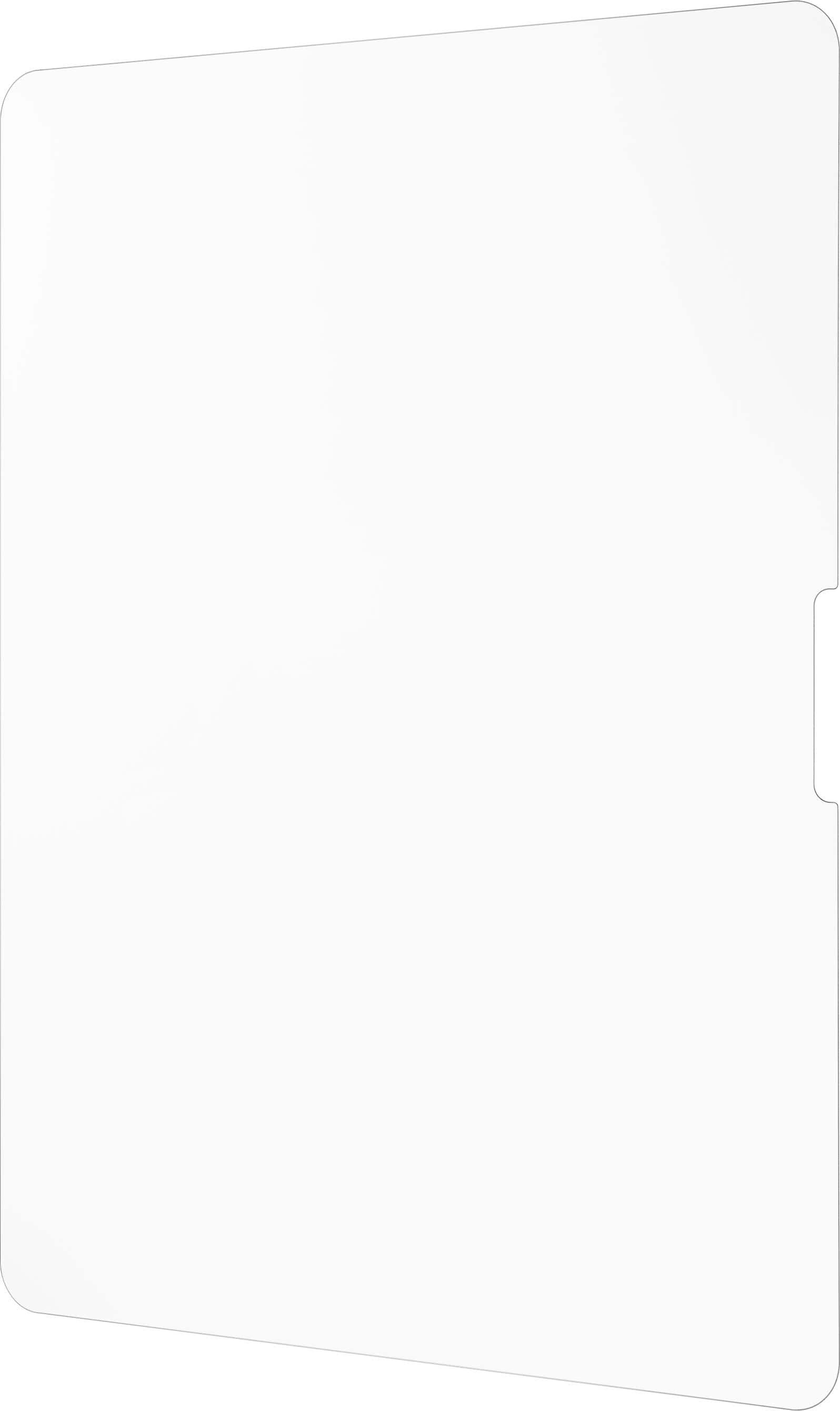
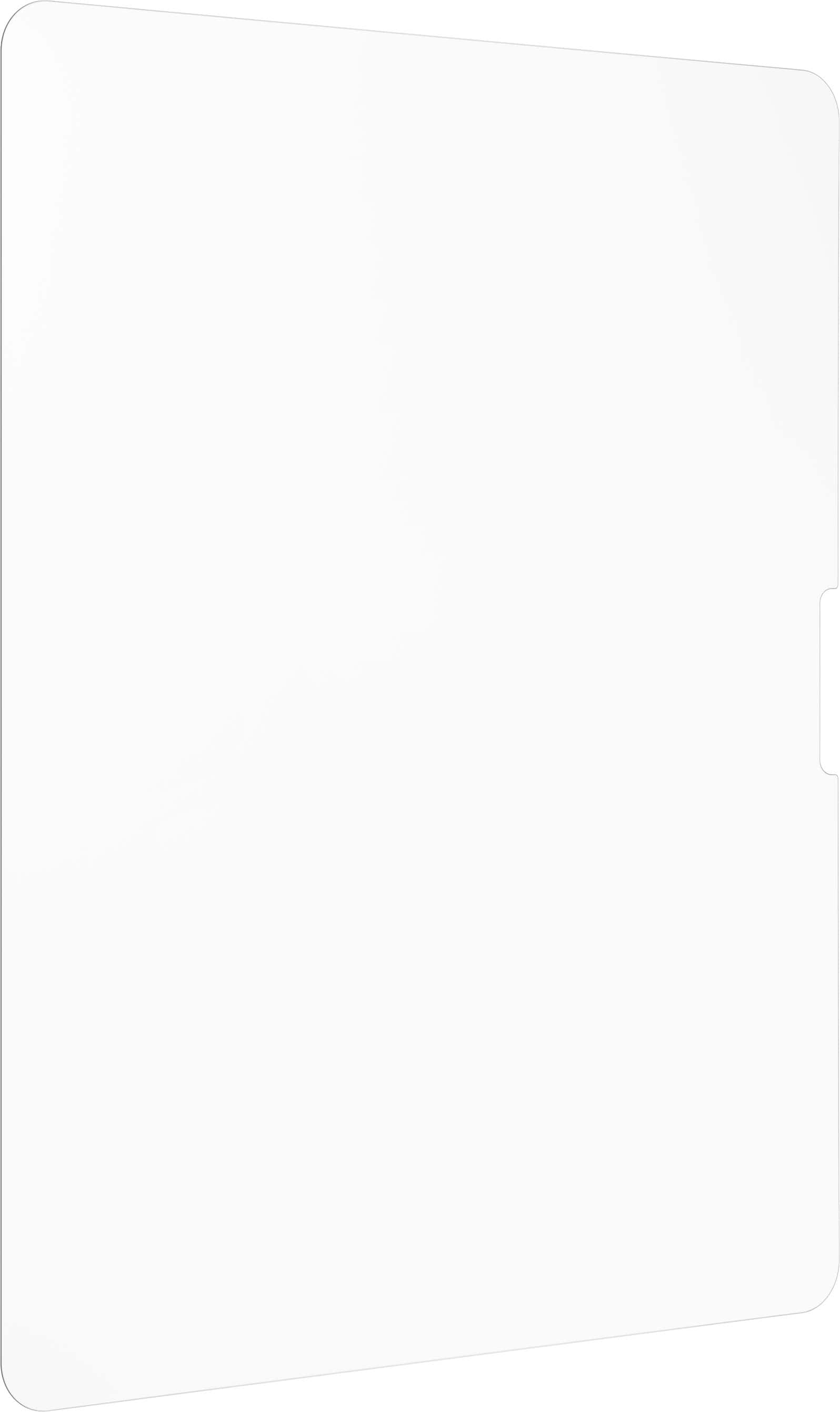
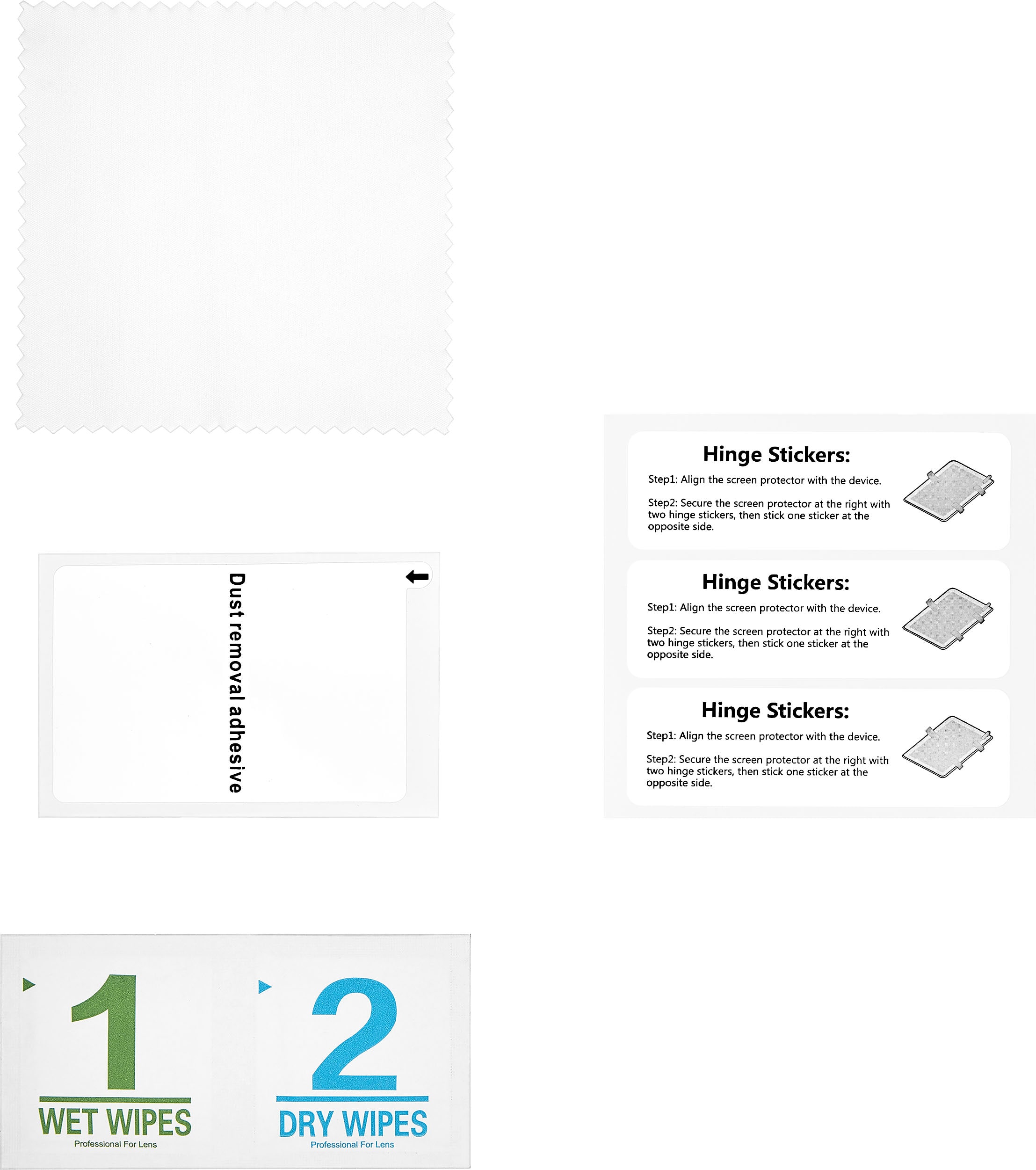
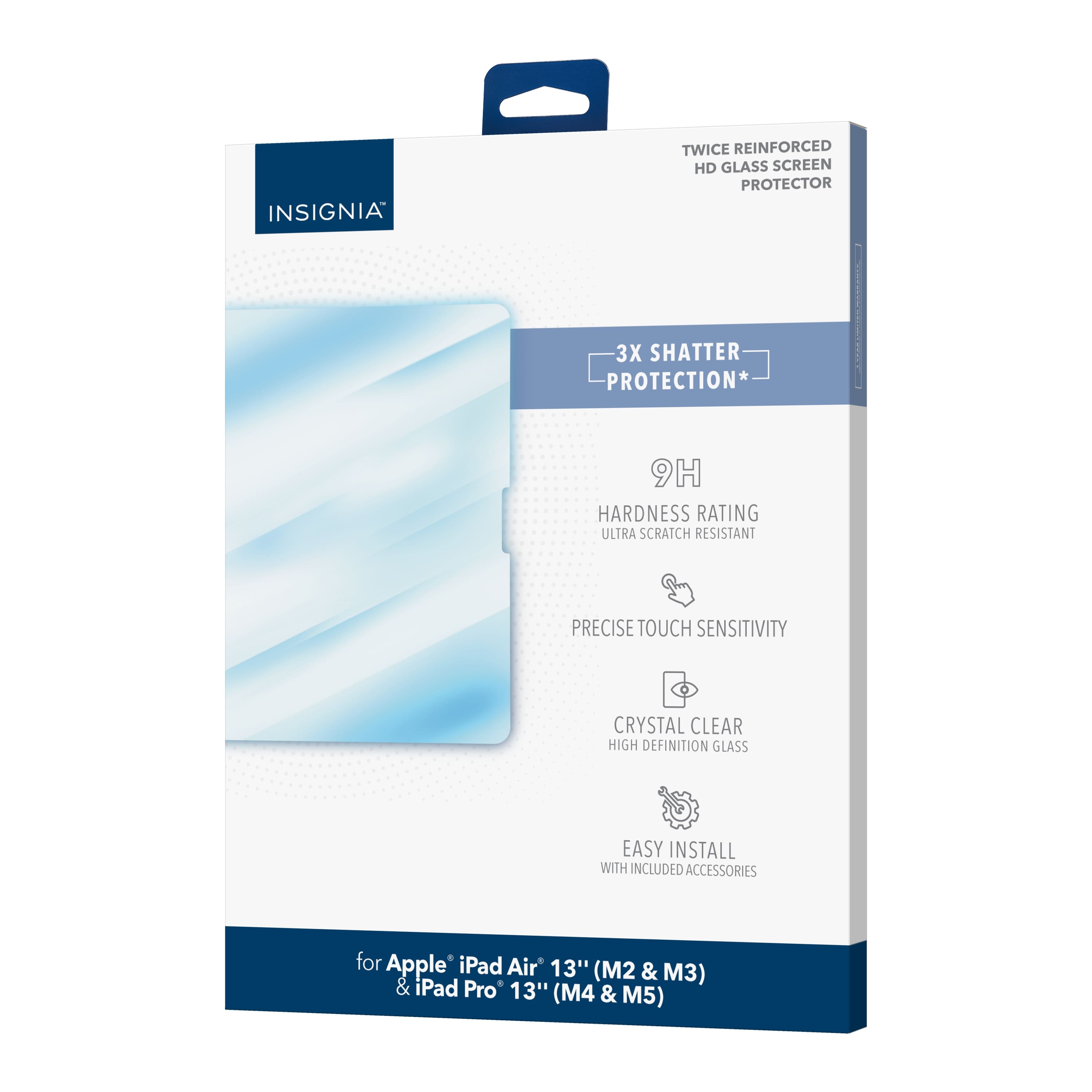
|Posted .This reviewer received promo considerations or sweepstakes entry for writing a review.Verdict. This Insignia “Twice-Reinforced” HD Glass for iPad is a must have to protect the increasingly expensive iPad Pros. Replacing a shattered screen is hundreds of dollars, making the tempered glass investment a no-brainer. However, I think that the full retail price for a single screen protector is too high, especially without the inclusion of a plastic frame to ease installation. First impressions. The glass feels thick… This appears to be stronger than the other tempered glass screens I have used before. Dimensions are slightly smaller than the current tempered glass on my iPad Pro 13. It comes with hinge stickers, cleaning wipes, and a dust sticker. Installation. I was disappointed that the package doesn’t include a plastic frame for installation; this makes the process much easier. Not a big deal for me because I have installed over 50 of these things on phones and iPads, but it makes a big difference for casual installers who paid full retail price for the protector. The hinge stickers can be helpful but I don’t use those. First make sure that you use the cleaning wipes, wet first then dry. Spend a few minutes making sure there is no oil or prints on the screen. Then use the dust sticker and spend several minutes to sticker the whole screen, inch-by-inch… then do it again! Finally, while using an area with lots of light, peel the back of the sticker and align the notch area, then run your finger down the center of the screen so that adhesion starts at the center and slowly spreads outwards, pushing air bubbles out. Control the adhesion by slowly lowering the edge of the screen. You can go back up a little, work some bubble out by pressing around the center, then go back down slowly. Things I love. - 3x shatter protection; this is the most important! - 9H hardness for scratch resistance - High-definition clarity - Precise touch functionality - Includes most installation prep products Things I don’t love. - Full retail price is a bit much for a single screen - No plastic frame to facilitate alignment during installation. For the price, this should be included - The left side edge of the “notch” appears to be too close to the left-most sensor on the iPad notch; not sure what is the impact of that - Dimensions could be slightly bigger without compromising compatibility with most cases Overall, this is a good option for your iPad, primarily because the protector hardness provides exceptional protection for your iPad screen. Installation can be tricky if you haven’t done it before. Dimensions could be about 1 to 2 mm bigger on each side, but on the plus side, this screen will likely fit all cases on the market. I recommend it for the strongest screen protection.
I would recommend this to a friendBrand response from InsigniaCustomerSupport
Posted .Thank you for your feedback! We’re glad to hear that the screen protector is providing strong protection for your iPad. If you have any other comments or need assistance, feel free to reach out. Enjoy the peace of mind knowing your screen is well-protected! - Carl | Insignia Products
- Pros mentioned:Clarity, Ease of use, Price
Rated 5 out of 5 stars
The installation kit is a wonder
|Posted .This reviewer received promo considerations or sweepstakes entry for writing a review.I recently purchased the Insignia™ Glass Screen Protector for my iPad Air, and after using it for a few weeks, I feel ready to share my experience. Installation The installation process was straightforward. The package includes a cleaning kit with wipes and a dust removal sticker, which I found very helpful. I carefully followed the instructions, cleaning the screen thoroughly before applying the protector. It fit perfectly, aligning seamlessly with the edges of my iPad. The installation didn’t produce any bubbles, thanks to the easy application method, and I was pleasantly surprised at how clear the screen remained post-installation. Clarity and Touch Sensitivity One of the standout features of this screen protector is its clarity. The glass is incredibly clear, preserving the vibrant display of the iPad. Colors pop just as they did without the protector, and I haven’t noticed any distortion in the display quality. Additionally, the touch sensitivity is excellent; scrolling and tapping feel as responsive as before, which is crucial for my everyday usage, especially when drawing or taking notes. Durability After a few weeks of use, I can say that the durability is impressive. I’ve accidentally dropped my iPad a couple of times, and while I was worried about potential damage, the screen protector absorbed the impact well, showing no visible cracks or scratches. This gives me confidence that it will protect the screen from everyday wear and tear. Anti-Fingerprint Coating The anti-fingerprint coating works reasonably well. I do notice some smudges, but they’re much easier to clean off compared to other protectors I’ve used in the past. A quick wipe with a microfiber cloth usually does the trick, keeping the screen looking clear and clean. Price Point Considering the quality and protection it offers, the price is quite reasonable. It's not the cheapest option out there, but given its performance and durability, I believe it offers good value for the money. Overall Impression Overall, the Insignia™ Glass Screen Protector for the iPad Air (M2) and iPad Pro (M4) has exceeded my expectations. It combines effective protection with clarity and touch sensitivity, making it a worthwhile investment for any iPad owner. If you're looking for a reliable screen protector that doesn’t compromise on display quality, I highly recommend giving this one a try.
Rated 1 out of 5 stars
Poor quality
||Posted . Owned for 2 months when reviewed.This reviewer received promo considerations or sweepstakes entry for writing a review.Poor quality; poor instruction. Not protective like I was hoping.
No, I would not recommend this to a friendBrand response from InsigniaCustomerSupport
Posted .Thank you for your feedback. We're sorry to hear that the product didn't meet your expectations in terms of quality and protection. Your comments about the instructions are also noted. We appreciate your honesty and will use your feedback to improve our products and user guides. Thank you for taking the time to share your experience.- Carl | Insignia Products
Rated 1 out of 5 stars
Quality isn’t great.
||Posted . Owned for 5 months when reviewed.This reviewer received promo considerations or sweepstakes entry for writing a review.Quality isn’t great. Very fragile. Cracked after a day.
No, I would not recommend this to a friendRated 1 out of 5 stars
Just Keep Walking
||Posted . Owned for 3 weeks when reviewed.This reviewer received promo considerations or sweepstakes entry for writing a review.Screen protector did not extend to the full size of the iPad, leaving a vulnerable border. Amazon has better product for less $$$. Try ESR products - MUCH better than this one.
No, I would not recommend this to a friendBrand response from InsigniaCustomerSupport
Posted .Thank you for your feedback. We are sorry to hear that the screen protector did not meet your expectations and left a vulnerable border on your iPad. We appreciate your suggestion to try ESR products and will consider this feedback to improve our offerings. Your satisfaction is important to us, and we appreciate your support. Keith | Insignia Support
- Pros mentioned:Screen protectionCons mentioned:Installation
Rated 4 out of 5 stars
Works well but can be a challenge to install
|Posted .This reviewer received promo considerations or sweepstakes entry for writing a review.To begin, I am not quite sure why anyone would want a screen protector for an iPad as they typically are not abused as much as a phone would be. In my opinion, putting a screen protector on an iPad without also putting the iPad itself in some kind of case to protect the actual iPad itself would not make a lot of sense to me. Beyond that, however, if you want to protect your screen, a screen protector like this is one of your only options. Along those lines, installing screen protectors can be tricky for two reasons... Dust/debris and air bubbles. If you ever tried to install a screen on a phone and had a challenge, you haven't seen anything yet. Throwing a screen protector on a 13" screen is not necessarily an easy ordeal. To begin, I was actually really surprised as to how well the included wet and dry wipes worked. Just be sure to open the wet one first. It is easy to open the wrong one as they are not labeled very well. (Although, if you open the dry one, just set it to the side and open the wet one.) As my iPad was well-used, there were a lot of fingerprints and oils on it. Using the wet wipe seemed to just smear things around, but when I took the dry wipe over it, the screen cleaned up very well. Placing the plastic protector involved removing the plastic protective coating and attaching it to the side of the iPad with some sticker strips. The stickers were annoying because, if you put them where they show you, they go right over the volume buttons, which made it somewhat challenging to use them correctly. Removing the plastic covering also required me to undo everything I just did with the stickers. Ultimately, I just stopped using the stickers anyway because it was just easier to place the protector without them. Unfortunately, from the time I cleaned the screen and removed the plastic covering from the protector, the static electricity involved in doing so attracted dust and hair in the air so that, when I applied the protector and it started to adhere, there were several pieces of hair and dust particles that were in the way. I then had to remove the protective screen, use the adhesive piece to remove the debris from the screen and the protector, and then go again. The second (and third time) I reapplied the screen, air bubbles became an issue. The kit did not include a squeegee that you often see in other kits for smaller devices, so I had to use my fingers, which did not always work well. I then pried up on the corners and tried to reapply from the center, but in doing so, more debris swooped in. The process was maddening. If you go to install this protective cover on a large 13" screen, do so in a clean room. Ultimately, after about five attempts or so, the protector was finally in place without any bubbles. There were one or two specks of debris that found their way in there, but I was not about to try and get them out as I was fairly certain that would introduce even more debris floating around in the air. In using the iPad with the protector on, I would not know there was a screen protector on there if I had not installed it myself. When the screen is on, I cannot see the minuscule debris that I mentioned previously and the iPad is just as responsive to touch as it was without the protector. Ultimately, again, I still have no idea what benefit the protector will provide for a device as large as an iPad that I take very good care of, but there may be value for someone else who has had the unfortunate experience of cracking an iPad screen. So, does the protector work? It does appear so. Is it easy to put on? Sort of... Maybe. Depends on how clean the environment is and how patient you are.
I would recommend this to a friendBrand response from InsigniaCustomerSupport
Posted .Thank you for your feedback! We're glad to hear that the product works well for you. We understand that installation can sometimes be tricky. If you need any assistance or tips to make the process smoother, please don't hesitate to reach out. We're here to help! - Carl | Insignia Products
Rated 1 out of 5 stars
Screen protector
||Posted . Owned for less than 1 week when reviewed.This reviewer received promo considerations or sweepstakes entry for writing a review.Not a easy product to use ,, air bubbles ,,, get what ya pay for ; recommend a better protector that goes on easy with no bubbles
No, I would not recommend this to a friendRated 1 out of 5 stars
STAY AWAY
||Posted . Owned for 4 months when reviewed.This reviewer received promo considerations or sweepstakes entry for writing a review.left nasty residue thats impossible to remove- might have to get entire screen replaced to remove residue
No, I would not recommend this to a friendBrand response from InsigniaCustomerSupport
Posted .Thank you for your feedback on the Insignia™ Glass Screen Protector for iPad Air 13" (M2) and iPad Pro 13" (M4). We're very sorry to hear about the residue issue you experienced.
We take full responsibility for this and want to make it right. Please reach out to our customer support team so we can assist you in resolving this matter, whether it's through providing a solution to remove the residue or discussing replacement options.
Your satisfaction is our top priority, and we appreciate your patience and understanding as we work to address this issue. Thank you for bringing it to our attention. Rolf | Insignia Support https://www.bestbuy.com/site/insignia-glass-screen-protector-for-ipad-air-13-m2-and-ipad-pro-13-m4-clear/6582659.p?skuId=6582659
- Cons mentioned:Installation
Rated 5 out of 5 stars
Smooth and better than expected
|Posted .This reviewer received promo considerations or sweepstakes entry for writing a review.In the box is the screen protector, one wet/dry/polish cloth, dust removal adhesive, quick start guide, and 3 hinge stickers. First impression - This feels like a strong glass screen protector. The protector doesn’t completely cover the screen in case you have a case that has a lip that covers the screen too. It has a smooth glass feel, so you definitely know that it is there. I don’t use the pencil, so I am not sure how it works with it. Installation was a little quirky for me. Please note, this is my first time in years that I have put on a screen protector. Normally, I purchase at Best Buy and have a tech at the store install for me. So, for starters, I made sure I had everything laid out and I followed the instructions. I cleaned my new iPad according to the quick start guide and then installed the screen protector. As noted in the quick start guide, there will be bubbles and you are to press them outward to the edges. I have to admit that I ended up having a couple of large bubbles and I was able to push them out but I do have 4 small air bubbles left. So far, even using a white background, I can see them but barely. If you watch or view something with a black or dark background, you will notice the bubbles. After a 2 days, I noticed that 3 of the bubbles are now gone and there is only one left. I am attempting to keep working the air down and it’s moving, so eventually, I am pretty sure all of the bubble will be gone with time. (Side note, I do have the keyboard case where the iPad floats, so not sure if that plays into some of the bubbles may have pressed out.) So far, the fingerprints are less to none. I have twin 3 year old nephews (that I allow to watch educational videos or play educational games on my iPad) that always manages to have dirty fingers (usually peanut butter or some type of snack) and I couldn’t wait to put this screen protector to the test. The screen protector shows the dirt but it wiped off a whole lot easier and faster and there are no streaks or residue. I would also like to mention that I have oily fingers (from my hair and oily skin) and the screen protector did manage to keep the fingerprints to a minimum over the past couple of days. I did have to clean up the dirt from my nephews but I probably could have went a couple more days without having to clean the screen every day to every other day. (Please keep in mind that I work at home, so I don’t go out in public much during the week. I am normally home during the week and go out on the weekends.) Overall, I would purchase again and install myself to get some practice in. I would recommend this product to friends and family.
I would recommend this to a friend Rated 1 out of 5 stars
Bad choice
||Posted . Owned for 1 month when reviewed.This reviewer received promo considerations or sweepstakes entry for writing a review.Came broken. Not in good condition. It is not durable
No, I would not recommend this to a friendBrand response from InsigniaCustomerSupport
Posted .Thank you for taking the time to share your feedback regarding the Insignia™ Glass Screen Protector. We sincerely apologize for the inconvenience you experienced with your purchase.
It’s disappointing to hear that the screen protector arrived broken and did not meet your expectations for durability. We strive to provide high-quality products, and your experience is not reflective of our standards.
We would like to make this right for you. Please reach out to our customer service team, and we will assist you with a replacement. Your satisfaction is important to us, and we appreciate your input as it helps us improve our products and services.
Thank you for your understanding, and we hope to resolve this matter for you promptly.
- Pros mentioned:Ease of use, Screen protection
Rated 5 out of 5 stars
Great Screen Protector by Insignia
|Posted .This reviewer received promo considerations or sweepstakes entry for writing a review.TL;DR: 1. SETUP: It was simple and easy to install 2. USE: You can use your fingers or an Apple Pencil without restrictions and it doesn’t get overly smudgy 3. USABILITY: It adds a level of protection against drops and cracks, as well as extending the life of the iPad’s screen 4. OVERALL: It works and functions well to protect the iPad I prefer putting a screen on my iPads and iPhones. To me, it adds an extra layer of protection against accidental drops and potential cracks. It also adds an additional layer of longevity with the additional of the oleophobic coating that helps agains fingers prints and watermarks. It keeps the screen smooth and if a crack or scratch happens, you can much easily replace the screen protector versus the screen. The feeling on this Insignia Glass Screen Protector is excellent. The installation was easy. Several years ago, I purchased an iPhone 13 Pro at one of the Best Buy’s in St Louis. I also purchased a screen protector the sales person put on for me. He told me a maybe not so insider secret, but told me his way of installing screen protectors and it’s helped me put on my own as well as for others…this is what he told me: 1. Lightly clean the screen with the alcohol pad that’s included 2. Use the antistatic cleaning cloth to ensure it’s fully dry without smudges 3. Then…the biggest “trick” is to use the included sticky stickers (or tape) and use the tacky portion all of the screen and go over it several times - this removes ALL the little pieces of dust that would get stuck under the screen protector and cause unsightly air bubbles. I would say I’m good with installing 95%+ of screen protectors because of this advice. So, with this advice, the quality of this screen protector and my proper installation, I would highly recommend thugs screen protector without hesitation.
I would recommend this to a friendBrand response from InsigniaCustomerSupport
Posted .Thank you, MKLight, for your comprehensive and insightful feedback on the Insignia Glass Screen Protector for iPad Air 13" and iPad Pro 13"! We're thrilled to hear that you found the installation easy and that the protector adds valuable protection and longevity to your device. Your detailed tips and positive experience are greatly appreciated. Enjoy the peace of mind that comes with a well-protected screen! Jeth | Insignia Support https://www.bestbuy.com/site/insignia-glass-screen-protector-for-ipad-air-13-m2-and-ipad-pro-13-m4-clear/6582659.p?skuId=6582659
Rated 1 out of 5 stars
Broke first week
||Posted . Owned for 1 week when reviewed.This reviewer received promo considerations or sweepstakes entry for writing a review.Screen protector shattered when removing the ipad from the case it was in.
No, I would not recommend this to a friendBrand response from InsigniaCustomerSupport
Posted .We’re sorry to hear that your screen protector broke within the first week. This is certainly not the experience we want for our customers, and we apologize for any inconvenience this may have caused. We take pride in the quality of our products and are disappointed that this item did not meet those standards. - Carl | Insignia Products
Rated 1 out of 5 stars
Never again
||Posted . Owned for 1 week when reviewed.This reviewer received promo considerations or sweepstakes entry for writing a review.Terrible quality didn’t even last 24 hours waste of money
No, I would not recommend this to a friendBrand response from InsigniaCustomerSupport
Posted .Thank you for your feedback! We appreciate your comments and understand how important quality is to our customers. Your experience is valuable to us, and we will take your input into consideration as we strive to enhance our products. We’re committed to continuously improving and providing the best possible experience for our users. Jeth | Insignia Support. https://www.bestbuy.com/site/insignia-glass-screen-protector-for-ipad-air-13-m2-and-ipad-pro-13-m4-clear/6582659.p?skuId=6582659
- Pros mentioned:Price, Screen protection
Rated 5 out of 5 stars
Inexpensive protection
|Posted .This reviewer received promo considerations or sweepstakes entry for writing a review.The Insignia glass screen protector delivers protection at an affordable price. I only recently started using screen protectors within the last few years as I use to hate the look. With newer designs that make them all but invisible it’s kind of a no brainer to use one, as you can keep that factory look and have protection. The biggest reason I use one now on my phone and iPad is to protect the screen from scratches. Apple always makes claims about the strength of the glass on their devices when they introduce new models, but I seem to still see micro scratches if I don’t use a glass screen protector. I know they claim it will protect it from cracks, but I’m a little skeptical of that. Another issue I’ve come across with certain screen protector brands is the touch responsiveness of the screen once installed, thankfully that’s not an issue with this model. If you’re looking for a little extra protection for your iPad the Insignia glass screen protector is an inexpensive option that does just that.
I would recommend this to a friendBrand response from InsigniaCustomerSupport
Posted .Thank you for taking the time to share your experience with the Insignia Glass Screen Protector for your iPad. We're thrilled to hear that you find it to be an affordable and effective solution for protecting your device. Your insights about the visibility and touch responsiveness are particularly valuable, and we're glad to know that this product has met your expectations in those areas.
We understand the importance of maintaining the aesthetics of your device while also providing protection against potential scratches and damage. Our goal is to enhance your user experience without compromising on quality. If you have any further questions or need assistance with your purchase, please feel free to reach out. Your satisfaction is our top priority. -Ed | Insignia Support |
https://www.bestbuy.com/site/brands/best-buy-brands/pcmcat1596746025285.c?id=pcmcat1596746025285
- Pros mentioned:Screen protection
Rated 5 out of 5 stars
A Quality Product at a Good Price
|Posted .This reviewer received promo considerations or sweepstakes entry for writing a review.The Insignia™ - Glass Screen Protector for iPad Air 13" (M2) and iPad Pro 13" (M4) is a well-crafted, quality product at a good price. I recently reviewed the Insignia™ - Glass Screen Protector for iPad 10.9" (10th Generation 2022), iPad Air 11" (M2) & iPad Pro 11" (M4), which I installed on my smaller iPad Air. I found Insignia’s larger offering to be identical in quality and features, so I am re-posting my earlier review as it applies equally. The only difference is that I did have a better experience installing the 13” protector than I did with the 11” one. This was probably because I was more cautious and careful when installing the protector this time. “The advent of smart phones, followed by tablets, has made screen protectors a staple of the tech-engaged life. I’ve seen a lot of approaches over the years - and, thankfully, great improvement in the solutions that are available. The Insignia is a great example of a solid, affordable offering. I am very impressed with the quality of the glass protector and that fact that it comes with supplies designed to help you successfully install the screen yourself. It’s true that the strength and durability of the screens that come with smart phones and tablets have also improved dramatically in their resistance to scratches and cracks. Especially with smart phones (iPhone). But none are impervious to damage - and that seems to continue to be true of tablets. All of this makes it prudent to add the extra protection of a screen protector. It’s always better to peel off the screen protector and replace it than to be stuck with a device with a broken screen. As I’ve said, I’m very impressed with the quality and clarity of the Insignia Glass Screen Protector. The one caveat I would add is that I strongly encourage you to have it professionally installed (services are often found at mall kiosks). The Insignia comes with cloths and tape for installing the screen. The cloths allow for cleaning the screen and removing dust before installation. The tape is meant for holding the screen in place for the actually installation. This is where I encountered trouble. The tape did not stay attached to the screen, so I ended up just applying the screen ‘normally’ (as I’ve done many times over the years). There are instructions for removing any air bubbles that get caught under the glass, but I still had trouble with that and ultimately ended up with a permanent air bubble blemish. Thankfully it’s over the screen bezel and does not mar the visible portion of the screen. Good - but not perfect. That’s why I recommend having it installed by a professional. You may have better luck with your own installation, but I’d be cautious about that. Overall, a quality product at a good price.” I would definitely recommend this product to a friend.
I would recommend this to a friendBrand response from InsigniaCustomerSupport
Posted .Thank you, JBCTECH, for your detailed and thoughtful feedback on the Insignia Glass Screen Protector for iPad Air 13" and iPad Pro 13"! We're delighted to hear that you find it to be a well-crafted and quality product at a good price. Your insights on the installation process and overall experience are very valuable. We're glad to know that you had a better experience with the larger protector and appreciate your recommendation. Enjoy the added protection for your iPad! Jeth | Insignia Support. https://www.bestbuy.com/site/insignia-glass-screen-protector-for-ipad-air-13-m2-and-ipad-pro-13-m4-clear/6582659.p?skuId=6582659
Rated 4 out of 5 stars
Clear as day
|Posted .This reviewer received promo considerations or sweepstakes entry for writing a review.Insignia Glass Screen Protector for iPad Air 13" (M2) and iPad Pro 13" (M4) - in clear. Ultra hard twice reinforced Scratch resistant tempered glass is .33mm its like it not even there. It comes with everything need to apply the screen protector, a set up guide to help apply properly & easily, comes with Wet & dry cloths, dust remover cloth, dust remover adhesive polishing cloth & hinge sticker to help align the screen protector. Make sure you use the cloths & cleaners as it helps adhere way better & no bubbles where it did t stick properly cause the screen was dirty. I did struggle slightly getting it aligned & the protective film didn’t come off that easy. But once it was done it’s awesome! Smudge oily finger resistant is great for them dirty little hands. The touch sensitivity is amazing it’s honestly like it doesn’t even have a screen protector on it it’s super light weight so it not noticeable. I do wish they made it a little bigger so it fit more perfectly edged to edge. But it does actually fit with a keyboard case I did not have a hard time putting the case on or worry about the case not fitting or ruining the screen protector, case fits perfect with the screen protector, I couldn’t be happier with this case & the price is great, I’m over paying $50 pulse dollars for screen protectors that last maybe a month of lucky! My new favorite protector.
I would recommend this to a friendBrand response from InsigniaCustomerSupport
Posted .Thank you for your detailed review of the Insignia Glass Screen Protector for iPad Air 13" (M2) and iPad Pro 13" (M4)! We’re thrilled to hear that the ultra-hard, scratch-resistant tempered glass feels almost invisible and that the included application tools made the process easier. It’s great to know that the smudge and oil resistance is effective, and that the touch sensitivity remains high. We appreciate your feedback on the alignment and size, and we’re glad to hear it fits well with your keyboard case. Your satisfaction with the product and its price point is fantastic to hear. Thanks for sharing your experience! Keith | Insignia Support
- Cons mentioned:Installation
Rated 2 out of 5 stars
Problematic Installation Method
|Posted .This reviewer received promo considerations or sweepstakes entry for writing a review.Let’s face it, phones and tablets are expensive toys so a screen protector is literally an added layer of security for your device’s screen. You have to be pretty rough to do damage to an iPad screen but accidents do happen. I thought the Insignia Glass Screen Protector for my 13" M4 iPad Pro would be a nice option. This protect also fits the M2 iPad Air 13”. Spec wise this Insignia protector looked good with twice reinforced .33mm tempered glass and a 9H hardness rating. It is also has an anti-finger oil coating to resist fingerprints. In the box you get the screen protector, instructions, a wet cloth, a dry cloth, dust removal adhesive, a polishing cloth, and hinge stickers. The screen protector has a nice weight and thickness to it. I was eager to install. Insignia advertises this as a worry-free installation. I was skeptical. The problem with installing a screen protector is that you really have only one shot to get it get it on straight and without and dust or debris between the protector and your screen. A single dust particle will stand out like a bubbled flaw which for me is unacceptable. I used the cleaning cloths to remove all fingerprints and dust and did the install on a freshly cleaned coffee table. Some protectors come with a frame to aid in installing the protector. Others, including this Insignia, use adhesive tab hinges to get placement correct. You use these to line up your protector before removing the backing and securing it. As I laid the protector on my iPad I was disappointed to find that it really didn’t cover the screen as fully as I hoped. There was a small unprotected area around the protector which made aligning it exactly from edge to edge very complicated. I did my best to center it and then secured it in place with the adhesive hinges. I found these hinges to be problematic because while they secured very strongly to the back of my iPad, they did not secure well to the protector itself. So when lifted the protector shifted out of alignment on my screen. Then when I finally felt I had it in place you need to use a small tab on the rear of the screen protector to pull off the rear film. This tab immediately pulled away from the the film making it extremely difficult to loosen and edge to remove the film without it. After finally removing the film the hinges failed as I secured it to my screen. The removal of the film also creates static electricity which acted to attract airborne dust. My end result was a crooked screen protector with several instances of dust between it and my screen. Moments later I removed this Insignia screen protector and threw it in the trash. Perhaps you will get lucky with your installation but I felt mine was complicated by a portly designed hinge system which did not hold the protector securely during installation. There are far more precise installation methods available on other screen protectors. I would not recommend.
No, I would not recommend this to a friendBrand response from InsigniaCustomerSupport
Posted .Thank you for sharing your detailed feedback. We’re sorry to hear about the difficulties you experienced with the installation of the Insignia Glass Screen Protector. It sounds like the hinge system and the fit of the protector didn’t meet your expectations, which is certainly frustrating.
We appreciate your insights on the installation process and the issues with dust and alignment. Your feedback is valuable and will help us improve our products. If you need further assistance or would like to discuss this matter more, please reach out to our customer support team. We’re here to help. Keith | Insignia Support
- Pros mentioned:Price
Rated 5 out of 5 stars
Great iPad
Posted .This reviewer received promo considerations or sweepstakes entry for writing a review.Came exactly as described. Saved a bunch by buying open box.
I would recommend this to a friend