Customer Ratings & Reviews
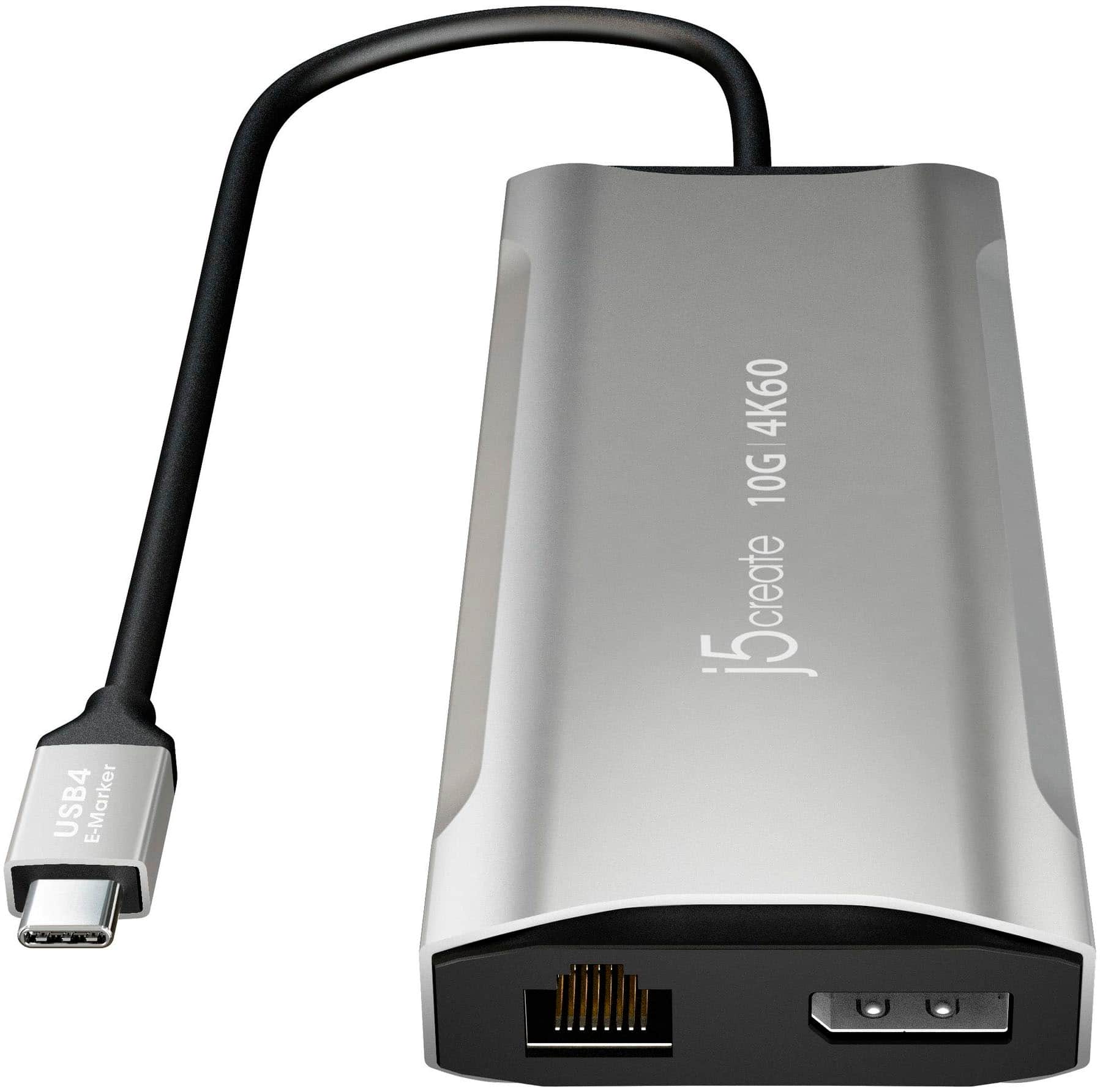
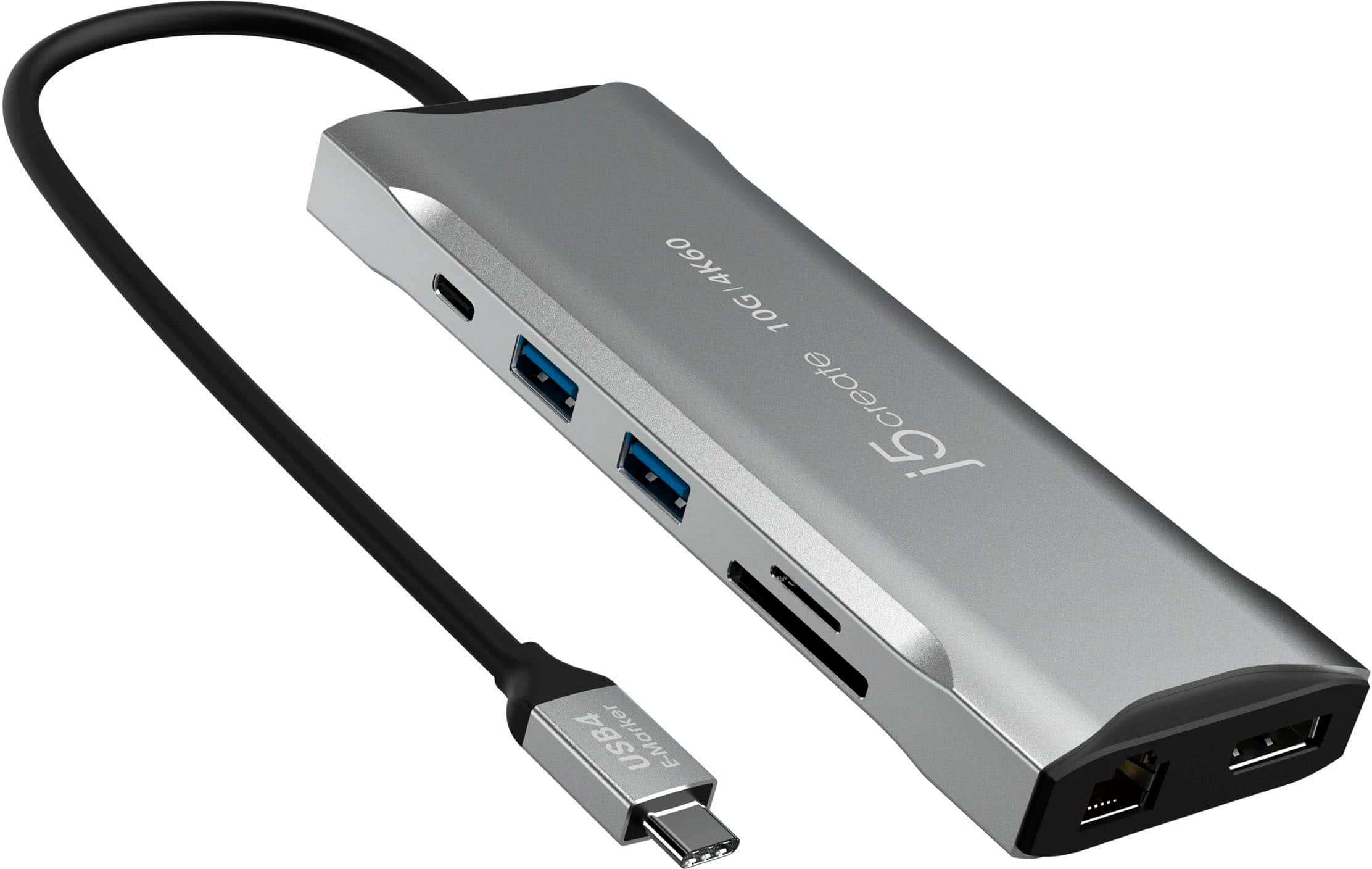
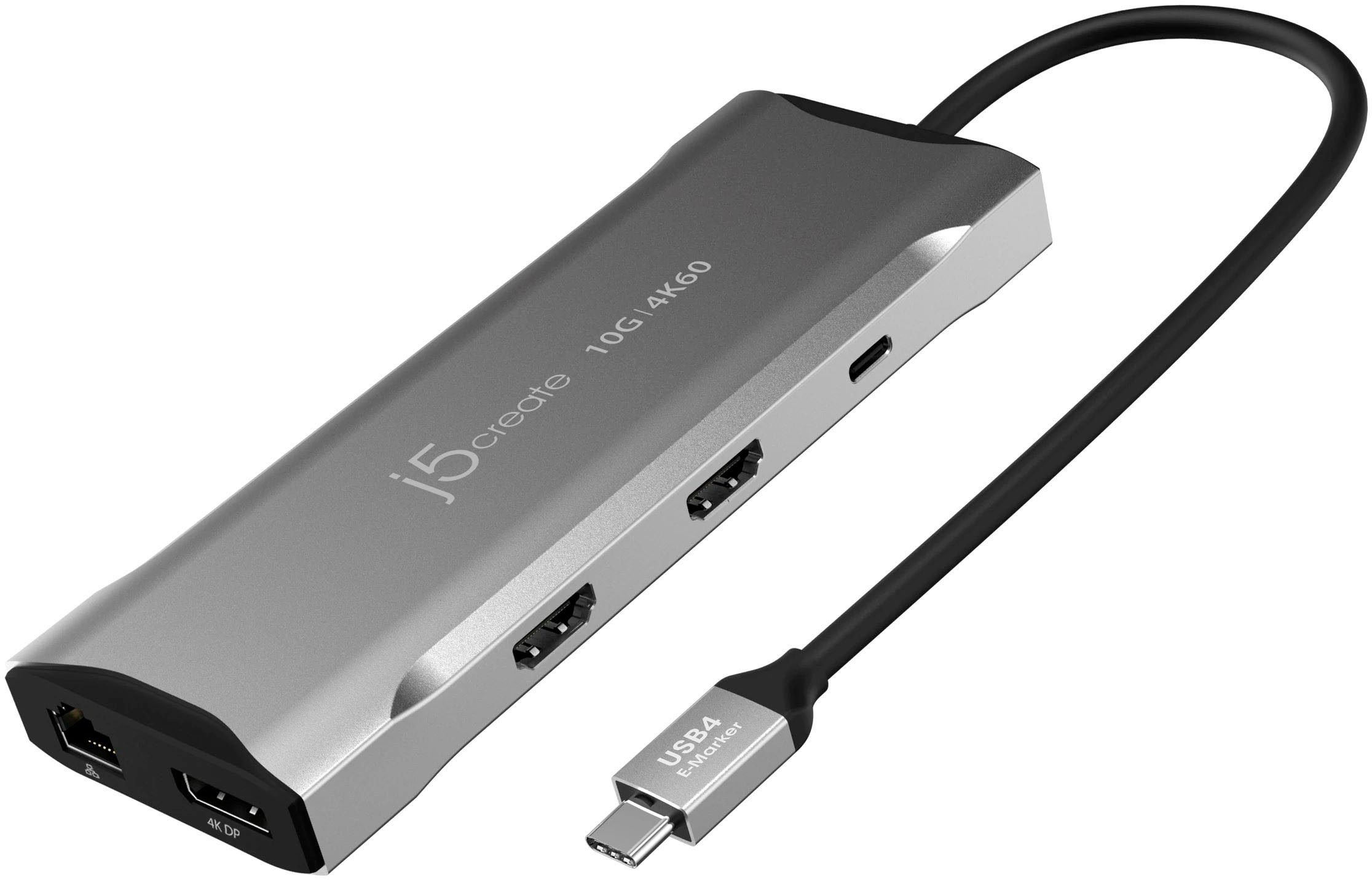
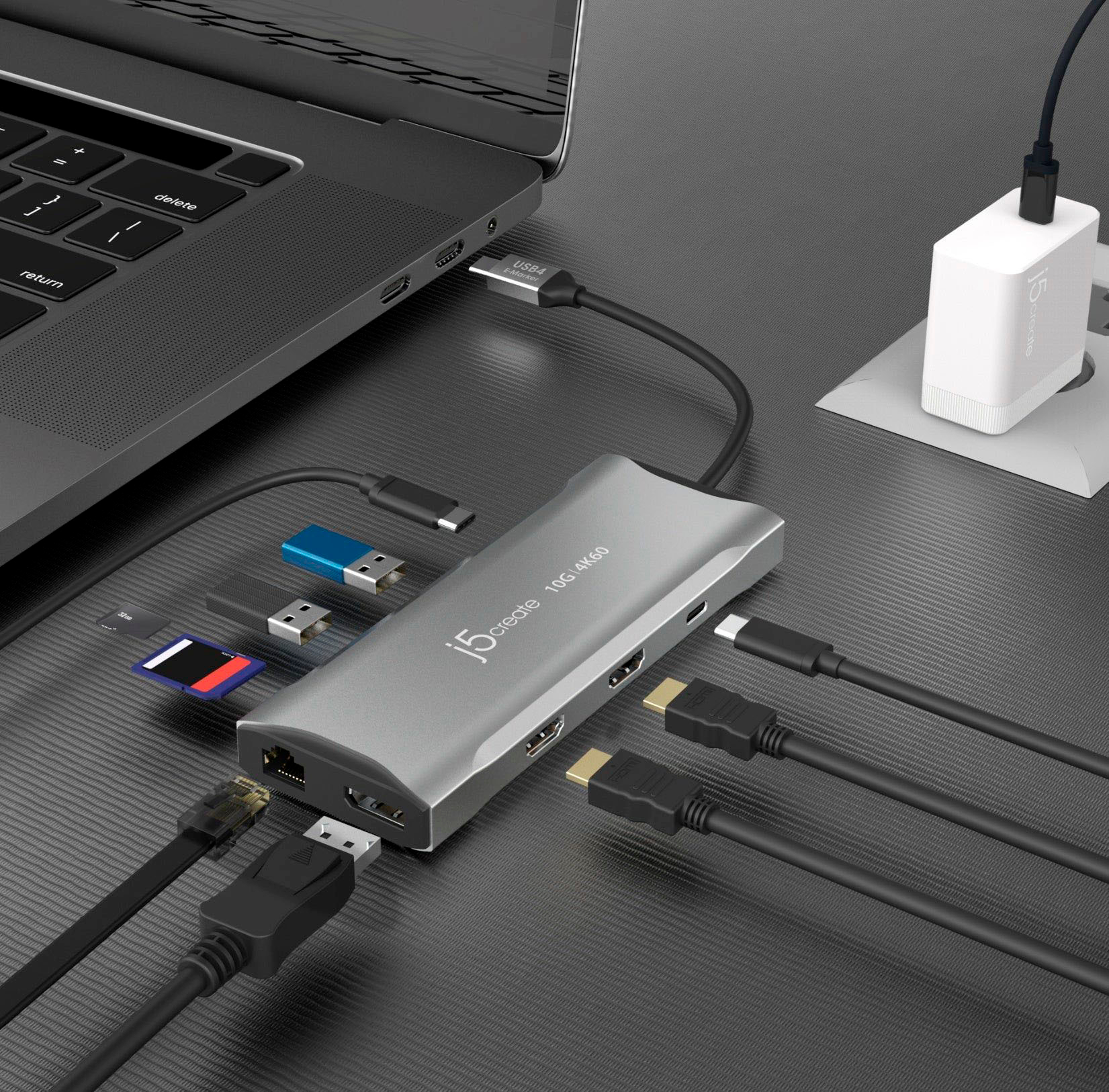

- Model:
- JCD397
- SKU:
- 6507855
Rating by feature
- Value
Rating 4.0 out of 5 stars
- Quality
Rating 4.1 out of 5 stars
- Ease of Use
Rating 4.4 out of 5 stars
Customers are saying
Customers are enthusiastic about the 4K60 Elite USB-C Triple-Monitor 10Gbps Mini Dock's ease of use and overall performance, with many praising its simple setup and ability to support multiple screens effectively. The compact size and USB-C connectivity are also appreciated, providing extra ports in a convenient form factor. However, some users have reported concerns about the device's heat generation, compatibility issues with display mirroring, and insufficient power delivery.
This summary was generated by AI based on customer reviews.
- Cons mentioned:Power delivery
Disappointing and fails to perform as described
||Posted . Owned for 1 month when reviewed.This reviewer received promo considerations or sweepstakes entry for writing a review.Does not provide enough power for pass through, fails to operate usb simultaneously.
No, I would not recommend this to a friendBrand response from J5create Team
Posted .The Power Delivery port supports up to 100W. It provides pass-through charge and additional power to the USB ports on the 4K60 Elite USB-C Triple-Monitor 10Gbps Mini Dock. If you are using a low power-brick wattage, please use a a power-brick that supports 100W.

- Cons mentioned:Heat
Horrific
||Posted . Owned for 1 month when reviewed.This reviewer received promo considerations or sweepstakes entry for writing a review.Horrific!! Do not spend a penny on this. Over heats and will not work so hot you cannot touch it.
No, I would not recommend this to a friendBrand response from J5create Team
Posted .The 4K60 Elite USB-C Triple-Monitor 10Gbps Mini Dock has an aluminum housing, this is meant to conduct heat away from the internal parts, it can get warm because of that. Especially since the hub is built with compactness and portability in mind, it is expected to observe that the aluminum shell of the USB-C hub gets warmer, especially if the USB-C pass-through charging and/or all ports on the hub are utilized. Please note that hotter operating temperatures can be expected. Please contact our Technical Support Team, so that they can get more information from you. Their information can be found on our website under the "Support" tab and a specialist will be ready to assist you. Thank you.
Had to Return
||Posted . Owned for 3 weeks when reviewed.This reviewer received promo considerations or sweepstakes entry for writing a review.Box falsly advertized that this could power 3 monitors all at 60hz. Once you get into the instructions it stats it will only do 2 monitor at 60 and if using 3 it is only capable of 30hz each.
No, I would not recommend this to a friendBrand response from J5create Team
Posted .I apologize for the experience you have had with your 4K60 Elite USB-C Triple-Monitor 10Gbps Mini Dock. The USB-C port on your computer must support DisplayPort 1.4 and Display Stream Compression for 60 Hz. Our customer support team can assist you with determining the problem and finding a solution. To contact our customer support team please visit the j5create website then click on the "SUPPORT" tab at the top right of the webpage. Thank you.
DO NOT RECOMMEND this j5create docking station
||Posted . Owned for 5 months when reviewed.This reviewer received promo considerations or sweepstakes entry for writing a review.Unit overheated within 30 minutes and shutdown. Luckily it did not damage my HP laptop. Not worth the money or effort.
No, I would not recommend this to a friendBrand response from J5create Team
Posted .I apologize for the experience you have had with your 4K60 Elite USB-C Triple-Monitor 10Gbps Mini Dock. The hub can get warm, but should not overheat and shutdown. Our customer support team can assist you with finding the problem and solution. To contact our customer support team please visit the j5create website then click on the "SUPPORT" tab at the top right of the webpage. Thank you.
Home owner
||Posted . Owned for 1 month when reviewed.This reviewer received promo considerations or sweepstakes entry for writing a review.Served my purpose well, I am so glad I purchased it
I would recommend this to a friendI should have listened to the bad reviews
||Posted . Owned for 1 week when reviewed.This reviewer received promo considerations or sweepstakes entry for writing a review.Had it two weeks and the ethernet port already does not work. All other ports still work
No, I would not recommend this to a friendBrand response from J5create Team
Posted .I apologize for the experience you have had with your 4K60 Elite USB-C Triple-Monitor 10Gbps Mini Dock. You will want to make sure that the Ethernet cable that you are using is not defective and is securely attached to the dock and network device. Our customer support team can assist you with finding the problem and solution. To contact our customer support team please visit the j5create website then click on the "SUPPORT" tab at the top right of the webpage. Thank you.
Limited Monitor Control
||Posted . Owned for 1 month when reviewed.This reviewer received promo considerations or sweepstakes entry for writing a review.Doesn’t recognize monitors individually. It acted more as an extension device. I couldn’t set any of my preferences for my monitors through this device.
No, I would not recommend this to a friendBrand response from J5create Team
Posted .The 4K60 Elite USB-C Triple-Monitor 10Gbps Mini Dock requires that a computer supports DisplayPort v1.4 alternate mode and Multi-Stream Transport (MST) to achieve triple-monitor configuration. Please refer to the manufacturer of your computer for more information about your device. ** Feel free to contact j5create Technical Support if you require further assistance. Their information can be found on our website under the "Support" tab. Thank you.
Same day return
||Posted . Owned for 1 year when reviewed.This reviewer received promo considerations or sweepstakes entry for writing a review.Did not work and I had to return same day. Overall I wouldn't buy this again
No, I would not recommend this to a friendBrand response from J5create Team
Posted .The 4K60 Elite USB-C Triple-Monitor 10Gbps Mini Dock requires DisplayPort v1.4 alternate mode and USB Power Delivery 2.0 or 3.0 from a computers USB-C port. Multi-Stream Transport (MST) is also required to achieve triple-monitor configuration. Please refer to the manufacturer of your computer for more information about your device. Thank you.
Portable!
||Posted . Owned for 3 weeks when reviewed.This reviewer received promo considerations or sweepstakes entry for writing a review.Perfect docking station for on the go laptop usage!
I would recommend this to a friendGarbage
||Posted .This reviewer received promo considerations or sweepstakes entry for writing a review.This thing is garbage. Have had nothing but issues with it since I got it.
No, I would not recommend this to a friendBrand response from J5create Team
Posted .The 4K60 Elite USB-C Triple-Monitor 10Gbps Mini Dock requires a computer to support DisplayPort alternate mode, USB Power Delivery 2.0 or 3.0, Multi-Stream Transport (MST) and DisplayPort 1.4 to achieve triple-monitor configuration. Please contact our Technical Support Team, so that they can get more information from you. Their information can be found on our website under the "Support" tab and a specialist will be ready to assist you. Thank you.
Nope. Not a good dock
||Posted . Owned for 3 weeks when reviewed.This reviewer received promo considerations or sweepstakes entry for writing a review.Won’t handle high spreed refresh rates on 4K monitors.
No, I would not recommend this to a friendBrand response from J5create Team
Posted .Extending one display up to 3840 x 2160 @ 60, easily switch to a higher refresh rate of 2560 x 1440 @ 144 via HDMI or 1920 x 1080 @ 240 via DP Port. Will not support higher refresh rates when using dual or triple display's. Please visit j5create website for further information on the 4K60 Elite USB-C Triple-Monitor 10Gbps Mini Dock or if you have any questions regarding this device, feel free to contact j5create Technical Support and a specialist will be ready to assist you. Thank you.
- Pros mentioned:Ease of use, Size
Easy WFH set-up with two additional monitors
Posted .This reviewer received promo considerations or sweepstakes entry for writing a review.Easy set up connecting two monitors to my laptop so that my home office is as functional as my work office. It is also very compact so that it isn’t getting in the way of my small space. Works so well that this is our second purchase so that my spouse and I both have great set-ups.
I would recommend this to a friend - Cons mentioned:Heat
Decent Operation - Too hot
Posted .This reviewer received promo considerations or sweepstakes entry for writing a review.So far, I haven't had any issues with this product. It's very versatile for my needs with photography apps and multiple-screen access. It just gets hot at times. This should be in a small box with a small vent fan.
I would recommend this to a friend Perfect for my home office setup
Posted .This reviewer received promo considerations or sweepstakes entry for writing a review.This was a great accessory that I needed at a great value to build my home office
I would recommend this to a friendEasy to use
Posted .This reviewer received promo considerations or sweepstakes entry for writing a review.Allows me to keep the laptop closed and use the 2 monitors on my desk.
I would recommend this to a friend- Pros mentioned:Ease of use, Overall performance
Excellent Value!
Posted .This reviewer received promo considerations or sweepstakes entry for writing a review.Great value and performance. Perfext portable dock!
I would recommend this to a friend - Pros mentioned:Connectivity
Works great!
Posted .This reviewer received promo considerations or sweepstakes entry for writing a review.After purchasing an incorrect model for my setup, this was a breath of fresh air. It was an easy plug and play set up and works well with my Google Pixel laptop and two additional monitors. It has enough usb options for my mouse and keyboard. I would recommend this!
I would recommend this to a friend Works okay, has some quirks, wish it had power
Posted .This reviewer received promo considerations or sweepstakes entry for writing a review.This device is capable of running three devices, but you are going to have issues if your USB C port doesn't ahve enough power, or if the GPU can't support too much more.
I would recommend this to a friendGood quality
Posted .This reviewer received promo considerations or sweepstakes entry for writing a review.Excellent, versatile, and good quality. I recommend it.
I would recommend this to a friendtriple monitor mini dock
Posted .This reviewer received promo considerations or sweepstakes entry for writing a review.just what I needed, completes my total purchase, will be looking for other devices
I would recommend this to a friend