Customer Ratings & Reviews
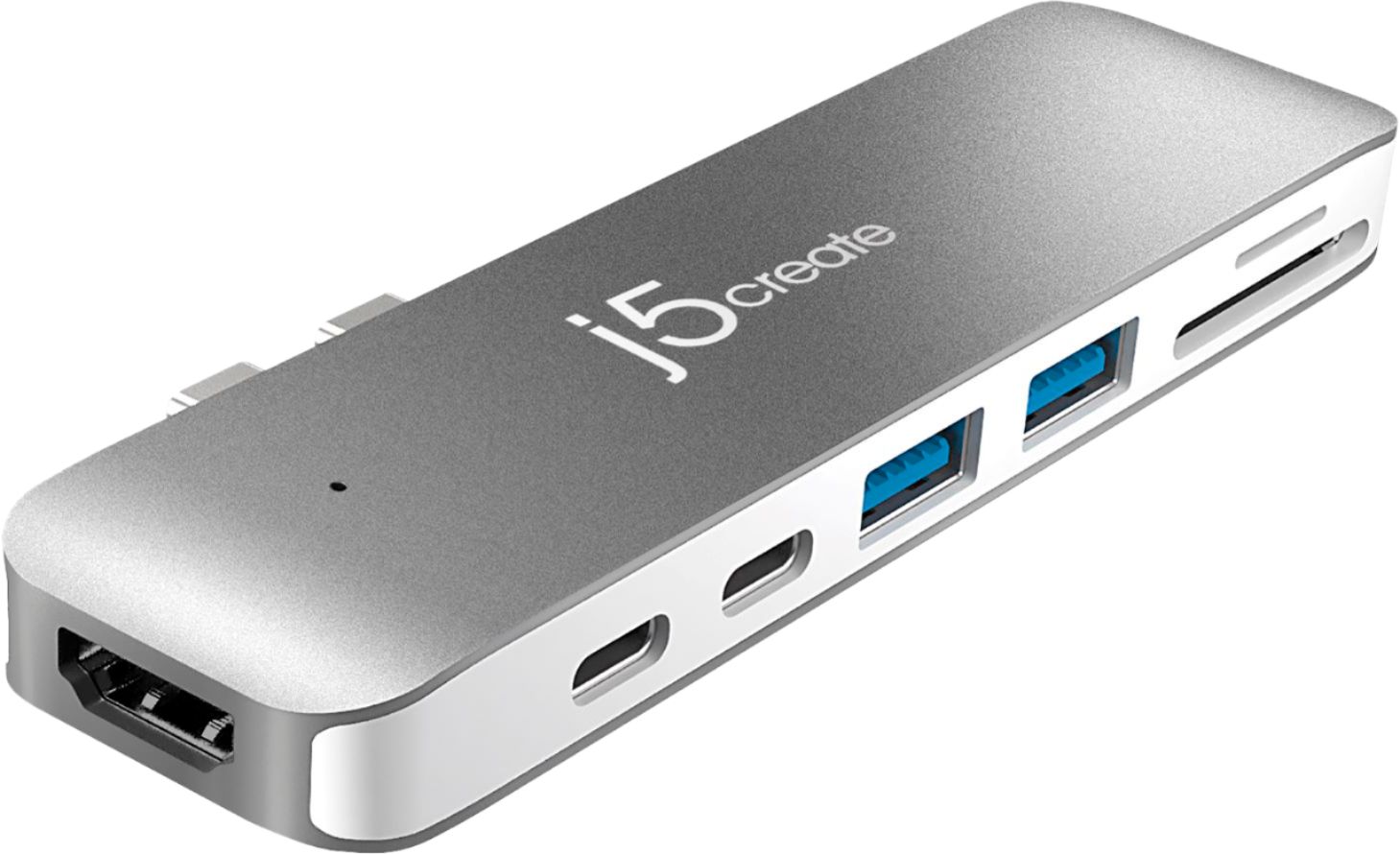


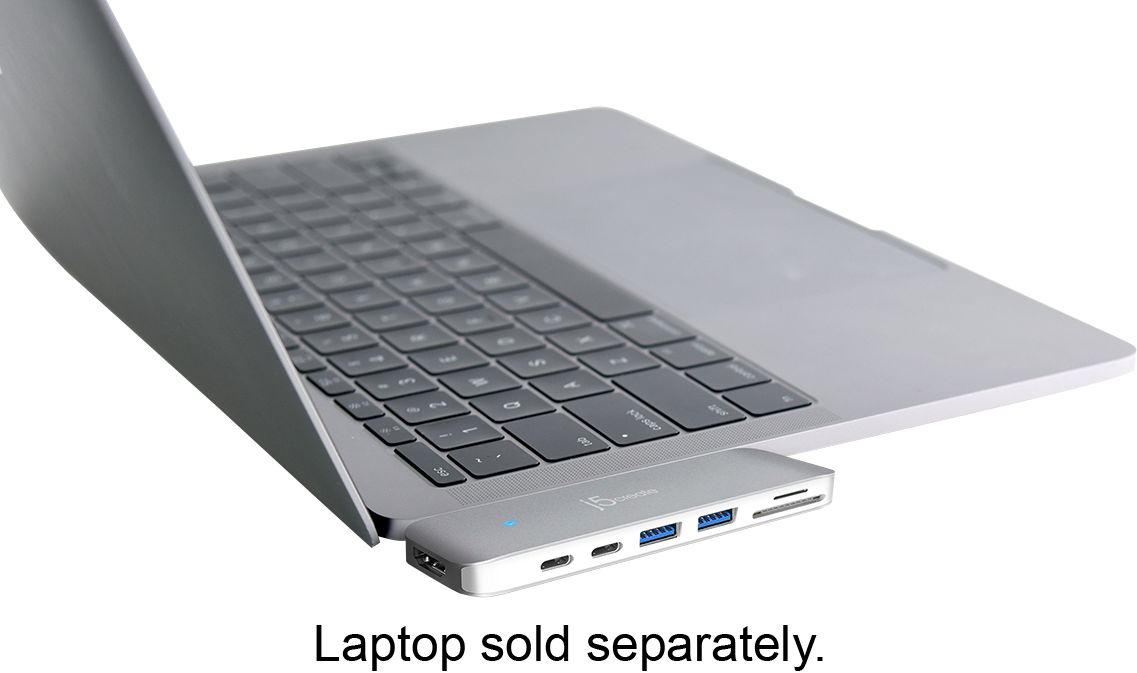
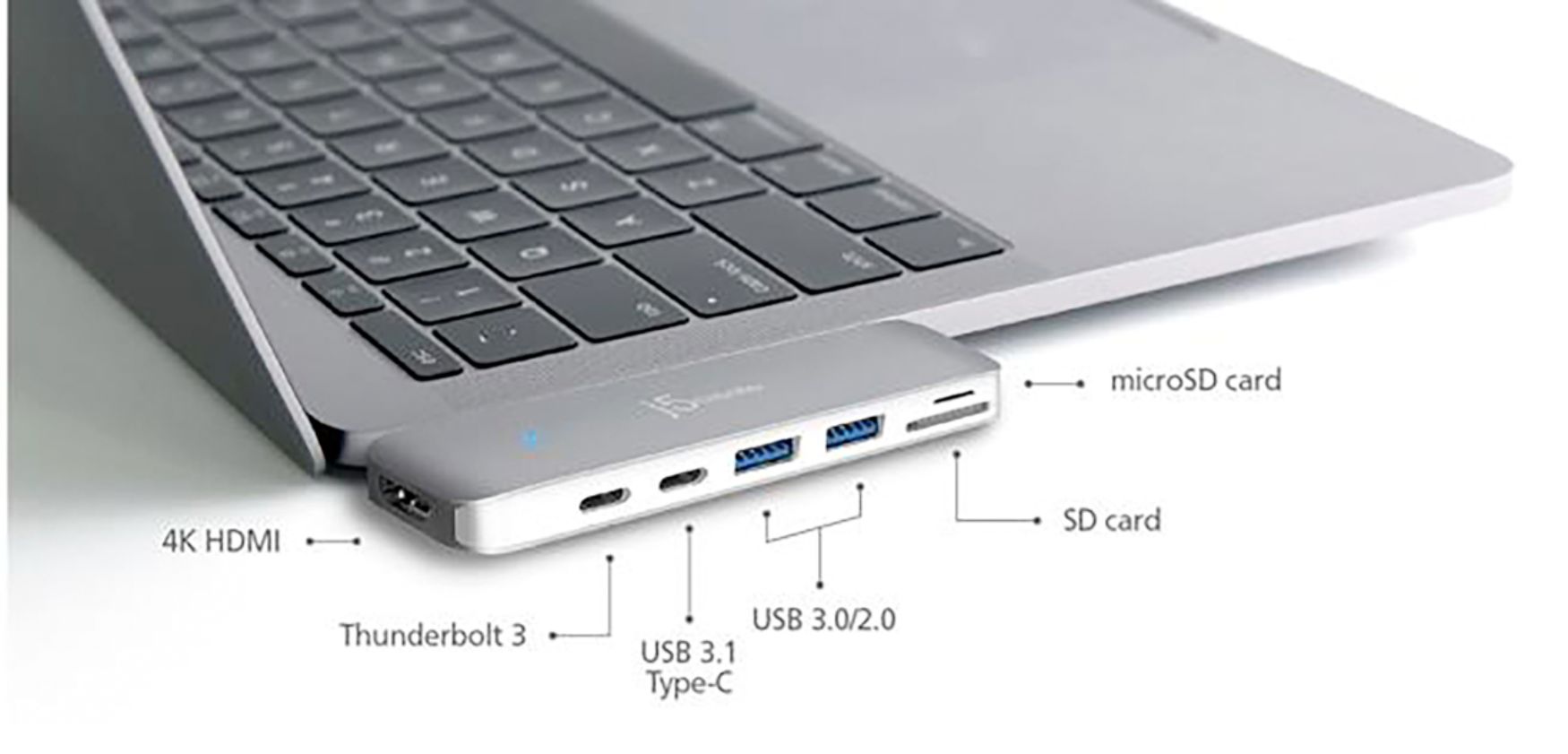
- Model:
- JCD382
- SKU:
- 6115810
Rating by feature
- Value
Rating 4.1 out of 5 stars
- Quality
Rating 4.3 out of 5 stars
- Ease of Use
Rating 4.4 out of 5 stars
Customers are saying
Customers have good things to say about the Ultra Drive Mini Dock's ease of use, plentiful ports, compact size, and generally good performance. Many appreciate the additional USB ports it provides for their MacBooks. However, some customers experienced issues with compatibility, connection stability, and the device's tendency to overheat. A few also felt the price was a bit high.
This summary was generated by AI based on customer reviews.
- Pros mentioned:Ease of use, Ports
Must have docking station!
Posted .This reviewer received promo considerations or sweepstakes entry for writing a review.I have seen and tried other products like this but this product from J5 Create is much better quality than what is out there today. Attaches easily to my MacBook and gives me all the extra ports I need. Perfect accessory!
I would recommend this to a friend - Pros mentioned:Usb
Excellent, works fantastic w/ 2018 13" TB MBP
Posted .This reviewer received promo considerations or sweepstakes entry for writing a review.Purchase a 2018 TB MBP and the J5 Create together. Currently running 10.14 Mojave Beta and the product seems to be working fine. Initial usage is a little slow. Plugged in, it would blink for 2-3 minutes doing nothing. After the time elapsed, all functions were successful. I'd really like if it was immediately useable, or a minimal delay. But it works as advertised, I really only use it for HDMI and the SD Reader so I guess it's ok? To earn the last star? Instant (0-15 second) usability. Otherwise, it works I guess. And the slow usability could definitely be related to my use of beta software.
I would recommend this to a friend - Pros mentioned:Design, Ports
Excellent Answer to USB ports
Posted .This reviewer received promo considerations or sweepstakes entry for writing a review.The J5Create is the answer to anyone that travels. With my Mac Book Pro this product fits extremely well into the computer ports and has all of the different ports you will need to support any external hardware to complete any tasks you might have. The J5 Create product line id designed and made well.
I would recommend this to a friendBrand response from J5create Team
Posted .DickB, 'Excellent answer to USB ports,' Mac users looking to instantly obtain HDMI connectivity along with SD card readers and USB ports for gadgets; the JCD382 makes the perfect choice - simply plug it in, watch the blue LED illuminate and done.
Regards,
j5create
- Cons mentioned:Connection
Works, but connection is loose
Posted .This reviewer received promo considerations or sweepstakes entry for writing a review.When plugged in everything works great, however, the slightest tap would cause it to disconnect. This resulted in a corrupted external drive for me. I'm keeping it as a backup, but definitely investing in a different dock for my main usage.
No, I would not recommend this to a friend MBP 2018 Working
Posted .This reviewer received promo considerations or sweepstakes entry for writing a review.After reading the reviews I wasn't sure if this was going to work on my brand new MBP 2018. The sales guy told me it would, so I figured I'd give it a shot. At first it didn't seem the dimensions of the ports were correct (distance between them) as it took much force to get them inserted. After more reading and research I decided I MUST be missing something. I carefully and slowly looked at the alignment and secured the dock flush with the laptop and heard an audible CLICK. Bingo... Make sure the dock CLICK's into place or this will NOT work. So far no issues!
I would recommend this to a friendWorks Great!
Posted .This reviewer received promo considerations or sweepstakes entry for writing a review.Works great, feels like a good quality unit. Would definitely recommend! Tried another product that was similar, but it was bulky and didn't perform as well. The speed is insane!
I would recommend this to a friend- Pros mentioned:Usb
Can charge phone at same time
Posted .This reviewer received promo considerations or sweepstakes entry for writing a review.Very helpful when downloading and charging phone at same time
I would recommend this to a friendBrand response from J5create Team
Posted .Hi SCHMO, the JCD382 is a great device for adding additional displays via the HDMI and Thunderbolt 3 ports on the JCD382 device itself. Also providing the user with SD card readers and pass through charging makes the JCD382 the perfect choice for Mac users. We appreciate the positive input as we constantly strive to improve
all or any flaws in the devices in order to obtain perfection and better satisfy customers. Be sure to check out the website on the box for other devices that could also be of great
usage to you and your colleagues.
Just as a heads up, support is also provided in both Spanish and English. Thanks again!
- Pros mentioned:Usb
Does not work consistently
Posted .This reviewer received promo considerations or sweepstakes entry for writing a review.I bought this drive to use two display monitors with a new (2017) MacBook Pro. The drive works only part time. It offers two USBC ports, two USB ports, card readers, and one HDMI port. I was told that I could plug one monitor into the HDMI port, plug another monitor into one of the USBC ports (using an HDMI to USBC adapter) and plug the power cord into the other USBC port. In theory great. In practice, not so much. If the power cord is plugged into one USBC port, the other doesn't work. The one USBC port that does work, only does so sporadically. I've used it to plug in the power cord, and need to check the computer ever so often because the USBC plug will stop working, draining the computer's battery. It's the same thing with the HDMI port. Sometimes it will work, sometimes it won't. I've reported this to J5Create and filled out a service ticket, but seem to be getting the runaround. The product is obviously flawed. Save your money.
No, I would not recommend this to a friendBrand response from J5create Team
Posted .Hi! I'm so sorry to hear that you had this problem with our device. In the time since your review, all of our products have been updated and our drivers are compatible with the latest OS. I hope that you would consider giving us a second chance so that we could show you the difference. Thanks, j5create
- Pros mentioned:Ease of use
Exactly what I needed!
Posted .This reviewer received promo considerations or sweepstakes entry for writing a review.This is exactly what I needed for my Macbook Pro. Worked right out of the box with no issues. Makes using my Macbook much easier. It's easy to plug in and out when I'm on the go also. Would definitely recommend, worth every penny!
I would recommend this to a friend - Cons mentioned:Charging, Connection
Not worth the money
Posted .This reviewer received promo considerations or sweepstakes entry for writing a review.Within one month of use it began losing connection to my macbook. Four months in the HDMI works 50% of the time, and I am unable to charge my laptop with this extension. Would not recommend.
No, I would not recommend this to a friend - Pros mentioned:Ports
Great concept but flawed
Posted .This reviewer received promo considerations or sweepstakes entry for writing a review.This adapter is great in concept. It has lots of useful ports which drew me to it. However, there is a design flaw. The adapter is lacking in frequency shielding, which means if you're using a USB-3.0 hard drive, there will be some signal leakage which is going to interfere with 2.4gz WiFi signals. A simple but temporary fix for this is to use 5hgz wifi signals. You won't be able to use wifi or bluetooth while you have things plugged into this adapter. As soon as you unplug the items from the adapter things return to normal.
No, I would not recommend this to a friend - Cons mentioned:Compatibility, Price
Don't Waste Your Money!
Posted .This reviewer received promo considerations or sweepstakes entry for writing a review.This device is not compatible with the MacBook Air if it has a case on it (because who wants to protect a $1300 investment). The salesperson at Best Buy even suggested the case that I bought with the J5Create! Don't waste your money, there are other options for a cheaper price.
No, I would not recommend this to a friendBrand response from J5create Team
Posted .Fmbmedic, due to the nature of the JCD382 connecting via USB-C, protectors could impede proper connection, thus resulting in a non-functional adapter. For such situations, I recommend models like the JCA374 where it connects with a host cable and your cover will no longer be an issue. If interested in learning more about the adapter, please reach out to us. Our information can be found on the casing and website.
Thank you,
j5create
- Pros mentioned:Ease of use
Multiple Dock
Posted .This reviewer received promo considerations or sweepstakes entry for writing a review.Good Quality Efficient Easy to use Slick and shape
I would recommend this to a friend - Cons mentioned:Compatibility
Seriously horrible product for high price
Posted .This reviewer received promo considerations or sweepstakes entry for writing a review.I recently purchased a brand new MacBook Pro and was instantly pushed this product. I was told I needed it and that it was the best in the business right now. Being a professional photographer I was totally in for something that allowed me to connect everything I needed in one small product. I'm returning this today. Its a pain to get on, if it gets bumped in the slightest it disconnects (scary because could be damaging to the photos and everything on my thumb drive!) it will connect and reconnect at its own will and is overall garbage. Will never buy a J5 product again. Save your money and find a better brand./
No, I would not recommend this to a friend - Cons mentioned:Connection
DON'T WORK and the guy sold me as a the best one
Posted .This reviewer received promo considerations or sweepstakes entry for writing a review.I used it just 2 times in 4 months. Now It doesn't work. I paid around 1500 dollars during that day for Mac and this one. And The guy in Best Buy said it is best one in store. It is disappointed. Today I explained and showed all receipts in the store, I just said " I am a student. I have a lot to do I don't have time for contacting to the manufacturer, please exchange it" . NO HELP. Really it doesn't reflect Best Buy values. Today I had a broken heart all day and am so sad. Anyway, If the somebody say buy this one, Please DON'T BUY! Also I consider and don't wanna buy anything in Best Buy any more.
No, I would not recommend this to a friendBrand response from J5create Team
Posted .Huso, We are very sorry to hear the JCD382 did not work for you. This could be due to a cover on the Mac, defective mini dock, or other. In such cases we recommend contacting the manufacturer and a rep will gladly assist. We understand calling here and there is not always a great suggestion, but we promise you we will do the best to get you up and going asap. If in the future, you experience any troubles with a j5create device, please reach out to support and an agent will gladly help.
Respectfully,
j5create
- Cons mentioned:Compatibility
Eh.
Posted .This reviewer received promo considerations or sweepstakes entry for writing a review.Dual USB plug doesn't connect well with my MacBook causing it to randomly disconnect while I'm working. Not helpful during file transfers.
No, I would not recommend this to a friendBrand response from J5create Team
Posted .Kate, If you are experiencing disconnection issues, this may be related to a proper connection not having been made. If you are using a protective case, I recommend removing it to make a snug insertion. If then, the issue still persists, please reach out to support for assistance.
Appreciatively,
j5create
- Cons mentioned:Connection
Should've bought a different product
Posted .This reviewer received promo considerations or sweepstakes entry for writing a review.I don't recommend this product to anyone. I must say, it has not been kind to me. The time's I need it the most, I could not download images from my SIM cards nor open my external hard drive. It works every now and then. Sometimes when it does work, I could be using my external hard drive and all of a sudden, the hard drive with eject. Even the slightest move could cause it to stop working. I'm very dissatisfied with this product.
No, I would not recommend this to a friendBrand response from J5create Team
Posted .I'm sorry to hear that the JCD382 wasn't performing like it should have from the beginning. The external hard drive may need more power then what the j5 adapter can put out to your HDD. We recommend directly connecting a HDD to a computer to operate correctly. As for the memory card, I suggest calling in and speak with to an agent to see if they could possibly figure out the cause why the memory card is not being read by our device and any other questions you may have.
Respectfully, j5create.
- Cons mentioned:Connection
Waste of Money
Posted .This reviewer received promo considerations or sweepstakes entry for writing a review.I’ve been using this device for 8-9 months with my MacBook Pro 15 and after the first few months it stopped working properly. It will only connect if I hold the device just right, “sweet spot”. It’s so frustrating so transfer files because half way through the file transfer the port will disconnect if I’m not holding it just right. I feel like this was a complete was of money. I expected much better for the price.
No, I would not recommend this to a friendBrand response from J5create Team
Posted .The JCD382 should seat firmly to the side of your MacBook. If you have a case on the lower portion of your MacBook that may prevent the dock from seating firmly to the laptop. If you have any questions our customer support team will be happy to answer them. You can find our contact information on the j5create website.
Thanks,
j5create
Mostly works
Posted .This reviewer received promo considerations or sweepstakes entry for writing a review.Using with my 2018 MBPro, this unit mostly meets the need. The biggest problem is that the HDMI port doesn't seem to deliver adequate signal to sometimes when the computer comes out of standby. My other USB-C to multi adapter doesn't seem to have this issue. I wind up needing to either restart my Mac completely, or unplug/reconnect the HDMI cable and/or the entire adapter several times to get the display output to work. It also could use an ethernet port. I could make better use of that rather than the SD/microSD ports.
No, I would not recommend this to a friendBrand response from J5create Team
Posted .For a mini dock that has Ethernet connectivity, HDMI, SD card reading capabilities, along with USB ports for gadgets; a good choice would be the JCD383 or the JCD384. Being PnP, it will have you working in seconds. We're sorry to hear about the experience you had with the JCD382 and if possible, we would value the opportunity to turn this around. Our contact information can be located on the casing and an agent will be ready to assist.
Respectfully,
j5create
Looks cool, but that's not enough.
Posted .This reviewer received promo considerations or sweepstakes entry for writing a review.I was looking for a solution that would accompany my new 2018 15" MacBook Pro, that would allow me to plug in multiple peripherals, while complimenting the gorgeous design of the MacBook. There were a few choices that converted the two Thunderbolt 3 ports into USB and whatnot, and this choice seemed to be the most aesthetically pleasing. However when trying to use it for the first time, I couldn't get it to turn on either side of the computer. Frustrated, I tried again the next morning - and was able to get it to finally power a mouse and keyboard after literally having to literally shove it forcefully into the USB-C ports. Wiggling the adapter in even the slightest will cause it to lose power and stop working. You won't want to use this product unless you're all about getting angry!
No, I would not recommend this to a friendBrand response from J5create Team
Posted .Hi!
I'm so sorry to hear that this happened to you. In the time since your review, we've greatly improved on all of our products and their respective drivers. I hope that you would consider giving us another shot so we can show you the difference!
Thanks,
j5create