Customer Ratings & Reviews
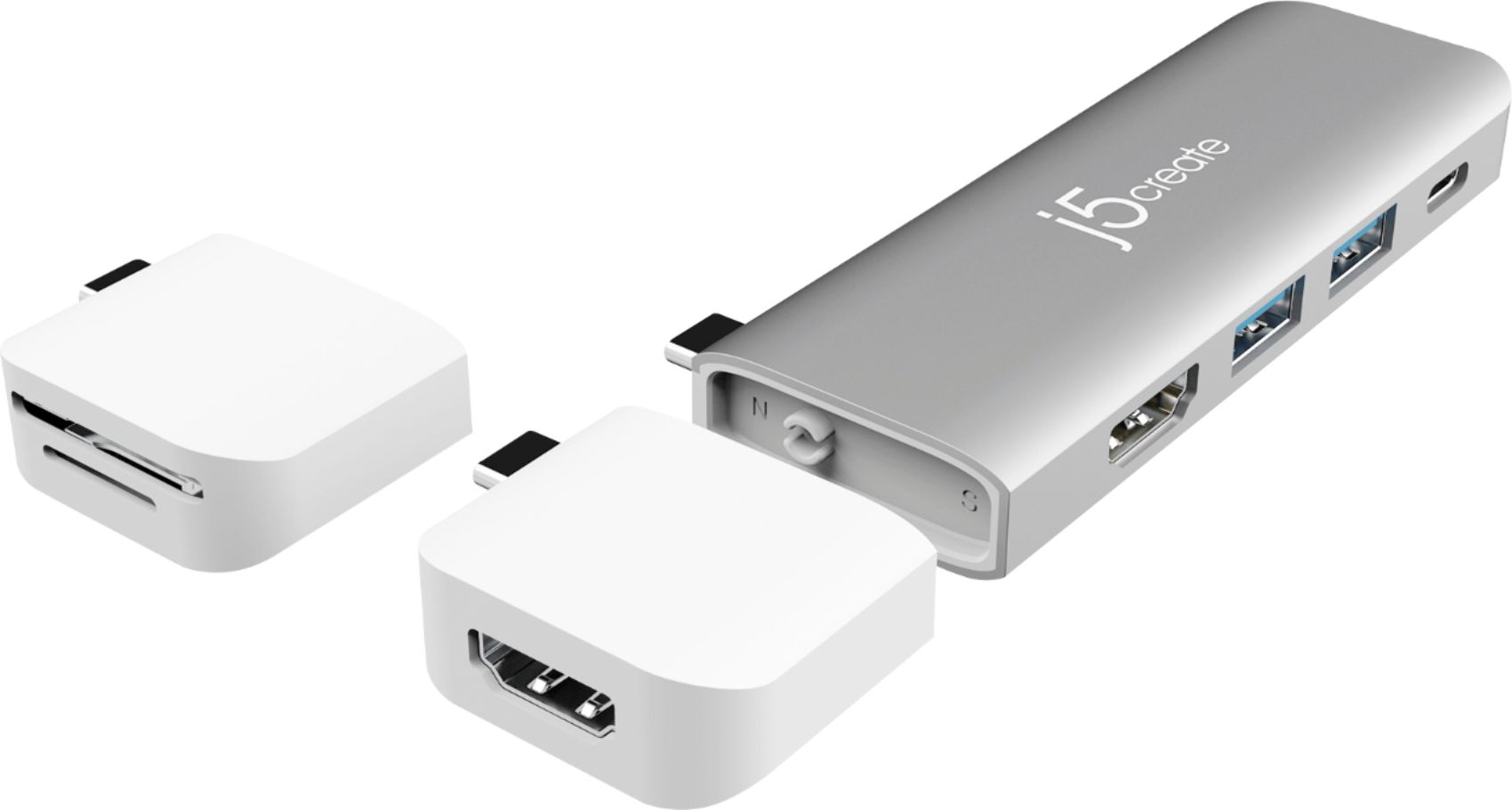
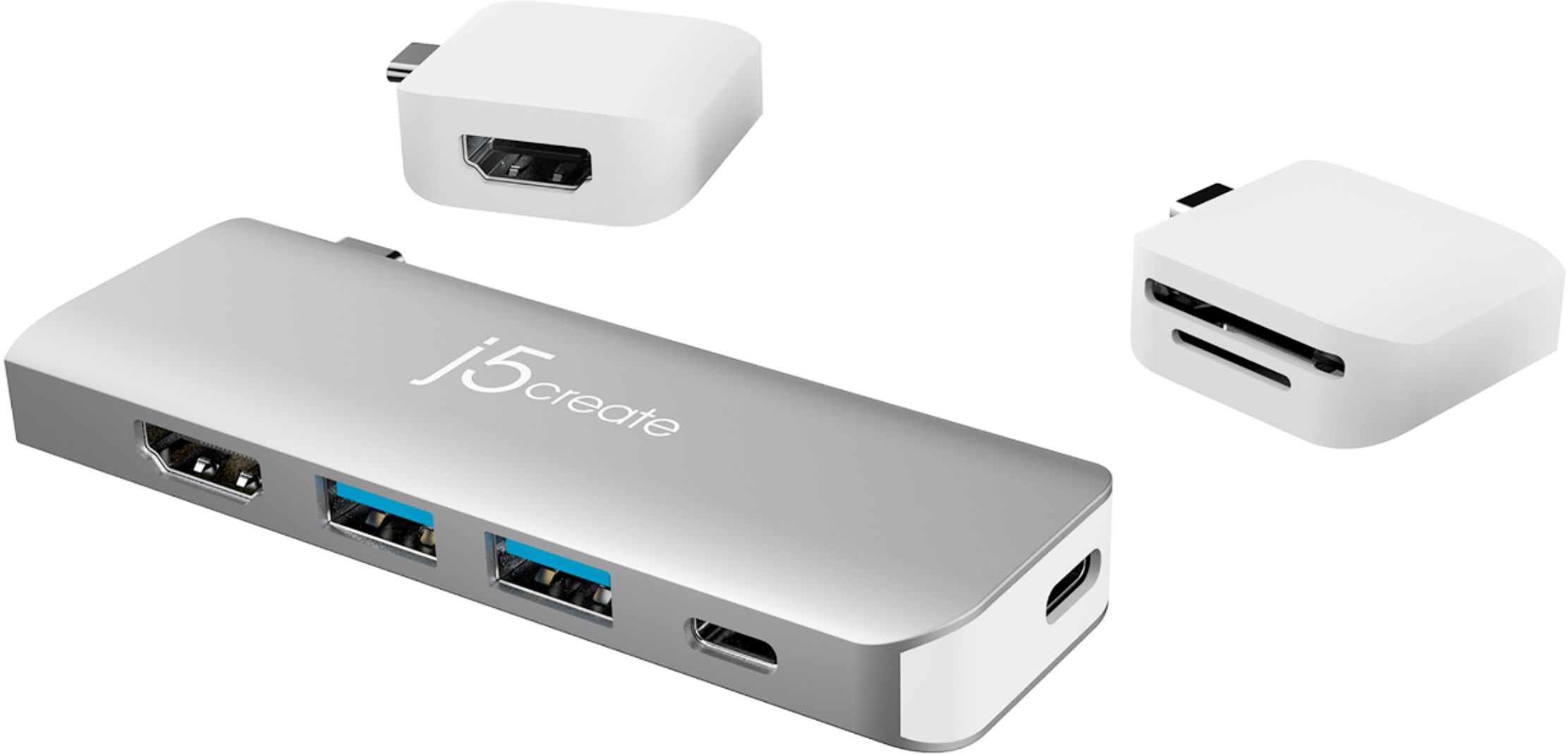

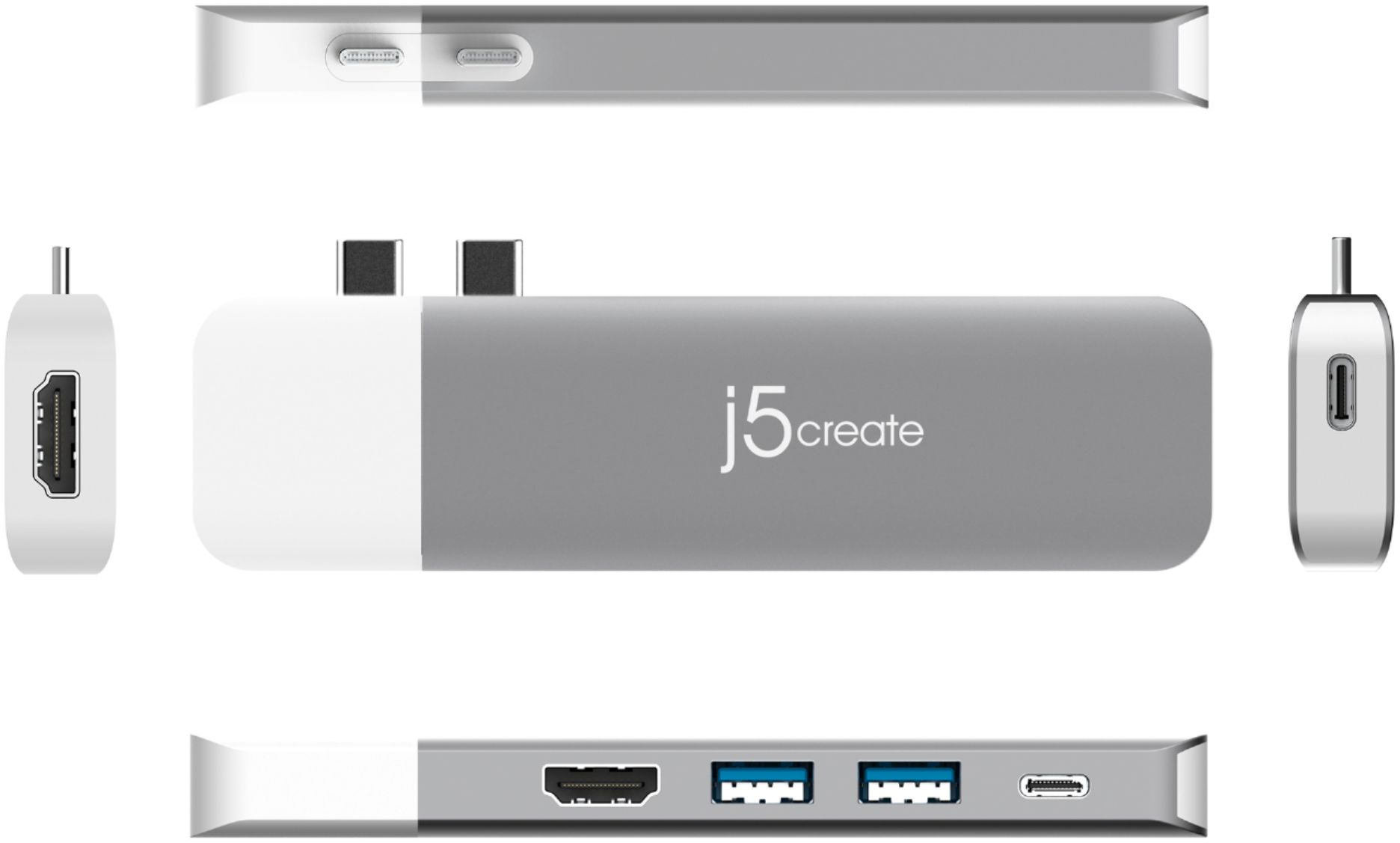
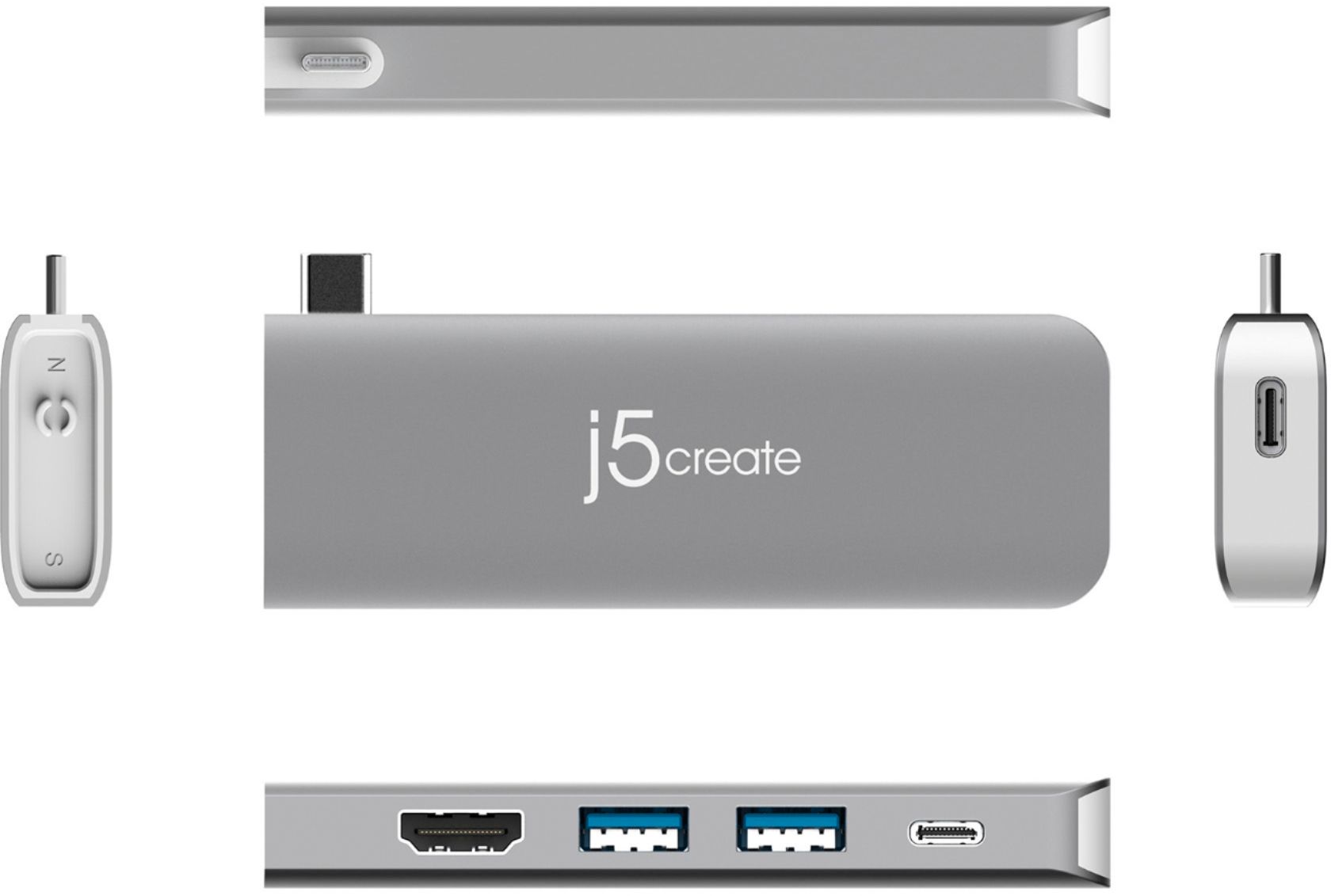
- Model:
- JCD387
- SKU:
- 6402116
Rating by feature
- Value
Rating 4.1 out of 5 stars
- Quality
Rating 4.2 out of 5 stars
- Ease of Use
Rating 4.3 out of 5 stars
Customers are saying
Customers enjoy the ULTRADRIVE Kit USB-C Dual-Display Modular Dock's ease of use and its USB-C compatibility, finding it easy to set up and use with various devices. Many appreciate its compact size and the ability to support dual displays, although some experienced compatibility issues with certain MacBooks. The price point is also frequently cited as a positive aspect.
This summary was generated by AI based on customer reviews.
- Pros mentioned:Usb-cCons mentioned:Compatibility
Ok
||Posted . Owned for 1 month when reviewed.This reviewer received promo considerations or sweepstakes entry for writing a review.I needed a way to connect 2 monitors with my MacBook and give some additional usb options. In theory this set is awesome. It has worked ok so far but I had to do some finagling to get it to work right for me. I don't know if the peripherals were just overwhelming it or something but it doesn't seem to like it when I have the main dock and the hdmi module being used at the same time with 2 screens and other devices plugged into the other ports. Luckily I have other docking solutions with hdmi so for my main set up I use the hdmi module and my other docking dongle with an hdmi port instead of the one it came with. I only use the included big piece of the doc if I am not using any other pieces or docks. It could just be my use case, but just something I noticed. I have a lot of crap I use for work so it may not be that way for everyone. The connection usually seems ok but I agree with others who said it could be better. It seems to help to have one of the modules plugged in too, even if not in use, as it adds a bit of extra stability for the larger piece. The smaller modules plug in well and don't seem to have the stability issues like the larger piece has. I still like it and use it, but it would've been cool if that fit a little more reliably. It did occur to me that could be the issue with trying to use it with a bunch of stuff, like I explained above, and not the stuff I was plugging into it. Still not sure, but just some things I noted. Not the worst product ever, I kept mine and use it daily, but could also be much improved with a cpl little tweaks.
I would recommend this to a friendBrand response from J5create Team
Posted .Hello,
We appreciate your feedback on the JCD387. We are continually looking to make improvements to our products. Detailed reviews like yours help a lot. We are glad to hear that you are still getting use out of the mini dock.
Cheers,
j5create
- Cons mentioned:Compatibility
Hard one to use.
||Posted . Owned for more than 2 years when reviewed.This reviewer received promo considerations or sweepstakes entry for writing a review.I tried using this with my iPad Pro, but it works u=in a wonky kind of on off again way. Would hate to depend on out== during a presentation on the road.
No, I would not recommend this to a friend - Pros mentioned:Ease of useCons mentioned:Compatibility
Works great so far...
||Posted . Owned for less than 1 week when reviewed.This reviewer received promo considerations or sweepstakes entry for writing a review.Easy setup. I like the cordless attachment. Can be a little loose, make sure you keep your computer on a flat surface when connected to prevent damage to both the product and computer.
I would recommend this to a friendBrand response from J5create Team
Posted .Hi!
That's great to hear! I'm glad that this has suited your needs. If you have any trouble with your device, please don't hesitate to contact us and we'd be more than happy to assist you. Our information can be found on the back of all of our product boxes and on our website under the support tab, there you can find links to our livechat, phone, and ticketing services.
Thanks,
j5create
- Cons mentioned:Compatibility
Great idea, but...
||Posted . Owned for 1.5 years when reviewed.This reviewer received promo considerations or sweepstakes entry for writing a review.It's a great idea if it worked... Somehow I could never fit it firmly to the computer. It would not stay put for long, specially when holding the computer on my lap. One more gadget relegated to my museum drawer.
No, I would not recommend this to a friend - Pros mentioned:Ease of useCons mentioned:Compatibility
Good product
||Posted . Owned for 3 weeks when reviewed.This reviewer received promo considerations or sweepstakes entry for writing a review.Very easy setup for this product. Worked very well and looked good. The only problem is if you put any type of protective case it it fits a little weird
I would recommend this to a friendBrand response from J5create Team
Posted .Hello there, we recommending removing a protective case for the Dock to have a complete flushed connection to the computer but if it has a good connection with no signal loss then that should be fine. Thank you for your review.
- Cons mentioned:Compatibility
Does not work well for MacBook Pro
||Posted . Owned for less than 1 week when reviewed.This reviewer received promo considerations or sweepstakes entry for writing a review.I bought this to use w/ my 16” MacBook Pro & it does not stay in or work with a case on the Mac. I’ve tried it from both sides & the big gray component will not work. It plugged in fine for my iPad Pro though & worked w/ the USB-A plugs I used. Also, the white adapter pieces for the micro sd card worked for my Mac Pro, but not the iPad Pro. I’m not sure why the iPad didn’t recognize the card.
No, I would not recommend this to a friendBrand response from J5create Team
Posted .Hello Jay!
We are very sorry to hear about the inconvenience that this has caused you. Please contact us and we would be more than happy to assist you in getting up and running on both of your devices. Our information can be located on the back of all of our product boxes and on our website under the support tab. There you can find links to our livechat, phone, and ticketing servies.
Sincerely,
j5create
- Cons mentioned:Compatibility
Great product, highly recommended.
||Posted . Owned for less than 1 week when reviewed.This reviewer received promo considerations or sweepstakes entry for writing a review.Great product, highly recommended. Does not work if your laptop has a thin case.
I would recommend this to a friendBrand response from J5create Team
Posted .Each kit can work alone on a USB-C equipped device and can work simultaneously together with the main body.
- Cons mentioned:Compatibility
Pretty Decent
||Posted . Owned for 1 month when reviewed.This reviewer received promo considerations or sweepstakes entry for writing a review.good! only complaint is that you can’t use this with your bottom case on
I would recommend this to a friendBrand response from J5create Team
Posted .Hi there, thank you for your review. Unfortunately, to have the JCD387 fit snug to your computer, we do require protective cases to be removed. I do apologize for this inconvenience. Thank you for supporting us. Kindly, j5create.
- Cons mentioned:Compatibility
Disappointed
||Posted . Owned for 1 month when reviewed.This reviewer received promo considerations or sweepstakes entry for writing a review.Doesn't work on a MAC with an M1 chip like I was told it would to allow for 2 screens. I was already able to use one screen before purchase.
No, I would not recommend this to a friendBrand response from J5create Team
Posted .The JCD387 is a PnP device, no drivers required. However, M1 laptops will only be able to have (1) external display and (2) external display with M1 mac mini.
- Cons mentioned:Compatibility
Great concept
||Posted . Owned for less than 1 week when reviewed.This reviewer received promo considerations or sweepstakes entry for writing a review.I’m giving 5 due to the great concept. This is for MAC BOOK only. Had to return
I would recommend this to a friendBrand response from J5create Team
Posted .Hello Nina,
Thank you for your review. If you have any questions regarding the compatibility of our products you can contact j5create customer support. You can find our contact information on the j5create website under the ‘Support’ drop down.
Cheers,
j5create
- Cons mentioned:Compatibility
Computer part
||Posted .This reviewer received promo considerations or sweepstakes entry for writing a review.Great quality, just didn’t fit my current computer system.
I would recommend this to a friendBrand response from J5create Team
Posted .Thank you for your review. If you are still interested in finding a compatible device for your computer. Our contact information can be located on j5create website and we'll be happy to assist you. Thanks again, Airp.
- Cons mentioned:Compatibility
MacBook
||Posted .This reviewer received promo considerations or sweepstakes entry for writing a review.Love the convenience of it but it doesn’t fit well with a case on your MacBook
I would recommend this to a friend - Cons mentioned:Compatibility
Its ok
||Posted . Owned for 1 year when reviewed.This reviewer received promo considerations or sweepstakes entry for writing a review.Its ok, the only downside is that the two pieces keep detaching very time the laptop is moved
I would recommend this to a friendBrand response from J5create Team
Posted .Each module can work separately as a stand-alone mini adapter or be magnetically attached for use together with the main body.
- Cons mentioned:Compatibility, Performance
J5 create
||Posted . Owned for 1 month when reviewed.This reviewer received promo considerations or sweepstakes entry for writing a review.Did not work for my MacBook Air. Only one device at a time. Would not recommend.
No, I would not recommend this to a friendBrand response from J5create Team
Posted .Depending on the Mac's specifications, you may only be limited to one additional display at a time. Because the JCD387 is a PnP adapter, the monitors should be displaying once you connect the modular as there is no driver required. For further investigation regarding this situation, we recommend contacting support for alternatives.
Respectfully,
j5create
- Cons mentioned:Compatibility
This thing SUCKS! Go back to the original design
||Posted .This reviewer received promo considerations or sweepstakes entry for writing a review.Compared to the old one (which I should’ve kept) this thing wobbles when connected to the port. It looks and feels cheap. My j5 usb-c to Ethernet port doesn’t work on it. Also can’t charge my MacBook from the USB-c port that’s on the side. The magnets are not strong at all. I feel if I were to yank on a cable this thing would snap off the port easily. Don’t buy this one
No, I would not recommend this to a friendBrand response from J5create Team
Posted .Hi Mike!
I would like to apologize for the inconvenience that this has caused you. My customer service team is available to assist you in making sure that everything works correctly on your device and can address any other issues you may have with it. Our information can be found on the back of all of our product boxes and on our website under the support tab. We have links to our chat service, ticketing service, and to our phone service as well.
Thanks,
j5create
- Cons mentioned:Compatibility
Disappointed
||Posted . Owned for 1 week when reviewed.This reviewer received promo considerations or sweepstakes entry for writing a review.This docking station didn't connect well to my new Mac Air. I wasn't able to connect my monitor or my phone. I had to return it.
No, I would not recommend this to a friendBrand response from J5create Team
Posted .Hello there, we're sorry to hear the device did not work with your Mac and phone. The JCD387 is a PnP and does not require drivers. However, if the MacBook Air is running a M1 chip and wanted to display dual monitors, unfortunately, will only output one. We apologize for the inconvenience. Kindly, j5.
- Cons mentioned:Compatibility
Doesn’t work with M1
||Posted . Owned for 3 weeks when reviewed.This reviewer received promo considerations or sweepstakes entry for writing a review.Does not work with M1 MacBooks It was really hard to find the area on the website that says it doesn’t work with M1 macs
No, I would not recommend this to a friendBrand response from J5create Team
Posted .The JCD387 is a Plug n Play device, no driver is needed. If you are trying to display dual monitors (not including your computer) unfortunately, that is the hardware limitation on MacBook's with M1. Kindly j5.
- Cons mentioned:Compatibility
Useless
||Posted . Owned for 3 weeks when reviewed.This reviewer received promo considerations or sweepstakes entry for writing a review.Can not get it to work. Had to buy another brand and it worked fine
No, I would not recommend this to a friendBrand response from J5create Team
Posted .Hello Paulie,
The JCD387 is a plug and play docking station. There should be no set up beyond plugging it in to your MacBook. Our customer support team is available to help and may have saved you a trip back to the store. We appreciate your feedback.
Thank you,
j5create
- Cons mentioned:Compatibility
No MacBook Pro for you
||Posted . Owned for 3 weeks when reviewed.This reviewer received promo considerations or sweepstakes entry for writing a review.Did not work with my MacBook Pro. I would not buy his again
No, I would not recommend this to a friendBrand response from J5create Team
Posted .Hello,
This mini docking station is designed to be plug and play with a MacBook Pro. One common issue that comes up is that the dock is not seated firmly into the USB ports on the computer. Having a case on the laptop will also prevent the dock from properly connecting to the computer. If you would like any assistance our customer support contact information is at the link below:
https://en.j5create.com/pages/contact-us
Thank you,
j5create
- Cons mentioned:Compatibility
Does your laptop have a case?
Posted .This reviewer received promo considerations or sweepstakes entry for writing a review.Overall this product is great. The only issue is that I have to use it upside down, because if I use it right side up, my laptop case stops it from going in all the way.
I would recommend this to a friend