Customer Ratings & Reviews


- Model:
- JUD380
- SKU:
- 10757586
Rating by feature
- Value
Rating 4.2 out of 5 stars
- Quality
Rating 4.4 out of 5 stars
- Ease of Use
Rating 4.5 out of 5 stars
to a friend
Great tv;
||Posted .This reviewer received promo considerations or sweepstakes entry for writing a review.Bought as an upgrade in size; great tv; love the Netflix feature. Easy to operate.
I would recommend this to a friendBrand response from J5create Team
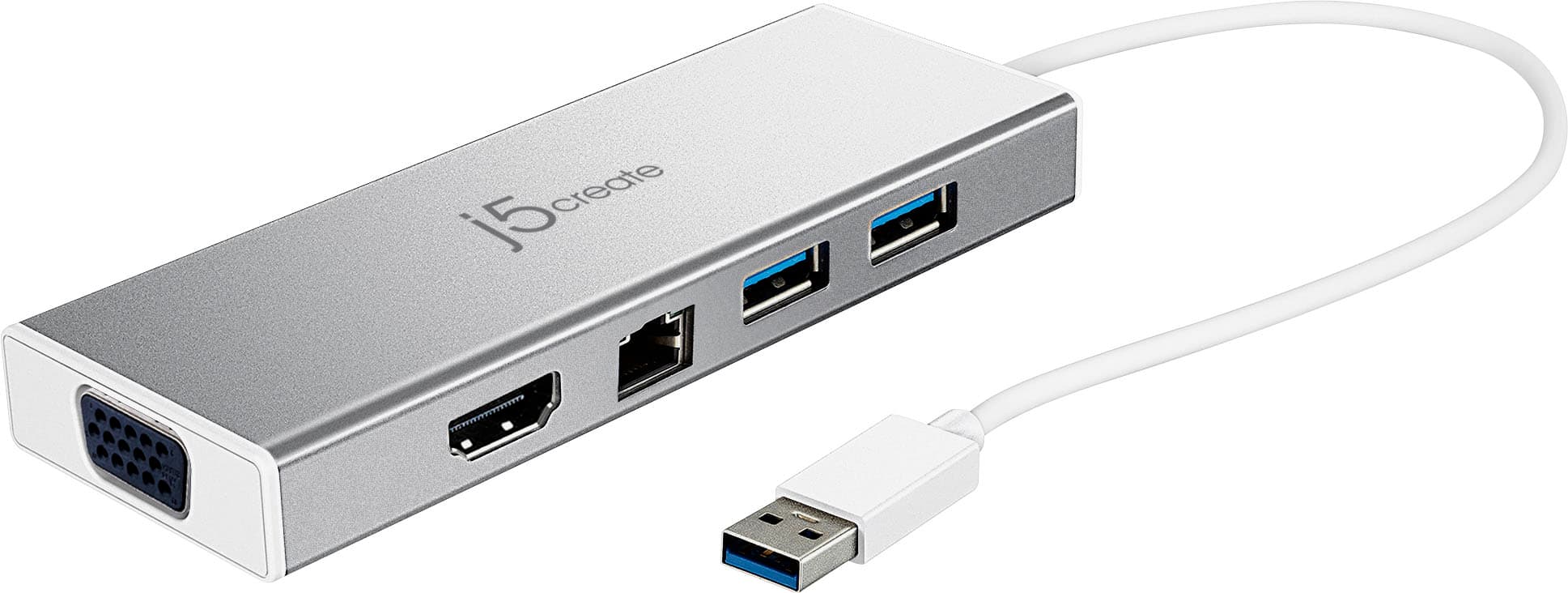
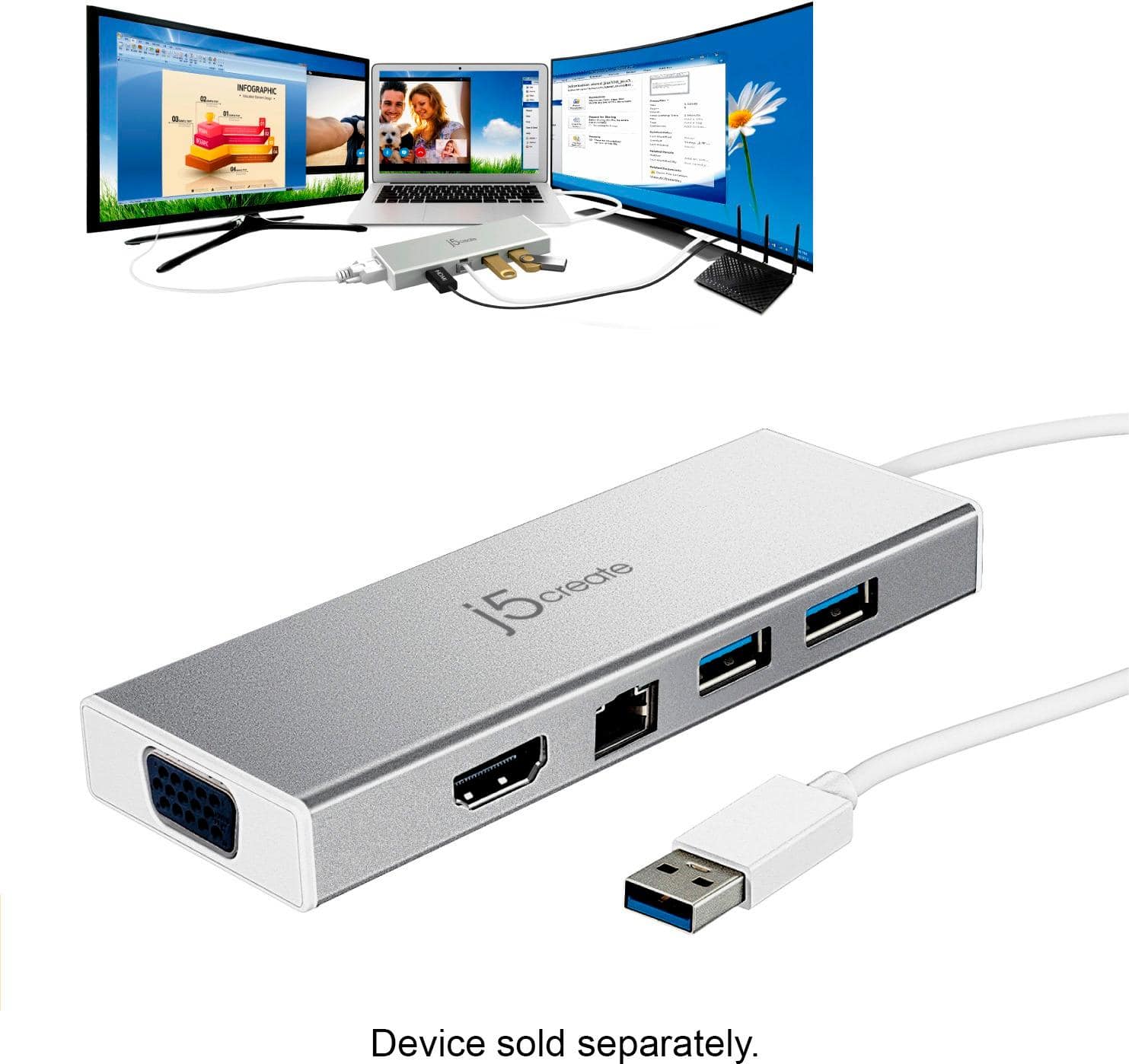
Posted .Compact and lightweight design for maximum portability

Mini Docking Station Works Great
||Posted . Owned for 7 months when reviewed.This reviewer received promo considerations or sweepstakes entry for writing a review.The j5create - USB 3.0 Mini Docking Station does a great job of expanding your port access. It works well as intended.
I would recommend this to a friendBrand response from J5create Team
Posted .Hi,
It is good to hear that the mini docking station is working great for you. A lot of laptops do not come with enough ports these days. A dock like this will get your computer to work to its fullest potential.
Have a good day,
j5create
Useful device.
||Posted . Owned for 3 months when reviewed.This reviewer received promo considerations or sweepstakes entry for writing a review.Really handy to have if you want to play DVD's, not to mention necessary for the more modern thinner computers w/o DVD drives.
I would recommend this to a friendBrand response from J5create Team
Posted .Designing useful devices is what we aim for, we are glad to know the JUD380 has met your needs and expectations, thanks!
Regards,
j5create
Add ports to Surface Pro
||Posted . Owned for 1 month when reviewed.This reviewer received promo considerations or sweepstakes entry for writing a review.It easily expanded the capabilities of our Surface Pro Laptops.
I would recommend this to a friendDocking Station
||Posted . Owned for 7 months when reviewed.This reviewer received promo considerations or sweepstakes entry for writing a review.Works as advertised. Everything works so far except the internet connection that I haven' t actually used yet.
I would recommend this to a friendBrand response from J5create Team
Posted .An integrated RJ45 Ether port for a reliable wired network connection.
Awesome
||Posted . Owned for 1 month when reviewed.This reviewer received promo considerations or sweepstakes entry for writing a review.Great product, worth the price, will recommend! Love shopping at Best Buy!
I would recommend this to a friendBrand response from J5create Team
Posted .Thank you for your review. Cheers!
It works.
||Posted .This reviewer received promo considerations or sweepstakes entry for writing a review.This little docking station works OK and doesn't take up any space.
I would recommend this to a friendBrand response from J5create Team
Posted .Small and providing all the capabilities you need in one; the JUD380 excels expectations - HDMI, VGA, Ethernet along with USB ports for added accessories make this a top seller.
Gratefully,
j5create
Significant lag time is an issue
||Posted . Owned for 6 months when reviewed.This reviewer received promo considerations or sweepstakes entry for writing a review.For connecting to external drives, this device works fine. For keyboards, mouse. And other devices where you expect an instantaneous response, it does not do well as there is lag time - sometimes as much as a couple of seconds between keystrokes and response on screen
No, I would not recommend this to a friendBrand response from J5create Team
Posted .Hello,
The keyboard and mouse lag that you are experiencing are not normal for this docking station. I would recommend contacting our customer support team for troubleshooting assistance. You can find our contact information on the j5create website under the ‘Support’ drop down. I hope that we can assist you in getting the mini dock running as it should.
Thank you,
j5create
Work perfectly!
||Posted . Owned for 2 months when reviewed.This reviewer received promo considerations or sweepstakes entry for writing a review.Bought this one for me and for my friend. Work like a charm! Never had any issue installing and configuring.
I would recommend this to a friendBrand response from J5create Team
Posted .Create a dual-monitor setup with HDMI and VGA outputs and together with your laptop display, you can have a maximum of 3 displays.
mini port add on
||Posted . Owned for less than 1 week when reviewed.This reviewer received promo considerations or sweepstakes entry for writing a review.Good item but wish it had more USB ports to make it more versatile.
I would recommend this to a friendexcellent
||Posted .This reviewer received promo considerations or sweepstakes entry for writing a review.this product is perfect the quality and the item description is the best
I would recommend this to a friendBrand response from J5create Team
Posted .Excellent is what we love hearing from our customers and we're glad to hear your feedback, Alba!
Cordially,
j5create
Good to use for adding ports to your gaming laptop
||Posted .This reviewer received promo considerations or sweepstakes entry for writing a review.I bought this to overcome the connection limits of my Acer Nitro 5 when playing Oculus Rift. The only downside was the expensive price.
I would recommend this to a friendBrand response from J5create Team
Posted .Gaming, or working, the JUD380 supplies ports for VGA, or HDMI monitors, Ethernet connectivity for a safer, faster web browsing experience and USB ports for gadgets. Connecting into only one USB port makes this not only space-efficient, but a popular choice.
Sincerely,
j5create
Connector
||Posted . Owned for 3 weeks when reviewed.This reviewer received promo considerations or sweepstakes entry for writing a review.Getting this item was a lifesaver for me. Great product.
I would recommend this to a friendHaven’t used it yet need to get adapters
||Posted .This reviewer received promo considerations or sweepstakes entry for writing a review.Haven’t used it yet need adapters for my monitors.
I would recommend this to a friendBrand response from J5create Team
Posted .Hello Nancy,
Just remember to download and install the driver software from the j5create website before plugging the mini dock into your computer. If you have any trouble with getting the dock connected you can contact j5create customer support for assistance. Our contact information can be found on the product package as well as on the j5create website under the ‘Support’ drop down. Thank you for choosing a j5create product.
Thank you,
j5create
Great adapter
||Posted . Owned for 1 month when reviewed.This reviewer received promo considerations or sweepstakes entry for writing a review.Works exactly for what i bought it for. Now I get to use 2 monitors along with my laptop.
I would recommend this to a friendBrand response from J5create Team
Posted .Create a dual-monitor setup with HDMI and VGA outputs. Cheers!
Docking Station
||Posted . Owned for 3 weeks when reviewed.This reviewer received promo considerations or sweepstakes entry for writing a review.Wasn't sure at first but as it turned out-Great product, would buy again
I would recommend this to a friendFit for Purpose
||Posted . Owned for 1 month when reviewed.This reviewer received promo considerations or sweepstakes entry for writing a review.Only nit I have is that the spacing between ports is tight.
I would recommend this to a friendBrand response from J5create Team
Posted .AnEndUser, thanks for reviewing the JUD380 mini dock. In regards to spacing - we understand and apologize for the inconvenience. We have other models available that may offer better spacing for your gadgets and if you wish to learn more about them, please reach out to support and a specialist will be more than happy to answer any questions you may have.
Cordially,
j5create
Good option for Windows Systems
||Posted .This reviewer received promo considerations or sweepstakes entry for writing a review.This Mini dock is a good option for Windows users, I try it in a Windows 10 Surface tablet and work fine. The only problem I see is that it doesn´t work yet with recent versions of MAC OS. Support says that they are working on upgrading the drivers, but there is no release date for the new ones.
I would recommend this to a friendBrand response from J5create Team
Posted .We sincerely apologize for the inconvenience the JUD380 not working with Mac is causing. At this time, we are compatible and if you still require assistance, we recommend reaching out to support and an agent will gladly lend a helping hand.
Cordially,
j5create
It works.
||Posted . Owned for 1 month when reviewed.This reviewer received promo considerations or sweepstakes entry for writing a review.A reasonable option. The VGA onnection on the end is a plus.
I would recommend this to a friendBrand response from J5create Team
Posted .VGA supporting up to 1080P, HDMI and Ethernet for a hard wired internet connection - the mini dock supplies all your basic needs in one.
Gratefully,
j5create
Perfect product
||Posted . Owned for 3 weeks when reviewed.This reviewer received promo considerations or sweepstakes entry for writing a review.No issues and easy to setup for use.great buy if you need extra slots
I would recommend this to a friend